


openwhispr
Voice-to-text dictation app with local (Nvidia Parakeet/Whisper) and cloud models (BYOK). Privacy-first and available cross-platform.
Stars: 1208
OpenWhispr is an open source desktop dictation application that converts speech to text using OpenAI Whisper. It features both local and cloud processing options for maximum flexibility and privacy. The application supports multiple AI providers, customizable hotkeys, agent naming, and various AI processing models. It offers a modern UI built with React 19, TypeScript, and Tailwind CSS v4, and is optimized for speed using Vite and modern tooling. Users can manage settings, view history, configure API keys, and download/manage local Whisper models. The application is cross-platform, supporting macOS, Windows, and Linux, and offers features like automatic pasting, draggable interface, global hotkeys, and compound hotkeys.
README:

An open source desktop dictation application that converts speech to text using OpenAI Whisper. Features both local and cloud processing options for maximum flexibility and privacy.
This project is licensed under the MIT License - see the LICENSE file for details. This means you can freely use, modify, and distribute this software for personal or commercial purposes.
- ☁️ OpenWhispr Cloud: Sign in and transcribe instantly — no API keys needed, with free and Pro plans
- 🔐 Account System: Google OAuth and email/password sign-in with email verification
- 💳 Subscription Management: Free tier (2,000 words/week), Pro tier (unlimited), 7-day free trial
- 🎤 Global Hotkey: Customizable hotkey to start/stop dictation from anywhere (default: backtick `)
- 🤖 Multi-Provider AI Processing: Choose between OpenAI, Anthropic Claude, Google Gemini, or local models
- 🎯 Agent Naming: Personalize your AI assistant with a custom name for natural interactions
- 🧠 Multi-Provider AI:
- OpenAI: GPT-5, GPT-4.1, o-series reasoning models
- Anthropic: Claude Opus 4.5, Claude Sonnet 4.5
- Google: Gemini 2.5 Pro/Flash/Flash-Lite
- Groq: Ultra-fast inference with Llama and Mixtral models
- Local: Qwen, LLaMA, Mistral models via llama.cpp
- 🔒 Privacy-First: Local processing keeps your voice data completely private
- 🎨 Modern UI: Built with React 19, TypeScript, and Tailwind CSS v4
- 🚀 Fast: Optimized with Vite and modern tooling
- 📱 Control Panel: Manage settings, view history, and configure API keys
- 🗄️ Transcription History: SQLite database stores all your transcriptions locally
- 🔧 Model Management: Download and manage local Whisper models (tiny, base, small, medium, large, turbo)
- ⚡ NVIDIA Parakeet: Fast local transcription via sherpa-onnx (multilingual, 25 languages)
- 🧹 Model Cleanup: One-click removal of cached Whisper models with uninstall hooks to keep disks tidy
- 🌐 Cross-Platform: Works on macOS, Windows, and Linux
- ⚡ Automatic Pasting: Transcribed text automatically pastes at your cursor location
- 🖱️ Draggable Interface: Move the dictation panel anywhere on your screen
- 🔄 OpenAI Responses API: Using the latest Responses API for improved performance
- 🌐 Globe Key Toggle (macOS): Optional Fn/Globe key listener for a hardware-level dictation trigger
- ⌨️ Compound Hotkeys: Support for multi-key combinations like
Cmd+Shift+K - 🎙️ Push-to-Talk (Windows): Native low-level keyboard hook for true push-to-talk with compound hotkey support
- 📖 Custom Dictionary: Add words, names, and technical terms to improve transcription accuracy
- 🐧 GNOME Wayland Support: Native global shortcuts via D-Bus for GNOME Wayland users
- Node.js 18+ and npm (Download from nodejs.org)
- macOS 10.15+, Windows 10+, or Linux
- On macOS, Globe key support requires the Xcode Command Line Tools (
xcode-select --install) so the bundled Swift helper can run
-
Clone the repository:
git clone https://github.com/OpenWhispr/openwhispr.git cd openwhispr -
Install dependencies:
npm install
-
Optional: Set up API keys (only needed for cloud processing):
Method A - Environment file:
cp .env.example .env
# Edit .env and add your API keys:
# OPENAI_API_KEY=your_openai_key
# ANTHROPIC_API_KEY=your_anthropic_key
# GEMINI_API_KEY=your_gemini_key
# GROQ_API_KEY=your_groq_key
# MISTRAL_API_KEY=your_mistral_key
Method B - In-app configuration:
- Run the app and configure API keys through the Control Panel
- Keys are automatically saved and persist across app restarts
-
Build the application:
npm run build
-
Run the application:
npm run dev  # Development mode with hot reload
# OR
npm start    # Production mode
-
Optional: Local Whisper from source (only needed if you want local processing):
npm run download:whisper-cpp
This downloads the whisper.cpp binary for your current platform into
resources/bin/.
If you want to build a standalone app for personal use:
# Build without code signing (no certificates required)
npm run pack

# The unsigned app will be in: dist/mac-arm64/OpenWhispr.app (macOS)
# or dist/win-unpacked/OpenWhispr.exe (Windows)
# or dist/linux-unpacked/open-whispr (Linux)Note: On macOS, you may see a security warning when first opening the unsigned app. Right-click and select "Open" to bypass this.
OpenWhispr now supports multiple Linux package formats for maximum compatibility:
Available Formats:
-
.deb- Debian, Ubuntu, Linux Mint, Pop!_OS -
.rpm- Fedora, Red Hat, CentOS, openSUSE -
.tar.gz- Universal archive (works on any distro) -
.flatpak- Sandboxed cross-distro package -
AppImage- Portable single-file executable
Building Linux Packages:
# Build default Linux package formats (AppImage, deb, rpm, tar.gz)
npm run build:linux

# Find packages in dist/:
# - OpenWhispr-x.x.x-linux-x64.AppImage
# - OpenWhispr-x.x.x-linux-x64.deb
# - OpenWhispr-x.x.x-linux-x64.rpm
# - OpenWhispr-x.x.x-linux-x64.tar.gz
Optional: Building Flatpak (requires additional setup):
# Install Flatpak build tools
sudo apt install flatpak flatpak-builder  # Debian/Ubuntu
# OR
sudo dnf install flatpak flatpak-builder  # Fedora/RHEL

# Add Flathub repository and install runtime
flatpak remote-add --user --if-not-exists flathub https://flathub.org/repo/flathub.flatpakrepo
flatpak install --user -y flathub org.freedesktop.Platform//24.08 org.freedesktop.Sdk//24.08

# Add "flatpak" to linux.target in electron-builder.json, then build
npm run build:linux
Installation Examples:
# Debian/Ubuntu
sudo apt install ./dist/OpenWhispr-*-linux-x64.deb

# Fedora/RHEL
sudo dnf install ./dist/OpenWhispr-*-linux-x64.rpm

# Universal tar.gz (no root required)
tar -xzf dist/OpenWhispr-*-linux-x64.tar.gz
cd OpenWhispr-*/
./openwhispr

# Flatpak
flatpak install --user ./dist/OpenWhispr-*-linux-x64.flatpak

# AppImage (existing method)
chmod +x dist/OpenWhispr-*.AppImage
./dist/OpenWhispr-*.AppImage
Native Paste Binary (linux-fast-paste):
OpenWhispr ships a native C binary for pasting text on Linux, compiled automatically at build time. This is the primary paste mechanism — external tools like xdotool and wtype are only used as fallbacks if the native binary fails.
How it works:
-
X11: Uses the XTest extension to synthesize
Ctrl+V(orCtrl+Shift+Vin terminals) directly, with no external dependencies beyond X11 itself -
Wayland: Uses the Linux
uinputsubsystem to create a virtual keyboard and inject keystrokes. Falls back to XTest via XWayland if uinput is unavailable -
Terminal detection: Recognizes 20+ terminal emulators (kitty, alacritty, gnome-terminal, wezterm, ghostty, etc.) and automatically uses
Ctrl+Shift+Vinstead ofCtrl+V -
Window targeting: Can target a specific window ID via
--windowto ensure keystrokes reach the correct application
Build dependencies (for compiling from source):
# Debian/Ubuntu
sudo apt install gcc libx11-dev libxtst-dev

# Fedora/RHEL
sudo dnf install gcc libX11-devel libXtst-devel

# Arch
sudo pacman -S gcc libx11 libxtst
The build script (scripts/build-linux-fast-paste.js) runs during npm run compile:linux-paste and:
- Detects whether
linux/uinput.hheaders are available - Compiles with
-DHAVE_UINPUTif so (enables Wayland uinput support) - Caches the binary and skips rebuilds unless the source or flags change
- Gracefully falls back to system tools if compilation fails
If the native binary isn't available, OpenWhispr falls back to external paste tools in this order:
Fallback Dependencies for Automatic Paste:
The following tools are used as fallbacks when the native paste binary is unavailable or fails:
X11 (Traditional Linux Desktop):
# Debian/Ubuntu
sudo apt install xdotool

# Fedora/RHEL
sudo dnf install xdotool

# Arch
sudo pacman -S xdotool
Wayland (Modern Linux Desktop):
Recommended: Install wl-clipboard for reliable clipboard sharing between Wayland apps:
sudo apt install wl-clipboard    # Debian/Ubuntu
sudo dnf install wl-clipboard    # Fedora/RHEL
sudo pacman -S wl-clipboard      # Arch
Choose one of the following paste tools:
Option 1: wtype (requires virtual keyboard protocol support)
# Debian/Ubuntu
sudo apt install wtype

# Fedora/RHEL
sudo dnf install wtype

# Arch
sudo pacman -S wtype
Option 2: ydotool (works on more compositors, requires daemon)
# Debian/Ubuntu
sudo apt install ydotool
sudo systemctl enable --now ydotoold

# Fedora/RHEL
sudo dnf install ydotool
sudo systemctl enable --now ydotoold

# Arch
sudo pacman -S ydotool
sudo systemctl enable --now ydotoold
Terminal Detection (Optional - for KDE Wayland users):
# On KDE Wayland, kdotool enables automatic terminal detection
# to paste with Ctrl+Shift+V instead of Ctrl+V
sudo apt install kdotool  # Debian/Ubuntu
sudo dnf install kdotool  # Fedora/RHEL
sudo pacman -S kdotool    # Arch
ℹ️ Note: OpenWhispr automatically tries paste methods in this order: native
linux-fast-pastebinary (XTest or uinput) →wtype→ydotool→xdotool(for XWayland apps). If no paste method works, text will still be copied to the clipboard - you'll just need to paste manually with Ctrl+V.
⚠️ ydotool Requirements: Theydotoolddaemon must be running for ydotool to work. Start it manually withsudo ydotoold &or enable the systemd service as shown above.
GNOME Wayland Global Hotkeys:
On GNOME Wayland, Electron's standard global shortcuts don't work due to Wayland's security model. OpenWhispr automatically uses native GNOME keyboard shortcuts via D-Bus and gsettings:
- Hotkeys are registered as GNOME custom shortcuts (visible in Settings → Keyboard → Shortcuts)
- Default hotkey is
Alt+R(backtick not supported on GNOME Wayland) - Push-to-talk mode is not available on GNOME Wayland (only tap-to-talk)
- Falls back to X11/XWayland shortcuts if GNOME integration fails
- No additional dependencies required - uses
dbus-nextnpm package
ℹ️ GNOME Wayland Limitation: GNOME system shortcuts only fire a single toggle event (no key-up detection), so push-to-talk mode cannot work. The app automatically uses tap-to-talk mode on GNOME Wayland.
🔒 Flatpak Security: The Flatpak package includes sandboxing with explicit permissions for microphone, clipboard, and file access. See electron-builder.json for the complete permission list.
For maintainers who need to distribute signed builds:
# Requires code signing certificates and notarization setup
npm run build:mac    # macOS (requires Apple Developer account)
npm run build:win    # Windows (requires code signing cert)
npm run build:linux # Linux-
Choose Processing Method:
- OpenWhispr Cloud: Sign in for instant cloud transcription with free and Pro plans
- Bring Your Own Key: Use your own OpenAI/Groq/AssemblyAI API keys
- Local Processing: Download Whisper or Parakeet models for completely private transcription
-
Grant Permissions:
- Microphone Access: Required for voice recording
- Accessibility Permissions: Required for automatic text pasting (macOS)
-
Name Your Agent: Give your AI assistant a personal name (e.g., "Assistant", "Jarvis", "Alex")
- Makes interactions feel more natural and conversational
- Helps distinguish between giving commands and regular dictation
- Can be changed anytime in settings
-
Configure Global Hotkey: Default is backtick (`) but can be customized
- Start the app - A small draggable panel appears on your screen
- Press your hotkey (default: backtick `) - Start dictating (panel shows recording animation)
- Press your hotkey again - Stop dictation and begin transcription (panel shows processing animation)
- Text appears - Transcribed text is automatically pasted at your cursor location
- Drag the panel - Click and drag to move the dictation panel anywhere on your screen
- Access: Right-click the tray icon (macOS) or through the system menu
- Configure: Choose between local and cloud processing
- History: View, copy, and delete past transcriptions
- Models: Download and manage local Whisper models
- Storage Cleanup: Remove downloaded Whisper models from cache to reclaim space
- Settings: Configure API keys, customize hotkeys, and manage permissions
-
In-App: Use Settings → General → Local Model Storage → Remove Downloaded Models to clear
~/.cache/openwhispr/whisper-models(or%USERPROFILE%\.cache\openwhispr\whisper-modelson Windows). - Windows Uninstall: The NSIS uninstaller automatically deletes the same cache directory.
-
Linux Packages:
deb/rpmpost-uninstall scripts also remove cached models. -
macOS: If you uninstall manually, remove
~/Library/Cachesor~/.cache/openwhispr/whisper-modelsif desired.
Once you've named your agent during setup, you can interact with it using multiple AI providers:
🎯 Agent Commands (for AI assistance):
- "Hey [AgentName], make this more professional"
- "Hey [AgentName], format this as a list"
- "Hey [AgentName], write a thank you email"
- "Hey [AgentName], convert this to bullet points"
🤖 AI Provider Options:
- OpenAI: GPT-5, GPT-4.1, o-series reasoning models
- Anthropic: Claude Opus 4.5, Sonnet 4.5, Haiku 4.5
- Google: Gemini 2.5 Pro/Flash/Flash-Lite
- Groq: Ultra-fast Llama and Mixtral inference
- Local: Qwen, LLaMA, Mistral via llama.cpp
📝 Regular Dictation (for normal text):
- "This is just normal text I want transcribed"
- "Meeting notes: John mentioned the quarterly report"
- "Dear Sarah, thank you for your help"
The AI automatically detects when you're giving it commands versus dictating regular text, and removes agent name references from the final output.
Improve transcription accuracy for specific words, names, or technical terms:
- Access Settings: Open Control Panel → Settings → Custom Dictionary
- Add Words: Enter words, names, or phrases that are frequently misrecognized
- How It Works: Words are provided as context hints to the speech recognition model
Examples of words to add:
- Uncommon names (e.g., "Sergey", "Xanthe")
- Technical jargon (e.g., "Kubernetes", "OAuth")
- Brand names (e.g., "OpenWhispr", "whisper.cpp")
- Domain-specific terms (e.g., "amortization", "polymerase")
-
OpenWhispr Cloud:
- Sign in with Google or email — no API keys needed
- Free plan: 2,000 words/week with 7-day Pro trial for new accounts
- Pro plan: unlimited transcriptions
-
Bring Your Own Key (BYOK):
- Use your own API keys from OpenAI, Groq, Mistral, AssemblyAI, or custom endpoints
- Full control over provider and model selection
-
Local Processing:
- Install Whisper or NVIDIA Parakeet through the Control Panel
- Download models: tiny (fastest), base (recommended), small, medium, large (best quality)
- Complete privacy - audio never leaves your device
open-whispr/
├── main.js              # Electron main process & IPC handlers
├── preload.js           # Electron preload script & API bridge
├── setup.js             # First-time setup script
├── package.json         # Dependencies and scripts
├── env.example          # Environment variables template
├── CHANGELOG.md         # Project changelog
├── src/
│   ├── App.jsx          # Main dictation interface
│   ├── main.jsx         # React entry point
│   ├── index.html       # Vite HTML template
│   ├── index.css        # Tailwind CSS v4 configuration
│   ├── vite.config.js   # Vite configuration
│   ├── components/
│   │   ├── ControlPanel.tsx     # Settings and history UI
│   │   ├── OnboardingFlow.tsx   # First-time setup wizard
│   │   ├── SettingsPage.tsx     # Settings interface
│   │   ├── ui/                  # shadcn/ui components
│   │   │   ├── button.tsx
│   │   │   ├── card.tsx
│   │   │   ├── input.tsx
│   │   │   ├── LoadingDots.tsx
│   │   │   ├── Toast.tsx
│   │   │   ├── toggle.tsx
│   │   │   └── tooltip.tsx
│   │   └── lib/
│   │       └── utils.ts         # Utility functions
│   ├── services/
│   │   └── ReasoningService.ts  # Multi-provider AI processing (OpenAI/Anthropic/Gemini)
│   ├── utils/
│   │   └── agentName.ts         # Agent name management utility
│   └── components.json          # shadcn/ui configuration
└── assets/                      # App icons and resources
- Frontend: React 19, TypeScript, Tailwind CSS v4
- Build Tool: Vite with optimized Tailwind plugin
- Desktop: Electron 36 with context isolation
- UI Components: shadcn/ui with Radix primitives
- Database: better-sqlite3 for local transcription storage
- Speech-to-Text: OpenAI Whisper (whisper.cpp) + NVIDIA Parakeet (sherpa-onnx) for local, OpenAI API for cloud
- Icons: Lucide React for consistent iconography
-
npm run dev- Start development with hot reload -
npm run start- Start production build -
npm run setup- First-time setup (creates .env file) -
npm run build:renderer- Build the React app only -
npm run download:whisper-cpp- Download whisper.cpp for the current platform -
npm run download:whisper-cpp:all- Download whisper.cpp for all platforms -
npm run download:llama-server- Download llama.cpp server for local LLM inference -
npm run download:llama-server:all- Download llama.cpp server for all platforms -
npm run download:sherpa-onnx- Download sherpa-onnx for Parakeet local transcription -
npm run download:sherpa-onnx:all- Download sherpa-onnx for all platforms -
npm run compile:native- Compile native helpers (Globe key listener for macOS, key listener for Windows) -
npm run build- Full build with signing (requires certificates) -
npm run build:mac- macOS build with signing -
npm run build:win- Windows build with signing -
npm run build:linux- Linux build -
npm run pack- Build without signing (for personal use) -
npm run dist- Build and package with signing -
npm run lint- Run ESLint -
npm run format- Format code with Prettier -
npm run clean- Clean build artifacts -
npm run preview- Preview production build
The app consists of two main windows:
- Main Window: Minimal overlay for dictation controls
- Control Panel: Full settings and history interface
Both use the same React codebase but render different components based on URL parameters.
- main.js: Electron main process, IPC handlers, database operations
- preload.js: Secure bridge between main and renderer processes
- App.jsx: Main dictation interface with recording controls
- ControlPanel.tsx: Settings, history, and model management
- src/helpers/whisper.js: whisper.cpp integration for local processing
- better-sqlite3: Local database for transcription history
This project uses the latest Tailwind CSS v4 with:
- CSS-first configuration using
@themedirective - Vite plugin for optimal performance
- Custom design tokens for consistent theming
- Dark mode support with
@variant
The build process creates a single executable for your platform:
# Development build
npm run pack

# Production builds
npm run dist           # Current platform
npm run build:mac      # macOS DMG + ZIP
npm run build:win      # Windows NSIS + Portable
npm run build:linux    # AppImage + DEB
Note: build/pack/dist scripts automatically download whisper.cpp, llama-server, and sherpa-onnx for the current platform. For multi-platform packaging from one host, run the :all variants first (npm run download:whisper-cpp:all, npm run download:llama-server:all, npm run download:sherpa-onnx:all).
Create a .env file in the root directory (or use npm run setup):
# OpenAI API Configuration (optional - only needed for cloud processing)
OPENAI_API_KEY=your_openai_api_key_here

# Optional: Customize the Whisper model
WHISPER_MODEL=whisper-1

# Optional: Set language for better transcription accuracy
LANGUAGE=

# Optional: Anthropic API Configuration
ANTHROPIC_API_KEY=your_anthropic_api_key_here

# Optional: Google Gemini API Configuration
GEMINI_API_KEY=your_gemini_api_key_here

# Optional: Groq API Configuration (ultra-fast inference)
GROQ_API_KEY=your_groq_api_key_here

# Optional: Mistral API Configuration (Voxtral transcription)
MISTRAL_API_KEY=your_mistral_api_key_here

# Optional: Debug mode
DEBUG=falseFor local processing, OpenWhispr uses OpenAI's Whisper model via whisper.cpp - a high-performance C++ implementation:
- Bundled Binary: whisper.cpp is bundled with the app for all platforms
-
GGML Models: Downloads optimized GGML models on first use to
~/.cache/openwhispr/whisper-models/ - No Dependencies: No Python or other runtime required
System Fallback: If the bundled binary fails, install via package manager:
- macOS:
brew install whisper-cpp - Linux: Build from source at https://github.com/ggml-org/whisper.cpp
From Source: When running locally (not a packaged build), download the binary with npm run download:whisper-cpp so resources/bin/ has your platform executable.
Requirements:
- Sufficient disk space for models (75MB - 3GB depending on model)
Upgrading from Python-based version: If you previously used the Python-based Whisper, you'll need to re-download models in GGML format. You can safely delete the old Python environment (~/.openwhispr/python/) and PyTorch models (~/.cache/whisper/) to reclaim disk space.
OpenWhispr also supports NVIDIA Parakeet models via sherpa-onnx - a fast alternative to Whisper:
- Bundled Binary: sherpa-onnx is bundled with the app for all platforms
- INT8 Quantized Models: Efficient CPU inference
-
Models stored in:
~/.cache/openwhispr/parakeet-models/
Available Models:
-
parakeet-tdt-0.6b-v3: Multilingual (25 languages), ~680MB
When to use Parakeet vs Whisper:
- Parakeet: Best for speed-critical use cases or lower-end hardware
- Whisper: Best for quality-critical use cases or when you need specific model sizes
- Hotkey: Change in the Control Panel (default: backtick `) - fully customizable
- Panel Position: Drag the dictation panel to any location on your screen`
- Processing Method: Choose local or cloud in Control Panel
- Whisper Model: Select quality vs speed in Control Panel
-
UI Theme: Edit CSS variables in
src/index.css -
Window Size: Adjust dimensions in
main.js - Database: Transcriptions stored in user data directory
We welcome contributions! Please follow these steps:
- Fork the repository
- Create a feature branch (
git checkout -b feature/amazing-feature) - Commit your changes (
git commit -m 'Add amazing feature') - Push to the branch (
git push origin feature/amazing-feature) - Open a Pull Request
- Run
npm run lintbefore committing - Follow the existing code style
- Update documentation as needed
- Test on your target platform before submitting
OpenWhispr is designed with privacy and security in mind:
- Local Processing Option: Keep your voice data completely private
- No Analytics: We don't collect any usage data or telemetry
- Open Source: All code is available for review
- Secure Storage: API keys are stored securely in your system's keychain/credential manager
- Minimal Permissions: Only requests necessary permissions (microphone, accessibility)
- Microphone permissions: Grant permissions in System Preferences/Settings
-
Accessibility permissions (macOS): Required for automatic text pasting
- Go to System Settings → Privacy & Security → Accessibility
- Add OpenWhispr and enable the checkbox
- Use "Fix Permission Issues" in Control Panel if needed
-
API key errors (cloud processing only): Ensure your OpenAI API key is valid and has credits
- Set key through Control Panel or .env file
- Check logs for "OpenAI API Key present: Yes/No"
-
Local Whisper issues:
- whisper.cpp is bundled with the app
- If bundled binary fails, install via
brew install whisper-cpp(macOS) - Check available disk space for models
-
Global hotkey conflicts: Change the hotkey in the Control Panel - any key can be used
- GNOME Wayland: Hotkeys are registered via gsettings; check Settings → Keyboard → Shortcuts for conflicts
-
Text not pasting:
- macOS: Check accessibility permissions (System Settings → Privacy & Security → Accessibility)
- Linux X11: Install
xdotool - Linux Wayland: Install
wtypeorydotoolfor paste simulation (ensureydotoolddaemon is running) - All platforms: Text is always copied to clipboard - use Ctrl+V (Cmd+V on macOS) to paste manually
- Panel position: If the panel appears off-screen, restart the app to reset position
- Check the Issues page
- Review the console logs for debugging information
- For local processing: Ensure whisper.cpp is accessible and models are downloaded
- For cloud processing: Verify your OpenAI API key and billing status
- Check the Control Panel for system status and diagnostics
- Local Processing: Use "base" model for best balance of speed and accuracy
- Cloud Processing: Generally faster but requires internet connection
- Model Selection: tiny (fastest) → base (recommended) → small → medium → large (best quality)
- Permissions: Ensure all required permissions are granted for smooth operation
Q: Is OpenWhispr really free? A: Yes! OpenWhispr is open source and free to use. The free plan includes 2,000 words/week of cloud transcription, and local processing is completely free with no limits. Pro plan ($9/month) offers unlimited cloud transcription.
Q: Which processing method should I use? A: Use local processing for privacy and offline use. Use cloud processing for speed and convenience.
Q: Can I use this commercially? A: Yes! The MIT license allows commercial use.
Q: How do I change the hotkey? A: Open the Control Panel (right-click tray icon) and go to Settings. You can set any key as your hotkey.
Q: Is my data secure? A: With local processing, your audio never leaves your device. With cloud processing, audio is sent to OpenAI's servers (see their privacy policy).
Q: What languages are supported? A: OpenWhispr supports 58 languages including English, Spanish, French, German, Chinese, Japanese, and more. Set your preferred language in the .env file or use auto-detect.
OpenWhispr is actively maintained and ready for production use. Current version: 1.4.10
- ✅ Core functionality complete
- ✅ Cross-platform support (macOS, Windows, Linux)
- ✅ OpenWhispr Cloud with account system and usage tracking
- ✅ Free and Pro plans with Stripe billing
- ✅ Local and cloud processing
- ✅ Multi-provider AI (OpenAI, Anthropic, Gemini, Groq, Mistral, Local)
- ✅ Compound hotkey support
- ✅ Windows Push-to-Talk with native key listener
- ✅ Custom dictionary for improved transcription accuracy
- ✅ NVIDIA Parakeet support via sherpa-onnx
- ✅ GNOME Wayland native global shortcuts
- OpenAI Whisper - The speech recognition model that powers both local and cloud transcription
- whisper.cpp - High-performance C++ implementation of Whisper for local processing
- NVIDIA Parakeet - Fast ASR model for efficient local transcription
- sherpa-onnx - Cross-platform ONNX runtime for Parakeet model inference
- Electron - Cross-platform desktop application framework
- React - UI component library
- shadcn/ui - Beautiful UI components built on Radix primitives
- llama.cpp - Local LLM inference for AI-powered text processing
For Tasks:
Click tags to check more tools for each tasksFor Jobs:
Alternative AI tools for openwhispr
Similar Open Source Tools
openwhispr
OpenWhispr is an open source desktop dictation application that converts speech to text using OpenAI Whisper. It features both local and cloud processing options for maximum flexibility and privacy. The application supports multiple AI providers, customizable hotkeys, agent naming, and various AI processing models. It offers a modern UI built with React 19, TypeScript, and Tailwind CSS v4, and is optimized for speed using Vite and modern tooling. Users can manage settings, view history, configure API keys, and download/manage local Whisper models. The application is cross-platform, supporting macOS, Windows, and Linux, and offers features like automatic pasting, draggable interface, global hotkeys, and compound hotkeys.
opcode
opcode is a powerful desktop application built with Tauri 2 that serves as a command center for interacting with Claude Code. It offers a visual GUI for managing Claude Code sessions, creating custom agents, tracking usage, and more. Users can navigate projects, create specialized AI agents, monitor usage analytics, manage MCP servers, create session checkpoints, edit CLAUDE.md files, and more. The tool bridges the gap between command-line tools and visual experiences, making AI-assisted development more intuitive and productive.
Visionatrix
Visionatrix is a project aimed at providing easy use of ComfyUI workflows. It offers simplified setup and update processes, a minimalistic UI for daily workflow use, stable workflows with versioning and update support, scalability for multiple instances and task workers, multiple user support with integration of different user backends, LLM power for integration with Ollama/Gemini, and seamless integration as a service with backend endpoints and webhook support. The project is approaching version 1.0 release and welcomes new ideas for further implementation.
TranslateBookWithLLM
TranslateBookWithLLM is a Python application designed for large-scale text translation, such as entire books (.EPUB), subtitle files (.SRT), and plain text. It leverages local LLMs via the Ollama API or Gemini API. The tool offers both a web interface for ease of use and a command-line interface for advanced users. It supports multiple format translations, provides a user-friendly browser-based interface, CLI support for automation, multiple LLM providers including local Ollama models and Google Gemini API, and Docker support for easy deployment.
rkllama
RKLLama is a server and client tool designed for running and interacting with LLM models optimized for Rockchip RK3588(S) and RK3576 platforms. It allows models to run on the NPU, with features such as running models on NPU, partial Ollama API compatibility, pulling models from Huggingface, API REST with documentation, dynamic loading/unloading of models, inference requests with streaming modes, simplified model naming, CPU model auto-detection, and optional debug mode. The tool supports Python 3.8 to 3.12 and has been tested on Orange Pi 5 Pro and Orange Pi 5 Plus with specific OS versions.
chat-ollama
ChatOllama is an open-source chatbot based on LLMs (Large Language Models). It supports a wide range of language models, including Ollama served models, OpenAI, Azure OpenAI, and Anthropic. ChatOllama supports multiple types of chat, including free chat with LLMs and chat with LLMs based on a knowledge base. Key features of ChatOllama include Ollama models management, knowledge bases management, chat, and commercial LLMs API keys management.
probe
Probe is an AI-friendly, fully local, semantic code search tool designed to power the next generation of AI coding assistants. It combines the speed of ripgrep with the code-aware parsing of tree-sitter to deliver precise results with complete code blocks, making it perfect for large codebases and AI-driven development workflows. Probe is fully local, keeping code on the user's machine without relying on external APIs. It supports multiple languages, offers various search options, and can be used in CLI mode, MCP server mode, AI chat mode, and web interface. The tool is designed to be flexible, fast, and accurate, providing developers and AI models with full context and relevant code blocks for efficient code exploration and understanding.

layra
LAYRA is the world's first visual-native AI automation engine that sees documents like a human, preserves layout and graphical elements, and executes arbitrarily complex workflows with full Python control. It empowers users to build next-generation intelligent systems with no limits or compromises. Built for Enterprise-Grade deployment, LAYRA features a modern frontend, high-performance backend, decoupled service architecture, visual-native multimodal document understanding, and a powerful workflow engine.
ito
Ito is an intelligent voice assistant that provides seamless voice dictation to any application on your computer. It works in any app, offers global keyboard shortcuts, real-time transcription, and instant text insertion. It is smart and adaptive with features like custom dictionary, context awareness, multi-language support, and intelligent punctuation. Users can customize trigger keys, audio preferences, and privacy controls. It also offers data management features like a notes system, interaction history, cloud sync, and export capabilities. Ito is built as a modern Electron application with a multi-process architecture and utilizes technologies like React, TypeScript, Rust, gRPC, and AWS CDK.
asktube
AskTube is an AI-powered YouTube video summarizer and QA assistant that utilizes Retrieval Augmented Generation (RAG) technology. It offers a comprehensive solution with Q&A functionality and aims to provide a user-friendly experience for local machine usage. The project integrates various technologies including Python, JS, Sanic, Peewee, Pytubefix, Sentence Transformers, Sqlite, Chroma, and NuxtJs/DaisyUI. AskTube supports multiple providers for analysis, AI services, and speech-to-text conversion. The tool is designed to extract data from YouTube URLs, store embedding chapter subtitles, and facilitate interactive Q&A sessions with enriched questions. It is not intended for production use but rather for end-users on their local machines.
tingly-box
Tingly Box is a tool that helps in deciding which model to call, compressing context, and routing requests efficiently. It offers secure, reliable, and customizable functional extensions. With features like unified API, smart routing, context compression, auto API translation, blazing fast performance, flexible authentication, visual control panel, and client-side usage stats, Tingly Box provides a comprehensive solution for managing AI models and tokens. It supports integration with various IDEs, CLI tools, SDKs, and AI applications, making it versatile and easy to use. The tool also allows seamless integration with OAuth providers like Claude Code, enabling users to utilize existing quotas in OpenAI-compatible tools. Tingly Box aims to simplify AI model management and usage by providing a single endpoint for multiple providers with minimal configuration, promoting seamless integration with SDKs and CLI tools.
astrsk
astrsk is a tool that pushes the boundaries of AI storytelling by offering advanced AI agents, customizable response formatting, and flexible prompt editing for immersive roleplaying experiences. It provides complete AI agent control, a visual flow editor for conversation flows, and ensures 100% local-first data storage. The tool is true cross-platform with support for various AI providers and modern technologies like React, TypeScript, and Tailwind CSS. Coming soon features include cross-device sync, enhanced session customization, and community features.
legacy-use
Legacy-use is a tool that transforms legacy applications into modern REST APIs using AI. It allows users to dynamically generate and customize API endpoints for legacy or desktop applications, access systems running legacy software, track and resolve issues with built-in observability tools, ensure secure and compliant automation, choose model providers independently, and deploy with enterprise-grade security and compliance. The tool provides a quick setup process, automatic API key generation, and supports Windows VM automation. It offers a user-friendly interface for adding targets, running jobs, and writing effective prompts. Legacy-use also supports various connectivity technologies like OpenVPN, Tailscale, WireGuard, VNC, RDP, and TeamViewer. Telemetry data is collected anonymously to improve the product, and users can opt-out of tracking. Optional configurations include enabling OpenVPN target creation and displaying backend endpoints documentation. Contributions to the project are welcome.
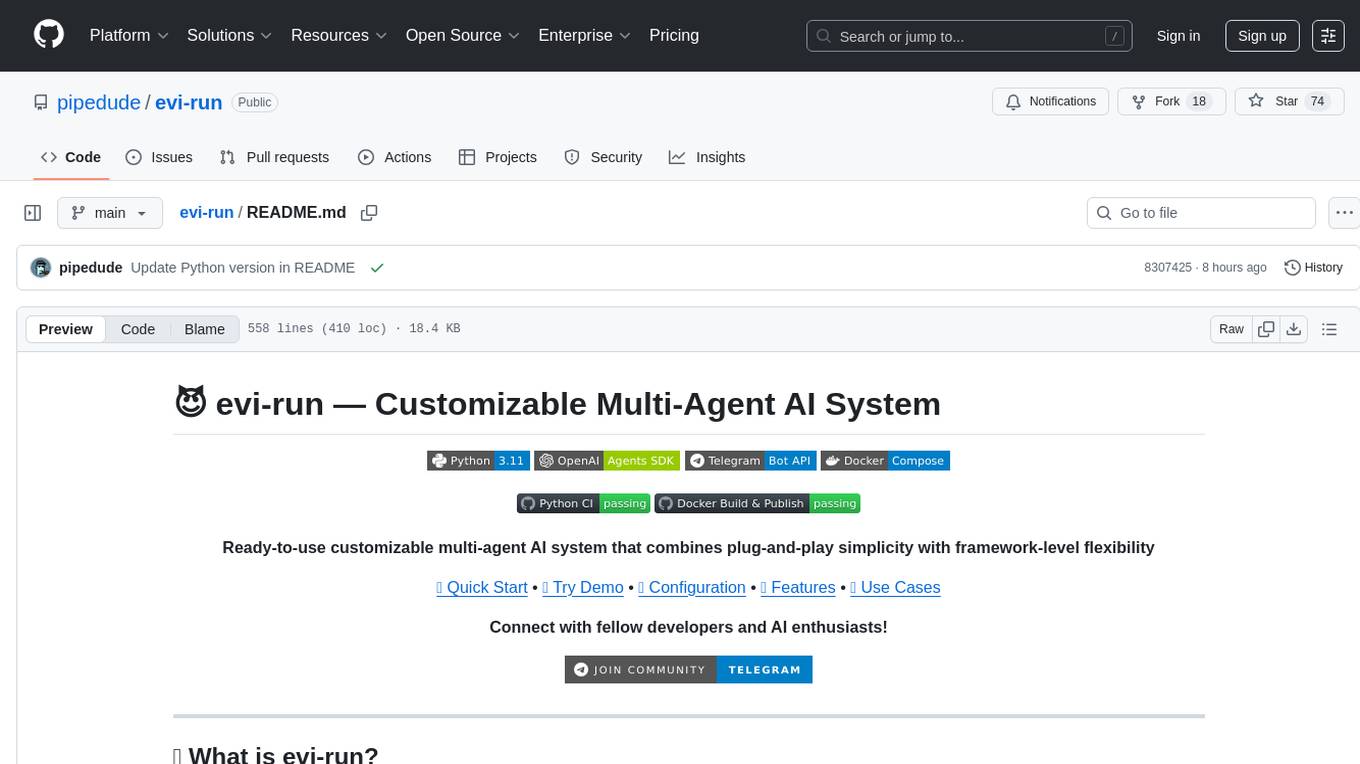
evi-run
evi-run is a powerful, production-ready multi-agent AI system built on Python using the OpenAI Agents SDK. It offers instant deployment, ultimate flexibility, built-in analytics, Telegram integration, and scalable architecture. The system features memory management, knowledge integration, task scheduling, multi-agent orchestration, custom agent creation, deep research, web intelligence, document processing, image generation, DEX analytics, and Solana token swap. It supports flexible usage modes like private, free, and pay mode, with upcoming features including NSFW mode, task scheduler, and automatic limit orders. The technology stack includes Python 3.11, OpenAI Agents SDK, Telegram Bot API, PostgreSQL, Redis, and Docker & Docker Compose for deployment.
probe
Probe is an AI-friendly, fully local, semantic code search tool designed to power the next generation of AI coding assistants. It combines the speed of ripgrep with the code-aware parsing of tree-sitter to deliver precise results with complete code blocks, making it perfect for large codebases and AI-driven development workflows. Probe supports various features like AI-friendly code extraction, fully local operation without external APIs, fast scanning of large codebases, accurate code structure parsing, re-rankers and NLP methods for better search results, multi-language support, interactive AI chat mode, and flexibility to run as a CLI tool, MCP server, or interactive AI chat.
unity-mcp
MCP for Unity is a tool that acts as a bridge, enabling AI assistants to interact with the Unity Editor via a local MCP Client. Users can instruct their LLM to manage assets, scenes, scripts, and automate tasks within Unity. The tool offers natural language control, powerful tools for asset management, scene manipulation, and automation of workflows. It is extensible and designed to work with various MCP Clients, providing a range of functions for precise text edits, script management, GameObject operations, and more.
For similar tasks
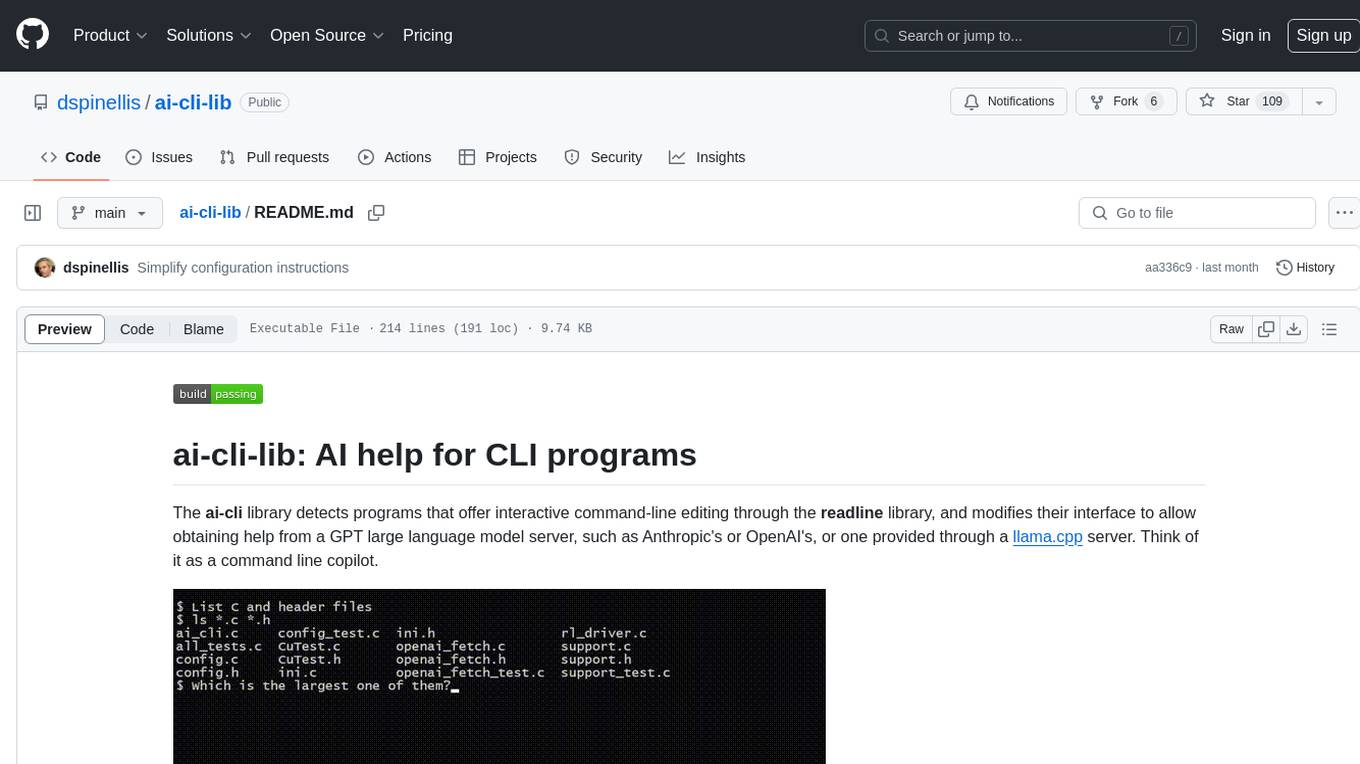
ai-cli-lib
The ai-cli-lib is a library designed to enhance interactive command-line editing programs by integrating with GPT large language model servers. It allows users to obtain AI help from servers like Anthropic's or OpenAI's, or a llama.cpp server. The library acts as a command line copilot, providing natural language prompts and responses to enhance user experience and productivity. It supports various platforms such as Debian GNU/Linux, macOS, and Cygwin, and requires specific packages for installation and operation. Users can configure the library to activate during shell startup and interact with command-line programs like bash, mysql, psql, gdb, sqlite3, and bc. Additionally, the library provides options for configuring API keys, setting up llama.cpp servers, and ensuring data privacy by managing context settings.
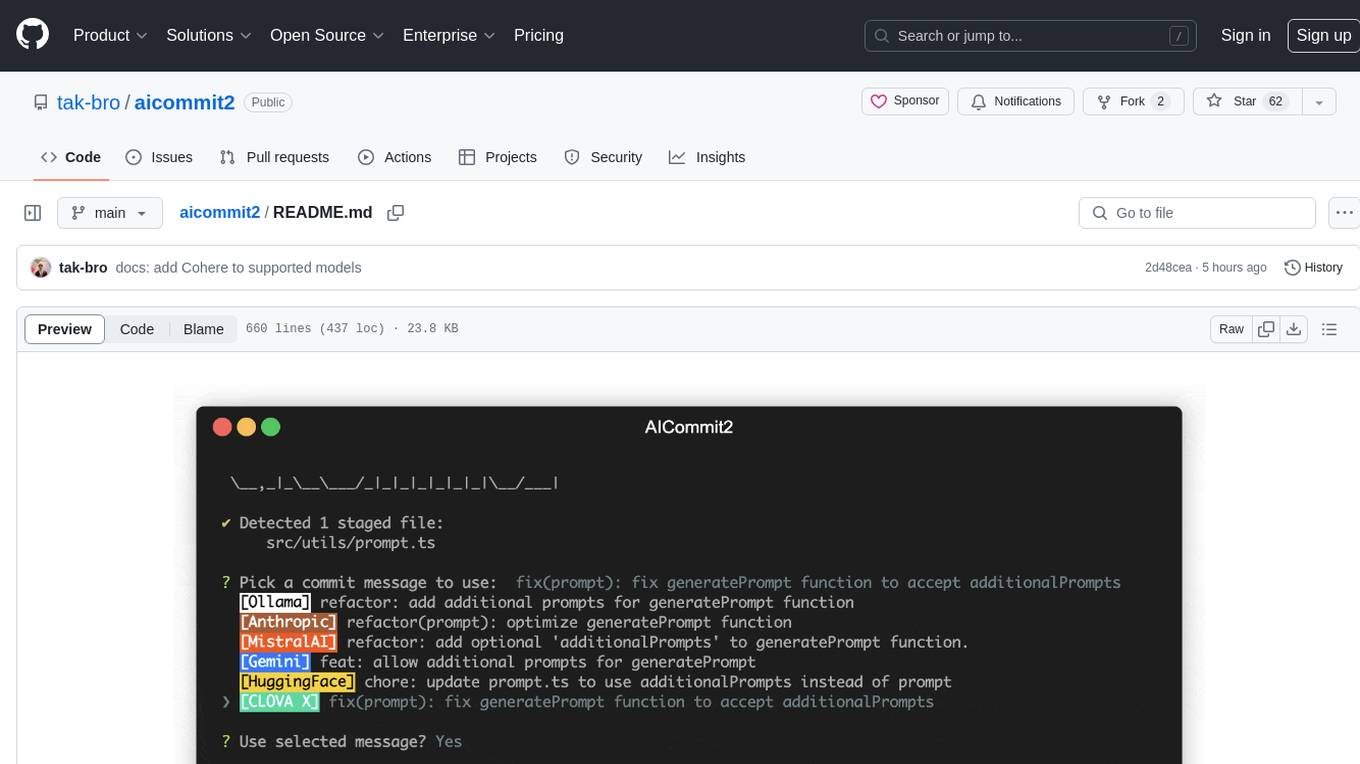
aicommit2
AICommit2 is a Reactive CLI tool that streamlines interactions with various AI providers such as OpenAI, Anthropic Claude, Gemini, Mistral AI, Cohere, and unofficial providers like Huggingface and Clova X. Users can request multiple AI simultaneously to generate git commit messages without waiting for all AI responses. The tool runs 'git diff' to grab code changes, sends them to configured AI, and returns the AI-generated commit message. Users can set API keys or Cookies for different providers and configure options like locale, generate number of messages, commit type, proxy, timeout, max-length, and more. AICommit2 can be used both locally with Ollama and remotely with supported providers, offering flexibility and efficiency in generating commit messages.
TrustEval-toolkit
TrustEval-toolkit is a dynamic and comprehensive framework for evaluating the trustworthiness of Generative Foundation Models (GenFMs) across dimensions such as safety, fairness, robustness, privacy, and more. It offers features like dynamic dataset generation, multi-model compatibility, customizable metrics, metadata-driven pipelines, comprehensive evaluation dimensions, optimized inference, and detailed reports.
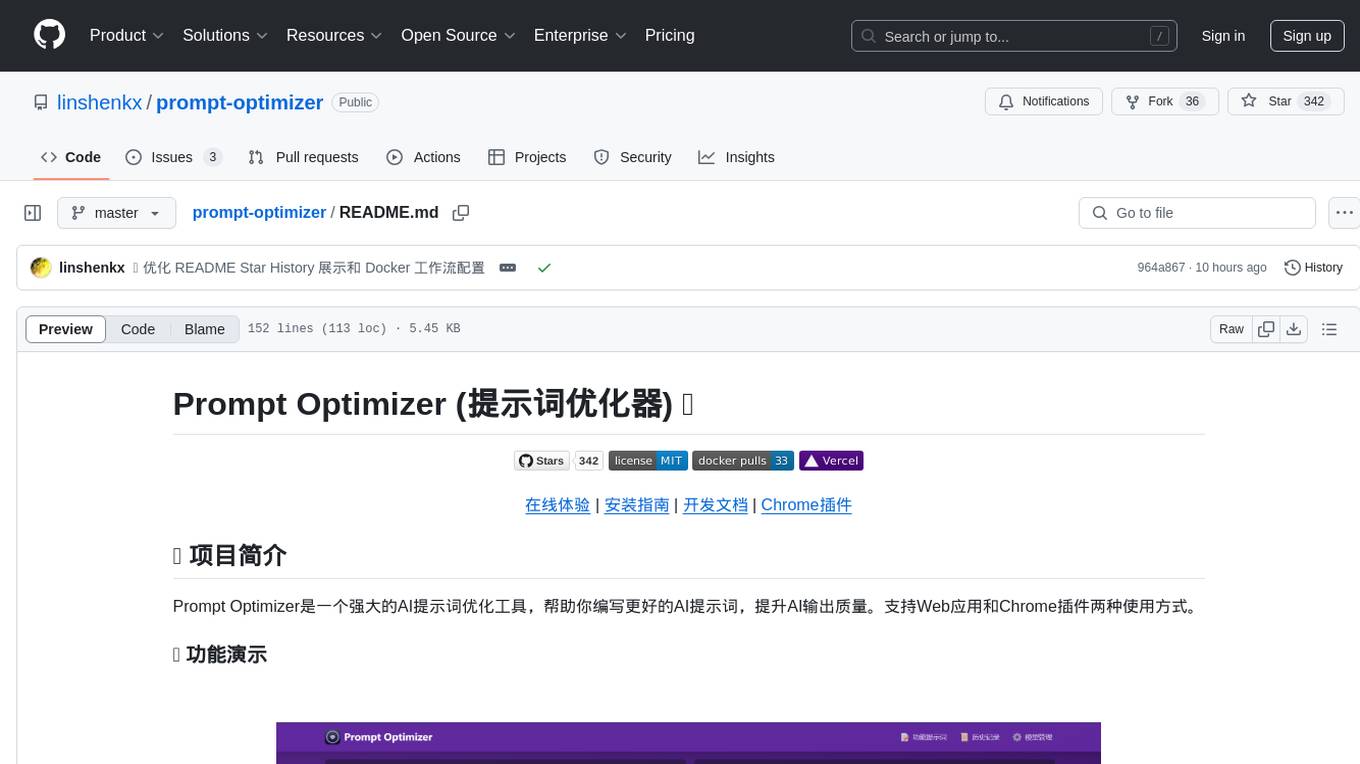
prompt-optimizer
Prompt Optimizer is a powerful AI prompt optimization tool that helps you write better AI prompts, improving AI output quality. It supports both web application and Chrome extension usage. The tool features intelligent optimization for prompt words, real-time testing to compare before and after optimization, integration with multiple mainstream AI models, client-side processing for security, encrypted local storage for data privacy, responsive design for user experience, and more.
youtube_summarizer
YouTube AI Summarizer is a modern Next.js-based tool for AI-powered YouTube video summarization. It allows users to generate concise summaries of YouTube videos using various AI models, with support for multiple languages and summary styles. The application features flexible API key requirements, multilingual support, flexible summary modes, a smart history system, modern UI/UX design, and more. Users can easily input a YouTube URL, select language, summary type, and AI model, and generate summaries with real-time progress tracking. The tool offers a clean, well-structured summary view, history dashboard, and detailed history view for past summaries. It also provides configuration options for API keys and database setup, along with technical highlights, performance improvements, and a modern tech stack.
svelte-bench
SvelteBench is an LLM benchmark tool for evaluating Svelte components generated by large language models. It supports multiple LLM providers such as OpenAI, Anthropic, Google, and OpenRouter. Users can run predefined test suites to verify the functionality of the generated components. The tool allows configuration of API keys for different providers and offers debug mode for faster development. Users can provide a context file to improve component generation. Benchmark results are saved in JSON format for analysis and visualization.
OpenClawChineseTranslation
OpenClaw Chinese Translation is a localization project that provides a fully Chinese interface for the OpenClaw open-source personal AI assistant platform. It allows users to interact with their AI assistant through chat applications like WhatsApp, Telegram, and Discord to manage daily tasks such as emails, calendars, and files. The project includes both CLI command-line and dashboard web interface fully translated into Chinese.
openwhispr
OpenWhispr is an open source desktop dictation application that converts speech to text using OpenAI Whisper. It features both local and cloud processing options for maximum flexibility and privacy. The application supports multiple AI providers, customizable hotkeys, agent naming, and various AI processing models. It offers a modern UI built with React 19, TypeScript, and Tailwind CSS v4, and is optimized for speed using Vite and modern tooling. Users can manage settings, view history, configure API keys, and download/manage local Whisper models. The application is cross-platform, supporting macOS, Windows, and Linux, and offers features like automatic pasting, draggable interface, global hotkeys, and compound hotkeys.
For similar jobs
Qwen-TensorRT-LLM
Qwen-TensorRT-LLM is a project developed for the NVIDIA TensorRT Hackathon 2023, focusing on accelerating inference for the Qwen-7B-Chat model using TRT-LLM. The project offers various functionalities such as FP16/BF16 support, INT8 and INT4 quantization options, Tensor Parallel for multi-GPU parallelism, web demo setup with gradio, Triton API deployment for maximum throughput/concurrency, fastapi integration for openai requests, CLI interaction, and langchain support. It supports models like qwen2, qwen, and qwen-vl for both base and chat models. The project also provides tutorials on Bilibili and blogs for adapting Qwen models in NVIDIA TensorRT-LLM, along with hardware requirements and quick start guides for different model types and quantization methods.
dl_model_infer
This project is a c++ version of the AI reasoning library that supports the reasoning of tensorrt models. It provides accelerated deployment cases of deep learning CV popular models and supports dynamic-batch image processing, inference, decode, and NMS. The project has been updated with various models and provides tutorials for model exports. It also includes a producer-consumer inference model for specific tasks. The project directory includes implementations for model inference applications, backend reasoning classes, post-processing, pre-processing, and target detection and tracking. Speed tests have been conducted on various models, and onnx downloads are available for different models.
joliGEN
JoliGEN is an integrated framework for training custom generative AI image-to-image models. It implements GAN, Diffusion, and Consistency models for various image translation tasks, including domain and style adaptation with conservation of semantics. The tool is designed for real-world applications such as Controlled Image Generation, Augmented Reality, Dataset Smart Augmentation, and Synthetic to Real transforms. JoliGEN allows for fast and stable training with a REST API server for simplified deployment. It offers a wide range of options and parameters with detailed documentation available for models, dataset formats, and data augmentation.
ai-edge-torch
AI Edge Torch is a Python library that supports converting PyTorch models into a .tflite format for on-device applications on Android, iOS, and IoT devices. It offers broad CPU coverage with initial GPU and NPU support, closely integrating with PyTorch and providing good coverage of Core ATen operators. The library includes a PyTorch converter for model conversion and a Generative API for authoring mobile-optimized PyTorch Transformer models, enabling easy deployment of Large Language Models (LLMs) on mobile devices.
awesome-RK3588
RK3588 is a flagship 8K SoC chip by Rockchip, integrating Cortex-A76 and Cortex-A55 cores with NEON coprocessor for 8K video codec. This repository curates resources for developing with RK3588, including official resources, RKNN models, projects, development boards, documentation, tools, and sample code.
cl-waffe2
cl-waffe2 is an experimental deep learning framework in Common Lisp, providing fast, systematic, and customizable matrix operations, reverse mode tape-based Automatic Differentiation, and neural network model building and training features accelerated by a JIT Compiler. It offers abstraction layers, extensibility, inlining, graph-level optimization, visualization, debugging, systematic nodes, and symbolic differentiation. Users can easily write extensions and optimize their networks without overheads. The framework is designed to eliminate barriers between users and developers, allowing for easy customization and extension.
TensorRT-Model-Optimizer
The NVIDIA TensorRT Model Optimizer is a library designed to quantize and compress deep learning models for optimized inference on GPUs. It offers state-of-the-art model optimization techniques including quantization and sparsity to reduce inference costs for generative AI models. Users can easily stack different optimization techniques to produce quantized checkpoints from torch or ONNX models. The quantized checkpoints are ready for deployment in inference frameworks like TensorRT-LLM or TensorRT, with planned integrations for NVIDIA NeMo and Megatron-LM. The tool also supports 8-bit quantization with Stable Diffusion for enterprise users on NVIDIA NIM. Model Optimizer is available for free on NVIDIA PyPI, and this repository serves as a platform for sharing examples, GPU-optimized recipes, and collecting community feedback.
depthai
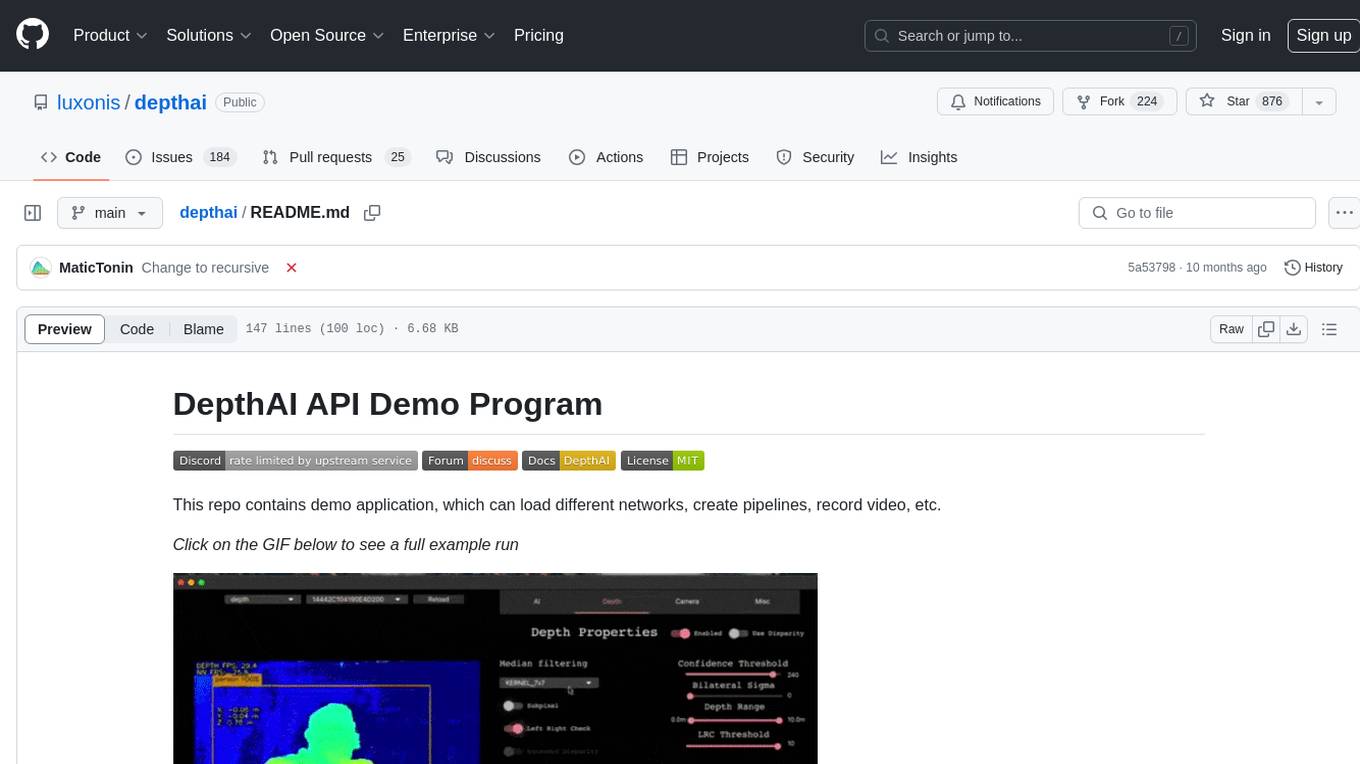
This repository contains a demo application for DepthAI, a tool that can load different networks, create pipelines, record video, and more. It provides documentation for installation and usage, including running programs through Docker. Users can explore DepthAI features via command line arguments or a clickable QT interface. Supported models include various AI models for tasks like face detection, human pose estimation, and object detection. The tool collects anonymous usage statistics by default, which can be disabled. Users can report issues to the development team for support and troubleshooting.