


MetaScreener
AI-powered tool for efficient abstract and PDF screening in systematic reviews.
Stars: 1304
MetaScreener is a local Python tool for AI-assisted systematic review workflows. It utilizes a Hierarchical Consensus Network (HCN) of 4 open-source LLMs with calibrated confidence aggregation, covering the full systematic review pipeline including literature screening, data extraction, and risk-of-bias assessment in a single tool. It offers a multi-LLM ensemble, 3 systematic review modules, reproducibility features, framework-agnostic criteria support, multiple input/output formats, interactive mode, CLI and Web UI, evaluation toolkit, and more.
README:
Open-source multi-LLM ensemble for systematic review workflows




MetaScreener is a local Python tool for AI-assisted systematic review (SR) workflows. It uses a Hierarchical Consensus Network (HCN) of 4 open-source LLMs with calibrated confidence aggregation, covering the full SR pipeline -- literature screening, data extraction, and risk-of-bias assessment -- in a single tool.
Note: Looking for MetaScreener v1? See the
v1-legacybranch.
- Features
- Installation
- Configuration
- User Guide
- Command Reference
- Architecture
- Supported Formats
- Reproducibility
- Development
- Citation
- License
- Multi-LLM Ensemble -- 4 open-source LLMs (Qwen3, DeepSeek-V3, Llama 4 Scout, Mistral Small 3.1) vote on every decision; no single model is a point of failure
- 3 SR Modules -- Title/abstract screening, structured data extraction from PDFs, and risk-of-bias assessment (RoB 2, ROBINS-I, QUADAS-2)
-
Reproducible by Design -- All models are open-source with version-locked weights;
temperature=0.0for all inference; seeded randomness; SHA256 prompt hashing in every audit trail entry - Framework-Agnostic Criteria -- Supports PICO, PEO, SPIDER, PCC, and custom frameworks with an interactive criteria wizard
- Multiple Input/Output Formats -- Reads RIS, BibTeX, CSV, PubMed XML, Excel; exports to RIS, CSV, JSON, Excel, and audit trail
- Interactive Mode -- Guided slash-command REPL that walks you through each step; no flags to memorize
- CLI + Web UI -- Full Typer CLI and Streamlit dashboard
- Evaluation Toolkit -- Built-in metrics (sensitivity, specificity, F1, WSS@95, AUROC, ECE, Brier score), Plotly visualizations, and bootstrap 95% confidence intervals
Requires Python 3.11 or higher.
pip install metascreenerVerify the installation:
metascreener --helpNo Python installation required -- everything is bundled in the image.
# Slim image -- CLI and Streamlit UI
docker pull chaokunhong/metascreener:latest

# Run a command
docker run -e OPENROUTER_API_KEY="$OPENROUTER_API_KEY" chaokunhong/metascreener screen --help

# Launch the web UI (accessible at http://localhost:8501)
docker run -p 8501:8501 -e OPENROUTER_API_KEY="$OPENROUTER_API_KEY" chaokunhong/metascreener uiRequires uv (Python package manager).
git clone https://github.com/ChaokunHong/MetaScreener.git
cd MetaScreener
uv sync --extra dev
uv run metascreener --helpMetaScreener calls open-source LLMs via cloud API providers. You need an API key from one of the following services:
| Provider | Sign Up | Free Tier | Environment Variable |
|---|---|---|---|
| OpenRouter (default) | openrouter.ai/settings/keys | Yes | OPENROUTER_API_KEY |
| Together AI | api.together.ai/settings/api-keys | Yes ($5 credit) | TOGETHER_API_KEY |
# Linux / macOS
export OPENROUTER_API_KEY="sk-or-v1-your-key-here"

# To make it permanent, add the line above to your ~/.bashrc or ~/.zshrc
echo 'export OPENROUTER_API_KEY="sk-or-v1-your-key-here"' >> ~/.zshrc
# Windows (PowerShell)
$env:OPENROUTER_API_KEY = "sk-or-v1-your-key-here"metascreener screen --input your_file.ris --dry-runIf the key is set correctly, you will see Validation passed with model names listed. If not, you will see an error message asking you to set the key.
By default, MetaScreener uses 4 models defined in configs/models.yaml. You can override this with a custom config:
metascreener screen --input data.ris --config my_models.yamlLocal inference via vLLM or Ollama is also supported -- see the config file for adapter options.
If you are new to MetaScreener, the easiest way to get started is the interactive mode. Simply run metascreener with no arguments:
metascreenerThis launches a guided terminal interface with slash commands:
┌──────────────────────────────────────────────────────┐
│  MetaScreener 2.0.0a3                                │
│  AI-assisted systematic review tool                  │
│                                                      │
│  Type /help for commands, /quit to exit.             │
└──────────────────────────────────────────────────────┘

 Quick Start — Typical Workflow
  Step  Command      Description
  1     /init        Define your review criteria
  2     /screen      Screen papers against your criteria
  3     /evaluate    Evaluate screening accuracy
  4     /extract     Extract structured data from PDFs
  5     /assess-rob  Assess risk of bias for included studies
  6     /export      Export results in your preferred format

metascreener> /init
Each command guides you step-by-step through the required inputs with prompts, defaults, and validation. You don't need to memorize any flags or options.
Available slash commands:
| Command | Description |
|---|---|
/init |
Generate structured review criteria (PICO/PEO/SPIDER/PCC) |
/screen |
Screen literature (title/abstract or full-text) |
/extract |
Extract structured data from PDFs |
/assess-rob |
Assess risk of bias (RoB 2 / ROBINS-I / QUADAS-2) |
/evaluate |
Evaluate screening performance and compute metrics |
/export |
Export results (CSV, JSON, Excel, RIS) |
/status |
Show current working files and project state |
/help |
Show all available commands |
/quit |
Exit MetaScreener |
Tip: All commands also work as direct CLI subcommands (e.g.,
metascreener screen --input file.ris --criteria criteria.yaml). See the Command Reference below for full flag documentation.
A systematic review with MetaScreener follows these steps:
 1. Export search results from a database (PubMed, Scopus, etc.)
    ↓  (download as .ris, .bib, or .csv)
 2. Define your review criteria
    ↓  metascreener init
 3. Screen papers by title/abstract
    ↓  metascreener screen
 4. Extract data from included PDFs
    ↓  metascreener extract
 5. Assess risk of bias
    ↓  metascreener assess-rob
 6. (Optional) Evaluate screening accuracy against gold-standard labels
    ↓  metascreener evaluate
 7. Export results
    ↓  metascreener export
Each step is independent -- you can use any subset of commands. For example, you can use just the screening module without data extraction or risk-of-bias assessment.
Before screening, you need structured inclusion/exclusion criteria. The init command uses AI to help you create them.
Mode A: From existing criteria text
If you already have criteria written in a text file (e.g., from your protocol):
metascreener init --criteria criteria.txtThe tool will:
- Parse your text and detect your framework (PICO, PEO, SPIDER, PCC, or custom)
- Generate structured inclusion/exclusion criteria using 4 LLMs
- Validate the criteria and check for gaps
- Save the result as
criteria.yaml
Mode B: From a research topic
If you are starting from scratch, provide a research topic and the AI will generate criteria for you:
metascreener init --topic "antimicrobial resistance in ICU patients"Example criteria.txt:
Population: Adult patients (>=18 years) admitted to intensive care units
Intervention: Antimicrobial stewardship programs or antibiotic de-escalation
Comparison: Standard care or no stewardship program
Outcome: Antimicrobial resistance rates, mortality, length of ICU stay
Study design: RCTs, cohort studies, before-after studies
Exclusions: Pediatric populations, non-ICU settings, editorials, case reports
All options:
| Option | Short | Description |
|---|---|---|
--criteria PATH |
-c |
Path to a text file containing your criteria |
--topic TEXT |
-t |
Research topic (AI generates criteria from this) |
--mode [smart|guided] |
-m |
smart (default): minimal prompts; guided: step-by-step |
--output PATH |
-o |
Output file path (default: criteria.yaml) |
--framework TEXT |
-f |
Override auto-detected framework (e.g., pico, peo, spider, pcc) |
--template TEXT |
Start from a built-in template (e.g., amr) |
|
--language TEXT |
-l |
Force output language (e.g., en, zh, es) |
--resume |
Resume an interrupted session | |
--clean-sessions |
Remove old session checkpoint files |
Output: A criteria.yaml file that is used by subsequent commands.
The screening command is the core of MetaScreener. It reads your search results and uses the 4-layer HCN to classify each paper as INCLUDE, EXCLUDE, or HUMAN_REVIEW.
Basic usage:
# Screen by title and abstract (most common)
metascreener screen --input search_results.ris --criteria criteria.yaml

# Screen with full text
metascreener screen --input search_results.ris --criteria criteria.yaml --stage ft

# Run both title/abstract and full-text screening sequentially
metascreener screen --input search_results.ris --criteria criteria.yaml --stage both
What happens during screening:
For each paper, MetaScreener:
- Layer 1: Sends the title/abstract to 4 LLMs in parallel; each returns a decision, confidence score, and element-by-element assessment
- Layer 2: Applies 6 semantic rules (3 hard rules that auto-exclude editorials/letters/wrong language, 3 soft rules that penalize partial PICO mismatches)
- Layer 3: Calibrates and aggregates the 4 model scores into a single confidence-weighted score
-
Layer 4: Routes to a decision tier:
- Tier 0: Hard rule violation (e.g., editorial) -- auto-excluded
- Tier 1: All 4 models agree + high confidence -- auto-decided
- Tier 2: Majority agree + medium confidence -- auto-included (recall-biased)
- Tier 3: Disagreement or low confidence -- flagged for human review
Test your setup without making API calls:
metascreener screen --input search_results.ris --dry-runThis validates your input file, shows how many records were loaded, and confirms which models will be used -- without calling any APIs or spending any credits.
All options:
| Option | Short | Description |
|---|---|---|
--input PATH |
-i |
(Required) Input file: .ris, .bib, .csv, .xml, .xlsx
|
--criteria PATH |
-c |
Path to criteria.yaml (from metascreener init) |
--stage [ta|ft|both] |
-s |
Screening stage: ta (title/abstract, default), ft (full-text), both
|
--output PATH |
-o |
Output directory (default: results/) |
--config PATH |
Custom models.yaml config file |
|
--seed INTEGER |
Random seed for reproducibility (default: 42) |
|
--dry-run |
Validate inputs without running screening (no API calls) |
Output files:
| File | Description |
|---|---|
results/screening_results.json |
Decision, tier, score, and confidence for each paper |
results/audit_trail.json |
Full audit trail: model outputs, rule violations, prompt hashes, model versions |
After screening, extract structured data from the included PDFs.
Step 3a: Create an extraction form
First, define what data you want to extract. You can either write the YAML manually or let AI generate it:
# AI-generated form based on your research topic
metascreener extract init-form --topic "antimicrobial stewardship in ICU"
This creates an extraction_form.yaml that defines the fields to extract. You can edit this file to add, remove, or modify fields.
Example extraction_form.yaml:
name: AMR stewardship extraction form
fields:
  - name: sample_size
    type: integer
    description: Total number of participants
  - name: study_design
    type: categorical
    options: [RCT, cohort, before-after, case-control]
  - name: intervention_type
    type: text
    description: Type of stewardship intervention
  - name: mortality_rate
    type: float
    description: All-cause mortality rate (proportion)
  - name: resistance_reduced
    type: boolean
    description: Whether antimicrobial resistance was reduced
Supported field types: text, integer, float, boolean, date, list, categorical.
Step 3b: Run extraction
metascreener extract --pdfs papers/ --form extraction_form.yamlPlace your PDF files in a directory (e.g., papers/). MetaScreener will:
- Extract text from each PDF
- Split long documents into chunks
- Send each chunk to 4 LLMs
- Merge results across chunks using majority-vote consensus
- Validate extracted values against the field definitions
All options:
| Option | Short | Description |
|---|---|---|
--pdfs PATH |
Directory containing PDF files | |
--form PATH |
-f |
Path to extraction_form.yaml
|
--output PATH |
-o |
Output directory (default: results/) |
--dry-run |
Validate inputs without running extraction |
Subcommand:
| Command | Description |
|---|---|
metascreener extract init-form --topic TEXT |
Generate an extraction form using AI |
Output: results/extraction_results.json with structured data for each PDF.
Assess the risk of bias of included studies using standardized tools.
# RoB 2 -- for randomized controlled trials (5 domains, 22 signaling questions)
metascreener assess-rob --pdfs papers/ --tool rob2

# ROBINS-I -- for observational studies (7 domains, 24 signaling questions)
metascreener assess-rob --pdfs papers/ --tool robins-i

# QUADAS-2 -- for diagnostic accuracy studies (4 domains, 11 signaling questions)
metascreener assess-rob --pdfs papers/ --tool quadas2
Each assessment tool follows its official domain structure. For each study, MetaScreener:
- Extracts text from the PDF
- Sends each domain's signaling questions to 4 LLMs
- Uses worst-case-per-domain merging (most pessimistic judgment wins per model)
- Applies majority-vote consensus across models
- Determines an overall risk-of-bias judgment
All options:
| Option | Short | Description |
|---|---|---|
--pdfs PATH |
(Required) Directory containing PDF files | |
--tool TEXT |
-t |
Assessment tool: rob2 (default), robins-i, quadas2
|
--output PATH |
-o |
Output directory (default: results/) |
--seed INTEGER |
-s |
Random seed (default: 42) |
--dry-run |
Validate inputs without running |
Output: results/rob_results.json with per-domain judgments, signaling question responses, and rationale.
If you have gold-standard labels (e.g., from a human screening), you can evaluate MetaScreener's accuracy.
# Basic evaluation
metascreener evaluate --labels gold_standard.csv

# With interactive Plotly charts
metascreener evaluate --labels gold_standard.csv --predictions results/screening_results.json --visualize
Gold-standard CSV format:
record_id,label
abc123,1
def456,0
ghi789,1
Where 1 = include, 0 = exclude. The record_id column must match the IDs in your screening results.
Metrics computed:
| Metric | Description |
|---|---|
| Sensitivity (Recall) | Proportion of relevant papers correctly identified |
| Specificity | Proportion of irrelevant papers correctly excluded |
| F1 Score | Harmonic mean of precision and recall |
| WSS@95 | Work saved over sampling at 95% recall |
| AUROC | Area under the ROC curve |
| ECE | Expected calibration error |
| Brier Score | Mean squared prediction error |
| Cohen's Kappa | Inter-rater agreement |
All metrics include bootstrap 95% confidence intervals (1000 iterations).
All options:
| Option | Short | Description |
|---|---|---|
--labels PATH |
-l |
(Required) Gold-standard labels CSV |
--predictions PATH |
-p |
Predictions JSON file |
--visualize |
Generate interactive HTML charts (ROC, calibration, score distribution) | |
--output PATH |
-o |
Output directory (default: results/) |
--seed INTEGER |
-s |
Bootstrap random seed (default: 42) |
--dry-run |
Validate inputs only |
Export screening results to various formats for use in other tools (e.g., Covidence, Rayyan, Excel).
# Export as CSV
metascreener export --results results/screening_results.json --format csv

# Export as multiple formats at once
metascreener export --results results/screening_results.json --format csv,json,excel,audit
All options:
| Option | Short | Description |
|---|---|---|
--results PATH |
-r |
(Required) Path to screening results JSON |
--format TEXT |
-f |
Comma-separated formats: csv, json, excel, audit, ris (default: csv) |
--output PATH |
-o |
Output directory (default: export/) |
Output formats:
| Format | File | Use Case |
|---|---|---|
csv |
results.csv |
Spreadsheet analysis, import into other SR tools |
json |
results.json |
Programmatic access, data pipelines |
excel |
results.xlsx |
Microsoft Excel, reporting |
audit |
audit_trail.json |
Reproducibility, TRIPOD-LLM compliance |
ris |
results.ris |
Import back into reference managers (Zotero, EndNote) |
Quick reference for all commands:
# Help
metascreener --help              # Show all commands
metascreener <command> --help    # Show options for a specific command

# Step 0: Define criteria
metascreener init --criteria criteria.txt                  # From text file
metascreener init --topic "your research topic"            # From topic
metascreener init --criteria criteria.txt --framework pico # Force framework

# Step 1: Screen papers
metascreener screen --input data.ris --criteria criteria.yaml              # Title/abstract
metascreener screen --input data.ris --criteria criteria.yaml --stage ft   # Full-text
metascreener screen --input data.ris --criteria criteria.yaml --stage both # Both stages
metascreener screen --input data.ris --dry-run                             # Validate only

# Step 2: Extract data
metascreener extract init-form --topic "your topic"                # Generate form
metascreener extract --pdfs papers/ --form extraction_form.yaml    # Run extraction

# Step 3: Assess risk of bias
metascreener assess-rob --pdfs papers/ --tool rob2       # RCTs
metascreener assess-rob --pdfs papers/ --tool robins-i   # Observational
metascreener assess-rob --pdfs papers/ --tool quadas2    # Diagnostic

# Step 4: Evaluate
metascreener evaluate --labels gold.csv --visualize

# Step 5: Export
metascreener export --results results/screening_results.json --format csv,excel,risMetaScreener's screening module uses a 4-layer Hierarchical Consensus Network:
Records (RIS/BibTeX/CSV/XML/Excel)
    |
    v
+----------------------------------------------------+
|  Layer 1: Parallel LLM Inference                    |
|  4 models evaluate each record independently        |
|  Framework-specific prompts (PICO/PEO/SPIDER/PCC)  |
+----------------------------------------------------+
|  Layer 2: Semantic Rule Engine                      |
|  3 hard rules (publication type, language,          |
|    study design) -> auto-exclude                    |
|  3 soft rules (population, outcome, intervention)   |
|    -> score penalty                                 |
+----------------------------------------------------+
|  Layer 3: Calibrated Confidence Aggregation (CCA)   |
|  Platt/isotonic calibration + weighted consensus    |
|  S = sum(w_i * s_i * c_i * phi_i)                  |
|      / sum(w_i * c_i * phi_i)                      |
|  C = 1 - H(p_inc, p_exc) / log(2)                 |
+----------------------------------------------------+
|  Layer 4: Hierarchical Decision Router              |
|  Tier 0: Hard rule violation  -> EXCLUDE            |
|  Tier 1: Unanimous + high conf -> AUTO              |
|  Tier 2: Majority + mid conf  -> INCLUDE            |
|  Tier 3: Disagreement / low   -> HUMAN_REVIEW       |
+----------------------------------------------------+
    |
    v
ScreeningDecision + AuditEntry (per record)
All models are open-source and version-locked in configs/models.yaml.
| Model | Parameters | License | Role |
|---|---|---|---|
| Qwen3-235B-A22B | 235B (22B active, MoE) | Apache 2.0 | Multilingual + structured extraction |
| DeepSeek-V3.2 | 685B (37B active, MoE) | MIT | Complex reasoning + rule adherence |
| Llama 4 Scout | ~100B+ (MoE) | Llama License | General understanding |
| Mistral Small 3.1 24B | 24B (dense) | Apache 2.0 | Fast screening + deterministic cases |
Inference runs via OpenRouter or Together AI APIs. Local deployment via vLLM or Ollama is also supported.
| Format | Extension | Notes |
|---|---|---|
| RIS | .ris |
Most common export format from databases (PubMed, Scopus, Web of Science) |
| BibTeX | .bib |
Exported from Zotero, Mendeley, Google Scholar |
| CSV | .csv |
Must have title column; abstract column recommended |
| PubMed XML | .xml |
Direct PubMed search export |
| Excel | .xlsx |
Must have title column |
| Format | Extension | Generated by |
|---|---|---|
| JSON | .json |
All commands |
| CSV | .csv |
metascreener export --format csv |
| Excel | .xlsx |
metascreener export --format excel |
| RIS | .ris |
metascreener export --format ris |
| Audit trail | .json |
metascreener export --format audit |
| HTML charts | .html |
metascreener evaluate --visualize |
Every design decision prioritizes reproducibility:
-
Deterministic inference:
temperature=0.0for all LLM calls -
Version-locked models: Exact model versions pinned in
configs/models.yaml -
Seeded randomness: All stochastic operations accept a
seedparameter (default: 42) - Prompt versioning: SHA256 hash of every prompt stored in audit trail
- Full audit trail: Every decision logged with model outputs, rule results, calibration parameters, and confidence scores
-
Docker: Complete environment reproduction via
docker/Dockerfile -
One-command reproduction:
bash scripts/run_all_validations.shreruns all experiments
src/metascreener/
├── core/                  # Shared data models, enums, exceptions
├── io/                    # Readers/writers (RIS, BibTeX, CSV, XML, Excel, PDF)
├── llm/                   # LLM backends + parallel runner
│   └── adapters/          # OpenRouter, Together AI, vLLM, Ollama, Mock
├── criteria/              # Criteria wizard (8 frameworks, multi-LLM generation)
├── module1_screening/     # HCN screening (4 layers)
├── module2_extraction/    # Structured data extraction from PDFs
├── module3_quality/       # Risk-of-bias assessment (RoB 2, ROBINS-I, QUADAS-2)
├── evaluation/            # Metrics, calibration, Plotly visualization
├── cli/                   # Typer CLI commands
└── app/                   # Streamlit Web UI
# Install with dev dependencies
uv sync --extra dev

# Run tests (645 tests)
uv run pytest

# Run tests with coverage (minimum 80%)
uv run pytest --cov=src/metascreener --cov-report=term-missing --cov-fail-under=80

# Lint
uv run ruff check src/

# Type check
uv run mypy src/If you use MetaScreener in your research, please cite:
@software{hong2026metascreener,
  author    = {Hong, Chaokun},
  title     = {MetaScreener: Open-Source Multi-LLM Ensemble for Systematic Review Workflows},
  url       = {https://github.com/ChaokunHong/MetaScreener},
  version   = {2.0.0},
  year      = {2026},
  license   = {Apache-2.0}
}Apache 2.0 -- see LICENSE.
For Tasks:
Click tags to check more tools for each tasksFor Jobs:
Alternative AI tools for MetaScreener
Similar Open Source Tools
MetaScreener
MetaScreener is a local Python tool for AI-assisted systematic review workflows. It utilizes a Hierarchical Consensus Network (HCN) of 4 open-source LLMs with calibrated confidence aggregation, covering the full systematic review pipeline including literature screening, data extraction, and risk-of-bias assessment in a single tool. It offers a multi-LLM ensemble, 3 systematic review modules, reproducibility features, framework-agnostic criteria support, multiple input/output formats, interactive mode, CLI and Web UI, evaluation toolkit, and more.
roam-code
Roam is a tool that builds a semantic graph of your codebase and allows AI agents to query it with one shell command. It pre-indexes your codebase into a semantic graph stored in a local SQLite DB, providing architecture-level graph queries offline, cross-language, and compact. Roam understands functions, modules, tests coverage, and overall architecture structure. It is best suited for agent-assisted coding, large codebases, architecture governance, safe refactoring, and multi-repo projects. Roam is not suitable for real-time type checking, dynamic/runtime analysis, small scripts, or pure text search. It offers speed, dependency-awareness, LLM-optimized output, fully local operation, and CI readiness.
skylos
Skylos is a privacy-first SAST tool for Python, TypeScript, and Go that bridges the gap between traditional static analysis and AI agents. It detects dead code, security vulnerabilities (SQLi, SSRF, Secrets), and code quality issues with high precision. Skylos uses a hybrid engine (AST + optional Local/Cloud LLM) to eliminate false positives, verify via runtime, find logic bugs, and provide context-aware audits. It offers automated fixes, end-to-end remediation, and 100% local privacy. The tool supports taint analysis, secrets detection, vulnerability checks, dead code detection and cleanup, agentic AI and hybrid analysis, codebase optimization, operational governance, and runtime verification.
paperbanana
PaperBanana is an automated academic illustration tool designed for AI scientists. It implements an agentic framework for generating publication-quality academic diagrams and statistical plots from text descriptions. The tool utilizes a two-phase multi-agent pipeline with iterative refinement, Gemini-based VLM planning, and image generation. It offers a CLI, Python API, and MCP server for IDE integration, along with Claude Code skills for generating diagrams, plots, and evaluating diagrams. PaperBanana is not affiliated with or endorsed by the original authors or Google Research, and it may differ from the original system described in the paper.
llm-checker
LLM Checker is an AI-powered CLI tool that analyzes your hardware to recommend optimal LLM models. It features deterministic scoring across 35+ curated models with hardware-calibrated memory estimation. The tool helps users understand memory bandwidth, VRAM limits, and performance characteristics to choose the right LLM for their hardware. It provides actionable recommendations in seconds by scoring compatible models across four dimensions: Quality, Speed, Fit, and Context. LLM Checker is designed to work on any Node.js 16+ system, with optional SQLite search features for advanced functionality.
atlas-mcp-server
ATLAS (Adaptive Task & Logic Automation System) is a high-performance Model Context Protocol server designed for LLMs to manage complex task hierarchies. Built with TypeScript, it features ACID-compliant storage, efficient task tracking, and intelligent template management. ATLAS provides LLM Agents task management through a clean, flexible tool interface. The server implements the Model Context Protocol (MCP) for standardized communication between LLMs and external systems, offering hierarchical task organization, task state management, smart templates, enterprise features, and performance optimization.
bmalph
bmalph is a tool that bundles and installs two AI development systems, BMAD-METHOD for planning agents and workflows (Phases 1-3) and Ralph for autonomous implementation loop (Phase 4). It provides commands like `bmalph init` to install both systems, `bmalph upgrade` to update to the latest versions, `bmalph doctor` to check installation health, and `/bmalph-implement` to transition from BMAD to Ralph. Users can work through BMAD phases 1-3 with commands like BP, MR, DR, CP, VP, CA, etc., and then transition to Ralph for implementation.
doc-scraper
A configurable, concurrent, and resumable web crawler written in Go, specifically designed to scrape technical documentation websites, extract core content, convert it cleanly to Markdown format suitable for ingestion by Large Language Models (LLMs), and save the results locally. The tool is built for LLM training and RAG systems, preserving documentation structure, offering production-ready features like resumable crawls and rate limiting, and using Go's concurrency model for efficient parallel processing. It automates the process of gathering and cleaning web-based documentation for use with Large Language Models, providing a dataset that is text-focused, structured, cleaned, and locally accessible.
StableToolBench
StableToolBench is a new benchmark developed to address the instability of Tool Learning benchmarks. It aims to balance stability and reality by introducing features such as a Virtual API System with caching and API simulators, a new set of solvable queries determined by LLMs, and a Stable Evaluation System using GPT-4. The Virtual API Server can be set up either by building from source or using a prebuilt Docker image. Users can test the server using provided scripts and evaluate models with Solvable Pass Rate and Solvable Win Rate metrics. The tool also includes model experiments results comparing different models' performance.
oh-my-pi
oh-my-pi is an AI coding agent for the terminal, providing tools for interactive coding, AI-powered git commits, Python code execution, LSP integration, time-traveling streamed rules, interactive code review, task management, interactive questioning, custom TypeScript slash commands, universal config discovery, MCP & plugin system, web search & fetch, SSH tool, Cursor provider integration, multi-credential support, image generation, TUI overhaul, edit fuzzy matching, and more. It offers a modern terminal interface with smart session management, supports multiple AI providers, and includes various tools for coding, task management, code review, and interactive questioning.
optillm
optillm is an OpenAI API compatible optimizing inference proxy implementing state-of-the-art techniques to enhance accuracy and performance of LLMs, focusing on reasoning over coding, logical, and mathematical queries. By leveraging additional compute at inference time, it surpasses frontier models across diverse tasks.
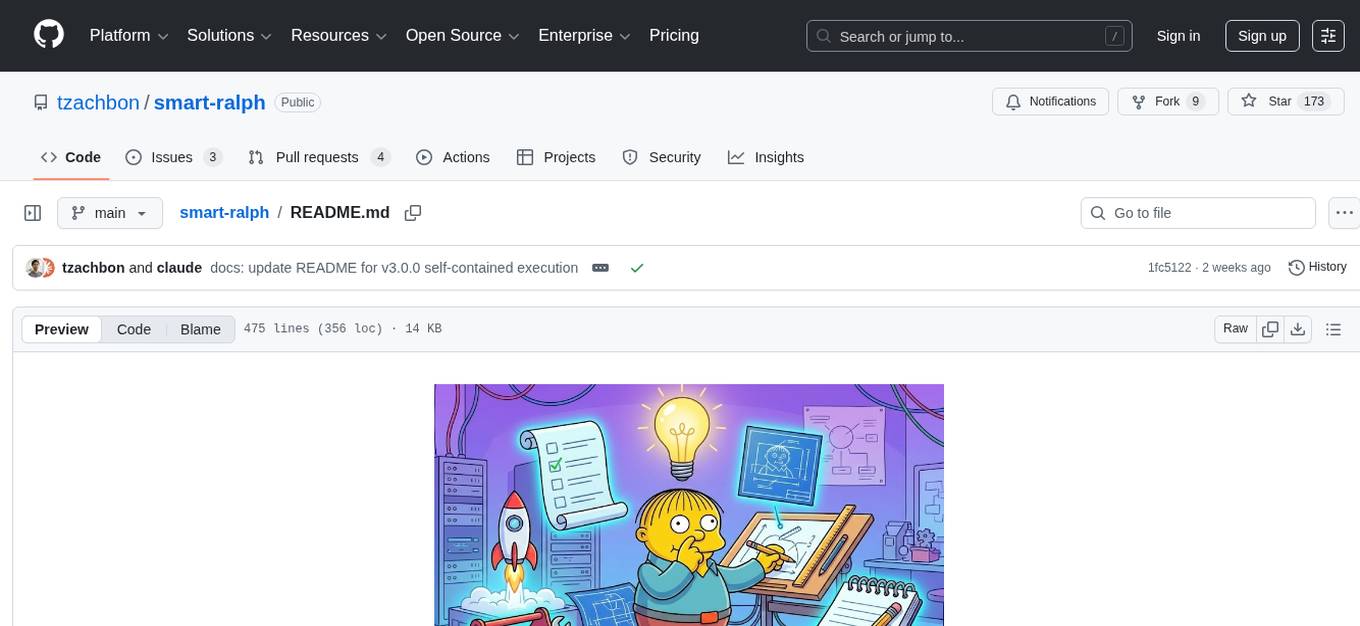
smart-ralph
Smart Ralph is a Claude Code plugin designed for spec-driven development. It helps users turn vague feature ideas into structured specs and executes them task-by-task. The tool operates within a self-contained execution loop without external dependencies, providing a seamless workflow for feature development. Named after the Ralph agentic loop pattern, Smart Ralph simplifies the development process by focusing on the next task at hand, akin to the simplicity of the Springfield student, Ralph.
augustus
Augustus is a Go-based LLM vulnerability scanner designed for security professionals to test large language models against a wide range of adversarial attacks. It integrates with 28 LLM providers, covers 210+ adversarial attacks including prompt injection, jailbreaks, encoding exploits, and data extraction, and produces actionable vulnerability reports. The tool is built for production security testing with features like concurrent scanning, rate limiting, retry logic, and timeout handling out of the box.
ai-coders-context
The @ai-coders/context repository provides the Ultimate MCP for AI Agent Orchestration, Context Engineering, and Spec-Driven Development. It simplifies context engineering for AI by offering a universal process called PREVC, which consists of Planning, Review, Execution, Validation, and Confirmation steps. The tool aims to address the problem of context fragmentation by introducing a single `.context/` directory that works universally across different tools. It enables users to create structured documentation, generate agent playbooks, manage workflows, provide on-demand expertise, and sync across various AI tools. The tool follows a structured, spec-driven development approach to improve AI output quality and ensure reproducible results across projects.
StableToolBench
StableToolBench is a new benchmark developed to address the instability of Tool Learning benchmarks. It aims to balance stability and reality by introducing features like Virtual API System, Solvable Queries, and Stable Evaluation System. The benchmark ensures consistency through a caching system and API simulators, filters queries based on solvability using LLMs, and evaluates model performance using GPT-4 with metrics like Solvable Pass Rate and Solvable Win Rate.
flyto-core
Flyto-core is a powerful Python library for geospatial analysis and visualization. It provides a wide range of tools for working with geographic data, including support for various file formats, spatial operations, and interactive mapping. With Flyto-core, users can easily load, manipulate, and visualize spatial data to gain insights and make informed decisions. Whether you are a GIS professional, a data scientist, or a developer, Flyto-core offers a versatile and user-friendly solution for geospatial tasks.
For similar tasks
MetaScreener
MetaScreener is a local Python tool for AI-assisted systematic review workflows. It utilizes a Hierarchical Consensus Network (HCN) of 4 open-source LLMs with calibrated confidence aggregation, covering the full systematic review pipeline including literature screening, data extraction, and risk-of-bias assessment in a single tool. It offers a multi-LLM ensemble, 3 systematic review modules, reproducibility features, framework-agnostic criteria support, multiple input/output formats, interactive mode, CLI and Web UI, evaluation toolkit, and more.
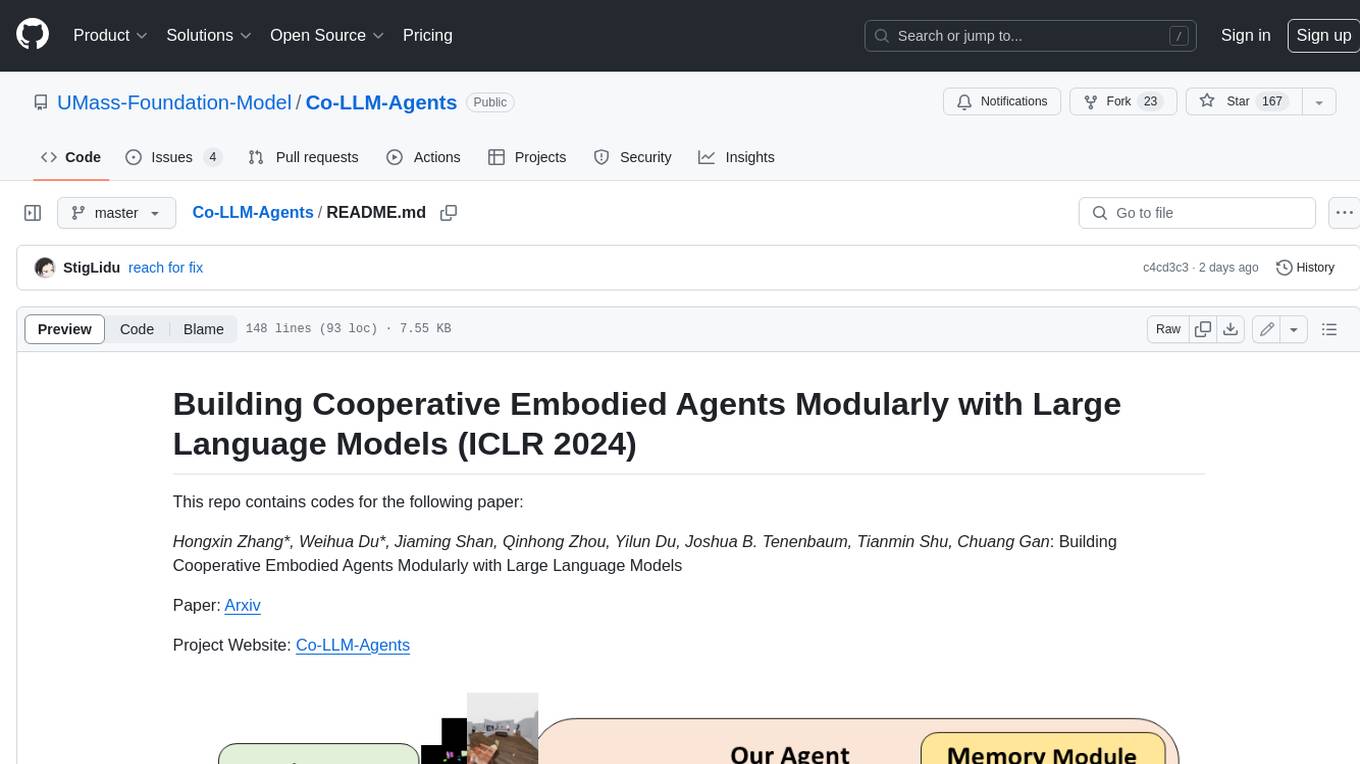
Co-LLM-Agents
This repository contains code for building cooperative embodied agents modularly with large language models. The agents are trained to perform tasks in two different environments: ThreeDWorld Multi-Agent Transport (TDW-MAT) and Communicative Watch-And-Help (C-WAH). TDW-MAT is a multi-agent environment where agents must transport objects to a goal position using containers. C-WAH is an extension of the Watch-And-Help challenge, which enables agents to send messages to each other. The code in this repository can be used to train agents to perform tasks in both of these environments.
GPT4Point
GPT4Point is a unified framework for point-language understanding and generation. It aligns 3D point clouds with language, providing a comprehensive solution for tasks such as 3D captioning and controlled 3D generation. The project includes an automated point-language dataset annotation engine, a novel object-level point cloud benchmark, and a 3D multi-modality model. Users can train and evaluate models using the provided code and datasets, with a focus on improving models' understanding capabilities and facilitating the generation of 3D objects.
asreview
The ASReview project implements active learning for systematic reviews, utilizing AI-aided pipelines to assist in finding relevant texts for search tasks. It accelerates the screening of textual data with minimal human input, saving time and increasing output quality. The software offers three modes: Oracle for interactive screening, Exploration for teaching purposes, and Simulation for evaluating active learning models. ASReview LAB is designed to support decision-making in any discipline or industry by improving efficiency and transparency in screening large amounts of textual data.
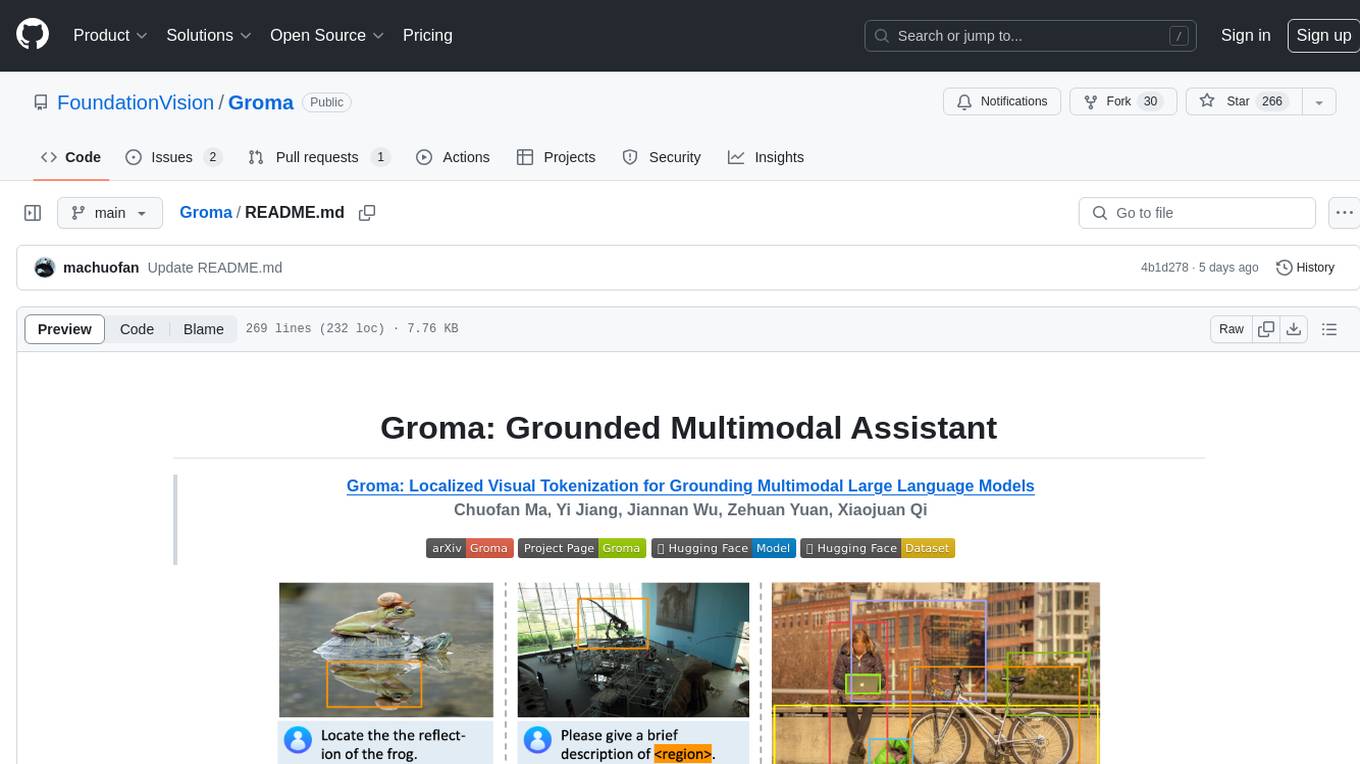
Groma
Groma is a grounded multimodal assistant that excels in region understanding and visual grounding. It can process user-defined region inputs and generate contextually grounded long-form responses. The tool presents a unique paradigm for multimodal large language models, focusing on visual tokenization for localization. Groma achieves state-of-the-art performance in referring expression comprehension benchmarks. The tool provides pretrained model weights and instructions for data preparation, training, inference, and evaluation. Users can customize training by starting from intermediate checkpoints. Groma is designed to handle tasks related to detection pretraining, alignment pretraining, instruction finetuning, instruction following, and more.
amber-train
Amber is the first model in the LLM360 family, an initiative for comprehensive and fully open-sourced LLMs. It is a 7B English language model with the LLaMA architecture. The model type is a language model with the same architecture as LLaMA-7B. It is licensed under Apache 2.0. The resources available include training code, data preparation, metrics, and fully processed Amber pretraining data. The model has been trained on various datasets like Arxiv, Book, C4, Refined-Web, StarCoder, StackExchange, and Wikipedia. The hyperparameters include a total of 6.7B parameters, hidden size of 4096, intermediate size of 11008, 32 attention heads, 32 hidden layers, RMSNorm ε of 1e^-6, max sequence length of 2048, and a vocabulary size of 32000.
kan-gpt
The KAN-GPT repository is a PyTorch implementation of Generative Pre-trained Transformers (GPTs) using Kolmogorov-Arnold Networks (KANs) for language modeling. It provides a model for generating text based on prompts, with a focus on improving performance compared to traditional MLP-GPT models. The repository includes scripts for training the model, downloading datasets, and evaluating model performance. Development tasks include integrating with other libraries, testing, and documentation.
LLM-SFT
LLM-SFT is a Chinese large model fine-tuning tool that supports models such as ChatGLM, LlaMA, Bloom, Baichuan-7B, and frameworks like LoRA, QLoRA, DeepSpeed, UI, and TensorboardX. It facilitates tasks like fine-tuning, inference, evaluation, and API integration. The tool provides pre-trained weights for various models and datasets for Chinese language processing. It requires specific versions of libraries like transformers and torch for different functionalities.
For similar jobs
jabref
JabRef is an open-source, cross-platform citation and reference management tool that helps users collect, organize, cite, and share research sources. It offers features like searching across online scientific catalogues, importing references in various formats, extracting metadata from PDFs, customizable citation key generator, support for Word and LibreOffice/OpenOffice, and more. Users can organize their research items hierarchically, find and merge duplicates, attach related documents, and keep track of what they read. JabRef also supports sharing via various export options and syncs library contents in a team via a SQL database. It is actively developed, free of charge, and offers native BibTeX and Biblatex support.
zotero-mcp
Zotero MCP seamlessly connects your Zotero research library with AI assistants like ChatGPT and Claude via the Model Context Protocol. It offers AI-powered semantic search, access to library content, PDF annotation extraction, and easy updates. Users can search their library, analyze citations, and get summaries, making it ideal for research tasks. The tool supports multiple embedding models, intelligent search results, and flexible access methods for both local and remote collaboration. With advanced features like semantic search and PDF annotation extraction, Zotero MCP enhances research efficiency and organization.
MetaScreener
MetaScreener is a local Python tool for AI-assisted systematic review workflows. It utilizes a Hierarchical Consensus Network (HCN) of 4 open-source LLMs with calibrated confidence aggregation, covering the full systematic review pipeline including literature screening, data extraction, and risk-of-bias assessment in a single tool. It offers a multi-LLM ensemble, 3 systematic review modules, reproducibility features, framework-agnostic criteria support, multiple input/output formats, interactive mode, CLI and Web UI, evaluation toolkit, and more.
ToolUniverse
ToolUniverse is a collection of 211 biomedical tools designed for Agentic AI, providing access to biomedical knowledge for solving therapeutic reasoning tasks. The tools cover various aspects of drugs and diseases, linked to trusted sources like US FDA-approved drugs since 1939, Open Targets, and Monarch Initiative.
lollms-webui
LoLLMs WebUI (Lord of Large Language Multimodal Systems: One tool to rule them all) is a user-friendly interface to access and utilize various LLM (Large Language Models) and other AI models for a wide range of tasks. With over 500 AI expert conditionings across diverse domains and more than 2500 fine tuned models over multiple domains, LoLLMs WebUI provides an immediate resource for any problem, from car repair to coding assistance, legal matters, medical diagnosis, entertainment, and more. The easy-to-use UI with light and dark mode options, integration with GitHub repository, support for different personalities, and features like thumb up/down rating, copy, edit, and remove messages, local database storage, search, export, and delete multiple discussions, make LoLLMs WebUI a powerful and versatile tool.

Azure-Analytics-and-AI-Engagement
The Azure-Analytics-and-AI-Engagement repository provides packaged Industry Scenario DREAM Demos with ARM templates (Containing a demo web application, Power BI reports, Synapse resources, AML Notebooks etc.) that can be deployed in a customer’s subscription using the CAPE tool within a matter of few hours. Partners can also deploy DREAM Demos in their own subscriptions using DPoC.
minio
MinIO is a High Performance Object Storage released under GNU Affero General Public License v3.0. It is API compatible with Amazon S3 cloud storage service. Use MinIO to build high performance infrastructure for machine learning, analytics and application data workloads.
mage-ai
Mage is an open-source data pipeline tool for transforming and integrating data. It offers an easy developer experience, engineering best practices built-in, and data as a first-class citizen. Mage makes it easy to build, preview, and launch data pipelines, and provides observability and scaling capabilities. It supports data integrations, streaming pipelines, and dbt integration.