


ai-coders-context
None
Stars: 359
The @ai-coders/context repository provides the Ultimate MCP for AI Agent Orchestration, Context Engineering, and Spec-Driven Development. It simplifies context engineering for AI by offering a universal process called PREVC, which consists of Planning, Review, Execution, Validation, and Confirmation steps. The tool aims to address the problem of context fragmentation by introducing a single `.context/` directory that works universally across different tools. It enables users to create structured documentation, generate agent playbooks, manage workflows, provide on-demand expertise, and sync across various AI tools. The tool follows a structured, spec-driven development approach to improve AI output quality and ensure reproducible results across projects.
README:



The Ultimate MCP for AI Agent Orchestration, Context Engineering, and Spec-Driven Development. Context engineering for AI now is stupidly simple.
Stop letting LLMs run on autopilot. PREVC is a universal process that improves AI output through 5 simple steps: Planning, Review, Execution, Validation, and Confirmation. Context-oriented. Spec-driven. No guesswork.
Every AI coding tool invented its own way to organize context:
.cursor/rules/          # Cursor
.claude/                # Claude Code
.windsurf/rules/        # Windsurf
.github/agents/         # Copilot
.cline/                 # Cline
.agent/rules/           # Google Antigravity
.trae/rules/            # Trae AI
AGENTS.md               # Codex
Using multiple tools? Enjoy duplicating your rules, agents, and documentation across 8 different formats. Context fragmentation is real.
One .context/ directory. Works everywhere.
.context/
├── docs/           # Your documentation (architecture, patterns, decisions)
├── agents/         # Agent playbooks (code-reviewer, feature-developer, etc.)
├── plans/          # Work plans linked to PREVC workflow
└── skills/         # On-demand expertise (commit-message, pr-review, etc.)
Export to any tool. Write once. Use anywhere. No boilerplate.

Built by AI Coders Academy — Learn AI-assisted development and become a more productive developer.
- AI Coders Academy — Courses and resources for AI-powered coding
- YouTube Channel — Tutorials, demos, and best practices
- Connect with Vini — Creator of @ai-coders/context
LLMs produce better results when they follow a structured process instead of generating code blindly. PREVC ensures:
- Specifications before code — AI understands what to build before building it
- Context awareness — Each phase has the right documentation and agent
- Human checkpoints — Review and validate at each step, not just at the end
- Reproducible quality — Same process, consistent results across projects
npx @ai-coders/contextThat's it. The wizard detects what needs to be done.
PT-BR Tutorial https://www.youtube.com/watch?v=5BPrfZAModk
- Creates documentation — Structured docs from your codebase (architecture, data flow, decisions)
- Generates agent playbooks — 14 specialized AI agents (code-reviewer, bug-fixer, architect, etc.)
- Manages workflows — PREVC process with scale detection, gates, and execution history
- Provides skills — On-demand expertise (commit messages, PR reviews, security audits)
- Syncs everywhere — Export to Cursor, Claude, Copilot, Windsurf, Cline, Codex, Antigravity, Trae, and more
- Tracks execution — Step-level tracking with git integration for workflow phases
- Keeps it updated — Detects code changes and suggests documentation updates
- Install the MCP
- Prompt to the agent:
init the context- This will setup the context and fill it according the the codebase
- With the context ready prompt
plan [YOUR TASK HERE] using ai-context- After planned, prompt
start the workflow- That's it!
A universal 5-phase process designed to improve LLM output quality through structured, spec-driven development:
| Phase | Name | Purpose |
|---|---|---|
| P | Planning | Define what to build. Gather requirements, write specs, identify scope. No code yet. |
| R | Review | Validate the approach. Architecture decisions, technical design, risk assessment. |
| E | Execution | Build it. Implementation follows the approved specs and design. |
| V | Validation | Verify it works. Tests, QA, code review against original specs. |
| C | Confirmation | Ship it. Documentation, deployment, stakeholder handoff. |
Most AI coding workflows look like this:
User: "Add authentication"
AI: *generates 500 lines of code*
User: "That's not what I wanted..."
PREVC fixes this:
P: What type of auth? OAuth, JWT, session? What providers?
R: Here's the architecture. Dependencies: X, Y. Risks: Z. Approve?
E: Implementing approved design...
V: All 15 tests pass. Security audit complete.
C: Deployed. Docs updated. Ready for review.
- User Guide — Complete usage guide
The system automatically detects project scale and adjusts the workflow:
| Scale | Phases | Use Case |
|---|---|---|
| QUICK | E → V | Bug fixes, small tweaks |
| SMALL | P → E → V | Simple features |
| MEDIUM | P → R → E → V | Regular features |
| LARGE | P → R → E → V → C | Complex systems, compliance |
- Node.js 20+
- API key from a supported provider (for AI features)
If you are using throught MCP you don't need to setup an API key from a supported provider, your AI agent will use it's own LLM.
| Provider | Environment Variable |
|---|---|
| OpenRouter | OPENROUTER_API_KEY |
| OpenAI | OPENAI_API_KEY |
| Anthropic | ANTHROPIC_API_KEY |
GOOGLE_API_KEY |
This package includes an MCP (Model Context Protocol) server that provides AI coding assistants with powerful tools to analyze and document your codebase.
Use the new MCP Install command to automatically configure the MCP server:
npx @ai-coders/context mcp:installThis interactive command:
- Detects installed AI tools on your system
- Configures ai-context MCP server in each tool
- Supports global (home directory) and local (project directory) installation
- Merges with existing MCP configurations without overwriting
- Includes dry-run mode to preview changes
- Works with Claude Code, Cursor, Windsurf, Cline, Continue.dev, and more
Alternatively, manually configure for your preferred tool.
The visual interface only shows official partners, but the manual editing mode allows any local or remote executable.
- Open the Agent panel (usually in the sidebar or
Ctrl+L). - Click the options menu (three dots
...) or the settings icon. - Select Manage MCP Servers.
- At the top of this screen, look for a discreet button or link named "View raw config" or "Edit JSON".
Note: If you cannot find the button in the UI, you can navigate directly through the file explorer and look for
.idx/mcp.jsonormcp_config.jsonin your workspace root.
You will see a JSON file. You must add a new entry inside the "mcpServers" object.
Here is the template to add a server (example using npx for a Node.js server or a local executable):
{
  "mcpServers": {
    "ai-context": {
      "command": "npx",
      "args": ["@ai-coders/context", "mcp"]
    }
  }
}After saving the mcp.json file:
- Return to the "Manage MCP Servers" panel.
- Click the Refresh button or restart the Antigravity environment (Reload Window).
- The new server should appear in the list with a status indicator (usually a green light if connected successfully).
Add the MCP server using the Claude CLI:
claude mcp add ai-context -- npx @ai-coders/context mcpOr configure manually in ~/.claude.json:
{
  "mcpServers": {
    "ai-context": {
      "command": "npx",
      "args": ["@ai-coders/context", "mcp"]
    }
  }
}Add to your Claude Desktop config (~/Library/Application Support/Claude/claude_desktop_config.json on macOS or %APPDATA%\Claude\claude_desktop_config.json on Windows):
{
  "mcpServers": {
    "ai-context": {
      "command": "npx",
      "args": ["@ai-coders/context", "mcp"]
    }
  }
}Create .cursor/mcp.json in your project root:
{
  "mcpServers": {
    "ai-context": {
      "command": "npx",
      "args": ["@ai-coders/context", "mcp"]
    }
  }
}Add to your Windsurf MCP config (~/.codeium/windsurf/mcp_config.json):
{
  "mcpServers": {
    "ai-context": {
      "command": "npx",
      "args": ["@ai-coders/context", "mcp"]
    }
  }
}Add to your Zed settings (~/.config/zed/settings.json):
{
  "context_servers": {
    "ai-context": {
      "command": {
        "path": "npx",
        "args": ["@ai-coders/context", "mcp"]
      }
    }
  }
}Configure in Cline settings (VS Code → Settings → Cline → MCP Servers):
{
  "mcpServers": {
    "ai-context": {
      "command": "npx",
      "args": ["@ai-coders/context", "mcp"]
    }
  }
}Add to your Codex CLI config (~/.codex/config.toml):
[mcp_servers.ai-context]
command = "npx"
args = ["--yes", "@ai-coders/context@latest", "mcp"]Add to your Antigravity MCP config (~/.gemini/mcp_config.json):
{
  "mcpServers": {
    "ai-context": {
      "command": "npx",
      "args": ["@ai-coders/context", "mcp"]
    }
  }
}Add to your Trae AI MCP config (Settings > MCP Servers):
{
  "mcpServers": {
    "ai-context": {
      "command": "npx",
      "args": ["@ai-coders/context", "mcp"]
    }
  }
}For local development, point directly to the built distribution:
{
  "mcpServers": {
    "ai-context-dev": {
      "command": "node",
      "args": ["/path/to/ai-coders-context/dist/index.js", "mcp"]
    }
  }
}Once configured, your AI assistant will have access to 9 gateway tools with action-based dispatching:
| Gateway | Description | Actions |
|---|---|---|
| explore | File and code exploration |
read, list, analyze, search, getStructure
|
| context | Context scaffolding and semantic context |
check, init, fill, fillSingle, listToFill, getMap, buildSemantic, scaffoldPlan
|
| plan | Plan management and execution tracking |
link, getLinked, getDetails, getForPhase, updatePhase, recordDecision, updateStep, getStatus, syncMarkdown, commitPhase
|
| agent | Agent orchestration and discovery |
discover, getInfo, orchestrate, getSequence, getDocs, getPhaseDocs, listTypes
|
| skill | Skill management for on-demand expertise |
list, getContent, getForPhase, scaffold, export, fill
|
| sync | Import/export synchronization with AI tools |
exportRules, exportDocs, exportAgents, exportContext, exportSkills, reverseSync, importDocs, importAgents, importSkills
|
| Tool | Description |
|---|---|
| workflow-init | Initialize a PREVC workflow with scale detection, gates, and autonomous mode |
| workflow-status | Get current workflow status, phases, and execution history |
| workflow-advance | Advance to the next PREVC phase with gate checking |
| workflow-manage | Manage handoffs, collaboration, documents, gates, and approvals |
- Gateway Pattern: Simplified, action-based tools reduce cognitive load
-
Plan Execution Tracking: Step-level tracking with
updateStep,getStatus,syncMarkdownactions -
Git Integration:
commitPhaseaction for creating commits on phase completion - Q&A & Pattern Detection: Automatic Q&A generation and functional pattern analysis
-
Execution History: Comprehensive logging of all workflow actions to
.context/workflow/actions.jsonl - Workflow Gates: Phase transition gates based on project scale with approval requirements
- Export/Import Tools: Granular control over docs, agents, and skills sync with merge strategies
Skills are task-specific procedures that AI agents activate when needed:
| Skill | Description | Phases |
|---|---|---|
commit-message |
Generate conventional commits | E, C |
pr-review |
Review PRs against standards | R, V |
code-review |
Code quality review | R, V |
test-generation |
Generate test cases | E, V |
documentation |
Generate/update docs | P, C |
refactoring |
Safe refactoring steps | E |
bug-investigation |
Bug investigation flow | E, V |
feature-breakdown |
Break features into tasks | P |
api-design |
Design RESTful APIs | P, R |
security-audit |
Security review checklist | R, V |
npx @ai-coders/context skill init           # Initialize skills
npx @ai-coders/context skill fill           # Fill skills with AI (project-specific content)
npx @ai-coders/context skill list           # List available skills
npx @ai-coders/context skill export         # Export to AI tools
npx @ai-coders/context skill create my-skill # Create custom skillThe orchestration system maps tasks to specialized agents:
| Agent | Focus |
|---|---|
architect-specialist |
System architecture and patterns |
feature-developer |
New feature implementation |
bug-fixer |
Bug identification and fixes |
test-writer |
Test suites and coverage |
code-reviewer |
Code quality and best practices |
security-auditor |
Security vulnerabilities |
performance-optimizer |
Performance bottlenecks |
documentation-writer |
Technical documentation |
backend-specialist |
Server-side logic and APIs |
frontend-specialist |
User interfaces |
database-specialist |
Database solutions |
devops-specialist |
CI/CD and deployment |
mobile-specialist |
Mobile applications |
refactoring-specialist |
Code structure improvements |
MIT © Vinícius Lana
For Tasks:
Click tags to check more tools for each tasksFor Jobs:
Alternative AI tools for ai-coders-context
Similar Open Source Tools
ai-coders-context
The @ai-coders/context repository provides the Ultimate MCP for AI Agent Orchestration, Context Engineering, and Spec-Driven Development. It simplifies context engineering for AI by offering a universal process called PREVC, which consists of Planning, Review, Execution, Validation, and Confirmation steps. The tool aims to address the problem of context fragmentation by introducing a single `.context/` directory that works universally across different tools. It enables users to create structured documentation, generate agent playbooks, manage workflows, provide on-demand expertise, and sync across various AI tools. The tool follows a structured, spec-driven development approach to improve AI output quality and ensure reproducible results across projects.

mcp-devtools
MCP DevTools is a high-performance server written in Go that replaces multiple Node.js and Python-based servers. It provides access to essential developer tools through a unified, modular interface. The server is efficient, with minimal memory footprint and fast response times. It offers a comprehensive tool suite for agentic coding, including 20+ essential developer agent tools. The tool registry allows for easy addition of new tools. The server supports multiple transport modes, including STDIO, HTTP, and SSE. It includes a security framework for multi-layered protection and a plugin system for adding new tools.
git-mcp-server
A secure and scalable Git MCP server providing AI agents with powerful version control capabilities for local and serverless environments. It offers 28 comprehensive Git operations organized into seven functional categories, resources for contextual information about the Git environment, and structured prompt templates for guiding AI agents through complex workflows. The server features declarative tools, robust error handling, pluggable authentication, abstracted storage, full-stack observability, dependency injection, and edge-ready architecture. It also includes specialized features for Git integration such as cross-runtime compatibility, provider-based architecture, optimized Git execution, working directory management, configurable Git identity, safety features, and commit signing.

dexto
Dexto is a lightweight runtime for creating and running AI agents that turn natural language into real-world actions. It serves as the missing intelligence layer for building AI applications, standalone chatbots, or as the reasoning engine inside larger products. Dexto features a powerful CLI and Web UI for running AI agents, supports multiple interfaces, allows hot-swapping of LLMs from various providers, connects to remote tool servers via the Model Context Protocol, is config-driven with version-controlled YAML, offers production-ready core features, extensibility for custom services, and enables multi-agent collaboration via MCP and A2A.

LocalAGI
LocalAGI is a powerful, self-hostable AI Agent platform that allows you to design AI automations without writing code. It provides a complete drop-in replacement for OpenAI's Responses APIs with advanced agentic capabilities. With LocalAGI, you can create customizable AI assistants, automations, chat bots, and agents that run 100% locally, without the need for cloud services or API keys. The platform offers features like no-code agents, web-based interface, advanced agent teaming, connectors for various platforms, comprehensive REST API, short & long-term memory capabilities, planning & reasoning, periodic tasks scheduling, memory management, multimodal support, extensible custom actions, fully customizable models, observability, and more.
paperbanana
PaperBanana is an automated academic illustration tool designed for AI scientists. It implements an agentic framework for generating publication-quality academic diagrams and statistical plots from text descriptions. The tool utilizes a two-phase multi-agent pipeline with iterative refinement, Gemini-based VLM planning, and image generation. It offers a CLI, Python API, and MCP server for IDE integration, along with Claude Code skills for generating diagrams, plots, and evaluating diagrams. PaperBanana is not affiliated with or endorsed by the original authors or Google Research, and it may differ from the original system described in the paper.
augustus
Augustus is a Go-based LLM vulnerability scanner designed for security professionals to test large language models against a wide range of adversarial attacks. It integrates with 28 LLM providers, covers 210+ adversarial attacks including prompt injection, jailbreaks, encoding exploits, and data extraction, and produces actionable vulnerability reports. The tool is built for production security testing with features like concurrent scanning, rate limiting, retry logic, and timeout handling out of the box.

everything-claude-code
The 'Everything Claude Code' repository is a comprehensive collection of production-ready agents, skills, hooks, commands, rules, and MCP configurations developed over 10+ months. It includes guides for setup, foundations, and philosophy, as well as detailed explanations of various topics such as token optimization, memory persistence, continuous learning, verification loops, parallelization, and subagent orchestration. The repository also provides updates on bug fixes, multi-language rules, installation wizard, PM2 support, OpenCode plugin integration, unified commands and skills, and cross-platform support. It offers a quick start guide for installation, ecosystem tools like Skill Creator and Continuous Learning v2, requirements for CLI version compatibility, key concepts like agents, skills, hooks, and rules, running tests, contributing guidelines, OpenCode support, background information, important notes on context window management and customization, star history chart, and relevant links.
code-cli
Autohand Code CLI is an autonomous coding agent in CLI form that uses the ReAct pattern to understand, plan, and execute code changes. It is designed for seamless coding experience without context switching or copy-pasting. The tool is fast, intuitive, and extensible with modular skills. It can be used to automate coding tasks, enforce code quality, and speed up development. Autohand can be integrated into team workflows and CI/CD pipelines to enhance productivity and efficiency.
atlas-mcp-server
ATLAS (Adaptive Task & Logic Automation System) is a high-performance Model Context Protocol server designed for LLMs to manage complex task hierarchies. Built with TypeScript, it features ACID-compliant storage, efficient task tracking, and intelligent template management. ATLAS provides LLM Agents task management through a clean, flexible tool interface. The server implements the Model Context Protocol (MCP) for standardized communication between LLMs and external systems, offering hierarchical task organization, task state management, smart templates, enterprise features, and performance optimization.
sgr-deep-research
This repository contains a deep learning research project focused on natural language processing tasks. It includes implementations of various state-of-the-art models and algorithms for text classification, sentiment analysis, named entity recognition, and more. The project aims to provide a comprehensive resource for researchers and developers interested in exploring deep learning techniques for NLP applications.
agentops
AgentOps is a toolkit for evaluating and developing robust and reliable AI agents. It provides benchmarks, observability, and replay analytics to help developers build better agents. AgentOps is open beta and can be signed up for here. Key features of AgentOps include: - Session replays in 3 lines of code: Initialize the AgentOps client and automatically get analytics on every LLM call. - Time travel debugging: (coming soon!) - Agent Arena: (coming soon!) - Callback handlers: AgentOps works seamlessly with applications built using Langchain and LlamaIndex.
ruby_llm-agents
RubyLLM::Agents is a production-ready Rails engine for building, managing, and monitoring LLM-powered AI agents. It seamlessly integrates with Rails apps, providing features like automatic execution tracking, cost analytics, budget controls, and a real-time dashboard. Users can build intelligent AI agents in Ruby using a clean DSL and support various LLM providers like OpenAI GPT-4, Anthropic Claude, and Google Gemini. The engine offers features such as agent DSL configuration, execution tracking, cost analytics, reliability with retries and fallbacks, budget controls, multi-tenancy support, async execution with Ruby fibers, real-time dashboard, streaming, conversation history, image operations, alerts, and more.
ruler
Ruler is a tool designed to centralize AI coding assistant instructions, providing a single source of truth for managing instructions across multiple AI coding tools. It helps in avoiding inconsistent guidance, duplicated effort, context drift, onboarding friction, and complex project structures by automatically distributing instructions to the right configuration files. With support for nested rule loading, Ruler can handle complex project structures with context-specific instructions for different components. It offers features like centralised rule management, nested rule loading, automatic distribution, targeted agent configuration, MCP server propagation, .gitignore automation, and a simple CLI for easy configuration management.
hud-python
hud-python is a Python library for creating interactive heads-up displays (HUDs) in video games. It provides a simple and flexible way to overlay information on the screen, such as player health, score, and notifications. The library is designed to be easy to use and customizable, allowing game developers to enhance the user experience by adding dynamic elements to their games. With hud-python, developers can create engaging HUDs that improve gameplay and provide important feedback to players.
prometheus-mcp-server
Prometheus MCP Server is a Model Context Protocol (MCP) server that provides access to Prometheus metrics and queries through standardized interfaces. It allows AI assistants to execute PromQL queries and analyze metrics data. The server supports executing queries, exploring metrics, listing available metrics, viewing query results, and authentication. It offers interactive tools for AI assistants and can be configured to choose specific tools. Installation methods include using Docker Desktop, MCP-compatible clients like Claude Desktop, VS Code, Cursor, and Windsurf, and manual Docker setup. Configuration options include setting Prometheus server URL, authentication credentials, organization ID, transport mode, and bind host/port. Contributions are welcome, and the project uses `uv` for managing dependencies and includes a comprehensive test suite for functionality testing.
For similar tasks
speakeasy
Speakeasy is a tool that helps developers create production-quality SDKs, Terraform providers, documentation, and more from OpenAPI specifications. It supports a wide range of languages, including Go, Python, TypeScript, Java, and C#, and provides features such as automatic maintenance, type safety, and fault tolerance. Speakeasy also integrates with popular package managers like npm, PyPI, Maven, and Terraform Registry for easy distribution.
dify-docs
Dify Docs is a repository that houses the documentation website code and Markdown source files for docs.dify.ai. It contains assets, content, and data folders that are licensed under a CC-BY license.
PandaWiki
PandaWiki is a collaborative platform for creating and editing wiki pages. It allows users to easily collaborate on documentation, knowledge sharing, and information dissemination. With features like version control, user permissions, and rich text editing, PandaWiki simplifies the process of creating and managing wiki content. Whether you are working on a team project, organizing information for personal use, or building a knowledge base for your organization, PandaWiki provides a user-friendly and efficient solution for creating and maintaining wiki pages.
Roo-Code-Docs
Roo Code Docs is a website built using Docusaurus, a modern static website generator. It serves as a documentation platform for Roo Code, accessible at https://docs.roocode.com. The website provides detailed information and guides for users to navigate and utilize Roo Code effectively. With a clean and user-friendly interface, it offers a seamless experience for developers and users seeking information about Roo Code.
mdream
Mdream is a lightweight and user-friendly markdown editor designed for developers and writers. It provides a simple and intuitive interface for creating and editing markdown files with real-time preview. The tool offers syntax highlighting, markdown formatting options, and the ability to export files in various formats. Mdream aims to streamline the writing process and enhance productivity for individuals working with markdown documents.
azure-agentic-infraops
Agentic InfraOps is a multi-agent orchestration system for Azure infrastructure development that transforms how you build Azure infrastructure with AI agents. It provides a structured 7-step workflow that coordinates specialized AI agents through a complete infrastructure development cycle: Requirements → Architecture → Design → Plan → Code → Deploy → Documentation. The system enforces Azure Well-Architected Framework (WAF) alignment and Azure Verified Modules (AVM) at every phase, combining the speed of AI coding with best practices in cloud engineering.
ai-coders-context
The @ai-coders/context repository provides the Ultimate MCP for AI Agent Orchestration, Context Engineering, and Spec-Driven Development. It simplifies context engineering for AI by offering a universal process called PREVC, which consists of Planning, Review, Execution, Validation, and Confirmation steps. The tool aims to address the problem of context fragmentation by introducing a single `.context/` directory that works universally across different tools. It enables users to create structured documentation, generate agent playbooks, manage workflows, provide on-demand expertise, and sync across various AI tools. The tool follows a structured, spec-driven development approach to improve AI output quality and ensure reproducible results across projects.
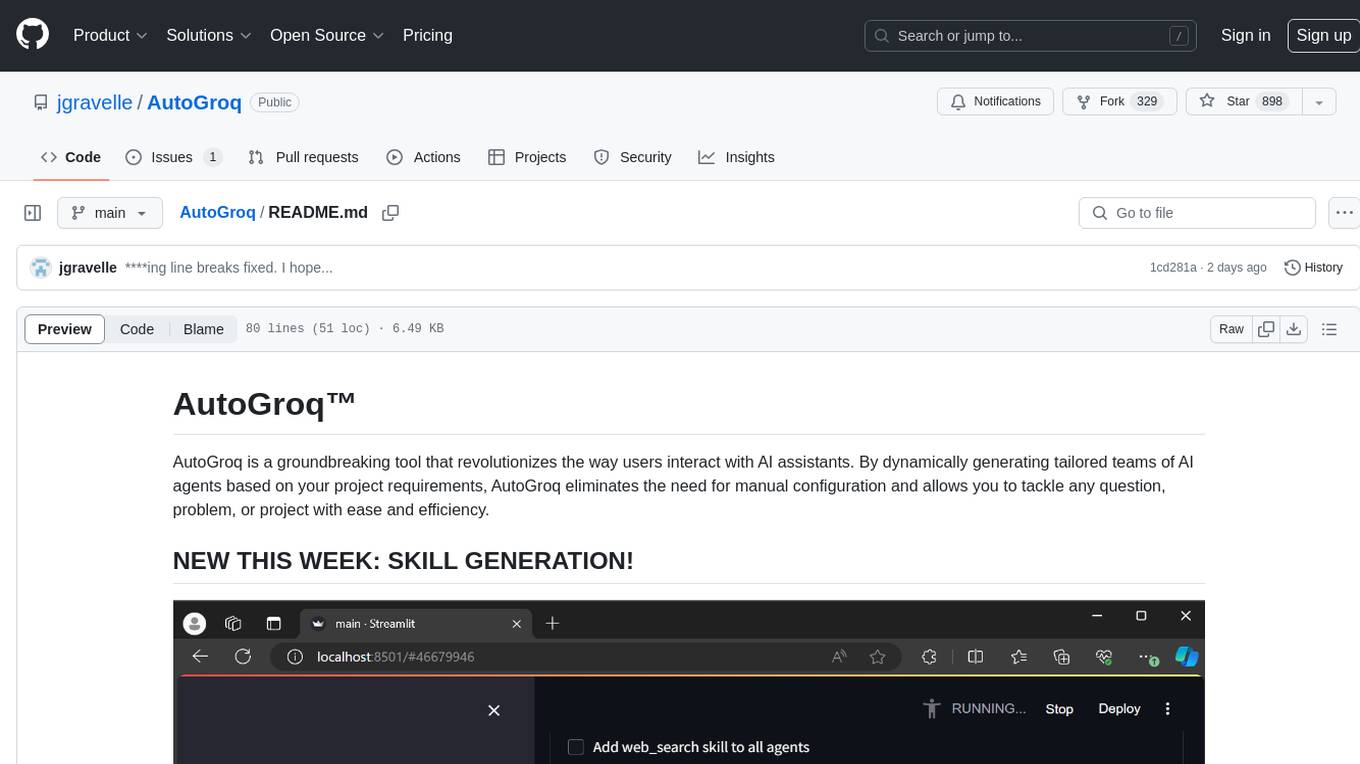
AutoGroq
AutoGroq is a revolutionary tool that dynamically generates tailored teams of AI agents based on project requirements, eliminating manual configuration. It enables users to effortlessly tackle questions, problems, and projects by creating expert agents, workflows, and skillsets with ease and efficiency. With features like natural conversation flow, code snippet extraction, and support for multiple language models, AutoGroq offers a seamless and intuitive AI assistant experience for developers and users.
For similar jobs

promptflow
**Prompt flow** is a suite of development tools designed to streamline the end-to-end development cycle of LLM-based AI applications, from ideation, prototyping, testing, evaluation to production deployment and monitoring. It makes prompt engineering much easier and enables you to build LLM apps with production quality.

deepeval
DeepEval is a simple-to-use, open-source LLM evaluation framework specialized for unit testing LLM outputs. It incorporates various metrics such as G-Eval, hallucination, answer relevancy, RAGAS, etc., and runs locally on your machine for evaluation. It provides a wide range of ready-to-use evaluation metrics, allows for creating custom metrics, integrates with any CI/CD environment, and enables benchmarking LLMs on popular benchmarks. DeepEval is designed for evaluating RAG and fine-tuning applications, helping users optimize hyperparameters, prevent prompt drifting, and transition from OpenAI to hosting their own Llama2 with confidence.

MegaDetector
MegaDetector is an AI model that identifies animals, people, and vehicles in camera trap images (which also makes it useful for eliminating blank images). This model is trained on several million images from a variety of ecosystems. MegaDetector is just one of many tools that aims to make conservation biologists more efficient with AI. If you want to learn about other ways to use AI to accelerate camera trap workflows, check out our of the field, affectionately titled "Everything I know about machine learning and camera traps".

leapfrogai
LeapfrogAI is a self-hosted AI platform designed to be deployed in air-gapped resource-constrained environments. It brings sophisticated AI solutions to these environments by hosting all the necessary components of an AI stack, including vector databases, model backends, API, and UI. LeapfrogAI's API closely matches that of OpenAI, allowing tools built for OpenAI/ChatGPT to function seamlessly with a LeapfrogAI backend. It provides several backends for various use cases, including llama-cpp-python, whisper, text-embeddings, and vllm. LeapfrogAI leverages Chainguard's apko to harden base python images, ensuring the latest supported Python versions are used by the other components of the stack. The LeapfrogAI SDK provides a standard set of protobuffs and python utilities for implementing backends and gRPC. LeapfrogAI offers UI options for common use-cases like chat, summarization, and transcription. It can be deployed and run locally via UDS and Kubernetes, built out using Zarf packages. LeapfrogAI is supported by a community of users and contributors, including Defense Unicorns, Beast Code, Chainguard, Exovera, Hypergiant, Pulze, SOSi, United States Navy, United States Air Force, and United States Space Force.

llava-docker
This Docker image for LLaVA (Large Language and Vision Assistant) provides a convenient way to run LLaVA locally or on RunPod. LLaVA is a powerful AI tool that combines natural language processing and computer vision capabilities. With this Docker image, you can easily access LLaVA's functionalities for various tasks, including image captioning, visual question answering, text summarization, and more. The image comes pre-installed with LLaVA v1.2.0, Torch 2.1.2, xformers 0.0.23.post1, and other necessary dependencies. You can customize the model used by setting the MODEL environment variable. The image also includes a Jupyter Lab environment for interactive development and exploration. Overall, this Docker image offers a comprehensive and user-friendly platform for leveraging LLaVA's capabilities.

carrot
The 'carrot' repository on GitHub provides a list of free and user-friendly ChatGPT mirror sites for easy access. The repository includes sponsored sites offering various GPT models and services. Users can find and share sites, report errors, and access stable and recommended sites for ChatGPT usage. The repository also includes a detailed list of ChatGPT sites, their features, and accessibility options, making it a valuable resource for ChatGPT users seeking free and unlimited GPT services.

TrustLLM
TrustLLM is a comprehensive study of trustworthiness in LLMs, including principles for different dimensions of trustworthiness, established benchmark, evaluation, and analysis of trustworthiness for mainstream LLMs, and discussion of open challenges and future directions. Specifically, we first propose a set of principles for trustworthy LLMs that span eight different dimensions. Based on these principles, we further establish a benchmark across six dimensions including truthfulness, safety, fairness, robustness, privacy, and machine ethics. We then present a study evaluating 16 mainstream LLMs in TrustLLM, consisting of over 30 datasets. The document explains how to use the trustllm python package to help you assess the performance of your LLM in trustworthiness more quickly. For more details about TrustLLM, please refer to project website.

AI-YinMei
AI-YinMei is an AI virtual anchor Vtuber development tool (N card version). It supports fastgpt knowledge base chat dialogue, a complete set of solutions for LLM large language models: [fastgpt] + [one-api] + [Xinference], supports docking bilibili live broadcast barrage reply and entering live broadcast welcome speech, supports Microsoft edge-tts speech synthesis, supports Bert-VITS2 speech synthesis, supports GPT-SoVITS speech synthesis, supports expression control Vtuber Studio, supports painting stable-diffusion-webui output OBS live broadcast room, supports painting picture pornography public-NSFW-y-distinguish, supports search and image search service duckduckgo (requires magic Internet access), supports image search service Baidu image search (no magic Internet access), supports AI reply chat box [html plug-in], supports AI singing Auto-Convert-Music, supports playlist [html plug-in], supports dancing function, supports expression video playback, supports head touching action, supports gift smashing action, supports singing automatic start dancing function, chat and singing automatic cycle swing action, supports multi scene switching, background music switching, day and night automatic switching scene, supports open singing and painting, let AI automatically judge the content.