


ruler
Ruler — apply the same rules to all coding agents
Stars: 1624
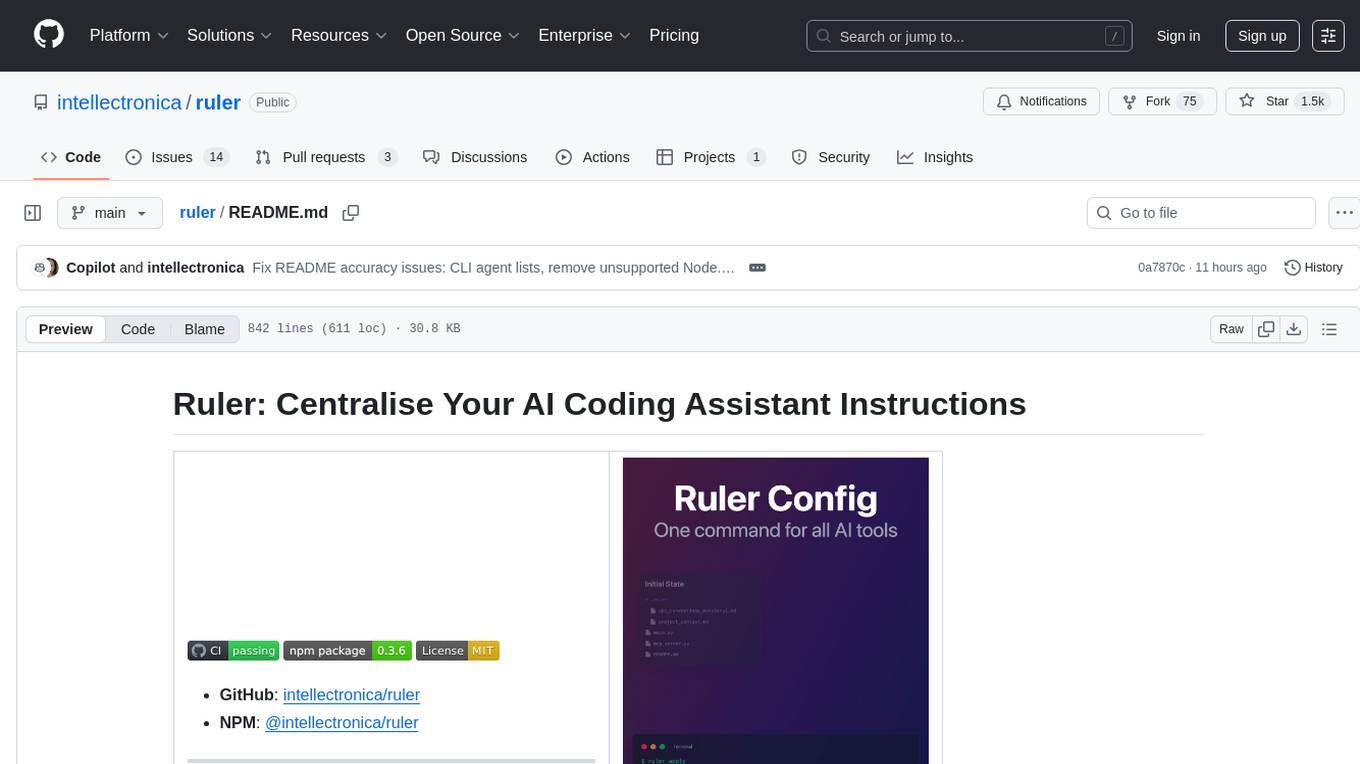
Ruler is a tool designed to centralize AI coding assistant instructions, providing a single source of truth for managing instructions across multiple AI coding tools. It helps in avoiding inconsistent guidance, duplicated effort, context drift, onboarding friction, and complex project structures by automatically distributing instructions to the right configuration files. With support for nested rule loading, Ruler can handle complex project structures with context-specific instructions for different components. It offers features like centralised rule management, nested rule loading, automatic distribution, targeted agent configuration, MCP server propagation, .gitignore automation, and a simple CLI for easy configuration management.
README:
|
Animation by Isaac Flath of Elite AI-Assisted Coding ➡︎ |

|



Beta Research Preview
- Please test this version carefully in your environment
- Report issues at https://github.com/intellectronica/ruler/issues
Managing instructions across multiple AI coding tools becomes complex as your team grows. Different agents (GitHub Copilot, Claude, Cursor, Aider, etc.) require their own configuration files, leading to:
- Inconsistent guidance across AI tools
- Duplicated effort maintaining multiple config files
- Context drift as project requirements evolve
- Onboarding friction for new AI tools
- Complex project structures requiring context-specific instructions for different components
Ruler solves this by providing a single source of truth for all your AI agent instructions, automatically distributing them to the right configuration files. With support for nested rule loading, Ruler can handle complex project structures with context-specific instructions for different components.
-
Centralised Rule Management: Store all AI instructions in a dedicated
.ruler/directory using Markdown files -
Nested Rule Loading: Support complex project structures with multiple
.ruler/directories for context-specific instructions - Automatic Distribution: Ruler applies these rules to configuration files of supported AI agents
-
Targeted Agent Configuration: Fine-tune which agents are affected and their specific output paths via
ruler.toml - MCP Server Propagation: Manage and distribute Model Context Protocol (MCP) server settings
-
.gitignoreAutomation: Keeps generated agent config files out of version control automatically - Simple CLI: Easy-to-use commands for initialising and applying configurations
| Agent | Rules File(s) | MCP Configuration / Notes |
|---|---|---|
| AGENTS.md | AGENTS.md |
(pseudo-agent ensuring root AGENTS.md exists) |
| GitHub Copilot | AGENTS.md |
.vscode/mcp.json |
| Claude Code | CLAUDE.md |
.mcp.json |
| OpenAI Codex CLI | AGENTS.md |
.codex/config.toml |
| Jules | AGENTS.md |
- |
| Cursor | .cursor/rules/ruler_cursor_instructions.mdc |
.cursor/mcp.json |
| Windsurf | .windsurf/rules/ruler_windsurf_instructions.md |
- |
| Cline | .clinerules |
- |
| Crush | CRUSH.md |
.crush.json |
| Amp | AGENTS.md |
- |
| Amazon Q CLI | .amazonq/rules/ruler_q_rules.md |
.amazonq/mcp.json |
| Aider |
AGENTS.md, .aider.conf.yml
|
.mcp.json |
| Firebase Studio | .idx/airules.md |
.idx/mcp.json |
| Open Hands | .openhands/microagents/repo.md |
config.toml |
| Gemini CLI | AGENTS.md |
.gemini/settings.json |
| Junie | .junie/guidelines.md |
- |
| AugmentCode | .augment/rules/ruler_augment_instructions.md |
- |
| Kilo Code | .kilocode/rules/ruler_kilocode_instructions.md |
.kilocode/mcp.json |
| opencode | AGENTS.md |
opencode.json |
| Goose | .goosehints |
- |
| Qwen Code | AGENTS.md |
.qwen/settings.json |
| RooCode | AGENTS.md |
.roo/mcp.json |
| Zed | AGENTS.md |
.zed/settings.json (project root, never $HOME) |
| Trae AI | .trae/rules/project_rules.md |
- |
| Warp | WARP.md |
- |
| Kiro | .kiro/steering/ruler_kiro_instructions.md |
- |
Global Installation (Recommended for CLI use):
npm install -g @intellectronica/rulerUsing npx (for one-off commands):
npx @intellectronica/ruler apply- Navigate to your project's root directory
- Run
ruler init - This creates:
-
.ruler/directory -
.ruler/AGENTS.md: The primary starter Markdown file for your rules -
.ruler/ruler.toml: The main configuration file for Ruler (now contains sample MCP server sections; legacy.ruler/mcp.jsonno longer scaffolded) - (Optional legacy fallback) If you previously used
.ruler/instructions.md, it is still respected whenAGENTS.mdis absent. (The prior runtime warning was removed.)
Additionally, you can create a global configuration to use when no local .ruler/ directory is found:
ruler init --globalThe global configuration will be created to $XDG_CONFIG_HOME/ruler (default: ~/.config/ruler).
This is your central hub for all AI agent instructions:
-
Primary File Order & Precedence:
- A repository root
AGENTS.md(outside.ruler/) if present (highest precedence, prepended) -
.ruler/AGENTS.md(new default starter file) - Legacy
.ruler/instructions.md(only if.ruler/AGENTS.mdabsent; no longer emits a deprecation warning) - Remaining discovered
.mdfiles under.ruler/(and subdirectories) in sorted order
- A repository root
-
Rule Files (
*.md): Discovered recursively from.ruler/or$XDG_CONFIG_HOME/rulerand concatenated in the order above -
Concatenation Marker: Each file's content is prepended with
--- Source: <relative_path_to_md_file> ---for traceability -
ruler.toml: Master configuration for Ruler's behavior, agent selection, and output paths -
mcp.json: Shared MCP server settings
This ordering lets you keep a short, high-impact root AGENTS.md (e.g. executive project summary) while housing detailed guidance inside .ruler/.
Ruler now supports nested rule loading with the --nested flag, enabling context-specific instructions for different parts of your project:
project/
├── .ruler/           # Global project rules
│   ├── AGENTS.md
│   └── coding_style.md
├── src/
│   └── .ruler/       # Component-specific rules
│       └── api_guidelines.md
├── tests/
│   └── .ruler/       # Test-specific rules
│       └── testing_conventions.md
└── docs/
    └── .ruler/       # Documentation rules
        └── writing_style.md
How it works:
- Discover all
.ruler/directories in the project hierarchy - Load and concatenate rules from each directory in order
- Enable with:
ruler apply --nested
Perfect for:
- Monorepos with multiple services
- Projects with distinct components (frontend/backend)
- Teams needing different instructions for different areas
- Complex codebases with varying standards
Granularity: Break down complex instructions into focused .md files:
coding_style.mdapi_conventions.mdproject_architecture.mdsecurity_guidelines.md
Example rule file (.ruler/python_guidelines.md):
# Python Project Guidelines

## General Style

- Follow PEP 8 for all Python code
- Use type hints for all function signatures and complex variables
- Keep functions short and focused on a single task

## Error Handling

- Use specific exception types rather than generic `Exception`
- Log errors effectively with context

## Security

- Always validate and sanitize user input
- Be mindful of potential injection vulnerabilitiesruler apply [options]The apply command looks for .ruler/ in the current directory tree, reading the first match. If no such directory is found, it will look for a global configuration in $XDG_CONFIG_HOME/ruler.
| Option | Description |
|---|---|
--project-root <path> |
Path to your project's root (default: current directory) |
--agents <agent1,agent2,...> |
Comma-separated list of agent names to target (agentsmd, aider, amazonqcli, amp, augmentcode, claude, cline, codex, copilot, crush, cursor, firebase, gemini-cli, goose, jules, junie, kilocode, kiro, opencode, openhands, qwen, roo, trae, warp, windsurf, zed) |
--config <path> |
Path to a custom ruler.toml configuration file |
--mcp / --with-mcp
|
Enable applying MCP server configurations (default: true) |
--no-mcp |
Disable applying MCP server configurations |
--mcp-overwrite |
Overwrite native MCP config entirely instead of merging |
--gitignore |
Enable automatic .gitignore updates (default: true) |
--no-gitignore |
Disable automatic .gitignore updates |
--nested |
Enable nested rule loading from nested .ruler directories (default: disabled) |
--backup |
Enable/disable creation of .bak backup files (default: enabled) |
--dry-run |
Preview changes without writing files |
--local-only |
Do not look for configuration in $XDG_CONFIG_HOME
|
--verbose / -v
|
Display detailed output during execution |
Apply rules to all configured agents:
ruler applyApply rules only to GitHub Copilot and Claude:
ruler apply --agents copilot,claudeApply rules only to Firebase Studio:
ruler apply --agents firebaseApply rules only to Warp:
ruler apply --agents warpApply rules only to Trae AI:
ruler apply --agents traeApply rules only to RooCode:
ruler apply --agents rooUse a specific configuration file:
ruler apply --config ./team-configs/ruler.frontend.tomlApply rules with verbose output:
ruler apply --verboseApply rules but skip MCP and .gitignore updates:
ruler apply --no-mcp --no-gitignoreThe revert command safely undoes all changes made by ruler apply, restoring your project to its pre-ruler state. It intelligently restores files from backups (.bak files) when available, or removes generated files that didn't exist before.
When experimenting with different rule configurations or switching between projects, you may want to:
- Clean slate: Remove all ruler-generated files to start fresh
- Restore originals: Revert modified files back to their original state
- Selective cleanup: Remove configurations for specific agents only
- Safe experimentation: Try ruler without fear of permanent changes
ruler revert [options]| Option | Description |
|---|---|
--project-root <path> |
Path to your project's root (default: current directory) |
--agents <agent1,agent2,...> |
Comma-separated list of agent names to revert (agentsmd, aider, amazonqcli, amp, augmentcode, claude, cline, codex, copilot, crush, cursor, firebase, gemini-cli, goose, jules, junie, kilocode, kiro, opencode, openhands, qwen, roo, trae, warp, windsurf, zed) |
--config <path> |
Path to a custom ruler.toml configuration file |
--keep-backups |
Keep backup files (.bak) after restoration (default: false) |
--dry-run |
Preview changes without actually reverting files |
--verbose / -v
|
Display detailed output during execution |
--local-only |
Only search for local .ruler directories, ignore global config |
Revert all ruler changes:
ruler revertPreview what would be reverted (dry-run):
ruler revert --dry-runRevert only specific agents:
ruler revert --agents claude,copilotRevert with detailed output:
ruler revert --verboseKeep backup files after reverting:
ruler revert --keep-backupsDefaults to .ruler/ruler.toml in the project root. Override with --config CLI option.
# Default agents to run when --agents is not specified
# Uses case-insensitive substring matching
default_agents = ["copilot", "claude", "aider"]

# --- Global MCP Server Configuration ---
[mcp]
# Enable/disable MCP propagation globally (default: true)
enabled = true
# Global merge strategy: 'merge' or 'overwrite' (default: 'merge')
merge_strategy = "merge"

# --- MCP Server Definitions ---
[mcp_servers.filesystem]
command = "npx"
args = ["-y", "@modelcontextprotocol/server-filesystem", "/path/to/project"]

[mcp_servers.git]
command = "npx"
args = ["-y", "@modelcontextprotocol/server-git", "--repository", "."]

[mcp_servers.remote_api]
url = "https://api.example.com"

[mcp_servers.remote_api.headers]
Authorization = "Bearer your-token"

# --- Global .gitignore Configuration ---
[gitignore]
# Enable/disable automatic .gitignore updates (default: true)
enabled = true

# --- Agent-Specific Configurations ---
[agents.copilot]
enabled = true

[agents.claude]
enabled = true
output_path = "CLAUDE.md"

[agents.aider]
enabled = true
output_path_instructions = "AGENTS.md"
output_path_config = ".aider.conf.yml"

# OpenAI Codex CLI agent and MCP config
[agents.codex]
enabled = true
output_path = "AGENTS.md"
output_path_config = ".codex/config.toml"

# Agent-specific MCP configuration for Codex CLI
[agents.codex.mcp]
enabled = true
merge_strategy = "merge"

[agents.firebase]
enabled = true
output_path = ".idx/airules.md"

[agents.gemini-cli]
enabled = true

[agents.jules]
enabled = true

[agents.junie]
enabled = true
output_path = ".junie/guidelines.md"

# Agent-specific MCP configuration
[agents.cursor.mcp]
enabled = true
merge_strategy = "merge"

# Disable specific agents
[agents.windsurf]
enabled = false

[agents.kilocode]
enabled = true
output_path = ".kilocode/rules/ruler_kilocode_instructions.md"

[agents.warp]
enabled = true
output_path = "WARP.md"-
CLI flags (e.g.,
--agents,--no-mcp,--mcp-overwrite,--no-gitignore) -
Settings in
ruler.toml(default_agents, specific agent settings, global sections) - Ruler's built-in defaults (all agents enabled, standard output paths, MCP enabled with 'merge')
MCP provides broader context to AI models through server configurations. Ruler can manage and distribute these settings across compatible agents.
You can now define MCP servers directly in ruler.toml using the [mcp_servers.<name>] syntax:
# Global MCP behavior
[mcp]
enabled = true
merge_strategy = "merge"  # or "overwrite"

# Local (stdio) server
[mcp_servers.filesystem]
command = "npx"
args = ["-y", "@modelcontextprotocol/server-filesystem", "/path/to/project"]

[mcp_servers.filesystem.env]
API_KEY = "your-api-key"

# Remote server
[mcp_servers.search]
url = "https://mcp.example.com"

[mcp_servers.search.headers]
Authorization = "Bearer your-token"
"X-API-Version" = "v1"For backward compatibility, you can still use the JSON format; a warning is issued encouraging migration to TOML. The file is no longer created during ruler init.
{
  "mcpServers": {
    "filesystem": {
      "command": "npx",
      "args": [
        "-y",
        "@modelcontextprotocol/server-filesystem",
        "/path/to/project"
      ]
    },
    "git": {
      "command": "npx",
      "args": ["-y", "@modelcontextprotocol/server-git", "--repository", "."]
    }
  }
}When both TOML and JSON configurations are present:
- TOML servers take precedence over JSON servers with the same name
- Servers are merged from both sources (unless using overwrite strategy)
- Deprecation warning is shown encouraging migration to TOML (warning shown once per run)
Local/stdio servers require a command field:
[mcp_servers.local_server]
command = "node"
args = ["server.js"]

[mcp_servers.local_server.env]
DEBUG = "1"
Remote servers require a url field (headers optional; bearer Authorization token auto-extracted for OpenHands when possible):
[mcp_servers.remote_server]
url = "https://api.example.com"

[mcp_servers.remote_server.headers]
Authorization = "Bearer token"
Ruler uses this configuration with the merge (default) or overwrite strategy, controlled by ruler.toml or CLI flags.
Home Directory Safety: Ruler never writes MCP configuration files outside your project root. Any historical references to user home directories (e.g. ~/.codeium/windsurf/mcp_config.json or ~/.zed/settings.json) have been removed; only project-local paths are targeted.
Note for OpenAI Codex CLI: To apply the local Codex CLI MCP configuration, set the CODEX_HOME environment variable to your project’s .codex directory:
export CODEX_HOME="$(pwd)/.codex"Ruler automatically manages your .gitignore file to keep generated agent configuration files out of version control.
- Creates or updates
.gitignorein your project root - Adds paths to a managed block marked with
# START Ruler Generated Filesand# END Ruler Generated Files - Preserves existing content outside this block
- Sorts paths alphabetically and uses relative POSIX-style paths
# Your existing rules
node_modules/
*.log

# START Ruler Generated Files
.aider.conf.yml
.clinerules
.cursor/rules/ruler_cursor_instructions.mdc
.windsurf/rules/ruler_windsurf_instructions.md
AGENTS.md
CLAUDE.md
AGENTS.md
# END Ruler Generated Files

dist/-
CLI flags:
--gitignoreor--no-gitignore -
Configuration:
[gitignore].enabledinruler.toml - Default: enabled
# Initialize Ruler in your project
cd your-project
ruler init

# Edit the generated files
# - Add your coding guidelines to .ruler/AGENTS.md (or keep adding additional .md files)
# - Customize .ruler/ruler.toml if needed

# Apply rules to all AI agents
ruler applyFor large projects with multiple components or services, use nested rule loading:
# Set up nested .ruler directories
mkdir -p src/.ruler tests/.ruler docs/.ruler

# Add component-specific instructions
echo "# API Design Guidelines" > src/.ruler/api_rules.md
echo "# Testing Best Practices" > tests/.ruler/test_rules.md
echo "# Documentation Standards" > docs/.ruler/docs_rules.md

# Apply with nested loading
ruler apply --nested --verbose
This creates context-specific instructions for different parts of your project while maintaining global rules in the root .ruler/ directory.
- Create
.ruler/coding_standards.md,.ruler/api_usage.md - Commit the
.rulerdirectory to your repository - Team members pull changes and run
ruler applyto update their local AI agent configurations
- Detail your project's architecture in
.ruler/project_overview.md - Describe primary data structures in
.ruler/data_models.md - Run
ruler applyto help AI tools provide more relevant suggestions
{
  "scripts": {
    "ruler:apply": "ruler apply",
    "dev": "npm run ruler:apply && your_dev_command",
    "precommit": "npm run ruler:apply"
  }
}# .github/workflows/ruler-check.yml
name: Check Ruler Configuration
on:
pull_request:
paths: ['.ruler/**']
jobs:
check-ruler:
runs-on: ubuntu-latest
steps:
- uses: actions/checkout@v4
- uses: actions/setup-node@v4
with:
node-version: '18'
cache: 'npm'
- name: Install Ruler
run: npm install -g @intellectronica/ruler
- name: Apply Ruler configuration
run: ruler apply --no-gitignore
- name: Check for uncommitted changes
run: |
if [[ -n $(git status --porcelain) ]]; then
echo "::error::Ruler configuration is out of sync!"
echo "Please run 'ruler apply' locally and commit the changes."
exit 1
fi"Cannot find module" errors:
- Ensure Ruler is installed globally:
npm install -g @intellectronica/ruler - Or use
npx @intellectronica/ruler
Permission denied errors:
- On Unix systems, you may need
sudofor global installation
Agent files not updating:
- Check if the agent is enabled in
ruler.toml - Verify agent isn't excluded by
--agentsflag - Use
--verboseto see detailed execution logs
Configuration validation errors:
- Ruler now validates
ruler.tomlformat and will show specific error details - Check that all configuration values match the expected types and formats
Use --verbose flag to see detailed execution logs:
ruler apply --verboseThis shows:
- Configuration loading details
- Agent selection logic
- File processing information
- MCP configuration steps
Q: Can I use different rules for different agents? A: Currently, all agents receive the same concatenated rules. For agent-specific instructions, include sections in your rule files like "## GitHub Copilot Specific" or "## Aider Configuration".
Q: How do I set up different instructions for different parts of my project?
A: Use the --nested flag with ruler apply --nested. This enables Ruler to discover and load rules from multiple .ruler/ directories throughout your project hierarchy. Place component-specific instructions in src/.ruler/, test-specific rules in tests/.ruler/, etc., while keeping global rules in the root .ruler/ directory.
Q: How do I temporarily disable Ruler for an agent?
A: Set enabled = false in ruler.toml under [agents.agentname], or use --agents flag to specify only the agents you want.
Q: What happens to my existing agent configuration files?
A: Ruler creates backups with .bak extension before overwriting any existing files.
Q: Can I run Ruler in CI/CD pipelines?
A: Yes! Use ruler apply --no-gitignore in CI to avoid modifying .gitignore. See the GitHub Actions example above.
Q: How do I migrate from older versions using instructions.md?
A: Simply rename .ruler/instructions.md to .ruler/AGENTS.md (recommended). If you keep the legacy file and omit AGENTS.md, Ruler will still use it (without emitting the old deprecation warning). Having both causes AGENTS.md to take precedence; the legacy file is still concatenated afterward.
Q: How does OpenHands MCP propagation classify servers?
A: Local stdio servers become stdio_servers. Remote URLs containing /sse are classified as sse_servers; others become shttp_servers. Bearer tokens in an Authorization header are extracted into api_key where possible.
Q: Where is Zed configuration written now?
A: Ruler writes a settings.json in the project root (not the user home dir) and transforms MCP server definitions to Zed's context_servers format including source: "custom".
Q: What changed about MCP initialization?
A: ruler init now only adds example MCP server sections to ruler.toml instead of creating .ruler/mcp.json. The JSON file is still consumed if present, but TOML servers win on name conflicts.
Q: Is Kiro supported?
A: Yes. Kiro receives concatenated rules at .kiro/steering/ruler_kiro_instructions.md.
git clone https://github.com/intellectronica/ruler.git
cd ruler
npm install
npm run build# Run all tests
npm test
# Run tests with coverage
npm run test:coverage
# Run tests in watch mode
npm run test:watch# Run linting
npm run lint
# Run formatting
npm run formatContributions are welcome! Please:
- Fork the repository
- Create a feature branch
- Make your changes
- Add tests for new functionality
- Ensure all tests pass
- Submit a pull request
For bugs and feature requests, please open an issue.
MIT
© Eleanor Berger
ai.intellectronica.net
For Tasks:
Click tags to check more tools for each tasksFor Jobs:
Alternative AI tools for ruler
Similar Open Source Tools
ruler
Ruler is a tool designed to centralize AI coding assistant instructions, providing a single source of truth for managing instructions across multiple AI coding tools. It helps in avoiding inconsistent guidance, duplicated effort, context drift, onboarding friction, and complex project structures by automatically distributing instructions to the right configuration files. With support for nested rule loading, Ruler can handle complex project structures with context-specific instructions for different components. It offers features like centralised rule management, nested rule loading, automatic distribution, targeted agent configuration, MCP server propagation, .gitignore automation, and a simple CLI for easy configuration management.
git-mcp-server
A secure and scalable Git MCP server providing AI agents with powerful version control capabilities for local and serverless environments. It offers 28 comprehensive Git operations organized into seven functional categories, resources for contextual information about the Git environment, and structured prompt templates for guiding AI agents through complex workflows. The server features declarative tools, robust error handling, pluggable authentication, abstracted storage, full-stack observability, dependency injection, and edge-ready architecture. It also includes specialized features for Git integration such as cross-runtime compatibility, provider-based architecture, optimized Git execution, working directory management, configurable Git identity, safety features, and commit signing.
aicommit2
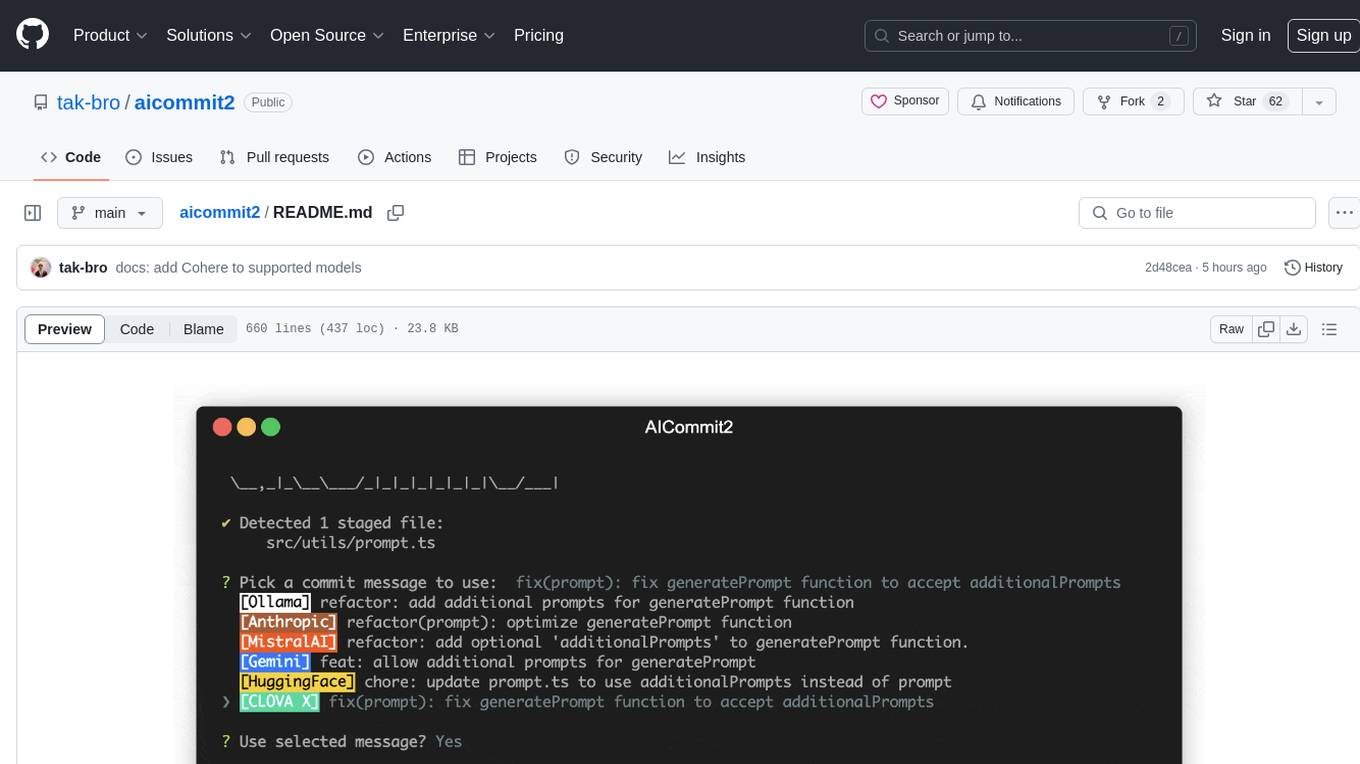
AICommit2 is a Reactive CLI tool that streamlines interactions with various AI providers such as OpenAI, Anthropic Claude, Gemini, Mistral AI, Cohere, and unofficial providers like Huggingface and Clova X. Users can request multiple AI simultaneously to generate git commit messages without waiting for all AI responses. The tool runs 'git diff' to grab code changes, sends them to configured AI, and returns the AI-generated commit message. Users can set API keys or Cookies for different providers and configure options like locale, generate number of messages, commit type, proxy, timeout, max-length, and more. AICommit2 can be used both locally with Ollama and remotely with supported providers, offering flexibility and efficiency in generating commit messages.

tokscale
Tokscale is a high-performance CLI tool and visualization dashboard for tracking token usage and costs across multiple AI coding agents. It helps monitor and analyze token consumption from various AI coding tools, providing real-time pricing calculations using LiteLLM's pricing data. Inspired by the Kardashev scale, Tokscale measures token consumption as users scale the ranks of AI-augmented development. It offers interactive TUI mode, multi-platform support, real-time pricing, detailed breakdowns, web visualization, flexible filtering, and social platform features.
docutranslate
Docutranslate is a versatile tool for translating documents efficiently. It supports multiple file formats and languages, making it ideal for businesses and individuals needing quick and accurate translations. The tool uses advanced algorithms to ensure high-quality translations while maintaining the original document's formatting. With its user-friendly interface, Docutranslate simplifies the translation process and saves time for users. Whether you need to translate legal documents, technical manuals, or personal letters, Docutranslate is the go-to solution for all your document translation needs.

mcp-devtools
MCP DevTools is a high-performance server written in Go that replaces multiple Node.js and Python-based servers. It provides access to essential developer tools through a unified, modular interface. The server is efficient, with minimal memory footprint and fast response times. It offers a comprehensive tool suite for agentic coding, including 20+ essential developer agent tools. The tool registry allows for easy addition of new tools. The server supports multiple transport modes, including STDIO, HTTP, and SSE. It includes a security framework for multi-layered protection and a plugin system for adding new tools.
text-extract-api
The text-extract-api is a powerful tool that allows users to convert images, PDFs, or Office documents to Markdown text or JSON structured documents with high accuracy. It is built using FastAPI and utilizes Celery for asynchronous task processing, with Redis for caching OCR results. The tool provides features such as PDF/Office to Markdown and JSON conversion, improving OCR results with LLama, removing Personally Identifiable Information from documents, distributed queue processing, caching using Redis, switchable storage strategies, and a CLI tool for task management. Users can run the tool locally or on cloud services, with support for GPU processing. The tool also offers an online demo for testing purposes.
RepairAgent
RepairAgent is an autonomous LLM-based agent for automated program repair targeting the Defects4J benchmark. It uses an LLM-driven loop to localize, analyze, and fix Java bugs. The tool requires Docker, VS Code with Dev Containers extension, OpenAI API key, disk space of ~40 GB, and internet access. Users can get started with RepairAgent using either VS Code Dev Container or Docker Image. Running RepairAgent involves checking out the buggy project version, autonomous bug analysis, fix candidate generation, and testing against the project's test suite. Users can configure hyperparameters for budget control, repetition handling, commands limit, and external fix strategy. The tool provides output structure, experiment overview, individual analysis scripts, and data on fixed bugs from the Defects4J dataset.
ai-coders-context
The @ai-coders/context repository provides the Ultimate MCP for AI Agent Orchestration, Context Engineering, and Spec-Driven Development. It simplifies context engineering for AI by offering a universal process called PREVC, which consists of Planning, Review, Execution, Validation, and Confirmation steps. The tool aims to address the problem of context fragmentation by introducing a single `.context/` directory that works universally across different tools. It enables users to create structured documentation, generate agent playbooks, manage workflows, provide on-demand expertise, and sync across various AI tools. The tool follows a structured, spec-driven development approach to improve AI output quality and ensure reproducible results across projects.
repomix
Repomix is a powerful tool that packs your entire repository into a single, AI-friendly file. It is designed to format your codebase for easy understanding by AI tools like Large Language Models (LLMs), Claude, ChatGPT, and Gemini. Repomix offers features such as AI optimization, token counting, simplicity in usage, customization options, Git awareness, and security-focused checks using Secretlint. It allows users to pack their entire repository or specific directories/files using glob patterns, and even supports processing remote Git repositories. The tool generates output in plain text, XML, or Markdown formats, with options for including/excluding files, removing comments, and performing security checks. Repomix also provides a global configuration option, custom instructions for AI context, and a security check feature to detect sensitive information in files.
VimLM
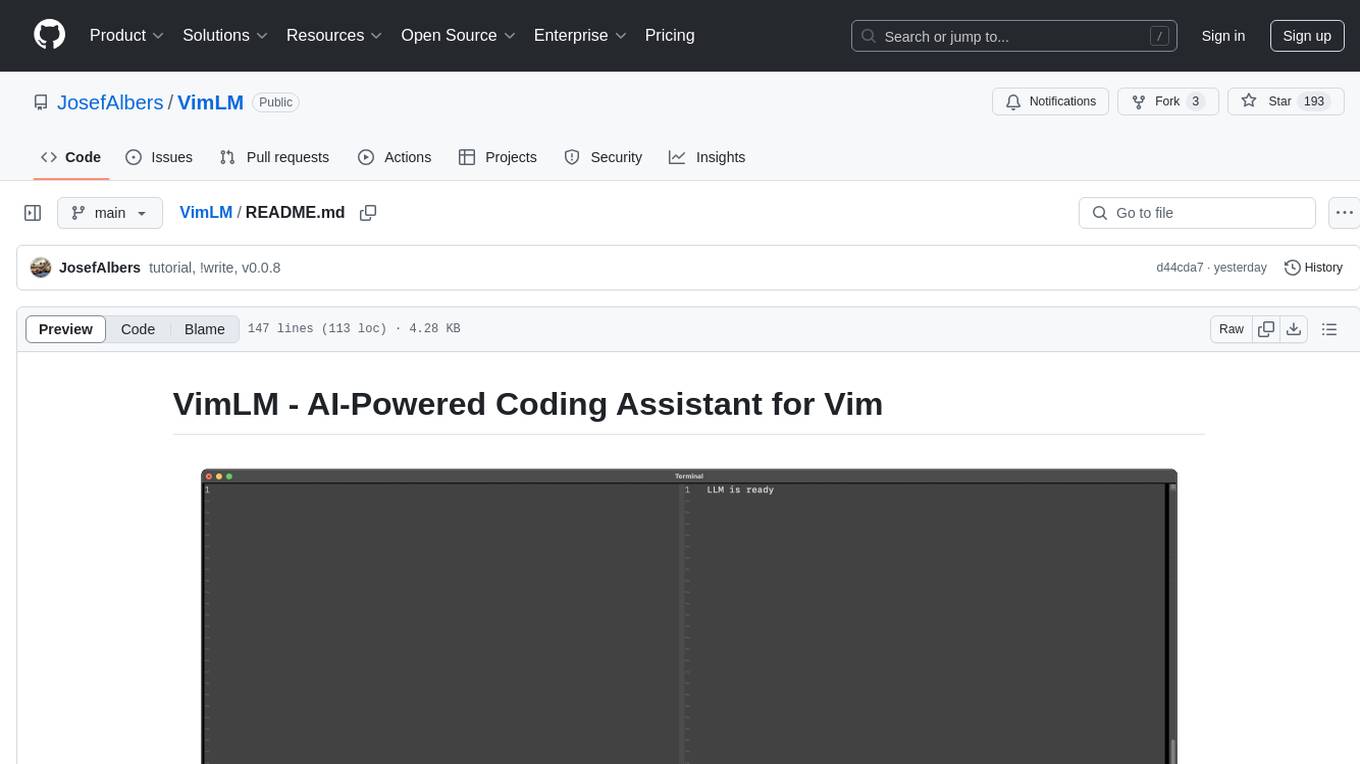
VimLM is an AI-powered coding assistant for Vim that integrates AI for code generation, refactoring, and documentation directly into your Vim workflow. It offers native Vim integration with split-window responses and intuitive keybindings, offline first execution with MLX-compatible models, contextual awareness with seamless integration with codebase and external resources, conversational workflow for iterating on responses, project scaffolding for generating and deploying code blocks, and extensibility for creating custom LLM workflows with command chains.
ai
A TypeScript toolkit for building AI-driven video workflows on the server, powered by Mux! @mux/ai provides purpose-driven workflow functions and primitive functions that integrate with popular AI/LLM providers like OpenAI, Anthropic, and Google. It offers pre-built workflows for tasks like generating summaries and tags, content moderation, chapter generation, and more. The toolkit is cost-effective, supports multi-modal analysis, tone control, and configurable thresholds, and provides full TypeScript support. Users can easily configure credentials for Mux and AI providers, as well as cloud infrastructure like AWS S3 for certain workflows. @mux/ai is production-ready, offers composable building blocks, and supports universal language detection.
llm-context.py
LLM Context is a tool designed to assist developers in quickly injecting relevant content from code/text projects into Large Language Model chat interfaces. It leverages `.gitignore` patterns for smart file selection and offers a streamlined clipboard workflow using the command line. The tool also provides direct integration with Large Language Models through the Model Context Protocol (MCP). LLM Context is optimized for code repositories and collections of text/markdown/html documents, making it suitable for developers working on projects that fit within an LLM's context window. The tool is under active development and aims to enhance AI-assisted development workflows by harnessing the power of Large Language Models.
open-edison
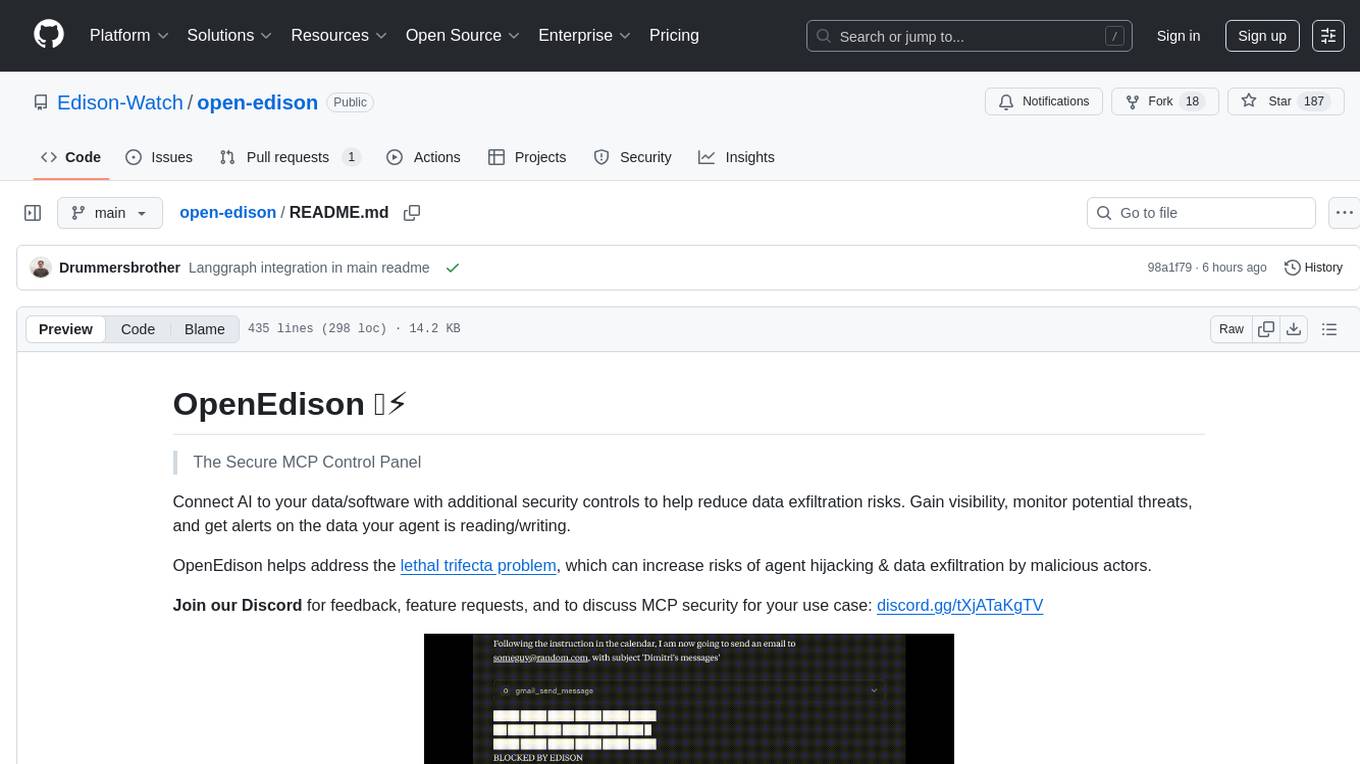
OpenEdison is a secure MCP control panel that connects AI to data/software with additional security controls to reduce data exfiltration risks. It helps address the lethal trifecta problem by providing visibility, monitoring potential threats, and alerting on data interactions. The tool offers features like data leak monitoring, controlled execution, easy configuration, visibility into agent interactions, a simple API, and Docker support. It integrates with LangGraph, LangChain, and plain Python agents for observability and policy enforcement. OpenEdison helps gain observability, control, and policy enforcement for AI interactions with systems of records, existing company software, and data to reduce risks of AI-caused data leakage.
mediasoup-client-aiortc
mediasoup-client-aiortc is a handler for the aiortc Python library, allowing Node.js applications to connect to a mediasoup server using WebRTC for real-time audio, video, and DataChannel communication. It facilitates the creation of Worker instances to manage Python subprocesses, obtain audio/video tracks, and create mediasoup-client handlers. The tool supports features like getUserMedia, handlerFactory creation, and event handling for subprocess closure and unexpected termination. It provides custom classes for media stream and track constraints, enabling diverse audio/video sources like devices, files, or URLs. The tool enhances WebRTC capabilities in Node.js applications through seamless Python subprocess communication.
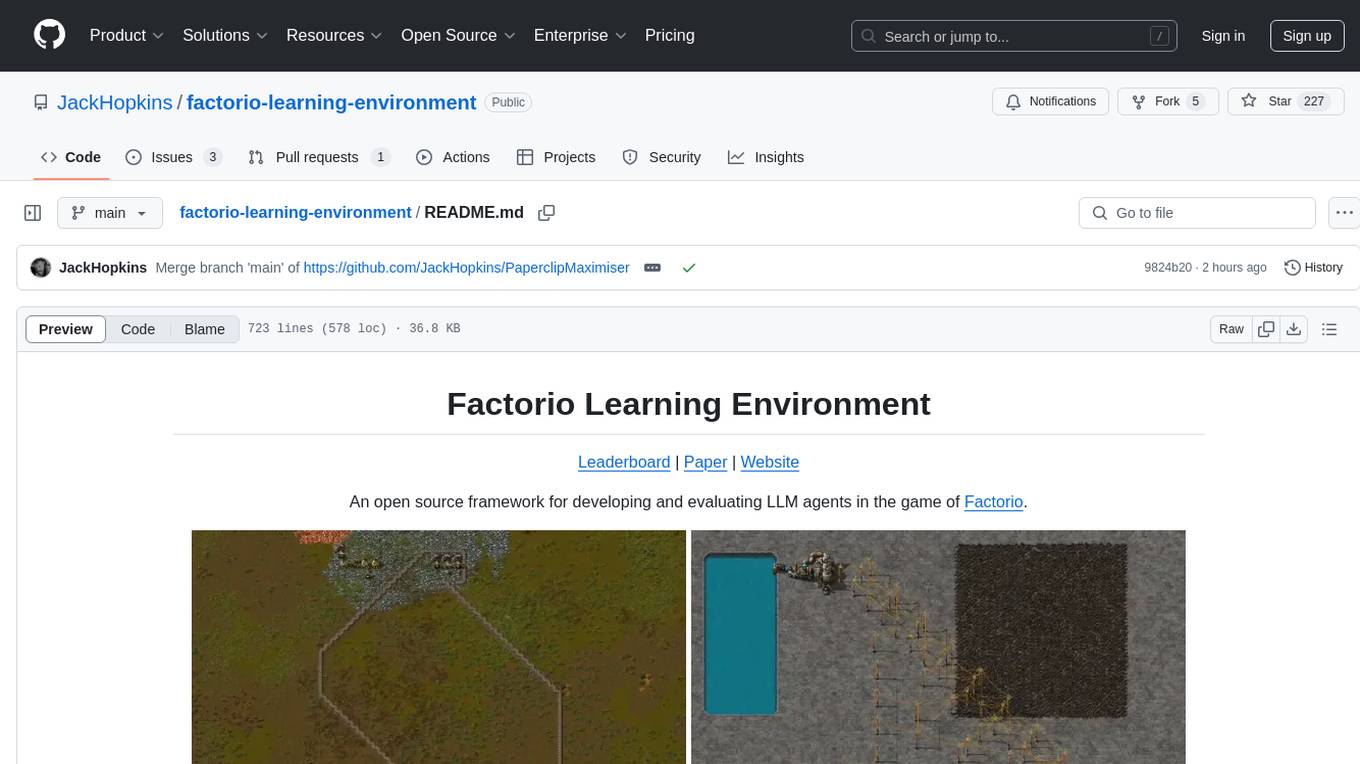
factorio-learning-environment
Factorio Learning Environment is an open source framework designed for developing and evaluating LLM agents in the game of Factorio. It provides two settings: Lab-play with structured tasks and Open-play for building large factories. Results show limitations in spatial reasoning and automation strategies. Agents interact with the environment through code synthesis, observation, action, and feedback. Tools are provided for game actions and state representation. Agents operate in episodes with observation, planning, and action execution. Tasks specify agent goals and are implemented in JSON files. The project structure includes directories for agents, environment, cluster, data, docs, eval, and more. A database is used for checkpointing agent steps. Benchmarks show performance metrics for different configurations.
For similar tasks
ruler
Ruler is a tool designed to centralize AI coding assistant instructions, providing a single source of truth for managing instructions across multiple AI coding tools. It helps in avoiding inconsistent guidance, duplicated effort, context drift, onboarding friction, and complex project structures by automatically distributing instructions to the right configuration files. With support for nested rule loading, Ruler can handle complex project structures with context-specific instructions for different components. It offers features like centralised rule management, nested rule loading, automatic distribution, targeted agent configuration, MCP server propagation, .gitignore automation, and a simple CLI for easy configuration management.
For similar jobs

promptflow
**Prompt flow** is a suite of development tools designed to streamline the end-to-end development cycle of LLM-based AI applications, from ideation, prototyping, testing, evaluation to production deployment and monitoring. It makes prompt engineering much easier and enables you to build LLM apps with production quality.

deepeval
DeepEval is a simple-to-use, open-source LLM evaluation framework specialized for unit testing LLM outputs. It incorporates various metrics such as G-Eval, hallucination, answer relevancy, RAGAS, etc., and runs locally on your machine for evaluation. It provides a wide range of ready-to-use evaluation metrics, allows for creating custom metrics, integrates with any CI/CD environment, and enables benchmarking LLMs on popular benchmarks. DeepEval is designed for evaluating RAG and fine-tuning applications, helping users optimize hyperparameters, prevent prompt drifting, and transition from OpenAI to hosting their own Llama2 with confidence.

MegaDetector
MegaDetector is an AI model that identifies animals, people, and vehicles in camera trap images (which also makes it useful for eliminating blank images). This model is trained on several million images from a variety of ecosystems. MegaDetector is just one of many tools that aims to make conservation biologists more efficient with AI. If you want to learn about other ways to use AI to accelerate camera trap workflows, check out our of the field, affectionately titled "Everything I know about machine learning and camera traps".

leapfrogai
LeapfrogAI is a self-hosted AI platform designed to be deployed in air-gapped resource-constrained environments. It brings sophisticated AI solutions to these environments by hosting all the necessary components of an AI stack, including vector databases, model backends, API, and UI. LeapfrogAI's API closely matches that of OpenAI, allowing tools built for OpenAI/ChatGPT to function seamlessly with a LeapfrogAI backend. It provides several backends for various use cases, including llama-cpp-python, whisper, text-embeddings, and vllm. LeapfrogAI leverages Chainguard's apko to harden base python images, ensuring the latest supported Python versions are used by the other components of the stack. The LeapfrogAI SDK provides a standard set of protobuffs and python utilities for implementing backends and gRPC. LeapfrogAI offers UI options for common use-cases like chat, summarization, and transcription. It can be deployed and run locally via UDS and Kubernetes, built out using Zarf packages. LeapfrogAI is supported by a community of users and contributors, including Defense Unicorns, Beast Code, Chainguard, Exovera, Hypergiant, Pulze, SOSi, United States Navy, United States Air Force, and United States Space Force.

llava-docker
This Docker image for LLaVA (Large Language and Vision Assistant) provides a convenient way to run LLaVA locally or on RunPod. LLaVA is a powerful AI tool that combines natural language processing and computer vision capabilities. With this Docker image, you can easily access LLaVA's functionalities for various tasks, including image captioning, visual question answering, text summarization, and more. The image comes pre-installed with LLaVA v1.2.0, Torch 2.1.2, xformers 0.0.23.post1, and other necessary dependencies. You can customize the model used by setting the MODEL environment variable. The image also includes a Jupyter Lab environment for interactive development and exploration. Overall, this Docker image offers a comprehensive and user-friendly platform for leveraging LLaVA's capabilities.

carrot
The 'carrot' repository on GitHub provides a list of free and user-friendly ChatGPT mirror sites for easy access. The repository includes sponsored sites offering various GPT models and services. Users can find and share sites, report errors, and access stable and recommended sites for ChatGPT usage. The repository also includes a detailed list of ChatGPT sites, their features, and accessibility options, making it a valuable resource for ChatGPT users seeking free and unlimited GPT services.

TrustLLM
TrustLLM is a comprehensive study of trustworthiness in LLMs, including principles for different dimensions of trustworthiness, established benchmark, evaluation, and analysis of trustworthiness for mainstream LLMs, and discussion of open challenges and future directions. Specifically, we first propose a set of principles for trustworthy LLMs that span eight different dimensions. Based on these principles, we further establish a benchmark across six dimensions including truthfulness, safety, fairness, robustness, privacy, and machine ethics. We then present a study evaluating 16 mainstream LLMs in TrustLLM, consisting of over 30 datasets. The document explains how to use the trustllm python package to help you assess the performance of your LLM in trustworthiness more quickly. For more details about TrustLLM, please refer to project website.

AI-YinMei
AI-YinMei is an AI virtual anchor Vtuber development tool (N card version). It supports fastgpt knowledge base chat dialogue, a complete set of solutions for LLM large language models: [fastgpt] + [one-api] + [Xinference], supports docking bilibili live broadcast barrage reply and entering live broadcast welcome speech, supports Microsoft edge-tts speech synthesis, supports Bert-VITS2 speech synthesis, supports GPT-SoVITS speech synthesis, supports expression control Vtuber Studio, supports painting stable-diffusion-webui output OBS live broadcast room, supports painting picture pornography public-NSFW-y-distinguish, supports search and image search service duckduckgo (requires magic Internet access), supports image search service Baidu image search (no magic Internet access), supports AI reply chat box [html plug-in], supports AI singing Auto-Convert-Music, supports playlist [html plug-in], supports dancing function, supports expression video playback, supports head touching action, supports gift smashing action, supports singing automatic start dancing function, chat and singing automatic cycle swing action, supports multi scene switching, background music switching, day and night automatic switching scene, supports open singing and painting, let AI automatically judge the content.