


TermNet
TermNet is an AI-powered terminal assistant that bridges a Large Language Model (LLM) with your local environment. It can safely run shell commands, search the web, and load custom tools dynamically — all while maintaining conversational memory and streaming natural language responses in real time.
Stars: 61
TermNet is an AI-powered terminal assistant that connects a Large Language Model (LLM) with shell command execution, browser search, and dynamically loaded tools. It streams responses in real-time, executes tools one at a time, and maintains conversational memory across steps. The project features terminal integration for safe shell command execution, dynamic tool loading without code changes, browser automation powered by Playwright, WebSocket architecture for real-time communication, a memory system to track planning and actions, streaming LLM output integration, a safety layer to block dangerous commands, dual interface options, a notification system, and scratchpad memory for persistent note-taking. The architecture includes a multi-server setup with servers for WebSocket, browser automation, notifications, and web UI. The project structure consists of core backend files, various tools like web browsing and notification management, and servers for browser automation and notifications. Installation requires Python 3.9+, Ollama, and Chromium, with setup steps provided in the README. The tool can be used via the launcher for managing components or directly by starting individual servers. Additional tools can be added by registering them in `toolregistry.json` and implementing them in Python modules. Safety notes highlight the blocking of dangerous commands, allowed risky commands with warnings, and the importance of monitoring tool execution and setting appropriate timeouts.
README:
TermNet is an AI-powered terminal assistant that connects a Large Language Model (LLM) with shell command execution, browser search, and dynamically loaded tools.
It streams responses in real-time, executes tools one at a time, and maintains conversational memory across steps.
- 🖥️ Terminal integration
Safely execute shell commands with sandboxed handling, timeout control, and built-in safety filters - 🔧 Dynamic tool loading
Extend functionality by editingtoolregistry.json- tools auto-discover without code changes - 🌐 Browser automation
Playwright-powered web browsing, form filling, and content extraction - 📡 WebSocket architecture
Real-time communication between components with streaming responses - 🧠 Memory system
Tracks planning, actions, observations, and reflections across multiple steps - ⚡ Streaming LLM output
Integrates with Ollama for real-time chat responses - 🛡️ Safety layer
Blocks dangerous commands while allowing risky ones with warnings - 📱 Dual interface
Web UI and Terminal UI options - 🔔 Notification system
Standalone notification server for alerts and reminders - 💾 Scratchpad memory
Persistent note-taking across sessions
TermNet uses a multi-server architecture:
-
Main WebSocket Server (
main.py) - Port 876: Handles agent communication and streaming -
Browser WebSocket Server (
browser_server.py) - Port 8765: Manages Playwright browser automation -
Notification HTTP Server (
notification_server.py) - Port 5003: Handles notifications and alerts -
Web UI Server (
web_ui_server.py) - Port 5005: Browser-based interface
All servers are managed by the central launcher (run.py).
Root Files:
run.py - Main launcher scriptrequirements.txt - Python dependenciesREADME.md - This file
Backend Core:
main.py - WebSocket server entry pointagent.py - TermNetAgent core logicmemory.py - Memory step trackingsafety.py - Command safety checkertoolloader.py - Dynamic tool loaderconfig.py - Configuration management
Tools:
browser_search_websocket.py - Web browsing toolnotification_tool.py - Notification managementcommunication_tools.py - Email/SMS capabilitiesscratchpad.py - Note-taking toolterminal.py - Terminal session wrapper
Servers:
browser_server.py - Browser automation servernotification_server.py - Notification server
- Python 3.9+
- Ollama running locally
- Chromium (installed automatically by Playwright)
- Clone the repository:
git clone https://github.com/RawdodReverend/TermNet.git
cd termnet- Install dependencies:
pip install -r requirements.txt- Install Playwright browser:
playwright install chromium- Set up Ollama (if not already installed):
curl -fsSL https://ollama.ai/install.sh | shThe run.py launcher manages all components:
python run.pyYou'll be prompted to choose between:
- Web UI (Browser interface at http://127.0.0.1:5005)
- Terminal UI (Command-line interface)
For development or debugging, run components individually:
# Start the main WebSocket server
python main.py

# Start the browser server
python browser_server.py

# Start notification server
python notification_server.py| Key | Description | Default |
|---|---|---|
OLLAMA_URL |
Base URL for Ollama server | http://127.0.0.1:11434 |
MODEL_NAME |
Model name/tag to use | gpt-oss:20b |
LLM_TEMPERATURE |
Response randomness (0-1) | 0.7 |
MAX_AI_STEPS |
Max reasoning steps per query | 10 |
COMMAND_TIMEOUT |
Max seconds for terminal commands | 30 |
STREAM_CHUNK_DELAY |
Delay between LLM output chunks | 0.01 |
Tools are defined in toolregistry.json and implemented in Python modules.
Add an entry to toolregistry.json:
{
  "type": "function",
  "function": {
    "name": "my_custom_tool",
    "description": "Describe what this tool does",
    "module": "mytool",
    "class": "MyTool",
    "parameters": {
      "type": "object",
      "properties": {
        "arg1": { "type": "string" }
      },
      "required": ["arg1"]
    }
  }
}Create termnet/tools/mytool.py:
import asyncio

class MyTool:
    async def my_custom_tool(self, arg1: str):
        """Tool description"""
        return f"Tool executed with arg1={arg1}"

    # Optional: Async context management
    async def start(self):
        return True

    async def stop(self):
passThe tool will auto-load at startup. No code changes needed!
- Dangerous commands (
rm -rf /,shutdown, etc.) are blocked - Risky commands (
rm,mv,chmod) are allowed with warnings - Always review agent suggestions before execution
- Use in isolated environments when testing new tools
- Monitor tool execution and set appropriate timeouts
-
TermNetAgent: Main agent class managing chat loop and tool execution -
TerminalSession: Wrapper for safe command execution with timeout control -
ToolLoader: Dynamic tool importer based on registry -
SafetyChecker: Command safety validation system -
BrowserSearchTool: Web browsing and content extraction -
NotificationTool: Notification management system
Core dependencies:
websockets>=12.0playwright>=1.40.0beautifulsoup4>=4.12.0playwright-stealth>=1.0.0flask>=2.3.0aiohttp>=3.9.0lxml>=4.9.0html5lib>=1.1soupsieve>=2.5
-
Browser won't start: Run
playwright install chromiumand check if Chrome is installed -
Ollama connection refused: Ensure Ollama is running:
ollama serve - Port already in use: Change ports in respective server files or kill existing processes
-
Tool not loading: Check
toolregistry.jsonsyntax and Python module paths - Web UI not accessible: Check firewall settings and ensure port 5005 is open
This project is licensed under the MIT License.
See LICENSE file for details.
For Tasks:
Click tags to check more tools for each tasksFor Jobs:
Alternative AI tools for TermNet
Similar Open Source Tools
TermNet
TermNet is an AI-powered terminal assistant that connects a Large Language Model (LLM) with shell command execution, browser search, and dynamically loaded tools. It streams responses in real-time, executes tools one at a time, and maintains conversational memory across steps. The project features terminal integration for safe shell command execution, dynamic tool loading without code changes, browser automation powered by Playwright, WebSocket architecture for real-time communication, a memory system to track planning and actions, streaming LLM output integration, a safety layer to block dangerous commands, dual interface options, a notification system, and scratchpad memory for persistent note-taking. The architecture includes a multi-server setup with servers for WebSocket, browser automation, notifications, and web UI. The project structure consists of core backend files, various tools like web browsing and notification management, and servers for browser automation and notifications. Installation requires Python 3.9+, Ollama, and Chromium, with setup steps provided in the README. The tool can be used via the launcher for managing components or directly by starting individual servers. Additional tools can be added by registering them in `toolregistry.json` and implementing them in Python modules. Safety notes highlight the blocking of dangerous commands, allowed risky commands with warnings, and the importance of monitoring tool execution and setting appropriate timeouts.
routilux
Routilux is a powerful event-driven workflow orchestration framework designed for building complex data pipelines and workflows effortlessly. It offers features like event queue architecture, flexible connections, built-in state management, robust error handling, concurrent execution, persistence & recovery, and simplified API. Perfect for tasks such as data pipelines, API orchestration, event processing, workflow automation, microservices coordination, and LLM agent workflows.
CyberStrikeAI
CyberStrikeAI is an AI-native security testing platform built in Go that integrates 100+ security tools, an intelligent orchestration engine, role-based testing with predefined security roles, a skills system with specialized testing skills, and comprehensive lifecycle management capabilities. It enables end-to-end automation from conversational commands to vulnerability discovery, attack-chain analysis, knowledge retrieval, and result visualization, delivering an auditable, traceable, and collaborative testing environment for security teams. The platform features an AI decision engine with OpenAI-compatible models, native MCP implementation with various transports, prebuilt tool recipes, large-result pagination, attack-chain graph, password-protected web UI, knowledge base with vector search, vulnerability management, batch task management, role-based testing, and skills system.
roast
Roast is a convention-oriented framework for creating structured AI workflows maintained by the Augmented Engineering team at Shopify. It provides a structured, declarative approach to building AI workflows with convention over configuration, built-in tools for file operations, search, and AI interactions, Ruby integration for custom steps, shared context between steps, step customization with AI models and parameters, session replay, parallel execution, function caching, and extensive instrumentation for monitoring workflow execution, AI calls, and tool usage.
coding-agent-template
Coding Agent Template is a versatile tool for building AI-powered coding agents that support various coding tasks using Claude Code, OpenAI's Codex CLI, Cursor CLI, and opencode with Vercel Sandbox. It offers features like multi-agent support, Vercel Sandbox for secure code execution, AI Gateway integration, AI-generated branch names, task management, persistent storage, Git integration, and a modern UI built with Next.js and Tailwind CSS. Users can easily deploy their own version of the template to Vercel and set up the tool by cloning the repository, installing dependencies, configuring environment variables, setting up the database, and starting the development server. The tool simplifies the process of creating tasks, monitoring progress, reviewing results, and managing tasks, making it ideal for developers looking to automate coding tasks with AI agents.
nanocoder
Nanocoder is a local-first CLI coding agent that supports multiple AI providers with tool support for file operations and command execution. It focuses on privacy and control, allowing users to code locally with AI tools. The tool is designed to bring the power of agentic coding tools to local models or controlled APIs like OpenRouter, promoting community-led development and inclusive collaboration in the AI coding space.
backend.ai
Backend.AI is a streamlined, container-based computing cluster platform that hosts popular computing/ML frameworks and diverse programming languages, with pluggable heterogeneous accelerator support including CUDA GPU, ROCm GPU, TPU, IPU and other NPUs. It allocates and isolates the underlying computing resources for multi-tenant computation sessions on-demand or in batches with customizable job schedulers with its own orchestrator. All its functions are exposed as REST/GraphQL/WebSocket APIs.
pentagi
PentAGI is an innovative tool for automated security testing that leverages cutting-edge artificial intelligence technologies. It is designed for information security professionals, researchers, and enthusiasts who need a powerful and flexible solution for conducting penetration tests. The tool provides secure and isolated operations in a sandboxed Docker environment, fully autonomous AI-powered agent for penetration testing steps, a suite of 20+ professional security tools, smart memory system for storing research results, web intelligence for gathering information, integration with external search systems, team delegation system, comprehensive monitoring and reporting, modern interface, API integration, persistent storage, scalable architecture, self-hosted solution, flexible authentication, and quick deployment through Docker Compose.
git-mcp-server
A secure and scalable Git MCP server providing AI agents with powerful version control capabilities for local and serverless environments. It offers 28 comprehensive Git operations organized into seven functional categories, resources for contextual information about the Git environment, and structured prompt templates for guiding AI agents through complex workflows. The server features declarative tools, robust error handling, pluggable authentication, abstracted storage, full-stack observability, dependency injection, and edge-ready architecture. It also includes specialized features for Git integration such as cross-runtime compatibility, provider-based architecture, optimized Git execution, working directory management, configurable Git identity, safety features, and commit signing.
TTP-Threat-Feeds
TTP-Threat-Feeds is a script-powered threat feed generator that automates the discovery and parsing of threat actor behavior from security research. It scrapes URLs from trusted sources, extracts observable adversary behaviors, and outputs structured YAML files to help detection engineers and threat researchers derive detection opportunities and correlation logic. The tool supports multiple LLM providers for text extraction and includes OCR functionality for extracting content from images. Users can configure URLs, run the extractor, and save results as YAML files. Cloud provider SDKs are optional. Contributions are welcome for improvements and enhancements to the tool.
docs-mcp-server
The docs-mcp-server repository contains the server-side code for the documentation management system. It provides functionalities for managing, storing, and retrieving documentation files. Users can upload, update, and delete documents through the server. The server also supports user authentication and authorization to ensure secure access to the documentation system. Additionally, the server includes APIs for integrating with other systems and tools, making it a versatile solution for managing documentation in various projects and organizations.
model-compose
model-compose is an open-source, declarative workflow orchestrator inspired by docker-compose. It lets you define and run AI model pipelines using simple YAML files. Effortlessly connect external AI services or run local AI models within powerful, composable workflows. Features include declarative design, multi-workflow support, modular components, flexible I/O routing, streaming mode support, and more. It supports running workflows locally or serving them remotely, Docker deployment, environment variable support, and provides a CLI interface for managing AI workflows.
rkllama
RKLLama is a server and client tool designed for running and interacting with LLM models optimized for Rockchip RK3588(S) and RK3576 platforms. It allows models to run on the NPU, with features such as running models on NPU, partial Ollama API compatibility, pulling models from Huggingface, API REST with documentation, dynamic loading/unloading of models, inference requests with streaming modes, simplified model naming, CPU model auto-detection, and optional debug mode. The tool supports Python 3.8 to 3.12 and has been tested on Orange Pi 5 Pro and Orange Pi 5 Plus with specific OS versions.
chat-ollama
ChatOllama is an open-source chatbot based on LLMs (Large Language Models). It supports a wide range of language models, including Ollama served models, OpenAI, Azure OpenAI, and Anthropic. ChatOllama supports multiple types of chat, including free chat with LLMs and chat with LLMs based on a knowledge base. Key features of ChatOllama include Ollama models management, knowledge bases management, chat, and commercial LLMs API keys management.
TranslateBookWithLLM
TranslateBookWithLLM is a Python application designed for large-scale text translation, such as entire books (.EPUB), subtitle files (.SRT), and plain text. It leverages local LLMs via the Ollama API or Gemini API. The tool offers both a web interface for ease of use and a command-line interface for advanced users. It supports multiple format translations, provides a user-friendly browser-based interface, CLI support for automation, multiple LLM providers including local Ollama models and Google Gemini API, and Docker support for easy deployment.
auto-engineer
Auto Engineer is a tool designed to automate the Software Development Life Cycle (SDLC) by building production-grade applications with a combination of human and AI agents. It offers a plugin-based architecture that allows users to install only the necessary functionality for their projects. The tool guides users through key stages including Flow Modeling, IA Generation, Deterministic Scaffolding, AI Coding & Testing Loop, and Comprehensive Quality Checks. Auto Engineer follows a command/event-driven architecture and provides a modular plugin system for specific functionalities. It supports TypeScript with strict typing throughout and includes a built-in message bus server with a web dashboard for monitoring commands and events.
For similar tasks
crawlee-python
Crawlee-python is a web scraping and browser automation library that covers crawling and scraping end-to-end, helping users build reliable scrapers fast. It allows users to crawl the web for links, scrape data, and store it in machine-readable formats without worrying about technical details. With rich configuration options, users can customize almost any aspect of Crawlee to suit their project's needs.
browser-use-webui
Browser-Use WebUI is a project that enhances the original browser-use tool by providing a brand new web interface, expanded LLM support for various Large Language Models, custom browser support for using your own browser with the tool, and a customized agent with optimized prompts. The tool aims to make websites accessible for AI agents and offers user-friendly interaction with the browser agent, eliminating the need for re-login to sites and dealing with authentication challenges. It also supports high-definition screen recording.
TermNet
TermNet is an AI-powered terminal assistant that connects a Large Language Model (LLM) with shell command execution, browser search, and dynamically loaded tools. It streams responses in real-time, executes tools one at a time, and maintains conversational memory across steps. The project features terminal integration for safe shell command execution, dynamic tool loading without code changes, browser automation powered by Playwright, WebSocket architecture for real-time communication, a memory system to track planning and actions, streaming LLM output integration, a safety layer to block dangerous commands, dual interface options, a notification system, and scratchpad memory for persistent note-taking. The architecture includes a multi-server setup with servers for WebSocket, browser automation, notifications, and web UI. The project structure consists of core backend files, various tools like web browsing and notification management, and servers for browser automation and notifications. Installation requires Python 3.9+, Ollama, and Chromium, with setup steps provided in the README. The tool can be used via the launcher for managing components or directly by starting individual servers. Additional tools can be added by registering them in `toolregistry.json` and implementing them in Python modules. Safety notes highlight the blocking of dangerous commands, allowed risky commands with warnings, and the importance of monitoring tool execution and setting appropriate timeouts.
vibium
Vibium is a browser automation infrastructure designed for AI agents, providing a single binary that manages browser lifecycle, WebDriver BiDi protocol, and an MCP server. It offers zero configuration, AI-native capabilities, and is lightweight with no runtime dependencies. It is suitable for AI agents, test automation, and any tasks requiring browser interaction.
inspector
A developer tool for testing and debugging Model Context Protocol (MCP) servers. It allows users to test the compliance of their MCP servers with the latest MCP specs, supports various transports like STDIO, SSE, and Streamable HTTP, features an LLM Playground for testing server behavior against different models, provides comprehensive logging and error reporting for MCP server development, and offers a modern developer experience with multiple server connections and saved configurations. The tool is built using Next.js and integrates MCP capabilities, AI SDKs from OpenAI, Anthropic, and Ollama, and various technologies like Node.js, TypeScript, and Next.js.
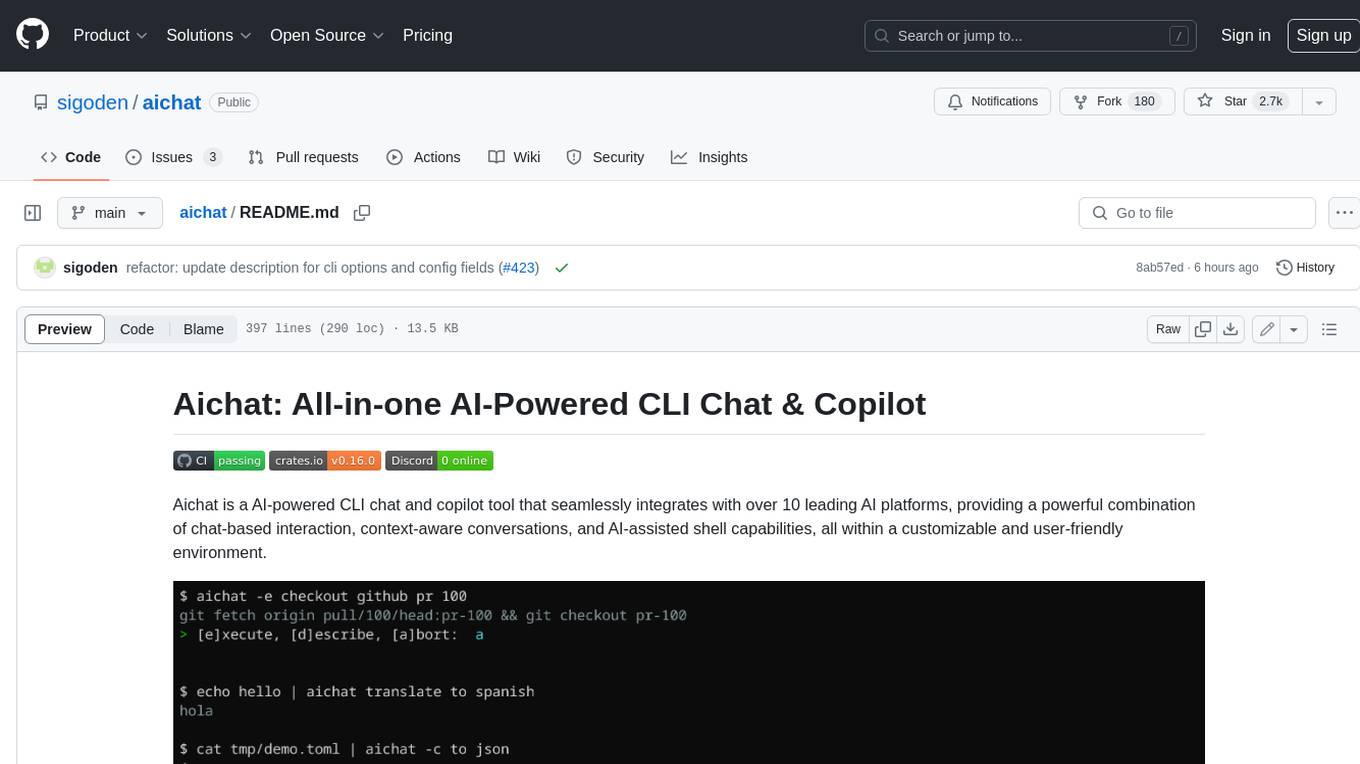
aichat
Aichat is an AI-powered CLI chat and copilot tool that seamlessly integrates with over 10 leading AI platforms, providing a powerful combination of chat-based interaction, context-aware conversations, and AI-assisted shell capabilities, all within a customizable and user-friendly environment.
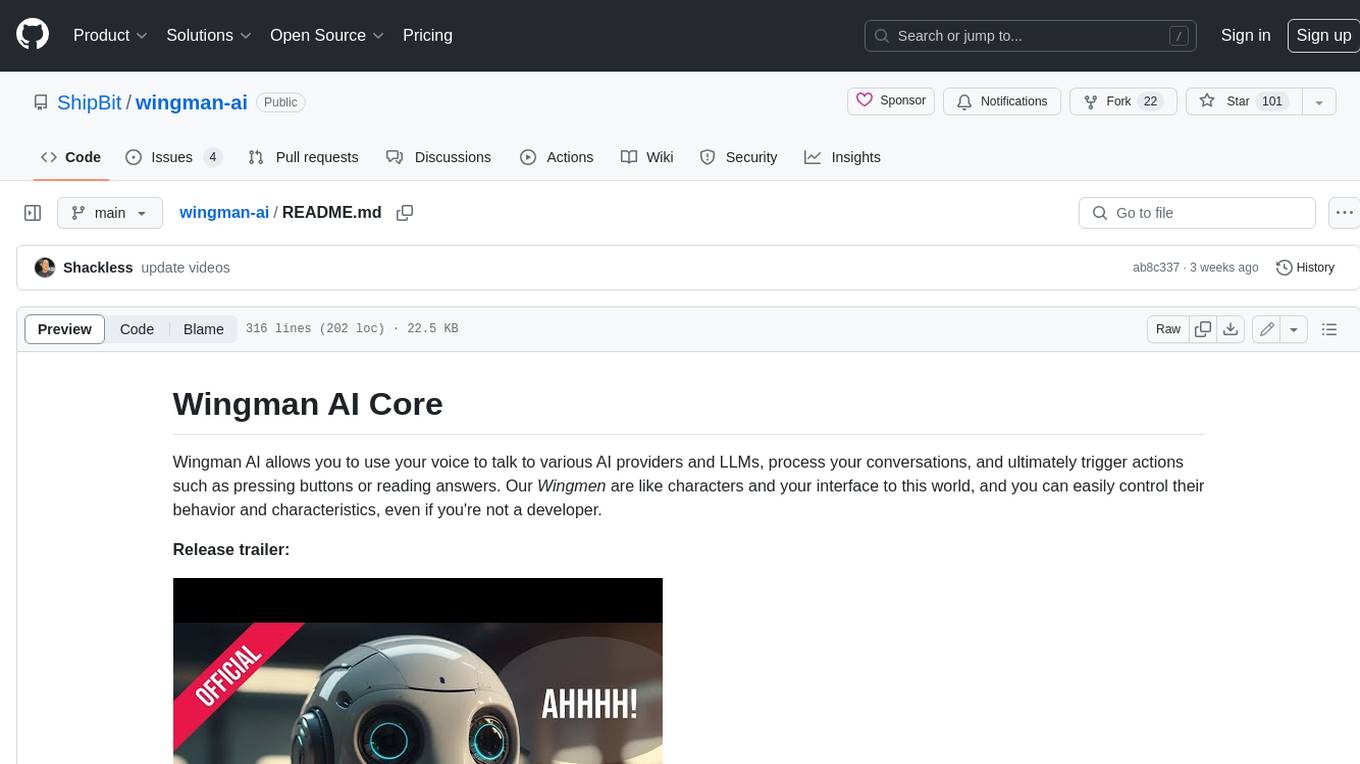
wingman-ai
Wingman AI allows you to use your voice to talk to various AI providers and LLMs, process your conversations, and ultimately trigger actions such as pressing buttons or reading answers. Our _Wingmen_ are like characters and your interface to this world, and you can easily control their behavior and characteristics, even if you're not a developer. AI is complex and it scares people. It's also **not just ChatGPT**. We want to make it as easy as possible for you to get started. That's what _Wingman AI_ is all about. It's a **framework** that allows you to build your own Wingmen and use them in your games and programs. The idea is simple, but the possibilities are endless. For example, you could: * **Role play** with an AI while playing for more immersion. Have air traffic control (ATC) in _Star Citizen_ or _Flight Simulator_. Talk to Shadowheart in Baldur's Gate 3 and have her respond in her own (cloned) voice. * Get live data such as trade information, build guides, or wiki content and have it read to you in-game by a _character_ and voice you control. * Execute keystrokes in games/applications and create complex macros. Trigger them in natural conversations with **no need for exact phrases.** The AI understands the context of your dialog and is quite _smart_ in recognizing your intent. Say _"It's raining! I can't see a thing!"_ and have it trigger a command you simply named _WipeVisors_. * Automate tasks on your computer * improve accessibility * ... and much more
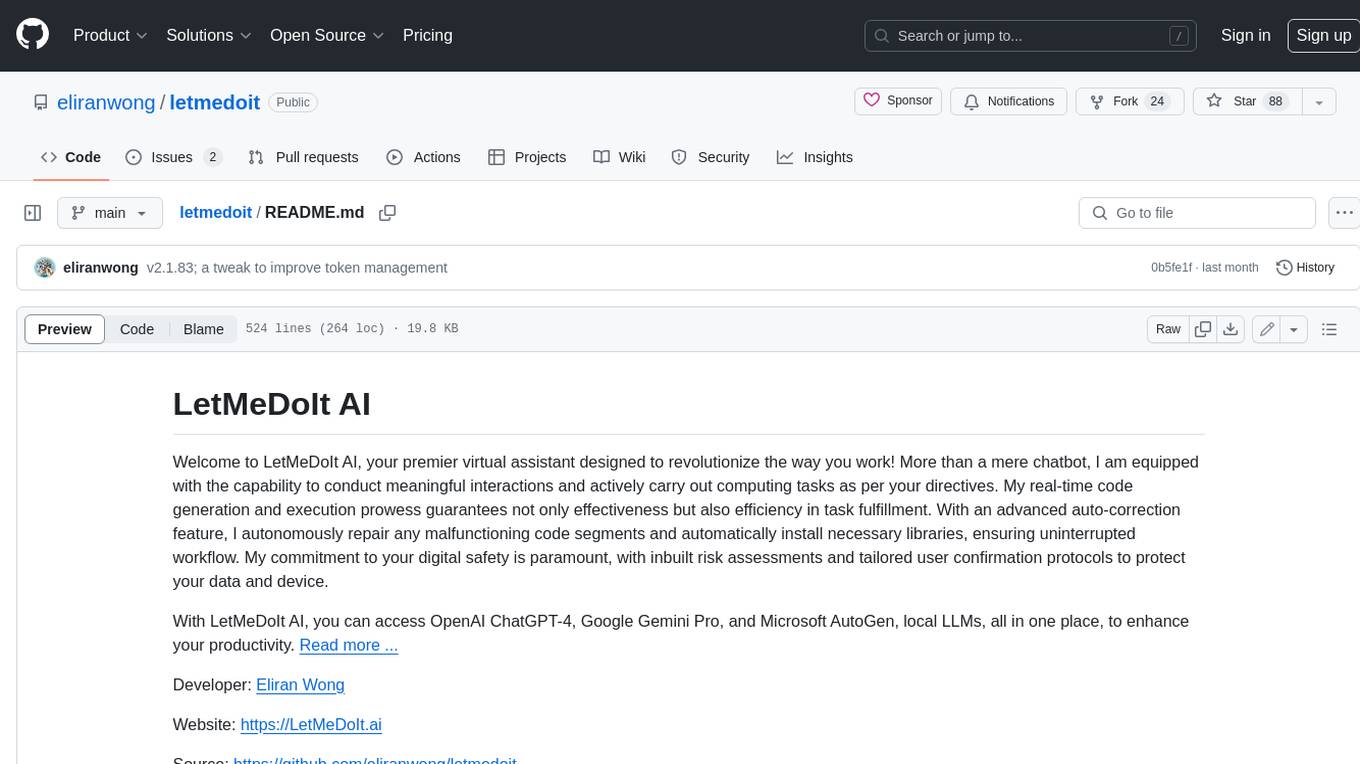
letmedoit
LetMeDoIt AI is a virtual assistant designed to revolutionize the way you work. It goes beyond being a mere chatbot by offering a unique and powerful capability - the ability to execute commands and perform computing tasks on your behalf. With LetMeDoIt AI, you can access OpenAI ChatGPT-4, Google Gemini Pro, and Microsoft AutoGen, local LLMs, all in one place, to enhance your productivity.
For similar jobs

weave
Weave is a toolkit for developing Generative AI applications, built by Weights & Biases. With Weave, you can log and debug language model inputs, outputs, and traces; build rigorous, apples-to-apples evaluations for language model use cases; and organize all the information generated across the LLM workflow, from experimentation to evaluations to production. Weave aims to bring rigor, best-practices, and composability to the inherently experimental process of developing Generative AI software, without introducing cognitive overhead.

agentcloud
AgentCloud is an open-source platform that enables companies to build and deploy private LLM chat apps, empowering teams to securely interact with their data. It comprises three main components: Agent Backend, Webapp, and Vector Proxy. To run this project locally, clone the repository, install Docker, and start the services. The project is licensed under the GNU Affero General Public License, version 3 only. Contributions and feedback are welcome from the community.
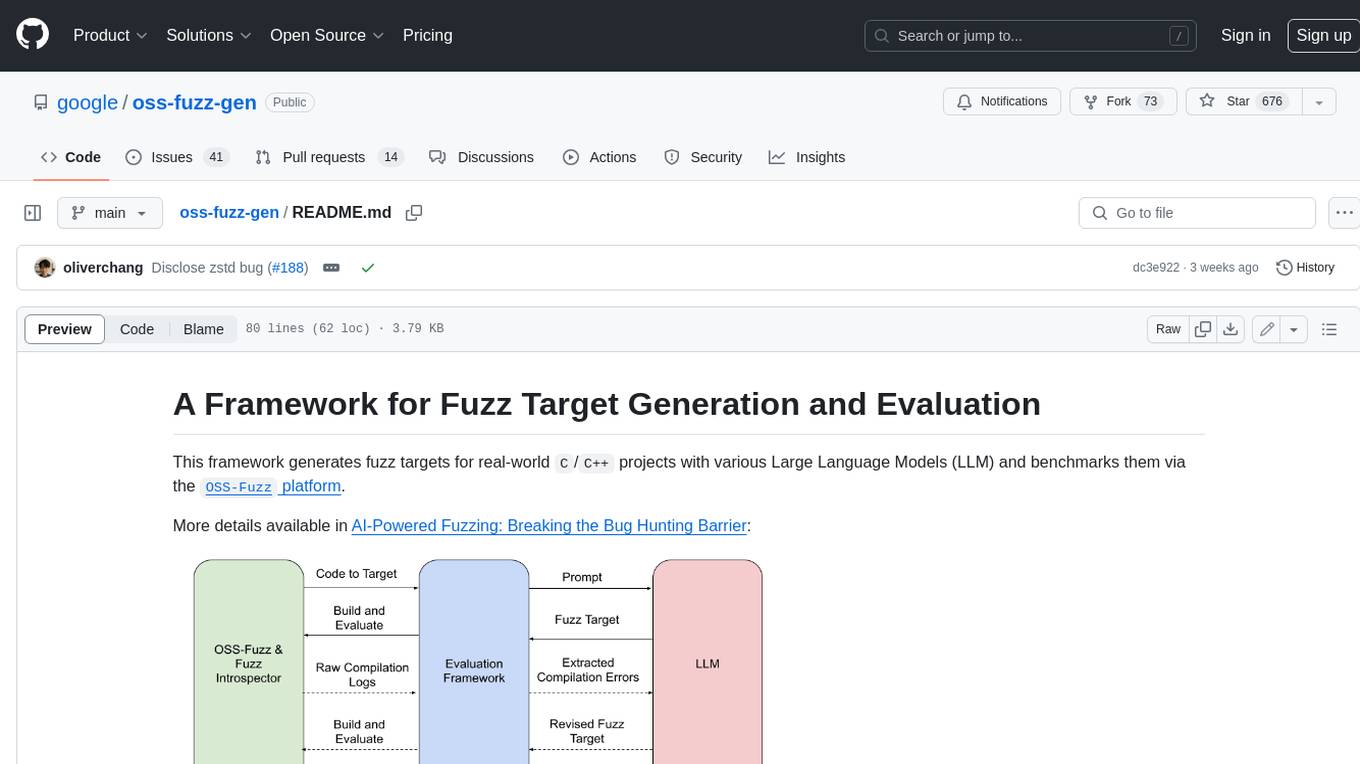
oss-fuzz-gen
This framework generates fuzz targets for real-world `C`/`C++` projects with various Large Language Models (LLM) and benchmarks them via the `OSS-Fuzz` platform. It manages to successfully leverage LLMs to generate valid fuzz targets (which generate non-zero coverage increase) for 160 C/C++ projects. The maximum line coverage increase is 29% from the existing human-written targets.

LLMStack
LLMStack is a no-code platform for building generative AI agents, workflows, and chatbots. It allows users to connect their own data, internal tools, and GPT-powered models without any coding experience. LLMStack can be deployed to the cloud or on-premise and can be accessed via HTTP API or triggered from Slack or Discord.

VisionCraft
The VisionCraft API is a free API for using over 100 different AI models. From images to sound.

kaito
Kaito is an operator that automates the AI/ML inference model deployment in a Kubernetes cluster. It manages large model files using container images, avoids tuning deployment parameters to fit GPU hardware by providing preset configurations, auto-provisions GPU nodes based on model requirements, and hosts large model images in the public Microsoft Container Registry (MCR) if the license allows. Using Kaito, the workflow of onboarding large AI inference models in Kubernetes is largely simplified.

PyRIT
PyRIT is an open access automation framework designed to empower security professionals and ML engineers to red team foundation models and their applications. It automates AI Red Teaming tasks to allow operators to focus on more complicated and time-consuming tasks and can also identify security harms such as misuse (e.g., malware generation, jailbreaking), and privacy harms (e.g., identity theft). The goal is to allow researchers to have a baseline of how well their model and entire inference pipeline is doing against different harm categories and to be able to compare that baseline to future iterations of their model. This allows them to have empirical data on how well their model is doing today, and detect any degradation of performance based on future improvements.

Azure-Analytics-and-AI-Engagement
The Azure-Analytics-and-AI-Engagement repository provides packaged Industry Scenario DREAM Demos with ARM templates (Containing a demo web application, Power BI reports, Synapse resources, AML Notebooks etc.) that can be deployed in a customer’s subscription using the CAPE tool within a matter of few hours. Partners can also deploy DREAM Demos in their own subscriptions using DPoC.