


git-mcp-server
An MCP (Model Context Protocol) server enabling LLMs and AI agents to interact with Git repositories. Provides tools for comprehensive Git operations including clone, commit, branch, diff, log, status, push, pull, merge, rebase, worktree, tag management, and more, via the MCP standard. STDIO & HTTP.
Stars: 180
A secure and scalable Git MCP server providing AI agents with powerful version control capabilities for local and serverless environments. It offers 28 comprehensive Git operations organized into seven functional categories, resources for contextual information about the Git environment, and structured prompt templates for guiding AI agents through complex workflows. The server features declarative tools, robust error handling, pluggable authentication, abstracted storage, full-stack observability, dependency injection, and edge-ready architecture. It also includes specialized features for Git integration such as cross-runtime compatibility, provider-based architecture, optimized Git execution, working directory management, configurable Git identity, safety features, and commit signing.
README:
A secure and scalable Git MCP server giving AI agents powerful version control for local and (soon) serverless environments. STDIO & Streamable HTTP







This server provides 28 comprehensive Git operations organized into seven functional categories:
| Category | Tools | Description |
|---|---|---|
| Repository Management |
git_init, git_clone, git_status, git_clean
|
Initialize repos, clone from remotes, check status, and clean untracked files |
| Staging & Commits |
git_add, git_commit, git_diff
|
Stage changes, create commits, and compare changes |
| History & Inspection |
git_log, git_show, git_blame, git_reflog
|
View commit history, inspect objects, trace line-by-line authorship, and view ref logs |
| Analysis | git_changelog_analyze |
Gather git context and review instructions for LLM-driven changelog analysis (security, features, storyline, gaps, breaking changes, quality) |
| Branching & Merging |
git_branch, git_checkout, git_merge, git_rebase, git_cherry_pick
|
Manage branches, switch contexts, integrate changes, and apply specific commits |
| Remote Operations |
git_remote, git_fetch, git_pull, git_push
|
Configure remotes, download updates, synchronize repositories, and publish changes |
| Advanced Workflows |
git_tag, git_stash, git_reset, git_worktree, git_set_working_dir, git_clear_working_dir, git_wrapup_instructions
|
Tag releases, stash changes, reset state, manage worktrees, set/clear session directory, and access workflow guidance |
The server provides resources that offer contextual information about the Git environment:
| Resource | URI | Description |
|---|---|---|
| Git Working Directory | git://working-directory |
Provides the current session working directory for git operations. This is the directory set via git_set_working_dir and used as the default. |
The server provides structured prompt templates that guide AI agents through complex workflows:
| Prompt | Description | Parameters |
|---|---|---|
| Git Wrap-up | A systematic workflow protocol for completing git sessions. Guides agents through reviewing, documenting, committing, and tagging changes. |
changelogPath, skipDocumentation, createTag, and updateAgentFiles. |
This server works with both Bun and Node.js runtimes:
| Runtime | Command | Minimum Version | Notes |
|---|---|---|---|
| Node.js | npx @cyanheads/git-mcp-server@latest |
≥ 20.0.0 | Universal compatibility |
| Bun | bunx @cyanheads/git-mcp-server@latest |
≥ 1.2.0 | Alternative runtime option |
The server automatically detects the runtime and uses the appropriate process spawning method for git operations.
Add the following to your MCP Client configuration file (e.g., cline_mcp_settings.json). Clients have different ways to configure servers, so refer to your client's documentation for specifics.
Be sure to update environment variables as needed (especially your Git information!)
{
  "mcpServers": {
    "git-mcp-server": {
      "type": "stdio",
      "command": "npx",
      "args": ["@cyanheads/git-mcp-server@latest"],
      "env": {
        "MCP_TRANSPORT_TYPE": "stdio",
        "MCP_LOG_LEVEL": "info",
        "GIT_BASE_DIR": "~/Developer/",
        "LOGS_DIR": "~/Developer/logs/git-mcp-server/",
        "GIT_USERNAME": "cyanheads",
        "GIT_EMAIL": "[email protected]",
        "GIT_SIGN_COMMITS": "false"
      }
    }
  }
}{
"mcpServers": {
"git-mcp-server": {
"type": "stdio",
"command": "bunx",
"args": ["@cyanheads/git-mcp-server@latest"],
"env": {
"MCP_TRANSPORT_TYPE": "stdio",
"MCP_LOG_LEVEL": "info",
"GIT_BASE_DIR": "~/Developer/",
"LOGS_DIR": "~/Developer/logs/git-mcp-server/",
"GIT_USERNAME": "cyanheads",
"GIT_EMAIL": "[email protected]",
"GIT_SIGN_COMMITS": "false"
}
}
}
}MCP_TRANSPORT_TYPE=http
MCP_HTTP_PORT=3015This server is built on the mcp-ts-template and inherits its rich feature set:
- Declarative Tools: Define agent capabilities in single, self-contained files. The framework handles registration, validation, and execution.
-
Robust Error Handling: A unified
McpErrorsystem ensures consistent, structured error responses. -
Pluggable Authentication: Secure your server with zero-fuss support for
none,jwt, oroauthmodes. -
Abstracted Storage: Swap storage backends (
in-memory,filesystem,Supabase,Cloudflare KV/R2) without changing business logic. - Full-Stack Observability: Deep insights with structured logging (Pino) and optional, auto-instrumented OpenTelemetry for traces and metrics.
-
Dependency Injection: Built with
tsyringefor a clean, decoupled, and testable architecture. - Edge-Ready Architecture: Built on an edge-compatible framework that runs seamlessly on local machines or Cloudflare Workers. Note: Current git operations use the CLI provider which requires local git installation. Edge deployment support is planned through the isomorphic-git provider integration.
Plus, specialized features for Git integration:
- Cross-Runtime Compatibility: Works seamlessly with both Bun and Node.js runtimes. Automatically detects the runtime and uses optimal process spawning (Bun.spawn in Bun, child_process.spawn in Node.js).
- Provider-Based Architecture: Pluggable git provider system with current CLI implementation and planned isomorphic-git provider for edge deployment.
- Optimized Git Execution: Direct git CLI interaction with cross-runtime support for high-performance process management, streaming I/O, and timeout handling (current CLI provider).
- Comprehensive Coverage: 28 tools covering all essential Git operations from init to push, plus changelog analysis.
- Working Directory Management: Session-specific directory context for multi-repo workflows.
- Configurable Git Identity: Override author/committer information via environment variables with automatic fallback to global git config.
-
Safety Features: Explicit confirmations for destructive operations like
git cleanandgit reset --hard. - Commit Signing: Optional GPG/SSH signing support for all commit-creating operations (commits, merges, rebases, cherry-picks, and tags).
- Node.js v20.0.0+ (or Bun v1.2.0+ as an alternative)
- Git installed and accessible in your system PATH
- Clone the repository:
git clone https://github.com/cyanheads/git-mcp-server.git- Navigate into the directory:
cd git-mcp-server- Install dependencies:
npm installAll configuration is centralized and validated at startup in src/config/index.ts. Key environment variables in your .env file include:
| Variable | Description | Default |
|---|---|---|
MCP_TRANSPORT_TYPE |
The transport to use: stdio or http. |
stdio |
MCP_SESSION_MODE |
Session mode for HTTP transport: stateless, stateful, or auto. |
auto |
MCP_RESPONSE_FORMAT |
Response format: json (LLM-optimized), markdown (human-readable), or auto. |
json |
MCP_RESPONSE_VERBOSITY |
Response detail level: minimal, standard, or full. |
standard |
MCP_HTTP_PORT |
The port for the HTTP server. | 3015 |
MCP_HTTP_HOST |
The hostname for the HTTP server. | 127.0.0.1 |
MCP_HTTP_ENDPOINT_PATH |
The endpoint path for MCP requests. | /mcp |
MCP_AUTH_MODE |
Authentication mode: none, jwt, or oauth. |
none |
STORAGE_PROVIDER_TYPE |
Storage backend: in-memory, filesystem, supabase, cloudflare-kv, r2. |
in-memory |
OTEL_ENABLED |
Set to true to enable OpenTelemetry. |
false |
MCP_LOG_LEVEL |
The minimum level for logging (debug, info, warn, error). |
info |
GIT_SIGN_COMMITS |
Set to "true" to enable GPG/SSH signing for all commits, merges, rebases, cherry-picks, and tags. Requires GPG/SSH configuration. |
false |
GIT_AUTHOR_NAME |
Git author name. Aliases: GIT_USERNAME, GIT_USER. Falls back to global git config if not set. |
(none) |
GIT_AUTHOR_EMAIL |
Git author email. Aliases: GIT_EMAIL, GIT_USER_EMAIL. Falls back to global git config if not set. |
(none) |
GIT_BASE_DIR |
Optional absolute path to restrict all git operations to a specific directory tree. Provides security sandboxing for multi-tenant or shared environments. | (none) |
GIT_WRAPUP_INSTRUCTIONS_PATH |
Optional path to custom markdown file with Git workflow instructions. | (none) |
MCP_AUTH_SECRET_KEY |
Required for jwt auth. A 32+ character secret key. |
(none) |
OAUTH_ISSUER_URL |
Required for oauth auth. URL of the OIDC provider. |
(none) |
The easiest way to use the server is via npx (no installation required):
npx @cyanheads/git-mcp-server@latestConfigured through environment variables or your MCP client configuration. Bun users can alternatively use bunx @cyanheads/git-mcp-server@latest.
-
Build and run the production version:
# One-time build
npm run rebuild

# Run the built server
npm run start:http
# or
npm run start:stdio
-
Development mode with hot reload:
npm run dev:http # or npm run dev:stdio -
Run checks and tests:
npm run devcheck  # Lints, formats, type-checks, and more
npm test          # Runs the test suite
- Build the Worker bundle:
npm run build:worker- Run locally with Wrangler:
npm run deploy:dev- Deploy to Cloudflare:
npm run deploy:prod| Directory | Purpose & Contents |
|---|---|
src/mcp-server/tools |
Your tool definitions (*.tool.ts). This is where Git capabilities are defined. |
src/mcp-server/resources |
Your resource definitions (*.resource.ts). Provides Git context data sources. |
src/mcp-server/transports |
Implementations for HTTP and STDIO transports, including auth middleware. |
src/storage |
StorageService abstraction and all storage provider implementations. |
src/services |
Integrations with external services (LLMs, Speech, etc.). |
src/container |
Dependency injection container registrations and tokens. |
src/utils |
Core utilities for logging, error handling, performance, and security. |
src/config |
Environment variable parsing and validation with Zod. |
tests/ |
Unit and integration tests, mirroring the src/ directory structure. |
This server follows MCP's dual-output architecture for all tools (MCP Tools Specification):
Configure response format and verbosity via environment variables (see Configuration):
| Variable | Values | Description |
|---|---|---|
MCP_RESPONSE_FORMAT |
json (default), markdown, auto
|
Output format: JSON for LLM parsing, Markdown for human UIs |
MCP_RESPONSE_VERBOSITY |
minimal, standard (default), full
|
Detail level: minimal (core only), standard (balanced), full (everything) |
When you invoke a tool through your MCP client, you see a formatted summary designed for human consumption. For example, git_status might show:
Markdown Format:
# Git Status: main

## Staged (2)
- src/index.ts
- README.md

## Unstaged (1)
- package.json
JSON Format (LLM-Optimized):
{
  "success": true,
  "branch": "main",
  "staged": ["src/index.ts", "README.md"],
  "unstaged": ["package.json"],
  "untracked": []
}Behind the scenes, the LLM receives complete structured data as content blocks via the responseFormatter function. This includes:
- All metadata (commit hashes, timestamps, authors)
- Full file lists and change details (never truncated - LLMs need complete context)
- Structured JSON or formatted markdown based on configuration
- Everything needed to answer follow-up questions
Why This Matters: The LLM can answer detailed questions like "Who made the last commit?" or "What files changed in commit abc123?" because it has access to the full dataset, even if you only saw a summary.
Verbosity Levels: Control the amount of detail returned:
- Minimal: Core data only (success status, primary identifiers)
- Standard: Balanced output with essential context (recommended)
- Full: Complete data including all metadata and statistics
For Developers: When creating custom tools, always include complete data in your responseFormatter. Balance human-readable summaries with comprehensive structured information. See AGENTS.md for response formatter best practices and the MCP specification for technical details.
For strict rules when using this server with an AI agent, refer to the AGENTS.md file in this repository. Key principles include:
-
Logic Throws, Handlers Catch: Never use
try/catchin your toollogic. Throw anMcpErrorinstead. -
Pass the Context: Always pass the
RequestContextobject through your call stack for logging and tracing. -
Use the Barrel Exports: Register new tools and resources only in the
index.tsbarrel files within their respectivedefinitionsdirectories. -
Declarative Tool Pattern: Each tool is defined in a single
*.tool.tsfile with schema, logic, and response formatting.
- Path Sanitization: All file paths are validated and sanitized to prevent directory traversal attacks.
-
Base Directory Restriction: Optional
GIT_BASE_DIRconfiguration to restrict all git operations to a specific directory tree, providing security sandboxing for multi-tenant or shared hosting environments. - Command Injection Prevention: Git commands are executed with carefully validated arguments via Bun.spawn.
- Destructive Operation Protection: Dangerous operations require explicit confirmation flags.
- Authentication Support: Built-in JWT and OAuth support for secure deployments.
-
Rate Limiting: Optional rate limiting via the DI-managed
RateLimiterservice. - Audit Logging: All Git operations are logged with full context for security auditing.
Tests run via Bun's test runner with Vitest compatibility.
-
Run all tests:
bun test -
Run tests with coverage:
bun test --coverage -
Run quality checks (lint, format, typecheck, audit):
bun run devcheck
The server uses a provider-based architecture to support multiple git implementation backends:
-
✅ CLI Provider (Current): Full-featured git operations via native git CLI
- Implementation coverage for all 28 git tools
- Executes git commands using Bun.spawn for optimal performance
- Streaming I/O handling for large outputs (10MB buffer limit)
- Configurable timeouts (60s default) and automatic process cleanup
- Requires local git installation
- Best for local development and server deployments
-
🚧 Isomorphic Git Provider (Planned): Pure JavaScript git implementation
- Edge deployment compatibility (Cloudflare Workers, Vercel Edge, Deno Deploy)
- No system dependencies required
- Enables true serverless git operations
- Core operations: clone, status, add, commit, push, pull, branch, checkout
- Implementation: isomorphic-git
-
💡 GitHub API Provider (Maybe): Cloud-native git operations via GitHub REST/GraphQL APIs
- No local repository required
- Direct integration with GitHub-hosted repositories
- Ideal for GitHub-centric workflows
The provider system allows seamless switching between implementations based on deployment environment and requirements. See AGENTS.md for architectural details.
Issues and pull requests are welcome! If you plan to contribute, please run the local checks and tests before submitting your PR.
npm run devcheck
npm test- Fork the repository
- Create a feature branch (
git checkout -b feature/amazing-feature) - Make your changes following the existing patterns
- Run
npm run devcheckto ensure code quality - Run
npm testto verify all tests pass - Commit your changes with conventional commits
- Push to your fork and open a Pull Request
This project is licensed under the Apache 2.0 License. See the LICENSE file for details.
Built with ❤️ using the mcp-ts-template
For Tasks:
Click tags to check more tools for each tasksFor Jobs:
Alternative AI tools for git-mcp-server
Similar Open Source Tools
git-mcp-server
A secure and scalable Git MCP server providing AI agents with powerful version control capabilities for local and serverless environments. It offers 28 comprehensive Git operations organized into seven functional categories, resources for contextual information about the Git environment, and structured prompt templates for guiding AI agents through complex workflows. The server features declarative tools, robust error handling, pluggable authentication, abstracted storage, full-stack observability, dependency injection, and edge-ready architecture. It also includes specialized features for Git integration such as cross-runtime compatibility, provider-based architecture, optimized Git execution, working directory management, configurable Git identity, safety features, and commit signing.

mcp-devtools
MCP DevTools is a high-performance server written in Go that replaces multiple Node.js and Python-based servers. It provides access to essential developer tools through a unified, modular interface. The server is efficient, with minimal memory footprint and fast response times. It offers a comprehensive tool suite for agentic coding, including 20+ essential developer agent tools. The tool registry allows for easy addition of new tools. The server supports multiple transport modes, including STDIO, HTTP, and SSE. It includes a security framework for multi-layered protection and a plugin system for adding new tools.
ruler
Ruler is a tool designed to centralize AI coding assistant instructions, providing a single source of truth for managing instructions across multiple AI coding tools. It helps in avoiding inconsistent guidance, duplicated effort, context drift, onboarding friction, and complex project structures by automatically distributing instructions to the right configuration files. With support for nested rule loading, Ruler can handle complex project structures with context-specific instructions for different components. It offers features like centralised rule management, nested rule loading, automatic distribution, targeted agent configuration, MCP server propagation, .gitignore automation, and a simple CLI for easy configuration management.
ai-coders-context
The @ai-coders/context repository provides the Ultimate MCP for AI Agent Orchestration, Context Engineering, and Spec-Driven Development. It simplifies context engineering for AI by offering a universal process called PREVC, which consists of Planning, Review, Execution, Validation, and Confirmation steps. The tool aims to address the problem of context fragmentation by introducing a single `.context/` directory that works universally across different tools. It enables users to create structured documentation, generate agent playbooks, manage workflows, provide on-demand expertise, and sync across various AI tools. The tool follows a structured, spec-driven development approach to improve AI output quality and ensure reproducible results across projects.

dexto
Dexto is a lightweight runtime for creating and running AI agents that turn natural language into real-world actions. It serves as the missing intelligence layer for building AI applications, standalone chatbots, or as the reasoning engine inside larger products. Dexto features a powerful CLI and Web UI for running AI agents, supports multiple interfaces, allows hot-swapping of LLMs from various providers, connects to remote tool servers via the Model Context Protocol, is config-driven with version-controlled YAML, offers production-ready core features, extensibility for custom services, and enables multi-agent collaboration via MCP and A2A.
mcp-context-forge
MCP Context Forge is a powerful tool for generating context-aware data for machine learning models. It provides functionalities to create diverse datasets with contextual information, enhancing the performance of AI algorithms. The tool supports various data formats and allows users to customize the context generation process easily. With MCP Context Forge, users can efficiently prepare training data for tasks requiring contextual understanding, such as sentiment analysis, recommendation systems, and natural language processing.
sonarqube-mcp-server
The SonarQube MCP Server is a Model Context Protocol (MCP) server that enables seamless integration with SonarQube Server or Cloud for code quality and security. It supports the analysis of code snippets directly within the agent context. The server provides various tools for analyzing code, managing issues, accessing metrics, and interacting with SonarQube projects. It also supports advanced features like dependency risk analysis, enterprise portfolio management, and system health checks. The server can be configured for different transport modes, proxy settings, and custom certificates. Telemetry data collection can be disabled if needed.
atlas-mcp-server
ATLAS (Adaptive Task & Logic Automation System) is a high-performance Model Context Protocol server designed for LLMs to manage complex task hierarchies. Built with TypeScript, it features ACID-compliant storage, efficient task tracking, and intelligent template management. ATLAS provides LLM Agents task management through a clean, flexible tool interface. The server implements the Model Context Protocol (MCP) for standardized communication between LLMs and external systems, offering hierarchical task organization, task state management, smart templates, enterprise features, and performance optimization.
auto-engineer
Auto Engineer is a tool designed to automate the Software Development Life Cycle (SDLC) by building production-grade applications with a combination of human and AI agents. It offers a plugin-based architecture that allows users to install only the necessary functionality for their projects. The tool guides users through key stages including Flow Modeling, IA Generation, Deterministic Scaffolding, AI Coding & Testing Loop, and Comprehensive Quality Checks. Auto Engineer follows a command/event-driven architecture and provides a modular plugin system for specific functionalities. It supports TypeScript with strict typing throughout and includes a built-in message bus server with a web dashboard for monitoring commands and events.
RepairAgent
RepairAgent is an autonomous LLM-based agent for automated program repair targeting the Defects4J benchmark. It uses an LLM-driven loop to localize, analyze, and fix Java bugs. The tool requires Docker, VS Code with Dev Containers extension, OpenAI API key, disk space of ~40 GB, and internet access. Users can get started with RepairAgent using either VS Code Dev Container or Docker Image. Running RepairAgent involves checking out the buggy project version, autonomous bug analysis, fix candidate generation, and testing against the project's test suite. Users can configure hyperparameters for budget control, repetition handling, commands limit, and external fix strategy. The tool provides output structure, experiment overview, individual analysis scripts, and data on fixed bugs from the Defects4J dataset.
gpt-load
GPT-Load is a high-performance, enterprise-grade AI API transparent proxy service designed for enterprises and developers needing to integrate multiple AI services. Built with Go, it features intelligent key management, load balancing, and comprehensive monitoring capabilities for high-concurrency production environments. The tool serves as a transparent proxy service, preserving native API formats of various AI service providers like OpenAI, Google Gemini, and Anthropic Claude. It supports dynamic configuration, distributed leader-follower deployment, and a Vue 3-based web management interface. GPT-Load is production-ready with features like dual authentication, graceful shutdown, and error recovery.
augustus
Augustus is a Go-based LLM vulnerability scanner designed for security professionals to test large language models against a wide range of adversarial attacks. It integrates with 28 LLM providers, covers 210+ adversarial attacks including prompt injection, jailbreaks, encoding exploits, and data extraction, and produces actionable vulnerability reports. The tool is built for production security testing with features like concurrent scanning, rate limiting, retry logic, and timeout handling out of the box.
OSA
OSA (Open-Source-Advisor) is a tool designed to improve the quality of scientific open source projects by automating the generation of README files, documentation, CI/CD scripts, and providing advice and recommendations for repositories. It supports various LLMs accessible via API, local servers, or osa_bot hosted on ITMO servers. OSA is currently under development with features like README file generation, documentation generation, automatic implementation of changes, LLM integration, and GitHub Action Workflow generation. It requires Python 3.10 or higher and tokens for GitHub/GitLab/Gitverse and LLM API key. Users can install OSA using PyPi or build from source, and run it using CLI commands or Docker containers.

LocalAGI
LocalAGI is a powerful, self-hostable AI Agent platform that allows you to design AI automations without writing code. It provides a complete drop-in replacement for OpenAI's Responses APIs with advanced agentic capabilities. With LocalAGI, you can create customizable AI assistants, automations, chat bots, and agents that run 100% locally, without the need for cloud services or API keys. The platform offers features like no-code agents, web-based interface, advanced agent teaming, connectors for various platforms, comprehensive REST API, short & long-term memory capabilities, planning & reasoning, periodic tasks scheduling, memory management, multimodal support, extensible custom actions, fully customizable models, observability, and more.
rpaframework
RPA Framework is an open-source collection of libraries and tools for Robotic Process Automation (RPA), designed to be used with Robot Framework and Python. It offers well-documented core libraries for Software Robot Developers, optimized for Robocorp Control Room and Developer Tools, and accepts external contributions. The project includes various libraries for tasks like archiving, browser automation, date/time manipulations, cloud services integration, encryption operations, database interactions, desktop automation, document processing, email operations, Excel manipulation, file system operations, FTP interactions, web API interactions, image manipulation, AI services, and more. The development of the repository is Python-based and requires Python version 3.8+, with tooling based on poetry and invoke for compiling, building, and running the package. The project is licensed under the Apache License 2.0.
capsule
Capsule is a secure and durable runtime for AI agents, designed to coordinate tasks in isolated environments. It allows for long-running workflows, large-scale processing, autonomous decision-making, and multi-agent systems. Tasks run in WebAssembly sandboxes with isolated execution, resource limits, automatic retries, and lifecycle tracking. It enables safe execution of untrusted code within AI agent systems.
For similar tasks
git-mcp-server
A secure and scalable Git MCP server providing AI agents with powerful version control capabilities for local and serverless environments. It offers 28 comprehensive Git operations organized into seven functional categories, resources for contextual information about the Git environment, and structured prompt templates for guiding AI agents through complex workflows. The server features declarative tools, robust error handling, pluggable authentication, abstracted storage, full-stack observability, dependency injection, and edge-ready architecture. It also includes specialized features for Git integration such as cross-runtime compatibility, provider-based architecture, optimized Git execution, working directory management, configurable Git identity, safety features, and commit signing.
dbgpts
The dbgpts repository contains data apps, AWEL operators, AWEL workflow templates, and agents that are built upon DB-GPT. Users can install and manage these components within their DB-GPT environment. The repository offers functionalities such as listing available flows, installing dbgpts from the official repository, viewing installed dbgpts, running flows, and managing repositories. Users can create new workflow templates and operators using the provided commands. The repository aims to enhance the capabilities of DB-GPT by providing a collection of useful tools and resources for data processing and workflow management.
lightfriend
Lightfriend is a lightweight and user-friendly tool designed to assist developers in managing their GitHub repositories efficiently. It provides a simple and intuitive interface for users to perform various repository-related tasks, such as creating new repositories, managing branches, and reviewing pull requests. With Lightfriend, developers can streamline their workflow and collaborate more effectively with team members. The tool is designed to be easy to use and requires minimal setup, making it ideal for developers of all skill levels. Whether you are a beginner looking to get started with GitHub or an experienced developer seeking a more efficient way to manage your repositories, Lightfriend is the perfect companion for your GitHub workflow.
OpenChat
OS Chat is a free, open-source AI personal assistant that combines 40+ language models with powerful automation capabilities. It allows users to deploy background agents, connect services like Gmail, Calendar, Notion, GitHub, and Slack, and get things done through natural conversation. With features like smart automation, service connectors, AI models, chat management, interface customization, and premium features, OS Chat offers a comprehensive solution for managing digital life and workflows. It prioritizes privacy by being open source and self-hostable, with encrypted API key storage.
Gito
Gito is a lightweight and user-friendly tool for managing and organizing your GitHub repositories. It provides a simple and intuitive interface for users to easily view, clone, and manage their repositories. With Gito, you can quickly access important information about your repositories, such as commit history, branches, and pull requests. The tool also allows you to perform common Git operations, such as pushing changes and creating new branches, directly from the interface. Gito is designed to streamline your GitHub workflow and make repository management more efficient and convenient.
robusta
Robusta is a tool designed to enhance Prometheus notifications for Kubernetes environments. It offers features such as smart grouping to reduce notification spam, AI investigation for alert analysis, alert enrichment with additional data like pod logs, self-healing capabilities for defining auto-remediation rules, advanced routing options, problem detection without PromQL, change-tracking for Kubernetes resources, auto-resolve functionality, and integration with various external systems like Slack, Teams, and Jira. Users can utilize Robusta with or without Prometheus, and it can be installed alongside existing Prometheus setups or as part of an all-in-one Kubernetes observability stack.
cursor-agent-tracking
Cursor Agent History Tracking System is a simple tool to maintain context and track changes in conversations with Cursor when it's in AGENT mode. It ensures continuity even if the AI 'forgets' previous interactions. The system includes templates for starting chat sessions, tracking changes, and maintaining project status and goals. Users can modify the templates to suit their specific needs while following best practices for consistent formatting and documentation.
Memento
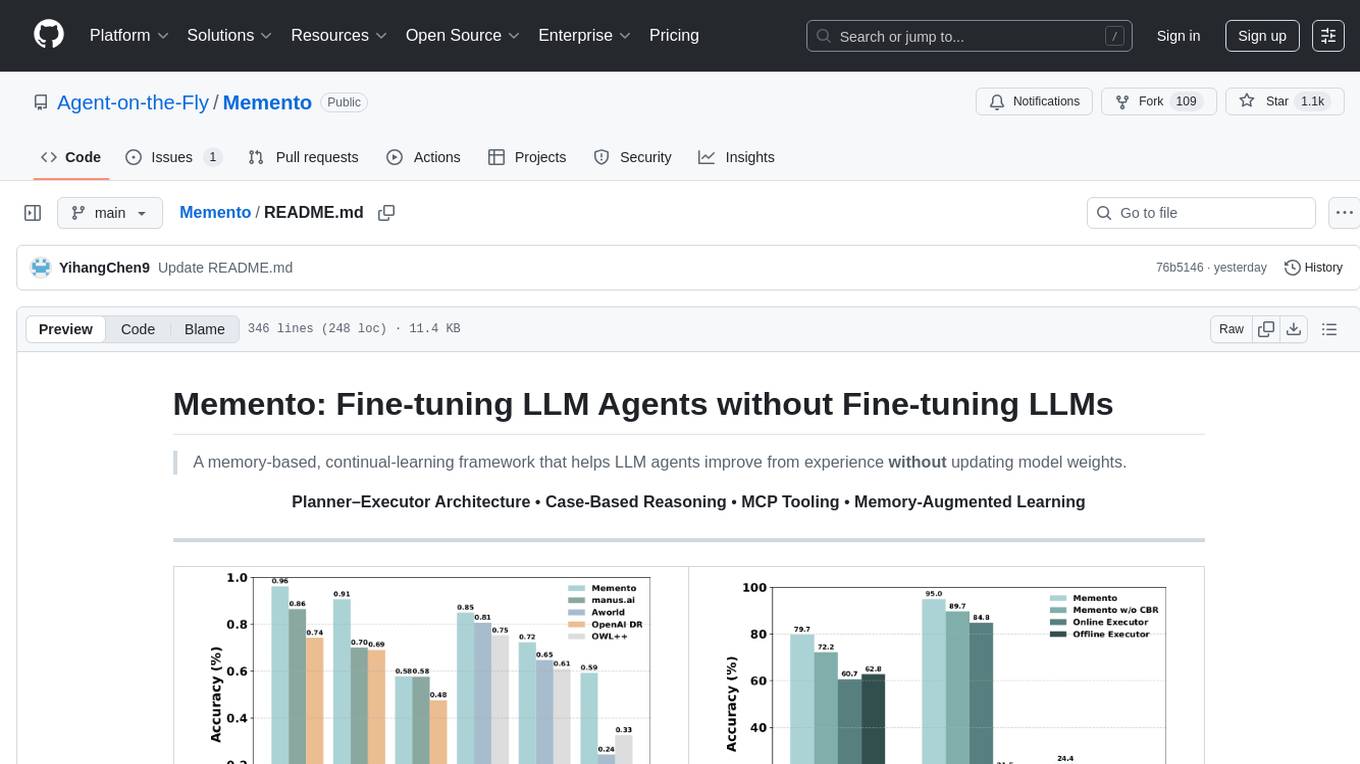
Memento is a lightweight and user-friendly version control tool designed for small to medium-sized projects. It provides a simple and intuitive interface for managing project versions and collaborating with team members. With Memento, users can easily track changes, revert to previous versions, and merge different branches. The tool is suitable for developers, designers, content creators, and other professionals who need a streamlined version control solution. Memento simplifies the process of managing project history and ensures that team members are always working on the latest version of the project.
For similar jobs

sweep
Sweep is an AI junior developer that turns bugs and feature requests into code changes. It automatically handles developer experience improvements like adding type hints and improving test coverage.

teams-ai
The Teams AI Library is a software development kit (SDK) that helps developers create bots that can interact with Teams and Microsoft 365 applications. It is built on top of the Bot Framework SDK and simplifies the process of developing bots that interact with Teams' artificial intelligence capabilities. The SDK is available for JavaScript/TypeScript, .NET, and Python.

ai-guide
This guide is dedicated to Large Language Models (LLMs) that you can run on your home computer. It assumes your PC is a lower-end, non-gaming setup.

classifai
Supercharge WordPress Content Workflows and Engagement with Artificial Intelligence. Tap into leading cloud-based services like OpenAI, Microsoft Azure AI, Google Gemini and IBM Watson to augment your WordPress-powered websites. Publish content faster while improving SEO performance and increasing audience engagement. ClassifAI integrates Artificial Intelligence and Machine Learning technologies to lighten your workload and eliminate tedious tasks, giving you more time to create original content that matters.

chatbot-ui
Chatbot UI is an open-source AI chat app that allows users to create and deploy their own AI chatbots. It is easy to use and can be customized to fit any need. Chatbot UI is perfect for businesses, developers, and anyone who wants to create a chatbot.

BricksLLM
BricksLLM is a cloud native AI gateway written in Go. Currently, it provides native support for OpenAI, Anthropic, Azure OpenAI and vLLM. BricksLLM aims to provide enterprise level infrastructure that can power any LLM production use cases. Here are some use cases for BricksLLM: * Set LLM usage limits for users on different pricing tiers * Track LLM usage on a per user and per organization basis * Block or redact requests containing PIIs * Improve LLM reliability with failovers, retries and caching * Distribute API keys with rate limits and cost limits for internal development/production use cases * Distribute API keys with rate limits and cost limits for students

uAgents
uAgents is a Python library developed by Fetch.ai that allows for the creation of autonomous AI agents. These agents can perform various tasks on a schedule or take action on various events. uAgents are easy to create and manage, and they are connected to a fast-growing network of other uAgents. They are also secure, with cryptographically secured messages and wallets.

griptape
Griptape is a modular Python framework for building AI-powered applications that securely connect to your enterprise data and APIs. It offers developers the ability to maintain control and flexibility at every step. Griptape's core components include Structures (Agents, Pipelines, and Workflows), Tasks, Tools, Memory (Conversation Memory, Task Memory, and Meta Memory), Drivers (Prompt and Embedding Drivers, Vector Store Drivers, Image Generation Drivers, Image Query Drivers, SQL Drivers, Web Scraper Drivers, and Conversation Memory Drivers), Engines (Query Engines, Extraction Engines, Summary Engines, Image Generation Engines, and Image Query Engines), and additional components (Rulesets, Loaders, Artifacts, Chunkers, and Tokenizers). Griptape enables developers to create AI-powered applications with ease and efficiency.