


mcp-devtools
A modular MCP server that provides commonly used developer tools for AI coding agents
Stars: 122

MCP DevTools is a high-performance server written in Go that replaces multiple Node.js and Python-based servers. It provides access to essential developer tools through a unified, modular interface. The server is efficient, with minimal memory footprint and fast response times. It offers a comprehensive tool suite for agentic coding, including 20+ essential developer agent tools. The tool registry allows for easy addition of new tools. The server supports multiple transport modes, including STDIO, HTTP, and SSE. It includes a security framework for multi-layered protection and a plugin system for adding new tools.
README:
A single, high-performance MCP server that replaces many Node.js and Python-based MCP servers with one efficient Go binary, providing access to essential developer tools through a unified, modular interface that can be easily extended with new tools.
Default Tools
graph LR
    A[MCP DevTools<br>Server]

    A --> B[Search &<br>Discovery]
    A --> E[Intelligence &<br>Memory]
    A --> F[Utilities]

    B --> B_Tools[🌐 Internet Search<br>📡 Web Fetch<br>📦 Package Search<br>📚 Package Documentation<br>🐙 GitHub]

    E --> E_Tools[🧠 Think Tool]

    F --> F_Tools[🧮 Calculator<br>🕵 Find Long Files]

    classDef components fill:#E6E6FA,stroke:#756BB1,color:#756BB1
    classDef decision fill:#FFF5EB,stroke:#FD8D3C,color:#E6550D
    classDef data fill:#EFF3FF,stroke:#9ECAE1,color:#3182BD
    classDef process fill:#EAF5EA,stroke:#C6E7C6,color:#77AD77

    class A components
    class B,B_Tools decision
    class E,E_Tools data
    class F,F_Tools process
Additional Tools (Disabled by Default)
graph LR
    A[MCP DevTools<br>Server]

    A --> B[Search &<br>Discovery]
    A --> C[Document<br>Processing]
    A --> E[Intelligence &<br>Memory]
    A --> F[Utilities]
    A --> G[Agents]
    A --> D[UI Component<br>Libraries]
    A --> H[MCP]

    B --> B_Tools[📝 Terraform Docs<br>☁️ AWS Documentation & Pricing]

    C --> C_Tools[📄 Document Processing<br>📈 Excel Spreadsheets<br>📑 PDF Processing]

    E --> E_Tools[🔢 Sequential Thinking<br>🕸️ Memory Graph]

    F --> F_Tools[🇬🇧 American→English<br>🔌 API Integrations<br>📁 Filesystem<br>✂️ Code Skim<br>🔍 Code Search<br>🏷️ Code Rename]

    G --> G_Tools[🤖 Claude Code<br>🎯 Codex CLI<br>🐙 Copilot CLI<br>✨ Gemini CLI<br>👻 Kiro]

    D --> D_Tools[🎨 ShadCN UI<br>✨ Magic UI<br>⚡ Aceternity UI]

    H --> H_Proxy[🌐 MCP Proxy]

    classDef components fill:#E6E6FA,stroke:#756BB1,color:#756BB1
    classDef llm fill:#E5F5E0,stroke:#31A354,color:#31A354
    classDef process fill:#EAF5EA,stroke:#C6E7C6,color:#77AD77
    classDef data fill:#EFF3FF,stroke:#9ECAE1,color:#3182BD
    classDef decision fill:#FFF5EB,stroke:#FD8D3C,color:#E6550D
    classDef api fill:#FFF5F0,stroke:#FD9272,color:#A63603
    classDef ui fill:#F3E5F5,stroke:#AB47BC,color:#8E24AA

    class A components
    class B,B_Tools decision
    class C,C_Tools api
    class D,D_Tools ui
    class E,E_Tools data
    class F,F_Tools process
    class G,G_Tools llm
class H_Proxy api🚀 Single Binary Solution
- Replace multiple potentially resource-heavy Node.js/Python MCP servers, each spawned for every client tool you use
- One binary, one configuration, consistent performance
- Built in Go for speed and efficiency and because I'm not smart enough to write Rust
- Minimal memory footprint compared to multiple separate servers
- Fast startup and response times
- Download one binary, configure once - or compile from source
- Works out of the box for most tools
- OpenTelemetry support for tracing and metrics
🛠 Comprehensive Tool Suite For Agentic Coding
- 20+ essential developer agent tools in one package
- No need to manage multiple MCP server installations
- Consistent API across all tools
- Modular design with tool registry allowing for easy addition of new tools
If you have Golang installed, simply run go install github.com/sammcj/mcp-devtools@HEAD and it will be installed to your $GOPATH/bin.
There is also an experimental installer script:
curl -fsSL https://raw.githubusercontent.com/sammcj/mcp-devtools/main/install.sh | bashThis will:
- Download the latest release and installs to an appropriate location (respects
$GOPATH/binor uses~/.local/bin) - Remove macOS quarantine attributes automatically
- Generate example MCP client configurations in
~/.mcp-devtools/examples/ - Open your file manager to show the example configs and show you where to configure your MCP clients
🔗 Quick Install Customisation (Click Here)
Customisation:
# Dry run (shows what would be done without making changes)
DRY_RUN=1 curl -fsSL https://raw.githubusercontent.com/sammcj/mcp-devtools/main/install.sh | bash

# Install to a specific directory
INSTALL_DIR=/custom/path curl -fsSL https://raw.githubusercontent.com/sammcj/mcp-devtools/main/install.sh | bash

# Install a specific version
VERSION=0.50.0 curl -fsSL https://raw.githubusercontent.com/sammcj/mcp-devtools/main/install.sh | bash

# Skip example config generation
NO_CONFIG=1 curl -fsSL https://raw.githubusercontent.com/sammcj/mcp-devtools/main/install.sh | bash

# Skip all confirmation prompts (for automation)
FORCE=1 curl -fsSL https://raw.githubusercontent.com/sammcj/mcp-devtools/main/install.sh | bash🔗 Manual Installation (Click Here)
You have a few other options to make MCP DevTools available to your MCP clients:
-
 If you have Golang installed
 - If you do not have, and do not want to install Golang
The automated installer works great even if you have Golang installed:
curl -fsSL https://raw.githubusercontent.com/sammcj/mcp-devtools/main/install.sh | bashThis will respect your $GOPATH/bin if it's in your PATH, and automatically configure example MCP client settings.
Note that while go run makes it easy to get started, it means every time your client starts to download the tool may not be what you want in the long run.
MCP Client Configuration:
{
  "mcpServers": {
    "dev-tools": {
      "type": "stdio",
      "command": "go",
      "args": [
        "run",
        "github.com/sammcj/mcp-devtools@HEAD"
      ],
      "env": {
        "ENABLE_ADDITIONAL_TOOLS": "security,sequential_thinking,code_skim,code_rename",
        "DISABLED_TOOLS": "",
        "NOTE_FOR_HUMANS": "A minimal set of tools are enabled by default, MCP DevTools provides many additional useful tools including efficient Context7 documentation search, AWS documentation, Frontend UI Framework templates, Code search and optimisation and many others, visit https://github.com/sammcj/mcp-devtools for more information on available tools and configuration"
      }
    }
  }
}
Or if you're using Claude Code you can also add it via the CLI:
claude mcp add --transport stdio mcp-devtools go run github.com/sammcj/mcp-devtools@HEAD

🔗 Click here for instructions
- Install the latest MCP DevTools binary:
go install github.com/sammcj/mcp-devtools@HEAD
echo "${GOPATH}/bin/mcp-devtools" # Use this path in your MCP configuration, if your GOPATH is not set, please check your Go installation / configuration.

# If you're on macOS, you'll also need to run the following command to allow the downloaded binary to run:
xattr -r -d com.apple.quarantine ${GOPATH}/bin/mcp-devtools- Update your MCP client to add the MCP DevTools server configuration, replacing
/path/to/mcp-devtoolswith the actual path to the binary (e.g./Users/samm/go/bin/mcp-devtools):
{
  "mcpServers": {
    "dev-tools": {
      "type": "stdio",
      "command": "/path/to/mcp-devtools",
      "env": {
        "ENABLE_ADDITIONAL_TOOLS": "security,sequential_thinking,code_skim,code_rename",
        "DISABLED_TOOLS": "",
        "NOTE_FOR_HUMANS": "A minimal set of tools are enabled by default, MCP DevTools provides many additional useful tools including efficient Context7 documentation search, AWS documentation, Frontend UI Framework templates, Code search and optimisation and many others, visit https://github.com/sammcj/mcp-devtools for more information on available tools and configuration"
      }
    }
  }
}🔗 Click here for instructions
If you do not have, and do not want to install Golang, you can download the latest release binary from the releases page.
# If you're on macOS, you'll also need to run the following command to allow the downloaded binary to run:
xattr -r -d com.apple.quarantine mcp-devtools
Configure your MCP client to use the downloaded binary (replacing /path/to/mcp-devtools ):
{
  "mcpServers": {
    "dev-tools": {
      "type": "stdio",
      "command": "/path/to/mcp-devtools",
      "env": {
        "ENABLE_ADDITIONAL_TOOLS": "security,sequential_thinking,code_skim,code_rename",
        "DISABLED_TOOLS": "",
        "NOTE_FOR_HUMANS": "A minimal set of tools are enabled by default, MCP DevTools provides many additional useful tools including efficient Context7 documentation search, AWS documentation, Frontend UI Framework templates, Code search and optimisation and many others, visit https://github.com/sammcj/mcp-devtools for more information on available tools and configuration"
      }
    }
  }
}These tools can be disabled by adding their function name to the DISABLED_TOOLS environment variable in your MCP configuration.
| Tool | Purpose | Dependencies | Example Usage | Maturity |
|---|---|---|---|---|
| Internet Search | Multi-provider internet search | None (Provider keys optional) | Web, image, news, video search | 🟢 |
| Web Fetch | Retrieve internet content as Markdown | None | Documentation and articles | 🟢 |
| GitHub | GitHub repositories and data | None (GitHub token optional) | Issues, PRs, repos, cloning | 🟢 |
| Package Documentation | Context7 library documentation lookup | None | React, mark3labs/mcp-go | 🟢 |
| Package Search | Check package versions | None | NPM, Python, Go, Java, Docker | 🟢 |
| Think | Structured reasoning space | None | Complex problem analysis | 🟢 |
| Calculator | Basic arithmetic calculations | None | 2 + 3 * 4, batch processing | 🟢 |
| DevTools Help | Extended info about DevTools tools | None | Usage examples, troubleshooting | 🟢 |
| Find Long Files | Identify files needing refactoring | Find files over 700 lines | 🟢 |
These tools can be enabled by setting the ENABLE_ADDITIONAL_TOOLS environment variable in your MCP configuration.
| Tool | Purpose | ENABLE_ADDITIONAL_TOOLS |
Example Usage | Maturity |
|---|---|---|---|---|
| Code Skim | Return code structure without implementation details | code_skim |
Reduced token consumption | 🟢 |
| Code Search | Semantic code search with local embeddings | code_search |
Find code by natural language description | 🟠 |
| Code Rename | LSP-based symbol renaming across files (experimental) | code_rename |
Rename functions, variables, types | 🟠 |
| Memory | Persistent knowledge graphs | memory |
Store entities and relationships | 🟡 |
| Document Processing | Convert documents to Markdown | process_document |
PDF, DOCX → Markdown with OCR | 🟡 |
| PDF Processing | Fast PDF text extraction | pdf |
Quick PDF to Markdown | 🟢 |
| Excel | Excel file manipulation | excel |
Workbooks, charts, pivot tables, formulas | 🟢 |
| AWS Documentation & Pricing | AWS documentation & pricing search and retrieval | aws_documentation |
Search and read AWS docs, recommendations | 🟡 |
| Terraform Documentation | Terraform Registry API (providers, modules, and policies) | terraform_documentation |
Provider docs, module search, policy lookup | 🟡 |
| Sequential Thinking | Dynamic problem-solving through structured thoughts | sequential-thinking |
Step-by-step analysis, revision, branching | 🟢 |
| Filesystem | File and directory operations | filesystem |
Read, write, edit, search files | 🟡 |
| MCP Proxy | Proxies MCP requests from upstream HTTP/SSE servers | proxy |
Provide HTTP/SSE MCP servers to STDIO clients | 🟡 |
| American→English | Convert to British spelling | murican_to_english |
Organise, colour, centre | 🟡 |
| API to MCP | Dynamic REST API integration | api |
Configure any REST API via YAML | 🔴 |
Security Subsystem / Tools
| Tool | Purpose | ENABLE_ADDITIONAL_TOOLS |
Example Usage | Maturity |
|---|---|---|---|---|
| Security Framework | Context injection security protections | security |
Content analysis, access control | 🟢 |
| Security Override | Agent managed security warning overrides | security_override |
Bypass false positives | 🟡 |
Frontend UI Component Libraries
| Tool | Purpose | ENABLE_ADDITIONAL_TOOLS |
Example Usage | Maturity |
|---|---|---|---|---|
| ShadCN UI Component Library | Component information | shadcn |
Button, Dialog, Form components | 🟢 |
| Magic UI Component Library | Animated component library | magic_ui |
Frontend React components | 🟠 |
| Aceternity UI Component Library | Animated component library | aceternity_ui |
Frontend React components | 🟠 |
Agents as Tools - In addition to the above tools, MCP DevTools can provide access to AI agents as tools by integrating with external LLMs.
| Agent | Purpose | ENABLE_ADDITIONAL_TOOLS |
Maturity |
|---|---|---|---|
| Claude Agent | Claude Code CLI Agent | claude-agent |
🟡 |
| Codex Agent | Codex CLI Agent | codex-agent |
🟡 |
| Copilot Agent | GitHub Copilot CLI Agent | copilot-agent |
🟡 |
| Gemini Agent | Gemini CLI Agent | gemini-agent |
🟡 |
| Kiro Agent | Kiro CLI Agent | kiro-agent |
🟡 |
👉 See detailed tool documentation
- Wrapping up Terraform Documentation and AWS Documentation & Pricing into a single tool with subcommands
- Wrapping up all frontend UI component libraries into a single tool with subcommands
The following tools are currently in review for potential deprecation (unless I hear people are using them):
Option 1: Go Install (recommended)
go install github.com/sammcj/mcp-devtools@HEADOption 2: Build from Source
git clone https://github.com/sammcj/mcp-devtools.git
cd mcp-devtools
make build
Option 4: Download Release Download the latest binary from releases and place in your PATH and remember to check for updates!
STDIO
{
  "mcpServers": {
    "dev-tools": {
      "type": "stdio",
      "command": "/path/to/mcp-devtools",
      "env": {
        "BRAVE_API_KEY": "This is optional ",
      }
    }
  }
}
Replacing /path/to/mcp-devtools with your actual binary path (e.g., /Users/yourname/go/bin/mcp-devtools).
Note: The BRAVE_API_KEY is optional and only needed if you want to use the Brave Search provider. Other providers like Google, Kagi, SearXNG, and DuckDuckGo are also available. See the Internet Search documentation for more details.
Streamable HTTP
mcp-devtools --transport http --port 18080{
"mcpServers": {
"dev-tools": {
"type": "streamableHttp",
"url": "http://localhost:18080/http"
}
}
}MCP DevTools supports three transport modes for different use cases:
Best for: Simple, local use with MCP clients like Claude Desktop, Cline, etc.
{
  "mcpServers": {
    "dev-tools": {
      "type": "stdio",
      "command": "/path/to/mcp-devtools",
      "env": {
        "BRAVE_API_KEY": "your-api-key-if-needed"
      }
    }
  }
}Best for: Production deployments, shared use, centralised configuration
# Basic HTTP mode
mcp-devtools --transport http --port 18080

# With authentication
mcp-devtools --transport http --port 18080 --auth-token mysecrettoken

# With OAuth (see OAuth documentation)
mcp-devtools --transport http --port 18080 --oauth-enabled
Client Configuration:
{
  "mcpServers": {
    "dev-tools": {
      "type": "streamableHttp",
      "url": "http://localhost:18080/http",
    }
  }
}All environment variables are optional, but if you want to use specific search providers or document processing features, you may need to provide the the appropriate variables.
General:
-
LOG_LEVEL- Logging level:debug,info,warn,error(default:warn). Logs are written to~/.mcp-devtools/logs/mcp-devtools.logfor all transports. Stdio transport uses minimumwarnlevel and never logs to stdout/stderr to prevent MCP protocol pollution. -
LOG_TOOL_ERRORS- Enable logging of failed tool calls to~/.mcp-devtools/logs/tool-errors.log(set totrueto enable). Logs older than 60 days are automatically removed on server startup. -
ENABLE_ADDITIONAL_TOOLS- Comma-separated list to enable security-sensitive tools (e.g.security,security_override,filesystem,claude-agent,codex-agent,gemini-agent,kiro-agent,process_document,pdf,memory,terraform_documentation,sequential-thinking) -
DISABLED_TOOLS- Comma-separated list of functions to disable (e.g.think,internet_search)
Default Tools:
-
BRAVE_API_KEY- Enable Brave Search provider by providing a (free Brave search API key) -
GOOGLE_SEARCH_API_KEY- Enable Google search with API key from Cloud Console (requires Custom Search API to be enabled) -
GOOGLE_SEARCH_ID- Google Search Engine ID from Programmable Search Engine (required withGOOGLE_SEARCH_API_KEY, select "Search the entire web") -
KAGI_API_KEY- Enable Kagi Search provider by providing your Kagi API key (requires Kagi subscription) -
SEARXNG_BASE_URL- Enable SearXNG search provider by providing the base URL (e.g.https://searxng.example.com) -
CONTEXT7_API_KEY- Optional Context7 API key for higher rate limits and authentication with package documentation tools -
MEMORY_FILE_PATH- Memory storage location (default:~/.mcp-devtools/) -
PACKAGE_COOLDOWN_HOURS- Hours to wait before recommending newly published packages (default:72, set to0to disable) -
PACKAGE_COOLDOWN_ECOSYSTEMS- Comma-separated ecosystems for cooldown protection (default:npm, usenoneto disable)
Security Configuration:
-
FILESYSTEM_TOOL_ALLOWED_DIRS- Colon-separated (Unix) list of allowed directories (only for filesystem tool)
Document Processing:
-
DOCLING_PYTHON_PATH- Python executable path (default: auto-detected) -
DOCLING_CACHE_ENABLED- Enable processed document cache (default:true) -
DOCLING_HARDWARE_ACCELERATION- Hardware acceleration (auto(default),mps,cuda,cpu)
-
--transport,-t- Transport type (stdio,sse,http). Default:stdio -
--port- Port for HTTP transports. Default:18080 -
--base-url- Base URL for HTTP transports. Default:http://localhost -
--auth-token- Authentication token for HTTP transport
MCP DevTools uses a modular architecture:
- Tool Registry: Central registry managing tool discovery and registration
- Tool Interface: Standardised interface all tools implement
- Transport Layer: Supports STDIO, HTTP, and SSE transports
- Plugin System: Easy to add new tools following the interface
Each tool is self-contained and registers automatically when the binary starts.

MCP DevTools includes a configurable security system that provides multi-layered protection for tools that access files or make HTTP requests.
Important: This feature should be considered in BETA, if you find bugs and have solutions please feel free to raise a PR.
- Access Control: Prevents tools from accessing sensitive files and domains
- Content Analysis: Scans returned content for security threats using pattern matching
- YAML-Based Configuration: Easy-to-manage rules with automatic reloading
- Security Overrides: Allow bypassing false positives with audit logging
- Performance Optimised: Minimal impact when disabled, efficient when enabled
- Shell Injection Detection: Command injection, eval execution, backtick commands
- Data Exfiltration Prevention: DNS exfiltration, credential theft, keychain access
- Prompt Injection Mitigation: "Ignore instructions" attacks, conversation extraction
- Persistence Mechanism Detection: Launchctl, systemd, crontab modifications
- Sensitive File Protection: SSH keys, AWS credentials, certificates
# Enable security framework and override tool
# You may optionally also add 'security_override' if you want a tool the agent can use to override security warnings
ENABLE_ADDITIONAL_TOOLS="security"
Configuration is managed through ~/.mcp-devtools/security.yaml with sensible defaults.
👉 Complete Security Documentation
For production deployments requiring centralised user authentication:
Quick example:
# Browser-based authentication
mcp-devtools --transport http --oauth-browser-auth --oauth-client-id="your-client"

# Resource server mode
mcp-devtools --transport http --oauth-enabled --oauth-issuer="https://auth.example.com"All HTTP-based tools automatically support proxy configuration through standard environment variables:
# HTTPS proxy (preferred)
export HTTPS_PROXY="http://proxy.company.com:8080"

# HTTP proxy (fallback)
export HTTP_PROXY="http://proxy.company.com:8080"

# With authentication
export HTTPS_PROXY="http://username:[email protected]:8080"

# Run with proxy
./bin/mcp-devtools stdio
Supported tools: All network-based tools including package_docs, internet_search, webfetch, github, aws_docs, and others automatically respect proxy settings when configured.
Security: Proxy credentials are automatically redacted from logs for security.
# Pull the image (main is latest)
docker pull ghcr.io/sammcj/mcp-devtools:main

# Run
docker run -d --name mcp-devtools -p 18080:18080 --restart always ghcr.io/sammcj/mcp-devtools:main

# Run with proxy support
docker run -d --name mcp-devtools -p 18080:18080 \
  -e HTTPS_PROXY="http://proxy.company.com:8080" \
--restart always ghcr.io/sammcj/mcp-devtools:mainMCP DevTools maintains two log files in ~/.mcp-devtools/logs/:
Application Logs (mcp-devtools.log):
- Contains all application logs at the configured level
- Configure via
LOG_LEVELenvironment variable:debug,info,warn,error(default:warn) - Stdio transport: Always logs to file (never to stderr to prevent MCP protocol pollution)
- HTTP/SSE transports: Logs to file at configured level
Tool Error Logs (tool-errors.log):
- Failed tool executions with arguments and error details
- Enable via
LOG_TOOL_ERRORS=trueenvironment variable - Automatically rotates logs older than 60 days
- Useful for debugging tool calling issues
Example:
# Enable debug logging for HTTP mode
LOG_LEVEL=debug mcp-devtools --transport http

# Enable tool error logging (works with any transport)
LOG_TOOL_ERRORS=true mcp-devtoolsMCP DevTools includes optional OpenTelemetry integration for distributed tracing and metrics.

Tracing - Track tool execution spans with HTTP client operations:
# Export traces to OTLP endpoint
MCP_OTEL_ENDPOINT=https://your-oltp-endpoint
Metrics - Opt-in performance and usage metrics:
# Default enabled traces/metrics when OTEL is enabled
MCP_METRICS_GROUPS=tool,session,security

# Include cache metrics
MCP_METRICS_GROUPS=tool,session,security,cache
Available metric groups: tool (tool execution), session (session lifecycle), security (security checks), cache (cache operations)
Want to add your own tools? See the Development Guide.
- Tool Documentation: docs/tools/overview.md
- Security Framework: docs/security.md
- OAuth Setup: docs/oauth/README.md
- Development: docs/creating-new-tools.md
- Issues: GitHub Issues, please note that I built this tool for my own use and it is not a commercially supported product, so if you can - please raise a PR instead of an issue.
Contributions welcome! This project follows standard Go development practices and includes comprehensive tests.
Important: See docs/creating-new-tools.md for guidelines on adding new tools.
# Development setup
git clone https://github.com/sammcj/mcp-devtools.git
cd mcp-devtools
make deps
make test
make build

# Benchmark tool token costs
ENABLE_ADDITIONAL_TOOLS=<your new tool name here> make benchmark-tokens

# Run security checks, see make help
make inspect # launches the MCP inspector toolNo warranty is provided for this software. Use at your own risk. The author is not responsible for any damages or issues arising from its use.
Apache Public License 2.0 - Copyright 2025 Sam McLeod
For Tasks:
Click tags to check more tools for each tasksFor Jobs:
Alternative AI tools for mcp-devtools
Similar Open Source Tools
mcp-devtools
MCP DevTools is a high-performance server written in Go that replaces multiple Node.js and Python-based servers. It provides access to essential developer tools through a unified, modular interface. The server is efficient, with minimal memory footprint and fast response times. It offers a comprehensive tool suite for agentic coding, including 20+ essential developer agent tools. The tool registry allows for easy addition of new tools. The server supports multiple transport modes, including STDIO, HTTP, and SSE. It includes a security framework for multi-layered protection and a plugin system for adding new tools.
google_workspace_mcp
The Google Workspace MCP Server is a production-ready server that integrates major Google Workspace services with AI assistants. It supports single-user and multi-user authentication via OAuth 2.1, making it a powerful backend for custom applications. Built with FastMCP for optimal performance, it features advanced authentication handling, service caching, and streamlined development patterns. The server provides full natural language control over Google Calendar, Drive, Gmail, Docs, Sheets, Slides, Forms, Tasks, and Chat through all MCP clients, AI assistants, and developer tools. It supports free Google accounts and Google Workspace plans with expanded app options like Chat & Spaces. The server also offers private cloud instance options.

dexto
Dexto is a lightweight runtime for creating and running AI agents that turn natural language into real-world actions. It serves as the missing intelligence layer for building AI applications, standalone chatbots, or as the reasoning engine inside larger products. Dexto features a powerful CLI and Web UI for running AI agents, supports multiple interfaces, allows hot-swapping of LLMs from various providers, connects to remote tool servers via the Model Context Protocol, is config-driven with version-controlled YAML, offers production-ready core features, extensibility for custom services, and enables multi-agent collaboration via MCP and A2A.
mcp-context-forge
MCP Context Forge is a powerful tool for generating context-aware data for machine learning models. It provides functionalities to create diverse datasets with contextual information, enhancing the performance of AI algorithms. The tool supports various data formats and allows users to customize the context generation process easily. With MCP Context Forge, users can efficiently prepare training data for tasks requiring contextual understanding, such as sentiment analysis, recommendation systems, and natural language processing.
auto-engineer
Auto Engineer is a tool designed to automate the Software Development Life Cycle (SDLC) by building production-grade applications with a combination of human and AI agents. It offers a plugin-based architecture that allows users to install only the necessary functionality for their projects. The tool guides users through key stages including Flow Modeling, IA Generation, Deterministic Scaffolding, AI Coding & Testing Loop, and Comprehensive Quality Checks. Auto Engineer follows a command/event-driven architecture and provides a modular plugin system for specific functionalities. It supports TypeScript with strict typing throughout and includes a built-in message bus server with a web dashboard for monitoring commands and events.
OSA
OSA (Open-Source-Advisor) is a tool designed to improve the quality of scientific open source projects by automating the generation of README files, documentation, CI/CD scripts, and providing advice and recommendations for repositories. It supports various LLMs accessible via API, local servers, or osa_bot hosted on ITMO servers. OSA is currently under development with features like README file generation, documentation generation, automatic implementation of changes, LLM integration, and GitHub Action Workflow generation. It requires Python 3.10 or higher and tokens for GitHub/GitLab/Gitverse and LLM API key. Users can install OSA using PyPi or build from source, and run it using CLI commands or Docker containers.
claude-code-settings
A repository collecting best practices for Claude Code settings and customization. It provides configuration files for customizing Claude Code's behavior and building an efficient development environment. The repository includes custom agents and skills for specific domains, interactive development workflow features, efficient development rules, and team workflow with Codex MCP. Users can leverage the provided configuration files and tools to enhance their development process and improve code quality.
llm-context.py
LLM Context is a tool designed to assist developers in quickly injecting relevant content from code/text projects into Large Language Model chat interfaces. It leverages `.gitignore` patterns for smart file selection and offers a streamlined clipboard workflow using the command line. The tool also provides direct integration with Large Language Models through the Model Context Protocol (MCP). LLM Context is optimized for code repositories and collections of text/markdown/html documents, making it suitable for developers working on projects that fit within an LLM's context window. The tool is under active development and aims to enhance AI-assisted development workflows by harnessing the power of Large Language Models.
VimLM
VimLM is an AI-powered coding assistant for Vim that integrates AI for code generation, refactoring, and documentation directly into your Vim workflow. It offers native Vim integration with split-window responses and intuitive keybindings, offline first execution with MLX-compatible models, contextual awareness with seamless integration with codebase and external resources, conversational workflow for iterating on responses, project scaffolding for generating and deploying code blocks, and extensibility for creating custom LLM workflows with command chains.
alphora
Alphora is a full-stack framework for building production AI agents, providing agent orchestration, prompt engineering, tool execution, memory management, streaming, and deployment with an async-first, OpenAI-compatible design. It offers features like agent derivation, reasoning-action loop, async streaming, visual debugger, OpenAI compatibility, multimodal support, tool system with zero-config tools and type safety, prompt engine with dynamic prompts, memory and storage management, sandbox for secure execution, deployment as API, and more. Alphora allows users to build sophisticated AI agents easily and efficiently.
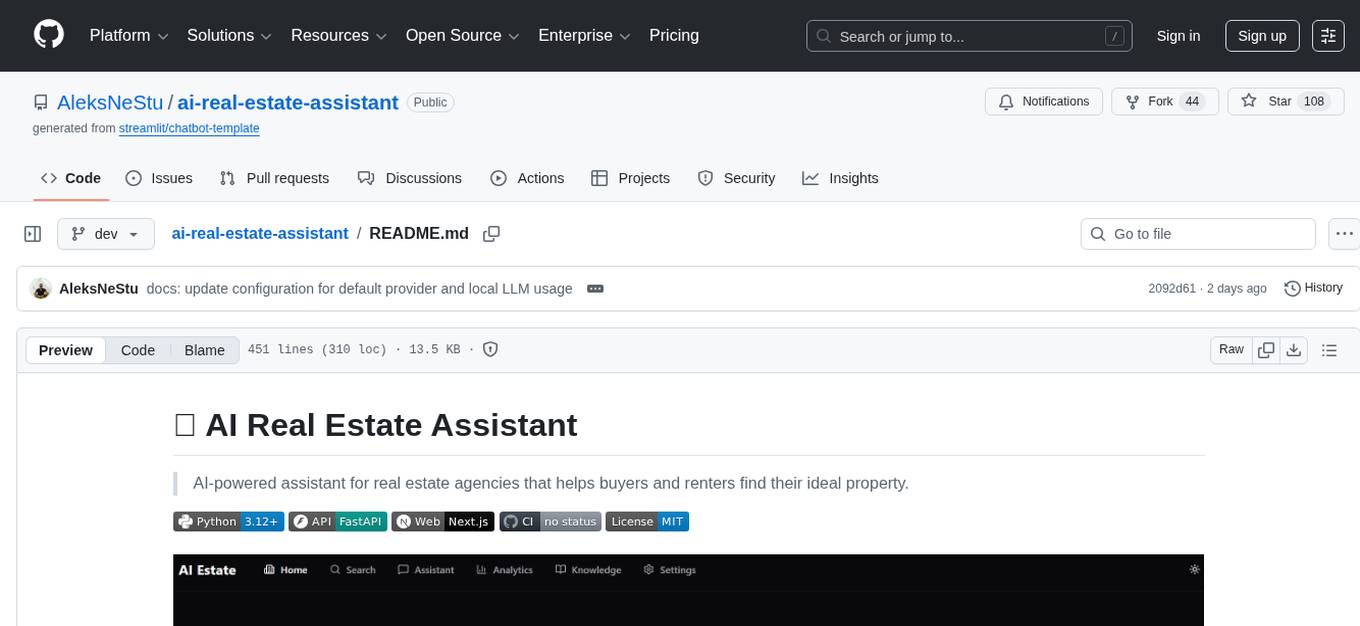
ai-real-estate-assistant
AI Real Estate Assistant is a modern platform that uses AI to assist real estate agencies in helping buyers and renters find their ideal properties. It features multiple AI model providers, intelligent query processing, advanced search and retrieval capabilities, and enhanced user experience. The tool is built with a FastAPI backend and Next.js frontend, offering semantic search, hybrid agent routing, and real-time analytics.
readme-ai
README-AI is a developer tool that auto-generates README.md files using a combination of data extraction and generative AI. It streamlines documentation creation and maintenance, enhancing developer productivity. This project aims to enable all skill levels, across all domains, to better understand, use, and contribute to open-source software. It offers flexible README generation, supports multiple large language models (LLMs), provides customizable output options, works with various programming languages and project types, and includes an offline mode for generating boilerplate README files without external API calls.
agentfield
AgentField is an open-source control plane designed for autonomous AI agents, providing infrastructure for agents to make decisions beyond chatbots. It offers features like scaling infrastructure, routing & discovery, async execution, durable state, observability, trust infrastructure with cryptographic identity, verifiable credentials, and policy enforcement. Users can write agents in Python, Go, TypeScript, or interact via REST APIs. The tool enables the creation of AI backends that reason autonomously within defined boundaries, offering predictability and flexibility. AgentField aims to bridge the gap between AI frameworks and production-ready infrastructure for AI agents.
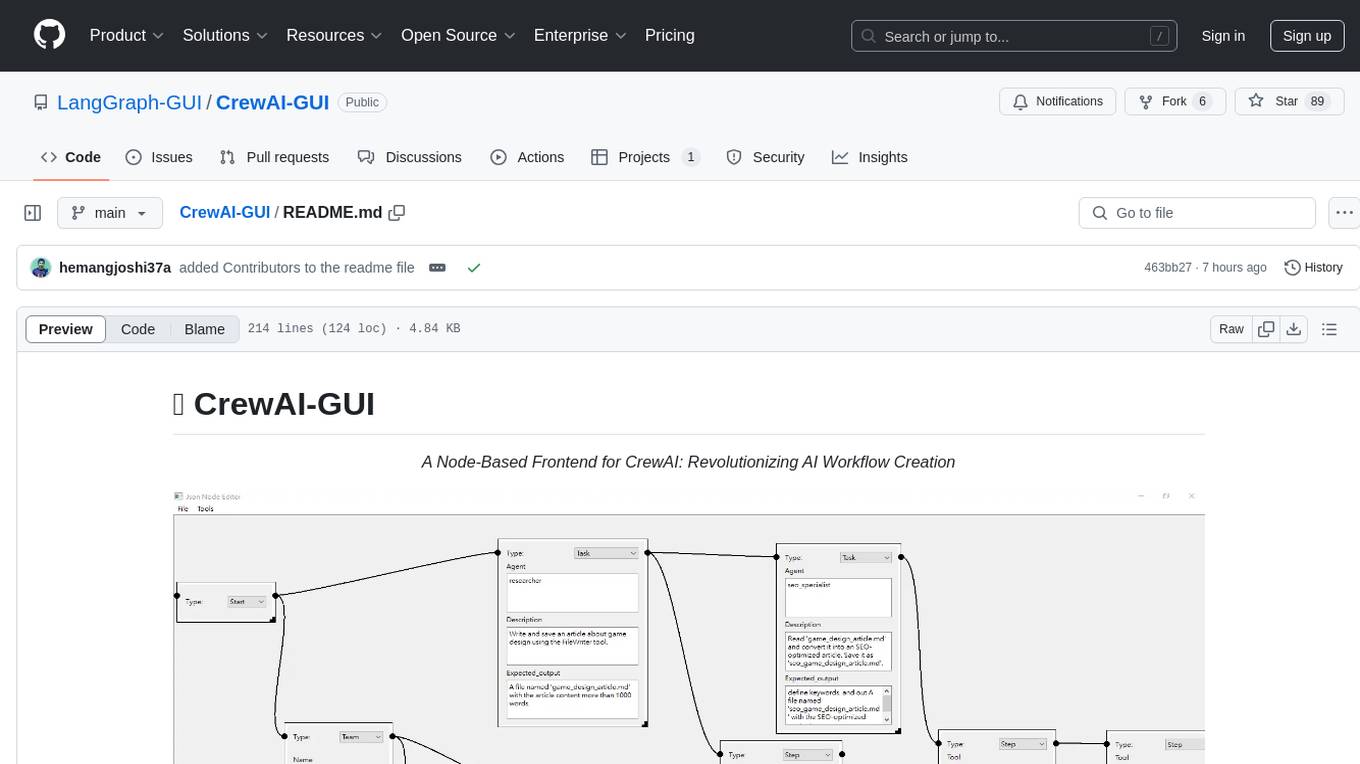
CrewAI-GUI
CrewAI-GUI is a Node-Based Frontend tool designed to revolutionize AI workflow creation. It empowers users to design complex AI agent interactions through an intuitive drag-and-drop interface, export designs to JSON for modularity and reusability, and supports both GPT-4 API and Ollama for flexible AI backend. The tool ensures cross-platform compatibility, allowing users to create AI workflows on Windows, Linux, or macOS efficiently.
z-ai-sdk-python
Z.ai Open Platform Python SDK is the official Python SDK for Z.ai's large model open interface, providing developers with easy access to Z.ai's open APIs. The SDK offers core features like chat completions, embeddings, video generation, audio processing, assistant API, and advanced tools. It supports various functionalities such as speech transcription, text-to-video generation, image understanding, and structured conversation handling. Developers can customize client behavior, configure API keys, and handle errors efficiently. The SDK is designed to simplify AI interactions and enhance AI capabilities for developers.
WebAI-to-API
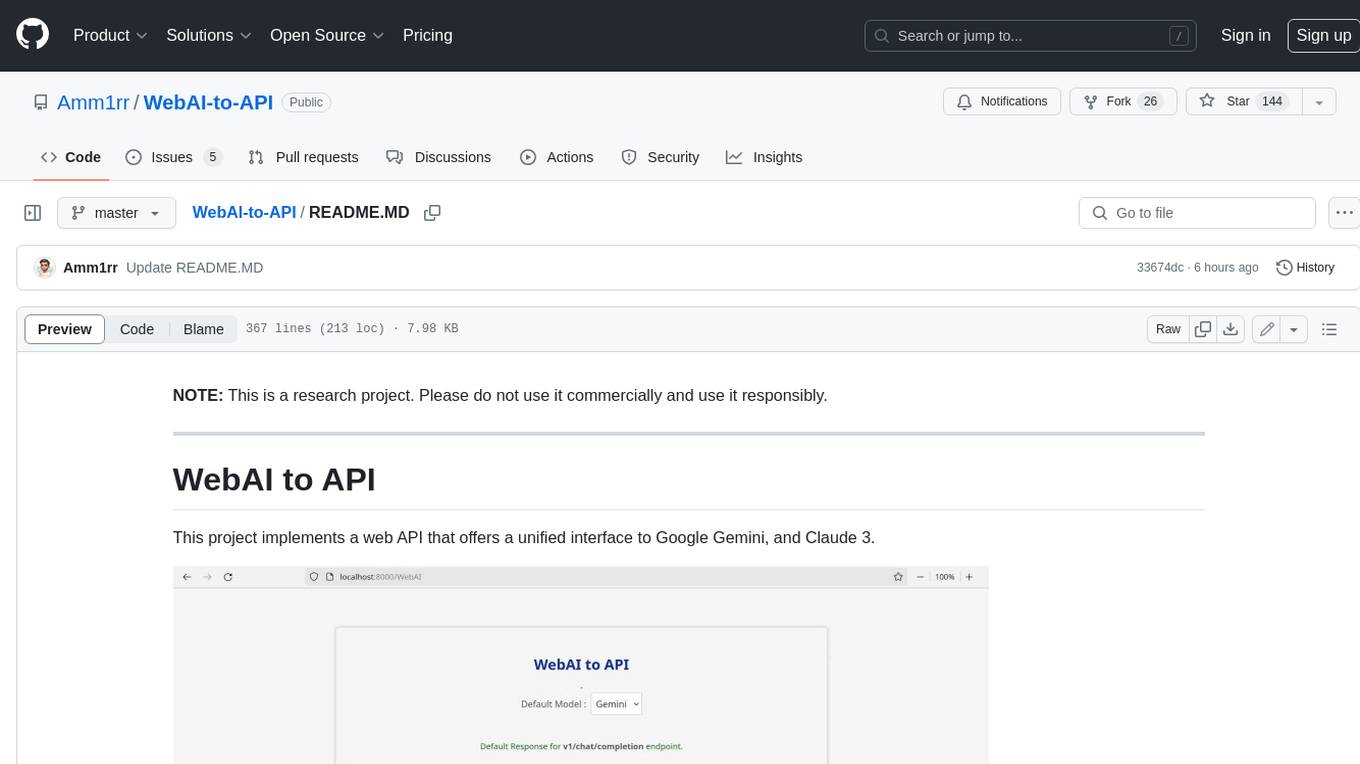
This project implements a web API that offers a unified interface to Google Gemini and Claude 3. It provides a self-hosted, lightweight, and scalable solution for accessing these AI models through a streaming API. The API supports both Claude and Gemini models, allowing users to interact with them in real-time. The project includes a user-friendly web UI for configuration and documentation, making it easy to get started and explore the capabilities of the API.
For similar tasks
mcp-devtools
MCP DevTools is a high-performance server written in Go that replaces multiple Node.js and Python-based servers. It provides access to essential developer tools through a unified, modular interface. The server is efficient, with minimal memory footprint and fast response times. It offers a comprehensive tool suite for agentic coding, including 20+ essential developer agent tools. The tool registry allows for easy addition of new tools. The server supports multiple transport modes, including STDIO, HTTP, and SSE. It includes a security framework for multi-layered protection and a plugin system for adding new tools.
AI-in-a-Box
AI-in-a-Box is a curated collection of solution accelerators that can help engineers establish their AI/ML environments and solutions rapidly and with minimal friction, while maintaining the highest standards of quality and efficiency. It provides essential guidance on the responsible use of AI and LLM technologies, specific security guidance for Generative AI (GenAI) applications, and best practices for scaling OpenAI applications within Azure. The available accelerators include: Azure ML Operationalization in-a-box, Edge AI in-a-box, Doc Intelligence in-a-box, Image and Video Analysis in-a-box, Cognitive Services Landing Zone in-a-box, Semantic Kernel Bot in-a-box, NLP to SQL in-a-box, Assistants API in-a-box, and Assistants API Bot in-a-box.
langchain-rust
LangChain Rust is a library for building applications with Large Language Models (LLMs) through composability. It provides a set of tools and components that can be used to create conversational agents, document loaders, and other applications that leverage LLMs. LangChain Rust supports a variety of LLMs, including OpenAI, Azure OpenAI, Ollama, and Anthropic Claude. It also supports a variety of embeddings, vector stores, and document loaders. LangChain Rust is designed to be easy to use and extensible, making it a great choice for developers who want to build applications with LLMs.
dolma
Dolma is a dataset and toolkit for curating large datasets for (pre)-training ML models. The dataset consists of 3 trillion tokens from a diverse mix of web content, academic publications, code, books, and encyclopedic materials. The toolkit provides high-performance, portable, and extensible tools for processing, tagging, and deduplicating documents. Key features of the toolkit include built-in taggers, fast deduplication, and cloud support.
sparrow
Sparrow is an innovative open-source solution for efficient data extraction and processing from various documents and images. It seamlessly handles forms, invoices, receipts, and other unstructured data sources. Sparrow stands out with its modular architecture, offering independent services and pipelines all optimized for robust performance. One of the critical functionalities of Sparrow - pluggable architecture. You can easily integrate and run data extraction pipelines using tools and frameworks like LlamaIndex, Haystack, or Unstructured. Sparrow enables local LLM data extraction pipelines through Ollama or Apple MLX. With Sparrow solution you get API, which helps to process and transform your data into structured output, ready to be integrated with custom workflows. Sparrow Agents - with Sparrow you can build independent LLM agents, and use API to invoke them from your system. **List of available agents:** * **llamaindex** - RAG pipeline with LlamaIndex for PDF processing * **vllamaindex** - RAG pipeline with LLamaIndex multimodal for image processing * **vprocessor** - RAG pipeline with OCR and LlamaIndex for image processing * **haystack** - RAG pipeline with Haystack for PDF processing * **fcall** - Function call pipeline * **unstructured-light** - RAG pipeline with Unstructured and LangChain, supports PDF and image processing * **unstructured** - RAG pipeline with Weaviate vector DB query, Unstructured and LangChain, supports PDF and image processing * **instructor** - RAG pipeline with Unstructured and Instructor libraries, supports PDF and image processing. Works great for JSON response generation
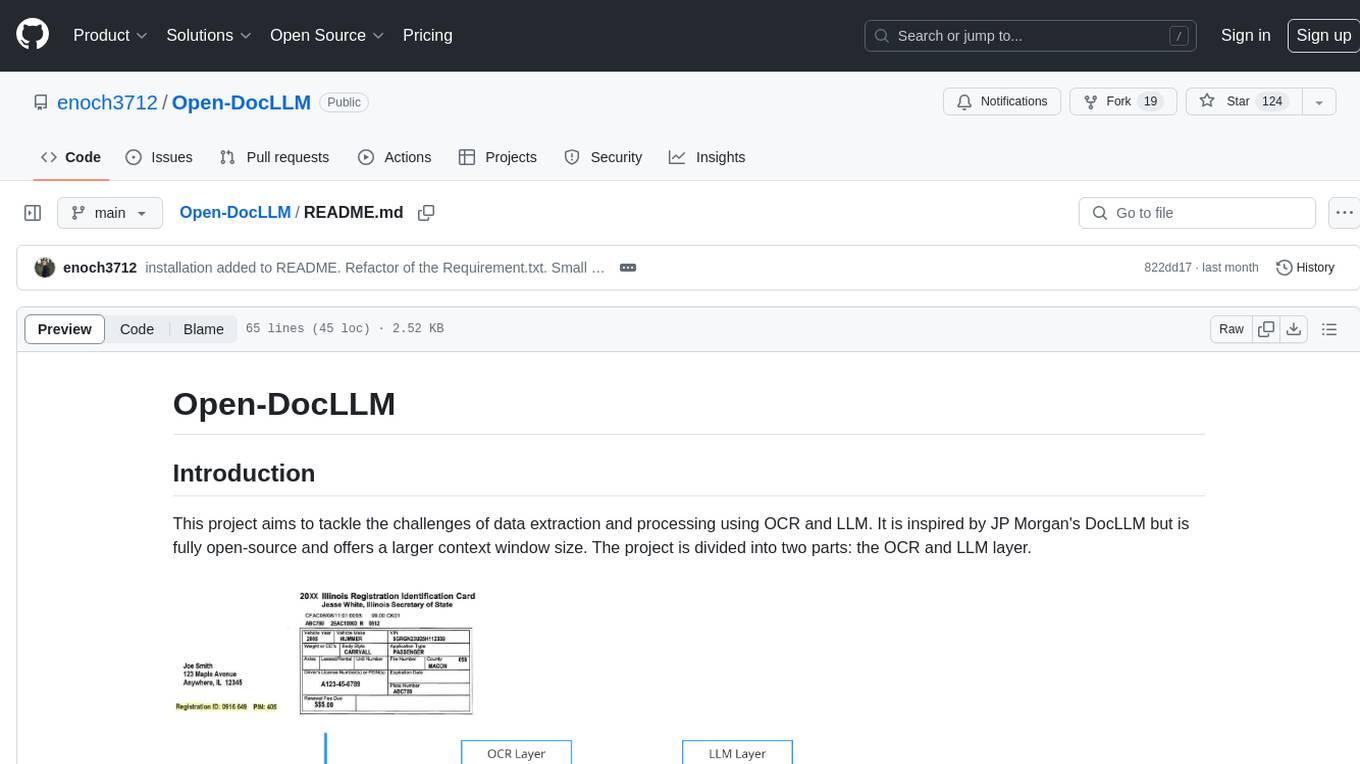
Open-DocLLM
Open-DocLLM is an open-source project that addresses data extraction and processing challenges using OCR and LLM technologies. It consists of two main layers: OCR for reading document content and LLM for extracting specific content in a structured manner. The project offers a larger context window size compared to JP Morgan's DocLLM and integrates tools like Tesseract OCR and Mistral for efficient data analysis. Users can run the models on-premises using LLM studio or Ollama, and the project includes a FastAPI app for testing purposes.
aws-genai-llm-chatbot
This repository provides code to deploy a chatbot powered by Multi-Model and Multi-RAG using AWS CDK on AWS. Users can experiment with various Large Language Models and Multimodal Language Models from different providers. The solution supports Amazon Bedrock, Amazon SageMaker self-hosted models, and third-party providers via API. It also offers additional resources like AWS Generative AI CDK Constructs and Project Lakechain for building generative AI solutions and document processing. The roadmap and authors are listed, along with contributors. The library is licensed under the MIT-0 License with information on changelog, code of conduct, and contributing guidelines. A legal disclaimer advises users to conduct their own assessment before using the content for production purposes.
ExtractThinker
ExtractThinker is a library designed for extracting data from files and documents using Language Model Models (LLMs). It offers ORM-style interaction between files and LLMs, supporting multiple document loaders such as Tesseract OCR, Azure Form Recognizer, AWS TextExtract, and Google Document AI. Users can customize extraction using contract definitions, process documents asynchronously, handle various document formats efficiently, and split and process documents. The project is inspired by the LangChain ecosystem and focuses on Intelligent Document Processing (IDP) using LLMs to achieve high accuracy in document extraction tasks.
For similar jobs

AirGo
AirGo is a front and rear end separation, multi user, multi protocol proxy service management system, simple and easy to use. It supports vless, vmess, shadowsocks, and hysteria2.
mosec
Mosec is a high-performance and flexible model serving framework for building ML model-enabled backend and microservices. It bridges the gap between any machine learning models you just trained and the efficient online service API. * **Highly performant** : web layer and task coordination built with Rust 🦀, which offers blazing speed in addition to efficient CPU utilization powered by async I/O * **Ease of use** : user interface purely in Python 🐍, by which users can serve their models in an ML framework-agnostic manner using the same code as they do for offline testing * **Dynamic batching** : aggregate requests from different users for batched inference and distribute results back * **Pipelined stages** : spawn multiple processes for pipelined stages to handle CPU/GPU/IO mixed workloads * **Cloud friendly** : designed to run in the cloud, with the model warmup, graceful shutdown, and Prometheus monitoring metrics, easily managed by Kubernetes or any container orchestration systems * **Do one thing well** : focus on the online serving part, users can pay attention to the model optimization and business logic
llm-code-interpreter
The 'llm-code-interpreter' repository is a deprecated plugin that provides a code interpreter on steroids for ChatGPT by E2B. It gives ChatGPT access to a sandboxed cloud environment with capabilities like running any code, accessing Linux OS, installing programs, using filesystem, running processes, and accessing the internet. The plugin exposes commands to run shell commands, read files, and write files, enabling various possibilities such as running different languages, installing programs, starting servers, deploying websites, and more. It is powered by the E2B API and is designed for agents to freely experiment within a sandboxed environment.

pezzo
Pezzo is a fully cloud-native and open-source LLMOps platform that allows users to observe and monitor AI operations, troubleshoot issues, save costs and latency, collaborate, manage prompts, and deliver AI changes instantly. It supports various clients for prompt management, observability, and caching. Users can run the full Pezzo stack locally using Docker Compose, with prerequisites including Node.js 18+, Docker, and a GraphQL Language Feature Support VSCode Extension. Contributions are welcome, and the source code is available under the Apache 2.0 License.
learn-generative-ai
Learn Cloud Applied Generative AI Engineering (GenEng) is a course focusing on the application of generative AI technologies in various industries. The course covers topics such as the economic impact of generative AI, the role of developers in adopting and integrating generative AI technologies, and the future trends in generative AI. Students will learn about tools like OpenAI API, LangChain, and Pinecone, and how to build and deploy Large Language Models (LLMs) for different applications. The course also explores the convergence of generative AI with Web 3.0 and its potential implications for decentralized intelligence.
gcloud-aio
This repository contains shared codebase for two projects: gcloud-aio and gcloud-rest. gcloud-aio is built for Python 3's asyncio, while gcloud-rest is a threadsafe requests-based implementation. It provides clients for Google Cloud services like Auth, BigQuery, Datastore, KMS, PubSub, Storage, and Task Queue. Users can install the library using pip and refer to the documentation for usage details. Developers can contribute to the project by following the contribution guide.
fluid
Fluid is an open source Kubernetes-native Distributed Dataset Orchestrator and Accelerator for data-intensive applications, such as big data and AI applications. It implements dataset abstraction, scalable cache runtime, automated data operations, elasticity and scheduling, and is runtime platform agnostic. Key concepts include Dataset and Runtime. Prerequisites include Kubernetes version > 1.16, Golang 1.18+, and Helm 3. The tool offers features like accelerating remote file accessing, machine learning, accelerating PVC, preloading dataset, and on-the-fly dataset cache scaling. Contributions are welcomed, and the project is under the Apache 2.0 license with a vendor-neutral approach.
aiges
AIGES is a core component of the Athena Serving Framework, designed as a universal encapsulation tool for AI developers to deploy AI algorithm models and engines quickly. By integrating AIGES, you can deploy AI algorithm models and engines rapidly and host them on the Athena Serving Framework, utilizing supporting auxiliary systems for networking, distribution strategies, data processing, etc. The Athena Serving Framework aims to accelerate the cloud service of AI algorithm models and engines, providing multiple guarantees for cloud service stability through cloud-native architecture. You can efficiently and securely deploy, upgrade, scale, operate, and monitor models and engines without focusing on underlying infrastructure and service-related development, governance, and operations.