


alphora
A Production-Ready Framework for Building Composable AI Agents
Stars: 161
Alphora is a full-stack framework for building production AI agents, providing agent orchestration, prompt engineering, tool execution, memory management, streaming, and deployment with an async-first, OpenAI-compatible design. It offers features like agent derivation, reasoning-action loop, async streaming, visual debugger, OpenAI compatibility, multimodal support, tool system with zero-config tools and type safety, prompt engine with dynamic prompts, memory and storage management, sandbox for secure execution, deployment as API, and more. Alphora allows users to build sophisticated AI agents easily and efficiently.
README:




A Production-Ready Framework for Building Composable AI Agents
Build powerful, modular, and maintainable AI agent applications with ease.
Docs • Quick Start • Examples • 中文
Alphora is a full-stack framework for building production AI agents. It provides everything you need: agent orchestration, prompt engineering, tool execution, memory management, streaming, and deployment—all with an async-first, OpenAI-compatible design.
from alphora.agent import ReActAgent
from alphora.models import OpenAILike
from alphora.sandbox import Sandbox
from alphora.tools import tool

@tool
def search_database(query: str) -> str:
    """Search the product database."""
    return f"Found 3 results for: {query}"


sandbox = Sandbox.create_docker()

agent = ReActAgent(
    llm=OpenAILike(model_name="gpt-4"),
    tools=[search_database],
    system_prompt="You are a helpful assistant.",
    sandbox=sandbox
)

response = await agent.run("Find laptops under $1000")pip install alphoraAlphora is packed with features for building sophisticated AI agents:
- Agent Derivation — Child agents inherit LLM, memory, and config from parents. Build hierarchies that share context.
- ReAct Loop — Built-in reasoning-action loop with automatic tool orchestration, retry logic, and iteration control.
-
Streaming First — Native async streaming with OpenAI SSE format. Multiple content types:
char,think,result,sql,chart. - Debug Tracing — Built-in visual debugger for agent execution flow, LLM calls, and tool invocations.
- OpenAI Compatible — Works with any OpenAI-compatible API: GPT, Claude, Qwen, DeepSeek, local models.
-
Multimodal Support — Unified
Messageclass for text, images, audio, and video inputs. - Load Balancing — Built-in round-robin/random load balancing across multiple LLM backends.
- Thinking Mode — Support for reasoning models (Qwen3, etc.) with separate thinking/content streams.
- Embedding API — Unified text embedding interface with batch processing.
-
Zero-Config Tools —
@tooldecorator auto-generates OpenAI function calling schema from type hints and docstrings. - Type Safety — Pydantic V2 validation for all tool parameters. Automatic error feedback to LLM.
- Async Native — Async tools run natively; sync tools auto-execute in thread pool.
- Parallel Execution — Execute multiple tool calls concurrently for better performance.
-
Instance Methods — Register class methods as tools with access to
selfcontext (DB connections, user state, etc.).
- Jinja2 Templates — Dynamic prompts with variable interpolation, conditionals, loops, and includes.
- Long Text Continuation — Auto-detect truncation and continue generation to bypass token limits.
-
Parallel Prompts — Execute multiple prompts concurrently with
ParallelPrompt. - Post-Processors — Transform streaming output with pluggable processor pipeline.
- Template Files — Load prompts from external files for better organization.
- Session Memory — Multi-session conversation management with full OpenAI message format support.
- Tool Call Tracking — Complete function calling chain management with validation.
- Pin/Tag System — Protect important messages from being trimmed or modified.
- Undo/Redo — Rollback conversation operations when needed.
- Multiple Backends — In-memory, JSON file, SQLite storage options.
- TTL Support — Automatic session cleanup with time-to-live.
- Secure Execution — Run agent-generated code in isolated environments.
- File Isolation — Sandboxed file system for safe file operations.
- Resource Tracking — Monitor and limit compute resources.
-
One-Line API — Publish any agent as OpenAI-compatible REST API with
publish_agent_api(). - FastAPI Integration — Built on FastAPI with automatic OpenAPI documentation.
- SSE Streaming — Server-Sent Events for real-time streaming responses.
- Session Management — Built-in session handling with configurable TTL.
from alphora.agent import BaseAgent
from alphora.models import OpenAILike

agent = BaseAgent(llm=OpenAILike(model_name="gpt-4"))

prompt = agent.create_prompt(
    system_prompt="You are a helpful assistant.",
    user_prompt="{{query}}"
)

response = await prompt.acall(query="What is Python?")from alphora.tools import tool, ToolRegistry, ToolExecutor
@tool
def get_weather(city: str, unit: str = "celsius") -> str:
"""Get current weather for a city."""
return f"Weather in {city}: 22°{unit[0].upper()}, Sunny"
@tool
async def search_docs(query: str, limit: int = 5) -> list:
"""Search internal documents."""
return [{"title": "Result 1", "score": 0.95}]
registry = ToolRegistry()
registry.register(get_weather)
registry.register(search_docs)
# Get OpenAI-compatible schema
tools_schema = registry.get_openai_tools_schema()from alphora.agent import ReActAgent
agent = ReActAgent(
llm=llm,
tools=[get_weather, search_docs],
system_prompt="You are a helpful assistant.",
max_iterations=10
)
# Agent automatically handles tool calling loop
result = await agent.run("What's the weather in Tokyo?")from alphora.agent import BaseAgent
from alphora.memory import MemoryManager
# Parent with shared resources
parent = BaseAgent(
llm=llm,
memory=MemoryManager(),
config={"project": "demo"}
)
# Children inherit llm, memory, config
researcher = parent.derive(ResearchAgent)
analyst = parent.derive(AnalysisAgent)
# All agents share the same memory
parent.memory.add_user(session_id="s1", content="Hello")
# researcher and analyst can see this messagefrom alphora.models.message import Message
# Create multimodal message
msg = Message()
msg.add_text("What's in this image?")
msg.add_image(base64_data, format="png")
response = await llm.ainvoke(msg)# Primary LLM
llm1 = OpenAILike(model_name="gpt-4", api_key="key1", base_url="https://api1.com/v1")
# Backup LLM
llm2 = OpenAILike(model_name="gpt-4", api_key="key2", base_url="https://api2.com/v1")
# Combine with automatic load balancing
llm = llm1 + llm2
response = await llm.ainvoke("Hello") # Auto round-robinfrom alphora.memory import MemoryManager
memory = MemoryManager()
# Add conversation
memory.add_user(session_id="user_123", content="Hello")
memory.add_assistant(session_id="user_123", content="Hi there!")
# Add tool results
memory.add_tool_result(session_id="user_123", result=tool_output)
# Build history for LLM
history = memory.build_history(session_id="user_123")from alphora.server import publish_agent_api, APIPublisherConfig
config = APIPublisherConfig(
path="/chat",
api_title="My Agent API",
memory_ttl=3600
)
app = publish_agent_api(agent=agent, method="run", config=config)
# Run: uvicorn main:app --port 8000curl -X POST http://localhost:8000/chat/v1/chat/completions \
-H "Content-Type: application/json" \
-d '{"messages": [{"role": "user", "content": "Hello!"}], "stream": true}'| Example | Description |
|---|---|
| ChatExcel | Data analysis agent with sandbox code execution |
| RAG Agent | Retrieval-augmented generation with vector search |
| Multi-Agent | Hierarchical agents with tool-as-agent pattern |
| Streaming Chat | Real-time chat with thinking mode |
# Environment variables
export LLM_API_KEY="your-api-key"
export LLM_BASE_URL="https://api.openai.com/v1"
export DEFAULT_LLM="gpt-4"

# Optional: Embedding
export EMBEDDING_API_KEY="your-key"
export EMBEDDING_BASE_URL="https://api.openai.com/v1"
# Programmatic configuration
from alphora.models import OpenAILike
llm = OpenAILike(
model_name="gpt-4",
api_key="sk-xxx",
base_url="https://api.openai.com/v1",
temperature=0.7,
max_tokens=4096,
is_multimodal=True # Enable vision
)For detailed system design, component relationships, and implementation patterns, see the Architecture Guide.
| Component | Description |
|---|---|
| Agent | Core agent lifecycle, derivation, ReAct loop |
| Prompter | Jinja2 templates, LLM invocation, streaming |
| Models | LLM interface, multimodal, load balancing |
| Tools | tool decorator, registry, parallel execution |
| Memory | Session management, history, pin/tag system |
| Storage | Persistent backends (memory, JSON, SQLite) |
| Sandbox | Secure code execution environment |
| Server | API publishing, SSE streaming |
| Postprocess | Stream transformation pipeline |
Crafted by the AlphaData Team.
 Tian Tian Project Lead & Core Dev 📧 |
 Yuhang Liang Developer 📧 |
 Jianhui Shi Developer 📧 |
 Yingdi Liu Developer 📧 |
 Qiuyang He Developer - |
 LiuJX Developer - |
 Cjdddd Developer 📧 |
 Weiyu Wang Developer 📧 |
This project is licensed under the Apache License 2.0.
See LICENSE for details.
Contributions require acceptance of the Contributor License Agreement (CLA).
For Tasks:
Click tags to check more tools for each tasksFor Jobs:
Alternative AI tools for alphora
Similar Open Source Tools
alphora
Alphora is a full-stack framework for building production AI agents, providing agent orchestration, prompt engineering, tool execution, memory management, streaming, and deployment with an async-first, OpenAI-compatible design. It offers features like agent derivation, reasoning-action loop, async streaming, visual debugger, OpenAI compatibility, multimodal support, tool system with zero-config tools and type safety, prompt engine with dynamic prompts, memory and storage management, sandbox for secure execution, deployment as API, and more. Alphora allows users to build sophisticated AI agents easily and efficiently.
agentfield
AgentField is an open-source control plane designed for autonomous AI agents, providing infrastructure for agents to make decisions beyond chatbots. It offers features like scaling infrastructure, routing & discovery, async execution, durable state, observability, trust infrastructure with cryptographic identity, verifiable credentials, and policy enforcement. Users can write agents in Python, Go, TypeScript, or interact via REST APIs. The tool enables the creation of AI backends that reason autonomously within defined boundaries, offering predictability and flexibility. AgentField aims to bridge the gap between AI frameworks and production-ready infrastructure for AI agents.

dexto
Dexto is a lightweight runtime for creating and running AI agents that turn natural language into real-world actions. It serves as the missing intelligence layer for building AI applications, standalone chatbots, or as the reasoning engine inside larger products. Dexto features a powerful CLI and Web UI for running AI agents, supports multiple interfaces, allows hot-swapping of LLMs from various providers, connects to remote tool servers via the Model Context Protocol, is config-driven with version-controlled YAML, offers production-ready core features, extensibility for custom services, and enables multi-agent collaboration via MCP and A2A.
z-ai-sdk-python
Z.ai Open Platform Python SDK is the official Python SDK for Z.ai's large model open interface, providing developers with easy access to Z.ai's open APIs. The SDK offers core features like chat completions, embeddings, video generation, audio processing, assistant API, and advanced tools. It supports various functionalities such as speech transcription, text-to-video generation, image understanding, and structured conversation handling. Developers can customize client behavior, configure API keys, and handle errors efficiently. The SDK is designed to simplify AI interactions and enhance AI capabilities for developers.
AutoAgents
AutoAgents is a cutting-edge multi-agent framework built in Rust that enables the creation of intelligent, autonomous agents powered by Large Language Models (LLMs) and Ractor. Designed for performance, safety, and scalability. AutoAgents provides a robust foundation for building complex AI systems that can reason, act, and collaborate. With AutoAgents you can create Cloud Native Agents, Edge Native Agents and Hybrid Models as well. It is so extensible that other ML Models can be used to create complex pipelines using Actor Framework.
ai-real-estate-assistant
AI Real Estate Assistant is a modern platform that uses AI to assist real estate agencies in helping buyers and renters find their ideal properties. It features multiple AI model providers, intelligent query processing, advanced search and retrieval capabilities, and enhanced user experience. The tool is built with a FastAPI backend and Next.js frontend, offering semantic search, hybrid agent routing, and real-time analytics.
BrowserAI
BrowserAI is a production-ready tool that allows users to run AI models directly in the browser, offering simplicity, speed, privacy, and open-source capabilities. It provides WebGPU acceleration for fast inference, zero server costs, offline capability, and developer-friendly features. Perfect for web developers, companies seeking privacy-conscious AI solutions, researchers experimenting with browser-based AI, and hobbyists exploring AI without infrastructure overhead. The tool supports various AI tasks like text generation, speech recognition, and text-to-speech, with pre-configured popular models ready to use. It offers a simple SDK with multiple engine support and seamless switching between MLC and Transformers engines.
kiss_ai
KISS AI is a lightweight and powerful multi-agent evolutionary framework that simplifies building AI agents. It uses native function calling for efficiency and accuracy, making building AI agents as straightforward as possible. The framework includes features like multi-agent orchestration, agent evolution and optimization, relentless coding agent for long-running tasks, output formatting, trajectory saving and visualization, GEPA for prompt optimization, KISSEvolve for algorithm discovery, self-evolving multi-agent, Docker integration, multiprocessing support, and support for various models from OpenAI, Anthropic, Gemini, Together AI, and OpenRouter.
botserver
General Bots is a self-hosted AI automation platform and LLM conversational platform focused on convention over configuration and code-less approaches. It serves as the core API server handling LLM orchestration, business logic, database operations, and multi-channel communication. The platform offers features like multi-vendor LLM API, MCP + LLM Tools Generation, Semantic Caching, Web Automation Engine, Enterprise Data Connectors, and Git-like Version Control. It enforces a ZERO TOLERANCE POLICY for code quality and security, with strict guidelines for error handling, performance optimization, and code patterns. The project structure includes modules for core functionalities like Rhai BASIC interpreter, security, shared types, tasks, auto task system, file operations, learning system, and LLM assistance.
oh-my-pi
oh-my-pi is an AI coding agent for the terminal, providing tools for interactive coding, AI-powered git commits, Python code execution, LSP integration, time-traveling streamed rules, interactive code review, task management, interactive questioning, custom TypeScript slash commands, universal config discovery, MCP & plugin system, web search & fetch, SSH tool, Cursor provider integration, multi-credential support, image generation, TUI overhaul, edit fuzzy matching, and more. It offers a modern terminal interface with smart session management, supports multiple AI providers, and includes various tools for coding, task management, code review, and interactive questioning.
aegra
Aegra is a self-hosted AI agent backend platform that provides LangGraph power without vendor lock-in. Built with FastAPI + PostgreSQL, it offers complete control over agent orchestration for teams looking to escape vendor lock-in, meet data sovereignty requirements, enable custom deployments, and optimize costs. Aegra is Agent Protocol compliant and perfect for teams seeking a free, self-hosted alternative to LangGraph Platform with zero lock-in, full control, and compatibility with existing LangGraph Client SDK.
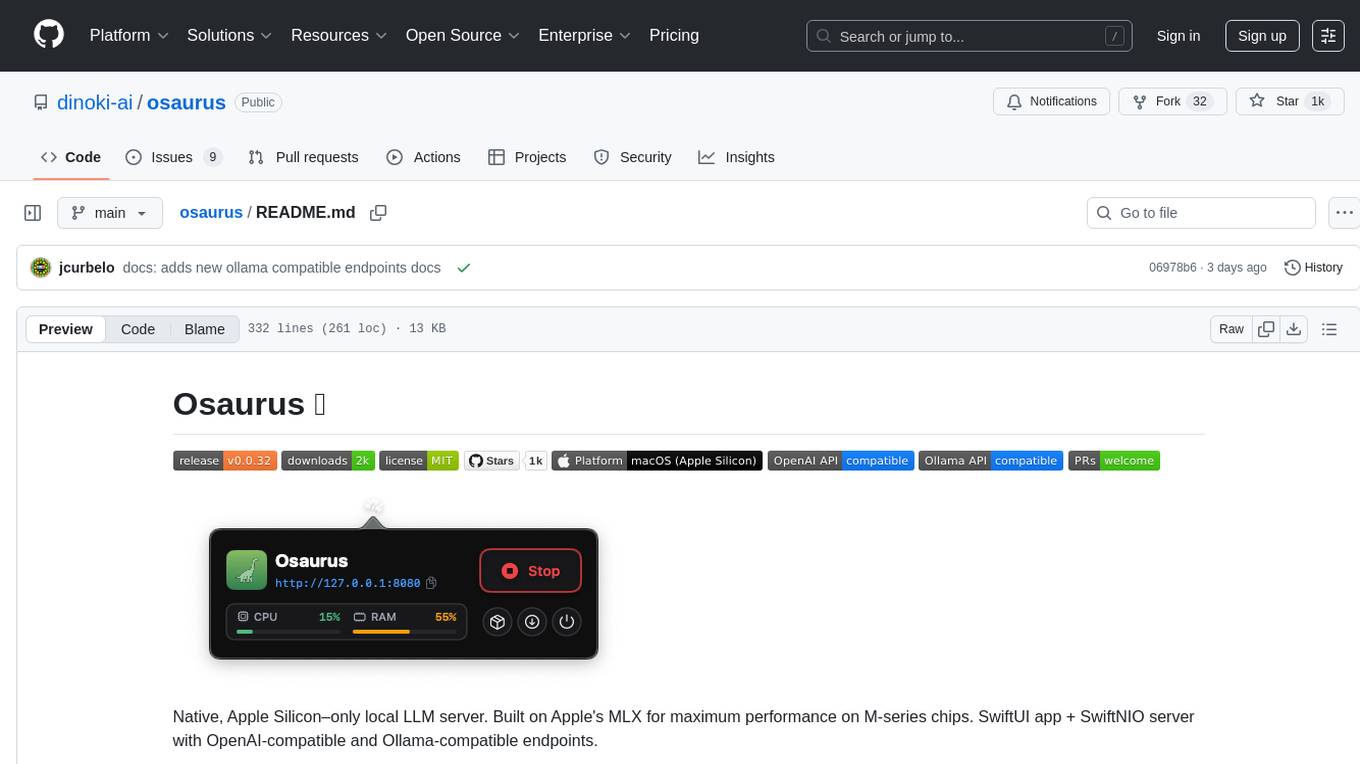
osaurus
Osaurus is a native, Apple Silicon-only local LLM server built on Apple's MLX for maximum performance on M‑series chips. It is a SwiftUI app + SwiftNIO server with OpenAI‑compatible and Ollama‑compatible endpoints. The tool supports native MLX text generation, model management, streaming and non‑streaming chat completions, OpenAI‑compatible function calling, real-time system resource monitoring, and path normalization for API compatibility. Osaurus is designed for macOS 15.5+ and Apple Silicon (M1 or newer) with Xcode 16.4+ required for building from source.
mistral.rs
Mistral.rs is a fast LLM inference platform written in Rust. We support inference on a variety of devices, quantization, and easy-to-use application with an Open-AI API compatible HTTP server and Python bindings.
flashinfer
FlashInfer is a library for Language Languages Models that provides high-performance implementation of LLM GPU kernels such as FlashAttention, PageAttention and LoRA. FlashInfer focus on LLM serving and inference, and delivers state-the-art performance across diverse scenarios.
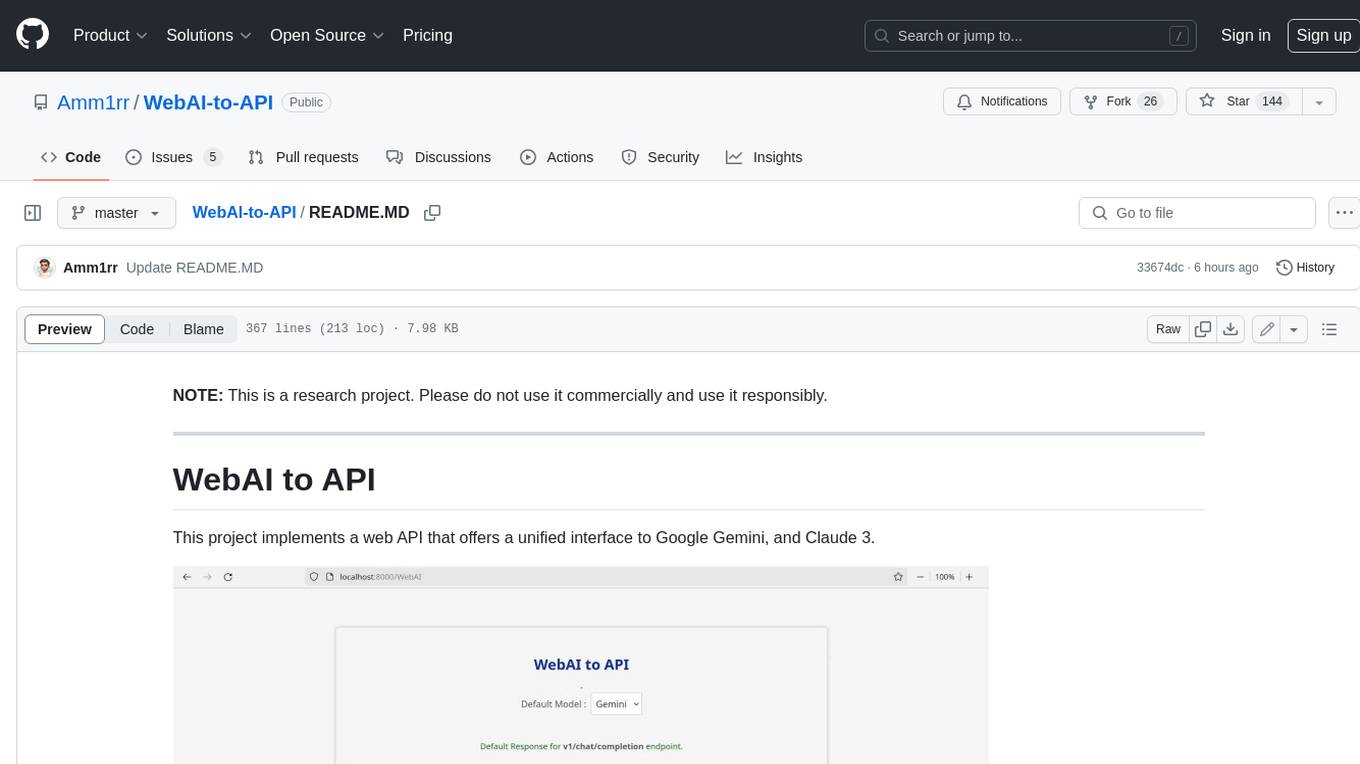
WebAI-to-API
This project implements a web API that offers a unified interface to Google Gemini and Claude 3. It provides a self-hosted, lightweight, and scalable solution for accessing these AI models through a streaming API. The API supports both Claude and Gemini models, allowing users to interact with them in real-time. The project includes a user-friendly web UI for configuration and documentation, making it easy to get started and explore the capabilities of the API.
presenton
Presenton is an open-source AI presentation generator and API that allows users to create professional presentations locally on their devices. It offers complete control over the presentation workflow, including custom templates, AI template generation, flexible generation options, and export capabilities. Users can use their own API keys for various models, integrate with Ollama for local model running, and connect to OpenAI-compatible endpoints. The tool supports multiple providers for text and image generation, runs locally without cloud dependencies, and can be deployed as a Docker container with GPU support.
For similar tasks
AutoGPT
AutoGPT is a revolutionary tool that empowers everyone to harness the power of AI. With AutoGPT, you can effortlessly build, test, and delegate tasks to AI agents, unlocking a world of possibilities. Our mission is to provide the tools you need to focus on what truly matters: innovation and creativity.
agent-os
The Agent OS is an experimental framework and runtime to build sophisticated, long running, and self-coding AI agents. We believe that the most important super-power of AI agents is to write and execute their own code to interact with the world. But for that to work, they need to run in a suitable environment—a place designed to be inhabited by agents. The Agent OS is designed from the ground up to function as a long-term computing substrate for these kinds of self-evolving agents.
chatdev
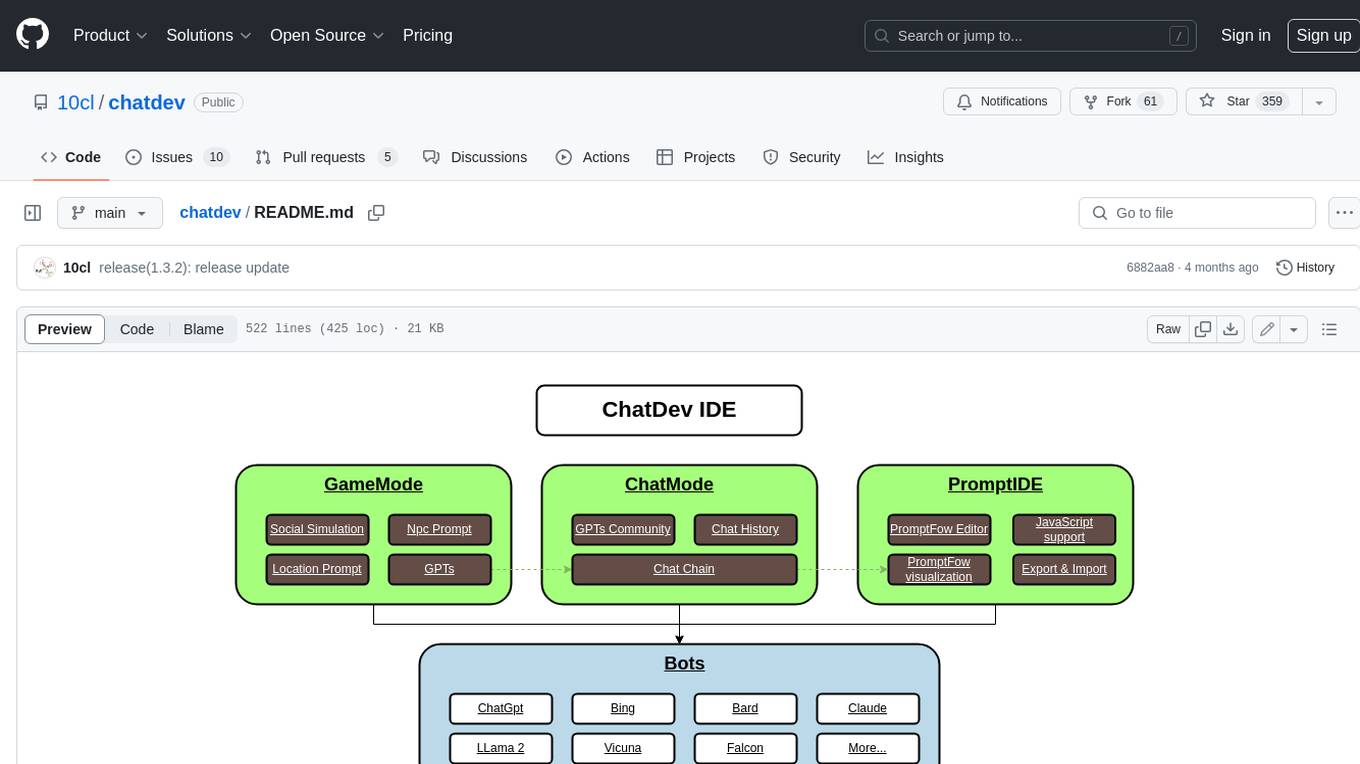
ChatDev IDE is a tool for building your AI agent, Whether it's NPCs in games or powerful agent tools, you can design what you want for this platform. It accelerates prompt engineering through **JavaScript Support** that allows implementing complex prompting techniques.
module-ballerinax-ai.agent
This library provides functionality required to build ReAct Agent using Large Language Models (LLMs).
npi
NPi is an open-source platform providing Tool-use APIs to empower AI agents with the ability to take action in the virtual world. It is currently under active development, and the APIs are subject to change in future releases. NPi offers a command line tool for installation and setup, along with a GitHub app for easy access to repositories. The platform also includes a Python SDK and examples like Calendar Negotiator and Twitter Crawler. Join the NPi community on Discord to contribute to the development and explore the roadmap for future enhancements.
ai-agents
The 'ai-agents' repository is a collection of books and resources focused on developing AI agents, including topics such as GPT models, building AI agents from scratch, machine learning theory and practice, and basic methods and tools for data analysis. The repository provides detailed explanations and guidance for individuals interested in learning about and working with AI agents.
llms
The 'llms' repository is a comprehensive guide on Large Language Models (LLMs), covering topics such as language modeling, applications of LLMs, statistical language modeling, neural language models, conditional language models, evaluation methods, transformer-based language models, practical LLMs like GPT and BERT, prompt engineering, fine-tuning LLMs, retrieval augmented generation, AI agents, and LLMs for computer vision. The repository provides detailed explanations, examples, and tools for working with LLMs.
ai-app
The 'ai-app' repository is a comprehensive collection of tools and resources related to artificial intelligence, focusing on topics such as server environment setup, PyCharm and Anaconda installation, large model deployment and training, Transformer principles, RAG technology, vector databases, AI image, voice, and music generation, and AI Agent frameworks. It also includes practical guides and tutorials on implementing various AI applications. The repository serves as a valuable resource for individuals interested in exploring different aspects of AI technology.
For similar jobs

sweep
Sweep is an AI junior developer that turns bugs and feature requests into code changes. It automatically handles developer experience improvements like adding type hints and improving test coverage.

teams-ai
The Teams AI Library is a software development kit (SDK) that helps developers create bots that can interact with Teams and Microsoft 365 applications. It is built on top of the Bot Framework SDK and simplifies the process of developing bots that interact with Teams' artificial intelligence capabilities. The SDK is available for JavaScript/TypeScript, .NET, and Python.

ai-guide
This guide is dedicated to Large Language Models (LLMs) that you can run on your home computer. It assumes your PC is a lower-end, non-gaming setup.

classifai
Supercharge WordPress Content Workflows and Engagement with Artificial Intelligence. Tap into leading cloud-based services like OpenAI, Microsoft Azure AI, Google Gemini and IBM Watson to augment your WordPress-powered websites. Publish content faster while improving SEO performance and increasing audience engagement. ClassifAI integrates Artificial Intelligence and Machine Learning technologies to lighten your workload and eliminate tedious tasks, giving you more time to create original content that matters.

chatbot-ui
Chatbot UI is an open-source AI chat app that allows users to create and deploy their own AI chatbots. It is easy to use and can be customized to fit any need. Chatbot UI is perfect for businesses, developers, and anyone who wants to create a chatbot.

BricksLLM
BricksLLM is a cloud native AI gateway written in Go. Currently, it provides native support for OpenAI, Anthropic, Azure OpenAI and vLLM. BricksLLM aims to provide enterprise level infrastructure that can power any LLM production use cases. Here are some use cases for BricksLLM: * Set LLM usage limits for users on different pricing tiers * Track LLM usage on a per user and per organization basis * Block or redact requests containing PIIs * Improve LLM reliability with failovers, retries and caching * Distribute API keys with rate limits and cost limits for internal development/production use cases * Distribute API keys with rate limits and cost limits for students

uAgents
uAgents is a Python library developed by Fetch.ai that allows for the creation of autonomous AI agents. These agents can perform various tasks on a schedule or take action on various events. uAgents are easy to create and manage, and they are connected to a fast-growing network of other uAgents. They are also secure, with cryptographically secured messages and wallets.

griptape
Griptape is a modular Python framework for building AI-powered applications that securely connect to your enterprise data and APIs. It offers developers the ability to maintain control and flexibility at every step. Griptape's core components include Structures (Agents, Pipelines, and Workflows), Tasks, Tools, Memory (Conversation Memory, Task Memory, and Meta Memory), Drivers (Prompt and Embedding Drivers, Vector Store Drivers, Image Generation Drivers, Image Query Drivers, SQL Drivers, Web Scraper Drivers, and Conversation Memory Drivers), Engines (Query Engines, Extraction Engines, Summary Engines, Image Generation Engines, and Image Query Engines), and additional components (Rulesets, Loaders, Artifacts, Chunkers, and Tokenizers). Griptape enables developers to create AI-powered applications with ease and efficiency.