


kiss_ai
Keep it Simple, Stupid AI Agent and Evolutionary Framework with GEPA, AlphaEvolve, Self Evolve
Stars: 56
KISS AI is a lightweight and powerful multi-agent evolutionary framework that simplifies building AI agents. It uses native function calling for efficiency and accuracy, making building AI agents as straightforward as possible. The framework includes features like multi-agent orchestration, agent evolution and optimization, relentless coding agent for long-running tasks, output formatting, trajectory saving and visualization, GEPA for prompt optimization, KISSEvolve for algorithm discovery, self-evolving multi-agent, Docker integration, multiprocessing support, and support for various models from OpenAI, Anthropic, Gemini, Together AI, and OpenRouter.
README:
Version: 0.1.11
"Everything should be made as simple as possible, but not simpler." — Albert Einstein
KISS stands for "Keep it Simple, Stupid" which is a well known software engineering principle.
- The Problem with AI Agent Frameworks Today
- Your First Agent in 30 Seconds
- Blogs
- Multi-Agent Orchestration
- Using Agent Creator and Optimizer
- Using Relentless Coding Agent
- Output Formatting
- Trajectory Saving and Visualization
- Overview
- Installation
- KISSAgent API Reference
- Using GEPA for Prompt Optimization
- Using KISSEvolve for Algorithm Discovery
- Using Self-Evolving Multi-Agent
- Using KISS Coding Agent
- Using Claude Coding Agent
- Using Gemini CLI Agent
- Using OpenAI Codex Agent
- Using SimpleRAG for Retrieval-Augmented Generation
- Multiprocessing
- Docker Manager
- Project Structure
- Versioning
- Configuration
- Available Commands
- Models Supported
- Contributing
- License
- Authors
Let's be honest. The AI agent ecosystem has become a jungle.
Every week brings a new framework promising to revolutionize how we build AI agents. They come loaded with abstractions on top of abstractions, configuration files that rival tax forms, and dependency trees that make node_modules look tidy. By the time you've figured out how to make your first tool call, you've already burned through half your patience and all your enthusiasm.
What if there was another way?
What if building AI agents could be as straightforward as the name suggests?
Enter KISS — the Keep It Simple, Stupid Agent Framework.
Try the interactive Jupyter notebook by running uv run notebook --lab.
Let me show you something beautiful:
from kiss.core.kiss_agent import KISSAgent

def calculate(expression: str) -> str:
    """Evaluate a math expression."""
    return str(eval(expression))

agent = KISSAgent(name="Math Buddy")
result = agent.run(
    model_name="gemini-2.5-flash",
    prompt_template="Calculate: {question}",
    arguments={"question": "What is 15% of 847?"},
    tools=[calculate]
)
print(result)  # 127.05
That's a fully functional AI agent that uses tools. No annotations. No boilerplate. No ceremony. Just intent, directly expressed.
KISS uses native function calling from the LLM providers for efficiency and accuracy. Your Python functions become tools automatically. Type hints become schemas. Docstrings become descriptions. No crazy annotations. Everything just works.
Here's where KISS really shines — composing multiple agents into systems greater than the sum of their parts.
Since agents are just functions, you orchestrate them with plain Python. Here's a complete research-to-article pipeline with three agents:
from kiss.core.kiss_agent import KISSAgent

# Agent 1: Research a topic
researcher = KISSAgent(name="Researcher")
research = researcher.run(
    model_name="gpt-4o",
    prompt_template="List 3 key facts about {topic}. Be concise.",
    arguments={"topic": "Python asyncio"},
    is_agentic=False  # Simple generation, no tools
)

# Agent 2: Write a draft using the research
writer = KISSAgent(name="Writer")
draft = writer.run(
    model_name="claude-sonnet-4-5",
    prompt_template="Write a 2-paragraph intro based on:\n{research}",
    arguments={"research": research},
    is_agentic=False
)

# Agent 3: Polish the draft
editor = KISSAgent(name="Editor")
final = editor.run(
    model_name="gemini-2.5-flash",
    prompt_template="Improve clarity and fix any errors:\n{draft}",
    arguments={"draft": draft},
    is_agentic=False
)

print(final)
That's it. Each agent can use a different model. Each agent saves its own trajectory. And you compose them with the most powerful orchestration tool ever invented: regular Python code.
No special orchestration framework needed. No message buses. No complex state machines. Just Python functions calling Python functions.
📖 For detailed Agent Creator and Optimizer documentation, see Agent Creator and Optimizer README
The Agent Creator and Optimizer module provides tools to automatically evolve and optimize AI agents for token efficiency, execution speed, and cost using evolutionary algorithms with Pareto frontier maintenance.
Key Component:
- AgentEvolver: Maintains a population of agent variants and evolves them using mutation and crossover operations
It uses a Pareto frontier approach to track non-dominated solutions, optimizing for multiple objectives simultaneously without requiring a single combined metric.
from kiss.agents.create_and_optimize_agent import AgentEvolver, create_progress_callback

evolver = AgentEvolver()

best_variant = evolver.evolve(
    task_description="Build a code analysis assistant that can parse and analyze large codebases",
    max_generations=10,
    max_frontier_size=6,
    mutation_probability=0.8,
    progress_callback=create_progress_callback(verbose=True),  # Optional progress tracking
)

print(f"Best agent: {best_variant.folder_path}")
print(f"Metrics: {best_variant.metrics}")
Key Features:
- Multi-Objective Optimization: Optimizes for flexible metrics (e.g., success, token usage, execution time, cost)
- Pareto Frontier Maintenance: Keeps track of all non-dominated solutions
- Evolutionary Operations: Supports mutation (improving one variant) and crossover (combining ideas from two variants)
- Uses RelentlessCodingAgent: Leverages the relentless single-agent coding system with auto-continuation for agent improvement
- Automatic Pruning: Removes dominated variants to manage memory and storage
- Lineage Tracking: Records parent relationships and improvement history
-
Progress Callbacks: Optional
progress_callbackfor tracking optimization progress, building UIs, or logging - Configurable Parameters: Extensive configuration options for generations, frontier size, thresholds, etc.
For usage examples, API reference, and configuration options, please see the Agent Creator and Optimizer README.
For very long running coding tasks, use the RelentlessCodingAgent. The agent will work relentlessly to complete your task using a single-agent architecture with smart continuation:
from kiss.agents.coding_agents.relentless_coding_agent import RelentlessCodingAgent

agent = RelentlessCodingAgent(name="Simple Coding Agent")

result = agent.run(
    prompt_template="""
        Create a Python script that reads a CSV file,
        filters rows where age > 18, and writes to a new file.
    """,
    subtasker_model_name="claude-sonnet-4-5",
    work_dir="./workspace",
    max_steps=200,
    trials=200
)
print(f"Result: {result}")
Running with Docker:
You can optionally run bash commands inside a Docker container for isolation:
from kiss.agents.coding_agents.relentless_coding_agent import RelentlessCodingAgent

agent = RelentlessCodingAgent(name="Dockered Relentless Coding Agent")

result = agent.run(
    prompt_template="""
        Install numpy and create a script that generates
        a random matrix and computes its determinant.
    """,
    docker_image="python:3.11-slim",  # Bash commands run in Docker
    max_steps=200,
    trials=2000
)
print(f"Result: {result}")
Key Features:
- Single-Agent with Auto-Continuation: A single agent executes the task across multiple trials, automatically continuing where it left off via structured JSON progress tracking (💡 new idea)
- Structured Progress Tracking: Each trial reports completed and remaining tasks in JSON format (done/next items), which is deduplicated and passed to subsequent trials along with a scan of existing files in the work directory
- Adaptive Step Thresholds: Step limits per trial scale based on trial number and progress, with conservative early trials and more steps for trials showing good progress
- Efficiency Rules: Built-in prompt instructions enforce step minimization, batching, and immediate completion when tests pass
- Output Truncation: Long tool outputs are automatically truncated to keep context manageable
- Retry with Context: Failed trials automatically pass structured progress summaries and file listings to the next trial
- Configurable Trials: Set high trial counts (e.g., 200+) for truly relentless execution
- Docker Support: Optional isolated execution via Docker containers
- Path Access Control: Enforces read/write permissions on file system paths
- Built-in Tools: Bash, Read, and Edit tools for file operations
- Budget & Token Tracking: Automatic cost and token usage monitoring across all trials
Unlike other agentic systems, you do not need to specify the output schema for the agent. Just create a suitable "finish" function with parameters. The parameters could be treated as the top level keys in a json format.
Example: Custom Structured Output
from kiss.core.kiss_agent import KISSAgent

# Define a custom finish function with your desired output structure
def finish(
    sentiment: str,
    confidence: float,
    key_phrases: str,
    summary: str
) -> str:
    """
    Complete the analysis with structured results.

    Args:
        sentiment: The overall sentiment ('positive', 'negative', or 'neutral')
        confidence: Confidence score between 0.0 and 1.0
        key_phrases: Comma-separated list of key phrases found in the text
        summary: A brief summary of the analysis

    Returns:
        The formatted analysis result
    """
    ...
The agent will automatically use your custom finish function instead of the default one which returns its argument. The function's parameters define what information the agent must provide, and the docstring helps the LLM understand how to format each field.
Agent trajectories are automatically saved to the artifacts directory (default: artifacts/). Each trajectory includes:
- Complete message history with token usage and budget information appended to each message
- Tool calls and results
- Configuration used
- Timestamps
- Budget and token usage statistics
The framework includes a web-based trajectory visualizer for viewing agent execution histories:
# Run the visualizer server
uv run python -m kiss.viz_trajectory.server artifacts

# Or with custom host/port
uv run python -m kiss.viz_trajectory.server artifacts --host 127.0.0.1 --port 5050
Then open your browser to http://127.0.0.1:5050 to view the trajectories.
The visualizer provides:
- Modern UI: Dark theme with smooth animations
- Sidebar Navigation: List of all trajectories sorted by start time
- Markdown Rendering: Full markdown support for message content
- Code Highlighting: Syntax highlighting for fenced code blocks
- Message Display: Clean, organized view of agent conversations
- Metadata Display: Shows agent ID, model, steps, tokens, and budget information

📖 For detailed trajectory visualizer documentation, see Trajectory Visualizer README
KISS is a lightweight, yet powerful, multi agent framework that implements a ReAct (Reasoning and Acting) loop for LLM agents. The framework provides:
- Simple Architecture: Clean, minimal core that's easy to understand and extend
- Relentless Coding Agent: Single-agent coding system with smart auto-continuation for infinite tasks (💡 new idea)
- Create and Optimize Agent: Multi-objective agent evolution and improvement with Pareto frontier (💡 new idea)
- GEPA Implementation From Scratch: Genetic-Pareto prompt optimization for compound AI systems
- KISSEvolve Implementation From Scratch: Evolutionary algorithm discovery framework with LLM-guided mutation and crossover
- Model Agnostic: Support for multiple LLM providers (OpenAI, Anthropic, Gemini, Together AI, OpenRouter)
- Native Function Calling: Seamless tool integration using native function calling APIs (OpenAI, Anthropic, Gemini, Together AI, and OpenRouter)
- Docker Integration: Built-in Docker manager for running agents in isolated environments
- Trajectory Tracking: Automatic saving of agent execution trajectories with unified state management
- Token Streaming: Real-time token streaming via async callback for all providers (OpenAI, Anthropic, Gemini, Together AI, OpenRouter), including tool execution output
- Token Usage Tracking: Built-in token usage tracking with automatic context length detection and step counting
- Budget Tracking: Automatic cost tracking and budget monitoring across all agent runs
- Self-Evolution: Framework for agents to evolve and refine other multi agents
- SWE-bench Dataset Support: Built-in support for downloading and working with SWE-bench Verified dataset
- RAG Support: Simple retrieval-augmented generation system with in-memory vector store
- Useful Agents: Pre-built utility agents including prompt refinement and general bash execution agents
- Multiprocessing Support: Utilities for parallel execution of functions using multiprocessing
- Trajectory Visualization: Web-based visualizer for viewing agent execution trajectories with modern UI
# Install uv if you haven't already
curl -LsSf https://astral.sh/uv/install.sh | sh

# Clone/download KISS and navigate to the directory
cd kiss

# Create virtual environment
uv venv --python 3.13

# Install all dependencies (full installation)
uv sync

# (Optional) activate the venv for convenience (uv run works without activation)
source .venv/bin/activate

# Set up API keys (optional, for LLM providers)
export GEMINI_API_KEY="your-key-here"
export OPENAI_API_KEY="your-key-here"
export ANTHROPIC_API_KEY="your-key-here"
export TOGETHER_API_KEY="your-key-here"
export OPENROUTER_API_KEY="your-key-here"KISS supports selective installation via dependency groups for minimal footprints:
# Minimal core only (no model SDKs) - for custom integrations
uv sync --group core

# Core + specific provider support
uv sync --group claude    # Core + Anthropic Claude
uv sync --group openai    # Core + OpenAI Compatible Models
uv sync --group gemini    # Core + Google Gemini

# Claude Coding Agent (includes claude-agent-sdk)
uv sync --group claude-coding-agent

# Docker support (for running agents in isolated containers)
uv sync --group docker

# Evals dependencies (for running benchmarks)
uv sync --group evals

# Development tools (mypy, ruff, pytest, jupyter, etc.)
uv sync --group dev

# Combine multiple groups as needed
uv sync --group claude --group dev
Dependency Group Contents:
| Group | Description | Key Packages |
|---|---|---|
core |
Minimal core module | pydantic, rich, requests, beautifulsoup4, playwright, flask |
claude |
Core + Anthropic | core + anthropic |
openai |
Core + OpenAI | core + openai |
gemini |
Core + Google | core + google-genai |
claude-coding-agent |
Claude Coding Agent | claude + claude-agent-sdk, uvicorn, starlette |
docker |
Docker integration | docker, types-docker |
evals |
Benchmark running | datasets, swebench, orjson, scipy, scikit-learn |
dev |
Development tools | mypy, ruff, pyright, pytest, jupyter, notebook |
Optional Dependencies: All LLM provider SDKs (
openai,anthropic,google-genai) are optional. You can importkiss.coreandkiss.agentswithout installing all of them. When you try to use a model whose SDK is not installed, KISS raises a clearKISSErrortelling you which package to install. Similarly, the coding agents (ClaudeCodingAgent,GeminiCliAgent,OpenAICodexAgent) only require their respective SDKs — you won't get import errors for agents whose SDKs you haven't installed.
📖 For detailed KISSAgent API documentation, see API.md
KISS has a fresh implementation of GEPA with some improvements. GEPA (Genetic-Pareto) is a prompt optimization framework that uses natural language reflection to evolve prompts. It maintains an instance-level Pareto frontier of top-performing prompts and combines complementary lessons through structural merge. GEPA is based on the paper "GEPA: Reflective Prompt Evolution Can Outperform Reinforcement Learning".
📖 For detailed GEPA documentation, see GEPA README
KISSEvolve is an evolutionary algorithm discovery framework that uses LLM-guided mutation and crossover to evolve code variants. It supports advanced features including island-based evolution, novelty rejection sampling, and multiple parent sampling methods.
For usage examples, API reference, and configuration options, please see the KISSEvolve README.
📖 For detailed KISSEvolve documentation, see KISSEvolve README
The Self-Evolving Multi-Agent is an advanced coding agent with planning, error recovery, dynamic tool creation, and the ability to evolve itself for better efficiency and accuracy using KISSEvolve.
📖 For detailed Self-Evolving Multi-Agent documentation, see Self-Evolving Multi-Agent README
from kiss.agents.self_evolving_multi_agent import SelfEvolvingMultiAgent

# Create and run the agent
agent = SelfEvolvingMultiAgent()
result = agent.run("""
    Create a Python script that:
    1. Generates the first 20 Fibonacci numbers
    2. Saves them to a file called 'fibonacci.txt'
    3. Reads the file back and prints the sum
""")
print(result)

# Access execution statistics
stats = agent.get_stats()
print(f"Completed todos: {stats['completed']}/{stats['total_todos']}")
print(f"Dynamic tools created: {stats['dynamic_tools']}")
Key Features:
- Planning & Task Tracking: Creates and manages a todo list with status tracking (pending → in_progress → completed/failed)
- Sub-Agent Delegation: Spawns focused sub-agents for individual task execution
- Dynamic Tool Creation: Creates reusable tools at runtime when prompted by the orchestrator
- Error Recovery: Automatic retry logic with configurable max retries
- Docker Isolation: Runs code execution in isolated Docker containers
- Self-Evolution: Uses KISSEvolve to optimize for efficiency and accuracy
Evolving the Agent:
from kiss.agents.self_evolving_multi_agent.agent_evolver import AgentEvolver

# Create evolver
evolver = AgentEvolver(
    package_name="kiss.agents.self_evolving_multi_agent",
    agent_file_path="multi_agent.py",
    model_name="gemini-3-flash-preview",
    focus_on_efficiency=True,
)

# Run baseline evaluation first
baseline = evolver.run_baseline_evaluation()
print(f"Baseline fitness: {baseline['fitness']:.4f}")

# Evolve the agent
best = evolver.evolve()
print(f"Evolved fitness: {best.fitness:.4f}")

# Save the best variant
evolver.save_best(best)The KISS Coding Agent is a multi-agent system with orchestration and sub-agents using KISSAgent. It efficiently breaks down complex coding tasks into manageable sub-tasks and includes automatic prompt refinement on failures:
from kiss.agents.coding_agents import KISSCodingAgent

# Create agent with a name
agent = KISSCodingAgent(name="My Coding Agent")

# Run a coding task with path restrictions
result = agent.run(
    prompt_template="""
        Write, test, and optimize a fibonacci function in Python
        that is efficient and correct.
    """,
    orchestrator_model_name="claude-sonnet-4-5",  # Model for orchestration and execution
    subtasker_model_name="claude-opus-4-5",  # Model for subtask generation and execution
    refiner_model_name="claude-haiku-4-5",  # Model for prompt refinement on failures
    readable_paths=["src/"],  # Allowed read paths (relative to base_dir)
    writable_paths=["output/"],  # Allowed write paths (relative to base_dir)
    base_dir=".",  # Base working directory (project root)
    max_steps=100,  # Maximum steps per agent
    trials=3  # Number of retry attempts
)
print(f"Result: {result}")
Key Features:
- Multi-Agent Architecture: Orchestrator delegates to executor agents for specific sub-tasks
- Prompt Refinement: Automatically refines prompts when tasks fail using trajectory analysis (KISSCodingAgent)
- Efficient Orchestration: Manages execution through smart task delegation
-
Bash Command Parsing: Automatically extracts readable/writable directories from bash commands using
parse_bash_command_paths() - Path Access Control: Enforces read/write permissions on file system paths before command execution
-
Docker Support: Optional Docker container execution via the
docker_imageparameter for isolated bash command execution
Requires:
claude-agent-sdkandanthropicpackages. Install withuv sync --group claude-coding-agent.
Since everyone loves Claude Code, I thought I will provide API access to Claude Code so that you can use the best coding agent. The Claude Coding Agent uses the Claude Agent SDK to generate tested Python programs with file system access controls:
from kiss.agents.coding_agents import ClaudeCodingAgent

# Create agent with a name
agent = ClaudeCodingAgent(name="My Coding Agent")

# Run a coding task with path restrictions
result = agent.run(
    model_name="claude-sonnet-4-5",
    prompt_template="""
        Write, test, and optimize a fibonacci function in Python
        that is efficient and correct.
    """,
    readable_paths=["src/"],  # Allowed read paths (relative to base_dir)
    writable_paths=["output/"],  # Allowed write paths (relative to base_dir)
    base_dir="."  # Base working directory (project root)
)
if result:
    print(f"Result: {result}")
Browser Streaming Output:
The Claude Coding Agent supports real-time browser streaming. When use_browser=True is set, a local server is started and a browser window opens automatically to display live output with a modern dark-themed UI:
from kiss.agents.coding_agents import ClaudeCodingAgent

agent = ClaudeCodingAgent(name="My Agent", use_browser=True)
result = agent.run(
    model_name="claude-sonnet-4-5",
    prompt_template="Write a fibonacci function with tests"
)
When running claude_coding_agent.py directly, browser output is enabled by default:
uv run python -m kiss.agents.coding_agents.claude_coding_agentThe browser interface features scrollable panels for thinking blocks, text output, tool calls with syntax highlighting, tool results, and a final result summary with cost/token stats.
Key Features:
-
Real-time Streaming: Uses
include_partial_messagesfor live streaming of assistant text, thinking, and tool calls as they happen -
Extended Thinking: Supports Claude's extended thinking with configurable
max_thinking_tokensfor improved reasoning -
Rich Console Output: Uses a dedicated
ConsolePrinterfor formatted terminal output with syntax-highlighted tool calls, thinking blocks, and result panels -
Browser Streaming Output: Uses
BrowserPrinterwith uvicorn/starlette SSE server for real-time browser display with modern UI, scrollable panels, and syntax highlighting - Path Access Control: Enforces read/write permissions on file system paths
- Budget & Token Tracking: Automatic cost and token usage monitoring
Built-in Tools Available:
-
Read,Write,Edit,MultiEdit: File operations -
Glob,Grep: File search and content search -
Bash: Shell command execution -
WebSearch,WebFetch: Web access
Requires:
google-adkandgoogle-genaipackages. Install withuv sync --group gemini.
The Gemini CLI Agent uses the Google ADK (Agent Development Kit) to generate tested Python programs:
from kiss.agents.coding_agents import GeminiCliAgent

# Create agent with a name (must be a valid identifier - use underscores, not hyphens)
agent = GeminiCliAgent(name="my_coding_agent")

result = agent.run(
    model_name="gemini-3-pro-preview",
    prompt_template="Write a fibonacci function with tests",
    readable_paths=["src/"],
    writable_paths=["output/"],
    base_dir="."
)
if result:
print(f"Result: {result}")Requires:
openai-agentspackage. Install withuv sync --group openai.
The OpenAI Codex Agent uses the OpenAI Agents SDK to generate tested Python programs:
from kiss.agents.coding_agents import OpenAICodexAgent

agent = OpenAICodexAgent(name="My Coding Agent")

result = agent.run(
    model_name="gpt-5.3-codex",
    prompt_template="Write a fibonacci function with tests",
    readable_paths=["src/"],
    writable_paths=["output/"],
    base_dir="."
)
if result:
print(f"Result: {result}")SimpleRAG provides a lightweight RAG system with in-memory vector storage and similarity search:
Note: SimpleRAG requires a model with embedding support. Currently, OpenAI, Together AI, and Gemini models support embeddings. Anthropic models do not provide embedding APIs.
from kiss.rag import SimpleRAG

# Initialize RAG system with a model name that supports embeddings
rag = SimpleRAG(model_name="gpt-4o", metric="cosine")  # or "l2" for L2 distance

# Add documents
documents = [
    {
        "id": "1",
        "text": "Python is a programming language known for its simplicity.",
        "metadata": {"topic": "programming", "language": "Python"},
    },
    {
        "id": "2",
        "text": "Machine learning uses algorithms to learn from data.",
        "metadata": {"topic": "ML", "field": "AI"},
    },
    {
        "id": "3",
        "text": "Docker containers provide isolated execution environments.",
        "metadata": {"topic": "devops", "tool": "Docker"},
    },
]
rag.add_documents(documents)

# Query similar documents
results = rag.query("What is Python?", top_k=2)
for result in results:
    print(f"ID: {result['id']}")
    print(f"Text: {result['text']}")
    print(f"Score: {result['score']:.4f}")
    print(f"Metadata: {result['metadata']}")
    print()

# Query with filter
def filter_by_topic(doc: dict) -> bool:
    return doc.get("metadata", {}).get("topic") == "programming"

filtered_results = rag.query("programming language", top_k=5, filter_fn=filter_by_topic)

# Get collection statistics
stats = rag.get_collection_stats()
print(f"Documents: {stats['num_documents']}, Embedding dim: {stats['embedding_dimension']}")

# Delete documents
rag.delete_documents(["1", "2"])

# Get a specific document
doc = rag.get_document("3")

# Clear all documents
rag.clear_collection()KISS provides utilities for parallel execution of Python functions using multiprocessing. This is useful for running multiple independent tasks concurrently to maximize CPU utilization.
from kiss.multiprocessing import run_functions_in_parallel

def add(a, b):
    return a + b

def multiply(x, y):
    return x * y

# Define tasks as (function, arguments) tuples
tasks = [(add, [1, 2]), (multiply, [3, 4])]
results = run_functions_in_parallel(tasks)
print(results) # [3, 12]from kiss.multiprocessing import run_functions_in_parallel_with_kwargs
def greet(name, title="Mr."):
return f"Hello, {title} {name}!"
functions = [greet, greet]
args_list = [["Alice"], ["Bob"]]
kwargs_list = [{"title": "Dr."}, {}]
results = run_functions_in_parallel_with_kwargs(functions, args_list, kwargs_list)
print(results) # ["Hello, Dr. Alice!", "Hello, Mr. Bob!"]from kiss.multiprocessing import get_available_cores
num_cores = get_available_cores()
print(f"Available CPU cores: {num_cores}")The multiprocessing utilities automatically scale to the number of available CPU cores, using at most as many workers as there are tasks to avoid unnecessary overhead.
KISS provides a DockerManager class for managing Docker containers and executing commands inside them. This is useful for running code in isolated environments, testing with specific dependencies, or working with SWE-bench tasks.
from kiss.docker import DockerManager

# Create a Docker manager for an Ubuntu container
with DockerManager(image_name="ubuntu", tag="22.04", workdir="/app") as docker:
    # Run commands inside the container
    output = docker.run_bash_command("echo 'Hello from Docker!'", "Print greeting")
    print(output)

    output = docker.run_bash_command("python3 --version", "Check Python version")
print(output)from kiss.docker import DockerManager
docker = DockerManager(image_name="python", tag="3.11", workdir="/workspace")
docker.open() # Pull image and start container
try:
output = docker.run_bash_command("pip install numpy", "Install numpy")
output = docker.run_bash_command("python -c 'import numpy; print(numpy.__version__)'", "Check numpy")
print(output)
finally:
docker.close() # Stop and remove containerfrom kiss.docker import DockerManager
# Map container port 8080 to host port 8080
with DockerManager(image_name="nginx", ports={80: 8080}) as docker:
# Start a web server
docker.run_bash_command("nginx", "Start nginx")
# Get the actual host port (useful when Docker assigns a random port)
host_port = docker.get_host_port(80)
print(f"Server available at http://localhost:{host_port}")-
image_name: Docker image name (e.g., 'ubuntu', 'python:3.11') -
tag: Image tag/version (default: 'latest') -
workdir: Working directory inside the container (default: '/') -
mount_shared_volume: Whether to mount a shared volume for file transfer (default: True) -
ports: Port mapping from container to host (e.g.,{8080: 8080})
The Docker manager automatically handles image pulling, container lifecycle, and cleanup of temporary directories.
kiss/
├── src/kiss/
│   ├── agents/          # Agent implementations
│   │   ├── create_and_optimize_agent/  # Agent evolution and improvement
│   │   │   ├── agent_evolver.py        # Evolutionary agent optimization
│   │   │   ├── improver_agent.py       # Agent improvement through generations
│   │   │   ├── config.py               # Agent creator configuration
│   │   │   ├── BLOG.md                 # Blog post about agent evolution
│   │   │   └── README.md               # Agent creator documentation
│   │   ├── gepa/                   # GEPA (Genetic-Pareto) prompt optimizer
│   │   │   ├── gepa.py
│   │   │   ├── config.py           # GEPA configuration
│   │   │   └── README.md           # GEPA documentation
│   │   ├── kiss_evolve/            # KISSEvolve evolutionary algorithm discovery
│   │   │   ├── kiss_evolve.py
│   │   │   ├── novelty_prompts.py  # Prompts for novelty-based evolution
│   │   │   ├── config.py           # KISSEvolve configuration
│   │   │   └── README.md           # KISSEvolve documentation
│   │   ├── coding_agents/          # Coding agents for software development tasks
│   │   │   ├── kiss_coding_agent.py       # Multi-agent coding system with orchestration
│   │   │   ├── relentless_coding_agent.py # Single-agent system with smart auto-continuation
│   │   │   ├── claude_coding_agent.py     # Claude Coding Agent using Claude Agent SDK
│   │   │   ├── optimize_agent.py          # Pareto frontier agent optimizer
│   │   │   ├── print_to_console.py        # Console output formatting for Claude Coding Agent
│   │   │   ├── print_to_browser.py        # Browser SSE streaming for Claude Coding Agent
│   │   │   ├── gemini_cli_agent.py        # Gemini CLI Agent using Google ADK
│   │   │   └── openai_codex_agent.py      # OpenAI Codex Agent using OpenAI Agents SDK
│   │   ├── self_evolving_multi_agent/  # Self-evolving multi-agent system
│   │   │   ├── agent_evolver.py       # Agent evolution logic
│   │   │   ├── multi_agent.py         # Multi-agent orchestration
│   │   │   ├── config.py              # Configuration
│   │   │   └── README.md              # Documentation
│   │   └── kiss.py                 # Utility agents (prompt refiner, bash agent)
│   ├── core/            # Core framework components
│   │   ├── base.py            # Base class with common functionality for all KISS agents
│   │   ├── kiss_agent.py      # KISS agent with native function calling
│   │   ├── formatter.py       # Output formatting base class
│   │   ├── simple_formatter.py # Rich-formatted detailed output
│   │   ├── compact_formatter.py # Compact output with markdown stripping and AST-based tool parsing
│   │   ├── config.py          # Configuration
│   │   ├── config_builder.py  # Dynamic config builder with CLI support
│   │   ├── kiss_error.py      # Custom error class
│   │   ├── utils.py           # Utility functions (finish, resolve_path, is_subpath, etc.)
│   │   ├── useful_tools.py    # UsefulTools class with path-restricted Read, Write, Bash, Edit, search_web, fetch_url
│   │   └── models/            # Model implementations
│   │       ├── model.py           # Model interface with TokenCallback streaming support
│   │       ├── gemini_model.py    # Gemini model implementation
│   │       ├── openai_compatible_model.py # OpenAI-compatible API model (OpenAI, Together AI, OpenRouter)
│   │       ├── anthropic_model.py # Anthropic model implementation
│   │       └── model_info.py      # Model info: context lengths, pricing, and capabilities
│   ├── docker/          # Docker integration
│   │   └── docker_manager.py
│   ├── evals/            # Benchmark and evaluation integrations
│   │   ├── algotune/               # AlgoTune benchmark integration
│   │   │   ├── run_algotune.py     # AlgoTune task evolution
│   │   │   └── config.py           # AlgoTune configuration
│   │   ├── arvo_agent/             # ARVO vulnerability detection agent
│   │   │   ├── arvo_agent.py       # Arvo-based vulnerability detector
│   │   │   └── arvo_tags.json      # Docker image tags for Arvo
│   │   ├── hotpotqa/               # HotPotQA benchmark integration
│   │   │   ├── hotpotqa_benchmark.py # HotPotQA benchmark runner
│   │   │   └── README.md           # HotPotQA documentation
│   │   └── swe_agent_verified/     # SWE-bench Verified benchmark integration
│   │       ├── run_swebench.py     # Main runner with CLI support
│   │       ├── config.py           # Configuration for SWE-bench runs
│   │       └── README.md           # SWE-bench documentation
│   ├── multiprocessing/ # Multiprocessing utilities
│   │   └── multiprocess.py
│   ├── rag/             # RAG (Retrieval-Augmented Generation)
│   │   └── simple_rag.py # Simple RAG system with in-memory vector store
│   ├── scripts/         # Utility scripts
│   │   ├── check.py                    # Code quality check script
│   │   ├── notebook.py                 # Jupyter notebook launcher and utilities
│   │   └── kissevolve_bubblesort.py    # KISSEvolve example: evolving bubble sort
│   ├── tests/           # Test suite
│   │   ├── conftest.py              # Pytest configuration and fixtures
│   │   ├── test_kiss_agent_agentic.py
│   │   ├── test_kiss_agent_non_agentic.py
│   │   ├── test_kissevolve_bubblesort.py
│   │   ├── test_gepa_squad.py
│   │   ├── test_gepa_hotpotqa.py
│   │   ├── test_gepa_integration.py
│   │   ├── test_gepa_progress_callback.py # Tests for GEPA progress callbacks
│   │   ├── test_docker_manager.py
│   │   ├── test_model_config.py
│   │   ├── test_model_implementations.py  # Integration tests for model implementations
│   │   ├── test_a_model.py
│   │   ├── run_all_models_test.py # Comprehensive tests for all models
│   │   ├── test_multiprocess.py
│   │   ├── test_internal.py
│   │   ├── test_core_branch_coverage.py   # Branch coverage tests for core components
│   │   ├── test_gemini_model_internals.py # Tests for Gemini model internals
│   │   ├── test_cli_options.py            # Tests for CLI option parsing
│   │   ├── test_claude_coding_agent.py    # Tests for Claude Coding Agent
│   │   ├── test_gemini_cli_agent.py       # Tests for Gemini CLI Agent
│   │   ├── test_openai_codex_agent.py     # Tests for OpenAI Codex Agent
│   │   ├── test_agent_evolver.py          # Tests for Agent Evolver
│   │   ├── test_evolver_progress_callback.py # Tests for AgentEvolver progress callbacks
│   │   ├── test_token_callback.py         # Tests for async token streaming callback
│   │   ├── test_coding_agent_token_callback.py # Tests for token callback in coding agents
│   │   ├── test_compact_formatter.py        # Tests for CompactFormatter
│   │   ├── test_print_to_console.py         # Tests for ConsolePrinter (Claude Coding Agent output)
│   │   ├── test_print_to_browser.py         # Tests for BrowserPrinter (Claude Coding Agent browser output)
│   │   ├── test_search_web.py
│   │   └── test_useful_tools.py
│   ├── py.typed          # PEP 561 marker for type checking
│   └── viz_trajectory/  # Trajectory visualization
│       ├── server.py                    # Flask server for trajectory visualization
│       ├── README.md                    # Trajectory visualizer documentation
│       └── templates/                   # HTML templates for the visualizer
│           └── index.html
├── scripts/             # Repository-level scripts
│   └── release.sh       # Release script
├── pyproject.toml       # Project configuration
└── README.md
The project uses semantic versioning (MAJOR.MINOR.PATCH). The version is defined in a single source of truth:
-
Version file:
src/kiss/_version.py- Edit this file to update the version -
Package access:
kiss.__version__- Access the version programmatically -
Build system:
pyproject.tomlautomatically reads the version from_version.pyusing dynamic versioning
Example:
from kiss import __version__
print(f"KISS version: {__version__}")
To update the version, simply edit src/kiss/_version.py:
__version__ = "0.1.9" # Update to new versionConfiguration is managed through environment variables and the DEFAULT_CONFIG object:
-
API Keys: Set
GEMINI_API_KEY,OPENAI_API_KEY,ANTHROPIC_API_KEY,TOGETHER_API_KEY, and/orOPENROUTER_API_KEYenvironment variables -
Agent Settings: Modify
DEFAULT_CONFIG.agentinsrc/kiss/core/config.py:-
max_steps: Maximum iterations in the ReAct loop (default: 100) -
verbose: Enable verbose output (default: True) -
debug: Enable debug mode (default: False) -
max_agent_budget: Maximum budget per agent run in USD (default: 10.0) -
global_max_budget: Maximum total budget across all agents in USD (default: 200.0) -
use_web: Automatically add web browsing and search tool if enabled (default: True) -
artifact_dir: Directory for agent artifacts (default: auto-generated with timestamp)
-
-
Relentless Coding Agent Settings: Modify
DEFAULT_CONFIG.agent.relentless_coding_agent:-
subtasker_model_name: Model for task execution (default: "claude-opus-4-6") -
trials: Number of continuation attempts (default: 200) -
max_steps: Maximum steps per trial (default: 200) -
max_budget: Maximum budget in USD (default: 200.0)
-
-
KISS Coding Agent Settings: Modify
DEFAULT_CONFIG.agent.kiss_coding_agent:-
orchestrator_model_name: Model for orchestration and execution (default: "claude-sonnet-4-5") -
subtasker_model_name: Model for subtask generation and execution (default: "claude-opus-4-6") -
refiner_model_name: Model for prompt refinement on failures (default: "claude-sonnet-4-5") -
trials: Number of retry attempts per task/subtask (default: 200) -
max_steps: Maximum steps per agent (default: 200) -
max_budget: Maximum budget in USD (default: 100.0)
-
-
GEPA Settings: Modify
DEFAULT_CONFIG.gepainsrc/kiss/agents/gepa/config.py:-
reflection_model: Model to use for reflection (default: "gemini-3-flash-preview") -
max_generations: Maximum number of evolutionary generations (default: 10) -
population_size: Number of candidates to maintain in population (default: 8) -
pareto_size: Maximum size of Pareto frontier (default: 4) -
mutation_rate: Probability of mutating a prompt template (default: 0.5)
-
-
KISSEvolve Settings: Modify
DEFAULT_CONFIG.kiss_evolveinsrc/kiss/agents/kiss_evolve/config.py:-
max_generations: Maximum number of evolutionary generations (default: 10) -
population_size: Number of variants to maintain in population (default: 8) -
mutation_rate: Probability of mutating a variant (default: 0.7) -
elite_size: Number of best variants to preserve each generation (default: 2) -
num_islands: Number of islands for island-based evolution, 1 = disabled (default: 2) -
migration_frequency: Number of generations between migrations (default: 5) -
migration_size: Number of individuals to migrate between islands (default: 1) -
migration_topology: Migration topology: 'ring', 'fully_connected', or 'random' (default: "ring") -
enable_novelty_rejection: Enable code novelty rejection sampling (default: False) -
novelty_threshold: Cosine similarity threshold for rejecting code (default: 0.95) -
max_rejection_attempts: Maximum rejection attempts before accepting (default: 5) -
parent_sampling_method: Parent sampling: 'tournament', 'power_law', or 'performance_novelty' (default: "power_law") -
power_law_alpha: Power-law sampling parameter for rank-based selection (default: 1.0) -
performance_novelty_lambda: Selection pressure parameter for sigmoid (default: 1.0)
-
-
Agent Creator Settings: Modify
DEFAULT_CONFIG.create_and_optimize_agentinsrc/kiss/agents/create_and_optimize_agent/config.py:-
Improver (
DEFAULT_CONFIG.create_and_optimize_agent.improver):-
model_name: LLM model to use for the improver agent (default: "claude-sonnet-4-5") -
max_steps: Maximum steps for the improver agent (default: 100) -
max_budget: Maximum budget in USD for the improver agent (default: 20.0)
-
-
Evolver (
DEFAULT_CONFIG.create_and_optimize_agent.evolver):-
model_name: LLM model to use for agent creation and improvement (default: "claude-sonnet-4-5") -
max_generations: Maximum number of improvement generations (default: 10) -
initial_frontier_size: Initial size of the Pareto frontier (default: 4) -
max_frontier_size: Maximum size of the Pareto frontier (default: 6) -
mutation_probability: Probability of mutation vs crossover, 1.0 = always mutate (default: 0.8) -
initial_agent_max_steps: Maximum steps for creating the initial agent (default: 50) -
initial_agent_max_budget: Maximum budget in USD for creating the initial agent (default: 50.0) -
evolve_to_solve_task: Whether to evolve the agent to solve the task or be general purpose (default: False)
-
-
Improver (
-
Self-Evolving Multi-Agent Settings: Modify
DEFAULT_CONFIG.self_evolving_multi_agentinsrc/kiss/agents/self_evolving_multi_agent/config.py:-
model: LLM model to use for the main agent (default: "gemini-3-flash-preview") -
sub_agent_model: Model for sub-agents (default: "gemini-3-flash-preview") -
evolver_model: Model for evolution (default: "gemini-3-flash-preview") -
max_steps: Maximum orchestrator steps (default: 100) -
max_budget: Maximum budget in USD (default: 10.0) -
max_retries: Maximum retries on error (default: 3) -
sub_agent_max_steps: Maximum steps for sub-agents (default: 50) -
sub_agent_max_budget: Maximum budget for sub-agents in USD (default: 2.0) -
docker_image: Docker image for execution (default: "python:3.12-slim") -
workdir: Working directory in container (default: "/workspace")
-
-
uv sync- Install all dependencies (full installation) -
uv sync --group dev- Install dev tools (mypy, ruff, pytest, jupyter, etc.) -
uv sync --group <name>- Install specific dependency group (see Selective Installation) -
uv build- Build the project package
-
uv run pytest- Run all tests (uses testpaths from pyproject.toml) -
uv run pytest src/kiss/tests/ -v- Run all tests with verbose output -
uv run pytest src/kiss/tests/test_kiss_agent_agentic.py -v- Run agentic agent tests -
uv run pytest src/kiss/tests/test_kiss_agent_non_agentic.py -v- Run non-agentic agent tests -
uv run pytest src/kiss/tests/test_multiprocess.py -v- Run multiprocessing tests -
uv run python -m unittest src.kiss.tests.test_gepa_squad -v- Run GEPA Squad tests (unittest) -
uv run python -m unittest src.kiss.tests.test_docker_manager -v- Run docker manager tests (unittest) -
uv run python -m unittest discover -s src/kiss/tests -v- Run all tests using unittest
-
uv run check- Run all code quality checks (fresh dependency install, build, lint, and type check) -
uv run check --clean- Run all code quality checks (fresh dependency install, build, lint, and type check after removing previous build options) -
uv run ruff format src/- Format code with ruff (line-length: 100, target: py313) -
uv run ruff check src/- Lint code with ruff (selects: E, F, W, I, N, UP) -
uv run mypy src/- Type check with mypy (python_version: 3.13) -
uv run pyright src/- Type check with pyright (alternative to mypy, stricter checking)
-
uv run notebook --test- Test all imports and basic functionality -
uv run notebook --lab- Open the tutorial notebook in JupyterLab (recommended) -
uv run notebook --run- Open the tutorial notebook in Jupyter Notebook -
uv run notebook --execute- Execute notebook cells and update outputs in place -
uv run notebook --convert- Convert notebook to Python script
rm -rf build/ dist/ .pytest_cache .mypy_cache .ruff_cache && \
find . -type d -name __pycache__ -exec rm -r {} + && \
find . -type f -name "*.pyc" -deleteSupported Models: The framework includes context length, pricing, and capability flags for:
Generation Models (text generation with function calling support):
- OpenAI: gpt-4.1, gpt-4.1-mini, gpt-4.1-nano, gpt-4o, gpt-4o-mini, gpt-4-turbo, gpt-4, gpt-5, gpt-5-mini, gpt-5-nano, gpt-5-pro, gpt-5.1, gpt-5.2, gpt-5.2-pro, gpt-5.3-codex
- OpenAI (Codex): gpt-5-codex, gpt-5.1-codex, gpt-5.1-codex-max, gpt-5.1-codex-mini, gpt-5.2-codex, codex-mini-latest
- OpenAI (Reasoning): o1, o1-mini, o1-pro, o3, o3-mini, o3-mini-high, o3-pro, o3-deep-research, o4-mini, o4-mini-high, o4-mini-deep-research
- OpenAI (Open Source): openai/gpt-oss-20b, openai/gpt-oss-120b
- Anthropic: claude-opus-4-6, claude-opus-4-5, claude-opus-4-1, claude-sonnet-4-5, claude-sonnet-4, claude-haiku-4-5
- Anthropic (Legacy): claude-3-5-sonnet-20241022, claude-3-5-haiku-20241022, claude-3-opus-20240229, claude-3-sonnet-20240229, claude-3-haiku-20240307
- Gemini: gemini-2.5-pro, gemini-2.5-flash, gemini-2.0-flash, gemini-2.0-flash-lite, gemini-1.5-pro, gemini-1.5-flash
- Gemini (preview, unreliable function calling): gemini-3-pro-preview, gemini-3-flash-preview, gemini-2.5-flash-lite
- Together AI (Llama): Llama-4-Scout/Maverick (with function calling), Llama-3.x series (generation only)
- Together AI (Qwen): Qwen2.5-72B/7B-Instruct-Turbo, Qwen2.5-Coder-32B, Qwen2.5-VL-72B, Qwen3-235B series, Qwen3-Coder-480B, Qwen3-Coder-Next, Qwen3-Next-80B, Qwen3-VL-32B/8B, QwQ-32B (with function calling)
- Together AI (DeepSeek): DeepSeek-R1, DeepSeek-V3-0324, DeepSeek-V3.1 (with function calling)
- Together AI (Kimi/Moonshot): Kimi-K2-Instruct, Kimi-K2-Thinking, Kimi-K2.5
- Together AI (Mistral): Ministral-3-14B, Mistral-7B-v0.2/v0.3, Mistral-Small-24B
- Together AI (Other): GLM-4.5-Air/4.7, Nemotron-Nano-9B, Arcee (Coder-Large, Maestro-Reasoning, Virtuoso-Large, trinity-mini), DeepCogito (cogito-v2 series), google/gemma-2b/3n, Refuel-LLM-2, essentialai/rnj-1, marin-community/marin-8b
-
OpenRouter: Access to 400+ models from 60+ providers via unified API:
- OpenAI (gpt-3.5-turbo, gpt-4, gpt-4-turbo, gpt-4.1, gpt-4o variants, gpt-5/5.1/5.2/5.3 and codex variants, o1, o3, o3-pro, o4-mini, codex-mini, gpt-oss, gpt-audio)
- Anthropic (claude-3-haiku, claude-3.5-haiku/sonnet, claude-3.7-sonnet, claude-sonnet-4/4.5, claude-haiku-4.5, claude-opus-4/4.1/4.5/4.6)
- Google (gemini-2.0-flash, gemini-2.5-flash/pro, gemini-3-flash/pro-preview, gemma-2-9b/27b, gemma-3-4b/12b/27b, gemma-3n-e4b)
- Meta Llama (llama-3-8b/70b, llama-3.1-8b/70b/405b, llama-3.2-1b/3b/11b-vision, llama-3.3-70b, llama-4-maverick/scout, llama-guard-2/3/4)
- DeepSeek (deepseek-chat/v3/v3.1/v3.2/v3.2-speciale, deepseek-r1/r1-0528/r1-turbo, deepseek-r1-distill variants, deepseek-coder-v2, deepseek-prover-v2)
- Qwen (qwen-2.5-7b/72b, qwen-turbo/plus/max, qwen3-8b/14b/30b/32b/235b, qwen3-coder/coder-plus/coder-next/coder-flash, qwen3-vl variants, qwq-32b, qwen3-next/max)
- Amazon Nova (nova-micro/lite/pro, nova-2-lite, nova-premier)
- Cohere (command-r, command-r-plus, command-a, command-r7b)
- X.AI Grok (grok-3/3-mini, grok-4/4-fast, grok-4.1-fast, grok-code-fast)
- MiniMax (minimax-01, minimax-m1, minimax-m2/m2.1/m2-her)
- ByteDance Seed (seed-1.6, seed-1.6-flash, seed-2.0, seed-2.0-thinking)
- MoonshotAI (kimi-k2, kimi-k2-thinking, kimi-k2.5, kimi-dev-72b)
- Mistral (codestral, devstral/devstral-medium/devstral-small, mistral-large/medium/small, mixtral-8x7b/8x22b, ministral-3b/8b/14b, pixtral, voxtral)
- NVIDIA (llama-3.1-nemotron-70b/ultra-253b, llama-3.3-nemotron-super-49b, nemotron-nano-9b/12b-vl, nemotron-3-nano-30b)
- Z.AI/GLM (glm-4-32b, glm-4.5/4.5-air/4.5v, glm-4.6/4.6v, glm-4.7/4.7-flash)
- AllenAI (olmo-2/3-7b/32b-instruct/think, olmo-3.1-32b-instruct/think, molmo-2-8b)
- Perplexity (sonar, sonar-pro, sonar-pro-search, sonar-deep-research, sonar-reasoning-pro)
- NousResearch (hermes-2-pro/3/4-llama series, deephermes-3)
- Baidu ERNIE (ernie-4.5 series including VL and thinking variants)
- And 30+ more providers (ai21, aion-labs, arcee-ai, deepcogito, essentialai, ibm-granite, inception, inflection, liquid, morph, opengvlab, prime-intellect, relace, sao10k, stepfun, tencent, thedrummer, tngtech, upstage, writer, xiaomi, etc.)
Embedding Models (for RAG and semantic search):
- OpenAI: text-embedding-3-small, text-embedding-3-large, text-embedding-ada-002
- Google: text-embedding-004, gemini-embedding-001
- Together AI: BAAI/bge-large-en-v1.5, BAAI/bge-base-en-v1.5, m2-bert-80M-32k-retrieval, multilingual-e5-large-instruct, gte-modernbert-base
Each model in MODEL_INFO includes capability flags:
-
is_function_calling_supported: Whether the model reliably supports tool/function calling -
is_generation_supported: Whether the model supports text generation -
is_embedding_supported: Whether the model is an embedding model
Note: Additional models can be used, but context length, pricing, and capability information must be added to
src/kiss/core/models/model_info.pyfor accurate token tracking, budget monitoring, and test filtering.
Token counts are extracted directly from API responses, ensuring accuracy and supporting multiple agents sharing the same model instance.
The framework provides embedding generation capabilities through the get_embedding() method on model instances:
-
OpenAI Models: Full embedding support via OpenAI's embeddings API
- Default model:
text-embedding-3-small(can be customized) - Usage:
model.get_embedding(text, embedding_model="text-embedding-3-small")
- Default model:
-
Together AI Models: Full embedding support via Together AI's embeddings API
- Default model:
togethercomputer/m2-bert-80M-32k-retrieval(can be customized) - Usage:
model.get_embedding(text, embedding_model="togethercomputer/m2-bert-80M-32k-retrieval")
- Default model:
-
Gemini Models: Full embedding support via Google's embedding API
- Default model:
text-embedding-004(can be customized;gemini-embedding-001also available) - Usage:
model.get_embedding(text, embedding_model="text-embedding-004")
- Default model:
-
Anthropic Models: Embeddings not supported (raises
NotImplementedError)
Embeddings are primarily used by the SimpleRAG system for document retrieval. When using SimpleRAG, ensure you use an OpenAI, Together AI, or Gemini model that supports embeddings.
Contributions are welcome! Please ensure your code:
- Follows the KISS principle
- Passes all tests (
uv run pytest) - Passes linting (
uv run ruff check src/) - Passes type checking (
uv run mypy src/) - Passes type checking (
uv run pyright src/)
Apache-2.0
- Koushik Sen ([email protected]) | LinkedIn | X @koushik77
For Tasks:
Click tags to check more tools for each tasksFor Jobs:
Alternative AI tools for kiss_ai
Similar Open Source Tools
kiss_ai
KISS AI is a lightweight and powerful multi-agent evolutionary framework that simplifies building AI agents. It uses native function calling for efficiency and accuracy, making building AI agents as straightforward as possible. The framework includes features like multi-agent orchestration, agent evolution and optimization, relentless coding agent for long-running tasks, output formatting, trajectory saving and visualization, GEPA for prompt optimization, KISSEvolve for algorithm discovery, self-evolving multi-agent, Docker integration, multiprocessing support, and support for various models from OpenAI, Anthropic, Gemini, Together AI, and OpenRouter.
WebAI-to-API
This project implements a web API that offers a unified interface to Google Gemini and Claude 3. It provides a self-hosted, lightweight, and scalable solution for accessing these AI models through a streaming API. The API supports both Claude and Gemini models, allowing users to interact with them in real-time. The project includes a user-friendly web UI for configuration and documentation, making it easy to get started and explore the capabilities of the API.
alphora
Alphora is a full-stack framework for building production AI agents, providing agent orchestration, prompt engineering, tool execution, memory management, streaming, and deployment with an async-first, OpenAI-compatible design. It offers features like agent derivation, reasoning-action loop, async streaming, visual debugger, OpenAI compatibility, multimodal support, tool system with zero-config tools and type safety, prompt engine with dynamic prompts, memory and storage management, sandbox for secure execution, deployment as API, and more. Alphora allows users to build sophisticated AI agents easily and efficiently.
botserver
General Bots is a self-hosted AI automation platform and LLM conversational platform focused on convention over configuration and code-less approaches. It serves as the core API server handling LLM orchestration, business logic, database operations, and multi-channel communication. The platform offers features like multi-vendor LLM API, MCP + LLM Tools Generation, Semantic Caching, Web Automation Engine, Enterprise Data Connectors, and Git-like Version Control. It enforces a ZERO TOLERANCE POLICY for code quality and security, with strict guidelines for error handling, performance optimization, and code patterns. The project structure includes modules for core functionalities like Rhai BASIC interpreter, security, shared types, tasks, auto task system, file operations, learning system, and LLM assistance.
oh-my-pi
oh-my-pi is an AI coding agent for the terminal, providing tools for interactive coding, AI-powered git commits, Python code execution, LSP integration, time-traveling streamed rules, interactive code review, task management, interactive questioning, custom TypeScript slash commands, universal config discovery, MCP & plugin system, web search & fetch, SSH tool, Cursor provider integration, multi-credential support, image generation, TUI overhaul, edit fuzzy matching, and more. It offers a modern terminal interface with smart session management, supports multiple AI providers, and includes various tools for coding, task management, code review, and interactive questioning.
agentfield
AgentField is an open-source control plane designed for autonomous AI agents, providing infrastructure for agents to make decisions beyond chatbots. It offers features like scaling infrastructure, routing & discovery, async execution, durable state, observability, trust infrastructure with cryptographic identity, verifiable credentials, and policy enforcement. Users can write agents in Python, Go, TypeScript, or interact via REST APIs. The tool enables the creation of AI backends that reason autonomously within defined boundaries, offering predictability and flexibility. AgentField aims to bridge the gap between AI frameworks and production-ready infrastructure for AI agents.
code-graph-rag
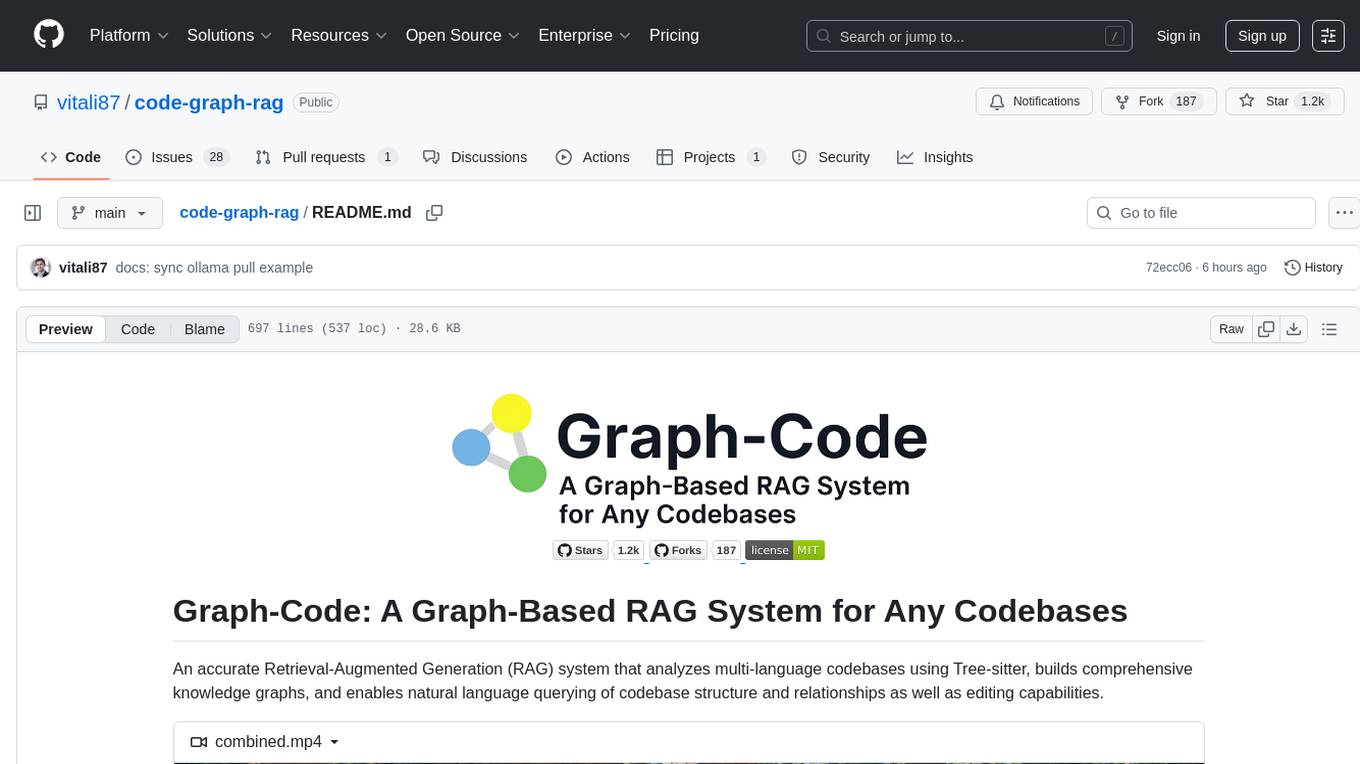
Graph-Code is an accurate Retrieval-Augmented Generation (RAG) system that analyzes multi-language codebases using Tree-sitter. It builds comprehensive knowledge graphs, enabling natural language querying of codebase structure and relationships, along with editing capabilities. The system supports various languages, uses Tree-sitter for parsing, Memgraph for storage, and AI models for natural language to Cypher translation. It offers features like code snippet retrieval, advanced file editing, shell command execution, interactive code optimization, reference-guided optimization, dependency analysis, and more. The architecture consists of a multi-language parser and an interactive CLI for querying the knowledge graph.

dexto
Dexto is a lightweight runtime for creating and running AI agents that turn natural language into real-world actions. It serves as the missing intelligence layer for building AI applications, standalone chatbots, or as the reasoning engine inside larger products. Dexto features a powerful CLI and Web UI for running AI agents, supports multiple interfaces, allows hot-swapping of LLMs from various providers, connects to remote tool servers via the Model Context Protocol, is config-driven with version-controlled YAML, offers production-ready core features, extensibility for custom services, and enables multi-agent collaboration via MCP and A2A.
AutoAgents
AutoAgents is a cutting-edge multi-agent framework built in Rust that enables the creation of intelligent, autonomous agents powered by Large Language Models (LLMs) and Ractor. Designed for performance, safety, and scalability. AutoAgents provides a robust foundation for building complex AI systems that can reason, act, and collaborate. With AutoAgents you can create Cloud Native Agents, Edge Native Agents and Hybrid Models as well. It is so extensible that other ML Models can be used to create complex pipelines using Actor Framework.
llm4s
LLM4S provides a simple, robust, and scalable framework for building Large Language Models (LLM) applications in Scala. It aims to leverage Scala's type safety, functional programming, JVM ecosystem, concurrency, and performance advantages to create reliable and maintainable AI-powered applications. The framework supports multi-provider integration, execution environments, error handling, Model Context Protocol (MCP) support, agent frameworks, multimodal generation, and Retrieval-Augmented Generation (RAG) workflows. It also offers observability features like detailed trace logging, monitoring, and analytics for debugging and performance insights.
mistral.rs
Mistral.rs is a fast LLM inference platform written in Rust. We support inference on a variety of devices, quantization, and easy-to-use application with an Open-AI API compatible HTTP server and Python bindings.
llm-context.py
LLM Context is a tool designed to assist developers in quickly injecting relevant content from code/text projects into Large Language Model chat interfaces. It leverages `.gitignore` patterns for smart file selection and offers a streamlined clipboard workflow using the command line. The tool also provides direct integration with Large Language Models through the Model Context Protocol (MCP). LLM Context is optimized for code repositories and collections of text/markdown/html documents, making it suitable for developers working on projects that fit within an LLM's context window. The tool is under active development and aims to enhance AI-assisted development workflows by harnessing the power of Large Language Models.
ai-real-estate-assistant
AI Real Estate Assistant is a modern platform that uses AI to assist real estate agencies in helping buyers and renters find their ideal properties. It features multiple AI model providers, intelligent query processing, advanced search and retrieval capabilities, and enhanced user experience. The tool is built with a FastAPI backend and Next.js frontend, offering semantic search, hybrid agent routing, and real-time analytics.
claude-code-settings
A repository collecting best practices for Claude Code settings and customization. It provides configuration files for customizing Claude Code's behavior and building an efficient development environment. The repository includes custom agents and skills for specific domains, interactive development workflow features, efficient development rules, and team workflow with Codex MCP. Users can leverage the provided configuration files and tools to enhance their development process and improve code quality.
aiconfigurator
The `aiconfigurator` tool assists in finding a strong starting configuration for disaggregated serving in AI deployments. It helps optimize throughput at a given latency by evaluating thousands of configurations based on model, GPU count, and GPU type. The tool models LLM inference using collected data for a target machine and framework, running via CLI and web app. It generates configuration files for deployment with Dynamo, offering features like customized configuration, all-in-one automation, and tuning with advanced features. The tool estimates performance by breaking down LLM inference into operations, collecting operation execution times, and searching for strong configurations. Supported features include models like GPT and operations like attention, KV cache, GEMM, AllReduce, embedding, P2P, element-wise, MoE, MLA BMM, TRTLLM versions, and parallel modes like tensor-parallel and pipeline-parallel.
nanolang
NanoLang is a minimal, LLM-friendly programming language that transpiles to C for native performance. It features mandatory testing, unambiguous syntax, automatic memory management, LLM-powered autonomous optimization, dual notation for operators, static typing, C interop, and native performance. The language supports variables, functions with mandatory tests, control flow, structs, enums, generic types, and provides a clean, modern syntax optimized for both human readability and AI code generation.
For similar tasks
AutoGPT
AutoGPT is a revolutionary tool that empowers everyone to harness the power of AI. With AutoGPT, you can effortlessly build, test, and delegate tasks to AI agents, unlocking a world of possibilities. Our mission is to provide the tools you need to focus on what truly matters: innovation and creativity.
agent-os
The Agent OS is an experimental framework and runtime to build sophisticated, long running, and self-coding AI agents. We believe that the most important super-power of AI agents is to write and execute their own code to interact with the world. But for that to work, they need to run in a suitable environment—a place designed to be inhabited by agents. The Agent OS is designed from the ground up to function as a long-term computing substrate for these kinds of self-evolving agents.
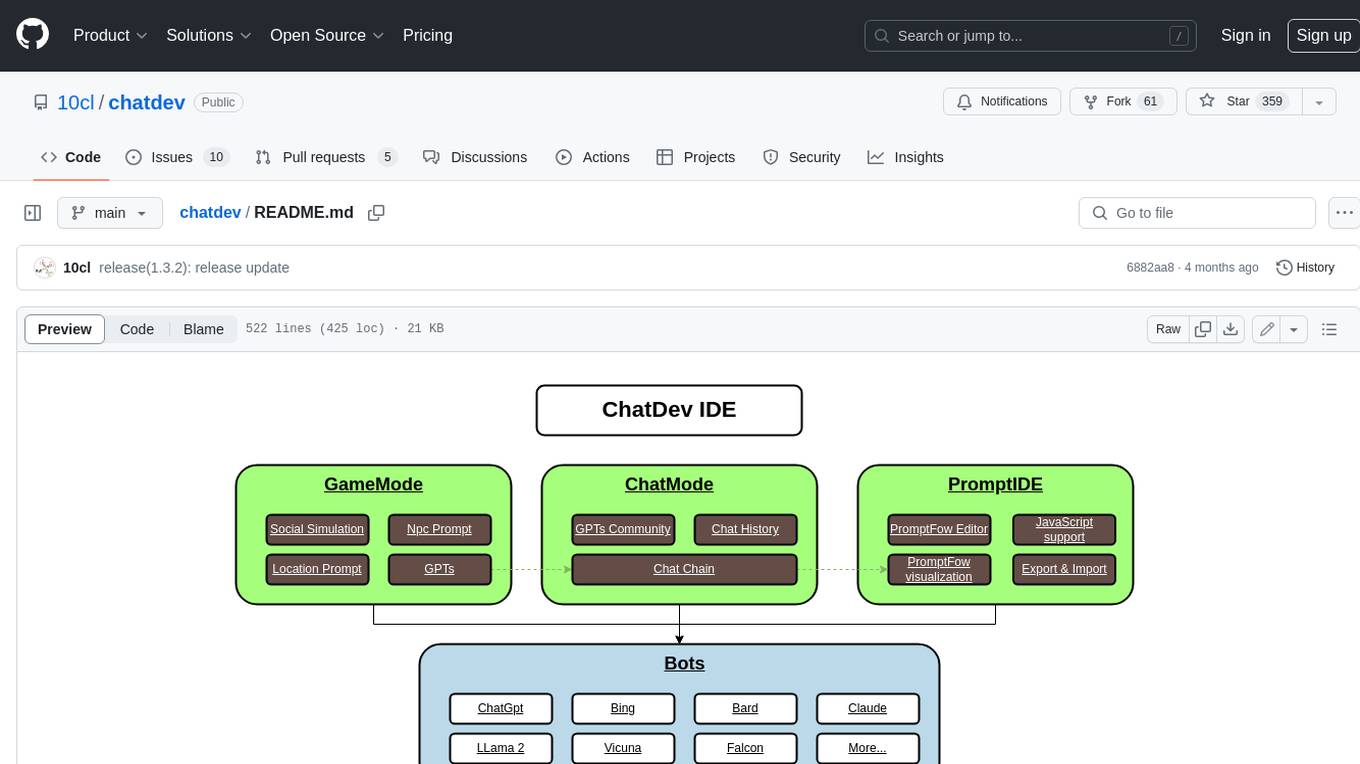
chatdev
ChatDev IDE is a tool for building your AI agent, Whether it's NPCs in games or powerful agent tools, you can design what you want for this platform. It accelerates prompt engineering through **JavaScript Support** that allows implementing complex prompting techniques.
module-ballerinax-ai.agent
This library provides functionality required to build ReAct Agent using Large Language Models (LLMs).
npi
NPi is an open-source platform providing Tool-use APIs to empower AI agents with the ability to take action in the virtual world. It is currently under active development, and the APIs are subject to change in future releases. NPi offers a command line tool for installation and setup, along with a GitHub app for easy access to repositories. The platform also includes a Python SDK and examples like Calendar Negotiator and Twitter Crawler. Join the NPi community on Discord to contribute to the development and explore the roadmap for future enhancements.
ai-agents
The 'ai-agents' repository is a collection of books and resources focused on developing AI agents, including topics such as GPT models, building AI agents from scratch, machine learning theory and practice, and basic methods and tools for data analysis. The repository provides detailed explanations and guidance for individuals interested in learning about and working with AI agents.
llms
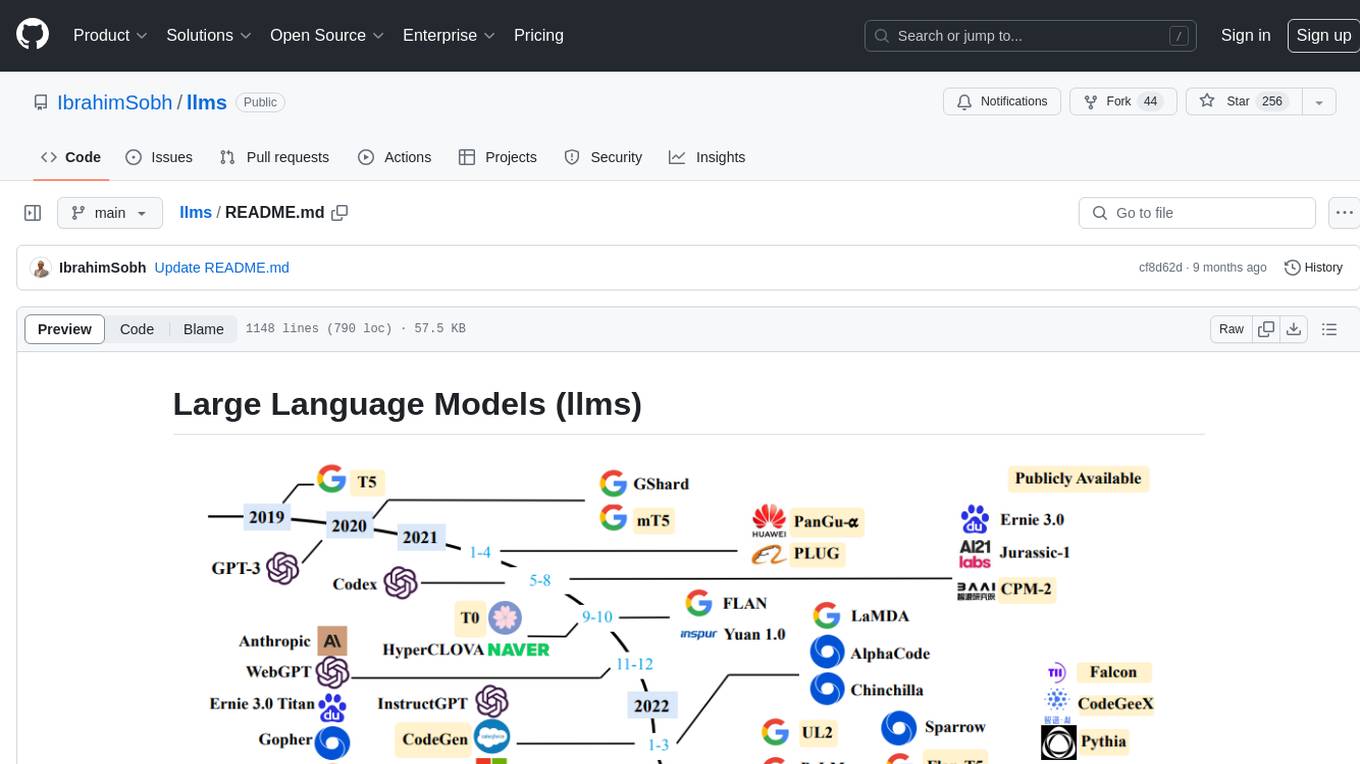
The 'llms' repository is a comprehensive guide on Large Language Models (LLMs), covering topics such as language modeling, applications of LLMs, statistical language modeling, neural language models, conditional language models, evaluation methods, transformer-based language models, practical LLMs like GPT and BERT, prompt engineering, fine-tuning LLMs, retrieval augmented generation, AI agents, and LLMs for computer vision. The repository provides detailed explanations, examples, and tools for working with LLMs.
ai-app
The 'ai-app' repository is a comprehensive collection of tools and resources related to artificial intelligence, focusing on topics such as server environment setup, PyCharm and Anaconda installation, large model deployment and training, Transformer principles, RAG technology, vector databases, AI image, voice, and music generation, and AI Agent frameworks. It also includes practical guides and tutorials on implementing various AI applications. The repository serves as a valuable resource for individuals interested in exploring different aspects of AI technology.
For similar jobs

sweep
Sweep is an AI junior developer that turns bugs and feature requests into code changes. It automatically handles developer experience improvements like adding type hints and improving test coverage.

teams-ai
The Teams AI Library is a software development kit (SDK) that helps developers create bots that can interact with Teams and Microsoft 365 applications. It is built on top of the Bot Framework SDK and simplifies the process of developing bots that interact with Teams' artificial intelligence capabilities. The SDK is available for JavaScript/TypeScript, .NET, and Python.

ai-guide
This guide is dedicated to Large Language Models (LLMs) that you can run on your home computer. It assumes your PC is a lower-end, non-gaming setup.

classifai
Supercharge WordPress Content Workflows and Engagement with Artificial Intelligence. Tap into leading cloud-based services like OpenAI, Microsoft Azure AI, Google Gemini and IBM Watson to augment your WordPress-powered websites. Publish content faster while improving SEO performance and increasing audience engagement. ClassifAI integrates Artificial Intelligence and Machine Learning technologies to lighten your workload and eliminate tedious tasks, giving you more time to create original content that matters.

chatbot-ui
Chatbot UI is an open-source AI chat app that allows users to create and deploy their own AI chatbots. It is easy to use and can be customized to fit any need. Chatbot UI is perfect for businesses, developers, and anyone who wants to create a chatbot.

BricksLLM
BricksLLM is a cloud native AI gateway written in Go. Currently, it provides native support for OpenAI, Anthropic, Azure OpenAI and vLLM. BricksLLM aims to provide enterprise level infrastructure that can power any LLM production use cases. Here are some use cases for BricksLLM: * Set LLM usage limits for users on different pricing tiers * Track LLM usage on a per user and per organization basis * Block or redact requests containing PIIs * Improve LLM reliability with failovers, retries and caching * Distribute API keys with rate limits and cost limits for internal development/production use cases * Distribute API keys with rate limits and cost limits for students

uAgents
uAgents is a Python library developed by Fetch.ai that allows for the creation of autonomous AI agents. These agents can perform various tasks on a schedule or take action on various events. uAgents are easy to create and manage, and they are connected to a fast-growing network of other uAgents. They are also secure, with cryptographically secured messages and wallets.

griptape
Griptape is a modular Python framework for building AI-powered applications that securely connect to your enterprise data and APIs. It offers developers the ability to maintain control and flexibility at every step. Griptape's core components include Structures (Agents, Pipelines, and Workflows), Tasks, Tools, Memory (Conversation Memory, Task Memory, and Meta Memory), Drivers (Prompt and Embedding Drivers, Vector Store Drivers, Image Generation Drivers, Image Query Drivers, SQL Drivers, Web Scraper Drivers, and Conversation Memory Drivers), Engines (Query Engines, Extraction Engines, Summary Engines, Image Generation Engines, and Image Query Engines), and additional components (Rulesets, Loaders, Artifacts, Chunkers, and Tokenizers). Griptape enables developers to create AI-powered applications with ease and efficiency.