


aiconfigurator
Offline optimization of your disaggregated Dynamo graph
Stars: 188
The `aiconfigurator` tool assists in finding a strong starting configuration for disaggregated serving in AI deployments. It helps optimize throughput at a given latency by evaluating thousands of configurations based on model, GPU count, and GPU type. The tool models LLM inference using collected data for a target machine and framework, running via CLI and web app. It generates configuration files for deployment with Dynamo, offering features like customized configuration, all-in-one automation, and tuning with advanced features. The tool estimates performance by breaking down LLM inference into operations, collecting operation execution times, and searching for strong configurations. Supported features include models like GPT and operations like attention, KV cache, GEMM, AllReduce, embedding, P2P, element-wise, MoE, MLA BMM, TRTLLM versions, and parallel modes like tensor-parallel and pipeline-parallel.
README:
In disaggregated serving, configuring an effective deployment is challenging: you need to decide how many prefill and decode workers to run, and the parallelism for each worker. Combined with SLA targets for TTFT (Time to First Token) and TPOT (Time per Output Token), optimizing throughput at a given latency becomes even more complex.
aiconfigurator helps you find a strong starting configuration for disaggregated serving. Given your model, GPU
count, and GPU type, it searches the configuration space and generates configuration files you can use for deployment with Dynamo.
For a technical deep dive into the design and methodology of AIConfigurator, please refer to our paper:
AIConfigurator: Lightning-Fast Configuration Optimization for Multi-Framework LLM Serving.
The tool models LLM inference using collected data for a target machine and framework. It evaluates thousands of configurations and runs anywhere via the CLI and the web app.
Let's get started.
pip3 install aiconfigurator# 1. Install Git LFS
apt-get install git-lfs # (Linux)
# brew install git-lfs # (macOS)
# 2. Clone the repo
git clone https://github.com/ai-dynamo/aiconfigurator.git
git lfs pull
# 3. Create and activate a virtual environment
python3 -m venv myenv && source myenv/bin/activate # (requires Python 3.9 or later)
# 4. Install aiconfigurator
pip3 install .
# 5. Install aiconfigurator with webapp support
pip3 install .[webapp]# This will create a ./dist/ folder containing the wheel file
docker build -f docker/Dockerfile --no-cache --target build -t aiconfigurator:latest .
docker create --name aic aiconfigurator:latest && docker cp aic:/workspace/dist dist/ && docker rm aicaiconfigurator cli default --model Qwen/Qwen3-32B-FP8 --total-gpus 32 --system h200_sxm
aiconfigurator cli exp --yaml-path exp.yaml
aiconfigurator cli generate --model-path Qwen/Qwen3-32B-FP8 --total-gpus 8 --system h200_sxm
aiconfigurator cli support --model-path Qwen/Qwen3-32B-FP8 --system h200_sxm- We have four modes:
default,exp,generate, andsupport. - Use
defaultto find the estimated best deployment by searching the configuration space. - Use
expto run customized experiments defined in a YAML file. - Use
generateto quickly create a naive configuration without a parameter sweep. - Use
supportto verify if AIC supports a model/hardware combination for agg and disagg modes. -
--modelis an alias for--model-pathin the CLI. - Use
--backendto specify the inference backend:trtllm(default),vllm, orsglang. - Use
exp, pass in exp.yaml by--yaml-pathto customize your experiments and even a heterogenous one. - Use
--save-dir DIRto generate framework configuration files for Dynamo. - Use
--database-modeto control performance estimation mode:SILICON(default, uses collected silicon data),HYBRID(uses silicon data when available, otherwise SOL+empirical),EMPIRICAL(SOL+empirical for all), orSOL(speed-of-light only). Please be careful, onlySILICONmode's result is reproducible. Other modes are for research purpose - Use
--systems-pathsto override where system YAMLs and data are loaded from (comma-separated;defaultmaps to the built-in systems path). First match wins for identical system/backend/version. - Use
-hfor more options and customization. - SLA constraints:
-
--ttftand--tpotfilter configurations that exceed either bound; omit a flag to leave that constraint unset. -
--request-latencyapplies an end-to-end per-request limit. The CLI searches for all configurations whose estimated latency stays within that budget, optionally honoring a provided--ttft. When this flag is set,--tpotbecomes implicit and is ignored.
-
Quantization defaults are inferred from the Hugging Face model config (config.json plus optional hf_quant_config.json).
For low-precision models, use a quantized HF ID (for example, Qwen/Qwen3-32B-FP8) or a local model directory containing those files.
Any quantization set via profiles or YAML config overrides the HF defaults.
Refer to CLI User Guide
You can also use aiconfigurator programmatically in Python:
from aiconfigurator.cli import cli_default, cli_exp, cli_generate, cli_support

# 1. Run default agg vs disagg comparison
result = cli_default(model_path="Qwen/Qwen3-32B-FP8", total_gpus=32, system="h200_sxm")
print(result.best_configs["disagg"].head())

# 2. Run experiments from a YAML file or a dictionary config
result = cli_exp(yaml_path="my_experiments.yaml")
# Or use a dictionary config directly
result = cli_exp(config={
    "my_exp": {
        "serving_mode": "disagg",
        "model_path": "Qwen/Qwen3-32B-FP8",
        "total_gpus": 32,
        "system_name": "h200_sxm",
        "isl": 4000,
        "osl": 1000,
    }
})

# 3. Generate a naive configuration
result = cli_generate(model_path="Qwen/Qwen3-32B-FP8", total_gpus=8, system="h200_sxm")
print(result["parallelism"]) # {'tp': 1, 'pp': 1, 'replicas': 8, 'gpus_used': 8}

# 4. Check support for a model/system combination
agg, disagg = cli_support(model_path="Qwen/Qwen3-32B-FP8", system="h200_sxm")
print(f"Agg supported: {agg}, Disagg supported: {disagg}")
An example here,
aiconfigurator cli default --model-path Qwen/Qwen3-32B-FP8 --total-gpus 32 --system h200_sxm --isl 4000 --osl 500 --prefix 500 --ttft 300 --tpot 10********************************************************************************
* Dynamo aiconfigurator Final Results *
********************************************************************************
----------------------------------------------------------------------------
Input Configuration & SLA Target:
Model: Qwen/Qwen3-32B-FP8 (is_moe: False)
Total GPUs: 32
Best Experiment Chosen: disagg at 684.79 tokens/s/gpu (disagg 1.67x better)
----------------------------------------------------------------------------
Overall Best Configuration:
- Best Throughput: 21,913.22 tokens/s
- Per-GPU Throughput: 684.79 tokens/s/gpu
- Per-User Throughput: 100.31 tokens/s/user
- TTFT: 295.71ms
- TPOT: 9.97ms
- Request Latency: 5270.24ms
----------------------------------------------------------------------------
Pareto Frontier:
Qwen/Qwen3-32B-FP8 Pareto Frontier: tokens/s/gpu_cluster vs tokens/s/user
┌────────────────────────────────────────────────────────────────────────┐
1250.0┤ •• agg │
│ ff disagg │
│ xx disagg best │
│ │
1041.7┤ │
│ f │
│ fffffffff │
│ fff │
833.3┤ ffff │
│ f │
│ • ff │
│ •• fxfff │
625.0┤ ••••• f │
│ • f │
│ •••••••••••• f │
│ ••• f │
416.7┤ ••••ff │
│ ••ff │
│ •fffffffffffff │
│ ••••••••ff• │
208.3┤ ff••• │
│ ff •••• │
│ fff ••• │
│ • │
0.0┤ │
└┬─────────────────┬─────────────────┬────────────────┬─────────────────┬┘
0 60 120 180 240
tokens/s/gpu_cluster tokens/s/user
----------------------------------------------------------------------------
Deployment Details:
(p) stands for prefill, (d) stands for decode, bs stands for batch size, a replica stands for the smallest scalable unit xPyD of the disagg system
Some math: total gpus used = replicas * gpus/replica
gpus/replica = (p)gpus/worker * (p)workers + (d)gpus/worker * (d)workers; for Agg, gpus/replica = gpus/worker
gpus/worker = tp * pp * dp = etp * ep * pp for MoE models; tp * pp for dense models (underlined numbers are the actual values in math)
agg Top Configurations: (Sorted by tokens/s/gpu)
+------+---------+--------------+---------------+--------+-----------------+-------------+-------------------+----------+--------------+-------------+----------+----+
| Rank | backend | tokens/s/gpu | tokens/s/user | TTFT | request_latency | concurrency | total_gpus (used) | replicas | gpus/replica | gpus/worker | parallel | bs |
+------+---------+--------------+---------------+--------+-----------------+-------------+-------------------+----------+--------------+-------------+----------+----+
| 1 | trtllm | 410.22 | 108.48 | 251.10 | 4850.91 | 128 (=16x8) | 32 (32=8x4) | 8 | 4 | 4 (=4x1x1) | tp4pp1 | 16 |
| 2 | trtllm | 361.33 | 107.43 | 224.48 | 4869.40 | 112 (=28x4) | 32 (32=4x8) | 4 | 8 | 8 (=8x1x1) | tp8pp1 | 28 |
| 3 | trtllm | 117.92 | 122.25 | 292.72 | 4374.38 | 32 (=2x16) | 32 (32=16x2) | 16 | 2 | 2 (=2x1x1) | tp2pp1 | 2 |
+------+---------+--------------+---------------+--------+-----------------+-------------+-------------------+----------+--------------+-------------+----------+----+
disagg Top Configurations: (Sorted by tokens/s/gpu)
+------+---------+--------------+---------------+--------+-----------------+--------------+-------------------+----------+---------------+------------+----------------+-------------+-------+------------+----------------+-------------+-------+
| Rank | backend | tokens/s/gpu | tokens/s/user | TTFT | request_latency | concurrency | total_gpus (used) | replicas | gpus/replica | (p)workers | (p)gpus/worker | (p)parallel | (p)bs | (d)workers | (d)gpus/worker | (d)parallel | (d)bs |
+------+---------+--------------+---------------+--------+-----------------+--------------+-------------------+----------+---------------+------------+----------------+-------------+-------+------------+----------------+-------------+-------+
| 1 | trtllm | 684.79 | 100.31 | 295.71 | 5270.24 | 272 (=68x4) | 32 (32=4x8) | 4 | 8 (=2x2+1x4) | 2 | 2 (=2x1) | tp2pp1 | 1 | 1 | 4 (=4x1) | tp4pp1 | 68 |
| 2 | trtllm | 684.79 | 100.16 | 295.71 | 5277.73 | 240 (=120x2) | 32 (32=2x16) | 2 | 16 (=4x2+1x8) | 4 | 2 (=2x1) | tp2pp1 | 1 | 1 | 8 (=8x1) | tp8pp1 | 120 |
| 3 | trtllm | 404.71 | 100.35 | 295.71 | 5268.25 | 140 (=140x1) | 32 (24=1x24) | 1 | 24 (=5x2+7x2) | 5 | 2 (=2x1) | tp2pp1 | 1 | 7 | 2 (=2x1) | tp2pp1 | 20 |
+------+---------+--------------+---------------+--------+-----------------+--------------+-------------------+----------+---------------+------------+----------------+-------------+-------+------------+----------------+-------------+-------+
********************************************************************************
2026-02-08 23:10:21,413 - aiconfigurator.cli.main - INFO - All experiments completed in 6.50 seconds
These results indicate that deploying Qwen3-32B-FP8 on h200_sxm in FP8 can achieve 1.67x higher tokens/s/gpu for disaggregated versus aggregated deployment under the SLA targets TTFT ≤ 300 ms and TPOT ≤ 10 ms, with ISL:OSL of 4000:500 (with prefix len: 500). Try different ISL:OSL values and SLA limits to fit your use case, for example:
aiconfigurator cli default --model-path Qwen/Qwen3-32B-FP8 --total-gpus 32 --system h200_sxm --ttft 200 --tpot 10 --isl 8000 --osl 200 --prefix 500You will get different results.
The default mode will create two experiments, one is agg and another one is disagg and then compare the results.
To further customize (including the search space and per-component quantization), parameters are defined in a YAML file.
Built-in YAML files are under src/aiconfigurator/cli/example.yaml and src/aiconfigurator/cli/exps/*.yaml
Refer to the YAML file and modify as needed. Pass your customized YAML file to exp mode:
aiconfigurator cli exp --yaml-path customized_config.yamlWe can use exp mode to compare multiple results, including disagg vs. agg, homegenous vs. heterogenous, and more than 2 experiments.
We've crafted several examples in src/aiconfigurator/cli/exps/*.yaml
For the full guide, refer to CLI User Guide.
Please refer to the Deployment Guide for details about deployment and reproduction especially about the benchmark methodology.
To simplify the deployment and reproduction, in the aiconfigurator CLI, if you specify --save-dir, the tool generates configuration files for deploying with Dynamo.
This feature bridges the gap between configuration and Dynamo deployment.
The folder structure looks like this:
results/QWEN3_32B_FP8_h200_sxm_trtllm_isl4000_osl1000_ttft1000_tpot20_904495
├── agg
│   ├── best_config_topn.csv
│   ├── config.yaml
│   ├── pareto.csv
│   ├── top1
│   │   ├── agg
│   │   │   ├── agg_config.yaml
│   │   │   ├── k8s_deploy.yaml
│   │   │   └── node_0_run.sh
│   │   └── generator_config.yaml
│   ...
├── disagg
│   ├── best_config_topn.csv
│   ├── config.yaml
│   ├── pareto.csv
│   ├── top1
│   │   ├── disagg
│   │   │   ├── decode_config.yaml
│   │   │   ├── k8s_deploy.yaml
│   │   │   ├── node_0_run.sh
│   │   │   └── prefill_config.yaml
│   │   └── generator_config.yaml
│   ...
└── pareto_frontier.png
Use --generator-config path/to/file.yaml to load a YAML payload with ServiceConfig, K8sConfig, DynConfig, WorkerConfig, and Workers.<role> sections, or specify inline overrides with --generator-set KEY=VALUE (repeatable). Examples:
--generator-set ServiceConfig.model_path=Qwen/Qwen3-32B-FP8--generator-set K8sConfig.k8s_namespace=dynamo \
Run aiconfigurator cli default --generator-help to print information that is sourced directly from src/aiconfigurator/generator/config/deployment_config.yaml and backend_config_mapping.yaml.
To further simpify the end-to-end user experience, we're now supporting automate everything in one script, starting from configuring the deployment, generating the configs, preparing docker image and container, pulling model checkpoints, deploying the service, benchmarking and summarizing.
bash launch_eval.sh config.envEverything is in one command! We're trying to integrate our expertise to make the deployment smarter. Refer to Automation for more details.
aiconfigurator webappVisit 127.0.0.1:7860.
Refer to Advanced Tuning and the webapp README tab before running experiments.
There are many features, such as different quantizations and parallelism strategies, to tune performance beyond the default configurations. These apply to both the CLI and the webapp. Refer to Advanced Tuning for details.
LLM inference performance is dominated by:
- Compute cost (such as GEMM and attention).
- Communication cost (such as all-reduce for tensor parallel and P2P for pipeline parallel).
To estimate performance, we take the following steps:
- Break down LLM inference into operations: GEMM, attention, communication, embedding, element-wise operations, and others.
- Collect operation execution times on the target hardware.
- Estimate end-to-end execution time for a configuration by composing operation times using interpolation and extrapolation.
- Model in-flight batching (aggregated) and disaggregated serving on top of that.
- Search thousands of combinations to find strong configurations and generate Dynamo configuration files based on the results.
-
Models:
- GPT
- LLAMA (2, 3)
- MOE
- QWEN
- DEEPSEEK_V3
- Support using huggingface model id if falls into these model family and not MoE models.
-
Operations:
- Attention
- MHA/GQA (FP8, FP16)
- MLA (FP8, FP16)
- KV Cache (FP16, FP8, INT8)
- GEMM (FP16, FP8, FP8-Block, FP8-OOTB, SQ, INT8 WO, INT4 WO, NVFP4)
- CustomAllReduce (FP16)
- Embedding
- P2P
- ElementWise
- NCCL (all_reduce, all_gather, all-to-all, reduce_scatter)
- MoE (FP16, FP8, FP8-Block, W4A-FP8, INT4 WO, NVFP4)
- MLA BMM (FP16, FP8)
- Attention
-
Parallel modes:
- Tensor-parallel
- Pipeline-parallel
- Expert Tensor-parallel/Expert-parallel
- Attention DP (for DEEPSEEK and MoE)
-
Scheduling:
- Static
- Aggregated serving (continuous batching)
- Disaggregated serving
- MTP (for DEEPSEEK)
-
Inference Backends:
- TensorRT-LLM (trtllm)
- vLLM
- SGLang
Data collection is a standalone process for building the database used by aiconfigurator. By default, you do not need to collect data yourself.
Small changes to the database may not materially change performance estimates. For example, you can use 1.0.0rc3 data of trtllm on h200_sxm and deploy the generated configuration with Dynamo and a trtllm 1.0.0rc4 worker.
To go through the process, refer to the guidance under the collector folder.
New: The collector now supports optional GPU power monitoring during kernel execution. Use the --measure_power flag to collect power consumption data alongside performance metrics. See the collector README for details.
| System | Framework(Version) | Status |
|---|---|---|
| h100_sxm | TRTLLM(1.0.0rc3, 1.2.0rc5), SGLang(0.5.6.post2), vLLM(0.12.0) | ✅ |
| h200_sxm | TRTLLM(1.0.0rc3, 1.2.0rc5), SGLang(0.5.6.post2), vLLM(0.12.0) | ✅ |
| b200_sxm | TRTLLM(1.0.0rc3, 1.2.0rc5), SGLang(0.5.6.post2) | ✅ |
| gb200_sxm | TRTLLM(1.0.0rc3, 1.2.0rc5) | ✅ |
| a100_sxm | TRTLLM(1.0.0), vLLM(0.12.0) | ✅ |
| (last updated: 2026/02/02) |
Note: b200 and gb200 are under dev. Results are to be aligned. For preview now.
For a comprehensive breakdown of which model/system/backend/version combinations are supported in both aggregated and disaggregated modes, refer to the support matrix CSV. This file is automatically generated and tested to ensure accuracy across all supported configurations.
You can also check if a system / framework version is supported via the aiconfigurator cli support command. For example:
aiconfigurator cli support --model-path Qwen/Qwen3-32B-FP8 --system h100_sxm --backend-version 1.2.0rc5We welcome contributions from the community! Check out the below resources to get started:
- DEVELOPMENT.md - Set up your development environment, run tests, and follow our coding standards
- CONTRIBUTING.md - Contribution guidelines and requirements
Adding a new model will require modifying the source code and perhaps collecting new data for the model. Please refer to How to Add a New Model.
If you use AIConfigurator for your research, please cite our paper:
@article{xu2026aiconfigurator,
  title={AIConfigurator: Lightning-Fast Configuration Optimization for Multi-Framework LLM Serving},
  author={Tianhao Xu and Yiming Liu and Xianglong Lu and Yijia Zhao and Xuting Zhou and Aichen Feng and Yiyi Chen and Yi Shen and Qin Zhou and Xumeng Chen and Ilya Sherstyuk and Haorui Li and Rishi Thakkar and Ben Hamm and Yuanzhe Li and Xue Huang and Wenpeng Wu and Anish Shanbhag and Harry Kim and Chuan Chen and Junjie Lai},
  journal={arXiv preprint arXiv:2601.06288},
  year={2026}
}- Memory estimation for the backends needs to be studied more.
- Results can be overly optimistic in the low-speed, high-throughput region.
- vLLM and SGLang support is currently being evaluated. While both backends are functional and available for use, we are still completing comprehensive performance evaluations and alignment testing. We recommend validating results with real benchmarks for production use.
Note: The results are not final or absolute. They can be inaccurate due to modeling gaps or indicate performance improvement opportunities. The tool aims to align with the framework's current implementation and to provide configuration suggestions. Verify results in real benchmarks with the generated configurations and perform follow-up tuning.
For Tasks:
Click tags to check more tools for each tasksFor Jobs:
Alternative AI tools for aiconfigurator
Similar Open Source Tools
aiconfigurator
The `aiconfigurator` tool assists in finding a strong starting configuration for disaggregated serving in AI deployments. It helps optimize throughput at a given latency by evaluating thousands of configurations based on model, GPU count, and GPU type. The tool models LLM inference using collected data for a target machine and framework, running via CLI and web app. It generates configuration files for deployment with Dynamo, offering features like customized configuration, all-in-one automation, and tuning with advanced features. The tool estimates performance by breaking down LLM inference into operations, collecting operation execution times, and searching for strong configurations. Supported features include models like GPT and operations like attention, KV cache, GEMM, AllReduce, embedding, P2P, element-wise, MoE, MLA BMM, TRTLLM versions, and parallel modes like tensor-parallel and pipeline-parallel.
kiss_ai
KISS AI is a lightweight and powerful multi-agent evolutionary framework that simplifies building AI agents. It uses native function calling for efficiency and accuracy, making building AI agents as straightforward as possible. The framework includes features like multi-agent orchestration, agent evolution and optimization, relentless coding agent for long-running tasks, output formatting, trajectory saving and visualization, GEPA for prompt optimization, KISSEvolve for algorithm discovery, self-evolving multi-agent, Docker integration, multiprocessing support, and support for various models from OpenAI, Anthropic, Gemini, Together AI, and OpenRouter.
OpenOutreach
OpenOutreach is a self-hosted, open-source LinkedIn automation tool designed for B2B lead generation. It automates the entire outreach process in a stealthy, human-like way by discovering and enriching target profiles, ranking profiles using ML for smart prioritization, sending personalized connection requests, following up with custom messages after acceptance, and tracking everything in a built-in CRM with web UI. It offers features like undetectable behavior, fully customizable Python-based campaigns, local execution with CRM, easy deployment with Docker, and AI-ready templating for hyper-personalized messages.
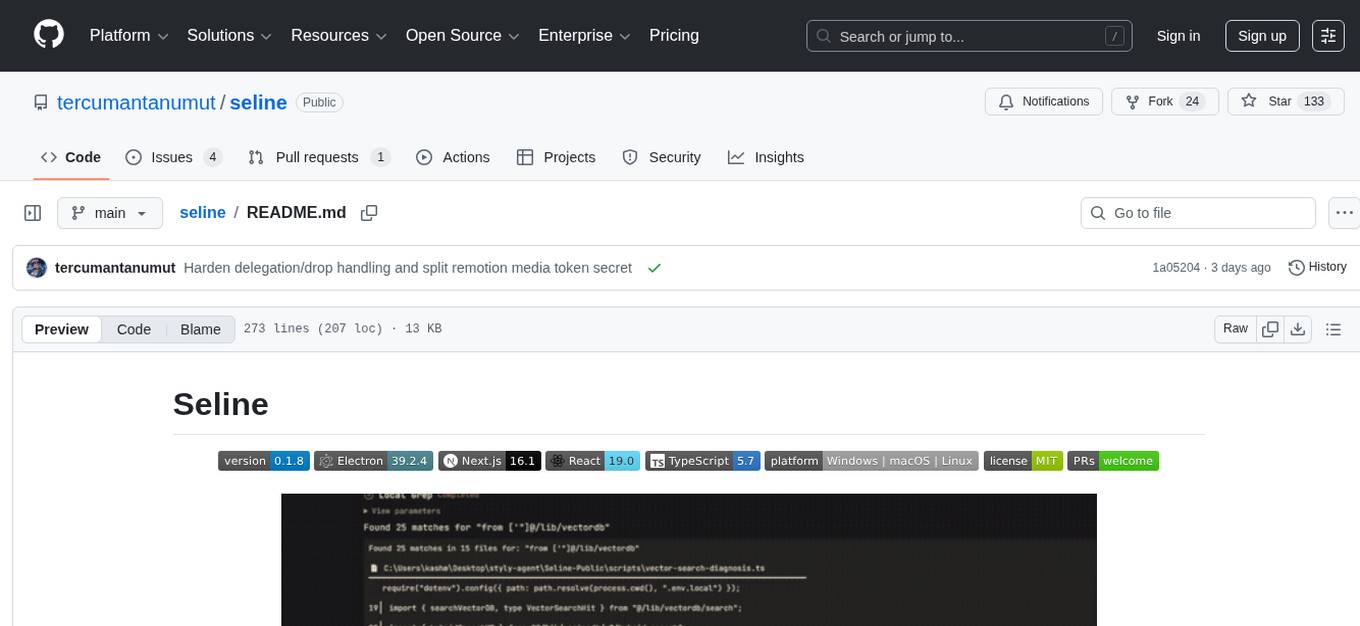
seline
Seline is a local-first AI desktop application that integrates conversational AI, visual generation tools, vector search, and multi-channel connectivity. It allows users to connect WhatsApp, Telegram, or Slack to create always-on bots with full context and background task delivery. The application supports multi-channel connectivity, deep research mode, local web browsing with Puppeteer, local knowledge and privacy features, visual and creative tools, automation and agents, developer experience enhancements, and more. Seline is actively developed with a focus on improving user experience and functionality.
paperbanana
PaperBanana is an automated academic illustration tool designed for AI scientists. It implements an agentic framework for generating publication-quality academic diagrams and statistical plots from text descriptions. The tool utilizes a two-phase multi-agent pipeline with iterative refinement, Gemini-based VLM planning, and image generation. It offers a CLI, Python API, and MCP server for IDE integration, along with Claude Code skills for generating diagrams, plots, and evaluating diagrams. PaperBanana is not affiliated with or endorsed by the original authors or Google Research, and it may differ from the original system described in the paper.
simili-bot
Simili Bot is an AI-powered tool designed for GitHub repositories to automatically detect duplicate issues, find similar issues using semantic search, and intelligently route issues across repositories. It offers features such as semantic duplicate detection, cross-repository search, intelligent routing, smart triage, modular pipeline customization, and multi-repo support. The tool follows a 'Lego with Blueprints' architecture, with Lego Blocks representing independent pipeline steps and Blueprints providing pre-defined workflows. Users can configure AI providers like Gemini and OpenAI, set default models for embeddings, and specify workflows in a 'simili.yaml' file. Simili Bot also offers CLI commands for bulk indexing, processing single issues, and batch operations, enabling local development, testing, and analysis of historical data.
worldmonitor
World Monitor is a real-time global intelligence dashboard powered by AI. It offers news aggregation, geopolitical monitoring, and infrastructure tracking in a unified interface. The tool provides interactive global maps, AI-powered intelligence summaries, real-time data layers on geopolitics, military, infrastructure, and market intelligence. It also includes live news feeds, video streams, signal aggregation, anomaly detection, story sharing, and social export capabilities. The tool is designed for speed, assumes failure, and emphasizes multi-signal correlation for accurate insights. It offers source credibility and tiering for RSS feeds, edge function architecture for data processing, and caching architecture for performance optimization.
WebAI-to-API
This project implements a web API that offers a unified interface to Google Gemini and Claude 3. It provides a self-hosted, lightweight, and scalable solution for accessing these AI models through a streaming API. The API supports both Claude and Gemini models, allowing users to interact with them in real-time. The project includes a user-friendly web UI for configuration and documentation, making it easy to get started and explore the capabilities of the API.

airunner
AI Runner is a multi-modal AI interface that allows users to run open-source large language models and AI image generators on their own hardware. The tool provides features such as voice-based chatbot conversations, text-to-speech, speech-to-text, vision-to-text, text generation with large language models, image generation capabilities, image manipulation tools, utility functions, and more. It aims to provide a stable and user-friendly experience with security updates, a new UI, and a streamlined installation process. The application is designed to run offline on users' hardware without relying on a web server, offering a smooth and responsive user experience.
specweave
SpecWeave is a spec-driven Skill Fabric for AI coding agents that allows programming AI in English. It provides first-class support for Claude Code and offers reusable logic for controlling AI behavior. With over 100 skills out of the box, SpecWeave eliminates the need to learn Claude Code docs and handles various aspects of feature development. The tool enables users to describe what they want, and SpecWeave autonomously executes tasks, including writing code, running tests, and syncing to GitHub/JIRA. It supports solo developers, agent teams working in parallel, and brownfield projects, offering file-based coordination, autonomous teams, and enterprise-ready features. SpecWeave also integrates LSP Code Intelligence for semantic understanding of codebases and allows for extensible skills without forking.
multi-agent-shogun
multi-agent-shogun is a system that runs multiple AI coding CLI instances simultaneously, orchestrating them like a feudal Japanese army. It supports Claude Code, OpenAI Codex, GitHub Copilot, and Kimi Code. The system allows you to command your AI army with zero coordination cost, enabling parallel execution, non-blocking workflow, cross-session memory, event-driven communication, and full transparency. It also features skills discovery, phone notifications, pane border task display, shout mode, and multi-CLI support.
llm4s
LLM4S provides a simple, robust, and scalable framework for building Large Language Models (LLM) applications in Scala. It aims to leverage Scala's type safety, functional programming, JVM ecosystem, concurrency, and performance advantages to create reliable and maintainable AI-powered applications. The framework supports multi-provider integration, execution environments, error handling, Model Context Protocol (MCP) support, agent frameworks, multimodal generation, and Retrieval-Augmented Generation (RAG) workflows. It also offers observability features like detailed trace logging, monitoring, and analytics for debugging and performance insights.
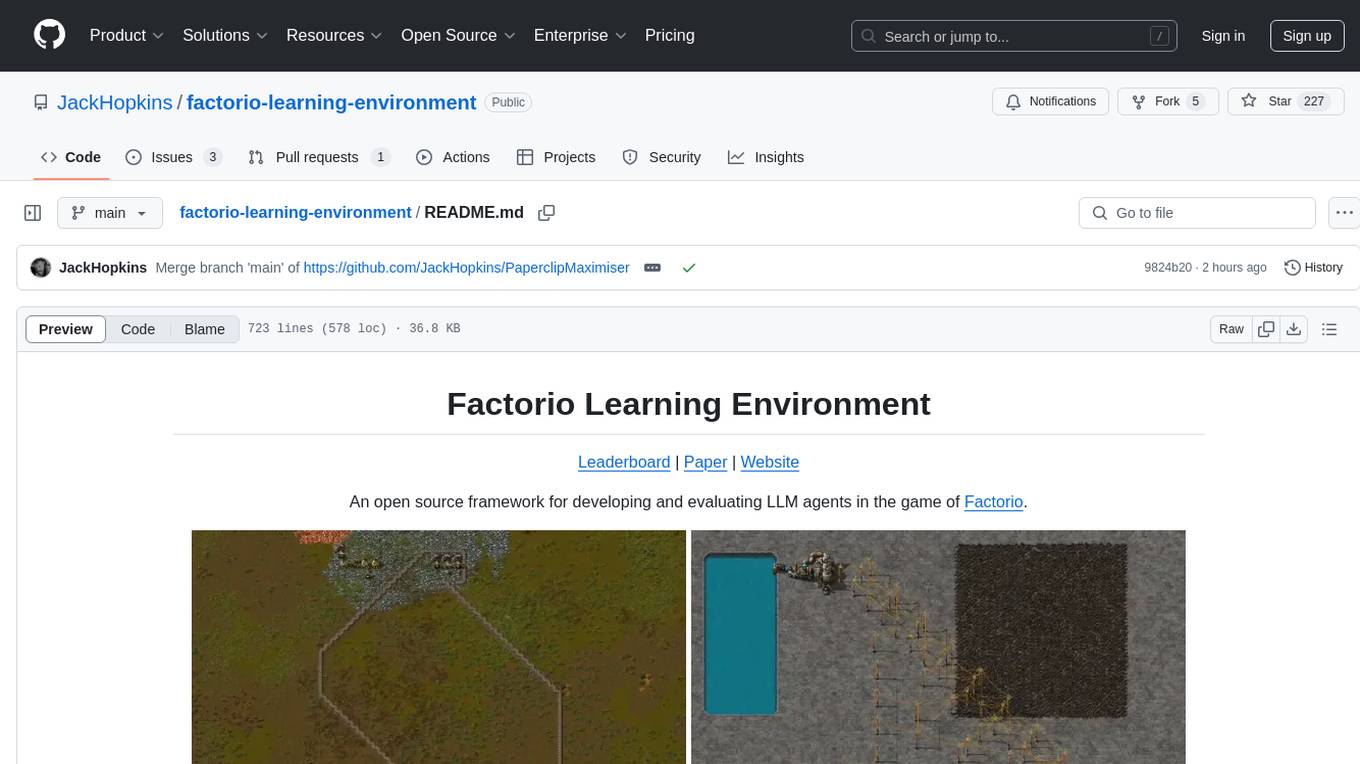
factorio-learning-environment
Factorio Learning Environment is an open source framework designed for developing and evaluating LLM agents in the game of Factorio. It provides two settings: Lab-play with structured tasks and Open-play for building large factories. Results show limitations in spatial reasoning and automation strategies. Agents interact with the environment through code synthesis, observation, action, and feedback. Tools are provided for game actions and state representation. Agents operate in episodes with observation, planning, and action execution. Tasks specify agent goals and are implemented in JSON files. The project structure includes directories for agents, environment, cluster, data, docs, eval, and more. A database is used for checkpointing agent steps. Benchmarks show performance metrics for different configurations.
Legacy-Modernization-Agents
Legacy Modernization Agents is an open source migration framework developed to demonstrate AI Agents capabilities for converting legacy COBOL code to Java or C# .NET. The framework uses Microsoft Agent Framework with a dual-API architecture to analyze COBOL code and dependencies, then convert to either Java Quarkus or C# .NET. The web portal provides real-time visualization of migration progress, dependency graphs, and AI-powered Q&A.
tambourine-voice
Tambourine is a personal voice interface tool that allows users to speak naturally and have their words appear wherever the cursor is. It is powered by customizable AI voice dictation, providing a universal voice-to-text interface for emails, messages, documents, code editors, and terminals. Users can capture ideas quickly, type at the speed of thought, and benefit from AI formatting that cleans up speech, adds punctuation, and applies personal dictionaries. Tambourine offers full control and transparency, with the ability to customize AI providers, formatting, and extensions. The tool supports dual-mode recording, real-time speech-to-text, LLM text formatting, context-aware formatting, customizable prompts, and more, making it a versatile solution for dictation and transcription tasks.
smart-ralph
Smart Ralph is a Claude Code plugin designed for spec-driven development. It helps users turn vague feature ideas into structured specs and executes them task-by-task. The tool operates within a self-contained execution loop without external dependencies, providing a seamless workflow for feature development. Named after the Ralph agentic loop pattern, Smart Ralph simplifies the development process by focusing on the next task at hand, akin to the simplicity of the Springfield student, Ralph.
For similar tasks
SuperCoder
SuperCoder is an open-source autonomous software development system that leverages advanced AI tools and agents to streamline and automate coding, testing, and deployment tasks, enhancing efficiency and reliability. It supports a variety of languages and frameworks for diverse development needs. Users can set up the environment variables, build and run the Go server, Asynq worker, and Postgres using Docker and Docker Compose. The project is under active development and may still have issues, but users can seek help and support from the Discord community or by creating new issues on GitHub.
aiconfigurator
The `aiconfigurator` tool assists in finding a strong starting configuration for disaggregated serving in AI deployments. It helps optimize throughput at a given latency by evaluating thousands of configurations based on model, GPU count, and GPU type. The tool models LLM inference using collected data for a target machine and framework, running via CLI and web app. It generates configuration files for deployment with Dynamo, offering features like customized configuration, all-in-one automation, and tuning with advanced features. The tool estimates performance by breaking down LLM inference into operations, collecting operation execution times, and searching for strong configurations. Supported features include models like GPT and operations like attention, KV cache, GEMM, AllReduce, embedding, P2P, element-wise, MoE, MLA BMM, TRTLLM versions, and parallel modes like tensor-parallel and pipeline-parallel.
ai-toolbox
AI-Toolbox is a collection of automation scripts and tools designed to streamline AI workflows. It simplifies the installation process of various AI applications, making software deployment effortless for data scientists, researchers, and developers. The toolbox offers automated installation of multiple applications, customization for specific workflows, easy-to-use scripts, and receives regular updates and contributions from the community.
amazon-bedrock-agentcore-samples
Amazon Bedrock AgentCore Samples repository provides examples and tutorials to deploy and operate AI agents securely at scale using any framework and model. It is framework-agnostic and model-agnostic, allowing flexibility in deployment. The repository includes tutorials, end-to-end applications, integration guides, deployment automation, and full-stack reference applications for developers to understand and implement Amazon Bedrock AgentCore capabilities into their applications.
gaia
Gaia is a powerful open-source tool for managing infrastructure as code. It allows users to define and provision cloud resources using simple configuration files. With Gaia, you can automate the deployment and scaling of your applications, ensuring consistency and reliability across your infrastructure. The tool supports multiple cloud providers and offers a user-friendly interface for managing your resources efficiently. Gaia simplifies the process of infrastructure management, making it easier for teams to collaborate and deploy applications seamlessly.
orchestkit
OrchestKit is a powerful and flexible orchestration tool designed to streamline and automate complex workflows. It provides a user-friendly interface for defining and managing orchestration tasks, allowing users to easily create, schedule, and monitor workflows. With support for various integrations and plugins, OrchestKit enables seamless automation of tasks across different systems and applications. Whether you are a developer looking to automate deployment processes or a system administrator managing complex IT operations, OrchestKit offers a comprehensive solution to simplify and optimize your workflow management.
snow-flow
Snow-Flow is an AI-powered, multi-agent development framework designed for ServiceNow. It features a powerful terminal UI with 200+ ServiceNow MCP tools, 54 bundled domain skills, and support for 20+ AI providers. Snow-Flow acts as an autonomous coding agent that understands and interacts with your ServiceNow instance, offering a seamless development experience. It is open-source under the Elastic License 2.0, transparent, and community-driven.
claude-code-engingeering
Claude Code is an advanced AI Agent framework that goes beyond a smart command-line tool. It is programmable, extensible, and composable, allowing users to teach it project specifications, split tasks into sub-agents, provide domain skills, automate responses to specific events, and integrate it into CI/CD pipelines for unmanned operation. The course aims to transform users from 'users' of Claude Code to 'masters' who can design agent 'memories', delegate tasks to sub-agents, build reusable skill packages, drive automation workflows with code, and collaborate with intelligent agents in a dance of development.
For similar jobs
aiconfigurator
The `aiconfigurator` tool assists in finding a strong starting configuration for disaggregated serving in AI deployments. It helps optimize throughput at a given latency by evaluating thousands of configurations based on model, GPU count, and GPU type. The tool models LLM inference using collected data for a target machine and framework, running via CLI and web app. It generates configuration files for deployment with Dynamo, offering features like customized configuration, all-in-one automation, and tuning with advanced features. The tool estimates performance by breaking down LLM inference into operations, collecting operation execution times, and searching for strong configurations. Supported features include models like GPT and operations like attention, KV cache, GEMM, AllReduce, embedding, P2P, element-wise, MoE, MLA BMM, TRTLLM versions, and parallel modes like tensor-parallel and pipeline-parallel.

sweep
Sweep is an AI junior developer that turns bugs and feature requests into code changes. It automatically handles developer experience improvements like adding type hints and improving test coverage.

teams-ai
The Teams AI Library is a software development kit (SDK) that helps developers create bots that can interact with Teams and Microsoft 365 applications. It is built on top of the Bot Framework SDK and simplifies the process of developing bots that interact with Teams' artificial intelligence capabilities. The SDK is available for JavaScript/TypeScript, .NET, and Python.

ai-guide
This guide is dedicated to Large Language Models (LLMs) that you can run on your home computer. It assumes your PC is a lower-end, non-gaming setup.

classifai
Supercharge WordPress Content Workflows and Engagement with Artificial Intelligence. Tap into leading cloud-based services like OpenAI, Microsoft Azure AI, Google Gemini and IBM Watson to augment your WordPress-powered websites. Publish content faster while improving SEO performance and increasing audience engagement. ClassifAI integrates Artificial Intelligence and Machine Learning technologies to lighten your workload and eliminate tedious tasks, giving you more time to create original content that matters.

chatbot-ui
Chatbot UI is an open-source AI chat app that allows users to create and deploy their own AI chatbots. It is easy to use and can be customized to fit any need. Chatbot UI is perfect for businesses, developers, and anyone who wants to create a chatbot.

BricksLLM
BricksLLM is a cloud native AI gateway written in Go. Currently, it provides native support for OpenAI, Anthropic, Azure OpenAI and vLLM. BricksLLM aims to provide enterprise level infrastructure that can power any LLM production use cases. Here are some use cases for BricksLLM: * Set LLM usage limits for users on different pricing tiers * Track LLM usage on a per user and per organization basis * Block or redact requests containing PIIs * Improve LLM reliability with failovers, retries and caching * Distribute API keys with rate limits and cost limits for internal development/production use cases * Distribute API keys with rate limits and cost limits for students

uAgents
uAgents is a Python library developed by Fetch.ai that allows for the creation of autonomous AI agents. These agents can perform various tasks on a schedule or take action on various events. uAgents are easy to create and manage, and they are connected to a fast-growing network of other uAgents. They are also secure, with cryptographically secured messages and wallets.