


capsule
A secure, durable runtime for AI agents. Run untrusted code in isolated WebAssembly sandboxes.
Stars: 206
Capsule is a secure and durable runtime for AI agents, designed to coordinate tasks in isolated environments. It allows for long-running workflows, large-scale processing, autonomous decision-making, and multi-agent systems. Tasks run in WebAssembly sandboxes with isolated execution, resource limits, automatic retries, and lifecycle tracking. It enables safe execution of untrusted code within AI agent systems.
README:

Capsule is a runtime for coordinating AI agent tasks in isolated environments. It is designed to handle, long-running workflows, large-scale processing, autonomous decision-making securely, or even multi-agent systems.
Each task runs inside its own WebAssembly sandbox, providing:
- Isolated execution: Each task runs isolated from your host system
- Resource limits: Set CPU, memory, and timeout limits per task
- Automatic retries: Handle failures without manual intervention
- Lifecycle tracking: Monitor which tasks are running, completed, or failed
This enables safe task-level execution of untrusted code within AI agent systems.
Simply annotate your Python functions with the @task decorator:
from capsule import task

@task(name="analyze_data", compute="MEDIUM", ram="512MB", timeout="30s", max_retries=1)
def analyze_data(dataset: list) -> dict:
    """Process data in an isolated, resource-controlled environment."""
    # Your code runs safely in a Wasm sandbox
return {"processed": len(dataset), "status": "complete"}For TypeScript and JavaScript, use the task() wrapper function with full access to the npm ecosystem:
import { task } from "@capsule-run/sdk";

export const analyzeData = task({
  name: "analyze_data",
  compute: "MEDIUM",
  ram: "512MB",
  timeout: "30s",
  maxRetries: 1
}, (dataset: number[]): object => {
  // Your code runs safely in a Wasm sandbox
  return { processed: dataset.length, status: "complete" };
});

// The "main" task is required as the entrypoint
export const main = task({
    name: "main",
    compute: "HIGH"
}, () => {
  return analyzeData([1, 2, 3, 4, 5]);
});
[!NOTE] The runtime requires a task named
"main"as the entry point. Python can define the main task itself, but it's recommended to set it manually.
When you run capsule run main.py (or main.ts), your code is compiled into a WebAssembly module and executed in a dedicated sandbox to isolate tasks.
Each task operates within its own sandbox with configurable resource limits, ensuring that failures are contained and don't cascade to other parts of your workflow. The host system controls every aspect of execution, from CPU allocation via Wasm fuel metering to memory constraints and timeout enforcement.
Every task returns a structured JSON envelope containing both the result and execution metadata:
{
  "success": true,
  "result": "Hello from Capsule!",
  "error": null,
  "execution": {
    "task_name": "data_processor",
    "duration_ms": 1523,
    "retries": 0,
    "fuel_consumed": 45000
  }
}
Response fields:
-
success— Boolean indicating whether the task completed successfully -
result— The actual return value from your task (json, string, null on failure etc..) -
error— Error details if the task failed ({ error_type: string, message: string }) -
execution— Performance metrics:-
task_name— Name of the executed task -
duration_ms— Execution time in milliseconds -
retries— Number of retry attempts that occurred -
fuel_consumed— CPU resources used (see Compute Levels)
-
pip install capsule-runCreate hello.py:
from capsule import task

@task(name="main", compute="LOW", ram="64MB")
def main() -> str:
    return "Hello from Capsule!"
Run it:
capsule run hello.pynpm install -g @capsule-run/cli
npm install @capsule-run/sdkCreate hello.ts:
import { task } from "@capsule-run/sdk";

export const main = task({
  name: "main",
  compute: "LOW",
  ram: "64MB"
}, (): string => {
  return "Hello from Capsule!";
});
Run it:
capsule run hello.ts[!TIP] Use
--verboseto display real-time task execution details.
Configure your tasks with these parameters:
| Parameter | Description | Type | Default | Example |
|---|---|---|---|---|
name |
Task identifier | str |
function name (Python) / required (TS) | "process_data" |
compute |
CPU allocation level: "LOW", "MEDIUM", or "HIGH"
|
str |
"MEDIUM" |
"HIGH" |
ram |
Memory limit for the task | str |
unlimited |
"512MB", "2GB"
|
timeout |
Maximum execution time | str |
unlimited |
"30s", "5m", "1h"
|
max_retries / maxRetries
|
Number of retry attempts on failure | int |
0 |
3 |
allowed_files / allowedFiles
|
Folders accessible in the sandbox | list |
[] |
["./data", "./output"] |
env_variables / envVariables
|
Environment variables accessible in the sandbox | list |
[] |
["API_KEY"] |
Capsule controls CPU usage through WebAssembly's fuel mechanism, which meters instruction execution. The compute level determines how much fuel your task receives.
- LOW provides minimal allocation for lightweight tasks
- MEDIUM offers balanced resources for typical workloads
- HIGH grants maximum fuel for compute-intensive operations
-
CUSTOM to specify an exact fuel value (e.g.,
compute="1000000") for precise control over execution limits.
You can create a capsule.toml file in your project root to set default options for all tasks and define workflow metadata:
# capsule.toml

[workflow]
name = "My AI Workflow"
version = "1.0.0"
entrypoint = "src/main.py"  # Default file when running `capsule run`

[tasks]
default_compute = "MEDIUM"
default_ram = "256MB"
default_timeout = "30s"
default_max_retries = 2
With an entrypoint defined, you can simply run:
capsule runTask-level options always override these defaults when specified.
The standard Python requests library and socket-based networking aren't natively compatible with WebAssembly's sandboxed I/O model. Capsule provides its own HTTP client that works within the Wasm environment:
from capsule import task
from capsule.http import get, post, put, delete

@task(name="http_example", compute="MEDIUM", timeout="30s")
def main() -> dict:
    """Example demonstrating HTTP client usage within a task."""

    # GET request
    response = get("https://api.example.com/data")

    # POST with JSON body
    response = post("https://api.example.com/submit", json={"key": "value"})

    # Response methods
    is_ok = response.ok()           # Returns True if status code is 2xx
    status = response.status_code    # Get the HTTP status code
    data = response.json()           # Parse response as JSON
    text = response.text()           # Get response as text

return {"status": status, "success": is_ok}Standard libraries like fetch are already compatible, so no custom HTTP client is needed for TypeScript/JavaScript.
import { task } from "@capsule-run/sdk";

export const main = task({
    name: "main",
    compute: "MEDIUM"
}, async () => {
    const response = await fetch("https://api.example.com/data");
    return response.json();
});Tasks can read and write files within directories specified in allowed_files. Any attempt to access files outside these directories is not possible.
[!NOTE] Currently,
allowed_filessupports directory paths, not individual files.
Python's standard file operations work normally. Use open(), os, pathlib, or any file manipulation library.
from capsule import task

@task(name="restricted_writer", allowed_files=["./output"])
def restricted_writer() -> None:
    with open("./output/result.txt", "w") as f:
        f.write("result")

@task(name="main")
def main() -> str:
restricted_writer()Common Node.js built-ins are available. Use the standard fs module:
import { task } from "@capsule-run/sdk";
import fs from "fs/promises";

export const restrictedWriter = task({
    name: "restricted_writer",
    allowedFiles: ["./output"]
}, async () => {
    await fs.writeFile("./output/result.txt", "result");
});

export const main = task({ name: "main", allowedFiles: ["./data"] }, async () => {
    await restrictedWriter();
    return await fs.readFile("./data/input.txt", "utf8");
});Tasks can access environment variables to read configuration, API keys, or other runtime settings.
Use Python's standard os.environ to access environment variables:
from capsule import task
import os

@task(name="main", env_variables=["API_KEY"])
def main() -> dict:
    api_key = os.environ.get("API_KEY")
return {"api_key": api_key}Use the standard process.env to access environment variables:
import { task } from "@capsule-run/sdk";

export const main = task({
    name: "main",
    envVariables: ["API_KEY"]
}, () => {
    const apiKey = process.env.API_KEY;
    return { apiKeySet: apiKey !== undefined };
});[!NOTE] TypeScript/JavaScript has broader compatibility than Python since it doesn't rely on native bindings.
Python: Pure Python packages and standard library modules work. Packages with C extensions (numpy, pandas) are not yet supported.
TypeScript/JavaScript: npm packages and ES modules work. Common Node.js built-ins are available. If you have any trouble with a built-in do not hesitate to open an issue.
Contributions are welcome!
Prerequisites: Rust (latest stable), Python 3.13+, Node.js 22+
git clone https://github.com/mavdol/capsule.git
cd capsule

# Build and install CLI
cargo install --path crates/capsule-cli

# Python SDK (editable install)
pip install -e crates/capsule-sdk/python

# TypeScript SDK (link for local dev)
cd crates/capsule-sdk/javascript
npm install && npm run build && npm link

# Then in your project: npm link @capsule-run/sdk- Fork the repository
-
Create a feature branch:
git checkout -b feature/amazing-feature -
Run tests:
cargo test - Open a Pull Request
Need help? Open an issue
Capsule builds on these open source projects:
- componentize-py – Python to WebAssembly Component compilation
- jco – JavaScript toolchain for WebAssembly Components
- wasmtime – WebAssembly runtime
- WASI – WebAssembly System Interface
This project is licensed under the Apache License 2.0 - see the LICENSE file for details.
For Tasks:
Click tags to check more tools for each tasksFor Jobs:
Alternative AI tools for capsule
Similar Open Source Tools
capsule
Capsule is a secure and durable runtime for AI agents, designed to coordinate tasks in isolated environments. It allows for long-running workflows, large-scale processing, autonomous decision-making, and multi-agent systems. Tasks run in WebAssembly sandboxes with isolated execution, resource limits, automatic retries, and lifecycle tracking. It enables safe execution of untrusted code within AI agent systems.
sonarqube-mcp-server
The SonarQube MCP Server is a Model Context Protocol (MCP) server that enables seamless integration with SonarQube Server or Cloud for code quality and security. It supports the analysis of code snippets directly within the agent context. The server provides various tools for analyzing code, managing issues, accessing metrics, and interacting with SonarQube projects. It also supports advanced features like dependency risk analysis, enterprise portfolio management, and system health checks. The server can be configured for different transport modes, proxy settings, and custom certificates. Telemetry data collection can be disabled if needed.

LocalAGI
LocalAGI is a powerful, self-hostable AI Agent platform that allows you to design AI automations without writing code. It provides a complete drop-in replacement for OpenAI's Responses APIs with advanced agentic capabilities. With LocalAGI, you can create customizable AI assistants, automations, chat bots, and agents that run 100% locally, without the need for cloud services or API keys. The platform offers features like no-code agents, web-based interface, advanced agent teaming, connectors for various platforms, comprehensive REST API, short & long-term memory capabilities, planning & reasoning, periodic tasks scheduling, memory management, multimodal support, extensible custom actions, fully customizable models, observability, and more.
mediasoup-client-aiortc
mediasoup-client-aiortc is a handler for the aiortc Python library, allowing Node.js applications to connect to a mediasoup server using WebRTC for real-time audio, video, and DataChannel communication. It facilitates the creation of Worker instances to manage Python subprocesses, obtain audio/video tracks, and create mediasoup-client handlers. The tool supports features like getUserMedia, handlerFactory creation, and event handling for subprocess closure and unexpected termination. It provides custom classes for media stream and track constraints, enabling diverse audio/video sources like devices, files, or URLs. The tool enhances WebRTC capabilities in Node.js applications through seamless Python subprocess communication.
Webscout
Webscout is an all-in-one Python toolkit for web search, AI interaction, digital utilities, and more. It provides access to diverse search engines, cutting-edge AI models, temporary communication tools, media utilities, developer helpers, and powerful CLI interfaces through a unified library. With features like comprehensive search leveraging Google and DuckDuckGo, AI powerhouse for accessing various AI models, YouTube toolkit for video and transcript management, GitAPI for GitHub data extraction, Tempmail & Temp Number for privacy, Text-to-Speech conversion, GGUF conversion & quantization, SwiftCLI for CLI interfaces, LitPrinter for styled console output, LitLogger for logging, LitAgent for user agent generation, Text-to-Image generation, Scout for web parsing and crawling, Awesome Prompts for specialized tasks, Weather Toolkit, and AI Search Providers.
nexus
Nexus is a tool that acts as a unified gateway for multiple LLM providers and MCP servers. It allows users to aggregate, govern, and control their AI stack by connecting multiple servers and providers through a single endpoint. Nexus provides features like MCP Server Aggregation, LLM Provider Routing, Context-Aware Tool Search, Protocol Support, Flexible Configuration, Security features, Rate Limiting, and Docker readiness. It supports tool calling, tool discovery, and error handling for STDIO servers. Nexus also integrates with AI assistants, Cursor, Claude Code, and LangChain for seamless usage.
flyte-sdk
Flyte 2 SDK is a pure Python tool for type-safe, distributed orchestration of agents, ML pipelines, and more. It allows users to write data pipelines, ML training jobs, and distributed compute in Python without any DSL constraints. With features like async-first parallelism and fine-grained observability, Flyte 2 offers a seamless workflow experience. Users can leverage core concepts like TaskEnvironments for container configuration, pure Python workflows for flexibility, and async parallelism for distributed execution. Advanced features include sub-task observability with tracing and remote task execution. The tool also provides native Jupyter integration for running and monitoring workflows directly from notebooks. Configuration and deployment are made easy with configuration files and commands for deploying and running workflows. Flyte 2 is licensed under the Apache 2.0 License.
ruler
Ruler is a tool designed to centralize AI coding assistant instructions, providing a single source of truth for managing instructions across multiple AI coding tools. It helps in avoiding inconsistent guidance, duplicated effort, context drift, onboarding friction, and complex project structures by automatically distributing instructions to the right configuration files. With support for nested rule loading, Ruler can handle complex project structures with context-specific instructions for different components. It offers features like centralised rule management, nested rule loading, automatic distribution, targeted agent configuration, MCP server propagation, .gitignore automation, and a simple CLI for easy configuration management.
Webscout
WebScout is a versatile tool that allows users to search for anything using Google, DuckDuckGo, and phind.com. It contains AI models, can transcribe YouTube videos, generate temporary email and phone numbers, has TTS support, webai (terminal GPT and open interpreter), and offline LLMs. It also supports features like weather forecasting, YT video downloading, temp mail and number generation, text-to-speech, advanced web searches, and more.
superagent
Superagent is an open-source AI assistant framework and API that allows developers to add powerful AI assistants to their applications. These assistants use large language models (LLMs), retrieval augmented generation (RAG), and generative AI to help users with a variety of tasks, including question answering, chatbot development, content generation, data aggregation, and workflow automation. Superagent is backed by Y Combinator and is part of YC W24.
parrot.nvim
Parrot.nvim is a Neovim plugin that prioritizes a seamless out-of-the-box experience for text generation. It simplifies functionality and focuses solely on text generation, excluding integration of DALLE and Whisper. It supports persistent conversations as markdown files, custom hooks for inline text editing, multiple providers like Anthropic API, perplexity.ai API, OpenAI API, Mistral API, and local/offline serving via ollama. It allows custom agent definitions, flexible API credential support, and repository-specific instructions with a `.parrot.md` file. It does not have autocompletion or hidden requests in the background to analyze files.
llm-metadata
LLM Metadata is a lightweight static API designed for discovering and integrating LLM metadata. It provides a high-throughput friendly, static-by-default interface that serves static JSON via GitHub Pages. The sources for the metadata include models.dev/api.json and contributions from the basellm community. The tool allows for easy rebuilding on change and offers various scripts for compiling TypeScript, building the API, and managing the project. It also supports internationalization for both documentation and API, enabling users to add new languages and localize capability labels and descriptions. The tool follows an auto-update policy based on a configuration file and allows for directory-based overrides for providers and models, facilitating customization and localization of metadata.
crush
Crush is a versatile tool designed to enhance coding workflows in your terminal. It offers support for multiple LLMs, allows for flexible switching between models, and enables session-based work management. Crush is extensible through MCPs and works across various operating systems. It can be installed using package managers like Homebrew and NPM, or downloaded directly. Crush supports various APIs like Anthropic, OpenAI, Groq, and Google Gemini, and allows for customization through environment variables. The tool can be configured locally or globally, and supports LSPs for additional context. Crush also provides options for ignoring files, allowing tools, and configuring local models. It respects `.gitignore` files and offers logging capabilities for troubleshooting and debugging.
ax
Ax is a Typescript library that allows users to build intelligent agents inspired by agentic workflows and the Stanford DSP paper. It seamlessly integrates with multiple Large Language Models (LLMs) and VectorDBs to create RAG pipelines or collaborative agents capable of solving complex problems. The library offers advanced features such as streaming validation, multi-modal DSP, and automatic prompt tuning using optimizers. Users can easily convert documents of any format to text, perform smart chunking, embedding, and querying, and ensure output validation while streaming. Ax is production-ready, written in Typescript, and has zero dependencies.
mcp
Semgrep MCP Server is a beta server under active development for using Semgrep to scan code for security vulnerabilities. It provides a Model Context Protocol (MCP) for various coding tools to get specialized help in tasks. Users can connect to Semgrep AppSec Platform, scan code for vulnerabilities, customize Semgrep rules, analyze and filter scan results, and compare results. The tool is published on PyPI as semgrep-mcp and can be installed using pip, pipx, uv, poetry, or other methods. It supports CLI and Docker environments for running the server. Integration with VS Code is also available for quick installation. The project welcomes contributions and is inspired by core technologies like Semgrep and MCP, as well as related community projects and tools.
For similar tasks

Azure-Analytics-and-AI-Engagement
The Azure-Analytics-and-AI-Engagement repository provides packaged Industry Scenario DREAM Demos with ARM templates (Containing a demo web application, Power BI reports, Synapse resources, AML Notebooks etc.) that can be deployed in a customer’s subscription using the CAPE tool within a matter of few hours. Partners can also deploy DREAM Demos in their own subscriptions using DPoC.
sorrentum
Sorrentum is an open-source project that aims to combine open-source development, startups, and brilliant students to build machine learning, AI, and Web3 / DeFi protocols geared towards finance and economics. The project provides opportunities for internships, research assistantships, and development grants, as well as the chance to work on cutting-edge problems, learn about startups, write academic papers, and get internships and full-time positions at companies working on Sorrentum applications.

tidb
TiDB is an open-source distributed SQL database that supports Hybrid Transactional and Analytical Processing (HTAP) workloads. It is MySQL compatible and features horizontal scalability, strong consistency, and high availability.

zep-python
Zep is an open-source platform for building and deploying large language model (LLM) applications. It provides a suite of tools and services that make it easy to integrate LLMs into your applications, including chat history memory, embedding, vector search, and data enrichment. Zep is designed to be scalable, reliable, and easy to use, making it a great choice for developers who want to build LLM-powered applications quickly and easily.
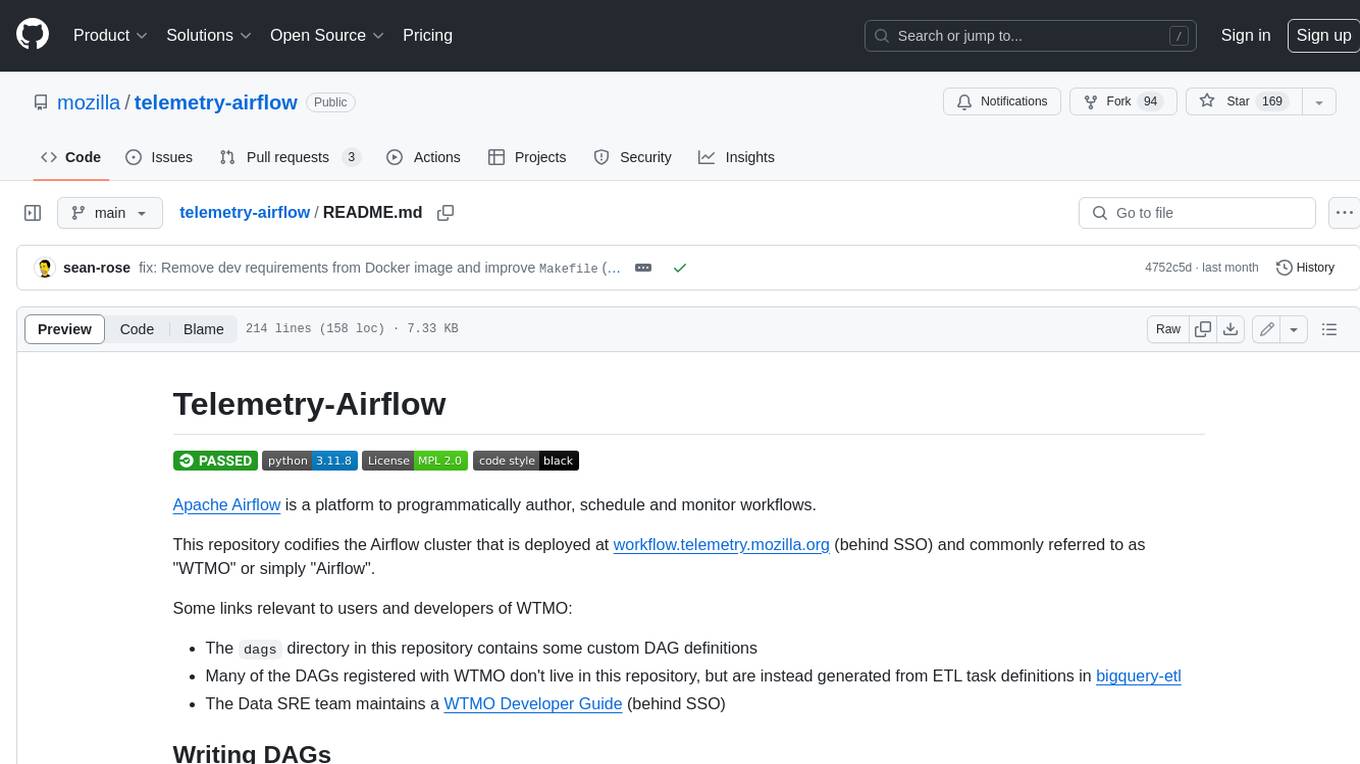
telemetry-airflow
This repository codifies the Airflow cluster that is deployed at workflow.telemetry.mozilla.org (behind SSO) and commonly referred to as "WTMO" or simply "Airflow". Some links relevant to users and developers of WTMO: * The `dags` directory in this repository contains some custom DAG definitions * Many of the DAGs registered with WTMO don't live in this repository, but are instead generated from ETL task definitions in bigquery-etl * The Data SRE team maintains a WTMO Developer Guide (behind SSO)
mojo
Mojo is a new programming language that bridges the gap between research and production by combining Python syntax and ecosystem with systems programming and metaprogramming features. Mojo is still young, but it is designed to become a superset of Python over time.

pandas-ai
PandasAI is a Python library that makes it easy to ask questions to your data in natural language. It helps you to explore, clean, and analyze your data using generative AI.

databend
Databend is an open-source cloud data warehouse that serves as a cost-effective alternative to Snowflake. With its focus on fast query execution and data ingestion, it's designed for complex analysis of the world's largest datasets.
For similar jobs

sweep
Sweep is an AI junior developer that turns bugs and feature requests into code changes. It automatically handles developer experience improvements like adding type hints and improving test coverage.

teams-ai
The Teams AI Library is a software development kit (SDK) that helps developers create bots that can interact with Teams and Microsoft 365 applications. It is built on top of the Bot Framework SDK and simplifies the process of developing bots that interact with Teams' artificial intelligence capabilities. The SDK is available for JavaScript/TypeScript, .NET, and Python.

ai-guide
This guide is dedicated to Large Language Models (LLMs) that you can run on your home computer. It assumes your PC is a lower-end, non-gaming setup.

classifai
Supercharge WordPress Content Workflows and Engagement with Artificial Intelligence. Tap into leading cloud-based services like OpenAI, Microsoft Azure AI, Google Gemini and IBM Watson to augment your WordPress-powered websites. Publish content faster while improving SEO performance and increasing audience engagement. ClassifAI integrates Artificial Intelligence and Machine Learning technologies to lighten your workload and eliminate tedious tasks, giving you more time to create original content that matters.

chatbot-ui
Chatbot UI is an open-source AI chat app that allows users to create and deploy their own AI chatbots. It is easy to use and can be customized to fit any need. Chatbot UI is perfect for businesses, developers, and anyone who wants to create a chatbot.

BricksLLM
BricksLLM is a cloud native AI gateway written in Go. Currently, it provides native support for OpenAI, Anthropic, Azure OpenAI and vLLM. BricksLLM aims to provide enterprise level infrastructure that can power any LLM production use cases. Here are some use cases for BricksLLM: * Set LLM usage limits for users on different pricing tiers * Track LLM usage on a per user and per organization basis * Block or redact requests containing PIIs * Improve LLM reliability with failovers, retries and caching * Distribute API keys with rate limits and cost limits for internal development/production use cases * Distribute API keys with rate limits and cost limits for students

uAgents
uAgents is a Python library developed by Fetch.ai that allows for the creation of autonomous AI agents. These agents can perform various tasks on a schedule or take action on various events. uAgents are easy to create and manage, and they are connected to a fast-growing network of other uAgents. They are also secure, with cryptographically secured messages and wallets.

griptape
Griptape is a modular Python framework for building AI-powered applications that securely connect to your enterprise data and APIs. It offers developers the ability to maintain control and flexibility at every step. Griptape's core components include Structures (Agents, Pipelines, and Workflows), Tasks, Tools, Memory (Conversation Memory, Task Memory, and Meta Memory), Drivers (Prompt and Embedding Drivers, Vector Store Drivers, Image Generation Drivers, Image Query Drivers, SQL Drivers, Web Scraper Drivers, and Conversation Memory Drivers), Engines (Query Engines, Extraction Engines, Summary Engines, Image Generation Engines, and Image Query Engines), and additional components (Rulesets, Loaders, Artifacts, Chunkers, and Tokenizers). Griptape enables developers to create AI-powered applications with ease and efficiency.