


LocalAGI
LocalAGI is a powerful, self-hostable AI Agent platform designed for maximum privacy and flexibility. A complete drop-in replacement for OpenAI's Responses APIs with advanced agentic capabilities. No clouds. Local AI that works on consumer-grade hardware (CPU and GPU).
Stars: 1576

LocalAGI is a powerful, self-hostable AI Agent platform that allows you to design AI automations without writing code. It provides a complete drop-in replacement for OpenAI's Responses APIs with advanced agentic capabilities. With LocalAGI, you can create customizable AI assistants, automations, chat bots, and agents that run 100% locally, without the need for cloud services or API keys. The platform offers features like no-code agents, web-based interface, advanced agent teaming, connectors for various platforms, comprehensive REST API, short & long-term memory capabilities, planning & reasoning, periodic tasks scheduling, memory management, multimodal support, extensible custom actions, fully customizable models, observability, and more.
README:


Try on

Create customizable AI assistants, automations, chat bots and agents that run 100% locally. No need for agentic Python libraries or cloud service keys, just bring your GPU (or even just CPU) and a web browser.
LocalAGI is a powerful, self-hostable AI Agent platform that allows you to design AI automations without writing code. Create Agents with a couple of clicks, connect via MCP and give it skills with skillserver. Every agent exposes a complete drop-in replacement for OpenAI's Responses APIs with advanced agentic capabilities. No clouds. No data leaks. Just pure local AI that works on consumer-grade hardware (CPU and GPU).
Are you tired of AI wrappers calling out to cloud APIs, risking your privacy? So were we.
LocalAGI ensures your data stays exactly where you want it—on your hardware. No API keys, no cloud subscriptions, no compromise.
- 🎛 No-Code Agents: Easy-to-configure multiple agents via Web UI.
- 🖥 Web-Based Interface: Simple and intuitive agent management.
- 🤖 Advanced Agent Teaming: Instantly create cooperative agent teams from a single prompt.
- 📡 Connectors: Built-in integrations with Discord, Slack, Telegram, GitHub Issues, and IRC.
- 🛠 Comprehensive REST API: Seamless integration into your workflows. Every agent created will support OpenAI Responses API out of the box.
- 📚 Short & Long-Term Memory: Powered by LocalRecall.
- 🧠 Planning & Reasoning: Agents intelligently plan, reason, and adapt.
- 🔄 Periodic Tasks: Schedule tasks with cron-like syntax.
- 💾 Memory Management: Control memory usage with options for long-term and summary memory.
- 🖼 Multimodal Support: Ready for vision, text, and more.
- 🔧 Extensible Custom Actions: Easily script dynamic agent behaviors in Go (interpreted, no compilation!).
- 🛠 Fully Customizable Models: Use your own models or integrate seamlessly with LocalAI.
- 📊 Observability: Monitor agent status and view detailed observable updates in real-time.
# Clone the repository
git clone https://github.com/mudler/LocalAGI
cd LocalAGI

# CPU setup (default)
docker compose up

# NVIDIA GPU setup
docker compose -f docker-compose.nvidia.yaml up

# Intel GPU setup (for Intel Arc and integrated GPUs)
docker compose -f docker-compose.intel.yaml up

# AMD GPU setup
docker compose -f docker-compose.amd.yaml up

# Start with a specific model (see available models in models.localai.io, or localai.io to use any model in huggingface)
MODEL_NAME=gemma-3-12b-it docker compose up

# NVIDIA GPU setup with custom multimodal and image models
MODEL_NAME=gemma-3-12b-it \
MULTIMODAL_MODEL=moondream2-20250414 \
IMAGE_MODEL=flux.1-dev-ggml \
docker compose -f docker-compose.nvidia.yaml up
Now you can access and manage your agents at http://localhost:8080
Still having issues? see this Youtube video: https://youtu.be/HtVwIxW3ePg


🆕 LocalAI is now part of a comprehensive suite of AI tools designed to work together:
|
LocalAI is the free, Open Source OpenAI alternative. LocalAI act as a drop-in replacement REST API that's compatible with OpenAI API specifications for local AI inferencing. Does not require GPU. |

|
A REST-ful API and knowledge base management system that provides persistent memory and storage capabilities for AI agents. |
LocalAGI supports multiple hardware configurations through Docker Compose profiles:
- No special configuration needed
- Runs on any system with Docker
- Best for testing and development
- Supports text models only
- Requires NVIDIA GPU and drivers
- Uses CUDA for acceleration
- Best for high-performance inference
- Supports text, multimodal, and image generation models
- Run with:
docker compose -f docker-compose.nvidia.yaml up - Default models:
- Text:
gemma-3-4b-it-qat - Multimodal:
moondream2-20250414 - Image:
sd-1.5-ggml
- Text:
- Environment variables:
-
MODEL_NAME: Text model to use -
MULTIMODAL_MODEL: Multimodal model to use -
IMAGE_MODEL: Image generation model to use -
LOCALAI_SINGLE_ACTIVE_BACKEND: Set totrueto enable single active backend mode
-
- Supports Intel Arc and integrated GPUs
- Uses SYCL for acceleration
- Best for Intel-based systems
- Supports text, multimodal, and image generation models
- Run with:
docker compose -f docker-compose.intel.yaml up - Default models:
- Text:
gemma-3-4b-it-qat - Multimodal:
moondream2-20250414 - Image:
sd-1.5-ggml
- Text:
- Environment variables:
-
MODEL_NAME: Text model to use -
MULTIMODAL_MODEL: Multimodal model to use -
IMAGE_MODEL: Image generation model to use -
LOCALAI_SINGLE_ACTIVE_BACKEND: Set totrueto enable single active backend mode
-
You can customize the models used by LocalAGI by setting environment variables when running docker-compose. For example:
# CPU with custom model
MODEL_NAME=gemma-3-12b-it docker compose up

# NVIDIA GPU with custom models
MODEL_NAME=gemma-3-12b-it \
MULTIMODAL_MODEL=moondream2-20250414 \
IMAGE_MODEL=flux.1-dev-ggml \
docker compose -f docker-compose.nvidia.yaml up

# Intel GPU with custom models
MODEL_NAME=gemma-3-12b-it \
MULTIMODAL_MODEL=moondream2-20250414 \
IMAGE_MODEL=sd-1.5-ggml \
docker compose -f docker-compose.intel.yaml up

# With custom actions directory
LOCALAGI_CUSTOM_ACTIONS_DIR=/app/custom-actions docker compose up
If no models are specified, it will use the defaults:
- Text model:
gemma-3-4b-it-qat - Multimodal model:
moondream2-20250414 - Image model:
sd-1.5-ggml
Good (relatively small) models that have been tested are:
-
qwen_qwq-32b(best in co-ordinating agents) gemma-3-12b-itgemma-3-27b-it
- ✓ Ultimate Privacy: No data ever leaves your hardware.
- ✓ Flexible Model Integration: Supports GGUF, GGML, and more thanks to LocalAI.
- ✓ Developer-Friendly: Rich APIs and intuitive interfaces.
- ✓ Effortless Setup: Simple Docker compose setups and pre-built binaries.
- ✓ Feature-Rich: From planning to multimodal capabilities, connectors for Slack, MCP support, LocalAGI has it all.
Explore detailed documentation including:
LocalAGI supports environment configurations. Note that these environment variables needs to be specified in the localagi container in the docker-compose file to have effect.
| Variable | What It Does |
|---|---|
LOCALAGI_MODEL |
Your go-to model |
LOCALAGI_MULTIMODAL_MODEL |
Optional model for multimodal capabilities |
LOCALAGI_LLM_API_URL |
OpenAI-compatible API server URL |
LOCALAGI_LLM_API_KEY |
API authentication |
LOCALAGI_TIMEOUT |
Request timeout settings |
LOCALAGI_STATE_DIR |
Where state gets stored |
LOCALAGI_LOCALRAG_URL |
LocalRecall connection |
LOCALAGI_ENABLE_CONVERSATIONS_LOGGING |
Toggle conversation logs |
LOCALAGI_API_KEYS |
A comma separated list of api keys used for authentication |
LOCALAGI_CUSTOM_ACTIONS_DIR |
Directory containing custom Go action files to be automatically loaded |
Download ready-to-run binaries from the Releases page.
Requirements:
- Go 1.20+
- Git
- Bun 1.2+
# Clone repo
git clone https://github.com/mudler/LocalAGI.git
cd LocalAGI

# Build it
cd webui/react-ui && bun i && bun run build
cd ../..
go build -o localagi

# Run it
./localagiLocalAGI can be used as a Go library to programmatically create and manage AI agents. Let's start with a simple example of creating a single agent:
Basic Usage: Single Agent
import (
    "github.com/mudler/LocalAGI/core/agent"
    "github.com/mudler/LocalAGI/core/types"
)

// Create a new agent with basic configuration
agent, err := agent.New(
    agent.WithModel("gpt-4"),
    agent.WithLLMAPIURL("http://localhost:8080"),
    agent.WithLLMAPIKey("your-api-key"),
    agent.WithSystemPrompt("You are a helpful assistant."),
    agent.WithCharacter(agent.Character{
        Name: "my-agent",
    }),
    agent.WithActions(
        // Add your custom actions here
    ),
    agent.WithStateFile("./state/my-agent.state.json"),
    agent.WithCharacterFile("./state/my-agent.character.json"),
    agent.WithTimeout("10m"),
    agent.EnableKnowledgeBase(),
    agent.EnableReasoning(),
)

if err != nil {
    log.Fatal(err)
}

// Start the agent
go func() {
    if err := agent.Run(); err != nil {
        log.Printf("Agent stopped: %v", err)
    }
}()

// Stop the agent when done
agent.Stop()
This basic example shows how to:
- Create a single agent with essential configuration
- Set up the agent's model and API connection
- Configure basic features like knowledge base and reasoning
- Start and stop the agent
Advanced Usage: Agent Pools
For managing multiple agents, you can use the AgentPool system:
import (
    "github.com/mudler/LocalAGI/core/state"
    "github.com/mudler/LocalAGI/core/types"
)

// Create a new agent pool
pool, err := state.NewAgentPool(
    "default-model",           // default model name
    "default-multimodal-model", // default multimodal model
    "image-model",            // image generation model
    "http://localhost:8080",  // API URL
    "your-api-key",          // API key
    "./state",               // state directory
    "http://localhost:8081", // LocalRAG API URL
    func(config *AgentConfig) func(ctx context.Context, pool *AgentPool) []types.Action {
        // Define available actions for agents
        return func(ctx context.Context, pool *AgentPool) []types.Action {
            return []types.Action{
                // Add your custom actions here
            }
        }
    },
    func(config *AgentConfig) []Connector {
        // Define connectors for agents
        return []Connector{
            // Add your custom connectors here
        }
    },
    func(config *AgentConfig) []DynamicPrompt {
        // Define dynamic prompts for agents
        return []DynamicPrompt{
            // Add your custom prompts here
        }
    },
    func(config *AgentConfig) types.JobFilters {
        // Define job filters for agents
        return types.JobFilters{
            // Add your custom filters here
        }
    },
    "10m", // timeout
    true,  // enable conversation logs
)

// Create a new agent in the pool
agentConfig := &AgentConfig{
    Name: "my-agent",
    Model: "gpt-4",
    SystemPrompt: "You are a helpful assistant.",
    EnableKnowledgeBase: true,
    EnableReasoning: true,
    // Add more configuration options as needed
}

err = pool.CreateAgent("my-agent", agentConfig)

// Start all agents
err = pool.StartAll()

// Get agent status
status := pool.GetStatusHistory("my-agent")

// Stop an agent
pool.Stop("my-agent")

// Remove an agent
err = pool.Remove("my-agent")
Available Features
Key features available through the library:
- Single Agent Management: Create and manage individual agents with basic configuration
- Agent Pool Management: Create, start, stop, and remove multiple agents
- Configuration: Customize agent behavior through AgentConfig
- Actions: Define custom actions for agents to perform
- Connectors: Add custom connectors for external services
- Dynamic Prompts: Create dynamic prompt templates
- Job Filters: Implement custom job filtering logic
- Status Tracking: Monitor agent status and history
- State Persistence: Automatic state saving and loading
For more details about available configuration options and features, refer to the Agent Configuration Reference section.
LocalAGI provides two powerful ways to extend its functionality with custom actions:
LocalAGI supports custom actions written in Go that can be defined inline when creating an agent. These actions are interpreted at runtime, so no compilation is required.
You can also place custom Go action files in a directory and have LocalAGI automatically load them. Set the LOCALAGI_CUSTOM_ACTIONS_DIR environment variable to point to a directory containing your custom action files. Each .go file in this directory will be automatically loaded and made available to all agents.
Example setup:
# Set the environment variable
export LOCALAGI_CUSTOM_ACTIONS_DIR="/path/to/custom/actions"

# Or in docker-compose.yaml
environment:
  - LOCALAGI_CUSTOM_ACTIONS_DIR=/app/custom-actions
Directory structure:
custom-actions/
├── weather_action.go
├── file_processor.go
└── database_query.go
Each file should contain the three required functions (Run, Definition, RequiredFields) as described below.
When creating a new Agent, in the action sections select the "custom" action, you can add the Golang code directly there.
Custom actions in LocalAGI require three main functions:
-
Run(config map[string]interface{}) (string, map[string]interface{}, error)- The main execution function -
Definition() map[string][]string- Defines the action's parameters and their types -
RequiredFields() []string- Specifies which parameters are required
Note: You can't use additional modules, but just use libraries that are included in Go.
Here's a practical example of a custom action that fetches weather information:
import (
    "encoding/json"
    "fmt"
    "net/http"
    "io"
)

type WeatherParams struct {
    City    string `json:"city"`
    Country string `json:"country"`
}

type WeatherResponse struct {
    Main struct {
        Temp     float64 `json:"temp"`
        Humidity int     `json:"humidity"`
    } `json:"main"`
    Weather []struct {
        Description string `json:"description"`
    } `json:"weather"`
}

func Run(config map[string]interface{}) (string, map[string]interface{}, error) {
    // Parse parameters
    p := WeatherParams{}
    b, err := json.Marshal(config)
    if err != nil {
        return "", map[string]interface{}{}, err
    }
    if err := json.Unmarshal(b, &p); err != nil {
        return "", map[string]interface{}{}, err
    }

    // Make API call to weather service
    url := fmt.Sprintf("http://api.openweathermap.org/data/2.5/weather?q=%s,%s&appid=YOUR_API_KEY&units=metric", p.City, p.Country)
    resp, err := http.Get(url)
    if err != nil {
        return "", map[string]interface{}{}, err
    }
    defer resp.Body.Close()

    body, err := io.ReadAll(resp.Body)
    if err != nil {
        return "", map[string]interface{}{}, err
    }

    var weather WeatherResponse
    if err := json.Unmarshal(body, &weather); err != nil {
        return "", map[string]interface{}{}, err
    }

    // Format response
    result := fmt.Sprintf("Weather in %s, %s: %.1f°C, %s, Humidity: %d%%",
        p.City, p.Country, weather.Main.Temp, weather.Weather[0].Description, weather.Main.Humidity)

    return result, map[string]interface{}{}, nil
}

func Definition() map[string][]string {
    return map[string][]string{
        "city": []string{
            "string",
            "The city name to get weather for",
        },
        "country": []string{
            "string",
            "The country code (e.g., US, UK, DE)",
        },
    }
}

func RequiredFields() []string {
    return []string{"city", "country"}
}Here's another example that demonstrates file system operations:
import (
    "encoding/json"
    "fmt"
    "os"
    "path/filepath"
)

type FileParams struct {
    Path    string `json:"path"`
    Action  string `json:"action"`
    Content string `json:"content,omitempty"`
}

func Run(config map[string]interface{}) (string, map[string]interface{}, error) {
    p := FileParams{}
    b, err := json.Marshal(config)
    if err != nil {
        return "", map[string]interface{}{}, err
    }
    if err := json.Unmarshal(b, &p); err != nil {
        return "", map[string]interface{}{}, err
    }

    switch p.Action {
    case "read":
        content, err := os.ReadFile(p.Path)
        if err != nil {
            return "", map[string]interface{}{}, err
        }
        return string(content), map[string]interface{}{}, nil

    case "write":
        err := os.WriteFile(p.Path, []byte(p.Content), 0644)
        if err != nil {
            return "", map[string]interface{}{}, err
        }
        return fmt.Sprintf("Successfully wrote to %s", p.Path), map[string]interface{}{}, nil

    case "list":
        files, err := os.ReadDir(p.Path)
        if err != nil {
            return "", map[string]interface{}{}, err
        }

        var fileList []string
        for _, file := range files {
            fileList = append(fileList, file.Name())
        }

        result, _ := json.Marshal(fileList)
        return string(result), map[string]interface{}{}, nil

    default:
        return "", map[string]interface{}{}, fmt.Errorf("unknown action: %s", p.Action)
    }
}

func Definition() map[string][]string {
    return map[string][]string{
        "path": []string{
            "string",
            "The file or directory path",
        },
        "action": []string{
            "string",
            "The action to perform: read, write, or list",
        },
        "content": []string{
            "string",
            "Content to write (required for write action)",
        },
    }
}

func RequiredFields() []string {
    return []string{"path", "action"}
}To use custom actions, add them to your agent configuration:
- Via Web UI: In the agent creation form, add a "Custom" action and paste your Go code
- Via API: Include the custom action in your agent configuration JSON
- Via Library: Add the custom action to your agent's actions list
LocalAGI supports both local and remote MCP servers, allowing you to extend functionality with external tools and services.
The Model Context Protocol (MCP) is a standard for connecting AI applications to external data sources and tools. LocalAGI can connect to any MCP-compliant server to access additional capabilities.
Local MCP servers run as processes that LocalAGI can spawn and communicate with via STDIO.
{
  "mcpServers": {
    "github": {
      "command": "docker",
      "args": [
        "run",
        "-i",
        "--rm",
        "-e",
        "GITHUB_PERSONAL_ACCESS_TOKEN",
        "ghcr.io/github/github-mcp-server"
      ],
      "env": {
        "GITHUB_PERSONAL_ACCESS_TOKEN": "<YOUR_TOKEN>"
      }
    }
  }
}
Remote MCP servers are HTTP-based and can be accessed over the network.
You can create MCP servers in any language that supports the MCP protocol and add the URLs of the servers to LocalAGI.
- Via Web UI: In the MCP Settings section of agent creation, add MCP servers
- Via API: Include MCP server configuration in your agent config
- Security: Always validate inputs and use proper authentication for remote MCP servers
- Error Handling: Implement robust error handling in your MCP servers
- Documentation: Provide clear descriptions for all tools exposed by your MCP server
- Testing: Test your MCP servers independently before integrating with LocalAGI
- Resource Management: Ensure your MCP servers properly clean up resources
The development workflow is similar to the source build, but with additional steps for hot reloading of the frontend:
# Clone repo
git clone https://github.com/mudler/LocalAGI.git
cd LocalAGI

cd webui/react-ui

# Install dependencies
bun i

# Compile frontend (the build directory needs to exist for the backend to start)
bun run build

# Start frontend development server
bun run dev
Then in separate terminal:
cd LocalAGI

# Create a "pool" directory for agent state
mkdir pool

# Set required environment variables
export LOCALAGI_MODEL=gemma-3-4b-it-qat
export LOCALAGI_MULTIMODAL_MODEL=moondream2-20250414
export LOCALAGI_IMAGE_MODEL=sd-1.5-ggml
export LOCALAGI_LLM_API_URL=http://localai:8080
export LOCALAGI_LOCALRAG_URL=http://localrecall:8080
export LOCALAGI_STATE_DIR=./pool
export LOCALAGI_TIMEOUT=5m
export LOCALAGI_ENABLE_CONVERSATIONS_LOGGING=false
export LOCALAGI_SSHBOX_URL=root:root@sshbox:22

# Start development server
go run main.go
Note: see webui/react-ui/.vite.config.js for env vars that can be used to configure the backend URL
Link your agents to the services you already use. Configuration examples below.
GitHub Issues
{
  "token": "YOUR_PAT_TOKEN",
  "repository": "repo-to-monitor",
  "owner": "repo-owner",
  "botUserName": "bot-username"
}
Discord
After creating your Discord bot:
{
  "token": "Bot YOUR_DISCORD_TOKEN",
  "defaultChannel": "OPTIONAL_CHANNEL_ID"
}
Don't forget to enable "Message Content Intent" in Bot(tab) settings! Enable " Message Content Intent " in the Bot tab!
Slack
Use the included slack.yaml manifest to create your app, then configure:
{
  "botToken": "xoxb-your-bot-token",
  "appToken": "xapp-your-app-token"
}- Create Oauth token bot token from "OAuth & Permissions" -> "OAuth Tokens for Your Workspace"
- Create App level token (from "Basic Information" -> "App-Level Tokens" ( scope connections:writeRoute authorizations:read ))
Telegram
Get a token from @botfather, then:
{
  "token": "your-bot-father-token",
  "group_mode": "true",
  "mention_only": "true",
  "admins": "username1,username2"
}
Configuration options:
-
token: Your bot token from BotFather -
group_mode: Enable/disable group chat functionality -
mention_only: When enabled, bot only responds when mentioned in groups -
admins: Comma-separated list of Telegram usernames allowed to use the bot in private chats -
channel_id: Optional channel ID for the bot to send messages to
Important: For group functionality to work properly:
- Go to @BotFather
- Select your bot
- Go to "Bot Settings" > "Group Privacy"
- Select "Turn off" to allow the bot to read all messages in groups
- Restart your bot after changing this setting
IRC
Connect to IRC networks:
{
  "server": "irc.example.com",
  "port": "6667",
  "nickname": "LocalAGIBot",
  "channel": "#yourchannel",
  "alwaysReply": "false"
}{
"smtpServer": "smtp.gmail.com:587",
"imapServer": "imap.gmail.com:993",
"smtpInsecure": "false",
"imapInsecure": "false",
"username": "[email protected]",
"email": "[email protected]",
"password": "correct-horse-battery-staple",
"name": "LogalAGI Agent"
}Agent Management
| Endpoint | Method | Description | Example |
|---|---|---|---|
/api/agents |
GET | List all available agents | Example |
/api/agent/:name/status |
GET | View agent status history | Example |
/api/agent/create |
POST | Create a new agent | Example |
/api/agent/:name |
DELETE | Remove an agent | Example |
/api/agent/:name/pause |
PUT | Pause agent activities | Example |
/api/agent/:name/start |
PUT | Resume a paused agent | Example |
/api/agent/:name/config |
GET | Get agent configuration | |
/api/agent/:name/config |
PUT | Update agent configuration | |
/api/meta/agent/config |
GET | Get agent configuration metadata | |
/settings/export/:name |
GET | Export agent config | Example |
/settings/import |
POST | Import agent config | Example |
Actions and Groups
| Endpoint | Method | Description | Example |
|---|---|---|---|
/api/actions |
GET | List available actions | |
/api/action/:name/run |
POST | Execute an action | |
/api/agent/group/generateProfiles |
POST | Generate group profiles | |
/api/agent/group/create |
POST | Create a new agent group |
Chat Interactions
| Endpoint | Method | Description | Example |
|---|---|---|---|
/api/chat/:name |
POST | Send message & get response | Example |
/api/notify/:name |
POST | Send notification to agent | Example |
/api/sse/:name |
GET | Real-time agent event stream | Example |
/v1/responses |
POST | Send message & get response | OpenAI's Responses |
Curl Examples
curl -X GET "http://localhost:3000/api/agents"curl -X GET "http://localhost:3000/api/agent/my-agent/status"curl -X POST "http://localhost:3000/api/agent/create" \
-H "Content-Type: application/json" \
-d '{
"name": "my-agent",
"model": "gpt-4",
"system_prompt": "You are an AI assistant.",
"enable_kb": true,
"enable_reasoning": true
}'curl -X DELETE "http://localhost:3000/api/agent/my-agent"curl -X PUT "http://localhost:3000/api/agent/my-agent/pause"curl -X PUT "http://localhost:3000/api/agent/my-agent/start"curl -X GET "http://localhost:3000/api/agent/my-agent/config"curl -X PUT "http://localhost:3000/api/agent/my-agent/config" \
-H "Content-Type: application/json" \
-d '{
"model": "gpt-4",
"system_prompt": "You are an AI assistant."
}'curl -X GET "http://localhost:3000/settings/export/my-agent" --output my-agent.jsoncurl -X POST "http://localhost:3000/settings/import" \
-F "file=@/path/to/my-agent.json"curl -X POST "http://localhost:3000/api/chat/my-agent" \
-H "Content-Type: application/json" \
-d '{"message": "Hello, how are you today?"}'curl -X POST "http://localhost:3000/api/notify/my-agent" \
-H "Content-Type: application/json" \
-d '{"message": "Important notification"}'curl -N -X GET "http://localhost:3000/api/sse/my-agent"Note: For proper SSE handling, you should use a client that supports SSE natively.
Configuration Structure
The agent configuration defines how an agent behaves and what capabilities it has. You can view the available configuration options and their descriptions by using the metadata endpoint:
curl -X GET "http://localhost:3000/api/meta/agent/config"This will return a JSON object containing all available configuration fields, their types, and descriptions.
Here's an example of the agent configuration structure:
{
  "name": "my-agent",
  "model": "gpt-4",
  "multimodal_model": "gpt-4-vision",
  "hud": true,
  "standalone_job": false,
  "random_identity": false,
  "initiate_conversations": true,
  "enable_planning": true,
  "identity_guidance": "You are a helpful assistant.",
  "periodic_runs": "0 * * * *",
  "permanent_goal": "Help users with their questions.",
  "enable_kb": true,
  "enable_reasoning": true,
  "kb_results": 5,
  "can_stop_itself": false,
  "system_prompt": "You are an AI assistant.",
  "long_term_memory": true,
  "summary_long_term_memory": false
}
Environment Configuration
LocalAGI supports environment configurations. Note that these environment variables needs to be specified in the localagi container in the docker-compose file to have effect.
| Variable | What It Does |
|---|---|
LOCALAGI_MODEL |
Your go-to model |
LOCALAGI_MULTIMODAL_MODEL |
Optional model for multimodal capabilities |
LOCALAGI_LLM_API_URL |
OpenAI-compatible API server URL |
LOCALAGI_LLM_API_KEY |
API authentication |
LOCALAGI_TIMEOUT |
Request timeout settings |
LOCALAGI_STATE_DIR |
Where state gets stored |
LOCALAGI_LOCALRAG_URL |
LocalRecall connection |
LOCALAGI_SSHBOX_URL |
LocalAGI SSHBox URL, e.g. user:pass@ip:port |
LOCALAGI_ENABLE_CONVERSATIONS_LOGGING |
Toggle conversation logs |
LOCALAGI_API_KEYS |
A comma separated list of api keys used for authentication |
LOCALAGI_CUSTOM_ACTIONS_DIR |
Directory containing custom Go action files to be automatically loaded |
MIT License — See the LICENSE file for details.
LOCAL PROCESSING. GLOBAL THINKING.
Made with ❤️ by mudler
For Tasks:
Click tags to check more tools for each tasksFor Jobs:
Alternative AI tools for LocalAGI
Similar Open Source Tools
LocalAGI
LocalAGI is a powerful, self-hostable AI Agent platform that allows you to design AI automations without writing code. It provides a complete drop-in replacement for OpenAI's Responses APIs with advanced agentic capabilities. With LocalAGI, you can create customizable AI assistants, automations, chat bots, and agents that run 100% locally, without the need for cloud services or API keys. The platform offers features like no-code agents, web-based interface, advanced agent teaming, connectors for various platforms, comprehensive REST API, short & long-term memory capabilities, planning & reasoning, periodic tasks scheduling, memory management, multimodal support, extensible custom actions, fully customizable models, observability, and more.
zeroclaw
ZeroClaw is a fast, small, and fully autonomous AI assistant infrastructure built with Rust. It features a lean runtime, cost-efficient deployment, fast cold starts, and a portable architecture. It is secure by design, fully swappable, and supports OpenAI-compatible provider support. The tool is designed for low-cost boards and small cloud instances, with a memory footprint of less than 5MB. It is suitable for tasks like deploying AI assistants, swapping providers/channels/tools, and pluggable everything.
mcp-server-odoo
The MCP Server for Odoo is a tool that enables AI assistants like Claude to interact with Odoo ERP systems. Users can access business data, search records, create new entries, update existing data, and manage their Odoo instance through natural language. The server works with any Odoo instance and offers features like search and retrieve, create new records, update existing data, delete records, browse multiple records, count records, inspect model fields, secure access, smart pagination, LLM-optimized output, and YOLO Mode for quick access. Installation and configuration instructions are provided for different environments, along with troubleshooting tips. The tool supports various tasks such as searching and retrieving records, creating and managing records, listing models, updating records, deleting records, and accessing Odoo data through resource URIs.
Bindu
Bindu is an operating layer for AI agents that provides identity, communication, and payment capabilities. It delivers a production-ready service with a convenient API to connect, authenticate, and orchestrate agents across distributed systems using open protocols: A2A, AP2, and X402. Built with a distributed architecture, Bindu makes it fast to develop and easy to integrate with any AI framework. Transform any agent framework into a fully interoperable service for communication, collaboration, and commerce in the Internet of Agents.
lingo.dev
Replexica AI automates software localization end-to-end, producing authentic translations instantly across 60+ languages. Teams can do localization 100x faster with state-of-the-art quality, reaching more paying customers worldwide. The tool offers a GitHub Action for CI/CD automation and supports various formats like JSON, YAML, CSV, and Markdown. With lightning-fast AI localization, auto-updates, native quality translations, developer-friendly CLI, and scalability for startups and enterprise teams, Replexica is a top choice for efficient and effective software localization.
crush
Crush is a versatile tool designed to enhance coding workflows in your terminal. It offers support for multiple LLMs, allows for flexible switching between models, and enables session-based work management. Crush is extensible through MCPs and works across various operating systems. It can be installed using package managers like Homebrew and NPM, or downloaded directly. Crush supports various APIs like Anthropic, OpenAI, Groq, and Google Gemini, and allows for customization through environment variables. The tool can be configured locally or globally, and supports LSPs for additional context. Crush also provides options for ignoring files, allowing tools, and configuring local models. It respects `.gitignore` files and offers logging capabilities for troubleshooting and debugging.
hud-python
hud-python is a Python library for creating interactive heads-up displays (HUDs) in video games. It provides a simple and flexible way to overlay information on the screen, such as player health, score, and notifications. The library is designed to be easy to use and customizable, allowing game developers to enhance the user experience by adding dynamic elements to their games. With hud-python, developers can create engaging HUDs that improve gameplay and provide important feedback to players.
avante.nvim
avante.nvim is a Neovim plugin that emulates the behavior of the Cursor AI IDE, providing AI-driven code suggestions and enabling users to apply recommendations to their source files effortlessly. It offers AI-powered code assistance and one-click application of suggested changes, streamlining the editing process and saving time. The plugin is still in early development, with functionalities like setting API keys, querying AI about code, reviewing suggestions, and applying changes. Key bindings are available for various actions, and the roadmap includes enhancing AI interactions, stability improvements, and introducing new features for coding tasks.
agentops
AgentOps is a toolkit for evaluating and developing robust and reliable AI agents. It provides benchmarks, observability, and replay analytics to help developers build better agents. AgentOps is open beta and can be signed up for here. Key features of AgentOps include: - Session replays in 3 lines of code: Initialize the AgentOps client and automatically get analytics on every LLM call. - Time travel debugging: (coming soon!) - Agent Arena: (coming soon!) - Callback handlers: AgentOps works seamlessly with applications built using Langchain and LlamaIndex.
probe
Probe is an AI-friendly, fully local, semantic code search tool designed to power the next generation of AI coding assistants. It combines the speed of ripgrep with the code-aware parsing of tree-sitter to deliver precise results with complete code blocks, making it perfect for large codebases and AI-driven development workflows. Probe supports various features like AI-friendly code extraction, fully local operation without external APIs, fast scanning of large codebases, accurate code structure parsing, re-rankers and NLP methods for better search results, multi-language support, interactive AI chat mode, and flexibility to run as a CLI tool, MCP server, or interactive AI chat.
peon-ping
peon-ping is a tool designed to provide voice lines from popular game characters when your AI coding agent needs attention or to let the agent choose its own sound via MCP. It aims to solve the issue of losing focus when coding agents don't notify you. It works with various AI coding agents like Claude Code, Codex, Cursor, OpenCode, Kilo CLI, Kiro, Windsurf, Google Antigravity, and more. The tool implements the Coding Event Sound Pack Specification (CESP) and offers features like quick controls, configuration settings, Peon Trainer for exercise reminders, MCP server for AI agents to play sounds, multi-IDE support with adapters, remote development support, mobile notifications, and various sound packs for customization.
ai00_server
AI00 RWKV Server is an inference API server for the RWKV language model based upon the web-rwkv inference engine. It supports VULKAN parallel and concurrent batched inference and can run on all GPUs that support VULKAN. No need for Nvidia cards!!! AMD cards and even integrated graphics can be accelerated!!! No need for bulky pytorch, CUDA and other runtime environments, it's compact and ready to use out of the box! Compatible with OpenAI's ChatGPT API interface. 100% open source and commercially usable, under the MIT license. If you are looking for a fast, efficient, and easy-to-use LLM API server, then AI00 RWKV Server is your best choice. It can be used for various tasks, including chatbots, text generation, translation, and Q&A.
Scrapegraph-ai
ScrapeGraphAI is a Python library that uses Large Language Models (LLMs) and direct graph logic to create web scraping pipelines for websites, documents, and XML files. It allows users to extract specific information from web pages by providing a prompt describing the desired data. ScrapeGraphAI supports various LLMs, including Ollama, OpenAI, Gemini, and Docker, enabling users to choose the most suitable model for their needs. The library provides a user-friendly interface through its `SmartScraper` class, which simplifies the process of building and executing scraping pipelines. ScrapeGraphAI is open-source and available on GitHub, with extensive documentation and examples to guide users. It is particularly useful for researchers and data scientists who need to extract structured data from web pages for analysis and exploration.
connectonion
ConnectOnion is a simple, elegant open-source framework for production-ready AI agents. It provides a platform for creating and using AI agents with a focus on simplicity and efficiency. The framework allows users to easily add tools, debug agents, make them production-ready, and enable multi-agent capabilities. ConnectOnion offers a simple API, is production-ready with battle-tested models, and is open-source under the MIT license. It features a plugin system for adding reflection and reasoning capabilities, interactive debugging for easy troubleshooting, and no boilerplate code for seamless scaling from prototypes to production systems.
firecrawl
Firecrawl is an API service that empowers AI applications with clean data from any website. It features advanced scraping, crawling, and data extraction capabilities. The repository is still in development, integrating custom modules into the mono repo. Users can run it locally but it's not fully ready for self-hosted deployment yet. Firecrawl offers powerful capabilities like scraping, crawling, mapping, searching, and extracting structured data from single pages, multiple pages, or entire websites with AI. It supports various formats, actions, and batch scraping. The tool is designed to handle proxies, anti-bot mechanisms, dynamic content, media parsing, change tracking, and more. Firecrawl is available as an open-source project under the AGPL-3.0 license, with additional features offered in the cloud version.
mcp-ui
mcp-ui is a collection of SDKs that bring interactive web components to the Model Context Protocol (MCP). It allows servers to define reusable UI snippets, render them securely in the client, and react to their actions in the MCP host environment. The SDKs include @mcp-ui/server (TypeScript) for generating UI resources on the server, @mcp-ui/client (TypeScript) for rendering UI components on the client, and mcp_ui_server (Ruby) for generating UI resources in a Ruby environment. The project is an experimental community playground for MCP UI ideas, with rapid iteration and enhancements.
For similar tasks
LocalAGI
LocalAGI is a powerful, self-hostable AI Agent platform that allows you to design AI automations without writing code. It provides a complete drop-in replacement for OpenAI's Responses APIs with advanced agentic capabilities. With LocalAGI, you can create customizable AI assistants, automations, chat bots, and agents that run 100% locally, without the need for cloud services or API keys. The platform offers features like no-code agents, web-based interface, advanced agent teaming, connectors for various platforms, comprehensive REST API, short & long-term memory capabilities, planning & reasoning, periodic tasks scheduling, memory management, multimodal support, extensible custom actions, fully customizable models, observability, and more.
cherry-studio
Cherry Studio is a desktop client that supports multiple LLM providers on Windows, Mac, and Linux. It offers diverse LLM provider support, AI assistants & conversations, document & data processing, practical tools integration, and enhanced user experience. The tool includes features like support for major LLM cloud services, AI web service integration, local model support, pre-configured AI assistants, document processing for text, images, and more, global search functionality, topic management system, AI-powered translation, and cross-platform support with ready-to-use features and themes for a better user experience.
superset
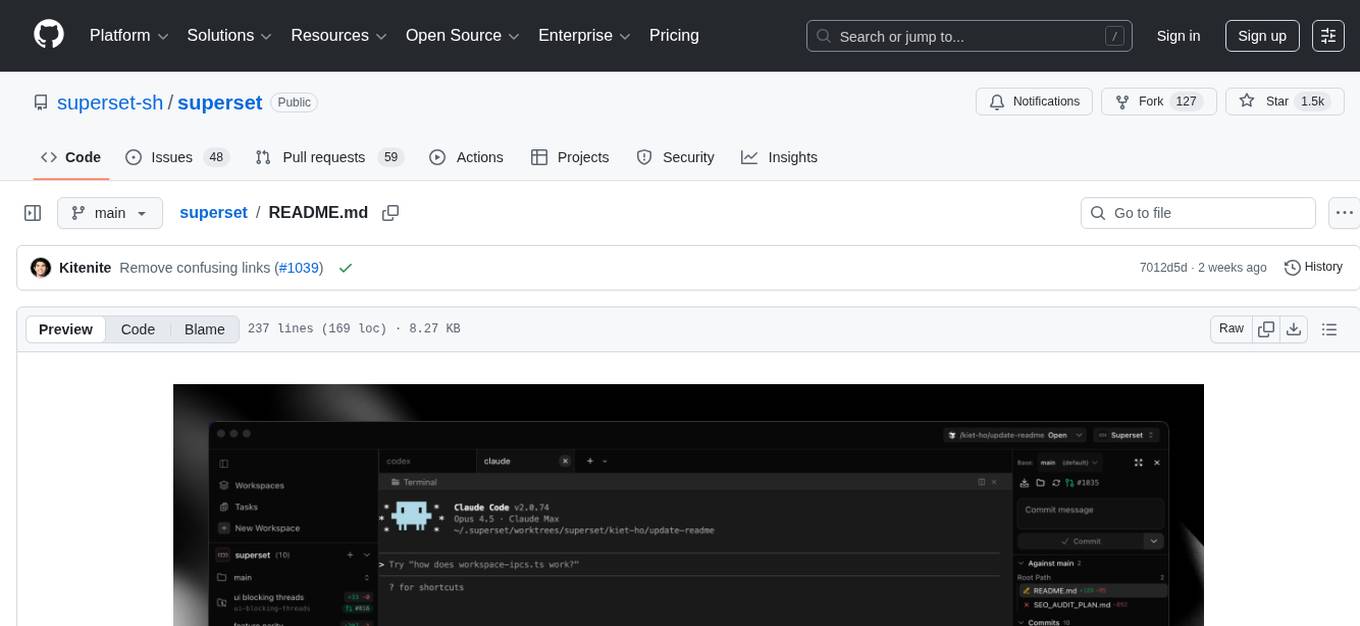
Superset is a turbocharged terminal that allows users to run multiple CLI coding agents simultaneously, isolate tasks in separate worktrees, monitor agent status, review changes quickly, and enhance development workflow. It supports any CLI-based coding agent and offers features like parallel execution, worktree isolation, agent monitoring, built-in diff viewer, workspace presets, universal compatibility, quick context switching, and IDE integration. Users can customize keyboard shortcuts, configure workspace setup, and teardown, and contribute to the project. The tech stack includes Electron, React, TailwindCSS, Bun, Turborepo, Vite, Biome, Drizzle ORM, Neon, and tRPC. The community provides support through Discord, Twitter, GitHub Issues, and GitHub Discussions.
For similar jobs

sweep
Sweep is an AI junior developer that turns bugs and feature requests into code changes. It automatically handles developer experience improvements like adding type hints and improving test coverage.

teams-ai
The Teams AI Library is a software development kit (SDK) that helps developers create bots that can interact with Teams and Microsoft 365 applications. It is built on top of the Bot Framework SDK and simplifies the process of developing bots that interact with Teams' artificial intelligence capabilities. The SDK is available for JavaScript/TypeScript, .NET, and Python.

ai-guide
This guide is dedicated to Large Language Models (LLMs) that you can run on your home computer. It assumes your PC is a lower-end, non-gaming setup.

classifai
Supercharge WordPress Content Workflows and Engagement with Artificial Intelligence. Tap into leading cloud-based services like OpenAI, Microsoft Azure AI, Google Gemini and IBM Watson to augment your WordPress-powered websites. Publish content faster while improving SEO performance and increasing audience engagement. ClassifAI integrates Artificial Intelligence and Machine Learning technologies to lighten your workload and eliminate tedious tasks, giving you more time to create original content that matters.

chatbot-ui
Chatbot UI is an open-source AI chat app that allows users to create and deploy their own AI chatbots. It is easy to use and can be customized to fit any need. Chatbot UI is perfect for businesses, developers, and anyone who wants to create a chatbot.

BricksLLM
BricksLLM is a cloud native AI gateway written in Go. Currently, it provides native support for OpenAI, Anthropic, Azure OpenAI and vLLM. BricksLLM aims to provide enterprise level infrastructure that can power any LLM production use cases. Here are some use cases for BricksLLM: * Set LLM usage limits for users on different pricing tiers * Track LLM usage on a per user and per organization basis * Block or redact requests containing PIIs * Improve LLM reliability with failovers, retries and caching * Distribute API keys with rate limits and cost limits for internal development/production use cases * Distribute API keys with rate limits and cost limits for students

uAgents
uAgents is a Python library developed by Fetch.ai that allows for the creation of autonomous AI agents. These agents can perform various tasks on a schedule or take action on various events. uAgents are easy to create and manage, and they are connected to a fast-growing network of other uAgents. They are also secure, with cryptographically secured messages and wallets.

griptape
Griptape is a modular Python framework for building AI-powered applications that securely connect to your enterprise data and APIs. It offers developers the ability to maintain control and flexibility at every step. Griptape's core components include Structures (Agents, Pipelines, and Workflows), Tasks, Tools, Memory (Conversation Memory, Task Memory, and Meta Memory), Drivers (Prompt and Embedding Drivers, Vector Store Drivers, Image Generation Drivers, Image Query Drivers, SQL Drivers, Web Scraper Drivers, and Conversation Memory Drivers), Engines (Query Engines, Extraction Engines, Summary Engines, Image Generation Engines, and Image Query Engines), and additional components (Rulesets, Loaders, Artifacts, Chunkers, and Tokenizers). Griptape enables developers to create AI-powered applications with ease and efficiency.