


hud-python
OSS RL environment + evals toolkit
Stars: 181
hud-python is a Python library for creating interactive heads-up displays (HUDs) in video games. It provides a simple and flexible way to overlay information on the screen, such as player health, score, and notifications. The library is designed to be easy to use and customizable, allowing game developers to enhance the user experience by adding dynamic elements to their games. With hud-python, developers can create engaging HUDs that improve gameplay and provide important feedback to players.
README:

OSS RL environment + evals toolkit. Wrap software as environments, run benchmarks, and train with RL – locally or at scale.


📅 Hop on a call or 📧 [email protected]
- 🎓 One-click RL – Run
hud rlto get a trained model on any environment. - 🚀 MCP environment skeleton – any agent can call any environment.
- ⚡️ Live telemetry – inspect every tool call, observation, and reward in real time.
- 🗂️ Public benchmarks – OSWorld-Verified, SheetBench-50, and more.
- 🌐 Cloud browsers – AnchorBrowser, Steel, BrowserBase integrations for browser automation.
- 🛠️ Hot-reload dev loop –
hud devfor iterating on environments without rebuilds.
We welcome contributors and feature requests – open an issue or hop on a call to discuss improvements!
# SDK - MCP servers, telemetry, evaluation
pip install hud-python

# CLI - RL pipeline, environment design
uv tool install hud-python
# uv tool update-shell
See docs.hud.so, or add docs to any MCP client:
claude mcp add --transport http docs-hud https://docs.hud.so/mcp
Before starting, get your HUD_API_KEY at hud.so.
RL using GRPO a Qwen2.5-VL model on any hud dataset:
hud get hud-evals/basic-2048 # from HF
hud rl basic-2048.jsonOr make your own environment and dataset:
hud init my-env && cd my-env
hud dev --interactive
# When ready to run:
hud rlFor a tutorial that explains the agent and evaluation design, run:
uvx hud-python quickstartOr just write your own agent loop (more examples here).
import asyncio, hud, os
from hud.settings import settings
from hud.clients import MCPClient
from hud.agents import ClaudeAgent
from hud.datasets import Task  # See docs: https://docs.hud.so/reference/tasks

async def main() -> None:
    with hud.trace("Quick Start 2048"): # All telemetry works for any MCP-based agent (see https://hud.so)
        task = {
            "prompt": "Reach 64 in 2048.",
            "mcp_config": {
                "hud": {
                    "url": "https://mcp.hud.so/v3/mcp",  # HUD's cloud MCP server (see https://docs.hud.so/core-concepts/architecture)
                    "headers": {
                        "Authorization": f"Bearer {settings.api_key}",  # Get your key at https://hud.so
                        "Mcp-Image": "hudpython/hud-text-2048:v1.2"  # Docker image from https://hub.docker.com/u/hudpython
                    }
                }
            },
            "evaluate_tool": {"name": "evaluate", "arguments": {"name": "max_number", "arguments": {"target": 64}}},
        }
        task = Task(**task)

        # 1. Define the client explicitly:
        client = MCPClient(mcp_config=task.mcp_config)
        agent = ClaudeAgent(
            mcp_client=client,
            model="claude-sonnet-4-20250514",  # requires ANTHROPIC_API_KEY
        )

        result = await agent.run(task)

        # 2. Or just:
        # result = await ClaudeAgent().run(task)

        print(f"Reward: {result.reward}")
        await client.shutdown()

asyncio.run(main())
The above example let's the agent play 2048 (See replay)

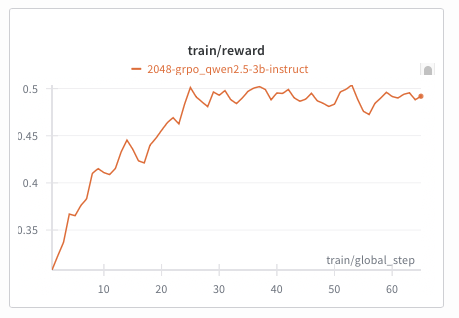
This is a Qwen‑2.5‑VL‑3B agent training a policy on the 2048-basic browser environment:
Train with the new interactive hud rl flow:
# Install CLI
uv tool install hud-python

# Option A: Run directly from a HuggingFace dataset
hud rl hud-evals/basic-2048

# Option B: Download first, modify, then train
hud get hud-evals/basic-2048
hud rl basic-2048.json

# Optional: baseline evaluation
hud eval basic-2048.json
Supports multi‑turn RL for both:
- Language‑only models (e.g.,
Qwen/Qwen2.5-7B-Instruct) - Vision‑Language models (e.g.,
Qwen/Qwen2.5-VL-3B-Instruct)
By default, hud rl provisions a persistent server and trainer in the cloud, streams telemetry to hud.so, and lets you monitor/manage models at hud.so/models. Use --local to run entirely on your machines (typically 2+ GPUs: one for vLLM, the rest for training).
Any HUD MCP environment and evaluation works with our RL pipeline (including remote configurations). See the guided docs: https://docs.hud.so/train-agents/quickstart.
Pricing: Hosted vLLM and training GPU rates are listed in the Training Quickstart → Pricing. Manage billing at the HUD billing dashboard.
This is Claude Computer Use running on our proprietary financial analyst benchmark SheetBench-50:
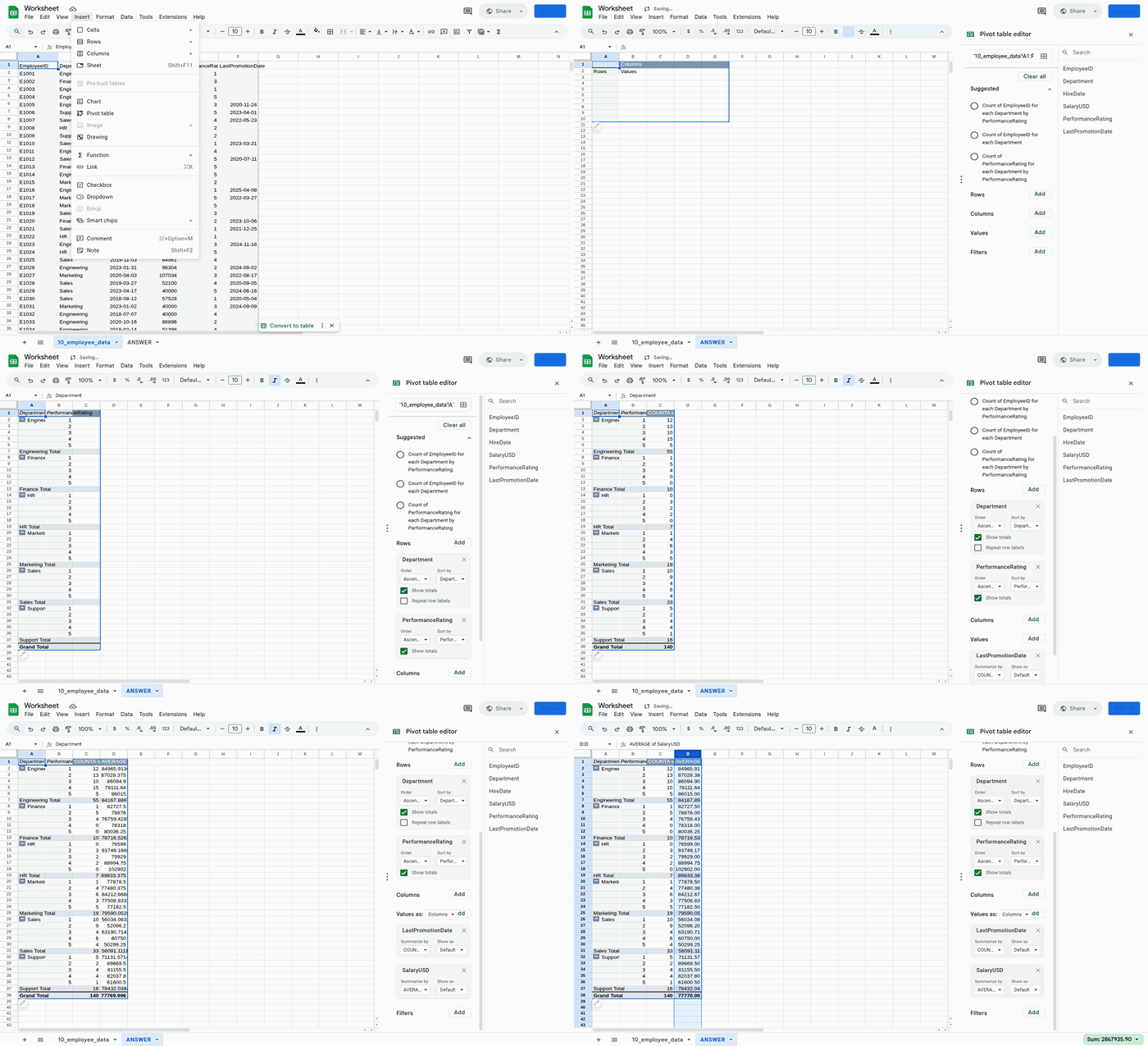
This example runs the full dataset (only takes ~20 minutes) using run_evaluation.py:
python examples/run_evaluation.py hud-evals/SheetBench-50 --full --agent claudeOr in code:
import asyncio
from hud.datasets import run_dataset
from hud.agents import ClaudeAgent

results = await run_dataset(
    name="My SheetBench-50 Evaluation",
    dataset="hud-evals/SheetBench-50",      # <-- HuggingFace dataset
    agent_class=ClaudeAgent,                # <-- Your custom agent can replace this (see https://docs.hud.so/evaluate-agents/create-agents)
    agent_config={"model": "claude-sonnet-4-20250514"},
    max_concurrent=50,
    max_steps=30,
)
print(f"Average reward: {sum(r.reward for r in results) / len(results):.2f}")
Running a dataset creates a job and streams results to the hud.so platform for analysis and leaderboard submission.
This is how you can make any environment into an interactable one in 5 steps:
- Define MCP server layer using
MCPServer
from hud.server import MCPServer
from hud.tools import HudComputerTool

mcp = MCPServer("My Environment")

# Add hud tools (see all tools: https://docs.hud.so/reference/tools)
mcp.tool(HudComputerTool())

# Or custom tools (see https://docs.hud.so/build-environments/adapting-software)
@mcp.tool("launch_app"):
def launch_app(name: str = "Gmail")
...

if __name__ == "__main__":
mcp.run()- Write a simple Dockerfile that installs packages and runs:
CMD ["python", "-m", "hud_controller.server"]And build the image:
hud build # runs docker build under the hoodOr run it in interactible mode
hud dev- Debug it with the CLI to see if it launches:
$ hud debug my-name/my-environment:latest

✓ Phase 1: Docker image exists
✓ Phase 2: MCP server responds to initialize
✓ Phase 3: Tools are discoverable
✓ Phase 4: Basic tool execution works
✓ Phase 5: Parallel performance is good

Progress: [█████████████████████] 5/5 phases (100%)
✅ All phases completed successfully!
Analyze it to see if all tools appear:
$ hud analyze hudpython/hud-remote-browser:latest
⠏ ✓ Analysis complete
...
Tools
├── Regular Tools
│   ├── computer
│   │   └── Control computer with mouse, keyboard, and screenshots
...
└── Hub Tools
    ├── setup
    │   ├── navigate_to_url
    │   ├── set_cookies
    │   ├── ...
    └── evaluate
        ├── url_match
        ├── page_contains
        ├── cookie_exists
        ├── ...

📡 Telemetry Data
Live URL https://live.anchorbrowser.io?sessionId=abc123def456- When the tests pass, push it up to the docker registry:
hud push # needs docker login, hud api key- Now you can use
mcp.hud.soto launch 100s of instances of this environment in parallel with any agent, and see everything live on hud.so:
from hud.agents import ClaudeAgent

result = await ClaudeAgent().run({  # See all agents: https://docs.hud.so/reference/agents
    "prompt": "Please explore this environment",
    "mcp_config": {
        "my-environment": {
            "url": "https://mcp.hud.so/v3/mcp",
            "headers": {
                "Authorization": f"Bearer {os.getenv('HUD_API_KEY')}",
                "Mcp-Image": "my-name/my-environment:latest"
            }
        }
        # "my-environment": { # or use hud run which wraps local and remote running
        #     "cmd": "hud",
        #     "args": [
        #         "run",
        #         "my-name/my-environment:latest",
        #     ]
        # }
    }
})
See the full environment design guide and common pitfalls in
environments/README.md
All leaderboards are publicly available on hud.so/leaderboards (see docs)
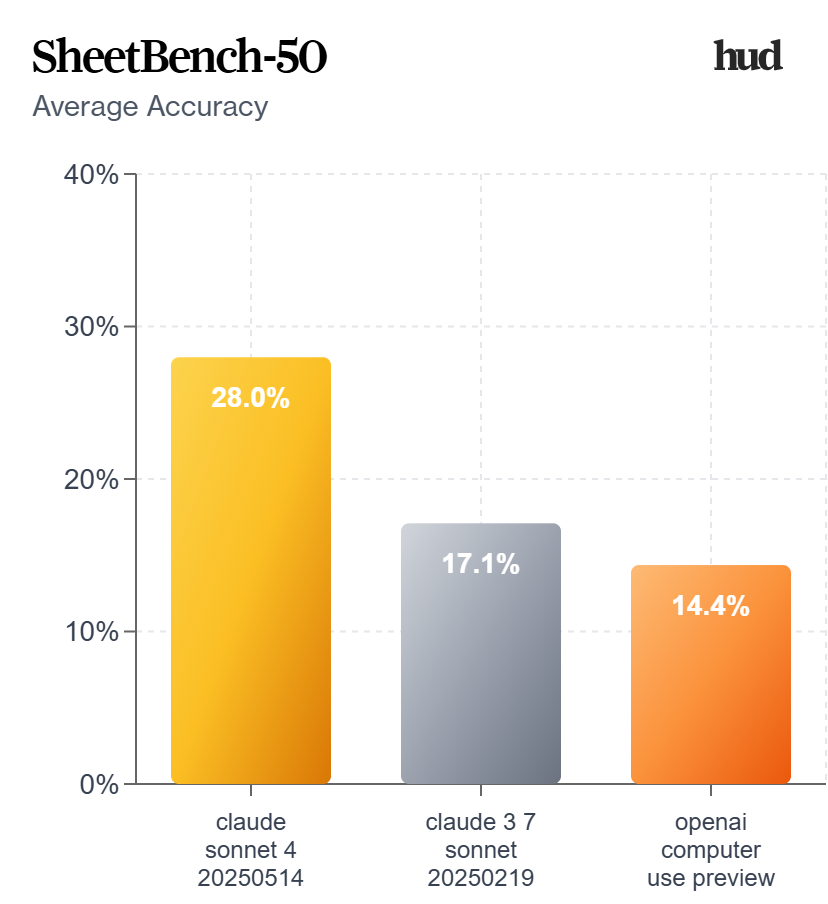
We highly suggest running 3-5 evaluations per dataset for the most consistent results across multiple jobs.
Using the run_dataset function with a HuggingFace dataset automatically assigns your job to that leaderboard page, and allows you to create a scorecard out of it:
%%{init: {"theme": "neutral", "themeVariables": {"fontSize": "14px"}} }%%
graph LR
    subgraph "Platform"
        Dashboard["📊 hud.so"]
        API["🔌 mcp.hud.so"]
    end

    subgraph "hud"
        Agent["🤖 Agent"]
        Task["📋 Task"]
        SDK["📦 SDK"]
    end

    subgraph "Environments"
        LocalEnv["🖥️ Local Docker<br/>(Development)"]
        RemoteEnv["☁️ Remote Docker<br/>(100s Parallel)"]
    end

    subgraph "otel"
        Trace["📡 Traces & Metrics"]
    end

    Dataset["📚 Dataset<br/>(HuggingFace)"]

    AnyMCP["🔗 Any MCP Client<br/>(Cursor, Claude, Custom)"]

    Agent <--> SDK
    Task --> SDK
    Dataset <-.-> Task
    SDK <-->|"MCP"| LocalEnv
    SDK <-->|"MCP"| API
    API  <-->|"MCP"| RemoteEnv
    SDK  --> Trace
    Trace --> Dashboard
    AnyMCP -->|"MCP"| API
| Command | Purpose | Docs |
|---|---|---|
hud init |
Create new environment with boilerplate. | 📖 |
hud dev |
Hot-reload development with Docker. | 📖 |
hud build |
Build image and generate lock file. | 📖 |
hud push |
Share environment to registry. | 📖 |
hud pull <target> |
Get environment from registry. | 📖 |
hud analyze <image> |
Discover tools, resources, and metadata. | 📖 |
hud debug <image> |
Five-phase health check of an environment. | 📖 |
hud run <image> |
Run MCP server locally or remotely. | 📖 |
- Merging our forks in to the main
mcp,mcp_userepositories - Helpers for building new environments (see current guide)
- Integrations with every major agent framework
- Evaluation environment registry
- MCP opentelemetry standard
We welcome contributions! See CONTRIBUTING.md for guidelines.
Key areas:
- Environment examples - Add new MCP environments
- Agent implementations - Add support for new LLM providers
- Tool library - Extend the built-in tool collection
- RL training - Improve reinforcement learning pipelines
Thanks to all our contributors!
@software{hud2025agentevalplatform,
  author = {HUD and Jay Ram and Lorenss Martinsons and Parth Patel and Oskars Putans and Govind Pimpale and Mayank Singamreddy and Nguyen Nhat Minh},
  title  = {HUD: An Evaluation Platform for Agents},
  date   = {2025-04},
  url    = {https://github.com/hud-evals/hud-python},
  langid = {en}
}License: HUD is released under the MIT License – see the LICENSE file for details.
For Tasks:
Click tags to check more tools for each tasksFor Jobs:
Alternative AI tools for hud-python
Similar Open Source Tools
hud-python
hud-python is a Python library for creating interactive heads-up displays (HUDs) in video games. It provides a simple and flexible way to overlay information on the screen, such as player health, score, and notifications. The library is designed to be easy to use and customizable, allowing game developers to enhance the user experience by adding dynamic elements to their games. With hud-python, developers can create engaging HUDs that improve gameplay and provide important feedback to players.

LocalAGI
LocalAGI is a powerful, self-hostable AI Agent platform that allows you to design AI automations without writing code. It provides a complete drop-in replacement for OpenAI's Responses APIs with advanced agentic capabilities. With LocalAGI, you can create customizable AI assistants, automations, chat bots, and agents that run 100% locally, without the need for cloud services or API keys. The platform offers features like no-code agents, web-based interface, advanced agent teaming, connectors for various platforms, comprehensive REST API, short & long-term memory capabilities, planning & reasoning, periodic tasks scheduling, memory management, multimodal support, extensible custom actions, fully customizable models, observability, and more.
Acontext
Acontext is a context data platform designed for production AI agents, offering unified storage, built-in context management, and observability features. It helps agents scale from local demos to production without the need to rebuild context infrastructure. The platform provides solutions for challenges like scattered context data, long-running agents requiring context management, and tracking states from multi-modal agents. Acontext offers core features such as context storage, session management, disk storage, agent skills management, and sandbox for code execution and analysis. Users can connect to Acontext, install SDKs, initialize clients, store and retrieve messages, perform context engineering, and utilize agent storage tools. The platform also supports building agents using end-to-end scripts in Python and Typescript, with various templates available. Acontext's architecture includes client layer, backend with API and core components, infrastructure with PostgreSQL, S3, Redis, and RabbitMQ, and a web dashboard. Join the Acontext community on Discord and follow updates on GitHub.
agentops
AgentOps is a toolkit for evaluating and developing robust and reliable AI agents. It provides benchmarks, observability, and replay analytics to help developers build better agents. AgentOps is open beta and can be signed up for here. Key features of AgentOps include: - Session replays in 3 lines of code: Initialize the AgentOps client and automatically get analytics on every LLM call. - Time travel debugging: (coming soon!) - Agent Arena: (coming soon!) - Callback handlers: AgentOps works seamlessly with applications built using Langchain and LlamaIndex.
mcp
Semgrep MCP Server is a beta server under active development for using Semgrep to scan code for security vulnerabilities. It provides a Model Context Protocol (MCP) for various coding tools to get specialized help in tasks. Users can connect to Semgrep AppSec Platform, scan code for vulnerabilities, customize Semgrep rules, analyze and filter scan results, and compare results. The tool is published on PyPI as semgrep-mcp and can be installed using pip, pipx, uv, poetry, or other methods. It supports CLI and Docker environments for running the server. Integration with VS Code is also available for quick installation. The project welcomes contributions and is inspired by core technologies like Semgrep and MCP, as well as related community projects and tools.
mcphub.nvim
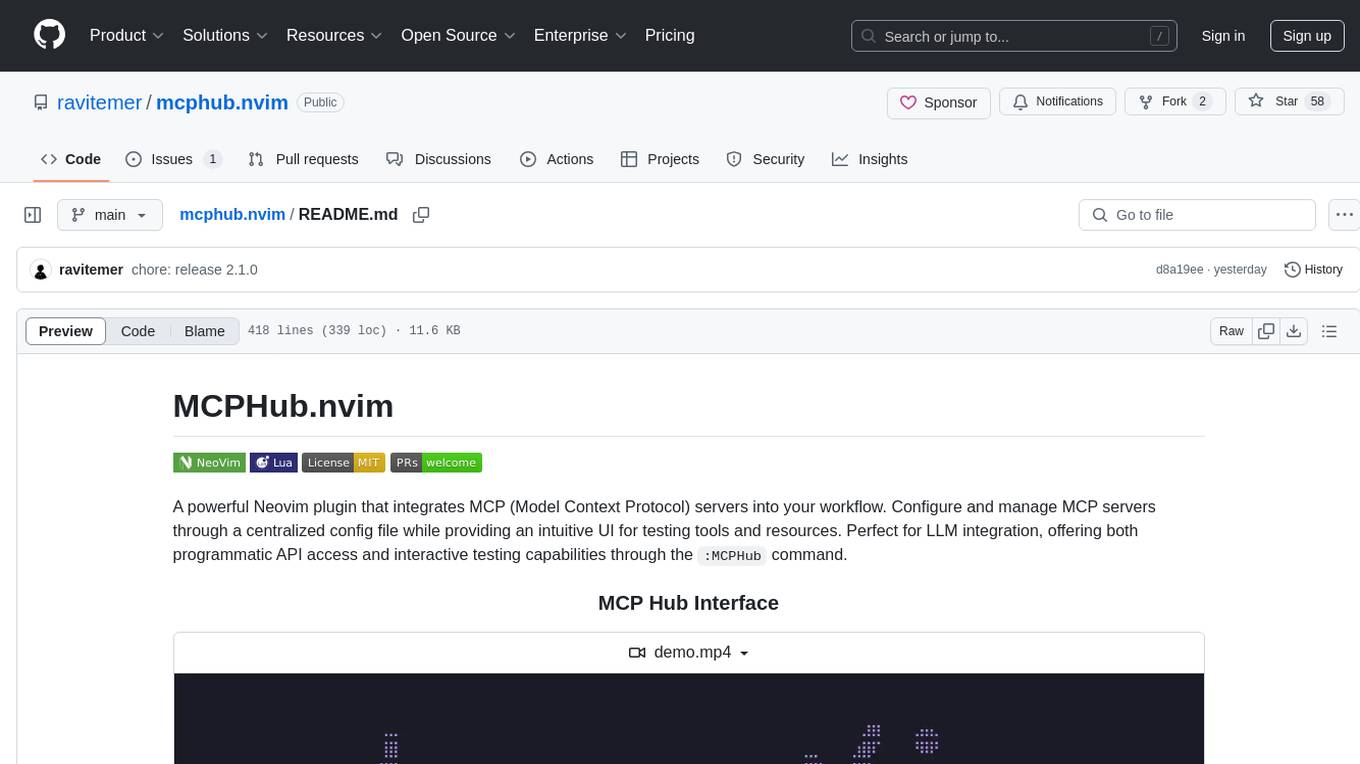
MCPHub.nvim is a powerful Neovim plugin that integrates MCP (Model Context Protocol) servers into your workflow. It offers a centralized config file for managing servers and tools, with an intuitive UI for testing resources. Ideal for LLM integration, it provides programmatic API access and interactive testing through the `:MCPHub` command.
FDAbench
FDABench is a benchmark tool designed for evaluating data agents' reasoning ability over heterogeneous data in analytical scenarios. It offers 2,007 tasks across various data sources, domains, difficulty levels, and task types. The tool provides ready-to-use data agent implementations, a DAG-based evaluation system, and a framework for agent-expert collaboration in dataset generation. Key features include data agent implementations, comprehensive evaluation metrics, multi-database support, different task types, extensible framework for custom agent integration, and cost tracking. Users can set up the environment using Python 3.10+ on Linux, macOS, or Windows. FDABench can be installed with a one-command setup or manually. The tool supports API configuration for LLM access and offers quick start guides for database download, dataset loading, and running examples. It also includes features like dataset generation using the PUDDING framework, custom agent integration, evaluation metrics like accuracy and rubric score, and a directory structure for easy navigation.
UnrealGenAISupport
The Unreal Engine Generative AI Support Plugin is a tool designed to integrate various cutting-edge LLM/GenAI models into Unreal Engine for game development. It aims to simplify the process of using AI models for game development tasks, such as controlling scene objects, generating blueprints, running Python scripts, and more. The plugin currently supports models from organizations like OpenAI, Anthropic, XAI, Google Gemini, Meta AI, Deepseek, and Baidu. It provides features like API support, model control, generative AI capabilities, UI generation, project file management, and more. The plugin is still under development but offers a promising solution for integrating AI models into game development workflows.
open-edison
OpenEdison is a secure MCP control panel that connects AI to data/software with additional security controls to reduce data exfiltration risks. It helps address the lethal trifecta problem by providing visibility, monitoring potential threats, and alerting on data interactions. The tool offers features like data leak monitoring, controlled execution, easy configuration, visibility into agent interactions, a simple API, and Docker support. It integrates with LangGraph, LangChain, and plain Python agents for observability and policy enforcement. OpenEdison helps gain observability, control, and policy enforcement for AI interactions with systems of records, existing company software, and data to reduce risks of AI-caused data leakage.
capsule
Capsule is a secure and durable runtime for AI agents, designed to coordinate tasks in isolated environments. It allows for long-running workflows, large-scale processing, autonomous decision-making, and multi-agent systems. Tasks run in WebAssembly sandboxes with isolated execution, resource limits, automatic retries, and lifecycle tracking. It enables safe execution of untrusted code within AI agent systems.
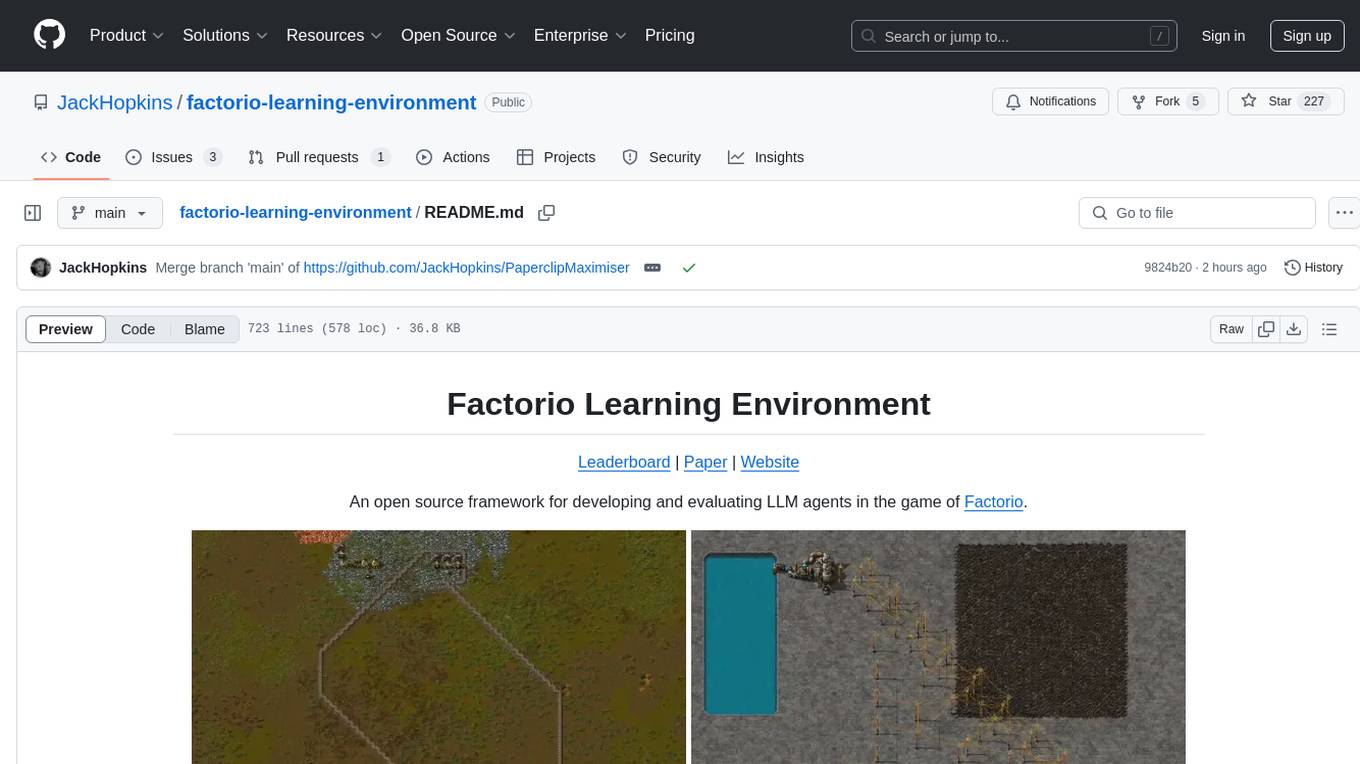
factorio-learning-environment
Factorio Learning Environment is an open source framework designed for developing and evaluating LLM agents in the game of Factorio. It provides two settings: Lab-play with structured tasks and Open-play for building large factories. Results show limitations in spatial reasoning and automation strategies. Agents interact with the environment through code synthesis, observation, action, and feedback. Tools are provided for game actions and state representation. Agents operate in episodes with observation, planning, and action execution. Tasks specify agent goals and are implemented in JSON files. The project structure includes directories for agents, environment, cluster, data, docs, eval, and more. A database is used for checkpointing agent steps. Benchmarks show performance metrics for different configurations.

mcp-devtools
MCP DevTools is a high-performance server written in Go that replaces multiple Node.js and Python-based servers. It provides access to essential developer tools through a unified, modular interface. The server is efficient, with minimal memory footprint and fast response times. It offers a comprehensive tool suite for agentic coding, including 20+ essential developer agent tools. The tool registry allows for easy addition of new tools. The server supports multiple transport modes, including STDIO, HTTP, and SSE. It includes a security framework for multi-layered protection and a plugin system for adding new tools.
ai
A TypeScript toolkit for building AI-driven video workflows on the server, powered by Mux! @mux/ai provides purpose-driven workflow functions and primitive functions that integrate with popular AI/LLM providers like OpenAI, Anthropic, and Google. It offers pre-built workflows for tasks like generating summaries and tags, content moderation, chapter generation, and more. The toolkit is cost-effective, supports multi-modal analysis, tone control, and configurable thresholds, and provides full TypeScript support. Users can easily configure credentials for Mux and AI providers, as well as cloud infrastructure like AWS S3 for certain workflows. @mux/ai is production-ready, offers composable building blocks, and supports universal language detection.
mcp-victoriametrics
The VictoriaMetrics MCP Server is an implementation of Model Context Protocol (MCP) server for VictoriaMetrics. It provides access to your VictoriaMetrics instance and seamless integration with VictoriaMetrics APIs and documentation. The server allows you to use almost all read-only APIs of VictoriaMetrics, enabling monitoring, observability, and debugging tasks related to your VictoriaMetrics instances. It also contains embedded up-to-date documentation and tools for exploring metrics, labels, alerts, and more. The server can be used for advanced automation and interaction capabilities for engineers and tools.
obsei
Obsei is an open-source, low-code, AI powered automation tool that consists of an Observer to collect unstructured data from various sources, an Analyzer to analyze the collected data with various AI tasks, and an Informer to send analyzed data to various destinations. The tool is suitable for scheduled jobs or serverless applications as all Observers can store their state in databases. Obsei is still in alpha stage, so caution is advised when using it in production. The tool can be used for social listening, alerting/notification, automatic customer issue creation, extraction of deeper insights from feedbacks, market research, dataset creation for various AI tasks, and more based on creativity.
client-python
The Mistral Python Client is a tool inspired by cohere-python that allows users to interact with the Mistral AI API. It provides functionalities to access and utilize the AI capabilities offered by Mistral. Users can easily install the client using pip and manage dependencies using poetry. The client includes examples demonstrating how to use the API for various tasks, such as chat interactions. To get started, users need to obtain a Mistral API Key and set it as an environment variable. Overall, the Mistral Python Client simplifies the integration of Mistral AI services into Python applications.
For similar tasks
hud-python
hud-python is a Python library for creating interactive heads-up displays (HUDs) in video games. It provides a simple and flexible way to overlay information on the screen, such as player health, score, and notifications. The library is designed to be easy to use and customizable, allowing game developers to enhance the user experience by adding dynamic elements to their games. With hud-python, developers can create engaging HUDs that improve gameplay and provide important feedback to players.
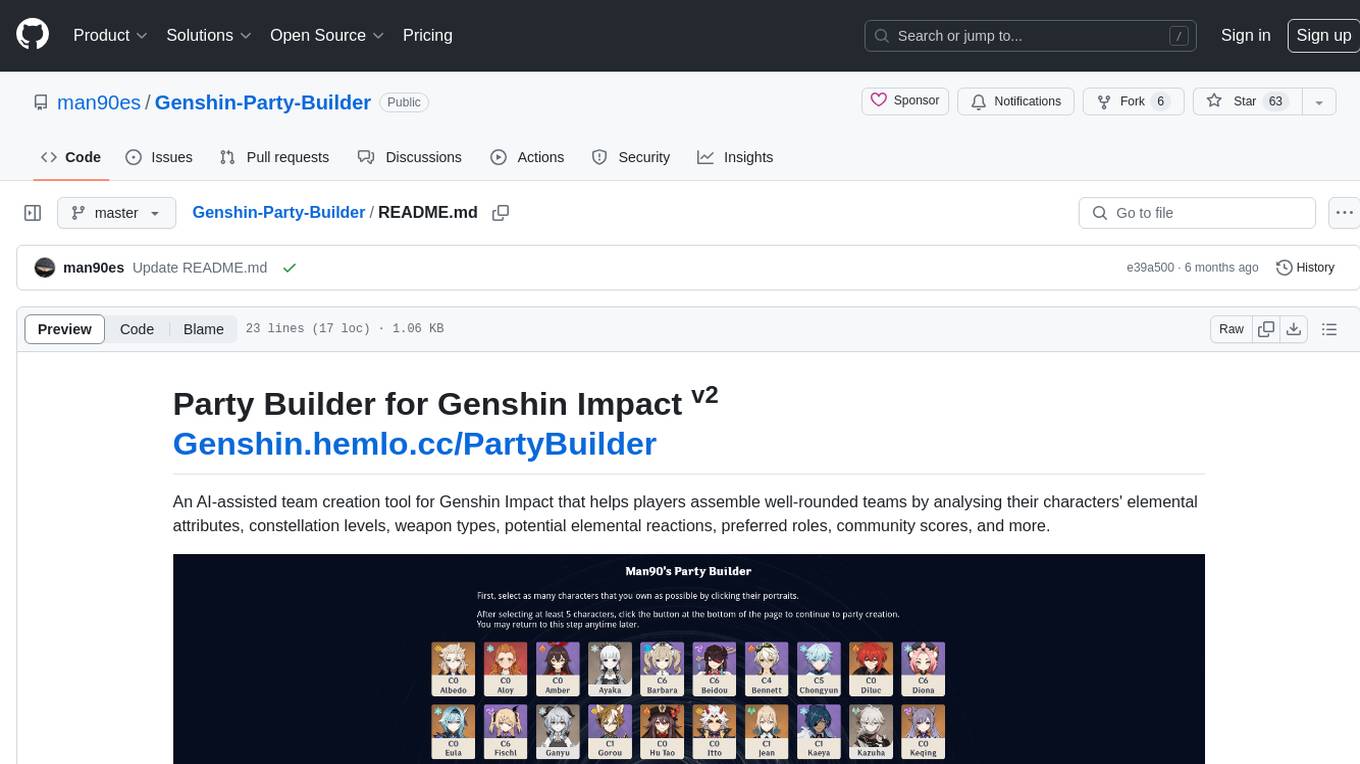
Genshin-Party-Builder
Party Builder for Genshin Impact is an AI-assisted team creation tool that helps players assemble well-rounded teams by analyzing characters' attributes, constellation levels, weapon types, elemental reactions, roles, and community scores. It allows users to optimize their team compositions for better gameplay experiences. The tool provides a user-friendly interface for easy team customization and strategy planning, enhancing the overall gaming experience for Genshin Impact players.
GTA5-Stand-LuaAIO
GTA5-Stand-LuaAIO is a comprehensive Lua script for Grand Theft Auto V that enhances gameplay by providing various features and functionalities. It is designed to streamline the gaming experience and offer players a wide range of customization options. The script includes features such as vehicle spawning, teleportation, weather control, and more, making it a versatile tool for GTA V players looking to enhance their gameplay.
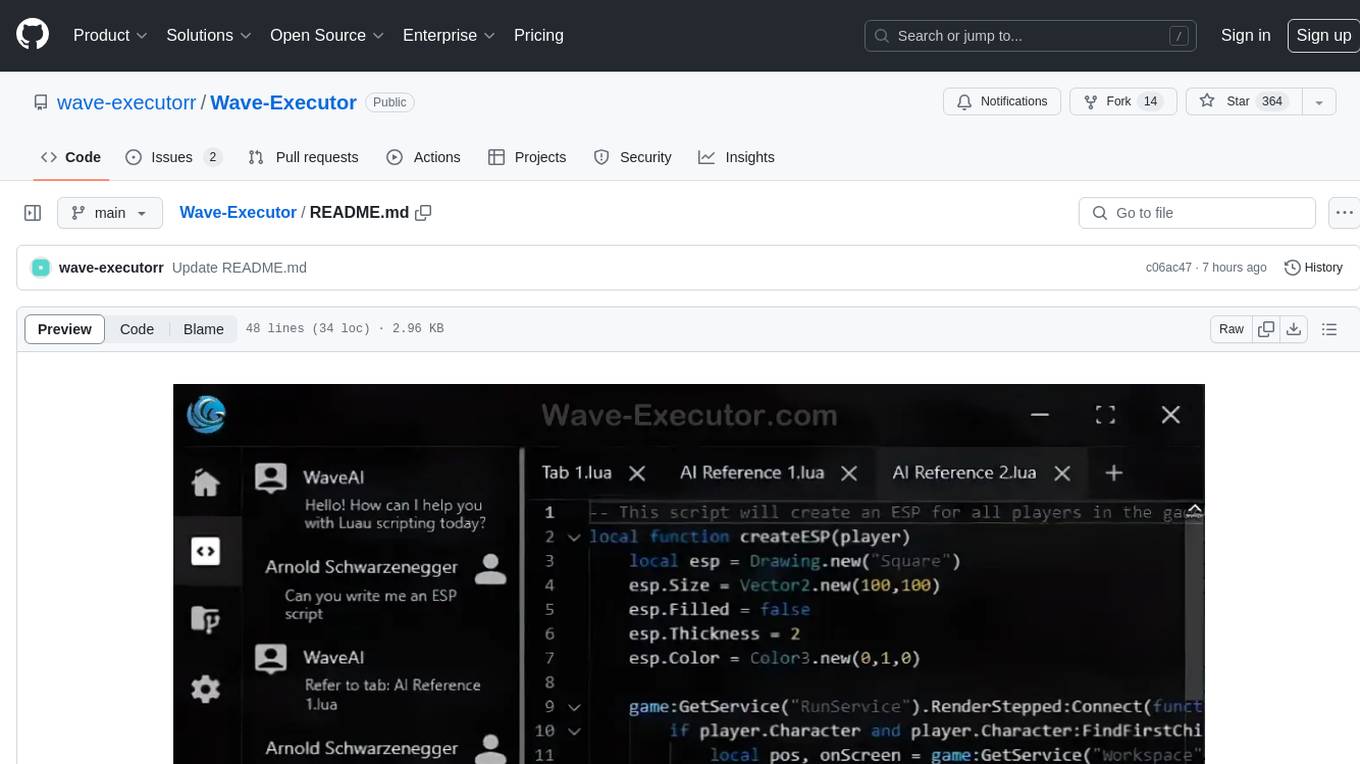
Wave-Executor
Wave Executor is a robust Windows-based script executor tailored for Roblox enthusiasts. It boasts AI integration for seamless script development, ad-free premium features, and 24/7 support, ensuring an unparalleled user experience and elevating gameplay to new heights.
Wave-Executor
Wave Executor is a cutting-edge Roblox script executor designed for advanced script execution, optimized performance, and seamless user experience. Fully compatible with the latest Roblox updates, it is secure, easy to use, and perfect for gamers, developers, and modding enthusiasts looking to enhance their Roblox gameplay.
delta-executor
Delta Executor is a high-performance Roblox script executor designed for smooth script execution, enhanced gameplay, and seamless usability. It is built with security in mind, fully compatible with the latest Roblox updates, offering a stable and efficient experience for gamers, developers, and modding enthusiasts.
Luna-Executor
Luna Executor is a high-performance Roblox script executor designed for smooth script execution, enhanced gameplay, and seamless usability. Built with security in mind, it remains fully compatible with the latest Roblox updates, offering a stable and efficient experience for gamers, developers, and modding enthusiasts.
OpenDevin
OpenDevin is an open-source project aiming to replicate Devin, an autonomous AI software engineer capable of executing complex engineering tasks and collaborating actively with users on software development projects. The project aspires to enhance and innovate upon Devin through the power of the open-source community. Users can contribute to the project by developing core functionalities, frontend interface, or sandboxing solutions, participating in research and evaluation of LLMs in software engineering, and providing feedback and testing on the OpenDevin toolset.
For similar jobs

spear
SPEAR (Simulator for Photorealistic Embodied AI Research) is a powerful tool for training embodied agents. It features 300 unique virtual indoor environments with 2,566 unique rooms and 17,234 unique objects that can be manipulated individually. Each environment is designed by a professional artist and features detailed geometry, photorealistic materials, and a unique floor plan and object layout. SPEAR is implemented as Unreal Engine assets and provides an OpenAI Gym interface for interacting with the environments via Python.

Magick
Magick is a groundbreaking visual AIDE (Artificial Intelligence Development Environment) for no-code data pipelines and multimodal agents. Magick can connect to other services and comes with nodes and templates well-suited for intelligent agents, chatbots, complex reasoning systems and realistic characters.
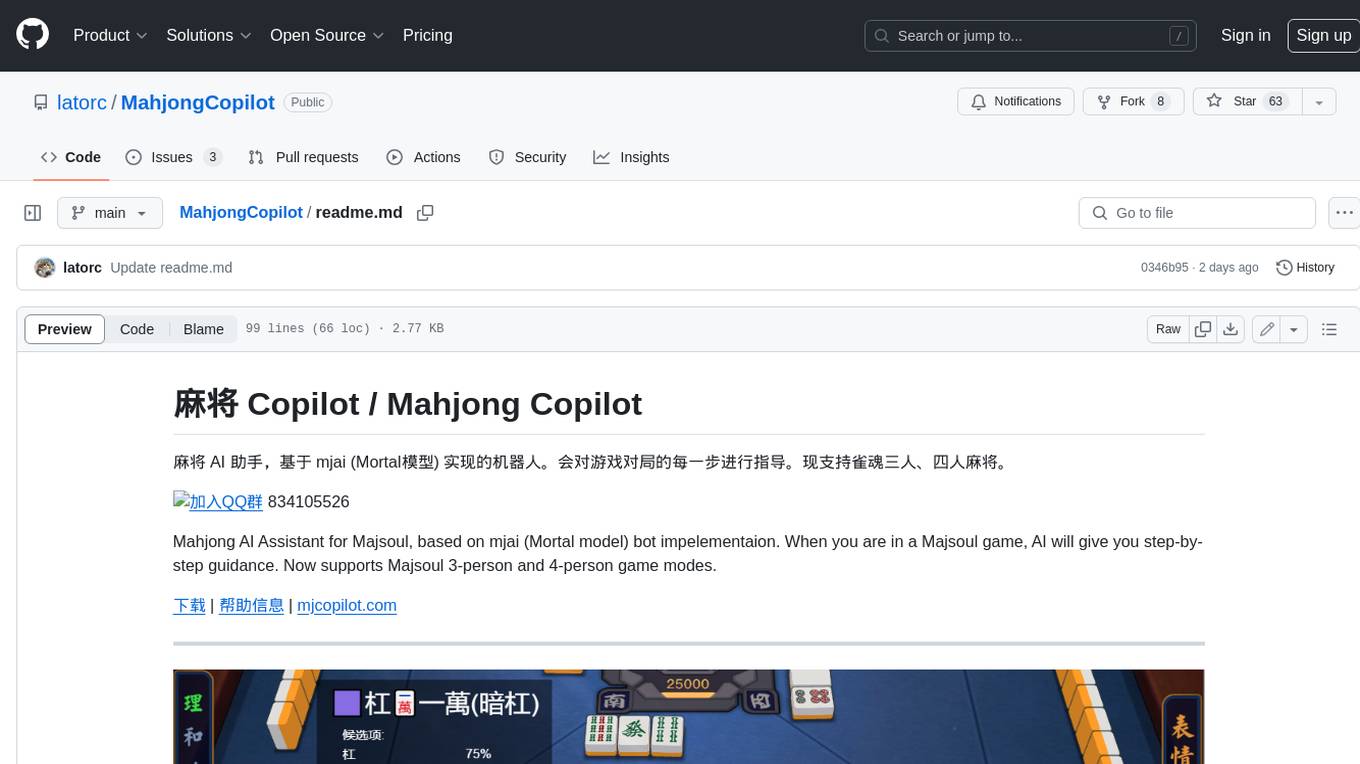
MahjongCopilot
Mahjong Copilot is an AI assistant for the game Mahjong, based on the mjai (Mortal model) bot implementation. It provides step-by-step guidance for each move in the game, and can also be used to automatically play and join games. Mahjong Copilot supports both 3-person and 4-person Mahjong games, and is available in multiple languages.
DotRecast
DotRecast is a C# port of Recast & Detour, a navigation library used in many AAA and indie games and engines. It provides automatic navmesh generation, fast turnaround times, detailed customization options, and is dependency-free. Recast Navigation is divided into multiple modules, each contained in its own folder: - DotRecast.Core: Core utils - DotRecast.Recast: Navmesh generation - DotRecast.Detour: Runtime loading of navmesh data, pathfinding, navmesh queries - DotRecast.Detour.TileCache: Navmesh streaming. Useful for large levels and open-world games - DotRecast.Detour.Crowd: Agent movement, collision avoidance, and crowd simulation - DotRecast.Detour.Dynamic: Robust support for dynamic nav meshes combining pre-built voxels with dynamic objects which can be freely added and removed - DotRecast.Detour.Extras: Simple tool to import navmeshes created with A* Pathfinding Project - DotRecast.Recast.Toolset: All modules - DotRecast.Recast.Demo: Standalone, comprehensive demo app showcasing all aspects of Recast & Detour's functionality - Tests: Unit tests Recast constructs a navmesh through a multi-step mesh rasterization process: 1. First Recast rasterizes the input triangle meshes into voxels. 2. Voxels in areas where agents would not be able to move are filtered and removed. 3. The walkable areas described by the voxel grid are then divided into sets of polygonal regions. 4. The navigation polygons are generated by re-triangulating the generated polygonal regions into a navmesh. You can use Recast to build a single navmesh, or a tiled navmesh. Single meshes are suitable for many simple, static cases and are easy to work with. Tiled navmeshes are more complex to work with but better support larger, more dynamic environments. Tiled meshes enable advanced Detour features like re-baking, hierarchical path-planning, and navmesh data-streaming.
better-genshin-impact
BetterGI is a project based on computer vision technology, which aims to make Genshin Impact better. It can automatically pick up items, skip dialogues, automatically select options, automatically submit items, close pop-up pages, etc. When talking to Katherine, it can automatically receive the "Daily Commission" rewards and automatically re-dispatch. When the automatic plot function is turned on, this function will take effect, and the invitation options will be automatically selected. AI recognizes automatic casting, automatically reels in when the fish is hooked, and automatically completes the fishing progress. Help you easily complete the Seven Saint Summoning character invitation, weekly visitor challenge and other PVE content. Automatically use the "King Tree Blessing" with the `Z` key, and use the principle of refreshing wood by going online and offline to hang up a backpack full of wood. Write combat scripts to let the team fight automatically according to your strategy. Fully automatic secret realm hangs up to restore physical strength, automatically enters the secret realm to open the key, fight, walk to the ancient tree and receive rewards. Click the teleportation point on the map, or if there is a teleportation point in the list that appears after clicking, it will automatically click the teleportation point and teleport. Set a shortcut key, and long press to continuously rotate the perspective horizontally (of course you can also use it to rotate the grass god). Quickly switch between "Details" and "Enhance" pages to skip the display of holy relic enhancement results and quickly +20. You can quickly purchase items in the store in full quantity, which is suitable for quickly clearing event redemptions,塵歌壺 store redemptions, etc.
Egaroucid
Egaroucid is one of the strongest Othello AI applications in the world. It is available as a GUI application for Windows, a console application for Windows, MacOS, and Linux, and a web application. Egaroucid is free to use and open source under the GPL 3.0 license. It is highly customizable and can be used for a variety of purposes, including playing Othello against a computer opponent, analyzing Othello games, and developing Othello AI algorithms.
emgucv
Emgu CV is a cross-platform .Net wrapper for the OpenCV image-processing library. It allows OpenCV functions to be called from .NET compatible languages. The wrapper can be compiled by Visual Studio, Unity, and "dotnet" command, and it can run on Windows, Mac OS, Linux, iOS, and Android.
ai-game-development-tools
Here we will keep track of the AI Game Development Tools, including LLM, Agent, Code, Writer, Image, Texture, Shader, 3D Model, Animation, Video, Audio, Music, Singing Voice and Analytics. 🔥 * Tool (AI LLM) * Game (Agent) * Code * Framework * Writer * Image * Texture * Shader * 3D Model * Avatar * Animation * Video * Audio * Music * Singing Voice * Speech * Analytics * Video Tool