


paperbanana
Open source implementation and extension of Google Research’s PaperBanana for automated academic figures, diagrams, and research visuals, expanded to new domains like slide generation.
Stars: 229
PaperBanana is an automated academic illustration tool designed for AI scientists. It implements an agentic framework for generating publication-quality academic diagrams and statistical plots from text descriptions. The tool utilizes a two-phase multi-agent pipeline with iterative refinement, Gemini-based VLM planning, and image generation. It offers a CLI, Python API, and MCP server for IDE integration, along with Claude Code skills for generating diagrams, plots, and evaluating diagrams. PaperBanana is not affiliated with or endorsed by the original authors or Google Research, and it may differ from the original system described in the paper.
README:

|
Automated Academic Illustration for AI Scientists
|





Disclaimer: This is an unofficial, community-driven open-source implementation of the paper "PaperBanana: Automating Academic Illustration for AI Scientists" by Dawei Zhu, Rui Meng, Yale Song, Xiyu Wei, Sujian Li, Tomas Pfister, and Jinsung Yoon (arXiv:2601.23265). This project is not affiliated with or endorsed by the original authors or Google Research. The implementation is based on the publicly available paper and may differ from the original system.
An agentic framework for generating publication-quality academic diagrams and statistical plots from text descriptions. Uses Google Gemini for both VLM and image generation.
- Two-phase multi-agent pipeline with iterative refinement
- Gemini-based VLM planning and image generation
- CLI, Python API, and MCP server for IDE integration
- Claude Code skills for
/generate-diagram,/generate-plot, and/evaluate-diagram

- Python 3.10+
- A Google Gemini API key (available at no cost from Google AI Studio)
pip install paperbananaOr install from source for development:
git clone https://github.com/llmsresearch/paperbanana.git
cd paperbanana
pip install -e ".[dev,google]"Run the interactive setup wizard:
paperbanana setupThis opens your browser to get a Google Gemini API key from Google AI Studio and saves it to .env.
Or set it up manually:
cp .env.example .env
# Edit .env and add: GOOGLE_API_KEY=your-key-here# Using the included sample input
paperbanana generate \
--input examples/sample_inputs/transformer_method.txt \
--caption "Overview of our encoder-decoder architecture with sparse routing"Or write your own methodology text:
cat > my_method.txt << 'EOF'
Our framework consists of an encoder that processes input sequences
through multi-head self-attention layers, followed by a decoder that
generates output tokens auto-regressively using cross-attention to
the encoder representations. We add a novel routing mechanism that
selects relevant encoder states for each decoder step.
EOF

paperbanana generate \
  --input my_method.txt \
  --caption "Overview of our encoder-decoder framework"
Output is saved to outputs/run_<timestamp>/final_output.png along with all intermediate iterations and metadata.
PaperBanana implements a two-phase multi-agent pipeline with 5 specialized agents:
Phase 1 -- Linear Planning:
- Retriever selects the most relevant reference examples from a curated set of 13 methodology diagrams spanning agent/reasoning, vision/perception, generative/learning, and science/applications domains
- Planner generates a detailed textual description of the target diagram via in-context learning from the retrieved examples
- Stylist refines the description for visual aesthetics using NeurIPS-style guidelines (color palette, layout, typography)
Phase 2 -- Iterative Refinement (3 rounds):
- Visualizer renders the description into an image (Gemini 3 Pro for diagrams, Matplotlib code for plots)
- Critic evaluates the generated image against the source context and provides a revised description addressing any issues
- Steps 4-5 repeat for up to 3 iterations
| Component | Provider | Model |
|---|---|---|
| VLM (planning, critique) | Google Gemini | gemini-2.0-flash |
| Image Generation | Google Gemini | gemini-3-pro-image-preview |
paperbanana generate \
  --input method.txt \
  --caption "Overview of our framework" \
  --output diagram.png \
--iterations 3| Flag | Short | Description |
|---|---|---|
--input |
-i |
Path to methodology text file (required) |
--caption |
-c |
Figure caption / communicative intent (required) |
--output |
-o |
Output image path (default: auto-generated in outputs/) |
--iterations |
-n |
Number of Visualizer-Critic refinement rounds |
--vlm-provider |
VLM provider name (default: gemini) |
|
--vlm-model |
VLM model name (default: gemini-2.0-flash) |
|
--image-provider |
Image gen provider (default: google_imagen) |
|
--image-model |
Image gen model (default: gemini-3-pro-image-preview) |
|
--config |
Path to YAML config file (see configs/config.yaml) |
paperbanana plot \
  --data results.csv \
--intent "Bar chart comparing model accuracy across benchmarks"| Flag | Short | Description |
|---|---|---|
--data |
-d |
Path to data file, CSV or JSON (required) |
--intent |
Communicative intent for the plot (required) | |
--output |
-o |
Output image path |
--iterations |
-n |
Refinement iterations (default: 3) |
Comparative evaluation of a generated diagram against a human reference using VLM-as-a-Judge:
paperbanana evaluate \
  --generated diagram.png \
  --reference human_diagram.png \
  --context method.txt \
--caption "Overview of our framework"| Flag | Short | Description |
|---|---|---|
--generated |
-g |
Path to generated image (required) |
--reference |
-r |
Path to human reference image (required) |
--context |
Path to source context text file (required) | |
--caption |
-c |
Figure caption (required) |
Scores on 4 dimensions (hierarchical aggregation per the paper):
- Primary: Faithfulness, Readability
- Secondary: Conciseness, Aesthetics
paperbanana setupInteractive wizard that walks you through obtaining a Google Gemini API key and saving it to .env.
import asyncio
from paperbanana import PaperBananaPipeline, GenerationInput, DiagramType
from paperbanana.core.config import Settings

settings = Settings(
    vlm_provider="gemini",
    image_provider="google_imagen",
    refinement_iterations=3,
)

pipeline = PaperBananaPipeline(settings=settings)

result = asyncio.run(pipeline.generate(
    GenerationInput(
        source_context="Our framework consists of...",
        communicative_intent="Overview of the proposed method.",
        diagram_type=DiagramType.METHODOLOGY,
    )
))

print(f"Output: {result.image_path}")
See examples/generate_diagram.py and examples/generate_plot.py for complete working examples.
PaperBanana includes an MCP server for use with Claude Code, Cursor, or any MCP-compatible client. Add the following config to use it via uvx without a local clone:
{
  "mcpServers": {
    "paperbanana": {
      "command": "uvx",
      "args": ["--from", "paperbanana[mcp]", "paperbanana-mcp"],
      "env": { "GOOGLE_API_KEY": "your-google-api-key" }
    }
  }
}
Three MCP tools are exposed: generate_diagram, generate_plot, and evaluate_diagram.
The repo also ships with 3 Claude Code skills:
-
/generate-diagram <file> [caption]- generate a methodology diagram from a text file -
/generate-plot <data-file> [intent]- generate a statistical plot from CSV/JSON data -
/evaluate-diagram <generated> <reference>- evaluate a diagram against a human reference
See mcp_server/README.md for full setup details (Claude Code, Cursor, local development).
Default settings are in configs/config.yaml. Override via CLI flags or a custom YAML:
paperbanana generate \
  --input method.txt \
  --caption "Overview" \
  --config my_config.yaml
Key settings:
vlm:
  provider: gemini
  model: gemini-2.0-flash

image:
  provider: google_imagen
  model: gemini-3-pro-image-preview

pipeline:
  num_retrieval_examples: 10
  refinement_iterations: 3
  output_resolution: "2k"

reference:
  path: data/reference_sets

output:
  dir: outputs
  save_iterations: true
save_metadata: truepaperbanana/
├── paperbanana/
│ ├── core/ # Pipeline orchestration, types, config, utilities
│ ├── agents/ # Retriever, Planner, Stylist, Visualizer, Critic
│ ├── providers/ # VLM and image gen provider implementations
│ │ ├── vlm/ # Gemini VLM provider
│ │ └── image_gen/ # Gemini 3 Pro Image provider
│ ├── reference/ # Reference set management (13 curated examples)
│ ├── guidelines/ # Style guidelines loader
│ └── evaluation/ # VLM-as-Judge evaluation system
├── configs/ # YAML configuration files
├── prompts/ # Prompt templates for all 5 agents + evaluation
│ ├── diagram/ # retriever, planner, stylist, visualizer, critic
│ ├── plot/ # plot-specific prompt variants
│ └── evaluation/ # faithfulness, conciseness, readability, aesthetics
├── data/
│ ├── reference_sets/ # 13 verified methodology diagrams
│ └── guidelines/ # NeurIPS-style aesthetic guidelines
├── examples/ # Working example scripts + sample inputs
├── scripts/ # Data curation and build scripts
├── tests/ # Test suite (34 tests)
├── mcp_server/ # MCP server for IDE integration
└── .claude/skills/ # Claude Code skills (generate-diagram, generate-plot, evaluate-diagram)
# Install with dev dependencies
pip install -e ".[dev,google]"

# Run tests
pytest tests/ -v

# Lint
ruff check paperbanana/ mcp_server/ tests/ scripts/

# Format
ruff format paperbanana/ mcp_server/ tests/ scripts/This is an unofficial implementation. If you use this work, please cite the original paper:
@article{zhu2026paperbanana,
  title={PaperBanana: Automating Academic Illustration for AI Scientists},
  author={Zhu, Dawei and Meng, Rui and Song, Yale and Wei, Xiyu
          and Li, Sujian and Pfister, Tomas and Yoon, Jinsung},
  journal={arXiv preprint arXiv:2601.23265},
  year={2026}
}
Original paper: https://arxiv.org/abs/2601.23265
This project is an independent open-source reimplementation based on the publicly available paper. It is not affiliated with, endorsed by, or connected to the original authors, Google Research, or Peking University in any way. The implementation may differ from the original system described in the paper. Use at your own discretion.
MIT
For Tasks:
Click tags to check more tools for each tasksFor Jobs:
Alternative AI tools for paperbanana
Similar Open Source Tools
For similar tasks
paperbanana
PaperBanana is an automated academic illustration tool designed for AI scientists. It implements an agentic framework for generating publication-quality academic diagrams and statistical plots from text descriptions. The tool utilizes a two-phase multi-agent pipeline with iterative refinement, Gemini-based VLM planning, and image generation. It offers a CLI, Python API, and MCP server for IDE integration, along with Claude Code skills for generating diagrams, plots, and evaluating diagrams. PaperBanana is not affiliated with or endorsed by the original authors or Google Research, and it may differ from the original system described in the paper.
open-autonomy
Open Autonomy is a framework for creating agent services that run as a multi-agent-system and offer enhanced functionalities on-chain. It enables executing complex operations like machine-learning algorithms in a decentralized, trust-minimized, transparent, and robust manner.
llm-subtrans
LLM-Subtrans is an open source subtitle translator that utilizes LLMs as a translation service. It supports translating subtitles between any language pairs supported by the language model. The application offers multiple subtitle formats support through a pluggable system, including .srt, .ssa/.ass, and .vtt files. Users can choose to use the packaged release for easy usage or install from source for more control over the setup. The tool requires an active internet connection as subtitles are sent to translation service providers' servers for translation.
For similar jobs
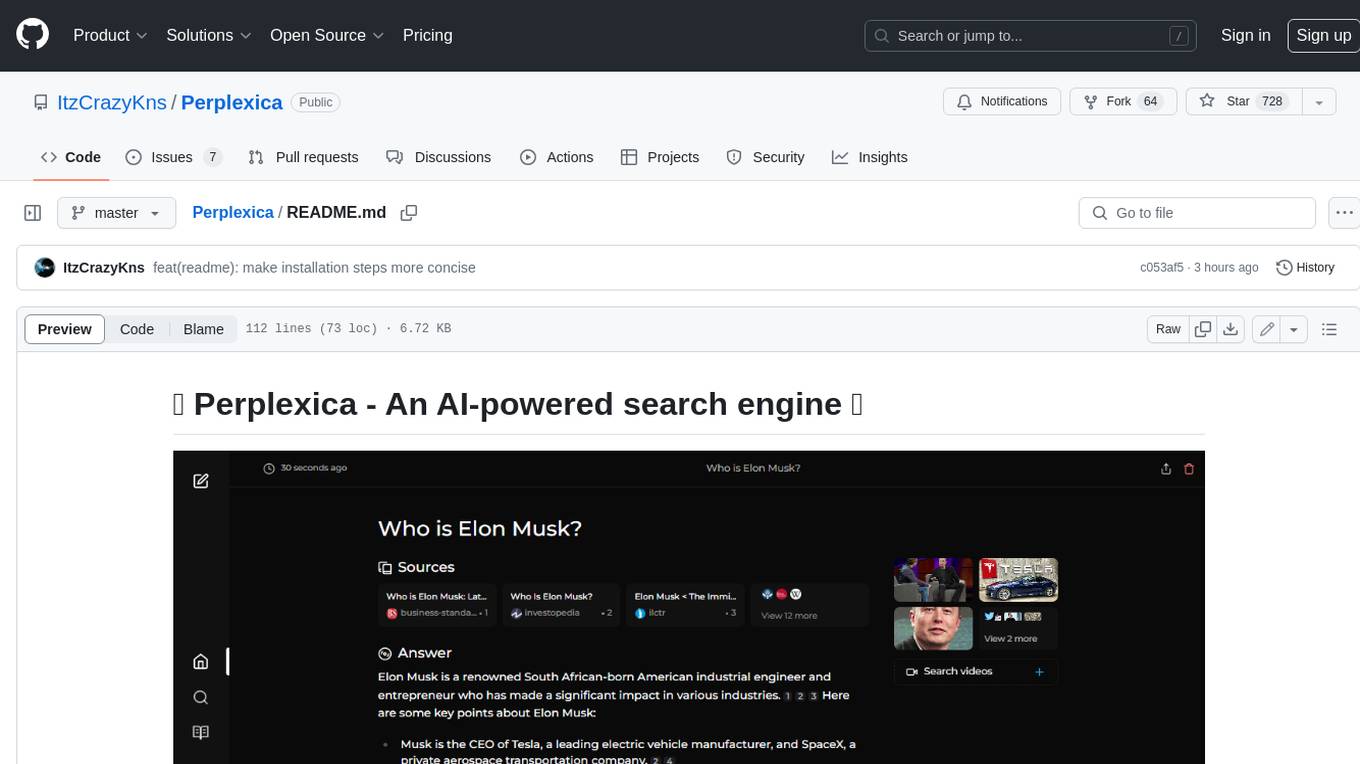
Perplexica
Perplexica is an open-source AI-powered search engine that utilizes advanced machine learning algorithms to provide clear answers with sources cited. It offers various modes like Copilot Mode, Normal Mode, and Focus Modes for specific types of questions. Perplexica ensures up-to-date information by using SearxNG metasearch engine. It also features image and video search capabilities and upcoming features include finalizing Copilot Mode and adding Discover and History Saving features.
KULLM
KULLM (구름) is a Korean Large Language Model developed by Korea University NLP & AI Lab and HIAI Research Institute. It is based on the upstage/SOLAR-10.7B-v1.0 model and has been fine-tuned for instruction. The model has been trained on 8×A100 GPUs and is capable of generating responses in Korean language. KULLM exhibits hallucination and repetition phenomena due to its decoding strategy. Users should be cautious as the model may produce inaccurate or harmful results. Performance may vary in benchmarks without a fixed system prompt.
MMMU
MMMU is a benchmark designed to evaluate multimodal models on college-level subject knowledge tasks, covering 30 subjects and 183 subfields with 11.5K questions. It focuses on advanced perception and reasoning with domain-specific knowledge, challenging models to perform tasks akin to those faced by experts. The evaluation of various models highlights substantial challenges, with room for improvement to stimulate the community towards expert artificial general intelligence (AGI).
1filellm
1filellm is a command-line data aggregation tool designed for LLM ingestion. It aggregates and preprocesses data from various sources into a single text file, facilitating the creation of information-dense prompts for large language models. The tool supports automatic source type detection, handling of multiple file formats, web crawling functionality, integration with Sci-Hub for research paper downloads, text preprocessing, and token count reporting. Users can input local files, directories, GitHub repositories, pull requests, issues, ArXiv papers, YouTube transcripts, web pages, Sci-Hub papers via DOI or PMID. The tool provides uncompressed and compressed text outputs, with the uncompressed text automatically copied to the clipboard for easy pasting into LLMs.
gpt-researcher
GPT Researcher is an autonomous agent designed for comprehensive online research on a variety of tasks. It can produce detailed, factual, and unbiased research reports with customization options. The tool addresses issues of speed, determinism, and reliability by leveraging parallelized agent work. The main idea involves running 'planner' and 'execution' agents to generate research questions, seek related information, and create research reports. GPT Researcher optimizes costs and completes tasks in around 3 minutes. Features include generating long research reports, aggregating web sources, an easy-to-use web interface, scraping web sources, and exporting reports to various formats.
ChatTTS
ChatTTS is a generative speech model optimized for dialogue scenarios, providing natural and expressive speech synthesis with fine-grained control over prosodic features. It supports multiple speakers and surpasses most open-source TTS models in terms of prosody. The model is trained with 100,000+ hours of Chinese and English audio data, and the open-source version on HuggingFace is a 40,000-hour pre-trained model without SFT. The roadmap includes open-sourcing additional features like VQ encoder, multi-emotion control, and streaming audio generation. The tool is intended for academic and research use only, with precautions taken to limit potential misuse.
HebTTS
HebTTS is a language modeling approach to diacritic-free Hebrew text-to-speech (TTS) system. It addresses the challenge of accurately mapping text to speech in Hebrew by proposing a language model that operates on discrete speech representations and is conditioned on a word-piece tokenizer. The system is optimized using weakly supervised recordings and outperforms diacritic-based Hebrew TTS systems in terms of content preservation and naturalness of generated speech.
do-research-in-AI
This repository is a collection of research lectures and experience sharing posts from frontline researchers in the field of AI. It aims to help individuals upgrade their research skills and knowledge through insightful talks and experiences shared by experts. The content covers various topics such as evaluating research papers, choosing research directions, research methodologies, and tips for writing high-quality scientific papers. The repository also includes discussions on academic career paths, research ethics, and the emotional aspects of research work. Overall, it serves as a valuable resource for individuals interested in advancing their research capabilities in the field of AI.