


everything-claude-code
Complete Claude Code configuration collection - agents, skills, hooks, commands, rules, MCPs. Battle-tested configs from an Anthropic hackathon winner.
Stars: 42543

The 'Everything Claude Code' repository is a comprehensive collection of production-ready agents, skills, hooks, commands, rules, and MCP configurations developed over 10+ months. It includes guides for setup, foundations, and philosophy, as well as detailed explanations of various topics such as token optimization, memory persistence, continuous learning, verification loops, parallelization, and subagent orchestration. The repository also provides updates on bug fixes, multi-language rules, installation wizard, PM2 support, OpenCode plugin integration, unified commands and skills, and cross-platform support. It offers a quick start guide for installation, ecosystem tools like Skill Creator and Continuous Learning v2, requirements for CLI version compatibility, key concepts like agents, skills, hooks, and rules, running tests, contributing guidelines, OpenCode support, background information, important notes on context window management and customization, star history chart, and relevant links.
README:
Language: English | 繁體中文





41K+ stars | 5K+ forks | 22 contributors | 6 languages supported
The complete collection of Claude Code configs from an Anthropic hackathon winner.
Production-ready agents, skills, hooks, commands, rules, and MCP configurations evolved over 10+ months of intensive daily use building real products.
This repo is the raw code only. The guides explain everything.
|
|
|
|
Shorthand Guide Setup, foundations, philosophy. Read this first. |
Longform Guide Token optimization, memory persistence, evals, parallelization. |
| Topic | What You'll Learn |
|---|---|
| Token Optimization | Model selection, system prompt slimming, background processes |
| Memory Persistence | Hooks that save/load context across sessions automatically |
| Continuous Learning | Auto-extract patterns from sessions into reusable skills |
| Verification Loops | Checkpoint vs continuous evals, grader types, pass@k metrics |
| Parallelization | Git worktrees, cascade method, when to scale instances |
| Subagent Orchestration | The context problem, iterative retrieval pattern |
-
Fixed instinct import content loss —
parse_instinct_file()was silently dropping all content after frontmatter (Action, Evidence, Examples sections) during/instinct-import. Fixed by community contributor @ericcai0814 (#148, #161)
-
Interactive installation wizard — New
configure-eccskill provides guided setup with merge/overwrite detection -
PM2 & multi-agent orchestration — 6 new commands (
/pm2,/multi-plan,/multi-execute,/multi-backend,/multi-frontend,/multi-workflow) for managing complex multi-service workflows -
Multi-language rules architecture — Rules restructured from flat files into
common/+typescript/+python/+golang/directories. Install only the languages you need - Chinese (zh-CN) translations — Complete translation of all agents, commands, skills, and rules (80+ files)
- GitHub Sponsors support — Sponsor the project via GitHub Sponsors
- Enhanced CONTRIBUTING.md — Detailed PR templates for each contribution type
- Full OpenCode integration — 12 agents, 24 commands, 16 skills with hook support via OpenCode's plugin system (20+ event types)
- 3 native custom tools — run-tests, check-coverage, security-audit
-
LLM documentation —
llms.txtfor comprehensive OpenCode docs
- Python/Django support — Django patterns, security, TDD, and verification skills
- Java Spring Boot skills — Patterns, security, TDD, and verification for Spring Boot
-
Session management —
/sessionscommand for session history - Continuous learning v2 — Instinct-based learning with confidence scoring, import/export, evolution
See the full changelog in Releases.
Get up and running in under 2 minutes:
# Add marketplace
/plugin marketplace add affaan-m/everything-claude-code

# Install plugin
/plugin install everything-claude-code@everything-claude-code
⚠️ Important: Claude Code plugins cannot distributerulesautomatically. Install them manually:
# Clone the repo first
git clone https://github.com/affaan-m/everything-claude-code.git

# Install common rules (required)
cp -r everything-claude-code/rules/common/* ~/.claude/rules/

# Install language-specific rules (pick your stack)
cp -r everything-claude-code/rules/typescript/* ~/.claude/rules/
cp -r everything-claude-code/rules/python/* ~/.claude/rules/
cp -r everything-claude-code/rules/golang/* ~/.claude/rules/# Try a command
/plan "Add user authentication"
# Check available commands
/plugin list everything-claude-code@everything-claude-code✨ That's it! You now have access to 15+ agents, 30+ skills, and 30+ commands.
This plugin now fully supports Windows, macOS, and Linux. All hooks and scripts have been rewritten in Node.js for maximum compatibility.
The plugin automatically detects your preferred package manager (npm, pnpm, yarn, or bun) with the following priority:
-
Environment variable:
CLAUDE_PACKAGE_MANAGER -
Project config:
.claude/package-manager.json -
package.json:
packageManagerfield - Lock file: Detection from package-lock.json, yarn.lock, pnpm-lock.yaml, or bun.lockb
-
Global config:
~/.claude/package-manager.json - Fallback: First available package manager
To set your preferred package manager:
# Via environment variable
export CLAUDE_PACKAGE_MANAGER=pnpm

# Via global config
node scripts/setup-package-manager.js --global pnpm

# Via project config
node scripts/setup-package-manager.js --project bun

# Detect current setting
node scripts/setup-package-manager.js --detect
Or use the /setup-pm command in Claude Code.
This repo is a Claude Code plugin - install it directly or copy components manually.
everything-claude-code/
|-- .claude-plugin/   # Plugin and marketplace manifests
|   |-- plugin.json         # Plugin metadata and component paths
|   |-- marketplace.json    # Marketplace catalog for /plugin marketplace add
|
|-- agents/           # Specialized subagents for delegation
|   |-- planner.md           # Feature implementation planning
|   |-- architect.md         # System design decisions
|   |-- tdd-guide.md         # Test-driven development
|   |-- code-reviewer.md     # Quality and security review
|   |-- security-reviewer.md # Vulnerability analysis
|   |-- build-error-resolver.md
|   |-- e2e-runner.md        # Playwright E2E testing
|   |-- refactor-cleaner.md  # Dead code cleanup
|   |-- doc-updater.md       # Documentation sync
|   |-- go-reviewer.md       # Go code review
|   |-- go-build-resolver.md # Go build error resolution
|   |-- python-reviewer.md   # Python code review (NEW)
|   |-- database-reviewer.md # Database/Supabase review (NEW)
|
|-- skills/           # Workflow definitions and domain knowledge
|   |-- coding-standards/           # Language best practices
|   |-- backend-patterns/           # API, database, caching patterns
|   |-- frontend-patterns/          # React, Next.js patterns
|   |-- continuous-learning/        # Auto-extract patterns from sessions (Longform Guide)
|   |-- continuous-learning-v2/     # Instinct-based learning with confidence scoring
|   |-- iterative-retrieval/        # Progressive context refinement for subagents
|   |-- strategic-compact/          # Manual compaction suggestions (Longform Guide)
|   |-- tdd-workflow/               # TDD methodology
|   |-- security-review/            # Security checklist
|   |-- eval-harness/               # Verification loop evaluation (Longform Guide)
|   |-- verification-loop/          # Continuous verification (Longform Guide)
|   |-- golang-patterns/            # Go idioms and best practices
|   |-- golang-testing/             # Go testing patterns, TDD, benchmarks
|   |-- django-patterns/            # Django patterns, models, views (NEW)
|   |-- django-security/            # Django security best practices (NEW)
|   |-- django-tdd/                 # Django TDD workflow (NEW)
|   |-- django-verification/        # Django verification loops (NEW)
|   |-- python-patterns/            # Python idioms and best practices (NEW)
|   |-- python-testing/             # Python testing with pytest (NEW)
|   |-- springboot-patterns/        # Java Spring Boot patterns (NEW)
|   |-- springboot-security/        # Spring Boot security (NEW)
|   |-- springboot-tdd/             # Spring Boot TDD (NEW)
|   |-- springboot-verification/    # Spring Boot verification (NEW)
|   |-- configure-ecc/              # Interactive installation wizard (NEW)
|
|-- commands/         # Slash commands for quick execution
|   |-- tdd.md              # /tdd - Test-driven development
|   |-- plan.md             # /plan - Implementation planning
|   |-- e2e.md              # /e2e - E2E test generation
|   |-- code-review.md      # /code-review - Quality review
|   |-- build-fix.md        # /build-fix - Fix build errors
|   |-- refactor-clean.md   # /refactor-clean - Dead code removal
|   |-- learn.md            # /learn - Extract patterns mid-session (Longform Guide)
|   |-- checkpoint.md       # /checkpoint - Save verification state (Longform Guide)
|   |-- verify.md           # /verify - Run verification loop (Longform Guide)
|   |-- setup-pm.md         # /setup-pm - Configure package manager
|   |-- go-review.md        # /go-review - Go code review (NEW)
|   |-- go-test.md          # /go-test - Go TDD workflow (NEW)
|   |-- go-build.md         # /go-build - Fix Go build errors (NEW)
|   |-- skill-create.md     # /skill-create - Generate skills from git history (NEW)
|   |-- instinct-status.md  # /instinct-status - View learned instincts (NEW)
|   |-- instinct-import.md  # /instinct-import - Import instincts (NEW)
|   |-- instinct-export.md  # /instinct-export - Export instincts (NEW)
|   |-- evolve.md           # /evolve - Cluster instincts into skills
|   |-- pm2.md              # /pm2 - PM2 service lifecycle management (NEW)
|   |-- multi-plan.md       # /multi-plan - Multi-agent task decomposition (NEW)
|   |-- multi-execute.md    # /multi-execute - Orchestrated multi-agent workflows (NEW)
|   |-- multi-backend.md    # /multi-backend - Backend multi-service orchestration (NEW)
|   |-- multi-frontend.md   # /multi-frontend - Frontend multi-service orchestration (NEW)
|   |-- multi-workflow.md   # /multi-workflow - General multi-service workflows (NEW)
|
|-- rules/            # Always-follow guidelines (copy to ~/.claude/rules/)
|   |-- README.md            # Structure overview and installation guide
|   |-- common/              # Language-agnostic principles
|   |   |-- coding-style.md    # Immutability, file organization
|   |   |-- git-workflow.md    # Commit format, PR process
|   |   |-- testing.md         # TDD, 80% coverage requirement
|   |   |-- performance.md     # Model selection, context management
|   |   |-- patterns.md        # Design patterns, skeleton projects
|   |   |-- hooks.md           # Hook architecture, TodoWrite
|   |   |-- agents.md          # When to delegate to subagents
|   |   |-- security.md        # Mandatory security checks
|   |-- typescript/          # TypeScript/JavaScript specific
|   |-- python/              # Python specific
|   |-- golang/              # Go specific
|
|-- hooks/            # Trigger-based automations
|   |-- hooks.json                # All hooks config (PreToolUse, PostToolUse, Stop, etc.)
|   |-- memory-persistence/       # Session lifecycle hooks (Longform Guide)
|   |-- strategic-compact/        # Compaction suggestions (Longform Guide)
|
|-- scripts/          # Cross-platform Node.js scripts (NEW)
|   |-- lib/                     # Shared utilities
|   |   |-- utils.js             # Cross-platform file/path/system utilities
|   |   |-- package-manager.js   # Package manager detection and selection
|   |-- hooks/                   # Hook implementations
|   |   |-- session-start.js     # Load context on session start
|   |   |-- session-end.js       # Save state on session end
|   |   |-- pre-compact.js       # Pre-compaction state saving
|   |   |-- suggest-compact.js   # Strategic compaction suggestions
|   |   |-- evaluate-session.js  # Extract patterns from sessions
|   |-- setup-package-manager.js # Interactive PM setup
|
|-- tests/            # Test suite (NEW)
|   |-- lib/                     # Library tests
|   |-- hooks/                   # Hook tests
|   |-- run-all.js               # Run all tests
|
|-- contexts/         # Dynamic system prompt injection contexts (Longform Guide)
|   |-- dev.md              # Development mode context
|   |-- review.md           # Code review mode context
|   |-- research.md         # Research/exploration mode context
|
|-- examples/         # Example configurations and sessions
|   |-- CLAUDE.md           # Example project-level config
|   |-- user-CLAUDE.md      # Example user-level config
|
|-- mcp-configs/      # MCP server configurations
|   |-- mcp-servers.json    # GitHub, Supabase, Vercel, Railway, etc.
|
|-- marketplace.json  # Self-hosted marketplace config (for /plugin marketplace add)
Two ways to generate Claude Code skills from your repository:
Use the /skill-create command for local analysis without external services:
/skill-create                    # Analyze current repo
/skill-create --instincts        # Also generate instincts for continuous-learning
This analyzes your git history locally and generates SKILL.md files.
For advanced features (10k+ commits, auto-PRs, team sharing):
Install GitHub App | ecc.tools
# Comment on any issue:
/skill-creator analyze

# Or auto-triggers on push to default branch
Both options create:
- SKILL.md files - Ready-to-use skills for Claude Code
- Instinct collections - For continuous-learning-v2
- Pattern extraction - Learns from your commit history
The instinct-based learning system automatically learns your patterns:
/instinct-status        # Show learned instincts with confidence
/instinct-import <file> # Import instincts from others
/instinct-export        # Export your instincts for sharing
/evolve                 # Cluster related instincts into skills
See skills/continuous-learning-v2/ for full documentation.
Minimum version: v2.1.0 or later
This plugin requires Claude Code CLI v2.1.0+ due to changes in how the plugin system handles hooks.
Check your version:
claude --version
⚠️ For Contributors: Do NOT add a"hooks"field to.claude-plugin/plugin.json. This is enforced by a regression test.
Claude Code v2.1+ automatically loads hooks/hooks.json from any installed plugin by convention. Explicitly declaring it in plugin.json causes a duplicate detection error:
Duplicate hooks file detected: ./hooks/hooks.json resolves to already-loaded file
History: This has caused repeated fix/revert cycles in this repo (#29, #52, #103). The behavior changed between Claude Code versions, leading to confusion. We now have a regression test to prevent this from being reintroduced.
The easiest way to use this repo - install as a Claude Code plugin:
# Add this repo as a marketplace
/plugin marketplace add affaan-m/everything-claude-code

# Install the plugin
/plugin install everything-claude-code@everything-claude-code
Or add directly to your ~/.claude/settings.json:
{
  "extraKnownMarketplaces": {
    "everything-claude-code": {
      "source": {
        "source": "github",
        "repo": "affaan-m/everything-claude-code"
      }
    }
  },
  "enabledPlugins": {
    "everything-claude-code@everything-claude-code": true
  }
}
This gives you instant access to all commands, agents, skills, and hooks.
Note: The Claude Code plugin system does not support distributing
rulesvia plugins (upstream limitation). You need to install rules manually:# Clone the repo first git clone https://github.com/affaan-m/everything-claude-code.git # Option A: User-level rules (applies to all projects) cp -r everything-claude-code/rules/common/* ~/.claude/rules/ cp -r everything-claude-code/rules/typescript/* ~/.claude/rules/ # pick your stack cp -r everything-claude-code/rules/python/* ~/.claude/rules/ cp -r everything-claude-code/rules/golang/* ~/.claude/rules/ # Option B: Project-level rules (applies to current project only) mkdir -p .claude/rules cp -r everything-claude-code/rules/common/* .claude/rules/ cp -r everything-claude-code/rules/typescript/* .claude/rules/ # pick your stack
If you prefer manual control over what's installed:
# Clone the repo
git clone https://github.com/affaan-m/everything-claude-code.git

# Copy agents to your Claude config
cp everything-claude-code/agents/*.md ~/.claude/agents/

# Copy rules (common + language-specific)
cp -r everything-claude-code/rules/common/* ~/.claude/rules/
cp -r everything-claude-code/rules/typescript/* ~/.claude/rules/   # pick your stack
cp -r everything-claude-code/rules/python/* ~/.claude/rules/
cp -r everything-claude-code/rules/golang/* ~/.claude/rules/

# Copy commands
cp everything-claude-code/commands/*.md ~/.claude/commands/

# Copy skills
cp -r everything-claude-code/skills/* ~/.claude/skills/Copy the hooks from hooks/hooks.json to your ~/.claude/settings.json.
Copy desired MCP servers from mcp-configs/mcp-servers.json to your ~/.claude.json.
Important: Replace YOUR_*_HERE placeholders with your actual API keys.
Subagents handle delegated tasks with limited scope. Example:
---
name: code-reviewer
description: Reviews code for quality, security, and maintainability
tools: ["Read", "Grep", "Glob", "Bash"]
model: opus
---

You are a senior code reviewer...
Skills are workflow definitions invoked by commands or agents:
# TDD Workflow

1. Define interfaces first
2. Write failing tests (RED)
3. Implement minimal code (GREEN)
4. Refactor (IMPROVE)
5. Verify 80%+ coverage
Hooks fire on tool events. Example - warn about console.log:
{
  "matcher": "tool == \"Edit\" && tool_input.file_path matches \"\\\\.(ts|tsx|js|jsx)$\"",
  "hooks": [{
    "type": "command",
    "command": "#!/bin/bash\ngrep -n 'console\\.log' \"$file_path\" && echo '[Hook] Remove console.log' >&2"
  }]
}
Rules are always-follow guidelines, organized into common/ (language-agnostic) + language-specific directories:
rules/
  common/          # Universal principles (always install)
  typescript/      # TS/JS specific patterns and tools
  python/          # Python specific patterns and tools
  golang/          # Go specific patterns and tools
See rules/README.md for installation and structure details.
The plugin includes a comprehensive test suite:
# Run all tests
node tests/run-all.js

# Run individual test files
node tests/lib/utils.test.js
node tests/lib/package-manager.test.js
node tests/hooks/hooks.test.jsContributions are welcome and encouraged.
This repo is meant to be a community resource. If you have:
- Useful agents or skills
- Clever hooks
- Better MCP configurations
- Improved rules
Please contribute! See CONTRIBUTING.md for guidelines.
- Language-specific skills (Rust, C#, Swift, Kotlin) — Go, Python, Java already included
- Framework-specific configs (Rails, Laravel, FastAPI, NestJS) — Django, Spring Boot already included
- DevOps agents (Kubernetes, Terraform, AWS, Docker)
- Testing strategies (different frameworks, visual regression)
- Domain-specific knowledge (ML, data engineering, mobile)
ECC provides full OpenCode support including plugins and hooks.
# Install OpenCode
npm install -g opencode

# Run in the repository root
opencode
The configuration is automatically detected from .opencode/opencode.json.
| Feature | Claude Code | OpenCode | Status |
|---|---|---|---|
| Agents | ✅ 14 agents | ✅ 12 agents | Claude Code leads |
| Commands | ✅ 30 commands | ✅ 24 commands | Claude Code leads |
| Skills | ✅ 28 skills | ✅ 16 skills | Claude Code leads |
| Hooks | ✅ 3 phases | ✅ 20+ events | OpenCode has more! |
| Rules | ✅ 8 rules | ✅ 8 rules | Full parity |
| MCP Servers | ✅ Full | ✅ Full | Full parity |
| Custom Tools | ✅ Via hooks | ✅ Native support | OpenCode is better |
OpenCode's plugin system is MORE sophisticated than Claude Code with 20+ event types:
| Claude Code Hook | OpenCode Plugin Event |
|---|---|
| PreToolUse | tool.execute.before |
| PostToolUse | tool.execute.after |
| Stop | session.idle |
| SessionStart | session.created |
| SessionEnd | session.deleted |
Additional OpenCode events: file.edited, file.watcher.updated, message.updated, lsp.client.diagnostics, tui.toast.show, and more.
| Command | Description |
|---|---|
/plan |
Create implementation plan |
/tdd |
Enforce TDD workflow |
/code-review |
Review code changes |
/security |
Run security review |
/build-fix |
Fix build errors |
/e2e |
Generate E2E tests |
/refactor-clean |
Remove dead code |
/orchestrate |
Multi-agent workflow |
/learn |
Extract patterns from session |
/checkpoint |
Save verification state |
/verify |
Run verification loop |
/eval |
Evaluate against criteria |
/update-docs |
Update documentation |
/update-codemaps |
Update codemaps |
/test-coverage |
Analyze coverage |
/go-review |
Go code review |
/go-test |
Go TDD workflow |
/go-build |
Fix Go build errors |
/skill-create |
Generate skills from git |
/instinct-status |
View learned instincts |
/instinct-import |
Import instincts |
/instinct-export |
Export instincts |
/evolve |
Cluster instincts into skills |
/setup-pm |
Configure package manager |
Option 1: Use directly
cd everything-claude-code
opencode
Option 2: Install as npm package
npm install opencode-eccThen add to your opencode.json:
{
  "plugin": ["opencode-ecc"]
}-
Migration Guide:
.opencode/MIGRATION.md -
OpenCode Plugin README:
.opencode/README.md -
Consolidated Rules:
.opencode/instructions/INSTRUCTIONS.md -
LLM Documentation:
llms.txt(complete OpenCode docs for LLMs)
I've been using Claude Code since the experimental rollout. Won the Anthropic x Forum Ventures hackathon in Sep 2025 building zenith.chat with @DRodriguezFX - entirely using Claude Code.
These configs are battle-tested across multiple production applications.
Critical: Don't enable all MCPs at once. Your 200k context window can shrink to 70k with too many tools enabled.
Rule of thumb:
- Have 20-30 MCPs configured
- Keep under 10 enabled per project
- Under 80 tools active
Use disabledMcpServers in project config to disable unused ones.
These configs work for my workflow. You should:
- Start with what resonates
- Modify for your stack
- Remove what you don't use
- Add your own patterns
- Shorthand Guide (Start Here): The Shorthand Guide to Everything Claude Code
- Longform Guide (Advanced): The Longform Guide to Everything Claude Code
- Follow: @affaanmustafa
- zenith.chat: zenith.chat
MIT - Use freely, modify as needed, contribute back if you can.
Star this repo if it helps. Read both guides. Build something great.
For Tasks:
Click tags to check more tools for each tasksFor Jobs:
Alternative AI tools for everything-claude-code
Similar Open Source Tools
everything-claude-code
The 'Everything Claude Code' repository is a comprehensive collection of production-ready agents, skills, hooks, commands, rules, and MCP configurations developed over 10+ months. It includes guides for setup, foundations, and philosophy, as well as detailed explanations of various topics such as token optimization, memory persistence, continuous learning, verification loops, parallelization, and subagent orchestration. The repository also provides updates on bug fixes, multi-language rules, installation wizard, PM2 support, OpenCode plugin integration, unified commands and skills, and cross-platform support. It offers a quick start guide for installation, ecosystem tools like Skill Creator and Continuous Learning v2, requirements for CLI version compatibility, key concepts like agents, skills, hooks, and rules, running tests, contributing guidelines, OpenCode support, background information, important notes on context window management and customization, star history chart, and relevant links.
agentscope
AgentScope is a multi-agent platform designed to empower developers to build multi-agent applications with large-scale models. It features three high-level capabilities: Easy-to-Use, High Robustness, and Actor-Based Distribution. AgentScope provides a list of `ModelWrapper` to support both local model services and third-party model APIs, including OpenAI API, DashScope API, Gemini API, and ollama. It also enables developers to rapidly deploy local model services using libraries such as ollama (CPU inference), Flask + Transformers, Flask + ModelScope, FastChat, and vllm. AgentScope supports various services, including Web Search, Data Query, Retrieval, Code Execution, File Operation, and Text Processing. Example applications include Conversation, Game, and Distribution. AgentScope is released under Apache License 2.0 and welcomes contributions.
axonhub
AxonHub is an all-in-one AI development platform that serves as an AI gateway allowing users to switch between model providers without changing any code. It provides features like vendor lock-in prevention, integration simplification, observability enhancement, and cost control. Users can access any model using any SDK with zero code changes. The platform offers full request tracing, enterprise RBAC, smart load balancing, and real-time cost tracking. AxonHub supports multiple databases, provides a unified API gateway, and offers flexible model management and API key creation for authentication. It also integrates with various AI coding tools and SDKs for seamless usage.
ai-dev-kit
The AI Dev Kit is a comprehensive toolkit designed to enhance AI-driven development on Databricks. It provides trusted sources for AI coding assistants like Claude Code and Cursor to build faster and smarter on Databricks. The kit includes features such as Spark Declarative Pipelines, Databricks Jobs, AI/BI Dashboards, Unity Catalog, Genie Spaces, Knowledge Assistants, MLflow Experiments, Model Serving, Databricks Apps, and more. Users can choose from different adventures like installing the kit, using the visual builder app, teaching AI assistants Databricks patterns, executing Databricks actions, or building custom integrations with the core library. The kit also includes components like databricks-tools-core, databricks-mcp-server, databricks-skills, databricks-builder-app, and ai-dev-project.

dexto
Dexto is a lightweight runtime for creating and running AI agents that turn natural language into real-world actions. It serves as the missing intelligence layer for building AI applications, standalone chatbots, or as the reasoning engine inside larger products. Dexto features a powerful CLI and Web UI for running AI agents, supports multiple interfaces, allows hot-swapping of LLMs from various providers, connects to remote tool servers via the Model Context Protocol, is config-driven with version-controlled YAML, offers production-ready core features, extensibility for custom services, and enables multi-agent collaboration via MCP and A2A.

ClaudeBar
ClaudeBar is a macOS menu bar application that monitors AI coding assistant usage quotas. It allows users to keep track of their usage of Claude, Codex, Gemini, GitHub Copilot, Antigravity, and Z.ai at a glance. The application offers multi-provider support, real-time quota tracking, multiple themes, visual status indicators, system notifications, auto-refresh feature, and keyboard shortcuts for quick access. Users can customize monitoring by toggling individual providers on/off and receive alerts when quota status changes. The tool requires macOS 15+, Swift 6.2+, and CLI tools installed for the providers to be monitored.
azure-agentic-infraops
Agentic InfraOps is a multi-agent orchestration system for Azure infrastructure development that transforms how you build Azure infrastructure with AI agents. It provides a structured 7-step workflow that coordinates specialized AI agents through a complete infrastructure development cycle: Requirements → Architecture → Design → Plan → Code → Deploy → Documentation. The system enforces Azure Well-Architected Framework (WAF) alignment and Azure Verified Modules (AVM) at every phase, combining the speed of AI coding with best practices in cloud engineering.
new-api
New API is a next-generation large model gateway and AI asset management system that provides a wide range of features, including a new UI interface, multi-language support, online recharge function, key query for usage quota, compatibility with the original One API database, model charging by usage count, channel weighted randomization, data dashboard, token grouping and model restrictions, support for various authorization login methods, support for Rerank models, OpenAI Realtime API, Claude Messages format, reasoning effort setting, content reasoning, user-specific model rate limiting, request format conversion, cache billing support, and various model support such as gpts, Midjourney-Proxy, Suno API, custom channels, Rerank models, Claude Messages format, Dify, and more.
terminator
Terminator is an AI-powered desktop automation tool that is open source, MIT-licensed, and cross-platform. It works across all apps and browsers, inspired by GitHub Actions & Playwright. It is 100x faster than generic AI agents, with over 95% success rate and no vendor lock-in. Users can create automations that work across any desktop app or browser, achieve high success rates without costly consultant armies, and pre-train workflows as deterministic code.
paiml-mcp-agent-toolkit
PAIML MCP Agent Toolkit (PMAT) is a zero-configuration AI context generation system with extreme quality enforcement and Toyota Way standards. It allows users to analyze any codebase instantly through CLI, MCP, or HTTP interfaces. The toolkit provides features such as technical debt analysis, advanced monitoring, metrics aggregation, performance profiling, bottleneck detection, alert system, multi-format export, storage flexibility, and more. It also offers AI-powered intelligence for smart recommendations, polyglot analysis, repository showcase, and integration points. PMAT enforces quality standards like complexity ≤20, zero SATD comments, test coverage >80%, no lint warnings, and synchronized documentation with commits. The toolkit follows Toyota Way development principles for iterative improvement, direct AST traversal, automated quality gates, and zero SATD policy.
HyperChat
HyperChat is an open Chat client that utilizes various LLM APIs to enhance the Chat experience and offer productivity tools through the MCP protocol. It supports multiple LLMs like OpenAI, Claude, Qwen, Deepseek, GLM, Ollama. The platform includes a built-in MCP plugin market for easy installation and also allows manual installation of third-party MCPs. Features include Windows and MacOS support, resource support, tools support, English and Chinese language support, built-in MCP client 'hypertools', 'fetch' + 'search', Bot support, Artifacts rendering, KaTeX for mathematical formulas, WebDAV synchronization, and a MCP plugin market. Future plans include permission pop-up, scheduled tasks support, Projects + RAG support, tools implementation by LLM, and a local shell + nodejs + js on web runtime environment.
sf-skills
sf-skills is a collection of reusable skills for Agentic Salesforce Development, enabling AI-powered code generation, validation, testing, debugging, and deployment. It includes skills for development, quality, foundation, integration, AI & automation, DevOps & tooling. The installation process is newbie-friendly and includes an installer script for various CLIs. The skills are compatible with platforms like Claude Code, OpenCode, Codex, Gemini, Amp, Droid, Cursor, and Agentforce Vibes. The repository is community-driven and aims to strengthen the Salesforce ecosystem.
deepfabric
DeepFabric is a CLI tool and SDK designed for researchers and developers to generate high-quality synthetic datasets at scale using large language models. It leverages a graph and tree-based architecture to create diverse and domain-specific datasets while minimizing redundancy. The tool supports generating Chain of Thought datasets for step-by-step reasoning tasks and offers multi-provider support for using different language models. DeepFabric also allows for automatic dataset upload to Hugging Face Hub and uses YAML configuration files for flexibility in dataset generation.
Edit-Banana
Edit Banana is a universal content re-editor that allows users to transform fixed content into fully manipulatable assets. Powered by SAM 3 and multimodal large models, it enables high-fidelity reconstruction while preserving original diagram details and logical relationships. The platform offers advanced segmentation, fixed multi-round VLM scanning, high-quality OCR, user system with credits, multi-user concurrency, and a web interface. Users can upload images or PDFs to get editable DrawIO (XML) or PPTX files in seconds. The project structure includes components for segmentation, text extraction, frontend, models, and scripts, with detailed installation and setup instructions provided. The tool is open-source under the Apache License 2.0, allowing commercial use and secondary development.
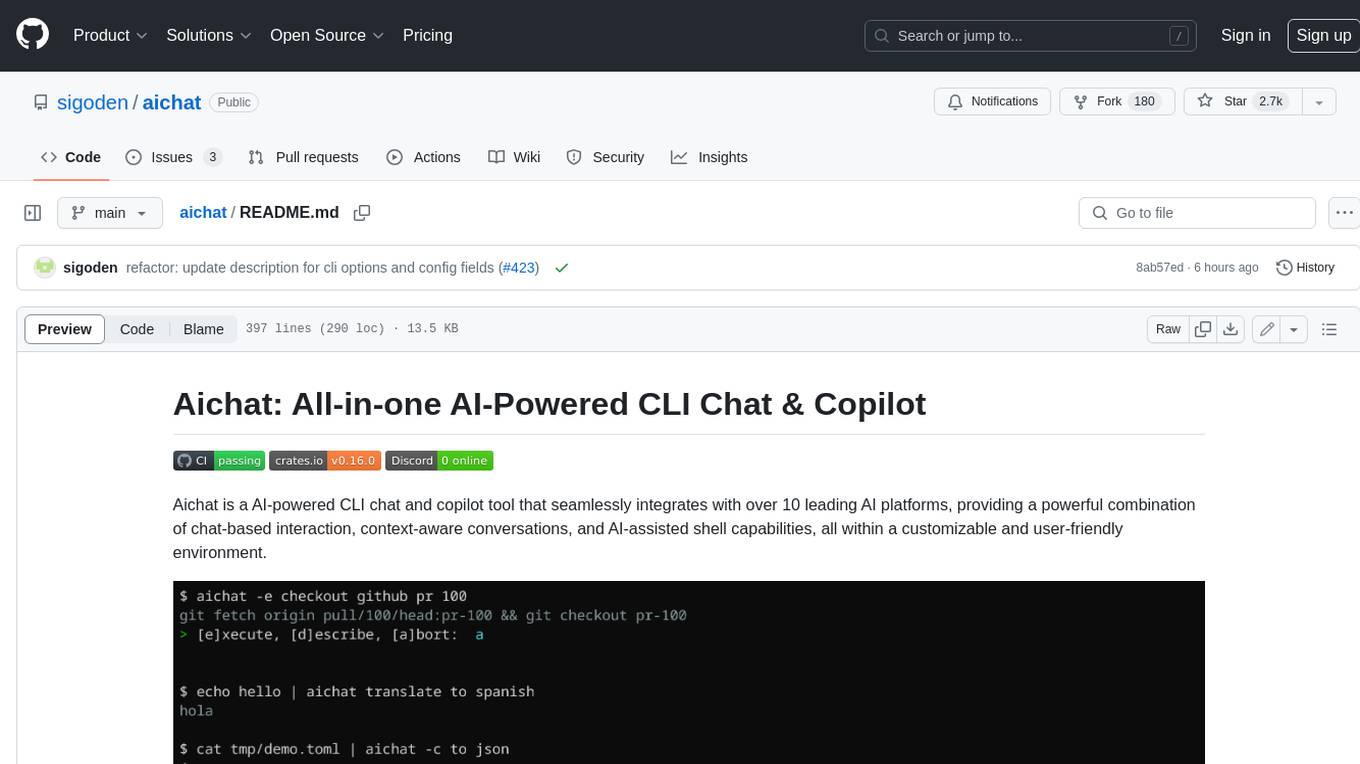
aichat
Aichat is an AI-powered CLI chat and copilot tool that seamlessly integrates with over 10 leading AI platforms, providing a powerful combination of chat-based interaction, context-aware conversations, and AI-assisted shell capabilities, all within a customizable and user-friendly environment.
telegram-deepseek-bot
This repository contains a Telegram bot built with Golang that integrates with DeepSeek API to provide AI-powered responses. The bot supports streaming replies, making interactions feel more natural and dynamic. It offers features like AI responses, streaming output, command handling, and easy deployment. Users can configure the bot via environment variables for customization. The bot can be deployed locally or on a cloud server, and it supports custom commands and real-time responses.
For similar tasks
everything-claude-code
The 'Everything Claude Code' repository is a comprehensive collection of production-ready agents, skills, hooks, commands, rules, and MCP configurations developed over 10+ months. It includes guides for setup, foundations, and philosophy, as well as detailed explanations of various topics such as token optimization, memory persistence, continuous learning, verification loops, parallelization, and subagent orchestration. The repository also provides updates on bug fixes, multi-language rules, installation wizard, PM2 support, OpenCode plugin integration, unified commands and skills, and cross-platform support. It offers a quick start guide for installation, ecosystem tools like Skill Creator and Continuous Learning v2, requirements for CLI version compatibility, key concepts like agents, skills, hooks, and rules, running tests, contributing guidelines, OpenCode support, background information, important notes on context window management and customization, star history chart, and relevant links.
github-pr-summary
github-pr-summary is a bot designed to summarize GitHub Pull Requests, helping open source contributors make faster decisions. It automatically summarizes commits and changed files in PRs, triggered by new commits or a magic trigger phrase. Users can deploy their own code review bot in 3 steps: create a bot from their GitHub repo, configure it to review PRs, and connect to GitHub for access to the target repo. The bot runs on flows.network using Rust and WasmEdge Runtimes. It utilizes ChatGPT/4 to review and summarize PR content, posting the result back as a comment on the PR. The bot can be used on multiple repos by creating new flows and importing the source code repo, specifying the target repo using flow config. Users can also change the magic phrase to trigger a review from a PR comment.

aider-composer
Aider Composer is a VSCode extension that integrates Aider into your development workflow. It allows users to easily add and remove files, toggle between read-only and editable modes, review code changes, use different chat modes, and reference files in the chat. The extension supports multiple models, code generation, code snippets, and settings customization. It has limitations such as lack of support for multiple workspaces, Git repository features, linting, testing, voice features, in-chat commands, and configuration options.
brokk
Brokk is a code assistant tool named after the Norse god of the forge. It is designed to understand code semantically, enabling LLMs to work effectively on large codebases. Users can sign up at Brokk.ai, install jbang, and follow instructions to run Brokk. The tool uses Gradle with Scala support and requires JDK 21 or newer for building. Brokk aims to enhance code comprehension and productivity by providing semantic understanding of code.
coding-agent-template
Coding Agent Template is a versatile tool for building AI-powered coding agents that support various coding tasks using Claude Code, OpenAI's Codex CLI, Cursor CLI, and opencode with Vercel Sandbox. It offers features like multi-agent support, Vercel Sandbox for secure code execution, AI Gateway integration, AI-generated branch names, task management, persistent storage, Git integration, and a modern UI built with Next.js and Tailwind CSS. Users can easily deploy their own version of the template to Vercel and set up the tool by cloning the repository, installing dependencies, configuring environment variables, setting up the database, and starting the development server. The tool simplifies the process of creating tasks, monitoring progress, reviewing results, and managing tasks, making it ideal for developers looking to automate coding tasks with AI agents.
For similar jobs
db2rest
DB2Rest is a modern low-code REST DATA API platform that simplifies the development of intelligent applications. It seamlessly integrates existing and new databases with language models (LMs/LLMs) and vector stores, enabling the rapid delivery of context-aware, reasoning applications without vendor lock-in.
mage-ai
Mage is an open-source data pipeline tool for transforming and integrating data. It offers an easy developer experience, engineering best practices built-in, and data as a first-class citizen. Mage makes it easy to build, preview, and launch data pipelines, and provides observability and scaling capabilities. It supports data integrations, streaming pipelines, and dbt integration.
airbyte
Airbyte is an open-source data integration platform that makes it easy to move data from any source to any destination. With Airbyte, you can build and manage data pipelines without writing any code. Airbyte provides a library of pre-built connectors that make it easy to connect to popular data sources and destinations. You can also create your own connectors using Airbyte's no-code Connector Builder or low-code CDK. Airbyte is used by data engineers and analysts at companies of all sizes to build and manage their data pipelines.
labelbox-python
Labelbox is a data-centric AI platform for enterprises to develop, optimize, and use AI to solve problems and power new products and services. Enterprises use Labelbox to curate data, generate high-quality human feedback data for computer vision and LLMs, evaluate model performance, and automate tasks by combining AI and human-centric workflows. The academic & research community uses Labelbox for cutting-edge AI research.
telemetry-airflow
This repository codifies the Airflow cluster that is deployed at workflow.telemetry.mozilla.org (behind SSO) and commonly referred to as "WTMO" or simply "Airflow". Some links relevant to users and developers of WTMO: * The `dags` directory in this repository contains some custom DAG definitions * Many of the DAGs registered with WTMO don't live in this repository, but are instead generated from ETL task definitions in bigquery-etl * The Data SRE team maintains a WTMO Developer Guide (behind SSO)

airflow
Apache Airflow (or simply Airflow) is a platform to programmatically author, schedule, and monitor workflows. When workflows are defined as code, they become more maintainable, versionable, testable, and collaborative. Use Airflow to author workflows as directed acyclic graphs (DAGs) of tasks. The Airflow scheduler executes your tasks on an array of workers while following the specified dependencies. Rich command line utilities make performing complex surgeries on DAGs a snap. The rich user interface makes it easy to visualize pipelines running in production, monitor progress, and troubleshoot issues when needed.
airbyte-platform
Airbyte is an open-source data integration platform that makes it easy to move data from any source to any destination. With Airbyte, you can build and manage data pipelines without writing any code. Airbyte provides a library of pre-built connectors that make it easy to connect to popular data sources and destinations. You can also create your own connectors using Airbyte's low-code Connector Development Kit (CDK). Airbyte is used by data engineers and analysts at companies of all sizes to move data for a variety of purposes, including data warehousing, data analysis, and machine learning.
chronon
Chronon is a platform that simplifies and improves ML workflows by providing a central place to define features, ensuring point-in-time correctness for backfills, simplifying orchestration for batch and streaming pipelines, offering easy endpoints for feature fetching, and guaranteeing and measuring consistency. It offers benefits over other approaches by enabling the use of a broad set of data for training, handling large aggregations and other computationally intensive transformations, and abstracting away the infrastructure complexity of data plumbing.