


explain-openclaw
Multi-AI documentation for OpenClaw: architecture, security audits, deployment guide
Stars: 69
Explain OpenClaw is a comprehensive documentation repository for the OpenClaw framework, a self-hosted AI assistant platform. It covers various aspects such as plain English explanations, technical architecture, deployment scenarios, privacy and safety measures, security audits, worst-case security scenarios, optimizations, and AI model comparisons. The repository serves as a living knowledge base with beginner-friendly explanations and detailed technical insights for contributors.
README:

- What is OpenClaw? (plain English)
- Glossary
- What is Moltbook?
- Threat model
- Hardening checklist
- High privacy config example
- Detecting OpenClaw requests (for hosting services)
- Architecture (technical)
- Repo map
- Deployment: Standalone Mac mini
- Deployment: Isolated VPS
- Deployment: Cloudflare Moltworker
- Deployment: Docker Model Runner
- Commands + troubleshooting
- Optimizations:
-
Security documentation:
openclaw security auditcommand reference- Official security advisories (CVEs/GHSAs)
- Security audit analysis (Issue #1796)
- Second security audit (Medium article)
- Third security audit (ZeroLeeks AI Red Team)
- Post-merge security hardening
- Open upstream security issues
- Open upstream security PRs
- Ecosystem security threats
- SecurityScorecard STRIKE report analysis (Feb 2026, 28k+ exposed instances)
- Model poisoning and sleeper agent backdoors (Feb 2026 Microsoft research)
- Cisco AI Defense skill scanner analysis (Feb 2026, blog post + tool evaluation)
- AI model analysis comparison
-
Worst-case security scenarios:
- Overview
- Mac Mini risks
- VPS risks
- Moltworker risks
- Cross-cutting vulnerabilities
- ClawHub marketplace risks (Feb 2026 campaign)
- Skills.sh risks (supply chain)
- Prompt injection attacks (27 examples)
- Misconfiguration examples
- AI self-misconfiguration
This folder is a living knowledge base for the OpenClaw framework — actively maintained documentation that has grown from an initial multi-model AI analysis into a broad reference covering security audits, deployment operations, threat intelligence, and beginner-friendly explanations.
What you'll find here:
| Section | What it covers |
|---|---|
| Plain English | What OpenClaw is, glossary, "explain it like I'm new" |
| Technical | Architecture deep-dive, repo map for contributors |
| Deployment | Mac mini (local-first), Isolated VPS (remote + hardened), Cloudflare Moltworker (serverless), Docker Model Runner (local AI, zero API cost) |
| Privacy & Safety | Threat model, hardening checklist, request fingerprint detection |
| Security Audits | Independently verified audit analyses, CVE/GHSA tracking, upstream issue monitoring |
| Worst-Case Scenarios | Attack catalogs, prompt injection examples, supply chain threats, incident response |
| Optimizations | Cost/token reduction, model routing recommendations |
| AI Model Comparison | Accuracy benchmarks across five AI models' analyses |
What started as a synthesis of five AI models' analyses has expanded through continuous upstream tracking and independent code verification. It reconciles analyses from Copilot GPT-5.2, Gemini 3.0 Pro, GLM 4.7, Opus 4.5, and Kimi K2.5 — with an accuracy comparison showing which models verified claims against source code and which accepted them at face value.
Repo docs + code win. Model summaries are supporting material.
OpenClaw is a self-hosted AI assistant platform. You run an always-on process called the Gateway on a machine you control (a Mac mini at home or an isolated VPS). The Gateway connects to messaging apps (WhatsApp/Telegram/Discord/iMessage/… via built-in channels + plugins), receives messages, runs an agent turn (the “brain”), optionally invokes tools/devices, and sends responses back.
Key idea: your Gateway host is the trust boundary. If it’s compromised (or configured too openly), your assistant can be turned into a data-exfil / automation engine.
Official docs starting point:
- https://docs.openclaw.ai/start/getting-started
- https://docs.openclaw.ai/gateway
- https://docs.openclaw.ai/gateway/security
- Standalone Mac mini (local-first, high privacy)
- The Gateway runs on a Mac mini you own.
- Default best practice: keep it loopback-only (
gateway.bind: "loopback") and access it locally. - Optional remote access should be via SSH tunnels or Tailscale Serve, not public ports.
- Isolated VPS server (remote, locked down)
- The Gateway runs on a small Linux VPS.
- Fastest path: DigitalOcean 1-Click Deploy pre-configures security hardening automatically.
- Default best practice: keep it loopback-only and access it via SSH tunnel or tailnet.
- Harden the host like any admin system (dedicated user, firewall, patching, log hygiene).
- Cloudflare Moltworker (serverless, managed infrastructure)
- The Gateway runs inside Cloudflare's Sandbox SDK container on their global edge network.
- No hardware to manage; automatic scaling and isolation.
- Uses R2 for persistence, AI Gateway for model routing, Browser Rendering for web automation.
- Proof-of-concept; requires Cloudflare Workers paid plan ($5/month minimum).
- Docker Model Runner (local AI, zero API cost)
- Run LLMs locally via Docker Desktop's Model Runner.
- Zero API costs after initial model download.
- Complete privacy — no data leaves your machine.
- Requires Docker Desktop 4.40+ and compatible hardware (Apple Silicon, NVIDIA GPU, or AMD GPU).
- Standalone Mac mini (local-first)
-
Isolated VPS (remote + locked down)
- DigitalOcean 1-Click Deploy (recommended)
- Cloudflare Moltworker (serverless)
- Docker Model Runner (local AI, zero cost)
The repo strongly recommends using the onboarding wizard; it sets up:
- a working Gateway service (launchd/systemd)
- auth/provider credentials
- safe access defaults (pairing, token)
Recommended installer:
curl -fsSL https://openclaw.ai/install.sh | bashAlternative:
npm install -g openclaw@latestopenclaw onboard --install-daemonopenclaw gateway status
openclaw status
openclaw healthThree levels of security auditing:
# Read-only scan of config + filesystem permissions (no network calls)
openclaw security audit

# Everything above + live WebSocket probe of the running gateway
openclaw security audit --deep

# Apply safe auto-fixes first, then run full audit to show remaining issues
openclaw security audit --fix| Flag | What it adds | Modifies system? |
|---|---|---|
| (none) | Scans config, filesystem permissions, channel policies, model hygiene, plugin trust, attack surface summary (50+ check IDs across 12 categories) | No — read-only |
--deep |
All base checks + live WebSocket probe of running gateway (5 s timeout), verifies auth handshake | No — read-only probe |
--fix |
Applies safe fixes before running the full audit: chmod 600/700 on state/config/credentials, flips groupPolicy open→allowlist, sets logging.redactSensitive off→"tools". Report shows remaining issues post-fix |
Yes — safe defaults only; no destructive changes |
Note:
--fixruns the fix pass before the audit (src/cli/security-cli.ts:46), so the report you see reflects the hardened state. Any findings that remain are issues--fixcannot auto-resolve.
If you only do one security thing, do this:
openclaw security audit --fixSee the full command reference for what each check covers, what --fix changes, and which documented issues the audit can and cannot detect.
(Security audit docs: https://docs.openclaw.ai/gateway/security)
OpenClaw is easiest to understand as 6 layers:
-
Gateway (control plane) — one long-running process that owns:
- message ingress/egress
- sessions + transcripts
- routing rules
- plugin loading
- tool execution policy + sandboxing
- node/device pairing and invocations
-
Channels — adapters from Telegram/WhatsApp/etc. into a normalized message/event shape.
-
Routing + sessions — decides which “agent/session” handles which chat.
-
Agent runtime — takes context (system prompt + history + attachments), calls your chosen model provider, streams responses, and can request tools.
-
Tools — optional capabilities beyond text (web fetch/search, browser control, exec, cron, nodes/devices).
-
Surfaces — where you interact:
- chat apps (WhatsApp/Telegram/…)
- Control UI dashboard (web)
- macOS menu bar app
This matters because your security choices mostly reduce to:
- Who can trigger the agent? (pairing + allowlists + group policies)
- What can the agent do once triggered? (tools/sandboxing/nodes)
- What can the agent reach? (network exposure, filesystem access, accounts)
This FAQ is intentionally long and practical; it’s the “things you’ll actually Google at 2am.”
- Mac mini (recommended for most privacy-first users): always-on, easy local access, no cloud exposure by default.
- VPS (recommended for always-on + remote access): great uptime, but higher security responsibility. DigitalOcean 1-Click handles hardening automatically.
- Cloudflare Moltworker (low-maintenance serverless): no hardware to manage, pay-as-you-go, but proof-of-concept status.
- Docker Model Runner (maximum privacy + zero cost): run local LLMs via Docker Desktop for complete privacy and no API fees. Requires Apple Silicon, NVIDIA, or AMD GPU.
- Laptop (okay for learning/dev): simplest to start, but sleeps often and you may be tempted to expose it.
See runbooks:
No. OpenClaw is a self-hosted assistant platform that talks to models (Anthropic/OpenAI/etc.) and wraps them with routing, sessions, tools, and chat integrations.
The main always-on process is the Gateway (default port 18789) which multiplexes:
- a WebSocket control plane
- the dashboard/control UI (HTTP)
- optional HTTP endpoints (OpenAI-compatible APIs)
See: https://docs.openclaw.ai/gateway
By default, OpenClaw stores state under ~/.openclaw/ (or ~/.openclaw-<profile>/ for profiles). This includes config, credentials, and session transcripts.
See: https://docs.openclaw.ai/gateway/security ("Credential storage map")
This repo's positioning is local-first control. Still, your chosen model provider will receive whatever text/media is sent to it for inference, unless you run a local model.
- Run on a single-user machine you control (Mac mini).
- Keep the Gateway loopback-only.
- Use pairing/allowlists so only you can talk to it.
- Don’t enable powerful tools until you understand the blast radius.
Use the wizard:
openclaw onboard --install-daemonThe Gateway likely has auth enabled and the UI is missing the token/password.
Fast fixes:
- Run
openclaw dashboard(it prints a tokenized URL). - If remote: bring up an SSH tunnel first:
then open
ssh -N -L 18789:127.0.0.1:18789 user@gateway-host
http://127.0.0.1:18789/?token=....
See: https://docs.openclaw.ai/help/faq (Control UI unauthorized)
Pairing is owner approval for:
- DM pairing (who can message the bot)
- device/node pairing (which devices can connect)
See: https://docs.openclaw.ai/start/pairing
-
openclaw gatewayruns the Gateway in the foreground in your terminal. -
openclaw gateway restartrestarts the background service (launchd/systemd).
See: https://docs.openclaw.ai/help/faq
gateway.port controls the single multiplexed port for WebSocket + HTTP. Precedence is:
--port > OPENCLAW_GATEWAY_PORT > gateway.port > default 18789
See: https://docs.openclaw.ai/help/faq
Usually no.
Preferred patterns:
- Loopback + SSH tunnel (universal)
- Loopback + Tailscale Serve (best UX)
Only bind to LAN/tailnet when you understand the auth requirements.
See: https://docs.openclaw.ai/gateway/remote and https://docs.openclaw.ai/gateway/tailscale
Yes, but it’s usually unnecessary; one Gateway can run multiple channels and agents.
If you do, you must isolate:
- config path (
OPENCLAW_CONFIG_PATH) - state dir (
OPENCLAW_STATE_DIR) - workspace (
agents.defaults.workspace) - port (
gateway.port)
See: https://docs.openclaw.ai/gateway/multiple-gateways
Use:
openclaw status --all
openclaw logs --follow
See: https://docs.openclaw.ai/help/faq (log locations)
All three matter, but the practical order is:
- Inbound access (DM/group policies)
- Tool blast radius (exec/browser/web)
- Network exposure (bind modes, proxies, auth)
- Host compromise (OS hardening, keys, patching)
See: https://docs.openclaw.ai/gateway/security
Plugins run in-process with the Gateway. Treat them like installing arbitrary code.
Recommendation:
- only install plugins you trust
- prefer pinned versions
- keep an explicit allowlist if supported
See: https://docs.openclaw.ai/gateway/security ("Plugins/extensions")
A local model is the strongest privacy posture because it avoids sending content to a third-party provider. However, it changes the safety profile: smaller/weak local models can be easier to prompt-inject and may handle tool policies worse.
See: https://docs.openclaw.ai/gateway/local-models
Consider DM session isolation (multi-user mode) so each peer gets an isolated DM session, and use identity linking only where appropriate.
For multi-agent setups, each agent can also be scoped independently: per-agent sandbox isolation, tool allow/deny policies, and workspace access controls prevent one agent's context from leaking into another. See per-agent access scoping for details.
See: https://docs.openclaw.ai/gateway/security ("DM session isolation") and https://docs.openclaw.ai/concepts/session
Purpose: This section documents what can go wrong in the worst possible misconfiguration or compromise scenarios for each deployment type.
Read this if: You're evaluating OpenClaw for sensitive use cases, want to understand the blast radius of potential failures, or need to build a threat model for your organization.
See the detailed breakdown in 05-worst-case-security/.
| Deployment | Trust Boundary | Biggest Risk | Recovery Complexity |
|---|---|---|---|
| Mac Mini | Your hardware | Physical access, cloud sync | Medium (rotate keys) |
| VPS/1-Click | Shared infra | Internet exposure, root compromise | High (rebuild VPS) |
| Moltworker | Cloudflare | No egress filtering, R2 breach | Very High (no local control) |
Based on source code review of:
-
src/gateway/net.ts- Network binding with fallback chains -
src/gateway/auth.ts- Authentication mechanisms -
src/agents/bash-tools.exec.ts- Shell execution -
src/pairing/pairing-store.ts- Credential storage -
src/security/audit.ts- Security audit checks
Critical vulnerabilities if misconfigured:
-
Silent binding fallback - Loopback failure → 0.0.0.0 exposure (
src/gateway/net.ts:159-164) -
Dangerous auth flags -
dangerouslyDisableDeviceAuthbypasses device verification (src/config/types.gateway.ts:69-72) - No encryption at rest - Credentials protected only by file permissions (0o600/0o700)
- Egress-free Moltworker - Sandbox can exfiltrate to any server
| Document | Coverage |
|---|---|
| Overview | Attack surface comparison, decision guide, severity levels |
| Mac Mini Risks | Physical access, cloud sync trap, silent network exposure |
| VPS Risks | Internet exposure, multi-tenant risks, credential storage |
| Moltworker Risks | Trust boundaries, egress filtering, R2 single point of failure |
| Cross-Cutting | Prompt injection, tool execution, channel tokens, supply chain |
| ClawHub Marketplace Risks | Skills marketplace supply chain, ClawHavoc campaign, social engineering |
| Prompt Injection Attacks | 27 attack examples with data exfiltration scenarios |
| Misconfiguration Examples | 10 real mistakes with step-by-step fixes |
| Incident Response | Containment, credential rotation, recovery procedures |
📚 Key resource: The Prompt Injection Attacks guide (27 examples with defenses) is referenced throughout this documentation. If you read one security document beyond the threat model, read that one.
Purpose: Documents how third-party services can identify HTTP requests originating from OpenClaw, and what OpenClaw users should know about their request fingerprint.
Read this if: You run a hosting service/API and want to identify OpenClaw traffic, or you're an OpenClaw user who wants to understand what your instance reveals about itself.
| Request type | Header | Value | Detectable? |
|---|---|---|---|
| Media file fetches | User-Agent |
OpenClaw-Gateway/1.0 |
Yes — explicitly names OpenClaw |
| GitHub API (signal-cli install) | User-Agent |
openclaw |
Yes — explicitly names OpenClaw |
| Anthropic OAuth API | User-Agent |
openclaw |
Yes — explicitly names OpenClaw |
| Perplexity/OpenRouter API | HTTP-Referer |
https://openclaw.ai |
Yes — domain identifies OpenClaw |
| Perplexity/OpenRouter API | X-Title |
OpenClaw / OpenClaw Web Search
|
Yes — explicitly names OpenClaw |
| MiniMax VLM API | MM-API-Source |
OpenClaw |
Yes — custom header |
| ACP protocol | clientInfo.name |
openclaw-acp-client |
Yes — protocol-level identification |
| WebFetch (browsing websites) | User-Agent |
Chrome browser string | No — indistinguishable from real browser |
| Brave Search API | (no custom UA) | Default fetch UA | Weak — Node.js fetch fingerprint only |
| xAI Grok API | (no custom UA) | Default fetch UA | Weak — Node.js fetch fingerprint only |
The full analysis includes source code references, Cloudflare WAF rules (with regex examples for Business/Enterprise), and a guide for placing Cloudflare as a reverse proxy in front of your Gateway with inbound header protection: Detecting OpenClaw Requests
- Getting started: https://docs.openclaw.ai/start/getting-started
- Install: https://docs.openclaw.ai/install
- Gateway (runbook): https://docs.openclaw.ai/gateway
- Gateway security: https://docs.openclaw.ai/gateway/security
- Remote access: https://docs.openclaw.ai/gateway/remote
- Tailscale: https://docs.openclaw.ai/gateway/tailscale
- Pairing: https://docs.openclaw.ai/start/pairing
- Help / FAQ: https://docs.openclaw.ai/help/faq
- Troubleshooting: https://docs.openclaw.ai/gateway/troubleshooting
- External security guide: https://vibeproof.dev/blog/moltbot-security-setup-guide
For Tasks:
Click tags to check more tools for each tasksFor Jobs:
Alternative AI tools for explain-openclaw
Similar Open Source Tools
explain-openclaw
Explain OpenClaw is a comprehensive documentation repository for the OpenClaw framework, a self-hosted AI assistant platform. It covers various aspects such as plain English explanations, technical architecture, deployment scenarios, privacy and safety measures, security audits, worst-case security scenarios, optimizations, and AI model comparisons. The repository serves as a living knowledge base with beginner-friendly explanations and detailed technical insights for contributors.
burp-ai-agent
Burp AI Agent is an extension for Burp Suite that integrates AI into your security workflow. It provides 7 AI backends, 53+ MCP tools, and 62 vulnerability classes. Users can configure privacy modes, perform audit logging, and connect external AI agents via MCP. The tool allows passive and active AI scanners to find vulnerabilities while users focus on manual testing. It requires Burp Suite, Java 21, and at least one AI backend configured.
awesome-slash
Automate the entire development workflow beyond coding. awesome-slash provides production-ready skills, agents, and commands for managing tasks, branches, reviews, CI, and deployments. It automates the entire workflow, including task exploration, planning, implementation, review, and shipping. The tool includes 11 plugins, 40 agents, 26 skills, and 26k lines of lib code, with 3,357 tests and support for 3 platforms. It works with Claude Code, OpenCode, and Codex CLI, offering specialized capabilities through skills and agents.
natively-cluely-ai-assistant
Natively is a free, open-source, privacy-first AI assistant designed to help users in real time during meetings, interviews, presentations, and conversations. Unlike traditional AI tools that work after the conversation, Natively operates while the conversation is happening. It runs as an invisible, always-on-top desktop overlay, listens when prompted, observes the screen content, and provides instant, context-aware assistance. The tool is fully transparent, customizable, and grants users complete control over local vs cloud AI, data, and credentials.
sandboxed.sh
sandboxed.sh is a self-hosted cloud orchestrator for AI coding agents that provides isolated Linux workspaces with Claude Code, OpenCode & Amp runtimes. It allows users to hand off entire development cycles, run multi-day operations unattended, and keep sensitive data local by analyzing data against scientific literature. The tool features dual runtime support, mission control for remote agent management, isolated workspaces, a git-backed library, MCP registry, and multi-platform support with a web dashboard and iOS app.
trpc-agent-go
A powerful Go framework for building intelligent agent systems with large language models (LLMs), hierarchical planners, memory, telemetry, and a rich tool ecosystem. tRPC-Agent-Go enables the creation of autonomous or semi-autonomous agents that reason, call tools, collaborate with sub-agents, and maintain long-term state. The framework provides detailed documentation, examples, and tools for accelerating the development of AI applications.
MassGen
MassGen is a cutting-edge multi-agent system that leverages the power of collaborative AI to solve complex tasks. It assigns a task to multiple AI agents who work in parallel, observe each other's progress, and refine their approaches to converge on the best solution to deliver a comprehensive and high-quality result. The system operates through an architecture designed for seamless multi-agent collaboration, with key features including cross-model/agent synergy, parallel processing, intelligence sharing, consensus building, and live visualization. Users can install the system, configure API settings, and run MassGen for various tasks such as question answering, creative writing, research, development & coding tasks, and web automation & browser tasks. The roadmap includes plans for advanced agent collaboration, expanded model, tool & agent integration, improved performance & scalability, enhanced developer experience, and a web interface.

llamafarm
LlamaFarm is a comprehensive AI framework that empowers users to build powerful AI applications locally, with full control over costs and deployment options. It provides modular components for RAG systems, vector databases, model management, prompt engineering, and fine-tuning. Users can create differentiated AI products without needing extensive ML expertise, using simple CLI commands and YAML configs. The framework supports local-first development, production-ready components, strategy-based configuration, and deployment anywhere from laptops to the cloud.
MemMachine
MemMachine is an open-source long-term memory layer designed for AI agents and LLM-powered applications. It enables AI to learn, store, and recall information from past sessions, transforming stateless chatbots into personalized, context-aware assistants. With capabilities like episodic memory, profile memory, working memory, and agent memory persistence, MemMachine offers a developer-friendly API, flexible storage options, and seamless integration with various AI frameworks. It is suitable for developers, researchers, and teams needing persistent, cross-session memory for their LLM applications.
tingly-box
Tingly Box is a tool that helps in deciding which model to call, compressing context, and routing requests efficiently. It offers secure, reliable, and customizable functional extensions. With features like unified API, smart routing, context compression, auto API translation, blazing fast performance, flexible authentication, visual control panel, and client-side usage stats, Tingly Box provides a comprehensive solution for managing AI models and tokens. It supports integration with various IDEs, CLI tools, SDKs, and AI applications, making it versatile and easy to use. The tool also allows seamless integration with OAuth providers like Claude Code, enabling users to utilize existing quotas in OpenAI-compatible tools. Tingly Box aims to simplify AI model management and usage by providing a single endpoint for multiple providers with minimal configuration, promoting seamless integration with SDKs and CLI tools.
indexify
Indexify is an open-source engine for building fast data pipelines for unstructured data (video, audio, images, and documents) using reusable extractors for embedding, transformation, and feature extraction. LLM Applications can query transformed content friendly to LLMs by semantic search and SQL queries. Indexify keeps vector databases and structured databases (PostgreSQL) updated by automatically invoking the pipelines as new data is ingested into the system from external data sources. **Why use Indexify** * Makes Unstructured Data **Queryable** with **SQL** and **Semantic Search** * **Real-Time** Extraction Engine to keep indexes **automatically** updated as new data is ingested. * Create **Extraction Graph** to describe **data transformation** and extraction of **embedding** and **structured extraction**. * **Incremental Extraction** and **Selective Deletion** when content is deleted or updated. * **Extractor SDK** allows adding new extraction capabilities, and many readily available extractors for **PDF**, **Image**, and **Video** indexing and extraction. * Works with **any LLM Framework** including **Langchain**, **DSPy**, etc. * Runs on your laptop during **prototyping** and also scales to **1000s of machines** on the cloud. * Works with many **Blob Stores**, **Vector Stores**, and **Structured Databases** * We have even **Open Sourced Automation** to deploy to Kubernetes in production.
figma-console-mcp
Figma Console MCP is a Model Context Protocol server that bridges design and development, giving AI assistants complete access to Figma for extraction, creation, and debugging. It connects AI assistants like Claude to Figma, enabling plugin debugging, visual debugging, design system extraction, design creation, variable management, real-time monitoring, and three installation methods. The server offers 53+ tools for NPX and Local Git setups, while Remote SSE provides read-only access with 16 tools. Users can create and modify designs with AI, contribute to projects, or explore design data. The server supports authentication via personal access tokens and OAuth, and offers tools for navigation, console debugging, visual debugging, design system extraction, design creation, design-code parity, variable management, and AI-assisted design creation.
superagentx
SuperAgentX is a lightweight open-source AI framework designed for multi-agent applications with Artificial General Intelligence (AGI) capabilities. It offers goal-oriented multi-agents with retry mechanisms, easy deployment through WebSocket, RESTful API, and IO console interfaces, streamlined architecture with no major dependencies, contextual memory using SQL + Vector databases, flexible LLM configuration supporting various Gen AI models, and extendable handlers for integration with diverse APIs and data sources. It aims to accelerate the development of AGI by providing a powerful platform for building autonomous AI agents capable of executing complex tasks with minimal human intervention.
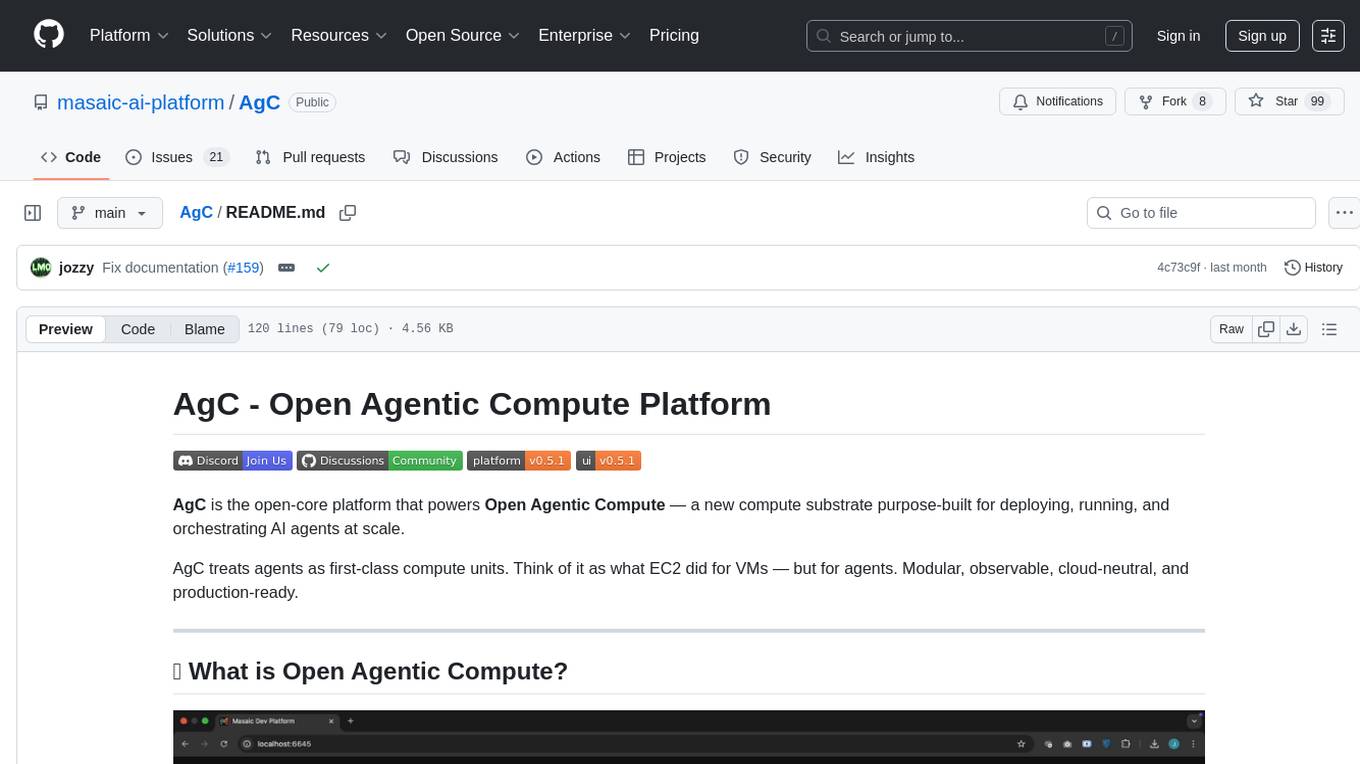
AgC
AgC is an open-core platform designed for deploying, running, and orchestrating AI agents at scale. It treats agents as first-class compute units, providing a modular, observable, cloud-neutral, and production-ready environment. Open Agentic Compute empowers developers and organizations to run agents like cloud-native workloads without lock-in.
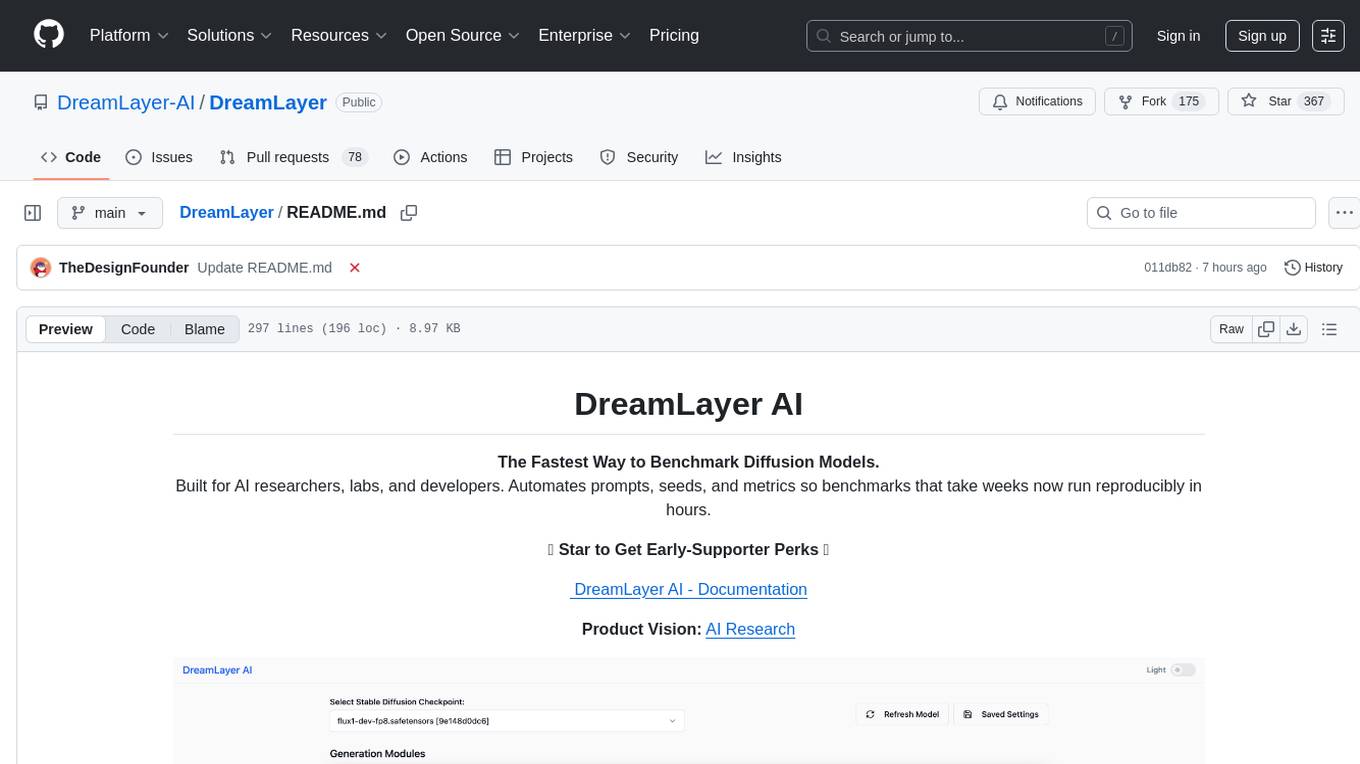
DreamLayer
DreamLayer AI is an open-source Stable Diffusion WebUI designed for AI researchers, labs, and developers. It automates prompts, seeds, and metrics for benchmarking models, datasets, and samplers, enabling reproducible evaluations across multiple seeds and configurations. The tool integrates custom metrics and evaluation pipelines, providing a streamlined workflow for AI research. With features like automated benchmarking, reproducibility, built-in metrics, multi-modal readiness, and researcher-friendly interface, DreamLayer AI aims to simplify and accelerate the model evaluation process.
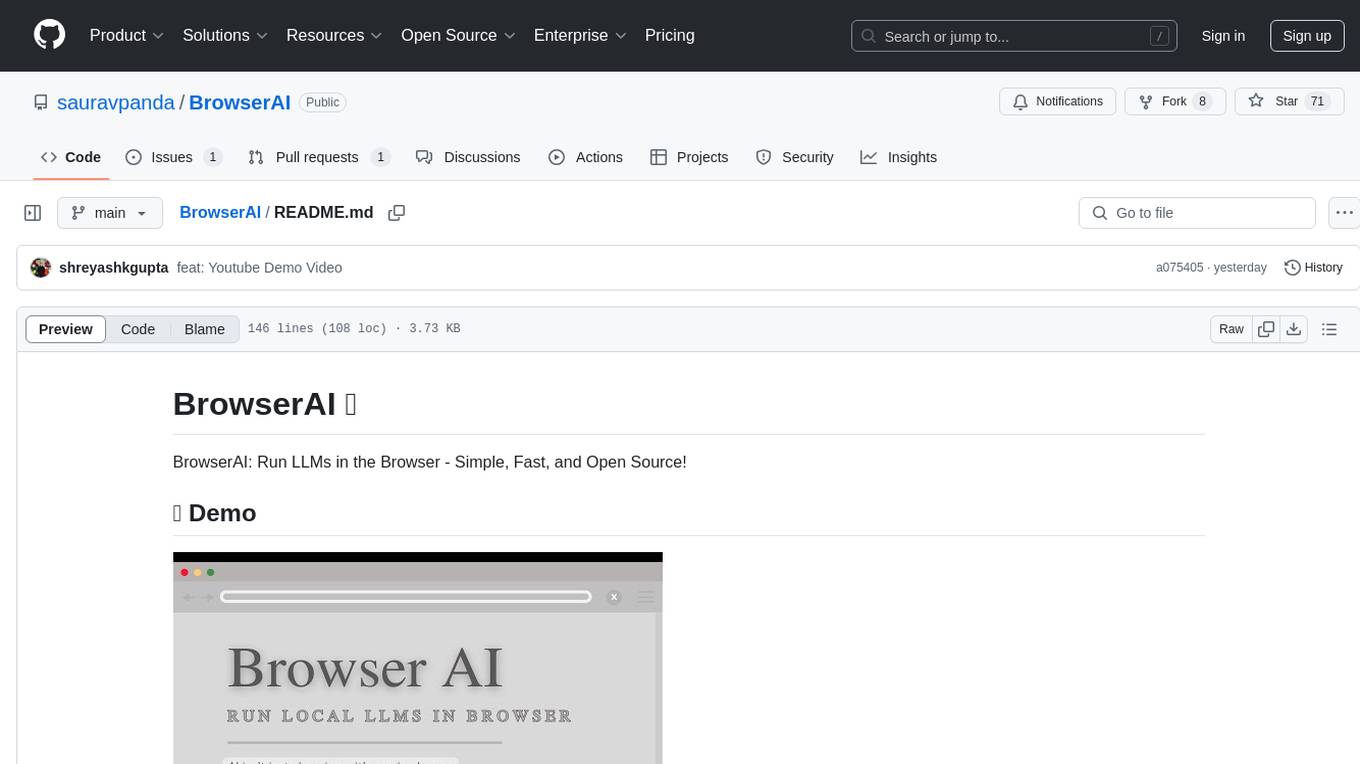
BrowserAI
BrowserAI is a tool that allows users to run large language models (LLMs) directly in the browser, providing a simple, fast, and open-source solution. It prioritizes privacy by processing data locally, is cost-effective with no server costs, works offline after initial download, and offers WebGPU acceleration for high performance. It is developer-friendly with a simple API, supports multiple engines, and comes with pre-configured models for easy use. Ideal for web developers, companies needing privacy-conscious AI solutions, researchers experimenting with browser-based AI, and hobbyists exploring AI without infrastructure overhead.
For similar tasks
explain-openclaw
Explain OpenClaw is a comprehensive documentation repository for the OpenClaw framework, a self-hosted AI assistant platform. It covers various aspects such as plain English explanations, technical architecture, deployment scenarios, privacy and safety measures, security audits, worst-case security scenarios, optimizations, and AI model comparisons. The repository serves as a living knowledge base with beginner-friendly explanations and detailed technical insights for contributors.
AutoAudit
AutoAudit is an open-source large language model specifically designed for the field of network security. It aims to provide powerful natural language processing capabilities for security auditing and network defense, including analyzing malicious code, detecting network attacks, and predicting security vulnerabilities. By coupling AutoAudit with ClamAV, a security scanning platform has been created for practical security audit applications. The tool is intended to assist security professionals with accurate and fast analysis and predictions to combat evolving network threats.
hound
Hound is a security audit automation pipeline for AI-assisted code review that mirrors how expert auditors think, learn, and collaborate. It features graph-driven analysis, sessionized audits, provider-agnostic models, belief system and hypotheses, precise code grounding, and adaptive planning. The system employs a senior/junior auditor pattern where the Scout actively navigates the codebase and annotates knowledge graphs while the Strategist handles high-level planning and vulnerability analysis. Hound is optimized for small-to-medium sized projects like smart contract applications and is language-agnostic.
gigachad-grc
A comprehensive, modular, containerized Governance, Risk, and Compliance (GRC) platform built with modern technologies. Manage your entire security program from compliance tracking to risk management, third-party assessments, and external audits. The platform includes specialized modules for Compliance, Data Management, Risk Management, Third-Party Risk Management, Trust, Audit, Tools, AI & Automation, and Administration. It offers features like controls management, frameworks assessment, policies lifecycle management, vendor risk management, security questionnaires, knowledge base, audit management, awareness training, phishing simulations, AI-powered risk scoring, and MCP server integration. The tech stack includes Node.js, TypeScript, React, PostgreSQL, Keycloak, Traefik, Redis, and RustFS for storage.
JetStream
JetStream is a throughput and memory optimized engine for LLM inference on XLA devices, starting with TPUs (and GPUs in future -- PRs welcome). It is designed to provide high performance and scalability for large language models, enabling efficient inference on cloud-based TPUs. JetStream leverages XLA to optimize the execution of LLM models, resulting in faster and more efficient inference. Additionally, JetStream supports quantization techniques to further enhance performance and reduce memory consumption. By utilizing JetStream, developers can deploy and run LLM models on TPUs with ease, achieving optimal performance and cost-effectiveness.
agentica
Agentica is a specialized Agentic AI library focused on LLM Function Calling. Users can provide Swagger/OpenAPI documents or TypeScript class types to Agentica for seamless functionality. The library simplifies AI development by handling various tasks effortlessly.
For similar jobs
zep
Zep is a long-term memory service for AI Assistant apps. With Zep, you can provide AI assistants with the ability to recall past conversations, no matter how distant, while also reducing hallucinations, latency, and cost. Zep persists and recalls chat histories, and automatically generates summaries and other artifacts from these chat histories. It also embeds messages and summaries, enabling you to search Zep for relevant context from past conversations. Zep does all of this asyncronously, ensuring these operations don't impact your user's chat experience. Data is persisted to database, allowing you to scale out when growth demands. Zep also provides a simple, easy to use abstraction for document vector search called Document Collections. This is designed to complement Zep's core memory features, but is not designed to be a general purpose vector database. Zep allows you to be more intentional about constructing your prompt: 1. automatically adding a few recent messages, with the number customized for your app; 2. a summary of recent conversations prior to the messages above; 3. and/or contextually relevant summaries or messages surfaced from the entire chat session. 4. and/or relevant Business data from Zep Document Collections.
doc2plan
doc2plan is a browser-based application that helps users create personalized learning plans by extracting content from documents. It features a Creator for manual or AI-assisted plan construction and a Viewer for interactive plan navigation. Users can extract chapters, key topics, generate quizzes, and track progress. The application includes AI-driven content extraction, quiz generation, progress tracking, plan import/export, assistant management, customizable settings, viewer chat with text-to-speech and speech-to-text support, and integration with various Retrieval-Augmented Generation (RAG) models. It aims to simplify the creation of comprehensive learning modules tailored to individual needs.
whatsapp-chatgpt
This repository contains a WhatsApp bot that utilizes OpenAI's GPT and DALL-E 2 to respond to user inputs. Users can interact with the bot through voice messages, which are transcribed and responded to. The bot requires Node.js, npm, an OpenAI API key, and a WhatsApp account. It uses Puppeteer to run a real instance of Whatsapp Web to avoid being blocked. However, there is a risk of being blocked by WhatsApp as it does not allow bots or unofficial clients on its platform. The bot is not free to use, and users will be charged by OpenAI for each request made.

OmniSteward
OmniSteward is an AI-powered steward system based on large language models that can interact with users through voice or text to help control smart home devices and computer programs. It supports multi-turn dialogue, tool calling for complex tasks, multiple LLM models, voice recognition, smart home control, computer program management, online information retrieval, command line operations, and file management. The system is highly extensible, allowing users to customize and share their own tools.
chatgpt-wechat
ChatGPT-WeChat is a personal assistant application that can be safely used on WeChat through enterprise WeChat without the risk of being banned. The project is open source and free, with no paid sections or external traffic operations except for advertising on the author's public account '积木成楼'. It supports various features such as secure usage on WeChat, multi-channel customer service message integration, proxy support, session management, rapid message response, voice and image messaging, drawing capabilities, private data storage, plugin support, and more. Users can also develop their own capabilities following the rules provided. The project is currently in development with stable versions available for use.
mcp-agent
mcp-agent is a simple, composable framework designed to build agents using the Model Context Protocol. It handles the lifecycle of MCP server connections and implements patterns for building production-ready AI agents in a composable way. The framework also includes OpenAI's Swarm pattern for multi-agent orchestration in a model-agnostic manner, making it the simplest way to build robust agent applications. It is purpose-built for the shared protocol MCP, lightweight, and closer to an agent pattern library than a framework. mcp-agent allows developers to focus on the core business logic of their AI applications by handling mechanics such as server connections, working with LLMs, and supporting external signals like human input.
Gmail-MCP-Server
Gmail AutoAuth MCP Server is a Model Context Protocol (MCP) server designed for Gmail integration in Claude Desktop. It supports auto authentication and enables AI assistants to manage Gmail through natural language interactions. The server provides comprehensive features for sending emails, reading messages, managing labels, searching emails, and batch operations. It offers full support for international characters, email attachments, and Gmail API integration. Users can install and authenticate the server via Smithery or manually with Google Cloud Project credentials. The server supports both Desktop and Web application credentials, with global credential storage for convenience. It also includes Docker support and instructions for cloud server authentication.
Operit
Operit AI is a fully functional AI assistant application for mobile devices, running independently on Android devices with powerful tool invocation capabilities. It offers over 40 built-in tools for file system operations, HTTP requests, system operations, UI automation, and media processing. The app combines these tools with rich plugins to enable a wide range of tasks, from simple to complex, providing a comprehensive experience of a smartphone AI assistant.