


consult-llm-mcp
MCP server for consulting powerful reasoning models in Claude Code
Stars: 60
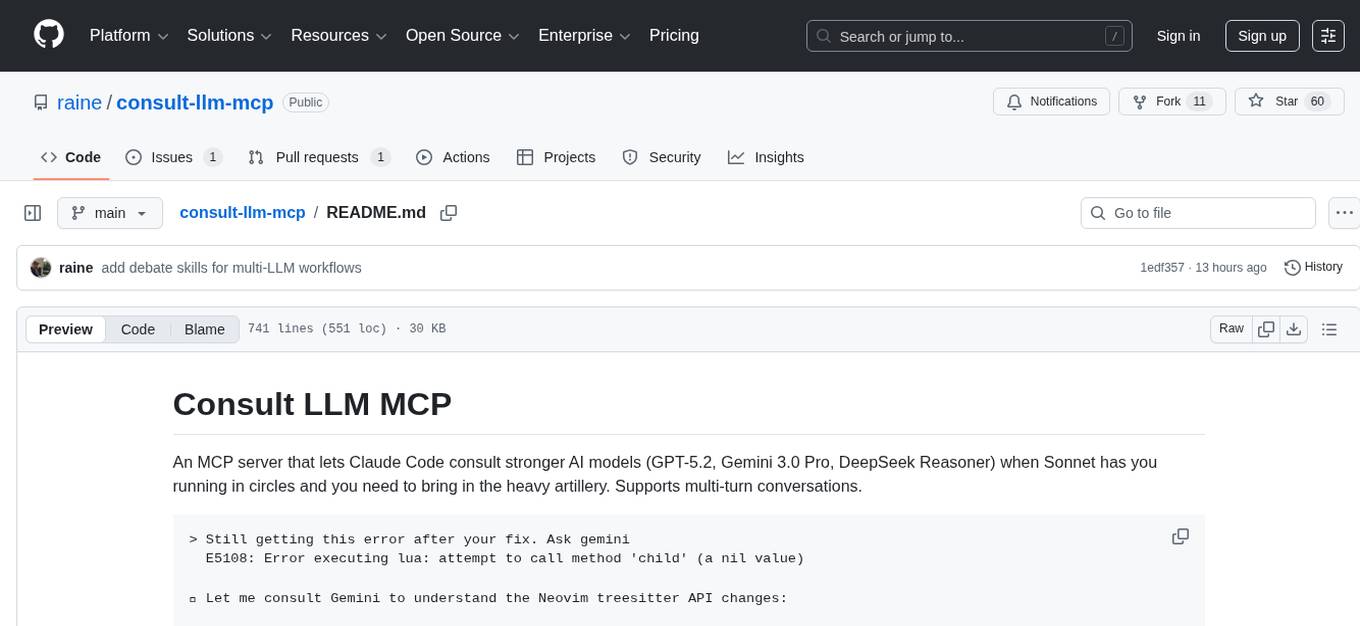
Consult LLM MCP is an MCP server that enables users to consult powerful AI models like GPT-5.2, Gemini 3.0 Pro, and DeepSeek Reasoner for complex problem-solving. It supports multi-turn conversations, direct queries with optional file context, git changes inclusion for code review, comprehensive logging with cost estimation, and various CLI modes for Gemini and Codex. The tool is designed to simplify the process of querying AI models for assistance in resolving coding issues and improving code quality.
README:
An MCP server that lets Claude Code consult stronger AI models (GPT-5.2, Gemini 3.0 Pro, DeepSeek Reasoner) when Sonnet has you running in circles and you need to bring in the heavy artillery. Supports multi-turn conversations.
> Still getting this error after your fix. Ask gemini
  E5108: Error executing lua: attempt to call method 'child' (a nil value)

⏺ Let me consult Gemini to understand the Neovim treesitter API changes:

⏺ consult-llm:consult_llm (MCP)(prompt: "Neovim plugin broken due to treesitter
                                API changes...", files: ["lua/testonly.lua"],
                                model: "gemini-2.5-pro")
  ⎿ The issue is that iter_matches() can return nil nodes in newer Neovim
    versions. Switch to iter_captures() which never returns nil nodes, and use
    named_child(0) instead of child(0) to get only meaningful syntax nodes.
    … +93 lines (ctrl+r to expand)

⏺ The LLM identified the issue - iter_matches() API changed. Switching to
  iter_captures() approach now.
Quick start · Configuration · Changelog
- Query powerful AI models (GPT-5.2, Gemini 3.0 Pro, DeepSeek Reasoner) with relevant files as context
- Direct queries with optional file context
- Include git changes for code review and analysis
- Comprehensive logging with cost estimation
-
Gemini CLI mode: Use the
geminiCLI to take advantage of free quota -
Codex CLI mode: Use the
codexCLI for OpenAI models -
Multi-turn conversations: Resume CLI sessions
across requests with
thread_id - Web mode: Copy formatted prompts to clipboard for browser-based LLM services
- Simple: provides just one MCP tool to not clutter the context
-
Add to Claude Code:
claude mcp add consult-llm -e GEMINI_API_KEY=your_key -- npx -y consult-llm-mcp
For global availability across projects, add
--scope user.Using multiple API keys or CLI mode
claude mcp add consult-llm \
  -e OPENAI_API_KEY=your_openai_key \
  -e GEMINI_API_KEY=your_gemini_key \
  -e DEEPSEEK_API_KEY=your_deepseek_key \
  -e GEMINI_MODE=cli \
  -- npx -y consult-llm-mcp
-
Verify connection with
/mcp:❯ 1. consult-llm ✔ connected -
Ask a question:
"Consult Gemini about how to fix the race condition in server.ts"
Some real-world examples. Click to expand.
Explain the problem, and tell CC to consult a smarter LLM
  <Some long explanation of the issue here>

  Consult LLM for assistance, use gemini

⏺ I see the issue! The problem is that the frontend is trying to use the hint
  for "isn't" but the server generated a hint for "isn't it" (the full phrase).
  This is a mismatch between how the frontend segments text and how the server
  generates hints.

  Let me consult the LLM to get assistance on this segmentation mismatch issue.

⏺ Write(hint-segmentation-issue.md)
  ⎿  Wrote 53 lines to hint-segmentation-issue.md
     # Hint Segmentation Mismatch Issue
     ## Problem Description
     There's a mismatch between how the frontend segments text for clickable
     words and how the backend generates hints. This causes hint unlocking to
     fail when the segments don't match exactly.
     ## Example Case
     **Original Text**: "Hello! Nice weather, isn't it?"
     … +43 lines (ctrl+r to expand)

⏺ consult-llm:consult_llm (MCP)(model: "gemini-2.5-pro", files: ["/project/hint
                                -segmentation-issue.md","/project/web/src/compo
                                nents/HintsText.tsx","/project/web/src/utils/hi
                                nts.ts","/project/server/src/routes/public/hint
                                s.ts","/project/server/src/llm/hints.ts"])
  ⎿ An excellent analysis of the problem. The root cause has been correctly
    identified: a race condition within the `handleConfirmGenerateHints`
    function in `HintsText.tsx`. The component state updates in the background
    after `await generateHints()`, but the function continues executing with a
    stale `activeSegment` variable, causing it to request a hint for a smaller
    text segment ( e.g., "isn't") instead of the full, newly-available hint
    phrase (e.g., "isn't it").
    … +607 lines (ctrl+r to expand)

⏺ Perfect! The LLM identified the core issue - there's a race condition in
  handleConfirmGenerateHints where the function uses stale state after async
  operations. The solution is to re-target the hint key after generation to
  find the correct matching hint.

  Let me implement this solution:

⏺ Update Todos
  ⎿  ☐ Fix hint segmentation mismatch by implementing smarter hint key
       targeting in handleConfirmGenerateHints
Using web mode to copy prompts to clipboard for browser-based LLMs
> I need help implementing a -b/--background flag for my Rust CLI. Use consult LLM with web mode

⏺ I'll use web mode to copy the formatted prompt to your clipboard so you can
  paste it into any browser-based LLM service.

⏺ consult-llm:consult_llm (MCP)(prompt: "What is the best approach to implement a
                                 -b/--background flag for the \"workmux add\" command that
                                 creates a tmux window in the background without switching to
                                 it?\n\nThe current implementation automatically switches to
                                 the newly created window via `tmux::select_window()` in the
                                 `setup_environment()` function. I need to make this behavior
                                 conditional based on a flag passed from the
                                 CLI.\n\nConsider:\n1. Where should the background flag be
                                 threaded through the call chain?\n2. Should I modify the
                                 existing SetupOptions struct or add a parameter?\n3. What's
                                 the most maintainable approach given the codebase
                                 structure?\n4. Are there any edge cases to consider (e.g.,
                                 should select_pane also be conditional)?", files:
                                 ["src/cli.rs","src/workflow.rs","src/tmux.rs"], web_mode:
                                 true)
  ⎿  ✓ Prompt copied to clipboard!

     Please paste it into your browser-based LLM service and share the response
     here before I proceed with any implementation.

     Note: File paths were included:
       - src/cli.rs
       - src/workflow.rs
       - src/tmux.rs

> [User pastes the response from the external LLM]

⏺ Thank you! Based on the recommendations, I'll now implement the solution...
This is useful when:
- You want to use a free browser-based LLM service instead of API credits
- You prefer a specific LLM's web interface
- You want to review the full prompt before submitting it
Debugging Neovim plugin treesitter API breakage
⏺ Fixed! Added nil checks for both node and child and updated the iter_matches call to handle the newer API properly.

> Still not working:

  E5108: Error executing lua /Users/raine/code/testonly.nvim/lua/testonly.lua:92: attempt to call method 'child' (a nil value)
  stack traceback:
          /Users/raine/code/testonly.nvim/lua/testonly.lua:92: in function 'reset_all_exclusive'
          /Users/raine/code/testonly.nvim/lua/testonly.lua:110: in function 'reset_all_exclusive'
          [string ":lua"]:1: in main chunk

  Ask gemini

⏺ Let me consult with a more powerful AI to understand the current Neovim treesitter API changes:

⏺ consult-llm:consult_llm (MCP)(prompt: "I'm debugging a Neovim plugin that's broken due to treesitter API changes. The error is \"attempt to call method 'child' (a nil value)\" on line 92. The
                               code is trying to access child nodes from treesitter matches but the API seems to have changed in newer Neovim versions.\n\nHere's the problematic
                               code:\n```lua\nfor _, match, _ in parsed_query:iter_matches(root, bufnr, start_row, end_row) do\n    for id, node in pairs(match) do\n        local name =
                               parsed_query.captures[id]\n        if name == \"call\" and node then\n            local child = node:child(0)  -- ERROR HERE\n            if child then\n
                                    local text = vim.treesitter.get_node_text(child, bufnr)\n                -- ... rest of logic\n            end\n        end\n    end\nend\n```\n\nWhat's the
                               correct way to iterate over treesitter query matches and access child nodes in current Neovim versions? What API changes should I be aware of?", files:
                               ["/Users/raine/code/testonly.nvim/lua/testonly.lua"])
  ⎿  Problem
     -------

     … +93 lines (ctrl+r to expand)

⏺ Perfect! The issue is that iter_matches() can return nil nodes in the match table. Let me fix this by switching to the recommended iter_captures() approach:

⏺ Update(lua/testonly.lua)
  ⎿  Updated lua/testonly.lua with 7 additions and 10 removals
       85      local root = parser:parse()[1]:root()
       86      local start_row, _, end_row, _ = root:range()
       87
       88 -    for _, match, _ in parsed_query:iter_matches(root, bufnr, start_row, end_row) do
       89 -      for id, node in pairs(match) do
       90 -        local name = parsed_query.captures[id]
       91 -        if name == "call" and node then
       92 -          local child = node:child(0)
       93 -          if child then
       94 -            local text = vim.treesitter.get_node_text(child, bufnr)
       88 +    for id, node, _ in parsed_query:iter_captures(root, bufnr, start_row, end_row) do
       89 +      if parsed_query.captures[id] == "call" then
       90 +        local first_child = node:named_child(0)
       91 +        if first_child then
       92 +          local text = vim.treesitter.get_node_text(first_child, bufnr)
       93
       94 -            if text == "it.only" or text == "describe.only" then
       95 -              toggle_test_exclusive(child)
       96 -            end
       94 +          if text == "it.only" or text == "describe.only" then
       95 +            toggle_test_exclusive(first_child)
       96            end
       97          end
       98        end

⏺ Fixed! The key changes:

  1. Switched from iter_matches() to iter_captures() which never returns nil nodes
  2. Used named_child(0) instead of child(0) to get only meaningful syntax nodes (not punctuation)
  3. Simplified the iteration logic since iter_captures() directly gives us the node and capture ID

  Your <leader>tr mapping should now work properly with the current Neovim treesitter API.
Using slash command to consult multiple LLMs for comparison
> /consult The branch completions should dynamic. Git should be called only when
using tab to autocomplete. Ask gemini and codex

⏺ I'll consult both Gemini and Codex about making the branch completions dynamic (only
  calling git when tab-completing). Let me gather the relevant context first.

⏺ consult-llm - consult_llm (MCP)(prompt: "I have a Rust CLI tool using clap that needs dynamic shell completions. Currently, the branch completions are generated at completion script
                                 generation time via `possible_values()`. Instead, I need the git operations to only run when the user presses TAB to autocomplete.\n\nCurrent setup:\n1.
                                 `WorktreeBranchParser` implements `TypedValueParser` with `possible_values()` that calls git\n2. Shell completions are generated via clap_complete's
                                 `generate()` function\n3. The completions are sourced at shell startup: `source <(workmux completions zsh)`\n\nThe problem: Running `workmux completions
                                 zsh` takes ~210ms because it runs git operations during completion generation, not during actual tab completion.\n\nHow can I implement truly dynamic
                                 completions where git is only called when the user presses TAB? What's the best approach with clap and clap_complete for zsh?", model:
                                 "gemini-3-pro-preview", files: ["/Users/raine/code/workmux/src/cli.rs","/Users/raine/code/workmux/src/git.rs"], web_mode: false)
  ⎿ The root cause of the slow startup (~210ms) is that `clap_complete::generate()` executes your `possible_values()` logic (git operations) *while generating the script*. This bake
    s the *current* branches into the static script, which is both slow (happens every time you `source` it) and incorrect (branches become stale).
    … +116 lines (ctrl+o to expand)


⏺ consult-llm - consult_llm (MCP)(prompt: "I have a Rust CLI tool using clap that needs dynamic shell completions. Currently, the branch completions are generated at completion script
                                 generation time via `possible_values()`. Instead, I need the git operations to only run when the user presses TAB to autocomplete.\n\nCurrent setup:\n1.
                                 `WorktreeBranchParser` implements `TypedValueParser` with `possible_values()` that calls git\n2. Shell completions are generated via clap_complete's
                                 `generate()` function\n3. The completions are sourced at shell startup: `source <(workmux completions zsh)`\n\nThe problem: Running `workmux completions
                                 zsh` takes ~210ms because it runs git operations during completion generation, not during actual tab completion.\n\nHow can I implement truly dynamic
                                 completions where git is only called when the user presses TAB? What's the best approach with clap and clap_complete for zsh?", model:
                                 "gpt-5.1-codex-max", files: ["/Users/raine/code/workmux/src/cli.rs","/Users/raine/code/workmux/src/git.rs"], web_mode: false)
  ⎿ **Findings**
    - `WorktreeBranchParser::possible_values` (`cli.rs:41-72`) runs git during script generation, so `workmux completions zsh` always pays the git cost (~210ms) even though the resu
    lt is only needed at tab time.
    … +77 lines (ctrl+o to expand)


⏺ Summary from Gemini and Codex

  Both agree on the same solution:

  Root Cause

  clap_complete::generate() calls possible_values() during script generation, not at tab-completion time. This means git runs every shell startup.

...
This example shows using the /consult slash command to ask multiple LLMs
(Gemini and Codex) about the same problem in parallel and compare their
responses. Both LLMs independently arrived at the same solution, providing
confidence in the approach.
consult-llm-mcp supports three modes of operation:
| Mode | Description | When to use |
|---|---|---|
| API | Queries LLM APIs directly | You have API keys and want the simplest setup |
| CLI | Shells out to local CLI tools | Free quota (Gemini), existing subscriptions, or prefer CLI tools |
| Web | Copies prompt to clipboard | You prefer browser UIs or want to review prompts |
The default mode. Requires API keys configured via environment variables. See Configuration for details.
Instead of making API calls, shell out to local CLI tools. The CLI agents can explore the codebase themselves, so you don't need to pass all relevant files as context, but it helps.
Use Gemini's local CLI to take advantage of Google's free quota.
Requirements:
- Install the Gemini CLI
- Authenticate via
gemini login
Setup:
claude mcp add consult-llm -e GEMINI_MODE=cli -- npx -y consult-llm-mcpUse OpenAI's Codex CLI for OpenAI models.
Requirements:
- Install the Codex CLI
- Authenticate via
codex login
Setup:
claude mcp add consult-llm -e OPENAI_MODE=cli -- npx -y consult-llm-mcp[!TIP] Set reasoning effort with
-e CODEX_REASONING_EFFORT=high. Options:none,minimal,low,medium,high,xhigh(gpt-5.1-codex-max only).
CLI mode supports multi-turn conversations via the thread_id parameter. The
first response includes a [thread_id:xxx] prefix. Pass that ID in follow-up
requests to continue the conversation with full context from prior turns.
This works with both Gemini CLI and Codex CLI. Gemini uses session IDs, Codex
uses thread IDs, but both are passed through the same thread_id parameter.
> Ask codex what's the best caching strategy for our read-heavy API

⏺ consult-llm - consult_llm (MCP)(prompt: "What's the best caching strategy for a read-heavy API?",
                                   model: "gpt-5.3-codex")
  ⎿  [thread_id:thread_b1ff711...]

     Redis with TTL-based invalidation. Set short TTLs for volatile data ...

⏺ Codex recommends Redis with TTL-based invalidation — but our payment
  endpoints need strong consistency. Let me push back on that.

⏺ consult-llm - consult_llm (MCP)(prompt: "What if we need strong consistency guarantees?
                                            Does that change your recommendation?",
                                   model: "gpt-5.3-codex",
                                   thread_id: "thread_b1ff711...")
  ⎿  [thread_id:thread_b1ff711...]

     Yes — with strong consistency, the TTL approach breaks down. Consider
     write-through caching or cache invalidation on writes instead ...

⏺ Good — Codex revised its recommendation based on the consistency
  constraint. I'll use write-through caching for the payment endpoints.
See the debate skills for multi-LLM workflows that use
thread_id to maintain context across debate rounds.
Copies the formatted prompt to clipboard instead of querying an LLM. Paste into any browser-based LLM (ChatGPT, Claude.ai, Gemini, etc.).
When to use: Prefer a specific web UI, want to review the prompt first, or don't have API keys.
Workflow:
- Ask Claude to "use consult LLM with web mode"
- Paste into your browser-based LLM
- Paste the response back into Claude Code
See the "Using web mode..." example above for a concrete transcript.
-
OPENAI_API_KEY- Your OpenAI API key (required for OpenAI models in API mode) -
GEMINI_API_KEY- Your Google AI API key (required for Gemini models in API mode) -
DEEPSEEK_API_KEY- Your DeepSeek API key (required for DeepSeek models) -
CONSULT_LLM_DEFAULT_MODEL- Override the default model (optional)- Options:
gpt-5.2(default),gemini-2.5-pro,gemini-3-pro-preview,deepseek-reasoner,gpt-5.3-codex,gpt-5.2-codex,gpt-5.1-codex-max,gpt-5.1-codex,gpt-5.1-codex-mini,gpt-5.1
- Options:
-
GEMINI_MODE- Choose between API or CLI mode for Gemini models (optional)- Options:
api(default),cli - CLI mode uses the system-installed
geminiCLI tool
- Options:
-
OPENAI_MODE- Choose between API or CLI mode for OpenAI models (optional)- Options:
api(default),cli - CLI mode uses the system-installed
codexCLI tool
- Options:
-
CODEX_REASONING_EFFORT- Configure reasoning effort for Codex CLI (optional)- See Codex CLI for details and available options
-
CONSULT_LLM_ALLOWED_MODELS- List of models to advertise (optional)- Comma-separated list, e.g.,
gpt-5.2,gemini-3-pro-preview - When set, only these models appear in the tool schema
- If
CONSULT_LLM_DEFAULT_MODELis set, it must be in this list - See Tips for usage examples
- Comma-separated list, e.g.,
-
CONSULT_LLM_SYSTEM_PROMPT_PATH- Custom path to system prompt file (optional)- Overrides the default
~/.consult-llm-mcp/SYSTEM_PROMPT.mdlocation - Useful for project-specific prompts
- Overrides the default
You can customize the system prompt used when consulting LLMs by creating a
SYSTEM_PROMPT.md file in ~/.consult-llm-mcp/:
npx consult-llm-mcp init-promptThis creates a placeholder file with the default system prompt that you can edit to customize how the consultant LLM behaves. The custom prompt is read on every request, so changes take effect immediately without restarting the server.
To revert to the default prompt, simply delete the SYSTEM_PROMPT.md file.
Use CONSULT_LLM_SYSTEM_PROMPT_PATH to override the default prompt file
location. This is useful for project-specific prompts that you can commit to
your repository:
claude mcp add consult-llm \
  -e GEMINI_API_KEY=your_key \
  -e CONSULT_LLM_SYSTEM_PROMPT_PATH=/path/to/project/.consult-llm-mcp/SYSTEM_PROMPT.md \
-- npx -y consult-llm-mcpWhen you ask Claude to "consult an LLM" without specifying a model, it picks one
from the available options in the tool schema. The CONSULT_LLM_DEFAULT_MODEL
only affects the fallback when no model is specified in the tool call.
To control which models Claude can choose from, use
CONSULT_LLM_ALLOWED_MODELS:
claude mcp add consult-llm \
  -e GEMINI_API_KEY=your_key \
  -e CONSULT_LLM_ALLOWED_MODELS='gemini-3-pro-preview,gpt-5.2-codex' \
  -- npx -y consult-llm-mcp
This restricts the tool schema to only advertise these models. For example, to ensure Claude always uses Gemini 3 Pro:
claude mcp add consult-llm \
  -e GEMINI_API_KEY=your_key \
  -e CONSULT_LLM_ALLOWED_MODELS='gemini-3-pro-preview' \
  -- npx -y consult-llm-mcp
Alternatively, use a slash command with hardcoded model names for guaranteed model selection.
The server provides a single tool called consult_llm for asking powerful AI
models complex questions.
-
prompt (required): Your question or request for the consultant LLM
-
files (optional): Array of file paths to include as context
- All files are added as context with file paths and code blocks
-
model (optional): LLM model to use
- Options:
gpt-5.2(default),gemini-2.5-pro,gemini-3-pro-preview,deepseek-reasoner,gpt-5.3-codex,gpt-5.2-codex,gpt-5.1-codex-max,gpt-5.1-codex,gpt-5.1-codex-mini,gpt-5.1
- Options:
-
web_mode (optional): Copy prompt to clipboard instead of querying LLM
- Default:
false - When
true, the formatted prompt (including system prompt and file contents) is copied to clipboard for manual pasting into browser-based LLM services
- Default:
-
thread_id (optional): Resume a multi-turn conversation
- Works with Codex CLI (
gpt-*) and Gemini CLI (gemini-*) in CLI mode - The first response includes a
[thread_id:xxx]prefix — pass that ID back asthread_idin follow-up requests to maintain conversation context
- Works with Codex CLI (
-
git_diff (optional): Include git diff output as context
- files (required): Specific files to include in diff
- repo_path (optional): Path to git repository (defaults to current directory)
- base_ref (optional): Git reference to compare against (defaults to HEAD)
- gemini-2.5-pro: Google's Gemini 2.5 Pro ($1.25/$10 per million tokens)
- gemini-3-pro-preview: Google's Gemini 3 Pro Preview ($2/$12 per million tokens for prompts ≤200k tokens, $4/$18 for prompts >200k tokens)
- deepseek-reasoner: DeepSeek's reasoning model ($0.55/$2.19 per million tokens)
- gpt-5.2: OpenAI's latest GPT model
- gpt-5.3-codex: OpenAI's Codex model based on GPT-5.3
- gpt-5.2-codex: OpenAI's Codex model based on GPT-5.2
- gpt-5.1-codex-max: Strongest OpenAI Codex model
- gpt-5.1-codex: OpenAI's Codex model optimized for coding
- gpt-5.1-codex-mini: Lighter, faster version of gpt-5.1-codex
- gpt-5.1: Broad world knowledge with strong general reasoning
All prompts and responses are logged to
$XDG_STATE_HOME/consult-llm-mcp/mcp.log (defaults to
~/.local/state/consult-llm-mcp/mcp.log) with:
- Tool call parameters
- Full prompts and responses
- Token usage and cost estimates
Example
[2025-06-22T20:16:04.673Z] TOOL CALL: consult_llm
Arguments: {
  "files": [
    "refactor-analysis.md",
    "src/main.ts",
    "src/schema.ts",
    "src/config.ts",
    "src/llm.ts",
    "src/llm-cost.ts"
  ],
  "model": "deepseek-reasoner"
}
================================================================================
[2025-06-22T20:16:04.675Z] PROMPT (model: deepseek-reasoner):
## Relevant Files

### File: src/main.ts

...

Please provide specific suggestions for refactoring with example code structure
where helpful.
================================================================================
[2025-06-22T20:19:20.632Z] RESPONSE (model: deepseek-reasoner):
Based on the analysis, here are the key refactoring suggestions to improve
separation of concerns and maintainability:

...

This refactoring maintains all existing functionality while significantly
improving maintainability and separation of concerns. The new structure makes
it easier to add features like new LLM providers, additional context sources,
or alternative prompt formats.

Tokens: 3440 input, 5880 output | Cost: $0.014769 (input: $0.001892, output: $0.012877)
When you add an MCP to Claude Code, the tool's schema is injected into the agent's context. This allows Claude to infer when to call the MCP from natural language (e.g., "ask gemini about..."). Works out of the box, but you have less control over how the MCP is invoked.
Explicitly invoke with /consult ask gemini about X. Guaranteed activation with
full control over custom instructions, but requires the explicit syntax. For
example, you can instruct Claude to always find related files and pass them as
context via the files parameter. See the
example slash command below.
Automatically triggers when Claude detects matching intent. Like slash commands, supports custom instructions (e.g., always gathering relevant files), but not always reliably triggered. See the example skill below.
Recommendation: Start with no custom activation. Use slash commands if you need reliability or custom instructions.
Here's an example Claude Code skill
that uses the consult_llm MCP tool to create commands like "ask gemini" or
"ask codex". See skills/consult/SKILL.md for the full
content.
Save it as ~/.claude/skills/consult-llm/SKILL.md and you can then use it by
typing "ask gemini about X" or "ask codex about X" in Claude Code.
This one is not strictly necessary either, Claude (or other agent) can infer from the schema that "Ask gemini" should call this MCP, but it might be helpful in case you want to have more precise control over how the agent calls this MCP.
Here's an example
Claude Code slash command that
uses the consult_llm MCP tool. See examples/consult.md
for the full content.
Save it as ~/.claude/commands/consult.md and you can then use it by typing
/consult ask gemini about X or /consult ask codex about X in Claude Code.
Two skills that orchestrate structured debates between LLMs to find the best
implementation approach before writing code. Both use thread_id to maintain
conversation context across rounds, so each LLM remembers the full debate
history without resending everything.
Claude moderates, two LLMs debate. Gemini and Codex independently propose approaches, then critique each other's proposals. Claude synthesizes the best ideas and implements. See skills/debate/SKILL.md.
> /debate design the multi-tenant isolation strategy
Claude participates as a debater against one opponent LLM (Gemini or Codex) through multiple rounds. Claude forms its own position, then debates back and forth before synthesizing and implementing. See skills/debate-vs/SKILL.md.
> /debate-vs --gemini design the multi-tenant isolation strategy
To work on the MCP server locally and use your development version:
-
Clone the repository and install dependencies:
git clone https://github.com/yourusername/consult-llm-mcp.git cd consult-llm-mcp npm install -
Build the project:
npm run build
-
Install globally from the local directory:
npm link
-
Add the MCP server to Claude Code using the global command:
claude mcp add consult-llm -- consult-llm-mcp
Now when you make changes:
- Rebuild:
npm run build - Restart Claude Code to pick up the changes
Alternatively, you can use the dev script for development without building:
claude mcp add consult-llm -- npm run devThis runs the TypeScript source directly with tsx, allowing faster iteration
without rebuilding.
To unlink the global version later:
npm unlink -g- workmux — Git worktrees + tmux windows for parallel AI agent workflows
- claude-history — Search and view Claude Code conversation history with fzf
- tmux-file-picker — Pop up fzf in tmux to quickly insert file paths, perfect for AI coding assistants
For Tasks:
Click tags to check more tools for each tasksFor Jobs:
Alternative AI tools for consult-llm-mcp
Similar Open Source Tools
consult-llm-mcp
Consult LLM MCP is an MCP server that enables users to consult powerful AI models like GPT-5.2, Gemini 3.0 Pro, and DeepSeek Reasoner for complex problem-solving. It supports multi-turn conversations, direct queries with optional file context, git changes inclusion for code review, comprehensive logging with cost estimation, and various CLI modes for Gemini and Codex. The tool is designed to simplify the process of querying AI models for assistance in resolving coding issues and improving code quality.
llm-vscode
llm-vscode is an extension designed for all things LLM, utilizing llm-ls as its backend. It offers features such as code completion with 'ghost-text' suggestions, the ability to choose models for code generation via HTTP requests, ensuring prompt size fits within the context window, and code attribution checks. Users can configure the backend, suggestion behavior, keybindings, llm-ls settings, and tokenization options. Additionally, the extension supports testing models like Code Llama 13B, Phind/Phind-CodeLlama-34B-v2, and WizardLM/WizardCoder-Python-34B-V1.0. Development involves cloning llm-ls, building it, and setting up the llm-vscode extension for use.
langserve
LangServe helps developers deploy `LangChain` runnables and chains as a REST API. This library is integrated with FastAPI and uses pydantic for data validation. In addition, it provides a client that can be used to call into runnables deployed on a server. A JavaScript client is available in LangChain.js.
lollms
LoLLMs Server is a text generation server based on large language models. It provides a Flask-based API for generating text using various pre-trained language models. This server is designed to be easy to install and use, allowing developers to integrate powerful text generation capabilities into their applications.
lollms_legacy
Lord of Large Language Models (LoLLMs) Server is a text generation server based on large language models. It provides a Flask-based API for generating text using various pre-trained language models. This server is designed to be easy to install and use, allowing developers to integrate powerful text generation capabilities into their applications. The tool supports multiple personalities for generating text with different styles and tones, real-time text generation with WebSocket-based communication, RESTful API for listing personalities and adding new personalities, easy integration with various applications and frameworks, sending files to personalities, running on multiple nodes to provide a generation service to many outputs at once, and keeping data local even in the remote version.
agenticSeek
AgenticSeek is a voice-enabled AI assistant powered by DeepSeek R1 agents, offering a fully local alternative to cloud-based AI services. It allows users to interact with their filesystem, code in multiple languages, and perform various tasks autonomously. The tool is equipped with memory to remember user preferences and past conversations, and it can divide tasks among multiple agents for efficient execution. AgenticSeek prioritizes privacy by running entirely on the user's hardware without sending data to the cloud.
minja
Minja is a minimalistic C++ Jinja templating engine designed specifically for integration with C++ LLM projects, such as llama.cpp or gemma.cpp. It is not a general-purpose tool but focuses on providing a limited set of filters, tests, and language features tailored for chat templates. The library is header-only, requires C++17, and depends only on nlohmann::json. Minja aims to keep the codebase small, easy to understand, and offers decent performance compared to Python. Users should be cautious when using Minja due to potential security risks, and it is not intended for producing HTML or JavaScript output.

shellChatGPT
ShellChatGPT is a shell wrapper for OpenAI's ChatGPT, DALL-E, Whisper, and TTS, featuring integration with LocalAI, Ollama, Gemini, Mistral, Groq, and GitHub Models. It provides text and chat completions, vision, reasoning, and audio models, voice-in and voice-out chatting mode, text editor interface, markdown rendering support, session management, instruction prompt manager, integration with various service providers, command line completion, file picker dialogs, color scheme personalization, stdin and text file input support, and compatibility with Linux, FreeBSD, MacOS, and Termux for a responsive experience.
aidermacs
Aidermacs is an AI pair programming tool for Emacs that integrates Aider, a powerful open-source AI pair programming tool. It provides top performance on the SWE Bench, support for multi-file edits, real-time file synchronization, and broad language support. Aidermacs delivers an Emacs-centric experience with features like intelligent model selection, flexible terminal backend support, smarter syntax highlighting, enhanced file management, and streamlined transient menus. It thrives on community involvement, encouraging contributions, issue reporting, idea sharing, and documentation improvement.
suno-api
Suno AI API is an open-source project that allows developers to integrate the music generation capabilities of Suno.ai into their own applications. The API provides a simple and convenient way to generate music, lyrics, and other audio content using Suno.ai's powerful AI models. With Suno AI API, developers can easily add music generation functionality to their apps, websites, and other projects.
playword
PlayWord is a tool designed to supercharge web test automation experience with AI. It provides core features such as enabling browser operations and validations using natural language inputs, as well as monitoring interface to record and dry-run test steps. PlayWord supports multiple AI services including Anthropic, Google, and OpenAI, allowing users to select the appropriate provider based on their requirements. The tool also offers features like assertion handling, frame handling, custom variables, test recordings, and an Observer module to track user interactions on web pages. With PlayWord, users can interact with web pages using natural language commands, reducing the need to worry about element locators and providing AI-powered adaptation to UI changes.

raglite
RAGLite is a Python toolkit for Retrieval-Augmented Generation (RAG) with PostgreSQL or SQLite. It offers configurable options for choosing LLM providers, database types, and rerankers. The toolkit is fast and permissive, utilizing lightweight dependencies and hardware acceleration. RAGLite provides features like PDF to Markdown conversion, multi-vector chunk embedding, optimal semantic chunking, hybrid search capabilities, adaptive retrieval, and improved output quality. It is extensible with a built-in Model Context Protocol server, customizable ChatGPT-like frontend, document conversion to Markdown, and evaluation tools. Users can configure RAGLite for various tasks like configuring, inserting documents, running RAG pipelines, computing query adapters, evaluating performance, running MCP servers, and serving frontends.
kwaak
Kwaak is a tool that allows users to run a team of autonomous AI agents locally from their own machine. It enables users to write code, improve test coverage, update documentation, and enhance code quality while focusing on building innovative projects. Kwaak is designed to run multiple agents in parallel, interact with codebases, answer questions about code, find examples, write and execute code, create pull requests, and more. It is free and open-source, allowing users to bring their own API keys or models via Ollama. Kwaak is part of the bosun.ai project, aiming to be a platform for autonomous code improvement.
gpt-cli
gpt-cli is a command-line interface tool for interacting with various chat language models like ChatGPT, Claude, and others. It supports model customization, usage tracking, keyboard shortcuts, multi-line input, markdown support, predefined messages, and multiple assistants. Users can easily switch between different assistants, define custom assistants, and configure model parameters and API keys in a YAML file for easy customization and management.
fish-ai
fish-ai is a tool that adds AI functionality to Fish shell. It can be integrated with various AI providers like OpenAI, Azure OpenAI, Google, Hugging Face, Mistral, or a self-hosted LLM. Users can transform comments into commands, autocomplete commands, and suggest fixes. The tool allows customization through configuration files and supports switching between contexts. Data privacy is maintained by redacting sensitive information before submission to the AI models. Development features include debug logging, testing, and creating releases.
chatWeb
ChatWeb is a tool that can crawl web pages, extract text from PDF, DOCX, TXT files, and generate an embedded summary. It can answer questions based on text content using chatAPI and embeddingAPI based on GPT3.5. The tool calculates similarity scores between text vectors to generate summaries, performs nearest neighbor searches, and designs prompts to answer user questions. It aims to extract relevant content from text and provide accurate search results based on keywords. ChatWeb supports various modes, languages, and settings, including temperature control and PostgreSQL integration.
For similar tasks
consult-llm-mcp
Consult LLM MCP is an MCP server that enables users to consult powerful AI models like GPT-5.2, Gemini 3.0 Pro, and DeepSeek Reasoner for complex problem-solving. It supports multi-turn conversations, direct queries with optional file context, git changes inclusion for code review, comprehensive logging with cost estimation, and various CLI modes for Gemini and Codex. The tool is designed to simplify the process of querying AI models for assistance in resolving coding issues and improving code quality.
github-pr-summary
github-pr-summary is a bot designed to summarize GitHub Pull Requests, helping open source contributors make faster decisions. It automatically summarizes commits and changed files in PRs, triggered by new commits or a magic trigger phrase. Users can deploy their own code review bot in 3 steps: create a bot from their GitHub repo, configure it to review PRs, and connect to GitHub for access to the target repo. The bot runs on flows.network using Rust and WasmEdge Runtimes. It utilizes ChatGPT/4 to review and summarize PR content, posting the result back as a comment on the PR. The bot can be used on multiple repos by creating new flows and importing the source code repo, specifying the target repo using flow config. Users can also change the magic phrase to trigger a review from a PR comment.

aider-composer
Aider Composer is a VSCode extension that integrates Aider into your development workflow. It allows users to easily add and remove files, toggle between read-only and editable modes, review code changes, use different chat modes, and reference files in the chat. The extension supports multiple models, code generation, code snippets, and settings customization. It has limitations such as lack of support for multiple workspaces, Git repository features, linting, testing, voice features, in-chat commands, and configuration options.
brokk
Brokk is a code assistant tool named after the Norse god of the forge. It is designed to understand code semantically, enabling LLMs to work effectively on large codebases. Users can sign up at Brokk.ai, install jbang, and follow instructions to run Brokk. The tool uses Gradle with Scala support and requires JDK 21 or newer for building. Brokk aims to enhance code comprehension and productivity by providing semantic understanding of code.
coding-agent-template
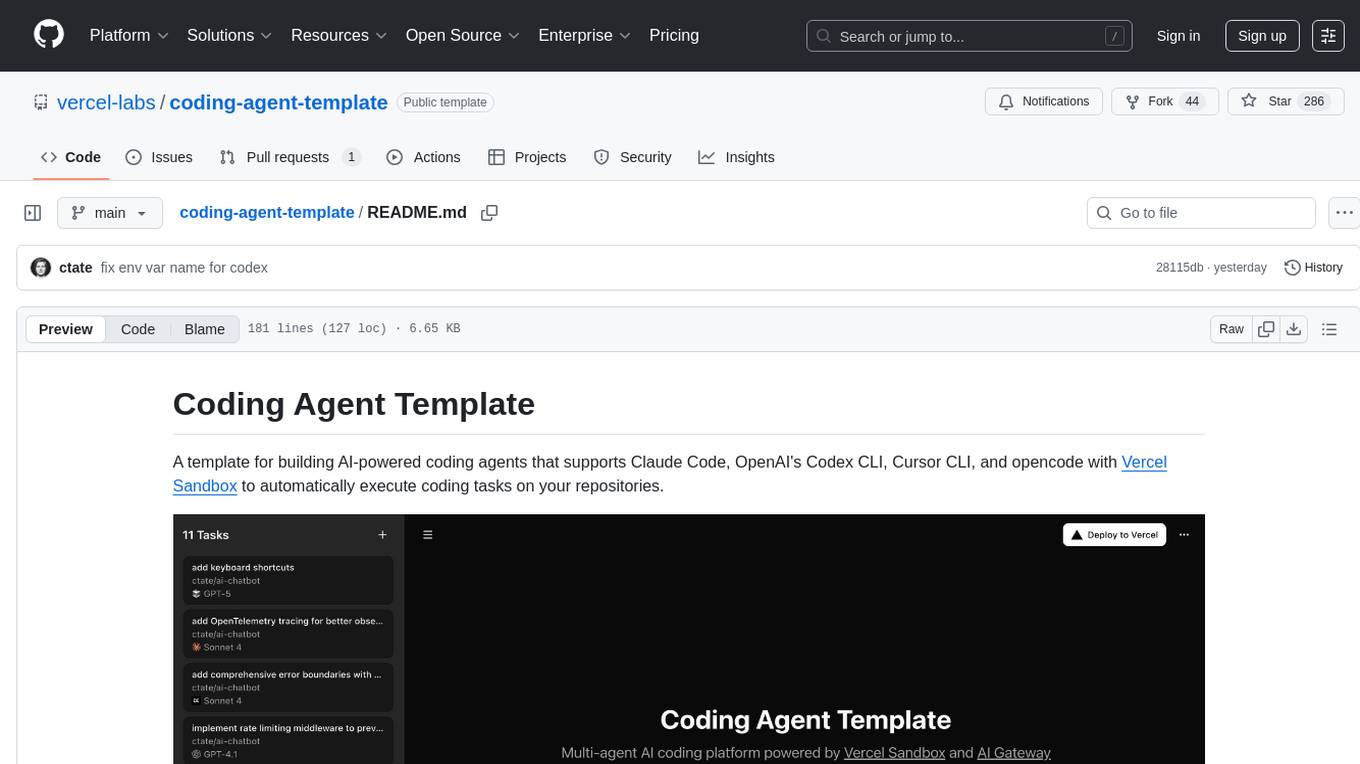
Coding Agent Template is a versatile tool for building AI-powered coding agents that support various coding tasks using Claude Code, OpenAI's Codex CLI, Cursor CLI, and opencode with Vercel Sandbox. It offers features like multi-agent support, Vercel Sandbox for secure code execution, AI Gateway integration, AI-generated branch names, task management, persistent storage, Git integration, and a modern UI built with Next.js and Tailwind CSS. Users can easily deploy their own version of the template to Vercel and set up the tool by cloning the repository, installing dependencies, configuring environment variables, setting up the database, and starting the development server. The tool simplifies the process of creating tasks, monitoring progress, reviewing results, and managing tasks, making it ideal for developers looking to automate coding tasks with AI agents.

everything-claude-code
The 'Everything Claude Code' repository is a comprehensive collection of production-ready agents, skills, hooks, commands, rules, and MCP configurations developed over 10+ months. It includes guides for setup, foundations, and philosophy, as well as detailed explanations of various topics such as token optimization, memory persistence, continuous learning, verification loops, parallelization, and subagent orchestration. The repository also provides updates on bug fixes, multi-language rules, installation wizard, PM2 support, OpenCode plugin integration, unified commands and skills, and cross-platform support. It offers a quick start guide for installation, ecosystem tools like Skill Creator and Continuous Learning v2, requirements for CLI version compatibility, key concepts like agents, skills, hooks, and rules, running tests, contributing guidelines, OpenCode support, background information, important notes on context window management and customization, star history chart, and relevant links.
For similar jobs

sweep
Sweep is an AI junior developer that turns bugs and feature requests into code changes. It automatically handles developer experience improvements like adding type hints and improving test coverage.

teams-ai
The Teams AI Library is a software development kit (SDK) that helps developers create bots that can interact with Teams and Microsoft 365 applications. It is built on top of the Bot Framework SDK and simplifies the process of developing bots that interact with Teams' artificial intelligence capabilities. The SDK is available for JavaScript/TypeScript, .NET, and Python.

ai-guide
This guide is dedicated to Large Language Models (LLMs) that you can run on your home computer. It assumes your PC is a lower-end, non-gaming setup.

classifai
Supercharge WordPress Content Workflows and Engagement with Artificial Intelligence. Tap into leading cloud-based services like OpenAI, Microsoft Azure AI, Google Gemini and IBM Watson to augment your WordPress-powered websites. Publish content faster while improving SEO performance and increasing audience engagement. ClassifAI integrates Artificial Intelligence and Machine Learning technologies to lighten your workload and eliminate tedious tasks, giving you more time to create original content that matters.

chatbot-ui
Chatbot UI is an open-source AI chat app that allows users to create and deploy their own AI chatbots. It is easy to use and can be customized to fit any need. Chatbot UI is perfect for businesses, developers, and anyone who wants to create a chatbot.

BricksLLM
BricksLLM is a cloud native AI gateway written in Go. Currently, it provides native support for OpenAI, Anthropic, Azure OpenAI and vLLM. BricksLLM aims to provide enterprise level infrastructure that can power any LLM production use cases. Here are some use cases for BricksLLM: * Set LLM usage limits for users on different pricing tiers * Track LLM usage on a per user and per organization basis * Block or redact requests containing PIIs * Improve LLM reliability with failovers, retries and caching * Distribute API keys with rate limits and cost limits for internal development/production use cases * Distribute API keys with rate limits and cost limits for students

uAgents
uAgents is a Python library developed by Fetch.ai that allows for the creation of autonomous AI agents. These agents can perform various tasks on a schedule or take action on various events. uAgents are easy to create and manage, and they are connected to a fast-growing network of other uAgents. They are also secure, with cryptographically secured messages and wallets.

griptape
Griptape is a modular Python framework for building AI-powered applications that securely connect to your enterprise data and APIs. It offers developers the ability to maintain control and flexibility at every step. Griptape's core components include Structures (Agents, Pipelines, and Workflows), Tasks, Tools, Memory (Conversation Memory, Task Memory, and Meta Memory), Drivers (Prompt and Embedding Drivers, Vector Store Drivers, Image Generation Drivers, Image Query Drivers, SQL Drivers, Web Scraper Drivers, and Conversation Memory Drivers), Engines (Query Engines, Extraction Engines, Summary Engines, Image Generation Engines, and Image Query Engines), and additional components (Rulesets, Loaders, Artifacts, Chunkers, and Tokenizers). Griptape enables developers to create AI-powered applications with ease and efficiency.