


lollms_legacy
Lord of LLMS
Stars: 294
Lord of Large Language Models (LoLLMs) Server is a text generation server based on large language models. It provides a Flask-based API for generating text using various pre-trained language models. This server is designed to be easy to install and use, allowing developers to integrate powerful text generation capabilities into their applications. The tool supports multiple personalities for generating text with different styles and tones, real-time text generation with WebSocket-based communication, RESTful API for listing personalities and adding new personalities, easy integration with various applications and frameworks, sending files to personalities, running on multiple nodes to provide a generation service to many outputs at once, and keeping data local even in the remote version.
README:










Lord of Large Language Models (LoLLMs) Server is a text generation server based on large language models. It provides a Flask-based API for generating text using various pre-trained language models. This server is designed to be easy to install and use, allowing developers to integrate powerful text generation capabilities into their applications.
- Fully integrated library with access to bindings, personalities and helper tools.
- Generate text using large language models.
- Supports multiple personalities for generating text with different styles and tones.
- Real-time text generation with WebSocket-based communication.
- RESTful API for listing personalities and adding new personalities.
- Easy integration with various applications and frameworks.
- Possibility to send files to personalities
- Possibility to run on multiple nodes and provide a generation service to many outputs at once.
- Data stays local even in the remote version. Only generations are sent to the host node. The logs, data and discussion history are kept in your local disucssion folder.
You can install LoLLMs using pip, the Python package manager. Open your terminal or command prompt and run the following command:
pip install --upgrade lollmsOr if you want to get the latest version from the git:
pip install --upgrade git+https://github.com/ParisNeo/lollms_legacy.gitIf you want to use cuda. Either install it directly or use conda to install everything:
conda create --name lollms python=3.10Activate the environment
conda activate lollmsInstall cudatoolkit
conda install -c anaconda cudatoolkitInstall lollms
pip install --upgrade lollmsNow you are ready.
To simply configure your environment run the settings app:
lollms-settingsThe tool is intuitive and will guide you through configuration process.
The first time you will be prompted to select a binding.
Once the binding is selected, you have to install at least a model. You have two options:
1- install from internet. Just give the link to a model on hugging face. For example. if you select the default llamacpp python bindings (7), you can install this model:
https://huggingface.co/TheBloke/airoboros-7b-gpt4-GGML/resolve/main/airoboros-7b-gpt4.ggmlv3.q4_1.bin2- install from local drive. Just give the path to a model on your pc. The model will not be copied. We only create a reference to the model. This is useful if you use multiple clients so that you can mutualize your models with other tools.
Now you are ready to use the server.
Here is the smallest possible example that allows you to use the full potential of the tool with nearly no code
from lollms.console import Conversation

cv = Conversation(None)
cv.start_conversation()
Now you can reimplement the start_conversation method to do the things you want:
from lollms.console import Conversation

class MyConversation(Conversation):
  def __init__(self, cfg=None):
    super().__init__(cfg, show_welcome_message=False)

  def start_conversation(self):
    prompt = "Once apon a time"
    def callback(text, type=None):
        print(text, end="", flush=True)
        return True
    print(prompt, end="", flush=True)
    output = self.safe_generate(prompt, callback=callback)

if __name__ == '__main__':
  cv = MyConversation()
  cv.start_conversation()
Or if you want here is a conversation tool written in few lines
from lollms.console import Conversation

class MyConversation(Conversation):
  def __init__(self, cfg=None):
    super().__init__(cfg, show_welcome_message=False)

  def start_conversation(self):
    full_discussion=""
    while True:
      prompt = input("You: ")
      if prompt=="exit":
        return
      if prompt=="menu":
        self.menu.main_menu()
      full_discussion += self.personality.user_message_prefix+prompt+self.personality.link_text
      full_discussion += self.personality.ai_message_prefix
      def callback(text, type=None):
          print(text, end="", flush=True)
          return True
      print(self.personality.name+": ",end="",flush=True)
      output = self.safe_generate(full_discussion, callback=callback)
      full_discussion += output.strip()+self.personality.link_text
      print()

if __name__ == '__main__':
  cv = MyConversation()
  cv.start_conversation()
Here we use the safe_generate method that does all the cropping for you ,so you can chat forever and will never run out of context.
Once installed, you can start the LoLLMs Server using the lollms-server command followed by the desired parameters.
lollms-server --host <host> --port <port> --config <config_file> --bindings_path <bindings_path> --personalities_path <personalities_path> --models_path <models_path> --binding_name <binding_name> --model_name <model_name> --personality_full_name <personality_full_name>
-
--host: The hostname or IP address to bind the server (default: localhost). -
--port: The port number to run the server (default: 9600). -
--config: Path to the configuration file (default: None). -
--bindings_path: The path to the Bindings folder (default: "./bindings_zoo"). -
--personalities_path: The path to the personalities folder (default: "./personalities_zoo"). -
--models_path: The path to the models folder (default: "./models"). -
--binding_name: The default binding to be used (default: "llama_cpp_official"). -
--model_name: The default model name (default: "Manticore-13B.ggmlv3.q4_0.bin"). -
--personality_full_name: The full name of the default personality (default: "personality").
Start the server with default settings:
lollms-server
Start the server on a specific host and port:
lollms-server --host 0.0.0.0 --port 5000
-
connect: Triggered when a client connects to the server. -
disconnect: Triggered when a client disconnects from the server. -
list_personalities: List all available personalities. -
add_personality: Add a new personality to the server. -
generate_text: Generate text based on the provided prompt and selected personality.
-
GET /personalities: List all available personalities. -
POST /personalities: Add a new personality to the server.
Sure! Here are examples of how to communicate with the LoLLMs Server using JavaScript and Python.
// Establish a WebSocket connection with the server
const socket = io.connect('http://localhost:9600');

// Event: When connected to the server
socket.on('connect', () => {
  console.log('Connected to the server');

  // Request the list of available personalities
  socket.emit('list_personalities');
});

// Event: Receive the list of personalities from the server
socket.on('personalities_list', (data) => {
  const personalities = data.personalities;
  console.log('Available Personalities:', personalities);

  // Select a personality and send a text generation request
  const selectedPersonality = personalities[0];
  const prompt = 'Once upon a time...';
  socket.emit('generate_text', { personality: selectedPersonality, prompt: prompt });
});

// Event: Receive the generated text from the server
socket.on('text_generated', (data) => {
  const generatedText = data.text;
  console.log('Generated Text:', generatedText);

  // Do something with the generated text
});

// Event: When disconnected from the server
socket.on('disconnect', () => {
  console.log('Disconnected from the server');
});import socketio
# Create a SocketIO client
sio = socketio.Client()
# Event: When connected to the server
@sio.on('connect')
def on_connect():
print('Connected to the server')
# Request the list of available personalities
sio.emit('list_personalities')
# Event: Receive the list of personalities from the server
@sio.on('personalities_list')
def on_personalities_list(data):
personalities = data['personalities']
print('Available Personalities:', personalities)
# Select a personality and send a text generation request
selected_personality = personalities[0]
prompt = 'Once upon a time...'
sio.emit('generate_text', {'personality': selected_personality, 'prompt': prompt})
# Event: Receive the generated text from the server
@sio.on('text_generated')
def on_text_generated(data):
generated_text = data['text']
print('Generated Text:', generated_text)
# Do something with the generated text
# Event: When disconnected from the server
@sio.on('disconnect')
def on_disconnect():
print('Disconnected from the server')
# Connect to the server
sio.connect('http://localhost:9600')
# Keep the client running
sio.wait()Make sure to have the necessary dependencies installed for the JavaScript and Python examples. For JavaScript, you need the socket.io-client package, and for Python, you need the python-socketio package.
Contributions to the LoLLMs Server project are welcome and appreciated. If you would like to contribute, please follow the guidelines outlined in the CONTRIBUTING.md file.
LoLLMs Server is licensed under the Apache 2.0 License. See the LICENSE file for more information.
The source code for LoLLMs Server can be found on GitHub
For Tasks:
Click tags to check more tools for each tasksFor Jobs:
Alternative AI tools for lollms_legacy
Similar Open Source Tools
lollms_legacy
Lord of Large Language Models (LoLLMs) Server is a text generation server based on large language models. It provides a Flask-based API for generating text using various pre-trained language models. This server is designed to be easy to install and use, allowing developers to integrate powerful text generation capabilities into their applications. The tool supports multiple personalities for generating text with different styles and tones, real-time text generation with WebSocket-based communication, RESTful API for listing personalities and adding new personalities, easy integration with various applications and frameworks, sending files to personalities, running on multiple nodes to provide a generation service to many outputs at once, and keeping data local even in the remote version.
lollms
LoLLMs Server is a text generation server based on large language models. It provides a Flask-based API for generating text using various pre-trained language models. This server is designed to be easy to install and use, allowing developers to integrate powerful text generation capabilities into their applications.
langserve
LangServe helps developers deploy `LangChain` runnables and chains as a REST API. This library is integrated with FastAPI and uses pydantic for data validation. In addition, it provides a client that can be used to call into runnables deployed on a server. A JavaScript client is available in LangChain.js.
APIMyLlama
APIMyLlama is a server application that provides an interface to interact with the Ollama API, a powerful AI tool to run LLMs. It allows users to easily distribute API keys to create amazing things. The tool offers commands to generate, list, remove, add, change, activate, deactivate, and manage API keys, as well as functionalities to work with webhooks, set rate limits, and get detailed information about API keys. Users can install APIMyLlama packages with NPM, PIP, Jitpack Repo+Gradle or Maven, or from the Crates Repository. The tool supports Node.JS, Python, Java, and Rust for generating responses from the API. Additionally, it provides built-in health checking commands for monitoring API health status.
hugging-chat-api
Unofficial HuggingChat Python API for creating chatbots, supporting features like image generation, web search, memorizing context, and changing LLMs. Users can log in, chat with the ChatBot, perform web searches, create new conversations, manage conversations, switch models, get conversation info, use assistants, and delete conversations. The API also includes a CLI mode with various commands for interacting with the tool. Users are advised not to use the application for high-stakes decisions or advice and to avoid high-frequency requests to preserve server resources.
bedrock-claude-chat
This repository is a sample chatbot using the Anthropic company's LLM Claude, one of the foundational models provided by Amazon Bedrock for generative AI. It allows users to have basic conversations with the chatbot, personalize it with their own instructions and external knowledge, and analyze usage for each user/bot on the administrator dashboard. The chatbot supports various languages, including English, Japanese, Korean, Chinese, French, German, and Spanish. Deployment is straightforward and can be done via the command line or by using AWS CDK. The architecture is built on AWS managed services, eliminating the need for infrastructure management and ensuring scalability, reliability, and security.
OpenAI-sublime-text
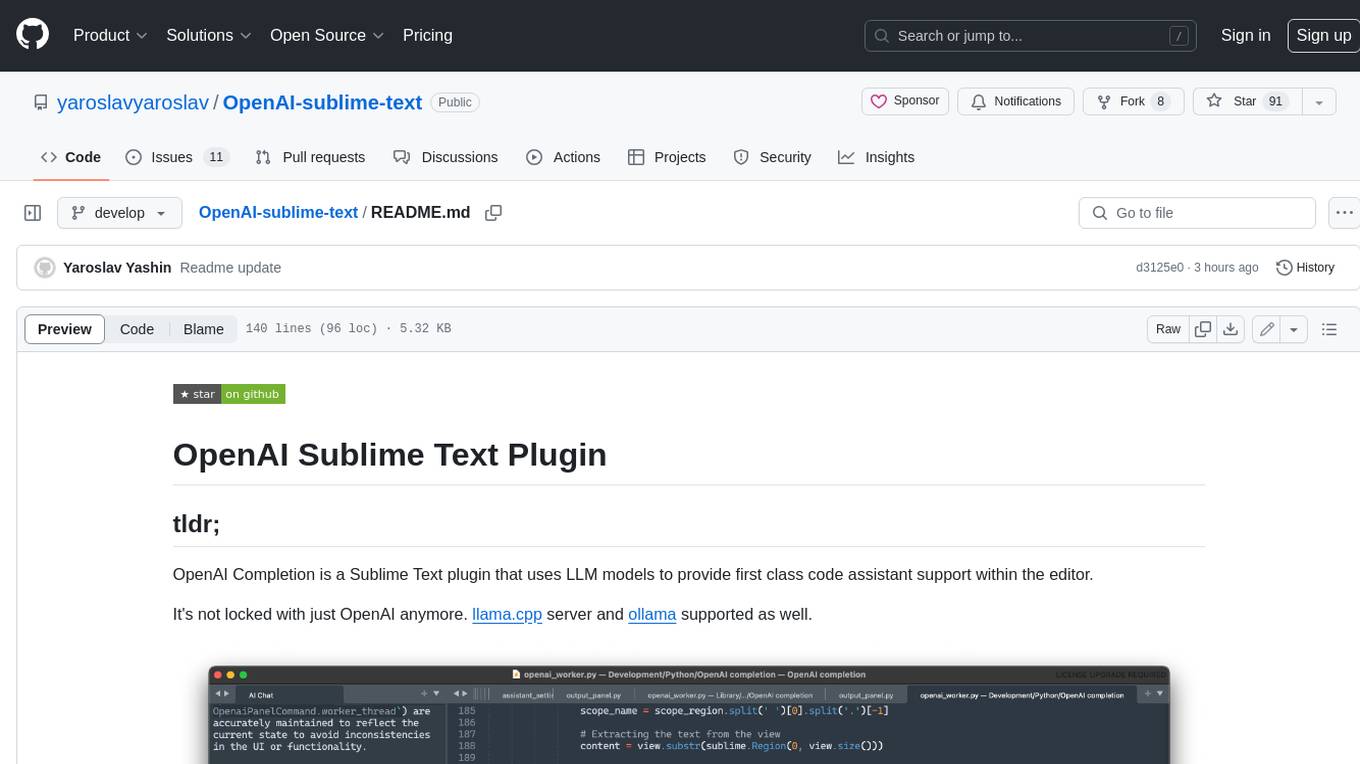
The OpenAI Completion plugin for Sublime Text provides first-class code assistant support within the editor. It utilizes LLM models to manipulate code, engage in chat mode, and perform various tasks. The plugin supports OpenAI, llama.cpp, and ollama models, allowing users to customize their AI assistant experience. It offers separated chat histories and assistant settings for different projects, enabling context-specific interactions. Additionally, the plugin supports Markdown syntax with code language syntax highlighting, server-side streaming for faster response times, and proxy support for secure connections. Users can configure the plugin's settings to set their OpenAI API key, adjust assistant modes, and manage chat history. Overall, the OpenAI Completion plugin enhances the Sublime Text editor with powerful AI capabilities, streamlining coding workflows and fostering collaboration with AI assistants.
simpleAI
SimpleAI is a self-hosted alternative to the not-so-open AI API, focused on replicating main endpoints for LLM such as text completion, chat, edits, and embeddings. It allows quick experimentation with different models, creating benchmarks, and handling specific use cases without relying on external services. Users can integrate and declare models through gRPC, query endpoints using Swagger UI or API, and resolve common issues like CORS with FastAPI middleware. The project is open for contributions and welcomes PRs, issues, documentation, and more.
aimeos-laravel
Aimeos Laravel is a professional, full-featured, and ultra-fast Laravel ecommerce package that can be easily integrated into existing Laravel applications. It offers a wide range of features including multi-vendor, multi-channel, and multi-warehouse support, fast performance, support for various product types, subscriptions with recurring payments, multiple payment gateways, full RTL support, flexible pricing options, admin backend, REST and GraphQL APIs, modular structure, SEO optimization, multi-language support, AI-based text translation, mobile optimization, and high-quality source code. The package is highly configurable and extensible, making it suitable for e-commerce SaaS solutions, marketplaces, and online shops with millions of vendors.
suno-api
Suno AI API is an open-source project that allows developers to integrate the music generation capabilities of Suno.ai into their own applications. The API provides a simple and convenient way to generate music, lyrics, and other audio content using Suno.ai's powerful AI models. With Suno AI API, developers can easily add music generation functionality to their apps, websites, and other projects.
agent-mimir
Agent Mimir is a command line and Discord chat client 'agent' manager for LLM's like Chat-GPT that provides the models with access to tooling and a framework with which accomplish multi-step tasks. It is easy to configure your own agent with a custom personality or profession as well as enabling access to all tools that are compatible with LangchainJS. Agent Mimir is based on LangchainJS, every tool or LLM that works on Langchain should also work with Mimir. The tasking system is based on Auto-GPT and BabyAGI where the agent needs to come up with a plan, iterate over its steps and review as it completes the task.
neocodeium
NeoCodeium is a free AI completion plugin powered by Codeium, designed for Neovim users. It aims to provide a smoother experience by eliminating flickering suggestions and allowing for repeatable completions using the `.` key. The plugin offers performance improvements through cache techniques, displays suggestion count labels, and supports Lua scripting. Users can customize keymaps, manage suggestions, and interact with the AI chat feature. NeoCodeium enhances code completion in Neovim, making it a valuable tool for developers seeking efficient coding assistance.
aiohttp-cors
The aiohttp_cors library provides Cross Origin Resource Sharing (CORS) support for aiohttp, an asyncio-powered asynchronous HTTP server. CORS allows overriding the Same-origin policy for specific resources, enabling web pages to access resources from different origins. The library helps configure CORS settings for resources and routes in aiohttp applications, allowing control over origins, credentials passing, headers, and preflight requests.
wllama
Wllama is a WebAssembly binding for llama.cpp, a high-performance and lightweight language model library. It enables you to run inference directly on the browser without the need for a backend or GPU. Wllama provides both high-level and low-level APIs, allowing you to perform various tasks such as completions, embeddings, tokenization, and more. It also supports model splitting, enabling you to load large models in parallel for faster download. With its Typescript support and pre-built npm package, Wllama is easy to integrate into your React Typescript projects.
lexido
Lexido is an innovative assistant for the Linux command line, designed to boost your productivity and efficiency. Powered by Gemini Pro 1.0 and utilizing the free API, Lexido offers smart suggestions for commands based on your prompts and importantly your current environment. Whether you're installing software, managing files, or configuring system settings, Lexido streamlines the process, making it faster and more intuitive.
python-sdks
Python SDK for LiveKit enables developers to easily integrate real-time video, audio, and data features into their Python applications. By connecting to a LiveKit server, users can quickly build interactive live streaming or video call applications with minimal code. The SDK includes packages for real-time participant connection and access token generation, making it simple to create rooms and manage participants. With asyncio and aiohttp support, developers can seamlessly interact with the LiveKit server API and handle real-time communication tasks effortlessly.
For similar tasks
lollms_legacy
Lord of Large Language Models (LoLLMs) Server is a text generation server based on large language models. It provides a Flask-based API for generating text using various pre-trained language models. This server is designed to be easy to install and use, allowing developers to integrate powerful text generation capabilities into their applications. The tool supports multiple personalities for generating text with different styles and tones, real-time text generation with WebSocket-based communication, RESTful API for listing personalities and adding new personalities, easy integration with various applications and frameworks, sending files to personalities, running on multiple nodes to provide a generation service to many outputs at once, and keeping data local even in the remote version.

LLMStack
LLMStack is a no-code platform for building generative AI agents, workflows, and chatbots. It allows users to connect their own data, internal tools, and GPT-powered models without any coding experience. LLMStack can be deployed to the cloud or on-premise and can be accessed via HTTP API or triggered from Slack or Discord.
LocalAI
LocalAI is a free and open-source OpenAI alternative that acts as a drop-in replacement REST API compatible with OpenAI (Elevenlabs, Anthropic, etc.) API specifications for local AI inferencing. It allows users to run LLMs, generate images, audio, and more locally or on-premises with consumer-grade hardware, supporting multiple model families and not requiring a GPU. LocalAI offers features such as text generation with GPTs, text-to-audio, audio-to-text transcription, image generation with stable diffusion, OpenAI functions, embeddings generation for vector databases, constrained grammars, downloading models directly from Huggingface, and a Vision API. It provides a detailed step-by-step introduction in its Getting Started guide and supports community integrations such as custom containers, WebUIs, model galleries, and various bots for Discord, Slack, and Telegram. LocalAI also offers resources like an LLM fine-tuning guide, instructions for local building and Kubernetes installation, projects integrating LocalAI, and a how-tos section curated by the community. It encourages users to cite the repository when utilizing it in downstream projects and acknowledges the contributions of various software from the community.
AiTreasureBox
AiTreasureBox is a versatile AI tool that provides a collection of pre-trained models and algorithms for various machine learning tasks. It simplifies the process of implementing AI solutions by offering ready-to-use components that can be easily integrated into projects. With AiTreasureBox, users can quickly prototype and deploy AI applications without the need for extensive knowledge in machine learning or deep learning. The tool covers a wide range of tasks such as image classification, text generation, sentiment analysis, object detection, and more. It is designed to be user-friendly and accessible to both beginners and experienced developers, making AI development more efficient and accessible to a wider audience.
glide
Glide is a cloud-native LLM gateway that provides a unified REST API for accessing various large language models (LLMs) from different providers. It handles LLMOps tasks such as model failover, caching, key management, and more, making it easy to integrate LLMs into applications. Glide supports popular LLM providers like OpenAI, Anthropic, Azure OpenAI, AWS Bedrock (Titan), Cohere, Google Gemini, OctoML, and Ollama. It offers high availability, performance, and observability, and provides SDKs for Python and NodeJS to simplify integration.

jupyter-ai
Jupyter AI connects generative AI with Jupyter notebooks. It provides a user-friendly and powerful way to explore generative AI models in notebooks and improve your productivity in JupyterLab and the Jupyter Notebook. Specifically, Jupyter AI offers: * An `%%ai` magic that turns the Jupyter notebook into a reproducible generative AI playground. This works anywhere the IPython kernel runs (JupyterLab, Jupyter Notebook, Google Colab, Kaggle, VSCode, etc.). * A native chat UI in JupyterLab that enables you to work with generative AI as a conversational assistant. * Support for a wide range of generative model providers, including AI21, Anthropic, AWS, Cohere, Gemini, Hugging Face, NVIDIA, and OpenAI. * Local model support through GPT4All, enabling use of generative AI models on consumer grade machines with ease and privacy.
langchain_dart
LangChain.dart is a Dart port of the popular LangChain Python framework created by Harrison Chase. LangChain provides a set of ready-to-use components for working with language models and a standard interface for chaining them together to formulate more advanced use cases (e.g. chatbots, Q&A with RAG, agents, summarization, extraction, etc.). The components can be grouped into a few core modules: * **Model I/O:** LangChain offers a unified API for interacting with various LLM providers (e.g. OpenAI, Google, Mistral, Ollama, etc.), allowing developers to switch between them with ease. Additionally, it provides tools for managing model inputs (prompt templates and example selectors) and parsing the resulting model outputs (output parsers). * **Retrieval:** assists in loading user data (via document loaders), transforming it (with text splitters), extracting its meaning (using embedding models), storing (in vector stores) and retrieving it (through retrievers) so that it can be used to ground the model's responses (i.e. Retrieval-Augmented Generation or RAG). * **Agents:** "bots" that leverage LLMs to make informed decisions about which available tools (such as web search, calculators, database lookup, etc.) to use to accomplish the designated task. The different components can be composed together using the LangChain Expression Language (LCEL).

infinity
Infinity is an AI-native database designed for LLM applications, providing incredibly fast full-text and vector search capabilities. It supports a wide range of data types, including vectors, full-text, and structured data, and offers a fused search feature that combines multiple embeddings and full text. Infinity is easy to use, with an intuitive Python API and a single-binary architecture that simplifies deployment. It achieves high performance, with 0.1 milliseconds query latency on million-scale vector datasets and up to 15K QPS.
For similar jobs

sweep
Sweep is an AI junior developer that turns bugs and feature requests into code changes. It automatically handles developer experience improvements like adding type hints and improving test coverage.

teams-ai
The Teams AI Library is a software development kit (SDK) that helps developers create bots that can interact with Teams and Microsoft 365 applications. It is built on top of the Bot Framework SDK and simplifies the process of developing bots that interact with Teams' artificial intelligence capabilities. The SDK is available for JavaScript/TypeScript, .NET, and Python.

ai-guide
This guide is dedicated to Large Language Models (LLMs) that you can run on your home computer. It assumes your PC is a lower-end, non-gaming setup.

classifai
Supercharge WordPress Content Workflows and Engagement with Artificial Intelligence. Tap into leading cloud-based services like OpenAI, Microsoft Azure AI, Google Gemini and IBM Watson to augment your WordPress-powered websites. Publish content faster while improving SEO performance and increasing audience engagement. ClassifAI integrates Artificial Intelligence and Machine Learning technologies to lighten your workload and eliminate tedious tasks, giving you more time to create original content that matters.

chatbot-ui
Chatbot UI is an open-source AI chat app that allows users to create and deploy their own AI chatbots. It is easy to use and can be customized to fit any need. Chatbot UI is perfect for businesses, developers, and anyone who wants to create a chatbot.

BricksLLM
BricksLLM is a cloud native AI gateway written in Go. Currently, it provides native support for OpenAI, Anthropic, Azure OpenAI and vLLM. BricksLLM aims to provide enterprise level infrastructure that can power any LLM production use cases. Here are some use cases for BricksLLM: * Set LLM usage limits for users on different pricing tiers * Track LLM usage on a per user and per organization basis * Block or redact requests containing PIIs * Improve LLM reliability with failovers, retries and caching * Distribute API keys with rate limits and cost limits for internal development/production use cases * Distribute API keys with rate limits and cost limits for students

uAgents
uAgents is a Python library developed by Fetch.ai that allows for the creation of autonomous AI agents. These agents can perform various tasks on a schedule or take action on various events. uAgents are easy to create and manage, and they are connected to a fast-growing network of other uAgents. They are also secure, with cryptographically secured messages and wallets.

griptape
Griptape is a modular Python framework for building AI-powered applications that securely connect to your enterprise data and APIs. It offers developers the ability to maintain control and flexibility at every step. Griptape's core components include Structures (Agents, Pipelines, and Workflows), Tasks, Tools, Memory (Conversation Memory, Task Memory, and Meta Memory), Drivers (Prompt and Embedding Drivers, Vector Store Drivers, Image Generation Drivers, Image Query Drivers, SQL Drivers, Web Scraper Drivers, and Conversation Memory Drivers), Engines (Query Engines, Extraction Engines, Summary Engines, Image Generation Engines, and Image Query Engines), and additional components (Rulesets, Loaders, Artifacts, Chunkers, and Tokenizers). Griptape enables developers to create AI-powered applications with ease and efficiency.