


graphiti
Build Real-Time Knowledge Graphs for AI Agents
Stars: 22920
Graphiti is a framework for building and querying temporally-aware knowledge graphs, tailored for AI agents in dynamic environments. It continuously integrates user interactions, structured and unstructured data, and external information into a coherent, queryable graph. The framework supports incremental data updates, efficient retrieval, and precise historical queries without complete graph recomputation, making it suitable for developing interactive, context-aware AI applications.
README:







⭐ Help us reach more developers and grow the Graphiti community. Star this repo!
[!TIP] Check out the new MCP server for Graphiti! Give Claude, Cursor, and other MCP clients powerful Knowledge Graph-based memory.
Graphiti is a framework for building and querying temporally-aware knowledge graphs, specifically tailored for AI agents operating in dynamic environments. Unlike traditional retrieval-augmented generation (RAG) methods, Graphiti continuously integrates user interactions, structured and unstructured enterprise data, and external information into a coherent, queryable graph. The framework supports incremental data updates, efficient retrieval, and precise historical queries without requiring complete graph recomputation, making it suitable for developing interactive, context-aware AI applications.
Use Graphiti to:
- Integrate and maintain dynamic user interactions and business data.
- Facilitate state-based reasoning and task automation for agents.
- Query complex, evolving data with semantic, keyword, and graph-based search methods.

A knowledge graph is a network of interconnected facts, such as "Kendra loves Adidas shoes." Each fact is a "triplet" represented by two entities, or nodes ("Kendra", "Adidas shoes"), and their relationship, or edge ("loves"). Knowledge Graphs have been explored extensively for information retrieval. What makes Graphiti unique is its ability to autonomously build a knowledge graph while handling changing relationships and maintaining historical context.
Graphiti powers the core of Zep's context engineering platform for AI Agents. Zep offers agent memory, Graph RAG for dynamic data, and context retrieval and assembly.
Using Graphiti, we've demonstrated Zep is the State of the Art in Agent Memory.
Read our paper: Zep: A Temporal Knowledge Graph Architecture for Agent Memory.
We're excited to open-source Graphiti, believing its potential reaches far beyond AI memory applications.

| Aspect | Zep | Graphiti |
|---|---|---|
| What they are | Fully managed platform for context engineering and AI memory | Open-source graph framework |
| User & conversation management | Built-in users, threads, and message storage | Build your own |
| Retrieval & performance | Pre-configured, production-ready retrieval with sub-200ms performance at scale | Custom implementation required; performance depends on your setup |
| Developer tools | Dashboard with graph visualization, debug logs, API logs; SDKs for Python, TypeScript, and Go | Build your own tools |
| Enterprise features | SLAs, support, security guarantees | Self-managed |
| Deployment | Fully managed or in your cloud | Self-hosted only |
Choose Zep if you want a turnkey, enterprise-grade platform with security, performance, and support baked in.
Choose Graphiti if you want a flexible OSS core and you're comfortable building/operating the surrounding system.
Traditional RAG approaches often rely on batch processing and static data summarization, making them inefficient for frequently changing data. Graphiti addresses these challenges by providing:
- Real-Time Incremental Updates: Immediate integration of new data episodes without batch recomputation.
- Bi-Temporal Data Model: Explicit tracking of event occurrence and ingestion times, allowing accurate point-in-time queries.
- Efficient Hybrid Retrieval: Combines semantic embeddings, keyword (BM25), and graph traversal to achieve low-latency queries without reliance on LLM summarization.
- Custom Entity Definitions: Flexible ontology creation and support for developer-defined entities through straightforward Pydantic models.
- Scalability: Efficiently manages large datasets with parallel processing, suitable for enterprise environments.

| Aspect | GraphRAG | Graphiti |
|---|---|---|
| Primary Use | Static document summarization | Dynamic data management |
| Data Handling | Batch-oriented processing | Continuous, incremental updates |
| Knowledge Structure | Entity clusters & community summaries | Episodic data, semantic entities, communities |
| Retrieval Method | Sequential LLM summarization | Hybrid semantic, keyword, and graph-based search |
| Adaptability | Low | High |
| Temporal Handling | Basic timestamp tracking | Explicit bi-temporal tracking |
| Contradiction Handling | LLM-driven summarization judgments | Temporal edge invalidation |
| Query Latency | Seconds to tens of seconds | Typically sub-second latency |
| Custom Entity Types | No | Yes, customizable |
| Scalability | Moderate | High, optimized for large datasets |
Graphiti is specifically designed to address the challenges of dynamic and frequently updated datasets, making it particularly suitable for applications requiring real-time interaction and precise historical queries.
Requirements:
- Python 3.10 or higher
- Neo4j 5.26 / FalkorDB 1.1.2 / Kuzu 0.11.2 / Amazon Neptune Database Cluster or Neptune Analytics Graph + Amazon OpenSearch Serverless collection (serves as the full text search backend)
- OpenAI API key (Graphiti defaults to OpenAI for LLM inference and embedding)
[!IMPORTANT] Graphiti works best with LLM services that support Structured Output (such as OpenAI and Gemini). Using other services may result in incorrect output schemas and ingestion failures. This is particularly problematic when using smaller models.
Optional:
- Google Gemini, Anthropic, or Groq API key (for alternative LLM providers)
[!TIP] The simplest way to install Neo4j is via Neo4j Desktop. It provides a user-friendly interface to manage Neo4j instances and databases. Alternatively, you can use FalkorDB on-premises via Docker and instantly start with the quickstart example:
docker run -p 6379:6379 -p 3000:3000 -it --rm falkordb/falkordb:latest
pip install graphiti-coreor
uv add graphiti-coreIf you plan to use FalkorDB as your graph database backend, install with the FalkorDB extra:
pip install graphiti-core[falkordb]

# or with uv
uv add graphiti-core[falkordb]If you plan to use Kuzu as your graph database backend, install with the Kuzu extra:
pip install graphiti-core[kuzu]

# or with uv
uv add graphiti-core[kuzu]If you plan to use Amazon Neptune as your graph database backend, install with the Amazon Neptune extra:
pip install graphiti-core[neptune]

# or with uv
uv add graphiti-core[neptune]# Install with Anthropic support
pip install graphiti-core[anthropic]
# Install with Groq support
pip install graphiti-core[groq]
# Install with Google Gemini support
pip install graphiti-core[google-genai]
# Install with multiple providers
pip install graphiti-core[anthropic,groq,google-genai]
# Install with FalkorDB and LLM providers
pip install graphiti-core[falkordb,anthropic,google-genai]
# Install with Amazon Neptune
pip install graphiti-core[neptune]Graphiti's ingestion pipelines are designed for high concurrency. By default, concurrency is set low to avoid LLM Provider 429 Rate Limit Errors. If you find Graphiti slow, please increase concurrency as described below.
Concurrency controlled by the SEMAPHORE_LIMIT environment variable. By default, SEMAPHORE_LIMIT is set to 10
concurrent operations to help prevent 429 rate limit errors from your LLM provider. If you encounter such errors, try
lowering this value.
If your LLM provider allows higher throughput, you can increase SEMAPHORE_LIMIT to boost episode ingestion
performance.
[!IMPORTANT] Graphiti defaults to using OpenAI for LLM inference and embedding. Ensure that an
OPENAI_API_KEYis set in your environment. Support for Anthropic and Groq LLM inferences is available, too. Other LLM providers may be supported via OpenAI compatible APIs.
For a complete working example, see the Quickstart Example in the examples directory. The quickstart demonstrates:
- Connecting to a Neo4j, Amazon Neptune, FalkorDB, or Kuzu database
- Initializing Graphiti indices and constraints
- Adding episodes to the graph (both text and structured JSON)
- Searching for relationships (edges) using hybrid search
- Reranking search results using graph distance
- Searching for nodes using predefined search recipes
The example is fully documented with clear explanations of each functionality and includes a comprehensive README with setup instructions and next steps.
You can use Docker Compose to quickly start the required services:
-
Neo4j Docker:
docker compose up
This will start the Neo4j Docker service and related components.
-
FalkorDB Docker:
docker compose --profile falkordb up
This will start the FalkorDB Docker service and related components.
The mcp_server directory contains a Model Context Protocol (MCP) server implementation for Graphiti. This server
allows AI assistants to interact with Graphiti's knowledge graph capabilities through the MCP protocol.
Key features of the MCP server include:
- Episode management (add, retrieve, delete)
- Entity management and relationship handling
- Semantic and hybrid search capabilities
- Group management for organizing related data
- Graph maintenance operations
The MCP server can be deployed using Docker with Neo4j, making it easy to integrate Graphiti into your AI assistant workflows.
For detailed setup instructions and usage examples, see the MCP server README.
The server directory contains an API service for interacting with the Graphiti API. It is built using FastAPI.
Please see the server README for more information.
In addition to the Neo4j and OpenAi-compatible credentials, Graphiti also has a few optional environment variables. If you are using one of our supported models, such as Anthropic or Voyage models, the necessary environment variables must be set.
Database names are configured directly in the driver constructors:
-
Neo4j: Database name defaults to
neo4j(hardcoded in Neo4jDriver) -
FalkorDB: Database name defaults to
default_db(hardcoded in FalkorDriver)
As of v0.17.0, if you need to customize your database configuration, you can instantiate a database driver and pass it
to the Graphiti constructor using the graph_driver parameter.
from graphiti_core import Graphiti
from graphiti_core.driver.neo4j_driver import Neo4jDriver

# Create a Neo4j driver with custom database name
driver = Neo4jDriver(
    uri="bolt://localhost:7687",
    user="neo4j",
    password="password",
    database="my_custom_database"  # Custom database name
)

# Pass the driver to Graphiti
graphiti = Graphiti(graph_driver=driver)from graphiti_core import Graphiti
from graphiti_core.driver.falkordb_driver import FalkorDriver
# Create a FalkorDB driver with custom database name
driver = FalkorDriver(
host="localhost",
port=6379,
username="falkor_user", # Optional
password="falkor_password", # Optional
database="my_custom_graph" # Custom database name
)
# Pass the driver to Graphiti
graphiti = Graphiti(graph_driver=driver)from graphiti_core import Graphiti
from graphiti_core.driver.kuzu_driver import KuzuDriver
# Create a Kuzu driver
driver = KuzuDriver(db="/tmp/graphiti.kuzu")
# Pass the driver to Graphiti
graphiti = Graphiti(graph_driver=driver)from graphiti_core import Graphiti
from graphiti_core.driver.neptune_driver import NeptuneDriver
# Create a FalkorDB driver with custom database name
driver = NeptuneDriver(
host= < NEPTUNE
ENDPOINT >,
aoss_host = < Amazon
OpenSearch
Serverless
Host >,
port = < PORT > # Optional, defaults to 8182,
aoss_port = < PORT > # Optional, defaults to 443
)
driver = NeptuneDriver(host=neptune_uri, aoss_host=aoss_host, port=neptune_port)
# Pass the driver to Graphiti
graphiti = Graphiti(graph_driver=driver)Graphiti uses a pluggable driver architecture so the core framework is backend-agnostic. All database-specific logic is encapsulated in driver implementations, allowing you to swap backends or add new ones without modifying the rest of the framework.
The driver layer is organized into three tiers:
-
GraphDriverABC (graphiti_core/driver/driver.py) — the core interface every backend must implement. It defines query execution, session management, index lifecycle, and exposes 11 operations interfaces as@propertyaccessors. -
GraphProviderenum — identifies the backend (NEO4J,FALKORDB,KUZU,NEPTUNE). Query builders use this enum inmatch/casestatements to return dialect-specific query strings. -
11 Operations ABCs (
graphiti_core/driver/operations/) — abstract interfaces covering all CRUD and search operations for every graph element type:-
Node ops:
EntityNodeOperations,EpisodeNodeOperations,CommunityNodeOperations,SagaNodeOperations -
Edge ops:
EntityEdgeOperations,EpisodicEdgeOperations,CommunityEdgeOperations,HasEpisodeEdgeOperations,NextEpisodeEdgeOperations -
Search & maintenance:
SearchOperations,GraphMaintenanceOperations
-
Node ops:
Each backend provides a concrete driver class and a matching operations/ directory with implementations of all 11
ABCs. The key directories and files are shown below (simplified; see source for complete structure):
graphiti_core/driver/
├── driver.py                        # GraphDriver ABC, GraphProvider enum
├── query_executor.py                # QueryExecutor protocol
├── record_parsers.py                # Shared record → model conversion
├── operations/                      # 11 operation ABCs
│   ├── entity_node_ops.py
│   ├── episode_node_ops.py
│   ├── community_node_ops.py
│   ├── saga_node_ops.py
│   ├── entity_edge_ops.py
│   ├── episodic_edge_ops.py
│   ├── community_edge_ops.py
│   ├── has_episode_edge_ops.py
│   ├── next_episode_edge_ops.py
│   ├── search_ops.py
│   ├── graph_ops.py
│   └── graph_utils.py              # Shared algorithms (e.g., label propagation)
├── graph_operations/                # Legacy graph operations interface
├── search_interface/                # Legacy search interface
├── neo4j_driver.py                  # Neo4jDriver
├── neo4j/operations/                # 11 Neo4j implementations
├── falkordb_driver.py               # FalkorDriver
├── falkordb/operations/             # 11 FalkorDB implementations
├── kuzu_driver.py                   # KuzuDriver
├── kuzu/operations/                 # 11 Kuzu implementations + record_parsers.py
├── neptune_driver.py                # NeptuneDriver
└── neptune/operations/              # 11 Neptune implementations
Operations are decoupled from the driver itself — each operation method receives an executor: QueryExecutor parameter
(a protocol for running queries) rather than a concrete GraphDriver, which makes operations testable and
driver-agnostic. The driver class instantiates all 11 operation classes in its __init__ and exposes them as
properties. The base GraphDriver ABC defines each property with an optional return type (| None, defaulting to
None); concrete drivers override these to return their implementations:
# In your concrete driver (e.g., Neo4jDriver):
@property
def entity_node_ops(self) -> EntityNodeOperations:
    return self._entity_node_ops
Provider-specific query strings are generated by shared query builders in graphiti_core/models/nodes/node_db_queries.py
and graphiti_core/models/edges/edge_db_queries.py, which use match/case on the GraphProvider enum to return the
correct dialect for each backend.
To integrate a new graph database backend, follow these steps:
-
Add to
GraphProvider— add your enum value ingraphiti_core/driver/driver.py:class GraphProvider(Enum): NEO4J = 'neo4j' FALKORDB = 'falkordb' KUZU = 'kuzu' NEPTUNE = 'neptune' MY_BACKEND = 'my_backend' # New backend
-
Create directory structure — create
graphiti_core/driver/<backend>/operations/with an__init__.pyexporting all 11 operation classes. -
Implement
GraphDriversubclass — creategraphiti_core/driver/<backend>_driver.py:- Set
provider = GraphProvider.<BACKEND> - Implement the abstract methods:
execute_query(),session(),close(),build_indices_and_constraints(),delete_all_indexes() - Instantiate all 11 operation classes in
__init__and return them via@propertyoverrides
- Set
-
Implement all 11 operation ABCs — one file per ABC in
<backend>/operations/, each inheriting from the corresponding ABC ingraphiti_core/driver/operations/. -
Add query variants — add
case GraphProvider.<BACKEND>:branches tographiti_core/models/nodes/node_db_queries.pyandgraphiti_core/models/edges/edge_db_queries.pyfor your database's query dialect. -
Implement
GraphDriverSession— if your backend needs session or connection management, subclassGraphDriverSessionfromdriver.pyand implementrun(),close(), andexecute_write(). -
Register as optional dependency — add an extras group in
pyproject.toml:[project.optional-dependencies] my_backend = ["my-backend-client>=1.0.0"]
For reference implementations, look at:
- Neo4j — the most straightforward, full-featured reference
- FalkorDB — a lightweight client-server alternative
- Kuzu — example of an embedded/in-process database with dialect differences
- Neptune — example of a cloud backend with an external search index (OpenSearch)
Graphiti supports Azure OpenAI for both LLM inference and embeddings using Azure's OpenAI v1 API compatibility layer.
from openai import AsyncOpenAI
from graphiti_core import Graphiti
from graphiti_core.llm_client.azure_openai_client import AzureOpenAILLMClient
from graphiti_core.llm_client.config import LLMConfig
from graphiti_core.embedder.azure_openai import AzureOpenAIEmbedderClient

# Initialize Azure OpenAI client using the standard OpenAI client
# with Azure's v1 API endpoint
azure_client = AsyncOpenAI(
    base_url="https://your-resource-name.openai.azure.com/openai/v1/",
    api_key="your-api-key",
)

# Create LLM and Embedder clients
llm_client = AzureOpenAILLMClient(
    azure_client=azure_client,
    config=LLMConfig(model="gpt-5-mini", small_model="gpt-5-mini")  # Your Azure deployment name
)
embedder_client = AzureOpenAIEmbedderClient(
    azure_client=azure_client,
    model="text-embedding-3-small"  # Your Azure embedding deployment name
)

# Initialize Graphiti with Azure OpenAI clients
graphiti = Graphiti(
    "bolt://localhost:7687",
    "neo4j",
    "password",
    llm_client=llm_client,
    embedder=embedder_client,
)

# Now you can use Graphiti with Azure OpenAI
Key Points:
- Use the standard
AsyncOpenAIclient with Azure's v1 API endpoint format:https://your-resource-name.openai.azure.com/openai/v1/ - The deployment names (e.g.,
gpt-5-mini,text-embedding-3-small) should match your Azure OpenAI deployment names - See
examples/azure-openai/for a complete working example
Make sure to replace the placeholder values with your actual Azure OpenAI credentials and deployment names.
Graphiti supports Google's Gemini models for LLM inference, embeddings, and cross-encoding/reranking. To use Gemini, you'll need to configure the LLM client, embedder, and the cross-encoder with your Google API key.
Install Graphiti:
uv add "graphiti-core[google-genai]"

# or

pip install "graphiti-core[google-genai]"
from graphiti_core import Graphiti
from graphiti_core.llm_client.gemini_client import GeminiClient, LLMConfig
from graphiti_core.embedder.gemini import GeminiEmbedder, GeminiEmbedderConfig
from graphiti_core.cross_encoder.gemini_reranker_client import GeminiRerankerClient
# Google API key configuration
api_key = "<your-google-api-key>"
# Initialize Graphiti with Gemini clients
graphiti = Graphiti(
"bolt://localhost:7687",
"neo4j",
"password",
llm_client=GeminiClient(
config=LLMConfig(
api_key=api_key,
model="gemini-2.0-flash"
)
),
embedder=GeminiEmbedder(
config=GeminiEmbedderConfig(
api_key=api_key,
embedding_model="embedding-001"
)
),
cross_encoder=GeminiRerankerClient(
config=LLMConfig(
api_key=api_key,
model="gemini-2.5-flash-lite"
)
)
)
# Now you can use Graphiti with Google Gemini for all componentsThe Gemini reranker uses the gemini-2.5-flash-lite model by default, which is optimized for
cost-effective and low-latency classification tasks. It uses the same boolean classification approach as the OpenAI
reranker, leveraging Gemini's log probabilities feature to rank passage relevance.
Graphiti supports Ollama for running local LLMs and embedding models via Ollama's OpenAI-compatible API. This is ideal for privacy-focused applications or when you want to avoid API costs.
Note: Use OpenAIGenericClient (not OpenAIClient) for Ollama and other OpenAI-compatible providers like LM Studio. The OpenAIGenericClient is optimized for local models with a higher default max token limit (16K vs 8K) and full support for structured outputs.
Install the models:
ollama pull deepseek-r1:7b # LLM
ollama pull nomic-embed-text # embeddings
from graphiti_core import Graphiti
from graphiti_core.llm_client.config import LLMConfig
from graphiti_core.llm_client.openai_generic_client import OpenAIGenericClient
from graphiti_core.embedder.openai import OpenAIEmbedder, OpenAIEmbedderConfig
from graphiti_core.cross_encoder.openai_reranker_client import OpenAIRerankerClient
# Configure Ollama LLM client
llm_config = LLMConfig(
api_key="ollama", # Ollama doesn't require a real API key, but some placeholder is needed
model="deepseek-r1:7b",
small_model="deepseek-r1:7b",
base_url="http://localhost:11434/v1", # Ollama's OpenAI-compatible endpoint
)
llm_client = OpenAIGenericClient(config=llm_config)
# Initialize Graphiti with Ollama clients
graphiti = Graphiti(
"bolt://localhost:7687",
"neo4j",
"password",
llm_client=llm_client,
embedder=OpenAIEmbedder(
config=OpenAIEmbedderConfig(
api_key="ollama", # Placeholder API key
embedding_model="nomic-embed-text",
embedding_dim=768,
base_url="http://localhost:11434/v1",
)
),
cross_encoder=OpenAIRerankerClient(client=llm_client, config=llm_config),
)
# Now you can use Graphiti with local Ollama modelsEnsure Ollama is running (ollama serve) and that you have pulled the models you want to use.
Graphiti collects anonymous usage statistics to help us understand how the framework is being used and improve it for everyone. We believe transparency is important, so here's exactly what we collect and why.
When you initialize a Graphiti instance, we collect:
-
Anonymous identifier: A randomly generated UUID stored locally in
~/.cache/graphiti/telemetry_anon_id - System information: Operating system, Python version, and system architecture
- Graphiti version: The version you're using
-
Configuration choices:
- LLM provider type (OpenAI, Azure, Anthropic, etc.)
- Database backend (Neo4j, FalkorDB, Kuzu, Amazon Neptune Database or Neptune Analytics)
- Embedder provider (OpenAI, Azure, Voyage, etc.)
We are committed to protecting your privacy. We never collect:
- Personal information or identifiers
- API keys or credentials
- Your actual data, queries, or graph content
- IP addresses or hostnames
- File paths or system-specific information
- Any content from your episodes, nodes, or edges
This information helps us:
- Understand which configurations are most popular to prioritize support and testing
- Identify which LLM and database providers to focus development efforts on
- Track adoption patterns to guide our roadmap
- Ensure compatibility across different Python versions and operating systems
By sharing this anonymous information, you help us make Graphiti better for everyone in the community.
The Telemetry code may be found here.
Telemetry is opt-out and can be disabled at any time. To disable telemetry collection:
Option 1: Environment Variable
export GRAPHITI_TELEMETRY_ENABLED=falseOption 2: Set in your shell profile
# For bash users (~/.bashrc or ~/.bash_profile)
echo 'export GRAPHITI_TELEMETRY_ENABLED=false' >> ~/.bashrc

# For zsh users (~/.zshrc)
echo 'export GRAPHITI_TELEMETRY_ENABLED=false' >> ~/.zshrc
Option 3: Set for a specific Python session
import os

os.environ['GRAPHITI_TELEMETRY_ENABLED'] = 'false'

# Then initialize Graphiti as usual
from graphiti_core import Graphiti

graphiti = Graphiti(...)
Telemetry is automatically disabled during test runs (when pytest is detected).
- Telemetry uses PostHog for anonymous analytics collection
- All telemetry operations are designed to fail silently - they will never interrupt your application or affect Graphiti functionality
- The anonymous ID is stored locally and is not tied to any personal information
Graphiti is under active development. We aim to maintain API stability while working on:
- [x] Supporting custom graph schemas:
- Allow developers to provide their own defined node and edge classes when ingesting episodes
- Enable more flexible knowledge representation tailored to specific use cases
- [x] Enhancing retrieval capabilities with more robust and configurable options
- [x] Graphiti MCP Server
- [ ] Expanding test coverage to ensure reliability and catch edge cases
We encourage and appreciate all forms of contributions, whether it's code, documentation, addressing GitHub Issues, or answering questions in the Graphiti Discord channel. For detailed guidelines on code contributions, please refer to CONTRIBUTING.
Join the Zep Discord server and make your way to the #Graphiti channel!
For Tasks:
Click tags to check more tools for each tasksFor Jobs:
Alternative AI tools for graphiti
Similar Open Source Tools
graphiti
Graphiti is a framework for building and querying temporally-aware knowledge graphs, tailored for AI agents in dynamic environments. It continuously integrates user interactions, structured and unstructured data, and external information into a coherent, queryable graph. The framework supports incremental data updates, efficient retrieval, and precise historical queries without complete graph recomputation, making it suitable for developing interactive, context-aware AI applications.
metis
Metis is an open-source, AI-driven tool for deep security code review, created by Arm's Product Security Team. It helps engineers detect subtle vulnerabilities, improve secure coding practices, and reduce review fatigue. Metis uses LLMs for semantic understanding and reasoning, RAG for context-aware reviews, and supports multiple languages and vector store backends. It provides a plugin-friendly and extensible architecture, named after the Greek goddess of wisdom, Metis. The tool is designed for large, complex, or legacy codebases where traditional tooling falls short.
pentagi
PentAGI is an innovative tool for automated security testing that leverages cutting-edge artificial intelligence technologies. It is designed for information security professionals, researchers, and enthusiasts who need a powerful and flexible solution for conducting penetration tests. The tool provides secure and isolated operations in a sandboxed Docker environment, fully autonomous AI-powered agent for penetration testing steps, a suite of 20+ professional security tools, smart memory system for storing research results, web intelligence for gathering information, integration with external search systems, team delegation system, comprehensive monitoring and reporting, modern interface, API integration, persistent storage, scalable architecture, self-hosted solution, flexible authentication, and quick deployment through Docker Compose.
golf
Golf is a simple command-line tool for calculating the distance between two geographic coordinates. It uses the Haversine formula to accurately determine the distance between two points on the Earth's surface. This tool is useful for developers working on location-based applications or projects that require distance calculations. With Golf, users can easily input latitude and longitude coordinates and get the precise distance in kilometers or miles. The tool is lightweight, easy to use, and can be integrated into various programming workflows.

LEANN
LEANN is an innovative vector database that democratizes personal AI, transforming your laptop into a powerful RAG system that can index and search through millions of documents using 97% less storage than traditional solutions without accuracy loss. It achieves this through graph-based selective recomputation and high-degree preserving pruning, computing embeddings on-demand instead of storing them all. LEANN allows semantic search of file system, emails, browser history, chat history, codebase, or external knowledge bases on your laptop with zero cloud costs and complete privacy. It is a drop-in semantic search MCP service fully compatible with Claude Code, enabling intelligent retrieval without changing your workflow.
xFasterTransformer
xFasterTransformer is an optimized solution for Large Language Models (LLMs) on the X86 platform, providing high performance and scalability for inference on mainstream LLM models. It offers C++ and Python APIs for easy integration, along with example codes and benchmark scripts. Users can prepare models in a different format, convert them, and use the APIs for tasks like encoding input prompts, generating token ids, and serving inference requests. The tool supports various data types and models, and can run in single or multi-rank modes using MPI. A web demo based on Gradio is available for popular LLM models like ChatGLM and Llama2. Benchmark scripts help evaluate model inference performance quickly, and MLServer enables serving with REST and gRPC interfaces.
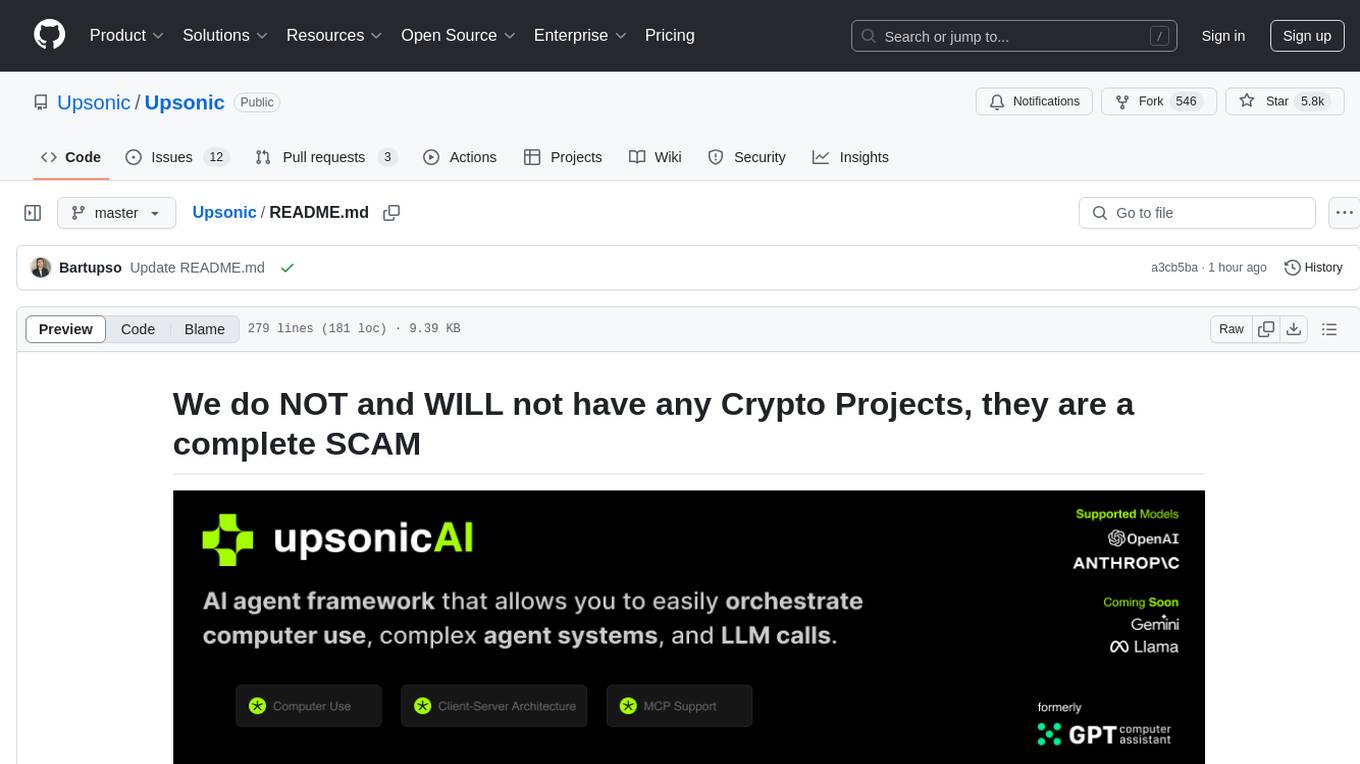
gpt-computer-assistant
GPT Computer Assistant (GCA) is an open-source framework designed to build vertical AI agents that can automate tasks on Windows, macOS, and Ubuntu systems. It leverages the Model Context Protocol (MCP) and its own modules to mimic human-like actions and achieve advanced capabilities. With GCA, users can empower themselves to accomplish more in less time by automating tasks like updating dependencies, analyzing databases, and configuring cloud security settings.
uLoopMCP
uLoopMCP is a Unity integration tool designed to let AI drive your Unity project forward with minimal human intervention. It provides a 'self-hosted development loop' where an AI can compile, run tests, inspect logs, and fix issues using tools like compile, run-tests, get-logs, and clear-console. It also allows AI to operate the Unity Editor itself—creating objects, calling menu items, inspecting scenes, and refining UI layouts from screenshots via tools like execute-dynamic-code, execute-menu-item, and capture-window. The tool enables AI-driven development loops to run autonomously inside existing Unity projects.
py-llm-core
PyLLMCore is a light-weighted interface with Large Language Models with native support for llama.cpp, OpenAI API, and Azure deployments. It offers a Pythonic API that is simple to use, with structures provided by the standard library dataclasses module. The high-level API includes the assistants module for easy swapping between models. PyLLMCore supports various models including those compatible with llama.cpp, OpenAI, and Azure APIs. It covers use cases such as parsing, summarizing, question answering, hallucinations reduction, context size management, and tokenizing. The tool allows users to interact with language models for tasks like parsing text, summarizing content, answering questions, reducing hallucinations, managing context size, and tokenizing text.
langgraph4j
Langgraph4j is a Java library for language processing tasks such as text classification, sentiment analysis, and named entity recognition. It provides a set of tools and algorithms for analyzing text data and extracting useful information. The library is designed to be efficient and easy to use, making it suitable for both research and production applications.
UCAgent
UCAgent is an AI-powered automated UT verification agent for chip design. It automates chip verification workflow, supports functional and code coverage analysis, ensures consistency among documentation, code, and reports, and collaborates with mainstream Code Agents via MCP protocol. It offers three intelligent interaction modes and requires Python 3.11+, Linux/macOS OS, 4GB+ memory, and access to an AI model API. Users can clone the repository, install dependencies, configure qwen, and start verification. UCAgent supports various verification quality improvement options and basic operations through TUI shortcuts and stage color indicators. It also provides documentation build and preview using MkDocs, PDF manual build using Pandoc + XeLaTeX, and resources for further help and contribution.
basic-memory
Basic Memory is a tool that enables users to build persistent knowledge through natural conversations with Large Language Models (LLMs) like Claude. It uses the Model Context Protocol (MCP) to allow compatible LLMs to read and write to a local knowledge base stored in simple Markdown files on the user's computer. The tool facilitates creating structured notes during conversations, maintaining a semantic knowledge graph, and keeping all data local and under user control. Basic Memory aims to address the limitations of ephemeral LLM interactions by providing a structured, bi-directional, and locally stored knowledge management solution.
MCPSharp
MCPSharp is a .NET library that helps build Model Context Protocol (MCP) servers and clients for AI assistants and models. It allows creating MCP-compliant tools, connecting to existing MCP servers, exposing .NET methods as MCP endpoints, and handling MCP protocol details seamlessly. With features like attribute-based API, JSON-RPC support, parameter validation, and type conversion, MCPSharp simplifies the development of AI capabilities in applications through standardized interfaces.
fast-mcp
Fast MCP is a Ruby gem that simplifies the integration of AI models with your Ruby applications. It provides a clean implementation of the Model Context Protocol, eliminating complex communication protocols, integration challenges, and compatibility issues. With Fast MCP, you can easily connect AI models to your servers, share data resources, choose from multiple transports, integrate with frameworks like Rails and Sinatra, and secure your AI-powered endpoints. The gem also offers real-time updates and authentication support, making AI integration a seamless experience for developers.

raglite
RAGLite is a Python toolkit for Retrieval-Augmented Generation (RAG) with PostgreSQL or SQLite. It offers configurable options for choosing LLM providers, database types, and rerankers. The toolkit is fast and permissive, utilizing lightweight dependencies and hardware acceleration. RAGLite provides features like PDF to Markdown conversion, multi-vector chunk embedding, optimal semantic chunking, hybrid search capabilities, adaptive retrieval, and improved output quality. It is extensible with a built-in Model Context Protocol server, customizable ChatGPT-like frontend, document conversion to Markdown, and evaluation tools. Users can configure RAGLite for various tasks like configuring, inserting documents, running RAG pipelines, computing query adapters, evaluating performance, running MCP servers, and serving frontends.
orra
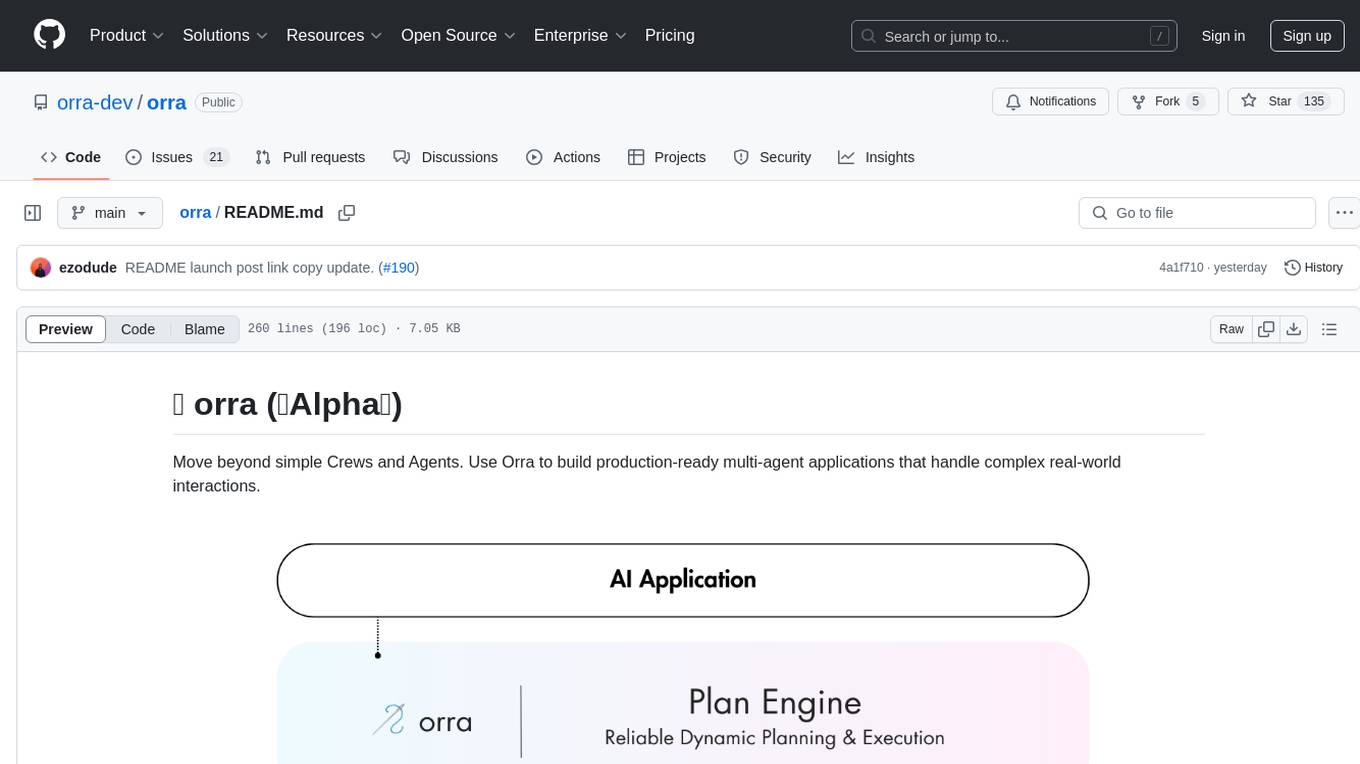
Orra is a tool for building production-ready multi-agent applications that handle complex real-world interactions. It coordinates tasks across existing stack, agents, and tools run as services using intelligent reasoning. With features like smart pre-evaluated execution plans, domain grounding, durable execution, and automatic service health monitoring, Orra enables users to go fast with tools as services and revert state to handle failures. It provides real-time status tracking and webhook result delivery, making it ideal for developers looking to move beyond simple crews and agents.
For similar tasks

Magick
Magick is a groundbreaking visual AIDE (Artificial Intelligence Development Environment) for no-code data pipelines and multimodal agents. Magick can connect to other services and comes with nodes and templates well-suited for intelligent agents, chatbots, complex reasoning systems and realistic characters.

danswer
Danswer is an open-source Gen-AI Chat and Unified Search tool that connects to your company's docs, apps, and people. It provides a Chat interface and plugs into any LLM of your choice. Danswer can be deployed anywhere and for any scale - on a laptop, on-premise, or to cloud. Since you own the deployment, your user data and chats are fully in your own control. Danswer is MIT licensed and designed to be modular and easily extensible. The system also comes fully ready for production usage with user authentication, role management (admin/basic users), chat persistence, and a UI for configuring Personas (AI Assistants) and their Prompts. Danswer also serves as a Unified Search across all common workplace tools such as Slack, Google Drive, Confluence, etc. By combining LLMs and team specific knowledge, Danswer becomes a subject matter expert for the team. Imagine ChatGPT if it had access to your team's unique knowledge! It enables questions such as "A customer wants feature X, is this already supported?" or "Where's the pull request for feature Y?"

semantic-kernel
Semantic Kernel is an SDK that integrates Large Language Models (LLMs) like OpenAI, Azure OpenAI, and Hugging Face with conventional programming languages like C#, Python, and Java. Semantic Kernel achieves this by allowing you to define plugins that can be chained together in just a few lines of code. What makes Semantic Kernel _special_ , however, is its ability to _automatically_ orchestrate plugins with AI. With Semantic Kernel planners, you can ask an LLM to generate a plan that achieves a user's unique goal. Afterwards, Semantic Kernel will execute the plan for the user.

floneum
Floneum is a graph editor that makes it easy to develop your own AI workflows. It uses large language models (LLMs) to run AI models locally, without any external dependencies or even a GPU. This makes it easy to use LLMs with your own data, without worrying about privacy. Floneum also has a plugin system that allows you to improve the performance of LLMs and make them work better for your specific use case. Plugins can be used in any language that supports web assembly, and they can control the output of LLMs with a process similar to JSONformer or guidance.
mindsdb
MindsDB is a platform for customizing AI from enterprise data. You can create, serve, and fine-tune models in real-time from your database, vector store, and application data. MindsDB "enhances" SQL syntax with AI capabilities to make it accessible for developers worldwide. With MindsDB’s nearly 200 integrations, any developer can create AI customized for their purpose, faster and more securely. Their AI systems will constantly improve themselves — using companies’ own data, in real-time.

aiscript
AiScript is a lightweight scripting language that runs on JavaScript. It supports arrays, objects, and functions as first-class citizens, and is easy to write without the need for semicolons or commas. AiScript runs in a secure sandbox environment, preventing infinite loops from freezing the host. It also allows for easy provision of variables and functions from the host.

activepieces
Activepieces is an open source replacement for Zapier, designed to be extensible through a type-safe pieces framework written in Typescript. It features a user-friendly Workflow Builder with support for Branches, Loops, and Drag and Drop. Activepieces integrates with Google Sheets, OpenAI, Discord, and RSS, along with 80+ other integrations. The list of supported integrations continues to grow rapidly, thanks to valuable contributions from the community. Activepieces is an open ecosystem; all piece source code is available in the repository, and they are versioned and published directly to npmjs.com upon contributions. If you cannot find a specific piece on the pieces roadmap, please submit a request by visiting the following link: Request Piece Alternatively, if you are a developer, you can quickly build your own piece using our TypeScript framework. For guidance, please refer to the following guide: Contributor's Guide
superagent-js
Superagent is an open source framework that enables any developer to integrate production ready AI Assistants into any application in a matter of minutes.
For similar jobs
Awesome-LLM-RAG-Application
Awesome-LLM-RAG-Application is a repository that provides resources and information about applications based on Large Language Models (LLM) with Retrieval-Augmented Generation (RAG) pattern. It includes a survey paper, GitHub repo, and guides on advanced RAG techniques. The repository covers various aspects of RAG, including academic papers, evaluation benchmarks, downstream tasks, tools, and technologies. It also explores different frameworks, preprocessing tools, routing mechanisms, evaluation frameworks, embeddings, security guardrails, prompting tools, SQL enhancements, LLM deployment, observability tools, and more. The repository aims to offer comprehensive knowledge on RAG for readers interested in exploring and implementing LLM-based systems and products.
ChatGPT-On-CS
ChatGPT-On-CS is an intelligent chatbot tool based on large models, supporting various platforms like WeChat, Taobao, Bilibili, Douyin, Weibo, and more. It can handle text, voice, and image inputs, access external resources through plugins, and customize enterprise AI applications based on proprietary knowledge bases. Users can set custom replies, utilize ChatGPT interface for intelligent responses, send images and binary files, and create personalized chatbots using knowledge base files. The tool also features platform-specific plugin systems for accessing external resources and supports enterprise AI applications customization.
call-gpt
Call GPT is a voice application that utilizes Deepgram for Speech to Text, elevenlabs for Text to Speech, and OpenAI for GPT prompt completion. It allows users to chat with ChatGPT on the phone, providing better transcription, understanding, and speaking capabilities than traditional IVR systems. The app returns responses with low latency, allows user interruptions, maintains chat history, and enables GPT to call external tools. It coordinates data flow between Deepgram, OpenAI, ElevenLabs, and Twilio Media Streams, enhancing voice interactions.
awesome-LLM-resourses
A comprehensive repository of resources for Chinese large language models (LLMs), including data processing tools, fine-tuning frameworks, inference libraries, evaluation platforms, RAG engines, agent frameworks, books, courses, tutorials, and tips. The repository covers a wide range of tools and resources for working with LLMs, from data labeling and processing to model fine-tuning, inference, evaluation, and application development. It also includes resources for learning about LLMs through books, courses, and tutorials, as well as insights and strategies from building with LLMs.
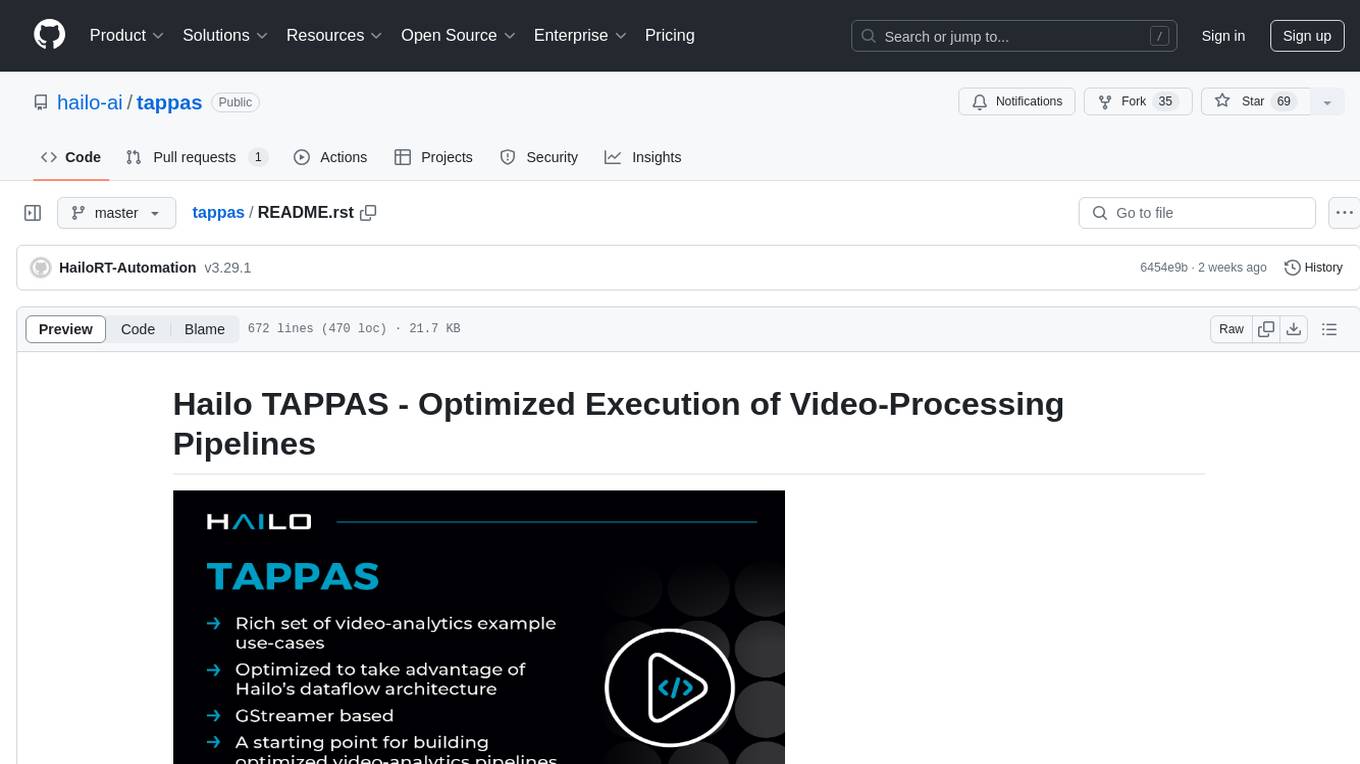
tappas
Hailo TAPPAS is a set of full application examples that implement pipeline elements and pre-trained AI tasks. It demonstrates Hailo's system integration scenarios on predefined systems, aiming to accelerate time to market, simplify integration with Hailo's runtime SW stack, and provide a starting point for customers to fine-tune their applications. The tool supports both Hailo-15 and Hailo-8, offering various example applications optimized for different common hosts. TAPPAS includes pipelines for single network, two network, and multi-stream processing, as well as high-resolution processing via tiling. It also provides example use case pipelines like License Plate Recognition and Multi-Person Multi-Camera Tracking. The tool is regularly updated with new features, bug fixes, and platform support.
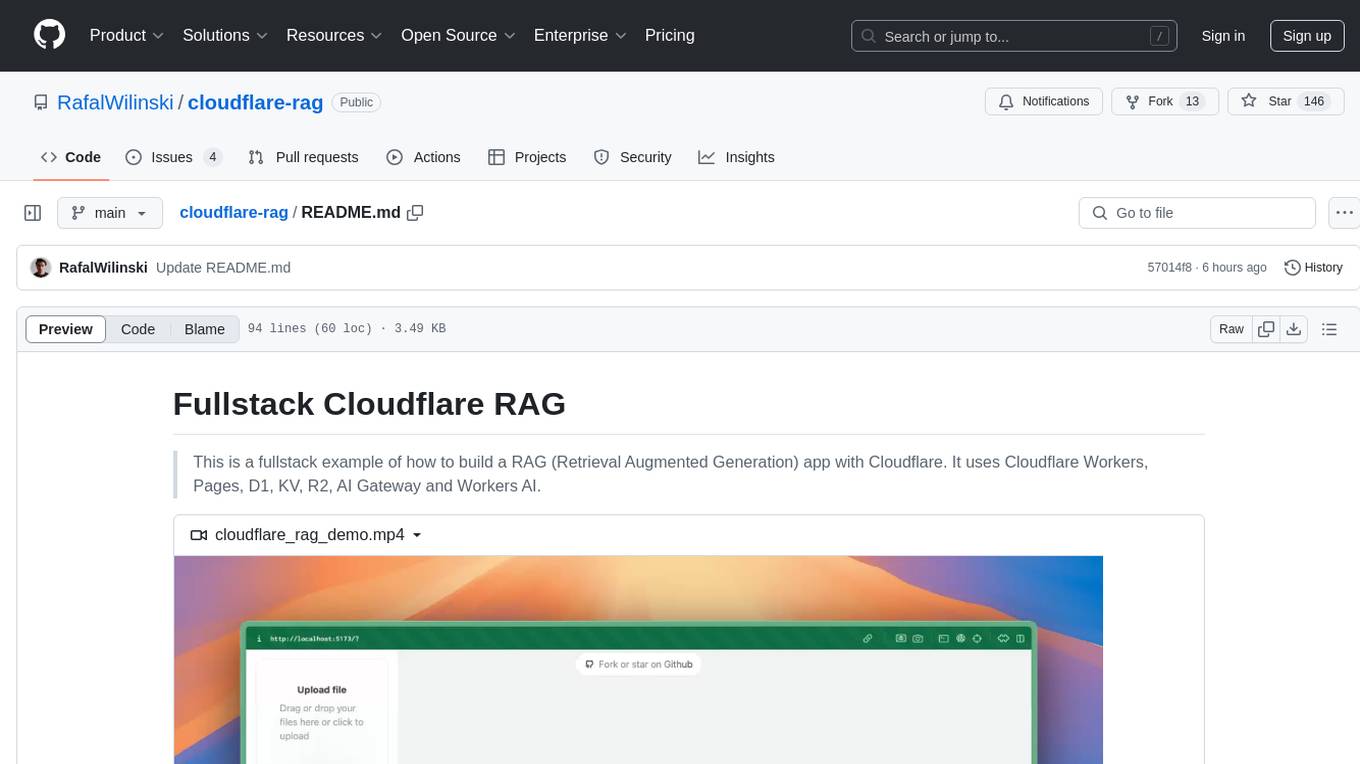
cloudflare-rag
This repository provides a fullstack example of building a Retrieval Augmented Generation (RAG) app with Cloudflare. It utilizes Cloudflare Workers, Pages, D1, KV, R2, AI Gateway, and Workers AI. The app features streaming interactions to the UI, hybrid RAG with Full-Text Search and Vector Search, switchable providers using AI Gateway, per-IP rate limiting with Cloudflare's KV, OCR within Cloudflare Worker, and Smart Placement for workload optimization. The development setup requires Node, pnpm, and wrangler CLI, along with setting up necessary primitives and API keys. Deployment involves setting up secrets and deploying the app to Cloudflare Pages. The project implements a Hybrid Search RAG approach combining Full Text Search against D1 and Hybrid Search with embeddings against Vectorize to enhance context for the LLM.
pixeltable
Pixeltable is a Python library designed for ML Engineers and Data Scientists to focus on exploration, modeling, and app development without the need to handle data plumbing. It provides a declarative interface for working with text, images, embeddings, and video, enabling users to store, transform, index, and iterate on data within a single table interface. Pixeltable is persistent, acting as a database unlike in-memory Python libraries such as Pandas. It offers features like data storage and versioning, combined data and model lineage, indexing, orchestration of multimodal workloads, incremental updates, and automatic production-ready code generation. The tool emphasizes transparency, reproducibility, cost-saving through incremental data changes, and seamless integration with existing Python code and libraries.
wave-apps
Wave Apps is a directory of sample applications built on H2O Wave, allowing users to build AI apps faster. The apps cover various use cases such as explainable hotel ratings, human-in-the-loop credit risk assessment, mitigating churn risk, online shopping recommendations, and sales forecasting EDA. Users can download, modify, and integrate these sample apps into their own projects to learn about app development and AI model deployment.