


deep-research
Use any LLMs (Large Language Models) for Deep Research. Support SSE API and MCP server.
Stars: 4013
Deep Research is a lightning-fast tool that uses powerful AI models to generate comprehensive research reports in just a few minutes. It leverages advanced 'Thinking' and 'Task' models, combined with an internet connection, to provide fast and insightful analysis on various topics. The tool ensures privacy by processing and storing all data locally. It supports multi-platform deployment, offers support for various large language models, web search functionality, knowledge graph generation, research history preservation, local and server API support, PWA technology, multi-key payload support, multi-language support, and is built with modern technologies like Next.js and Shadcn UI. Deep Research is open-source under the MIT License.
README:







Lightning-Fast Deep Research Report
Deep Research uses a variety of powerful AI models to generate in-depth research reports in just a few minutes. It leverages advanced "Thinking" and "Task" models, combined with an internet connection, to provide fast and insightful analysis on a variety of topics. Your privacy is paramount - all data is processed and stored locally.
- Rapid Deep Research: Generates comprehensive research reports in about 2 minutes, significantly accelerating your research process.
- Multi-platform Support: Supports rapid deployment to Vercel, Cloudflare and other platforms.
- Powered by AI: Utilizes the advanced AI models for accurate and insightful analysis.
- Privacy-Focused: Your data remains private and secure, as all data is stored locally on your browser.
- Support for Multi-LLM: Supports a variety of mainstream large language models, including Gemini, OpenAI, Anthropic, Deepseek, Grok, Mistral, Azure OpenAI, any OpenAI Compatible LLMs, OpenRouter, Ollama, etc.
- Support Web Search: Supports search engines such as Searxng, Tavily, Firecrawl, Exa, Bocha, etc., allowing LLMs that do not support search to use the web search function more conveniently.
- Thinking & Task Models: Employs sophisticated "Thinking" and "Task" models to balance depth and speed, ensuring high-quality results quickly. Support switching research models.
- Support Further Research: You can refine or adjust the research content at any stage of the project and support re-research from that stage.
- Local Knowledge Base: Supports uploading and processing text, Office, PDF and other resource files to generate local knowledge base.
- Artifact: Supports editing of research content, with two editing modes: WYSIWYM and Markdown. It is possible to adjust the reading level, article length and full text translation.
- Knowledge Graph: It supports one-click generation of knowledge graph, allowing you to have a systematic understanding of the report content.
- Research History: Support preservation of research history, you can review previous research results at any time and conduct in-depth research again.
- Local & Server API Support: Offers flexibility with both local and server-side API calling options to suit your needs.
- Support for SaaS and MCP: You can use this project as a deep research service (SaaS) through the SSE API, or use it in other AI services through MCP service.
- Support PWA: With Progressive Web App (PWA) technology, you can use the project like a software.
- Support Multi-Key payload: Support Multi-Key payload to improve API response efficiency.
- Multi-language Support: English, 简体中文, Español.
- Built with Modern Technologies: Developed using Next.js 15 and Shadcn UI, ensuring a modern, performant, and visually appealing user experience.
- MIT Licensed: Open-source and freely available for personal and commercial use under the MIT License.
- [x] Support preservation of research history
- [x] Support editing final report and search results
- [x] Support for other LLM models
- [x] Support file upload and local knowledge base
- [x] Support SSE API and MCP server
-
Get Gemini API Key
-
One-click deployment of the project, you can choose to deploy to Vercel or Cloudflare
Currently the project supports deployment to Cloudflare, but you need to follow How to deploy to Cloudflare Pages to do it.
-
Start using
- Deploy the project to Vercel or Cloudflare
- Set the LLM API key
- Set the LLM API base URL (optional)
- Start using
Follow these steps to get Deep Research up and running on your local browser.
-
Clone the repository:
git clone https://github.com/u14app/deep-research.git cd deep-research -
Install dependencies:
pnpm install # or npm install or yarn install -
Set up Environment Variables:
You need to modify the file
env.tplto.env, or create a.envfile and write the variables to this file.# For Development cp env.tpl .env.local # For Production cp env.tpl .env
-
Run the development server:
pnpm dev # or npm run dev or yarn devOpen your browser and visit http://localhost:3000 to access Deep Research.
The project allow custom model list, but only works in proxy mode. Please add an environment variable named NEXT_PUBLIC_MODEL_LIST in the .env file or environment variables page.
Custom model lists use , to separate multiple models. If you want to disable a model, use the - symbol followed by the model name, i.e. -existing-model-name. To only allow the specified model to be available, use -all,+new-model-name.
Currently the project supports deployment to Cloudflare, but you need to follow How to deploy to Cloudflare Pages to do it.
The Docker version needs to be 20 or above, otherwise it will prompt that the image cannot be found.
⚠️ Note: Most of the time, the docker version will lag behind the latest version by 1 to 2 days, so the "update exists" prompt will continue to appear after deployment, which is normal.
docker pull xiangfa/deep-research:latest
docker run -d --name deep-research -p 3333:3000 xiangfa/deep-research
You can also specify additional environment variables:
docker run -d --name deep-research \
   -p 3333:3000 \
   -e ACCESS_PASSWORD=your-password \
   -e GOOGLE_GENERATIVE_AI_API_KEY=AIzaSy... \
   xiangfa/deep-research
or build your own docker image:
docker build -t deep-research .
docker run -d --name deep-research -p 3333:3000 deep-research
If you need to specify other environment variables, please add -e key=value to the above command to specify it.
Deploy using docker-compose.yml:
version: '3.9'
services:
   deep-research:
      image: xiangfa/deep-research
      container_name: deep-research
      environment:
         - ACCESS_PASSWORD=your-password
         - GOOGLE_GENERATIVE_AI_API_KEY=AIzaSy...
      ports:
         - 3333:3000
or build your own docker compose:
docker compose -f docker-compose.yml buildYou can also build a static page version directly, and then upload all files in the out directory to any website service that supports static pages, such as Github Page, Cloudflare, Vercel, etc..
pnpm build:exportAs mentioned in the "Getting Started" section, Deep Research utilizes the following environment variables for server-side API configurations:
Please refer to the file env.tpl for all available environment variables.
Important Notes on Environment Variables:
-
Privacy Reminder: These environment variables are primarily used for server-side API calls. When using the local API mode, no API keys or server-side configurations are needed, further enhancing your privacy.
-
Multi-key Support: Supports multiple keys, each key is separated by
,, i.e.key1,key2,key3. -
Security Setting: By setting
ACCESS_PASSWORD, you can better protect the security of the server API. -
Make variables effective: After adding or modifying this environment variable, please redeploy the project for the changes to take effect.
Currently the project supports two forms of API: Server-Sent Events (SSE) and Model Context Protocol (MCP).
The Deep Research API provides a real-time interface for initiating and monitoring complex research tasks.
Recommended to use the API via @microsoft/fetch-event-source, to get the final report, you need to listen to the message event, the data will be returned in the form of a text stream.
Endpoint: /api/sse
Method: POST
Body:
interface SSEConfig {
// Research topic
query: string;
// AI provider, Possible values include: google, openai, anthropic, deepseek, xai, mistral, azure, openrouter, openaicompatible, pollinations, ollama
provider: string;
// Thinking model id
thinkingModel: string;
// Task model id
taskModel: string;
// Search provider, Possible values include: model, tavily, firecrawl, exa, bocha, searxng
searchProvider: string;
// Response Language, also affects the search language. (optional)
language?: string;
// Maximum number of search results. Default, `5` (optional)
maxResult?: number;
// Whether to include content-related images in the final report. Default, `true`. (optional)
enableCitationImage?: boolean;
// Whether to include citation links in search results and final reports. Default, `true`. (optional)
enableReferences?: boolean;
}Headers:
interface Headers {
  "Content-Type": "application/json";
  // If you set an access password
  // Authorization: "Bearer YOUR_ACCESS_PASSWORD";
}
See the detailed API documentation.
This is an interesting implementation. You can watch the whole process of deep research directly through the URL just like watching a video.
You can access the deep research report via the following link:
http://localhost:3000/api/sse/live?query=AI+trends+for+this+year&provider=pollinations&thinkingModel=openai&taskModel=openai-fast&searchProvider=searxng
Query Params:
// The parameters are the same as POST parameters
interface QueryParams extends SSEConfig {
  // If you set the `ACCESS_PASSWORD` environment variable, this parameter is required
  password?: string;
}Currently supports StreamableHTTP and SSE Server Transport.
StreamableHTTP server endpoint: /api/mcp, transport type: streamable-http
SSE server endpoint: /api/mcp/sse, transport type: sse
{
  "mcpServers": {
    "deep-research": {
      "url": "http://127.0.0.1:3000/api/mcp",
      "transportType": "streamable-http",
      "timeout": 600
    }
  }
}
Note: Since deep research take a long time to execute, you need to set a longer timeout to avoid interrupting the study.
If your server sets ACCESS_PASSWORD, the MCP service will be protected and you need to add additional headers parameters:
{
  "mcpServers": {
    "deep-research": {
      "url": "http://127.0.0.1:3000/api/mcp",
      "transportType": "streamable-http",
      "timeout": 600,
      "headers": {
        "Authorization": "Bearer YOUR_ACCESS_PASSWORD"
      }
    }
  }
}
Enabling MCP service requires setting global environment variables:
# MCP Server AI provider
# Possible values include: google, openai, anthropic, deepseek, xai, mistral, azure, openrouter, openaicompatible, pollinations, ollama
MCP_AI_PROVIDER=google
# MCP Server search provider. Default, `model`
# Possible values include: model, tavily, firecrawl, exa, bocha, searxng
MCP_SEARCH_PROVIDER=tavily
# MCP Server thinking model id, the core model used in deep research.
MCP_THINKING_MODEL=gemini-2.0-flash-thinking-exp
# MCP Server task model id, used for secondary tasks, high output models are recommended.
MCP_TASK_MODEL=gemini-2.0-flash-expNote: To ensure that the MCP service can be used normally, you need to set the environment variables of the corresponding model and search engine. For specific environment variable parameters, please refer to env.tpl.
-
Research topic
- Input research topic
- Use local research resources (optional)
- Start thinking (or rethinking)
-
Propose your ideas
- The system asks questions
- Answer system questions (optional)
- Write a research plan (or rewrite the research plan)
- The system outputs the research plan
- Start in-depth research (or re-research)
- The system generates SERP queries
- The system asks questions
-
Information collection
- Initial research
- Retrieve local research resources based on SERP queries
- Collect information from the Internet based on SERP queries
- In-depth research (this process can be repeated)
- Propose research suggestions (optional)
- Start a new round of information collection (the process is the same as the initial research)
- Initial research
-
Generate Final Report
- Make a writing request (optional)
- Summarize all research materials into a comprehensive Markdown report
- Regenerate research report (optional)
flowchart TB
    A[Research Topic]:::start

    subgraph Propose[Propose your ideas]
        B1[System asks questions]:::process
        B2[System outputs the research plan]:::process
        B3[System generates SERP queries]:::process
        B1 --> B2
        B2 --> B3
    end

    subgraph Collect[Information collection]
        C1[Initial research]:::collection
        C1a[Retrieve local research resources based on SERP queries]:::collection
        C1b[Collect information from the Internet based on SERP queries]:::collection
        C2[In-depth research]:::recursive
        Refine{More in-depth research needed?}:::decision

        C1 --> C1a
        C1 --> C1b
        C1a --> C2
        C1b --> C2
        C2 --> Refine
        Refine -->|Yes| C2
    end

    Report[Generate Final Report]:::output

    A --> Propose
    B3 --> C1

    %% Connect the exit from the loop/subgraph to the final report
    Refine -->|No| Report

    %% Styling
    classDef start fill:#7bed9f,stroke:#2ed573,color:black
    classDef process fill:#70a1ff,stroke:#1e90ff,color:black
    classDef recursive fill:#ffa502,stroke:#ff7f50,color:black
    classDef output fill:#ff4757,stroke:#ff6b81,color:black
    classDef collection fill:#a8e6cf,stroke:#3b7a57,color:black
    classDef decision fill:#c8d6e5,stroke:#8395a7,color:black

    class A start
    class B1,B2,B3 process
    class C1,C1a,C1b collection
    class C2 recursive
    class Refine decision
class Report outputWhy does my Ollama or SearXNG not work properly and displays the error TypeError: Failed to fetch?
If your request generates CORS due to browser security restrictions, you need to configure parameters for Ollama or SearXNG to allow cross-domain requests. You can also consider using the server proxy mode, which is a backend server that makes requests, which can effectively avoid cross-domain issues.
Deep Research is designed with your privacy in mind. All research data and generated reports are stored locally on your machine. We do not collect or transmit any of your research data to external servers (unless you are explicitly using server-side API calls, in which case data is sent to API through your configured proxy if any). Your privacy is our priority.
- Next.js - The React framework for building performant web applications.
- Shadcn UI - Beautifully designed components that helped streamline the UI development.
- AI SDKs - Powering the intelligent research capabilities of Deep Research.
-
Deep Research - Thanks to the project
dzhng/deep-researchfor inspiration.
We welcome contributions to Deep Research! If you have ideas for improvements, bug fixes, or new features, please feel free to:
- Fork the repository.
- Create a new branch for your feature or bug fix.
- Make your changes and commit them.
- Submit a pull request.
For major changes, please open an issue first to discuss your proposed changes.
If you have any questions, suggestions, or feedback, please create a new issue.
Deep Research is released under the MIT License. This license allows for free use, modification, and distribution for both commercial and non-commercial purposes.
For Tasks:
Click tags to check more tools for each tasksFor Jobs:
Alternative AI tools for deep-research
Similar Open Source Tools
deep-research
Deep Research is a lightning-fast tool that uses powerful AI models to generate comprehensive research reports in just a few minutes. It leverages advanced 'Thinking' and 'Task' models, combined with an internet connection, to provide fast and insightful analysis on various topics. The tool ensures privacy by processing and storing all data locally. It supports multi-platform deployment, offers support for various large language models, web search functionality, knowledge graph generation, research history preservation, local and server API support, PWA technology, multi-key payload support, multi-language support, and is built with modern technologies like Next.js and Shadcn UI. Deep Research is open-source under the MIT License.
Biomni
Biomni is a general-purpose biomedical AI agent designed to autonomously execute a wide range of research tasks across diverse biomedical subfields. By integrating cutting-edge large language model (LLM) reasoning with retrieval-augmented planning and code-based execution, Biomni helps scientists dramatically enhance research productivity and generate testable hypotheses.
RainbowGPT
RainbowGPT is a versatile tool that offers a range of functionalities, including Stock Analysis for financial decision-making, MySQL Management for database navigation, and integration of AI technologies like GPT-4 and ChatGlm3. It provides a user-friendly interface suitable for all skill levels, ensuring seamless information flow and continuous expansion of emerging technologies. The tool enhances adaptability, creativity, and insight, making it a valuable asset for various projects and tasks.
kaito
KAITO is an operator that automates the AI/ML model inference or tuning workload in a Kubernetes cluster. It manages large model files using container images, provides preset configurations to avoid adjusting workload parameters based on GPU hardware, supports popular open-sourced inference runtimes, auto-provisions GPU nodes based on model requirements, and hosts large model images in the public Microsoft Container Registry. Using KAITO simplifies the workflow of onboarding large AI inference models in Kubernetes.
exospherehost
Exosphere is an open source infrastructure designed to run AI agents at scale for large data and long running flows. It allows developers to define plug and playable nodes that can be run on a reliable backbone in the form of a workflow, with features like dynamic state creation at runtime, infinite parallel agents, persistent state management, and failure handling. This enables the deployment of production agents that can scale beautifully to build robust autonomous AI workflows.
TaskWeaver
TaskWeaver is a code-first agent framework designed for planning and executing data analytics tasks. It interprets user requests through code snippets, coordinates various plugins to execute tasks in a stateful manner, and preserves both chat history and code execution history. It supports rich data structures, customized algorithms, domain-specific knowledge incorporation, stateful execution, code verification, easy debugging, security considerations, and easy extension. TaskWeaver is easy to use with CLI and WebUI support, and it can be integrated as a library. It offers detailed documentation, demo examples, and citation guidelines.
bedrock-claude-chat
This repository is a sample chatbot using the Anthropic company's LLM Claude, one of the foundational models provided by Amazon Bedrock for generative AI. It allows users to have basic conversations with the chatbot, personalize it with their own instructions and external knowledge, and analyze usage for each user/bot on the administrator dashboard. The chatbot supports various languages, including English, Japanese, Korean, Chinese, French, German, and Spanish. Deployment is straightforward and can be done via the command line or by using AWS CDK. The architecture is built on AWS managed services, eliminating the need for infrastructure management and ensuring scalability, reliability, and security.
arbigent
Arbigent (Arbiter-Agent) is an AI agent testing framework designed to make AI agent testing practical for modern applications. It addresses challenges faced by traditional UI testing frameworks and AI agents by breaking down complex tasks into smaller, dependent scenarios. The framework is customizable for various AI providers, operating systems, and form factors, empowering users with extensive customization capabilities. Arbigent offers an intuitive UI for scenario creation and a powerful code interface for seamless test execution. It supports multiple form factors, optimizes UI for AI interaction, and is cost-effective by utilizing models like GPT-4o mini. With a flexible code interface and open-source nature, Arbigent aims to revolutionize AI agent testing in modern applications.
BentoML
BentoML is an open-source model serving library for building performant and scalable AI applications with Python. It comes with everything you need for serving optimization, model packaging, and production deployment.
LightAgent
LightAgent is a lightweight, open-source Agentic AI development framework with memory, tools, and a tree of thought. It supports multi-agent collaboration, autonomous learning, tool integration, complex task handling, and multi-model support. It also features a streaming API, tool generator, agent self-learning, adaptive tool mechanism, and more. LightAgent is designed for intelligent customer service, data analysis, automated tools, and educational assistance.
graphiti
Graphiti is a framework for building and querying temporally-aware knowledge graphs, tailored for AI agents in dynamic environments. It continuously integrates user interactions, structured and unstructured data, and external information into a coherent, queryable graph. The framework supports incremental data updates, efficient retrieval, and precise historical queries without complete graph recomputation, making it suitable for developing interactive, context-aware AI applications.
zenml
ZenML is an extensible, open-source MLOps framework for creating portable, production-ready machine learning pipelines. By decoupling infrastructure from code, ZenML enables developers across your organization to collaborate more effectively as they develop to production.
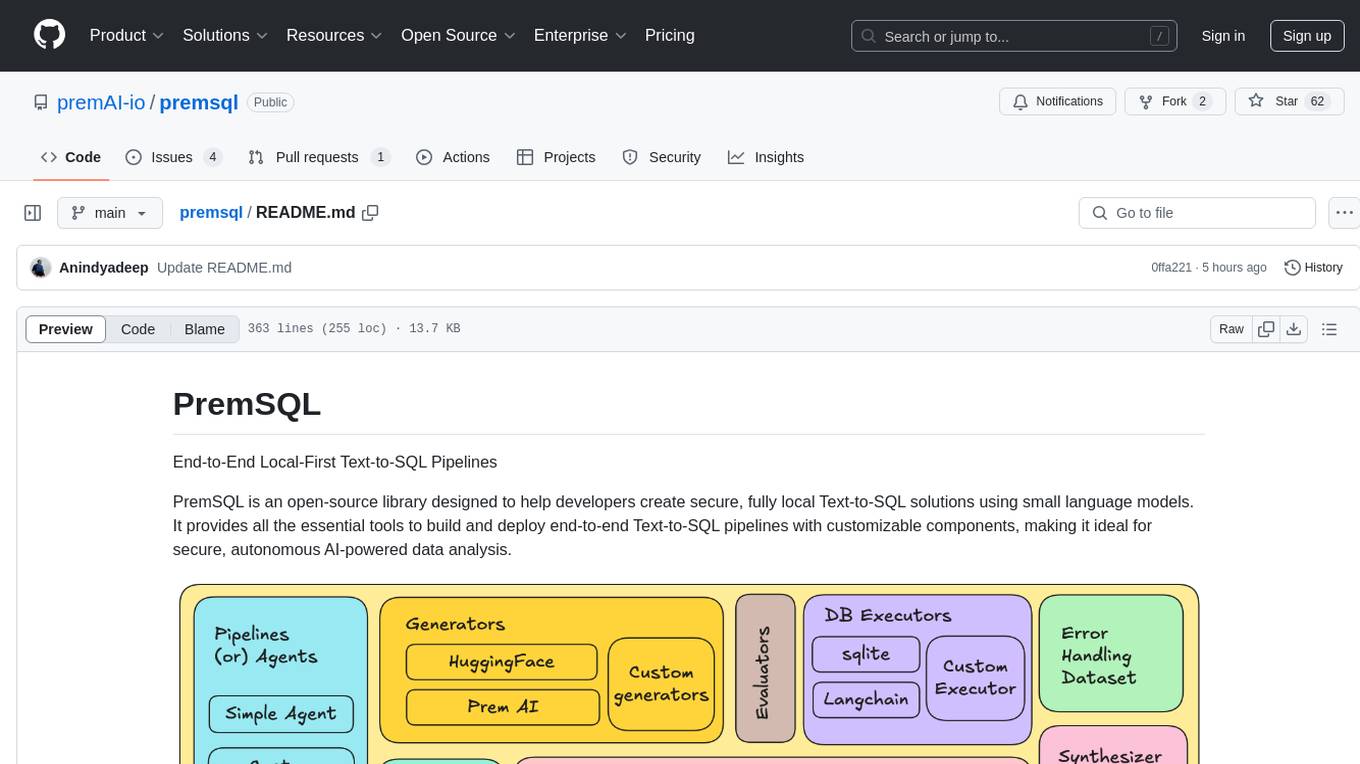
premsql
PremSQL is an open-source library designed to help developers create secure, fully local Text-to-SQL solutions using small language models. It provides essential tools for building and deploying end-to-end Text-to-SQL pipelines with customizable components, ideal for secure, autonomous AI-powered data analysis. The library offers features like Local-First approach, Customizable Datasets, Robust Executors and Evaluators, Advanced Generators, Error Handling and Self-Correction, Fine-Tuning Support, and End-to-End Pipelines. Users can fine-tune models, generate SQL queries from natural language inputs, handle errors, and evaluate model performance against predefined metrics. PremSQL is extendible for customization and private data usage.
web-llm
WebLLM is a modular and customizable javascript package that directly brings language model chats directly onto web browsers with hardware acceleration. Everything runs inside the browser with no server support and is accelerated with WebGPU. WebLLM is fully compatible with OpenAI API. That is, you can use the same OpenAI API on any open source models locally, with functionalities including json-mode, function-calling, streaming, etc. We can bring a lot of fun opportunities to build AI assistants for everyone and enable privacy while enjoying GPU acceleration.
helix-db
HelixDB is a database designed specifically for AI applications, providing a single platform to manage all components needed for AI applications. It supports graph + vector data model and also KV, documents, and relational data. Key features include built-in tools for MCP, embeddings, knowledge graphs, RAG, security, logical isolation, and ultra-low latency. Users can interact with HelixDB using the Helix CLI tool and SDKs in TypeScript and Python. The roadmap includes features like organizational auth, server code improvements, 3rd party integrations, educational content, and binary quantisation for better performance. Long term projects involve developing in-house tools for knowledge graph ingestion, graph-vector storage engine, and network protocol & serdes libraries.
sdialog
SDialog is an MIT-licensed open-source toolkit for building, simulating, and evaluating LLM-based conversational agents end-to-end. It aims to bridge agent construction, user simulation, dialog generation, and evaluation in a single reproducible workflow, enabling the generation of reliable, controllable dialog systems or data at scale. The toolkit standardizes a Dialog schema, offers persona-driven multi-agent simulation with LLMs, provides composable orchestration for precise control over behavior and flow, includes built-in evaluation metrics, and offers mechanistic interpretability. It allows for easy creation of user-defined components and interoperability across various AI platforms.
For similar tasks

Azure-Analytics-and-AI-Engagement
The Azure-Analytics-and-AI-Engagement repository provides packaged Industry Scenario DREAM Demos with ARM templates (Containing a demo web application, Power BI reports, Synapse resources, AML Notebooks etc.) that can be deployed in a customer’s subscription using the CAPE tool within a matter of few hours. Partners can also deploy DREAM Demos in their own subscriptions using DPoC.
sorrentum
Sorrentum is an open-source project that aims to combine open-source development, startups, and brilliant students to build machine learning, AI, and Web3 / DeFi protocols geared towards finance and economics. The project provides opportunities for internships, research assistantships, and development grants, as well as the chance to work on cutting-edge problems, learn about startups, write academic papers, and get internships and full-time positions at companies working on Sorrentum applications.

tidb
TiDB is an open-source distributed SQL database that supports Hybrid Transactional and Analytical Processing (HTAP) workloads. It is MySQL compatible and features horizontal scalability, strong consistency, and high availability.

zep-python
Zep is an open-source platform for building and deploying large language model (LLM) applications. It provides a suite of tools and services that make it easy to integrate LLMs into your applications, including chat history memory, embedding, vector search, and data enrichment. Zep is designed to be scalable, reliable, and easy to use, making it a great choice for developers who want to build LLM-powered applications quickly and easily.
telemetry-airflow
This repository codifies the Airflow cluster that is deployed at workflow.telemetry.mozilla.org (behind SSO) and commonly referred to as "WTMO" or simply "Airflow". Some links relevant to users and developers of WTMO: * The `dags` directory in this repository contains some custom DAG definitions * Many of the DAGs registered with WTMO don't live in this repository, but are instead generated from ETL task definitions in bigquery-etl * The Data SRE team maintains a WTMO Developer Guide (behind SSO)
mojo
Mojo is a new programming language that bridges the gap between research and production by combining Python syntax and ecosystem with systems programming and metaprogramming features. Mojo is still young, but it is designed to become a superset of Python over time.

pandas-ai
PandasAI is a Python library that makes it easy to ask questions to your data in natural language. It helps you to explore, clean, and analyze your data using generative AI.

databend
Databend is an open-source cloud data warehouse that serves as a cost-effective alternative to Snowflake. With its focus on fast query execution and data ingestion, it's designed for complex analysis of the world's largest datasets.
For similar jobs

sweep
Sweep is an AI junior developer that turns bugs and feature requests into code changes. It automatically handles developer experience improvements like adding type hints and improving test coverage.

teams-ai
The Teams AI Library is a software development kit (SDK) that helps developers create bots that can interact with Teams and Microsoft 365 applications. It is built on top of the Bot Framework SDK and simplifies the process of developing bots that interact with Teams' artificial intelligence capabilities. The SDK is available for JavaScript/TypeScript, .NET, and Python.

ai-guide
This guide is dedicated to Large Language Models (LLMs) that you can run on your home computer. It assumes your PC is a lower-end, non-gaming setup.

classifai
Supercharge WordPress Content Workflows and Engagement with Artificial Intelligence. Tap into leading cloud-based services like OpenAI, Microsoft Azure AI, Google Gemini and IBM Watson to augment your WordPress-powered websites. Publish content faster while improving SEO performance and increasing audience engagement. ClassifAI integrates Artificial Intelligence and Machine Learning technologies to lighten your workload and eliminate tedious tasks, giving you more time to create original content that matters.

chatbot-ui
Chatbot UI is an open-source AI chat app that allows users to create and deploy their own AI chatbots. It is easy to use and can be customized to fit any need. Chatbot UI is perfect for businesses, developers, and anyone who wants to create a chatbot.

BricksLLM
BricksLLM is a cloud native AI gateway written in Go. Currently, it provides native support for OpenAI, Anthropic, Azure OpenAI and vLLM. BricksLLM aims to provide enterprise level infrastructure that can power any LLM production use cases. Here are some use cases for BricksLLM: * Set LLM usage limits for users on different pricing tiers * Track LLM usage on a per user and per organization basis * Block or redact requests containing PIIs * Improve LLM reliability with failovers, retries and caching * Distribute API keys with rate limits and cost limits for internal development/production use cases * Distribute API keys with rate limits and cost limits for students

uAgents
uAgents is a Python library developed by Fetch.ai that allows for the creation of autonomous AI agents. These agents can perform various tasks on a schedule or take action on various events. uAgents are easy to create and manage, and they are connected to a fast-growing network of other uAgents. They are also secure, with cryptographically secured messages and wallets.

griptape
Griptape is a modular Python framework for building AI-powered applications that securely connect to your enterprise data and APIs. It offers developers the ability to maintain control and flexibility at every step. Griptape's core components include Structures (Agents, Pipelines, and Workflows), Tasks, Tools, Memory (Conversation Memory, Task Memory, and Meta Memory), Drivers (Prompt and Embedding Drivers, Vector Store Drivers, Image Generation Drivers, Image Query Drivers, SQL Drivers, Web Scraper Drivers, and Conversation Memory Drivers), Engines (Query Engines, Extraction Engines, Summary Engines, Image Generation Engines, and Image Query Engines), and additional components (Rulesets, Loaders, Artifacts, Chunkers, and Tokenizers). Griptape enables developers to create AI-powered applications with ease and efficiency.