


copilot-collections
Opinionated AI-enabled workflows for software engineering
Stars: 102
Copilot Collections is an opinionated setup for GitHub Copilot tailored for delivery teams. It provides shared workflows, specialized agents, task prompts, reusable skills, and MCP integrations to streamline the software development process. The focus is on building features while letting Copilot handle the glue. The setup requires a GitHub Copilot Pro license and VS Code version 1.109 or later. It supports a standard workflow of Research, Plan, Implement, and Review, with specialized flows for UI-heavy tasks and end-to-end testing. Agents like Architect, Business Analyst, Software Engineer, UI Reviewer, Code Reviewer, and E2E Engineer assist in different stages of development. Skills like Task Analysis, Architecture Design, Codebase Analysis, Code Review, and E2E Testing provide specialized domain knowledge and workflows. The repository also includes prompts and chat commands for various tasks, along with instructions for installation and configuration in VS Code.
README:

Opinionated GitHub Copilot setup for delivery teams – with shared workflows, agents, prompts, skills and MCP integrations.
Focus on building features – let Copilot handle the glue.
Built by The Software House.
- 🧠 Shared workflows – a 4‑phase delivery flow: Research → Plan → Implement → Review.
- 🧑💻 Specialized agents – Architect, Business Analyst, Software Engineer, UI Reviewer, Code Reviewer, E2E Engineer.
- 💬 Task prompts –
/research,/plan,/implement,/implement-ui,/review,/review-ui,/e2e,/code-quality-checkwith consistent behavior across projects. - 🧰 Reusable skills – Task Analysis, Architecture Design, Codebase Analysis, Code Review, Implementation Gap Analysis, E2E Testing, Technical Context Discovery, Frontend Implementation, UI Verification, SQL & Database Engineering.
- 🔌 MCP integrations – Atlassian, Figma Dev Mode, Context7, Playwright, Sequential Thinking.
- 🧩 VS Code setup – ready‑to‑plug global configuration via VS Code User Settings.
This configuration requires GitHub Copilot Pro license (or higher) to use custom agents and MCP integrations.
This configuration requires VS Code version 1.109 or later.
Our standard workflow is always:
Research → Plan → Implement → Review
- Builds context around a task using Jira, Figma and other integrated tools.
- Identifies missing information, risks, and open questions.
- Produces a concise summary and a list of unknowns.
- Translates the task into a structured implementation plan.
- Breaks work into phases and executable steps.
- Clarifies acceptance criteria and technical constraints.
- Executes against the agreed plan.
- Writes or modifies code with a focus on safety and clarity.
- Keeps changes scoped to the task, respecting existing architecture.
- Performs a structured code review against:
- Acceptance criteria
- Security and reliability
- Maintainability and style
- Surfaces risks and suggested improvements.
1️⃣ /research <JIRA_ID or task description>
   ↳ 📖 Review the generated research document
   ↳ ✅ Verify accuracy, iterate if needed

2️⃣ /plan     <JIRA_ID or task description>
   ↳ 📖 Review the implementation plan
   ↳ ✅ Confirm scope, phases, and acceptance criteria

3️⃣ /implement <JIRA_ID or task description>
   ↳ 📖 Review code changes after each phase
   ↳ ✅ Test functionality, verify against plan

4️⃣ /review   <JIRA_ID or task description>
   ↳ 📖 Review findings and recommendations
   ↳ ✅ Address blockers before merging
You can run the same flow with either a Jira ticket ID or a free‑form task description.
⚠️ Important: Each step requires your review and verification. Open the generated documents, go through them carefully, and iterate as many times as needed until the output looks correct. AI assistance does not replace human judgment – treat each output as a draft that needs your approval before proceeding.
For UI-heavy tasks with Figma designs, use the specialized frontend workflow:
1️⃣ /research     <JIRA_ID or task description>
   ↳ 📖 Review research doc – verify Figma links, requirements
   ↳ ✅ Iterate until context is complete and accurate

2️⃣ /plan         <JIRA_ID or task description>
   ↳ 📖 Review plan – check component breakdown, design references
   ↳ ✅ Confirm phases align with Figma structure

3️⃣ /implement-ui <JIRA_ID or task description>
   ↳ 📖 Review code changes and UI Verification Summary
   ↳ ✅ Manually verify critical UI elements in browser
   ↳ 🔄 Agent calls /review-ui in a loop until PASS or escalation

4️⃣ /review       <JIRA_ID or task description>
   ↳ 📖 Review findings – code quality, a11y, performance
   ↳ ✅ Address all blockers before merging
⚠️ Important: The automated Figma verification loop helps catch visual mismatches, but it does not replace manual review. Always visually inspect the implemented UI in the browser, test interactions, and verify responsive behavior yourself.
How the verification loop works:
-
/implement-uiimplements a UI component - Calls
/review-uito perform single-pass verification (read-only) -
/review-uiuses Figma MCP (EXPECTED) + Playwright MCP (ACTUAL) → returns PASS or FAIL with diff table - If FAIL →
/implement-uifixes the code and calls/review-uiagain - Repeats until PASS or max 5 iterations (then escalates)
What /review-ui does:
- Single-pass, read-only verification – does not modify code
- Uses Figma MCP to extract design specifications
- Uses Playwright MCP to capture current implementation
- Returns structured report: PASS/FAIL + difference table with exact values
What /implement-ui does:
- Implements UI components following the plan
- Runs iterative verification loop calling
/review-uiafter each component -
Fixes mismatches based on
/review-uireports - Escalates after 5 failed iterations with detailed report
- Produces UI Verification Summary before code review
For features that need end-to-end test coverage:
1️⃣ /research <JIRA_ID or task description> ↳ 📖 Review research doc – understand feature scope and user journeys ↳ ✅ Identify critical paths that need E2E coverage
2️⃣ /plan <JIRA_ID or task description> ↳ 📖 Review plan – confirm test scenarios and acceptance criteria ↳ ✅ Ensure E2E testing is included in the plan
4️⃣ /e2e <JIRA_ID or task description> ↳ 📖 Implements Page Objects, test files, and fixtures ↳ ✅ Run tests locally, verify they pass ↳ 🔄 Iterate on flaky or failing tests
⚠️ Important: The/e2ecommand generates tests using Playwright MCP for real-time browser interaction. Always run the generated tests locally, review test scenarios for completeness, and verify they cover the critical user journeys identified during research.
These are configured as Copilot agents / sub‑agents.
- Focus: solution design and implementation proposals.
- Helps break down complex tasks into components and interfaces.
- Produces architecture sketches, trade‑off analyses, and integration strategies.
- Focus: requirements, context and domain understanding.
- Extracts and organizes information from Jira issues and other sources.
- Identifies missing requirements, stakeholders, edge cases, and business rules.
- Focus: implementing the agreed plan (backend and frontend).
- Writes and refactors code in small, reviewable steps.
- Follows repository style, tests where available, and avoids over‑engineering.
- For UI tasks: uses design system, ensures accessibility, and runs iterative Figma verification.
- Focus: single-pass UI verification against Figma designs.
- Performs read-only comparison: Figma (EXPECTED) vs Playwright (ACTUAL).
- Returns PASS/FAIL verdict with structured difference table.
- Called by
/implement-uiin a loop; can also be used standalone.
- Focus: structured code review and risk detection.
- Checks changes against acceptance criteria, security and reliability guidelines.
- Suggests concrete improvements, alternative designs, and missing tests.
- Focus: end-to-end testing with Playwright.
- Creates comprehensive, reliable test suites for critical user journeys.
- Uses Page Object Model, proper fixtures, and accessibility-first locators.
- Integrates with Playwright MCP for real-time test debugging and validation.
- Follows testing pyramid principles - E2E for critical paths, not unit-level validation.
Each agent is designed to be used together with the workflow prompts below.
Skills provide specialized domain knowledge and structured workflows that agents automatically load when relevant to a task. They encode tested, step-by-step processes for common activities — ensuring consistent, high-quality outputs across team members.
Skills are stored in .github/skills/ and are picked up automatically by Copilot when enabled via chat.agentSkillsLocations in VS Code settings.
- Focus: gathering and expanding context for a development task.
- Pulls information from Jira, Confluence, GitHub, and other integrated tools.
- Identifies gaps in task descriptions and asks clarification questions.
- Produces a finalized research report with all findings.
- Focus: designing solution architecture that follows best practices.
- Analyzes the current codebase and task requirements.
- Proposes a solution that is scalable, secure, and easy to maintain.
- Covers patterns like DRY, KISS, DDD, CQRS, modular/hexagonal architecture, and more.
- Focus: structured analysis of the entire codebase.
- Reviews repository structure, dependencies, scripts, and architecture.
- Examines backend, frontend, infrastructure, and third-party integrations.
- Identifies dead code, duplications, security concerns, and potential improvements.
- Focus: verifying implemented code against quality standards.
- Compares implementation to the task description and plan.
- Validates test coverage, security, scalability, and best practices.
- Runs available tests and static analysis tools.
- Focus: comparing expected vs. actual implementation state.
- Analyzes what needs to be built, what already exists, and what must be modified.
- Cross-references task requirements with the current codebase.
- Produces a structured gap report for planning next steps.
- Focus: end-to-end testing patterns and practices using Playwright.
- Provides Page Object Model patterns, test structure templates, and mocking strategies.
- Includes a verification loop with iteration limits and flaky test detection.
- Covers error recovery strategies and CI readiness checklists.
- Ensures consistent, reliable E2E tests across the team.
- Focus: establishing technical context before implementing any feature.
- Prioritizes project instructions, existing codebase patterns, and external documentation — in that order.
- Checks for Copilot instruction files, analyzes existing code conventions, and consults external docs as a fallback.
- Ensures new code is consistent with established patterns and prevents conflicting conventions.
- Focus: frontend implementation patterns and best practices.
- Covers accessibility requirements, design system usage, component patterns, and performance guidelines.
- Provides token mapping process, semantic markup guidelines, and ARIA usage patterns.
- Includes component implementation checklist and anti-patterns to avoid.
- Focus: verifying UI implementation against Figma designs.
- Defines verification categories: structure, layout, dimensions, visual, components.
- Provides severity definitions, tolerance rules, and verification checklists.
- Includes confidence levels and report format for consistent verification outputs.
- Focus: database schema design, performant SQL, and query debugging.
- Covers naming conventions, primary key strategies, data type selection, and normalisation.
- Provides indexing strategies, join optimisation, locking mechanics, and transaction patterns.
- Includes query debugging with
EXPLAIN ANALYZEand common anti-pattern detection. - Supports ORM integration with TypeORM, Prisma, Doctrine, Eloquent, Entity Framework, Hibernate, and GORM.
- Applies to PostgreSQL, MySQL, MariaDB, SQL Server, and Oracle.
All commands work with either a Jira ID or a plain‑text description.
- Gathers all available information about the task.
- Pulls context from Jira, design artifacts, and code (via MCPs where applicable).
- Outputs: task summary, assumptions, open questions, and suggested next steps.
- Creates a multi‑step implementation plan.
- Groups work into phases and tasks aligned with your repo structure.
- Outputs: checklist‑style plan that can be executed by the Software Engineer agent.
- Implements the previously defined plan.
- Proposes file changes, refactors, and new code in a focused way.
- Outputs: concrete modifications and guidance on how to apply/test them.
- Implements UI features with iterative Figma verification.
- Extends
/implementwith a verification loop after each component. - Uses Playwright to capture current UI state and Figma MCP to compare with designs.
- Automatically fixes mismatches and re-verifies until implementation matches design.
- Outputs: code changes + UI Verification Summary with iteration counts.
- Performs single-pass UI verification comparing implementation against Figma.
- Uses Figma MCP (EXPECTED) and Playwright MCP (ACTUAL) to compare.
- Read-only – reports differences but does not fix them.
- Called by
/implement-uiin a loop; can also be used standalone. - Outputs: PASS/FAIL verdict + structured difference table with exact values.
- Reviews the final implementation against the plan and requirements.
- Highlights security, reliability, performance, and maintainability concerns.
- Outputs: structured review with clear “pass/blockers/suggestions”.
- Creates comprehensive end-to-end tests for the feature using Playwright.
- Analyzes the application, designs test scenarios, and implements Page Objects.
- Uses Playwright MCP for real-time interaction and test verification.
- Follows BDD-style scenarios with proper Arrange-Act-Assert structure.
- Outputs: Page Objects, test files, fixtures, and execution report.
- Performs a comprehensive code quality analysis of the repository.
- Detects dead code, unused imports, unreachable code paths, and orphaned files.
- Identifies code duplications across functions, components, API patterns, and type definitions.
- Proposes improvement opportunities covering complexity, naming, error handling, performance, and security.
- Includes an architecture review evaluating module boundaries, dependency graph, and separation of concerns.
- For monorepos, analyzes each layer/app separately using parallel subagents.
- Outputs: prioritized
code-quality-report.mdwith severity levels (🔴 Critical / 🟡 Important / 🟢 Nice to Have) and a recommended action plan.
cd ~/projects
git clone <this-repo-url> copilot-collections
The important part is that VS Code can see the .github/prompts, .github/agents and .github/skills folders from this repository.
You can configure this once at the user level and reuse it across all workspaces.
- Open the Command Palette:
CMD+Shift+P. - Select “Preferences: Open User Settings (JSON)”.
- Add or merge the following configuration:
- Adjust the path (
~/projects/copilot-collections/...) if your folder layout differs. - Once set, these locations are available in all VS Code workspaces.
If you prefer the UI instead of editing JSON directly:
- Open Settings (
CMD+,). - Search for "promptFilesLocations" and add entry pointing to the
~/projects/copilot-collections/.github/promptsdirectory. - Search for "agentFilesLocations" and add entry pointing to the
~/projects/copilot-collections/.github/agentsdirectory. - Search for "agentSkillsLocations" and add entry pointing to the
~/projects/copilot-collections/.github/skillsdirectory. - Search for "chat.useAgentSkills" and enable it, this will allow Copilot to use Skills
- Search for "chat.customAgentInSubagent.enabled" and enable it, this will allow Custom Agents to be used in Subagents
- Search for "github.copilot.chat.searchSubagent.enabled" and enable it, this will allow Copilot to use special search subagent for better codebase analysis
- Search for "chat.experimental.useSkillAdherencePrompt" and enable it, this will force Copilot to use Skills more often
- Search for "github.copilot.chat.agentCustomizationSkill.enabled" and enable it, this will enable a special Skill to help you build custom agents, skills, prompts
To unlock the full workflow (Jira, Figma, code search, browser automation), you need to configure the MCP servers. We provide a ready-to-use template in .vscode/mcp.json.
You have two options for installation:
This is the best option as it enables these tools globally across all your projects.
- Open the Command Palette:
CMD+Shift+P. - Type and select “MCP: Open User Configuration”.
- This will open your global
mcp.jsonfile. - Copy the contents of
.vscode/mcp.jsonfrom this repository and paste them into your user configuration file.
Use this if you want to enable these tools only for a specific project.
- Copy the
.vscode/mcp.jsonfile from this repository. - Paste it into the
.vscodefolder of your target project (e.g.,my-project/.vscode/mcp.json).
To learn more about configuring these servers, check their official documentation:
To get higher rate limits and access to private repositories, you can provide a Context7 API key. You can get your key at context7.com/dashboard.
We use VS Code's inputs feature to securely prompt for the API key. When you first use the Context7 MCP, VS Code will ask for the key and store it securely.
To enable this, modify your mcp.json configuration (User or Workspace) to use the --api-key CLI argument with an input variable:
{
"servers": {
"context7": {
"type": "stdio",
"command": "npx",
"args": [
"-y",
"@upstash/context7-mcp@latest",
"--api-key",
"${input:context7-api-key}"
]
}
},
"inputs": [
{
"id": "context7-api-key",
"description": "Context7 API Key (optional, for higher rate limits)",
"type": "promptString",
"password": true
}
]
}Note: Server IDs in
mcp.jsonare lowercase (e.g.,context7,figma-mcp-server). If you copied an older template with different names, update your configuration to match the current template.
- 🧩 Atlassian MCP – access Jira issues for
/research,/plan,/implement,/review. - 🎨 Figma MCP Server – pull design details, components, and variables for design‑driven work.
- 📚 Context7 MCP – semantic search in external docs and knowledge bases.
- 🧪 Playwright MCP – run browser interactions and end‑to‑end style checks from Copilot.
- 🧠 Sequential Thinking MCP – advanced reasoning tool for complex problem analysis.
Some MCPs require API keys or local apps running. Configure auth as described in each MCP's own documentation.
We use the Sequential Thinking MCP to handle complex logic, reduce hallucinations, and ensure thorough problem analysis. It allows agents to:
- Revise previous thoughts when new information is found.
- Branch into alternative lines of thinking.
- Track progress through a complex task.
Once the repo is cloned and VS Code User Settings are configured:
-
Open your project in VS Code.
-
Open GitHub Copilot Chat.
-
Switch to one of the configured agents (Architect, Business Analyst, Software Engineer, Code Reviewer).
-
Use the workflow prompts:
/research <JIRA_ID>/plan <JIRA_ID>/implement <JIRA_ID>/review <JIRA_ID>
For frontend tasks with Figma designs:
-
/research <JIRA_ID>– gather requirements including design context -
/plan <JIRA_ID>– create implementation plan -
/implement-ui <JIRA_ID>– implement with iterative Figma verification (calls/review-uiin loop) -
/review <JIRA_ID>– final code review
Standalone utilities:
-
/code-quality-check– comprehensive code quality analysis (dead code, duplications, improvements)
All of these will leverage the shared configuration from copilot-collections while still respecting your project’s own code and context.
- Central place for shared Copilot agents, prompts, and workflows.
- Optimized for teams working with Jira, Figma, MCPs, and VS Code.
- Designed to be plug‑and‑play – clone next to your projects, configure it once in VS Code User Settings, and start using
/research → /plan → /implement → /reviewimmediately in any workspace.
This project is licensed under the MIT License.
© 2026 The Software House
For Tasks:
Click tags to check more tools for each tasksFor Jobs:
Alternative AI tools for copilot-collections
Similar Open Source Tools
copilot-collections
Copilot Collections is an opinionated setup for GitHub Copilot tailored for delivery teams. It provides shared workflows, specialized agents, task prompts, reusable skills, and MCP integrations to streamline the software development process. The focus is on building features while letting Copilot handle the glue. The setup requires a GitHub Copilot Pro license and VS Code version 1.109 or later. It supports a standard workflow of Research, Plan, Implement, and Review, with specialized flows for UI-heavy tasks and end-to-end testing. Agents like Architect, Business Analyst, Software Engineer, UI Reviewer, Code Reviewer, and E2E Engineer assist in different stages of development. Skills like Task Analysis, Architecture Design, Codebase Analysis, Code Review, and E2E Testing provide specialized domain knowledge and workflows. The repository also includes prompts and chat commands for various tasks, along with instructions for installation and configuration in VS Code.
Zentara-Code
Zentara Code is an AI coding assistant for VS Code that turns chat instructions into precise, auditable changes in the codebase. It is optimized for speed, safety, and correctness through parallel execution, LSP semantics, and integrated runtime debugging. It offers features like parallel subagents, integrated LSP tools, and runtime debugging for efficient code modification and analysis.
kheish
Kheish is an open-source, multi-role agent designed for complex tasks that require structured, step-by-step collaboration with Large Language Models (LLMs). It acts as an intelligent agent that can request modules on demand, integrate user feedback, switch between specialized roles, and deliver refined results. By harnessing multiple 'sub-agents' within one framework, Kheish tackles tasks like security audits, file searches, RAG-based exploration, and more.
MARBLE
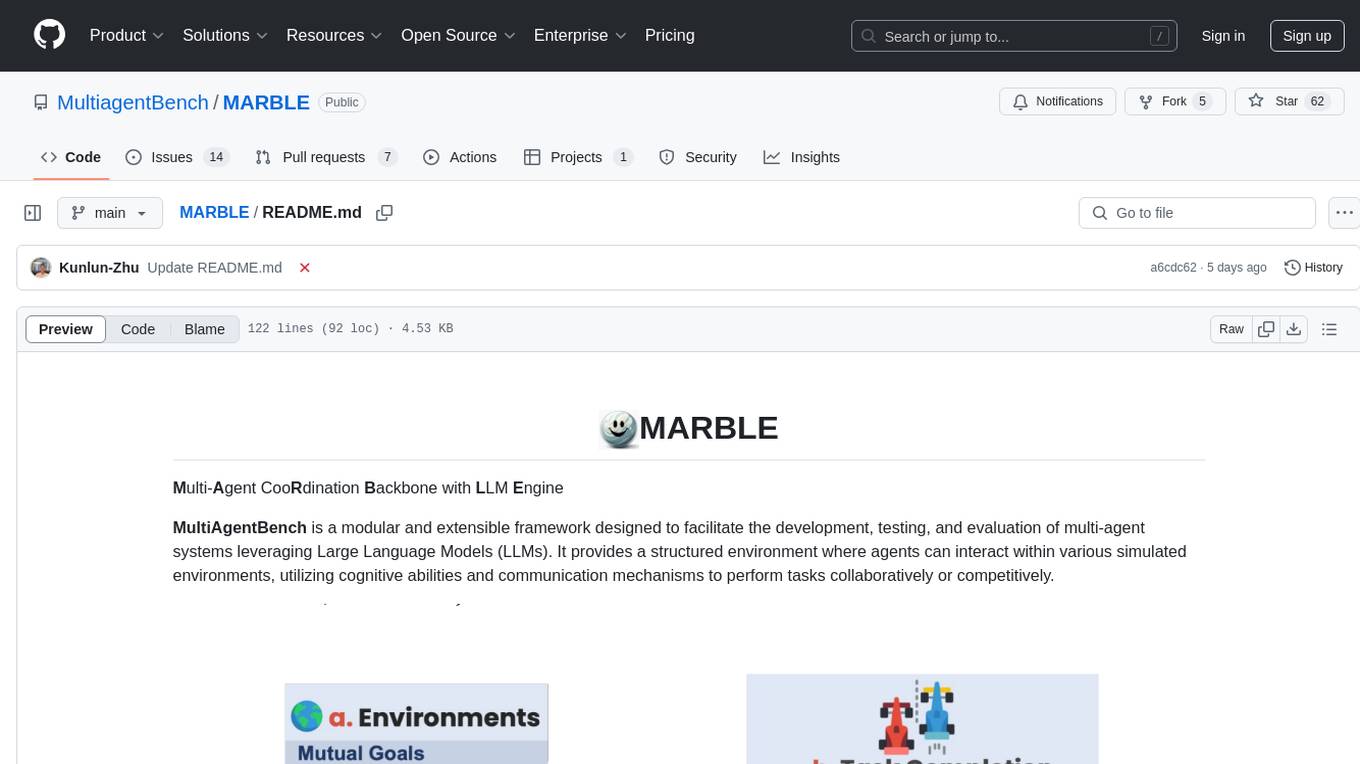
MARBLE (Multi-Agent Coordination Backbone with LLM Engine) is a modular framework for developing, testing, and evaluating multi-agent systems leveraging Large Language Models. It provides a structured environment for agents to interact in simulated environments, utilizing cognitive abilities and communication mechanisms for collaborative or competitive tasks. The framework features modular design, multi-agent support, LLM integration, shared memory, flexible environments, metrics and evaluation, industrial coding standards, and Docker support.

maiar-ai
MAIAR is a composable, plugin-based AI agent framework designed to abstract data ingestion, decision-making, and action execution into modular plugins. It enables developers to define triggers and actions as standalone plugins, while the core runtime handles decision-making dynamically. This framework offers extensibility, composability, and model-driven behavior, allowing seamless addition of new functionality. MAIAR's architecture is influenced by Unix pipes, ensuring highly composable plugins, dynamic execution pipelines, and transparent debugging. It remains declarative and extensible, allowing developers to build complex AI workflows without rigid architectures.
CyberStrikeAI
CyberStrikeAI is an AI-native security testing platform built in Go that integrates 100+ security tools, an intelligent orchestration engine, role-based testing with predefined security roles, a skills system with specialized testing skills, and comprehensive lifecycle management capabilities. It enables end-to-end automation from conversational commands to vulnerability discovery, attack-chain analysis, knowledge retrieval, and result visualization, delivering an auditable, traceable, and collaborative testing environment for security teams. The platform features an AI decision engine with OpenAI-compatible models, native MCP implementation with various transports, prebuilt tool recipes, large-result pagination, attack-chain graph, password-protected web UI, knowledge base with vector search, vulnerability management, batch task management, role-based testing, and skills system.
VeritasGraph
VeritasGraph is an enterprise-grade graph RAG framework designed for secure, on-premise AI applications. It leverages a knowledge graph to perform complex, multi-hop reasoning, providing transparent, auditable reasoning paths with full source attribution. The framework excels at answering complex questions that traditional vector search engines struggle with, ensuring trust and reliability in enterprise AI. VeritasGraph offers full control over data and AI models, verifiable attribution for every claim, advanced graph reasoning capabilities, and open-source deployment with sovereignty and customization.
kestra
Kestra is an open-source event-driven orchestration platform that simplifies building scheduled and event-driven workflows. It offers Infrastructure as Code best practices for data, process, and microservice orchestration, allowing users to create reliable workflows using YAML configuration. Key features include everything as code with Git integration, event-driven and scheduled workflows, rich plugin ecosystem for data extraction and script running, intuitive UI with syntax highlighting, scalability for millions of workflows, version control friendly, and various features for structure and resilience. Kestra ensures declarative orchestration logic management even when workflows are modified via UI, API calls, or other methods.
Vodalus-Expert-LLM-Forge
Vodalus Expert LLM Forge is a tool designed for crafting datasets and efficiently fine-tuning models using free open-source tools. It includes components for data generation, LLM interaction, RAG engine integration, model training, fine-tuning, and quantization. The tool is suitable for users at all levels and is accompanied by comprehensive documentation. Users can generate synthetic data, interact with LLMs, train models, and optimize performance for local execution. The tool provides detailed guides and instructions for setup, usage, and customization.

griptape
Griptape is a modular Python framework for building AI-powered applications that securely connect to your enterprise data and APIs. It offers developers the ability to maintain control and flexibility at every step. Griptape's core components include Structures (Agents, Pipelines, and Workflows), Tasks, Tools, Memory (Conversation Memory, Task Memory, and Meta Memory), Drivers (Prompt and Embedding Drivers, Vector Store Drivers, Image Generation Drivers, Image Query Drivers, SQL Drivers, Web Scraper Drivers, and Conversation Memory Drivers), Engines (Query Engines, Extraction Engines, Summary Engines, Image Generation Engines, and Image Query Engines), and additional components (Rulesets, Loaders, Artifacts, Chunkers, and Tokenizers). Griptape enables developers to create AI-powered applications with ease and efficiency.

minefield
BitBom Minefield is a tool that uses roaring bit maps to graph Software Bill of Materials (SBOMs) with a focus on speed, air-gapped operation, scalability, and customizability. It is optimized for rapid data processing, operates securely in isolated environments, supports millions of nodes effortlessly, and allows users to extend the project without relying on upstream changes. The tool enables users to manage and explore software dependencies within isolated environments by offline processing and analyzing SBOMs.
octocode-mcp
Octocode is a methodology and platform that empowers AI assistants with the skills of a Senior Staff Engineer. It transforms how AI interacts with code by moving from 'guessing' based on training data to 'knowing' based on deep, evidence-based research. The ecosystem includes the Manifest for Research Driven Development, the MCP Server for code interaction, Agent Skills for extending AI capabilities, a CLI for managing agent capabilities, and comprehensive documentation covering installation, core concepts, tutorials, and reference materials.
chatnio
Chat Nio is a next-generation AIGC one-stop business solution that combines the advantages of frontend-oriented lightweight deployment projects with powerful API distribution systems. It offers rich model support, beautiful UI design, complete Markdown support, multi-theme support, internationalization support, text-to-image support, powerful conversation sync, model market & preset system, rich file parsing, full model internet search, Progressive Web App (PWA) support, comprehensive backend management, multiple billing methods, innovative model caching, and additional features. The project aims to address limitations in conversation synchronization, billing, file parsing, conversation URL sharing, channel management, and API call support found in existing AIGC commercial sites, while also providing a user-friendly interface design and C-end features.
DreamLayer
DreamLayer AI is an open-source Stable Diffusion WebUI designed for AI researchers, labs, and developers. It automates prompts, seeds, and metrics for benchmarking models, datasets, and samplers, enabling reproducible evaluations across multiple seeds and configurations. The tool integrates custom metrics and evaluation pipelines, providing a streamlined workflow for AI research. With features like automated benchmarking, reproducibility, built-in metrics, multi-modal readiness, and researcher-friendly interface, DreamLayer AI aims to simplify and accelerate the model evaluation process.
comfyui_LLM_Polymath
LLM Polymath Chat Node is an advanced Chat Node for ComfyUI that integrates large language models to build text-driven applications and automate data processes, enhancing prompt responses by incorporating real-time web search, linked content extraction, and custom agent instructions. It supports both OpenAI’s GPT-like models and alternative models served via a local Ollama API. The core functionalities include Comfy Node Finder and Smart Assistant, along with additional agents like Flux Prompter, Custom Instructors, Python debugger, and scripter. The tool offers features for prompt processing, web search integration, model & API integration, custom instructions, image handling, logging & debugging, output compression, and more.
ai
Jetify's AI SDK for Go is a unified interface for interacting with multiple AI providers including OpenAI, Anthropic, and more. It addresses the challenges of fragmented ecosystems, vendor lock-in, poor Go developer experience, and complex multi-modal handling by providing a unified interface, Go-first design, production-ready features, multi-modal support, and extensible architecture. The SDK supports language models, embeddings, image generation, multi-provider support, multi-modal inputs, tool calling, and structured outputs.
For similar tasks
agentica
Agentica is a human-centric framework for building large language model agents. It provides functionalities for planning, memory management, tool usage, and supports features like reflection, planning and execution, RAG, multi-agent, multi-role, and workflow. The tool allows users to quickly code and orchestrate agents, customize prompts, and make API calls to various services. It supports API calls to OpenAI, Azure, Deepseek, Moonshot, Claude, Ollama, and Together. Agentica aims to simplify the process of building AI agents by providing a user-friendly interface and a range of functionalities for agent development.
ring
Ring is a comprehensive skills library and workflow system for AI agents that transforms how AI assistants approach software development. It provides battle-tested patterns, mandatory workflows, and systematic approaches across the entire software delivery value chain. With 74 specialized skills and 33 specialized agents, Ring enforces proven workflows, automates skill discovery, and prevents common failures. The repository includes multiple plugins for different team specializations, each offering a set of skills, agents, and commands to streamline various aspects of software development.
copilot-collections
Copilot Collections is an opinionated setup for GitHub Copilot tailored for delivery teams. It provides shared workflows, specialized agents, task prompts, reusable skills, and MCP integrations to streamline the software development process. The focus is on building features while letting Copilot handle the glue. The setup requires a GitHub Copilot Pro license and VS Code version 1.109 or later. It supports a standard workflow of Research, Plan, Implement, and Review, with specialized flows for UI-heavy tasks and end-to-end testing. Agents like Architect, Business Analyst, Software Engineer, UI Reviewer, Code Reviewer, and E2E Engineer assist in different stages of development. Skills like Task Analysis, Architecture Design, Codebase Analysis, Code Review, and E2E Testing provide specialized domain knowledge and workflows. The repository also includes prompts and chat commands for various tasks, along with instructions for installation and configuration in VS Code.
AI-Governor-Framework
The AI Governor Framework is a system designed to govern AI assistants in coding projects by providing rules and workflows to ensure consistency, respect architectural decisions, and enforce coding standards. It leverages Context Engineering to provide the AI with the right information at the right time, using an In-Repo approach to keep governance rules and architectural context directly inside the repository. The framework consists of two core components: The Governance Engine for passive rules and the Operator's Playbook for active protocols. It follows a 4-step Operator's Playbook to move features from idea to production with clarity and control.
awesome-slash
Automate the entire development workflow beyond coding. awesome-slash provides production-ready skills, agents, and commands for managing tasks, branches, reviews, CI, and deployments. It automates the entire workflow, including task exploration, planning, implementation, review, and shipping. The tool includes 11 plugins, 40 agents, 26 skills, and 26k lines of lib code, with 3,357 tests and support for 3 platforms. It works with Claude Code, OpenCode, and Codex CLI, offering specialized capabilities through skills and agents.
smithers
Smithers is a tool for declarative AI workflow orchestration using React components. It allows users to define complex multi-agent workflows as component trees, ensuring composability, durability, and error handling. The tool leverages React's re-rendering mechanism to persist outputs to SQLite, enabling crashed workflows to resume seamlessly. Users can define schemas for task outputs, create workflow instances, define agents, build workflow trees, and run workflows programmatically or via CLI. Smithers supports components for pipeline stages, structured output validation with Zod, MDX prompts, validation loops with Ralph, dynamic branching, and various built-in tools like read, edit, bash, grep, and write. The tool follows a clear workflow execution process involving defining, rendering, executing, re-rendering, and repeating tasks until completion, all while storing task results in SQLite for fault tolerance.
agentsys
AgentSys is a modular runtime and orchestration system for AI agents, with 13 plugins, 42 agents, and 28 skills that compose into structured pipelines for software development. It handles task selection, branch management, code review, artifact cleanup, CI, PR comments, and deployment. The system runs on Claude Code, OpenCode, and Codex CLI, providing a functional software suite and runtime for AI agent orchestration.
github-pr-summary
github-pr-summary is a bot designed to summarize GitHub Pull Requests, helping open source contributors make faster decisions. It automatically summarizes commits and changed files in PRs, triggered by new commits or a magic trigger phrase. Users can deploy their own code review bot in 3 steps: create a bot from their GitHub repo, configure it to review PRs, and connect to GitHub for access to the target repo. The bot runs on flows.network using Rust and WasmEdge Runtimes. It utilizes ChatGPT/4 to review and summarize PR content, posting the result back as a comment on the PR. The bot can be used on multiple repos by creating new flows and importing the source code repo, specifying the target repo using flow config. Users can also change the magic phrase to trigger a review from a PR comment.
For similar jobs

Azure-Analytics-and-AI-Engagement
The Azure-Analytics-and-AI-Engagement repository provides packaged Industry Scenario DREAM Demos with ARM templates (Containing a demo web application, Power BI reports, Synapse resources, AML Notebooks etc.) that can be deployed in a customer’s subscription using the CAPE tool within a matter of few hours. Partners can also deploy DREAM Demos in their own subscriptions using DPoC.
skyvern
Skyvern automates browser-based workflows using LLMs and computer vision. It provides a simple API endpoint to fully automate manual workflows, replacing brittle or unreliable automation solutions. Traditional approaches to browser automations required writing custom scripts for websites, often relying on DOM parsing and XPath-based interactions which would break whenever the website layouts changed. Instead of only relying on code-defined XPath interactions, Skyvern adds computer vision and LLMs to the mix to parse items in the viewport in real-time, create a plan for interaction and interact with them. This approach gives us a few advantages: 1. Skyvern can operate on websites it’s never seen before, as it’s able to map visual elements to actions necessary to complete a workflow, without any customized code 2. Skyvern is resistant to website layout changes, as there are no pre-determined XPaths or other selectors our system is looking for while trying to navigate 3. Skyvern leverages LLMs to reason through interactions to ensure we can cover complex situations. Examples include: 1. If you wanted to get an auto insurance quote from Geico, the answer to a common question “Were you eligible to drive at 18?” could be inferred from the driver receiving their license at age 16 2. If you were doing competitor analysis, it’s understanding that an Arnold Palmer 22 oz can at 7/11 is almost definitely the same product as a 23 oz can at Gopuff (even though the sizes are slightly different, which could be a rounding error!) Want to see examples of Skyvern in action? Jump to #real-world-examples-of- skyvern

pandas-ai
PandasAI is a Python library that makes it easy to ask questions to your data in natural language. It helps you to explore, clean, and analyze your data using generative AI.
vanna
Vanna is an open-source Python framework for SQL generation and related functionality. It uses Retrieval-Augmented Generation (RAG) to train a model on your data, which can then be used to ask questions and get back SQL queries. Vanna is designed to be portable across different LLMs and vector databases, and it supports any SQL database. It is also secure and private, as your database contents are never sent to the LLM or the vector database.

databend
Databend is an open-source cloud data warehouse that serves as a cost-effective alternative to Snowflake. With its focus on fast query execution and data ingestion, it's designed for complex analysis of the world's largest datasets.
Avalonia-Assistant
Avalonia-Assistant is an open-source desktop intelligent assistant that aims to provide a user-friendly interactive experience based on the Avalonia UI framework and the integration of Semantic Kernel with OpenAI or other large LLM models. By utilizing Avalonia-Assistant, you can perform various desktop operations through text or voice commands, enhancing your productivity and daily office experience.
marvin
Marvin is a lightweight AI toolkit for building natural language interfaces that are reliable, scalable, and easy to trust. Each of Marvin's tools is simple and self-documenting, using AI to solve common but complex challenges like entity extraction, classification, and generating synthetic data. Each tool is independent and incrementally adoptable, so you can use them on their own or in combination with any other library. Marvin is also multi-modal, supporting both image and audio generation as well using images as inputs for extraction and classification. Marvin is for developers who care more about _using_ AI than _building_ AI, and we are focused on creating an exceptional developer experience. Marvin users should feel empowered to bring tightly-scoped "AI magic" into any traditional software project with just a few extra lines of code. Marvin aims to merge the best practices for building dependable, observable software with the best practices for building with generative AI into a single, easy-to-use library. It's a serious tool, but we hope you have fun with it. Marvin is open-source, free to use, and made with 💙 by the team at Prefect.

activepieces
Activepieces is an open source replacement for Zapier, designed to be extensible through a type-safe pieces framework written in Typescript. It features a user-friendly Workflow Builder with support for Branches, Loops, and Drag and Drop. Activepieces integrates with Google Sheets, OpenAI, Discord, and RSS, along with 80+ other integrations. The list of supported integrations continues to grow rapidly, thanks to valuable contributions from the community. Activepieces is an open ecosystem; all piece source code is available in the repository, and they are versioned and published directly to npmjs.com upon contributions. If you cannot find a specific piece on the pieces roadmap, please submit a request by visiting the following link: Request Piece Alternatively, if you are a developer, you can quickly build your own piece using our TypeScript framework. For guidance, please refer to the following guide: Contributor's Guide
{
  "chat.promptFilesLocations": {
    "~/projects/copilot-collections/.github/prompts": true,
  },
  "chat.agentFilesLocations": {
    "~/projects/copilot-collections/.github/agents": true,
  },
  "chat.agentSkillsLocations": {
    "~/projects/copilot-collections/.github/skills": true,
  },
  "chat.useAgentSkills": true,
  "github.copilot.chat.searchSubagent.enabled": true,
  "chat.experimental.useSkillAdherencePrompt": true,
  "chat.customAgentInSubagent.enabled": true,
  "github.copilot.chat.agentCustomizationSkill.enabled": true,
}