


smithers
Advanced AI Agents in React
Stars: 52
Smithers is a tool for declarative AI workflow orchestration using React components. It allows users to define complex multi-agent workflows as component trees, ensuring composability, durability, and error handling. The tool leverages React's re-rendering mechanism to persist outputs to SQLite, enabling crashed workflows to resume seamlessly. Users can define schemas for task outputs, create workflow instances, define agents, build workflow trees, and run workflows programmatically or via CLI. Smithers supports components for pipeline stages, structured output validation with Zod, MDX prompts, validation loops with Ralph, dynamic branching, and various built-in tools like read, edit, bash, grep, and write. The tool follows a clear workflow execution process involving defining, rendering, executing, re-rendering, and repeating tasks until completion, all while storing task results in SQLite for fault tolerance.
README:
Declarative AI workflow orchestration with React.
Multi-agent workflows are messy. Prompt chains break. Error handling is ad hoc. State lives in variables that vanish when your process crashes. Smithers fixes this by letting you define AI workflows as React component trees — declarative, composable, and automatically durable.
import { createSmithers, Task, Parallel, Ralph } from "smithers-orchestrator";

const { Workflow, smithers } = createSmithers({
  discover: z.object({ issues: z.array(z.string()) }),
  ticket:   z.object({ title: z.string(), body: z.string() }),
  review:   z.object({ approved: z.boolean(), feedback: z.string() }),
});

export default smithers((ctx) => (
  <Workflow name="triage">
    <Task id="discover" output="discover" agent={analyst}>
      Find issues in the codebase
    </Task>
    <Parallel>
      {ctx.output("discover", { nodeId: "discover" }).issues.map((issue, i) => (
        <Task key={i} id={`ticket-${i}`} output="ticket" agent={writer}>
          {`Write a ticket for: ${issue}`}
        </Task>
      ))}
    </Parallel>
    <Ralph until={ctx.latest("review", "review-0")?.approved} maxIterations={3}>
      <Task id="review-0" output="review" agent={reviewer}>
        {`Review the tickets. Previous feedback: ${ctx.latest("review", "review-0")?.feedback ?? "none"}`}
      </Task>
    </Ralph>
  </Workflow>
));
Your workflow is a DAG. Each <Task> is a node. <Sequence>, <Parallel>, <Branch>, and <Ralph> control execution order. The tree re-renders after each task completes — just like React re-renders after state changes. Outputs are persisted to SQLite, so a crashed workflow resumes exactly where it left off.
Requires Bun >= 1.3.
bun add smithers-orchestrator ai @ai-sdk/anthropic zodEach task output is a Zod schema. Smithers auto-creates SQLite tables from them.
import { z } from "zod";

const analyzeSchema = z.object({
  summary: z.string(),
  severity: z.enum(["low", "medium", "high"]),
  files: z.array(z.string()),
});

const fixSchema = z.object({
  patch: z.string(),
  explanation: z.string(),
});import { createSmithers, Task, Sequence } from "smithers-orchestrator";
import { ToolLoopAgent as Agent } from "ai";
import { anthropic } from "@ai-sdk/anthropic";
const { Workflow, useCtx, smithers } = createSmithers({
analyze: analyzeSchema,
fix: fixSchema,
});createSmithers handles everything: SQLite database, Drizzle tables, schema validation, context provider. You get back a typed Workflow component, a useCtx() hook, and a smithers() function to export your workflow.
const analyzer = new Agent({
  model: anthropic("claude-sonnet-4-20250514"),
  instructions: "You are a code analyst. Return structured JSON.",
});

const fixer = new Agent({
  model: anthropic("claude-sonnet-4-20250514"),
  instructions: "You are a senior engineer who writes minimal, correct fixes.",
});export default smithers((ctx) => (
<Workflow name="bugfix">
<Sequence>
<Task id="analyze" output="analyze" outputSchema={analyzeSchema} agent={analyzer}>
{`Analyze the bug: ${ctx.input.description}`}
</Task>
<Task id="fix" output="fix" outputSchema={fixSchema} agent={fixer}>
{`Fix this issue: ${ctx.output("analyze", { nodeId: "analyze" }).summary}`}
</Task>
</Sequence>
</Workflow>
));bunx smithers run workflow.tsx --input '{"description": "Auth tokens expire silently"}'Or programmatically:
import { runWorkflow } from "smithers-orchestrator";
import workflow from "./workflow";

const result = await runWorkflow(workflow, {
  input: { description: "Auth tokens expire silently" },
});Every stage in your pipeline is a React component. This means you get composition, reuse, and conditional rendering for free.
function CodeReview({ fileGlob }: { fileGlob: string }) {
  const ctx = useCtx();
  return (
    <Sequence>
      <Task id="lint" output="lint" outputSchema={lintSchema} agent={linter}>
        {`Lint files matching ${fileGlob}`}
      </Task>
      <Task id="review" output="review" outputSchema={reviewSchema} agent={reviewer}>
        {`Review the lint results: ${JSON.stringify(ctx.latest("lint", "lint"))}`}
      </Task>
    </Sequence>
  );
}

// Reuse it
<Parallel>
  <CodeReview fileGlob="src/**/*.ts" />
  <CodeReview fileGlob="tests/**/*.ts" />
</Parallel>Every task output is validated against its Zod schema. If the agent returns malformed JSON, Smithers automatically retries with the validation error appended to the prompt — the agent self-corrects.
<Task
  id="analyze"
  output="analyze"
  outputSchema={analyzeSchema}
  agent={analyzer}
  retries={2}
>
  Analyze the codebase for security issues
</Task>Complex prompts get unwieldy as template literals. Use MDX instead — it renders to clean markdown, not HTML.
{/* prompts/analyze.mdx */}
# Security Analysis

Analyze **{props.target}** for vulnerabilities.

## Focus areas
- {props.focus}
- Input validation
- Authentication flows
import { mdxPlugin } from "smithers-orchestrator";
import AnalyzePrompt from "./prompts/analyze.mdx";
mdxPlugin(); // register once
<Task id="analyze" output="analyze" agent={analyzer}>
<AnalyzePrompt target="src/auth" focus="token handling" />
</Task><Ralph> re-runs its children until a condition is met. Each iteration is tracked separately in the database with an iteration counter.
<Ralph
  until={ctx.latest("review", "validate")?.approved}
  maxIterations={5}
>
  <Task id="implement" output="implement" agent={coder}>
    {`Fix based on feedback: ${ctx.latest("review", "validate")?.feedback ?? "Initial implementation"}`}
  </Task>
  <Task id="validate" output="review" agent={reviewer}>
    {`Review the implementation: ${ctx.latest("implement", "implement")?.code}`}
  </Task>
</Ralph>The workflow tree re-renders after each task. Use standard JSX conditionals to create dynamic plans.
<Task id="assess" output="assess" agent={analyst}>
  Assess the complexity of this task
</Task>

{ctx.output("assess", { nodeId: "assess" }).complexity === "high" ? (
  <Sequence>
    <Task id="plan" output="plan" agent={architect}>Plan the implementation</Task>
    <Task id="implement" output="code" agent={coder}>
      {`Follow this plan: ${ctx.output("plan", { nodeId: "plan" }).steps}`}
    </Task>
  </Sequence>
) : (
  <Task id="implement" output="code" agent={coder}>
    Quick fix for the issue
  </Task>
)}| Component | Purpose | Key Props |
|---|---|---|
<Workflow> |
Root container |
name, cache
|
<Task> |
Single AI or static task |
id, output, agent, outputSchema, retries
|
<Sequence> |
Run children in order | skipIf |
<Parallel> |
Run children concurrently |
maxConcurrency, skipIf
|
<Branch> |
Conditional execution |
if, then, else
|
<Ralph> |
Loop until condition met |
until, maxIterations
|
ctx.input                                          // workflow input
ctx.output("analyze", { nodeId: "analyze" })       // specific row by string key
ctx.output(table, { nodeId: "analyze" })           // specific row by table object
ctx.latest("analyze", "analyze")                   // latest iteration for a node
ctx.latestArray(value, zodSchema)                  // parse + validate array field
ctx.iterationCount("analyze", "analyze")           // count iterations for a node
ctx.runId                                          // current run ID
ctx.iteration                                      // current Ralph iteration
Access context inside components with the useCtx() hook:
const { Workflow, useCtx, smithers } = createSmithers({ ... });

function MyComponent() {
  const ctx = useCtx();
  return <>{`Process: ${ctx.input.description}`}</>;
}import { read, edit, bash, grep, write } from "smithers-orchestrator/tools";
const codeAgent = new Agent({
model: anthropic("claude-sonnet-4-20250514"),
tools: { read, edit, bash, grep, write },
instructions: "You are a senior software engineer.",
});All tools are sandboxed to the workflow root directory. bash is network-disabled by default.
- Define — Zod schemas become SQLite tables. React components become your DAG.
- Render — Smithers renders the React tree, identifies runnable tasks (depth-first, left-to-right).
- Execute — The engine runs each task, validates output against the schema, writes to SQLite.
- Re-render — The tree re-renders with updated context. Newly unblocked tasks become runnable.
- Repeat — Until no runnable tasks remain. Crash at any point and resume from the last checkpoint.
Every task result is a row in SQLite keyed by (runId, nodeId, iteration). There is no in-memory state to lose.
smithers run workflow.tsx --input '{"description": "Fix bugs"}'
smithers resume workflow.tsx --run-id abc123
smithers list workflow.tsx
smithers approve workflow.tsx --run-id abc123 --node-id reviewimport { startServer } from "smithers-orchestrator/server";
startServer({
port: 7331,
authToken: process.env.SMITHERS_API_KEY,
});MIT
For Tasks:
Click tags to check more tools for each tasksFor Jobs:
Alternative AI tools for smithers
Similar Open Source Tools
smithers
Smithers is a tool for declarative AI workflow orchestration using React components. It allows users to define complex multi-agent workflows as component trees, ensuring composability, durability, and error handling. The tool leverages React's re-rendering mechanism to persist outputs to SQLite, enabling crashed workflows to resume seamlessly. Users can define schemas for task outputs, create workflow instances, define agents, build workflow trees, and run workflows programmatically or via CLI. Smithers supports components for pipeline stages, structured output validation with Zod, MDX prompts, validation loops with Ralph, dynamic branching, and various built-in tools like read, edit, bash, grep, and write. The tool follows a clear workflow execution process involving defining, rendering, executing, re-rendering, and repeating tasks until completion, all while storing task results in SQLite for fault tolerance.
SwiftAgent
A type-safe, declarative framework for building AI agents in Swift, SwiftAgent is built on Apple FoundationModels. It allows users to compose agents by combining Steps in a declarative syntax similar to SwiftUI. The framework ensures compile-time checked input/output types, native Apple AI integration, structured output generation, and built-in security features like permission, sandbox, and guardrail systems. SwiftAgent is extensible with MCP integration, distributed agents, and a skills system. Users can install SwiftAgent with Swift 6.2+ on iOS 26+, macOS 26+, or Xcode 26+ using Swift Package Manager.
capsule
Capsule is a secure and durable runtime for AI agents, designed to coordinate tasks in isolated environments. It allows for long-running workflows, large-scale processing, autonomous decision-making, and multi-agent systems. Tasks run in WebAssembly sandboxes with isolated execution, resource limits, automatic retries, and lifecycle tracking. It enables safe execution of untrusted code within AI agent systems.
react-native-rag
React Native RAG is a library that enables private, local RAGs to supercharge LLMs with a custom knowledge base. It offers modular and extensible components like `LLM`, `Embeddings`, `VectorStore`, and `TextSplitter`, with multiple integration options. The library supports on-device inference, vector store persistence, and semantic search implementation. Users can easily generate text responses, manage documents, and utilize custom components for advanced use cases.
ax
Ax is a Typescript library that allows users to build intelligent agents inspired by agentic workflows and the Stanford DSP paper. It seamlessly integrates with multiple Large Language Models (LLMs) and VectorDBs to create RAG pipelines or collaborative agents capable of solving complex problems. The library offers advanced features such as streaming validation, multi-modal DSP, and automatic prompt tuning using optimizers. Users can easily convert documents of any format to text, perform smart chunking, embedding, and querying, and ensure output validation while streaming. Ax is production-ready, written in Typescript, and has zero dependencies.
js-genai
The Google Gen AI JavaScript SDK is an experimental SDK for TypeScript and JavaScript developers to build applications powered by Gemini. It supports both the Gemini Developer API and Vertex AI. The SDK is designed to work with Gemini 2.0 features. Users can access API features through the GoogleGenAI classes, which provide submodules for querying models, managing caches, creating chats, uploading files, and starting live sessions. The SDK also allows for function calling to interact with external systems. Users can find more samples in the GitHub samples directory.
lmstudio.js
lmstudio.js is a pre-release alpha client SDK for LM Studio, allowing users to use local LLMs in JS/TS/Node. It is currently undergoing rapid development with breaking changes expected. Users can follow LM Studio's announcements on Twitter and Discord. The SDK provides API usage for loading models, predicting text, setting up the local LLM server, and more. It supports features like custom loading progress tracking, model unloading, structured output prediction, and cancellation of predictions. Users can interact with LM Studio through the CLI tool 'lms' and perform tasks like text completion, conversation, and getting prediction statistics.
ai
The Vercel AI SDK is a library for building AI-powered streaming text and chat UIs. It provides React, Svelte, Vue, and Solid helpers for streaming text responses and building chat and completion UIs. The SDK also includes a React Server Components API for streaming Generative UI and first-class support for various AI providers such as OpenAI, Anthropic, Mistral, Perplexity, AWS Bedrock, Azure, Google Gemini, Hugging Face, Fireworks, Cohere, LangChain, Replicate, Ollama, and more. Additionally, it offers Node.js, Serverless, and Edge Runtime support, as well as lifecycle callbacks for saving completed streaming responses to a database in the same request.
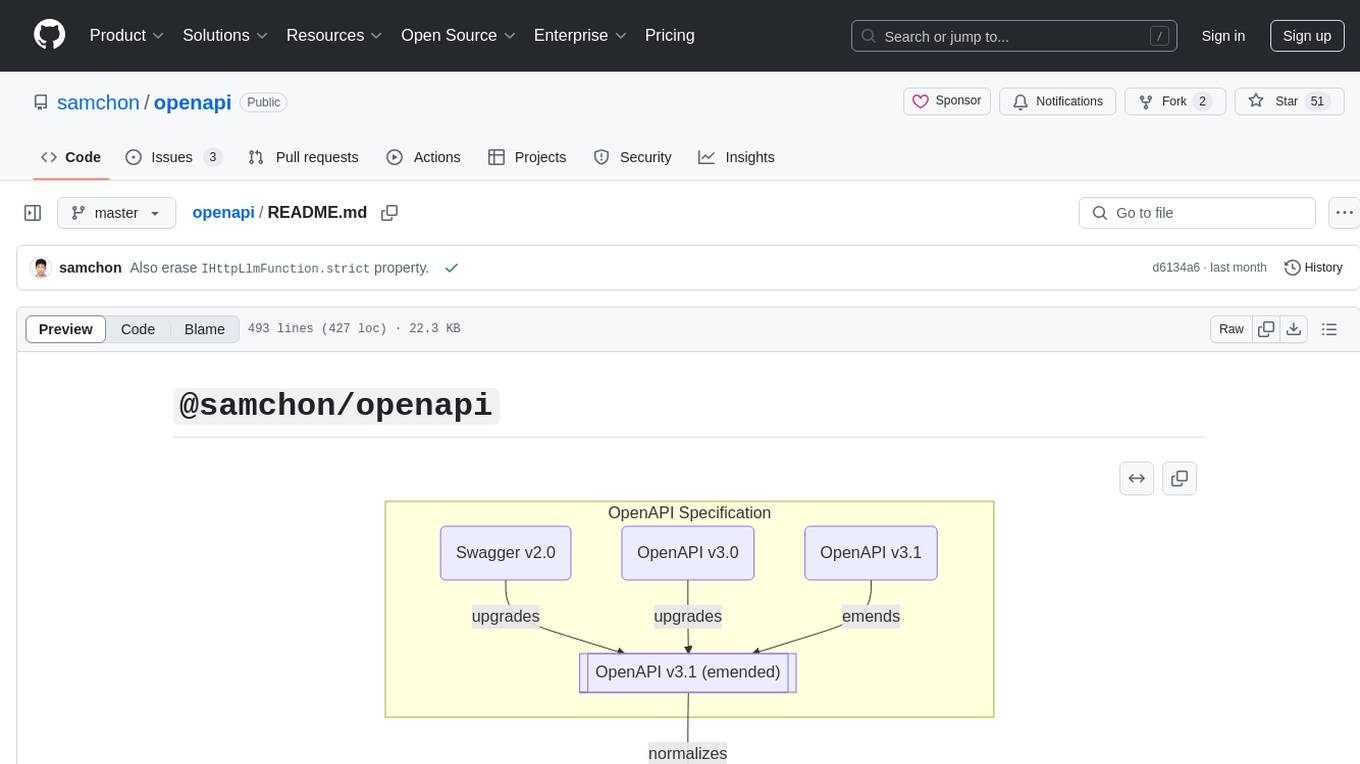
openapi
The `@samchon/openapi` repository is a collection of OpenAPI types and converters for various versions of OpenAPI specifications. It includes an 'emended' OpenAPI v3.1 specification that enhances clarity by removing ambiguous and duplicated expressions. The repository also provides an application composer for LLM (Large Language Model) function calling from OpenAPI documents, allowing users to easily perform LLM function calls based on the Swagger document. Conversions to different versions of OpenAPI documents are also supported, all based on the emended OpenAPI v3.1 specification. Users can validate their OpenAPI documents using the `typia` library with `@samchon/openapi` types, ensuring compliance with standard specifications.
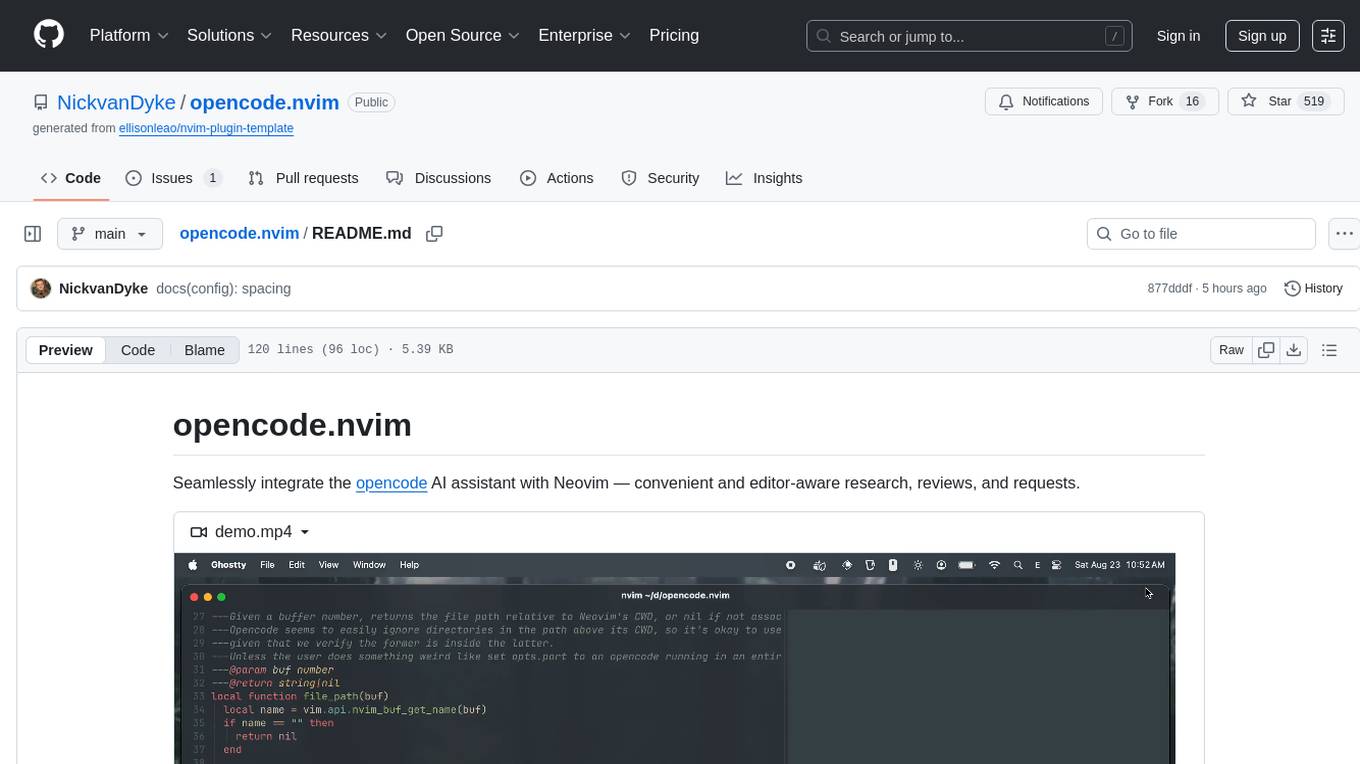
opencode.nvim
Opencode.nvim is a Neovim plugin that provides a simple and efficient way to browse, search, and open files in a project. It enhances the file navigation experience by offering features like fuzzy finding, file preview, and quick access to frequently used files. With Opencode.nvim, users can easily navigate through their project files, jump to specific locations, and manage their workflow more effectively. The plugin is designed to improve productivity and streamline the development process by simplifying file handling tasks within Neovim.
parrot.nvim
Parrot.nvim is a Neovim plugin that prioritizes a seamless out-of-the-box experience for text generation. It simplifies functionality and focuses solely on text generation, excluding integration of DALLE and Whisper. It supports persistent conversations as markdown files, custom hooks for inline text editing, multiple providers like Anthropic API, perplexity.ai API, OpenAI API, Mistral API, and local/offline serving via ollama. It allows custom agent definitions, flexible API credential support, and repository-specific instructions with a `.parrot.md` file. It does not have autocompletion or hidden requests in the background to analyze files.
Webscout
Webscout is an all-in-one Python toolkit for web search, AI interaction, digital utilities, and more. It provides access to diverse search engines, cutting-edge AI models, temporary communication tools, media utilities, developer helpers, and powerful CLI interfaces through a unified library. With features like comprehensive search leveraging Google and DuckDuckGo, AI powerhouse for accessing various AI models, YouTube toolkit for video and transcript management, GitAPI for GitHub data extraction, Tempmail & Temp Number for privacy, Text-to-Speech conversion, GGUF conversion & quantization, SwiftCLI for CLI interfaces, LitPrinter for styled console output, LitLogger for logging, LitAgent for user agent generation, Text-to-Image generation, Scout for web parsing and crawling, Awesome Prompts for specialized tasks, Weather Toolkit, and AI Search Providers.
Webscout
WebScout is a versatile tool that allows users to search for anything using Google, DuckDuckGo, and phind.com. It contains AI models, can transcribe YouTube videos, generate temporary email and phone numbers, has TTS support, webai (terminal GPT and open interpreter), and offline LLMs. It also supports features like weather forecasting, YT video downloading, temp mail and number generation, text-to-speech, advanced web searches, and more.
tambo
tambo ai is a React library that simplifies the process of building AI assistants and agents in React by handling thread management, state persistence, streaming responses, AI orchestration, and providing a compatible React UI library. It eliminates React boilerplate for AI features, allowing developers to focus on creating exceptional user experiences with clean React hooks that seamlessly integrate with their codebase.
opencode.nvim
Opencode.nvim is a neovim frontend for Opencode, a terminal-based AI coding agent. It provides a chat interface between neovim and the Opencode AI agent, capturing editor context to enhance prompts. The plugin maintains persistent sessions for continuous conversations with the AI assistant, similar to Cursor AI.
For similar tasks
glimpse
Glimpse is a blazingly fast tool for peeking at codebases, offering features like fast parallel file processing, tree-view of codebase structure, source code content viewing, token counting with multiple backends, configurable defaults, clipboard support, customizable file type detection, .gitignore respect, web content processing with Markdown conversion, Git repository support, and URL traversal with configurable depth. It supports token counting using Tiktoken or HuggingFace tokenizer backends, helping estimate context window usage for large language models. Glimpse can process local directories, multiple files, Git repositories, web pages, and convert content to Markdown. It offers various options for customization and configuration, including file type inclusions/exclusions, token counting settings, URL processing settings, and default exclude patterns. Glimpse is suitable for developers and data scientists looking to analyze codebases, estimate token counts, and process web content efficiently.
paiml-mcp-agent-toolkit
PAIML MCP Agent Toolkit (PMAT) is a zero-configuration AI context generation system with extreme quality enforcement and Toyota Way standards. It allows users to analyze any codebase instantly through CLI, MCP, or HTTP interfaces. The toolkit provides features such as technical debt analysis, advanced monitoring, metrics aggregation, performance profiling, bottleneck detection, alert system, multi-format export, storage flexibility, and more. It also offers AI-powered intelligence for smart recommendations, polyglot analysis, repository showcase, and integration points. PMAT enforces quality standards like complexity ≤20, zero SATD comments, test coverage >80%, no lint warnings, and synchronized documentation with commits. The toolkit follows Toyota Way development principles for iterative improvement, direct AST traversal, automated quality gates, and zero SATD policy.
smithers
Smithers is a tool for declarative AI workflow orchestration using React components. It allows users to define complex multi-agent workflows as component trees, ensuring composability, durability, and error handling. The tool leverages React's re-rendering mechanism to persist outputs to SQLite, enabling crashed workflows to resume seamlessly. Users can define schemas for task outputs, create workflow instances, define agents, build workflow trees, and run workflows programmatically or via CLI. Smithers supports components for pipeline stages, structured output validation with Zod, MDX prompts, validation loops with Ralph, dynamic branching, and various built-in tools like read, edit, bash, grep, and write. The tool follows a clear workflow execution process involving defining, rendering, executing, re-rendering, and repeating tasks until completion, all while storing task results in SQLite for fault tolerance.
GitVizz
GitVizz is an AI-powered repository analysis tool that helps developers understand and navigate codebases quickly. It transforms complex code structures into interactive documentation, dependency graphs, and intelligent conversations. With features like interactive dependency graphs, AI-powered code conversations, advanced code visualization, and automatic documentation generation, GitVizz offers instant understanding and insights for any repository. The tool is built with modern technologies like Next.js, FastAPI, and OpenAI, making it scalable and efficient for analyzing large codebases. GitVizz also provides a standalone Python library for core code analysis and dependency graph generation, offering multi-language parsing, AST analysis, dependency graphs, visualizations, and extensibility for custom applications.
roam-code
Roam is a tool that builds a semantic graph of your codebase and allows AI agents to query it with one shell command. It pre-indexes your codebase into a semantic graph stored in a local SQLite DB, providing architecture-level graph queries offline, cross-language, and compact. Roam understands functions, modules, tests coverage, and overall architecture structure. It is best suited for agent-assisted coding, large codebases, architecture governance, safe refactoring, and multi-repo projects. Roam is not suitable for real-time type checking, dynamic/runtime analysis, small scripts, or pure text search. It offers speed, dependency-awareness, LLM-optimized output, fully local operation, and CI readiness.

sweep
Sweep is an AI junior developer that turns bugs and feature requests into code changes. It automatically handles developer experience improvements like adding type hints and improving test coverage.
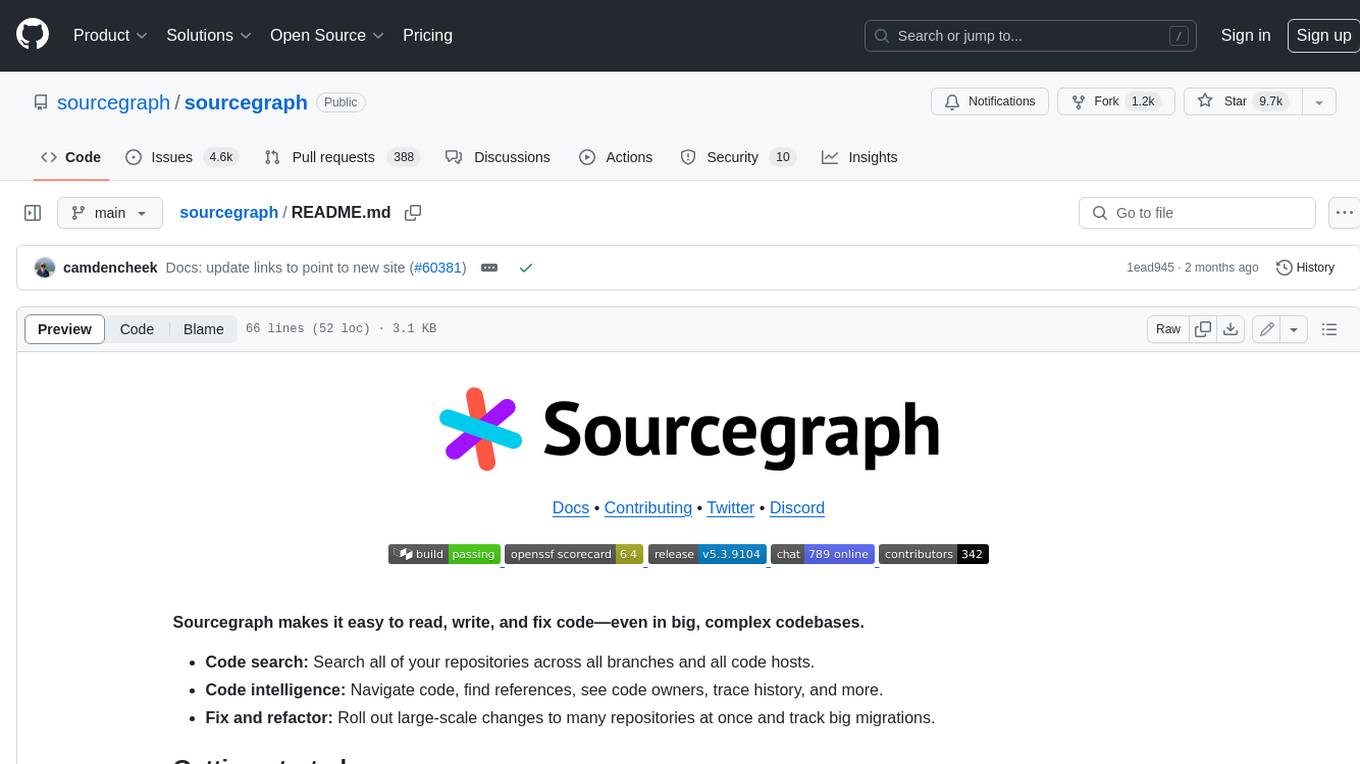
sourcegraph
Sourcegraph is a code search and navigation tool that helps developers read, write, and fix code in large, complex codebases. It provides features such as code search across all repositories and branches, code intelligence for navigation and refactoring, and the ability to fix and refactor code across multiple repositories at once.
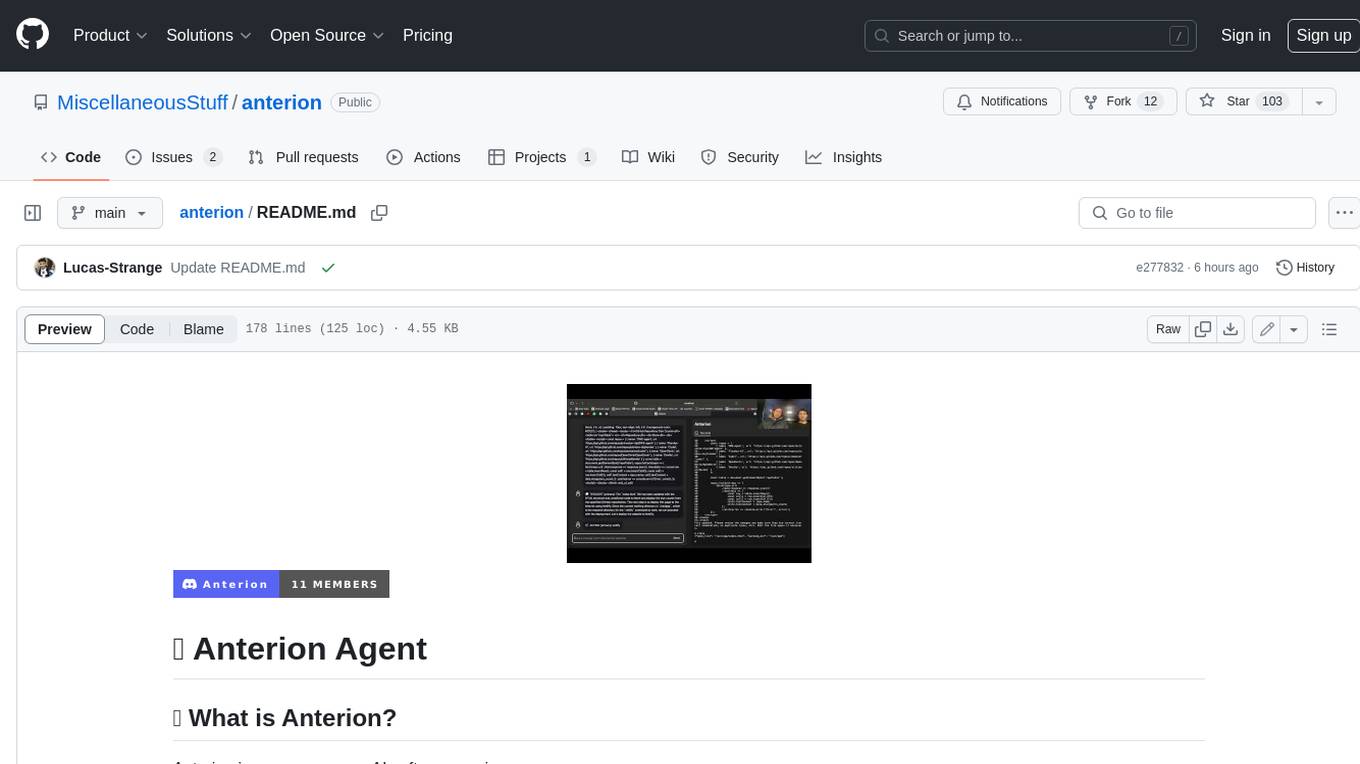
anterion
Anterion is an open-source AI software engineer that extends the capabilities of `SWE-agent` to plan and execute open-ended engineering tasks, with a frontend inspired by `OpenDevin`. It is designed to help users fix bugs and prototype ideas with ease. Anterion is equipped with easy deployment and a user-friendly interface, making it accessible to users of all skill levels.
For similar jobs
sweep
Sweep is an AI junior developer that turns bugs and feature requests into code changes. It automatically handles developer experience improvements like adding type hints and improving test coverage.

teams-ai
The Teams AI Library is a software development kit (SDK) that helps developers create bots that can interact with Teams and Microsoft 365 applications. It is built on top of the Bot Framework SDK and simplifies the process of developing bots that interact with Teams' artificial intelligence capabilities. The SDK is available for JavaScript/TypeScript, .NET, and Python.

ai-guide
This guide is dedicated to Large Language Models (LLMs) that you can run on your home computer. It assumes your PC is a lower-end, non-gaming setup.

classifai
Supercharge WordPress Content Workflows and Engagement with Artificial Intelligence. Tap into leading cloud-based services like OpenAI, Microsoft Azure AI, Google Gemini and IBM Watson to augment your WordPress-powered websites. Publish content faster while improving SEO performance and increasing audience engagement. ClassifAI integrates Artificial Intelligence and Machine Learning technologies to lighten your workload and eliminate tedious tasks, giving you more time to create original content that matters.

chatbot-ui
Chatbot UI is an open-source AI chat app that allows users to create and deploy their own AI chatbots. It is easy to use and can be customized to fit any need. Chatbot UI is perfect for businesses, developers, and anyone who wants to create a chatbot.

BricksLLM
BricksLLM is a cloud native AI gateway written in Go. Currently, it provides native support for OpenAI, Anthropic, Azure OpenAI and vLLM. BricksLLM aims to provide enterprise level infrastructure that can power any LLM production use cases. Here are some use cases for BricksLLM: * Set LLM usage limits for users on different pricing tiers * Track LLM usage on a per user and per organization basis * Block or redact requests containing PIIs * Improve LLM reliability with failovers, retries and caching * Distribute API keys with rate limits and cost limits for internal development/production use cases * Distribute API keys with rate limits and cost limits for students

uAgents
uAgents is a Python library developed by Fetch.ai that allows for the creation of autonomous AI agents. These agents can perform various tasks on a schedule or take action on various events. uAgents are easy to create and manage, and they are connected to a fast-growing network of other uAgents. They are also secure, with cryptographically secured messages and wallets.

griptape
Griptape is a modular Python framework for building AI-powered applications that securely connect to your enterprise data and APIs. It offers developers the ability to maintain control and flexibility at every step. Griptape's core components include Structures (Agents, Pipelines, and Workflows), Tasks, Tools, Memory (Conversation Memory, Task Memory, and Meta Memory), Drivers (Prompt and Embedding Drivers, Vector Store Drivers, Image Generation Drivers, Image Query Drivers, SQL Drivers, Web Scraper Drivers, and Conversation Memory Drivers), Engines (Query Engines, Extraction Engines, Summary Engines, Image Generation Engines, and Image Query Engines), and additional components (Rulesets, Loaders, Artifacts, Chunkers, and Tokenizers). Griptape enables developers to create AI-powered applications with ease and efficiency.