


alexandria-audiobook
A multi-voice AI audiobook generator built on Qwen3-TTS — annotate scripts with an LLM, assign unique voices to each character, per-line style instructions for delivery, clone voices from reference audio, design new voices from text descriptions, train custom voices with LoRA fine-tuning, and export to MP3 or Audacity multi-track projects
Stars: 57
Alexandria Audiobook Generator is a tool that transforms any book or novel into a fully-voiced audiobook using AI-powered script annotation and text-to-speech. It features a built-in Qwen3-TTS engine with batch processing and a browser-based editor for fine-tuning every line before final export. The tool offers AI-powered pipeline for automatic script annotation, smart chunking, and context preservation. It also provides voice generation capabilities with built-in TTS engine, multi-language support, custom voices, voice cloning, and LoRA voice training. The web UI editor allows users to edit, preview, and export the audiobook. Export options include combined audiobook, individual voicelines, and Audacity export for DAW editing.
README:
Transform any book or novel into a fully-voiced audiobook using AI-powered script annotation and text-to-speech. Features a built-in Qwen3-TTS engine with batch processing and a browser-based editor for fine-tuning every line before final export.
Example: sample.mp3
- Local & Cloud LLM Support - Use any OpenAI-compatible API (LM Studio, Ollama, OpenAI, etc.)
- Automatic Script Annotation - LLM parses text into JSON with speakers, dialogue, and TTS instruct directions
- LLM Script Review - Optional second LLM pass that fixes common annotation errors: strips attribution tags from dialogue, splits misattributed narration/dialogue, merges over-split narrator entries, and validates instruct fields
- Smart Chunking - Groups consecutive lines by speaker (up to 500 chars) for natural flow
- Context Preservation - Passes character roster and last 3 script entries between chunks for name and style continuity
- Built-in TTS Engine - Qwen3-TTS runs locally with no external server required
- External Server Mode - Optionally connect to a remote Qwen3-TTS Gradio server
- Multi-Language Support - English, Chinese, French, German, Italian, Japanese, Korean, Portuguese, Russian, Spanish, or Auto-detect
- Custom Voices - 9 pre-trained voices with instruct-based emotion/tone control
- Voice Cloning - Clone any voice from a 5-15 second reference audio sample
- Voice Designer - Create new voices from text descriptions (e.g. "A warm, deep male voice with a calm and steady tone")
- LoRA Voice Training - Fine-tune the Base model on custom voice datasets to create persistent voice identities with instruct-following
- Built-in LoRA Presets - Pre-trained voice adapters included out of the box, ready to assign to characters
- Dataset Builder - Interactive tool for creating LoRA training datasets with per-sample text, emotion, and audio preview
- Batch Processing - Generate dozens of chunks simultaneously with 3-6x real-time throughput
-
Codec Compilation - Optional
torch.compileoptimization for 3-4x faster batch decoding - Non-verbal Sounds - LLM writes natural vocalizations ("Ahh!", "Mmm...", "Haha!") with context-aware instruct directions
- Natural Pauses - Intelligent delays between speakers (500ms) and same-speaker segments (250ms)
- 8-Tab Interface - Setup, Script Generation, Voices, Voice Designer, LoRA Training, Dataset Builder, Editor, Results
- Chunk Editor - Edit speaker, text, and instruct for any line
- Selective Regeneration - Re-render individual chunks without regenerating everything
- Batch Processing - Two render modes: standard parallel and fast batch
- Live Progress - Real-time logs and status tracking for all operations
- Audio Preview - Play individual chunks or sequence through the entire audiobook
- Script Library - Save and load annotated scripts with voice configurations
- Combined Audiobook - Single MP3 with all voices and natural pauses
- Individual Voicelines - Separate MP3 per line for DAW editing (Audacity, etc.)
- Audacity Export - One-click zip with per-speaker WAV tracks, LOF project file, and labels for automatic multi-track import into Audacity
- Pinokio
- LLM server (one of the following):
- LM Studio (local) - recommended: Qwen3 or similar
- Ollama (local)
- OpenAI API (cloud)
- Any OpenAI-compatible API
-
GPU: 8 GB VRAM minimum, 16 GB+ recommended (NVIDIA CUDA 11.8+ or AMD ROCm 6.0+)
- Each TTS model uses ~3.4 GB; remaining VRAM determines batch size
- CPU mode available but significantly slower
- RAM: 16 GB recommended (8 GB minimum)
- Disk: ~20 GB (8 GB venv/PyTorch, ~7 GB for model weights, working space for audio)
Note: No external TTS server is required. Alexandria includes a built-in Qwen3-TTS engine that loads models directly. Model weights are downloaded automatically on first use (~3.5 GB per model variant).
Documentation: For in-depth guidance on voice types, LoRA training, batch generation, and more, see the Wiki.
- Install Pinokio if you haven't already
- In Pinokio, click Download and paste this URL:
https://github.com/Finrandojin/alexandria-audiobook - Click Install to set up dependencies
- Click Start to launch the web interface
-
Setup Tab - Configure your LLM and TTS:
-
LLM Base URL:
http://localhost:1234/v1(LM Studio) orhttp://localhost:11434/v1(Ollama) -
LLM API Key: Your API key (use
localfor local servers) -
LLM Model Name: The model to use (e.g.,
qwen2.5-14b) -
TTS Mode:
local(built-in, recommended) orexternal(Gradio server)
-
LLM Base URL:
-
Script Tab - Upload your book (.txt or .md) and click "Generate Annotated Script"
-
Voices Tab - Click "Refresh Voices" then configure each speaker:
- Choose Custom Voice, Clone Voice, LoRA Voice, or Voice Design
- Set voice parameters and character style, then save (see Voice Types for guidance)
-
(Optional) Designer Tab - Create new voices from text descriptions for use as clone references
-
(Optional) Training Tab - Train LoRA adapters on custom voice datasets for persistent voice identities
-
(Optional) Dataset Builder Tab - Build training datasets interactively with per-sample preview
-
Editor Tab - Review and edit chunks:
- Select "Batch (Fast)" mode and click "Batch Render Pending" for fastest generation
- Edit any chunk's text/instruct/speaker and regenerate individually
- Click "Merge All" when satisfied
-
Result Tab - Download your finished audiobook
Configure connections to your LLM and TTS engine.
TTS Settings:
-
Mode -
local(built-in engine) orexternal(connect to Gradio server) -
Device -
auto(recommended),cuda,cpu, ormps - Language - TTS synthesis language: English (default), Chinese, French, German, Italian, Japanese, Korean, Portuguese, Russian, Spanish, or Auto (let the model detect)
- Parallel Workers - Batch size for fast batch rendering (higher = more VRAM usage)
- Batch Seed - Fixed seed for reproducible batch output (leave empty for random)
-
Compile Codec - Enable
torch.compilefor 3-4x faster batch decoding (adds ~30-60s warmup on first generation) - Sub-batching - Split batches by text length to reduce wasted GPU compute on padding (enabled by default)
- Min Sub-batch Size - Minimum chunks per sub-batch before allowing a split (default: 4)
- Length Ratio - Maximum longest/shortest text length ratio before forcing a sub-batch split (default: 5)
- Max Chars - Maximum total characters per sub-batch; lower values reduce VRAM usage (default: 3000)
Prompt Settings (Advanced):
- Generation Settings - Chunk size and max tokens for LLM responses
- LLM Sampling Parameters - Temperature, Top P, Top K, Min P, and Presence Penalty
- Banned Tokens - Comma-separated list of tokens to ban from LLM output (useful for disabling thinking mode on models like GLM4, DeepSeek-R1, etc.)
-
Prompt Customization - System and user prompts used for script generation. Defaults are loaded from
default_prompts.txtand can be customized per-session in the UI. Click "Reset to Defaults" to reload the file-based defaults (picks up edits without restarting the app)
Upload a text file and generate the annotated script. The LLM converts your book into a structured JSON format with:
- Speaker identification (NARRATOR vs character names)
- Dialogue text with natural vocalizations (written as pronounceable text, not tags)
- Style directions for TTS delivery
Review Script - After generation, click "Review Script" to run a second LLM pass that detects and fixes common annotation errors:
- Attribution tags left in dialogue ("said he", "she replied") are stripped
- Narration mixed into character entries is split out as NARRATOR
- Dialogue embedded in narrator entries is extracted as the correct speaker
- Short consecutive narrator entries covering the same scene are merged
- Invalid instruct fields (physical actions instead of voice directions) are corrected
Review prompts are customizable in review_prompts.txt (same format as default_prompts.txt).
After script generation, parse voices to see all speakers. For each:
Custom Voice Mode:
- Select from 9 pre-trained voices: Aiden, Dylan, Eric, Ono_anna, Ryan, Serena, Sohee, Uncle_fu, Vivian
- Set a character style that appends persistent traits to every TTS instruct (e.g., "Heavy Scottish accent", "Refined aristocratic tone")
- Optionally set a seed for reproducible output
Clone Voice Mode:
- Select a designed voice or enter a custom reference audio path
- Provide the exact transcript of the reference
- Note: Instruct directions are ignored for cloned voices
LoRA Voice Mode:
- Select a trained LoRA adapter from the Training tab
- Set a character style (same as Custom — appended to every instruct)
- Combines voice identity from training with instruct-following from the Base model
Voice Design Mode:
- Set a base voice description (e.g., "Young strong soldier")
- Each line's instruct is appended as delivery/emotion direction
- Generates voice on-the-fly using the VoiceDesign model — ideal for minor characters
Create new voices from text descriptions without needing reference audio.
- Describe a voice in natural language (e.g., "A warm elderly woman with a gentle, raspy voice and a slight Southern drawl")
- Preview the voice with sample text before saving
- Save to library for use as clone voice references in the Voices tab
- Uses the Qwen3-TTS VoiceDesign model to synthesize voice characteristics from descriptions
Train LoRA adapters on the Base model to create custom voice identities. Several built-in LoRA presets are included out of the box and appear alongside your trained adapters.
Dataset:
-
Upload ZIP — WAV files (24kHz mono) +
metadata.jsonlwithaudio_filepath,text,instructfields - Generate Dataset — Auto-generate training samples from a Voice Designer description with custom sample texts
- Dataset Builder — Interactive tool in its own tab (see below) for building datasets sample-by-sample with preview
Training Configuration:
- Adapter Name — Identifier for the trained model
- Epochs — Full passes over the dataset (15-30 recommended for 20+ samples)
- Learning Rate — Default 5e-6 (conservative). Higher trains faster but risks instability
- LoRA Rank — Adapter capacity. High (64+) locks voice identity strongly but can flatten delivery. Low (8-16) preserves expressiveness
- LoRA Alpha — Scaling factor. Effective strength = alpha / rank. Common starting point: alpha = 2x rank
- Batch Size / Grad Accum — Batch 1 with gradient accumulation 8 is typical for 24GB cards
Training tips:
- Include samples with varied emotions (happy, sad, angry, calm) for expressive voices
- Neutral-only training data produces flat voices that resist instruct prompting
- The settings info panel in the UI explains each parameter's effect on voice quality
Build LoRA training datasets interactively, one sample at a time.
- Create a project with a voice description and optional global seed
- Define samples — Set text and emotion/style per row
- Preview audio — Generate and listen to individual samples or batch-generate all at once
- Cancel batch — Stop a running batch generation without losing completed samples
- Save as dataset — Export the project as a training-ready dataset that appears in the Training tab
- Designed voices and Voice Designer descriptions drive the audio generation via Qwen3-TTS VoiceDesign model
Fine-tune your audiobook before export:
- View all chunks in a table with status indicators
- Edit inline - Click to modify speaker, text, or instruct
- Generate single - Regenerate just one chunk after editing
- Batch render - Process all pending chunks (see Render Modes below)
- Play sequence - Preview audio playback in order
- Merge all - Combine chunks into final audiobook
Alexandria offers two methods for batch rendering audio:
The default rendering mode. Sends individual TTS calls in parallel using the configured worker count.
- Per-speaker seeds - Each voice uses its configured seed for reproducible output
- Voice cloning support - Works with both custom voices and cloned voices
High-speed rendering that sends multiple lines to the TTS engine in a single batched call. Chunks are sorted by text length and processed in optimized sub-batches to minimize padding waste.
- 3-6x real-time throughput - With codec compilation enabled, batches of 20-60 chunks process at 3-6x real-time speed
- Sub-batching - Automatically groups similarly-sized chunks together for efficient GPU utilization
-
Single seed - All voices share the
Batch Seedfrom config (set empty for random) - All voice types supported - Custom, Clone, and LoRA voices are batched; Voice Design is sequential
- Parallel Workers setting controls batch size (higher values use more VRAM)
Download your completed audiobook as MP3, or click Export to Audacity to download a zip with per-speaker WAV tracks that import as separate Audacity tracks. Unzip and open project.lof in Audacity to load all tracks, then import labels.txt via File > Import > Labels for chunk annotations.
| Setting | Recommended | Notes |
|---|---|---|
| TTS Mode | local |
Built-in engine, no external server |
| Compile Codec | true |
3-4x faster decoding after one-time warmup |
| Parallel Workers | 20-60 | Higher = more throughput, more VRAM |
| Render Mode | Batch (Fast) | Uses batched TTS calls |
Tested on AMD RX 7900 XTX (24 GB VRAM, ROCm 6.3):
| Configuration | Throughput |
|---|---|
| Standard mode (sequential) | ~1x real-time |
| Batch mode, no codec compile | ~2x real-time |
| Batch mode + compile_codec | 3-6x real-time |
A 273-chunk audiobook (~54 minutes of audio) generates in approximately 16 minutes with batch mode and codec compilation enabled.
Alexandria automatically applies ROCm-specific optimizations when running on AMD GPUs:
- MIOpen fast-find mode - Prevents workspace allocation failures that cause slow GEMM fallback
- Triton AMD flash attention - Enables native flash attention for the whisper encoder
-
triton_key compatibility shim - Fixes
torch.compileon pytorch-triton-rocm
These are applied transparently and require no configuration.
The generated script is a JSON array with speaker, text, and instruct fields:
[
  {"speaker": "NARRATOR", "text": "The door creaked open slowly.", "instruct": "Calm, even narration."},
  {"speaker": "ELENA", "text": "Ah! Who's there?", "instruct": "Startled and fearful, sharp whispered question, voice cracking with panic."},
  {"speaker": "MARCUS", "text": "Haha... did you miss me?", "instruct": "Menacing confidence, low smug drawl with a dark chuckle, savoring the moment."}
]-
instruct— 2-3 sentence TTS voice direction sent directly to the engine. Set tone, describe delivery, then give specific references. Example: "Devastated by grief, Sniffing between words and pausing to collect herself, end with a wracking sob."
Vocalizations are written as real pronounceable text that the TTS speaks directly — no bracket tags or special tokens. The LLM generates natural onomatopoeia with short instruct directions:
- Gasps: "Ah!", "Oh!" with instruct like "Fearful, sharp gasp."
- Sighs: "Haah...", "Hff..."
- Laughter: "Haha!", "Ahaha..."
- Crying: "Hic... sniff..."
- Exclamations: "Mmm...", "Hmm...", "Ugh..."
Final Audiobook:
-
cloned_audiobook.mp3- Combined audiobook with natural pauses
Individual Voicelines (for DAW editing):
voicelines/
├── voiceline_0001_narrator.mp3
├── voiceline_0002_elena.mp3
├── voiceline_0003_marcus.mp3
└── ...
Files are numbered in timeline order with speaker names for easy:
- Import into Audacity or other DAWs
- Placement on separate character tracks
- Fine-tuning of timing and effects
Audacity Export (per-speaker tracks):
audacity_export.zip
├── project.lof       # Open this in Audacity to import all tracks
├── labels.txt        # Import via File > Import > Labels for chunk annotations
├── narrator.wav      # Full-length track with only NARRATOR audio
├── elena.wav         # Full-length track with only ELENA audio
├── marcus.wav        # Full-length track with only MARCUS audio
└── ...
Each WAV track is padded to the same total duration with silence where other speakers are talking. Playing all tracks simultaneously sounds identical to the merged MP3.
Alexandria exposes a REST API for programmatic access:
# Get current config (empty prompts fall through to file defaults)
curl http://127.0.0.1:4200/api/config

# Get file-based default prompts (hot-reloads from default_prompts.txt)
curl http://127.0.0.1:4200/api/default_prompts

# Save config
curl -X POST http://127.0.0.1:4200/api/config \
  -H "Content-Type: application/json" \
  -d '{
    "llm": {"base_url": "...", "api_key": "...", "model_name": "..."},
    "tts": {
      "mode": "local",
      "device": "auto",
      "language": "English",
      "parallel_workers": 25,
      "batch_seed": 12345,
      "compile_codec": true,
      "sub_batch_enabled": true,
      "sub_batch_min_size": 4,
      "sub_batch_ratio": 5,
      "sub_batch_max_chars": 3000
    }
}'# Upload text file
curl -X POST http://127.0.0.1:4200/api/upload \
-F "[email protected]"
# Generate script (returns task ID)
curl -X POST http://127.0.0.1:4200/api/generate_script
# Check status
curl http://127.0.0.1:4200/api/status/script_generation
# Review script (fix attribution tags, misattributed lines, etc.)
curl -X POST http://127.0.0.1:4200/api/review_script
# Check review status
curl http://127.0.0.1:4200/api/status/review# Get voices and config
curl http://127.0.0.1:4200/api/voices
# Parse voices from script
curl -X POST http://127.0.0.1:4200/api/parse_voices
# Save voice config
curl -X POST http://127.0.0.1:4200/api/save_voice_config \
-H "Content-Type: application/json" \
-d '{"NARRATOR": {"type": "custom", "voice": "Ryan", "character_style": "calm"}}'# Get all chunks
curl http://127.0.0.1:4200/api/chunks
# Update a chunk
curl -X POST http://127.0.0.1:4200/api/chunks/5 \
-H "Content-Type: application/json" \
-d '{"text": "Updated dialogue", "instruct": "Excited, bright energy."}'
# Generate audio for single chunk
curl -X POST http://127.0.0.1:4200/api/chunks/5/generate
# Standard batch render (parallel individual calls)
curl -X POST http://127.0.0.1:4200/api/generate_batch \
-H "Content-Type: application/json" \
-d '{"indices": [0, 1, 2, 3, 4]}'
# Fast batch render (batched TTS calls, much faster)
curl -X POST http://127.0.0.1:4200/api/generate_batch_fast \
-H "Content-Type: application/json" \
-d '{"indices": [0, 1, 2, 3, 4]}'
# Merge all chunks into final audiobook
curl -X POST http://127.0.0.1:4200/api/merge# List saved scripts
curl http://127.0.0.1:4200/api/scripts
# Save current script
curl -X POST http://127.0.0.1:4200/api/scripts/save \
-H "Content-Type: application/json" \
-d '{"name": "my-novel"}'
# Load a saved script
curl -X POST http://127.0.0.1:4200/api/scripts/load \
-H "Content-Type: application/json" \
-d '{"name": "my-novel"}'# Preview a voice from text description
curl -X POST http://127.0.0.1:4200/api/voice_design/preview \
-H "Content-Type: application/json" \
-d '{"description": "A warm, deep male voice", "text": "Hello world."}'
# Save a designed voice
curl -X POST http://127.0.0.1:4200/api/voice_design/save \
-H "Content-Type: application/json" \
-d '{"name": "warm_narrator", "description": "A warm, deep male voice", "text": "Hello world."}'
# List saved designed voices
curl http://127.0.0.1:4200/api/voice_design/list
# Delete a designed voice
curl -X DELETE http://127.0.0.1:4200/api/voice_design/delete/voice_id_here# Upload a training dataset (ZIP with WAV + metadata.jsonl)
curl -X POST http://127.0.0.1:4200/api/lora/upload_dataset \
-F "[email protected]" -F "name=my_voice"
# Generate a dataset from Voice Designer description
curl -X POST http://127.0.0.1:4200/api/lora/generate_dataset \
-H "Content-Type: application/json" \
-d '{"name": "warm_voice", "description": "A warm male voice", "texts": ["Hello.", "Goodbye."]}'
# List uploaded datasets
curl http://127.0.0.1:4200/api/lora/datasets
# Delete a dataset
curl -X DELETE http://127.0.0.1:4200/api/lora/datasets/dataset_id_here
# Start LoRA training
curl -X POST http://127.0.0.1:4200/api/lora/train \
-H "Content-Type: application/json" \
-d '{"name": "narrator_warm", "dataset_id": "my_voice", "epochs": 25, "lr": "5e-6", "lora_r": 32, "lora_alpha": 64}'
# Check training status
curl http://127.0.0.1:4200/api/status/lora_training
# List trained adapters
curl http://127.0.0.1:4200/api/lora/models
# Test a trained adapter
curl -X POST http://127.0.0.1:4200/api/lora/test \
-H "Content-Type: application/json" \
-d '{"adapter_id": "narrator_warm_1234567890", "text": "Test line.", "instruct": "Calm narration."}'
# Delete an adapter
curl -X DELETE http://127.0.0.1:4200/api/lora/models/adapter_id_here# List all dataset builder projects
curl http://127.0.0.1:4200/api/dataset_builder/list
# Create a new project
curl -X POST http://127.0.0.1:4200/api/dataset_builder/create \
-H "Content-Type: application/json" \
-d '{"name": "my_voice_dataset"}'
# Update project metadata (description and global seed)
curl -X POST http://127.0.0.1:4200/api/dataset_builder/update_meta \
-H "Content-Type: application/json" \
-d '{"name": "my_voice_dataset", "description": "A warm male narrator", "global_seed": "42"}'
# Update sample rows
curl -X POST http://127.0.0.1:4200/api/dataset_builder/update_rows \
-H "Content-Type: application/json" \
-d '{"name": "my_voice_dataset", "rows": [{"text": "Hello world.", "emotion": "cheerful"}]}'
# Generate a single sample preview
curl -X POST http://127.0.0.1:4200/api/dataset_builder/generate_sample \
-H "Content-Type: application/json" \
-d '{"name": "my_voice_dataset", "description": "A warm male voice", "sample_index": 0, "samples": [{"text": "Hello.", "emotion": "cheerful"}]}'
# Batch generate all samples
curl -X POST http://127.0.0.1:4200/api/dataset_builder/generate_batch \
-H "Content-Type: application/json" \
-d '{"name": "my_voice_dataset", "description": "A warm male voice", "samples": [{"text": "Hello.", "emotion": "cheerful"}]}'
# Check batch generation status
curl http://127.0.0.1:4200/api/dataset_builder/status/my_voice_dataset
# Cancel a running batch generation
curl -X POST http://127.0.0.1:4200/api/dataset_builder/cancel \
-H "Content-Type: application/json" \
-d '{"name": "my_voice_dataset"}'
# Save project as a training dataset
curl -X POST http://127.0.0.1:4200/api/dataset_builder/save \
-H "Content-Type: application/json" \
-d '{"name": "my_voice_dataset", "ref_sample_index": 0}'
# Delete a project
curl -X DELETE http://127.0.0.1:4200/api/dataset_builder/my_voice_dataset# Download audiobook (after merging in editor)
curl http://127.0.0.1:4200/api/audiobook --output audiobook.mp3
# Export to Audacity (per-speaker tracks + LOF + labels)
curl -X POST http://127.0.0.1:4200/api/export_audacity
# Poll for completion
curl http://127.0.0.1:4200/api/status/audacity_export
# Download the zip
curl http://127.0.0.1:4200/api/export_audacity --output audacity_export.zipimport requests
BASE = "http://127.0.0.1:4200"
# Upload and generate script
with open("mybook.txt", "rb") as f:
requests.post(f"{BASE}/api/upload", files={"file": f})
requests.post(f"{BASE}/api/generate_script")
# Poll for completion
import time
while True:
status = requests.get(f"{BASE}/api/status/script_generation").json()
if status.get("status") in ["completed", "error"]:
break
time.sleep(2)
# Configure voices
voice_config = {
"NARRATOR": {"type": "custom", "voice": "Ryan", "character_style": "calm narrator"},
"HERO": {"type": "custom", "voice": "Aiden", "character_style": "brave, determined"}
}
requests.post(f"{BASE}/api/save_voice_config", json=voice_config)
# Fast batch render all chunks
chunks = requests.get(f"{BASE}/api/chunks").json()
indices = [c["id"] for c in chunks]
requests.post(f"{BASE}/api/generate_batch_fast", json={"indices": indices})
# ... poll until all chunks status == "done" ...
requests.post(f"{BASE}/api/merge")
# Download
with open("output.mp3", "wb") as f:
f.write(requests.get(f"{BASE}/api/audiobook").content)
# Export to Audacity
requests.post(f"{BASE}/api/export_audacity")
# ... poll /api/status/audacity_export until not running ...
with open("audacity_export.zip", "wb") as f:
f.write(requests.get(f"{BASE}/api/export_audacity").content)const BASE = "http://127.0.0.1:4200";
// Upload file
const formData = new FormData();
formData.append("file", fileInput.files[0]);
await fetch(`${BASE}/api/upload`, { method: "POST", body: formData });
// Generate script
await fetch(`${BASE}/api/generate_script`, { method: "POST" });
// Poll for completion
async function waitForTask(taskName) {
while (true) {
const res = await fetch(`${BASE}/api/status/${taskName}`);
const data = await res.json();
if (data.status === "completed" || data.status === "error") return data;
await new Promise(r => setTimeout(r, 2000));
}
}
await waitForTask("script_generation");
// Configure and generate
await fetch(`${BASE}/api/save_voice_config`, {
method: "POST",
headers: { "Content-Type": "application/json" },
body: JSON.stringify({
NARRATOR: { type: "custom", voice: "Ryan", character_style: "calm" }
})
});
// Fast batch render all chunks
const chunks = await (await fetch(`${BASE}/api/chunks`)).json();
const indices = chunks.map(c => c.id);
await fetch(`${BASE}/api/generate_batch_fast`, {
method: "POST",
headers: { "Content-Type": "application/json" },
body: JSON.stringify({ indices })
});
// ... poll until all chunks done ...
// Merge into final audiobook
await fetch(`${BASE}/api/merge`, { method: "POST" });
// Export to Audacity
await fetch(`${BASE}/api/export_audacity`, { method: "POST" });
// ... poll /api/status/audacity_export until not running ...
// Download zip from GET /api/export_audacityFor script generation, non-thinking models work best:
- Qwen3-next (80B-A3B-instruct) - Excellent JSON output and instruct directions
- Gemma3 (27B recommended) - Strong JSON output and instruct directions
- Qwen2.5 (any size) - Reliable JSON output
- Qwen3 (non-thinking variant)
- Llama 3.1/3.2 - Good character distinction
- Mistral/Mixtral - Fast and reliable
Thinking models (DeepSeek-R1, GLM4-air, etc.) can interfere with JSON output. If you must use one, add <think> to the Banned Tokens field in Setup to disable thinking mode.
- Check LLM server is running and accessible
- Verify model name matches what's loaded
- Try a different model - some struggle with JSON output
- Check the Pinokio terminal for model loading errors
- Ensure sufficient VRAM (16+ GB recommended for bfloat16)
- For external mode, ensure the Gradio TTS server is running at the configured URL
- Check voice_config.json has valid settings for all speakers
- For clone voices, verify reference audio exists and transcript is accurate
- Enable Compile Codec in Setup (adds warmup time but 3-4x faster after)
- Increase Parallel Workers (batch size) if VRAM allows
- Use Batch (Fast) render mode instead of Standard
- If you see MIOpen warnings on AMD, these are handled automatically
- Reduce Max Chars/Batch in Setup (especially with long reference audio for clone/LoRA voices)
- Reduce Parallel Workers (batch size)
- Close other GPU-intensive applications
- Try
device: cpuas a fallback (much slower)
Conda's bundled ffmpeg on Windows often lacks the MP3 encoder (libmp3lame). Alexandria now detects this and automatically falls back to WAV, but if you want MP3 output:
- Install ffmpeg with MP3 support:
conda install -c conda-forge ffmpeg - Or remove conda's ffmpeg to use your system one:
conda remove ffmpeg - Verify with:
ffmpeg -encoders 2>/dev/null | grep mp3
- Use 5-15 second clear reference audio for cloning
- Avoid background noise in reference samples
- Try different seeds for custom voices
- The system automatically fixes common encoding issues
- If problems persist, ensure your input text is UTF-8 encoded
LLM prompts are stored in plain-text files at the project root, split into system prompt and user prompt sections by a ---SEPARATOR--- delimiter:
-
default_prompts.txt— Prompts for script generation (annotation) -
review_prompts.txt— Prompts for script review (error correction)
How it works:
-
app/default_prompts.pyandapp/review_prompts.pyread their respective files and export the prompts - Prompts hot-reload from disk on every request, so edits take effect immediately without restarting the app
-
config.jsonstores user overrides for generation prompts — when its prompt fields are empty, the file defaults are used - The "Reset to Defaults" button in the Web UI fetches the latest file defaults via
/api/default_prompts
To customize prompts:
- Temporary (per-session): Edit generation prompts directly in the Setup tab's Prompt Customization section
-
Permanent (all sessions): Edit
default_prompts.txtorreview_prompts.txtdirectly — changes are picked up on the next request
Non-English books: The default LLM prompts are written for English text and reference English-specific conventions (attribution tags like "said he", quotation marks, etc.). When processing books in other languages, you'll get better results by editing the prompts to match that language's dialogue conventions — for example, French guillemets (« »), Japanese brackets (「」), or language-appropriate attribution patterns. Set the TTS Language dropdown to match as well.
Alexandria/
├── app/
│   ├── app.py                 # FastAPI server
│   ├── tts.py                 # TTS engine (local + external backends)
│   ├── train_lora.py          # LoRA training subprocess script
│   ├── generate_script.py     # LLM script annotation
│   ├── review_script.py       # LLM script review (second pass)
│   ├── default_prompts.py     # Generation prompt loader (reads default_prompts.txt)
│   ├── review_prompts.py      # Review prompt loader (reads review_prompts.txt)
│   ├── project.py             # Chunk management & batch generation
│   ├── parse_voices.py        # Voice extraction
│   ├── config.json            # Runtime configuration (gitignored)
│   ├── static/index.html      # Web UI
│   └── requirements.txt       # Python dependencies
├── builtin_lora/              # Pre-trained LoRA voice presets
├── dataset_builder/           # Dataset builder project workspace (gitignored)
├── designed_voices/           # Saved Voice Designer outputs (gitignored)
├── lora_datasets/             # Uploaded/generated training datasets (gitignored)
├── lora_models/               # Trained LoRA adapters (gitignored)
├── default_prompts.txt        # LLM prompts for script generation
├── review_prompts.txt         # LLM prompts for script review
├── install.js                 # Pinokio installer
├── start.js                   # Pinokio launcher
├── reset.js                   # Reset script
├── pinokio.js                 # Pinokio UI config
├── pinokio.json               # Pinokio metadata
└── README.md
MIT
- qwen_tts — Apache License 2.0, Copyright Alibaba Qwen Team
For Tasks:
Click tags to check more tools for each tasksFor Jobs:
Alternative AI tools for alexandria-audiobook
Similar Open Source Tools
alexandria-audiobook
Alexandria Audiobook Generator is a tool that transforms any book or novel into a fully-voiced audiobook using AI-powered script annotation and text-to-speech. It features a built-in Qwen3-TTS engine with batch processing and a browser-based editor for fine-tuning every line before final export. The tool offers AI-powered pipeline for automatic script annotation, smart chunking, and context preservation. It also provides voice generation capabilities with built-in TTS engine, multi-language support, custom voices, voice cloning, and LoRA voice training. The web UI editor allows users to edit, preview, and export the audiobook. Export options include combined audiobook, individual voicelines, and Audacity export for DAW editing.
openai-edge-tts
This project provides a local, OpenAI-compatible text-to-speech (TTS) API using `edge-tts`. It emulates the OpenAI TTS endpoint (`/v1/audio/speech`), enabling users to generate speech from text with various voice options and playback speeds, just like the OpenAI API. `edge-tts` uses Microsoft Edge's online text-to-speech service, making it completely free. The project supports multiple audio formats, adjustable playback speed, and voice selection options, providing a flexible and customizable TTS solution for users.
LLMVoX
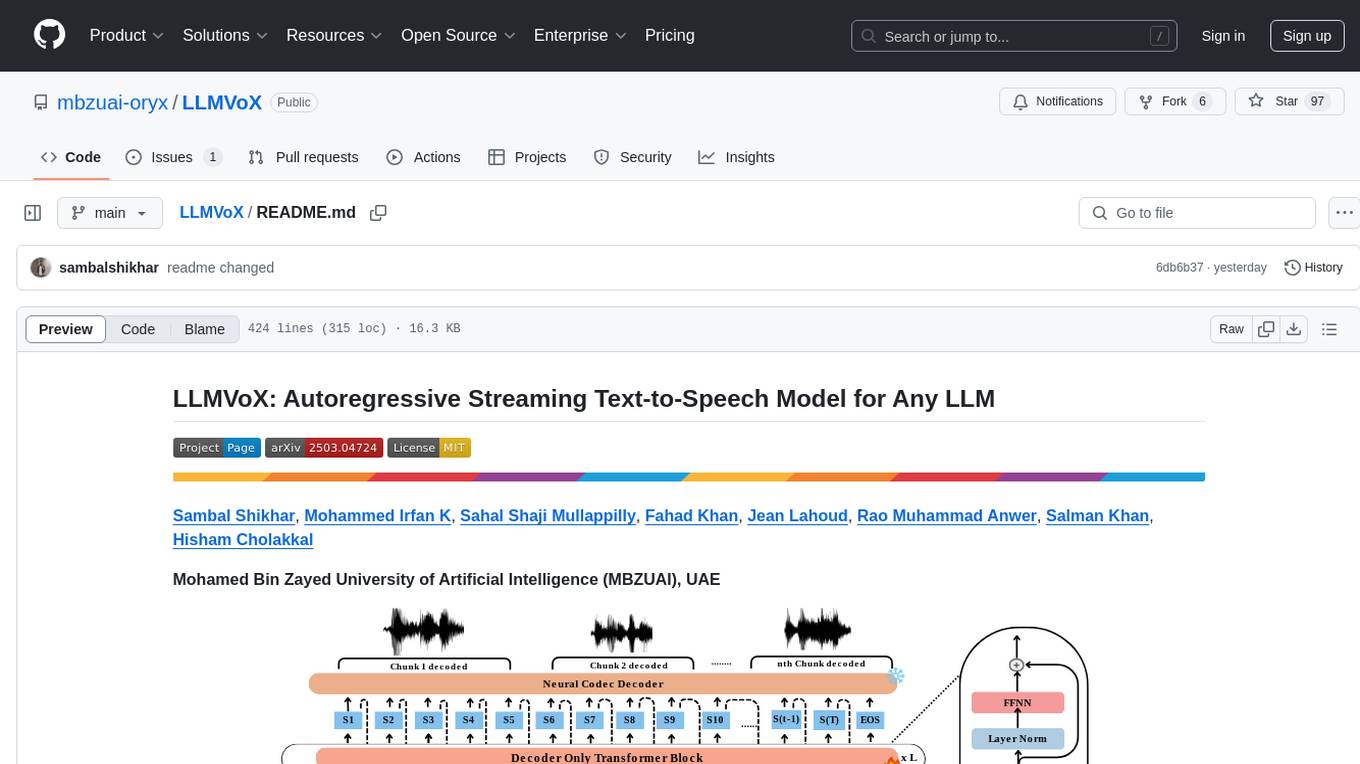
LLMVoX is a lightweight 30M-parameter, LLM-agnostic, autoregressive streaming Text-to-Speech (TTS) system designed to convert text outputs from Large Language Models into high-fidelity streaming speech with low latency. It achieves significantly lower Word Error Rate compared to speech-enabled LLMs while operating at comparable latency and speech quality. Key features include being lightweight & fast with only 30M parameters, LLM-agnostic for easy integration with existing models, multi-queue streaming for continuous speech generation, and multilingual support for easy adaptation to new languages.
mcp-documentation-server
The mcp-documentation-server is a lightweight server application designed to serve documentation files for projects. It provides a simple and efficient way to host and access project documentation, making it easy for team members and stakeholders to find and reference important information. The server supports various file formats, such as markdown and HTML, and allows for easy navigation through the documentation. With mcp-documentation-server, teams can streamline their documentation process and ensure that project information is easily accessible to all involved parties.
LightRAG
LightRAG is a repository hosting the code for LightRAG, a system that supports seamless integration of custom knowledge graphs, Oracle Database 23ai, Neo4J for storage, and multiple file types. It includes features like entity deletion, batch insert, incremental insert, and graph visualization. LightRAG provides an API server implementation for RESTful API access to RAG operations, allowing users to interact with it through HTTP requests. The repository also includes evaluation scripts, code for reproducing results, and a comprehensive code structure.
VITA
VITA is an open-source interactive omni multimodal Large Language Model (LLM) capable of processing video, image, text, and audio inputs simultaneously. It stands out with features like Omni Multimodal Understanding, Non-awakening Interaction, and Audio Interrupt Interaction. VITA can respond to user queries without a wake-up word, track and filter external queries in real-time, and handle various query inputs effectively. The model utilizes state tokens and a duplex scheme to enhance the multimodal interactive experience.
core
CORE is an open-source unified, persistent memory layer for all AI tools, allowing developers to maintain context across different tools like Cursor, ChatGPT, and Claude. It aims to solve the issue of context switching and information loss between sessions by creating a knowledge graph that remembers conversations, decisions, and insights. With features like unified memory, temporal knowledge graph, browser extension, chat with memory, auto-sync from apps, and MCP integration hub, CORE provides a seamless experience for managing and recalling context. The tool's ingestion pipeline captures evolving context through normalization, extraction, resolution, and graph integration, resulting in a dynamic memory that grows and changes with the user. When recalling from memory, CORE utilizes search, re-ranking, filtering, and output to provide relevant and contextual answers. Security measures include data encryption, authentication, access control, and vulnerability reporting.
ai-counsel
AI Counsel is a true deliberative consensus MCP server where AI models engage in actual debate, refine positions across multiple rounds, and converge with voting and confidence levels. It features two modes (quick and conference), mixed adapters (CLI tools and HTTP services), auto-convergence, structured voting, semantic grouping, model-controlled stopping, evidence-based deliberation, local model support, data privacy, context injection, semantic search, fault tolerance, and full transcripts. Users can run local and cloud models to deliberate on various questions, ground decisions in reality by querying code and files, and query past decisions for analysis. The tool is designed for critical technical decisions requiring multi-model deliberation and consensus building.
quantalogic
QuantaLogic is a ReAct framework for building advanced AI agents that seamlessly integrates large language models with a robust tool system. It aims to bridge the gap between advanced AI models and practical implementation in business processes by enabling agents to understand, reason about, and execute complex tasks through natural language interaction. The framework includes features such as ReAct Framework, Universal LLM Support, Secure Tool System, Real-time Monitoring, Memory Management, and Enterprise Ready components.
unity-mcp
MCP for Unity is a tool that acts as a bridge, enabling AI assistants to interact with the Unity Editor via a local MCP Client. Users can instruct their LLM to manage assets, scenes, scripts, and automate tasks within Unity. The tool offers natural language control, powerful tools for asset management, scene manipulation, and automation of workflows. It is extensible and designed to work with various MCP Clients, providing a range of functions for precise text edits, script management, GameObject operations, and more.
code_puppy
Code Puppy is an AI-powered code generation agent designed to understand programming tasks, generate high-quality code, and explain its reasoning. It supports multi-language code generation, interactive CLI, and detailed code explanations. The tool requires Python 3.9+ and API keys for various models like GPT, Google's Gemini, Cerebras, and Claude. It also integrates with MCP servers for advanced features like code search and documentation lookups. Users can create custom JSON agents for specialized tasks and access a variety of tools for file management, code execution, and reasoning sharing.
rkllama
RKLLama is a server and client tool designed for running and interacting with LLM models optimized for Rockchip RK3588(S) and RK3576 platforms. It allows models to run on the NPU, with features such as running models on NPU, partial Ollama API compatibility, pulling models from Huggingface, API REST with documentation, dynamic loading/unloading of models, inference requests with streaming modes, simplified model naming, CPU model auto-detection, and optional debug mode. The tool supports Python 3.8 to 3.12 and has been tested on Orange Pi 5 Pro and Orange Pi 5 Plus with specific OS versions.
browser4
Browser4 is a lightning-fast, coroutine-safe browser designed for AI integration with large language models. It offers ultra-fast automation, deep web understanding, and powerful data extraction APIs. Users can automate the browser, extract data at scale, and perform tasks like summarizing products, extracting product details, and finding specific links. The tool is developer-friendly, supports AI-powered automation, and provides advanced features like X-SQL for precise data extraction. It also offers RPA capabilities, browser control, and complex data extraction with X-SQL. Browser4 is suitable for web scraping, data extraction, automation, and AI integration tasks.
polyfire-js
Polyfire is an all-in-one managed backend for AI apps that allows users to build AI apps directly from the frontend, eliminating the need for a separate backend. It simplifies the process by providing most backend services in just a few lines of code. With Polyfire, users can easily create chatbots, transcribe audio files to text, generate simple text, create a long-term memory, and generate images with Dall-E. The tool also offers starter guides and tutorials to help users get started quickly and efficiently.
acte
Acte is a framework designed to build GUI-like tools for AI Agents. It aims to address the issues of cognitive load and freedom degrees when interacting with multiple APIs in complex scenarios. By providing a graphical user interface (GUI) for Agents, Acte helps reduce cognitive load and constraints interaction, similar to how humans interact with computers through GUIs. The tool offers APIs for starting new sessions, executing actions, and displaying screens, accessible via HTTP requests or the SessionManager class.
instructor
Instructor is a tool that provides structured outputs from Large Language Models (LLMs) in a reliable manner. It simplifies the process of extracting structured data by utilizing Pydantic for validation, type safety, and IDE support. With Instructor, users can define models and easily obtain structured data without the need for complex JSON parsing, error handling, or retries. The tool supports automatic retries, streaming support, and extraction of nested objects, making it production-ready for various AI applications. Trusted by a large community of developers and companies, Instructor is used by teams at OpenAI, Google, Microsoft, AWS, and YC startups.
For similar tasks
alexandria-audiobook
Alexandria Audiobook Generator is a tool that transforms any book or novel into a fully-voiced audiobook using AI-powered script annotation and text-to-speech. It features a built-in Qwen3-TTS engine with batch processing and a browser-based editor for fine-tuning every line before final export. The tool offers AI-powered pipeline for automatic script annotation, smart chunking, and context preservation. It also provides voice generation capabilities with built-in TTS engine, multi-language support, custom voices, voice cloning, and LoRA voice training. The web UI editor allows users to edit, preview, and export the audiobook. Export options include combined audiobook, individual voicelines, and Audacity export for DAW editing.
metavoice-src
MetaVoice-1B is a 1.2B parameter base model trained on 100K hours of speech for TTS (text-to-speech). It has been built with the following priorities: * Emotional speech rhythm and tone in English. * Zero-shot cloning for American & British voices, with 30s reference audio. * Support for (cross-lingual) voice cloning with finetuning. * We have had success with as little as 1 minute training data for Indian speakers. * Synthesis of arbitrary length text
Pandrator
Pandrator is a GUI tool for generating audiobooks and dubbing using voice cloning and AI. It transforms text, PDF, EPUB, and SRT files into spoken audio in multiple languages. It leverages XTTS, Silero, and VoiceCraft models for text-to-speech conversion and voice cloning, with additional features like LLM-based text preprocessing and NISQA for audio quality evaluation. The tool aims to be user-friendly with a one-click installer and a graphical interface.
audiobook-creator
Audiobook Creator is an open-source tool that converts books in various text formats into fully voiced audiobooks with intelligent character voice attribution. It utilizes NLP, LLMs, and TTS technologies to provide an engaging audiobook experience. The project includes components for text cleaning and formatting, character identification, and audiobook generation. Key features include a Gradio UI app, M4B audiobook creation, multi-format support, Docker compatibility, customizable narration, progress tracking, and open-source licensing.
For similar jobs
RVC_CLI
**RVC_CLI: Retrieval-based Voice Conversion Command Line Interface** This command-line interface (CLI) provides a comprehensive set of tools for voice conversion, enabling you to modify the pitch, timbre, and other characteristics of audio recordings. It leverages advanced machine learning models to achieve realistic and high-quality voice conversions. **Key Features:** * **Inference:** Convert the pitch and timbre of audio in real-time or process audio files in batch mode. * **TTS Inference:** Synthesize speech from text using a variety of voices and apply voice conversion techniques. * **Training:** Train custom voice conversion models to meet specific requirements. * **Model Management:** Extract, blend, and analyze models to fine-tune and optimize performance. * **Audio Analysis:** Inspect audio files to gain insights into their characteristics. * **API:** Integrate the CLI's functionality into your own applications or workflows. **Applications:** The RVC_CLI finds applications in various domains, including: * **Music Production:** Create unique vocal effects, harmonies, and backing vocals. * **Voiceovers:** Generate voiceovers with different accents, emotions, and styles. * **Audio Editing:** Enhance or modify audio recordings for podcasts, audiobooks, and other content. * **Research and Development:** Explore and advance the field of voice conversion technology. **For Jobs:** * Audio Engineer * Music Producer * Voiceover Artist * Audio Editor * Machine Learning Engineer **AI Keywords:** * Voice Conversion * Pitch Shifting * Timbre Modification * Machine Learning * Audio Processing **For Tasks:** * Convert Pitch * Change Timbre * Synthesize Speech * Train Model * Analyze Audio
WavCraft
WavCraft is an LLM-driven agent for audio content creation and editing. It applies LLM to connect various audio expert models and DSP function together. With WavCraft, users can edit the content of given audio clip(s) conditioned on text input, create an audio clip given text input, get more inspiration from WavCraft by prompting a script setting and let the model do the scriptwriting and create the sound, and check if your audio file is synthesized by WavCraft.
Pandrator
Pandrator is a GUI tool for generating audiobooks and dubbing using voice cloning and AI. It transforms text, PDF, EPUB, and SRT files into spoken audio in multiple languages. It leverages XTTS, Silero, and VoiceCraft models for text-to-speech conversion and voice cloning, with additional features like LLM-based text preprocessing and NISQA for audio quality evaluation. The tool aims to be user-friendly with a one-click installer and a graphical interface.
transcriptionstream
Transcription Stream is a self-hosted diarization service that works offline, allowing users to easily transcribe and summarize audio files. It includes a web interface for file management, Ollama for complex operations on transcriptions, and Meilisearch for fast full-text search. Users can upload files via SSH or web interface, with output stored in named folders. The tool requires a NVIDIA GPU and provides various scripts for installation and running. Ports for SSH, HTTP, Ollama, and Meilisearch are specified, along with access details for SSH server and web interface. Customization options and troubleshooting tips are provided in the documentation.
podscript
Podscript is a tool designed to generate transcripts for podcasts and similar audio files using Language Model Models (LLMs) and Speech-to-Text (STT) APIs. It provides a command-line interface (CLI) for transcribing audio from various sources, including YouTube videos and audio files, using different speech-to-text services like Deepgram, Assembly AI, and Groq. Additionally, Podscript offers a web-based user interface for convenience. Users can configure keys for supported services, transcribe audio, and customize the transcription models. The tool aims to simplify the process of creating accurate transcripts for audio content.
alexandria-audiobook
Alexandria Audiobook Generator is a tool that transforms any book or novel into a fully-voiced audiobook using AI-powered script annotation and text-to-speech. It features a built-in Qwen3-TTS engine with batch processing and a browser-based editor for fine-tuning every line before final export. The tool offers AI-powered pipeline for automatic script annotation, smart chunking, and context preservation. It also provides voice generation capabilities with built-in TTS engine, multi-language support, custom voices, voice cloning, and LoRA voice training. The web UI editor allows users to edit, preview, and export the audiobook. Export options include combined audiobook, individual voicelines, and Audacity export for DAW editing.
wunjo.wladradchenko.ru
Wunjo AI is a comprehensive tool that empowers users to explore the realm of speech synthesis, deepfake animations, video-to-video transformations, and more. Its user-friendly interface and privacy-first approach make it accessible to both beginners and professionals alike. With Wunjo AI, you can effortlessly convert text into human-like speech, clone voices from audio files, create multi-dialogues with distinct voice profiles, and perform real-time speech recognition. Additionally, you can animate faces using just one photo combined with audio, swap faces in videos, GIFs, and photos, and even remove unwanted objects or enhance the quality of your deepfakes using the AI Retouch Tool. Wunjo AI is an all-in-one solution for your voice and visual AI needs, offering endless possibilities for creativity and expression.
pyht
pyht is a Python SDK for the PlayHT's AI Text-to-Speech API, allowing users to convert text into high-quality audio streams in humanlike voice. It supports real-time text-to-speech streaming, pre-built and custom voices, various audio formats, and different sample rates.