


ai-counsel
True deliberative consensus MCP server where AI models debate and refine positions across multiple rounds
Stars: 185
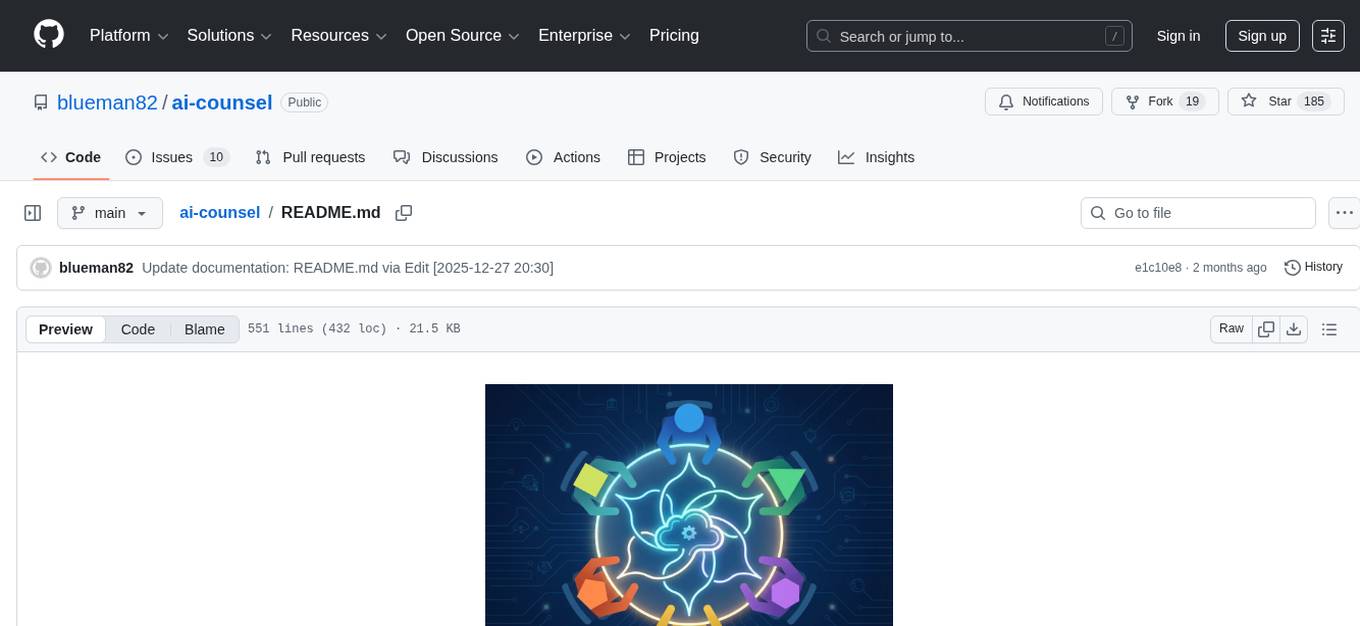
AI Counsel is a true deliberative consensus MCP server where AI models engage in actual debate, refine positions across multiple rounds, and converge with voting and confidence levels. It features two modes (quick and conference), mixed adapters (CLI tools and HTTP services), auto-convergence, structured voting, semantic grouping, model-controlled stopping, evidence-based deliberation, local model support, data privacy, context injection, semantic search, fault tolerance, and full transcripts. Users can run local and cloud models to deliberate on various questions, ground decisions in reality by querying code and files, and query past decisions for analysis. The tool is designed for critical technical decisions requiring multi-model deliberation and consensus building.
README:

True deliberative consensus MCP server where AI models debate and refine positions across multiple rounds.





Cloud Models Debate (Claude Sonnet, GPT-5.1 Codex, Gemini):
mcp__ai-counsel__deliberate({
  question: "Should we use REST or GraphQL for our new API?",
  participants: [
    {cli: "claude", model: "claude-sonnet-4-5-20250929"},
    {cli: "codex", model: "gpt-5.2-codex"},
    {cli: "gemini", model: "gemini-2.5-pro"}
  ],
  mode: "conference",
  rounds: 3
})Result: Converged on hybrid architecture (0.82-0.95 confidence) • View full transcript
Local Models Debate (100% private, zero API costs):
mcp__ai-counsel__deliberate({
  question: "Should we prioritize code quality or delivery speed?",
  participants: [
    {cli: "ollama", model: "llama3.1:8b"},
    {cli: "ollama", model: "mistral:7b"},
    {cli: "ollama", model: "deepseek-r1:8b"}
  ],
  mode: "conference",
  rounds: 2
})Result: 2 models switched positions after Round 1 debate • View full transcript
AI Counsel enables TRUE deliberative consensus where models see each other's responses and refine positions across multiple rounds:
- Models engage in actual debate (see and respond to each other)
- Multi-round convergence with voting and confidence levels
- Full audit trail with AI-generated summaries
- Automatic early stopping when consensus reaches (saves API costs)
- 🎯 Two Modes:
quick(single-round) orconference(multi-round debate) - 🤖 Mixed Adapters: CLI tools (claude, codex, droid, gemini) + HTTP services (ollama, lmstudio, openrouter, nebius)
- ⚡ Auto-Convergence: Stops when opinions stabilize (saves API costs)
- 🗳️ Structured Voting: Models cast votes with confidence levels and rationale
- 🧮 Semantic Grouping: Similar vote options automatically merged (0.70+ similarity)
- 🎛️ Model-Controlled Stopping: Models decide when to stop deliberating
- 🔬 Evidence-Based Deliberation: Models can read files, search code, list files, and run commands to ground decisions in reality
- 💰 Local Model Support: Zero API costs with Ollama, LM Studio, llamacpp
- 🔐 Data Privacy: Keep all data on-premises with self-hosted models
- 🧠 Context Injection: Automatically finds similar past debates and injects context for faster convergence
- 🔍 Semantic Search: Query past decisions with
query_decisionstool (finds contradictions, traces evolution, analyzes patterns) - 🛡️ Fault Tolerant: Individual adapter failures don't halt deliberation
- 📝 Full Transcripts: Markdown exports with AI-generated summaries
Get up and running in minutes:
- Install – follow the commands in Installation to clone the repo, create a virtualenv, and install requirements.
-
Configure – set up your MCP client using the
.mcp.jsonexample in Configure in Claude Code. -
Run – start the server with
python server.pyand trigger thedeliberatetool using the examples in Usage.
Try a Deliberation:
// Mix local + cloud models, zero API costs for local models
mcp__ai-counsel__deliberate({
  question: "Should we add unit tests to new features?",
  participants: [
    {cli: "ollama", model: "llama2"},           // Local
    {cli: "lmstudio", model: "mistral"},        // Local
    {cli: "claude", model: "sonnet"}            // Cloud
  ],
  mode: "quick"
})
⚠️ Model Size Matters for DeliberationsRecommended: Use 7B-8B+ parameter models (Llama-3-8B, Mistral-7B, Qwen-2.5-7B) for reliable structured output and vote formatting.
Not Recommended: Models under 3B parameters (e.g., Llama-3.2-1B) may struggle with complex instructions and produce invalid votes.
Available Models: claude (opus 4.5, sonnet, haiku), codex (gpt-5.2-codex, gpt-5.1-codex-max, gpt-5.1-codex-mini, gpt-5.2), droid, gemini, HTTP adapters (ollama, lmstudio, openrouter).
See CLI Model Reference for complete details.
🧠 Reasoning Effort Control
Control reasoning depth per-participant for codex and droid adapters:
participants: [
  {cli: "codex", model: "gpt-5.2-codex", reasoning_effort: "high"},    // Deep reasoning
  {cli: "droid", model: "gpt-5.1-codex-max", reasoning_effort: "low"}   // Fast response
]
- Codex:
none,minimal,low,medium,high,xhigh- Droid:
off,low,medium,high- Config defaults set in
config.yaml, per-participant overrides at runtime
For model choices and picker workflow, see Model Registry & Picker.
-
Python 3.11+:
python3 --version -
At least one AI tool (optional - HTTP adapters work without CLI):
- Claude CLI: https://docs.claude.com/en/docs/claude-code/setup
- Codex CLI: https://github.com/openai/codex
- Droid CLI: https://github.com/Factory-AI/factory
- Gemini CLI: https://github.com/google-gemini/gemini-cli
git clone https://github.com/blueman82/ai-counsel.git
cd ai-counsel
python3 -m venv .venv
source .venv/bin/activate  # macOS/Linux; Windows: .venv\Scripts\activate
pip install -r requirements.txt
python3 -m pytest tests/unit -v  # Verify installation
✅ Ready to use! Server includes core dependencies plus optional convergence backends (scikit-learn, sentence-transformers) for best accuracy.
Edit config.yaml to configure adapters and settings:
adapters:
  claude:
    type: cli
    command: "claude"
    args: ["-p", "--model", "{model}", "--settings", "{\"disableAllHooks\": true}", "{prompt}"]
    timeout: 300

  ollama:
    type: http
    base_url: "http://localhost:11434"
    timeout: 120
    max_retries: 3

defaults:
  mode: "quick"
  rounds: 2
  max_rounds: 5
Note: Use type: cli for CLI tools and type: http for HTTP adapters (Ollama, LM Studio, OpenRouter).
Control which models are available for selection in the model registry. Each model can be enabled or disabled without removing its definition:
model_registry:
  claude:
    - id: "claude-sonnet-4-5-20250929"
      label: "Claude Sonnet 4.5"
      tier: "balanced"
      default: true
      enabled: true  # Model is active and available
    - id: "claude-opus-4-20250514"
      label: "Claude Opus 4"
      tier: "premium"
      enabled: false  # Temporarily disabled (cost control, testing, etc.)
Enabled Field Behavior:
-
enabled: true(default) - Model appears inlist_modelsand can be selected for deliberations -
enabled: false- Model is hidden from selection but definition retained for easy re-enabling - Disabled models cannot be used even if explicitly specified in
deliberatecalls - Default model selection skips disabled models automatically
Use Cases:
- Cost Control: Disable expensive models temporarily without losing configuration
- Testing: Enable/disable specific models during integration tests
- Staged Rollout: Configure new models as disabled, enable when ready
- Performance Tuning: Disable slow models during rapid iteration
- Compliance: Temporarily restrict models pending approval
Models automatically converge and stop deliberating when opinions stabilize, saving time and API costs. Status: Converged (≥85% similarity), Refining (40-85%), Diverging (<40%), or Impasse (stable disagreement). Voting takes precedence: when models cast votes, convergence reflects voting outcome.
→ Complete Guide - Thresholds, backends, configuration
Models cast votes with confidence levels (0.0-1.0), rationale, and continue_debate signals. Votes determine consensus: Unanimous (3-0), Majority (2-1), or Tie. Similar options automatically merged at 0.70+ similarity threshold.
→ Complete Guide - Vote structure, examples, integration
Run Ollama, LM Studio, OpenRouter, or Nebius for flexible API costs and privacy options. Mix with cloud models (Claude, GPT-4) in single deliberation.
→ Setup Guides - Ollama, LM Studio, OpenRouter, cost analysis
Add new CLI tools or HTTP adapters to fit your infrastructure. Simple 3-5 step process with examples and testing patterns.
→ Developer Guide - Step-by-step tutorials, real-world examples
Ground design decisions in reality by querying actual code, files, and data:
// MCP client example (e.g., Claude Code)
mcp__ai_counsel__deliberate({
  question: "Should we migrate from SQLite to PostgreSQL?",
  participants: [
    {cli: "claude", model: "sonnet"},
    {cli: "codex", model: "gpt-4"}
  ],
  rounds: 3,
  working_directory: process.cwd()  // Required - enables tools to access your files
})
During deliberation, models can:
- 📄 Read files:
TOOL_REQUEST: {"name": "read_file", "arguments": {"path": "config.yaml"}} - 🔍 Search code:
TOOL_REQUEST: {"name": "search_code", "arguments": {"pattern": "database.*connect"}} - 📋 List files:
TOOL_REQUEST: {"name": "list_files", "arguments": {"pattern": "*.sql"}} - ⚙️ Run commands:
TOOL_REQUEST: {"name": "run_command", "arguments": {"command": "git", "args": ["log", "--oneline"]}}
Example workflow:
- Model A proposes PostgreSQL based on assumptions
- Model B requests:
read_fileto check current config - Tool returns:
database: sqlite, max_connections: 10 - Model B searches:
search_codefor database queries - Tool returns: 50+ queries with complex JOINs
- Models converge: "PostgreSQL needed for query complexity and scale"
- Decision backed by evidence, not opinion
Benefits:
- Decisions rooted in current state, not assumptions
- Applies to code reviews, architecture choices, testing strategy
- Full audit trail of evidence in transcripts
Supported Tools:
-
read_file- Read file contents (max 1MB) -
search_code- Search regex patterns (ripgrep or Python fallback) -
list_files- List files matching glob patterns -
run_command- Execute safe read-only commands (ls, git, grep, etc.)
Control tool behavior in config.yaml:
Working Directory (Required):
- Set
working_directoryparameter when callingdeliberatetool - Tools resolve relative paths from this directory
- Example:
working_directory: process.cwd()in JavaScript MCP clients
Tool Security (deliberation.tool_security):
-
exclude_patterns: Block access to sensitive directories (default:transcripts/,.git/,node_modules/) -
max_file_size_bytes: File size limit forread_file(default: 1MB) -
command_whitelist: Safe commands forrun_command(ls, grep, find, cat, head, tail)
File Tree (deliberation.file_tree):
-
enabled: Inject repository structure into Round 1 prompts (default: true) -
max_depth: Directory depth limit (default: 3) -
max_files: Maximum files to include (default: 100)
Adapter-Specific Requirements:
| Adapter | Working Directory Behavior | Configuration |
|---|---|---|
| Claude | Automatic isolation via subprocess {working_directory}
|
No special config needed |
| Codex | No true isolation - can access any file | Security consideration: models can read outside {working_directory}
|
| Droid | Automatic isolation via subprocess {working_directory}
|
No special config needed |
| Gemini | Enforces workspace boundaries |
Required: --include-directories {working_directory} flag |
| Ollama/LMStudio | N/A - HTTP adapters | No file system access restrictions |
Learn More:
- Complete Configuration Reference - All config.yaml settings explained
- Working Directory Isolation - How adapters handle file paths
- Tool Security Model - Whitelists, limits, and exclusions
- Adding Custom Tools - Developer guide for extending the tool system
"File not found" errors:
- Ensure
working_directoryis set correctly in your MCP client call - Use discovery pattern:
list_files→read_file - Check file paths are relative to working directory
"Access denied: Path matches exclusion pattern":
- Tools block
transcripts/,.git/,node_modules/by default - Customize via
deliberation.tool_security.exclude_patternsin config.yaml
Gemini "File path must be within workspace" errors:
- Verify Gemini's
--include-directoriesflag uses{working_directory}placeholder - See adapter-specific setup above
Tool timeout errors:
- Increase
deliberation.tool_security.tool_timeoutfor slow operations - Default: 10 seconds for file operations, 30 seconds for commands
Learn More:
- Adding Custom Tools - Developer guide for extending tool system
- Architecture & Security - How tools work under the hood
- Common Gotchas - Advanced settings and known issues
AI Counsel learns from past deliberations to accelerate future decisions. Two core capabilities:
When starting a new deliberation, the system:
- Searches past debates for similar questions (semantic similarity)
- Finds the top-k most relevant decisions (configurable, default: 3)
- Injects context into Round 1 prompts automatically
- Result: Models start with institutional knowledge, converge faster
Query past deliberations programmatically:
- Search similar: Find decisions related to a question
- Find contradictions: Detect conflicting past decisions
- Trace evolution: See how opinions changed over time
- Analyze patterns: Identify recurring themes
Configuration (optional - defaults work out-of-box):
decision_graph:
  enabled: true                       # Auto-injection on by default
  db_path: "decision_graph.db"        # Resolves to project root (works for any user/folder)
  similarity_threshold: 0.6           # Adjust to control context relevance
  max_context_decisions: 3            # How many past decisions to inject
Works for any user from any directory - database path is resolved relative to project root.
→ Quickstart | Configuration | Context Injection
python server.pyOption A: Project Config (Recommended) - Create .mcp.json:
{
  "mcpServers": {
    "ai-counsel": {
      "type": "stdio",
      "command": ".venv/bin/python",
      "args": ["server.py"],
      "env": {}
    }
  }
}
Option B: User Config - Add to ~/.claude.json with absolute paths.
After configuration, restart Claude Code.
- Discover the allowlisted models for each adapter by running the MCP tool
list_models. - Set per-session defaults with
set_session_models; leavemodelblank indeliberateto use those defaults. - Full instructions and request examples live in Model Registry & Picker.
Quick Mode:
mcp__ai-counsel__deliberate({
  question: "Should we migrate to TypeScript?",
  participants: [{cli: "claude", model: "sonnet"}, {cli: "codex", model: "gpt-5.2-codex"}],
  mode: "quick"
})
Conference Mode (multi-round):
mcp__ai-counsel__deliberate({
  question: "JWT vs session-based auth?",
  participants: [
    {cli: "claude", model: "sonnet"},
    {cli: "codex", model: "gpt-5.2-codex"}
  ],
  rounds: 3,
  mode: "conference"
})
Search Past Decisions:
mcp__ai-counsel__query_decisions({
  query_text: "database choice",
  threshold: 0.5,  // NEW! Adjust sensitivity (0.0-1.0, default 0.6)
  limit: 5
})
// Returns: Similar past deliberations with consensus and similarity scores

// NEW! Empty results include helpful diagnostics:
{
  "type": "similar_decisions",
  "count": 0,
  "results": [],
  "diagnostics": {
    "total_decisions": 125,
    "best_match_score": 0.45,
    "near_misses": [{"question": "Database indexing...", "score": 0.45}],
    "suggested_threshold": 0.45,
    "message": "No results found above threshold 0.6. Best match scored 0.450. Try threshold=0.45..."
  }
}

// Find contradictions
mcp__ai-counsel__query_decisions({
  operation: "find_contradictions"
})
// Returns: Decisions where consensus conflicts

// Trace evolution
mcp__ai-counsel__query_decisions({
  query: "microservices architecture",
  operation: "trace_evolution"
})
// Returns: How opinions evolved over time on this topicAll deliberations saved to transcripts/ with AI-generated summaries and full debate history.
ai-counsel/
├── server.py                # MCP server entry point
├── config.yaml              # Configuration
├── adapters/                # CLI/HTTP adapters
│   ├── base.py             # Abstract base
│   ├── base_http.py        # HTTP base
│   └── [adapter implementations]
├── deliberation/            # Core engine
│   ├── engine.py           # Orchestration
│   ├── convergence.py      # Similarity detection
│   └── transcript.py       # Markdown generation
├── models/                  # Data models (Pydantic)
├── tests/                   # Unit/integration/e2e tests
└── decision_graph/         # Optional memory system
- Quick Start - 5-minute setup
- Installation - Detailed prerequisites and setup
- Usage Examples - Quick and conference modes
- Convergence Detection - Auto-stop, thresholds, backends
- Structured Voting - Vote structure, consensus types, vote grouping
- Evidence-Based Deliberation - Ground decisions in reality with read_file, search_code, list_files, run_command
- Decision Graph Memory - Learning from past decisions
- HTTP Adapters - Ollama, LM Studio, OpenRouter setup
- Configuration Reference - All YAML options
- Migration Guide - From cli_tools to adapters
- Adding Adapters - CLI and HTTP adapter development
- CLAUDE.md - Architecture, development workflow, gotchas
- Model Registry & Picker - Managing allowlisted models and MCP picker tools
- Troubleshooting - HTTP adapter issues
- Decision Graph Docs - Advanced memory features
pytest tests/unit -v                    # Unit tests (fast)
pytest tests/integration -v -m integration  # Integration tests
pytest --cov=. --cov-report=html       # Coverage report
See CLAUDE.md for development workflow and architecture notes.
- Fork the repository
- Create a feature branch (
git checkout -b feature/your-feature) - Write tests first (TDD workflow)
- Implement feature
- Ensure all tests pass
- Submit PR with clear description
MIT License - see LICENSE file
Built with:
Inspired by the need for true deliberative AI consensus beyond parallel opinion gathering.






Production Ready - Multi-model deliberative consensus with cross-user decision graph memory, structured voting, and adaptive early stopping for critical technical decisions!
For Tasks:
Click tags to check more tools for each tasksFor Jobs:
Alternative AI tools for ai-counsel
Similar Open Source Tools
ai-counsel
AI Counsel is a true deliberative consensus MCP server where AI models engage in actual debate, refine positions across multiple rounds, and converge with voting and confidence levels. It features two modes (quick and conference), mixed adapters (CLI tools and HTTP services), auto-convergence, structured voting, semantic grouping, model-controlled stopping, evidence-based deliberation, local model support, data privacy, context injection, semantic search, fault tolerance, and full transcripts. Users can run local and cloud models to deliberate on various questions, ground decisions in reality by querying code and files, and query past decisions for analysis. The tool is designed for critical technical decisions requiring multi-model deliberation and consensus building.
mcp-documentation-server
The mcp-documentation-server is a lightweight server application designed to serve documentation files for projects. It provides a simple and efficient way to host and access project documentation, making it easy for team members and stakeholders to find and reference important information. The server supports various file formats, such as markdown and HTML, and allows for easy navigation through the documentation. With mcp-documentation-server, teams can streamline their documentation process and ensure that project information is easily accessible to all involved parties.
core
CORE is an open-source unified, persistent memory layer for all AI tools, allowing developers to maintain context across different tools like Cursor, ChatGPT, and Claude. It aims to solve the issue of context switching and information loss between sessions by creating a knowledge graph that remembers conversations, decisions, and insights. With features like unified memory, temporal knowledge graph, browser extension, chat with memory, auto-sync from apps, and MCP integration hub, CORE provides a seamless experience for managing and recalling context. The tool's ingestion pipeline captures evolving context through normalization, extraction, resolution, and graph integration, resulting in a dynamic memory that grows and changes with the user. When recalling from memory, CORE utilizes search, re-ranking, filtering, and output to provide relevant and contextual answers. Security measures include data encryption, authentication, access control, and vulnerability reporting.
code_puppy
Code Puppy is an AI-powered code generation agent designed to understand programming tasks, generate high-quality code, and explain its reasoning. It supports multi-language code generation, interactive CLI, and detailed code explanations. The tool requires Python 3.9+ and API keys for various models like GPT, Google's Gemini, Cerebras, and Claude. It also integrates with MCP servers for advanced features like code search and documentation lookups. Users can create custom JSON agents for specialized tasks and access a variety of tools for file management, code execution, and reasoning sharing.
LightRAG
LightRAG is a repository hosting the code for LightRAG, a system that supports seamless integration of custom knowledge graphs, Oracle Database 23ai, Neo4J for storage, and multiple file types. It includes features like entity deletion, batch insert, incremental insert, and graph visualization. LightRAG provides an API server implementation for RESTful API access to RAG operations, allowing users to interact with it through HTTP requests. The repository also includes evaluation scripts, code for reproducing results, and a comprehensive code structure.
quantalogic
QuantaLogic is a ReAct framework for building advanced AI agents that seamlessly integrates large language models with a robust tool system. It aims to bridge the gap between advanced AI models and practical implementation in business processes by enabling agents to understand, reason about, and execute complex tasks through natural language interaction. The framework includes features such as ReAct Framework, Universal LLM Support, Secure Tool System, Real-time Monitoring, Memory Management, and Enterprise Ready components.
agent-sdk-go
Agent Go SDK is a powerful Go framework for building production-ready AI agents that seamlessly integrates memory management, tool execution, multi-LLM support, and enterprise features into a flexible, extensible architecture. It offers core capabilities like multi-model intelligence, modular tool ecosystem, advanced memory management, and MCP integration. The SDK is enterprise-ready with built-in guardrails, complete observability, and support for enterprise multi-tenancy. It provides a structured task framework, declarative configuration, and zero-effort bootstrapping for development experience. The SDK supports environment variables for configuration and includes features like creating agents with YAML configuration, auto-generating agent configurations, using MCP servers with an agent, and CLI tool for headless usage.
flo-ai
Flo AI is a Python framework that enables users to build production-ready AI agents and teams with minimal code. It allows users to compose complex AI architectures using pre-built components while maintaining the flexibility to create custom components. The framework supports composable, production-ready, YAML-first, and flexible AI systems. Users can easily create AI agents and teams, manage teams of AI agents working together, and utilize built-in support for Retrieval-Augmented Generation (RAG) and compatibility with Langchain tools. Flo AI also provides tools for output parsing and formatting, tool logging, data collection, and JSON output collection. It is MIT Licensed and offers detailed documentation, tutorials, and examples for AI engineers and teams to accelerate development, maintainability, scalability, and testability of AI systems.
instructor
Instructor is a tool that provides structured outputs from Large Language Models (LLMs) in a reliable manner. It simplifies the process of extracting structured data by utilizing Pydantic for validation, type safety, and IDE support. With Instructor, users can define models and easily obtain structured data without the need for complex JSON parsing, error handling, or retries. The tool supports automatic retries, streaming support, and extraction of nested objects, making it production-ready for various AI applications. Trusted by a large community of developers and companies, Instructor is used by teams at OpenAI, Google, Microsoft, AWS, and YC startups.
open-edison
OpenEdison is a secure MCP control panel that connects AI to data/software with additional security controls to reduce data exfiltration risks. It helps address the lethal trifecta problem by providing visibility, monitoring potential threats, and alerting on data interactions. The tool offers features like data leak monitoring, controlled execution, easy configuration, visibility into agent interactions, a simple API, and Docker support. It integrates with LangGraph, LangChain, and plain Python agents for observability and policy enforcement. OpenEdison helps gain observability, control, and policy enforcement for AI interactions with systems of records, existing company software, and data to reduce risks of AI-caused data leakage.
pocketgroq
PocketGroq is a tool that provides advanced functionalities for text generation, web scraping, web search, and AI response evaluation. It includes features like an Autonomous Agent for answering questions, web crawling and scraping capabilities, enhanced web search functionality, and flexible integration with Ollama server. Users can customize the agent's behavior, evaluate responses using AI, and utilize various methods for text generation, conversation management, and Chain of Thought reasoning. The tool offers comprehensive methods for different tasks, such as initializing RAG, error handling, and tool management. PocketGroq is designed to enhance development processes and enable the creation of AI-powered applications with ease.
Bindu
Bindu is an operating layer for AI agents that provides identity, communication, and payment capabilities. It delivers a production-ready service with a convenient API to connect, authenticate, and orchestrate agents across distributed systems using open protocols: A2A, AP2, and X402. Built with a distributed architecture, Bindu makes it fast to develop and easy to integrate with any AI framework. Transform any agent framework into a fully interoperable service for communication, collaboration, and commerce in the Internet of Agents.
connectonion
ConnectOnion is a simple, elegant open-source framework for production-ready AI agents. It provides a platform for creating and using AI agents with a focus on simplicity and efficiency. The framework allows users to easily add tools, debug agents, make them production-ready, and enable multi-agent capabilities. ConnectOnion offers a simple API, is production-ready with battle-tested models, and is open-source under the MIT license. It features a plugin system for adding reflection and reasoning capabilities, interactive debugging for easy troubleshooting, and no boilerplate code for seamless scaling from prototypes to production systems.
nexus
Nexus is a tool that acts as a unified gateway for multiple LLM providers and MCP servers. It allows users to aggregate, govern, and control their AI stack by connecting multiple servers and providers through a single endpoint. Nexus provides features like MCP Server Aggregation, LLM Provider Routing, Context-Aware Tool Search, Protocol Support, Flexible Configuration, Security features, Rate Limiting, and Docker readiness. It supports tool calling, tool discovery, and error handling for STDIO servers. Nexus also integrates with AI assistants, Cursor, Claude Code, and LangChain for seamless usage.

LocalAGI
LocalAGI is a powerful, self-hostable AI Agent platform that allows you to design AI automations without writing code. It provides a complete drop-in replacement for OpenAI's Responses APIs with advanced agentic capabilities. With LocalAGI, you can create customizable AI assistants, automations, chat bots, and agents that run 100% locally, without the need for cloud services or API keys. The platform offers features like no-code agents, web-based interface, advanced agent teaming, connectors for various platforms, comprehensive REST API, short & long-term memory capabilities, planning & reasoning, periodic tasks scheduling, memory management, multimodal support, extensible custom actions, fully customizable models, observability, and more.
ai
A TypeScript toolkit for building AI-driven video workflows on the server, powered by Mux! @mux/ai provides purpose-driven workflow functions and primitive functions that integrate with popular AI/LLM providers like OpenAI, Anthropic, and Google. It offers pre-built workflows for tasks like generating summaries and tags, content moderation, chapter generation, and more. The toolkit is cost-effective, supports multi-modal analysis, tone control, and configurable thresholds, and provides full TypeScript support. Users can easily configure credentials for Mux and AI providers, as well as cloud infrastructure like AWS S3 for certain workflows. @mux/ai is production-ready, offers composable building blocks, and supports universal language detection.
For similar tasks
ai-counsel
AI Counsel is a true deliberative consensus MCP server where AI models engage in actual debate, refine positions across multiple rounds, and converge with voting and confidence levels. It features two modes (quick and conference), mixed adapters (CLI tools and HTTP services), auto-convergence, structured voting, semantic grouping, model-controlled stopping, evidence-based deliberation, local model support, data privacy, context injection, semantic search, fault tolerance, and full transcripts. Users can run local and cloud models to deliberate on various questions, ground decisions in reality by querying code and files, and query past decisions for analysis. The tool is designed for critical technical decisions requiring multi-model deliberation and consensus building.
For similar jobs

sweep
Sweep is an AI junior developer that turns bugs and feature requests into code changes. It automatically handles developer experience improvements like adding type hints and improving test coverage.

teams-ai
The Teams AI Library is a software development kit (SDK) that helps developers create bots that can interact with Teams and Microsoft 365 applications. It is built on top of the Bot Framework SDK and simplifies the process of developing bots that interact with Teams' artificial intelligence capabilities. The SDK is available for JavaScript/TypeScript, .NET, and Python.

ai-guide
This guide is dedicated to Large Language Models (LLMs) that you can run on your home computer. It assumes your PC is a lower-end, non-gaming setup.

classifai
Supercharge WordPress Content Workflows and Engagement with Artificial Intelligence. Tap into leading cloud-based services like OpenAI, Microsoft Azure AI, Google Gemini and IBM Watson to augment your WordPress-powered websites. Publish content faster while improving SEO performance and increasing audience engagement. ClassifAI integrates Artificial Intelligence and Machine Learning technologies to lighten your workload and eliminate tedious tasks, giving you more time to create original content that matters.

chatbot-ui
Chatbot UI is an open-source AI chat app that allows users to create and deploy their own AI chatbots. It is easy to use and can be customized to fit any need. Chatbot UI is perfect for businesses, developers, and anyone who wants to create a chatbot.

BricksLLM
BricksLLM is a cloud native AI gateway written in Go. Currently, it provides native support for OpenAI, Anthropic, Azure OpenAI and vLLM. BricksLLM aims to provide enterprise level infrastructure that can power any LLM production use cases. Here are some use cases for BricksLLM: * Set LLM usage limits for users on different pricing tiers * Track LLM usage on a per user and per organization basis * Block or redact requests containing PIIs * Improve LLM reliability with failovers, retries and caching * Distribute API keys with rate limits and cost limits for internal development/production use cases * Distribute API keys with rate limits and cost limits for students

uAgents
uAgents is a Python library developed by Fetch.ai that allows for the creation of autonomous AI agents. These agents can perform various tasks on a schedule or take action on various events. uAgents are easy to create and manage, and they are connected to a fast-growing network of other uAgents. They are also secure, with cryptographically secured messages and wallets.

griptape
Griptape is a modular Python framework for building AI-powered applications that securely connect to your enterprise data and APIs. It offers developers the ability to maintain control and flexibility at every step. Griptape's core components include Structures (Agents, Pipelines, and Workflows), Tasks, Tools, Memory (Conversation Memory, Task Memory, and Meta Memory), Drivers (Prompt and Embedding Drivers, Vector Store Drivers, Image Generation Drivers, Image Query Drivers, SQL Drivers, Web Scraper Drivers, and Conversation Memory Drivers), Engines (Query Engines, Extraction Engines, Summary Engines, Image Generation Engines, and Image Query Engines), and additional components (Rulesets, Loaders, Artifacts, Chunkers, and Tokenizers). Griptape enables developers to create AI-powered applications with ease and efficiency.