


Bindu
Bindu: Turn any AI agent into a living microservice - interoperable, observable, composable.
Stars: 453
Bindu is an operating layer for AI agents that provides identity, communication, and payment capabilities. It delivers a production-ready service with a convenient API to connect, authenticate, and orchestrate agents across distributed systems using open protocols: A2A, AP2, and X402. Built with a distributed architecture, Bindu makes it fast to develop and easy to integrate with any AI framework. Transform any agent framework into a fully interoperable service for communication, collaboration, and commerce in the Internet of Agents.
README:

The identity, communication & payments layer for AI agents
🇬🇧 English • 🇩🇪 Deutsch • 🇪🇸 Español • 🇫🇷 Français • 🇮🇳 हिंदी • 🇮🇳 বাংলা • 🇨🇳 中文 • 🇳🇱 Nederlands • 🇮🇳 தமிழ்








Bindu (read: binduu) is an operating layer for AI agents that provides identity, communication, and payment capabilities. It delivers a production-ready service with a convenient API to connect, authenticate, and orchestrate agents across distributed systems using open protocols: A2A, AP2, and X402.
Built with a distributed architecture (Task Manager, scheduler, storage), Bindu makes it fast to develop and easy to integrate with any AI framework. Transform any agent framework into a fully interoperable service for communication, collaboration, and commerce in the Internet of Agents.
🌟 Register your agent • 🌻 Documentation • 💬 Discord Community
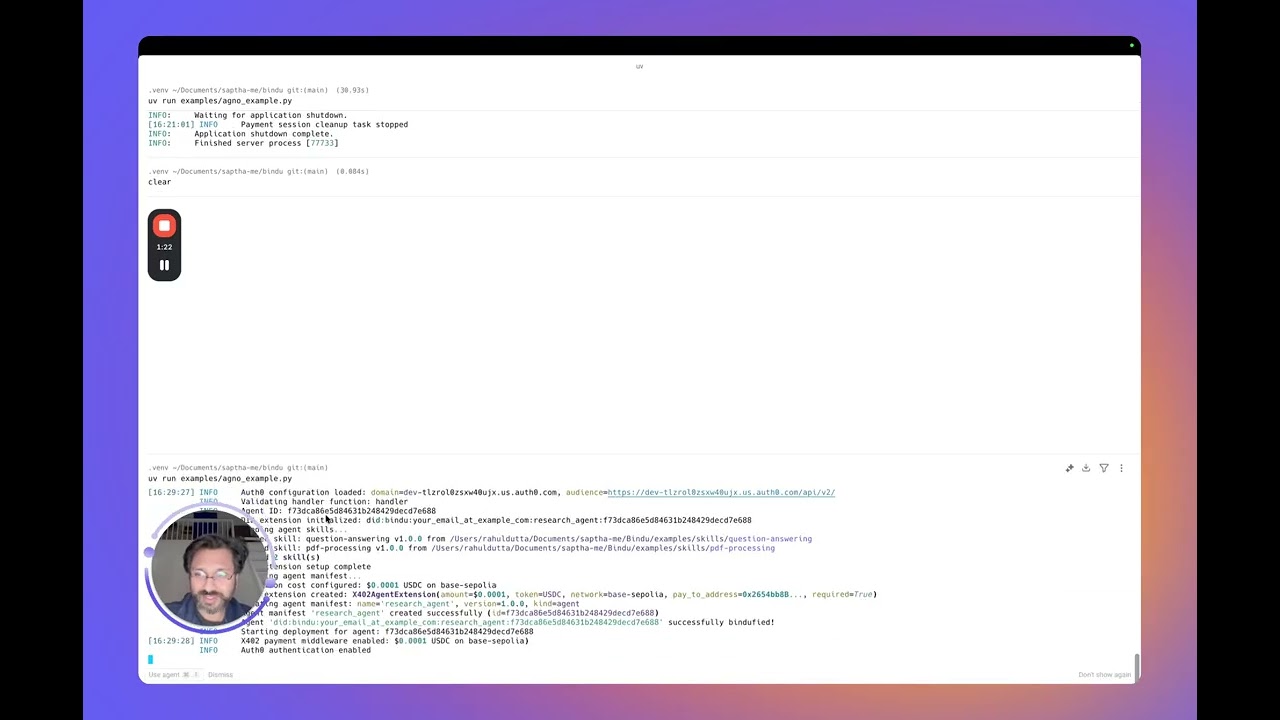
Before installing Bindu, ensure you have:
- Python 3.12 or higher - Download here
- UV package manager - Installation guide
- Note: You will need an OPENROUTER_API_KEY (or OpenAI key) set in your environment variables to run the agent successfully.
Bindu supports OpenRouter out of the box, giving you access to multiple free and paid LLM providers using a single API key.
This is the easiest way to run Bindu without OpenAI billing.
Steps:
-
Get a free API key from: https://openrouter.ai
-
Set your environment variable:
PowerShell (Windows):
$env:OPENROUTER_API_KEY="your_key_here"
# Check Python version
uv run python --version  # Should show 3.12 or higher

# Check UV installation
uv --versionWindows users note (Git & GitHub Desktop)
On some Windows systems, git may not be recognized in Command Prompt even after installation due to PATH configuration issues.
If you face this issue, you can use GitHub Desktop as an alternative:
- Install GitHub Desktop from https://desktop.github.com/
- Sign in with your GitHub account
- Clone the repository using the repository URL: https://github.com/getbindu/Bindu.git
GitHub Desktop allows you to clone, manage branches, commit changes, and open pull requests without using the command line.
# Install Bindu
uv add bindu

# For development (if contributing to Bindu)
# Create and activate virtual environment
uv venv --python 3.12.9
source .venv/bin/activate  # On macOS/Linux
# .venv\Scripts\activate  # On Windows

uv sync --dev
Common Installation Issues (click to expand)
| Issue | Solution |
|---|---|
uv: command not found |
Restart your terminal after installing UV. On Windows, use PowerShell |
Python version not supported |
Install Python 3.12+ from python.org |
| Virtual environment not activating (Windows) | Use PowerShell and run .venv\Scripts\activate
|
Microsoft Visual C++ required |
Download Visual C++ Build Tools |
ModuleNotFoundError |
Activate venv and run uv sync --dev
|
Time to first agent: ~2 minutes ⏱️
# Install cookiecutter
uv add cookiecutter

# Create your Bindu agent
uvx cookiecutter https://github.com/getbindu/create-bindu-agent.git
That's it! Your local agent becomes a live, secure, discoverable service. Learn more →
💡 Pro Tip: Agents created with cookiecutter include GitHub Actions that automatically register your agent in the Bindu Directory when you push to your repository. No manual registration needed!
Create your agent script my_agent.py:
from bindu.penguin.bindufy import bindufy
from agno.agent import Agent
from agno.tools.duckduckgo import DuckDuckGoTools
from agno.models.openai import OpenAIChat

# Define your agent
agent = Agent(
    instructions="You are a research assistant that finds and summarizes information.",
    model=OpenAIChat(id="gpt-4o"),
    tools=[DuckDuckGoTools()],
)

# Configuration
config = {
    "author": "[email protected]",
    "name": "research_agent",
    "description": "A research assistant agent",
    "deployment": {"url": "http://localhost:3773", "expose": True},
    "skills": ["skills/question-answering", "skills/pdf-processing"]
}

# Handler function
def handler(messages: list[dict[str, str]]):
    """Process messages and return agent response.

    Args:
        messages: List of message dictionaries containing conversation history

    Returns:
        Agent response result
    """
    result = agent.run(input=messages)
    return result

# Bindu-fy it
bindufy(config, handler)
Your agent is now live at http://localhost:3773 and ready to communicate with other agents.
If you want to try Bindu without setting up Postgres, Redis, or any cloud services, this zero-config example is the fastest way to get started.
It runs entirely locally using in-memory storage and scheduler.
python examples/beginner_zero_config_agent.pyView minimal example (click to expand)
Smallest possible working agent:
from bindu.penguin.bindufy import bindufy

def handler(messages):
    return [{"role": "assistant", "content": messages[-1]["content"]}]

config = {
    "author": "[email protected]",
    "name": "echo_agent",
    "description": "A basic echo agent for quick testing.",
    "deployment": {"url": "http://localhost:3773", "expose": True},
    "skills": []
}

bindufy(config, handler)
Run and test:
# Start the agent
python examples/echo_agent.py
Test the agent with curl (click to expand)
Input:
curl --location 'http://localhost:3773/' \
--header 'Content-Type: application/json' \
--data '{
    "jsonrpc": "2.0",
    "method": "message/send",
    "params": {
        "message": {
            "role": "user",
            "parts": [
                {
                    "kind": "text",
                    "text": "Quote"
                }
            ],
            "kind": "message",
            "messageId": "550e8400-e29b-41d4-a716-446655440038",
            "contextId": "550e8400-e29b-41d4-a716-446655440038",
            "taskId": "550e8400-e29b-41d4-a716-446655440300"
        },
        "configuration": {
            "acceptedOutputModes": [
                "application/json"
            ]
        }
    },
    "id": "550e8400-e29b-41d4-a716-446655440024"
}'
Output:
{
    "jsonrpc": "2.0",
    "id": "550e8400-e29b-41d4-a716-446655440024",
    "result": {
        "id": "550e8400-e29b-41d4-a716-446655440301",
        "context_id": "550e8400-e29b-41d4-a716-446655440038",
        "kind": "task",
        "status": {
            "state": "submitted",
            "timestamp": "2025-12-16T17:10:32.116980+00:00"
        },
        "history": [
            {
                "message_id": "550e8400-e29b-41d4-a716-446655440038",
                "context_id": "550e8400-e29b-41d4-a716-446655440038",
                "task_id": "550e8400-e29b-41d4-a716-446655440301",
                "kind": "message",
                "parts": [
                    {
                        "kind": "text",
                        "text": "Quote"
                    }
                ],
                "role": "user"
            }
        ]
    }
}
Check the status of the task
curl --location 'http://localhost:3773/' \
--header 'Content-Type: application/json' \
--data '{
    "jsonrpc": "2.0",
    "method": "tasks/get",
    "params": {
        "taskId": "550e8400-e29b-41d4-a716-446655440301"
    },
    "id": "550e8400-e29b-41d4-a716-446655440025"
}'
Output:
{
    "jsonrpc": "2.0",
    "id": "550e8400-e29b-41d4-a716-446655440025",
    "result": {
        "id": "550e8400-e29b-41d4-a716-446655440301",
        "context_id": "550e8400-e29b-41d4-a716-446655440038",
        "kind": "task",
        "status": {
            "state": "completed",
            "timestamp": "2025-12-16T17:10:32.122360+00:00"
        },
        "history": [
            {
                "message_id": "550e8400-e29b-41d4-a716-446655440038",
                "context_id": "550e8400-e29b-41d4-a716-446655440038",
                "task_id": "550e8400-e29b-41d4-a716-446655440301",
                "kind": "message",
                "parts": [
                    {
                        "kind": "text",
                        "text": "Quote"
                    }
                ],
                "role": "user"
            },
            {
                "role": "assistant",
                "parts": [
                    {
                        "kind": "text",
                        "text": "Quote"
                    }
                ],
                "kind": "message",
                "message_id": "2f2c1a8e-68fa-4bb7-91c2-eac223e6650b",
                "task_id": "550e8400-e29b-41d4-a716-446655440301",
                "context_id": "550e8400-e29b-41d4-a716-446655440038"
            }
        ],
        "artifacts": [
            {
                "artifact_id": "22ac0080-804e-4ff6-b01c-77e6b5aea7e8",
                "name": "result",
                "parts": [
                    {
                        "kind": "text",
                        "text": "Quote",
                        "metadata": {
                            "did.message.signature": "5opJuKrBDW4woezujm88FzTqRDWAB62qD3wxKz96Bt2izfuzsneo3zY7yqHnV77cq3BDKepdcro2puiGTVAB52qf"  # pragma: allowlist secret
                        }
                    }
                ]
            }
        ]
    }
}Bindu uses PostgreSQL as its persistent storage backend for production deployments. The storage layer is built with SQLAlchemy's async engine and uses imperative mapping with protocol TypedDicts.
Its Optional - InMemoryStorage is used by default.
The storage layer uses three main tables:
- tasks_table: Stores all tasks with JSONB history and artifacts
- contexts_table: Maintains context metadata and message history
- task_feedback_table: Optional feedback storage for tasks
View configuration example (click to expand)
Configure PostgreSQL connection via environment variables:
STORAGE_TYPE=postgres
DATABASE_URL=postgresql+asyncpg://<username>:<password>@localhost:5432/bindu
Then use the simplified config:
config = {
    "author": "[email protected]",
    "name": "research_agent",
    "description": "A research assistant agent",
    "deployment": {"url": "http://localhost:3773", "expose": True},
    "skills": ["skills/question-answering", "skills/pdf-processing"],
}
💡 Task-First Pattern: The storage supports Bindu's task-first approach where tasks can be continued by appending messages to non-terminal tasks, enabling incremental refinements and multi-turn conversations.
Bindu uses Redis as its distributed task scheduler for coordinating work across multiple workers and processes. The scheduler uses Redis lists with blocking operations for efficient task distribution.
Its Optional - InMemoryScheduler is used by default.
View configuration example (click to expand)
Configure Redis connection via environment variables:
SCHEDULER_TYPE=redis
REDIS_URL=redis://localhost:6379/0
Then use the simplified config:
config = {
    "author": "[email protected]",
    "name": "research_agent",
    "description": "A research assistant agent",
    "deployment": {"url": "http://localhost:3773", "expose": True},
    "skills": ["skills/question-answering", "skills/pdf-processing"],
}
All operations are queued in Redis and processed by available workers using a blocking pop mechanism, ensuring efficient distribution without polling overhead.
Automatic retry logic with exponential backoff for resilient Bindu agents
Bindu includes a built-in Tenacity-based retry mechanism to handle transient failures gracefully across workers, storage, schedulers, and API calls. This ensures your agents remain resilient in production environments.
If not configured, Bindu uses these defaults:
| Operation Type | Max Attempts | Min Wait | Max Wait |
|---|---|---|---|
| Worker | 3 | 1.0s | 10.0s |
| Storage | 5 | 0.5s | 5.0s |
| Scheduler | 3 | 1.0s | 8.0s |
| API | 4 | 1.0s | 15.0s |
Real-time error tracking and performance monitoring for Bindu agents
Sentry is a real-time error tracking and performance monitoring platform that helps you identify, diagnose, and fix issues in production. Bindu includes built-in Sentry integration to provide comprehensive observability for your AI agents.
View configuration example (click to expand)
Configure Sentry directly in your bindufy() config:
config = {
    "author": "[email protected]",
    "name": "echo_agent",
    "description": "A basic echo agent for quick testing.",
    "deployment": {"url": "http://localhost:3773", "expose": True},
    "skills": [],
    # Storage, scheduler, sentry, and telemetry are now configured via environment variables
}

def handler(messages):
    # Your agent logic
    pass

bindufy(config, handler)
Environment Variables:
# Sentry Error Tracking (Optional)
SENTRY_ENABLED=true
SENTRY_DSN=https://<key>@<org-id>.ingest.sentry.io/<project-id>

# See examples/.env.example for complete configuration
``

</details>

### 🚀 Getting Started

1. **Create Sentry Account**: Sign up at [sentry.io](https://sentry.io)
2. **Get Your DSN**: Copy from project settings
3. **Configure Bindu**: Add `sentry` config (see above)
4. **Run Your Agent**: Sentry initializes automatically

> 📚 See the [full Sentry documentation](https://docs.getbindu.com/bindu/learn/sentry/overview) for complete details.

---

<br/>

## [Skills System](https://docs.getbindu.com/bindu/skills/introduction/overview)

> Rich capability advertisement for intelligent agent orchestration

The Bindu Skills System provides rich agent capability advertisement for intelligent orchestration and agent discovery. Inspired by Claude's skills architecture, it enables agents to provide detailed documentation about their capabilities for orchestrators to make informed routing decisions.

### 💡 What are Skills?

Skills in Bindu serve as **rich advertisement metadata** that help orchestrators:

* 🔍 **Discover** the right agent for a task
* 📖 **Understand** detailed capabilities and limitations
* ✅ **Validate** requirements before execution
* 📊 **Estimate** performance and resource needs
* 🔗 **Chain** multiple agents intelligently

> **Note**: Skills are not executable code—they're structured metadata that describe what your agent can do.

### 📋 Complete Skill Structure

<details>
<summary><b>View complete skill.yaml structure</b> (click to expand)</summary>

A skill.yaml file contains all metadata needed for intelligent orchestration:

```yaml
# Basic Metadata
id: pdf-processing-v1
name: pdf-processing
version: 1.0.0
author: [email protected]

# Description
description: |
  Extract text, fill forms, and extract tables from PDF documents.
  Handles both standard text-based PDFs and scanned documents with OCR.

# Tags and Modes
tags:
  - pdf
  - documents
  - extraction

input_modes:
  - application/pdf

output_modes:
  - text/plain
  - application/json
  - application/pdf

# Example Queries
examples:
  - "Extract text from this PDF document"
  - "Fill out this PDF form with the provided data"
  - "Extract tables from this invoice PDF"

# Detailed Capabilities
capabilities_detail:
  text_extraction:
    supported: true
    types:
      - standard
      - scanned_with_ocr
    languages:
      - eng
      - spa
    limitations: "OCR requires pytesseract and tesseract-ocr"
    preserves_formatting: true

  form_filling:
    supported: true
    field_types:
      - text
      - checkbox
      - dropdown
    validation: true

  table_extraction:
    supported: true
    table_types:
      - simple
      - complex_multi_column
    output_formats:
      - json
      - csv

# Requirements
requirements:
  packages:
    - pypdf>=3.0.0
    - pdfplumber>=0.9.0
    - pytesseract>=0.3.10
  system:
    - tesseract-ocr
  min_memory_mb: 512

# Performance Metrics
performance:
  avg_processing_time_ms: 2000
  avg_time_per_page_ms: 200
  max_file_size_mb: 50
  max_pages: 500
  concurrent_requests: 5
  memory_per_request_mb: 500
  timeout_per_page_seconds: 30

# Rich Documentation
documentation:
  overview: |
    This agent specializes in PDF document processing with support for text extraction,
    form filling, and table extraction. Handles both standard text-based PDFs and
    scanned documents (with OCR).

  use_cases:
    when_to_use:
      - User uploads a PDF and asks to extract text
      - User needs to fill out PDF forms programmatically
      - User wants to extract tables from reports/invoices
    when_not_to_use:
      - PDF editing or modification
      - PDF creation from scratch
      - Image extraction from PDFs

  input_structure: |
    {
      "file": "base64_encoded_pdf_or_url",
      "operation": "extract_text|fill_form|extract_tables",
      "options": {
        "ocr": true,
        "language": "eng"
      }
    }

  output_format: |
    {
      "success": true,
      "pages": [{"page_number": 1, "text": "...", "confidence": 0.98}],
      "metadata": {"total_pages": 10, "processing_time_ms": 1500}
    }

  error_handling:
    - "Encrypted PDFs: Returns error requesting password"
    - "Corrupted files: Returns validation error with details"
    - "Timeout: 30s per page, returns partial results"

  examples:
    - title: "Extract Text from PDF"
      input:
        file: "https://example.com/document.pdf"
        operation: "extract_text"
      output:
        success: true
        pages:
          - page_number: 1
            text: "Extracted text..."
            confidence: 0.99

  best_practices:
    for_developers:
      - "Check file size before processing (max 50MB)"
      - "Use OCR only when necessary (3-5x slower)"
      - "Handle errors gracefully with user-friendly messages"
    for_orchestrators:
      - "Route based on operation type (extract/fill/parse)"
      - "Consider file size for performance estimation"
      - "Chain with text-analysis for content understanding"

# Assessment fields for skill negotiation
assessment:
  keywords:
    - pdf
    - extract
    - document
    - form
    - table

  specializations:
    - domain: invoice_processing
      confidence_boost: 0.3
    - domain: form_filling
      confidence_boost: 0.3

  anti_patterns:
    - "pdf editing"
    - "pdf creation"
    - "merge pdf"

  complexity_indicators:
    simple:
      - "single page"
      - "extract text"
    medium:
      - "multiple pages"
      - "fill form"
    complex:
      - "scanned document"
      - "ocr"
- "batch processing"List All Skills:
GET /agent/skillsGet Skill Details:
GET /agent/skills/{skill_id}Get Skill Documentation:
GET /agent/skills/{skill_id}/documentation📚 See the Skills Documentation for complete examples.
Capability-based agent selection for intelligent orchestration
Bindu's negotiation system enables orchestrators to query multiple agents and intelligently select the best one for a task based on skills, performance, load, and cost.
- Orchestrator broadcasts assessment request to multiple agents
- Agents self-assess capability using skill matching and load analysis
- Orchestrator ranks responses using multi-factor scoring
- Best agent selected and task executed
View API details (click to expand)
POST /agent/negotiationRequest:
{
  "task_summary": "Extract tables from PDF invoices",
  "task_details": "Process invoice PDFs and extract structured data",
  "input_mime_types": ["application/pdf"],
  "output_mime_types": ["application/json"],
  "max_latency_ms": 5000,
  "max_cost_amount": "0.001",
  "min_score": 0.7,
  "weights": {
    "skill_match": 0.6,
    "io_compatibility": 0.2,
    "performance": 0.1,
    "load": 0.05,
    "cost": 0.05
  }
}
Response:
{
  "accepted": true,
  "score": 0.89,
  "confidence": 0.95,
  "skill_matches": [
    {
      "skill_id": "pdf-processing-v1",
      "skill_name": "pdf-processing",
      "score": 0.92,
      "reasons": [
        "semantic similarity: 0.95",
        "tags: pdf, tables, extraction",
        "capabilities: text_extraction, table_extraction"
      ]
    }
  ],
  "matched_tags": ["pdf", "tables", "extraction"],
  "matched_capabilities": ["text_extraction", "table_extraction"],
  "latency_estimate_ms": 2000,
  "queue_depth": 2,
  "subscores": {
    "skill_match": 0.92,
    "io_compatibility": 1.0,
    "performance": 0.85,
    "load": 0.90,
    "cost": 1.0
  }
}Agents calculate a confidence score based on multiple factors:
score = (
    skill_match * 0.6 +        # Primary: skill matching
    io_compatibility * 0.2 +   # Input/output format support
    performance * 0.1 +        # Speed and reliability
    load * 0.05 +              # Current availability
    cost * 0.05                # Pricing
)View assessment metadata example (click to expand)
Skills include assessment metadata for intelligent matching:
assessment:
  keywords:
    - pdf
    - extract
    - table
    - invoice

  specializations:
    - domain: invoice_processing
      confidence_boost: 0.3
    - domain: table_extraction
      confidence_boost: 0.2

  anti_patterns:
    - "pdf editing"
    - "pdf creation"

  complexity_indicators:
    simple:
      - "single page"
      - "extract text"
    complex:
      - "scanned document"
- "batch processing"# Query 10 translation agents
for agent in translation-agents:
curl http://$agent:3773/agent/negotiation \
-d '{"task_summary": "Translate technical manual to Spanish"}'
# Responses ranked by orchestrator
# Agent 1: score=0.98 (technical specialist, queue=2)
# Agent 2: score=0.82 (general translator, queue=0)
# Agent 3: score=0.65 (no technical specialization)View configuration example (click to expand)
Enable negotiation in your agent config:
config = {
    "author": "[email protected]",
    "name": "research_agent",
    "description": "A research assistant agent",
    "deployment": {"url": "http://localhost:3773", "expose": True},
    "skills": ["skills/question-answering", "skills/pdf-processing"],
    "storage": {
        "type": "postgres",
        "database_url": "postgresql+asyncpg://bindu:bindu@localhost:5432/bindu",  # pragma: allowlist secret
        "run_migrations_on_startup": False,
    },
    "negotiation": {
        "embedding_api_key": os.getenv("OPENROUTER_API_KEY"),  # Load from environment
    },
}
📚 See the Negotiation Documentation for complete details.
Bindu collects user feedback on task executions to enable continuous improvement through DSPy optimization. By storing feedback with ratings and metadata, you can build golden datasets from real interactions and use DSPy to automatically optimize your agent's prompts and behavior.
Provide feedback on any task using the tasks/feedback method:
curl --location 'http://localhost:3773/' \
--header 'Content-Type: application/json' \
--header 'Authorization: Bearer <your-token>' \
--data '{
    "jsonrpc": "2.0",
    "method": "tasks/feedback",
    "params": {
        "taskId": "550e8400-e29b-41d4-a716-446655440200",
        "feedback": "Great job! The response was very helpful and accurate.",
        "rating": 5,
        "metadata": {
            "category": "quality",
            "source": "user",
            "helpful": true
        }
    },
    "id": "550e8400-e29b-41d4-a716-446655440024"
}'
Feedback is stored in the task_feedback table and can be used to:
- Filter high-quality task interactions for training data
- Identify patterns in successful vs. unsuccessful completions
- Optimize agent instructions and few-shot examples with DSPy
- We are working on the DsPY - will release soon.
Bindu integrates with OpenTelemetry (OTEL) to provide observability and tracing for your agents. Track agent execution, monitor performance, and debug issues using industry-standard observability platforms like Arize and Langfuse.
- Arize - AI observability platform for monitoring and debugging ML models
- Langfuse - Open-source LLM engineering platform with tracing and analytics
Enable OpenTelemetry tracing via environment variables:
# Enable telemetry
TELEMETRY_ENABLED=true

# OTEL endpoint (Langfuse example)
OLTP_ENDPOINT=https://cloud.langfuse.com/api/public/otel/v1/traces

# Service name for your agent
OLTP_SERVICE_NAME=research-agent

# Authentication headers (Langfuse uses Basic Auth with API keys)
OLTP_HEADERS={"Authorization":"Basic <base64-encoded-public-key:secret-key>"}

# Optional: Enable verbose logging
OLTP_VERBOSE_LOGGING=true- Automatic Instrumentation: Traces are automatically generated for agent execution, skill invocations, and LLM calls
- Distributed Tracing: Track requests across multiple services and workers
- Performance Monitoring: Measure latency, token usage, and resource consumption
- Error Tracking: Capture exceptions and failures with full context
- Custom Attributes: Add metadata to traces for filtering and analysis
Langfuse:
- Create an account at cloud.langfuse.com
- Generate API keys (public and secret)
- Base64 encode
public-key:secret-keyfor the Authorization header - Configure environment variables:
TELEMETRY_ENABLED=true
OLTP_ENDPOINT=https://cloud.langfuse.com/api/public/otel/v1/traces
OLTP_SERVICE_NAME=your-agent-name
OLTP_HEADERS={"Authorization":"Basic <base64-encoded-public-key:secret-key>"}
OLTP_VERBOSE_LOGGING=true  # Optional
Arize:
- Create an account at arize.com
- Get your Space ID and API key from the Arize dashboard
- Configure environment variables:
TELEMETRY_ENABLED=true
OLTP_ENDPOINT=https://otlp.arize.com/v1
OLTP_SERVICE_NAME=your-agent-name
OLTP_HEADERS={"space_id":"<your-space-id>","api_key":"<your-api-key>"}
OLTP_VERBOSE_LOGGING=true  # Optional
Bindu supports real-time webhook notifications for long-running tasks, following the A2A Protocol specification. This enables clients to receive push notifications about task state changes and artifact generation without polling.
-
Start webhook receiver:
python examples/webhook_client_example.py -
Configure agent in
examples/echo_agent_with_webhooks.py:manifest = { "capabilities": {"push_notifications": True}, "global_webhook_url": "http://localhost:8000/webhooks/task-updates", "global_webhook_token": "secret_abc123", }
-
Run agent:
python examples/echo_agent_with_webhooks.py - Send tasks - webhook notifications arrive automatically
View webhook receiver implementation (click to expand)
from fastapi import FastAPI, Request, Header, HTTPException

@app.post("/webhooks/task-updates")
async def handle_task_update(request: Request, authorization: str = Header(None)):
    if authorization != "Bearer secret_abc123":
        raise HTTPException(status_code=401)

    event = await request.json()

    if event["kind"] == "status-update":
        print(f"Task {event['task_id']} state: {event['status']['state']}")
    elif event["kind"] == "artifact-update":
        print(f"Artifact generated: {event['artifact']['name']}")

    return {"status": "received"}
View notification event types (click to expand)
Status Update Event - Sent when task state changes:
{
  "kind": "status-update",
  "task_id": "123e4567-...",
  "status": {"state": "working"},
  "final": false
}
Artifact Update Event - Sent when artifacts are generated:
{
  "kind": "artifact-update",
  "task_id": "123e4567-...",
  "artifact": {
    "artifact_id": "456e7890-...",
    "name": "results.json",
    "parts": [...]
  }
}View configuration example (click to expand)
Using bindufy:
from bindu.penguin.bindufy import bindufy

def handler(messages):
    return [{"role": "assistant", "content": messages[-1]["content"]}]

config = {
    "author": "[email protected]",
    "name": "my_agent",
    "description": "Agent with push notifications",
    "deployment": {"url": "http://localhost:3773"},
    "capabilities": {"push_notifications": True},
    # Global webhook configuration is now set via environment variables:
    # GLOBAL_WEBHOOK_URL and GLOBAL_WEBHOOK_TOKEN
}

bindufy(config, handler)
Per-Task Webhook Override:
"configuration": {
    "long_running": True,  # Persist webhook in database
    "push_notification_config": {
        "id": str(uuid4()),
        "url": "https://custom-endpoint.com/webhooks",
        "token": "custom_token_123"
    }
}
Long-Running Tasks:
For tasks that run longer than typical request timeouts (minutes, hours, or days), set long_running=True to persist webhook configurations across server restarts. The webhook config will be stored in the database (webhook_configs table).
📖 Complete Documentation - Detailed guide with architecture, security, examples, and troubleshooting.
Bindu includes a beautiful chat interface at http://localhost:3773/docs

The Bindu Directory is a public registry of all Bindu agents, making them discoverable and accessible to the broader agent ecosystem.
When you create an agent using the cookiecutter template, it includes a pre-configured GitHub Action that automatically registers your agent in the directory:
- Create your agent using cookiecutter
- Push to GitHub - The GitHub Action triggers automatically
- Your agent appears in the Bindu Directory
🔑 Note: You need to collect the BINDU_PAT_TOKEN from bindus.directory and use it to register your agent.
We are working on a manual registration process.
a peek into the night sky
}}}}}}}}}}}}}}}}}}}}}}}}}}}}}}}}}}}}}}}}}}}}}}}}}}}}}}}}}}}}}}}}
{{            +             +                  +   @          {{
}}   |                *           o     +                .    }}
{{  -O-    o               .               .          +       {{
}}   |                    _,.-----.,_         o    |          }}
{{           +    *    .-'.         .'-.          -O-         {{
}}      *            .'.-'   .---.   `'.'.         |     *    }}
{{ .                /_.-'   /     \   .'-.\.                   {{
}}         ' -=*<  |-._.-  |   @   |   '-._|  >*=-    .     + }}
{{ -- )--           \`-.    \     /    .-'/                   }}
}}       *     +     `.'.    '---'    .'.'    +       o       }}
{{                  .  '-._         _.-'  .                   }}
}}         |               `~~~~~~~`       - --===D       @   }}
{{   o    -O-      *   .                  *        +          {{
}}         |                      +         .            +    }}
{{ jgs          .     @      o                        *       {{
}}       o                          *          o           .  }}
{{{{{{{{{{{{{{{{{{{{{{{{{{{{{{{{{{{{{{{{{{{{{{{{{{{{{{{{{{{{{{{{
Each symbol is an agent — a spark of intelligence. The tiny dot is Bindu, the origin point in the Internet of Agents.
NightSky enables swarms of agents. Each Bindu is a dot annotating agents with the shared language of A2A, AP2, and X402. Agents can be hosted anywhere—laptops, clouds, or clusters—yet speak the same protocol, trust each other by design, and work together as a single, distributed mind.
💭 A Goal Without a Plan Is Just a Wish.
Bindu is framework-agnostic and tested with:
- Agno
- CrewAI
- LangChain
- LlamaIndex
- FastAgent
Want integration with your favorite framework? Let us know on Discord!
Bindu maintains 70%+ test coverage:
uv run pytest -n auto --cov=bindu --cov-report= && coverage report --skip-covered --fail-under=70Common Issues
| Issue | Solution |
|---|---|
Python 3.12 not found |
Install Python 3.12+ and set in PATH, or use pyenv
|
bindu: command not found |
Activate virtual environment: source .venv/bin/activate
|
Port 3773 already in use |
Change port in config: "url": "http://localhost:4000"
|
| Pre-commit fails | Run pre-commit run --all-files
|
| Tests fail | Install dev dependencies: uv sync --dev
|
Permission denied (macOS) |
Run xattr -cr . to clear extended attributes |
Reset environment:
rm -rf .venv
uv venv --python 3.12.9
uv sync --dev
Windows PowerShell:
Set-ExecutionPolicy RemoteSigned -Scope CurrentUserWe welcome contributions! Join us on Discord. Pick the channel that best matches your contribution.
git clone https://github.com/getbindu/Bindu.git
cd Bindu
uv venv --python 3.12.9
source .venv/bin/activate
uv sync --dev
pre-commit run --all-filesBindu is open-source under the Apache License 2.0.
We 💛 contributions! Whether you're fixing bugs, improving documentation, or building demos—your contributions make Bindu better.
- 💬 Join Discord for discussions and support
- ⭐ Star the repository if you find it useful!
Our dedicated moderators help maintain a welcoming and productive community:

Raahul Dutta |

Paras Chamoli |

Gaurika Sethi |

Abhijeet Singh Thakur |
Want to become a moderator? Reach out on Discord!
Grateful to these projects:
- [ ] GRPC transport support
- [x] Sentry error tracking
- [x] Ag-UI integration
- [x] Retry mechanism
- [ ] Increase test coverage to 80% - In progress
- [x] Redis scheduler implementation
- [x] Postgres database for memory storage
- [x] Negotiation support
- [ ] AP2 end-to-end support
- [ ] DSPy integration - In progress
- [ ] MLTS support
- [ ] X402 support with other facilitators
Built with 💛 by the team from Amsterdam
Happy Bindu! 🌻🚀✨
From idea to Internet of Agents in 2 minutes.
Your agent. Your framework. Universal protocols.
For Tasks:
Click tags to check more tools for each tasksFor Jobs:
Alternative AI tools for Bindu
Similar Open Source Tools
Bindu
Bindu is an operating layer for AI agents that provides identity, communication, and payment capabilities. It delivers a production-ready service with a convenient API to connect, authenticate, and orchestrate agents across distributed systems using open protocols: A2A, AP2, and X402. Built with a distributed architecture, Bindu makes it fast to develop and easy to integrate with any AI framework. Transform any agent framework into a fully interoperable service for communication, collaboration, and commerce in the Internet of Agents.

LocalAGI
LocalAGI is a powerful, self-hostable AI Agent platform that allows you to design AI automations without writing code. It provides a complete drop-in replacement for OpenAI's Responses APIs with advanced agentic capabilities. With LocalAGI, you can create customizable AI assistants, automations, chat bots, and agents that run 100% locally, without the need for cloud services or API keys. The platform offers features like no-code agents, web-based interface, advanced agent teaming, connectors for various platforms, comprehensive REST API, short & long-term memory capabilities, planning & reasoning, periodic tasks scheduling, memory management, multimodal support, extensible custom actions, fully customizable models, observability, and more.
sparrow
Sparrow is an innovative open-source solution for efficient data extraction and processing from various documents and images. It seamlessly handles forms, invoices, receipts, and other unstructured data sources. Sparrow stands out with its modular architecture, offering independent services and pipelines all optimized for robust performance. One of the critical functionalities of Sparrow - pluggable architecture. You can easily integrate and run data extraction pipelines using tools and frameworks like LlamaIndex, Haystack, or Unstructured. Sparrow enables local LLM data extraction pipelines through Ollama or Apple MLX. With Sparrow solution you get API, which helps to process and transform your data into structured output, ready to be integrated with custom workflows. Sparrow Agents - with Sparrow you can build independent LLM agents, and use API to invoke them from your system. **List of available agents:** * **llamaindex** - RAG pipeline with LlamaIndex for PDF processing * **vllamaindex** - RAG pipeline with LLamaIndex multimodal for image processing * **vprocessor** - RAG pipeline with OCR and LlamaIndex for image processing * **haystack** - RAG pipeline with Haystack for PDF processing * **fcall** - Function call pipeline * **unstructured-light** - RAG pipeline with Unstructured and LangChain, supports PDF and image processing * **unstructured** - RAG pipeline with Weaviate vector DB query, Unstructured and LangChain, supports PDF and image processing * **instructor** - RAG pipeline with Unstructured and Instructor libraries, supports PDF and image processing. Works great for JSON response generation
python-utcp
The Universal Tool Calling Protocol (UTCP) is a secure and scalable standard for defining and interacting with tools across various communication protocols. UTCP emphasizes scalability, extensibility, interoperability, and ease of use. It offers a modular core with a plugin-based architecture, making it extensible, testable, and easy to package. The repository contains the complete UTCP Python implementation with core components and protocol-specific plugins for HTTP, CLI, Model Context Protocol, file-based tools, and more.
functionary
Functionary is a language model that interprets and executes functions/plugins. It determines when to execute functions, whether in parallel or serially, and understands their outputs. Function definitions are given as JSON Schema Objects, similar to OpenAI GPT function calls. It offers documentation and examples on functionary.meetkai.com. The newest model, meetkai/functionary-medium-v3.1, is ranked 2nd in the Berkeley Function-Calling Leaderboard. Functionary supports models with different context lengths and capabilities for function calling and code interpretation. It also provides grammar sampling for accurate function and parameter names. Users can deploy Functionary models serverlessly using Modal.com.
Scrapegraph-ai
ScrapeGraphAI is a Python library that uses Large Language Models (LLMs) and direct graph logic to create web scraping pipelines for websites, documents, and XML files. It allows users to extract specific information from web pages by providing a prompt describing the desired data. ScrapeGraphAI supports various LLMs, including Ollama, OpenAI, Gemini, and Docker, enabling users to choose the most suitable model for their needs. The library provides a user-friendly interface through its `SmartScraper` class, which simplifies the process of building and executing scraping pipelines. ScrapeGraphAI is open-source and available on GitHub, with extensive documentation and examples to guide users. It is particularly useful for researchers and data scientists who need to extract structured data from web pages for analysis and exploration.
context7
Context7 is a powerful tool for analyzing and visualizing data in various formats. It provides a user-friendly interface for exploring datasets, generating insights, and creating interactive visualizations. With advanced features such as data filtering, aggregation, and customization, Context7 is suitable for both beginners and experienced data analysts. The tool supports a wide range of data sources and formats, making it versatile for different use cases. Whether you are working on exploratory data analysis, data visualization, or data storytelling, Context7 can help you uncover valuable insights and communicate your findings effectively.
crush
Crush is a versatile tool designed to enhance coding workflows in your terminal. It offers support for multiple LLMs, allows for flexible switching between models, and enables session-based work management. Crush is extensible through MCPs and works across various operating systems. It can be installed using package managers like Homebrew and NPM, or downloaded directly. Crush supports various APIs like Anthropic, OpenAI, Groq, and Google Gemini, and allows for customization through environment variables. The tool can be configured locally or globally, and supports LSPs for additional context. Crush also provides options for ignoring files, allowing tools, and configuring local models. It respects `.gitignore` files and offers logging capabilities for troubleshooting and debugging.
nexus
Nexus is a tool that acts as a unified gateway for multiple LLM providers and MCP servers. It allows users to aggregate, govern, and control their AI stack by connecting multiple servers and providers through a single endpoint. Nexus provides features like MCP Server Aggregation, LLM Provider Routing, Context-Aware Tool Search, Protocol Support, Flexible Configuration, Security features, Rate Limiting, and Docker readiness. It supports tool calling, tool discovery, and error handling for STDIO servers. Nexus also integrates with AI assistants, Cursor, Claude Code, and LangChain for seamless usage.
superagent
Superagent is an open-source AI assistant framework and API that allows developers to add powerful AI assistants to their applications. These assistants use large language models (LLMs), retrieval augmented generation (RAG), and generative AI to help users with a variety of tasks, including question answering, chatbot development, content generation, data aggregation, and workflow automation. Superagent is backed by Y Combinator and is part of YC W24.
sgr-deep-research
This repository contains a deep learning research project focused on natural language processing tasks. It includes implementations of various state-of-the-art models and algorithms for text classification, sentiment analysis, named entity recognition, and more. The project aims to provide a comprehensive resource for researchers and developers interested in exploring deep learning techniques for NLP applications.
mlx-vlm
MLX-VLM is a package designed for running Vision LLMs on Mac systems using MLX. It provides a convenient way to install and utilize the package for processing large language models related to vision tasks. The tool simplifies the process of running LLMs on Mac computers, offering a seamless experience for users interested in leveraging MLX for vision-related projects.
RagaAI-Catalyst
RagaAI Catalyst is a comprehensive platform designed to enhance the management and optimization of LLM projects. It offers features such as project management, dataset management, evaluation management, trace management, prompt management, synthetic data generation, and guardrail management. These functionalities enable efficient evaluation and safeguarding of LLM applications.
mcp-hub
MCP Hub is a centralized manager for Model Context Protocol (MCP) servers, offering dynamic server management and monitoring, REST API for tool execution and resource access, MCP Server marketplace integration, real-time server status tracking, client connection management, and process lifecycle handling. It acts as a central management server connecting to and managing multiple MCP servers, providing unified API endpoints for client access, handling server lifecycle and health monitoring, and routing requests between clients and MCP servers.
vlmrun-hub
VLMRun Hub is a versatile tool for managing and running virtual machines in a centralized manner. It provides a user-friendly interface to easily create, start, stop, and monitor virtual machines across multiple hosts. With VLMRun Hub, users can efficiently manage their virtualized environments and streamline their workflow. The tool offers flexibility and scalability, making it suitable for both small-scale personal projects and large-scale enterprise deployments.
capsule
Capsule is a secure and durable runtime for AI agents, designed to coordinate tasks in isolated environments. It allows for long-running workflows, large-scale processing, autonomous decision-making, and multi-agent systems. Tasks run in WebAssembly sandboxes with isolated execution, resource limits, automatic retries, and lifecycle tracking. It enables safe execution of untrusted code within AI agent systems.
For similar tasks
Bindu
Bindu is an operating layer for AI agents that provides identity, communication, and payment capabilities. It delivers a production-ready service with a convenient API to connect, authenticate, and orchestrate agents across distributed systems using open protocols: A2A, AP2, and X402. Built with a distributed architecture, Bindu makes it fast to develop and easy to integrate with any AI framework. Transform any agent framework into a fully interoperable service for communication, collaboration, and commerce in the Internet of Agents.
For similar jobs

sweep
Sweep is an AI junior developer that turns bugs and feature requests into code changes. It automatically handles developer experience improvements like adding type hints and improving test coverage.

teams-ai
The Teams AI Library is a software development kit (SDK) that helps developers create bots that can interact with Teams and Microsoft 365 applications. It is built on top of the Bot Framework SDK and simplifies the process of developing bots that interact with Teams' artificial intelligence capabilities. The SDK is available for JavaScript/TypeScript, .NET, and Python.

ai-guide
This guide is dedicated to Large Language Models (LLMs) that you can run on your home computer. It assumes your PC is a lower-end, non-gaming setup.

classifai
Supercharge WordPress Content Workflows and Engagement with Artificial Intelligence. Tap into leading cloud-based services like OpenAI, Microsoft Azure AI, Google Gemini and IBM Watson to augment your WordPress-powered websites. Publish content faster while improving SEO performance and increasing audience engagement. ClassifAI integrates Artificial Intelligence and Machine Learning technologies to lighten your workload and eliminate tedious tasks, giving you more time to create original content that matters.

chatbot-ui
Chatbot UI is an open-source AI chat app that allows users to create and deploy their own AI chatbots. It is easy to use and can be customized to fit any need. Chatbot UI is perfect for businesses, developers, and anyone who wants to create a chatbot.

BricksLLM
BricksLLM is a cloud native AI gateway written in Go. Currently, it provides native support for OpenAI, Anthropic, Azure OpenAI and vLLM. BricksLLM aims to provide enterprise level infrastructure that can power any LLM production use cases. Here are some use cases for BricksLLM: * Set LLM usage limits for users on different pricing tiers * Track LLM usage on a per user and per organization basis * Block or redact requests containing PIIs * Improve LLM reliability with failovers, retries and caching * Distribute API keys with rate limits and cost limits for internal development/production use cases * Distribute API keys with rate limits and cost limits for students

uAgents
uAgents is a Python library developed by Fetch.ai that allows for the creation of autonomous AI agents. These agents can perform various tasks on a schedule or take action on various events. uAgents are easy to create and manage, and they are connected to a fast-growing network of other uAgents. They are also secure, with cryptographically secured messages and wallets.

griptape
Griptape is a modular Python framework for building AI-powered applications that securely connect to your enterprise data and APIs. It offers developers the ability to maintain control and flexibility at every step. Griptape's core components include Structures (Agents, Pipelines, and Workflows), Tasks, Tools, Memory (Conversation Memory, Task Memory, and Meta Memory), Drivers (Prompt and Embedding Drivers, Vector Store Drivers, Image Generation Drivers, Image Query Drivers, SQL Drivers, Web Scraper Drivers, and Conversation Memory Drivers), Engines (Query Engines, Extraction Engines, Summary Engines, Image Generation Engines, and Image Query Engines), and additional components (Rulesets, Loaders, Artifacts, Chunkers, and Tokenizers). Griptape enables developers to create AI-powered applications with ease and efficiency.