


UniChat
一个用于在Unity中开发在线和离线聊天机器人的管线。A pipeline designed to create online and offline chat-bot in Unity.
Stars: 62
UniChat is a pipeline tool for creating online and offline chat-bots in Unity. It leverages Unity.Sentis and text vector embedding technology to enable offline mode text content search based on vector databases. The tool includes a chain toolkit for embedding LLM and Agent in games, along with middleware components for Text to Speech, Speech to Text, and Sub-classifier functionalities. UniChat also offers a tool for invoking tools based on ReActAgent workflow, allowing users to create personalized chat scenarios and character cards. The tool provides a comprehensive solution for designing flexible conversations in games while maintaining developer's ideas.
README:

With the release of Unity.Sentis, we can use some neural network models at Runtime, including the text embedding model for natural language processing.
Although chatting with AI is nothing new, in games, how to design a conversation that does not deviate from the developer's ideas but is more flexible is a difficult point.
UniChat is based on Unity.Sentis and text vector embedding technology, which enables offline mode to search text content based on vector databases.
Of course, if you use the online mode, UniChat also includes a chain toolkit based on LangChain to quickly embed LLM and Agent in the game.
- Add the following dependencies in
manifest.json:
{
  "dependencies": {
    "com.unity.addressables": "1.21.20",
    "com.unity.burst": "1.8.13",
    "com.unity.collections": "2.2.1",
    "com.unity.nuget.newtonsoft-json": "3.2.1",
    "com.unity.sentis": "1.3.0-pre.3",
    "com.cysharp.unitask": "2.5.3"
    }
}- Download by
Unity Package Managerusing git urlhttps://github.com/AkiKurisu/UniChat.git
- Create or load
public void CreatePipelineCtrl()
{
    //1. New chat model file (embedding database + text table + config)
    ChatPipelineCtrl PipelineCtrl = new(new ChatModelFile() { fileName = $"ChatModel_{Guid.NewGuid().ToString()[0..6]}" });
    //2. Load from filePath
    PipelineCtrl= new(JsonConvert.DeserializeObject<ChatModelFile>(File.ReadAllText(filePath)))
}- Run the pipeline
public bool RunPipeline()
{
    string input="Hello!";
    var context = await PipelineCtrl.RunPipeline("Hello!");
    if ((context.flag & (1 << 1)) != 0)
    {
        // Get pipeline output
        string output = context.CastStringValue();
        // Update history
        PipelineCtrl.History.AppendUserMessage(input);
        PipelineCtrl.History.AppendBotMessage(output);
        return true;
    }
}- Save the generated text and embedding vector
pubic void Save()
{
    // PC save to {ApplicationPath}//UserData//{ModelName}
    // Android save to {Application.persistentDataPath}//UserData//{ModelName}
    PipelineCtrl.SaveModel();
}The embedding model is used BAAI/bge-small-zh-v1.5 by default and occupies the least video memory. It can be downloaded in Release, however only supports Chinese. You can download the same model from HuggingFaceHub and convert it to ONNX format.
The loading mode is optional UserDataProvider, StreamingAssetsProvider and ResourcesProvider, if installed Unity.Addressables, optional AddressableProvider.
The UserDataProvider file path is as follows:

ResourcesProvider Place the files in the models folder in the Resources folder.
StreamingAssetsProvider Place the files in the models folder in the StreamingAssets folder.
Address AddressablesProvider of is as follows:

UniChat is based on LangChain C# using a chain structure to connect components in series.
You can see an sample in repo's Example.
The simple use is as follows:
public class LLM_Chain_Example : MonoBehaviour
{
    public LLMSettingsAsset settingsAsset;
    public AudioSource audioSource;
    public async void Start()
    {
        var chatPrompt = @"
            You are an AI assistant that greets the world.
            User: Hello!
            Assistant:";
        var llm = LLMFactory.Create(LLMType.OpenAI, settingsAsset);
        // Create chain
        var chain =
            Chain.Set(chatPrompt, outputKey: "prompt")
            | Chain.LLM(llm, inputKey: "prompt", outputKey: "chatResponse");
        // Run chain
        string result = await chain.Run<string>("chatResponse");
        Debug.Log(result);
    }
}The above example uses Chain to call LLM directly, but to simplify searching the database and facilitate engineering, it is recommended to use ChatPipelineCtrl as the beginning of the chain.
If you run the following example, the first time you call LLM and the second time you reply directly from the database.
public async void Start()
{
    // Create new chat model file with empty memory and embedding db
    var chatModelFile = new ChatModelFile() { fileName = "NewChatFile", modelProvider = ModelProvider.AddressableProvider };
    // Create an pipeline ctrl to run it
    var pipelineCtrl = new ChatPipelineCtrl(chatModelFile, settingsAsset);
    pipelineCtrl.SwitchGenerator(ChatGeneratorIds.ChatGPT);
    // Init pipeline, set verbose to log status
    await pipelineCtrl.InitializePipeline(new PipelineConfig { verbose = true });
    // Add system prompt
    pipelineCtrl.Memory.Context = "You are my personal assistant, you should answer my questions.";
    // Create chain
    var chain = pipelineCtrl.ToChain().Input("Hello assistant!").CastStringValue(outputKey: "text");
    // Run chain
    string result = await chain.Run<string>("text");
    // Save chat model
    pipelineCtrl.SaveModel();
}You can trace the chain using the Trace() method, or add UNICHAT_ALWAYS_TRACE_CHAIN scripting symbol in Project Settings.
| Method name | Return type | Description |
|---|---|---|
Trace(stackTrace, applyToContext) |
void |
Trace chain |
stackTrace: bool |
Enables stack tracing | |
applyToContext: bool |
Applies to all subchains |

If you have a speech synthesis solution, you can refer to VITSClient the implementation of a TTS component📢.
You can use AudioCache to store speech so that it can be played when you pick up an answer from the database in offline mode.
public class LLM_TTS_Chain_Example : MonoBehaviour
{
    public LLMSettingsAsset settingsAsset;
    public AudioSource audioSource;
    public async void Start()
    {
        // Create new chat model file with empty memory and embedding db
        var chatModelFile = new ChatModelFile() { fileName = "NewChatFile", modelProvider = ModelProvider.AddressableProvider };
        // Create an pipeline ctrl to run it
        var pipelineCtrl = new ChatPipelineCtrl(chatModelFile, settingsAsset);
        pipelineCtrl.SwitchGenerator(ChatGeneratorIds.OpenAI, true);
        // Init pipeline, set verbose to log status
        await pipelineCtrl.InitializePipeline(new PipelineConfig { verbose = true });
        var vits = new VITSModel(lang: "ja");
        // Add system prompt
        pipelineCtrl.Memory.Context = "You are my personal assistant, you should answer my questions.";
        // Create cache to cache audioClips and translated texts
        var audioCache = AudioCache.CreateCache(chatModelFile.DirectoryPath);
        var textCache = TextMemoryCache.CreateCache(chatModelFile.DirectoryPath);
        // Create chain
        var chain = pipelineCtrl.ToChain().Input("Hello assistant!").CastStringValue(outputKey: "text")
                                //Translate to japanese
                                | Chain.Translate(new GoogleTranslator("en", "ja")).UseCache(textCache)
                                //Split them
                                | Chain.Split(new RegexSplitter(@"(?<=[。!?! ?])"), inputKey: "translated_text")
                                //Auto batched
                                | Chain.TTS(vits, inputKey: "splitted_text").UseCache(audioCache).Verbose(true);
        // Run chain
        (IReadOnlyList<string> segments, IReadOnlyList<AudioClip> audioClips)
            = await chain.Run<IReadOnlyList<string>, IReadOnlyList<AudioClip>>("splitted_text", "audio");
        // Play audios
        for (int i = 0; i < audioClips.Count; ++i)
        {
            Debug.Log(segments[i]);
            audioSource.clip = audioClips[i];
            audioSource.Play();
            await UniTask.WaitUntil(() => !audioSource.isPlaying);
        }
    }
}You can use a speech-to-text service such as whisper.unity for local inference🎤.
public void RunSTTChain(AudioClip audioClip)
{
     WhisperModel whisperModel = await WhisperModel.FromPath(modelPath);
     var chain = Chain.Set(audioClip, "audio")
                         | Chain.STT(whisperModel, new WhisperSettings(){
                             language="en",
                             initialPrompt="The following is a paragraph in English."
                         });
     Debug.Log(await chain.Run("text"));
}You can reduce the dependence on LLM by training a downstream classifier on the basis of the embedded model to complete some recognition tasks in the game (such as expression classifier🤗).
Notice
1. You need to make the component in a Python environment.
2. Currently, Sentis still requires you to manually export to ONNX format
Best practice: Use an embedded model to generate traits from your training data before training. Only the downstream model needs to be exported afterwards.
The following is an example shape=(512,768,20) of a multi-layer perceptron classifier with an export size of only 1.5MB:
class SubClassifier(nn.Module):
    #input_dim is the output dim of your embedding model
    def __init__(self, input_dim, hidden_dim, output_dim):
        super(CustomClassifier, self).__init__()

        self.fc1 = nn.Linear(input_dim, hidden_dim)
        self.relu = nn.ReLU()
        self.dropout = nn.Dropout(p=0.1)
        self.fc2 = nn.Linear(hidden_dim, output_dim)

    def forward(self, x):
        x = self.fc1(x)
        x = self.relu(x)
        x = self.dropout(x)
        x = self.fc2(x)
return xInvoke tools based on ReActAgent workflow.
Here is an example:
var userCommand = @"I want to watch a dance video.";
var llm = LLMFactory.Create(LLMType.ChatGPT, settingsAsset) as OpenAIClient;
llm.StopWords = new() { "\nObservation:", "\n\tObservation:" };

// Create agent with muti-tools
var chain =
    Chain.Set(userCommand)
    | Chain.ReActAgentExecutor(llm)
        .UseTool(new AgentLambdaTool(
            "Play random dance video",
            @"A wrapper to select random dance video and play it. Input should be 'None'.",
            (e) =>
            {
                PlayRandomDanceVideo();
                //Notice agent it finished its work
                return UniTask.FromResult("Dance video 'Queencard' is playing now.");
            }))
        .UseTool(new AgentLambdaTool(
            "Sleep",
            @"A wrapper to sleep.",
            (e) =>
            {
                return UniTask.FromResult("You are now sleeping.");
            }))
        .Verbose(true);

// Run chain
Debug.Log(await chain.Run("text"));Here are some apps I've made. Since they include some commercial plugins, only Build versions are available.
See Release page
Based on UniChat to make a similar application in Unity
The synchronized repository version is
V0.0.1-alpha, the Demo is waiting to be updated.

See Release page
Demo uses TavernAI the character data structure, and we can write the character's personality, sample conversations, and chat scenarios into pictures.

If you use TavernAI a character card, the cue word above is overwritten.
Using UniChat to build a galgame with ai character.

Character model from @Illusion.
- Make a ChatBox in Unity
https://www.akikurisu.com/blog/posts/create-chatbox-in-unity-2024-03-19/
- Using NLP Natural Language Processing Technology in Unity
https://www.akikurisu.com/blog/posts/use-nlp-in-unity-2024-04-03/
- Yao S, Zhao J, Yu D, et al. React: Synergizing reasoning and acting in language models[J]. arXiv preprint arXiv:2210.03629, 2022.
For Tasks:
Click tags to check more tools for each tasksFor Jobs:
Alternative AI tools for UniChat
Similar Open Source Tools
UniChat
UniChat is a pipeline tool for creating online and offline chat-bots in Unity. It leverages Unity.Sentis and text vector embedding technology to enable offline mode text content search based on vector databases. The tool includes a chain toolkit for embedding LLM and Agent in games, along with middleware components for Text to Speech, Speech to Text, and Sub-classifier functionalities. UniChat also offers a tool for invoking tools based on ReActAgent workflow, allowing users to create personalized chat scenarios and character cards. The tool provides a comprehensive solution for designing flexible conversations in games while maintaining developer's ideas.
whetstone.chatgpt
Whetstone.ChatGPT is a simple light-weight library that wraps the Open AI API with support for dependency injection. It supports features like GPT 4, GPT 3.5 Turbo, chat completions, audio transcription and translation, vision completions, files, fine tunes, images, embeddings, moderations, and response streaming. The library provides a video walkthrough of a Blazor web app built on it and includes examples such as a command line bot. It offers quickstarts for dependency injection, chat completions, completions, file handling, fine tuning, image generation, and audio transcription.

generative-ai
The 'Generative AI' repository provides a C# library for interacting with Google's Generative AI models, specifically the Gemini models. It allows users to access and integrate the Gemini API into .NET applications, supporting functionalities such as listing available models, generating content, creating tuned models, working with large files, starting chat sessions, and more. The repository also includes helper classes and enums for Gemini API aspects. Authentication methods include API key, OAuth, and various authentication modes for Google AI and Vertex AI. The package offers features for both Google AI Studio and Google Cloud Vertex AI, with detailed instructions on installation, usage, and troubleshooting.
LlmTornado
LLM Tornado is a .NET library designed to simplify the consumption of various large language models (LLMs) from providers like OpenAI, Anthropic, Cohere, Google, Azure, Groq, and self-hosted APIs. It acts as an aggregator, allowing users to easily switch between different LLM providers with just a change in argument. Users can perform tasks such as chatting with documents, voice calling with AI, orchestrating assistants, generating images, and more. The library exposes capabilities through vendor extensions, making it easy to integrate and use multiple LLM providers simultaneously.
OpenAI-DotNet
OpenAI-DotNet is a simple C# .NET client library for OpenAI to use through their RESTful API. It is independently developed and not an official library affiliated with OpenAI. Users need an OpenAI API account to utilize this library. The library targets .NET 6.0 and above, working across various platforms like console apps, winforms, wpf, asp.net, etc., and on Windows, Linux, and Mac. It provides functionalities for authentication, interacting with models, assistants, threads, chat, audio, images, files, fine-tuning, embeddings, and moderations.
com.openai.unity
com.openai.unity is an OpenAI package for Unity that allows users to interact with OpenAI's API through RESTful requests. It is independently developed and not an official library affiliated with OpenAI. Users can fine-tune models, create assistants, chat completions, and more. The package requires Unity 2021.3 LTS or higher and can be installed via Unity Package Manager or Git URL. Various features like authentication, Azure OpenAI integration, model management, thread creation, chat completions, audio processing, image generation, file management, fine-tuning, batch processing, embeddings, and content moderation are available.
LightRAG
LightRAG is a PyTorch library designed for building and optimizing Retriever-Agent-Generator (RAG) pipelines. It follows principles of simplicity, quality, and optimization, offering developers maximum customizability with minimal abstraction. The library includes components for model interaction, output parsing, and structured data generation. LightRAG facilitates tasks like providing explanations and examples for concepts through a question-answering pipeline.
modelfusion
ModelFusion is an abstraction layer for integrating AI models into JavaScript and TypeScript applications, unifying the API for common operations such as text streaming, object generation, and tool usage. It provides features to support production environments, including observability hooks, logging, and automatic retries. You can use ModelFusion to build AI applications, chatbots, and agents. ModelFusion is a non-commercial open source project that is community-driven. You can use it with any supported provider. ModelFusion supports a wide range of models including text generation, image generation, vision, text-to-speech, speech-to-text, and embedding models. ModelFusion infers TypeScript types wherever possible and validates model responses. ModelFusion provides an observer framework and logging support. ModelFusion ensures seamless operation through automatic retries, throttling, and error handling mechanisms. ModelFusion is fully tree-shakeable, can be used in serverless environments, and only uses a minimal set of dependencies.
bellman
Bellman is a unified interface to interact with language and embedding models, supporting various vendors like VertexAI/Gemini, OpenAI, Anthropic, VoyageAI, and Ollama. It consists of a library for direct interaction with models and a service 'bellmand' for proxying requests with one API key. Bellman simplifies switching between models, vendors, and common tasks like chat, structured data, tools, and binary input. It addresses the lack of official SDKs for major players and differences in APIs, providing a single proxy for handling different models. The library offers clients for different vendors implementing common interfaces for generating and embedding text, enabling easy interchangeability between models.
letta
Letta is an open source framework for building stateful LLM applications. It allows users to build stateful agents with advanced reasoning capabilities and transparent long-term memory. The framework is white box and model-agnostic, enabling users to connect to various LLM API backends. Letta provides a graphical interface, the Letta ADE, for creating, deploying, interacting, and observing with agents. Users can access Letta via REST API, Python, Typescript SDKs, and the ADE. Letta supports persistence by storing agent data in a database, with PostgreSQL recommended for data migrations. Users can install Letta using Docker or pip, with Docker defaulting to PostgreSQL and pip defaulting to SQLite. Letta also offers a CLI tool for interacting with agents. The project is open source and welcomes contributions from the community.
suno-api
Suno AI API is an open-source project that allows developers to integrate the music generation capabilities of Suno.ai into their own applications. The API provides a simple and convenient way to generate music, lyrics, and other audio content using Suno.ai's powerful AI models. With Suno AI API, developers can easily add music generation functionality to their apps, websites, and other projects.
aiavatarkit
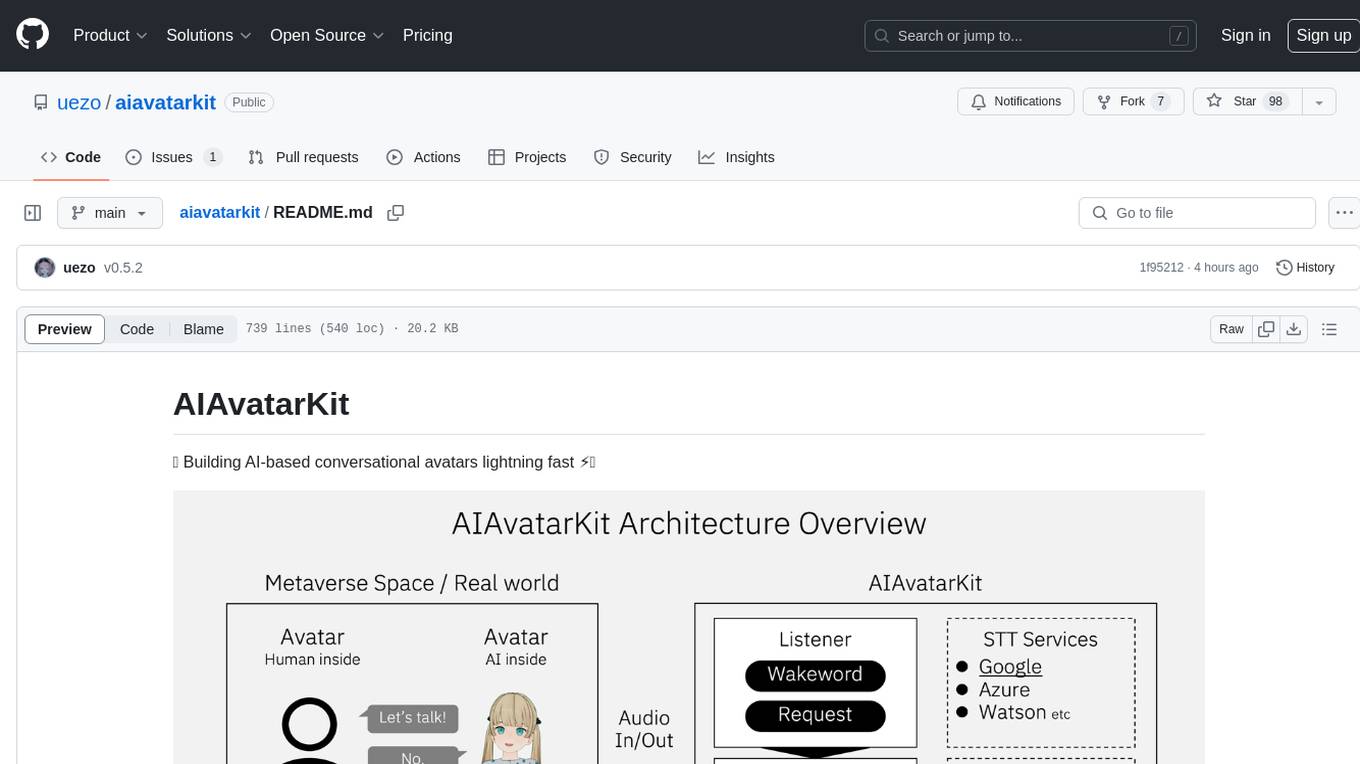
AIAvatarKit is a tool for building AI-based conversational avatars quickly. It supports various platforms like VRChat and cluster, along with real-world devices. The tool is extensible, allowing unlimited capabilities based on user needs. It requires VOICEVOX API, Google or Azure Speech Services API keys, and Python 3.10. Users can start conversations out of the box and enjoy seamless interactions with the avatars.
ChatRex
ChatRex is a Multimodal Large Language Model (MLLM) designed to seamlessly integrate fine-grained object perception and robust language understanding. By adopting a decoupled architecture with a retrieval-based approach for object detection and leveraging high-resolution visual inputs, ChatRex addresses key challenges in perception tasks. It is powered by the Rexverse-2M dataset with diverse image-region-text annotations. ChatRex can be applied to various scenarios requiring fine-grained perception, such as object detection, grounded conversation, grounded image captioning, and region understanding.
java-genai
Java idiomatic SDK for the Gemini Developer APIs and Vertex AI APIs. The SDK provides a Client class for interacting with both APIs, allowing seamless switching between the 2 backends without code rewriting. It supports features like generating content, embedding content, generating images, upscaling images, editing images, and generating videos. The SDK also includes options for setting API versions, HTTP request parameters, client behavior, and response schemas.
IntelliNode
IntelliNode is a javascript module that integrates cutting-edge AI models like ChatGPT, LLaMA, WaveNet, Gemini, and Stable diffusion into projects. It offers functions for generating text, speech, and images, as well as semantic search, multi-model evaluation, and chatbot capabilities. The module provides a wrapper layer for low-level model access, a controller layer for unified input handling, and a function layer for abstract functionality tailored to various use cases.
next-token-prediction
Next-Token Prediction is a language model tool that allows users to create high-quality predictions for the next word, phrase, or pixel based on a body of text. It can be used as an alternative to well-known decoder-only models like GPT and Mistral. The tool provides options for simple usage with built-in data bootstrap or advanced customization by providing training data or creating it from .txt files. It aims to simplify methodologies, provide autocomplete, autocorrect, spell checking, search/lookup functionalities, and create pixel and audio transformers for various prediction formats.
For similar tasks
UniChat
UniChat is a pipeline tool for creating online and offline chat-bots in Unity. It leverages Unity.Sentis and text vector embedding technology to enable offline mode text content search based on vector databases. The tool includes a chain toolkit for embedding LLM and Agent in games, along with middleware components for Text to Speech, Speech to Text, and Sub-classifier functionalities. UniChat also offers a tool for invoking tools based on ReActAgent workflow, allowing users to create personalized chat scenarios and character cards. The tool provides a comprehensive solution for designing flexible conversations in games while maintaining developer's ideas.

promptflow
**Prompt flow** is a suite of development tools designed to streamline the end-to-end development cycle of LLM-based AI applications, from ideation, prototyping, testing, evaluation to production deployment and monitoring. It makes prompt engineering much easier and enables you to build LLM apps with production quality.
unsloth
Unsloth is a tool that allows users to fine-tune large language models (LLMs) 2-5x faster with 80% less memory. It is a free and open-source tool that can be used to fine-tune LLMs such as Gemma, Mistral, Llama 2-5, TinyLlama, and CodeLlama 34b. Unsloth supports 4-bit and 16-bit QLoRA / LoRA fine-tuning via bitsandbytes. It also supports DPO (Direct Preference Optimization), PPO, and Reward Modelling. Unsloth is compatible with Hugging Face's TRL, Trainer, Seq2SeqTrainer, and Pytorch code. It is also compatible with NVIDIA GPUs since 2018+ (minimum CUDA Capability 7.0).
beyondllm
Beyond LLM offers an all-in-one toolkit for experimentation, evaluation, and deployment of Retrieval-Augmented Generation (RAG) systems. It simplifies the process with automated integration, customizable evaluation metrics, and support for various Large Language Models (LLMs) tailored to specific needs. The aim is to reduce LLM hallucination risks and enhance reliability.
aiwechat-vercel
aiwechat-vercel is a tool that integrates AI capabilities into WeChat public accounts using Vercel functions. It requires minimal server setup, low entry barriers, and only needs a domain name that can be bound to Vercel, with almost zero cost. The tool supports various AI models, continuous Q&A sessions, chat functionality, system prompts, and custom commands. It aims to provide a platform for learning and experimentation with AI integration in WeChat public accounts.
hugging-chat-api
Unofficial HuggingChat Python API for creating chatbots, supporting features like image generation, web search, memorizing context, and changing LLMs. Users can log in, chat with the ChatBot, perform web searches, create new conversations, manage conversations, switch models, get conversation info, use assistants, and delete conversations. The API also includes a CLI mode with various commands for interacting with the tool. Users are advised not to use the application for high-stakes decisions or advice and to avoid high-frequency requests to preserve server resources.
microchain
Microchain is a function calling-based LLM agents tool with no bloat. It allows users to define LLM and templates, use various functions like Sum and Product, and create LLM agents for specific tasks. The tool provides a simple and efficient way to interact with OpenAI models and create conversational agents for various applications.
embedchain
Embedchain is an Open Source Framework for personalizing LLM responses. It simplifies the creation and deployment of personalized AI applications by efficiently managing unstructured data, generating relevant embeddings, and storing them in a vector database. With diverse APIs, users can extract contextual information, find precise answers, and engage in interactive chat conversations tailored to their data. The framework follows the design principle of being 'Conventional but Configurable' to cater to both software engineers and machine learning engineers.
For similar jobs

sweep
Sweep is an AI junior developer that turns bugs and feature requests into code changes. It automatically handles developer experience improvements like adding type hints and improving test coverage.

teams-ai
The Teams AI Library is a software development kit (SDK) that helps developers create bots that can interact with Teams and Microsoft 365 applications. It is built on top of the Bot Framework SDK and simplifies the process of developing bots that interact with Teams' artificial intelligence capabilities. The SDK is available for JavaScript/TypeScript, .NET, and Python.

ai-guide
This guide is dedicated to Large Language Models (LLMs) that you can run on your home computer. It assumes your PC is a lower-end, non-gaming setup.

classifai
Supercharge WordPress Content Workflows and Engagement with Artificial Intelligence. Tap into leading cloud-based services like OpenAI, Microsoft Azure AI, Google Gemini and IBM Watson to augment your WordPress-powered websites. Publish content faster while improving SEO performance and increasing audience engagement. ClassifAI integrates Artificial Intelligence and Machine Learning technologies to lighten your workload and eliminate tedious tasks, giving you more time to create original content that matters.

chatbot-ui
Chatbot UI is an open-source AI chat app that allows users to create and deploy their own AI chatbots. It is easy to use and can be customized to fit any need. Chatbot UI is perfect for businesses, developers, and anyone who wants to create a chatbot.

BricksLLM
BricksLLM is a cloud native AI gateway written in Go. Currently, it provides native support for OpenAI, Anthropic, Azure OpenAI and vLLM. BricksLLM aims to provide enterprise level infrastructure that can power any LLM production use cases. Here are some use cases for BricksLLM: * Set LLM usage limits for users on different pricing tiers * Track LLM usage on a per user and per organization basis * Block or redact requests containing PIIs * Improve LLM reliability with failovers, retries and caching * Distribute API keys with rate limits and cost limits for internal development/production use cases * Distribute API keys with rate limits and cost limits for students

uAgents
uAgents is a Python library developed by Fetch.ai that allows for the creation of autonomous AI agents. These agents can perform various tasks on a schedule or take action on various events. uAgents are easy to create and manage, and they are connected to a fast-growing network of other uAgents. They are also secure, with cryptographically secured messages and wallets.

griptape
Griptape is a modular Python framework for building AI-powered applications that securely connect to your enterprise data and APIs. It offers developers the ability to maintain control and flexibility at every step. Griptape's core components include Structures (Agents, Pipelines, and Workflows), Tasks, Tools, Memory (Conversation Memory, Task Memory, and Meta Memory), Drivers (Prompt and Embedding Drivers, Vector Store Drivers, Image Generation Drivers, Image Query Drivers, SQL Drivers, Web Scraper Drivers, and Conversation Memory Drivers), Engines (Query Engines, Extraction Engines, Summary Engines, Image Generation Engines, and Image Query Engines), and additional components (Rulesets, Loaders, Artifacts, Chunkers, and Tokenizers). Griptape enables developers to create AI-powered applications with ease and efficiency.