


sdk
AI-native SDK for video tooling
Stars: 178
Varg is an AI video generation SDK that extends Vercel's AI SDK with capabilities for video, music, and lipsync. It allows users to generate images, videos, music, and more using familiar patterns and declarative JSX syntax. The SDK supports various models for image and video generation, speech synthesis, music generation, and background removal. Users can create reusable elements for character consistency, handle files from disk, URL, or buffer, and utilize layout helpers, transitions, and caption styles. Varg also offers a visual editor for video workflows with a code editor and node-based interface.
README:
ai video generation sdk. jsx for videos, built on vercel ai sdk.
bun install vargai aiset your api key:
export FAL_API_KEY=fal_xxx  # required
export ELEVENLABS_API_KEY=xxx  # optional, for voice/music
create hello.tsx:
import { render, Render, Clip, Image, Video } from "vargai/react";
import { fal } from "vargai/ai";

const fruit = Image({
  prompt: "cute kawaii fluffy orange fruit character, round plush body, small black dot eyes, tiny smile, Pixar style",
  model: fal.imageModel("nano-banana-pro"),
  aspectRatio: "9:16",
});

await render(
  <Render width={1080} height={1920}>
    <Clip duration={3}>
      <Video
        prompt={{
          text: "character waves hello enthusiastically, bounces up and down, eyes squint with joy",
          images: [fruit],
        }}
        model={fal.videoModel("kling-v2.5")}
      />
    </Clip>
  </Render>,
  { output: "output/hello.mp4" }
);
run it:
bun run hello.tsx# with bun (recommended)
bun install vargai ai
# with npm
npm install vargai aivarg extends vercel's ai sdk with video, music, and lipsync. use familiar patterns:
import { generateImage } from "ai";
import { generateVideo, generateMusic, generateElement, scene, fal, elevenlabs } from "vargai/ai";

// generate image
const { image } = await generateImage({
  model: fal.imageModel("flux-schnell"),
  prompt: "cyberpunk cityscape at night",
  aspectRatio: "16:9",
});

// animate to video
const { video } = await generateVideo({
  model: fal.videoModel("kling-v2.5"),
  prompt: {
    images: [image.uint8Array],
    text: "camera slowly pans across the city",
  },
  duration: 5,
});

// generate music
const { audio } = await generateMusic({
  model: elevenlabs.musicModel(),
  prompt: "cyberpunk ambient music, electronic",
  duration: 10,
});

// save output
await Bun.write("output/city.mp4", video.uint8Array);create reusable elements for consistent generation across scenes:
import { generateElement, scene, fal } from "vargai/ai";
import { generateImage, generateVideo } from "ai";

// create character from reference
const { element: character } = await generateElement({
  model: fal.imageModel("nano-banana-pro/edit"),
  type: "character",
  prompt: {
    text: "woman in her 30s, brown hair, green eyes",
    images: [referenceImageData],
  },
});

// use in scenes - same character every time
const { image: frame1 } = await generateImage({
  model: fal.imageModel("nano-banana-pro"),
  prompt: scene`${character} waves hello`,
});

const { image: frame2 } = await generateImage({
  model: fal.imageModel("nano-banana-pro"),
  prompt: scene`${character} gives thumbs up`,
});import { File } from "vargai/ai";
// load from disk
const file = File.fromPath("media/portrait.jpg");
// load from url
const file = await File.fromUrl("https://example.com/video.mp4");
// load from buffer
const file = File.fromBuffer(uint8Array, "image/png");
// get contents
const buffer = await file.arrayBuffer();
const base64 = await file.base64();compose videos declaratively with jsx. everything is cached - same props = instant cache hit.
import { render, Render, Clip, Image, Video, Music } from "vargai/react";
import { fal, elevenlabs } from "vargai/ai";

// kawaii fruit characters
const CHARACTERS = [
  { name: "orange", prompt: "cute kawaii fluffy orange fruit character, round plush body, Pixar style" },
  { name: "strawberry", prompt: "cute kawaii fluffy strawberry fruit character, round plush body, Pixar style" },
  { name: "lemon", prompt: "cute kawaii fluffy lemon fruit character, round plush body, Pixar style" },
];

const characterImages = CHARACTERS.map(char =>
  Image({
    prompt: char.prompt,
    model: fal.imageModel("nano-banana-pro"),
    aspectRatio: "9:16",
  })
);

await render(
  <Render width={1080} height={1920}>
    <Music prompt="cute baby song, playful xylophone, kawaii vibes" model={elevenlabs.musicModel()} />

    {CHARACTERS.map((char, i) => (
      <Clip key={char.name} duration={2.5}>
        <Video
          prompt={{
            text: "character waves hello, bounces up and down, eyes squint with joy",
            images: [characterImages[i]],
          }}
          model={fal.videoModel("kling-v2.5")}
        />
      </Clip>
    ))}
  </Render>,
  { output: "output/kawaii-fruits.mp4" }
);| component | purpose | key props |
|---|---|---|
<Render> |
root container |
width, height, fps
|
<Clip> |
time segment |
duration, transition, cutFrom, cutTo
|
<Image> |
ai or static image |
prompt, src, model, zoom, aspectRatio, resize
|
<Video> |
ai or source video |
prompt, src, model, volume, cutFrom, cutTo
|
<Speech> |
text-to-speech |
voice, model, volume, children
|
<Music> |
background music |
prompt, src, model, volume, loop, ducking
|
<Title> |
text overlay |
position, color, start, end
|
<Subtitle> |
subtitle text | backgroundColor |
<Captions> |
auto-generated subs |
src, srt, style, color, activeColor
|
<Overlay> |
positioned layer |
left, top, width, height, keepAudio
|
<Split> |
side-by-side | direction |
<Slider> |
before/after reveal | direction |
<Swipe> |
tinder-style cards |
direction, interval
|
<TalkingHead> |
animated character |
character, src, voice, model, lipsyncModel
|
<Packshot> |
end card with cta |
background, logo, cta, blinkCta
|
import { Grid, SplitLayout } from "vargai/react";

// grid layout
<Grid columns={2}>
  <Video prompt="scene 1" />
  <Video prompt="scene 2" />
</Grid>

// split layout (before/after)
<SplitLayout left={beforeVideo} right={afterVideo} />67 gl-transitions available:
<Clip transition={{ name: "fade", duration: 0.5 }}>
<Clip transition={{ name: "crossfade", duration: 0.5 }}>
<Clip transition={{ name: "wipeleft", duration: 0.5 }}>
<Clip transition={{ name: "cube", duration: 0.8 }}><Captions src={voiceover} style="tiktok" /> // word-by-word highlight
<Captions src={voiceover} style="karaoke" /> // fill left-to-right
<Captions src={voiceover} style="bounce" /> // words bounce in
<Captions src={voiceover} style="typewriter" /> // typing effectimport { render, Render, Clip, Image, Video, Speech, Captions, Music } from "vargai/react";
import { fal, elevenlabs, higgsfield } from "vargai/ai";
const voiceover = Speech({
model: elevenlabs.speechModel("eleven_v3"),
voice: "5l5f8iK3YPeGga21rQIX",
children: "With varg, you can create any videos at scale!",
});
// base character with higgsfield soul (realistic)
const baseCharacter = Image({
prompt: "beautiful East Asian woman, sleek black bob hair, fitted black t-shirt, iPhone selfie, minimalist bedroom",
model: higgsfield.imageModel("soul", { styleId: higgsfield.styles.REALISTIC }),
aspectRatio: "9:16",
});
// animate the character
const animatedCharacter = Video({
prompt: {
text: "woman speaking naturally, subtle head movements, friendly expression",
images: [baseCharacter],
},
model: fal.videoModel("kling-v2.5"),
});
await render(
<Render width={1080} height={1920}>
<Music prompt="modern tech ambient, subtle electronic" model={elevenlabs.musicModel()} volume={0.1} />
<Clip duration={5}>
{/* lipsync: animated video + speech audio -> sync-v2 */}
<Video
prompt={{ video: animatedCharacter, audio: voiceover }}
model={fal.videoModel("sync-v2-pro")}
/>
</Clip>
<Captions src={voiceover} style="tiktok" color="#ffffff" />
</Render>,
{ output: "output/talking-head.mp4" }
);import { render, Render, Clip, Image, Video, Speech, Captions, Music, Title, SplitLayout } from "vargai/react";
import { fal, elevenlabs, higgsfield } from "vargai/ai";
const CHARACTER = "woman in her 30s, brown hair, green eyes";
// before: generated with higgsfield soul
const beforeImage = Image({
prompt: `${CHARACTER}, overweight, tired expression, loose grey t-shirt, bathroom mirror selfie`,
model: higgsfield.imageModel("soul", { styleId: higgsfield.styles.REALISTIC }),
aspectRatio: "9:16",
});
// after: edit with nano-banana-pro using before as reference
const afterImage = Image({
prompt: {
text: `${CHARACTER}, fit slim, confident smile, fitted black tank top, same bathroom, same woman 40 pounds lighter`,
images: [beforeImage]
},
model: fal.imageModel("nano-banana-pro/edit"),
aspectRatio: "9:16",
});
const beforeVideo = Video({
prompt: { text: "woman looks down sadly, sighs, tired expression", images: [beforeImage] },
model: fal.videoModel("kling-v2.5"),
});
const afterVideo = Video({
prompt: { text: "woman smiles confidently, touches hair, proud expression", images: [afterImage] },
model: fal.videoModel("kling-v2.5"),
});
const voiceover = Speech({
model: elevenlabs.speechModel("eleven_multilingual_v2"),
children: "With this technique I lost 40 pounds in just 3 months!",
});
await render(
<Render width={1080 * 2} height={1920}>
<Music prompt="upbeat motivational pop, inspiring transformation" model={elevenlabs.musicModel()} volume={0.15} />
<Clip duration={5}>
<SplitLayout direction="horizontal" left={beforeVideo} right={afterVideo} />
<Title position="top" color="#ffffff">My 3-Month Transformation</Title>
</Clip>
<Captions src={voiceover} style="tiktok" color="#ffffff" />
</Render>,
{ output: "output/transformation.mp4" }
);// save to file
await render(<Render>...</Render>, { output: "output/video.mp4" });
// with cache directory
await render(<Render>...</Render>, {
output: "output/video.mp4",
cache: ".cache/ai"
});
// get buffer directly
const buffer = await render(<Render>...</Render>);
await Bun.write("video.mp4", buffer);visual editor for video workflows. write code or use node-based interface.
bun run studio
# opens http://localhost:8282
features:
- monaco code editor with typescript support
- node graph visualization of workflow
- step-by-step execution with previews
- cache viewer for generated media
skills are multi-step workflows that combine actions into pipelines. located in skills/ directory.
import { fal } from "vargai/ai";

// image models
fal.imageModel("flux-schnell")          // fast generation
fal.imageModel("flux-pro")              // high quality
fal.imageModel("flux-dev")              // development
fal.imageModel("nano-banana-pro")       // versatile
fal.imageModel("nano-banana-pro/edit")  // image-to-image editing
fal.imageModel("recraft-v3")            // alternative

// video models
fal.videoModel("kling-v2.5")            // high quality video
fal.videoModel("kling-v2.1")            // previous version
fal.videoModel("wan-2.5")               // good for characters
fal.videoModel("minimax")               // alternative

// lipsync models
fal.videoModel("sync-v2")               // lip sync
fal.videoModel("sync-v2-pro")           // pro lip sync

// transcription
fal.transcriptionModel("whisper")import { elevenlabs } from "vargai/ai";
// speech models
elevenlabs.speechModel("eleven_turbo_v2") // fast tts (default)
elevenlabs.speechModel("eleven_multilingual_v2") // multilingual
// music model
elevenlabs.musicModel() // music generation
// available voices: rachel, adam, bella, josh, sam, antoni, elli, arnold, domiimport { higgsfield } from "vargai/ai";
// character-focused image generation with 100+ styles
higgsfield.imageModel("soul")
higgsfield.imageModel("soul", {
styleId: higgsfield.styles.REALISTIC,
quality: "1080p"
})
// styles include: REALISTIC, ANIME, EDITORIAL_90S, Y2K, GRUNGE, etc.import { openai } from "vargai/ai";
// sora video generation
openai.videoModel("sora-2")
openai.videoModel("sora-2-pro")
// also supports all standard openai models via @ai-sdk/openaiimport { replicate } from "vargai/ai";
// background removal
replicate.imageModel("851-labs/background-remover")
// any replicate model
replicate.imageModel("owner/model-name")| model | provider | capabilities |
|---|---|---|
| kling-v2.5 | fal | text-to-video, image-to-video |
| kling-v2.1 | fal | text-to-video, image-to-video |
| wan-2.5 | fal | image-to-video, good for characters |
| minimax | fal | text-to-video, image-to-video |
| sora-2 | openai | text-to-video, image-to-video |
| sync-v2-pro | fal | lipsync (video + audio input) |
| model | provider | capabilities |
|---|---|---|
| flux-schnell | fal | fast text-to-image |
| flux-pro | fal | high quality text-to-image |
| nano-banana-pro | fal | text-to-image, versatile |
| nano-banana-pro/edit | fal | image-to-image editing |
| recraft-v3 | fal | text-to-image |
| soul | higgsfield | character-focused, 100+ styles |
| model | provider | capabilities |
|---|---|---|
| eleven_turbo_v2 | elevenlabs | fast text-to-speech |
| eleven_multilingual_v2 | elevenlabs | multilingual tts |
| music_v1 | elevenlabs | text-to-music |
| whisper | fal | speech-to-text |
# required
FAL_API_KEY=fal_xxx

# optional - enable additional features
ELEVENLABS_API_KEY=xxx          # voice and music
REPLICATE_API_TOKEN=r8_xxx      # background removal, other models
OPENAI_API_KEY=sk_xxx           # sora video
HIGGSFIELD_API_KEY=hf_xxx       # soul character images
HIGGSFIELD_SECRET=secret_xxx
GROQ_API_KEY=gsk_xxx            # fast transcription

# storage (for upload)
CLOUDFLARE_R2_API_URL=https://xxx.r2.cloudflarestorage.com
CLOUDFLARE_ACCESS_KEY_ID=xxx
CLOUDFLARE_ACCESS_SECRET=xxx
CLOUDFLARE_R2_BUCKET=bucket-namevarg run image --prompt "sunset over mountains"
varg run video --prompt "ocean waves" --duration 5
varg run voice --text "Hello world" --voice rachel
varg list # list all actions
varg studio # open visual editorsee CONTRIBUTING.md for development setup.
Apache-2.0 — see LICENSE.md
For Tasks:
Click tags to check more tools for each tasksFor Jobs:
Alternative AI tools for sdk
Similar Open Source Tools
sdk
Varg is an AI video generation SDK that extends Vercel's AI SDK with capabilities for video, music, and lipsync. It allows users to generate images, videos, music, and more using familiar patterns and declarative JSX syntax. The SDK supports various models for image and video generation, speech synthesis, music generation, and background removal. Users can create reusable elements for character consistency, handle files from disk, URL, or buffer, and utilize layout helpers, transitions, and caption styles. Varg also offers a visual editor for video workflows with a code editor and node-based interface.
nextlint
Nextlint is a rich text editor (WYSIWYG) written in Svelte, using MeltUI headless UI and tailwindcss CSS framework. It is built on top of tiptap editor (headless editor) and prosemirror. Nextlint is easy to use, develop, and maintain. It has a prompt engine that helps to integrate with any AI API and enhance the writing experience. Dark/Light theme is supported and customizable.
fittencode.nvim
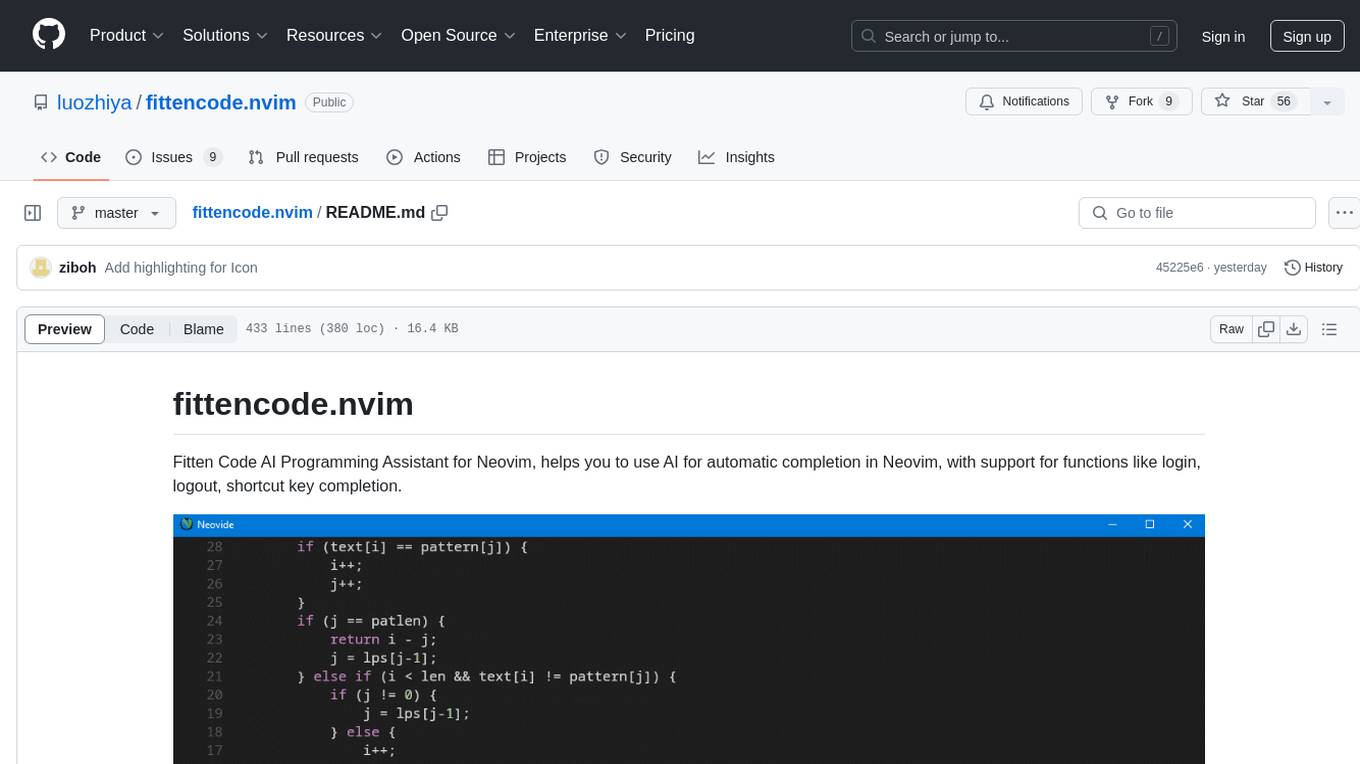
Fitten Code AI Programming Assistant for Neovim provides fast completion using AI, asynchronous I/O, and support for various actions like document code, edit code, explain code, find bugs, generate unit test, implement features, optimize code, refactor code, start chat, and more. It offers features like accepting suggestions with Tab, accepting line with Ctrl + Down, accepting word with Ctrl + Right, undoing accepted text, automatic scrolling, and multiple HTTP/REST backends. It can run as a coc.nvim source or nvim-cmp source.
llm.nvim
llm.nvim is a universal plugin for a large language model (LLM) designed to enable users to interact with LLM within neovim. Users can customize various LLMs such as gpt, glm, kimi, and local LLM. The plugin provides tools for optimizing code, comparing code, translating text, and more. It also supports integration with free models from Cloudflare, Github models, siliconflow, and others. Users can customize tools, chat with LLM, quickly translate text, and explain code snippets. The plugin offers a flexible window interface for easy interaction and customization.
SwiftAgent
A type-safe, declarative framework for building AI agents in Swift, SwiftAgent is built on Apple FoundationModels. It allows users to compose agents by combining Steps in a declarative syntax similar to SwiftUI. The framework ensures compile-time checked input/output types, native Apple AI integration, structured output generation, and built-in security features like permission, sandbox, and guardrail systems. SwiftAgent is extensible with MCP integration, distributed agents, and a skills system. Users can install SwiftAgent with Swift 6.2+ on iOS 26+, macOS 26+, or Xcode 26+ using Swift Package Manager.
opencode.nvim
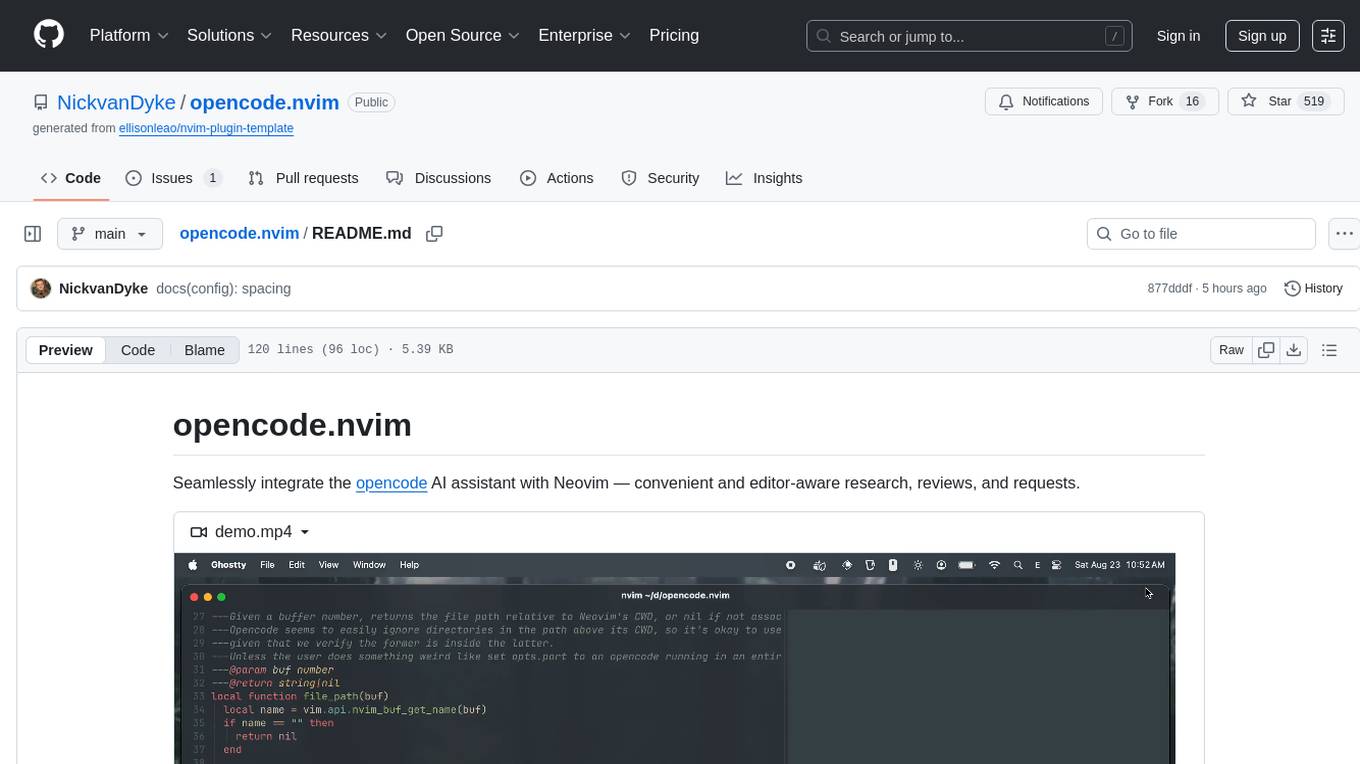
Opencode.nvim is a Neovim plugin that provides a simple and efficient way to browse, search, and open files in a project. It enhances the file navigation experience by offering features like fuzzy finding, file preview, and quick access to frequently used files. With Opencode.nvim, users can easily navigate through their project files, jump to specific locations, and manage their workflow more effectively. The plugin is designed to improve productivity and streamline the development process by simplifying file handling tasks within Neovim.
chrome-ai
Chrome AI is a Vercel AI provider for Chrome's built-in model (Gemini Nano). It allows users to create language models using Chrome's AI capabilities. The tool is under development and may contain errors and frequent changes. Users can install the ChromeAI provider module and use it to generate text, stream text, and generate objects. To enable AI in Chrome, users need to have Chrome version 127 or greater and turn on specific flags. The tool is designed for developers and researchers interested in experimenting with Chrome's built-in AI features.
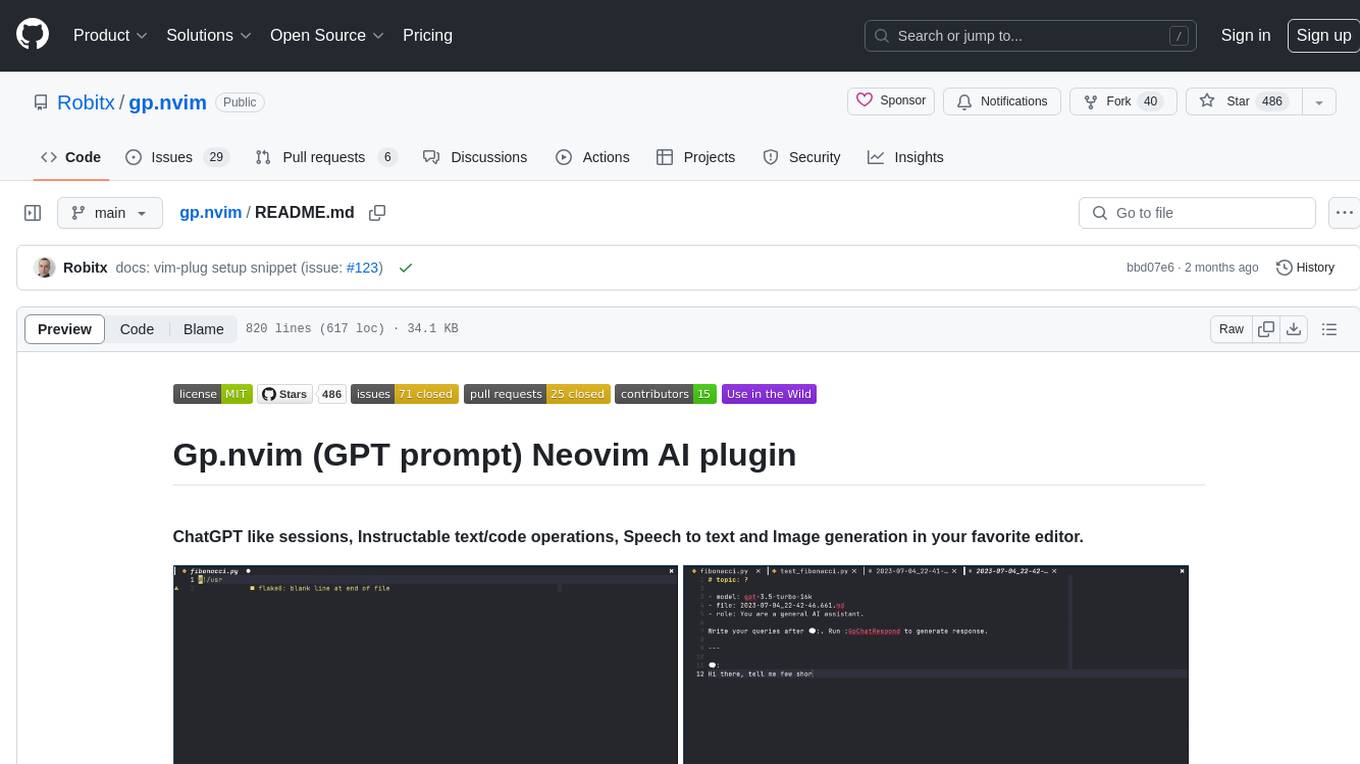
gp.nvim
Gp.nvim (GPT prompt) Neovim AI plugin provides a seamless integration of GPT models into Neovim, offering features like streaming responses, extensibility via hook functions, minimal dependencies, ChatGPT-like sessions, instructable text/code operations, speech-to-text support, and image generation directly within Neovim. The plugin aims to enhance the Neovim experience by leveraging the power of AI models in a user-friendly and native way.
json-translator
The json-translator repository provides a free tool to translate JSON/YAML files or JSON objects into different languages using various translation modules. It supports CLI usage and package support, allowing users to translate words, sentences, JSON objects, and JSON files. The tool also offers multi-language translation, ignoring specific words, and safe translation practices. Users can contribute to the project by updating CLI, translation functions, JSON operations, and more. The roadmap includes features like Libre Translate option, Argos Translate option, Bing Translate option, and support for additional translation modules.
tambo
tambo ai is a React library that simplifies the process of building AI assistants and agents in React by handling thread management, state persistence, streaming responses, AI orchestration, and providing a compatible React UI library. It eliminates React boilerplate for AI features, allowing developers to focus on creating exceptional user experiences with clean React hooks that seamlessly integrate with their codebase.
botgroup.chat
botgroup.chat is a multi-person AI chat application based on React and Cloudflare Pages for free one-click deployment. It supports multiple AI roles participating in conversations simultaneously, providing an interactive experience similar to group chat. The application features real-time streaming responses, customizable AI roles and personalities, group management functionality, AI role mute function, Markdown format support, mathematical formula display with KaTeX, aesthetically pleasing UI design, and responsive design for mobile devices.
ai
The Vercel AI SDK is a library for building AI-powered streaming text and chat UIs. It provides React, Svelte, Vue, and Solid helpers for streaming text responses and building chat and completion UIs. The SDK also includes a React Server Components API for streaming Generative UI and first-class support for various AI providers such as OpenAI, Anthropic, Mistral, Perplexity, AWS Bedrock, Azure, Google Gemini, Hugging Face, Fireworks, Cohere, LangChain, Replicate, Ollama, and more. Additionally, it offers Node.js, Serverless, and Edge Runtime support, as well as lifecycle callbacks for saving completed streaming responses to a database in the same request.
AnyCrawl
AnyCrawl is a high-performance crawling and scraping toolkit designed for SERP crawling, web scraping, site crawling, and batch tasks. It offers multi-threading and multi-process capabilities for high performance. The tool also provides AI extraction for structured data extraction from pages, making it LLM-friendly and easy to integrate and use.
snapai
SnapAI is a tool that leverages AI-powered image generation models to create professional app icons for React Native & Expo developers. It offers lightning-fast icon generation, iOS optimized icons, privacy-first approach with local API key storage, multiple sizes and HD quality icons. The tool is developer-friendly with a simple CLI for easy integration into CI/CD pipelines.
openapi
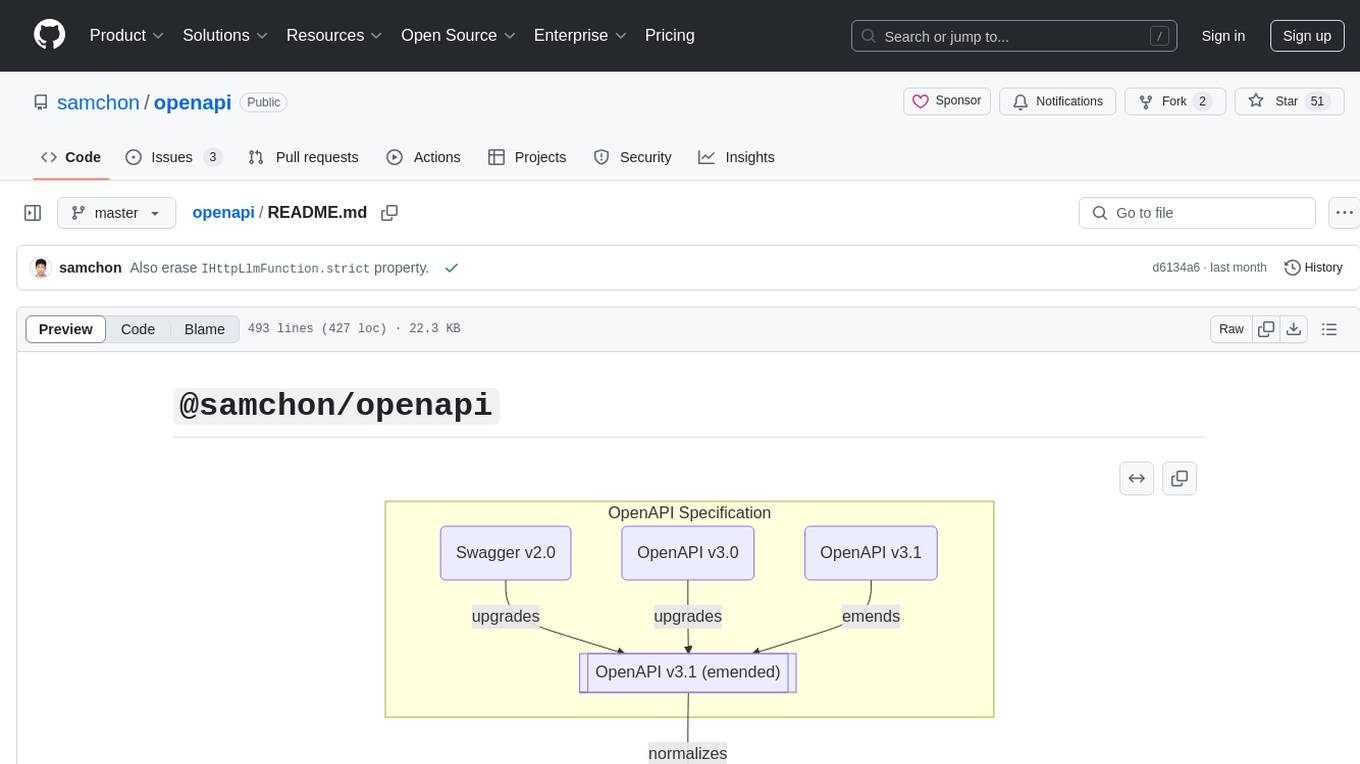
The `@samchon/openapi` repository is a collection of OpenAPI types and converters for various versions of OpenAPI specifications. It includes an 'emended' OpenAPI v3.1 specification that enhances clarity by removing ambiguous and duplicated expressions. The repository also provides an application composer for LLM (Large Language Model) function calling from OpenAPI documents, allowing users to easily perform LLM function calls based on the Swagger document. Conversions to different versions of OpenAPI documents are also supported, all based on the emended OpenAPI v3.1 specification. Users can validate their OpenAPI documents using the `typia` library with `@samchon/openapi` types, ensuring compliance with standard specifications.
For similar tasks
InvokeAI
InvokeAI is a leading creative engine built to empower professionals and enthusiasts alike. Generate and create stunning visual media using the latest AI-driven technologies. InvokeAI offers an industry leading Web Interface, interactive Command Line Interface, and also serves as the foundation for multiple commercial products.
Open-Sora-Plan
Open-Sora-Plan is a project that aims to create a simple and scalable repo to reproduce Sora (OpenAI, but we prefer to call it "ClosedAI"). The project is still in its early stages, but the team is working hard to improve it and make it more accessible to the open-source community. The project is currently focused on training an unconditional model on a landscape dataset, but the team plans to expand the scope of the project in the future to include text2video experiments, training on video2text datasets, and controlling the model with more conditions.
comflowyspace
Comflowyspace is an open-source AI image and video generation tool that aims to provide a more user-friendly and accessible experience than existing tools like SDWebUI and ComfyUI. It simplifies the installation, usage, and workflow management of AI image and video generation, making it easier for users to create and explore AI-generated content. Comflowyspace offers features such as one-click installation, workflow management, multi-tab functionality, workflow templates, and an improved user interface. It also provides tutorials and documentation to lower the learning curve for users. The tool is designed to make AI image and video generation more accessible and enjoyable for a wider range of users.
Rewind-AI-Main
Rewind AI is a free and open-source AI-powered video editing tool that allows users to easily create and edit videos. It features a user-friendly interface, a wide range of editing tools, and support for a variety of video formats. Rewind AI is perfect for beginners and experienced video editors alike.
MoneyPrinterTurbo
MoneyPrinterTurbo is a tool that can automatically generate video content based on a provided theme or keyword. It can create video scripts, materials, subtitles, and background music, and then compile them into a high-definition short video. The tool features a web interface and an API interface, supporting AI-generated video scripts, customizable scripts, multiple HD video sizes, batch video generation, customizable video segment duration, multilingual video scripts, multiple voice synthesis options, subtitle generation with font customization, background music selection, access to high-definition and copyright-free video materials, and integration with various AI models like OpenAI, moonshot, Azure, and more. The tool aims to simplify the video creation process and offers future plans to enhance voice synthesis, add video transition effects, provide more video material sources, offer video length options, include free network proxies, enable real-time voice and music previews, support additional voice synthesis services, and facilitate automatic uploads to YouTube platform.
Dough
Dough is a tool for crafting videos with AI, allowing users to guide video generations with precision using images and example videos. Users can create guidance frames, assemble shots, and animate them by defining parameters and selecting guidance videos. The tool aims to help users make beautiful and unique video creations, providing control over the generation process. Setup instructions are available for Linux and Windows platforms, with detailed steps for installation and running the app.
ragdoll-studio
Ragdoll Studio is a platform offering web apps and libraries for interacting with Ragdoll, enabling users to go beyond fine-tuning and create flawless creative deliverables, rich multimedia, and engaging experiences. It provides various modes such as Story Mode for creating and chatting with characters, Vector Mode for producing vector art, Raster Mode for producing raster art, Video Mode for producing videos, Audio Mode for producing audio, and 3D Mode for producing 3D objects. Users can export their content in various formats and share their creations on the community site. The platform consists of a Ragdoll API and a front-end React application for seamless usage.
Whisper-TikTok
Discover Whisper-TikTok, an innovative AI-powered tool that leverages the prowess of Edge TTS, OpenAI-Whisper, and FFMPEG to craft captivating TikTok videos. Whisper-TikTok effortlessly generates accurate transcriptions from audio files and integrates Microsoft Edge Cloud Text-to-Speech API for vibrant voiceovers. The program orchestrates the synthesis of videos using a structured JSON dataset, generating mesmerizing TikTok content in minutes.
For similar jobs

promptflow
**Prompt flow** is a suite of development tools designed to streamline the end-to-end development cycle of LLM-based AI applications, from ideation, prototyping, testing, evaluation to production deployment and monitoring. It makes prompt engineering much easier and enables you to build LLM apps with production quality.

deepeval
DeepEval is a simple-to-use, open-source LLM evaluation framework specialized for unit testing LLM outputs. It incorporates various metrics such as G-Eval, hallucination, answer relevancy, RAGAS, etc., and runs locally on your machine for evaluation. It provides a wide range of ready-to-use evaluation metrics, allows for creating custom metrics, integrates with any CI/CD environment, and enables benchmarking LLMs on popular benchmarks. DeepEval is designed for evaluating RAG and fine-tuning applications, helping users optimize hyperparameters, prevent prompt drifting, and transition from OpenAI to hosting their own Llama2 with confidence.

MegaDetector
MegaDetector is an AI model that identifies animals, people, and vehicles in camera trap images (which also makes it useful for eliminating blank images). This model is trained on several million images from a variety of ecosystems. MegaDetector is just one of many tools that aims to make conservation biologists more efficient with AI. If you want to learn about other ways to use AI to accelerate camera trap workflows, check out our of the field, affectionately titled "Everything I know about machine learning and camera traps".

leapfrogai
LeapfrogAI is a self-hosted AI platform designed to be deployed in air-gapped resource-constrained environments. It brings sophisticated AI solutions to these environments by hosting all the necessary components of an AI stack, including vector databases, model backends, API, and UI. LeapfrogAI's API closely matches that of OpenAI, allowing tools built for OpenAI/ChatGPT to function seamlessly with a LeapfrogAI backend. It provides several backends for various use cases, including llama-cpp-python, whisper, text-embeddings, and vllm. LeapfrogAI leverages Chainguard's apko to harden base python images, ensuring the latest supported Python versions are used by the other components of the stack. The LeapfrogAI SDK provides a standard set of protobuffs and python utilities for implementing backends and gRPC. LeapfrogAI offers UI options for common use-cases like chat, summarization, and transcription. It can be deployed and run locally via UDS and Kubernetes, built out using Zarf packages. LeapfrogAI is supported by a community of users and contributors, including Defense Unicorns, Beast Code, Chainguard, Exovera, Hypergiant, Pulze, SOSi, United States Navy, United States Air Force, and United States Space Force.

llava-docker
This Docker image for LLaVA (Large Language and Vision Assistant) provides a convenient way to run LLaVA locally or on RunPod. LLaVA is a powerful AI tool that combines natural language processing and computer vision capabilities. With this Docker image, you can easily access LLaVA's functionalities for various tasks, including image captioning, visual question answering, text summarization, and more. The image comes pre-installed with LLaVA v1.2.0, Torch 2.1.2, xformers 0.0.23.post1, and other necessary dependencies. You can customize the model used by setting the MODEL environment variable. The image also includes a Jupyter Lab environment for interactive development and exploration. Overall, this Docker image offers a comprehensive and user-friendly platform for leveraging LLaVA's capabilities.

carrot
The 'carrot' repository on GitHub provides a list of free and user-friendly ChatGPT mirror sites for easy access. The repository includes sponsored sites offering various GPT models and services. Users can find and share sites, report errors, and access stable and recommended sites for ChatGPT usage. The repository also includes a detailed list of ChatGPT sites, their features, and accessibility options, making it a valuable resource for ChatGPT users seeking free and unlimited GPT services.

TrustLLM
TrustLLM is a comprehensive study of trustworthiness in LLMs, including principles for different dimensions of trustworthiness, established benchmark, evaluation, and analysis of trustworthiness for mainstream LLMs, and discussion of open challenges and future directions. Specifically, we first propose a set of principles for trustworthy LLMs that span eight different dimensions. Based on these principles, we further establish a benchmark across six dimensions including truthfulness, safety, fairness, robustness, privacy, and machine ethics. We then present a study evaluating 16 mainstream LLMs in TrustLLM, consisting of over 30 datasets. The document explains how to use the trustllm python package to help you assess the performance of your LLM in trustworthiness more quickly. For more details about TrustLLM, please refer to project website.

AI-YinMei
AI-YinMei is an AI virtual anchor Vtuber development tool (N card version). It supports fastgpt knowledge base chat dialogue, a complete set of solutions for LLM large language models: [fastgpt] + [one-api] + [Xinference], supports docking bilibili live broadcast barrage reply and entering live broadcast welcome speech, supports Microsoft edge-tts speech synthesis, supports Bert-VITS2 speech synthesis, supports GPT-SoVITS speech synthesis, supports expression control Vtuber Studio, supports painting stable-diffusion-webui output OBS live broadcast room, supports painting picture pornography public-NSFW-y-distinguish, supports search and image search service duckduckgo (requires magic Internet access), supports image search service Baidu image search (no magic Internet access), supports AI reply chat box [html plug-in], supports AI singing Auto-Convert-Music, supports playlist [html plug-in], supports dancing function, supports expression video playback, supports head touching action, supports gift smashing action, supports singing automatic start dancing function, chat and singing automatic cycle swing action, supports multi scene switching, background music switching, day and night automatic switching scene, supports open singing and painting, let AI automatically judge the content.