


routilux
Routines-based, event-driven workflow orchestration for Python—compose complex data/AI pipelines and run concurrent workflows across distributed systems with durable state and robust error handling.
Stars: 153
Routilux is a powerful event-driven workflow orchestration framework designed for building complex data pipelines and workflows effortlessly. It offers features like event queue architecture, flexible connections, built-in state management, robust error handling, concurrent execution, persistence & recovery, and simplified API. Perfect for tasks such as data pipelines, API orchestration, event processing, workflow automation, microservices coordination, and LLM agent workflows.
README:





Routilux is a powerful, event-driven workflow orchestration framework that makes building complex data pipelines and workflows effortless. With its intuitive API and flexible architecture, you can create sophisticated workflows in minutes, not hours.
- 🚀 Event Queue Architecture: Non-blocking event emission with unified execution model for both sequential and concurrent modes
- 🔗 Flexible Connections: Many-to-many relationships between routines with intelligent data routing
- 📊 Built-in State Management: Track execution state, performance metrics, and history out of the box
- 🛡️ Robust Error Handling: Multiple strategies (STOP, CONTINUE, RETRY, SKIP) with automatic recovery
- ⚡ Concurrent Execution: Automatic parallelization for I/O-bound operations via unified event queue
- 💾 Persistence & Recovery: Save and resume workflows from any point with pending task serialization
- 🎯 Production Ready: Comprehensive error handling, execution tracking, and monitoring
- 🎨 Simplified API: Automatic flow detection - no need to pass flow parameter in most cases
- Data Pipelines: ETL processes, data transformation workflows
- API Orchestration: Coordinating multiple API calls with complex dependencies
- Event Processing: Real-time event streams and reactive systems
- Workflow Automation: Business process automation and task scheduling
- Microservices Coordination: Managing interactions between services
- LLM Agent Workflows: Complex AI agent orchestration and chaining
# Mac / Linux - Auto-detects best method (uv > pipx > pip)
curl -fsSL https://raw.githubusercontent.com/lzjever/routilux/main/install.sh | bash

# Or with wget
wget -qO- https://raw.githubusercontent.com/lzjever/routilux/main/install.sh | bash
Installation options:
# Use pipx instead of uv
METHOD=pipx curl -fsSL https://raw.githubusercontent.com/lzjever/routilux/main/install.sh | bash

# Install specific version
VERSION=0.14.0 curl -fsSL https://raw.githubusercontent.com/lzjever/routilux/main/install.sh | bashThe best way to install Routilux CLI without affecting your system:
# Install CLI with isolated environment
pipx install "routilux[cli]"

# Use anywhere
routilux --help
routilux run workflow.yaml
Why pipx?
- ✅ Creates isolated virtual environment (no dependency conflicts)
- ✅ CLI available globally
- ✅ Easy to update:
pipx upgrade routilux - ✅ Works on Mac and Linux
Using uv (faster than pipx):
# Install
uv tool install "routilux[cli]"

# Use
routilux --help# Add tap and install
brew tap lzjever/routilux
brew install routilux
# Or directly
brew install lzjever/routilux/routiluxFor library use or development:
# Library only
pip install routilux

# With CLI support
pip install "routilux[cli]"This project uses uv for fast dependency management. Install uv first:
curl -LsSf https://astral.sh/uv/install.sh | shThen set up the development environment:
Recommended: For active development
# Install package with all development dependencies (recommended)
make dev-install

# Or manually with uv (dev group is installed by default)
uv sync --group docs --all-extras
Alternative: Dependencies only (for CI/CD or code review)
# Create virtual environment and install dependencies only (without installing the package)
# Useful for: CI/CD pipelines, code review, or when you only need development tools
make setup-venv

# Later, if you need to install the package:
make install
Understanding dependency groups vs extras:
-
Dependency groups (
dev,docs): Development dependencies that are not published to PyPI. Thedevgroup is installed by default withuv sync. - Extras: Currently none, but may be added in the future.
All make commands will automatically use uv if available, otherwise fall back to pip.
For development with all dependencies using pip:
pip install -e ".[dev]"
# Or using Makefile
make dev-installRoutilux includes a command-line interface for workflow management:
# Install with CLI support
pip install routilux[cli]

# Run a workflow
routilux run --workflow flow.yaml

# Start server
routilux server start

# See all commands
routilux --help-
routilux init- Initialize a new project with example files -
routilux run- Execute a workflow from a DSL file -
routilux server- Start the HTTP server for API access -
routilux list- List available routines or flows -
routilux validate- Validate a workflow DSL file
See CLI Documentation for details.
For development with all dependencies using pip:
pip install -e ".[dev]"
# Or using Makefile
make dev-installStep 1: Define a Routine
from routilux import Routine

class DataProcessor(Routine):
    def __init__(self):
        super().__init__()
        # Define input slot
        self.input_slot = self.define_slot("input", handler=self.process_data)
        # Define output event
        self.output_event = self.define_event("output", ["result"])

    def process_data(self, data=None, **kwargs):
        # Flow is automatically detected from routine context
        result = f"Processed: {data}"
        self._stats["processed_count"] = self._stats.get("processed_count", 0) + 1
        self.emit("output", result=result)  # No need to pass flow!
Step 2: Create and Connect a Flow
from routilux import Flow

flow = Flow(flow_id="my_workflow")

processor1 = DataProcessor()
processor2 = DataProcessor()

id1 = flow.add_routine(processor1, "processor1")
id2 = flow.add_routine(processor2, "processor2")

# Connect: processor1's output → processor2's input
flow.connect(id1, "output", id2, "input")
Step 3: Execute
job_state = flow.execute(id1, entry_params={"data": "Hello, Routilux!"})
print(job_state.status)  # "completed"
print(processor1.stats())  # {"processed_count": 1}
🎉 Done! You've created your first workflow.
Routines communicate through events and slots using a unified event queue pattern:
# Multiple routines can listen to the same event
flow.connect(processor1, "output", processor2, "input")
flow.connect(processor1, "output", processor3, "input")  # Fan-out

# Multiple events can feed into the same slot
flow.connect(processor1, "output", aggregator, "input")
flow.connect(processor2, "output", aggregator, "input")  # Fan-in

# emit() is non-blocking - returns immediately after enqueuing tasks
# Flow is automatically detected from routine context
self.emit("output", data="value") # No flow parameter needed!Track everything automatically:
# Access routine state
stats = routine.stats()  # {"processed_count": 42, "errors": 0}

# Track execution history
history = job_state.get_execution_history()

# Performance metrics
perf = flow.execution_tracker.get_routine_performance("processor1")Choose the right strategy for your use case:
from routilux import ErrorHandler, ErrorStrategy

# Stop on error (default)
flow.set_error_handler(ErrorHandler(ErrorStrategy.STOP))

# Continue and log errors
flow.set_error_handler(ErrorHandler(ErrorStrategy.CONTINUE))

# Retry with exponential backoff
flow.set_error_handler(ErrorHandler(
    ErrorStrategy.RETRY,
    max_retries=3,
    retry_delay=1.0,
    backoff_multiplier=2.0
))Both sequential and concurrent modes use the same event queue mechanism:
# Sequential mode (default): max_workers=1
flow = Flow()  # Sequential by default

# Concurrent mode: max_workers>1
flow.set_execution_strategy("concurrent", max_workers=4)

# Tasks are processed fairly in queue order
# Long chains don't block shorter ones
job_state = flow.execute(entry_routine_id)
flow.wait_for_completion() # Wait for async tasksSave and resume workflows:
# Save workflow state
job_state.save("workflow_state.json")

# Later, resume from saved state
saved_state = JobState.load("workflow_state.json")
flow.resume(saved_state)📖 Full documentation available at: routilux.readthedocs.io
- 📘 User Guide: Comprehensive guide covering all features
- 🔧 API Reference: Complete API documentation
- 💻 Examples: Real-world code examples
- 🏗️ Design: Architecture and design principles
pip install -e ".[docs]"
cd docs && make htmlCheck out the examples/ directory for practical examples:
-
basic_example.py- Your first workflow -
data_processing.py- Multi-stage data pipeline -
concurrent_flow_demo.py- Parallel execution -
error_handling_example.py- Error handling strategies -
state_management_example.py- State tracking and recovery -
builtin_routines_demo.py- Using built-in routines
-
data_pipeline.py- Multi-stage data processing with validation, transformation, and quality checks -
async_orchestration.py- Concurrent task execution with result aggregation -
long_running_workflow.py- Pause/resume execution with state persistence and recovery -
error_handling.py- Retry patterns and fallback mechanisms
Run examples:
python examples/basic_example.py
python examples/data_pipeline.py
python examples/async_orchestration.py
python examples/long_running_workflow.py
python examples/error_handling.pyRoutilux comes with a rich set of built-in routines ready to use:
-
Text Processing:
TextClipper,TextRenderer,ResultExtractor -
Data Processing:
DataTransformer,DataValidator,DataFlattener -
Control Flow:
ConditionalRouterfor dynamic routing -
Utilities:
TimeProviderfor timestamps
from routilux.builtin_routines import ConditionalRouter, DataTransformer

# Use built-in routines directly
router = ConditionalRouter()
transformer = DataTransformer()routilux/
├── routilux/ # Main package
│ ├── routine.py # Routine base class
│ ├── flow.py # Flow manager
│ ├── job_state.py # State management
│ ├── connection.py # Connection management
│ ├── event.py # Event class
│ ├── slot.py # Slot class
│ ├── error_handler.py # Error handling
│ └── execution_tracker.py # Performance tracking
├── tests/ # Comprehensive test suite
├── examples/ # Usage examples
└── docs/ # Sphinx documentation
Routilux comes with comprehensive tests:
# Run all tests
make test-all

# Run with coverage
make test-cov

# Run specific test suite
pytest tests/                    # Core tests
pytest routilux/builtin_routines/ # Built-in routines testsWe welcome contributions! Here's how you can help:
- Star the project ⭐ - Show your support
- Report bugs 🐛 - Help us improve
- Suggest features 💡 - Share your ideas
- Submit PRs 🔧 - Contribute code
Routilux is part of the Agentsmith open-source ecosystem. Agentsmith is a ToB AI agent and algorithm development platform, currently deployed in multiple highway management companies, securities firms, and regulatory agencies in China. The Agentsmith team is gradually open-sourcing the platform by removing proprietary code and algorithm modules, as well as enterprise-specific customizations, while decoupling the system for modular use by the open-source community.
- Varlord ⚙️ - Configuration management library with multi-source support
- Routilux ⚡ - Event-driven workflow orchestration framework
- Serilux 📦 - Flexible serialization framework for Python objects
- Lexilux 🚀 - Unified LLM API client library
These projects are modular components extracted from the Agentsmith platform, designed to be used independently or together to build powerful applications.
Routilux is licensed under the Apache License 2.0. See LICENSE for details.
- 📦 PyPI: pypi.org/project/routilux
- 📚 Documentation: routilux.readthedocs.io
- 🐙 GitHub: github.com/lzjever/routilux
- 📧 Issues: github.com/lzjever/routilux/issues
If Routilux helps you build amazing workflows, consider giving it a star on GitHub!
Built with ❤️ by the Routilux Team
Making workflow orchestration simple, powerful, and fun.
For Tasks:
Click tags to check more tools for each tasksFor Jobs:
Alternative AI tools for routilux
Similar Open Source Tools
routilux
Routilux is a powerful event-driven workflow orchestration framework designed for building complex data pipelines and workflows effortlessly. It offers features like event queue architecture, flexible connections, built-in state management, robust error handling, concurrent execution, persistence & recovery, and simplified API. Perfect for tasks such as data pipelines, API orchestration, event processing, workflow automation, microservices coordination, and LLM agent workflows.
evi-run
evi-run is a powerful, production-ready multi-agent AI system built on Python using the OpenAI Agents SDK. It offers instant deployment, ultimate flexibility, built-in analytics, Telegram integration, and scalable architecture. The system features memory management, knowledge integration, task scheduling, multi-agent orchestration, custom agent creation, deep research, web intelligence, document processing, image generation, DEX analytics, and Solana token swap. It supports flexible usage modes like private, free, and pay mode, with upcoming features including NSFW mode, task scheduler, and automatic limit orders. The technology stack includes Python 3.11, OpenAI Agents SDK, Telegram Bot API, PostgreSQL, Redis, and Docker & Docker Compose for deployment.
TermNet
TermNet is an AI-powered terminal assistant that connects a Large Language Model (LLM) with shell command execution, browser search, and dynamically loaded tools. It streams responses in real-time, executes tools one at a time, and maintains conversational memory across steps. The project features terminal integration for safe shell command execution, dynamic tool loading without code changes, browser automation powered by Playwright, WebSocket architecture for real-time communication, a memory system to track planning and actions, streaming LLM output integration, a safety layer to block dangerous commands, dual interface options, a notification system, and scratchpad memory for persistent note-taking. The architecture includes a multi-server setup with servers for WebSocket, browser automation, notifications, and web UI. The project structure consists of core backend files, various tools like web browsing and notification management, and servers for browser automation and notifications. Installation requires Python 3.9+, Ollama, and Chromium, with setup steps provided in the README. The tool can be used via the launcher for managing components or directly by starting individual servers. Additional tools can be added by registering them in `toolregistry.json` and implementing them in Python modules. Safety notes highlight the blocking of dangerous commands, allowed risky commands with warnings, and the importance of monitoring tool execution and setting appropriate timeouts.

llamafarm
LlamaFarm is a comprehensive AI framework that empowers users to build powerful AI applications locally, with full control over costs and deployment options. It provides modular components for RAG systems, vector databases, model management, prompt engineering, and fine-tuning. Users can create differentiated AI products without needing extensive ML expertise, using simple CLI commands and YAML configs. The framework supports local-first development, production-ready components, strategy-based configuration, and deployment anywhere from laptops to the cloud.
TranslateBookWithLLM
TranslateBookWithLLM is a Python application designed for large-scale text translation, such as entire books (.EPUB), subtitle files (.SRT), and plain text. It leverages local LLMs via the Ollama API or Gemini API. The tool offers both a web interface for ease of use and a command-line interface for advanced users. It supports multiple format translations, provides a user-friendly browser-based interface, CLI support for automation, multiple LLM providers including local Ollama models and Google Gemini API, and Docker support for easy deployment.

layra
LAYRA is the world's first visual-native AI automation engine that sees documents like a human, preserves layout and graphical elements, and executes arbitrarily complex workflows with full Python control. It empowers users to build next-generation intelligent systems with no limits or compromises. Built for Enterprise-Grade deployment, LAYRA features a modern frontend, high-performance backend, decoupled service architecture, visual-native multimodal document understanding, and a powerful workflow engine.
opcode
opcode is a powerful desktop application built with Tauri 2 that serves as a command center for interacting with Claude Code. It offers a visual GUI for managing Claude Code sessions, creating custom agents, tracking usage, and more. Users can navigate projects, create specialized AI agents, monitor usage analytics, manage MCP servers, create session checkpoints, edit CLAUDE.md files, and more. The tool bridges the gap between command-line tools and visual experiences, making AI-assisted development more intuitive and productive.
finite-monkey-engine
FiniteMonkey is an advanced vulnerability mining engine powered purely by GPT, requiring no prior knowledge base or fine-tuning. Its effectiveness significantly surpasses most current related research approaches. The tool is task-driven, prompt-driven, and focuses on prompt design, leveraging 'deception' and hallucination as key mechanics. It has helped identify vulnerabilities worth over $60,000 in bounties. The tool requires PostgreSQL database, OpenAI API access, and Python environment for setup. It supports various languages like Solidity, Rust, Python, Move, Cairo, Tact, Func, Java, and Fake Solidity for scanning. FiniteMonkey is best suited for logic vulnerability mining in real projects, not recommended for academic vulnerability testing. GPT-4-turbo is recommended for optimal results with an average scan time of 2-3 hours for medium projects. The tool provides detailed scanning results guide and implementation tips for users.
rkllama
RKLLama is a server and client tool designed for running and interacting with LLM models optimized for Rockchip RK3588(S) and RK3576 platforms. It allows models to run on the NPU, with features such as running models on NPU, partial Ollama API compatibility, pulling models from Huggingface, API REST with documentation, dynamic loading/unloading of models, inference requests with streaming modes, simplified model naming, CPU model auto-detection, and optional debug mode. The tool supports Python 3.8 to 3.12 and has been tested on Orange Pi 5 Pro and Orange Pi 5 Plus with specific OS versions.
MassGen
MassGen is a cutting-edge multi-agent system that leverages the power of collaborative AI to solve complex tasks. It assigns a task to multiple AI agents who work in parallel, observe each other's progress, and refine their approaches to converge on the best solution to deliver a comprehensive and high-quality result. The system operates through an architecture designed for seamless multi-agent collaboration, with key features including cross-model/agent synergy, parallel processing, intelligence sharing, consensus building, and live visualization. Users can install the system, configure API settings, and run MassGen for various tasks such as question answering, creative writing, research, development & coding tasks, and web automation & browser tasks. The roadmap includes plans for advanced agent collaboration, expanded model, tool & agent integration, improved performance & scalability, enhanced developer experience, and a web interface.
chat-ollama
ChatOllama is an open-source chatbot based on LLMs (Large Language Models). It supports a wide range of language models, including Ollama served models, OpenAI, Azure OpenAI, and Anthropic. ChatOllama supports multiple types of chat, including free chat with LLMs and chat with LLMs based on a knowledge base. Key features of ChatOllama include Ollama models management, knowledge bases management, chat, and commercial LLMs API keys management.
roast
Roast is a convention-oriented framework for creating structured AI workflows maintained by the Augmented Engineering team at Shopify. It provides a structured, declarative approach to building AI workflows with convention over configuration, built-in tools for file operations, search, and AI interactions, Ruby integration for custom steps, shared context between steps, step customization with AI models and parameters, session replay, parallel execution, function caching, and extensive instrumentation for monitoring workflow execution, AI calls, and tool usage.
ocode
OCode is a sophisticated terminal-native AI coding assistant that provides deep codebase intelligence and autonomous task execution. It seamlessly works with local Ollama models, bringing enterprise-grade AI assistance directly to your development workflow. OCode offers core capabilities such as terminal-native workflow, deep codebase intelligence, autonomous task execution, direct Ollama integration, and an extensible plugin layer. It can perform tasks like code generation & modification, project understanding, development automation, data processing, system operations, and interactive operations. The tool includes specialized tools for file operations, text processing, data processing, system operations, development tools, and integration. OCode enhances conversation parsing, offers smart tool selection, and provides performance improvements for coding tasks.
R2R
R2R (RAG to Riches) is a fast and efficient framework for serving high-quality Retrieval-Augmented Generation (RAG) to end users. The framework is designed with customizable pipelines and a feature-rich FastAPI implementation, enabling developers to quickly deploy and scale RAG-based applications. R2R was conceived to bridge the gap between local LLM experimentation and scalable production solutions. **R2R is to LangChain/LlamaIndex what NextJS is to React**. A JavaScript client for R2R deployments can be found here. ### Key Features * **🚀 Deploy** : Instantly launch production-ready RAG pipelines with streaming capabilities. * **🧩 Customize** : Tailor your pipeline with intuitive configuration files. * **🔌 Extend** : Enhance your pipeline with custom code integrations. * **⚖️ Autoscale** : Scale your pipeline effortlessly in the cloud using SciPhi. * **🤖 OSS** : Benefit from a framework developed by the open-source community, designed to simplify RAG deployment.
kiss_ai
KISS AI is a lightweight and powerful multi-agent evolutionary framework that simplifies building AI agents. It uses native function calling for efficiency and accuracy, making building AI agents as straightforward as possible. The framework includes features like multi-agent orchestration, agent evolution and optimization, relentless coding agent for long-running tasks, output formatting, trajectory saving and visualization, GEPA for prompt optimization, KISSEvolve for algorithm discovery, self-evolving multi-agent, Docker integration, multiprocessing support, and support for various models from OpenAI, Anthropic, Gemini, Together AI, and OpenRouter.
probe
Probe is an AI-friendly, fully local, semantic code search tool designed to power the next generation of AI coding assistants. It combines the speed of ripgrep with the code-aware parsing of tree-sitter to deliver precise results with complete code blocks, making it perfect for large codebases and AI-driven development workflows. Probe is fully local, keeping code on the user's machine without relying on external APIs. It supports multiple languages, offers various search options, and can be used in CLI mode, MCP server mode, AI chat mode, and web interface. The tool is designed to be flexible, fast, and accurate, providing developers and AI models with full context and relevant code blocks for efficient code exploration and understanding.
For similar tasks
askui
AskUI is a reliable, automated end-to-end automation tool that only depends on what is shown on your screen instead of the technology or platform you are running on.
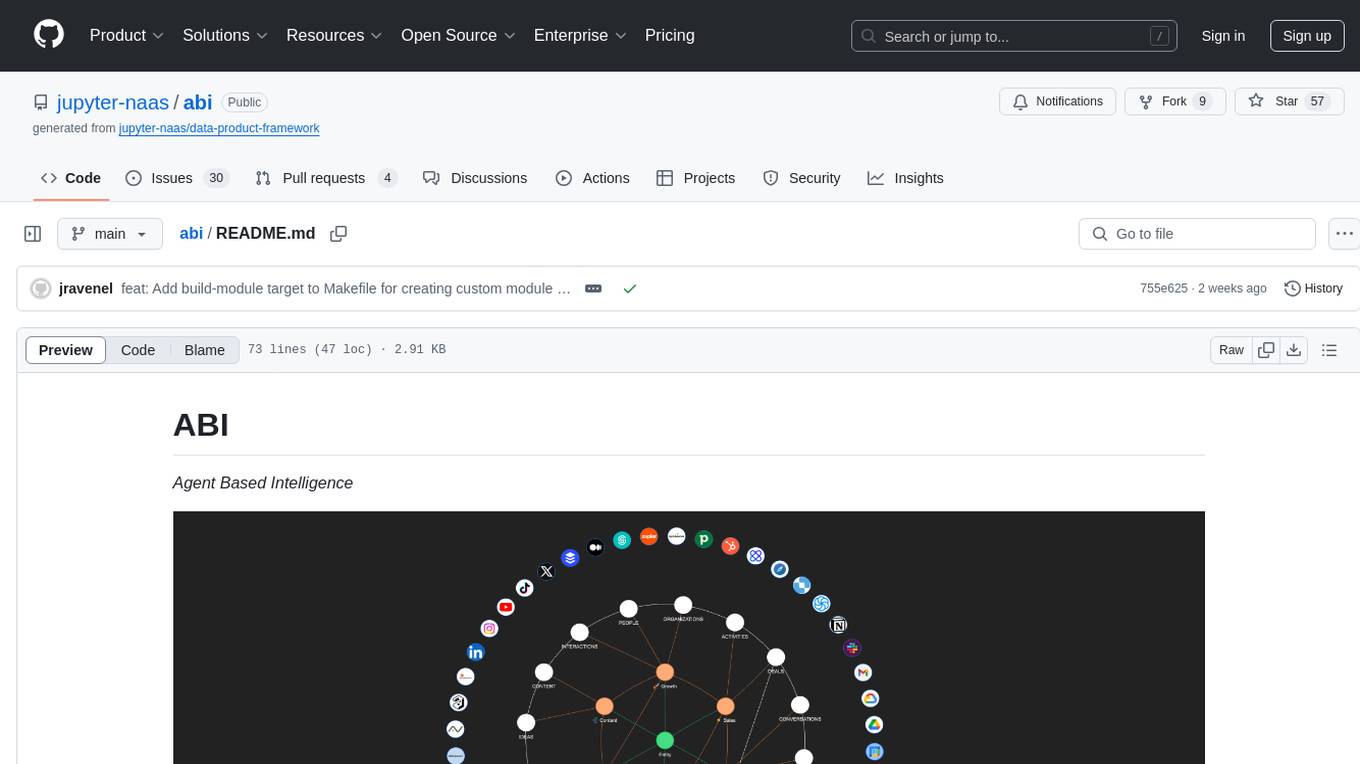
abi
ABI (Agentic Brain Infrastructure) is a Python-based AI Operating System designed to serve as the core infrastructure for building an Agentic AI Ontology Engine. It empowers organizations to integrate, manage, and scale AI-driven operations with multiple AI models, focusing on ontology, agent-driven workflows, and analytics. ABI emphasizes modularity and customization, providing a customizable framework aligned with international standards and regulatory frameworks. It offers features such as configurable AI agents, ontology management, integrations with external data sources, data processing pipelines, workflow automation, analytics, and data handling capabilities.
routilux
Routilux is a powerful event-driven workflow orchestration framework designed for building complex data pipelines and workflows effortlessly. It offers features like event queue architecture, flexible connections, built-in state management, robust error handling, concurrent execution, persistence & recovery, and simplified API. Perfect for tasks such as data pipelines, API orchestration, event processing, workflow automation, microservices coordination, and LLM agent workflows.
airflow-chart
This Helm chart bootstraps an Airflow deployment on a Kubernetes cluster using the Helm package manager. The version of this chart does not correlate to any other component. Users should not expect feature parity between OSS airflow chart and the Astronomer airflow-chart for identical version numbers. To install this helm chart remotely (using helm 3) kubectl create namespace airflow helm repo add astronomer https://helm.astronomer.io helm install airflow --namespace airflow astronomer/airflow To install this repository from source sh kubectl create namespace airflow helm install --namespace airflow . Prerequisites: Kubernetes 1.12+ Helm 3.6+ PV provisioner support in the underlying infrastructure Installing the Chart: sh helm install --name my-release . The command deploys Airflow on the Kubernetes cluster in the default configuration. The Parameters section lists the parameters that can be configured during installation. Upgrading the Chart: First, look at the updating documentation to identify any backwards-incompatible changes. To upgrade the chart with the release name `my-release`: sh helm upgrade --name my-release . Uninstalling the Chart: To uninstall/delete the `my-release` deployment: sh helm delete my-release The command removes all the Kubernetes components associated with the chart and deletes the release. Updating DAGs: Bake DAGs in Docker image The recommended way to update your DAGs with this chart is to build a new docker image with the latest code (`docker build -t my-company/airflow:8a0da78 .`), push it to an accessible registry (`docker push my-company/airflow:8a0da78`), then update the Airflow pods with that image: sh helm upgrade my-release . --set images.airflow.repository=my-company/airflow --set images.airflow.tag=8a0da78 Docker Images: The Airflow image that are referenced as the default values in this chart are generated from this repository: https://github.com/astronomer/ap-airflow. Other non-airflow images used in this chart are generated from this repository: https://github.com/astronomer/ap-vendor. Parameters: The complete list of parameters supported by the community chart can be found on the Parameteres Reference page, and can be set under the `airflow` key in this chart. The following tables lists the configurable parameters of the Astronomer chart and their default values. | Parameter | Description | Default | | :----------------------------- | :-------------------------------------------------------------------------------------------------------- | :---------------------------- | | `ingress.enabled` | Enable Kubernetes Ingress support | `false` | | `ingress.acme` | Add acme annotations to Ingress object | `false` | | `ingress.tlsSecretName` | Name of secret that contains a TLS secret | `~` | | `ingress.webserverAnnotations` | Annotations added to Webserver Ingress object | `{}` | | `ingress.flowerAnnotations` | Annotations added to Flower Ingress object | `{}` | | `ingress.baseDomain` | Base domain for VHOSTs | `~` | | `ingress.auth.enabled` | Enable auth with Astronomer Platform | `true` | | `extraObjects` | Extra K8s Objects to deploy (these are passed through `tpl`). More about Extra Objects. | `[]` | | `sccEnabled` | Enable security context constraints required for OpenShift | `false` | | `authSidecar.enabled` | Enable authSidecar | `false` | | `authSidecar.repository` | The image for the auth sidecar proxy | `nginxinc/nginx-unprivileged` | | `authSidecar.tag` | The image tag for the auth sidecar proxy | `stable` | | `authSidecar.pullPolicy` | The K8s pullPolicy for the the auth sidecar proxy image | `IfNotPresent` | | `authSidecar.port` | The port the auth sidecar exposes | `8084` | | `gitSyncRelay.enabled` | Enables git sync relay feature. | `False` | | `gitSyncRelay.repo.url` | Upstream URL to the git repo to clone. | `~` | | `gitSyncRelay.repo.branch` | Branch of the upstream git repo to checkout. | `main` | | `gitSyncRelay.repo.depth` | How many revisions to check out. Leave as default `1` except in dev where history is needed. | `1` | | `gitSyncRelay.repo.wait` | Seconds to wait before pulling from the upstream remote. | `60` | | `gitSyncRelay.repo.subPath` | Path to the dags directory within the git repository. | `~` | Specify each parameter using the `--set key=value[,key=value]` argument to `helm install`. For example, sh helm install --name my-release --set executor=CeleryExecutor --set enablePodLaunching=false . Walkthrough using kind: Install kind, and create a cluster We recommend testing with Kubernetes 1.25+, example: sh kind create cluster --image kindest/node:v1.25.11 Confirm it's up: sh kubectl cluster-info --context kind-kind Add Astronomer's Helm repo sh helm repo add astronomer https://helm.astronomer.io helm repo update Create namespace + install the chart sh kubectl create namespace airflow helm install airflow -n airflow astronomer/airflow It may take a few minutes. Confirm the pods are up: sh kubectl get pods --all-namespaces helm list -n airflow Run `kubectl port-forward svc/airflow-webserver 8080:8080 -n airflow` to port-forward the Airflow UI to http://localhost:8080/ to confirm Airflow is working. Login as _admin_ and password _admin_. Build a Docker image from your DAGs: 1. Start a project using astro-cli, which will generate a Dockerfile, and load your DAGs in. You can test locally before pushing to kind with `astro airflow start`. `sh mkdir my-airflow-project && cd my-airflow-project astro dev init` 2. Then build the image: `sh docker build -t my-dags:0.0.1 .` 3. Load the image into kind: `sh kind load docker-image my-dags:0.0.1` 4. Upgrade Helm deployment: sh helm upgrade airflow -n airflow --set images.airflow.repository=my-dags --set images.airflow.tag=0.0.1 astronomer/airflow Extra Objects: This chart can deploy extra Kubernetes objects (assuming the role used by Helm can manage them). For Astronomer Cloud and Enterprise, the role permissions can be found in the Commander role. yaml extraObjects: - apiVersion: batch/v1beta1 kind: CronJob metadata: name: "{{ .Release.Name }}-somejob" spec: schedule: "*/10 * * * *" concurrencyPolicy: Forbid jobTemplate: spec: template: spec: containers: - name: myjob image: ubuntu command: - echo args: - hello restartPolicy: OnFailure Contributing: Check out our contributing guide! License: Apache 2.0 with Commons Clause
qb
QANTA is a system and dataset for question answering tasks. It provides a script to download datasets, preprocesses questions, and matches them with Wikipedia pages. The system includes various datasets, training, dev, and test data in JSON and SQLite formats. Dependencies include Python 3.6, `click`, and NLTK models. Elastic Search 5.6 is needed for the Guesser component. Configuration is managed through environment variables and YAML files. QANTA supports multiple guesser implementations that can be enabled/disabled. Running QANTA involves using `cli.py` and Luigi pipelines. The system accesses raw Wikipedia dumps for data processing. The QANTA ID numbering scheme categorizes datasets based on events and competitions.
Awesome-AI-Data-GitHub-Repos
Awesome AI & Data GitHub-Repos is a curated list of essential GitHub repositories covering the AI & ML landscape. It includes resources for Natural Language Processing, Large Language Models, Computer Vision, Data Science, Machine Learning, MLOps, Data Engineering, SQL & Database, and Statistics. The repository aims to provide a comprehensive collection of projects and resources for individuals studying or working in the field of AI and data science.
For similar jobs
routilux
Routilux is a powerful event-driven workflow orchestration framework designed for building complex data pipelines and workflows effortlessly. It offers features like event queue architecture, flexible connections, built-in state management, robust error handling, concurrent execution, persistence & recovery, and simplified API. Perfect for tasks such as data pipelines, API orchestration, event processing, workflow automation, microservices coordination, and LLM agent workflows.
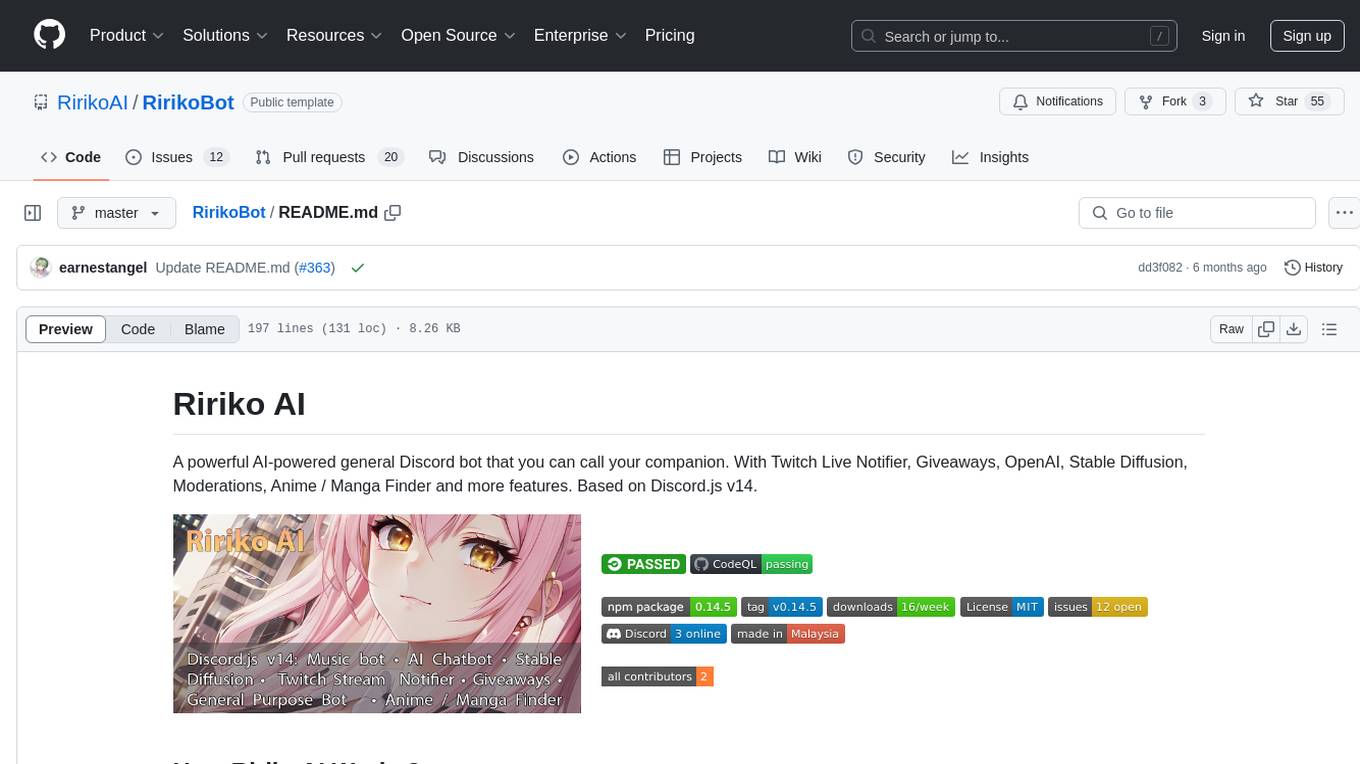
RirikoBot
RirikoBot is a powerful AI-powered Discord bot with features like Twitch Live Notifier, Giveaways, OpenAI, Stable Diffusion, Moderations, Anime / Manga Finder, and more. It is based on Discord.js v14 and can be hosted on a PC or a Server. Users can interact with the bot through various commands to access different functionalities.
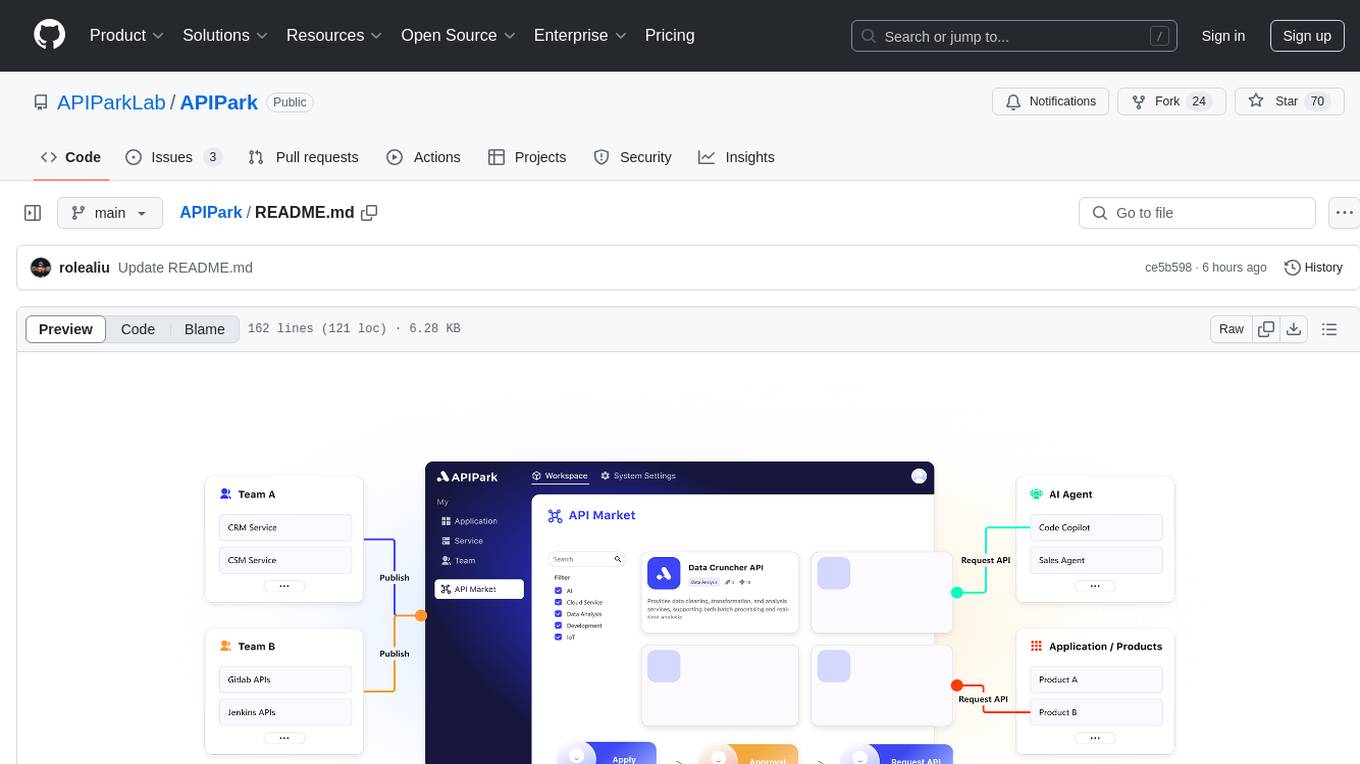
APIPark
APIPark is an open-source AI Gateway and Developer Portal that enables users to easily manage, integrate, and deploy AI and API services. It provides robust API management features, including creation, monitoring, and access control, to help developers efficiently and securely develop and manage their APIs. The platform aims to solve challenges such as connecting to powerful AI models, managing complex AI & API call relationships, overseeing API creation and security, simplifying fault detection and troubleshooting, and enhancing the visibility and valuation of data assets.
airtable
A simple Golang package to access the Airtable API. It provides functionalities to interact with Airtable such as initializing client, getting tables, listing records, adding records, updating records, deleting records, and bulk deleting records. The package is compatible with Go 1.13 and above.
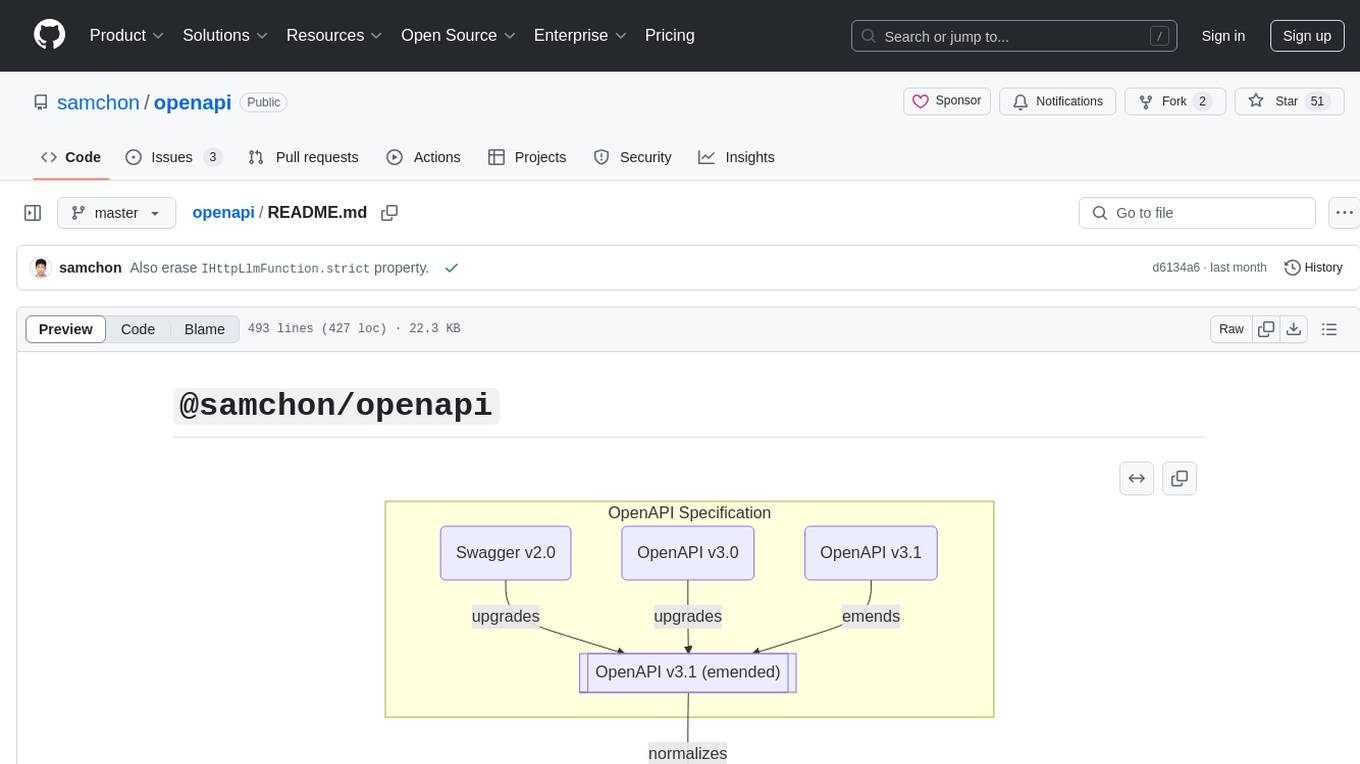
openapi
The `@samchon/openapi` repository is a collection of OpenAPI types and converters for various versions of OpenAPI specifications. It includes an 'emended' OpenAPI v3.1 specification that enhances clarity by removing ambiguous and duplicated expressions. The repository also provides an application composer for LLM (Large Language Model) function calling from OpenAPI documents, allowing users to easily perform LLM function calls based on the Swagger document. Conversions to different versions of OpenAPI documents are also supported, all based on the emended OpenAPI v3.1 specification. Users can validate their OpenAPI documents using the `typia` library with `@samchon/openapi` types, ensuring compliance with standard specifications.
LLM-Stream-Optimizer
LLM Stream Optimizer is a tool developed on Cloudflare Workers for optimizing streaming responses and managing multiple APIs. It features intelligent stream output optimization, adaptive delay algorithm, web API management page, and removal of unnecessary Cloudflare fetch headers. The tool aims to enhance API performance and provide a smooth user experience.
jentic-public-apis
The Jentic Public APIs repository aims to collate all knowledge about the world's APIs into a detailed, comprehensive, structured documentation catalog designed for use by AI. It focuses on standardized OpenAPI specifications, Arazzo workflows, associated tooling, evaluations, and RFCs for extensions to open formats. The project is in ALPHA stage and welcomes contributions to accelerate the effort of building an open knowledge foundation for AI agents.
aiolauncher_scripts
AIO Launcher Scripts is a collection of Lua scripts that can be used with AIO Launcher to enhance its functionality. These scripts can be used to create widget scripts, search scripts, and side menu scripts. They provide various functions such as displaying text, buttons, progress bars, charts, and interacting with app widgets. The scripts can be used to customize the appearance and behavior of the launcher, add new features, and interact with external services.