


tokscale
🛰️ A CLI tool for tracking token usage from OpenCode, Claude Code, 🦞OpenClaw (Clawdbot/Moltbot), Codex, Gemini CLI, Cursor IDE, AmpCode, and Factory Droid • 🏅Global Leaderboard + 2D/3D Contributions Graph
Stars: 678

Tokscale is a high-performance CLI tool and visualization dashboard for tracking token usage and costs across multiple AI coding agents. It helps monitor and analyze token consumption from various AI coding tools, providing real-time pricing calculations using LiteLLM's pricing data. Inspired by the Kardashev scale, Tokscale measures token consumption as users scale the ranks of AI-augmented development. It offers interactive TUI mode, multi-platform support, real-time pricing, detailed breakdowns, web visualization, flexible filtering, and social platform features.
README:

A high-performance CLI tool and visualization dashboard for tracking token usage and costs across multiple AI coding agents.





🇺🇸 English | 🇰🇷 한국어 | 🇯🇵 日本語 | 🇨🇳 简体中文
| Overview | Models |
|---|---|
 |
 |
| Daily Summary | Stats |
|---|---|
 |
 |
| Frontend (3D Contributions Graph) | Wrapped 2025 |
|---|---|
 |
 |
Run
bunx tokscale@latest submitto submit your usage data to the leaderboard and create your public profile!
Tokscale helps you monitor and analyze your token consumption from:
| Logo | Client | Data Location | Supported |
|---|---|---|---|
 |
OpenCode | ~/.local/share/opencode/storage/message/ |
✅ Yes |
 |
Claude Code | ~/.claude/projects/ |
✅ Yes |
 |
OpenClaw |
~/.openclaw/agents/ (+ legacy: .clawdbot, .moltbot, .moldbot) |
✅ Yes |
 |
Codex CLI | ~/.codex/sessions/ |
✅ Yes |
 |
Gemini CLI | ~/.gemini/tmp/*/chats/ |
✅ Yes |
 |
Cursor IDE | API sync via ~/.config/tokscale/cursor-cache/
|
✅ Yes |
 |
Amp (AmpCode) | ~/.local/share/amp/threads/ |
✅ Yes |
 |
Droid (Factory Droid) | ~/.factory/sessions/ |
✅ Yes |
 |
Pi | ~/.pi/agent/sessions/ |
✅ Yes |
Get real-time pricing calculations using 🚅 LiteLLM's pricing data, with support for tiered pricing models and cache token discounts.
This project is inspired by the Kardashev scale, a method proposed by astrophysicist Nikolai Kardashev to measure a civilization's level of technological advancement based on its energy consumption. A Type I civilization harnesses all energy available on its planet, Type II captures the entire output of its star, and Type III commands the energy of an entire galaxy.
In the age of AI-assisted development, tokens are the new energy. They power our reasoning, fuel our productivity, and drive our creative output. Just as the Kardashev scale tracks energy consumption at cosmic scales, Tokscale measures your token consumption as you scale the ranks of AI-augmented development. Whether you're a casual user or burning through millions of tokens daily, Tokscale helps you visualize your journey up the scale—from planetary developer to galactic code architect.
- Overview
- Features
- Installation
- Usage
- Frontend Visualization
- Social Platform
- Wrapped 2025
- Development
- Supported Platforms
- Session Data Retention
- Data Sources
- Pricing
- Contributing
- Acknowledgments
- License
-
Interactive TUI Mode - Beautiful terminal UI powered by OpenTUI (default mode)
- 4 interactive views: Overview, Models, Daily, Stats
- Keyboard & mouse navigation
- GitHub-style contribution graph with 9 color themes
- Real-time filtering and sorting
- Zero flicker rendering (native Zig engine)
- Multi-platform support - Track usage across OpenCode, Claude Code, Codex CLI, Cursor IDE, Gemini CLI, Amp, Droid, OpenClaw, and Pi
- Real-time pricing - Fetches current pricing from LiteLLM with 1-hour disk cache; automatic OpenRouter fallback for new models
- Detailed breakdowns - Input, output, cache read/write, and reasoning token tracking
- Native Rust core - All parsing and aggregation done in Rust for 10x faster processing
- Web visualization - Interactive contribution graph with 2D and 3D views
- Flexible filtering - Filter by platform, date range, or year
- Export to JSON - Generate data for external visualization tools
- Social Platform - Share your usage, compete on leaderboards, and view public profiles
# Install Bun (if not already installed)
curl -fsSL https://bun.sh/install | bash

# Run directly with bunx
bunx tokscale@latest

# Light mode (no OpenTUI, just table rendering)
bunx tokscale@latest --light
That's it! This gives you the full interactive TUI experience with zero setup.
Requires Bun: The interactive TUI uses OpenTUI's native Zig modules for zero-flicker rendering, which requires the Bun runtime.
Package Structure:
tokscaleis an alias package (likeswc) that installs@tokscale/cli. Both install the same CLI with the native Rust core (@tokscale/core) included.
- Bun (required)
- (Optional) Rust toolchain for building native module from source
For local development or building from source:
# Clone the repository
git clone https://github.com/junhoyeo/tokscale.git
cd tokscale

# Install Bun (if not already installed)
curl -fsSL https://bun.sh/install | bash

# Install dependencies
bun install

# Run the CLI in development mode
bun run cliNote:
bun run cliis for local development. When installed viabunx tokscale, the command runs directly. The Usage section below shows the installed binary commands.
The native Rust module is required for CLI operation. It provides ~10x faster processing through parallel file scanning and SIMD JSON parsing:
# Build the native core (run from repository root)
bun run build:coreNote: Native binaries are pre-built and included when you install via
bunx tokscale@latest. Building from source is only needed for local development.
# Launch interactive TUI (default)
tokscale

# Launch TUI with specific tab
tokscale models    # Models tab
tokscale monthly   # Daily view (shows daily breakdown)

# Use legacy CLI table output
tokscale --light
tokscale models --light

# Launch TUI explicitly
tokscale tui

# Export contribution graph data as JSON
tokscale graph --output data.json

# Output data as JSON (for scripting/automation)
tokscale --json                    # Default models view as JSON
tokscale models --json             # Models breakdown as JSON
tokscale monthly --json            # Monthly breakdown as JSON
tokscale models --json > report.json # Save to fileThe interactive TUI mode provides:
- 4 Views: Overview (chart + top models), Models, Daily, Stats (contribution graph)
-
Keyboard Navigation:
-
1-4or←/→/Tab: Switch views -
↑/↓: Navigate lists -
c/n/t: Sort by cost/name/tokens -
1-9: Toggle sources (OpenCode/Claude/Codex/Cursor/Gemini/Amp/Droid/OpenClaw/Pi) -
p: Cycle through 9 color themes -
r: Refresh data -
e: Export to JSON -
q: Quit
-
- Mouse Support: Click tabs, buttons, and filters
- Themes: Green, Halloween, Teal, Blue, Pink, Purple, Orange, Monochrome, YlGnBu
-
Settings Persistence: Preferences saved to
~/.config/tokscale/settings.json(see Configuration)
# Show only OpenCode usage
tokscale --opencode

# Show only Claude Code usage
tokscale --claude

# Show only Codex CLI usage
tokscale --codex

# Show only Gemini CLI usage
tokscale --gemini

# Show only Cursor IDE usage (requires `tokscale cursor login` first)
tokscale --cursor

# Show only Amp usage
tokscale --amp

# Show only Droid usage
tokscale --droid

# Show only OpenClaw usage
tokscale --openclaw

# Show only Pi usage
tokscale --pi

# Combine filters
tokscale --opencode --claude
Date filters work across all commands that generate reports (tokscale, tokscale models, tokscale monthly, tokscale graph):
# Quick date shortcuts
tokscale --today              # Today only
tokscale --week               # Last 7 days
tokscale --month              # Current calendar month

# Custom date range (inclusive, local timezone)
tokscale --since 2024-01-01 --until 2024-12-31

# Filter by year
tokscale --year 2024

# Combine with other options
tokscale models --week --claude --json
tokscale monthly --month --benchmarkNote: Date filters use your local timezone. Both
--sinceand--untilare inclusive.
Look up real-time pricing for any model:
# Look up model pricing
tokscale pricing "claude-3-5-sonnet-20241022"
tokscale pricing "gpt-4o"
tokscale pricing "grok-code"

# Force specific provider source
tokscale pricing "grok-code" --provider openrouter
tokscale pricing "claude-3-5-sonnet" --provider litellm
Lookup Strategy:
The pricing lookup uses a multi-step resolution strategy:
- Exact Match - Direct lookup in LiteLLM/OpenRouter databases
-
Alias Resolution - Resolves friendly names (e.g.,
big-pickle→glm-4.7) -
Tier Suffix Stripping - Removes quality tiers (
gpt-5.2-xhigh→gpt-5.2) -
Version Normalization - Handles version formats (
claude-3-5-sonnet↔claude-3.5-sonnet) -
Provider Prefix Matching - Tries common prefixes (
anthropic/,openai/, etc.) - Fuzzy Matching - Word-boundary matching for partial model names
Provider Preference:
When multiple matches exist, original model creators are preferred over resellers:
| Preferred (Original) | Deprioritized (Reseller) |
|---|---|
xai/ (Grok) |
azure_ai/ |
anthropic/ (Claude) |
bedrock/ |
openai/ (GPT) |
vertex_ai/ |
google/ (Gemini) |
together_ai/ |
meta-llama/ |
fireworks_ai/ |
Example: grok-code matches xai/grok-code-fast-1 ($0.20/$1.50) instead of azure_ai/grok-code-fast-1 ($3.50/$17.50).
# Login to Tokscale (opens browser for GitHub auth)
tokscale login

# Check who you're logged in as
tokscale whoami

# Submit your usage data to the leaderboard
tokscale submit

# Submit with filters
tokscale submit --opencode --claude --since 2024-01-01

# Preview what would be submitted (dry run)
tokscale submit --dry-run

# Logout
tokscale logout
Cursor IDE requires separate authentication via session token (different from the social platform login):
# Login to Cursor (requires session token from browser)
# --name is optional; it just helps you identify accounts later
tokscale cursor login --name work

# Check Cursor authentication status and session validity
tokscale cursor status

# List saved Cursor accounts
tokscale cursor accounts

# Switch active account (controls which account syncs to cursor-cache/usage.csv)
tokscale cursor switch work

# Logout from a specific account (keeps history; excludes it from aggregation)
tokscale cursor logout --name work

# Logout and delete cached usage for that account
tokscale cursor logout --name work --purge-cache

# Logout from all Cursor accounts (keeps history; excludes from aggregation)
tokscale cursor logout --all

# Logout from all accounts and delete cached usage
tokscale cursor logout --all --purge-cache
By default, tokscale aggregates usage across all saved Cursor accounts (all cursor-cache/usage*.csv).
When you log out, tokscale keeps your cached usage history by moving it to cursor-cache/archive/ (so it won't be aggregated). Use --purge-cache if you want to delete the cached usage instead.
Credentials storage: Cursor accounts are stored in ~/.config/tokscale/cursor-credentials.json. Usage data is cached at ~/.config/tokscale/cursor-cache/ (active account uses usage.csv, additional accounts use usage.<account>.csv).
To get your Cursor session token:
- Open https://www.cursor.com/settings in your browser
- Open Developer Tools (F12)
-
Option A - Network tab: Make any action on the page, find a request to
cursor.com/api/*, look in the Request Headers for theCookieheader, and copy only the value afterWorkosCursorSessionToken= -
Option B - Application tab: Go to Application → Cookies →
https://www.cursor.com, find theWorkosCursorSessionTokencookie, and copy its value (not the cookie name)
⚠️ Security Warning: Treat your session token like a password. Never share it publicly or commit it to version control. The token grants full access to your Cursor account.

Tokscale stores settings in ~/.config/tokscale/settings.json:
{
  "colorPalette": "blue",
  "includeUnusedModels": false
}| Setting | Type | Default | Description |
|---|---|---|---|
colorPalette |
string | "blue" |
TUI color theme (green, halloween, teal, blue, pink, purple, orange, monochrome, ylgnbu) |
includeUnusedModels |
boolean | false |
Show models with zero tokens in reports |
autoRefreshEnabled |
boolean | false |
Enable auto-refresh in TUI |
autoRefreshMs |
number | 60000 |
Auto-refresh interval (30000-3600000ms) |
nativeTimeoutMs |
number | 300000 |
Maximum time for native subprocess processing (5000-3600000ms) |
Environment variables override config file values. For CI/CD or one-off use:
| Variable | Default | Description |
|---|---|---|
TOKSCALE_NATIVE_TIMEOUT_MS |
300000 (5 min) |
Overrides nativeTimeoutMs config |
# Example: Increase timeout for very large datasets
TOKSCALE_NATIVE_TIMEOUT_MS=600000 tokscale graph --output data.jsonNote: For persistent changes, prefer setting
nativeTimeoutMsin~/.config/tokscale/settings.json. Environment variables are best for one-off overrides or CI/CD.
Tokscale can aggregate token usage from Codex CLI headless outputs for automation, CI/CD pipelines, and batch processing.
What is headless mode?
When you run Codex CLI with JSON output flags (e.g., codex exec --json), it outputs usage data to stdout instead of storing it in its regular session directories. Headless mode allows you to capture and track this usage.
Storage location: ~/.config/tokscale/headless/
On macOS, Tokscale also scans ~/Library/Application Support/tokscale/headless/ when TOKSCALE_HEADLESS_DIR is not set.
Tokscale automatically scans this directory structure:
~/.config/tokscale/headless/
└── codex/       # Codex CLI JSONL outputs
Environment variable: Set TOKSCALE_HEADLESS_DIR to customize the headless log directory:
export TOKSCALE_HEADLESS_DIR="$HOME/my-custom-logs"Recommended (automatic capture):
| Tool | Command Example |
|---|---|
| Codex CLI | tokscale headless codex exec -m gpt-5 "implement feature" |
Manual redirect (optional):
| Tool | Command Example |
|---|---|
| Codex CLI | codex exec --json "implement feature" > ~/.config/tokscale/headless/codex/ci-run.jsonl |
Diagnostics:
# Show scan locations and headless counts
tokscale sources
tokscale sources --json
CI/CD integration example:
# In your GitHub Actions workflow
- name: Run AI automation
  run: |
    mkdir -p ~/.config/tokscale/headless/codex
    codex exec --json "review code changes" \
      > ~/.config/tokscale/headless/codex/pr-${{ github.event.pull_request.number }}.jsonl

# Later, track usage
- name: Report token usage
run: tokscale --jsonNote: Headless capture is supported for Codex CLI only. If you run Codex directly, redirect stdout to the headless directory as shown above.
The frontend provides a GitHub-style contribution graph visualization:
- 2D View: Classic GitHub contribution calendar
- 3D View: Isometric 3D contribution graph with height based on token usage
- Multiple color palettes: GitHub, GitLab, Halloween, Winter, and more
- 3-way theme toggle: Light / Dark / System (follows OS preference)
- GitHub Primer design: Uses GitHub's official color system
- Interactive tooltips: Hover for detailed daily breakdowns
- Day breakdown panel: Click to see per-source and per-model details
- Year filtering: Navigate between years
- Source filtering: Filter by platform (OpenCode, Claude, Codex, Cursor, Gemini, Amp, Droid, OpenClaw, Pi)
- Stats panel: Total cost, tokens, active days, streaks
- FOUC prevention: Theme applied before React hydrates (no flash)
cd packages/frontend
bun install
bun run dev
Open http://localhost:3000 to access the social platform.
Tokscale includes a social platform where you can share your usage data and compete with other developers.
- Leaderboard - See who's using the most tokens across all platforms
- User Profiles - Public profiles with contribution graphs and statistics
- Period Filtering - View stats for all time, this month, or this week
- GitHub Integration - Login with your GitHub account
- Local Viewer - View your data privately without submitting
-
Login - Run
tokscale loginto authenticate via GitHub -
Submit - Run
tokscale submitto upload your usage data - View - Visit the web platform to see your profile and the leaderboard
Submitted data goes through Level 1 validation:
- Mathematical consistency (totals match, no negatives)
- No future dates
- Required fields present
- Duplicate detection

Generate a beautiful year-in-review image summarizing your AI coding assistant usage—inspired by Spotify Wrapped.
bunx tokscale@latest wrapped |
bunx tokscale@latest wrapped --clients |
bunx tokscale@latest wrapped --agents --disable-pinned |
|---|---|---|
|
 |
 |
# Generate wrapped image for current year
tokscale wrapped

# Generate for a specific year
tokscale wrapped --year 2025The generated image includes:
- Total Tokens - Your total token consumption for the year
- Top Models - Your 3 most-used AI models ranked by cost
- Top Clients - Your 3 most-used platforms (OpenCode, Claude Code, Cursor, etc.)
- Messages - Total number of AI interactions
- Active Days - Days with at least one AI interaction
- Cost - Estimated total cost based on LiteLLM pricing
- Streak - Your longest consecutive streak of active days
- Contribution Graph - A visual heatmap of your yearly activity
The generated PNG is optimized for sharing on social media. Share your coding journey with the community!
Quick setup: If you just want to get started quickly, see Development Setup in the Installation section above.
# Bun (required)
bun --version

# Rust (for native module)
rustc --version
cargo --versionAfter following the Development Setup, you can:
# Build native module (optional but recommended)
bun run build:core

# Run in development mode (launches TUI)
cd packages/cli && bun src/cli.ts

# Or use legacy CLI mode
cd packages/cli && bun src/cli.ts --light
Advanced Development
| Script | Description |
|---|---|
bun run cli |
Run CLI in development mode (TUI with Bun) |
bun run build:core |
Build native Rust module (release) |
bun run build:cli |
Build CLI TypeScript to dist/ |
bun run build |
Build both core and CLI |
bun run dev:frontend |
Run frontend development server |
Package-specific scripts (from within package directories):
-
packages/cli:bun run dev,bun run tui -
packages/core:bun run build:debug,bun run test,bun run bench
Note: This project uses Bun as the package manager and runtime. TUI requires Bun due to OpenTUI's native modules.
# Test native module (Rust)
cd packages/core
bun run test:rust      # Cargo tests
bun run test           # Node.js integration tests
bun run test:all # Bothcd packages/core
# Build in debug mode (faster compilation)
bun run build:debug
# Build in release mode (optimized)
bun run build
# Run Rust benchmarks
bun run bench# Export graph data to file
tokscale graph --output usage-data.json
# Date filtering (all shortcuts work)
tokscale graph --today
tokscale graph --week
tokscale graph --since 2024-01-01 --until 2024-12-31
tokscale graph --year 2024
# Filter by platform
tokscale graph --opencode --claude
# Show processing time benchmark
tokscale graph --output data.json --benchmarkShow processing time for performance analysis:
tokscale --benchmark           # Show processing time with default view
tokscale models --benchmark    # Benchmark models report
tokscale monthly --benchmark   # Benchmark monthly report
tokscale graph --benchmark # Benchmark graph generation# Export data for visualization
tokscale graph --output packages/frontend/public/my-data.jsonThe native Rust module provides significant performance improvements:
| Operation | TypeScript | Rust Native | Speedup |
|---|---|---|---|
| File Discovery | ~500ms | ~50ms | 10x |
| JSON Parsing | ~800ms | ~100ms | 8x |
| Aggregation | ~200ms | ~25ms | 8x |
| Total | ~1.5s | ~175ms | ~8.5x |
Benchmarks for ~1000 session files, 100k messages
The native module also provides ~45% memory reduction through:
- Streaming JSON parsing (no full file buffering)
- Zero-copy string handling
- Efficient parallel aggregation with map-reduce
# Generate synthetic data
cd packages/benchmarks && bun run generate

# Run Rust benchmarks
cd packages/core && bun run bench| Platform | Architecture | Status |
|---|---|---|
| macOS | x86_64 | ✅ Supported |
| macOS | aarch64 (Apple Silicon) | ✅ Supported |
| Linux | x86_64 (glibc) | ✅ Supported |
| Linux | aarch64 (glibc) | ✅ Supported |
| Linux | x86_64 (musl) | ✅ Supported |
| Linux | aarch64 (musl) | ✅ Supported |
| Windows | x86_64 | ✅ Supported |
| Windows | aarch64 | ✅ Supported |
Tokscale fully supports Windows. The TUI and CLI work the same as on macOS/Linux.
Installation on Windows:
# Install Bun (PowerShell)
powershell -c "irm bun.sh/install.ps1 | iex"

# Run tokscale
bunx tokscale@latestAI coding tools store their session data in cross-platform locations. Most tools use the same relative paths on all platforms:
| Tool | Unix Path | Windows Path | Source |
|---|---|---|---|
| OpenCode | ~/.local/share/opencode/ |
%USERPROFILE%\.local\share\opencode\ |
Uses xdg-basedir for cross-platform consistency (source) |
| Claude Code | ~/.claude/ |
%USERPROFILE%\.claude\ |
Same path on all platforms |
| OpenClaw |
~/.openclaw/ (+ legacy: .clawdbot, .moltbot, .moldbot) |
%USERPROFILE%\.openclaw\ (+ legacy paths) |
Same path on all platforms |
| Codex CLI | ~/.codex/ |
%USERPROFILE%\.codex\ |
Configurable via CODEX_HOME env var (source) |
| Gemini CLI | ~/.gemini/ |
%USERPROFILE%\.gemini\ |
Same path on all platforms |
| Amp | ~/.local/share/amp/ |
%USERPROFILE%\.local\share\amp\ |
Uses xdg-basedir like OpenCode |
| Cursor | API sync | API sync | Data fetched via API, cached in %USERPROFILE%\.config\tokscale\cursor-cache\
|
| Droid | ~/.factory/ |
%USERPROFILE%\.factory\ |
Same path on all platforms |
| Pi | ~/.pi/ |
%USERPROFILE%\.pi\ |
Same path on all platforms |
Note: On Windows,
~expands to%USERPROFILE%(e.g.,C:\Users\YourName). These tools intentionally use Unix-style paths (like.local/share) even on Windows for cross-platform consistency, rather than Windows-native paths like%APPDATA%.
Tokscale stores its configuration in:
-
Config:
%USERPROFILE%\.config\tokscale\settings.json -
Cache:
%USERPROFILE%\.cache\tokscale\ -
Cursor credentials:
%USERPROFILE%\.config\tokscale\cursor-credentials.json
By default, some AI coding assistants automatically delete old session files. To preserve your usage history for accurate tracking, disable or extend the cleanup period.
| Platform | Default | Config File | Setting to Disable | Source |
|---|---|---|---|---|
| Claude Code | ~/.claude/settings.json |
"cleanupPeriodDays": 9999999999 |
Docs | |
| Gemini CLI | Disabled | ~/.gemini/settings.json |
"sessionRetention.enabled": false |
Docs |
| Codex CLI | Disabled | N/A | No cleanup feature | #6015 |
| OpenCode | Disabled | N/A | No cleanup feature | #4980 |
Default: 30 days cleanup period
Add to ~/.claude/settings.json:
{
  "cleanupPeriodDays": 9999999999
}
Setting an extremely large value (e.g.,
9999999999days ≈ 27 million years) effectively disables cleanup.
Default: Cleanup disabled (sessions persist forever)
If you've enabled cleanup and want to disable it, remove or set enabled: false in ~/.gemini/settings.json:
{
  "general": {
    "sessionRetention": {
      "enabled": false
    }
  }
}
Or set an extremely long retention period:
{
  "general": {
    "sessionRetention": {
      "enabled": true,
      "maxAge": "9999999d"
    }
  }
}Default: No automatic cleanup (sessions persist forever)
Codex CLI does not have built-in session cleanup. Sessions in ~/.codex/sessions/ persist indefinitely.
Note: There's an open feature request for this: #6015
Default: No automatic cleanup (sessions persist forever)
OpenCode does not have built-in session cleanup. Sessions in ~/.local/share/opencode/storage/ persist indefinitely.
Note: See #4980
Location: ~/.local/share/opencode/storage/message/{sessionId}/*.json
Each message file contains:
{
  "id": "msg_xxx",
  "role": "assistant",
  "modelID": "claude-sonnet-4-20250514",
  "providerID": "anthropic",
  "tokens": {
    "input": 1234,
    "output": 567,
    "reasoning": 0,
    "cache": { "read": 890, "write": 123 }
  },
  "time": { "created": 1699999999999 }
}Location: ~/.claude/projects/{projectPath}/*.jsonl
JSONL format with assistant messages containing usage data:
{"type": "assistant", "message": {"model": "claude-sonnet-4-20250514", "usage": {"input_tokens": 1234, "output_tokens": 567, "cache_read_input_tokens": 890}}, "timestamp": "2024-01-01T00:00:00Z"}Location: ~/.codex/sessions/*.jsonl
Event-based format with token_count events:
{"type": "event_msg", "payload": {"type": "token_count", "info": {"last_token_usage": {"input_tokens": 1234, "output_tokens": 567}}}}Location: ~/.gemini/tmp/{projectHash}/chats/session-*.json
Session files containing message arrays:
{
  "sessionId": "xxx",
  "messages": [
    {"type": "gemini", "model": "gemini-2.5-pro", "tokens": {"input": 1234, "output": 567, "cached": 890, "thoughts": 123}}
  ]
}Location: ~/.config/tokscale/cursor-cache/ (synced via Cursor API)
Cursor data is fetched from the Cursor API using your session token and cached locally. Run tokscale cursor login to authenticate. See Cursor IDE Commands for setup instructions.
Location: ~/.openclaw/agents/*/sessions/sessions.json (also scans legacy paths: ~/.clawdbot/, ~/.moltbot/, ~/.moldbot/)
Index file pointing to JSONL session files:
{
  "agent:main:main": {
    "sessionId": "uuid",
    "sessionFile": "/path/to/session.jsonl"
  }
}
Session JSONL format with model_change events and assistant messages:
{"type":"model_change","provider":"openai-codex","modelId":"gpt-5.2"}
{"type":"message","message":{"role":"assistant","usage":{"input":1660,"output":55,"cacheRead":108928,"cost":{"total":0.02}},"timestamp":1769753935279}}Location: ~/.pi/agent/sessions/<encoded-cwd>/*.jsonl
JSONL format with session header and message entries:
{"type":"session","id":"pi_ses_001","timestamp":"2026-01-01T00:00:00.000Z","cwd":"/tmp"}
{"type":"message","id":"msg_001","timestamp":"2026-01-01T00:00:01.000Z","message":{"role":"assistant","model":"claude-3-5-sonnet","provider":"anthropic","usage":{"input":100,"output":50,"cacheRead":10,"cacheWrite":5,"totalTokens":165}}}Tokscale fetches real-time pricing from LiteLLM's pricing database.
Dynamic Fallback: For models not yet available in LiteLLM (e.g., recently released models), Tokscale automatically fetches pricing from OpenRouter's endpoints API. This ensures you get accurate pricing from the model's author provider (e.g., Z.AI for glm-4.7) without waiting for LiteLLM updates.
Caching: Pricing data is cached to disk with 1-hour TTL for fast startup:
- LiteLLM cache:
~/.cache/tokscale/pricing-litellm.json - OpenRouter cache:
~/.cache/tokscale/pricing-openrouter.json(incremental, caches only models you've used)
Pricing includes:
- Input tokens
- Output tokens
- Cache read tokens (discounted)
- Cache write tokens
- Reasoning tokens (for models like o1)
- Tiered pricing (above 200k tokens)
Contributions are welcome! Please follow these steps:
- Fork the repository
- Create a feature branch (
git checkout -b feature/amazing-feature) - Make your changes
- Run tests (
cd packages/core && bun run test:all) - Commit your changes (
git commit -m 'Add amazing feature') - Push to the branch (
git push origin feature/amazing-feature) - Open a Pull Request
- Follow existing code style
- Add tests for new functionality
- Update documentation as needed
- Keep commits focused and atomic
- ccusage, viberank, and Isometric Contributions for inspiration
- OpenTUI for zero-flicker terminal UI framework
- Solid.js for reactive rendering
- LiteLLM for pricing data
- napi-rs for Rust/Node.js bindings
- github-contributions-canvas for 2D graph reference

MIT © Junho Yeo
If you find this project intriguing, please consider starring it ⭐ or follow me on GitHub and join the ride (1.1k+ already aboard). I code around the clock and ship mind-blowing things on a regular basis—your support won't go to waste.
For Tasks:
Click tags to check more tools for each tasksFor Jobs:
Alternative AI tools for tokscale
Similar Open Source Tools
tokscale
Tokscale is a high-performance CLI tool and visualization dashboard for tracking token usage and costs across multiple AI coding agents. It helps monitor and analyze token consumption from various AI coding tools, providing real-time pricing calculations using LiteLLM's pricing data. Inspired by the Kardashev scale, Tokscale measures token consumption as users scale the ranks of AI-augmented development. It offers interactive TUI mode, multi-platform support, real-time pricing, detailed breakdowns, web visualization, flexible filtering, and social platform features.

dexto
Dexto is a lightweight runtime for creating and running AI agents that turn natural language into real-world actions. It serves as the missing intelligence layer for building AI applications, standalone chatbots, or as the reasoning engine inside larger products. Dexto features a powerful CLI and Web UI for running AI agents, supports multiple interfaces, allows hot-swapping of LLMs from various providers, connects to remote tool servers via the Model Context Protocol, is config-driven with version-controlled YAML, offers production-ready core features, extensibility for custom services, and enables multi-agent collaboration via MCP and A2A.
RepairAgent
RepairAgent is an autonomous LLM-based agent for automated program repair targeting the Defects4J benchmark. It uses an LLM-driven loop to localize, analyze, and fix Java bugs. The tool requires Docker, VS Code with Dev Containers extension, OpenAI API key, disk space of ~40 GB, and internet access. Users can get started with RepairAgent using either VS Code Dev Container or Docker Image. Running RepairAgent involves checking out the buggy project version, autonomous bug analysis, fix candidate generation, and testing against the project's test suite. Users can configure hyperparameters for budget control, repetition handling, commands limit, and external fix strategy. The tool provides output structure, experiment overview, individual analysis scripts, and data on fixed bugs from the Defects4J dataset.
git-mcp-server
A secure and scalable Git MCP server providing AI agents with powerful version control capabilities for local and serverless environments. It offers 28 comprehensive Git operations organized into seven functional categories, resources for contextual information about the Git environment, and structured prompt templates for guiding AI agents through complex workflows. The server features declarative tools, robust error handling, pluggable authentication, abstracted storage, full-stack observability, dependency injection, and edge-ready architecture. It also includes specialized features for Git integration such as cross-runtime compatibility, provider-based architecture, optimized Git execution, working directory management, configurable Git identity, safety features, and commit signing.
docutranslate
Docutranslate is a versatile tool for translating documents efficiently. It supports multiple file formats and languages, making it ideal for businesses and individuals needing quick and accurate translations. The tool uses advanced algorithms to ensure high-quality translations while maintaining the original document's formatting. With its user-friendly interface, Docutranslate simplifies the translation process and saves time for users. Whether you need to translate legal documents, technical manuals, or personal letters, Docutranslate is the go-to solution for all your document translation needs.
flyte-sdk
Flyte 2 SDK is a pure Python tool for type-safe, distributed orchestration of agents, ML pipelines, and more. It allows users to write data pipelines, ML training jobs, and distributed compute in Python without any DSL constraints. With features like async-first parallelism and fine-grained observability, Flyte 2 offers a seamless workflow experience. Users can leverage core concepts like TaskEnvironments for container configuration, pure Python workflows for flexibility, and async parallelism for distributed execution. Advanced features include sub-task observability with tracing and remote task execution. The tool also provides native Jupyter integration for running and monitoring workflows directly from notebooks. Configuration and deployment are made easy with configuration files and commands for deploying and running workflows. Flyte 2 is licensed under the Apache 2.0 License.
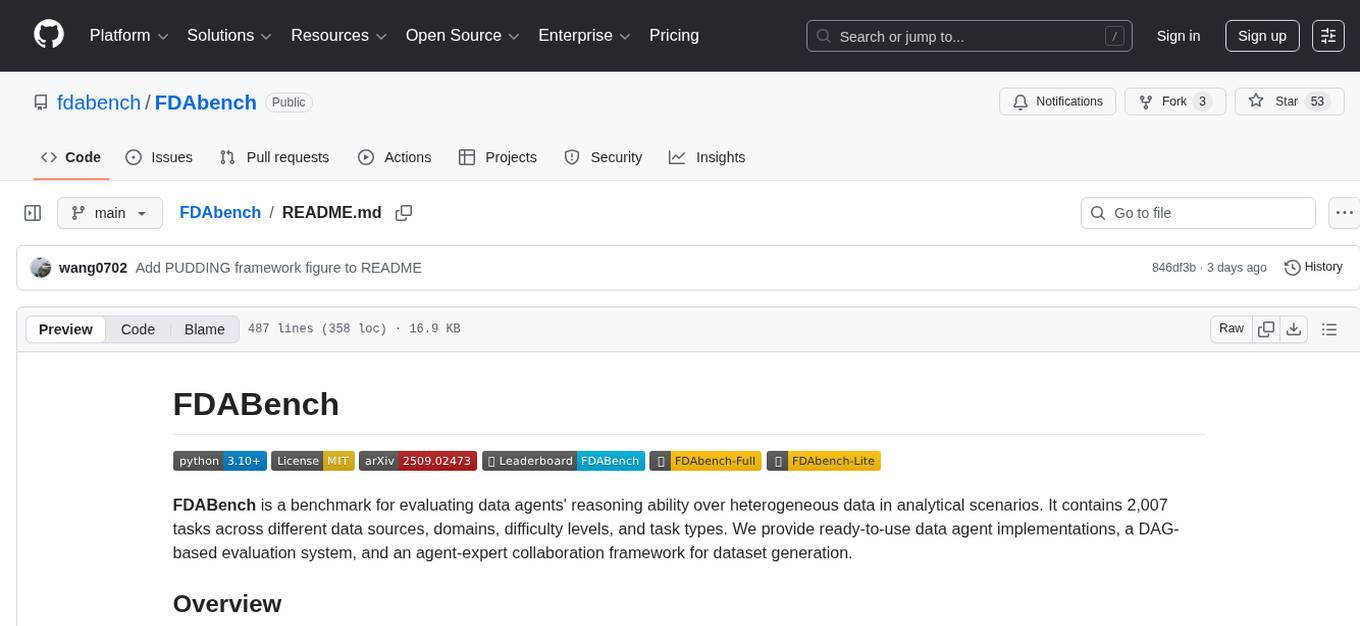
FDAbench
FDABench is a benchmark tool designed for evaluating data agents' reasoning ability over heterogeneous data in analytical scenarios. It offers 2,007 tasks across various data sources, domains, difficulty levels, and task types. The tool provides ready-to-use data agent implementations, a DAG-based evaluation system, and a framework for agent-expert collaboration in dataset generation. Key features include data agent implementations, comprehensive evaluation metrics, multi-database support, different task types, extensible framework for custom agent integration, and cost tracking. Users can set up the environment using Python 3.10+ on Linux, macOS, or Windows. FDABench can be installed with a one-command setup or manually. The tool supports API configuration for LLM access and offers quick start guides for database download, dataset loading, and running examples. It also includes features like dataset generation using the PUDDING framework, custom agent integration, evaluation metrics like accuracy and rubric score, and a directory structure for easy navigation.

mcp-devtools
MCP DevTools is a high-performance server written in Go that replaces multiple Node.js and Python-based servers. It provides access to essential developer tools through a unified, modular interface. The server is efficient, with minimal memory footprint and fast response times. It offers a comprehensive tool suite for agentic coding, including 20+ essential developer agent tools. The tool registry allows for easy addition of new tools. The server supports multiple transport modes, including STDIO, HTTP, and SSE. It includes a security framework for multi-layered protection and a plugin system for adding new tools.
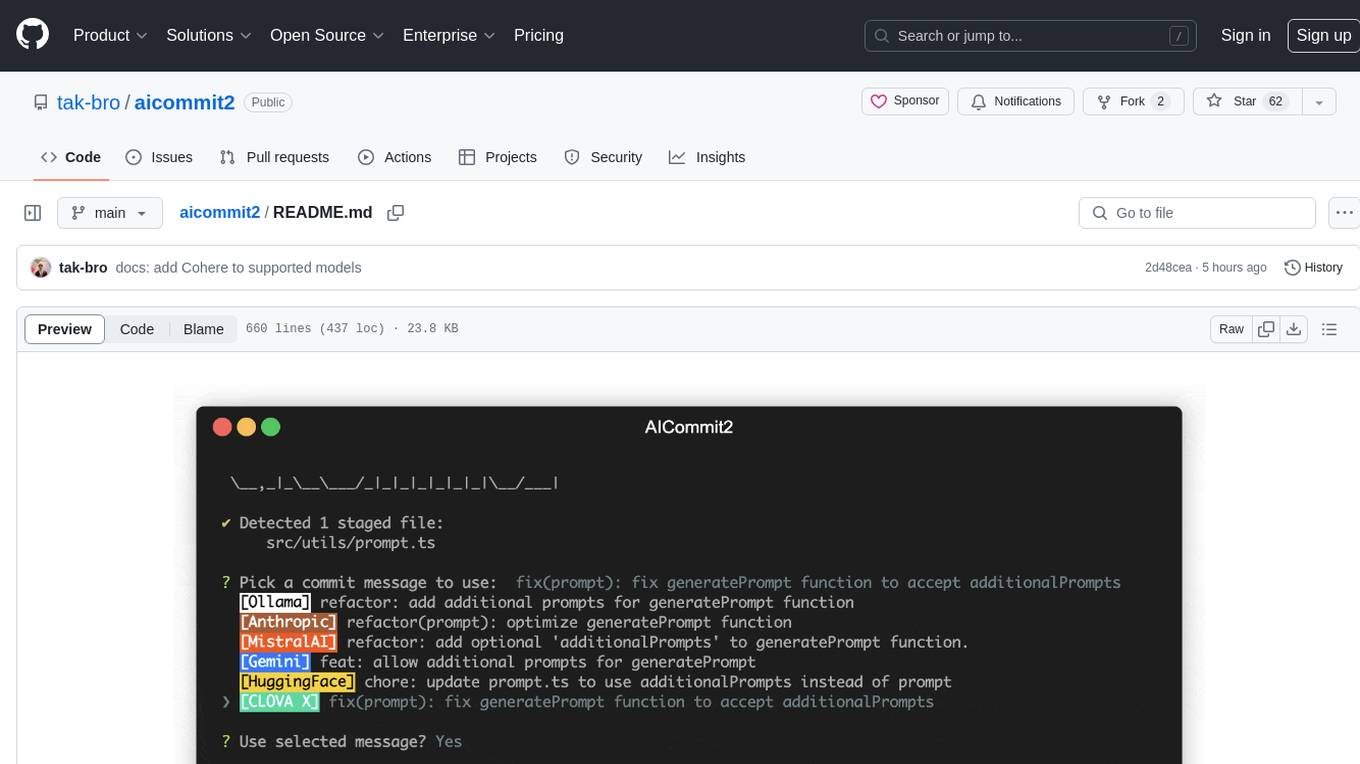
aicommit2
AICommit2 is a Reactive CLI tool that streamlines interactions with various AI providers such as OpenAI, Anthropic Claude, Gemini, Mistral AI, Cohere, and unofficial providers like Huggingface and Clova X. Users can request multiple AI simultaneously to generate git commit messages without waiting for all AI responses. The tool runs 'git diff' to grab code changes, sends them to configured AI, and returns the AI-generated commit message. Users can set API keys or Cookies for different providers and configure options like locale, generate number of messages, commit type, proxy, timeout, max-length, and more. AICommit2 can be used both locally with Ollama and remotely with supported providers, offering flexibility and efficiency in generating commit messages.
mcp-context-forge
MCP Context Forge is a powerful tool for generating context-aware data for machine learning models. It provides functionalities to create diverse datasets with contextual information, enhancing the performance of AI algorithms. The tool supports various data formats and allows users to customize the context generation process easily. With MCP Context Forge, users can efficiently prepare training data for tasks requiring contextual understanding, such as sentiment analysis, recommendation systems, and natural language processing.
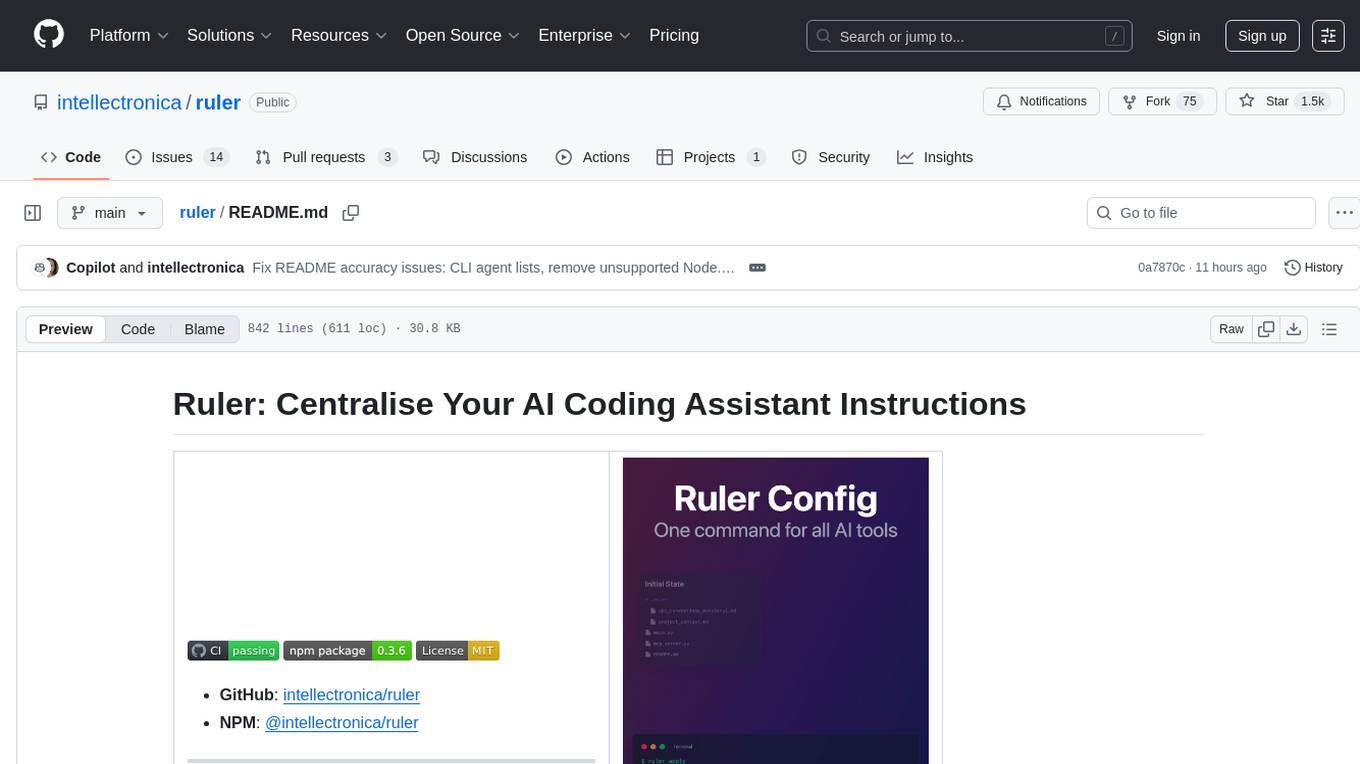
ruler
Ruler is a tool designed to centralize AI coding assistant instructions, providing a single source of truth for managing instructions across multiple AI coding tools. It helps in avoiding inconsistent guidance, duplicated effort, context drift, onboarding friction, and complex project structures by automatically distributing instructions to the right configuration files. With support for nested rule loading, Ruler can handle complex project structures with context-specific instructions for different components. It offers features like centralised rule management, nested rule loading, automatic distribution, targeted agent configuration, MCP server propagation, .gitignore automation, and a simple CLI for easy configuration management.
readme-ai
README-AI is a developer tool that auto-generates README.md files using a combination of data extraction and generative AI. It streamlines documentation creation and maintenance, enhancing developer productivity. This project aims to enable all skill levels, across all domains, to better understand, use, and contribute to open-source software. It offers flexible README generation, supports multiple large language models (LLMs), provides customizable output options, works with various programming languages and project types, and includes an offline mode for generating boilerplate README files without external API calls.
gpt-load
GPT-Load is a high-performance, enterprise-grade AI API transparent proxy service designed for enterprises and developers needing to integrate multiple AI services. Built with Go, it features intelligent key management, load balancing, and comprehensive monitoring capabilities for high-concurrency production environments. The tool serves as a transparent proxy service, preserving native API formats of various AI service providers like OpenAI, Google Gemini, and Anthropic Claude. It supports dynamic configuration, distributed leader-follower deployment, and a Vue 3-based web management interface. GPT-Load is production-ready with features like dual authentication, graceful shutdown, and error recovery.
ai-coders-context
The @ai-coders/context repository provides the Ultimate MCP for AI Agent Orchestration, Context Engineering, and Spec-Driven Development. It simplifies context engineering for AI by offering a universal process called PREVC, which consists of Planning, Review, Execution, Validation, and Confirmation steps. The tool aims to address the problem of context fragmentation by introducing a single `.context/` directory that works universally across different tools. It enables users to create structured documentation, generate agent playbooks, manage workflows, provide on-demand expertise, and sync across various AI tools. The tool follows a structured, spec-driven development approach to improve AI output quality and ensure reproducible results across projects.

everything-claude-code
The 'Everything Claude Code' repository is a comprehensive collection of production-ready agents, skills, hooks, commands, rules, and MCP configurations developed over 10+ months. It includes guides for setup, foundations, and philosophy, as well as detailed explanations of various topics such as token optimization, memory persistence, continuous learning, verification loops, parallelization, and subagent orchestration. The repository also provides updates on bug fixes, multi-language rules, installation wizard, PM2 support, OpenCode plugin integration, unified commands and skills, and cross-platform support. It offers a quick start guide for installation, ecosystem tools like Skill Creator and Continuous Learning v2, requirements for CLI version compatibility, key concepts like agents, skills, hooks, and rules, running tests, contributing guidelines, OpenCode support, background information, important notes on context window management and customization, star history chart, and relevant links.
9router
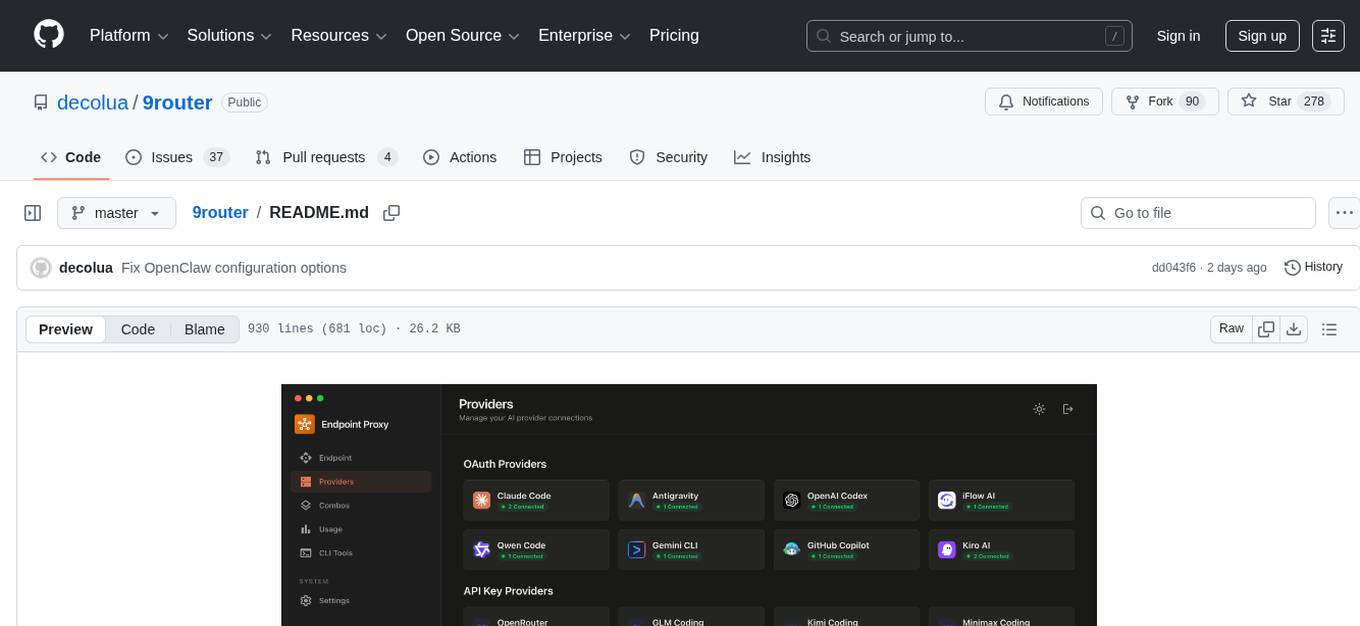
9Router is a free AI router tool designed to help developers maximize their AI subscriptions, auto-route to free and cheap AI models with smart fallback, and avoid hitting limits and wasting money. It offers features like real-time quota tracking, format translation between OpenAI, Claude, and Gemini, multi-account support, auto token refresh, custom model combinations, request logging, cloud sync, usage analytics, and flexible deployment options. The tool supports various providers like Claude Code, Codex, Gemini CLI, GitHub Copilot, GLM, MiniMax, iFlow, Qwen, and Kiro, and allows users to create combos for different scenarios. Users can connect to the tool via CLI tools like Cursor, Claude Code, Codex, OpenClaw, and Cline, and deploy it on VPS, Docker, or Cloudflare Workers.
For similar tasks
tokscale
Tokscale is a high-performance CLI tool and visualization dashboard for tracking token usage and costs across multiple AI coding agents. It helps monitor and analyze token consumption from various AI coding tools, providing real-time pricing calculations using LiteLLM's pricing data. Inspired by the Kardashev scale, Tokscale measures token consumption as users scale the ranks of AI-augmented development. It offers interactive TUI mode, multi-platform support, real-time pricing, detailed breakdowns, web visualization, flexible filtering, and social platform features.
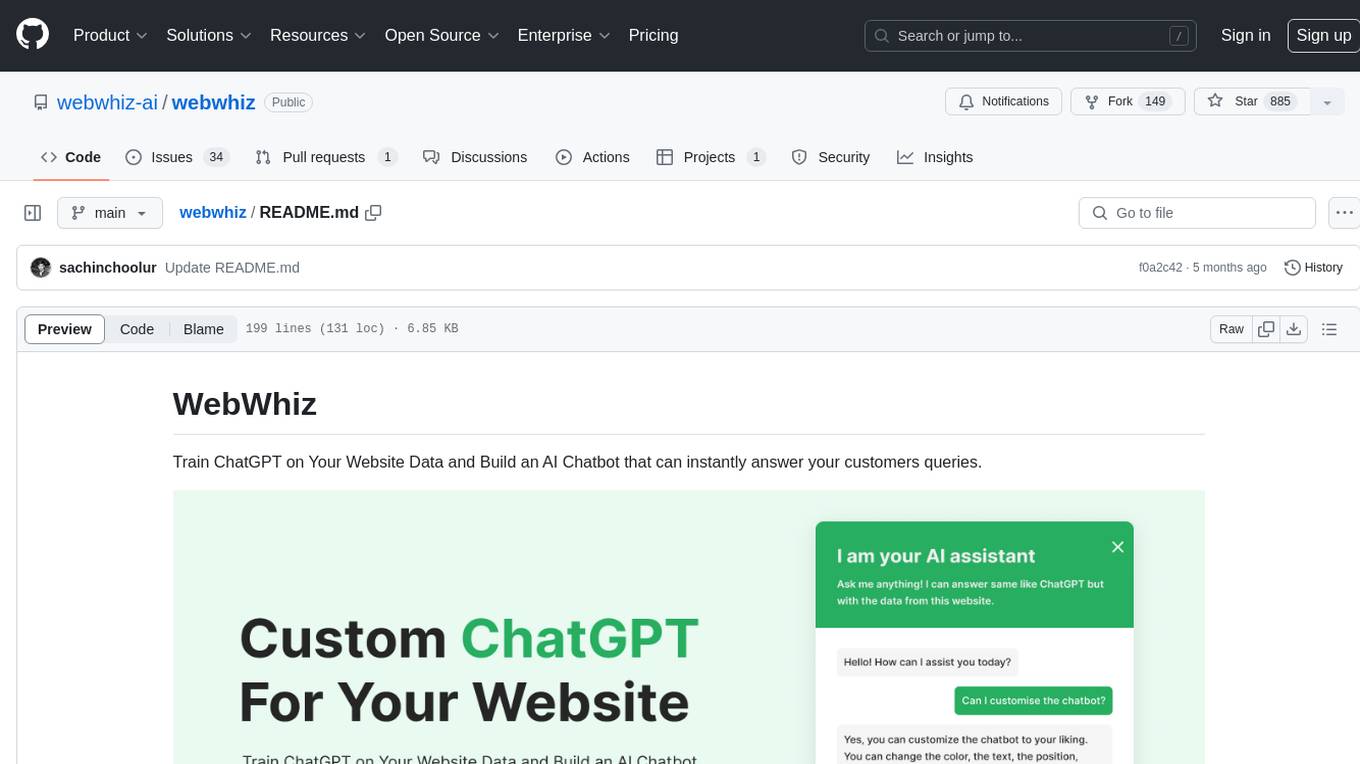
webwhiz
WebWhiz is an open-source tool that allows users to train ChatGPT on website data to build AI chatbots for customer queries. It offers easy integration, data-specific responses, regular data updates, no-code builder, chatbot customization, fine-tuning, and offline messaging. Users can create and train chatbots in a few simple steps by entering their website URL, automatically fetching and preparing training data, training ChatGPT, and embedding the chatbot on their website. WebWhiz can crawl websites monthly, collect text data and metadata, and process text data using tokens. Users can train custom data, but bringing custom open AI keys is not yet supported. The tool has no limitations on context size but may limit the number of pages based on the chosen plan. WebWhiz SDK is available on NPM, CDNs, and GitHub, and users can self-host it using Docker or manual setup involving MongoDB, Redis, Node, Python, and environment variables setup. For any issues, users can contact [email protected].
Claude-Usage-Extension
The Claude usage tracker extension helps users monitor their token usage on Claude, calculating usage from various sources like files, projects, preferences, message history, and AI output. It also synchronizes usage amounts across devices via firebase. The extension provides a user-friendly UI for easy tracking.

Sage
Sage is a production-ready, modular, and intelligent multi-agent orchestration framework for complex problem solving. It intelligently breaks down complex tasks into manageable subtasks through seamless agent collaboration. Sage provides Deep Research Mode for comprehensive analysis and Rapid Execution Mode for quick task completion. It offers features like intelligent task decomposition, agent orchestration, extensible tool system, dual execution modes, interactive web interface, advanced token tracking, rich configuration, developer-friendly APIs, and robust error recovery mechanisms. Sage supports custom workflows, multi-agent collaboration, custom agent development, agent flow orchestration, rule preferences system, message manager for smart token optimization, task manager for comprehensive state management, advanced file system operations, advanced tool system with plugin architecture, token usage & cost monitoring, and rich configuration system. It also includes real-time streaming & monitoring, advanced tool development, error handling & reliability, performance monitoring, MCP server integration, and security features.
helicone
Helicone is an open-source observability platform designed for Language Learning Models (LLMs). It logs requests to OpenAI in a user-friendly UI, offers caching, rate limits, and retries, tracks costs and latencies, provides a playground for iterating on prompts and chat conversations, supports collaboration, and will soon have APIs for feedback and evaluation. The platform is deployed on Cloudflare and consists of services like Web (NextJs), Worker (Cloudflare Workers), Jawn (Express), Supabase, and ClickHouse. Users can interact with Helicone locally by setting up the required services and environment variables. The platform encourages contributions and provides resources for learning, documentation, and integrations.
openrouter-kit
OpenRouter Kit is a powerful TypeScript/JavaScript library for interacting with the OpenRouter API. It simplifies working with LLMs by providing a high-level API for chats, dialogue history management, tool calls with error handling, security module, and cost tracking. Ideal for building chatbots, AI agents, and integrating LLMs into applications.
NAISYS
NAISYS Project is a monorepo containing NAISYS (Node.js Autonomous Intelligence System) and Supervisor, a web-based agent management interface. NAISYS allows LLMs to operate a standard Linux shell autonomously with built-in context management, multi-agent communication, and cost tracking. Supervisor provides a web interface for monitoring NAISYS agents, viewing logs, and managing inter-agent messaging. The project aims to streamline autonomous operations and agent management through Node.js technology.
Pulse
Pulse is a real-time monitoring tool designed for Proxmox, Docker, and Kubernetes infrastructure. It provides a unified dashboard to consolidate metrics, alerts, and AI-powered insights into a single interface. Suitable for homelabs, sysadmins, and MSPs, Pulse offers core monitoring features, AI-powered functionalities, multi-platform support, security and operations features, and community integrations. Pulse Pro unlocks advanced AI analysis and auto-fix capabilities. The tool is privacy-focused, secure by design, and offers detailed documentation for installation, configuration, security, troubleshooting, and more.
For similar jobs

promptflow
**Prompt flow** is a suite of development tools designed to streamline the end-to-end development cycle of LLM-based AI applications, from ideation, prototyping, testing, evaluation to production deployment and monitoring. It makes prompt engineering much easier and enables you to build LLM apps with production quality.

deepeval
DeepEval is a simple-to-use, open-source LLM evaluation framework specialized for unit testing LLM outputs. It incorporates various metrics such as G-Eval, hallucination, answer relevancy, RAGAS, etc., and runs locally on your machine for evaluation. It provides a wide range of ready-to-use evaluation metrics, allows for creating custom metrics, integrates with any CI/CD environment, and enables benchmarking LLMs on popular benchmarks. DeepEval is designed for evaluating RAG and fine-tuning applications, helping users optimize hyperparameters, prevent prompt drifting, and transition from OpenAI to hosting their own Llama2 with confidence.

MegaDetector
MegaDetector is an AI model that identifies animals, people, and vehicles in camera trap images (which also makes it useful for eliminating blank images). This model is trained on several million images from a variety of ecosystems. MegaDetector is just one of many tools that aims to make conservation biologists more efficient with AI. If you want to learn about other ways to use AI to accelerate camera trap workflows, check out our of the field, affectionately titled "Everything I know about machine learning and camera traps".

leapfrogai
LeapfrogAI is a self-hosted AI platform designed to be deployed in air-gapped resource-constrained environments. It brings sophisticated AI solutions to these environments by hosting all the necessary components of an AI stack, including vector databases, model backends, API, and UI. LeapfrogAI's API closely matches that of OpenAI, allowing tools built for OpenAI/ChatGPT to function seamlessly with a LeapfrogAI backend. It provides several backends for various use cases, including llama-cpp-python, whisper, text-embeddings, and vllm. LeapfrogAI leverages Chainguard's apko to harden base python images, ensuring the latest supported Python versions are used by the other components of the stack. The LeapfrogAI SDK provides a standard set of protobuffs and python utilities for implementing backends and gRPC. LeapfrogAI offers UI options for common use-cases like chat, summarization, and transcription. It can be deployed and run locally via UDS and Kubernetes, built out using Zarf packages. LeapfrogAI is supported by a community of users and contributors, including Defense Unicorns, Beast Code, Chainguard, Exovera, Hypergiant, Pulze, SOSi, United States Navy, United States Air Force, and United States Space Force.

llava-docker
This Docker image for LLaVA (Large Language and Vision Assistant) provides a convenient way to run LLaVA locally or on RunPod. LLaVA is a powerful AI tool that combines natural language processing and computer vision capabilities. With this Docker image, you can easily access LLaVA's functionalities for various tasks, including image captioning, visual question answering, text summarization, and more. The image comes pre-installed with LLaVA v1.2.0, Torch 2.1.2, xformers 0.0.23.post1, and other necessary dependencies. You can customize the model used by setting the MODEL environment variable. The image also includes a Jupyter Lab environment for interactive development and exploration. Overall, this Docker image offers a comprehensive and user-friendly platform for leveraging LLaVA's capabilities.

carrot
The 'carrot' repository on GitHub provides a list of free and user-friendly ChatGPT mirror sites for easy access. The repository includes sponsored sites offering various GPT models and services. Users can find and share sites, report errors, and access stable and recommended sites for ChatGPT usage. The repository also includes a detailed list of ChatGPT sites, their features, and accessibility options, making it a valuable resource for ChatGPT users seeking free and unlimited GPT services.

TrustLLM
TrustLLM is a comprehensive study of trustworthiness in LLMs, including principles for different dimensions of trustworthiness, established benchmark, evaluation, and analysis of trustworthiness for mainstream LLMs, and discussion of open challenges and future directions. Specifically, we first propose a set of principles for trustworthy LLMs that span eight different dimensions. Based on these principles, we further establish a benchmark across six dimensions including truthfulness, safety, fairness, robustness, privacy, and machine ethics. We then present a study evaluating 16 mainstream LLMs in TrustLLM, consisting of over 30 datasets. The document explains how to use the trustllm python package to help you assess the performance of your LLM in trustworthiness more quickly. For more details about TrustLLM, please refer to project website.

AI-YinMei
AI-YinMei is an AI virtual anchor Vtuber development tool (N card version). It supports fastgpt knowledge base chat dialogue, a complete set of solutions for LLM large language models: [fastgpt] + [one-api] + [Xinference], supports docking bilibili live broadcast barrage reply and entering live broadcast welcome speech, supports Microsoft edge-tts speech synthesis, supports Bert-VITS2 speech synthesis, supports GPT-SoVITS speech synthesis, supports expression control Vtuber Studio, supports painting stable-diffusion-webui output OBS live broadcast room, supports painting picture pornography public-NSFW-y-distinguish, supports search and image search service duckduckgo (requires magic Internet access), supports image search service Baidu image search (no magic Internet access), supports AI reply chat box [html plug-in], supports AI singing Auto-Convert-Music, supports playlist [html plug-in], supports dancing function, supports expression video playback, supports head touching action, supports gift smashing action, supports singing automatic start dancing function, chat and singing automatic cycle swing action, supports multi scene switching, background music switching, day and night automatic switching scene, supports open singing and painting, let AI automatically judge the content.