


9router
Universal AI Proxy for Claude Code, Codex, Cursor | OpenAI, Claude, Gemini, Copilot
Stars: 216
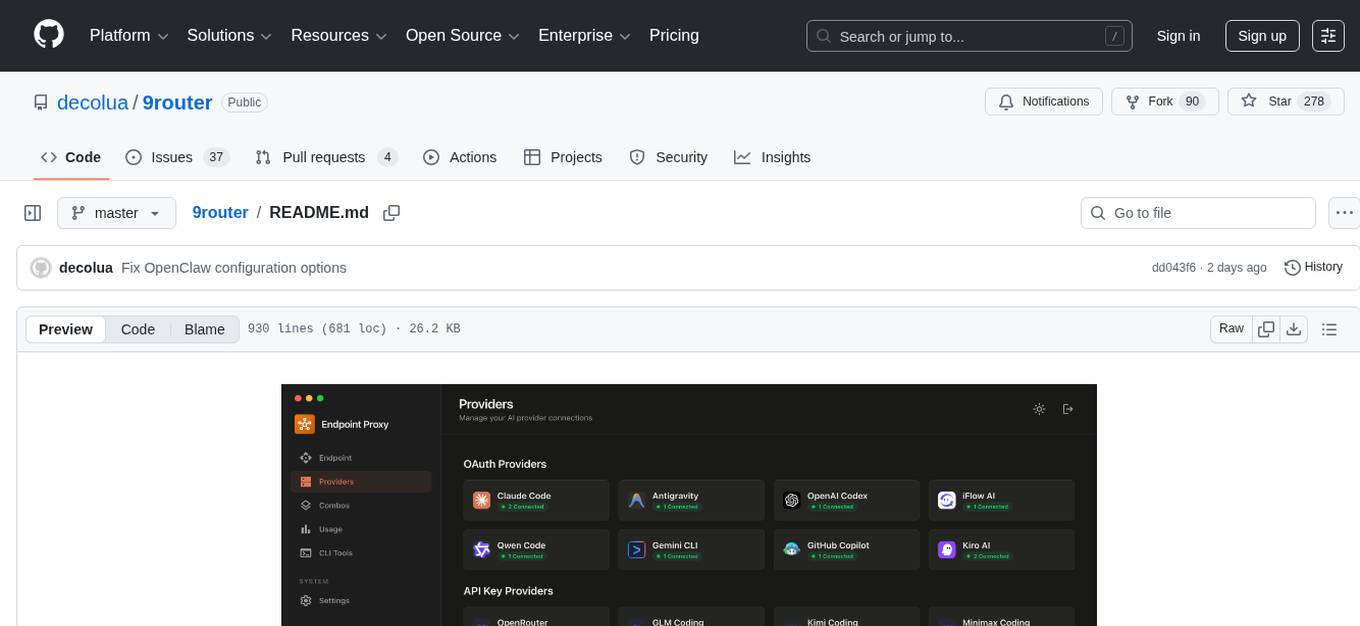
9Router is a free AI router tool designed to help developers maximize their AI subscriptions, auto-route to free and cheap AI models with smart fallback, and avoid hitting limits and wasting money. It offers features like real-time quota tracking, format translation between OpenAI, Claude, and Gemini, multi-account support, auto token refresh, custom model combinations, request logging, cloud sync, usage analytics, and flexible deployment options. The tool supports various providers like Claude Code, Codex, Gemini CLI, GitHub Copilot, GLM, MiniMax, iFlow, Qwen, and Kiro, and allows users to create combos for different scenarios. Users can connect to the tool via CLI tools like Cursor, Claude Code, Codex, OpenClaw, and Cline, and deploy it on VPS, Docker, or Cloudflare Workers.
README:

Never stop coding. Auto-route to FREE & cheap AI models with smart fallback.
Free AI Provider for OpenClaw.




Stop wasting money and hitting limits:
- ❌ Subscription quota expires unused every month
- ❌ Rate limits stop you mid-coding
- ❌ Expensive APIs ($20-50/month per provider)
- ❌ Manual switching between providers
9Router solves this:
- ✅ Maximize subscriptions - Track quota, use every bit before reset
- ✅ Auto fallback - Subscription → Cheap → Free, zero downtime
- ✅ Multi-account - Round-robin between accounts per provider
- ✅ Universal - Works with Claude Code, Codex, Gemini CLI, Cursor, Cline, any CLI tool
┌─────────────┐
│  Your CLI   │  (Claude Code, Codex, Gemini CLI, OpenClaw, Cursor, Cline...)
│   Tool      │
└──────┬──────┘
       │ http://localhost:20128/v1
       ↓
┌─────────────────────────────────────────┐
│           9Router (Smart Router)        │
│  • Format translation (OpenAI ↔ Claude) │
│  • Quota tracking                       │
│  • Auto token refresh                   │
└──────┬──────────────────────────────────┘
       │
       ├─→ [Tier 1: SUBSCRIPTION] Claude Code, Codex, Gemini CLI
       │   ↓ quota exhausted
       ├─→ [Tier 2: CHEAP] GLM ($0.6/1M), MiniMax ($0.2/1M)
       │   ↓ budget limit
       └─→ [Tier 3: FREE] iFlow, Qwen, Kiro (unlimited)

Result: Never stop coding, minimal cost
1. Install globally:
npm install -g 9router
9router
🎉 Dashboard opens at http://localhost:20128
2. Connect a FREE provider (no signup needed):
Dashboard → Providers → Connect Claude Code or Antigravity → OAuth login → Done!
3. Use in your CLI tool:
Claude Code/Codex/Gemini CLI/OpenClaw/Cursor/Cline Settings:
  Endpoint: http://localhost:20128/v1
  API Key: [copy from dashboard]
  Model: if/kimi-k2-thinking
That's it! Start coding with FREE AI models.
Alternative: run from source (this repository):
This repository package is private (9router-app), so source/Docker execution is the expected local development path.
cp .env.example .env
npm install
PORT=20128 NEXT_PUBLIC_BASE_URL=http://localhost:20128 npm run dev
Production mode:
npm run build
PORT=20128 HOSTNAME=0.0.0.0 NEXT_PUBLIC_BASE_URL=http://localhost:20128 npm run start
Default URLs:
- Dashboard:
http://localhost:20128/dashboard - OpenAI-compatible API:
http://localhost:20128/v1
| Feature | What It Does | Why It Matters |
|---|---|---|
| 🎯 Smart 3-Tier Fallback | Auto-route: Subscription → Cheap → Free | Never stop coding, zero downtime |
| 📊 Real-Time Quota Tracking | Live token count + reset countdown | Maximize subscription value |
| 🔄 Format Translation | OpenAI ↔ Claude ↔ Gemini seamless | Works with any CLI tool |
| 👥 Multi-Account Support | Multiple accounts per provider | Load balancing + redundancy |
| 🔄 Auto Token Refresh | OAuth tokens refresh automatically | No manual re-login needed |
| 🎨 Custom Combos | Create unlimited model combinations | Tailor fallback to your needs |
| 📝 Request Logging | Debug mode with full request/response logs | Troubleshoot issues easily |
| 💾 Cloud Sync | Sync config across devices | Same setup everywhere |
| 📊 Usage Analytics | Track tokens, cost, trends over time | Optimize spending |
| 🌐 Deploy Anywhere | Localhost, VPS, Docker, Cloudflare Workers | Flexible deployment options |
📖 Feature Details
Create combos with automatic fallback:
Combo: "my-coding-stack"
  1. cc/claude-opus-4-6        (your subscription)
  2. glm/glm-4.7               (cheap backup, $0.6/1M)
  3. if/kimi-k2-thinking       (free fallback)

→ Auto switches when quota runs out or errors occur
- Token consumption per provider
- Reset countdown (5-hour, daily, weekly)
- Cost estimation for paid tiers
- Monthly spending reports
Seamless translation between formats:
- OpenAI ↔ Claude ↔ Gemini ↔ OpenAI Responses
- Your CLI tool sends OpenAI format → 9Router translates → Provider receives native format
- Works with any tool that supports custom OpenAI endpoints
- Add multiple accounts per provider
- Auto round-robin or priority-based routing
- Fallback to next account when one hits quota
- OAuth tokens automatically refresh before expiration
- No manual re-authentication needed
- Seamless experience across all providers
- Create unlimited model combinations
- Mix subscription, cheap, and free tiers
- Name your combos for easy access
- Share combos across devices with Cloud Sync
- Enable debug mode for full request/response logs
- Track API calls, headers, and payloads
- Troubleshoot integration issues
- Export logs for analysis
- Sync providers, combos, and settings across devices
- Automatic background sync
- Secure encrypted storage
- Access your setup from anywhere
- Prefer server-side cloud variables in production:
-
BASE_URL(internal callback URL used by sync scheduler) -
CLOUD_URL(cloud sync endpoint base)
-
-
NEXT_PUBLIC_BASE_URLandNEXT_PUBLIC_CLOUD_URLare still supported for compatibility/UI, but server runtime now prioritizesBASE_URL/CLOUD_URL. - Cloud sync requests now use timeout + fail-fast behavior to avoid UI hanging when cloud DNS/network is unavailable.
- Track token usage per provider and model
- Cost estimation and spending trends
- Monthly reports and insights
- Optimize your AI spending
- 💻 Localhost - Default, works offline
- ☁️ VPS/Cloud - Share across devices
- 🐳 Docker - One-command deployment
- 🚀 Cloudflare Workers - Global edge network
| Tier | Provider | Cost | Quota Reset | Best For |
|---|---|---|---|---|
| 💳 SUBSCRIPTION | Claude Code (Pro) | $20/mo | 5h + weekly | Already subscribed |
| Codex (Plus/Pro) | $20-200/mo | 5h + weekly | OpenAI users | |
| Gemini CLI | FREE | 180K/mo + 1K/day | Everyone! | |
| GitHub Copilot | $10-19/mo | Monthly | GitHub users | |
| 💰 CHEAP | GLM-4.7 | $0.6/1M | Daily 10AM | Budget backup |
| MiniMax M2.1 | $0.2/1M | 5-hour rolling | Cheapest option | |
| Kimi K2 | $9/mo flat | 10M tokens/mo | Predictable cost | |
| 🆓 FREE | iFlow | $0 | Unlimited | 8 models free |
| Qwen | $0 | Unlimited | 3 models free | |
| Kiro | $0 | Unlimited | Claude free |
💡 Pro Tip: Start with Gemini CLI (180K free/month) + iFlow (unlimited free) combo = $0 cost!
Problem: Quota expires unused, rate limits during heavy coding
Solution:
Combo: "maximize-claude"
  1. cc/claude-opus-4-6        (use subscription fully)
  2. glm/glm-4.7               (cheap backup when quota out)
  3. if/kimi-k2-thinking       (free emergency fallback)

Monthly cost: $20 (subscription) + ~$5 (backup) = $25 total
vs. $20 + hitting limits = frustration
Problem: Can't afford subscriptions, need reliable AI coding
Solution:
Combo: "free-forever"
  1. gc/gemini-3-flash         (180K free/month)
  2. if/kimi-k2-thinking       (unlimited free)
  3. qw/qwen3-coder-plus       (unlimited free)

Monthly cost: $0
Quality: Production-ready models
Problem: Deadlines, can't afford downtime
Solution:
Combo: "always-on"
  1. cc/claude-opus-4-6        (best quality)
  2. cx/gpt-5.2-codex          (second subscription)
  3. glm/glm-4.7               (cheap, resets daily)
  4. minimax/MiniMax-M2.1      (cheapest, 5h reset)
  5. if/kimi-k2-thinking       (free unlimited)

Result: 5 layers of fallback = zero downtime
Monthly cost: $20-200 (subscriptions) + $10-20 (backup)
Problem: Need AI assistant in messaging apps (WhatsApp, Telegram, Slack...), completely free
Solution:
Combo: "openclaw-free"
  1. if/glm-4.7                (unlimited free)
  2. if/minimax-m2.1           (unlimited free)
  3. if/kimi-k2-thinking       (unlimited free)

Monthly cost: $0
Access via: WhatsApp, Telegram, Slack, Discord, iMessage, Signal...
🔐 Subscription Providers (Maximize Value)
Dashboard → Providers → Connect Claude Code
→ OAuth login → Auto token refresh
→ 5-hour + weekly quota tracking

Models:
  cc/claude-opus-4-6
  cc/claude-sonnet-4-5-20250929
  cc/claude-haiku-4-5-20251001
Pro Tip: Use Opus for complex tasks, Sonnet for speed. 9Router tracks quota per model!
Dashboard → Providers → Connect Codex
→ OAuth login (port 1455)
→ 5-hour + weekly reset

Models:
  cx/gpt-5.2-codex
cx/gpt-5.1-codex-maxDashboard → Providers → Connect Gemini CLI
→ Google OAuth
→ 180K completions/month + 1K/day
Models:
gc/gemini-3-flash-preview
gc/gemini-2.5-proBest Value: Huge free tier! Use this before paid tiers.
Dashboard → Providers → Connect GitHub
→ OAuth via GitHub
→ Monthly reset (1st of month)

Models:
  gh/gpt-5
  gh/claude-4.5-sonnet
  gh/gemini-3-pro
💰 Cheap Providers (Backup)
- Sign up: Zhipu AI
- Get API key from Coding Plan
- Dashboard → Add API Key:
- Provider:
glm - API Key:
your-key
- Provider:
Use: glm/glm-4.7
Pro Tip: Coding Plan offers 3× quota at 1/7 cost! Reset daily 10:00 AM.
- Sign up: MiniMax
- Get API key
- Dashboard → Add API Key
Use: minimax/MiniMax-M2.1
Pro Tip: Cheapest option for long context (1M tokens)!
- Subscribe: Moonshot AI
- Get API key
- Dashboard → Add API Key
Use: kimi/kimi-latest
Pro Tip: Fixed $9/month for 10M tokens = $0.90/1M effective cost!
🆓 FREE Providers (Emergency Backup)
Dashboard → Connect iFlow
→ iFlow OAuth login
→ Unlimited usage

Models:
  if/kimi-k2-thinking
  if/qwen3-coder-plus
  if/glm-4.7
  if/minimax-m2
if/deepseek-r1Dashboard → Connect Qwen
→ Device code authorization
→ Unlimited usage
Models:
qw/qwen3-coder-plus
qw/qwen3-coder-flashDashboard → Connect Kiro
→ AWS Builder ID or Google/GitHub
→ Unlimited usage
Models:
kr/claude-sonnet-4.5
kr/claude-haiku-4.5🎨 Create Combos
Dashboard → Combos → Create New

Name: premium-coding
Models:
  1. cc/claude-opus-4-6 (Subscription primary)
  2. glm/glm-4.7 (Cheap backup, $0.6/1M)
  3. minimax/MiniMax-M2.1 (Cheapest fallback, $0.20/1M)

Use in CLI: premium-coding

Monthly cost example (100M tokens):
  80M via Claude (subscription): $0 extra
  15M via GLM: $9
  5M via MiniMax: $1
  Total: $10 + your subscription
Name: free-combo
Models:
  1. gc/gemini-3-flash-preview (180K free/month)
  2. if/kimi-k2-thinking (unlimited)
  3. qw/qwen3-coder-plus (unlimited)

Cost: $0 forever!
🔧 CLI Integration
Settings → Models → Advanced:
  OpenAI API Base URL: http://localhost:20128/v1
  OpenAI API Key: [from 9router dashboard]
  Model: cc/claude-opus-4-6
Or use combo: premium-coding
Edit ~/.claude/config.json:
{
  "anthropic_api_base": "http://localhost:20128/v1",
  "anthropic_api_key": "your-9router-api-key"
}export OPENAI_BASE_URL="http://localhost:20128"
export OPENAI_API_KEY="your-9router-api-key"
codex "your prompt"Option 1 — Dashboard (recommended):
Dashboard → CLI Tools → OpenClaw → Select Model → Apply
Option 2 — Manual: Edit ~/.openclaw/openclaw.json:
{
  "agents": {
    "defaults": {
      "model": {
        "primary": "9router/if/glm-4.7"
      }
    }
  },
  "models": {
    "providers": {
      "9router": {
        "baseUrl": "http://127.0.0.1:20128/v1",
        "apiKey": "sk_9router",
        "api": "openai-completions",
        "models": [
          {
            "id": "if/glm-4.7",
            "name": "glm-4.7"
          }
        ]
      }
    }
  }
}
Note: OpenClaw only works with local 9Router. Use
127.0.0.1instead oflocalhostto avoid IPv6 resolution issues.
Provider: OpenAI Compatible
Base URL: http://localhost:20128/v1
API Key: [from dashboard]
Model: cc/claude-opus-4-6
🚀 Deployment
# Clone and install
git clone https://github.com/decolua/9router.git
cd 9router
npm install
npm run build

# Configure
export JWT_SECRET="your-secure-secret-change-this"
export INITIAL_PASSWORD="your-password"
export DATA_DIR="/var/lib/9router"
export PORT="20128"
export HOSTNAME="0.0.0.0"
export NODE_ENV="production"
export NEXT_PUBLIC_BASE_URL="http://localhost:20128"
export NEXT_PUBLIC_CLOUD_URL="https://9router.com"
export API_KEY_SECRET="endpoint-proxy-api-key-secret"
export MACHINE_ID_SALT="endpoint-proxy-salt"

# Start
npm run start

# Or use PM2
npm install -g pm2
pm2 start npm --name 9router -- start
pm2 save
pm2 startup# Build image (from repository root)
docker build -t 9router .
# Run container (command used in current setup)
docker run -d \
--name 9router \
-p 20128:20128 \
--env-file /root/dev/9router/.env \
-v 9router-data:/app/data \
-v 9router-usage:/root/.9router \
9routerPortable command (if you are already at repository root):
docker run -d \
  --name 9router \
  -p 20128:20128 \
  --env-file ./.env \
  -v 9router-data:/app/data \
  -v 9router-usage:/root/.9router \
  9router
Container defaults:
PORT=20128HOSTNAME=0.0.0.0
Useful commands:
docker logs -f 9router
docker restart 9router
docker stop 9router && docker rm 9router| Variable | Default | Description |
|---|---|---|
JWT_SECRET |
9router-default-secret-change-me |
JWT signing secret for dashboard auth cookie (change in production) |
INITIAL_PASSWORD |
123456 |
First login password when no saved hash exists |
DATA_DIR |
~/.9router |
Main app database location (db.json) |
PORT |
framework default | Service port (20128 in examples) |
HOSTNAME |
framework default | Bind host (Docker defaults to 0.0.0.0) |
NODE_ENV |
runtime default | Set production for deploy |
BASE_URL |
http://localhost:20128 |
Server-side internal base URL used by cloud sync jobs |
CLOUD_URL |
https://9router.com |
Server-side cloud sync endpoint base URL |
NEXT_PUBLIC_BASE_URL |
http://localhost:3000 |
Backward-compatible/public base URL (prefer BASE_URL for server runtime) |
NEXT_PUBLIC_CLOUD_URL |
https://9router.com |
Backward-compatible/public cloud URL (prefer CLOUD_URL for server runtime) |
API_KEY_SECRET |
endpoint-proxy-api-key-secret |
HMAC secret for generated API keys |
MACHINE_ID_SALT |
endpoint-proxy-salt |
Salt for stable machine ID hashing |
ENABLE_REQUEST_LOGS |
false |
Enables request/response logs under logs/
|
AUTH_COOKIE_SECURE |
false |
Force Secure auth cookie (set true behind HTTPS reverse proxy) |
REQUIRE_API_KEY |
false |
Enforce Bearer API key on /v1/* routes (recommended for internet-exposed deploys) |
HTTP_PROXY, HTTPS_PROXY, ALL_PROXY, NO_PROXY
|
empty | Optional outbound proxy for upstream provider calls |
Notes:
- Lowercase proxy variables are also supported:
http_proxy,https_proxy,all_proxy,no_proxy. -
.envis not baked into Docker image (.dockerignore); inject runtime config with--env-fileor-e. - On Windows,
APPDATAcan be used for local storage path resolution. -
INSTANCE_NAMEappears in older docs/env templates, but is currently not used at runtime.
- Main app state:
${DATA_DIR}/db.json(providers, combos, aliases, keys, settings), managed bysrc/lib/localDb.js. - Usage history and logs:
~/.9router/usage.jsonand~/.9router/log.txt, managed bysrc/lib/usageDb.js. - Optional request/translator logs:
<repo>/logs/...whenENABLE_REQUEST_LOGS=true. - Usage storage currently follows
~/.9routerpath logic and is independent fromDATA_DIR.
View all available models
Claude Code (cc/) - Pro/Max:
cc/claude-opus-4-6cc/claude-sonnet-4-5-20250929cc/claude-haiku-4-5-20251001
Codex (cx/) - Plus/Pro:
cx/gpt-5.2-codexcx/gpt-5.1-codex-max
Gemini CLI (gc/) - FREE:
gc/gemini-3-flash-previewgc/gemini-2.5-pro
GitHub Copilot (gh/):
gh/gpt-5gh/claude-4.5-sonnet
GLM (glm/) - $0.6/1M:
glm/glm-4.7
MiniMax (minimax/) - $0.2/1M:
minimax/MiniMax-M2.1
iFlow (if/) - FREE:
if/kimi-k2-thinkingif/qwen3-coder-plusif/deepseek-r1
Qwen (qw/) - FREE:
qw/qwen3-coder-plusqw/qwen3-coder-flash
Kiro (kr/) - FREE:
kr/claude-sonnet-4.5kr/claude-haiku-4.5
"Language model did not provide messages"
- Provider quota exhausted → Check dashboard quota tracker
- Solution: Use combo fallback or switch to cheaper tier
Rate limiting
- Subscription quota out → Fallback to GLM/MiniMax
- Add combo:
cc/claude-opus-4-6 → glm/glm-4.7 → if/kimi-k2-thinking
OAuth token expired
- Auto-refreshed by 9Router
- If issues persist: Dashboard → Provider → Reconnect
High costs
- Check usage stats in Dashboard
- Switch primary model to GLM/MiniMax
- Use free tier (Gemini CLI, iFlow) for non-critical tasks
Dashboard opens on wrong port
- Set
PORT=20128andNEXT_PUBLIC_BASE_URL=http://localhost:20128
Cloud sync errors
- Verify
BASE_URLpoints to your running instance (example:http://localhost:20128) - Verify
CLOUD_URLpoints to your expected cloud endpoint (example:https://9router.com) - Keep
NEXT_PUBLIC_*values aligned with server-side values when possible.
Cloud endpoint stream=false returns 500 (Unexpected token 'd'...)
- Symptom usually appears on public cloud endpoint (
https://9router.com/v1) for non-streaming calls. - Root cause: upstream returns SSE payload (
data: ...) while client expects JSON. - Workaround: use
stream=truefor cloud direct calls. - Local 9Router runtime includes SSE→JSON fallback for non-streaming calls when upstream returns
text/event-stream.
Cloud says connected, but request still fails with Invalid API key
- Create a fresh key from local dashboard (
/api/keys) and run cloud sync (Enable CloudthenSync Now). - Old/non-synced keys can still return
401on cloud even if local endpoint works.
First login not working
- Check
INITIAL_PASSWORDin.env - If unset, fallback password is
123456
No request logs under logs/
- Set
ENABLE_REQUEST_LOGS=true
- Runtime: Node.js 20+
- Framework: Next.js 16
- UI: React 19 + Tailwind CSS 4
- Database: LowDB (JSON file-based)
- Streaming: Server-Sent Events (SSE)
- Auth: OAuth 2.0 (PKCE) + JWT + API Keys
POST http://localhost:20128/v1/chat/completions
Authorization: Bearer your-api-key
Content-Type: application/json

{
  "model": "cc/claude-opus-4-6",
  "messages": [
    {"role": "user", "content": "Write a function to..."}
  ],
  "stream": true
}GET http://localhost:20128/v1/models
Authorization: Bearer your-api-key
→ Returns all models + combos in OpenAI formatPOST /v1/chat/completionsPOST /v1/messagesPOST /v1/responsesGET /v1/modelsPOST /v1/messages/count_tokensGET /v1beta/models-
POST /v1beta/models/{...path}(Gemini-stylegenerateContent) -
POST /v1/api/chat(Ollama-style transform path)
Added test scripts under tester/security/:
-
tester/security/test-docker-hardening.sh- Builds Docker image and validates hardening checks (
/api/cloud/authauth guard,REQUIRE_API_KEY, secure auth cookie behavior).
- Builds Docker image and validates hardening checks (
-
tester/security/test-cloud-openai-compatible.sh- Sends a direct OpenAI-compatible request to cloud endpoint (
https://9router.com/v1/chat/completions) with provided model/key.
- Sends a direct OpenAI-compatible request to cloud endpoint (
-
tester/security/test-cloud-sync-and-call.sh- End-to-end flow: create local key -> enable/sync cloud -> call cloud endpoint with retry.
- Includes fallback check with
stream=trueto distinguish auth errors from non-streaming parse issues.
Security note for cloud test scripts:
- Never hardcode real API keys in scripts/commits.
- Provide keys only via environment variables:
-
API_KEY,CLOUD_API_KEY, orOPENAI_API_KEY(supported bytest-cloud-openai-compatible.sh)
-
- Example:
OPENAI_API_KEY="your-cloud-key" bash tester/security/test-cloud-openai-compatible.shExpected behavior from recent validation:
- Local runtime (
http://127.0.0.1:20128/v1/chat/completions): works withstream=falseandstream=true. - Docker runtime (same API path exposed by container): hardening checks pass, cloud auth guard works, strict API key mode works when enabled.
- Public cloud endpoint (
https://9router.com/v1/chat/completions):-
stream=true: expected to succeed (SSE chunks returned). -
stream=false: may fail with500+ parse error (Unexpected token 'd') when upstream returns SSE content to a non-streaming client path.
-
- Auth/settings:
/api/auth/login,/api/auth/logout,/api/settings,/api/settings/require-login - Provider management:
/api/providers,/api/providers/[id],/api/providers/[id]/test,/api/providers/[id]/models,/api/providers/validate,/api/provider-nodes* - OAuth flows:
/api/oauth/[provider]/[action](+ provider-specific imports like Cursor/Kiro) - Routing config:
/api/models/alias,/api/combos*,/api/keys*,/api/pricing - Usage/logs:
/api/usage/history,/api/usage/logs,/api/usage/request-logs,/api/usage/[connectionId] - Cloud sync:
/api/sync/cloud,/api/sync/initialize,/api/cloud/* - CLI helpers:
/api/cli-tools/claude-settings,/api/cli-tools/codex-settings,/api/cli-tools/droid-settings,/api/cli-tools/openclaw-settings
- Dashboard routes (
/dashboard/*) useauth_tokencookie protection. - Login uses saved password hash when present; otherwise it falls back to
INITIAL_PASSWORD. -
requireLogincan be toggled via/api/settings/require-login.
- Client sends request to
/v1/*. - Route handler calls
handleChat(src/sse/handlers/chat.js). - Model is resolved (direct provider/model or alias/combo resolution).
- Credentials are selected from local DB with account availability filtering.
-
handleChatCore(open-sse/handlers/chatCore.js) detects format and translates request. - Provider executor sends upstream request.
- Stream is translated back to client format when needed.
- Usage/logging is recorded (
src/lib/usageDb.js). - Fallback applies on provider/account/model errors according to combo rules.
Full architecture reference: docs/ARCHITECTURE.md
- Website: 9router.com
- GitHub: github.com/decolua/9router
- Issues: github.com/decolua/9router/issues
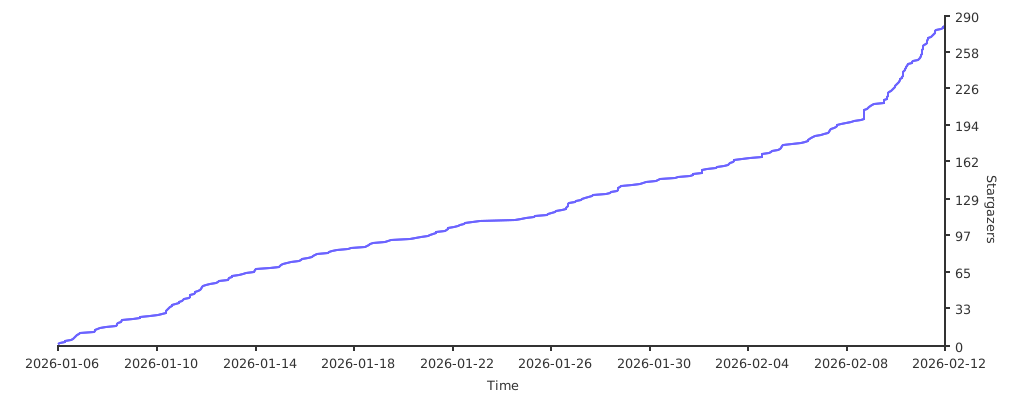
Thanks to all contributors who helped make 9Router better!
- Fork the repository
- Create your feature branch (
git checkout -b feature/amazing-feature) - Commit your changes (
git commit -m 'Add amazing feature') - Push to the branch (
git push origin feature/amazing-feature) - Open a Pull Request
See CONTRIBUTING.md for detailed guidelines.
Special thanks to CLIProxyAPI - the original Go implementation that inspired this JavaScript port.
MIT License - see LICENSE for details.
For Tasks:
Click tags to check more tools for each tasksFor Jobs:
Alternative AI tools for 9router
Similar Open Source Tools
9router
9Router is a free AI router tool designed to help developers maximize their AI subscriptions, auto-route to free and cheap AI models with smart fallback, and avoid hitting limits and wasting money. It offers features like real-time quota tracking, format translation between OpenAI, Claude, and Gemini, multi-account support, auto token refresh, custom model combinations, request logging, cloud sync, usage analytics, and flexible deployment options. The tool supports various providers like Claude Code, Codex, Gemini CLI, GitHub Copilot, GLM, MiniMax, iFlow, Qwen, and Kiro, and allows users to create combos for different scenarios. Users can connect to the tool via CLI tools like Cursor, Claude Code, Codex, OpenClaw, and Cline, and deploy it on VPS, Docker, or Cloudflare Workers.
mcp-context-forge
MCP Context Forge is a powerful tool for generating context-aware data for machine learning models. It provides functionalities to create diverse datasets with contextual information, enhancing the performance of AI algorithms. The tool supports various data formats and allows users to customize the context generation process easily. With MCP Context Forge, users can efficiently prepare training data for tasks requiring contextual understanding, such as sentiment analysis, recommendation systems, and natural language processing.
kubectl-mcp-server
Control your entire Kubernetes infrastructure through natural language conversations with AI. Talk to your clusters like you talk to a DevOps expert. Debug crashed pods, optimize costs, deploy applications, audit security, manage Helm charts, and visualize dashboards—all through natural language. The tool provides 253 powerful tools, 8 workflow prompts, 8 data resources, and works with all major AI assistants. It offers AI-powered diagnostics, built-in cost optimization, enterprise-ready features, zero learning curve, universal compatibility, visual insights, and production-grade deployment options. From debugging crashed pods to optimizing cluster costs, kubectl-mcp-server is your AI-powered DevOps companion.
google_workspace_mcp
The Google Workspace MCP Server is a production-ready server that integrates major Google Workspace services with AI assistants. It supports single-user and multi-user authentication via OAuth 2.1, making it a powerful backend for custom applications. Built with FastMCP for optimal performance, it features advanced authentication handling, service caching, and streamlined development patterns. The server provides full natural language control over Google Calendar, Drive, Gmail, Docs, Sheets, Slides, Forms, Tasks, and Chat through all MCP clients, AI assistants, and developer tools. It supports free Google accounts and Google Workspace plans with expanded app options like Chat & Spaces. The server also offers private cloud instance options.
readme-ai
README-AI is a developer tool that auto-generates README.md files using a combination of data extraction and generative AI. It streamlines documentation creation and maintenance, enhancing developer productivity. This project aims to enable all skill levels, across all domains, to better understand, use, and contribute to open-source software. It offers flexible README generation, supports multiple large language models (LLMs), provides customizable output options, works with various programming languages and project types, and includes an offline mode for generating boilerplate README files without external API calls.
onnxruntime-server
ONNX Runtime Server is a server that provides TCP and HTTP/HTTPS REST APIs for ONNX inference. It aims to offer simple, high-performance ML inference and a good developer experience. Users can provide inference APIs for ONNX models without writing additional code by placing the models in the directory structure. Each session can choose between CPU or CUDA, analyze input/output, and provide Swagger API documentation for easy testing. Ready-to-run Docker images are available, making it convenient to deploy the server.

dexto
Dexto is a lightweight runtime for creating and running AI agents that turn natural language into real-world actions. It serves as the missing intelligence layer for building AI applications, standalone chatbots, or as the reasoning engine inside larger products. Dexto features a powerful CLI and Web UI for running AI agents, supports multiple interfaces, allows hot-swapping of LLMs from various providers, connects to remote tool servers via the Model Context Protocol, is config-driven with version-controlled YAML, offers production-ready core features, extensibility for custom services, and enables multi-agent collaboration via MCP and A2A.
ai-real-estate-assistant
AI Real Estate Assistant is a modern platform that uses AI to assist real estate agencies in helping buyers and renters find their ideal properties. It features multiple AI model providers, intelligent query processing, advanced search and retrieval capabilities, and enhanced user experience. The tool is built with a FastAPI backend and Next.js frontend, offering semantic search, hybrid agent routing, and real-time analytics.
botserver
General Bots is a self-hosted AI automation platform and LLM conversational platform focused on convention over configuration and code-less approaches. It serves as the core API server handling LLM orchestration, business logic, database operations, and multi-channel communication. The platform offers features like multi-vendor LLM API, MCP + LLM Tools Generation, Semantic Caching, Web Automation Engine, Enterprise Data Connectors, and Git-like Version Control. It enforces a ZERO TOLERANCE POLICY for code quality and security, with strict guidelines for error handling, performance optimization, and code patterns. The project structure includes modules for core functionalities like Rhai BASIC interpreter, security, shared types, tasks, auto task system, file operations, learning system, and LLM assistance.
evalplus
EvalPlus is a rigorous evaluation framework for LLM4Code, providing HumanEval+ and MBPP+ tests to evaluate large language models on code generation tasks. It offers precise evaluation and ranking, coding rigorousness analysis, and pre-generated code samples. Users can use EvalPlus to generate code solutions, post-process code, and evaluate code quality. The tool includes tools for code generation and test input generation using various backends.
aicommit2
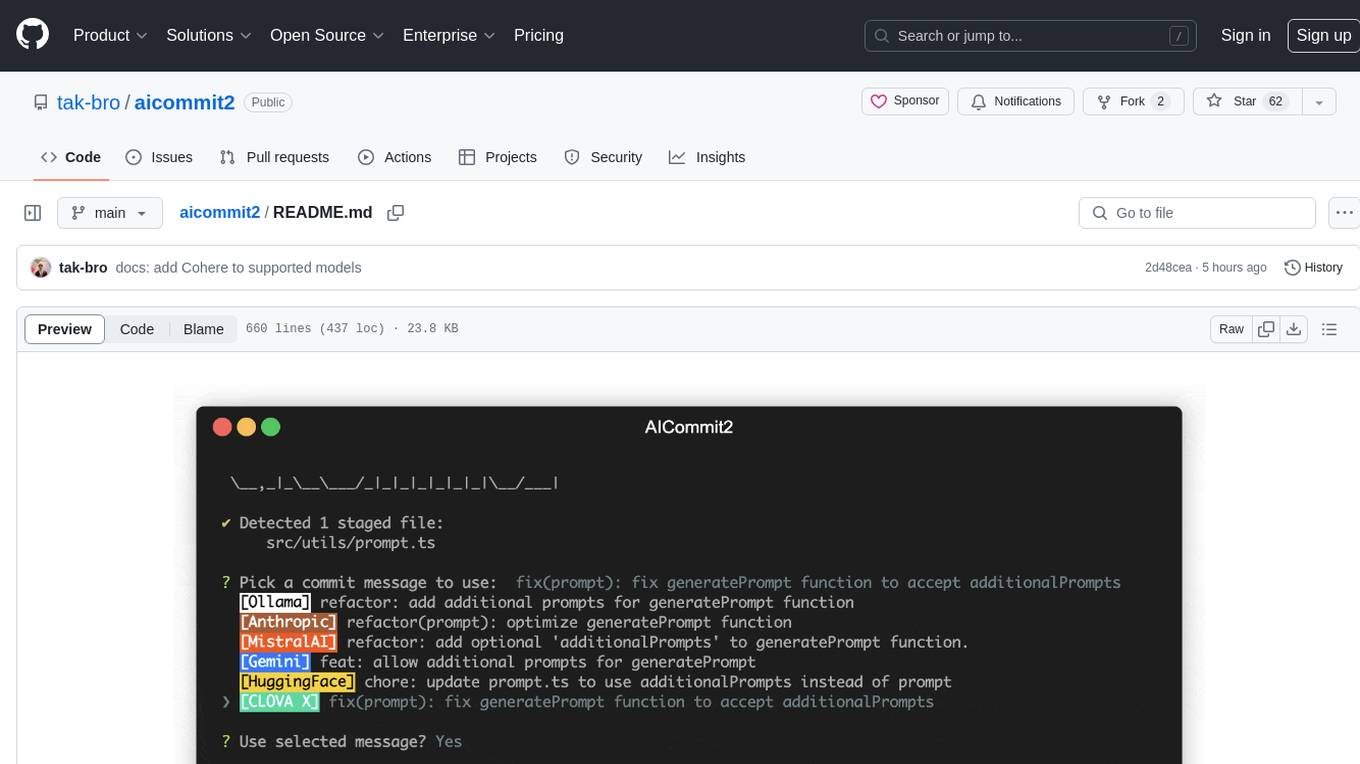
AICommit2 is a Reactive CLI tool that streamlines interactions with various AI providers such as OpenAI, Anthropic Claude, Gemini, Mistral AI, Cohere, and unofficial providers like Huggingface and Clova X. Users can request multiple AI simultaneously to generate git commit messages without waiting for all AI responses. The tool runs 'git diff' to grab code changes, sends them to configured AI, and returns the AI-generated commit message. Users can set API keys or Cookies for different providers and configure options like locale, generate number of messages, commit type, proxy, timeout, max-length, and more. AICommit2 can be used both locally with Ollama and remotely with supported providers, offering flexibility and efficiency in generating commit messages.
oh-my-pi
oh-my-pi is an AI coding agent for the terminal, providing tools for interactive coding, AI-powered git commits, Python code execution, LSP integration, time-traveling streamed rules, interactive code review, task management, interactive questioning, custom TypeScript slash commands, universal config discovery, MCP & plugin system, web search & fetch, SSH tool, Cursor provider integration, multi-credential support, image generation, TUI overhaul, edit fuzzy matching, and more. It offers a modern terminal interface with smart session management, supports multiple AI providers, and includes various tools for coding, task management, code review, and interactive questioning.
flyte-sdk
Flyte 2 SDK is a pure Python tool for type-safe, distributed orchestration of agents, ML pipelines, and more. It allows users to write data pipelines, ML training jobs, and distributed compute in Python without any DSL constraints. With features like async-first parallelism and fine-grained observability, Flyte 2 offers a seamless workflow experience. Users can leverage core concepts like TaskEnvironments for container configuration, pure Python workflows for flexibility, and async parallelism for distributed execution. Advanced features include sub-task observability with tracing and remote task execution. The tool also provides native Jupyter integration for running and monitoring workflows directly from notebooks. Configuration and deployment are made easy with configuration files and commands for deploying and running workflows. Flyte 2 is licensed under the Apache 2.0 License.
snapai
SnapAI is a tool that leverages AI-powered image generation models to create professional app icons for React Native & Expo developers. It offers lightning-fast icon generation, iOS optimized icons, privacy-first approach with local API key storage, multiple sizes and HD quality icons. The tool is developer-friendly with a simple CLI for easy integration into CI/CD pipelines.
HiveChat
HiveChat is an AI chat application designed for small and medium teams. It supports various models such as DeepSeek, Open AI, Claude, and Gemini. The tool allows easy configuration by one administrator for the entire team to use different AI models. It supports features like email or Feishu login, LaTeX and Markdown rendering, DeepSeek mind map display, image understanding, AI agents, cloud data storage, and integration with multiple large model service providers. Users can engage in conversations by logging in, while administrators can configure AI service providers, manage users, and control account registration. The technology stack includes Next.js, Tailwindcss, Auth.js, PostgreSQL, Drizzle ORM, and Ant Design.
z-ai-sdk-python
Z.ai Open Platform Python SDK is the official Python SDK for Z.ai's large model open interface, providing developers with easy access to Z.ai's open APIs. The SDK offers core features like chat completions, embeddings, video generation, audio processing, assistant API, and advanced tools. It supports various functionalities such as speech transcription, text-to-video generation, image understanding, and structured conversation handling. Developers can customize client behavior, configure API keys, and handle errors efficiently. The SDK is designed to simplify AI interactions and enhance AI capabilities for developers.
For similar tasks
9router
9Router is a free AI router tool designed to help developers maximize their AI subscriptions, auto-route to free and cheap AI models with smart fallback, and avoid hitting limits and wasting money. It offers features like real-time quota tracking, format translation between OpenAI, Claude, and Gemini, multi-account support, auto token refresh, custom model combinations, request logging, cloud sync, usage analytics, and flexible deployment options. The tool supports various providers like Claude Code, Codex, Gemini CLI, GitHub Copilot, GLM, MiniMax, iFlow, Qwen, and Kiro, and allows users to create combos for different scenarios. Users can connect to the tool via CLI tools like Cursor, Claude Code, Codex, OpenClaw, and Cline, and deploy it on VPS, Docker, or Cloudflare Workers.
ai-gateway
LangDB AI Gateway is an open-source enterprise AI gateway built in Rust. It provides a unified interface to all LLMs using the OpenAI API format, focusing on high performance, enterprise readiness, and data control. The gateway offers features like comprehensive usage analytics, cost tracking, rate limiting, data ownership, and detailed logging. It supports various LLM providers and provides OpenAI-compatible endpoints for chat completions, model listing, embeddings generation, and image generation. Users can configure advanced settings, such as rate limiting, cost control, dynamic model routing, and observability with OpenTelemetry tracing. The gateway can be run with Docker Compose and integrated with MCP tools for server communication.
aigne-hub
AIGNE Hub is a unified AI gateway that manages connections to multiple LLM and AIGC providers, eliminating the complexity of handling API keys, usage tracking, and billing across different AI services. It provides self-hosting capabilities, multi-provider management, unified security, usage analytics, flexible billing, and seamless integration with the AIGNE framework. The tool supports various AI providers and deployment scenarios, catering to both enterprise self-hosting and service provider modes. Users can easily deploy and configure AI providers, enable billing, and utilize core capabilities such as chat completions, image generation, embeddings, and RESTful APIs. AIGNE Hub ensures secure access, encrypted API key management, user permissions, and audit logging. Built with modern technologies like AIGNE Framework, Node.js, TypeScript, React, SQLite, and Blocklet for cloud-native deployment.
proxypal
ProxyPal is a desktop app that allows users to utilize multiple AI subscriptions (such as Claude, ChatGPT, Gemini, GitHub Copilot) with any coding tool. It acts as a bridge between various AI providers and coding tools, offering features like connecting to different AI services, GitHub Copilot integration, Antigravity support, usage analytics, request monitoring, and auto-configuration. The app supports multiple platforms and clients, providing a seamless experience for developers to leverage AI capabilities in their coding workflow. ProxyPal simplifies the process of using AI models in coding environments, enhancing productivity and efficiency.
For similar jobs

sweep
Sweep is an AI junior developer that turns bugs and feature requests into code changes. It automatically handles developer experience improvements like adding type hints and improving test coverage.

teams-ai
The Teams AI Library is a software development kit (SDK) that helps developers create bots that can interact with Teams and Microsoft 365 applications. It is built on top of the Bot Framework SDK and simplifies the process of developing bots that interact with Teams' artificial intelligence capabilities. The SDK is available for JavaScript/TypeScript, .NET, and Python.

ai-guide
This guide is dedicated to Large Language Models (LLMs) that you can run on your home computer. It assumes your PC is a lower-end, non-gaming setup.

classifai
Supercharge WordPress Content Workflows and Engagement with Artificial Intelligence. Tap into leading cloud-based services like OpenAI, Microsoft Azure AI, Google Gemini and IBM Watson to augment your WordPress-powered websites. Publish content faster while improving SEO performance and increasing audience engagement. ClassifAI integrates Artificial Intelligence and Machine Learning technologies to lighten your workload and eliminate tedious tasks, giving you more time to create original content that matters.

chatbot-ui
Chatbot UI is an open-source AI chat app that allows users to create and deploy their own AI chatbots. It is easy to use and can be customized to fit any need. Chatbot UI is perfect for businesses, developers, and anyone who wants to create a chatbot.

BricksLLM
BricksLLM is a cloud native AI gateway written in Go. Currently, it provides native support for OpenAI, Anthropic, Azure OpenAI and vLLM. BricksLLM aims to provide enterprise level infrastructure that can power any LLM production use cases. Here are some use cases for BricksLLM: * Set LLM usage limits for users on different pricing tiers * Track LLM usage on a per user and per organization basis * Block or redact requests containing PIIs * Improve LLM reliability with failovers, retries and caching * Distribute API keys with rate limits and cost limits for internal development/production use cases * Distribute API keys with rate limits and cost limits for students

uAgents
uAgents is a Python library developed by Fetch.ai that allows for the creation of autonomous AI agents. These agents can perform various tasks on a schedule or take action on various events. uAgents are easy to create and manage, and they are connected to a fast-growing network of other uAgents. They are also secure, with cryptographically secured messages and wallets.

griptape
Griptape is a modular Python framework for building AI-powered applications that securely connect to your enterprise data and APIs. It offers developers the ability to maintain control and flexibility at every step. Griptape's core components include Structures (Agents, Pipelines, and Workflows), Tasks, Tools, Memory (Conversation Memory, Task Memory, and Meta Memory), Drivers (Prompt and Embedding Drivers, Vector Store Drivers, Image Generation Drivers, Image Query Drivers, SQL Drivers, Web Scraper Drivers, and Conversation Memory Drivers), Engines (Query Engines, Extraction Engines, Summary Engines, Image Generation Engines, and Image Query Engines), and additional components (Rulesets, Loaders, Artifacts, Chunkers, and Tokenizers). Griptape enables developers to create AI-powered applications with ease and efficiency.