


kubectl-mcp-server
A Model Context Protocol (MCP) server for Kubernetes. Install: npx kubectl-mcp-server or pip install kubectl-mcp-server
Stars: 808
Control your entire Kubernetes infrastructure through natural language conversations with AI. Talk to your clusters like you talk to a DevOps expert. Debug crashed pods, optimize costs, deploy applications, audit security, manage Helm charts, and visualize dashboards—all through natural language. The tool provides 253 powerful tools, 8 workflow prompts, 8 data resources, and works with all major AI assistants. It offers AI-powered diagnostics, built-in cost optimization, enterprise-ready features, zero learning curve, universal compatibility, visual insights, and production-grade deployment options. From debugging crashed pods to optimizing cluster costs, kubectl-mcp-server is your AI-powered DevOps companion.
README:

kubectl-mcp-server
Control your entire Kubernetes infrastructure through natural language conversations with AI.
Talk to your clusters like you talk to a DevOps expert. Debug crashed pods, optimize costs, deploy applications, audit security, manage Helm charts, and visualize dashboards—all through natural language.









# Run directly without installation - works instantly!
npx -y kubectl-mcp-server

# Or install globally for faster startup
npm install -g kubectl-mcp-server# Standard installation
pip install kubectl-mcp-server
# With interactive UI dashboards (recommended)
pip install kubectl-mcp-server[ui]- What Can You Do?
- Why kubectl-mcp-server?
- Live Demos
- Installation
- Getting Started
- Quick Setup with Your AI Assistant
- All Supported AI Assistants
- Complete Feature Set
- Using the CLI
- Advanced Configuration
- Optional Features
- Enterprise
- Integrations & Ecosystem
- In-Cluster Deployment
- Multi-Cluster Support
- Architecture
- Agent Skills
- Development & Testing
- Contributing
- Support & Community
Simply ask your AI assistant in natural language:
💬 "Why is my pod crashing?"
- Instant crash diagnosis with logs, events, and resource analysis
- Root cause identification with actionable recommendations
💬 "Deploy a Redis cluster with 3 replicas"
- Creates deployment with best practices
- Configures services, persistent storage, and health checks
💬 "Show me which pods are wasting resources"
- AI-powered cost optimization analysis
- Resource recommendations with potential savings
💬 "Which services can't reach the database?"
- Network connectivity diagnostics with DNS resolution
- Service chain tracing from ingress to pods
💬 "Audit security across all namespaces"
- RBAC permission analysis
- Secret security scanning and pod security policies
💬 "Show me the cluster dashboard"
- Interactive HTML dashboards with live metrics
- Visual timeline of events and resource usage
253 powerful tools | 8 workflow prompts | 8 data resources | Works with all major AI assistants
- 🚀 Stop context-switching - Manage Kubernetes directly from your AI assistant conversations
- 🧠 AI-powered diagnostics - Get intelligent troubleshooting, not just raw data
- 💰 Built-in cost optimization - Identify waste and get actionable savings recommendations
- 🔒 Enterprise-ready - OAuth 2.1 auth, RBAC validation, non-destructive mode, secret masking
- ⚡ Zero learning curve - Natural language instead of memorizing kubectl commands
- 🌐 Universal compatibility - Works with Claude, Cursor, Windsurf, Copilot, and 15+ other AI tools
- 📊 Visual insights - Interactive dashboards and browser automation for web-based tools
- ☸️ Production-grade - Deploy in-cluster with kMCP, 216 passing tests, active maintenance
From debugging crashed pods to optimizing cluster costs, kubectl-mcp-server is your AI-powered DevOps companion.


# Run directly without installation - works instantly!
npx -y kubectl-mcp-server

# Or install globally for faster startup
npm install -g kubectl-mcp-server# Standard installation
pip install kubectl-mcp-server
# With interactive UI dashboards (recommended)
pip install kubectl-mcp-server[ui]# Install specific version directly from GitHub release (replace {VERSION} with desired version)
pip install https://github.com/rohitg00/kubectl-mcp-server/releases/download/v{VERSION}/kubectl_mcp_server-{VERSION}-py3-none-any.whl
# Example: Install v1.19.0
pip install https://github.com/rohitg00/kubectl-mcp-server/releases/download/v1.19.0/kubectl_mcp_server-1.19.0-py3-none-any.whl
# Or install latest from git
pip install git+https://github.com/rohitg00/kubectl-mcp-server.git- Python 3.9+ (for pip installation)
- Node.js 14+ (for npx installation)
- kubectl installed and configured
- Access to a Kubernetes cluster
# Pull from Docker Hub
docker pull rohitghumare64/kubectl-mcp-server:latest

# Or pull from GitHub Container Registry
docker pull ghcr.io/rohitg00/kubectl-mcp-server:latest

# Run with stdio transport
docker run -i -v $HOME/.kube:/root/.kube:ro rohitghumare64/kubectl-mcp-server:latest

# Run with HTTP transport
docker run -p 8000:8000 -v $HOME/.kube:/root/.kube:ro rohitghumare64/kubectl-mcp-server:latest --transport sseBefore integrating with your AI assistant, verify the installation:
# Check if kubectl is configured
kubectl cluster-info

# Test the MCP server directly
kubectl-mcp-server info

# List all available tools
kubectl-mcp-server tools

# Try calling a tool
kubectl-mcp-server call get_pods '{"namespace": "kube-system"}'Choose your favorite AI assistant and add the configuration:
Add to ~/Library/Application Support/Claude/claude_desktop_config.json:
{
  "mcpServers": {
    "kubernetes": {
      "command": "npx",
      "args": ["-y", "kubectl-mcp-server"]
    }
  }
}Add to ~/.cursor/mcp.json:
{
  "mcpServers": {
    "kubernetes": {
      "command": "npx",
      "args": ["-y", "kubectl-mcp-server"]
    }
  }
}Add to ~/.config/windsurf/mcp.json:
{
  "mcpServers": {
    "kubernetes": {
      "command": "npx",
      "args": ["-y", "kubectl-mcp-server"]
    }
  }
}{
"mcpServers": {
"kubernetes": {
"command": "python",
"args": ["-m", "kubectl_mcp_tool.mcp_server"],
"env": {
"KUBECONFIG": "/path/to/.kube/config"
}
}
}
}More integrations: GitHub Copilot, Goose, Gemini CLI, Roo Code, and 15+ other clients —> see full configuration guide below.
After adding the configuration, restart your AI assistant (GitHub Copilot, Claude Code,Claude Desktop, Cursor, etc.) to load the MCP server.
Start a conversation with your AI assistant and try these:
Troubleshooting:
"Show me all pods in the kube-system namespace"
"Why is the nginx-deployment pod crashing?"
"Diagnose network connectivity issues in the default namespace"
Deployments:
"Create a deployment for nginx with 3 replicas"
"Scale my frontend deployment to 5 replicas"
"Roll back the api-server deployment to the previous version"
Cost & Optimization:
"Which pods are using the most resources?"
"Show me idle resources that are wasting money"
"Analyze cost optimization opportunities in the production namespace"
Security:
"Audit RBAC permissions in all namespaces"
"Check for insecure secrets and configurations"
"Show me pods running with privileged access"
Helm:
"List all Helm releases in the cluster"
"Install Redis from the Bitnami chart repository"
"Show me the values for my nginx-ingress Helm release"
Multi-Cluster:
"List all available Kubernetes contexts"
"Switch to the production cluster context"
"Show me cluster information and version"
Works seamlessly with all MCP-compatible AI assistants:
| Client | Status | Client | Status |
|---|---|---|---|
| Claude Desktop | ✅ Native | Claude Code | ✅ Native |
| Cursor | ✅ Native | Windsurf | ✅ Native |
| GitHub Copilot | ✅ Native | OpenAI Codex | ✅ Native |
| Gemini CLI | ✅ Native | Goose | ✅ Native |
| Roo Code | ✅ Native | Kilo Code | ✅ Native |
| Amp | ✅ Native | Trae | ✅ Native |
| OpenCode | ✅ Native | Kiro CLI | ✅ Native |
| Antigravity | ✅ Native | Clawdbot | ✅ Native |
| Droid (Factory) | ✅ Native | Any MCP Client | ✅ Compatible |
Add to ~/.config/claude-code/mcp.json:
{
  "mcpServers": {
    "kubernetes": {
      "command": "npx",
      "args": ["-y", "kubectl-mcp-server"]
    }
  }
}Add to VS Code settings.json:
{
  "mcp": {
    "servers": {
      "kubernetes": {
        "command": "npx",
        "args": ["-y", "kubectl-mcp-server"]
      }
    }
  }
}Add to ~/.config/goose/config.yaml:
extensions:
  kubernetes:
    command: npx
    args:
      - -y
- kubectl-mcp-serverAdd to ~/.gemini/settings.json:
{
  "mcpServers": {
    "kubernetes": {
      "command": "npx",
      "args": ["-y", "kubectl-mcp-server"]
    }
  }
}Add to ~/.config/roo-code/mcp.json or ~/.config/kilo-code/mcp.json:
{
  "mcpServers": {
    "kubernetes": {
      "command": "npx",
      "args": ["-y", "kubectl-mcp-server"]
    }
  }
}| Category | Tools |
|---|---|
| Pods |
get_pods, get_logs, get_pod_events, check_pod_health, exec_in_pod, cleanup_pods, get_pod_conditions, get_previous_logs
|
| Deployments |
get_deployments, create_deployment, scale_deployment, kubectl_rollout, restart_deployment
|
| Workloads |
get_statefulsets, get_daemonsets, get_jobs, get_replicasets
|
| Services & Networking |
get_services, get_ingress, get_endpoints, diagnose_network_connectivity, check_dns_resolution, trace_service_chain
|
| Storage |
get_persistent_volumes, get_pvcs, get_storage_classes
|
| Config |
get_configmaps, get_secrets, get_resource_quotas, get_limit_ranges
|
| Cluster |
get_nodes, get_namespaces, get_cluster_info, get_cluster_version, health_check, get_node_metrics, get_pod_metrics
|
| RBAC & Security |
get_rbac_roles, get_cluster_roles, get_service_accounts, audit_rbac_permissions, check_secrets_security, get_pod_security_info, get_admission_webhooks
|
| CRDs |
get_crds, get_priority_classes
|
| Helm Releases |
helm_list, helm_status, helm_history, helm_get_values, helm_get_manifest, helm_get_notes, helm_get_hooks, helm_get_all
|
| Helm Charts |
helm_show_chart, helm_show_values, helm_show_readme, helm_show_crds, helm_show_all, helm_search_repo, helm_search_hub
|
| Helm Repos |
helm_repo_list, helm_repo_add, helm_repo_remove, helm_repo_update
|
| Helm Operations |
install_helm_chart, upgrade_helm_chart, uninstall_helm_chart, helm_rollback, helm_test, helm_template, helm_template_apply
|
| Helm Development |
helm_create, helm_lint, helm_package, helm_pull, helm_dependency_list, helm_dependency_update, helm_dependency_build, helm_version, helm_env
|
| Context |
get_current_context, switch_context, list_contexts, list_kubeconfig_contexts
|
| Diagnostics |
diagnose_pod_crash, detect_pending_pods, get_evicted_pods, compare_namespaces
|
| Operations |
kubectl_apply, kubectl_create, kubectl_describe, kubectl_patch, delete_resource, kubectl_cp, backup_resource, label_resource, annotate_resource, taint_node, wait_for_condition
|
| Autoscaling |
get_hpa, get_pdb
|
| Cost Optimization |
get_resource_recommendations, get_idle_resources, get_resource_quotas_usage, get_cost_analysis, get_overprovisioned_resources, get_resource_trends, get_namespace_cost_allocation, optimize_resource_requests
|
| Advanced |
kubectl_generic, kubectl_explain, get_api_resources, port_forward, get_resource_usage, node_management
|
| UI Dashboards |
show_pod_logs_ui, show_pods_dashboard_ui, show_resource_yaml_ui, show_cluster_overview_ui, show_events_timeline_ui, render_k8s_dashboard_screenshot
|
| GitOps (Flux/Argo) |
gitops_apps_list, gitops_app_get, gitops_app_sync, gitops_app_status, gitops_sources_list, gitops_source_get, gitops_detect_engine
|
| Cert-Manager |
certs_list, certs_get, certs_issuers_list, certs_issuer_get, certs_renew, certs_status_explain, certs_challenges_list, certs_requests_list, certs_detect
|
| Policy (Kyverno/Gatekeeper) |
policy_list, policy_get, policy_violations_list, policy_explain_denial, policy_audit, policy_detect
|
| Backup (Velero) |
backup_list, backup_get, backup_create, backup_delete, restore_list, restore_create, restore_get, backup_locations_list, backup_schedules_list, backup_schedule_create, backup_detect
|
| KEDA Autoscaling |
keda_scaledobjects_list, keda_scaledobject_get, keda_scaledjobs_list, keda_triggerauths_list, keda_triggerauth_get, keda_hpa_list, keda_detect
|
| Cilium/Hubble |
cilium_policies_list, cilium_policy_get, cilium_endpoints_list, cilium_identities_list, cilium_nodes_list, cilium_status, hubble_flows_query, cilium_detect
|
| Argo Rollouts/Flagger |
rollouts_list, rollout_get, rollout_status, rollout_promote, rollout_abort, rollout_retry, rollout_restart, analysis_runs_list, flagger_canaries_list, flagger_canary_get, rollouts_detect
|
| Cluster API |
capi_clusters_list, capi_cluster_get, capi_machines_list, capi_machine_get, capi_machinedeployments_list, capi_machinedeployment_scale, capi_machinesets_list, capi_machinehealthchecks_list, capi_clusterclasses_list, capi_cluster_kubeconfig, capi_detect
|
| KubeVirt VMs |
kubevirt_vms_list, kubevirt_vm_get, kubevirt_vmis_list, kubevirt_vm_start, kubevirt_vm_stop, kubevirt_vm_restart, kubevirt_vm_pause, kubevirt_vm_unpause, kubevirt_vm_migrate, kubevirt_datasources_list, kubevirt_instancetypes_list, kubevirt_datavolumes_list, kubevirt_detect
|
| Istio/Kiali |
istio_virtualservices_list, istio_virtualservice_get, istio_destinationrules_list, istio_gateways_list, istio_peerauthentications_list, istio_authorizationpolicies_list, istio_proxy_status, istio_analyze, istio_sidecar_status, istio_detect
|
| vCluster (vind) |
vind_detect_tool, vind_list_clusters_tool, vind_status_tool, vind_get_kubeconfig_tool, vind_logs_tool, vind_create_cluster_tool, vind_delete_cluster_tool, vind_pause_tool, vind_resume_tool, vind_connect_tool, vind_disconnect_tool, vind_upgrade_tool, vind_describe_tool, vind_platform_start_tool
|
| kind (K8s in Docker) |
kind_detect_tool, kind_version_tool, kind_list_clusters_tool, kind_get_nodes_tool, kind_get_kubeconfig_tool, kind_export_logs_tool, kind_cluster_info_tool, kind_node_labels_tool, kind_create_cluster_tool, kind_delete_cluster_tool, kind_delete_all_clusters_tool, kind_load_image_tool, kind_load_image_archive_tool, kind_build_node_image_tool, kind_set_kubeconfig_tool
|
Access Kubernetes data as browsable resources:
| Resource URI | Description |
|---|---|
kubeconfig://contexts |
List all available kubectl contexts |
kubeconfig://current-context |
Get current active context |
namespace://current |
Get current namespace |
namespace://list |
List all namespaces |
cluster://info |
Get cluster information |
cluster://nodes |
Get detailed node information |
cluster://version |
Get Kubernetes version |
cluster://api-resources |
List available API resources |
manifest://deployments/{ns}/{name} |
Get deployment YAML |
manifest://services/{ns}/{name} |
Get service YAML |
manifest://pods/{ns}/{name} |
Get pod YAML |
manifest://configmaps/{ns}/{name} |
Get ConfigMap YAML |
manifest://secrets/{ns}/{name} |
Get secret YAML (data masked) |
manifest://ingresses/{ns}/{name} |
Get ingress YAML |
Pre-built workflow prompts for common Kubernetes operations:
| Prompt | Description |
|---|---|
troubleshoot_workload |
Comprehensive troubleshooting guide for pods/deployments |
deploy_application |
Step-by-step deployment workflow |
security_audit |
Security scanning and RBAC analysis workflow |
cost_optimization |
Resource optimization and cost analysis workflow |
disaster_recovery |
Backup and recovery planning workflow |
debug_networking |
Network debugging for services and connectivity |
scale_application |
Scaling guide with HPA/VPA best practices |
upgrade_cluster |
Kubernetes cluster upgrade planning |
- 🤖 253 Powerful Tools - Complete Kubernetes management from pods to security
- 🎯 8 AI Workflow Prompts - Pre-built workflows for common operations
- 📊 8 MCP Resources - Browsable Kubernetes data exposure
- 🎨 6 Interactive Dashboards - HTML UI tools for visual cluster management
- 🌐 26 Browser Tools - Web automation with cloud provider support
- 🔄 107 Ecosystem Tools - GitOps, Cert-Manager, Policy, Backup, KEDA, Cilium, Rollouts, CAPI, KubeVirt, Istio, vCluster
- ⚡ Multi-Transport - stdio, SSE, HTTP, streamable-http
- 🔐 Security First - Non-destructive mode, secret masking, RBAC validation
- 🏥 Advanced Diagnostics - AI-powered troubleshooting and cost optimization
- ☸️ Multi-Cluster - Target any cluster via context parameter in every tool
- 🎡 Full Helm v3 - Complete chart lifecycle management
- 🔧 Powerful CLI - Shell-friendly tool discovery and direct calling
- 🐳 Cloud Native - Deploy in-cluster with kMCP or kagent
The built-in CLI lets you explore and test tools without an AI assistant:
# List all tools with descriptions
kubectl-mcp-server tools -d

# Search for pod-related tools
kubectl-mcp-server grep "*pod*"

# Show specific tool schema
kubectl-mcp-server tools get_pods

# Call a tool directly
kubectl-mcp-server call get_pods '{"namespace": "kube-system"}'

# Pipe JSON from stdin
echo '{"namespace": "default"}' | kubectl-mcp-server call get_pods

# Check dependencies
kubectl-mcp-server doctor

# Show/switch Kubernetes context
kubectl-mcp-server context
kubectl-mcp-server context minikube

# List resources and prompts
kubectl-mcp-server resources
kubectl-mcp-server prompts

# Show server info
kubectl-mcp-server info- Structured errors: Actionable error messages with suggestions
-
Colorized output: Human-readable with JSON mode for scripting (
--json) -
NO_COLOR support: Respects
NO_COLORenvironment variable - Stdin support: Pipe JSON arguments to commands
The server supports multiple transport protocols:
# stdio (default) - Best for Claude Desktop, Cursor, Windsurf
kubectl-mcp-server
# or: python -m kubectl_mcp_tool.mcp_server

# SSE - Server-Sent Events for web clients
kubectl-mcp-server --transport sse --port 8000

# HTTP - Standard HTTP for REST clients
kubectl-mcp-server --transport http --port 8000

# streamable-http - For agentgateway integration
kubectl-mcp-server --transport streamable-http --port 8000
Transport Options:
-
--transport: Choose fromstdio,sse,http,streamable-http(default:stdio) -
--host: Bind address (default:0.0.0.0) -
--port: Port for network transports (default:8000) -
--non-destructive: Enable read-only mode (blocks delete, apply, create operations)
Core Settings:
| Variable | Description | Default |
|---|---|---|
KUBECONFIG |
Path to kubeconfig file | ~/.kube/config |
MCP_DEBUG |
Enable verbose logging | false |
MCP_LOG_FILE |
Log file path | None (stdout) |
Authentication (Enterprise):
| Variable | Description | Default |
|---|---|---|
MCP_AUTH_ENABLED |
Enable OAuth 2.1 authentication | false |
MCP_AUTH_ISSUER |
OAuth 2.0 Authorization Server URL | - |
MCP_AUTH_JWKS_URI |
JWKS endpoint URL | Auto-derived |
MCP_AUTH_AUDIENCE |
Expected token audience | kubectl-mcp-server |
MCP_AUTH_REQUIRED_SCOPES |
Required OAuth scopes | mcp:tools |
Browser Automation (Optional):
| Variable | Description | Default |
|---|---|---|
MCP_BROWSER_ENABLED |
Enable browser automation tools | false |
MCP_BROWSER_PROVIDER |
Cloud provider (browserbase/browseruse) | None |
MCP_BROWSER_PROFILE |
Persistent profile path | None |
MCP_BROWSER_CDP_URL |
Remote CDP WebSocket URL | None |
MCP_BROWSER_PROXY |
Proxy server URL | None |
Get beautiful HTML dashboards for visual cluster management.
Installation:
# Install with UI support
pip install kubectl-mcp-server[ui]
6 Dashboard Tools:
- 📊
show_pods_dashboard_ui- Real-time pod status table - 📝
show_pod_logs_ui- Interactive log viewer with search - 🎯
show_cluster_overview_ui- Complete cluster dashboard - ⚡
show_events_timeline_ui- Events timeline with filtering - 📄
show_resource_yaml_ui- YAML viewer with syntax highlighting - 📸
render_k8s_dashboard_screenshot- Export dashboards as PNG
Features:
- 🎨 Dark theme optimized for terminals (Catppuccin)
- 🔄 Graceful fallback to JSON for incompatible clients
- 🖼️ Screenshot rendering for universal compatibility
- 🚀 Zero external dependencies
Works With: Goose, LibreChat, Nanobot (full HTML UI) | Claude Desktop, Cursor, others (JSON + screenshots)
Automate web-based Kubernetes operations with agent-browser integration.
Quick Setup:
# Install agent-browser
npm install -g agent-browser
agent-browser install

# Enable browser tools
export MCP_BROWSER_ENABLED=true
kubectl-mcp-server
What You Can Do:
- 🌐 Test deployed apps via Ingress URLs
- 📸 Screenshot Grafana, ArgoCD, or any K8s dashboard
- ☁️ Automate cloud console operations (EKS, GKE, AKS)
- 🏥 Health check web applications
- 📄 Export monitoring dashboards as PDF
- 🔐 Test authentication flows with persistent sessions
26 Available Tools: browser_open, browser_screenshot, browser_click, browser_fill, browser_test_ingress, browser_screenshot_grafana, browser_health_check, and 19 more
Advanced Features:
- Cloud providers: Browserbase, Browser Use
- Persistent browser profiles
- Remote CDP connections
- Session management
A standalone npm package that provides beautiful, interactive UI dashboards for Kubernetes management using the MCP ext-apps SDK.
Installation:
# Via npm
npm install -g kubectl-mcp-app

# Or via npx (no install)
npx kubectl-mcp-app
Claude Desktop Configuration:
{
  "mcpServers": {
    "kubectl-app": {
      "command": "npx",
      "args": ["kubectl-mcp-app"]
    }
  }
}
8 Interactive UI Tools:
| Tool | Description |
|---|---|
k8s-pods |
Interactive pod viewer with filtering, sorting, status indicators |
k8s-logs |
Real-time log viewer with syntax highlighting and search |
k8s-deploy |
Deployment dashboard with rollout status, scaling, rollback |
k8s-helm |
Helm release manager with upgrade/rollback actions |
k8s-cluster |
Cluster overview with node health and resource metrics |
k8s-cost |
Cost analyzer with waste detection and recommendations |
k8s-events |
Events timeline with type filtering and grouping |
k8s-network |
Network topology graph showing Services/Pods/Ingress |
Features:
- 🎨 Dark/light theme support
- 📊 Real-time data visualization
- 🖱️ Interactive actions (scale, restart, delete)
- 🔗 Seamless integration with kubectl-mcp-server
More Info: See kubectl-mcp-app/README.md for full documentation.
Secure your MCP server with OAuth 2.1 authentication (RFC 9728).
export MCP_AUTH_ENABLED=true
export MCP_AUTH_ISSUER=https://your-idp.example.com
export MCP_AUTH_AUDIENCE=kubectl-mcp-server
kubectl-mcp-server --transport http --port 8000
Supported Identity Providers: Okta, Auth0, Keycloak, Microsoft Entra ID, Google OAuth, and any OIDC-compliant provider.
Use Case: Multi-tenant environments, compliance requirements, audit logging.
Works with Docker MCP Toolkit:
docker mcp server add kubectl-mcp-server mcp/kubectl-mcp-server:latest
docker mcp server configure kubectl-mcp-server --volume "$HOME/.kube:/root/.kube:ro"
docker mcp server enable kubectl-mcp-server
docker mcp client connect claudeInstall from the centralized agentregistry:
# Install arctl CLI
curl -fsSL https://raw.githubusercontent.com/agentregistry-dev/agentregistry/main/scripts/install.sh | bash

# Install kubectl-mcp-server
arctl mcp install io.github.rohitg00/kubectl-mcp-server
Available via: PyPI (uvx), npm (npx), OCI (docker.io/rohitghumare64/kubectl-mcp-server)
Route to multiple MCP servers through agentgateway:
# Start with streamable-http
kubectl-mcp-server --transport streamable-http --port 8000

# Configure gateway
cat > gateway.yaml <<EOF
binds:
- port: 3000
  listeners:
  - routes:
    - backends:
      - mcp:
          targets:
          - name: kubectl-mcp-server
            mcp:
              host: http://localhost:8000/mcp
EOF

# Start gateway
agentgateway --config gateway.yaml
Connect clients to http://localhost:3000/mcp for unified access to all 253 tools.
Deploy with kMCP - a control plane for MCP servers:
# Install kMCP
curl -fsSL https://raw.githubusercontent.com/kagent-dev/kmcp/refs/heads/main/scripts/get-kmcp.sh | bash
kmcp install

# Deploy kubectl-mcp-server (easiest)
kmcp deploy package --deployment-name kubectl-mcp-server \
   --manager npx --args kubectl-mcp-server

# Or with Docker image
kmcp deploy --file deploy/kmcp/kmcp.yaml --image rohitghumare64/kubectl-mcp-server:latest
See kMCP quickstart for details.
Deploy with kubectl/kustomize:
# Using kustomize (recommended)
kubectl apply -k deploy/kubernetes/

# Or individual manifests
kubectl apply -f deploy/kubernetes/namespace.yaml
kubectl apply -f deploy/kubernetes/rbac.yaml
kubectl apply -f deploy/kubernetes/deployment.yaml
kubectl apply -f deploy/kubernetes/service.yaml

# Access via port-forward
kubectl port-forward -n kubectl-mcp svc/kubectl-mcp-server 8000:8000
See deploy/ directory for all manifests and configuration options.
Integrate with kagent - a CNCF Kubernetes-native AI agent framework:
# Install kagent
brew install kagent
kagent install --profile demo

# Register as ToolServer
kubectl apply -f deploy/kagent/toolserver-stdio.yaml

# Open dashboard
kagent dashboard
Your AI agents now have access to all 253 Kubernetes tools. See kagent quickstart.
┌─────────────────┐     ┌──────────────────┐     ┌─────────────────┐
│   AI Assistant  │────▶│   MCP Server     │────▶│  Kubernetes API │
│ (Claude/Cursor) │◀────│ (kubectl-mcp)    │◀────│    (kubectl)    │
└─────────────────┘     └──────────────────┘     └─────────────────┘
The MCP server implements the Model Context Protocol, translating natural language requests into kubectl operations.
kubectl_mcp_tool/
├── mcp_server.py          # Main server (FastMCP, transports)
├── tools/                  # 253 MCP tools organized by category
│   ├── pods.py            # Pod management & diagnostics
│   ├── deployments.py     # Deployments, StatefulSets, DaemonSets
│   ├── core.py            # Namespaces, ConfigMaps, Secrets
│   ├── cluster.py         # Context/cluster management
│   ├── networking.py      # Services, Ingress, NetworkPolicies
│   ├── storage.py         # PVCs, StorageClasses, PVs
│   ├── security.py        # RBAC, ServiceAccounts, PodSecurity
│   ├── helm.py            # Complete Helm v3 operations
│   ├── operations.py      # kubectl apply/patch/describe/etc
│   ├── diagnostics.py     # Metrics, namespace comparison
│   ├── cost.py            # Resource optimization & cost analysis
│   ├── ui.py              # MCP-UI interactive dashboards
│   ├── gitops.py          # GitOps (Flux/ArgoCD)
│   ├── certs.py           # Cert-Manager
│   ├── policy.py          # Policy (Kyverno/Gatekeeper)
│   ├── backup.py          # Backup (Velero)
│   ├── keda.py            # KEDA autoscaling
│   ├── cilium.py          # Cilium/Hubble network observability
│   ├── rollouts.py        # Argo Rollouts/Flagger
│   ├── capi.py            # Cluster API
│   ├── kubevirt.py        # KubeVirt VMs
│   ├── kiali.py           # Istio/Kiali service mesh
│   └── vind.py            # vCluster (virtual clusters)
├── resources/              # 8 MCP Resources for data exposure
├── prompts/                # 8 MCP Prompts for workflows
└── cli/                    # CLI interface
Extend your AI coding agent with Kubernetes expertise using our Agent Skills library. Skills provide specialized knowledge and workflows that agents can load on demand.
# Copy all skills to Claude
cp -r kubernetes-skills/claude/* ~/.claude/skills/

# Or install specific skills
cp -r kubernetes-skills/claude/k8s-helm ~/.claude/skills/| Category | Skills |
|---|---|
| Core Resources | k8s-core, k8s-networking, k8s-storage |
| Workloads | k8s-deploy, k8s-operations, k8s-helm |
| Observability | k8s-diagnostics, k8s-troubleshoot, k8s-incident |
| Security | k8s-security, k8s-policy, k8s-certs |
| GitOps | k8s-gitops, k8s-rollouts |
| Scaling | k8s-autoscaling, k8s-cost, k8s-backup |
| Multi-Cluster | k8s-multicluster, k8s-capi, k8s-kubevirt, k8s-vind |
| Networking | k8s-service-mesh, k8s-cilium |
| Tools | k8s-browser, k8s-cli |
Use SkillKit to convert skills to your preferred AI agent format:
npm install -g skillkit

# Convert to Cursor format
skillkit translate kubernetes-skills/claude --to cursor --output .cursor/rules/

# Convert to Codex format
skillkit translate kubernetes-skills/claude --to codex --output ./
Supported agents: Claude, Cursor, Codex, Gemini CLI, GitHub Copilot, Goose, Windsurf, Roo, Amp, and more.
See kubernetes-skills/README.md for full documentation.
Seamlessly manage multiple Kubernetes clusters through natural language. Every tool supports an optional context parameter to target any cluster without switching contexts.
Most kubectl-backed tools accept an optional context parameter to target specific clusters.
Note: vCluster (vind) and kind tools run via their local CLIs and do not accept the context parameter.
Talk to your AI assistant:
"List pods in the production cluster"
"Get deployments from staging context"
"Show logs from the api-pod in the dev cluster"
"Compare namespaces between production and staging clusters"
Direct tool calls with context:
# Target a specific cluster context
kubectl-mcp-server call get_pods '{"namespace": "default", "context": "production"}'

# Get deployments from staging
kubectl-mcp-server call get_deployments '{"namespace": "app", "context": "staging"}'

# Install Helm chart to production cluster
kubectl-mcp-server call install_helm_chart '{"name": "redis", "chart": "bitnami/redis", "namespace": "cache", "context": "production"}'

# Compare resources across clusters
kubectl-mcp-server call compare_namespaces '{"namespace1": "prod-ns", "namespace2": "staging-ns", "context": "production"}'Talk to your AI assistant:
"List all available Kubernetes contexts"
"Switch to the production cluster"
"Show me details about the staging context"
"What's the current cluster I'm connected to?"
Or use the CLI directly:
kubectl-mcp-server context                    # Show current context
kubectl-mcp-server context production         # Switch context
kubectl-mcp-server call list_contexts_tool # List all contexts via MCP- If
contextis omitted, the tool uses your current kubectl context - If
contextis specified, the tool targets that cluster directly - Response includes
"context": "production"or"context": "current"for clarity - Works with all kubeconfig setups and respects
KUBECONFIGenvironment variable - No need to switch contexts for cross-cluster operations
# Clone the repository
git clone https://github.com/rohitg00/kubectl-mcp-server.git
cd kubectl-mcp-server

# Create virtual environment
python -m venv venv
source venv/bin/activate  # On Windows: venv\Scripts\activate

# Install development dependencies
pip install -r requirements-dev.txt# Run all tests
pytest tests/ -v
# Run specific test file
pytest tests/test_tools.py -v
# Run with coverage
pytest tests/ --cov=kubectl_mcp_tool --cov-report=html
# Run only unit tests
pytest tests/ -v -m unittests/
├── __init__.py # Test package
├── conftest.py # Shared fixtures and mocks
├── test_tools.py # Unit tests for 253 MCP tools
├── test_resources.py # Tests for 8 MCP Resources
├── test_prompts.py # Tests for 8 MCP Prompts
└── test_server.py # Server initialization tests
234 tests covering: tool registration, resource exposure, prompt generation, server initialization, non-destructive mode, secret masking, error handling, transport methods, CLI commands, browser automation, and ecosystem tools.
# Format code
black kubectl_mcp_tool tests

# Sort imports
isort kubectl_mcp_tool tests

# Lint
flake8 kubectl_mcp_tool tests

# Type checking
mypy kubectl_mcp_toolWe ❤️ contributions! Whether it's bug reports, feature requests, documentation improvements, or code contributions.
Ways to contribute:
- 🐛 Report bugs via GitHub Issues
- 💡 Suggest features or improvements
- 📝 Improve documentation
- 🔧 Submit pull requests
- ⭐ Star the project if you find it useful!
Development setup: See Development & Testing section above.
Before submitting a PR:
- Run tests:
pytest tests/ -v - Format code:
black kubectl_mcp_tool tests - Check linting:
flake8 kubectl_mcp_tool tests
MIT License - see LICENSE for details.
Package Repositories:
Project:
Ecosystem:
Made with ❤️ for the Kubernetes and AI community
If kubectl-mcp-server makes your DevOps life easier, give it a ⭐ on GitHub!
For Tasks:
Click tags to check more tools for each tasksFor Jobs:
Alternative AI tools for kubectl-mcp-server
Similar Open Source Tools
For similar tasks
dotclaude
A sophisticated multi-agent configuration system for Claude Code that provides specialized agents and command templates to accelerate code review, refactoring, security audits, tech-lead-guidance, and UX evaluations. It offers essential commands, directory structure details, agent system overview, command templates, usage patterns, collaboration philosophy, sync management, advanced usage guidelines, and FAQ. The tool aims to streamline development workflows, enhance code quality, and facilitate collaboration between developers and AI agents.
kubectl-mcp-server
Control your entire Kubernetes infrastructure through natural language conversations with AI. Talk to your clusters like you talk to a DevOps expert. Debug crashed pods, optimize costs, deploy applications, audit security, manage Helm charts, and visualize dashboards—all through natural language. The tool provides 253 powerful tools, 8 workflow prompts, 8 data resources, and works with all major AI assistants. It offers AI-powered diagnostics, built-in cost optimization, enterprise-ready features, zero learning curve, universal compatibility, visual insights, and production-grade deployment options. From debugging crashed pods to optimizing cluster costs, kubectl-mcp-server is your AI-powered DevOps companion.
open-saas
Open SaaS is a free and open-source React and Node.js template for building SaaS applications. It comes with a variety of features out of the box, including authentication, payments, analytics, and more. Open SaaS is built on top of the Wasp framework, which provides a number of features to make it easy to build SaaS applications, such as full-stack authentication, end-to-end type safety, jobs, and one-command deploy.
airbroke
Airbroke is an open-source error catcher tool designed for modern web applications. It provides a PostgreSQL-based backend with an Airbrake-compatible HTTP collector endpoint and a React-based frontend for error management. The tool focuses on simplicity, maintaining a small database footprint even under heavy data ingestion. Users can ask AI about issues, replay HTTP exceptions, and save/manage bookmarks for important occurrences. Airbroke supports multiple OAuth providers for secure user authentication and offers occurrence charts for better insights into error occurrences. The tool can be deployed in various ways, including building from source, using Docker images, deploying on Vercel, Render.com, Kubernetes with Helm, or Docker Compose. It requires Node.js, PostgreSQL, and specific system resources for deployment.
llmops-promptflow-template
LLMOps with Prompt flow is a template and guidance for building LLM-infused apps using Prompt flow. It provides centralized code hosting, lifecycle management, variant and hyperparameter experimentation, A/B deployment, many-to-many dataset/flow relationships, multiple deployment targets, comprehensive reporting, BYOF capabilities, configuration-based development, local prompt experimentation and evaluation, endpoint testing, and optional Human-in-loop validation. The tool is customizable to suit various application needs.
cheat-sheet-pdf
The Cheat-Sheet Collection for DevOps, Engineers, IT professionals, and more is a curated list of cheat sheets for various tools and technologies commonly used in the software development and IT industry. It includes cheat sheets for Nginx, Docker, Ansible, Python, Go (Golang), Git, Regular Expressions (Regex), PowerShell, VIM, Jenkins, CI/CD, Kubernetes, Linux, Redis, Slack, Puppet, Google Cloud Developer, AI, Neural Networks, Machine Learning, Deep Learning & Data Science, PostgreSQL, Ajax, AWS, Infrastructure as Code (IaC), System Design, and Cyber Security.
awesome-production-llm
This repository is a curated list of open-source libraries for production large language models. It includes tools for data preprocessing, training/finetuning, evaluation/benchmarking, serving/inference, application/RAG, testing/monitoring, and guardrails/security. The repository also provides a new category called LLM Cookbook/Examples for showcasing examples and guides on using various LLM APIs.
generative-ai-on-aws
Generative AI on AWS by O'Reilly Media provides a comprehensive guide on leveraging generative AI models on the AWS platform. The book covers various topics such as generative AI use cases, prompt engineering, large-language models, fine-tuning techniques, optimization, deployment, and more. Authors Chris Fregly, Antje Barth, and Shelbee Eigenbrode offer insights into cutting-edge AI technologies and practical applications in the field. The book is a valuable resource for data scientists, AI enthusiasts, and professionals looking to explore generative AI capabilities on AWS.
For similar jobs
runbooks
Runbooks is a repository that is no longer active. The project has been deprecated in favor of KubeAI, a platform designed to simplify the operationalization of AI on Kubernetes. For more information, please refer to the new repository at https://github.com/substratusai/kubeai.
aiops-modules
AIOps Modules is a collection of reusable Infrastructure as Code (IAC) modules that work with SeedFarmer CLI. The modules are decoupled and can be aggregated using GitOps principles to achieve desired use cases, removing heavy lifting for end users. They must be generic for reuse in Machine Learning and Foundation Model Operations domain, adhering to SeedFarmer Guide structure. The repository includes deployment steps, project manifests, and various modules for SageMaker, Mlflow, FMOps/LLMOps, MWAA, Step Functions, EKS, and example use cases. It also supports Industry Data Framework (IDF) and Autonomous Driving Data Framework (ADDF) Modules.
Awesome-LLMOps
Awesome-LLMOps is a curated list of the best LLMOps tools, providing a comprehensive collection of frameworks and tools for building, deploying, and managing large language models (LLMs) and AI agents. The repository includes a wide range of tools for tasks such as building multimodal AI agents, fine-tuning models, orchestrating applications, evaluating models, and serving models for inference. It covers various aspects of the machine learning operations (MLOps) lifecycle, from training to deployment and observability. The tools listed in this repository cater to the needs of developers, data scientists, and machine learning engineers working with large language models and AI applications.
skyflo
Skyflo.ai is an AI agent designed for Cloud Native operations, providing seamless infrastructure management through natural language interactions. It serves as a safety-first co-pilot with a human-in-the-loop design. The tool offers flexible deployment options for both production and local Kubernetes environments, supporting various LLM providers and self-hosted models. Users can explore the architecture of Skyflo.ai and contribute to its development following the provided guidelines and Code of Conduct. The community engagement includes Discord, Twitter, YouTube, and GitHub Discussions.
AI-CloudOps
AI+CloudOps is a cloud-native operations management platform designed for enterprises. It aims to integrate artificial intelligence technology with cloud-native practices to significantly improve the efficiency and level of operations work. The platform offers features such as AIOps for monitoring data analysis and alerts, multi-dimensional permission management, visual CMDB for resource management, efficient ticketing system, deep integration with Prometheus for real-time monitoring, and unified Kubernetes management for cluster optimization.
kubectl-mcp-server
Control your entire Kubernetes infrastructure through natural language conversations with AI. Talk to your clusters like you talk to a DevOps expert. Debug crashed pods, optimize costs, deploy applications, audit security, manage Helm charts, and visualize dashboards—all through natural language. The tool provides 253 powerful tools, 8 workflow prompts, 8 data resources, and works with all major AI assistants. It offers AI-powered diagnostics, built-in cost optimization, enterprise-ready features, zero learning curve, universal compatibility, visual insights, and production-grade deployment options. From debugging crashed pods to optimizing cluster costs, kubectl-mcp-server is your AI-powered DevOps companion.
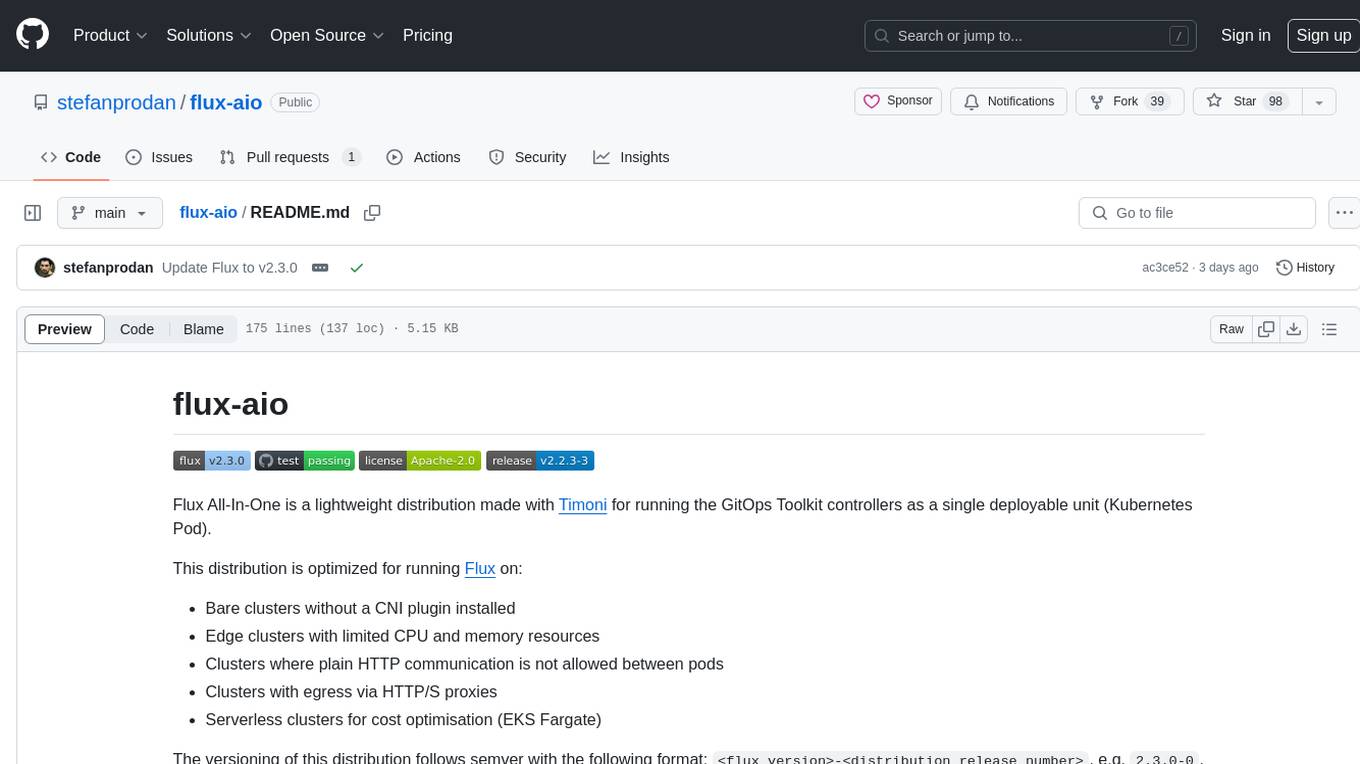
flux-aio
Flux All-In-One is a lightweight distribution optimized for running the GitOps Toolkit controllers as a single deployable unit on Kubernetes clusters. It is designed for bare clusters, edge clusters, clusters with restricted communication, clusters with egress via proxies, and serverless clusters. The distribution follows semver versioning and provides documentation for specifications, installation, upgrade, OCI sync configuration, Git sync configuration, and multi-tenancy configuration. Users can deploy Flux using Timoni CLI and a Timoni Bundle file, fine-tune installation options, sync from public Git repositories, bootstrap repositories, and uninstall Flux without affecting reconciled workloads.
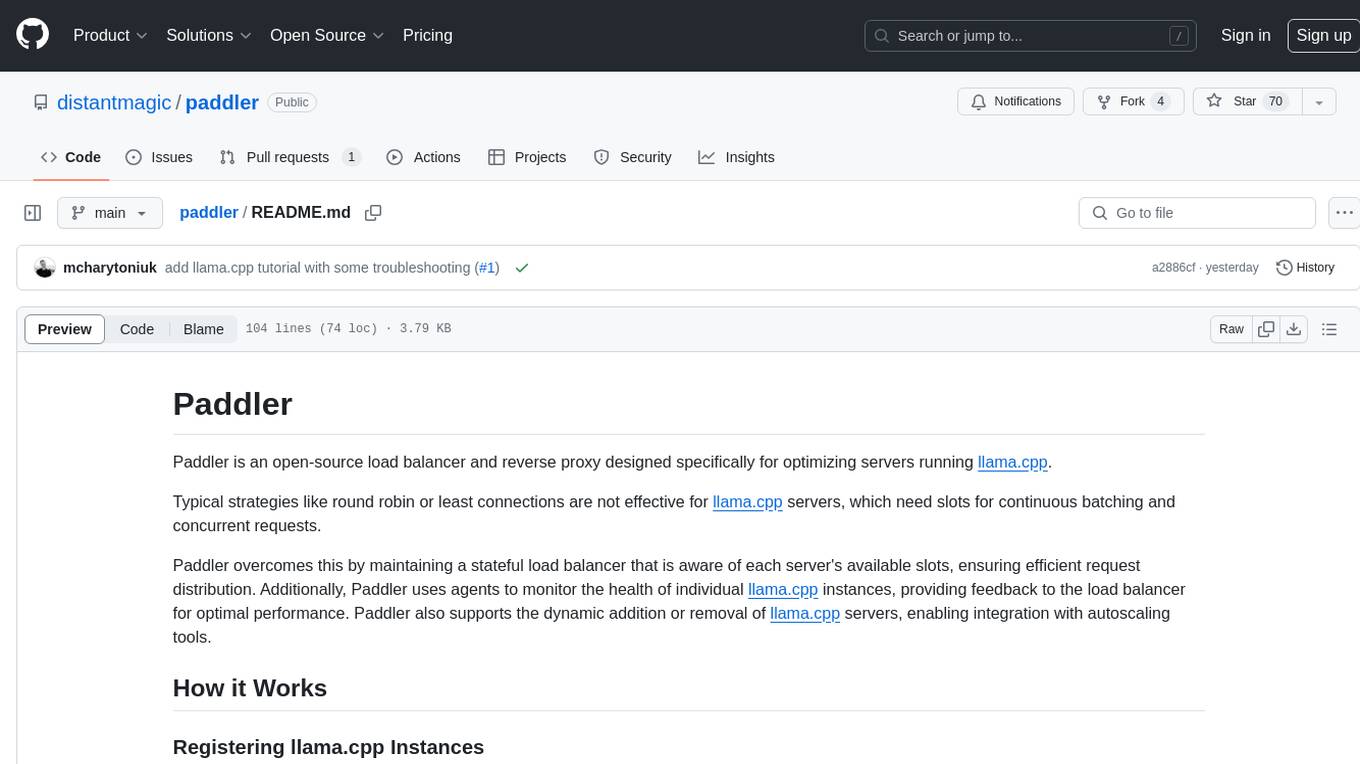
paddler
Paddler is an open-source load balancer and reverse proxy designed specifically for optimizing servers running llama.cpp. It overcomes typical load balancing challenges by maintaining a stateful load balancer that is aware of each server's available slots, ensuring efficient request distribution. Paddler also supports dynamic addition or removal of servers, enabling integration with autoscaling tools.