


Google_GenerativeAI
Unofficial C# .Net Google Generative AI SDK (Google Gemini) with function calls support and much more!
Stars: 71
Google GenerativeAI (Gemini) is an unofficial C# .Net SDK based on REST APIs for accessing Google Gemini models. It offers a complete rewrite of the previous SDK with improved performance, flexibility, and ease of use. The SDK seamlessly integrates with LangChain.net, providing easy methods for JSON-based interactions and function calling with Google Gemini models. It includes features like enhanced JSON mode handling, function calling with code generator, multi-modal functionality, Vertex AI support, multimodal live API, image generation and captioning, retrieval-augmented generation with Vertex RAG Engine and Google AQA, easy JSON handling, Gemini tools and function calling, multimodal live API, and more.
README:


-
Google GenerativeAI (Gemini)
- Introduction
- Usage
- Quick Start
- Chat Mode
- Streaming
-
Multimodal Capabilities with Overloaded
GenerateContentAsyncMethods - Easy JSON Handling
- Gemini Tools and Function Calling
- Image Generation and Captioning
- Multimodal Live API
- Retrieval-Augmented Generation
- Coming Soon:
- Credits
- Explore the Wiki
- API Reference
Unofficial C# .Net Google GenerativeAI (Gemini Pro) SDK based on REST APIs.
This new version is a complete rewrite of the previous SDK, designed to improve performance, flexibility, and ease of
use. It seamlessly integrates with LangChain.net, providing easy methods for
JSON-based interactions and function calling with Google Gemini models.
Highlights of this release include:
- Complete Rewrite – The SDK has been entirely rebuilt for improved reliability and maintainability.
- LangChain.net Support – Enables you to directly use this SDK within LangChain.net workflows.
- Enhanced JSON Mode – Includes straightforward methods to handle Google Gemini’s JSON mode.
- Function Calling with Code Generator – Simplifies function calling by providing a source generator that creates argument classes and extension methods automatically.
- Multi-Modal Functionality – Provides methods to easily incorporate text, images, and other data for multimodal operations with Google Gemini.
- Vertex AI Support – Introducing direct support for Vertex AI, including multiple authentication methods such as OAuth, Service Account, and ADC (Application Default Credentials).
- Multimodal Live API - Enables real-time interaction with multimodal content (text, images, audio) for dynamic and responsive applications.
- Build grounded AI: Simple APIs for RAG with Vertex RAG Engine and Google AQA.
- NativeAOT/Trimming SDK is fully NativeAOT/Trimming Compatible since v2.4.0
- New Packages – Modularizes features to help you tailor the SDK to your needs:
| Package | Version | Description |
|---|---|---|
| Google_GenerativeAI.Tools |  |
Provides function tooling and code generation using tryAgi CSharpToJsonSchema. Ideal for scenarios where you need to define functions and automate their JSON schema generation. |
| Google_GenerativeAI.Auth |  |
Offers various Google authentication mechanisms, including OAuth, Service Account, and Application Default Credentials (ADC). Streamlines credential management. |
| Google_GenerativeAI.Microsoft |  |
Implements the IChatClient interface from Microsoft.Extensions.AI, enabling seamless integration with Microsoft’s AI ecosystem and services. |
| Google_GenerativeAI.Web |  |
Contains extension methods to integrate GenerativeAI into .NET web applications, simplifying setup for web projects that utilize Gemini models. |
| Google_GenerativeAI.Live |  |
Enables Google Multimodal Live API integration for advanced realtime communication in .NET applications. |
By merging the best of the old version with these new capabilities, the SDK provides a smoother developer experience and a wide range of features to leverage Google Gemini.
Use this library to access Google Gemini (Generative AI) models easily. You can start by installing the NuGet package and obtaining the necessary API key from your Google account.
Below are two common ways to initialize and use the SDK. For a full list of supported approaches, please refer to our Wiki Page
-
Obtain an API Key
Visit Google AI Studio and generate your API key. -
Install the NuGet Package
You can install the package via NuGet Package Manager:Install-Package Google_GenerativeAIOr using the .NET CLI:
dotnet add package Google_GenerativeAI
-
Initialize GoogleAI
Provide the API key when creating an instance of the GoogleAI class:var googleAI = new GoogleAI("Your_API_Key");
-
Obtain a GenerativeModel
Create a generative model using a model name (for example, "models/gemini-1.5-flash"):var model = googleAI.CreateGenerativeModel("models/gemini-1.5-flash");
-
Generate Content
Call the GenerateContentAsync method to get a response:var response = await model.GenerateContentAsync("How is the weather today?"); Console.WriteLine(response.Text());
-
Full Code at a Glance
var apiKey = "YOUR_GOOGLE_API_KEY";
var googleAI = new GoogleAI(apiKey);

var googleModel = googleAI.CreateGenerativeModel("models/gemini-1.5-flash");
var googleResponse = await googleModel.GenerateContentAsync("How is the weather today?");
Console.WriteLine("Google AI Response:");
Console.WriteLine(googleResponse.Text());
Console.WriteLine();
-
Install the Google Cloud SDK (CLI)
By default, Vertex AI uses Application Default Credentials (ADC). Follow Google’s official instructions to install and set up the Google Cloud CLI. -
Initialize VertexAI
Once the SDK is set up locally, create an instance of the VertexAI class:var vertexAI = new VertexAI();
-
Obtain a GenerativeModel
Just like with GoogleAI, choose a model name and create the generative model:var vertexModel = vertexAI.CreateGenerativeModel("models/gemini-1.5-flash");
-
Generate Content
Use the GenerateContentAsync method to produce text:var response = await vertexModel.GenerateContentAsync("Hello from Vertex AI!"); Console.WriteLine(response.Text());
-
Full code at a Glance
var vertexAI = new VertexAI(); //usage Google Cloud CLI's ADC to get the Access token
var vertexModel = vertexAI.CreateGenerativeModel("models/gemini-1.5-flash");
var vertexResponse = await vertexModel.GenerateContentAsync("Hello from Vertex AI!");
Console.WriteLine("Vertex AI Response:");
Console.WriteLine(vertexResponse.Text());
For multi-turn, conversational use cases, you can start a chat session by calling the StartChat method on an instance
of GenerativeModel. You can use any of the previously mentioned initialization methods (environment variables, direct
constructor, configuration files, ADC, service accounts, etc.) to set up credentials for your AI service first. Then you
would:
- Create a
GenerativeModelinstance (e.g., viagoogleAI.CreateGenerativeModel(...)orvertexAI.CreateGenerativeModel(...)). - Call
StartChat()on the generated model to initialize a conversation. - Use
GenerateContentAsync(...)to exchange messages in the conversation.
Below is an example using the model name "gemini-1.5-flash":
// Example: Starting a chat session with a Google AI GenerativeModel

// 1) Initialize your AI instance (GoogleAI) with credentials or environment variables
var googleAI = new GoogleAI("YOUR_GOOGLE_API_KEY");

// 2) Create a GenerativeModel using the model name "gemini-1.5-flash"
var generativeModel = googleAI.CreateGenerativeModel("models/gemini-1.5-flash");

// 3) Start a chat session from the GenerativeModel
var chatSession = generativeModel.StartChat();

// 4) Send and receive messages
var firstResponse = await chatSession.GenerateContentAsync("Welcome to the Gemini 1.5 Flash chat!");
Console.WriteLine("First response: " + firstResponse.Text());

// Continue the conversation
var secondResponse = await chatSession.GenerateContentAsync("How can you help me with my AI development?");
Console.WriteLine("Second response: " + secondResponse.Text());
The same approach applies if you’re using Vertex AI:
// Example: Starting a chat session with a Vertex AI GenerativeModel

// 1) Initialize your AI instance (VertexAI) using one of the available authentication methods
var vertexAI = new VertexAI();

// 2) Create a GenerativeModel using "gemini-1.5-flash"
var generativeModel = vertexAI.CreateGenerativeModel("models/gemini-1.5-flash");

// 3) Start a chat
var chatSession = generativeModel.StartChat();

// 4) Send a chat message and read the response
var response = await chatSession.GenerateContentAsync("Hello from Vertex AI Chat using Gemini 1.5 Flash!");
Console.WriteLine(response.Text());
Each conversation preserves the context from previous messages, making it ideal for multi-turn or multi-step reasoning tasks. For more details, please check our Wiki.
The GenerativeAI SDK supports streaming responses, allowing you to receive and process parts of the model's output as they become available, rather than waiting for the entire response to be generated. This is particularly useful for long-running generation tasks or for creating more responsive user interfaces.
-
StreamContentAsync(): Use this method for streaming text responses. It returns anIAsyncEnumerable<GenerateContentResponse>, which you can iterate over usingawait foreach.
Example (StreamContentAsync()):
using GenerativeAI;

// ... (Assume model is already initialized) ...

var prompt = "Write a long story about a cat.";
await foreach (var chunk in model.StreamContentAsync(prompt))
{
    Console.Write(chunk.Text); // Print each chunk as it arrives
}
Console.WriteLine(); // Newline after the complete responseGoogle Gemini models can work with more than just text – they can handle images, audio, and videos too! This opens up a lot of possibilities for developers. The GenerativeAI SDK makes it super easy to use these features.
Below are several examples showcasing how to incorporate files into your AI prompts:
- Directly providing a local file path.
- Referencing a remote file with its MIME type.
- Creating a request object to add multiple files (local or remote).
If you have a file available locally, simply pass in the file path:
// Generate content from a local file (e.g., an image)
var response = await geminiModel.GenerateContentAsync(
    "Describe the details in this uploaded image",
    @"C:\path\to\local\image.jpg"
);

Console.WriteLine(response.Text());When your file is hosted remotely, provide the file URI and its corresponding MIME type:
// Generate content from a remote file (e.g., a PDF)
var response = await geminiModel.GenerateContentAsync(
    "Summarize the information in this PDF document",
    "https://example.com/path/to/sample.pdf",
    "application/pdf"
);

Console.WriteLine(response.Text());For granular control, you can create a GenerateContentRequest, set a prompt, and attach one or more files (local or
remote) before calling GenerateContentAsync:
// Create a request with a text prompt
var request = new GenerateContentRequest();
request.AddText("Describe what's in this document");

// Attach a local file
request.AddInlineFile(@"C:\files\example.png");

// Attach a remote file with its MIME type
request.AddRemoteFile("https://example.com/path/to/sample.pdf", "application/pdf");

// Generate the content with attached files
var response = await geminiModel.GenerateContentAsync(request);
Console.WriteLine(response.Text());
With these overloads and request-based approaches, you can seamlessly integrate additional file-based context into your prompts, enabling richer answers and unlocking more advanced AI-driven workflows.
The GenerativeAI SDK makes it simple to work with JSON data from Gemini. You have several ways some of those are:
1. Automatic JSON Handling:
-
Use
GenerateObjectAsync<T>to directly get the deserialized object:var myObject = await model.GenerateObjectAsync<SampleJsonClass>(request);
-
Use
GenerateContentAsyncand thenToObject<T>to deserialize the response:var response = await model.GenerateContentAsync<SampleJsonClass>(request); var myObject = response.ToObject<SampleJsonClass>();
-
Request: Use the
UseJsonMode<T>extension method when creating yourGenerateContentRequest. This tells the SDK to expect a JSON response of the specified type.var request = new GenerateContentRequest(); request.UseJsonMode<SampleJsonClass>(); request.AddText("Give me a really good response.");
2. Manual JSON Parsing:
-
Request: Create a standard
GenerateContentRequest.var request = new GenerateContentRequest(); request.AddText("Give me some JSON.");
or
var request = new GenerateContentRequest();
request.GenerationConfig = new GenerationConfig()
        {
            ResponseMimeType = "application/json",
            ResponseSchema = new SampleJsonClass()
        }
request.AddText("Give me a really good response.");
-
Response: Use
ExtractJsonBlocks()to get the raw JSON blocks from the response, and then useToObject<T>to deserialize them.var response = await model.GenerateContentAsync(request); var jsonBlocks = response.ExtractJsonBlocks(); var myObjects = jsonBlocks.Select(block => block.ToObject<SampleJsonClass>());
These options give you flexibility in how you handle JSON data with the GenerativeAI SDK.
Read the wiki for more options.
The GenerativeAI SDK provides built-in tools to enhance Gemini's capabilities, including Google Search, Google Search Retrieval, and Code Execution. These tools allow Gemini to interact with the outside world and perform actions beyond generating text.
1. Inbuilt Tools (GoogleSearch, GoogleSearchRetrieval, and Code Execution):
You can easily enable or disable these tools by setting the corresponding properties on the GenerativeModel:
-
UseGoogleSearch: Enables or disables the Google Search tool. -
UseGrounding: Enables or disables the Google Search Retrieval tool (often used for grounding responses in factual information). -
UseCodeExecutionTool: Enables or disables the Code Execution tool.
// Example: Enabling Google Search and Code Execution
var model = new GenerativeModel(apiKey: "YOUR_API_KEY");
model.UseGoogleSearch = true;
model.UseCodeExecutionTool = true;

// Example: Disabling all inbuilt tools.
var model = new GenerativeModel(apiKey: "YOUR_API_KEY");
model.UseGoogleSearch = false;
model.UseGrounding = false;
model.UseCodeExecutionTool = false;
2. Function Calling
Function calling lets you integrate custom functionality with Gemini by defining functions it can call. This requires
the GenerativeAI.Tools package.
-
Setup:
- Define an interface for your functions, using the
[GenerateJsonSchema()]attribute. - Implement the interface.
- Create
toolsandcallsusingAsTools()andAsCalls(). - Create a
GenericFunctionToolinstance. - Add the tool to your
GenerativeModelwithAddFunctionTool().
- Define an interface for your functions, using the
-
FunctionCallingBehaviour: Customize behavior (e.g., auto-calling, error handling) using theGenerativeModel'sFunctionCallingBehaviourproperty:-
FunctionEnabled(default:true): Enables/disables function calling. -
AutoCallFunction(default:true): Gemini automatically calls functions. -
AutoReplyFunction(default:true): Gemini automatically generates responses after function calls. -
AutoHandleBadFunctionCalls(default:false): Attempts to handle errors from incorrect calls
-
// Install-Package GenerativeAI.Tools
using GenerativeAI;
using GenerativeAI.Tools;

[GenerateJsonSchema()]
public interface IWeatherFunctions // Simplified Interface
{
    [Description("Get the current weather")]
    Weather GetCurrentWeather(string location);
}

public class WeatherService : IWeatherFunctions
{  // ... (Implementation - see full example in wiki) ...
    public Weather GetCurrentWeather(string location)
      =>  new Weather
        {
            Location = location,
            Temperature = 30.0,
            Unit = Unit.Celsius,
            Description = "Sunny",
        };
}

// --- Usage ---
var service = new WeatherService();
var tools = service.AsTools();
var calls = service.AsCalls();
var tool = new GenericFunctionTool(tools, calls);
var model = new GenerativeModel(apiKey: "YOUR_API_KEY");
model.AddFunctionTool(tool);
//Example for FunctionCallingBehaviour
model.FunctionCallingBehaviour = new FunctionCallingBehaviour { AutoCallFunction = false }; // Example

var result = await model.GenerateContentAsync("Weather in SF?");
Console.WriteLine(result.Text);
For more details and options, see the wiki.
The Google_GenerativeAI SDK enables seamless integration with the Google Imagen image generator and the Image Text Model for tasks such as image captioning and visual question answering. It provides two model classes:
- ImagenModel – For creating and generating entirely new images from text prompts.
- ImageTextModel – For image captioning and visual question answering (VQA).
Below is a snippet demonstrating how to initialize an image generation model and generate an image:
// 1. Create a Google AI client
var googleAi = new GoogleAi(apiKey);

// 2. Create the Imagen model instance with your chosen model name.
var imageModel = googleAi.CreateImageModel("imagen-3.0-generate-002");

// 3. Generate images by providing a text prompt.
var response = await imageModel.GenerateImagesAsync("A peaceful forest clearing at sunrise");

// The response contains the generated image(s).For captioning or visual QA tasks:
// 1. Create a Vertex AI client (example shown here).
var vertexAi = new VertexAI(projecId, region);

// 2. Instantiate the ImageTextModel.
var imageTextModel = vertexAi.CreateImageTextModel();

// 3. Generate captions or perform visual QA.
var captionResult = await imageTextModel.GenerateImageCaptionFromLocalFileAsync("path/to/local/image.jpg");
var vqaResult = await imageTextModel.VisualQuestionAnsweringFromLocalFileAsync("What is in the picture?", "path/to/local/image.jpg");

// Results now contain the model's captions or answers.The Google_GenerativeAI SDK now conveniently supports the Google Multimodal Live API through the
Google_GenerativeAI.Live package. This module enables real-time, interactive conversations with Gemini models by
leveraging WebSockets for text and audio data exchange. It’s ideally suited for building live, multimodal
experiences, such as chat or voice-enabled applications.
The Google_GenerativeAI.Live package provides a comprehensive implementation of the Multimodal Live API, offering:
- Real-time Communication: Enables two-way transmission of text and audio data for live conversational experiences.
- Modality Support: Allows model responses in multiple formats, including text and audio, depending on your configuration.
- Asynchronous Operations: Fully asynchronous API ensures non-blocking calls for data transmission and reception.
- Event-driven Design: Exposes events for key stages of interaction, including connection status, message reception, and audio streaming.
- Audio Handling: Built-in support for streaming audio, with configurability for sample rates and headers.
- Custom Tool Integration: Allows extending functionality by integrating custom tools directly into the interaction.
- Robust Error Handling: Manages errors gracefully, along with reconnection support.
- Flexible Configuration: Supports customizing generation configurations, safety settings, and system instructions before establishing a connection.
To leverage the Multimodal Live API in your project, you’ll need to install the Google_GenerativeAI.Live NuGet package
and create a MultiModalLiveClient. Here’s a quick overview:
Install the Google_GenerativeAI.Live package via NuGet:
Install-Package Google_GenerativeAI.LiveWith the MultiModalLiveClient, interacting with the Multimodal Live API is simple:
using GenerativeAI.Live;

public async Task RunLiveConversationAsync()
{
    var client = new MultiModalLiveClient(
        platformAdapter: new GoogleAIPlatformAdapter(),
        modelName: "gemini-1.5-flash-exp",
        generationConfig: new GenerationConfig { ResponseModalities = { Modality.TEXT, Modality.AUDIO } },
        safetySettings: null,
        systemInstruction: "You are a helpful assistant."
    );

    client.Connected += (s, e) => Console.WriteLine("Connected!");
    client.TextChunkReceived += (s, e) => Console.WriteLine($"Text chunk: {e.TextChunk}");
    client.AudioChunkReceived += (s, e) => Console.WriteLine($"Audio received: {e.Buffer.Length} bytes");

    await client.ConnectAsync();

    await client.SentTextAsync("Hello, Gemini! What's the weather like?");
    await client.SendAudioAsync(audioData: new byte[] { /* audio bytes */ }, audioContentType: "audio/pcm; rate=16000");

    Console.ReadKey();
    await client.DisconnectAsync();
}The MultiModalLiveClient provides various events to plug into for real-time updates during interaction:
- Connected: Triggered when the connection is successfully established.
- Disconnected: Triggered when the connection ends gracefully or abruptly.
- MessageReceived: Raised when any data (text or audio) is received.
- TextChunkReceived: Triggered when chunks of text are received in real time.
- AudioChunkReceived: Triggered when audio chunks are streamed from Gemini.
- AudioReceiveCompleted: Triggered when a complete audio response is received.
- ErrorOccurred: Raised when an error occurs during interaction or connection.
For more details and examples, refer to the wiki.
The Google_GenerativeAI library makes implementing Retrieval-Augmented Generation (RAG) incredibly easy. RAG
combines the strengths of Large Language Models (LLMs) with the precision of information retrieval. Instead of relying
solely on the LLM's pre-trained knowledge, a RAG system first retrieves relevant information from a knowledge base (
a "corpus" of documents) and then uses that information to augment the LLM's response. This allows the LLM to generate
more accurate, factual, and context-aware answers.
Enhance your Gemini applications with the power of the Vertex RAG Engine. This integration enables your applications to provide more accurate and contextually relevant responses by leveraging your existing knowledge bases.
Benefits:
- Improved Accuracy: Gemini can now access and utilize your corpora and vector databases for more grounded responses.
- Scalable Knowledge: Supports various backends (Pinecone, Weaviate, etc.) and data sources (Slack, Drive, etc.) for flexible knowledge management.
- Simplified RAG Implementation: Seamlessly integrate RAG capabilities into your Gemini workflows.
Code Example:
// Initialize VertexAI with your platform configuration.
var vertexAi = new VertexAI(GetTestVertexAIPlatform());

// Create an instance of the RAG manager for corpus operations.
var ragManager = vertexAi.CreateRagManager();

// Create a new corpus for your knowledge base.
// Optional: Use overload methods to specify a vector database (Pinecone, Weaviate, etc.).
// If no specific vector database is provided, a default one will be used.
var corpus = await ragManager.CreateCorpusAsync("My New Corpus", "My description");

// Import data into the corpus from a specified source.
// Replace GcsSource with the appropriate source (Jira, Slack, SharePoint, etc.) and configure it.
var fileSource = new GcsSource() { /* Configure your GcsSource here */ };
await ragManager.ImportFilesAsync(corpus.Name, fileSource);

// Create a Gemini generative model configured to use the created corpus for RAG.
// The corpusIdForRag parameter links the model to your knowledge base.
var model = vertexAi.CreateGenerativeModel(VertexAIModels.Gemini.Gemini2Flash, corpusIdForRag: corpus.Name);

// Generate content by querying the model.
// The model will retrieve relevant information from the corpus to provide a grounded response.
var result = await model.GenerateContentAsync("query related to the corpus");
Learn More:
For a deeper dive into using the Vertex RAG Engine with the Google_GenerativeAI SDK, please visit the wiki page.
This library integrates Google's Attributed Question Answering (AQA) model to enhance Retrieval-Augmented Generation (RAG) through powerful semantic search and question answering. AQA excels at understanding the intent behind a question and retrieving the most relevant passages from your corpus.
Key Features:
- Deep Semantic Understanding: AQA moves beyond keyword matching, capturing the nuanced meaning of queries and documents for more accurate retrieval.
- Answer Confidence with Attribution: AQA provides an "Answerable Probability" score, giving you insight into the model's confidence in the retrieved answer.
-
Simplified RAG Integration: The
Google_GenerativeAIlibrary offers a straightforward API for corpus creation, document ingestion, and semantic search execution.
Get Started with Google AQA for RAG:
For a comprehensive guide on implementing semantic search retrieval with Google AQA, refer to the wiki page.
The following features are planned for future releases of the GenerativeAI SDK:
- [x] Semantic Search Retrieval (RAG): Use Gemini as a Retrieval-Augmented Generation (RAG) system, allowing it to incorporate information from external sources into its responses. (Released on 20th Feb, 2025)
- [x] Image Generation: Generate images with imagen from text prompts, expanding Gemini's capabilities beyond text and code. (Added on 24th Feb, 2025)
- [x] Multimodal Live API: Bidirectional Multimodal Live Chat with Gemini 2.0 Flash (Added on 22nd Fed, 2025)
- [ ] Model Tuning: Customize Gemini models to better suit your specific needs and data.
Thanks to HavenDV for LangChain.net SDK
Dive deeper into the GenerativeAI SDK! The wiki is your comprehensive resource for:
- Detailed Guides: Step-by-step tutorials on various features and use cases.
- Advanced Usage: Learn about advanced configuration options, error handling, and best practices.
- Complete Code Examples: Find ready-to-run code snippets and larger project examples.
We encourage you to explore the wiki to unlock the full potential of the GenerativeAI SDK!
Feel free to open an issue or submit a pull request if you encounter any problems or want to propose improvements! Your feedback helps us continue to refine and expand this SDK.
For Tasks:
Click tags to check more tools for each tasksFor Jobs:
Alternative AI tools for Google_GenerativeAI
Similar Open Source Tools
Google_GenerativeAI
Google GenerativeAI (Gemini) is an unofficial C# .Net SDK based on REST APIs for accessing Google Gemini models. It offers a complete rewrite of the previous SDK with improved performance, flexibility, and ease of use. The SDK seamlessly integrates with LangChain.net, providing easy methods for JSON-based interactions and function calling with Google Gemini models. It includes features like enhanced JSON mode handling, function calling with code generator, multi-modal functionality, Vertex AI support, multimodal live API, image generation and captioning, retrieval-augmented generation with Vertex RAG Engine and Google AQA, easy JSON handling, Gemini tools and function calling, multimodal live API, and more.
langgraph4j
Langgraph4j is a Java library for language processing tasks such as text classification, sentiment analysis, and named entity recognition. It provides a set of tools and algorithms for analyzing text data and extracting useful information. The library is designed to be efficient and easy to use, making it suitable for both research and production applications.
open-webui-tools
Open WebUI Tools Collection is a set of tools for structured planning, arXiv paper search, Hugging Face text-to-image generation, prompt enhancement, and multi-model conversations. It enhances LLM interactions with academic research, image generation, and conversation management. Tools include arXiv Search Tool and Hugging Face Image Generator. Function Pipes like Planner Agent offer autonomous plan generation and execution. Filters like Prompt Enhancer improve prompt quality. Installation and configuration instructions are provided for each tool and pipe.
tinystruct
Tinystruct is a simple Java framework designed for easy development with better performance. It offers a modern approach with features like CLI and web integration, built-in lightweight HTTP server, minimal configuration philosophy, annotation-based routing, and performance-first architecture. Developers can focus on real business logic without dealing with unnecessary complexities, making it transparent, predictable, and extensible.
OllamaSharp
OllamaSharp is a .NET binding for the Ollama API, providing an intuitive API client to interact with Ollama. It offers support for all Ollama API endpoints, real-time streaming, progress reporting, and an API console for remote management. Users can easily set up the client, list models, pull models with progress feedback, stream completions, and build interactive chats. The project includes a demo console for exploring and managing the Ollama host.
sdialog
SDialog is an MIT-licensed open-source toolkit for building, simulating, and evaluating LLM-based conversational agents end-to-end. It aims to bridge agent construction, user simulation, dialog generation, and evaluation in a single reproducible workflow, enabling the generation of reliable, controllable dialog systems or data at scale. The toolkit standardizes a Dialog schema, offers persona-driven multi-agent simulation with LLMs, provides composable orchestration for precise control over behavior and flow, includes built-in evaluation metrics, and offers mechanistic interpretability. It allows for easy creation of user-defined components and interoperability across various AI platforms.
py-llm-core
PyLLMCore is a light-weighted interface with Large Language Models with native support for llama.cpp, OpenAI API, and Azure deployments. It offers a Pythonic API that is simple to use, with structures provided by the standard library dataclasses module. The high-level API includes the assistants module for easy swapping between models. PyLLMCore supports various models including those compatible with llama.cpp, OpenAI, and Azure APIs. It covers use cases such as parsing, summarizing, question answering, hallucinations reduction, context size management, and tokenizing. The tool allows users to interact with language models for tasks like parsing text, summarizing content, answering questions, reducing hallucinations, managing context size, and tokenizing text.

semantic-kernel
Semantic Kernel is an SDK that integrates Large Language Models (LLMs) like OpenAI, Azure OpenAI, and Hugging Face with conventional programming languages like C#, Python, and Java. Semantic Kernel achieves this by allowing you to define plugins that can be chained together in just a few lines of code. What makes Semantic Kernel _special_ , however, is its ability to _automatically_ orchestrate plugins with AI. With Semantic Kernel planners, you can ask an LLM to generate a plan that achieves a user's unique goal. Afterwards, Semantic Kernel will execute the plan for the user.
deep-research
Deep Research is a lightning-fast tool that uses powerful AI models to generate comprehensive research reports in just a few minutes. It leverages advanced 'Thinking' and 'Task' models, combined with an internet connection, to provide fast and insightful analysis on various topics. The tool ensures privacy by processing and storing all data locally. It supports multi-platform deployment, offers support for various large language models, web search functionality, knowledge graph generation, research history preservation, local and server API support, PWA technology, multi-key payload support, multi-language support, and is built with modern technologies like Next.js and Shadcn UI. Deep Research is open-source under the MIT License.
sre
SmythOS is an operating system designed for building, deploying, and managing intelligent AI agents at scale. It provides a unified SDK and resource abstraction layer for various AI services, making it easy to scale and flexible. With an agent-first design, developer-friendly SDK, modular architecture, and enterprise security features, SmythOS offers a robust foundation for AI workloads. The system is built with a philosophy inspired by traditional operating system kernels, ensuring autonomy, control, and security for AI agents. SmythOS aims to make shipping production-ready AI agents accessible and open for everyone in the coming Internet of Agents era.
infinite-image-browsing
Infinite Image Browsing (IIB) is a versatile tool that offers excellent performance in displaying images, supports image search and favorite functionalities, allows viewing images/videos with various features like full-screen preview and sending to other tabs, provides multiple usage methods including extension installation, standalone Python usage, and desktop application, supports TikTok-style view, walk mode for automatic loading of folders, preview based on file tree structure, image comparison, topic/tag analysis, smart file organization, multilingual support, privacy and security features, packaging/batch download, keyboard shortcuts, and AI integration. The tool also offers natural language categorization and search capabilities, with API endpoints for embedding, clustering, and prompt retrieval. It supports caching and incremental updates for efficient processing and offers various configuration options through environment variables.
RainbowGPT
RainbowGPT is a versatile tool that offers a range of functionalities, including Stock Analysis for financial decision-making, MySQL Management for database navigation, and integration of AI technologies like GPT-4 and ChatGlm3. It provides a user-friendly interface suitable for all skill levels, ensuring seamless information flow and continuous expansion of emerging technologies. The tool enhances adaptability, creativity, and insight, making it a valuable asset for various projects and tasks.
OpenAI-Api-Unreal
The OpenAIApi Plugin provides access to the OpenAI API in Unreal Engine, allowing users to generate images, transcribe speech, and power NPCs using advanced AI models. It offers blueprint nodes for making API calls, setting parameters, and accessing completion values. Users can authenticate using an API key directly or as an environment variable. The plugin supports various tasks such as generating images, transcribing speech, and interacting with NPCs through chat endpoints.
fastagency
FastAgency is a powerful tool that leverages the AutoGen framework to quickly build applications with multi-agent workflows. It supports various interfaces like ConsoleUI and MesopUI, allowing users to create interactive applications. The tool enables defining workflows between agents, such as students and teachers, and summarizing conversations. FastAgency aims to expand its capabilities by integrating with additional agentic frameworks like CrewAI, providing more options for workflow definition and AI tool integration.
dive
Dive is an AI toolkit for Go that enables the creation of specialized teams of AI agents and seamless integration with leading LLMs. It offers a CLI and APIs for easy integration, with features like creating specialized agents, hierarchical agent systems, declarative configuration, multiple LLM support, extended reasoning, model context protocol, advanced model settings, tools for agent capabilities, tool annotations, streaming, CLI functionalities, thread management, confirmation system, deep research, and semantic diff. Dive also provides semantic diff analysis, unified interface for LLM providers, tool system with annotations, custom tool creation, and support for various verified models. The toolkit is designed for developers to build AI-powered applications with rich agent capabilities and tool integrations.
Scrapling
Scrapling is a high-performance, intelligent web scraping library for Python that automatically adapts to website changes while significantly outperforming popular alternatives. For both beginners and experts, Scrapling provides powerful features while maintaining simplicity. It offers features like fast and stealthy HTTP requests, adaptive scraping with smart element tracking and flexible selection, high performance with lightning-fast speed and memory efficiency, and developer-friendly navigation API and rich text processing. It also includes advanced parsing features like smart navigation, content-based selection, handling structural changes, and finding similar elements. Scrapling is designed to handle anti-bot protections and website changes effectively, making it a versatile tool for web scraping tasks.
For similar tasks

floneum
Floneum is a graph editor that makes it easy to develop your own AI workflows. It uses large language models (LLMs) to run AI models locally, without any external dependencies or even a GPU. This makes it easy to use LLMs with your own data, without worrying about privacy. Floneum also has a plugin system that allows you to improve the performance of LLMs and make them work better for your specific use case. Plugins can be used in any language that supports web assembly, and they can control the output of LLMs with a process similar to JSONformer or guidance.
llm-answer-engine
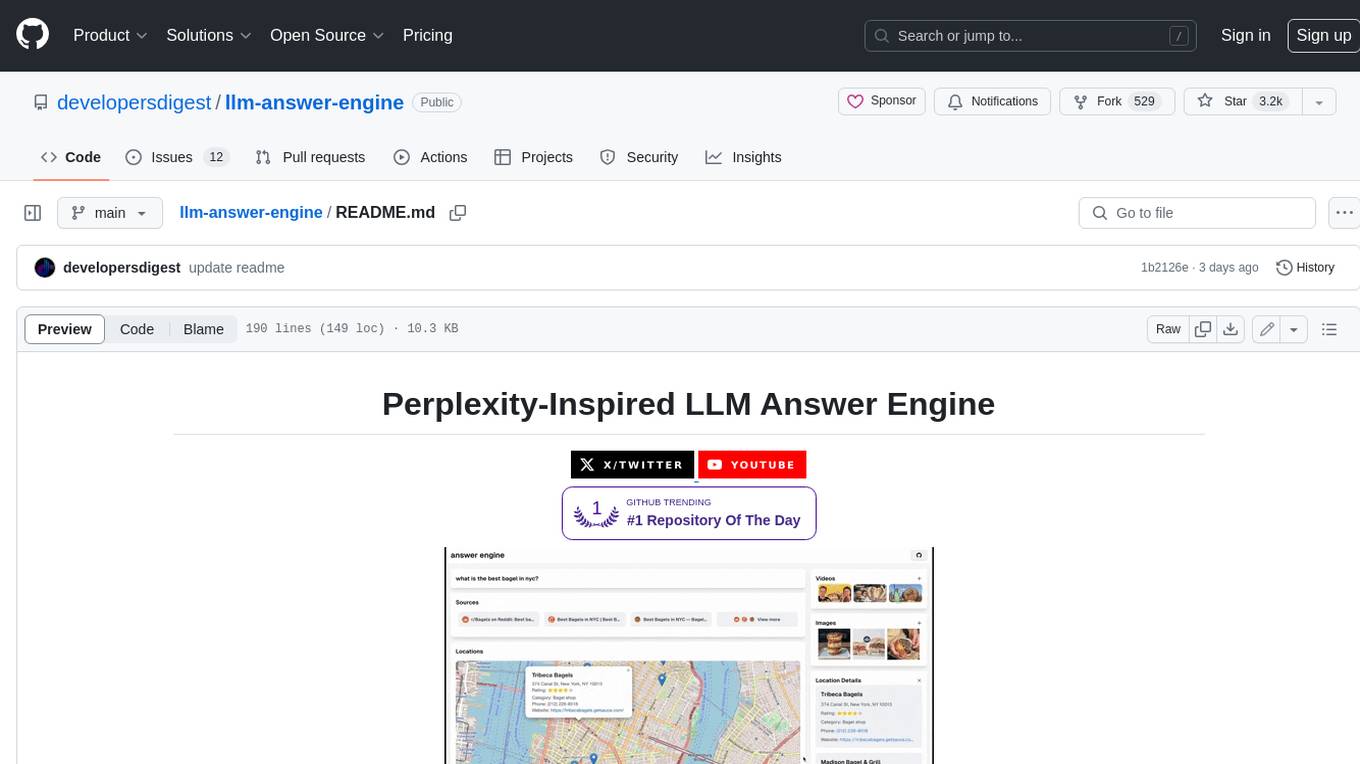
This repository contains the code and instructions needed to build a sophisticated answer engine that leverages the capabilities of Groq, Mistral AI's Mixtral, Langchain.JS, Brave Search, Serper API, and OpenAI. Designed to efficiently return sources, answers, images, videos, and follow-up questions based on user queries, this project is an ideal starting point for developers interested in natural language processing and search technologies.
discourse-ai
Discourse AI is a plugin for the Discourse forum software that uses artificial intelligence to improve the user experience. It can automatically generate content, moderate posts, and answer questions. This can free up moderators and administrators to focus on other tasks, and it can help to create a more engaging and informative community.

Gemini-API
Gemini-API is a reverse-engineered asynchronous Python wrapper for Google Gemini web app (formerly Bard). It provides features like persistent cookies, ImageFx support, extension support, classified outputs, official flavor, and asynchronous operation. The tool allows users to generate contents from text or images, have conversations across multiple turns, retrieve images in response, generate images with ImageFx, save images to local files, use Gemini extensions, check and switch reply candidates, and control log level.
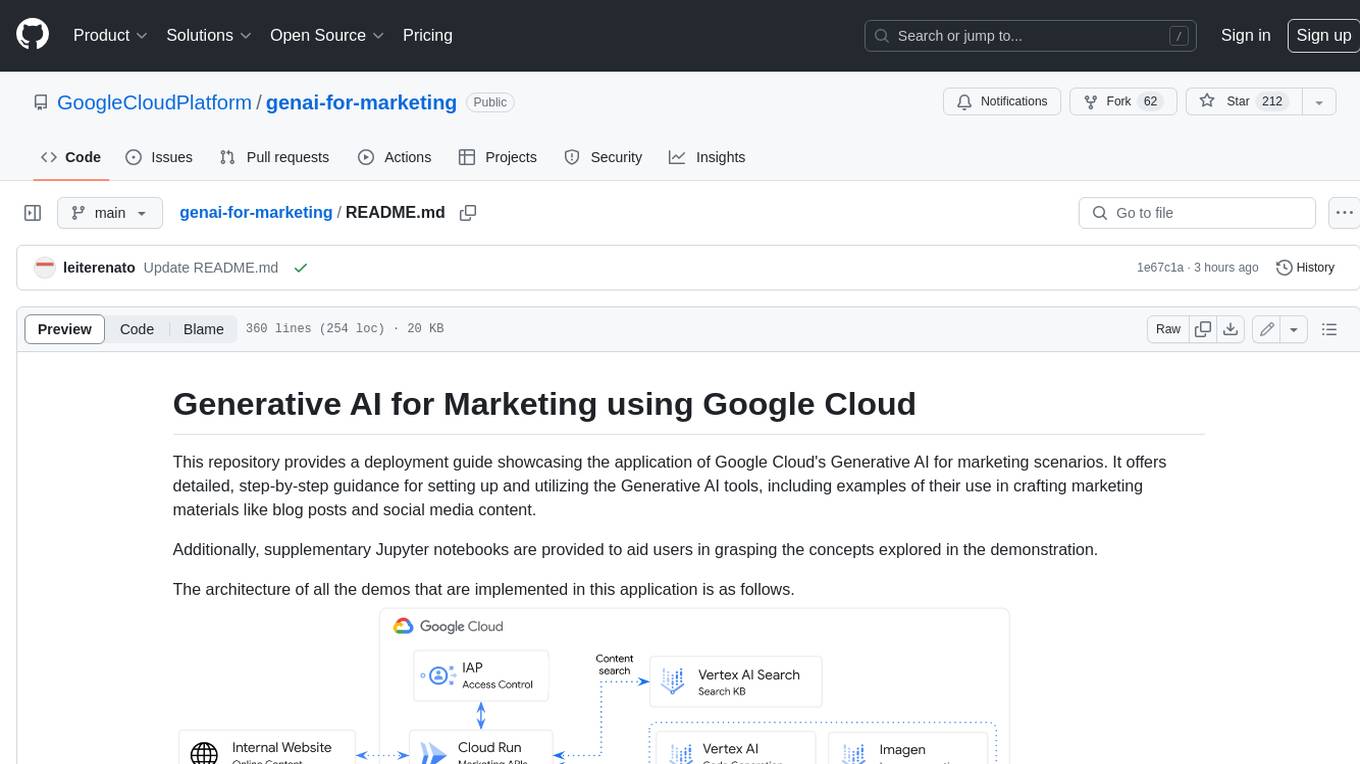
genai-for-marketing
This repository provides a deployment guide for utilizing Google Cloud's Generative AI tools in marketing scenarios. It includes step-by-step instructions, examples of crafting marketing materials, and supplementary Jupyter notebooks. The demos cover marketing insights, audience analysis, trendspotting, content search, content generation, and workspace integration. Users can access and visualize marketing data, analyze trends, improve search experience, and generate compelling content. The repository structure includes backend APIs, frontend code, sample notebooks, templates, and installation scripts.
generative-ai-dart
The Google Generative AI SDK for Dart enables developers to utilize cutting-edge Large Language Models (LLMs) for creating language applications. It provides access to the Gemini API for generating content using state-of-the-art models. Developers can integrate the SDK into their Dart or Flutter applications to leverage powerful AI capabilities. It is recommended to use the SDK for server-side API calls to ensure the security of API keys and protect against potential key exposure in mobile or web apps.
Dough
Dough is a tool for crafting videos with AI, allowing users to guide video generations with precision using images and example videos. Users can create guidance frames, assemble shots, and animate them by defining parameters and selecting guidance videos. The tool aims to help users make beautiful and unique video creations, providing control over the generation process. Setup instructions are available for Linux and Windows platforms, with detailed steps for installation and running the app.
ChaKt-KMP
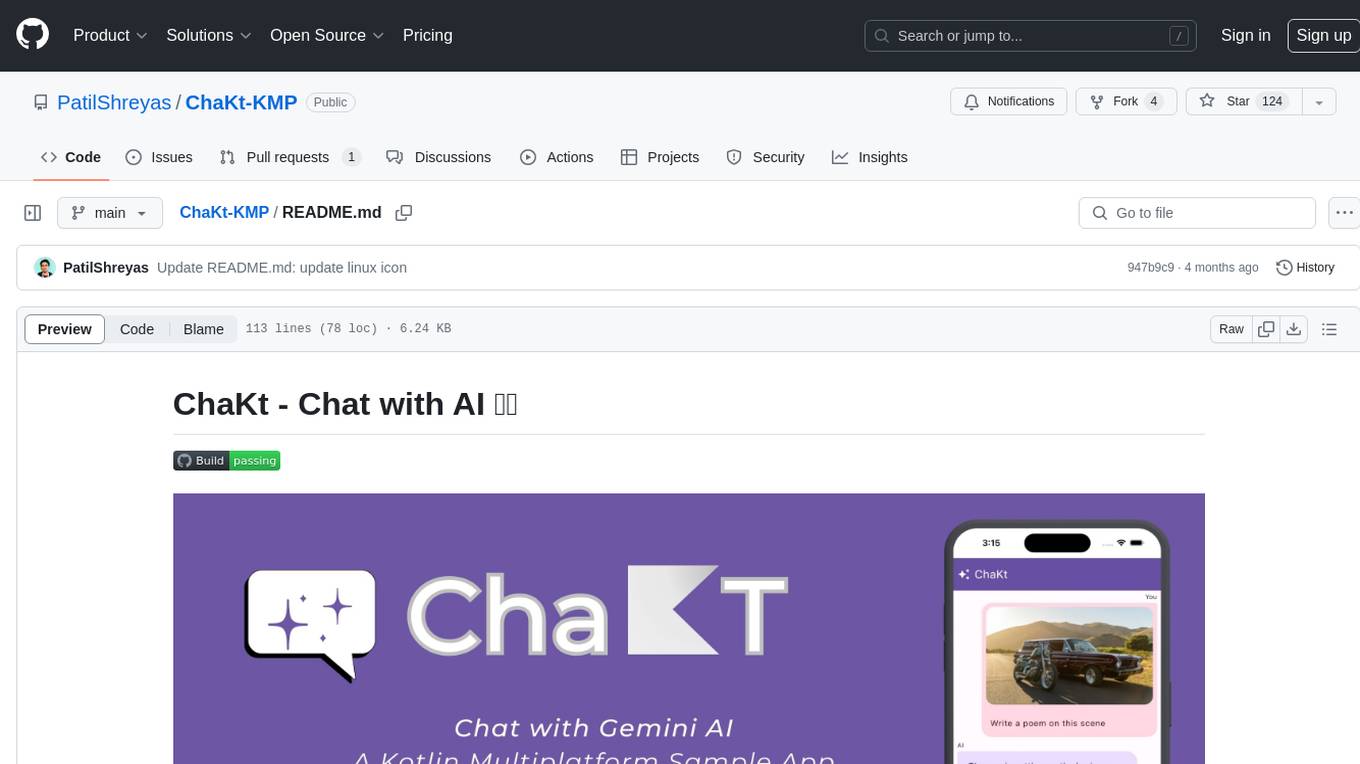
ChaKt is a multiplatform app built using Kotlin and Compose Multiplatform to demonstrate the use of Generative AI SDK for Kotlin Multiplatform to generate content using Google's Generative AI models. It features a simple chat based user interface and experience to interact with AI. The app supports mobile, desktop, and web platforms, and is built with Kotlin Multiplatform, Kotlin Coroutines, Compose Multiplatform, Generative AI SDK, Calf - File picker, and BuildKonfig. Users can contribute to the project by following the guidelines in CONTRIBUTING.md. The app is licensed under the MIT License.
For similar jobs

sweep
Sweep is an AI junior developer that turns bugs and feature requests into code changes. It automatically handles developer experience improvements like adding type hints and improving test coverage.

teams-ai
The Teams AI Library is a software development kit (SDK) that helps developers create bots that can interact with Teams and Microsoft 365 applications. It is built on top of the Bot Framework SDK and simplifies the process of developing bots that interact with Teams' artificial intelligence capabilities. The SDK is available for JavaScript/TypeScript, .NET, and Python.

ai-guide
This guide is dedicated to Large Language Models (LLMs) that you can run on your home computer. It assumes your PC is a lower-end, non-gaming setup.

classifai
Supercharge WordPress Content Workflows and Engagement with Artificial Intelligence. Tap into leading cloud-based services like OpenAI, Microsoft Azure AI, Google Gemini and IBM Watson to augment your WordPress-powered websites. Publish content faster while improving SEO performance and increasing audience engagement. ClassifAI integrates Artificial Intelligence and Machine Learning technologies to lighten your workload and eliminate tedious tasks, giving you more time to create original content that matters.

chatbot-ui
Chatbot UI is an open-source AI chat app that allows users to create and deploy their own AI chatbots. It is easy to use and can be customized to fit any need. Chatbot UI is perfect for businesses, developers, and anyone who wants to create a chatbot.

BricksLLM
BricksLLM is a cloud native AI gateway written in Go. Currently, it provides native support for OpenAI, Anthropic, Azure OpenAI and vLLM. BricksLLM aims to provide enterprise level infrastructure that can power any LLM production use cases. Here are some use cases for BricksLLM: * Set LLM usage limits for users on different pricing tiers * Track LLM usage on a per user and per organization basis * Block or redact requests containing PIIs * Improve LLM reliability with failovers, retries and caching * Distribute API keys with rate limits and cost limits for internal development/production use cases * Distribute API keys with rate limits and cost limits for students

uAgents
uAgents is a Python library developed by Fetch.ai that allows for the creation of autonomous AI agents. These agents can perform various tasks on a schedule or take action on various events. uAgents are easy to create and manage, and they are connected to a fast-growing network of other uAgents. They are also secure, with cryptographically secured messages and wallets.

griptape
Griptape is a modular Python framework for building AI-powered applications that securely connect to your enterprise data and APIs. It offers developers the ability to maintain control and flexibility at every step. Griptape's core components include Structures (Agents, Pipelines, and Workflows), Tasks, Tools, Memory (Conversation Memory, Task Memory, and Meta Memory), Drivers (Prompt and Embedding Drivers, Vector Store Drivers, Image Generation Drivers, Image Query Drivers, SQL Drivers, Web Scraper Drivers, and Conversation Memory Drivers), Engines (Query Engines, Extraction Engines, Summary Engines, Image Generation Engines, and Image Query Engines), and additional components (Rulesets, Loaders, Artifacts, Chunkers, and Tokenizers). Griptape enables developers to create AI-powered applications with ease and efficiency.