


memento-mcp
Memento MCP: A Knowledge Graph Memory System for LLMs
Stars: 217
Memento MCP is a scalable, high-performance knowledge graph memory system designed for LLMs. It offers semantic retrieval, contextual recall, and temporal awareness to any LLM client supporting the model context protocol. The system is built on core concepts like entities and relations, utilizing Neo4j as its storage backend for unified graph and vector search capabilities. With advanced features such as semantic search, temporal awareness, confidence decay, and rich metadata support, Memento MCP provides a robust solution for managing knowledge graphs efficiently and effectively.
README:

Scalable, high performance knowledge graph memory system with semantic retrieval, contextual recall, and temporal awareness. Provides any LLM client that supports the model context protocol (e.g., Claude Desktop, Cursor, Github Copilot) with resilient, adaptive, and persistent long-term ontological memory.

Entities are the primary nodes in the knowledge graph. Each entity has:
- A unique name (identifier)
- An entity type (e.g., "person", "organization", "event")
- A list of observations
- Vector embeddings (for semantic search)
- Complete version history
Example:
{
  "name": "John_Smith",
  "entityType": "person",
  "observations": ["Speaks fluent Spanish"]
}
Relations define directed connections between entities with enhanced properties:
- Strength indicators (0.0-1.0)
- Confidence levels (0.0-1.0)
- Rich metadata (source, timestamps, tags)
- Temporal awareness with version history
- Time-based confidence decay
Example:
{
  "from": "John_Smith",
  "to": "Anthropic",
  "relationType": "works_at",
  "strength": 0.9,
  "confidence": 0.95,
  "metadata": {
    "source": "linkedin_profile",
    "last_verified": "2025-03-21"
  }
}Memento MCP uses Neo4j as its storage backend, providing a unified solution for both graph storage and vector search capabilities.
- Unified Storage: Consolidates both graph and vector storage into a single database
- Native Graph Operations: Built specifically for graph traversal and queries
- Integrated Vector Search: Vector similarity search for embeddings built directly into Neo4j
- Scalability: Better performance with large knowledge graphs
- Simplified Architecture: Clean design with a single database for all operations
- Neo4j 5.13+ (required for vector search capabilities)
The easiest way to get started with Neo4j is to use Neo4j Desktop:
- Download and install Neo4j Desktop from https://neo4j.com/download/
- Create a new project
- Add a new database
- Set password to
memento_password(or your preferred password) - Start the database
The Neo4j database will be available at:
-
Bolt URI:
bolt://127.0.0.1:7687(for driver connections) -
HTTP:
http://127.0.0.1:7474(for Neo4j Browser UI) -
Default credentials: username:
neo4j, password:memento_password(or whatever you configured)
Alternatively, you can use Docker Compose to run Neo4j:
# Start Neo4j container
docker-compose up -d neo4j

# Stop Neo4j container
docker-compose stop neo4j

# Remove Neo4j container (preserves data)
docker-compose rm neo4j
When using Docker, the Neo4j database will be available at:
-
Bolt URI:
bolt://127.0.0.1:7687(for driver connections) -
HTTP:
http://127.0.0.1:7474(for Neo4j Browser UI) -
Default credentials: username:
neo4j, password:memento_password
Neo4j data persists across container restarts and even version upgrades due to the Docker volume configuration in the docker-compose.yml file:
volumes:
  - ./neo4j-data:/data
  - ./neo4j-logs:/logs
  - ./neo4j-import:/import
These mappings ensure that:
-
/datadirectory (contains all database files) persists on your host at./neo4j-data -
/logsdirectory persists on your host at./neo4j-logs -
/importdirectory (for importing data files) persists at./neo4j-import
You can modify these paths in your docker-compose.yml file to store data in different locations if needed.
You can change Neo4j editions and versions without losing data:
- Update the Neo4j image version in
docker-compose.yml - Restart the container with
docker-compose down && docker-compose up -d neo4j - Reinitialize the schema with
npm run neo4j:init
The data will persist through this process as long as the volume mappings remain the same.
If you need to completely reset your Neo4j database:
# Stop the container
docker-compose stop neo4j

# Remove the container
docker-compose rm -f neo4j

# Delete the data directory contents
rm -rf ./neo4j-data/*

# Restart the container
docker-compose up -d neo4j

# Reinitialize the schema
npm run neo4j:initTo back up your Neo4j data, you can simply copy the data directory:
# Make a backup of the Neo4j data
cp -r ./neo4j-data ./neo4j-data-backup-$(date +%Y%m%d)Memento MCP includes command-line utilities for managing Neo4j operations:
Test the connection to your Neo4j database:
# Test with default settings
npm run neo4j:test

# Test with custom settings
npm run neo4j:test -- --uri bolt://127.0.0.1:7687 --username myuser --password mypass --database neo4jFor normal operation, Neo4j schema initialization happens automatically when Memento MCP connects to the database. You don't need to run any manual commands for regular usage.
The following commands are only necessary for development, testing, or advanced customization scenarios:
# Initialize with default settings (only needed for development or troubleshooting)
npm run neo4j:init

# Initialize with custom vector dimensions
npm run neo4j:init -- --dimensions 768 --similarity euclidean

# Force recreation of all constraints and indexes
npm run neo4j:init -- --recreate

# Combine multiple options
npm run neo4j:init -- --vector-index custom_index --dimensions 384 --recreateFind semantically related entities based on meaning rather than just keywords:
- Vector Embeddings: Entities are automatically encoded into high-dimensional vector space using OpenAI's embedding models
- Cosine Similarity: Find related concepts even when they use different terminology
- Configurable Thresholds: Set minimum similarity scores to control result relevance
- Cross-Modal Search: Query with text to find relevant entities regardless of how they were described
- Multi-Model Support: Compatible with multiple embedding models (OpenAI text-embedding-3-small/large)
- Contextual Retrieval: Retrieve information based on semantic meaning rather than exact keyword matches
- Optimized Defaults: Tuned parameters for balance between precision and recall (0.6 similarity threshold, hybrid search enabled)
- Hybrid Search: Combines semantic and keyword search for more comprehensive results
- Adaptive Search: System intelligently chooses between vector-only, keyword-only, or hybrid search based on query characteristics and available data
- Performance Optimization: Prioritizes vector search for semantic understanding while maintaining fallback mechanisms for resilience
- Query-Aware Processing: Adjusts search strategy based on query complexity and available entity embeddings
Track complete history of entities and relations with point-in-time graph retrieval:
- Full Version History: Every change to an entity or relation is preserved with timestamps
- Point-in-Time Queries: Retrieve the exact state of the knowledge graph at any moment in the past
- Change Tracking: Automatically records createdAt, updatedAt, validFrom, and validTo timestamps
- Temporal Consistency: Maintain a historically accurate view of how knowledge evolved
- Non-Destructive Updates: Updates create new versions rather than overwriting existing data
- Time-Based Filtering: Filter graph elements based on temporal criteria
- History Exploration: Investigate how specific information changed over time
Relations automatically decay in confidence over time based on configurable half-life:
- Time-Based Decay: Confidence in relations naturally decreases over time if not reinforced
- Configurable Half-Life: Define how quickly information becomes less certain (default: 30 days)
- Minimum Confidence Floors: Set thresholds to prevent over-decay of important information
- Decay Metadata: Each relation includes detailed decay calculation information
- Non-Destructive: Original confidence values are preserved alongside decayed values
- Reinforcement Learning: Relations regain confidence when reinforced by new observations
- Reference Time Flexibility: Calculate decay based on arbitrary reference times for historical analysis
Rich metadata support for both entities and relations with custom fields:
- Source Tracking: Record where information originated (user input, analysis, external sources)
- Confidence Levels: Assign confidence scores (0.0-1.0) to relations based on certainty
- Relation Strength: Indicate importance or strength of relationships (0.0-1.0)
- Temporal Metadata: Track when information was added, modified, or verified
- Custom Tags: Add arbitrary tags for classification and filtering
- Structured Data: Store complex structured data within metadata fields
- Query Support: Search and filter based on metadata properties
- Extensible Schema: Add custom fields as needed without modifying the core data model
The following tools are available to LLM client hosts through the Model Context Protocol:
-
create_entities
- Create multiple new entities in the knowledge graph
- Input:
entities(array of objects)- Each object contains:
-
name(string): Entity identifier -
entityType(string): Type classification -
observations(string[]): Associated observations
-
- Each object contains:
-
add_observations
- Add new observations to existing entities
- Input:
observations(array of objects)- Each object contains:
-
entityName(string): Target entity -
contents(string[]): New observations to add
-
- Each object contains:
-
delete_entities
- Remove entities and their relations
- Input:
entityNames(string[])
-
delete_observations
- Remove specific observations from entities
- Input:
deletions(array of objects)- Each object contains:
-
entityName(string): Target entity -
observations(string[]): Observations to remove
-
- Each object contains:
-
create_relations
- Create multiple new relations between entities with enhanced properties
- Input:
relations(array of objects)- Each object contains:
-
from(string): Source entity name -
to(string): Target entity name -
relationType(string): Relationship type -
strength(number, optional): Relation strength (0.0-1.0) -
confidence(number, optional): Confidence level (0.0-1.0) -
metadata(object, optional): Custom metadata fields
-
- Each object contains:
-
get_relation
- Get a specific relation with its enhanced properties
- Input:
-
from(string): Source entity name -
to(string): Target entity name -
relationType(string): Relationship type
-
-
update_relation
- Update an existing relation with enhanced properties
- Input:
relation(object):- Contains:
-
from(string): Source entity name -
to(string): Target entity name -
relationType(string): Relationship type -
strength(number, optional): Relation strength (0.0-1.0) -
confidence(number, optional): Confidence level (0.0-1.0) -
metadata(object, optional): Custom metadata fields
-
- Contains:
-
delete_relations
- Remove specific relations from the graph
- Input:
relations(array of objects)- Each object contains:
-
from(string): Source entity name -
to(string): Target entity name -
relationType(string): Relationship type
-
- Each object contains:
-
read_graph
- Read the entire knowledge graph
- No input required
-
search_nodes
- Search for nodes based on query
- Input:
query(string)
-
open_nodes
- Retrieve specific nodes by name
- Input:
names(string[])
-
semantic_search
- Search for entities semantically using vector embeddings and similarity
- Input:
-
query(string): The text query to search for semantically -
limit(number, optional): Maximum results to return (default: 10) -
min_similarity(number, optional): Minimum similarity threshold (0.0-1.0, default: 0.6) -
entity_types(string[], optional): Filter results by entity types -
hybrid_search(boolean, optional): Combine keyword and semantic search (default: true) -
semantic_weight(number, optional): Weight of semantic results in hybrid search (0.0-1.0, default: 0.6)
-
- Features:
- Intelligently selects optimal search method (vector, keyword, or hybrid) based on query context
- Gracefully handles queries with no semantic matches through fallback mechanisms
- Maintains high performance with automatic optimization decisions
-
get_entity_embedding
- Get the vector embedding for a specific entity
- Input:
-
entity_name(string): The name of the entity to get the embedding for
-
-
get_entity_history
- Get complete version history of an entity
- Input:
entityName(string)
-
get_relation_history
- Get complete version history of a relation
- Input:
-
from(string): Source entity name -
to(string): Target entity name -
relationType(string): Relationship type
-
-
get_graph_at_time
- Get the state of the graph at a specific timestamp
- Input:
timestamp(number): Unix timestamp (milliseconds since epoch)
-
get_decayed_graph
- Get graph with time-decayed confidence values
- Input:
options(object, optional):-
reference_time(number): Reference timestamp for decay calculation (milliseconds since epoch) -
decay_factor(number): Optional decay factor override
-
Configure Memento MCP with these environment variables:
# Neo4j Connection Settings
NEO4J_URI=bolt://127.0.0.1:7687
NEO4J_USERNAME=neo4j
NEO4J_PASSWORD=memento_password
NEO4J_DATABASE=neo4j

# Vector Search Configuration
NEO4J_VECTOR_INDEX=entity_embeddings
NEO4J_VECTOR_DIMENSIONS=1536
NEO4J_SIMILARITY_FUNCTION=cosine

# Embedding Service Configuration
MEMORY_STORAGE_TYPE=neo4j
OPENAI_API_KEY=your-openai-api-key
OPENAI_EMBEDDING_MODEL=text-embedding-3-small

# Debug Settings
DEBUG=trueThe Neo4j CLI tools support the following options:
--uri <uri>              Neo4j server URI (default: bolt://127.0.0.1:7687)
--username <username>    Neo4j username (default: neo4j)
--password <password>    Neo4j password (default: memento_password)
--database <n>           Neo4j database name (default: neo4j)
--vector-index <n>       Vector index name (default: entity_embeddings)
--dimensions <number>    Vector dimensions (default: 1536)
--similarity <function>  Similarity function (cosine|euclidean) (default: cosine)
--recreate               Force recreation of constraints and indexes
--no-debug               Disable detailed output (debug is ON by default)
Available OpenAI embedding models:
-
text-embedding-3-small: Efficient, cost-effective (1536 dimensions) -
text-embedding-3-large: Higher accuracy, more expensive (3072 dimensions) -
text-embedding-ada-002: Legacy model (1536 dimensions)
To use semantic search, you'll need to configure OpenAI API credentials:
- Obtain an API key from OpenAI
- Configure your environment with:
# OpenAI API Key for embeddings
OPENAI_API_KEY=your-openai-api-key
# Default embedding model
OPENAI_EMBEDDING_MODEL=text-embedding-3-smallNote: For testing environments, the system will mock embedding generation if no API key is provided. However, using real embeddings is recommended for integration testing.
Add this to your claude_desktop_config.json:
{
  "mcpServers": {
    "memento": {
      "command": "npx",
      "args": ["-y", "@gannonh/memento-mcp"],
      "env": {
        "MEMORY_STORAGE_TYPE": "neo4j",
        "NEO4J_URI": "bolt://127.0.0.1:7687",
        "NEO4J_USERNAME": "neo4j",
        "NEO4J_PASSWORD": "memento_password",
        "NEO4J_DATABASE": "neo4j",
        "NEO4J_VECTOR_INDEX": "entity_embeddings",
        "NEO4J_VECTOR_DIMENSIONS": "1536",
        "NEO4J_SIMILARITY_FUNCTION": "cosine",
        "OPENAI_API_KEY": "your-openai-api-key",
        "OPENAI_EMBEDDING_MODEL": "text-embedding-3-small",
        "DEBUG": "true"
      }
    }
  }
}
Alternatively, for local development, you can use:
{
  "mcpServers": {
    "memento": {
      "command": "/path/to/node",
      "args": ["/path/to/memento-mcp/dist/index.js"],
      "env": {
        "MEMORY_STORAGE_TYPE": "neo4j",
        "NEO4J_URI": "bolt://127.0.0.1:7687",
        "NEO4J_USERNAME": "neo4j",
        "NEO4J_PASSWORD": "memento_password",
        "NEO4J_DATABASE": "neo4j",
        "NEO4J_VECTOR_INDEX": "entity_embeddings",
        "NEO4J_VECTOR_DIMENSIONS": "1536",
        "NEO4J_SIMILARITY_FUNCTION": "cosine",
        "OPENAI_API_KEY": "your-openai-api-key",
        "OPENAI_EMBEDDING_MODEL": "text-embedding-3-small",
        "DEBUG": "true"
      }
    }
  }
}Important: Always explicitly specify the embedding model in your Claude Desktop configuration to ensure consistent behavior.
For optimal integration with Claude, add these statements to your system prompt:
You have access to the Memento MCP knowledge graph memory system, which provides you with persistent memory capabilities.
Your memory tools are provided by Memento MCP, a sophisticated knowledge graph implementation.
When asked about past conversations or user information, always check the Memento MCP knowledge graph first.
You should use semantic_search to find relevant information in your memory when answering questions.
Once configured, Claude can access the semantic search capabilities through natural language:
-
To create entities with semantic embeddings:
User: "Remember that Python is a high-level programming language known for its readability and JavaScript is primarily used for web development." -
To search semantically:
User: "What programming languages do you know about that are good for web development?" -
To retrieve specific information:
User: "Tell me everything you know about Python."
The power of this approach is that users can interact naturally, while the LLM handles the complexity of selecting and using the appropriate memory tools.
Memento's adaptive search capabilities provide practical benefits:
-
Query Versatility: Users don't need to worry about how to phrase questions - the system adapts to different query types automatically
-
Failure Resilience: Even when semantic matches aren't available, the system can fall back to alternative methods without user intervention
-
Performance Efficiency: By intelligently selecting the optimal search method, the system balances performance and relevance for each query
-
Improved Context Retrieval: LLM conversations benefit from better context retrieval as the system can find relevant information across complex knowledge graphs
For example, when a user asks "What do you know about machine learning?", the system can retrieve conceptually related entities even if they don't explicitly mention "machine learning" - perhaps entities about neural networks, data science, or specific algorithms. But if semantic search yields insufficient results, the system automatically adjusts its approach to ensure useful information is still returned.
Memento MCP includes built-in diagnostic capabilities to help troubleshoot vector search issues:
- Embedding Verification: The system checks if entities have valid embeddings and automatically generates them if missing
- Vector Index Status: Verifies that the vector index exists and is in the ONLINE state
- Fallback Search: If vector search fails, the system falls back to text-based search
- Detailed Logging: Comprehensive logging of vector search operations for troubleshooting
Additional diagnostic tools become available when debug mode is enabled:
- diagnose_vector_search: Information about the Neo4j vector index, embedding counts, and search functionality
- force_generate_embedding: Forces the generation of an embedding for a specific entity
- debug_embedding_config: Information about the current embedding service configuration
To completely reset your Neo4j database during development:
# Stop the container (if using Docker)
docker-compose stop neo4j

# Remove the container (if using Docker)
docker-compose rm -f neo4j

# Delete the data directory (if using Docker)
rm -rf ./neo4j-data/*

# For Neo4j Desktop, right-click your database and select "Drop database"

# Restart the database
# For Docker:
docker-compose up -d neo4j

# For Neo4j Desktop:
# Click the "Start" button for your database

# Reinitialize the schema
npm run neo4j:init# Clone the repository
git clone https://github.com/gannonh/memento-mcp.git
cd memento-mcp
# Install dependencies
npm install
# Build the project
npm run build
# Run tests
npm test
# Check test coverage
npm run test:coverageTo install memento-mcp for Claude Desktop automatically via Smithery:
npx -y @smithery/cli install @gannonh/memento-mcp --client claudeYou can run Memento MCP directly using npx without installing it globally:
npx -y @gannonh/memento-mcpThis method is recommended for use with Claude Desktop and other MCP-compatible clients.
For development or contributing to the project:
# Install locally
npm install @gannonh/memento-mcp

# Or clone the repository
git clone https://github.com/gannonh/memento-mcp.git
cd memento-mcp
npm installMIT
For Tasks:
Click tags to check more tools for each tasksFor Jobs:
Alternative AI tools for memento-mcp
Similar Open Source Tools
memento-mcp
Memento MCP is a scalable, high-performance knowledge graph memory system designed for LLMs. It offers semantic retrieval, contextual recall, and temporal awareness to any LLM client supporting the model context protocol. The system is built on core concepts like entities and relations, utilizing Neo4j as its storage backend for unified graph and vector search capabilities. With advanced features such as semantic search, temporal awareness, confidence decay, and rich metadata support, Memento MCP provides a robust solution for managing knowledge graphs efficiently and effectively.
mcp-documentation-server
The mcp-documentation-server is a lightweight server application designed to serve documentation files for projects. It provides a simple and efficient way to host and access project documentation, making it easy for team members and stakeholders to find and reference important information. The server supports various file formats, such as markdown and HTML, and allows for easy navigation through the documentation. With mcp-documentation-server, teams can streamline their documentation process and ensure that project information is easily accessible to all involved parties.
pentagi
PentAGI is an innovative tool for automated security testing that leverages cutting-edge artificial intelligence technologies. It is designed for information security professionals, researchers, and enthusiasts who need a powerful and flexible solution for conducting penetration tests. The tool provides secure and isolated operations in a sandboxed Docker environment, fully autonomous AI-powered agent for penetration testing steps, a suite of 20+ professional security tools, smart memory system for storing research results, web intelligence for gathering information, integration with external search systems, team delegation system, comprehensive monitoring and reporting, modern interface, API integration, persistent storage, scalable architecture, self-hosted solution, flexible authentication, and quick deployment through Docker Compose.
inference-gateway
The Inference Gateway is an open-source proxy server designed to simplify access to various language model APIs. It allows users to interact with different language models through a unified interface, stream tokens in real-time, process images alongside text, and use Docker or Kubernetes for deployment. The gateway supports Model Context Protocol integration, provides metrics and observability features, and is production-ready with minimal resource consumption. It offers middleware control and bypass mechanisms, enabling users to manage capabilities like MCP and vision support. The CLI tool provides status monitoring, interactive chat, configuration management, project initialization, and tool execution functionalities. The project aims to provide a flexible solution for AI Agents, supporting self-hosted LLMs and avoiding vendor lock-in.
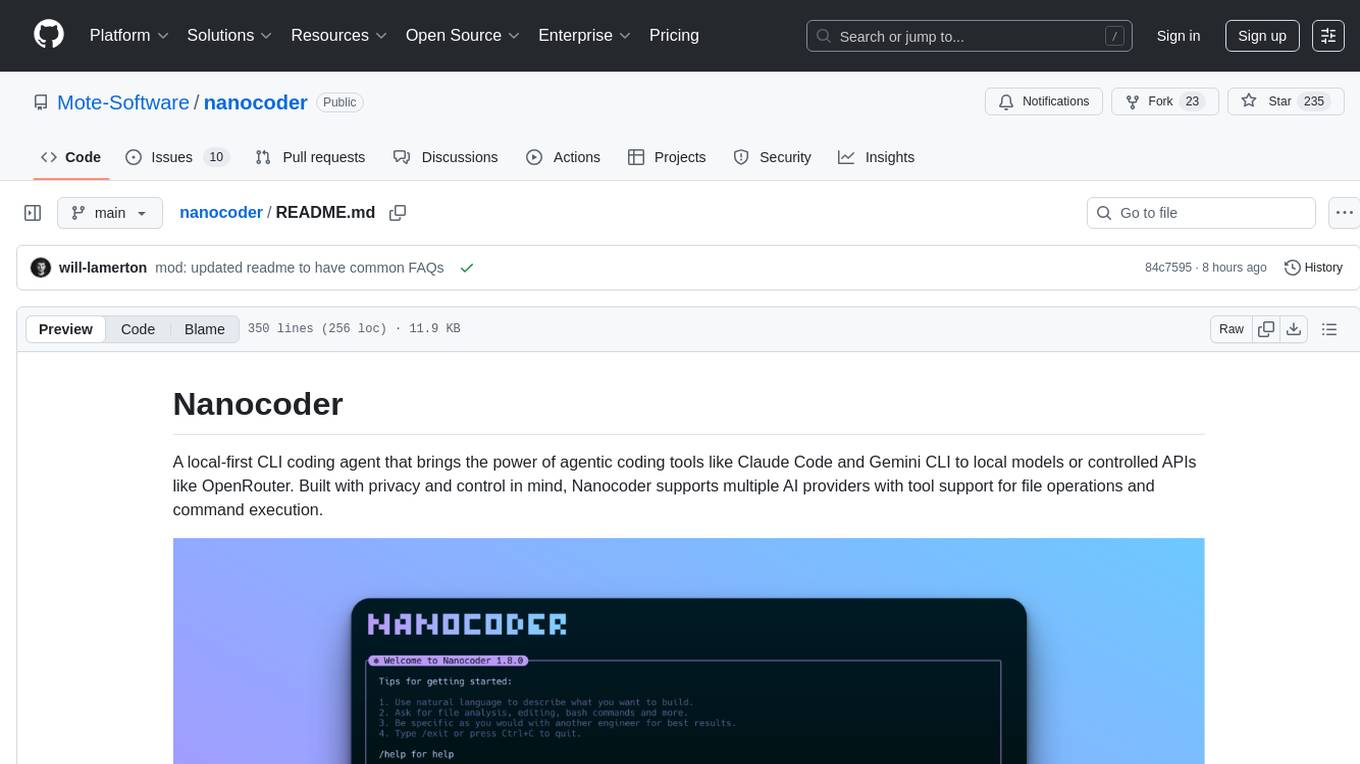
nanocoder
Nanocoder is a local-first CLI coding agent that supports multiple AI providers with tool support for file operations and command execution. It focuses on privacy and control, allowing users to code locally with AI tools. The tool is designed to bring the power of agentic coding tools to local models or controlled APIs like OpenRouter, promoting community-led development and inclusive collaboration in the AI coding space.
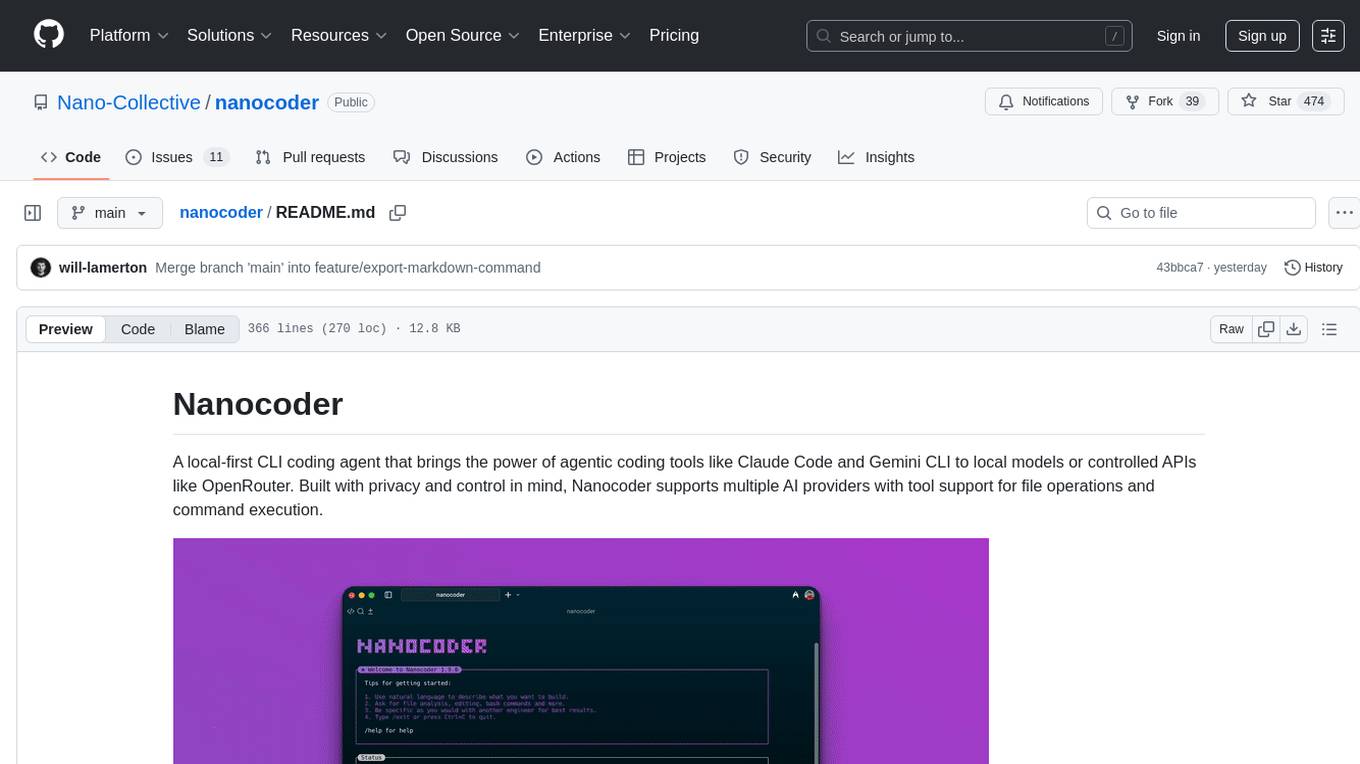
nanocoder
Nanocoder is a versatile code editor designed for beginners and experienced programmers alike. It provides a user-friendly interface with features such as syntax highlighting, code completion, and error checking. With Nanocoder, you can easily write and debug code in various programming languages, making it an ideal tool for learning, practicing, and developing software projects. Whether you are a student, hobbyist, or professional developer, Nanocoder offers a seamless coding experience to boost your productivity and creativity.
AIClient-2-API
AIClient-2-API is a versatile and lightweight API proxy designed for developers, providing ample free API request quotas and comprehensive support for various mainstream large models like Gemini, Qwen Code, Claude, etc. It converts multiple backend APIs into standard OpenAI format interfaces through a Node.js HTTP server. The project adopts a modern modular architecture, supports strategy and adapter patterns, comes with complete test coverage and health check mechanisms, and is ready to use after 'npm install'. By easily switching model service providers in the configuration file, any OpenAI-compatible client or application can seamlessly access different large model capabilities through the same API address, eliminating the hassle of maintaining multiple sets of configurations for different services and dealing with incompatible interfaces.
agent-memory-server
The agent-memory-server is a memory layer designed for AI agents, providing a dual interface with REST API and Model Context Protocol server. It offers two-tier memory management, configurable memory strategies, semantic search capabilities, and flexible backends. The tool supports multi-provider LLM integration and AI features like topic extraction, entity recognition, and conversation summarization. It includes a Python SDK for easy integration with AI applications, allowing users to store and search memories efficiently. The server is suitable for AI assistants, customer support, personal AI, research assistants, and chatbots, enabling persistent memory across conversations and context from previous interactions.
code_puppy
Code Puppy is an AI-powered code generation agent designed to understand programming tasks, generate high-quality code, and explain its reasoning. It supports multi-language code generation, interactive CLI, and detailed code explanations. The tool requires Python 3.9+ and API keys for various models like GPT, Google's Gemini, Cerebras, and Claude. It also integrates with MCP servers for advanced features like code search and documentation lookups. Users can create custom JSON agents for specialized tasks and access a variety of tools for file management, code execution, and reasoning sharing.
probe
Probe is an AI-friendly, fully local, semantic code search tool designed to power the next generation of AI coding assistants. It combines the speed of ripgrep with the code-aware parsing of tree-sitter to deliver precise results with complete code blocks, making it perfect for large codebases and AI-driven development workflows. Probe is fully local, keeping code on the user's machine without relying on external APIs. It supports multiple languages, offers various search options, and can be used in CLI mode, MCP server mode, AI chat mode, and web interface. The tool is designed to be flexible, fast, and accurate, providing developers and AI models with full context and relevant code blocks for efficient code exploration and understanding.
agentpress
AgentPress is a collection of simple but powerful utilities that serve as building blocks for creating AI agents. It includes core components for managing threads, registering tools, processing responses, state management, and utilizing LLMs. The tool provides a modular architecture for handling messages, LLM API calls, response processing, tool execution, and results management. Users can easily set up the environment, create custom tools with OpenAPI or XML schema, and manage conversation threads with real-time interaction. AgentPress aims to be agnostic, simple, and flexible, allowing users to customize and extend functionalities as needed.
MCPSharp
MCPSharp is a .NET library that helps build Model Context Protocol (MCP) servers and clients for AI assistants and models. It allows creating MCP-compliant tools, connecting to existing MCP servers, exposing .NET methods as MCP endpoints, and handling MCP protocol details seamlessly. With features like attribute-based API, JSON-RPC support, parameter validation, and type conversion, MCPSharp simplifies the development of AI capabilities in applications through standardized interfaces.
redisvl
Redis Vector Library (RedisVL) is a Python client library for building AI applications on top of Redis. It provides a high-level interface for managing vector indexes, performing vector search, and integrating with popular embedding models and providers. RedisVL is designed to make it easy for developers to build and deploy AI applications that leverage the speed, flexibility, and reliability of Redis.
text-extract-api
The text-extract-api is a powerful tool that allows users to convert images, PDFs, or Office documents to Markdown text or JSON structured documents with high accuracy. It is built using FastAPI and utilizes Celery for asynchronous task processing, with Redis for caching OCR results. The tool provides features such as PDF/Office to Markdown and JSON conversion, improving OCR results with LLama, removing Personally Identifiable Information from documents, distributed queue processing, caching using Redis, switchable storage strategies, and a CLI tool for task management. Users can run the tool locally or on cloud services, with support for GPU processing. The tool also offers an online demo for testing purposes.
CyberStrikeAI
CyberStrikeAI is an AI-native security testing platform built in Go that integrates 100+ security tools, an intelligent orchestration engine, role-based testing with predefined security roles, a skills system with specialized testing skills, and comprehensive lifecycle management capabilities. It enables end-to-end automation from conversational commands to vulnerability discovery, attack-chain analysis, knowledge retrieval, and result visualization, delivering an auditable, traceable, and collaborative testing environment for security teams. The platform features an AI decision engine with OpenAI-compatible models, native MCP implementation with various transports, prebuilt tool recipes, large-result pagination, attack-chain graph, password-protected web UI, knowledge base with vector search, vulnerability management, batch task management, role-based testing, and skills system.
databao-context-engine
Databao Context Engine is a Python library that automatically generates governed semantic context from databases, BI tools, documents, and spreadsheets. It provides accurate, context-aware answers without the need for manual schema copying or documentation writing. The tool can be integrated as a standard Python dependency or via the Databao CLI. It supports various data sources like Athena, BigQuery, MySQL, PDF files, and more, and works with LLMs such as Ollama. Users can create domains, configure data sources, build context, and utilize the built contexts for search queries. The tool is governed, versioned, and supports dynamic or static serving of context via MCP server or export as an artifact. Contributions are welcome, and the tool is licensed under Apache 2.0.
For similar tasks
memento-mcp
Memento MCP is a scalable, high-performance knowledge graph memory system designed for LLMs. It offers semantic retrieval, contextual recall, and temporal awareness to any LLM client supporting the model context protocol. The system is built on core concepts like entities and relations, utilizing Neo4j as its storage backend for unified graph and vector search capabilities. With advanced features such as semantic search, temporal awareness, confidence decay, and rich metadata support, Memento MCP provides a robust solution for managing knowledge graphs efficiently and effectively.
mindsdb
MindsDB is a platform for customizing AI from enterprise data. You can create, serve, and fine-tune models in real-time from your database, vector store, and application data. MindsDB "enhances" SQL syntax with AI capabilities to make it accessible for developers worldwide. With MindsDB’s nearly 200 integrations, any developer can create AI customized for their purpose, faster and more securely. Their AI systems will constantly improve themselves — using companies’ own data, in real-time.
qdrant
Qdrant is a vector similarity search engine and vector database. It is written in Rust, which makes it fast and reliable even under high load. Qdrant can be used for a variety of applications, including: * Semantic search * Image search * Product recommendations * Chatbots * Anomaly detection Qdrant offers a variety of features, including: * Payload storage and filtering * Hybrid search with sparse vectors * Vector quantization and on-disk storage * Distributed deployment * Highlighted features such as query planning, payload indexes, SIMD hardware acceleration, async I/O, and write-ahead logging Qdrant is available as a fully managed cloud service or as an open-source software that can be deployed on-premises.
haystack
Haystack is an end-to-end LLM framework that allows you to build applications powered by LLMs, Transformer models, vector search and more. Whether you want to perform retrieval-augmented generation (RAG), document search, question answering or answer generation, Haystack can orchestrate state-of-the-art embedding models and LLMs into pipelines to build end-to-end NLP applications and solve your use case.
LLPhant
LLPhant is a comprehensive PHP Generative AI Framework that provides a simple and powerful way to build apps. It supports Symfony and Laravel and offers a wide range of features, including text generation, chatbots, text summarization, and more. LLPhant is compatible with OpenAI and Ollama and can be used to perform a variety of tasks, including creating semantic search, chatbots, personalized content, and text summarization.
IntelliNode
IntelliNode is a javascript module that integrates cutting-edge AI models like ChatGPT, LLaMA, WaveNet, Gemini, and Stable diffusion into projects. It offers functions for generating text, speech, and images, as well as semantic search, multi-model evaluation, and chatbot capabilities. The module provides a wrapper layer for low-level model access, a controller layer for unified input handling, and a function layer for abstract functionality tailored to various use cases.
hands-on-lab-neo4j-and-vertex-ai
This repository provides a hands-on lab for learning about Neo4j and Google Cloud Vertex AI. It is intended for data scientists and data engineers to deploy Neo4j and Vertex AI in a Google Cloud account, work with real-world datasets, apply generative AI, build a chatbot over a knowledge graph, and use vector search and index functionality for semantic search. The lab focuses on analyzing quarterly filings of asset managers with $100m+ assets under management, exploring relationships using Neo4j Browser and Cypher query language, and discussing potential applications in capital markets such as algorithmic trading and securities master data management.
azure-functions-openai-extension
Azure Functions OpenAI Extension is a project that adds support for OpenAI LLM (GPT-3.5-turbo, GPT-4) bindings in Azure Functions. It provides NuGet packages for various functionalities like text completions, chat completions, assistants, embeddings generators, and semantic search. The project requires .NET 6 SDK or greater, Azure Functions Core Tools v4.x, and specific settings in Azure Function or local settings for development. It offers features like text completions, chat completion, assistants with custom skills, embeddings generators for text relatedness, and semantic search using vector databases. The project also includes examples in C# and Python for different functionalities.
For similar jobs

weave
Weave is a toolkit for developing Generative AI applications, built by Weights & Biases. With Weave, you can log and debug language model inputs, outputs, and traces; build rigorous, apples-to-apples evaluations for language model use cases; and organize all the information generated across the LLM workflow, from experimentation to evaluations to production. Weave aims to bring rigor, best-practices, and composability to the inherently experimental process of developing Generative AI software, without introducing cognitive overhead.

LLMStack
LLMStack is a no-code platform for building generative AI agents, workflows, and chatbots. It allows users to connect their own data, internal tools, and GPT-powered models without any coding experience. LLMStack can be deployed to the cloud or on-premise and can be accessed via HTTP API or triggered from Slack or Discord.

VisionCraft
The VisionCraft API is a free API for using over 100 different AI models. From images to sound.

kaito
Kaito is an operator that automates the AI/ML inference model deployment in a Kubernetes cluster. It manages large model files using container images, avoids tuning deployment parameters to fit GPU hardware by providing preset configurations, auto-provisions GPU nodes based on model requirements, and hosts large model images in the public Microsoft Container Registry (MCR) if the license allows. Using Kaito, the workflow of onboarding large AI inference models in Kubernetes is largely simplified.

PyRIT
PyRIT is an open access automation framework designed to empower security professionals and ML engineers to red team foundation models and their applications. It automates AI Red Teaming tasks to allow operators to focus on more complicated and time-consuming tasks and can also identify security harms such as misuse (e.g., malware generation, jailbreaking), and privacy harms (e.g., identity theft). The goal is to allow researchers to have a baseline of how well their model and entire inference pipeline is doing against different harm categories and to be able to compare that baseline to future iterations of their model. This allows them to have empirical data on how well their model is doing today, and detect any degradation of performance based on future improvements.

tabby
Tabby is a self-hosted AI coding assistant, offering an open-source and on-premises alternative to GitHub Copilot. It boasts several key features: * Self-contained, with no need for a DBMS or cloud service. * OpenAPI interface, easy to integrate with existing infrastructure (e.g Cloud IDE). * Supports consumer-grade GPUs.

spear
SPEAR (Simulator for Photorealistic Embodied AI Research) is a powerful tool for training embodied agents. It features 300 unique virtual indoor environments with 2,566 unique rooms and 17,234 unique objects that can be manipulated individually. Each environment is designed by a professional artist and features detailed geometry, photorealistic materials, and a unique floor plan and object layout. SPEAR is implemented as Unreal Engine assets and provides an OpenAI Gym interface for interacting with the environments via Python.

Magick
Magick is a groundbreaking visual AIDE (Artificial Intelligence Development Environment) for no-code data pipelines and multimodal agents. Magick can connect to other services and comes with nodes and templates well-suited for intelligent agents, chatbots, complex reasoning systems and realistic characters.