


Janus
Janus-Series: Unified Multimodal Understanding and Generation Models
Stars: 1380
Janus is a series of unified multimodal understanding and generation models, including Janus-Pro, Janus, and JanusFlow. Janus-Pro is an advanced version that improves both multimodal understanding and visual generation significantly. Janus decouples visual encoding for unified multimodal understanding and generation, surpassing previous models. JanusFlow harmonizes autoregression and rectified flow for unified multimodal understanding and generation, achieving comparable or superior performance to specialized models. The models are available for download and usage, supporting a broad range of research in academic and commercial communities.
README:





📥 Model Download |
⚡ Quick Start |
📜 License |
📖 Citation
🤗 Online Demo (Janus-Pro-7B, Janus, JanusFlow)
2025.01.27: Janus-Pro is released, an advanced version of Janus, improving both multimodal understanding and visual generation significantly. See paper
2024.11.13: JanusFlow is released, a new unified model with rectified flow for image generation. See paper, demo and usage.
2024.10.23: Evaluation code for reproducing the multimodal understanding results from the paper has been added to VLMEvalKit. Please refer to this link.
2024.10.20: (1) Fix a bug in tokenizer_config.json. The previous version caused classifier-free guidance to not function properly, resulting in relatively poor visual generation quality. (2) Release Gradio demo (online demo and local).
Janus-Pro: Unified Multimodal Understanding and Generation with Data and Model Scaling
Janus-Pro is an advanced version of the previous work Janus. Specifically, Janus-Pro incorporates (1) an optimized training strategy, (2) expanded training data, and (3) scaling to larger model size. With these improvements, Janus-Pro achieves significant advancements in both multimodal understanding and text-to-image instruction-following capabilities, while also enhancing the stability of text-to-image generation.

Janus: Decoupling Visual Encoding for Unified Multimodal Understanding and Generation
Janus is a novel autoregressive framework that unifies multimodal understanding and generation. It addresses the limitations of previous approaches by decoupling visual encoding into separate pathways, while still utilizing a single, unified transformer architecture for processing. The decoupling not only alleviates the conflict between the visual encoder’s roles in understanding and generation, but also enhances the framework’s flexibility. Janus surpasses previous unified model and matches or exceeds the performance of task-specific models. The simplicity, high flexibility, and effectiveness of Janus make it a strong candidate for next-generation unified multimodal models.

JanusFlow introduces a minimalist architecture that integrates autoregressive language models with rectified flow, a state-of-the-art method in generative modeling. Our key finding demonstrates that rectified flow can be straightforwardly trained within the large language model framework, eliminating the need for complex architectural modifications. Extensive experiments show that JanusFlow achieves comparable or superior performance to specialized models in their respective domains, while significantly outperforming existing unified approaches across standard benchmarks. This work represents a step toward more efficient and versatile vision-language models.

We release Janus to the public to support a broader and more diverse range of research within both academic and commercial communities. Please note that the use of this model is subject to the terms outlined in License section. Commercial usage is permitted under these terms.
| Model | Sequence Length | Download |
|---|---|---|
| Janus-1.3B | 4096 | 🤗 Hugging Face |
| JanusFlow-1.3B | 4096 | 🤗 Hugging Face |
| Janus-Pro-1B | 4096 | 🤗 Hugging Face |
| Janus-Pro-7B | 4096 | 🤗 Hugging Face |
On the basis of Python >= 3.8 environment, install the necessary dependencies by running the following command:
pip install -e .import torch
from transformers import AutoModelForCausalLM
from janus.models import MultiModalityCausalLM, VLChatProcessor
from janus.utils.io import load_pil_images
# specify the path to the model
model_path = "deepseek-ai/Janus-Pro-7B"
vl_chat_processor: VLChatProcessor = VLChatProcessor.from_pretrained(model_path)
tokenizer = vl_chat_processor.tokenizer
vl_gpt: MultiModalityCausalLM = AutoModelForCausalLM.from_pretrained(
model_path, trust_remote_code=True
)
vl_gpt = vl_gpt.to(torch.bfloat16).cuda().eval()
conversation = [
{
"role": "<|User|>",
"content": f"<image_placeholder>\n{question}",
"images": [image],
},
{"role": "<|Assistant|>", "content": ""},
]
# load images and prepare for inputs
pil_images = load_pil_images(conversation)
prepare_inputs = vl_chat_processor(
conversations=conversation, images=pil_images, force_batchify=True
).to(vl_gpt.device)
# # run image encoder to get the image embeddings
inputs_embeds = vl_gpt.prepare_inputs_embeds(**prepare_inputs)
# # run the model to get the response
outputs = vl_gpt.language_model.generate(
inputs_embeds=inputs_embeds,
attention_mask=prepare_inputs.attention_mask,
pad_token_id=tokenizer.eos_token_id,
bos_token_id=tokenizer.bos_token_id,
eos_token_id=tokenizer.eos_token_id,
max_new_tokens=512,
do_sample=False,
use_cache=True,
)
answer = tokenizer.decode(outputs[0].cpu().tolist(), skip_special_tokens=True)
print(f"{prepare_inputs['sft_format'][0]}", answer)import os
import PIL.Image
import torch
import numpy as np
from transformers import AutoModelForCausalLM
from janus.models import MultiModalityCausalLM, VLChatProcessor
# specify the path to the model
model_path = "deepseek-ai/Janus-Pro-7B"
vl_chat_processor: VLChatProcessor = VLChatProcessor.from_pretrained(model_path)
tokenizer = vl_chat_processor.tokenizer
vl_gpt: MultiModalityCausalLM = AutoModelForCausalLM.from_pretrained(
model_path, trust_remote_code=True
)
vl_gpt = vl_gpt.to(torch.bfloat16).cuda().eval()
conversation = [
{
"role": "<|User|>",
"content": "A stunning princess from kabul in red, white traditional clothing, blue eyes, brown hair",
},
{"role": "<|Assistant|>", "content": ""},
]
sft_format = vl_chat_processor.apply_sft_template_for_multi_turn_prompts(
conversations=conversation,
sft_format=vl_chat_processor.sft_format,
system_prompt="",
)
prompt = sft_format + vl_chat_processor.image_start_tag
@torch.inference_mode()
def generate(
mmgpt: MultiModalityCausalLM,
vl_chat_processor: VLChatProcessor,
prompt: str,
temperature: float = 1,
parallel_size: int = 16,
cfg_weight: float = 5,
image_token_num_per_image: int = 576,
img_size: int = 384,
patch_size: int = 16,
):
input_ids = vl_chat_processor.tokenizer.encode(prompt)
input_ids = torch.LongTensor(input_ids)
tokens = torch.zeros((parallel_size*2, len(input_ids)), dtype=torch.int).cuda()
for i in range(parallel_size*2):
tokens[i, :] = input_ids
if i % 2 != 0:
tokens[i, 1:-1] = vl_chat_processor.pad_id
inputs_embeds = mmgpt.language_model.get_input_embeddings()(tokens)
generated_tokens = torch.zeros((parallel_size, image_token_num_per_image), dtype=torch.int).cuda()
for i in range(image_token_num_per_image):
outputs = mmgpt.language_model.model(inputs_embeds=inputs_embeds, use_cache=True, past_key_values=outputs.past_key_values if i != 0 else None)
hidden_states = outputs.last_hidden_state
logits = mmgpt.gen_head(hidden_states[:, -1, :])
logit_cond = logits[0::2, :]
logit_uncond = logits[1::2, :]
logits = logit_uncond + cfg_weight * (logit_cond-logit_uncond)
probs = torch.softmax(logits / temperature, dim=-1)
next_token = torch.multinomial(probs, num_samples=1)
generated_tokens[:, i] = next_token.squeeze(dim=-1)
next_token = torch.cat([next_token.unsqueeze(dim=1), next_token.unsqueeze(dim=1)], dim=1).view(-1)
img_embeds = mmgpt.prepare_gen_img_embeds(next_token)
inputs_embeds = img_embeds.unsqueeze(dim=1)
dec = mmgpt.gen_vision_model.decode_code(generated_tokens.to(dtype=torch.int), shape=[parallel_size, 8, img_size//patch_size, img_size//patch_size])
dec = dec.to(torch.float32).cpu().numpy().transpose(0, 2, 3, 1)
dec = np.clip((dec + 1) / 2 * 255, 0, 255)
visual_img = np.zeros((parallel_size, img_size, img_size, 3), dtype=np.uint8)
visual_img[:, :, :] = dec
os.makedirs('generated_samples', exist_ok=True)
for i in range(parallel_size):
save_path = os.path.join('generated_samples', "img_{}.jpg".format(i))
PIL.Image.fromarray(visual_img[i]).save(save_path)
generate(
vl_gpt,
vl_chat_processor,
prompt,
)We have deployed online demo in Huggingface.
For the local gradio demo, you can run with the following command:
pip install -e .[gradio]

python demo/app_januspro.py
Have Fun!
On the basis of Python >= 3.8 environment, install the necessary dependencies by running the following command:
pip install -e .import torch
from transformers import AutoModelForCausalLM
from janus.models import MultiModalityCausalLM, VLChatProcessor
from janus.utils.io import load_pil_images
# specify the path to the model
model_path = "deepseek-ai/Janus-1.3B"
vl_chat_processor: VLChatProcessor = VLChatProcessor.from_pretrained(model_path)
tokenizer = vl_chat_processor.tokenizer
vl_gpt: MultiModalityCausalLM = AutoModelForCausalLM.from_pretrained(
model_path, trust_remote_code=True
)
vl_gpt = vl_gpt.to(torch.bfloat16).cuda().eval()
conversation = [
{
"role": "User",
"content": "<image_placeholder>\nConvert the formula into latex code.",
"images": ["images/equation.png"],
},
{"role": "Assistant", "content": ""},
]
# load images and prepare for inputs
pil_images = load_pil_images(conversation)
prepare_inputs = vl_chat_processor(
conversations=conversation, images=pil_images, force_batchify=True
).to(vl_gpt.device)
# # run image encoder to get the image embeddings
inputs_embeds = vl_gpt.prepare_inputs_embeds(**prepare_inputs)
# # run the model to get the response
outputs = vl_gpt.language_model.generate(
inputs_embeds=inputs_embeds,
attention_mask=prepare_inputs.attention_mask,
pad_token_id=tokenizer.eos_token_id,
bos_token_id=tokenizer.bos_token_id,
eos_token_id=tokenizer.eos_token_id,
max_new_tokens=512,
do_sample=False,
use_cache=True,
)
answer = tokenizer.decode(outputs[0].cpu().tolist(), skip_special_tokens=True)
print(f"{prepare_inputs['sft_format'][0]}", answer)import os
import PIL.Image
import torch
import numpy as np
from transformers import AutoModelForCausalLM
from janus.models import MultiModalityCausalLM, VLChatProcessor
# specify the path to the model
model_path = "deepseek-ai/Janus-1.3B"
vl_chat_processor: VLChatProcessor = VLChatProcessor.from_pretrained(model_path)
tokenizer = vl_chat_processor.tokenizer
vl_gpt: MultiModalityCausalLM = AutoModelForCausalLM.from_pretrained(
model_path, trust_remote_code=True
)
vl_gpt = vl_gpt.to(torch.bfloat16).cuda().eval()
conversation = [
{
"role": "User",
"content": "A stunning princess from kabul in red, white traditional clothing, blue eyes, brown hair",
},
{"role": "Assistant", "content": ""},
]
sft_format = vl_chat_processor.apply_sft_template_for_multi_turn_prompts(
conversations=conversation,
sft_format=vl_chat_processor.sft_format,
system_prompt="",
)
prompt = sft_format + vl_chat_processor.image_start_tag
@torch.inference_mode()
def generate(
mmgpt: MultiModalityCausalLM,
vl_chat_processor: VLChatProcessor,
prompt: str,
temperature: float = 1,
parallel_size: int = 16,
cfg_weight: float = 5,
image_token_num_per_image: int = 576,
img_size: int = 384,
patch_size: int = 16,
):
input_ids = vl_chat_processor.tokenizer.encode(prompt)
input_ids = torch.LongTensor(input_ids)
tokens = torch.zeros((parallel_size*2, len(input_ids)), dtype=torch.int).cuda()
for i in range(parallel_size*2):
tokens[i, :] = input_ids
if i % 2 != 0:
tokens[i, 1:-1] = vl_chat_processor.pad_id
inputs_embeds = mmgpt.language_model.get_input_embeddings()(tokens)
generated_tokens = torch.zeros((parallel_size, image_token_num_per_image), dtype=torch.int).cuda()
for i in range(image_token_num_per_image):
outputs = mmgpt.language_model.model(inputs_embeds=inputs_embeds, use_cache=True, past_key_values=outputs.past_key_values if i != 0 else None)
hidden_states = outputs.last_hidden_state
logits = mmgpt.gen_head(hidden_states[:, -1, :])
logit_cond = logits[0::2, :]
logit_uncond = logits[1::2, :]
logits = logit_uncond + cfg_weight * (logit_cond-logit_uncond)
probs = torch.softmax(logits / temperature, dim=-1)
next_token = torch.multinomial(probs, num_samples=1)
generated_tokens[:, i] = next_token.squeeze(dim=-1)
next_token = torch.cat([next_token.unsqueeze(dim=1), next_token.unsqueeze(dim=1)], dim=1).view(-1)
img_embeds = mmgpt.prepare_gen_img_embeds(next_token)
inputs_embeds = img_embeds.unsqueeze(dim=1)
dec = mmgpt.gen_vision_model.decode_code(generated_tokens.to(dtype=torch.int), shape=[parallel_size, 8, img_size//patch_size, img_size//patch_size])
dec = dec.to(torch.float32).cpu().numpy().transpose(0, 2, 3, 1)
dec = np.clip((dec + 1) / 2 * 255, 0, 255)
visual_img = np.zeros((parallel_size, img_size, img_size, 3), dtype=np.uint8)
visual_img[:, :, :] = dec
os.makedirs('generated_samples', exist_ok=True)
for i in range(parallel_size):
save_path = os.path.join('generated_samples', "img_{}.jpg".format(i))
PIL.Image.fromarray(visual_img[i]).save(save_path)
generate(
vl_gpt,
vl_chat_processor,
prompt,
)We have deployed online demo in Huggingface.
For the local gradio demo, you can run with the following command:
pip install -e .[gradio]

python demo/app.py
Have Fun!
It's easy to run a FastAPI server to host an API server running the same functions as gradio.
To start FastAPI server, run the following command:
python demo/fastapi_app.py
To test the server, you can open another terminal and run:
python demo/fastapi_client.py
On the basis of Python >= 3.8 environment, install the necessary dependencies by running the following command:
pip install -e .
pip install diffusers[torch]Check out the demo in this link.
import torch
from janus.janusflow.models import MultiModalityCausalLM, VLChatProcessor
from janus.utils.io import load_pil_images

# specify the path to the model
model_path = "deepseek-ai/JanusFlow-1.3B"
vl_chat_processor: VLChatProcessor = VLChatProcessor.from_pretrained(model_path)
tokenizer = vl_chat_processor.tokenizer

vl_gpt = MultiModalityCausalLM.from_pretrained(
    model_path, trust_remote_code=True
)
vl_gpt = vl_gpt.to(torch.bfloat16).cuda().eval()

conversation = [
    {
        "role": "User",
        "content": "<image_placeholder>\nConvert the formula into latex code.",
        "images": ["images/equation.png"],
    },
    {"role": "Assistant", "content": ""},
]

# load images and prepare for inputs
pil_images = load_pil_images(conversation)
prepare_inputs = vl_chat_processor(
    conversations=conversation, images=pil_images, force_batchify=True
).to(vl_gpt.device)

# # run image encoder to get the image embeddings
inputs_embeds = vl_gpt.prepare_inputs_embeds(**prepare_inputs)

# # run the model to get the response
outputs = vl_gpt.language_model.generate(
    inputs_embeds=inputs_embeds,
    attention_mask=prepare_inputs.attention_mask,
    pad_token_id=tokenizer.eos_token_id,
    bos_token_id=tokenizer.bos_token_id,
    eos_token_id=tokenizer.eos_token_id,
    max_new_tokens=512,
    do_sample=False,
    use_cache=True,
)

answer = tokenizer.decode(outputs[0].cpu().tolist(), skip_special_tokens=True)
print(f"{prepare_inputs['sft_format'][0]}", answer)import os
import PIL.Image
import torch
import numpy as np
from janus.janusflow.models import MultiModalityCausalLM, VLChatProcessor
import torchvision
# specify the path to the model
model_path = "deepseek-ai/JanusFlow-1.3B"
vl_chat_processor: VLChatProcessor = VLChatProcessor.from_pretrained(model_path)
tokenizer = vl_chat_processor.tokenizer
vl_gpt = MultiModalityCausalLM.from_pretrained(
model_path, trust_remote_code=True
)
vl_gpt = vl_gpt.to(torch.bfloat16).cuda().eval()
from diffusers.models import AutoencoderKL
# remember to use bfloat16 dtype, this vae doesn't work with fp16
vae = AutoencoderKL.from_pretrained("stabilityai/sdxl-vae")
vae = vae.to(torch.bfloat16).cuda().eval()
conversation = [
{
"role": "User",
"content": "A stunning princess from kabul in red, white traditional clothing, blue eyes, brown hair",
},
{"role": "Assistant", "content": ""},
]
sft_format = vl_chat_processor.apply_sft_template_for_multi_turn_prompts(
conversations=conversation,
sft_format=vl_chat_processor.sft_format,
system_prompt="",
)
prompt = sft_format + vl_chat_processor.image_gen_tag
@torch.inference_mode()
def generate(
mmgpt: MultiModalityCausalLM,
vl_chat_processor: VLChatProcessor,
prompt: str,
cfg_weight: float = 5.0,
num_inference_steps: int = 30,
batchsize: int = 5
):
input_ids = vl_chat_processor.tokenizer.encode(prompt)
input_ids = torch.LongTensor(input_ids)
tokens = torch.stack([input_ids] * 2 * batchsize).cuda()
tokens[batchsize:, 1:] = vl_chat_processor.pad_id
inputs_embeds = vl_gpt.language_model.get_input_embeddings()(tokens)
# we remove the last <bog> token and replace it with t_emb later
inputs_embeds = inputs_embeds[:, :-1, :]
# generate with rectified flow ode
# step 1: encode with vision_gen_enc
z = torch.randn((batchsize, 4, 48, 48), dtype=torch.bfloat16).cuda()
dt = 1.0 / num_inference_steps
dt = torch.zeros_like(z).cuda().to(torch.bfloat16) + dt
# step 2: run ode
attention_mask = torch.ones((2*batchsize, inputs_embeds.shape[1]+577)).to(vl_gpt.device)
attention_mask[batchsize:, 1:inputs_embeds.shape[1]] = 0
attention_mask = attention_mask.int()
for step in range(num_inference_steps):
# prepare inputs for the llm
z_input = torch.cat([z, z], dim=0) # for cfg
t = step / num_inference_steps * 1000.
t = torch.tensor([t] * z_input.shape[0]).to(dt)
z_enc = vl_gpt.vision_gen_enc_model(z_input, t)
z_emb, t_emb, hs = z_enc[0], z_enc[1], z_enc[2]
z_emb = z_emb.view(z_emb.shape[0], z_emb.shape[1], -1).permute(0, 2, 1)
z_emb = vl_gpt.vision_gen_enc_aligner(z_emb)
llm_emb = torch.cat([inputs_embeds, t_emb.unsqueeze(1), z_emb], dim=1)
# input to the llm
# we apply attention mask for CFG: 1 for tokens that are not masked, 0 for tokens that are masked.
if step == 0:
outputs = vl_gpt.language_model.model(inputs_embeds=llm_emb,
use_cache=True,
attention_mask=attention_mask,
past_key_values=None)
past_key_values = []
for kv_cache in past_key_values:
k, v = kv_cache[0], kv_cache[1]
past_key_values.append((k[:, :, :inputs_embeds.shape[1], :], v[:, :, :inputs_embeds.shape[1], :]))
past_key_values = tuple(past_key_values)
else:
outputs = vl_gpt.language_model.model(inputs_embeds=llm_emb,
use_cache=True,
attention_mask=attention_mask,
past_key_values=past_key_values)
hidden_states = outputs.last_hidden_state
# transform hidden_states back to v
hidden_states = vl_gpt.vision_gen_dec_aligner(vl_gpt.vision_gen_dec_aligner_norm(hidden_states[:, -576:, :]))
hidden_states = hidden_states.reshape(z_emb.shape[0], 24, 24, 768).permute(0, 3, 1, 2)
v = vl_gpt.vision_gen_dec_model(hidden_states, hs, t_emb)
v_cond, v_uncond = torch.chunk(v, 2)
v = cfg_weight * v_cond - (cfg_weight-1.) * v_uncond
z = z + dt * v
# step 3: decode with vision_gen_dec and sdxl vae
decoded_image = vae.decode(z / vae.config.scaling_factor).sample
os.makedirs('generated_samples', exist_ok=True)
save_path = os.path.join('generated_samples', "img.jpg")
torchvision.utils.save_image(decoded_image.clip_(-1.0, 1.0)*0.5+0.5, save_path)
generate(
vl_gpt,
vl_chat_processor,
prompt,
cfg_weight=2.0,
num_inference_steps=30,
batchsize=5
)For the local gradio demo, you can run with the following command:
pip install -e .[gradio]

python demo/app_janusflow.py
Have Fun!
This code repository is licensed under the MIT License. The use of Janus models is subject to DeepSeek Model License.
@misc{chen2025januspro,
      title={Janus-Pro: Unified Multimodal Understanding and Generation with Data and Model Scaling},
      author={Xiaokang Chen and Zhiyu Wu and Xingchao Liu and Zizheng Pan and Wen Liu and Zhenda Xie and Xingkai Yu and Chong Ruan},
      year={2025},
}

@article{wu2024janus,
  title={Janus: Decoupling visual encoding for unified multimodal understanding and generation},
  author={Wu, Chengyue and Chen, Xiaokang and Wu, Zhiyu and Ma, Yiyang and Liu, Xingchao and Pan, Zizheng and Liu, Wen and Xie, Zhenda and Yu, Xingkai and Ruan, Chong and others},
  journal={arXiv preprint arXiv:2410.13848},
  year={2024}
}

@misc{ma2024janusflow,
      title={JanusFlow: Harmonizing Autoregression and Rectified Flow for Unified Multimodal Understanding and Generation},
      author={Yiyang Ma and Xingchao Liu and Xiaokang Chen and Wen Liu and Chengyue Wu and Zhiyu Wu and Zizheng Pan and Zhenda Xie and Haowei Zhang and Xingkai yu and Liang Zhao and Yisong Wang and Jiaying Liu and Chong Ruan},
      journal={arXiv preprint arXiv:2411.07975},
      year={2024}
}If you have any questions, please raise an issue or contact us at [email protected].
For Tasks:
Click tags to check more tools for each tasksFor Jobs:
Alternative AI tools for Janus
Similar Open Source Tools
Janus
Janus is a series of unified multimodal understanding and generation models, including Janus-Pro, Janus, and JanusFlow. Janus-Pro is an advanced version that improves both multimodal understanding and visual generation significantly. Janus decouples visual encoding for unified multimodal understanding and generation, surpassing previous models. JanusFlow harmonizes autoregression and rectified flow for unified multimodal understanding and generation, achieving comparable or superior performance to specialized models. The models are available for download and usage, supporting a broad range of research in academic and commercial communities.

lagent
Lagent is a lightweight open-source framework that allows users to efficiently build large language model(LLM)-based agents. It also provides some typical tools to augment LLM. The overview of our framework is shown below:
acte
Acte is a framework designed to build GUI-like tools for AI Agents. It aims to address the issues of cognitive load and freedom degrees when interacting with multiple APIs in complex scenarios. By providing a graphical user interface (GUI) for Agents, Acte helps reduce cognitive load and constraints interaction, similar to how humans interact with computers through GUIs. The tool offers APIs for starting new sessions, executing actions, and displaying screens, accessible via HTTP requests or the SessionManager class.
ivy
Ivy is an open-source machine learning framework that enables you to: * 🔄 **Convert code into any framework** : Use and build on top of any model, library, or device by converting any code from one framework to another using `ivy.transpile`. * ⚒️ **Write framework-agnostic code** : Write your code once in `ivy` and then choose the most appropriate ML framework as the backend to leverage all the benefits and tools. Join our growing community 🌍 to connect with people using Ivy. **Let's** unify.ai **together 🦾**
mLLMCelltype
mLLMCelltype is a multi-LLM consensus framework for automated cell type annotation in single-cell RNA sequencing (scRNA-seq) data. The tool integrates multiple large language models to improve annotation accuracy through consensus-based predictions. It offers advantages over single-model approaches by combining predictions from models like OpenAI GPT-5.2, Anthropic Claude-4.6/4.5, Google Gemini-3, and others. Researchers can incorporate mLLMCelltype into existing workflows without the need for reference datasets.
ivy
Ivy is an open-source machine learning framework that enables users to convert code between different ML frameworks and write framework-agnostic code. It allows users to transpile code from one framework to another, making it easy to use building blocks from different frameworks in a single project. Ivy also serves as a flexible framework that breaks free from framework limitations, allowing users to publish code that is interoperable with various frameworks and future frameworks. Users can define trainable modules and layers using Ivy's stateful API, making it easy to build and train models across different backends.
StarWhisper
StarWhisper is a multi-modal model repository developed under the support of the National Astronomical Observatory-Zhijiang Laboratory. It includes language models, temporal models, and multi-modal models ranging from 7B to 72B. The repository provides pre-trained models and technical reports for tasks such as pulsar identification, light curve classification, and telescope control. It aims to integrate astronomical knowledge using large models and explore the possibilities of solving specific astronomical problems through multi-modal approaches.
pycm
PyCM is a Python library for multi-class confusion matrices, providing support for input data vectors and direct matrices. It is a comprehensive tool for post-classification model evaluation, offering a wide range of metrics for predictive models and accurate evaluation of various classifiers. PyCM is designed for data scientists who require diverse metrics for their models.
jsgrad
jsgrad is a modern ML library for JavaScript and TypeScript that aims to provide a fast and efficient way to run and train machine learning models. It is a rewrite of tinygrad in TypeScript, offering a clean and modern API with zero dependencies. The library supports multiple runtime backends such as WebGPU, WASM, and CLANG, making it versatile for various applications in browser and server environments. With a focus on simplicity and performance, jsgrad is designed to be easy to use for both model inference and training tasks.
CodeTF
CodeTF is a Python transformer-based library for code large language models (Code LLMs) and code intelligence. It provides an interface for training and inferencing on tasks like code summarization, translation, and generation. The library offers utilities for code manipulation across various languages, including easy extraction of code attributes. Using tree-sitter as its core AST parser, CodeTF enables parsing of function names, comments, and variable names. It supports fast model serving, fine-tuning of LLMs, various code intelligence tasks, preprocessed datasets, model evaluation, pretrained and fine-tuned models, and utilities to manipulate source code. CodeTF aims to facilitate the integration of state-of-the-art Code LLMs into real-world applications, ensuring a user-friendly environment for code intelligence tasks.
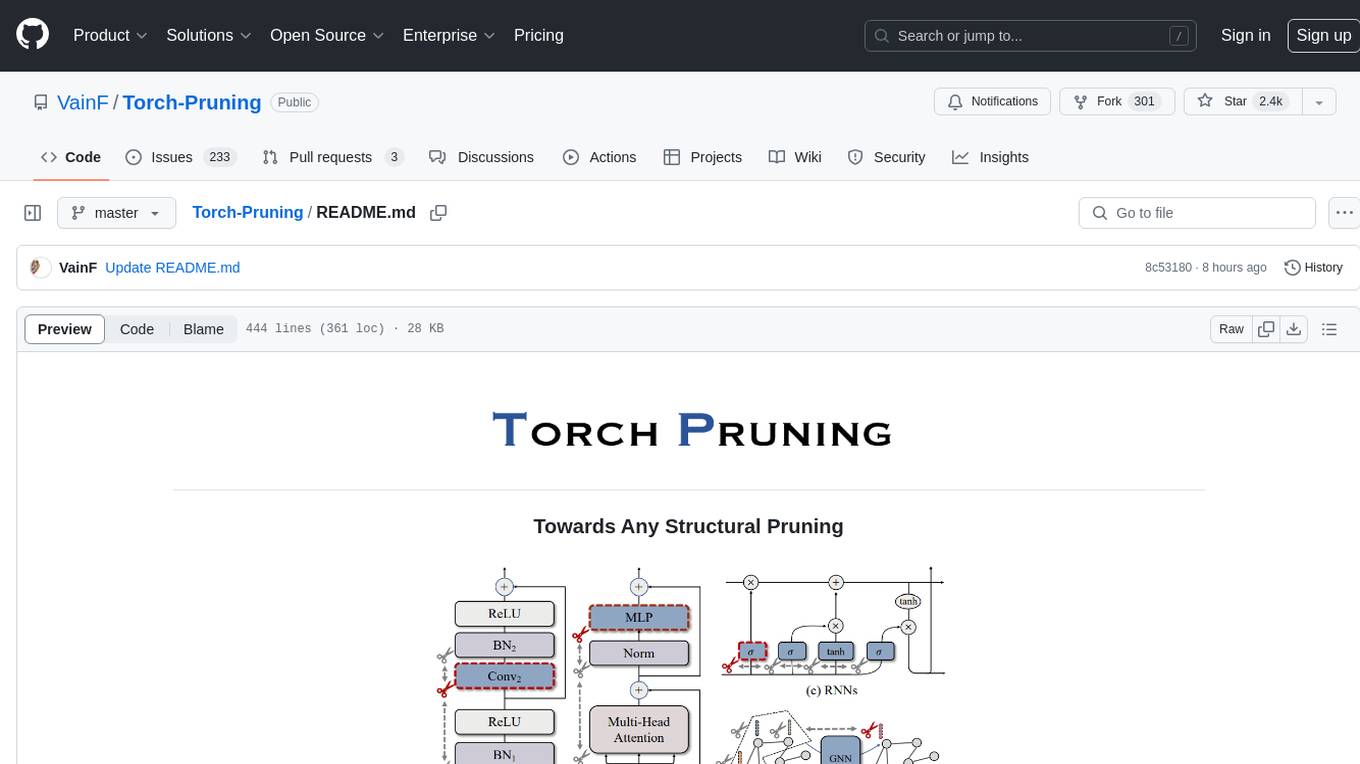
Torch-Pruning
Torch-Pruning (TP) is a library for structural pruning that enables pruning for a wide range of deep neural networks. It uses an algorithm called DepGraph to physically remove parameters. The library supports pruning off-the-shelf models from various frameworks and provides benchmarks for reproducing results. It offers high-level pruners, dependency graph for automatic pruning, low-level pruning functions, and supports various importance criteria and modules. Torch-Pruning is compatible with both PyTorch 1.x and 2.x versions.
orch
orch is a library for building language model powered applications and agents for the Rust programming language. It can be used for tasks such as text generation, streaming text generation, structured data generation, and embedding generation. The library provides functionalities for executing various language model tasks and can be integrated into different applications and contexts. It offers flexibility for developers to create language model-powered features and applications in Rust.
cellseg_models.pytorch
cellseg-models.pytorch is a Python library built upon PyTorch for 2D cell/nuclei instance segmentation models. It provides multi-task encoder-decoder architectures and post-processing methods for segmenting cell/nuclei instances. The library offers high-level API to define segmentation models, open-source datasets for training, flexibility to modify model components, sliding window inference, multi-GPU inference, benchmarking utilities, regularization techniques, and example notebooks for training and finetuning models with different backbones.
langchain-rust
LangChain Rust is a library for building applications with Large Language Models (LLMs) through composability. It provides a set of tools and components that can be used to create conversational agents, document loaders, and other applications that leverage LLMs. LangChain Rust supports a variety of LLMs, including OpenAI, Azure OpenAI, Ollama, and Anthropic Claude. It also supports a variety of embeddings, vector stores, and document loaders. LangChain Rust is designed to be easy to use and extensible, making it a great choice for developers who want to build applications with LLMs.
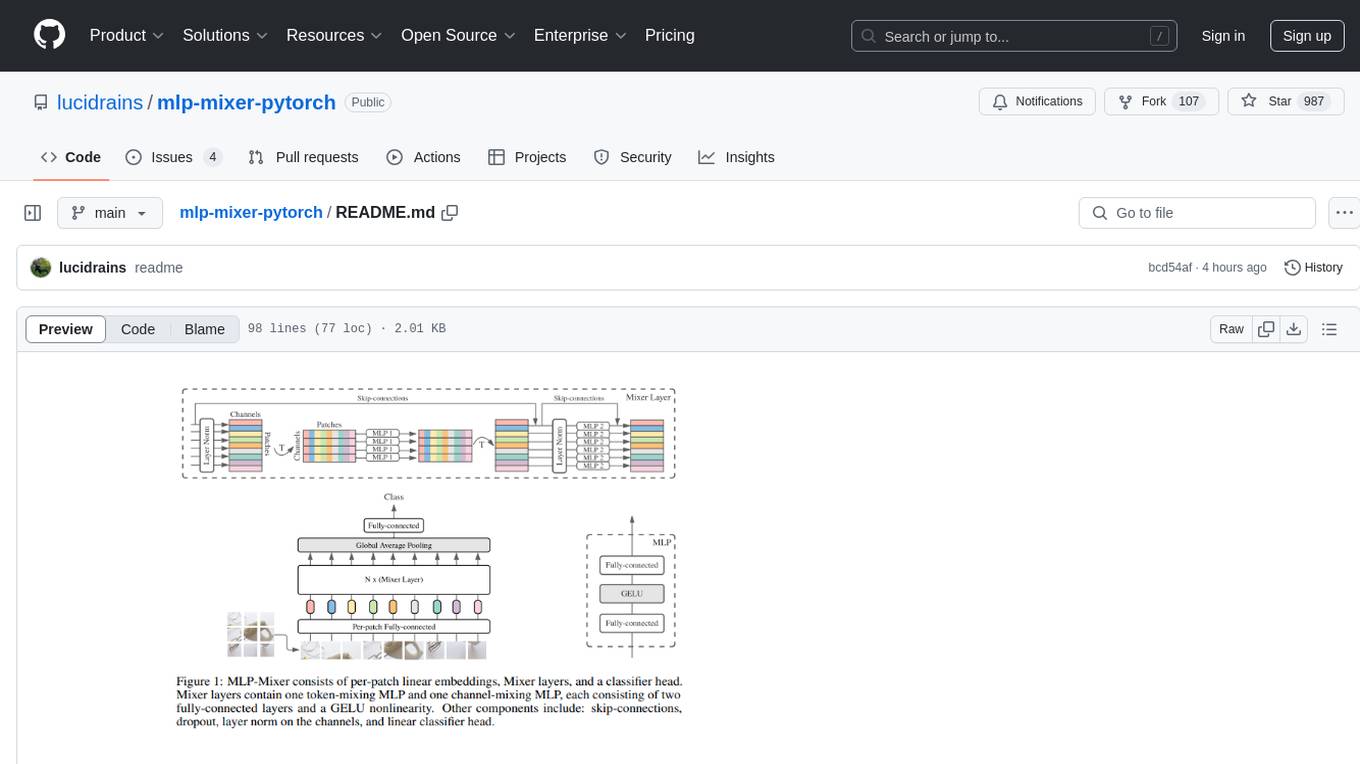
mlp-mixer-pytorch
MLP Mixer - Pytorch is an all-MLP solution for vision tasks, developed by Google AI, implemented in Pytorch. It provides an architecture that does not require convolutions or attention mechanisms, offering an alternative approach for image and video processing. The tool is designed to handle tasks related to image classification and video recognition, utilizing multi-layer perceptrons (MLPs) for feature extraction and classification. Users can easily install the tool using pip and integrate it into their Pytorch projects to experiment with MLP-based vision models.

exstruct
ExStruct is an Excel structured extraction engine that reads Excel workbooks and outputs structured data as JSON, including cells, table candidates, shapes, charts, smartart, merged cell ranges, print areas/views, auto page-break areas, and hyperlinks. It offers different output modes, formula map extraction, table detection tuning, CLI rendering options, and graceful fallback in case Excel COM is unavailable. The tool is designed to fit LLM/RAG pipelines and provides benchmark reports for accuracy and utility. It supports various formats like JSON, YAML, and TOON, with optional extras for rendering and full extraction targeting Windows + Excel environments.
For similar tasks
Janus
Janus is a series of unified multimodal understanding and generation models, including Janus-Pro, Janus, and JanusFlow. Janus-Pro is an advanced version that improves both multimodal understanding and visual generation significantly. Janus decouples visual encoding for unified multimodal understanding and generation, surpassing previous models. JanusFlow harmonizes autoregression and rectified flow for unified multimodal understanding and generation, achieving comparable or superior performance to specialized models. The models are available for download and usage, supporting a broad range of research in academic and commercial communities.
ml-engineering
This repository provides a comprehensive collection of methodologies, tools, and step-by-step instructions for successful training of large language models (LLMs) and multi-modal models. It is a technical resource suitable for LLM/VLM training engineers and operators, containing numerous scripts and copy-n-paste commands to facilitate quick problem-solving. The repository is an ongoing compilation of the author's experiences training BLOOM-176B and IDEFICS-80B models, and currently focuses on the development and training of Retrieval Augmented Generation (RAG) models at Contextual.AI. The content is organized into six parts: Insights, Hardware, Orchestration, Training, Development, and Miscellaneous. It includes key comparison tables for high-end accelerators and networks, as well as shortcuts to frequently needed tools and guides. The repository is open to contributions and discussions, and is licensed under Attribution-ShareAlike 4.0 International.
distributed-llama
Distributed Llama is a tool that allows you to run large language models (LLMs) on weak devices or make powerful devices even more powerful by distributing the workload and dividing the RAM usage. It uses TCP sockets to synchronize the state of the neural network, and you can easily configure your AI cluster by using a home router. Distributed Llama supports models such as Llama 2 (7B, 13B, 70B) chat and non-chat versions, Llama 3, and Grok-1 (314B).
Awesome-LLMs-for-Video-Understanding
Awesome-LLMs-for-Video-Understanding is a repository dedicated to exploring Video Understanding with Large Language Models. It provides a comprehensive survey of the field, covering models, pretraining, instruction tuning, and hybrid methods. The repository also includes information on tasks, datasets, and benchmarks related to video understanding. Contributors are encouraged to add new papers, projects, and materials to enhance the repository.
Awesome-LLM
Awesome-LLM is a curated list of resources related to large language models, focusing on papers, projects, frameworks, tools, tutorials, courses, opinions, and other useful resources in the field. It covers trending LLM projects, milestone papers, other papers, open LLM projects, LLM training frameworks, LLM evaluation frameworks, tools for deploying LLM, prompting libraries & tools, tutorials, courses, books, and opinions. The repository provides a comprehensive overview of the latest advancements and resources in the field of large language models.
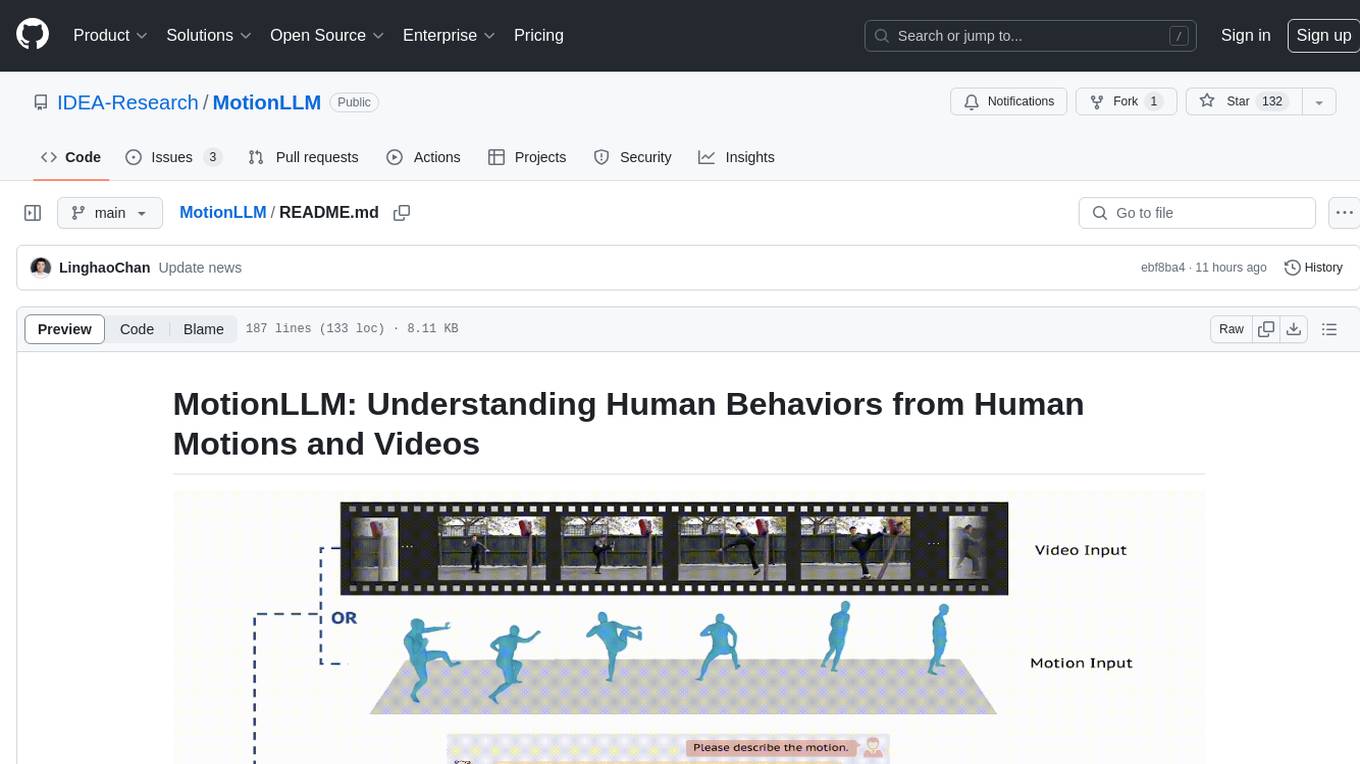
MotionLLM
MotionLLM is a framework for human behavior understanding that leverages Large Language Models (LLMs) to jointly model videos and motion sequences. It provides a unified training strategy, dataset MoVid, and MoVid-Bench for evaluating human behavior comprehension. The framework excels in captioning, spatial-temporal comprehension, and reasoning abilities.
LLMGA
LLMGA (Multimodal Large Language Model-based Generation Assistant) is a tool that leverages Large Language Models (LLMs) to assist users in image generation and editing. It provides detailed language generation prompts for precise control over Stable Diffusion (SD), resulting in more intricate and precise content in generated images. The tool curates a dataset for prompt refinement, similar image generation, inpainting & outpainting, and visual question answering. It offers a two-stage training scheme to optimize SD alignment and a reference-based restoration network to alleviate texture, brightness, and contrast disparities in image editing. LLMGA shows promising generative capabilities and enables wider applications in an interactive manner.
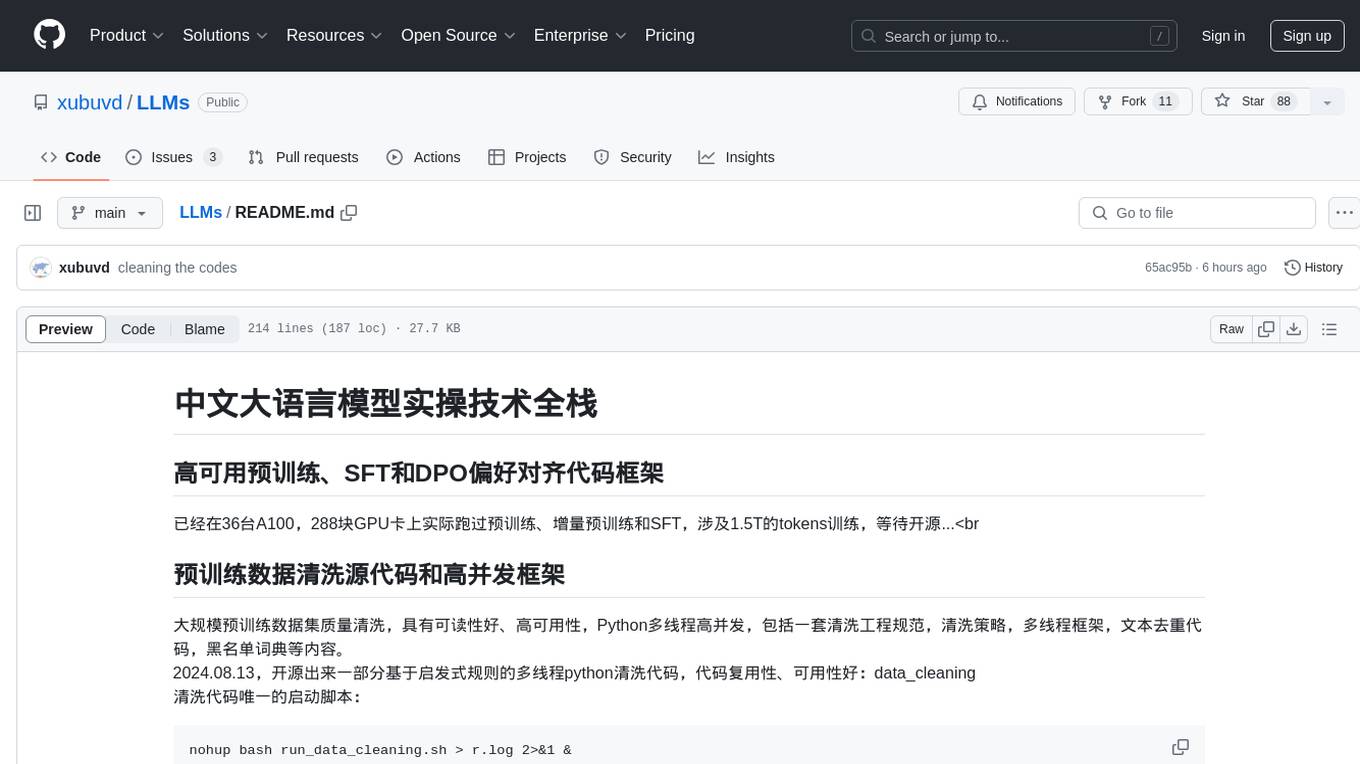
LLMs
LLMs is a Chinese large language model technology stack for practical use. It includes high-availability pre-training, SFT, and DPO preference alignment code framework. The repository covers pre-training data cleaning, high-concurrency framework, SFT dataset cleaning, data quality improvement, and security alignment work for Chinese large language models. It also provides open-source SFT dataset construction, pre-training from scratch, and various tools and frameworks for data cleaning, quality optimization, and task alignment.
For similar jobs

sweep
Sweep is an AI junior developer that turns bugs and feature requests into code changes. It automatically handles developer experience improvements like adding type hints and improving test coverage.

teams-ai
The Teams AI Library is a software development kit (SDK) that helps developers create bots that can interact with Teams and Microsoft 365 applications. It is built on top of the Bot Framework SDK and simplifies the process of developing bots that interact with Teams' artificial intelligence capabilities. The SDK is available for JavaScript/TypeScript, .NET, and Python.

ai-guide
This guide is dedicated to Large Language Models (LLMs) that you can run on your home computer. It assumes your PC is a lower-end, non-gaming setup.

classifai
Supercharge WordPress Content Workflows and Engagement with Artificial Intelligence. Tap into leading cloud-based services like OpenAI, Microsoft Azure AI, Google Gemini and IBM Watson to augment your WordPress-powered websites. Publish content faster while improving SEO performance and increasing audience engagement. ClassifAI integrates Artificial Intelligence and Machine Learning technologies to lighten your workload and eliminate tedious tasks, giving you more time to create original content that matters.

chatbot-ui
Chatbot UI is an open-source AI chat app that allows users to create and deploy their own AI chatbots. It is easy to use and can be customized to fit any need. Chatbot UI is perfect for businesses, developers, and anyone who wants to create a chatbot.

BricksLLM
BricksLLM is a cloud native AI gateway written in Go. Currently, it provides native support for OpenAI, Anthropic, Azure OpenAI and vLLM. BricksLLM aims to provide enterprise level infrastructure that can power any LLM production use cases. Here are some use cases for BricksLLM: * Set LLM usage limits for users on different pricing tiers * Track LLM usage on a per user and per organization basis * Block or redact requests containing PIIs * Improve LLM reliability with failovers, retries and caching * Distribute API keys with rate limits and cost limits for internal development/production use cases * Distribute API keys with rate limits and cost limits for students

uAgents
uAgents is a Python library developed by Fetch.ai that allows for the creation of autonomous AI agents. These agents can perform various tasks on a schedule or take action on various events. uAgents are easy to create and manage, and they are connected to a fast-growing network of other uAgents. They are also secure, with cryptographically secured messages and wallets.

griptape
Griptape is a modular Python framework for building AI-powered applications that securely connect to your enterprise data and APIs. It offers developers the ability to maintain control and flexibility at every step. Griptape's core components include Structures (Agents, Pipelines, and Workflows), Tasks, Tools, Memory (Conversation Memory, Task Memory, and Meta Memory), Drivers (Prompt and Embedding Drivers, Vector Store Drivers, Image Generation Drivers, Image Query Drivers, SQL Drivers, Web Scraper Drivers, and Conversation Memory Drivers), Engines (Query Engines, Extraction Engines, Summary Engines, Image Generation Engines, and Image Query Engines), and additional components (Rulesets, Loaders, Artifacts, Chunkers, and Tokenizers). Griptape enables developers to create AI-powered applications with ease and efficiency.