


dora
CLI built for AI agents to help navigate codebases better. An alternative to grep/find/glob
Stars: 80
dora is a Code Context CLI tool designed to provide fast, structured code intelligence for AI agents. It offers instant answers, helps understand relationships between code components, detects issues like circular dependencies, and tracks symbol usage across codebases. The tool is language-agnostic and works with any SCIP-compatible indexer. It can be installed via pre-built binaries, npm, or built from source. dora integrates with AI agents like Claude Code, offering features like auto-indexing, permissions setup, and custom commands. It can also run as an MCP server, providing various commands for code navigation, documentation, architecture analysis, and advanced queries. The tool supports TOON output format and JSON output for commands, with detailed troubleshooting and contribution guidelines available.
README:
Stop wasting tokens on grep/find/glob. Give your AI agent fast, structured code intelligence.
- Instant answers - Pre-computed aggregates mean no waiting for grep/find/glob to finish or tokens wasted on file reads
- Understand relationships - See what depends on what without reading import statements or parsing code
- Find issues fast - Detect circular dependencies, coupling, and complexity hotspots with pre-indexed data
- Track usage - Know where every symbol is used across your codebase in milliseconds, not minutes
- Language-agnostic - Works with any SCIP-compatible indexer (TypeScript, Java, Rust, Python, etc.)


- Binary users: No dependencies - standalone executable
- From source: Bun 1.0+ required
- SCIP indexer: Language-specific (e.g., scip-typescript for TS/JS)
- Supported OS: macOS, Linux, Windows
- Disk space: ~5-50MB for index (varies by codebase size)
Download the latest binary for your platform from the releases page:
# macOS (ARM64)
curl -L https://github.com/butttons/dora/releases/latest/download/dora-darwin-arm64 -o dora
chmod +x dora
sudo mv dora /usr/local/bin/

# macOS (Intel)
curl -L https://github.com/butttons/dora/releases/latest/download/dora-darwin-x64 -o dora
chmod +x dora
sudo mv dora /usr/local/bin/

# Linux
curl -L https://github.com/butttons/dora/releases/latest/download/dora-linux-x64 -o dora
chmod +x dora
sudo mv dora /usr/local/bin/

# Windows
# Download dora-windows-x64.exe and add to PATHRequires Bun runtime installed.
bun install -g @butttons/doraOr run without installing:
bunx @butttons/dora# Install Bun (if not already installed)
curl -fsSL https://bun.sh/install | bash
# Clone the repository
git clone https://github.com/butttons/dora.git
cd dora
# Install dependencies
bun install
# Build the binary
bun run build
# The binary will be at dist/dora
# Move it to your PATH
sudo mv dist/dora /usr/local/bin/You'll need a SCIP indexer for your language. For TypeScript/JavaScript:
# Install scip-typescript globally
npm install -g @sourcegraph/scip-typescript

# Verify installation
scip-typescript --help
For other languages, see SCIP Indexers.
→ See AGENTS.README.md for complete integration guides for:
- Claude Code - Skills, hooks, auto-indexing
- OpenCode - Agent system integration
- Cursor - Custom commands and rules
- Windsurf - Skills, AGENTS.md, and rules
- Other AI agents - Generic integration using SKILL.md and SNIPPET.md
Quick start for any agent:
dora init && dora index    # Initialize and index your codebase
dora cookbook show agent-setup --format markdown  # Get setup instructions for your agent
dora status # Verify index is readydora integrates with Claude Code via settings and optional skill configuration. Just add these files to your project:
1. Add to .claude/settings.json (enables auto-indexing and permissions):
{
  "permissions": {
    "allow": ["Bash(dora:*)", "Skill(dora)"]
  },
  "hooks": {
    "SessionStart": [
      {
        "hooks": [
          {
            "type": "command",
            "command": "dora status 2>/dev/null && (dora index > /tmp/dora-index.log 2>&1 &) || echo 'dora not initialized. Run: dora init && dora index'"
          }
        ]
      }
    ],
    "Stop": [
      {
        "hooks": [
          {
            "type": "command",
            "command": "(dora index > /tmp/dora-index.log 2>&1 &) || true"
          }
        ]
      }
    ]
  }
}
2. (Optional) Add the dora skill at .claude/skills/dora/SKILL.md:
After running dora init, create a symlink:
mkdir -p .claude/skills/dora
ln -s ../../../.dora/docs/SKILL.md .claude/skills/dora/SKILL.md
This enables the /dora command in Claude Code. View the skill file.
3. Add to CLAUDE.md (after running dora init):
cat .dora/docs/SNIPPET.md >> CLAUDE.mdThis gives Claude quick access to dora commands and guidance on when to use dora for code exploration. The snippet includes command reference and best practices.
4. Initialize dora:
dora init
dora index
What this gives you:
- Auto-indexing after each Claude turn
- Pre-approved permissions (no prompts for dora commands)
- Session startup checks
- CLAUDE.md context for better code exploration
Troubleshooting:
-
Index not updating? Check
/tmp/dora-index.logfor errors -
dora not found? Ensure dora is in PATH:
which dora
dora can run as an MCP (Model Context Protocol) server.
# Start MCP server (runs in foreground)
dora mcpAdd the MCP server with one command:
claude mcp add --transport stdio dora -- dora mcpAdd to your MCP client configuration:
{
  "mcpServers": {
    "dora": {
      "type": "stdio",
      "command": "dora",
      "args": ["mcp"]
    }
  }
}All dora commands are available as MCP tools:
-
dora_status- Check index health -
dora_map- Get codebase overview -
dora_symbol- Search for symbols -
dora_file- Analyze files with dependencies -
dora_deps/dora_rdeps- Explore dependencies - And all other dora commands
dora initThis creates a .dora/ directory with a default config.
Edit .dora/config.json to configure your SCIP indexer:
For TypeScript/JavaScript:
{
  "commands": {
    "index": "scip-typescript index --output .dora/index.scip"
  }
}
For Rust:
{
  "commands": {
    "index": "rust-analyzer scip . --output .dora/index.scip"
  }
}# If commands are configured:
dora index
# Or manually:
scip-typescript index --output .dora/index.scip# Check index status
dora status
# Get codebase overview
dora map
# Find a symbol
dora symbol Logger# Find a class definition
dora symbol AuthService
# Explore the file
dora file src/auth/service.ts
# See what depends on it
dora rdeps src/auth/service.ts --depth 2
# Check for circular dependencies
dora cyclesNew to dora? The cookbook has recipes with real examples:
# Start here - complete walkthrough
dora cookbook show quickstart

# Find class methods
dora cookbook show methods

# Track symbol references
dora cookbook show references

# Find exported APIs
dora cookbook show exports
All recipes include tested SQL patterns from real codebases.
dora init                    # Initialize in repo
dora index                   # Index codebase
dora status                  # Show index health
dora map # High-level statisticsdora ls [directory] # List files in directory with metadata
dora symbol <query> # Find symbols by name
dora file <path> # File info with dependencies
dora refs <symbol> # Find all references
dora deps <path> --depth 2 # Show dependencies
dora rdeps <path> --depth 2 # Show dependents
dora adventure <from> <to> # Find shortest pathdora docs # List all documentation files
dora docs --type md # Filter by document type
dora docs search <query> # Search documentation content
dora docs show <path> # Show document detailsdora cycles # Find bidirectional dependencies
dora coupling --threshold 5 # Find tightly coupled files
dora complexity --sort complexity # High-impact files
dora treasure --limit 20 # Most referenced files
dora lost --limit 50 # Potentially dead code
dora leaves --max-dependents 3 # Leaf nodesdora schema # Show database schema
dora cookbook show [recipe] # Show query pattern examples
dora query "<sql>" # Execute raw SQL (read-only)
dora changes <ref> # Changed/impacted files
dora exports <path|package> # List exports
dora imports <path> # Show imports
dora graph <path> # Dependency graphQuick reference for all commands with common flags:
| Command | Description | Common Flags |
|---|---|---|
dora init |
Initialize dora in repository | - |
dora index |
Build/update index |
--full, --skip-scip, --ignore <pattern>
|
dora status |
Check index status | - |
dora map |
High-level statistics | - |
| Command | Description | Common Flags |
|---|---|---|
dora ls [directory] |
List files in directory |
--limit N, --sort <field>
|
dora file <path> |
Analyze file with dependencies | - |
dora symbol <query> |
Search for symbols |
--kind <type>, --limit N
|
dora refs <symbol> |
Find all references | - |
dora deps <path> |
Show dependencies |
--depth N (default: 1) |
dora rdeps <path> |
Show reverse dependencies |
--depth N (default: 1) |
dora adventure <from> <to> |
Find dependency path | - |
| Command | Description | Common Flags |
|---|---|---|
dora docs |
List all documentation files |
--type <type> (md, txt) |
dora docs search <query> |
Search documentation content |
--limit N (default: 20) |
dora docs show <path> |
Show document metadata |
--content (include full content) |
| Command | Description | Common Flags |
|---|---|---|
dora cycles |
Find bidirectional dependencies |
--limit N (default: 50) |
dora coupling |
Find tightly coupled files |
--threshold N (default: 5) |
dora complexity |
Show complexity metrics | --sort <metric> |
dora treasure |
Most referenced files |
--limit N (default: 10) |
dora lost |
Find unused symbols |
--limit N (default: 50) |
dora leaves |
Find leaf nodes | --max-dependents N |
| Command | Description | Common Flags |
|---|---|---|
dora schema |
Show database schema | - |
dora cookbook show [recipe] |
Query pattern cookbook |
quickstart, methods, refs, exports
|
dora query "<sql>" |
Execute raw SQL (read-only) | - |
dora changes <ref> |
Git impact analysis | - |
dora exports <target> |
List exported symbols | - |
dora imports <path> |
Show file imports | - |
dora graph <path> |
Dependency graph |
--depth N, --direction
|
- scip-typescript: TypeScript, JavaScript
- scip-java: Java, Scala, Kotlin
- rust-analyzer: Rust
- scip-clang: C++, C
- scip-ruby: Ruby
- scip-python: Python
- scip-dotnet: C#, Visual Basic
- scip-dart: Dart
- scip-php: PHP
All commands output TOON (Token-Oriented Object Notation) by default. TOON is a compact, human-readable encoding of JSON that minimizes tokens for LLM consumption. Pass --json to any command for JSON output.
# Default: TOON output
dora status

# JSON output
dora --json status
dora status --json
Errors always go to stderr as JSON with exit code 1.
Measured on dora's own codebase (79 files, 3167 symbols):
| Command | JSON | TOON | Savings |
|---|---|---|---|
status |
206 B | 176 B | 15% |
map |
68 B | 62 B | 9% |
ls src/commands |
2,258 B | 975 B | 57% |
ls (all files) |
6,324 B | 2,644 B | 58% |
file src/index.ts |
6,486 B | 6,799 B | -5% |
symbol setupCommand |
130 B | 130 B | 0% |
refs wrapCommand |
510 B | 549 B | -8% |
deps (depth 2) |
2,158 B | 1,332 B | 38% |
rdeps (depth 2) |
1,254 B | 802 B | 36% |
adventure |
110 B | 97 B | 12% |
leaves |
142 B | 129 B | 9% |
exports |
488 B | 511 B | -5% |
imports |
1,978 B | 1,998 B | -1% |
lost |
1,876 B | 1,987 B | -6% |
treasure |
893 B | 577 B | 35% |
cycles |
14 B | 11 B | 21% |
coupling |
35 B | 31 B | 11% |
complexity |
2,716 B | 932 B | 66% |
schema |
6,267 B | 4,389 B | 30% |
query |
692 B | 464 B | 33% |
docs |
1,840 B | 745 B | 60% |
docs search |
277 B | 171 B | 38% |
docs show |
820 B | 870 B | -6% |
graph |
2,434 B | 1,894 B | 22% |
changes |
1,112 B | 1,026 B | 8% |
Commands with uniform arrays of objects (ls, complexity, docs, treasure) see 35-66% reduction. Nested or non-uniform outputs (file, refs, exports) are roughly equal or slightly larger.
For debug logging, testing, building, and development instructions, see CONTRIBUTING.md.
| Issue | Solution |
|---|---|
| Database not found | Run dora index to create the database |
| File not in index | Check if file is in .gitignore, run dora index
|
| Stale results | Run dora index to rebuild |
| Slow queries | Use --depth 1 when possible, reduce --limit
|
| Symbol not found | Ensure index is up to date: dora status, then dora index
|
| dora command not found | Ensure dora is in PATH: which dora, reinstall if needed |
Claude Code index not updating:
- Check
/tmp/dora-index.logfor errors - Verify dora is in PATH:
which dora - Test manually:
dora index - Ensure
dora indexis in theallowpermissions list in.claude/settings.json
Stop hook not firing:
- Verify
.claude/settings.jsonsyntax is correct (valid JSON) - Check that the hook runs by viewing verbose logs
- Try manually running the hook command
Want to see indexing progress:
- Edit
.claude/settings.jsonStop hook - Change command to:
"DEBUG=dora:* dora index 2>&1 || true"(removes background&) - You'll see progress after each turn, but will wait 15-30s
Index takes too long:
- Run SCIP indexer separately if it supports caching
- Use background indexing mode in Claude Code integration
- Check if your SCIP indexer can be optimized
Queries are slow:
- Use
--depth 1instead of deep traversals - Reduce
--limitfor large result sets - Ensure database indexes are created (automatic)
- Run
dora indexif database is corrupted
Contributions are welcome! For development setup, testing, building binaries, and code style guidelines, see CONTRIBUTING.md.
Quick start:
- Fork the repository
- Create a feature branch
- Make your changes with tests (
bun test) - Submit a pull request
For detailed architecture and development guidelines, see CLAUDE.md.
MIT
- AI Agent Integration: AGENTS.README.md - Integration guides for Claude Code, OpenCode, Cursor, Windsurf
- GitHub: https://github.com/butttons/dora
- SCIP Protocol: https://github.com/sourcegraph/scip
- Claude Code: https://claude.ai/code
For Tasks:
Click tags to check more tools for each tasksFor Jobs:
Alternative AI tools for dora
Similar Open Source Tools
dora
dora is a Code Context CLI tool designed to provide fast, structured code intelligence for AI agents. It offers instant answers, helps understand relationships between code components, detects issues like circular dependencies, and tracks symbol usage across codebases. The tool is language-agnostic and works with any SCIP-compatible indexer. It can be installed via pre-built binaries, npm, or built from source. dora integrates with AI agents like Claude Code, offering features like auto-indexing, permissions setup, and custom commands. It can also run as an MCP server, providing various commands for code navigation, documentation, architecture analysis, and advanced queries. The tool supports TOON output format and JSON output for commands, with detailed troubleshooting and contribution guidelines available.
openbrowser-ai
OpenBrowser is a framework for intelligent browser automation that combines direct CDP communication with a CodeAgent architecture. It allows users to navigate, interact with, and extract information from web pages autonomously. The tool supports various LLM providers, offers vision support for screenshot analysis, and includes a MCP server for Model Context Protocol support. Users can record browser sessions as video files and benefit from features like video recording and full documentation available at docs.openbrowser.me.
skylos
Skylos is a privacy-first SAST tool for Python, TypeScript, and Go that bridges the gap between traditional static analysis and AI agents. It detects dead code, security vulnerabilities (SQLi, SSRF, Secrets), and code quality issues with high precision. Skylos uses a hybrid engine (AST + optional Local/Cloud LLM) to eliminate false positives, verify via runtime, find logic bugs, and provide context-aware audits. It offers automated fixes, end-to-end remediation, and 100% local privacy. The tool supports taint analysis, secrets detection, vulnerability checks, dead code detection and cleanup, agentic AI and hybrid analysis, codebase optimization, operational governance, and runtime verification.
cli
Firecrawl CLI is a command-line interface tool that allows users to scrape, crawl, and extract data from any website directly from the terminal. It provides various commands for tasks such as scraping single URLs, searching the web, mapping URLs on a website, crawling entire websites, checking credit usage, running AI-powered web data extraction, launching browser sandbox sessions, configuring settings, and viewing current configuration. The tool offers options for authentication, output handling, tips & tricks, CI/CD usage, and telemetry. Users can interact with the tool to perform web scraping tasks efficiently and effectively.
oh-my-pi
oh-my-pi is an AI coding agent for the terminal, providing tools for interactive coding, AI-powered git commits, Python code execution, LSP integration, time-traveling streamed rules, interactive code review, task management, interactive questioning, custom TypeScript slash commands, universal config discovery, MCP & plugin system, web search & fetch, SSH tool, Cursor provider integration, multi-credential support, image generation, TUI overhaul, edit fuzzy matching, and more. It offers a modern terminal interface with smart session management, supports multiple AI providers, and includes various tools for coding, task management, code review, and interactive questioning.
doc-scraper
A configurable, concurrent, and resumable web crawler written in Go, specifically designed to scrape technical documentation websites, extract core content, convert it cleanly to Markdown format suitable for ingestion by Large Language Models (LLMs), and save the results locally. The tool is built for LLM training and RAG systems, preserving documentation structure, offering production-ready features like resumable crawls and rate limiting, and using Go's concurrency model for efficient parallel processing. It automates the process of gathering and cleaning web-based documentation for use with Large Language Models, providing a dataset that is text-focused, structured, cleaned, and locally accessible.
flyto-core
Flyto-core is a powerful Python library for geospatial analysis and visualization. It provides a wide range of tools for working with geographic data, including support for various file formats, spatial operations, and interactive mapping. With Flyto-core, users can easily load, manipulate, and visualize spatial data to gain insights and make informed decisions. Whether you are a GIS professional, a data scientist, or a developer, Flyto-core offers a versatile and user-friendly solution for geospatial tasks.
shodh-memory
Shodh-Memory is a cognitive memory system designed for AI agents to persist memory across sessions, learn from experience, and run entirely offline. It features Hebbian learning, activation decay, and semantic consolidation, packed into a single ~17MB binary. Users can deploy it on cloud, edge devices, or air-gapped systems to enhance the memory capabilities of AI agents.

tokscale
Tokscale is a high-performance CLI tool and visualization dashboard for tracking token usage and costs across multiple AI coding agents. It helps monitor and analyze token consumption from various AI coding tools, providing real-time pricing calculations using LiteLLM's pricing data. Inspired by the Kardashev scale, Tokscale measures token consumption as users scale the ranks of AI-augmented development. It offers interactive TUI mode, multi-platform support, real-time pricing, detailed breakdowns, web visualization, flexible filtering, and social platform features.
roam-code
Roam is a tool that builds a semantic graph of your codebase and allows AI agents to query it with one shell command. It pre-indexes your codebase into a semantic graph stored in a local SQLite DB, providing architecture-level graph queries offline, cross-language, and compact. Roam understands functions, modules, tests coverage, and overall architecture structure. It is best suited for agent-assisted coding, large codebases, architecture governance, safe refactoring, and multi-repo projects. Roam is not suitable for real-time type checking, dynamic/runtime analysis, small scripts, or pure text search. It offers speed, dependency-awareness, LLM-optimized output, fully local operation, and CI readiness.
code-cli
Autohand Code CLI is an autonomous coding agent in CLI form that uses the ReAct pattern to understand, plan, and execute code changes. It is designed for seamless coding experience without context switching or copy-pasting. The tool is fast, intuitive, and extensible with modular skills. It can be used to automate coding tasks, enforce code quality, and speed up development. Autohand can be integrated into team workflows and CI/CD pipelines to enhance productivity and efficiency.
claude-talk-to-figma-mcp
A Model Context Protocol (MCP) plugin named Claude Talk to Figma MCP that enables Claude Desktop and other AI tools to interact directly with Figma for AI-assisted design capabilities. It provides document interaction, element creation, smart modifications, text mastery, and component integration. Users can connect the plugin to Figma, start designing, and utilize various tools for document analysis, element creation, modification, text manipulation, and component management. The project offers installation instructions, AI client configuration options, usage patterns, command references, troubleshooting support, testing guidelines, architecture overview, contribution guidelines, version history, and licensing information.
lm-engine
LM Engine is a research-grade, production-ready library for training large language models at scale. It provides support for multiple accelerators including NVIDIA GPUs, Google TPUs, and AWS Trainiums. Key features include multi-accelerator support, advanced distributed training, flexible model architectures, HuggingFace integration, training modes like pretraining and finetuning, custom kernels for high performance, experiment tracking, and efficient checkpointing.
PraisonAI
Praison AI is a low-code, centralised framework that simplifies the creation and orchestration of multi-agent systems for various LLM applications. It emphasizes ease of use, customization, and human-agent interaction. The tool leverages AutoGen and CrewAI frameworks to facilitate the development of AI-generated scripts and movie concepts. Users can easily create, run, test, and deploy agents for scriptwriting and movie concept development. Praison AI also provides options for full automatic mode and integration with OpenAI models for enhanced AI capabilities.
MetaScreener
MetaScreener is a local Python tool for AI-assisted systematic review workflows. It utilizes a Hierarchical Consensus Network (HCN) of 4 open-source LLMs with calibrated confidence aggregation, covering the full systematic review pipeline including literature screening, data extraction, and risk-of-bias assessment in a single tool. It offers a multi-LLM ensemble, 3 systematic review modules, reproducibility features, framework-agnostic criteria support, multiple input/output formats, interactive mode, CLI and Web UI, evaluation toolkit, and more.
bmalph
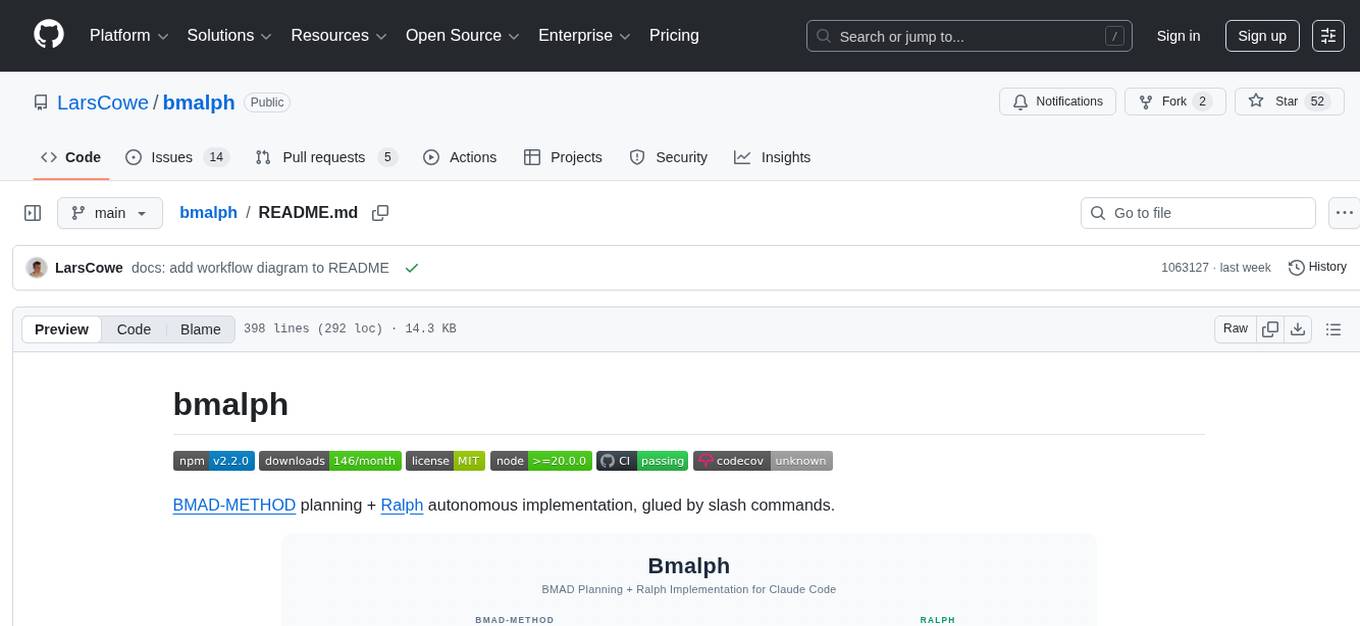
bmalph is a tool that bundles and installs two AI development systems, BMAD-METHOD for planning agents and workflows (Phases 1-3) and Ralph for autonomous implementation loop (Phase 4). It provides commands like `bmalph init` to install both systems, `bmalph upgrade` to update to the latest versions, `bmalph doctor` to check installation health, and `/bmalph-implement` to transition from BMAD to Ralph. Users can work through BMAD phases 1-3 with commands like BP, MR, DR, CP, VP, CA, etc., and then transition to Ralph for implementation.
For similar tasks
dora
dora is a Code Context CLI tool designed to provide fast, structured code intelligence for AI agents. It offers instant answers, helps understand relationships between code components, detects issues like circular dependencies, and tracks symbol usage across codebases. The tool is language-agnostic and works with any SCIP-compatible indexer. It can be installed via pre-built binaries, npm, or built from source. dora integrates with AI agents like Claude Code, offering features like auto-indexing, permissions setup, and custom commands. It can also run as an MCP server, providing various commands for code navigation, documentation, architecture analysis, and advanced queries. The tool supports TOON output format and JSON output for commands, with detailed troubleshooting and contribution guidelines available.
For similar jobs

promptflow
**Prompt flow** is a suite of development tools designed to streamline the end-to-end development cycle of LLM-based AI applications, from ideation, prototyping, testing, evaluation to production deployment and monitoring. It makes prompt engineering much easier and enables you to build LLM apps with production quality.

deepeval
DeepEval is a simple-to-use, open-source LLM evaluation framework specialized for unit testing LLM outputs. It incorporates various metrics such as G-Eval, hallucination, answer relevancy, RAGAS, etc., and runs locally on your machine for evaluation. It provides a wide range of ready-to-use evaluation metrics, allows for creating custom metrics, integrates with any CI/CD environment, and enables benchmarking LLMs on popular benchmarks. DeepEval is designed for evaluating RAG and fine-tuning applications, helping users optimize hyperparameters, prevent prompt drifting, and transition from OpenAI to hosting their own Llama2 with confidence.

MegaDetector
MegaDetector is an AI model that identifies animals, people, and vehicles in camera trap images (which also makes it useful for eliminating blank images). This model is trained on several million images from a variety of ecosystems. MegaDetector is just one of many tools that aims to make conservation biologists more efficient with AI. If you want to learn about other ways to use AI to accelerate camera trap workflows, check out our of the field, affectionately titled "Everything I know about machine learning and camera traps".

leapfrogai
LeapfrogAI is a self-hosted AI platform designed to be deployed in air-gapped resource-constrained environments. It brings sophisticated AI solutions to these environments by hosting all the necessary components of an AI stack, including vector databases, model backends, API, and UI. LeapfrogAI's API closely matches that of OpenAI, allowing tools built for OpenAI/ChatGPT to function seamlessly with a LeapfrogAI backend. It provides several backends for various use cases, including llama-cpp-python, whisper, text-embeddings, and vllm. LeapfrogAI leverages Chainguard's apko to harden base python images, ensuring the latest supported Python versions are used by the other components of the stack. The LeapfrogAI SDK provides a standard set of protobuffs and python utilities for implementing backends and gRPC. LeapfrogAI offers UI options for common use-cases like chat, summarization, and transcription. It can be deployed and run locally via UDS and Kubernetes, built out using Zarf packages. LeapfrogAI is supported by a community of users and contributors, including Defense Unicorns, Beast Code, Chainguard, Exovera, Hypergiant, Pulze, SOSi, United States Navy, United States Air Force, and United States Space Force.

llava-docker
This Docker image for LLaVA (Large Language and Vision Assistant) provides a convenient way to run LLaVA locally or on RunPod. LLaVA is a powerful AI tool that combines natural language processing and computer vision capabilities. With this Docker image, you can easily access LLaVA's functionalities for various tasks, including image captioning, visual question answering, text summarization, and more. The image comes pre-installed with LLaVA v1.2.0, Torch 2.1.2, xformers 0.0.23.post1, and other necessary dependencies. You can customize the model used by setting the MODEL environment variable. The image also includes a Jupyter Lab environment for interactive development and exploration. Overall, this Docker image offers a comprehensive and user-friendly platform for leveraging LLaVA's capabilities.

carrot
The 'carrot' repository on GitHub provides a list of free and user-friendly ChatGPT mirror sites for easy access. The repository includes sponsored sites offering various GPT models and services. Users can find and share sites, report errors, and access stable and recommended sites for ChatGPT usage. The repository also includes a detailed list of ChatGPT sites, their features, and accessibility options, making it a valuable resource for ChatGPT users seeking free and unlimited GPT services.

TrustLLM
TrustLLM is a comprehensive study of trustworthiness in LLMs, including principles for different dimensions of trustworthiness, established benchmark, evaluation, and analysis of trustworthiness for mainstream LLMs, and discussion of open challenges and future directions. Specifically, we first propose a set of principles for trustworthy LLMs that span eight different dimensions. Based on these principles, we further establish a benchmark across six dimensions including truthfulness, safety, fairness, robustness, privacy, and machine ethics. We then present a study evaluating 16 mainstream LLMs in TrustLLM, consisting of over 30 datasets. The document explains how to use the trustllm python package to help you assess the performance of your LLM in trustworthiness more quickly. For more details about TrustLLM, please refer to project website.

AI-YinMei
AI-YinMei is an AI virtual anchor Vtuber development tool (N card version). It supports fastgpt knowledge base chat dialogue, a complete set of solutions for LLM large language models: [fastgpt] + [one-api] + [Xinference], supports docking bilibili live broadcast barrage reply and entering live broadcast welcome speech, supports Microsoft edge-tts speech synthesis, supports Bert-VITS2 speech synthesis, supports GPT-SoVITS speech synthesis, supports expression control Vtuber Studio, supports painting stable-diffusion-webui output OBS live broadcast room, supports painting picture pornography public-NSFW-y-distinguish, supports search and image search service duckduckgo (requires magic Internet access), supports image search service Baidu image search (no magic Internet access), supports AI reply chat box [html plug-in], supports AI singing Auto-Convert-Music, supports playlist [html plug-in], supports dancing function, supports expression video playback, supports head touching action, supports gift smashing action, supports singing automatic start dancing function, chat and singing automatic cycle swing action, supports multi scene switching, background music switching, day and night automatic switching scene, supports open singing and painting, let AI automatically judge the content.