


openai
Dart/Flutter SDK for ChatGPT and all OpenAI APIs (GPT, Dall-e..)
Stars: 641
An open-source client package that allows developers to easily integrate the power of OpenAI's state-of-the-art AI models into their Dart/Flutter applications. The library provides simple and intuitive methods for making requests to OpenAI's various APIs, including the GPT-3 language model, DALL-E image generation, and more. It is designed to be lightweight and easy to use, enabling developers to focus on building their applications without worrying about the complexities of dealing with HTTP requests. Note that this is an unofficial library as OpenAI does not have an official Dart library.
README:
NEW: ChatGPT & Whisper APIs are added to the library and can be used directly.









An open-source Client package that allows developers to easily integrate the power of OpenAI's state-of-the-art AI models into their Dart/Flutter applications.
This library provides simple and intuitive methods for making requests to OpenAI's various APIs, including the GPT-3 language model, DALL-E image generation, and more.
The package is designed to be lightweight and easy to use, so you can focus on building your application, rather than worrying about the complexities and errors caused by dealing with HTTP requests.
Unofficial OpenAI does not have any official Dart library.
Thanks to the contributors & sponsors of this project that it exists and is still maintained:
Consider helping this project you too.
- Easy to use methods that reflect exactly the OpenAI documentation, with additional functionalities that make it better to use with Dart Programming Language.
- Authorize just once, use it anywhere and at any time in your application.
- Developer-friendly.
-
Streamfunctionality for completions API & fine-tune events API. - Ready examples/snippets for almost everything implmented in the package at
/examplefolder.
- [x] Authentication
- [x] Models
- [x] Completions
- [x] With
Streamresponses.
- [x] With
- [x] Chat (chatGPT)
- [x] With
Streamresponses. - [x] Tools
- [x] With
- [x] Edits
- [x] Images
- [x] Embeddings
- [x] Audio
- [x] Files
- [x] Fine-tunes
- [x] With events
Streamresponses.
- [x] With events
- [x] Moderation
- [x] Authentication
- [x] Models
- [x] Completions
- [x] chat (chatGPT)
- [x] Edits
- [x] Images
- [x] Embeddings
- [x] Audio
- [x] Files
- [x] Fine-tunes
- [x] Moderation
For the full documentation about all members this library offers, check here.
The OpenAI API uses API keys for authentication. you can get your account API key by visiting API keys of your account.
We highly recommend loading your secret key at runtime from a .env file, you can use the envied package or any other package that does the same job.
// .env
OPEN_AI_API_KEY=<REPLACE WITH YOUR API KEY>
// lib/env/env.dart
import 'package:envied/envied.dart';
part 'env.g.dart';
@Envied(path: ".env")
abstract class Env {
@EnviedField(varName: 'OPEN_AI_API_KEY') // the .env variable.
static const apiKey = _Env.apiKey;
}// lib/main.dart
void main() {
OpenAI.apiKey = Env.apiKey; // Initializes the package with that API key, all methods now are ready for use.
// ..
}if no apiKey is set, and you tried to access OpenAI.instance, a MissingApiKeyException will be thrown even before making the actual request.
if the apiKey is set, but it is invalid when making requests, a RequestFailedException will be thrown in your app, check the error handling section for more info.
if you belong to a specific organization, you can pass its id to OpenAI.organization like this:
OpenAI.organization = "ORGANIZATION ID";If you don't belong actually to any organization, you can just ignore this section, or set it to null.
The package make use if the http to make requests, this one have a default timeout of 30 seconds, this means that any requests that takes more than 30 seconds will be cancelled, and a exception will be thrown, to change that you will need to set your own default timeout:
OpenAI.requestsTimeOut = Duration(seconds: 60); // 60 seconds.And now, the time consuming methods will wait for 60 seconds to get a response before throwing an exception.
You can change the base url used in the package to your own, this can be helpful if you want to proxy the requests to the OpenAI API, or if you want to use your own server as a proxy to the OpenAI API.
OpenAI.baseUrl = "https://api.openai.com/v1"; // the default one.You can make the package logs the operations flows and steps by setting the showLogs:
OpenAI.showLogs = true;This will only log the requests steps such when the request started and finished, when the decoding started...
But if you want to log raw responses that are returned from the API (JSON, RAW...), you can set the showResponsesLogs:
OpenAI.showResponsesLogs = true;This will log the raw responses that are returned from the API, such when the request is successful, or when it failed. (This don't include the stream responses).
Lists the currently available models, and provides information about each one such as the owner and availability.
List<OpenAIModelModel> models = await OpenAI.instance.model.list();
OpenAIModelModel firstModel = models.first;

print(firstModel.id); // ...
print(firstModel.permission); // ...Retrieves a single model by its id and gets additional pieces of information about it.
OpenAIModelModel model = await OpenAI.instance.model.retrieve("text-davinci-003");

print(model.ownedBy); // ...
If the model id you provided does not exist or isn't available for your account, a RequestFailedException will be thrown, check Error Handling section.
OpenAI offers fine tuning feature, which you can make use of it with this package here.
However, if it happen that you want to delete a fine tuned model, you can use the delete() method:
bool isDeleted = await OpenAI.instance.model.delete("fine-tune-id");

print(isDeleted); // ...
Creates a predicted completion based on the provided model, prompt & other properties asynchronously.
OpenAICompletionModel completion = await OpenAI.instance.completion.create(
  model: "text-davinci-003",
  prompt: "Dart is a program",
  maxTokens: 20,
  temperature: 0.5,
  n: 1,
  stop: ["\n"],
  echo: true,
  seed: 42,
  bestOf: 2,
);

print(completion.choices.first.text); // ...
print(completion.systemFingerprint); // ...
print(completion.id); // ...
if the request failed (as an example, if you did pass an invalid model...), a RequestFailedException will be thrown, check Error Handling section.
In addition to calling the OpenAI.instance.completion.create() which is a Future (asynchronous) and will not return an actual value until the full completion is generated, you can get a Stream of them as they happen to be generated:
Stream<OpenAIStreamCompletionModel> completionStream = OpenAI.instance.completion.createStream(
  model: "text-davinci-003",
  prompt: "Github is ",
  maxTokens: 100,
  temperature: 0.5,
  topP: 1,
  seed: 42,
  stop: '###',
  n: 2,
);

completionStream.listen((event) {
  final firstCompletionChoice = event.choices.first;

  print(firstCompletionChoice.index); // ...
  print(firstCompletionChoice.text); // ...
});
Useful: Check also the createStreamText() method
Creates a predicted completion for a chat message(s), from the provided properties:
// the system message that will be sent to the request.
final systemMessage = OpenAIChatCompletionChoiceMessageModel(
  content: [
    OpenAIChatCompletionChoiceMessageContentItemModel.text(
      "return any message you are given as JSON.",
    ),
  ],
  role: OpenAIChatMessageRole.assistant,
);

  // the user message that will be sent to the request.
 final userMessage = OpenAIChatCompletionChoiceMessageModel(
   content: [
     OpenAIChatCompletionChoiceMessageContentItemModel.text(
       "Hello, I am a chatbot created by OpenAI. How are you today?",
     ),

     //! image url contents are allowed only for models with image support such gpt-4.
     OpenAIChatCompletionChoiceMessageContentItemModel.imageUrl(
       "https://placehold.co/600x400",
     ),
   ],
   role: OpenAIChatMessageRole.user,
 );

// all messages to be sent.
final requestMessages = [
  systemMessage,
  userMessage,
];

// the actual request.
OpenAIChatCompletionModel chatCompletion = await OpenAI.instance.chat.create(
  model: "gpt-3.5-turbo-1106",
  responseFormat: {"type": "json_object"},
  seed: 6,
  messages: requestMessages,
  temperature: 0.2,
  maxTokens: 500,
);

print(chatCompletion.choices.first.message); // ...
print(chatCompletion.systemFingerprint); // ...
print(chatCompletion.usage.promptTokens); // ...
print(chatCompletion.id); // ...In addition to calling OpenAI.instance.chat.create() which is a Future (asynchronous) and will resolve only after the whole chat is generated, you can get a Stream of them as they happen to be generated:
// The user message to be sent to the request.
final userMessage = OpenAIChatCompletionChoiceMessageModel(
  content: [
    OpenAIChatCompletionChoiceMessageContentItemModel.text(
      "Hello my friend!",
    ),
  ],
  role: OpenAIChatMessageRole.user,
);

// The request to be sent.
final chatStream = OpenAI.instance.chat.createStream(
  model: "gpt-3.5-turbo",
  messages: [
    userMessage,
  ],
  seed: 423,
  n: 2,
);

// Listen to the stream.
chatStream.listen(
  (streamChatCompletion) {
    final content = streamChatCompletion.choices.first.delta.content;
    print(content);
  },
  onDone: () {
    print("Done");
  },
);The chat API offer the tools feature which allows for calling functions from the chat API, this feature is implemented in the package, and can be used like the following, please note that this is just a showcase, and you should handle the edge cases in your app such when there is no tool call, or when the tool call is not the one you sent, etc...:
 OpenAI.apiKey = Env.apiKey;

// The function to be called by the tool.
void sumNumbers(int number1, int number2) {
  print("Your sum answer is ${number1 + number2}");
}

// The tool object that wilm be sent to the API.
final sumNumbersTool = OpenAIToolModel(
    type: "function",
  function: OpenAIFunctionModel.withParameters(
    name: "sumOfTwoNumbers",
    parameters: [
      OpenAIFunctionProperty.integer(
        name: "number1",
        description: "The first number to add",
      ),
      OpenAIFunctionProperty.integer(
        name: "number2",
        description: "The second number to add",
      ),
    ],
  ),
);

  // The user text message that will be sent to the API.
final userMessage = OpenAIChatCompletionChoiceMessageModel(
    content: [
    OpenAIChatCompletionChoiceMessageContentItemModel.text(
        "What is the sum of 9996 and 3?",
      ),
  ],
    role: OpenAIChatMessageRole.user,
);

  // The actual call.
final chat = await OpenAI.instance.chat.create(
    model: "gpt-3.5-turbo",
    messages: [userMessage],
    tools: [sumNumbersTool],
);

// ! This handling is only for showcase and not completed as edge cases will not be handled that you should handle in your app.

final message = chat.choices.first.message;

// Whether the message has a tool call.
  if (message.haveToolCalls) {
  final call = message.toolCalls!.first;

    // Whether the tool call is the one we sent.
  if (call.function.name == "sumOfTwoNumbers") {
      // decode the arguments from the tool call.
    final decodedArgs = jsonDecode(call.function.arguments);

    final number1 = decodedArgs["number1"];
    final number2 = decodedArgs["number2"];

    // Call the function with the arguments.
    sumNumbers(number1, number2);
  }
  }
Learn more from here.
Creates an edited version of the given prompt based on the used model.
OpenAIEditModel edit = await OpenAI.instance.edit.create(
  model: "text-davinci-edit-001";
  instruction: "remote all '!'from input text",
  input: "Hello!!, I! need to be ! somethi!ng"
  n: 1,
  temperature: 0.8,
);

// Prints the choices.
for (int index = 0; index < edit.choices.length; index++) {
  print(edit.choices[index].text);
}Generates a new image based on a prompt given.
 OpenAIImageModel image = await OpenAI.instance.image.create(
  prompt: 'an astronaut on the sea',
  n: 1,
  size: OpenAIImageSize.size1024,
  responseFormat: OpenAIImageResponseFormat.url,
);

// Printing the output to the console.
for (int index = 0; index < image.data.length; index++) {
  final currentItem = image.data[index];
  print(currentItem.url);
}Creates an edited or extended image given an original image and a prompt.
OpenAIImageModel imageEdits = await OpenAI.instance.image.edit(
  prompt: 'mask the image with color red',
  image: File(/* IMAGE PATH HERE */),
  mask: File(/* MASK PATH HERE */),
  n: 1,
  size: OpenAIImageSize.size1024,
  responseFormat: OpenAIImageResponseFormat.b64Json,
);

for (int index = 0; index < imageEdits.data.length; index++) {
  final currentItem = imageEdits.data[index];
  print(currentItem.b64Json);
}Creates a variation of a given image.
// Creates the Image Variation
final imageVariations = await OpenAI.instance.image.variation(
  model: "dall-e-2",
  image: File("dart.png"),
  n: 4,
  size: OpenAIImageSize.size512,
  responseFormat: OpenAIImageResponseFormat.url,
);

 // Prints the output to the console.
for (var index = 0; index < imageVariations.data.length; index++) {
  final currentItem = imageVariations.data[index];
  print(currentItem.url);
}Get a vector representation of a given input that can be easily consumed by machine learning models and algorithms.
final embedding = await OpenAI.instance.embedding.create(
  model: "text-embedding-ada-002",
  input: "This is a sample text",
);

for (int index = 0; index < embedding.data.length; index++) {
  final currentItem = embedding.data[index];
  print(currentItem);
}For creating a speech from a text, you can use the createSpeech() method directly by providing the required params:
// The speech request.
File speechFile = await OpenAI.instance.audio.createSpeech(
  model: "tts-1",
  input: "Say my name is Anas",
  voice: "nova",
  responseFormat: OpenAIAudioSpeechResponseFormat.mp3,
  outputDirectory: await Directory("speechOutput").create(),
  outputFileName: "anas",
);

// The file result.
print(speechFile.path);
Note: the outputDirectory and outputFileName are helpers for this method, you can use them to save the audio file to a specific directory with a specific name, with the file extension being extracted from the responseFormat. if you don't want to use them, just ignore it, and the audio file will be saved to the default directory of your app, with the output file name.
The example snippet above will place a generated anas.mp3 in the speechOutput directory in your project.
For transcribing an audio File, you can use the createTranscription() method directly by providing the file property:
OpenAIAudioModel transcription = OpenAI.instance.audio.createTranscription(
  file: File(/* THE FILE PATH*/),
  model: "whisper-1",
  responseFormat: OpenAIAudioResponseFormat.json,
);

// print the transcription.
print(transcription.text);to get access to the translation API, and translate an audio file to english, you can use the createTranslation() method, by providing the `file`` property:
OpenAIAudioModel translation = await OpenAI.instance.audio.createTranslation(
  file: File(/* THE FILE PATH*/),
  model: "whisper-1",
  responseFormat: OpenAIAudioResponseFormat.text,
);

// print the translation.
print(translation.text);
Learn more from here.
Files are used to upload documents that can be used with features like Fine-tuning.
Get a list of all the uploaded files o-to your OpenAI account.
List<OpenAIFileModel> files = await OpenAI.instance.file.list();

print(files.first.fileName); // ...
print(files.first.id); // ...
Upload a file that contains document(s) to be used across various endpoints/features. Currently, the size of all the files uploaded by one organization can be up to 1 GB. Please contact us if you need to increase the storage limit.
OpenAIFileModel uploadedFile = await OpenAI.instance.file.upload(
 file: File("/* FILE PATH HERE */"),
 purpose: "fine-tuning",
);

print(uploadedFile.id); // ...Deletes an existent file by it's id.
bool isFileDeleted = await OpenAI.instance.file.delete("/* FILE ID */");

print(isFileDeleted);Fetches for a single file by it's id and returns informations about it.
OpenAIFileModel file = await OpenAI.instance.file.retrieve("FILE ID");
print(file.id);Fetches for a single file content by it's id.
dynamic fileContent  = await OpenAI.instance.file.retrieveContent("FILE ID");

print(fileContent);Creates a job that fine-tunes a specified model from a given dataset, and returns a fine-tuned object about the enqueued job.
OpenAIFineTuneModel fineTune = await OpenAI.instance.fineTune.create(
 trainingFile: "FILE ID",
);

print(fineTune.status); // ...
List your organization's fine-tuning jobs.
List<OpenAIFineTuneModel> fineTunes = await OpenAI.instance.fineTune.list();

print(fineTunes.first); // ...Retrieves a fine-tune by its id.
OpenAIFineTuneModel fineTune = await OpenAI.instance.fineTune.retrieve("FINE TUNE ID");

print(fineTune.id); // ...Cancels a fine-tune job by its id, and returns it.
OpenAIFineTuneModel cancelledFineTune = await OpenAI.instance.fineTune.cancel("FINE TUNE ID");

print(cancelledFineTune.status); // ...Lists a single fine-tune progress events by it's id.
 List<OpenAIFineTuneEventModel> events = await OpenAI.instance.fineTune.listEvents("FINE TUNE ID");

print(events.first.message); // ...Streams all events of a fine-tune job by its id, as they happen.
This is a long-running operation that will not return until the fine-tune job is terminated.
The stream will emit an event every time a new event is available.
Stream<OpenAIFineTuneEventStreamModel> eventsStream = OpenAI.instance.fineTune.listEventsStream("FINE TUNE ID");

eventsStream.listen((event) {
 print(event.message);
});Deletes a fine-tune job by its id.
 bool deleted = await OpenAI.instance.fineTune.delete("FINE TUNE ID");

print(deleted); // ...Classifies if text violates OpenAI's Content Policy
OpenAIModerationModel moderation = await OpenAI.instance.moderation.create(
  input: "I want to kill him",
);

print(moderation.results); // ...
print(moderation.results.first.categories.hate); // ...Any time an error happens from the OpenAI API ends (As Example: when you try to create an image variation from a non-image file.. , a RequestFailedException will be thrown automatically inside your Flutter / Dart app, you can use a try-catch to catch that error, and make an action based on it:
try {

// This will throw an error.
 final errorVariation = await OpenAI.instance.image.variation(
  image: File(/*PATH OF NON-IMAGE FILE*/),
 );
} on RequestFailedException catch(e) {
 print(e.message);
 print(e.statusCode);
}Please, Just remember that any kind of help related to these tasks are welcome, for the sake of the community.
- Writing documentation: if you see any class, property, method.. that you know what does and it is undocumented, please take from your time 2 minutes and help another developer that doesn't.
- Code Refactoring: I know this is my job not yours :), but if you can and want, you're more than welcome.
- Reviewing code: if it happens that there is a better way to make something happen in the SDK, please just let me know.
- if you tried any sample of use cases, examples of yours and wanted to include it in the examples/, please go ahead.
- Mention any updates if they exists in the API, Dart, a certain package, or even Flutter that relates to this package.
- Donate to the project, it will help me to keep working on it, and make it better.
For Tasks:
Click tags to check more tools for each tasksFor Jobs:
Alternative AI tools for openai
Similar Open Source Tools
openai
An open-source client package that allows developers to easily integrate the power of OpenAI's state-of-the-art AI models into their Dart/Flutter applications. The library provides simple and intuitive methods for making requests to OpenAI's various APIs, including the GPT-3 language model, DALL-E image generation, and more. It is designed to be lightweight and easy to use, enabling developers to focus on building their applications without worrying about the complexities of dealing with HTTP requests. Note that this is an unofficial library as OpenAI does not have an official Dart library.
suno-api
Suno AI API is an open-source project that allows developers to integrate the music generation capabilities of Suno.ai into their own applications. The API provides a simple and convenient way to generate music, lyrics, and other audio content using Suno.ai's powerful AI models. With Suno AI API, developers can easily add music generation functionality to their apps, websites, and other projects.
memobase
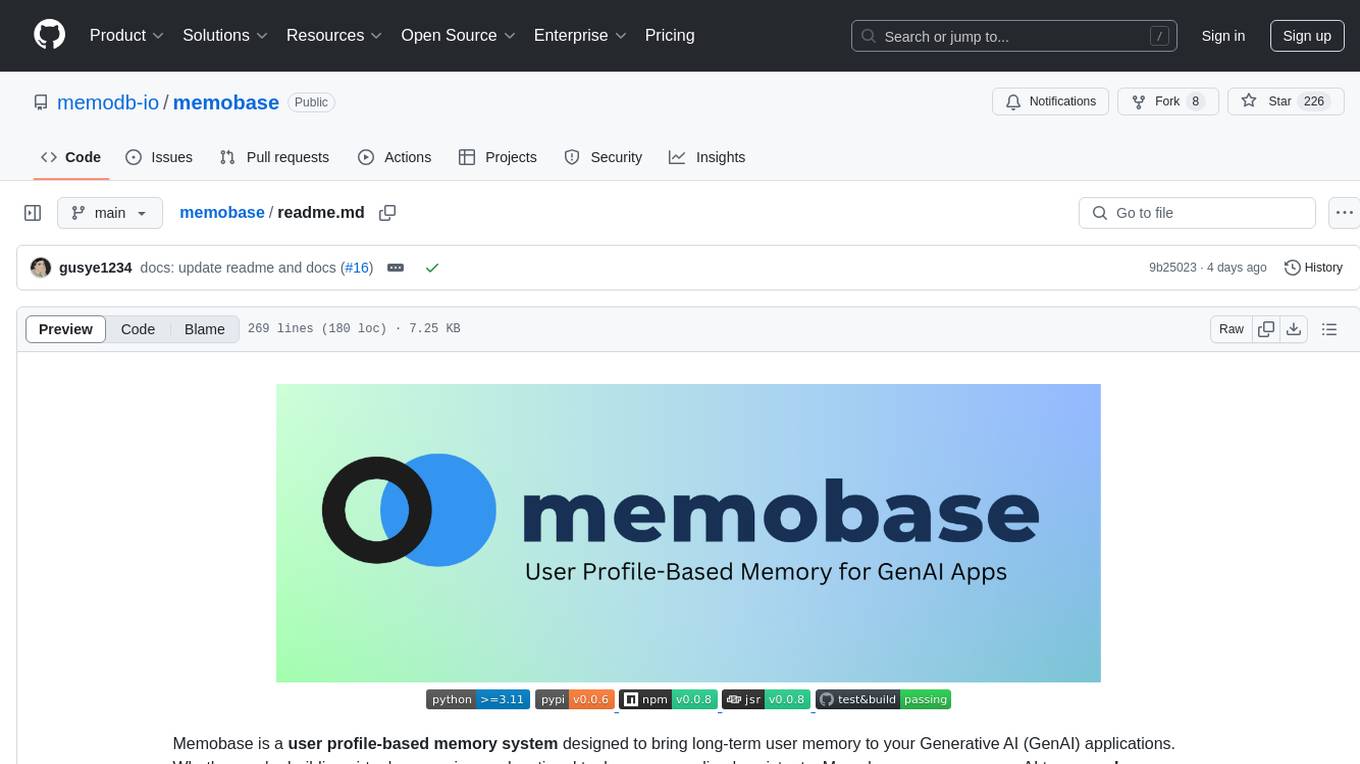
Memobase is a user profile-based memory system designed to enhance Generative AI applications by enabling them to remember, understand, and evolve with users. It provides structured user profiles, scalable profiling, easy integration with existing LLM stacks, batch processing for speed, and is production-ready. Users can manage users, insert data, get memory profiles, and track user preferences and behaviors. Memobase is ideal for applications that require user analysis, tracking, and personalized interactions.
simpleAI
SimpleAI is a self-hosted alternative to the not-so-open AI API, focused on replicating main endpoints for LLM such as text completion, chat, edits, and embeddings. It allows quick experimentation with different models, creating benchmarks, and handling specific use cases without relying on external services. Users can integrate and declare models through gRPC, query endpoints using Swagger UI or API, and resolve common issues like CORS with FastAPI middleware. The project is open for contributions and welcomes PRs, issues, documentation, and more.
ash_ai
Ash AI is a tool that provides a Model Context Protocol (MCP) server for exposing tool definitions to an MCP client. It allows for the installation of dev and production MCP servers, and supports features like OAuth2 flow with AshAuthentication, tool data access, tool execution callbacks, prompt-backed actions, and vectorization strategies. Users can also generate a chat feature for their Ash & Phoenix application using `ash_oban` and `ash_postgres`, and specify LLM API keys for OpenAI. The tool is designed to help developers experiment with tools and actions, monitor tool execution, and expose actions as tool calls.
langserve
LangServe helps developers deploy `LangChain` runnables and chains as a REST API. This library is integrated with FastAPI and uses pydantic for data validation. In addition, it provides a client that can be used to call into runnables deployed on a server. A JavaScript client is available in LangChain.js.
hydraai
Generate React components on-the-fly at runtime using AI. Register your components, and let Hydra choose when to show them in your App. Hydra development is still early, and patterns for different types of components and apps are still being developed. Join the discord to chat with the developers. Expects to be used in a NextJS project. Components that have function props do not work.
neocodeium
NeoCodeium is a free AI completion plugin powered by Codeium, designed for Neovim users. It aims to provide a smoother experience by eliminating flickering suggestions and allowing for repeatable completions using the `.` key. The plugin offers performance improvements through cache techniques, displays suggestion count labels, and supports Lua scripting. Users can customize keymaps, manage suggestions, and interact with the AI chat feature. NeoCodeium enhances code completion in Neovim, making it a valuable tool for developers seeking efficient coding assistance.
hugging-chat-api
Unofficial HuggingChat Python API for creating chatbots, supporting features like image generation, web search, memorizing context, and changing LLMs. Users can log in, chat with the ChatBot, perform web searches, create new conversations, manage conversations, switch models, get conversation info, use assistants, and delete conversations. The API also includes a CLI mode with various commands for interacting with the tool. Users are advised not to use the application for high-stakes decisions or advice and to avoid high-frequency requests to preserve server resources.

exif-photo-blog
EXIF Photo Blog is a full-stack photo blog application built with Next.js, Vercel, and Postgres. It features built-in authentication, photo upload with EXIF extraction, photo organization by tag, infinite scroll, light/dark mode, automatic OG image generation, a CMD-K menu with photo search, experimental support for AI-generated descriptions, and support for Fujifilm simulations. The application is easy to deploy to Vercel with just a few clicks and can be customized with a variety of environment variables.
banks
Banks is a linguist professor tool that helps generate meaningful LLM prompts using a template language. It provides a user-friendly way to create prompts for various tasks such as blog writing, summarizing documents, lemmatizing text, and generating text using a LLM. The tool supports async operations and comes with predefined filters for data processing. Banks leverages Jinja's macro system to create prompts and interact with OpenAI API for text generation. It also offers a cache mechanism to avoid regenerating text for the same template and context.
lollms
LoLLMs Server is a text generation server based on large language models. It provides a Flask-based API for generating text using various pre-trained language models. This server is designed to be easy to install and use, allowing developers to integrate powerful text generation capabilities into their applications.
langchainrb
Langchain.rb is a Ruby library that makes it easy to build LLM-powered applications. It provides a unified interface to a variety of LLMs, vector search databases, and other tools, making it easy to build and deploy RAG (Retrieval Augmented Generation) systems and assistants. Langchain.rb is open source and available under the MIT License.
kwaak
Kwaak is a tool that allows users to run a team of autonomous AI agents locally from their own machine. It enables users to write code, improve test coverage, update documentation, and enhance code quality while focusing on building innovative projects. Kwaak is designed to run multiple agents in parallel, interact with codebases, answer questions about code, find examples, write and execute code, create pull requests, and more. It is free and open-source, allowing users to bring their own API keys or models via Ollama. Kwaak is part of the bosun.ai project, aiming to be a platform for autonomous code improvement.
instructor
Instructor is a popular Python library for managing structured outputs from large language models (LLMs). It offers a user-friendly API for validation, retries, and streaming responses. With support for various LLM providers and multiple languages, Instructor simplifies working with LLM outputs. The library includes features like response models, retry management, validation, streaming support, and flexible backends. It also provides hooks for logging and monitoring LLM interactions, and supports integration with Anthropic, Cohere, Gemini, Litellm, and Google AI models. Instructor facilitates tasks such as extracting user data from natural language, creating fine-tuned models, managing uploaded files, and monitoring usage of OpenAI models.
Lumos
Lumos is a Chrome extension powered by a local LLM co-pilot for browsing the web. It allows users to summarize long threads, news articles, and technical documentation. Users can ask questions about reviews and product pages. The tool requires a local Ollama server for LLM inference and embedding database. Lumos supports multimodal models and file attachments for processing text and image content. It also provides options to customize models, hosts, and content parsers. The extension can be easily accessed through keyboard shortcuts and offers tools for automatic invocation based on prompts.
For similar tasks
llm2vec
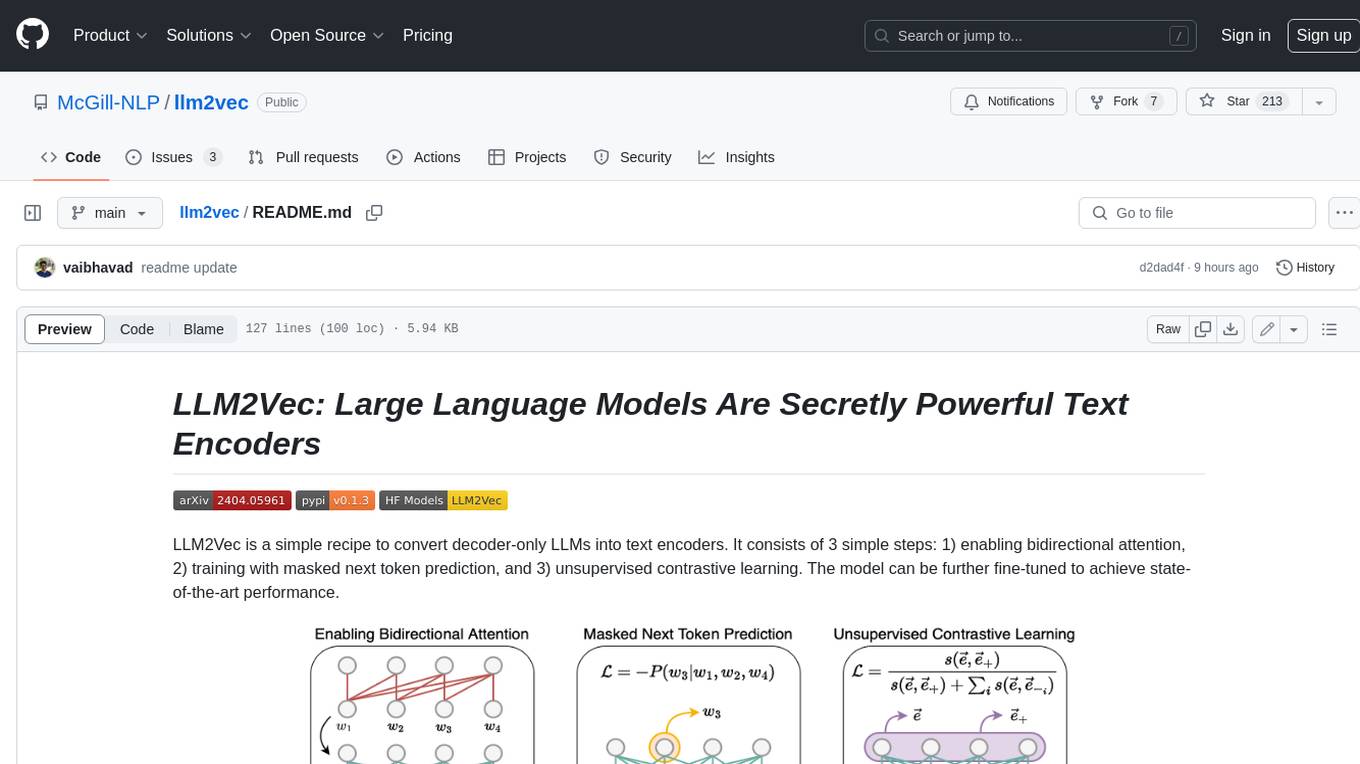
LLM2Vec is a simple recipe to convert decoder-only LLMs into text encoders. It consists of 3 simple steps: 1) enabling bidirectional attention, 2) training with masked next token prediction, and 3) unsupervised contrastive learning. The model can be further fine-tuned to achieve state-of-the-art performance.
marvin
Marvin is a lightweight AI toolkit for building natural language interfaces that are reliable, scalable, and easy to trust. Each of Marvin's tools is simple and self-documenting, using AI to solve common but complex challenges like entity extraction, classification, and generating synthetic data. Each tool is independent and incrementally adoptable, so you can use them on their own or in combination with any other library. Marvin is also multi-modal, supporting both image and audio generation as well using images as inputs for extraction and classification. Marvin is for developers who care more about _using_ AI than _building_ AI, and we are focused on creating an exceptional developer experience. Marvin users should feel empowered to bring tightly-scoped "AI magic" into any traditional software project with just a few extra lines of code. Marvin aims to merge the best practices for building dependable, observable software with the best practices for building with generative AI into a single, easy-to-use library. It's a serious tool, but we hope you have fun with it. Marvin is open-source, free to use, and made with 💙 by the team at Prefect.
curated-transformers
Curated Transformers is a transformer library for PyTorch that provides state-of-the-art models composed of reusable components. It supports various transformer architectures, including encoders like ALBERT, BERT, and RoBERTa, and decoders like Falcon, Llama, and MPT. The library emphasizes consistent type annotations, minimal dependencies, and ease of use for education and research. It has been production-tested by Explosion and will be the default transformer implementation in spaCy 3.7.
txtai
Txtai is an all-in-one embeddings database for semantic search, LLM orchestration, and language model workflows. It combines vector indexes, graph networks, and relational databases to enable vector search with SQL, topic modeling, retrieval augmented generation, and more. Txtai can stand alone or serve as a knowledge source for large language models (LLMs). Key features include vector search with SQL, object storage, topic modeling, graph analysis, multimodal indexing, embedding creation for various data types, pipelines powered by language models, workflows to connect pipelines, and support for Python, JavaScript, Java, Rust, and Go. Txtai is open-source under the Apache 2.0 license.
bert4torch
**bert4torch** is a high-level framework for training and deploying transformer models in PyTorch. It provides a simple and efficient API for building, training, and evaluating transformer models, and supports a wide range of pre-trained models, including BERT, RoBERTa, ALBERT, XLNet, and GPT-2. bert4torch also includes a number of useful features, such as data loading, tokenization, and model evaluation. It is a powerful and versatile tool for natural language processing tasks.
private-llm-qa-bot
This is a production-grade knowledge Q&A chatbot implementation based on AWS services and the LangChain framework, with optimizations at various stages. It supports flexible configuration and plugging of vector models and large language models. The front and back ends are separated, making it easy to integrate with IM tools (such as Feishu).
openai-cf-workers-ai
OpenAI for Workers AI is a simple, quick, and dirty implementation of OpenAI's API on Cloudflare's new Workers AI platform. It allows developers to use the OpenAI SDKs with the new LLMs without having to rewrite all of their code. The API currently supports completions, chat completions, audio transcription, embeddings, audio translation, and image generation. It is not production ready but will be semi-regularly updated with new features as they roll out to Workers AI.
FlagEmbedding
FlagEmbedding focuses on retrieval-augmented LLMs, consisting of the following projects currently: * **Long-Context LLM** : Activation Beacon * **Fine-tuning of LM** : LM-Cocktail * **Embedding Model** : Visualized-BGE, BGE-M3, LLM Embedder, BGE Embedding * **Reranker Model** : llm rerankers, BGE Reranker * **Benchmark** : C-MTEB
For similar jobs

sweep
Sweep is an AI junior developer that turns bugs and feature requests into code changes. It automatically handles developer experience improvements like adding type hints and improving test coverage.

teams-ai
The Teams AI Library is a software development kit (SDK) that helps developers create bots that can interact with Teams and Microsoft 365 applications. It is built on top of the Bot Framework SDK and simplifies the process of developing bots that interact with Teams' artificial intelligence capabilities. The SDK is available for JavaScript/TypeScript, .NET, and Python.

ai-guide
This guide is dedicated to Large Language Models (LLMs) that you can run on your home computer. It assumes your PC is a lower-end, non-gaming setup.

classifai
Supercharge WordPress Content Workflows and Engagement with Artificial Intelligence. Tap into leading cloud-based services like OpenAI, Microsoft Azure AI, Google Gemini and IBM Watson to augment your WordPress-powered websites. Publish content faster while improving SEO performance and increasing audience engagement. ClassifAI integrates Artificial Intelligence and Machine Learning technologies to lighten your workload and eliminate tedious tasks, giving you more time to create original content that matters.

chatbot-ui
Chatbot UI is an open-source AI chat app that allows users to create and deploy their own AI chatbots. It is easy to use and can be customized to fit any need. Chatbot UI is perfect for businesses, developers, and anyone who wants to create a chatbot.

BricksLLM
BricksLLM is a cloud native AI gateway written in Go. Currently, it provides native support for OpenAI, Anthropic, Azure OpenAI and vLLM. BricksLLM aims to provide enterprise level infrastructure that can power any LLM production use cases. Here are some use cases for BricksLLM: * Set LLM usage limits for users on different pricing tiers * Track LLM usage on a per user and per organization basis * Block or redact requests containing PIIs * Improve LLM reliability with failovers, retries and caching * Distribute API keys with rate limits and cost limits for internal development/production use cases * Distribute API keys with rate limits and cost limits for students

uAgents
uAgents is a Python library developed by Fetch.ai that allows for the creation of autonomous AI agents. These agents can perform various tasks on a schedule or take action on various events. uAgents are easy to create and manage, and they are connected to a fast-growing network of other uAgents. They are also secure, with cryptographically secured messages and wallets.

griptape
Griptape is a modular Python framework for building AI-powered applications that securely connect to your enterprise data and APIs. It offers developers the ability to maintain control and flexibility at every step. Griptape's core components include Structures (Agents, Pipelines, and Workflows), Tasks, Tools, Memory (Conversation Memory, Task Memory, and Meta Memory), Drivers (Prompt and Embedding Drivers, Vector Store Drivers, Image Generation Drivers, Image Query Drivers, SQL Drivers, Web Scraper Drivers, and Conversation Memory Drivers), Engines (Query Engines, Extraction Engines, Summary Engines, Image Generation Engines, and Image Query Engines), and additional components (Rulesets, Loaders, Artifacts, Chunkers, and Tokenizers). Griptape enables developers to create AI-powered applications with ease and efficiency.