


frankenterm
Terminal hypervisor for AI agent swarms: real-time pane capture, state-machine pattern detection, and a JSON API for coordinating fleets of coding agents across WezTerm
Stars: 57
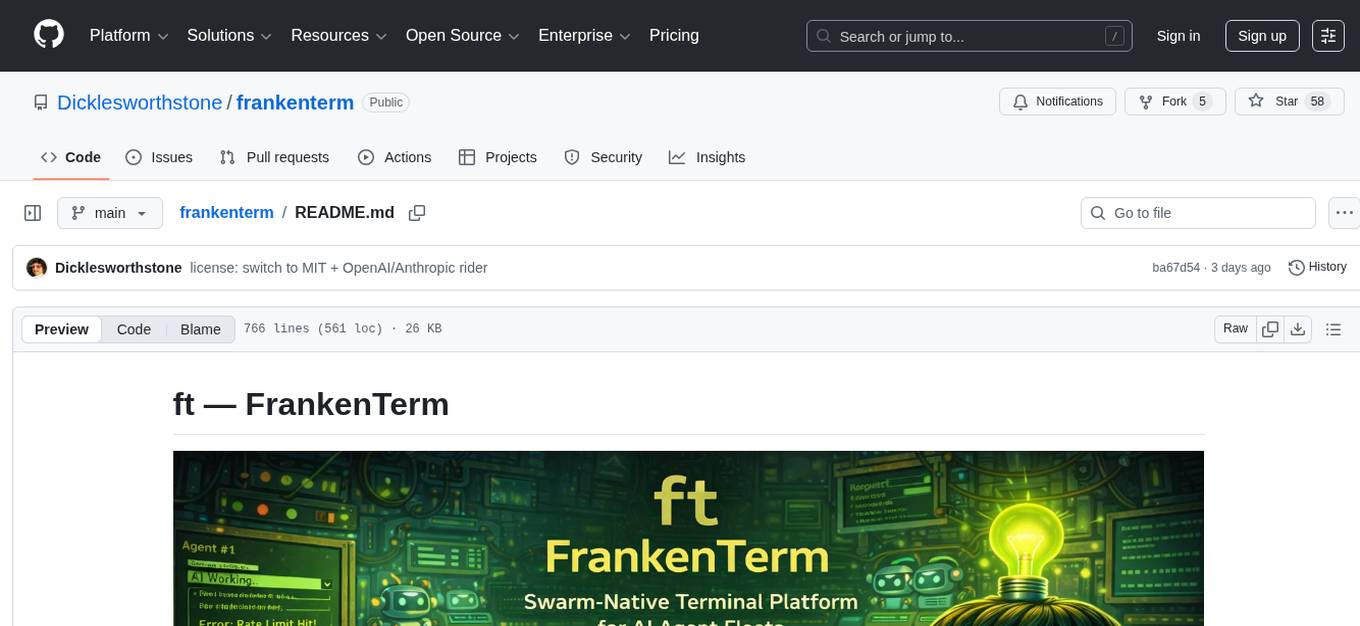
A swarm-native terminal platform designed to replace legacy terminal workflows for massive AI agent orchestration. `ft` is a full terminal platform for agent swarms with first-class observability, deterministic eventing, policy-gated automation, and machine-native control surfaces. It offers perfect observability, intelligent detection, event-driven automation, Robot Mode API, lexical + hybrid search, and a policy engine for safe multi-agent control. The platform is actively expanding with concepts learned from Ghostty and Zellij, purpose-built subsystems for agent swarms, and integrations from other projects like `/dp/asupersync`, `/dp/frankensqlite`, and `/frankentui`.
README:




A swarm-native terminal platform designed to replace legacy terminal workflows for massive AI agent orchestration.
The Problem: Running large AI coding swarms across ad-hoc terminal panes is chaos. You can't reliably observe state, detect rate limits or auth failures, coordinate handoffs, or automate safe recovery without brittle glue code.
The Solution: ft is a full terminal platform for agent swarms — with first-class observability, deterministic eventing, policy-gated automation, and machine-native control surfaces (Robot Mode + MCP). Existing WezTerm integration is a migration bridge, not the product boundary.
ft is developed as a replacement-class terminal runtime for multi-agent systems, not a thin wrapper around another terminal. The architecture is actively expanding with:
- Concepts learned from Ghostty and Zellij (session model, ergonomics, and runtime resilience)
- Ground-up
ftsubsystems purpose-built for agent swarms - Targeted integrations and code adaptation from
/dp/asupersync,/dp/frankensqlite, and/frankentui
| Feature | What It Does |
|---|---|
| Perfect Observability | Captures all terminal output across all panes with delta extraction (<50ms lag) |
| Intelligent Detection | Multi-agent pattern engine detects rate limits, errors, prompts, completions |
| Event-Driven Automation | Workflows trigger on patterns — no sleep loops or polling heuristics |
| Robot Mode API | JSON interface optimized for AI agents to control other AI agents |
| Lexical + Hybrid Search | FTS5 lexical search plus semantic/hybrid retrieval modes across captured output |
| Policy Engine | Capability gates, rate limiting, audit trails for safe multi-agent control |
# Start the ft watcher/runtime
$ ft watch

# See all active panes as JSON
$ ft robot state
{
  "ok": true,
  "data": {
    "panes": [
      {"pane_id": 0, "title": "claude-code", "domain": "local", "cwd": "/project"},
      {"pane_id": 1, "title": "codex", "domain": "local", "cwd": "/project"}
    ]
  }
}

# Compact TOON output (token-optimized)
$ ft robot --format toon state

# Token stats (printed to stderr so stdout stays data-only)
$ ft robot --format toon --stats state

# Get recent output from a specific pane
$ ft robot get-text 0 --tail 50

# Wait for a specific pattern (e.g., agent hitting rate limit)
$ ft robot wait-for 0 "core.codex:usage_reached" --timeout-secs 3600

# Search all captured output (lexical default)
$ ft robot search "error: compilation failed"

# Semantic/hybrid search mode
$ ft robot search "error: compilation failed" --mode hybrid

# Send input to a pane (with policy checks)
$ ft robot send 1 "/compact"

# View recent detection events
$ ft robot events --limit 10
Read/query interfaces (ft get-text, ft search, ft robot get-text, ft robot search, and MCP wa.get_text / wa.search) are policy-evaluated and redact secret material in returned text/snippets.
The observation loop (discovery, capture, pattern detection) has no side effects. It only reads and stores. The action loop (sending input, running workflows) is strictly separated with explicit policy gates.
No sleep(5) loops hoping the agent is ready. Every wait is condition-based: wait for a pattern match, wait for pane idle, wait for an external signal. Deterministic, not probabilistic.
Instead of repeatedly capturing entire scrollback buffers, ft uses 4KB overlap matching to extract only new content. Efficient storage, minimal latency, explicit gap markers for discontinuities.
A watcher lock ensures only one watcher can write to the database. No corruption from concurrent mutations. Graceful fallback for read-only introspection.
Robot Mode returns structured JSON with consistent schemas. Every response includes ok, data, error, elapsed_ms, and version. Designed for machines to parse, not humans to read.
-
Observe vs act split:
ft watchis read-only; mutating actions must pass the Policy Engine. - No silent gaps: capture gaps are recorded explicitly and surfaced in events/diagnostics.
-
Policy-gated sending:
ft sendand workflows enforce prompt/alt-screen checks, rate limits, and approvals. -
Policy-gated reads:
get-text/searchsurfaces enforce policy checks and return redacted text payloads.
Secure distributed mode is available as an optional feature-gated build and is off by default.
# Build ft with distributed mode support
cargo build -p frankenterm --release --features distributed
Operator guidance:
- Keep
distributed.bind_addron loopback unless you explicitly need remote access. - For non-loopback binds, enable TLS and use file/env token sources (avoid inline tokens).
- Use
ft doctor(orft doctor --json) to verify effective distributed security status. - Follow
docs/distributed-security-spec.mdfor setup, rotation, and troubleshooting.
| Feature | ft | WezTerm | Zellij | Ghostty |
|---|---|---|---|---|
| Swarm-native orchestration | First-class | External glue required | External glue required | External glue required |
| Event-driven automation | Built-in workflows + policy gate | Not native | Not native | Not native |
| Machine API for agents | Robot Mode + MCP | No equivalent | No equivalent | No equivalent |
| Cross-session state + recovery | Built-in snapshots/sessions | Partial/manual | Session-centric, not swarm-centric | Minimal |
| Agent-safe control plane | Capability/risk/approval/audit | Not native | Not native | Not native |
| Backend extensibility | Explicit platform direction | Terminal app only | Terminal app only | Terminal app only |
When to use ft:
- Running 2+ AI coding agents that need coordination
- Building automation that reacts to terminal output
- Debugging multi-agent workflows with full observability
When ft might not be ideal:
- Single shell/single-agent usage where orchestration is unnecessary
- Environments that only need a lightweight interactive terminal and no swarm control plane
# Clone and build
git clone https://github.com/Dicklesworthstone/frankenterm.git
cd frankenterm
cargo build --release

# Install to PATH
cp target/release/ft ~/.local/bin/cargo install --git https://github.com/Dicklesworthstone/frankenterm.git ft- Rust 1.85+ (nightly required for Rust 2024 edition)
- Compatibility backend bridge (current): WezTerm CLI available for existing pane/session interop while native runtime coverage expands
- SQLite (bundled via rusqlite)
# Guided setup (generates config snippets and shell hooks)
ft setup

# Bundled Pragmasevka Nerd Font auto-installs on normal ft usage
# (no `ft setup font --apply` required), and generated wezterm config
# defaults to it automatically.

# Manual install / reinstall path:
ft setup font --apply

# Opt out of automatic font install for this invocation:
FT_SKIP_BUNDLED_FONT_INSTALL=1 ft status# Compatibility backend check (current migration path)
wezterm cli list# Start observing all panes
ft watch
# Or run in foreground for debugging
ft -v watch --foreground# See what ft is observing
ft status
# Robot mode for JSON output
ft robot state# Full-text search across all panes (alias: `ft query`)
ft search "error"
ft query "error"
# Events feed (recent detections)
ft events
# Annotate/triage events
ft events annotate 123 --note "Investigating"
ft events triage 123 --state investigating
ft events label 123 --add urgent
# Robot mode with structured results
ft robot search "compilation failed" --limit 20# Wait for an agent to hit its rate limit
ft robot wait-for 0 "core.codex:usage_reached"
# Then send a command to handle it
ft robot send 0 "/compact"ft watch # Start watcher in background
ft watch --foreground # Run in foreground
ft watch --auto-handle # Enable auto workflows
ft stop # Stop running watcherft status # Overview of observed panes
ft show <pane_id> # Detailed pane info
ft get-text <pane_id> # Recent output from paneft send <pane_id> "<text>" # Send input (policy-gated)
ft send <pane_id> "<text>" --dry-run # Preview without executing
ft send <pane_id> "<text>" --wait-for "ok" # Verify via wait-for
ft send <pane_id> "<text>" --no-paste --no-newlineft search "<query>" # Full-text search
ft search "<query>" --pane 0 # Scope to specific pane
ft search "<query>" --limit 50ft why --list # List available explanation templates
ft why deny.alt_screen # Explain a common policy denialft workflow list # List available workflows
ft workflow run handle_usage_limits --pane 0
ft workflow run handle_usage_limits --pane 0 --dry-run
ft workflow status <execution_id> -vft rules list # List detection rules
ft rules test "Usage limit reached" # Test text against rules
ft rules show codex.usage_reached # Show rule detailsft approve AB12CD34 --dry-run # Check approval status
ft audit --limit 50 --pane 3 # Filter audit history
ft audit --decision deny # Only denied decisionsft triage # Summarize issues (health/crashes/events)
ft diag bundle --output /tmp/ft-diag # Collect diagnostic bundle
ft reproduce --kind crash # Export latest crash bundleUse --format toon for token-efficient output and ft robot help for the full command list.
ft robot state               # All panes as JSON
ft robot state --include-text --tail 20  # Pane metadata + per-pane tail output
ft robot get-text <id> --tail 50      # Single pane output as JSON
ft robot get-text --panes 0,1,2 --tail 20  # Batch pane output in one call
ft robot get-text --all --tail 10     # Batch all active panes in one call
ft robot send <id> "<text>" # Send input (with policy)
ft robot send <id> "<text>" --dry-run  # Preview without executing
ft robot wait-for <id> <rule_id>       # Wait for pattern
ft robot search "<query>" --mode <lexical|semantic|hybrid>  # Structured search
ft robot events             # Recent detection events
ft robot help # List all robot commands# Build with MCP feature enabled
cargo build --release --features mcp
# Start MCP server over stdio
ft mcp serveMCP mirrors robot mode. See docs/mcp-api-spec.md for the tool list and docs/json-schema/ for response schemas.
For multi-agent operating procedures, see docs/swarm-playbook.md.
ft config show               # Display current config
ft config validate           # Check config syntax
ft config reload             # Hot-reload config (SIGHUP)
For the full command matrix (human + robot + MCP), see docs/cli-reference.md.
Configuration lives in ~/.config/ft/ft.toml:
[general]
# Logging level: trace, debug, info, warn, error
log_level = "info"
# Output format: pretty (human) or json (machine)
log_format = "pretty"
# Data directory for database and locks
data_dir = "~/.local/share/ft"

[ingest]
# How often to poll panes for new content (milliseconds)
poll_interval_ms = 200
# Filter which panes to observe
[ingest.panes]
include = []  # Empty = all panes
exclude = ["*htop*", "*vim*"]  # Glob patterns

# Pane priority overrides (lower number = higher priority)
[ingest.priorities]
default_priority = 100

[[ingest.priorities.rules]]
id = "critical_codex"
priority = 10
title = "codex"

[[ingest.priorities.rules]]
id = "deprioritize_ssh"
priority = 200
domain = "SSH:*"

# Capture budgets (0 = unlimited)
[ingest.budgets]
max_captures_per_sec = 0
max_bytes_per_sec = 0

[storage]
# Write queue size for batched inserts
writer_queue_size = 100
# How long to retain captured output
retention_days = 30

[vendored]
# Optional explicit socket for single-backend mux access
mux_socket_path = "~/.local/share/wezterm/default.sock"

[vendored.mux_pool]
# Connection pool tuning for direct mux RPC
max_connections = 64
idle_timeout_seconds = 60
acquire_timeout_seconds = 10
pipeline_depth = 32
pipeline_timeout_ms = 5000
compression = "auto"

[vendored.sharding]
# Multi-socket sharding mode (requires 2+ socket_paths when enabled)
enabled = false
socket_paths = ["/tmp/ft-shard-0.sock", "/tmp/ft-shard-1.sock"]
# Assignment strategy tag: round_robin | by_domain | by_agent_type | manual | consistent_hash
assignment = { strategy = "round_robin" }

[backup.scheduled]
# Enable scheduled backups
enabled = false
# Schedule: hourly, daily, weekly, or 5-field cron
schedule = "daily"
# Retention policy
retention_days = 30
max_backups = 10
# Optional destination root
destination = "~/.local/share/ft/backups"
# Optional tweaks
compress = false
metadata_only = false
# Notifications
notify_on_failure = true
notify_on_success = false

[sync]
# Feature gate
enabled = false
# Require confirmation for any write
require_confirmation = true
# Default overwrite policy
allow_overwrite = false
# Payload toggles (global defaults)
allow_binary = false
allow_config = true
allow_snapshots = true
# Optional allow/deny path globs
allow_paths = []
deny_paths = ["~/.local/share/ft/ft.db", "~/.local/share/ft/ft.db-wal", "~/.local/share/ft/ft.db-shm"]

[[sync.targets]]
name = "staging"
transport = "ssh"
endpoint = "ft@staging-host"
root = "~/.local/share/ft/sync"
default_direction = "push"

[patterns]
# Which detection packs to enable
packs = ["core"]
# Core pack detects: Claude Code, Codex, Gemini state transitions

[workflows]
# Enable automatic workflow execution on pattern matches
enabled = true
# Maximum concurrent workflows
concurrency = 10

[safety]
# Require approval for actions on new hosts
approve_new_hosts = true
# Redact sensitive patterns (API keys, tokens) in logs
redact_secrets = true
# Rate limits per action type
[safety.rate_limits]
send_text = { max_per_second = 2 }┌─────────────────────────────────────────────────────────────────────────┐
│ ft Swarm Runtime Core │
│ Session Graph │ Pane Registry │ State Store │ Control Plane │
└─────────────────────────────────────────────────────────────────────────┘
│
Backend Adapters + Runtime Integrations
▼
┌─────────────────────────────────────────────────────────────────────────┐
│ Ingest + Normalization Pipeline │
│ Discovery → Delta Extraction → Fingerprinting → Observation Filter │
└─────────────────────────────────────────────────────────────────────────┘
│
▼
┌─────────────────────────────────────────────────────────────────────────┐
│ Storage Layer (SQLite + FTS5) │
│ output_segments │ events │ workflow_executions │ audit_actions │
└─────────────────────────────────────────────────────────────────────────┘
│
┌──────────────┼──────────────┐
▼ ▼ ▼
┌───────────┐ ┌───────────┐ ┌───────────┐
│ Pattern │ │ Event │ │ Workflow │
│ Engine │ │ Bus │ │ Engine │
│ (detect) │ │ (fanout) │ │ (execute) │
└───────────┘ └───────────┘ └───────────┘
│ │ │
└──────────────┼──────────────┘
▼
┌─────────────────────────────────────────────────────────────────────────┐
│ Policy Engine │
│ Capability Gates │ Rate Limiting │ Audit Trail │ Approval Tokens │
└─────────────────────────────────────────────────────────────────────────┘
│
▼
┌─────────────────────────────────────────────────────────────────────────┐
│ Robot Mode API + MCP + Platform Interfaces │
│ ft robot state │ get-text │ send │ wait-for │ search │ events │
│ ft mcp serve (feature-gated, stdio transport) │
└─────────────────────────────────────────────────────────────────────────┘
For a deeper architecture writeup (OSC 133 prompt markers, gap semantics, library map), see docs/architecture.md.
- Discovery: Enumerate pane/session resources via active backend adapters
- Capture: Stream output and state deltas from adapters/runtime hooks
- Delta: Compare with previous capture using 4KB overlap matching
- Store: Append new segments to SQLite with FTS5 indexing
- Detect: Run pattern engine against new content
- Event: Broadcast detections to event bus subscribers
- Workflow: Execute registered workflows on matching events
- Policy: Gate all actions through capability and rate limit checks
- API: Expose everything via Robot Mode JSON interface
ft detects state transitions across multiple AI coding agents:
| Agent | Pattern Examples |
|---|---|
| Codex |
core.codex:usage_reached, core.codex:compaction_complete
|
| Claude Code |
core.claude:rate_limited, core.claude:approval_needed
|
| Gemini |
core.gemini:quota_exceeded, core.gemini:error
|
| Terminal Runtime |
core.wezterm:pane_closed, core.wezterm:title_changed
|
Every detection has a stable rule_id like core.codex:usage_reached. Use these in:
-
ft robot wait-for <pane_id> <rule_id>— wait for specific condition - Workflow triggers — automatically react to patterns
- Allowlists — suppress false positives
Benchmarks live under crates/frankenterm-core/benches/ and use Criterion. Each bench includes a short, human-readable budget and emits machine-readable artifacts under target/criterion/.
# Compile benches (fast sanity check)
cargo bench -p frankenterm-core --benches --no-run

# Run a specific bench
cargo bench -p frankenterm-core --bench pattern_detection
cargo bench -p frankenterm-core --bench delta_extraction
cargo bench -p frankenterm-core --bench fts_query
When a bench runs, it prints a [BENCH] {...} metadata line and writes:
-
target/criterion/ft-bench-meta.jsonl(budgets + environment) -
target/criterion/ft-bench-manifest-<bench>.json(artifact manifest)
For a step-by-step operator guide (triage → why → reproduce), see docs/operator-playbook.md.
# Ensure compatibility backend is up
wezterm start --always-new-processAnother ft watcher is already running.
# Check for existing watcher
ft status

# Force stop if stuck
ft stop --force

# Or remove stale lock
rm ~/.local/share/ft/watcher.lockDelta extraction is failing; falling back to full captures.
# Check for gaps in capture
ft robot events --event-type gap

# Reduce poll interval
# In ft.toml:
[ingest]
poll_interval_ms = 500 # Slower polling# Enable debug logging
ft -vv watch --foreground
# Test pattern manually
ft rules test "Usage limit reached. Try again later."# Check watcher is running
ft status
# Verify pane exists
ft robot state
# Compatibility backend sanity check
wezterm cli list
# Check policy blocks
ft robot send 0 "test" --dry-run- Complete backend independence: Compatibility bridge still leans on WezTerm in current builds.
- Unified UX parity across all target backends: Active migration area.
- GUI interaction: Core focus is terminal/state orchestration, not arbitrary GUI automation.
- Production-grade multi-host federation: Distributed mode exists, but hardening is still ongoing.
| Capability | Current State | Planned |
|---|---|---|
| Backend decoupling from compatibility bridge | In progress | Ongoing |
| Browser automation (OAuth) | Feature-gated, partial | v0.2+ |
| MCP server integration | Feature-gated (stdio) | v0.2+ |
| Web dashboard | Feature-gated (health-only) | v0.3+ |
| Multi-host federation | Early distributed mode | v2.0+ |
FrankenTerm. Short, typeable, memorable.
By default, output is retained for 30 days (configurable via storage.retention_days). Data is stored locally in SQLite at ~/.local/share/ft/ft.db.
Default mode is local-first: no telemetry and no cloud dependency. Network activity only occurs when you explicitly enable integrations like webhooks, SMTP email alerts, or distributed mode.
Yes. The pattern detection and search work for any terminal output. Useful for debugging, auditing, or building custom automation.
Edit ~/.config/ft/patterns.toml:
[[patterns]]
id = "custom:my_error"
pattern = "FATAL ERROR:.*"
severity = "critical"- CPU: <1% during idle; brief spikes during pattern detection
- Memory: ~50MB for watcher with 100 panes
- Disk: ~10MB/day for typical multi-agent usage (compressed deltas)
- Latency: <50ms average capture lag
Please don't take this the wrong way, but I do not accept outside contributions for any of my projects. I simply don't have the mental bandwidth to review anything, and it's my name on the thing, so I'm responsible for any problems it causes; thus, the risk-reward is highly asymmetric from my perspective. I'd also have to worry about other "stakeholders," which seems unwise for tools I mostly make for myself for free. Feel free to submit issues, and even PRs if you want to illustrate a proposed fix, but know I won't merge them directly. Instead, I'll have Claude or Codex review submissions via gh and independently decide whether and how to address them. Bug reports in particular are welcome. Sorry if this offends, but I want to avoid wasted time and hurt feelings. I understand this isn't in sync with the prevailing open-source ethos that seeks community contributions, but it's the only way I can move at this velocity and keep my sanity.
MIT License (with OpenAI/Anthropic Rider). See LICENSE for details.
Built to be the terminal runtime for the AI agent age.
For Tasks:
Click tags to check more tools for each tasksFor Jobs:
Alternative AI tools for frankenterm
Similar Open Source Tools
frankenterm
A swarm-native terminal platform designed to replace legacy terminal workflows for massive AI agent orchestration. `ft` is a full terminal platform for agent swarms with first-class observability, deterministic eventing, policy-gated automation, and machine-native control surfaces. It offers perfect observability, intelligent detection, event-driven automation, Robot Mode API, lexical + hybrid search, and a policy engine for safe multi-agent control. The platform is actively expanding with concepts learned from Ghostty and Zellij, purpose-built subsystems for agent swarms, and integrations from other projects like `/dp/asupersync`, `/dp/frankensqlite`, and `/frankentui`.
lihil
Lihil is a performant, productive, and professional web framework designed to make Python the mainstream programming language for web development. It is 100% test covered and strictly typed, offering fast performance, ergonomic API, and built-in solutions for common problems. Lihil is suitable for enterprise web development, delivering robust and scalable solutions with best practices in microservice architecture and related patterns. It features dependency injection, OpenAPI docs generation, error response generation, data validation, message system, testability, and strong support for AI features. Lihil is ASGI compatible and uses starlette as its ASGI toolkit, ensuring compatibility with starlette classes and middlewares. The framework follows semantic versioning and has a roadmap for future enhancements and features.
VT.ai
VT.ai is a multimodal AI platform that offers dynamic conversation routing with SemanticRouter, multi-modal interactions (text/image/audio), an assistant framework with code interpretation, real-time response streaming, cross-provider model switching, and local model support with Ollama integration. It supports various AI providers such as OpenAI, Anthropic, Google Gemini, Groq, Cohere, and OpenRouter, providing a wide range of core capabilities for AI orchestration.
httpjail
httpjail is a cross-platform tool designed for monitoring and restricting HTTP/HTTPS requests from processes using network isolation and transparent proxy interception. It provides process-level network isolation, HTTP/HTTPS interception with TLS certificate injection, script-based and JavaScript evaluation for custom request logic, request logging, default deny behavior, and zero-configuration setup. The tool operates on Linux and macOS, creating an isolated network environment for target processes and intercepting all HTTP/HTTPS traffic through a transparent proxy enforcing user-defined rules.
mimiclaw
MimiClaw is a pocket AI assistant that runs on a $5 chip, specifically designed for the ESP32-S3 board. It operates without Linux or Node.js, using pure C language. Users can interact with MimiClaw through Telegram, enabling it to handle various tasks and learn from local memory. The tool is energy-efficient, running on USB power 24/7. With MimiClaw, users can have a personal AI assistant on a chip the size of a thumb, making it convenient and accessible for everyday use.
mcp-prompts
mcp-prompts is a Python library that provides a collection of prompts for generating creative writing ideas. It includes a variety of prompts such as story starters, character development, plot twists, and more. The library is designed to inspire writers and help them overcome writer's block by offering unique and engaging prompts to spark creativity. With mcp-prompts, users can access a wide range of writing prompts to kickstart their imagination and enhance their storytelling skills.
mcp-ts-template
The MCP TypeScript Server Template is a production-grade framework for building powerful and scalable Model Context Protocol servers with TypeScript. It features built-in observability, declarative tooling, robust error handling, and a modular, DI-driven architecture. The template is designed to be AI-agent-friendly, providing detailed rules and guidance for developers to adhere to best practices. It enforces architectural principles like 'Logic Throws, Handler Catches' pattern, full-stack observability, declarative components, and dependency injection for decoupling. The project structure includes directories for configuration, container setup, server resources, services, storage, utilities, tests, and more. Configuration is done via environment variables, and key scripts are available for development, testing, and publishing to the MCP Registry.
sandbox
AIO Sandbox is an all-in-one agent sandbox environment that combines Browser, Shell, File, MCP operations, and VSCode Server in a single Docker container. It provides a unified, secure execution environment for AI agents and developers, with features like unified file system, multiple interfaces, secure execution, zero configuration, and agent-ready MCP-compatible APIs. The tool allows users to run shell commands, perform file operations, automate browser tasks, and integrate with various development tools and services.
cordum
Cordum is a control plane for AI agents designed to close the Trust Gap by providing safety, observability, and control features. It allows teams to deploy autonomous agents with built-in governance mechanisms, including safety policies, workflow orchestration, job routing, observability, and human-in-the-loop approvals. The tool aims to address the challenges of deploying AI agents in production by offering visibility, safety rails, audit trails, and approval mechanisms for sensitive operations.
rtk
RTK is a lightweight and flexible tool for real-time kinematic positioning. It provides accurate positioning data by combining data from GPS satellites with a reference station. RTK is commonly used in surveying, agriculture, construction, and drone navigation. The tool offers real-time corrections to improve the accuracy of GPS data, making it ideal for applications requiring precise location information. With RTK, users can achieve centimeter-level accuracy in their positioning data, enabling them to perform tasks that demand high precision and reliability.
DeepTutor
DeepTutor is an AI-powered personalized learning assistant that offers a suite of modules for massive document knowledge Q&A, interactive learning visualization, knowledge reinforcement with practice exercise generation, deep research, and idea generation. The tool supports multi-agent collaboration, dynamic topic queues, and structured outputs for various tasks. It provides a unified system entry for activity tracking, knowledge base management, and system status monitoring. DeepTutor is designed to streamline learning and research processes by leveraging AI technologies and interactive features.
multi-agent-shogun
multi-agent-shogun is a system that runs multiple AI coding CLI instances simultaneously, orchestrating them like a feudal Japanese army. It supports Claude Code, OpenAI Codex, GitHub Copilot, and Kimi Code. The system allows you to command your AI army with zero coordination cost, enabling parallel execution, non-blocking workflow, cross-session memory, event-driven communication, and full transparency. It also features skills discovery, phone notifications, pane border task display, shout mode, and multi-CLI support.
fluid.sh
fluid.sh is a tool designed to manage and debug VMs using AI agents in isolated environments before applying changes to production. It provides a workflow where AI agents work autonomously in sandbox VMs, and human approval is required before any changes are made to production. The tool offers features like autonomous execution, full VM isolation, human-in-the-loop approval workflow, Ansible export, and a Python SDK for building autonomous agents.
easyclaw
EasyClaw is a desktop application that simplifies the usage of OpenClaw, a powerful agent runtime, by providing a user-friendly interface for non-programmers. Users can write rules in plain language, configure multiple LLM providers and messaging channels, manage API keys, and interact with the agent through a local web panel. The application ensures data privacy by keeping all information on the user's machine and offers features like natural language rules, multi-provider LLM support, Gemini CLI OAuth, proxy support, messaging integration, token tracking, speech-to-text, file permissions control, and more. EasyClaw aims to lower the barrier of entry for utilizing OpenClaw by providing a user-friendly cockpit for managing the engine.
hub
Hub is an open-source, high-performance LLM gateway written in Rust. It serves as a smart proxy for LLM applications, centralizing control and tracing of all LLM calls and traces. Built for efficiency, it provides a single API to connect to any LLM provider. The tool is designed to be fast, efficient, and completely open-source under the Apache 2.0 license.
For similar tasks
autogen
AutoGen is a framework that enables the development of LLM applications using multiple agents that can converse with each other to solve tasks. AutoGen agents are customizable, conversable, and seamlessly allow human participation. They can operate in various modes that employ combinations of LLMs, human inputs, and tools.

tracecat
Tracecat is an open-source automation platform for security teams. It's designed to be simple but powerful, with a focus on AI features and a practitioner-obsessed UI/UX. Tracecat can be used to automate a variety of tasks, including phishing email investigation, evidence collection, and remediation plan generation.
ciso-assistant-community
CISO Assistant is a tool that helps organizations manage their cybersecurity posture and compliance. It provides a centralized platform for managing security controls, threats, and risks. CISO Assistant also includes a library of pre-built frameworks and tools to help organizations quickly and easily implement best practices.
ck
Collective Mind (CM) is a collection of portable, extensible, technology-agnostic and ready-to-use automation recipes with a human-friendly interface (aka CM scripts) to unify and automate all the manual steps required to compose, run, benchmark and optimize complex ML/AI applications on any platform with any software and hardware: see online catalog and source code. CM scripts require Python 3.7+ with minimal dependencies and are continuously extended by the community and MLCommons members to run natively on Ubuntu, MacOS, Windows, RHEL, Debian, Amazon Linux and any other operating system, in a cloud or inside automatically generated containers while keeping backward compatibility - please don't hesitate to report encountered issues here and contact us via public Discord Server to help this collaborative engineering effort! CM scripts were originally developed based on the following requirements from the MLCommons members to help them automatically compose and optimize complex MLPerf benchmarks, applications and systems across diverse and continuously changing models, data sets, software and hardware from Nvidia, Intel, AMD, Google, Qualcomm, Amazon and other vendors: * must work out of the box with the default options and without the need to edit some paths, environment variables and configuration files; * must be non-intrusive, easy to debug and must reuse existing user scripts and automation tools (such as cmake, make, ML workflows, python poetry and containers) rather than substituting them; * must have a very simple and human-friendly command line with a Python API and minimal dependencies; * must require minimal or zero learning curve by using plain Python, native scripts, environment variables and simple JSON/YAML descriptions instead of inventing new workflow languages; * must have the same interface to run all automations natively, in a cloud or inside containers. CM scripts were successfully validated by MLCommons to modularize MLPerf inference benchmarks and help the community automate more than 95% of all performance and power submissions in the v3.1 round across more than 120 system configurations (models, frameworks, hardware) while reducing development and maintenance costs.
zenml
ZenML is an extensible, open-source MLOps framework for creating portable, production-ready machine learning pipelines. By decoupling infrastructure from code, ZenML enables developers across your organization to collaborate more effectively as they develop to production.
clearml
ClearML is a suite of tools designed to streamline the machine learning workflow. It includes an experiment manager, MLOps/LLMOps, data management, and model serving capabilities. ClearML is open-source and offers a free tier hosting option. It supports various ML/DL frameworks and integrates with Jupyter Notebook and PyCharm. ClearML provides extensive logging capabilities, including source control info, execution environment, hyper-parameters, and experiment outputs. It also offers automation features, such as remote job execution and pipeline creation. ClearML is designed to be easy to integrate, requiring only two lines of code to add to existing scripts. It aims to improve collaboration, visibility, and data transparency within ML teams.
devchat
DevChat is an open-source workflow engine that enables developers to create intelligent, automated workflows for engaging with users through a chat panel within their IDEs. It combines script writing flexibility, latest AI models, and an intuitive chat GUI to enhance user experience and productivity. DevChat simplifies the integration of AI in software development, unlocking new possibilities for developers.
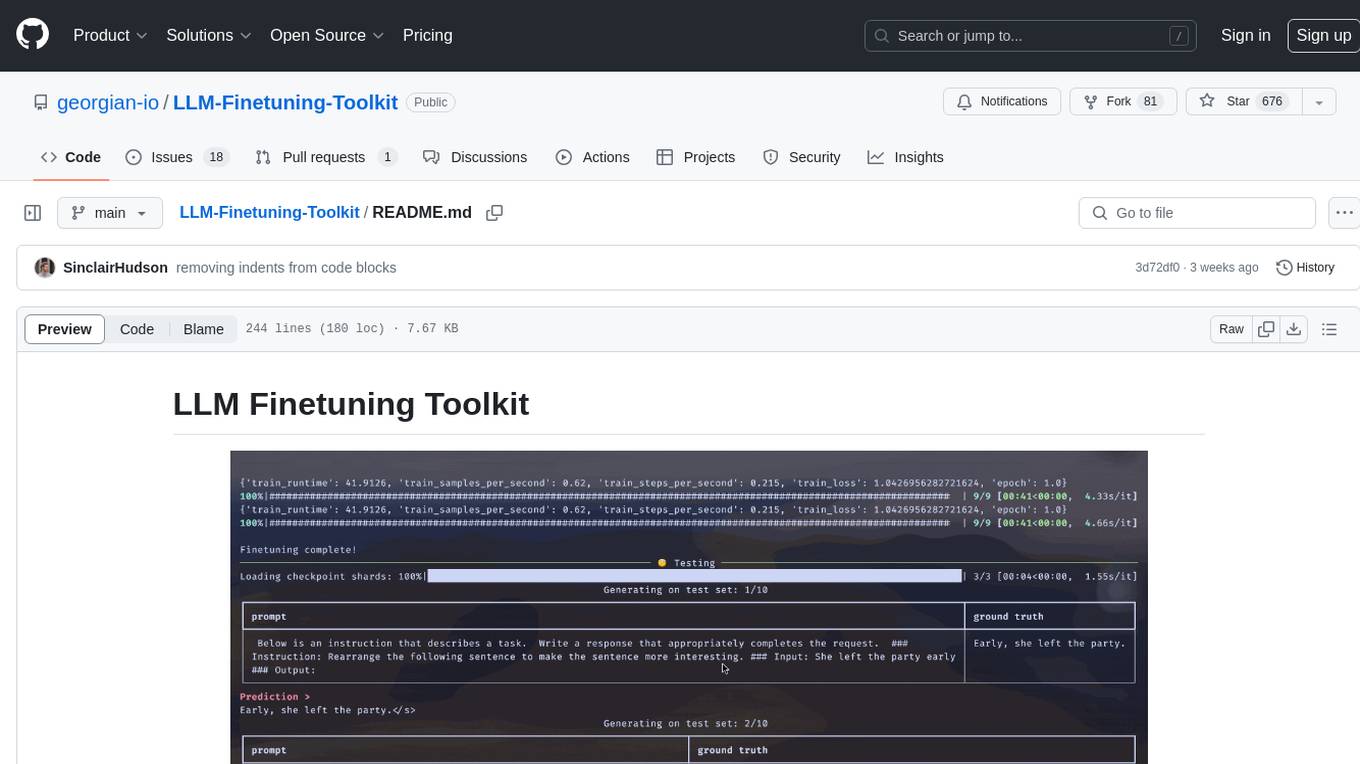
LLM-Finetuning-Toolkit
LLM Finetuning toolkit is a config-based CLI tool for launching a series of LLM fine-tuning experiments on your data and gathering their results. It allows users to control all elements of a typical experimentation pipeline - prompts, open-source LLMs, optimization strategy, and LLM testing - through a single YAML configuration file. The toolkit supports basic, intermediate, and advanced usage scenarios, enabling users to run custom experiments, conduct ablation studies, and automate fine-tuning workflows. It provides features for data ingestion, model definition, training, inference, quality assurance, and artifact outputs, making it a comprehensive tool for fine-tuning large language models.
For similar jobs

sweep
Sweep is an AI junior developer that turns bugs and feature requests into code changes. It automatically handles developer experience improvements like adding type hints and improving test coverage.

teams-ai
The Teams AI Library is a software development kit (SDK) that helps developers create bots that can interact with Teams and Microsoft 365 applications. It is built on top of the Bot Framework SDK and simplifies the process of developing bots that interact with Teams' artificial intelligence capabilities. The SDK is available for JavaScript/TypeScript, .NET, and Python.

ai-guide
This guide is dedicated to Large Language Models (LLMs) that you can run on your home computer. It assumes your PC is a lower-end, non-gaming setup.

classifai
Supercharge WordPress Content Workflows and Engagement with Artificial Intelligence. Tap into leading cloud-based services like OpenAI, Microsoft Azure AI, Google Gemini and IBM Watson to augment your WordPress-powered websites. Publish content faster while improving SEO performance and increasing audience engagement. ClassifAI integrates Artificial Intelligence and Machine Learning technologies to lighten your workload and eliminate tedious tasks, giving you more time to create original content that matters.

chatbot-ui
Chatbot UI is an open-source AI chat app that allows users to create and deploy their own AI chatbots. It is easy to use and can be customized to fit any need. Chatbot UI is perfect for businesses, developers, and anyone who wants to create a chatbot.

BricksLLM
BricksLLM is a cloud native AI gateway written in Go. Currently, it provides native support for OpenAI, Anthropic, Azure OpenAI and vLLM. BricksLLM aims to provide enterprise level infrastructure that can power any LLM production use cases. Here are some use cases for BricksLLM: * Set LLM usage limits for users on different pricing tiers * Track LLM usage on a per user and per organization basis * Block or redact requests containing PIIs * Improve LLM reliability with failovers, retries and caching * Distribute API keys with rate limits and cost limits for internal development/production use cases * Distribute API keys with rate limits and cost limits for students

uAgents
uAgents is a Python library developed by Fetch.ai that allows for the creation of autonomous AI agents. These agents can perform various tasks on a schedule or take action on various events. uAgents are easy to create and manage, and they are connected to a fast-growing network of other uAgents. They are also secure, with cryptographically secured messages and wallets.

griptape
Griptape is a modular Python framework for building AI-powered applications that securely connect to your enterprise data and APIs. It offers developers the ability to maintain control and flexibility at every step. Griptape's core components include Structures (Agents, Pipelines, and Workflows), Tasks, Tools, Memory (Conversation Memory, Task Memory, and Meta Memory), Drivers (Prompt and Embedding Drivers, Vector Store Drivers, Image Generation Drivers, Image Query Drivers, SQL Drivers, Web Scraper Drivers, and Conversation Memory Drivers), Engines (Query Engines, Extraction Engines, Summary Engines, Image Generation Engines, and Image Query Engines), and additional components (Rulesets, Loaders, Artifacts, Chunkers, and Tokenizers). Griptape enables developers to create AI-powered applications with ease and efficiency.