


sandbox
All-in-One Sandbox for AI Agents that combines Browser, Shell, File, MCP and VSCode Server in a single Docker container.
Stars: 63
AIO Sandbox is an all-in-one agent sandbox environment that combines Browser, Shell, File, MCP operations, and VSCode Server in a single Docker container. It provides a unified, secure execution environment for AI agents and developers, with features like unified file system, multiple interfaces, secure execution, zero configuration, and agent-ready MCP-compatible APIs. The tool allows users to run shell commands, perform file operations, automate browser tasks, and integrate with various development tools and services.
README:

🌐 Browser | 💻 Terminal | 📁 File | 🔧 VSCode | 📊 Jupyter | 🤖 MCP




Get up and running in 30 seconds:
# Start the sandbox (International)
docker run --rm -it -p 8080:8080 ghcr.io/agent-infra/sandbox:latest

# For users in mainland China
docker run --rm -it -p 8080:8080 enterprise-public-cn-beijing.cr.volces.com/vefaas-public/all-in-one-sandbox:latest
Once running, access the environment at:
- 📖 Documentation: http://localhost:8080/v1/docs
- 🌐 VNC Browser: http://localhost:8080/vnc/index.html?autoconnect=true
- 💻 VSCode Server: http://localhost:8080/code-server/
- 🤖 MCP Services: http://localhost:8080/mcp
AIO Sandbox is an all-in-one agent sandbox environment that combines Browser, Shell, File, MCP operations, and VSCode Server in a single Docker container. Built on cloud-native lightweight sandbox technology, it provides a unified, secure execution environment for AI agents and developers.

Traditional sandboxes are single-purpose (browser, code, or shell), making file sharing and functional coordination extremely challenging. AIO Sandbox solves this by providing:
- ✅ Unified File System - Files downloaded in browser are instantly available in Shell/File operations
- ✅ Multiple Interfaces - VNC, VSCode, Jupyter, and Terminal in one unified environment
- ✅ Secure Execution - Sandboxed Python and Node.js execution with safety guarantees
- ✅ Zero Configuration - Pre-configured MCP servers and development tools ready to use
- ✅ Agent-Ready - MCP-compatible APIs for seamless AI agent integration
|
Python pip install agent-sandbox |
TypeScript/JavaScript npm install @agent-infra/sandbox |
|
Python Example from agent_sandbox import Sandbox
# Initialize client
client = Sandbox(base_url="http://localhost:8080")
home_dir = c.sandbox.get_sandbox_context().home_dir
# Execute shell commands
result = client.shell.exec_command(command="ls -la")
print(result.data.output)
# File operations
content = client.file.read_file(file=f"{home_dir}/.bashrc")
print(content.data.content)
# Browser automation
screenshot = client.browser.screenshot() |
TypeScript Example import { Sandbox } from '@agent-infra/sandbox';
// Initialize client
const sandbox = new Sandbox({ baseURL: 'http://localhost:8080' });
// Execute shell commands
const result = await sandbox.shell.exec({ command: 'ls -la' });
console.log(result.output);
// File operations
const content = await sandbox.file.read({ path: '/home/gem/.bashrc' });
console.log(content);
// Browser automation
const screenshot = await sandbox.browser.screenshot(); |
All components run in the same container with a shared filesystem, enabling seamless workflows:

Full browser control through multiple interfaces:
- VNC - Visual browser interaction through remote desktop
- CDP - Chrome DevTools Protocol for programmatic control
- MCP - High-level browser automation tools

Integrated development environment with:
- VSCode Server - Full IDE experience in browser
- Jupyter Notebook - Interactive Python environment
- Terminal - WebSocket-based terminal access
- Port Forwarding - Smart preview for web applications

Pre-configured Model Context Protocol servers:
- Browser - Web automation and scraping
- File - File system operations
- Shell - Command execution
- Markitdown - Document processing
- Arxiv - Research paper access

Convert a webpage to Markdown with embedded screenshot:
import asyncio
import base64
from playwright.async_api import async_playwright
from agent_sandbox import Sandbox
async def site_to_markdown():
# Initialize sandbox client
c = Sandbox(base_url="http://localhost:8080")
home_dir = c.sandbox.get_sandbox_context().home_dir
# Browser: Automation to download HTML
async with async_playwright() as p:
browser_info = c.browser.get_browser_info().data
page = await (await p.chromium.connect_over_cdp(browser_info.cdp_url)).new_page()
await page.goto("https://example.com", wait_until="networkidle")
html = await page.content()
screenshot_b64 = base64.b64encode(await page.screenshot()).decode('utf-8')
# Jupyter: Convert HTML to markdown in sandbox
c.jupyter.execute_jupyter_code(code=f"""
from markdownify import markdownify
html = '''{html}'''
screenshot_b64 = "{screenshot_b64}"
md = f"{{markdownify(html)}}\\n\\n"
with open('{home_dir}/site.md', 'w') as f:
f.write(md)
print("Done!")
""")
# Shell: List files in sandbox
list_result = c.shell.exec_command(command=f"ls -lh {home_dir}")
print(f"Files in sandbox: {list_result.data.output}")
# File: Read the generated markdown
return c.file.read_file(file=f"{home_dir}/site.md").data.content
if __name__ == "__main__":
result = asyncio.run(site_to_markdown())
print(f"Markdown saved successfully!")

┌─────────────────────────────────────────────────────────────┐
│                    🌐 Browser + VNC                        │
├─────────────────────────────────────────────────────────────┤
│  💻 VSCode Server  │  🐚 Shell Terminal  │  📁 File Ops   │
├─────────────────────────────────────────────────────────────┤
│              🔗 MCP Hub + 🔒 Sandbox Fusion               │
├─────────────────────────────────────────────────────────────┤
│         🚀 Preview Proxy + 📊 Service Monitoring          │
└─────────────────────────────────────────────────────────────┘
| Endpoint | Description |
|---|---|
/v1/sandbox |
Get sandbox environment information |
/v1/shell/exec |
Execute shell commands |
/v1/file/read |
Read file contents |
/v1/file/write |
Write file contents |
/v1/browser/screenshot |
Take browser screenshot |
/v1/jupyter/execute |
Execute Jupyter code |
| Server | Tools Available |
|---|---|
browser |
navigate, screenshot, click, type, scroll
|
file |
read, write, list, search, replace
|
shell |
exec, create_session, kill
|
markitdown |
convert, extract_text, extract_images
|
arxiv |
search, get_paper, download_pdf
|
version: '3.8'
services:
  aio-sandbox:
    image: ghcr.io/agent-infra/sandbox:v1
    ports:
      - "8080:8080"
    volumes:
      - sandbox_data:/workspace
    environment:
      - SANDBOX_MEMORY_LIMIT=2g
      - SANDBOX_CPU_LIMIT=1000m
restart: unless-stoppedapiVersion: apps/v1
kind: Deployment
metadata:
name: aio-sandbox
spec:
replicas: 2
template:
spec:
containers:
- name: aio-sandbox
image: ghcr.io/agent-infra/sandbox:v1
ports:
- containerPort: 8080
resources:
limits:
memory: "2Gi"
cpu: "1000m"from langchain.tools import BaseTool
from agent_sandbox import Sandbox
class SandboxTool(BaseTool):
name = "sandbox_execute"
description = "Execute commands in AIO Sandbox"
def _run(self, command: str) -> str:
client = Sandbox(base_url="http://localhost:8080")
result = client.shell.exec_command(command=command)
return result.data.outputfrom openai import OpenAI
from agent_sandbox import Sandbox
import json
client = OpenAI(
api_key="your_api_key",
)
sandbox = Sandbox(base_url="http://localhost:8080")
# define a tool to run code in the sandbox
def run_code(code, lang="python"):
if lang == "python":
return sandbox.jupyter.execute_jupyter_code(code=code).data
return sandbox.nodejs.execute_nodejs_code(code=code).data
# 使用 OpenAI
response = client.chat.completions.create(
model="gpt-4",
messages=[{"role": "user", "content": "calculate 1+1"}],
tools=[
{
"type": "function",
"function": {
"name": "run_code",
"parameters": {
"type": "object",
"properties": {
"code": {"type": "string"},
"lang": {"type": "string"},
},
},
},
}
],
)
if response.choices[0].message.tool_calls:
args = json.loads(response.choices[0].message.tool_calls[0].function.arguments)
print("args", args)
result = run_code(**args)
print(result['outputs'][0]['text'])We welcome contributions! Please see our Contributing Guide for details.
AIO Sandbox is released under the Apache License 2.0.
Built with ❤️ by the Agent Infra team. Special thanks to all contributors and the open-source community.
Ready to revolutionize your AI development workflow?
⭐ Star us on GitHub •
📚 Read the Docs •
🐛 Report Issues
For Tasks:
Click tags to check more tools for each tasksFor Jobs:
Alternative AI tools for sandbox
Similar Open Source Tools
sandbox
AIO Sandbox is an all-in-one agent sandbox environment that combines Browser, Shell, File, MCP operations, and VSCode Server in a single Docker container. It provides a unified, secure execution environment for AI agents and developers, with features like unified file system, multiple interfaces, secure execution, zero configuration, and agent-ready MCP-compatible APIs. The tool allows users to run shell commands, perform file operations, automate browser tasks, and integrate with various development tools and services.
mcp-prompts
mcp-prompts is a Python library that provides a collection of prompts for generating creative writing ideas. It includes a variety of prompts such as story starters, character development, plot twists, and more. The library is designed to inspire writers and help them overcome writer's block by offering unique and engaging prompts to spark creativity. With mcp-prompts, users can access a wide range of writing prompts to kickstart their imagination and enhance their storytelling skills.
hub
Hub is an open-source, high-performance LLM gateway written in Rust. It serves as a smart proxy for LLM applications, centralizing control and tracing of all LLM calls and traces. Built for efficiency, it provides a single API to connect to any LLM provider. The tool is designed to be fast, efficient, and completely open-source under the Apache 2.0 license.
distill
Distill is a reliability layer for LLM context that provides deterministic deduplication to remove redundancy before reaching the model. It aims to reduce redundant data, lower costs, provide faster responses, and offer more efficient and deterministic results. The tool works by deduplicating, compressing, summarizing, and caching context to ensure reliable outputs. It offers various installation methods, including binary download, Go install, Docker usage, and building from source. Distill can be used for tasks like deduplicating chunks, connecting to vector databases, integrating with AI assistants, analyzing files for duplicates, syncing vectors to Pinecone, querying from the command line, and managing configuration files. The tool supports self-hosting via Docker, Docker Compose, building from source, Fly.io deployment, Render deployment, and Railway integration. Distill also provides monitoring capabilities with Prometheus-compatible metrics, Grafana dashboard, and OpenTelemetry tracing.
DeepTutor
DeepTutor is an AI-powered personalized learning assistant that offers a suite of modules for massive document knowledge Q&A, interactive learning visualization, knowledge reinforcement with practice exercise generation, deep research, and idea generation. The tool supports multi-agent collaboration, dynamic topic queues, and structured outputs for various tasks. It provides a unified system entry for activity tracking, knowledge base management, and system status monitoring. DeepTutor is designed to streamline learning and research processes by leveraging AI technologies and interactive features.
mcp-ts-template
The MCP TypeScript Server Template is a production-grade framework for building powerful and scalable Model Context Protocol servers with TypeScript. It features built-in observability, declarative tooling, robust error handling, and a modular, DI-driven architecture. The template is designed to be AI-agent-friendly, providing detailed rules and guidance for developers to adhere to best practices. It enforces architectural principles like 'Logic Throws, Handler Catches' pattern, full-stack observability, declarative components, and dependency injection for decoupling. The project structure includes directories for configuration, container setup, server resources, services, storage, utilities, tests, and more. Configuration is done via environment variables, and key scripts are available for development, testing, and publishing to the MCP Registry.
lihil
Lihil is a performant, productive, and professional web framework designed to make Python the mainstream programming language for web development. It is 100% test covered and strictly typed, offering fast performance, ergonomic API, and built-in solutions for common problems. Lihil is suitable for enterprise web development, delivering robust and scalable solutions with best practices in microservice architecture and related patterns. It features dependency injection, OpenAPI docs generation, error response generation, data validation, message system, testability, and strong support for AI features. Lihil is ASGI compatible and uses starlette as its ASGI toolkit, ensuring compatibility with starlette classes and middlewares. The framework follows semantic versioning and has a roadmap for future enhancements and features.
fluid.sh
fluid.sh is a tool designed to manage and debug VMs using AI agents in isolated environments before applying changes to production. It provides a workflow where AI agents work autonomously in sandbox VMs, and human approval is required before any changes are made to production. The tool offers features like autonomous execution, full VM isolation, human-in-the-loop approval workflow, Ansible export, and a Python SDK for building autonomous agents.
httpjail
httpjail is a cross-platform tool designed for monitoring and restricting HTTP/HTTPS requests from processes using network isolation and transparent proxy interception. It provides process-level network isolation, HTTP/HTTPS interception with TLS certificate injection, script-based and JavaScript evaluation for custom request logic, request logging, default deny behavior, and zero-configuration setup. The tool operates on Linux and macOS, creating an isolated network environment for target processes and intercepting all HTTP/HTTPS traffic through a transparent proxy enforcing user-defined rules.
solo-server
Solo Server is a lightweight server designed for managing hardware-aware inference. It provides seamless setup through a simple CLI and HTTP servers, an open model registry for pulling models from platforms like Ollama and Hugging Face, cross-platform compatibility for effortless deployment of AI models on hardware, and a configurable framework that auto-detects hardware components (CPU, GPU, RAM) and sets optimal configurations.
VT.ai
VT.ai is a multimodal AI platform that offers dynamic conversation routing with SemanticRouter, multi-modal interactions (text/image/audio), an assistant framework with code interpretation, real-time response streaming, cross-provider model switching, and local model support with Ollama integration. It supports various AI providers such as OpenAI, Anthropic, Google Gemini, Groq, Cohere, and OpenRouter, providing a wide range of core capabilities for AI orchestration.
morgana-form
MorGana Form is a full-stack form builder project developed using Next.js, React, TypeScript, Ant Design, PostgreSQL, and other technologies. It allows users to quickly create and collect data through survey forms. The project structure includes components, hooks, utilities, pages, constants, Redux store, themes, types, server-side code, and component packages. Environment variables are required for database settings, NextAuth login configuration, and file upload services. Additionally, the project integrates an AI model for form generation using the Ali Qianwen model API.
openai-forward
OpenAI-Forward is an efficient forwarding service implemented for large language models. Its core features include user request rate control, token rate limiting, intelligent prediction caching, log management, and API key management, aiming to provide efficient and convenient model forwarding services. Whether proxying local language models or cloud-based language models like LocalAI or OpenAI, OpenAI-Forward makes it easy. Thanks to support from libraries like uvicorn, aiohttp, and asyncio, OpenAI-Forward achieves excellent asynchronous performance.
tinyclaw
TinyClaw is a lightweight wrapper around Claude Code that connects WhatsApp via QR code, processes messages sequentially, maintains conversation context, runs 24/7 in tmux, and is ready for multi-channel support. Its key innovation is the file-based queue system that prevents race conditions and enables multi-channel support. TinyClaw consists of components like whatsapp-client.js for WhatsApp I/O, queue-processor.js for message processing, heartbeat-cron.sh for health checks, and tinyclaw.sh as the main orchestrator with a CLI interface. It ensures no race conditions, is multi-channel ready, provides clean responses using claude -c -p, and supports persistent sessions. Security measures include local storage of WhatsApp session and queue files, channel-specific authentication, and running Claude with user permissions.
skillshare
One source of truth for AI CLI skills. Sync everywhere with one command — from personal to organization-wide. Stop managing skills tool-by-tool. `skillshare` gives you one shared skill source and pushes it everywhere your AI agents work. Safe by default with non-destructive merge mode. True bidirectional flow with `collect`. Cross-machine ready with Git-native `push`/`pull`. Team + project friendly with global skills for personal workflows and repo-scoped collaboration. Visual control panel with `skillshare ui` for browsing, install, target management, and sync status in one place.
cordum
Cordum is a control plane for AI agents designed to close the Trust Gap by providing safety, observability, and control features. It allows teams to deploy autonomous agents with built-in governance mechanisms, including safety policies, workflow orchestration, job routing, observability, and human-in-the-loop approvals. The tool aims to address the challenges of deploying AI agents in production by offering visibility, safety rails, audit trails, and approval mechanisms for sensitive operations.
For similar tasks
Botright
Botright is a tool designed for browser automation that focuses on stealth and captcha solving. It uses a real Chromium-based browser for enhanced stealth and offers features like browser fingerprinting and AI-powered captcha solving. The tool is suitable for developers looking to automate browser tasks while maintaining anonymity and bypassing captchas. Botright is available in async mode and can be easily integrated with existing Playwright code. It provides solutions for various captchas such as hCaptcha, reCaptcha, and GeeTest, with high success rates. Additionally, Botright offers browser stealth techniques and supports different browser functionalities for seamless automation.
CoolCline
CoolCline is a proactive programming assistant that combines the best features of Cline, Roo Code, and Bao Cline. It seamlessly collaborates with your command line interface and editor, providing the most powerful AI development experience. It optimizes queries, allows quick switching of LLM Providers, and offers auto-approve options for actions. Users can configure LLM Providers, select different chat modes, perform file and editor operations, integrate with the command line, automate browser tasks, and extend capabilities through the Model Context Protocol (MCP). Context mentions help provide explicit context, and installation is easy through the editor's extension panel or by dragging and dropping the `.vsix` file. Local setup and development instructions are available for contributors.
cursor-tools
cursor-tools is a CLI tool designed to enhance AI agents with advanced skills, such as web search, repository context, documentation generation, GitHub integration, Xcode tools, and browser automation. It provides features like Perplexity for web search, Gemini 2.0 for codebase context, and Stagehand for browser operations. The tool requires API keys for Perplexity AI and Google Gemini, and supports global installation for system-wide access. It offers various commands for different tasks and integrates with Cursor Composer for AI agent usage.
LLM-Navigation
LLM-Navigation is a repository dedicated to documenting learning records related to large models, including basic knowledge, prompt engineering, building effective agents, model expansion capabilities, security measures against prompt injection, and applications in various fields such as AI agent control, browser automation, financial analysis, 3D modeling, and tool navigation using MCP servers. The repository aims to organize and collect information for personal learning and self-improvement through AI exploration.
browser4
Browser4 is a lightning-fast, coroutine-safe browser designed for AI integration with large language models. It offers ultra-fast automation, deep web understanding, and powerful data extraction APIs. Users can automate the browser, extract data at scale, and perform tasks like summarizing products, extracting product details, and finding specific links. The tool is developer-friendly, supports AI-powered automation, and provides advanced features like X-SQL for precise data extraction. It also offers RPA capabilities, browser control, and complex data extraction with X-SQL. Browser4 is suitable for web scraping, data extraction, automation, and AI integration tasks.
sandbox
AIO Sandbox is an all-in-one agent sandbox environment that combines Browser, Shell, File, MCP operations, and VSCode Server in a single Docker container. It provides a unified, secure execution environment for AI agents and developers, with features like unified file system, multiple interfaces, secure execution, zero configuration, and agent-ready MCP-compatible APIs. The tool allows users to run shell commands, perform file operations, automate browser tasks, and integrate with various development tools and services.
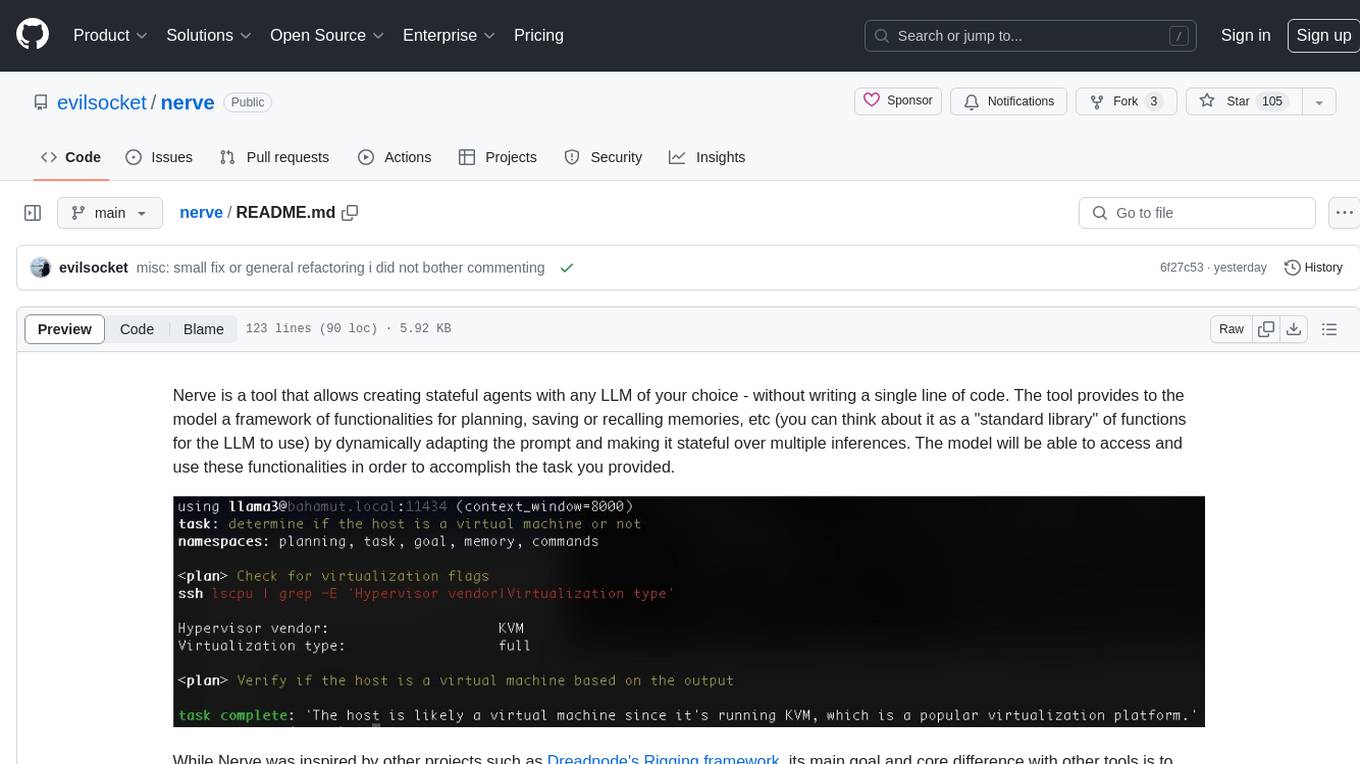
nerve
Nerve is a tool that allows creating stateful agents with any LLM of your choice without writing code. It provides a framework of functionalities for planning, saving, or recalling memories by dynamically adapting the prompt. Nerve is experimental and subject to changes. It is valuable for learning and experimenting but not recommended for production environments. The tool aims to instrument smart agents without code, inspired by projects like Dreadnode's Rigging framework.
Windows-Use
Windows-Use is a powerful automation agent that interacts directly with the Windows OS at the GUI layer. It bridges the gap between AI agents and Windows to perform tasks such as opening apps, clicking buttons, typing, executing shell commands, and capturing UI state without relying on traditional computer vision models. It enables any large language model (LLM) to perform computer automation instead of relying on specific models for it.
For similar jobs

promptflow
**Prompt flow** is a suite of development tools designed to streamline the end-to-end development cycle of LLM-based AI applications, from ideation, prototyping, testing, evaluation to production deployment and monitoring. It makes prompt engineering much easier and enables you to build LLM apps with production quality.

deepeval
DeepEval is a simple-to-use, open-source LLM evaluation framework specialized for unit testing LLM outputs. It incorporates various metrics such as G-Eval, hallucination, answer relevancy, RAGAS, etc., and runs locally on your machine for evaluation. It provides a wide range of ready-to-use evaluation metrics, allows for creating custom metrics, integrates with any CI/CD environment, and enables benchmarking LLMs on popular benchmarks. DeepEval is designed for evaluating RAG and fine-tuning applications, helping users optimize hyperparameters, prevent prompt drifting, and transition from OpenAI to hosting their own Llama2 with confidence.

MegaDetector
MegaDetector is an AI model that identifies animals, people, and vehicles in camera trap images (which also makes it useful for eliminating blank images). This model is trained on several million images from a variety of ecosystems. MegaDetector is just one of many tools that aims to make conservation biologists more efficient with AI. If you want to learn about other ways to use AI to accelerate camera trap workflows, check out our of the field, affectionately titled "Everything I know about machine learning and camera traps".

leapfrogai
LeapfrogAI is a self-hosted AI platform designed to be deployed in air-gapped resource-constrained environments. It brings sophisticated AI solutions to these environments by hosting all the necessary components of an AI stack, including vector databases, model backends, API, and UI. LeapfrogAI's API closely matches that of OpenAI, allowing tools built for OpenAI/ChatGPT to function seamlessly with a LeapfrogAI backend. It provides several backends for various use cases, including llama-cpp-python, whisper, text-embeddings, and vllm. LeapfrogAI leverages Chainguard's apko to harden base python images, ensuring the latest supported Python versions are used by the other components of the stack. The LeapfrogAI SDK provides a standard set of protobuffs and python utilities for implementing backends and gRPC. LeapfrogAI offers UI options for common use-cases like chat, summarization, and transcription. It can be deployed and run locally via UDS and Kubernetes, built out using Zarf packages. LeapfrogAI is supported by a community of users and contributors, including Defense Unicorns, Beast Code, Chainguard, Exovera, Hypergiant, Pulze, SOSi, United States Navy, United States Air Force, and United States Space Force.

llava-docker
This Docker image for LLaVA (Large Language and Vision Assistant) provides a convenient way to run LLaVA locally or on RunPod. LLaVA is a powerful AI tool that combines natural language processing and computer vision capabilities. With this Docker image, you can easily access LLaVA's functionalities for various tasks, including image captioning, visual question answering, text summarization, and more. The image comes pre-installed with LLaVA v1.2.0, Torch 2.1.2, xformers 0.0.23.post1, and other necessary dependencies. You can customize the model used by setting the MODEL environment variable. The image also includes a Jupyter Lab environment for interactive development and exploration. Overall, this Docker image offers a comprehensive and user-friendly platform for leveraging LLaVA's capabilities.

carrot
The 'carrot' repository on GitHub provides a list of free and user-friendly ChatGPT mirror sites for easy access. The repository includes sponsored sites offering various GPT models and services. Users can find and share sites, report errors, and access stable and recommended sites for ChatGPT usage. The repository also includes a detailed list of ChatGPT sites, their features, and accessibility options, making it a valuable resource for ChatGPT users seeking free and unlimited GPT services.

TrustLLM
TrustLLM is a comprehensive study of trustworthiness in LLMs, including principles for different dimensions of trustworthiness, established benchmark, evaluation, and analysis of trustworthiness for mainstream LLMs, and discussion of open challenges and future directions. Specifically, we first propose a set of principles for trustworthy LLMs that span eight different dimensions. Based on these principles, we further establish a benchmark across six dimensions including truthfulness, safety, fairness, robustness, privacy, and machine ethics. We then present a study evaluating 16 mainstream LLMs in TrustLLM, consisting of over 30 datasets. The document explains how to use the trustllm python package to help you assess the performance of your LLM in trustworthiness more quickly. For more details about TrustLLM, please refer to project website.

AI-YinMei
AI-YinMei is an AI virtual anchor Vtuber development tool (N card version). It supports fastgpt knowledge base chat dialogue, a complete set of solutions for LLM large language models: [fastgpt] + [one-api] + [Xinference], supports docking bilibili live broadcast barrage reply and entering live broadcast welcome speech, supports Microsoft edge-tts speech synthesis, supports Bert-VITS2 speech synthesis, supports GPT-SoVITS speech synthesis, supports expression control Vtuber Studio, supports painting stable-diffusion-webui output OBS live broadcast room, supports painting picture pornography public-NSFW-y-distinguish, supports search and image search service duckduckgo (requires magic Internet access), supports image search service Baidu image search (no magic Internet access), supports AI reply chat box [html plug-in], supports AI singing Auto-Convert-Music, supports playlist [html plug-in], supports dancing function, supports expression video playback, supports head touching action, supports gift smashing action, supports singing automatic start dancing function, chat and singing automatic cycle swing action, supports multi scene switching, background music switching, day and night automatic switching scene, supports open singing and painting, let AI automatically judge the content.