


fluid.sh
Claude Code for Managing and Debugging VMs
Stars: 384
fluid.sh is a tool designed to manage and debug VMs using AI agents in isolated environments before applying changes to production. It provides a workflow where AI agents work autonomously in sandbox VMs, and human approval is required before any changes are made to production. The tool offers features like autonomous execution, full VM isolation, human-in-the-loop approval workflow, Ansible export, and a Python SDK for building autonomous agents.
README:




Fluid comes in two flavors: A local CLI Agent that connects to remote KVM hosts from your local host
An Agent API that connects to KVM hosts and can handle tens to thousands of concurrent agent sessions.
Choose your own adventure 🧙♂️
AI agents are ready to do infrastructure work, but they can't touch prod:
- Agents can install packages, configure services, write scripts--autonomously
- But one mistake on production and you're getting paged at 3 AM to fix it
- So we limit agents to chatbots instead of letting them manage and debug on their own
fluid.sh lets AI agents work autonomously in isolated VMs, then a human approves before anything touches production:
┌─────────────────────────────────────────────────────────────────────────┐
│                           Fluid Workflow                                │
│                                                                         │
│  ┌─────────┐     ┌─────────────────┐     ┌──────────┐     ┌──────────┐  │
│  │  Agent  │────►│  Sandbox VM     │────►│  Human   │────►│Production│  │
│  │  Task   │     │  (autonomous)   │     │ Approval │     │  Server  │  │
│  └─────────┘     └─────────────────┘     └──────────┘     └──────────┘  │
│                         │                      │                        │
│                    • Full root access     • Review diff                 │
│                    • Install packages     • Approve Ansible             │
│                    • Edit configs         • One-click apply             │
│                    • Run services                                       │
│                    • Snapshot/restore                                   │
└─────────────────────────────────────────────────────────────────────────┘
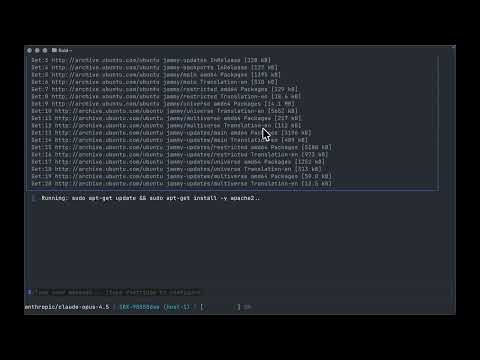
| Feature | Description |
|---|---|
| Autonomous Execution | Agents run commands, install packages, edit configs--no hand-holding |
| Full VM Isolation | Each agent gets a dedicated KVM virtual machine with root access |
| Human-in-the-Loop | Blocking approval workflow before any production changes |
| Ansible Export | Auto-generate playbooks from agent work for production apply |
| Python SDK | First-class SDK for building autonomous agents |
- Must have Go 1.24+ installed.
- Access to Remote Libvirt Host via SSH
- If you are able to access a Libvirt host via SSH then this will work.
To install you can either
curl -fsSL https://fluid.sh/install.sh | bashor
go install github.com/aspectrr/fluid.sh/fluid/cmd/fluid@latestThey do the same thing.
Next you can run
fluidto start onboarding.
Onboarding will take you through adding remote hosts, generating SSH CAs for the agent to access sandboxes, and getting your LLM API key setup.
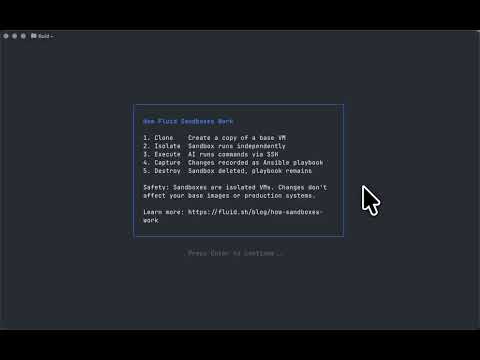
When a Libvirt host does not have enough memory available to create a sandbox, the sandbox creation event will cause an approval screen to prompting the user for approval. This is used to track memory and CPU, and useful for not straining your existing hardware. These limits can be configured with /settings.
All internet connections are blocked by default. Any command that reaches out of the sandbox require human approval first.
Context limits are set in /settings and used to configure when compaction takes place. Context is calculated with a rough heuristic of 0.33 tokens per char. This is meant as a rough estimate but this is likely to be fixed and updated in further iterations.
The agent has access to the following tools during execution:
| Tool | Only Usable in Sandbox | Only Can Act on Sandboxes | Potentially Destructive | Description |
|---|---|---|---|---|
list_sandboxes |
No |
No |
No |
List sandboxes with IP addresses |
create_sandbox |
No |
No, acts on libvirt host |
Yes |
Create new sandbox VM by cloning from source VM |
destroy_sandbox |
No |
Yes |
Yes |
Destroy sandbox and storage |
start_sandbox |
No |
Yes |
Yes |
Start a stopped sandbox VM |
stop_sandbox |
No |
Yes |
Yes |
Stop a started sandbox VM |
| Tool | Only Usable in Sandbox | Only can act on Sandboxes | Potentially Destructive | Description |
|---|---|---|---|---|
run_command |
Yes |
Yes |
Yes |
Execute a command inside a sandbox via SSH |
edit_file |
Yes |
Yes |
Yes |
Edit file on sandbox |
read_file |
Yes |
Yes |
No |
Read file on sandbox |
| Tool | Only Usable in Sandbox | Only can act on Sandboxes | Potentially Destructive | Description |
|---|---|---|---|---|
create_playbook |
No |
No |
No |
Create Ansible Playbook |
add_playbook_task |
No |
No |
No |
Add Ansible task to playbook |
list_playbooks |
No |
No |
No |
List Ansible playbooks |
get_playbook |
No |
No |
No |
Get playbook contents |
You can cycle between EDIT and READ-ONLY mode in the CLI via Shift-Tab.


Read only mode will give access to the model to only tools that are not potentially destructive:
| Tool | Only Usable in Sandbox | Only Can Act on Sandboxes | Potentially Destructive | Description |
|---|---|---|---|---|
list_sandboxes |
No |
No |
No |
List sandboxes with IP addresses |
| Tool | Only Usable in Sandbox | Only can act on Sandboxes | Potentially Destructive | Description |
|---|---|---|---|---|
read_file |
Yes |
Yes |
No |
Read file on sandbox |
| Tool | Only Usable in Sandbox | Only can act on Sandboxes | Potentially Destructive | Description |
|---|---|---|---|---|
create_playbook |
No |
No |
No |
Create Ansible Playbook |
add_playbook_task |
No |
No |
No |
Add Ansible task to playbook |
list_playbooks |
No |
No |
No |
List Ansible playbooks |
get_playbook |
No |
No |
No |
Get playbook contents |
In addition to read-only mode within sandboxes, Fluid supports reading source/golden VMs directly -- no sandbox required. This lets the agent inspect production VMs for debugging and investigation without any risk of modification.
To enable read-only access on a source VM:
fluid source prepare <vm-name>This sets up a defense-in-depth security model on the VM:
- Installs a restricted shell script at
/usr/local/bin/fluid-readonly-shell - Creates a
fluid-readonlyuser with the restricted shell (no interactive login) - Configures SSH CA trust so the agent authenticates with ephemeral certificates
- Sets up authorized principals for the
fluid-readonlyuser - Restarts sshd to apply changes
All steps are idempotent -- running prepare multiple times is safe. This is also run automatically during onboarding or when investigating a VM in read-only mode.
When in read-only mode, the agent has access to these source VM tools:
| Tool | Only Usable in Sandbox | Only Can Act on Sandboxes | Potentially Destructive | Description |
|---|---|---|---|---|
run_source_command |
No |
No |
No |
Execute a read-only diagnostic command on a source VM |
read_source_file |
No |
No |
No |
Read the contents of a file on a source VM |
Commands are validated against an allowlist before execution. Allowed categories include:
| Category | Commands |
|---|---|
| File inspection |
cat, ls, find, head, tail, stat, file, wc, du, tree, strings, md5sum, sha256sum
|
| Process/system |
ps, top, pgrep, systemctl status, journalctl, dmesg
|
| Network |
ss, netstat, ip, ifconfig, dig, nslookup, ping
|
| Disk |
df, lsblk, blkid
|
| Package query |
dpkg -l, rpm -q, apt list, pip list
|
| System info |
uname, hostname, uptime, free, lscpu, lsmod
|
| Pipe targets |
grep, awk, sed, sort, uniq, cut, tr
|
Subcommands are also restricted. For example, systemctl only allows status, show, list-units, is-active, and is-enabled.
Source VM access uses two layers of protection:
-
Client-side validation -- Commands are checked against the allowlist before being sent. Shell metacharacters (
$(...), backticks, process substitution, output redirection, newlines) are blocked. Piped and chained commands have each segment validated individually. -
Server-side restricted shell -- The
fluid-readonlyuser's login shell blocks destructive commands (rm,kill,sudo,apt install, etc.), prevents command substitution and output redirection, and denies interactive login.
Please reach out on Discord with any problems or questions you encounter! Discord
(
Fluid-Remote is the API version of Fluid. Allowing you to run agents autonomously on your infrastructure from the UI or API calls. Instead of just one agent in your terminal, control hundreds. Talk to Fluid in your favorite apps and spawn tasks to run async, getting your approval before continuining. Run Ansible playbooks from anywhere.
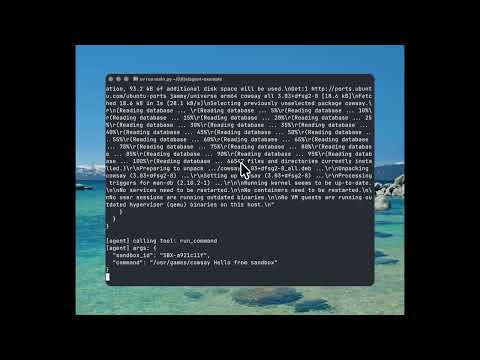
from fluid import Fluid

client = Fluid("http://localhost:8080")
sandbox = None

try:
    # Agent gets its own VM with full root access
    sandbox = client.sandbox.create_sandbox(
        source_vm_name="ubuntu-base",
        agent_id="nginx-setup-agent",
        auto_start=True,
        wait_for_ip=True
    ).sandbox

    run_agent("Install nginx and configure TLS, create an Ansible playbook to recreate the task.", sandbox.id)

    # NOW the human reviews:
    # - Diff between snapshots shows exactly what changed
    # - Auto-generated Ansible playbook ready to apply
    # - Human approves -> playbook runs on production
    # - Human rejects -> nothing happens, agent tries again

finally:
    if(sandbox):
        # Clean up sandbox
client.sandbox.destroy_sandbox(sandbox.id)fluid-remote is setup to be ran on a control plane on the same network as the VM hosts it needs to connect with. It will also need a postgres instance running on the control plan to keep tack of commands run, sandboxes, and other auditting.
If you need another way of accessing VMs, open an issue and we will get back to you.
The recommended deployment model is a single control node running the fluid-remote API and PostgreSQL, with SSH access to one or more libvirt/KVM hosts.
There is a Docker container and a docker-compose.yml file in this repo for fluid-remote, purely in the off-chance that you would prefer to host in a container VS install a system process.
The reason not to use docker is due to the networking issues that arise. fluid-remote uses SSH to connect to libvirt and in testing, containers can interfere with connections to hosts. If you must use Docker, please use host-mode for the network, vs Docker's internal network. Please reach out in the Discord if you want support implimenting this.
+--------------------+        SSH        +------------------+
| Control Node       |----------------->| KVM / libvirt    |
|                    |                  | Hosts            |
| - fluid-remote    |                  |                  |
| - PostgreSQL       |                  | - libvirtd       |
+--------------------+                  +------------------+
The control node:
- Runs the
fluid-remoteAPI - Stores audit logs and metadata in PostgreSQL
- Connects to hosts over SSH to execute libvirt operations
The hypervisor hosts:
- Run KVM + libvirt only
- Do not run agents or additional services
- Linux (x86_64)
- systemd
- PostgreSQL 14+
- SSH client
- Linux
- KVM enabled
- libvirt installed and running
- SSH access from control node
- Private management network between control node and hosts
- Public or tenant-facing network configured on hosts for VMs
This method installs a static binary and runs it as a systemd service. No container runtime is required.
# Import from keyserver
gpg --keyserver keys.openpgp.org --recv-keys B27DED65CFB30427EE85F8209DD0911D6CB0B643

# OR import from file
curl https://raw.githubusercontent.com/aspectrr/fluid.sh/main/public-key.asc | gpg --importVERSION=0.1.0
wget https://github.com/aspectrr/fluid.sh/releases/download/v${VERSION}/fluid-remote_${VERSION}_linux_amd64.tar.gz
wget https://github.com/aspectrr/fluid.sh/releases/download/v${VERSION}/checksums.txt
wget https://github.com/aspectrr/fluid.sh/releases/download/v${VERSION}/checksums.txt.sig# Verify GPG signature
gpg --verify checksums.txt.sig checksums.txt
# Verify file checksum
sha256sum -c checksums.txt --ignore-missingtar -xzf fluid-remote_${VERSION}_linux_amd64.tar.gz
sudo install -m 755 fluid-remote /usr/local/bin/Create a dedicated system user and required directories:
useradd --system --home /var/lib/fluid-remote --shell /usr/sbin/nologin fluid-remote

mkdir -p /etc/fluid-remote \
         /var/lib/fluid-remote \
         /var/log/fluid-remote

chown -R fluid-remote:fluid-remote \
  /var/lib/fluid-remote \
  /var/log/fluid-remote
Filesystem layout:
/usr/local/bin/fluid-remote
/etc/fluid-remote/config.yaml
/var/lib/fluid-remote/
/var/log/fluid-remote/
PostgreSQL runs locally on the control node and is bound to localhost only.
sudo -u postgres psql
# Generate strong password
openssl rand -base64 16
CREATE DATABASE fluid;
CREATE USER fluid WITH PASSWORD 'strong-password';
GRANT ALL PRIVILEGES ON DATABASE fluid TO fluid;Ensure PostgreSQL is listening only on localhost:
listen_addresses = '127.0.0.1'
Create the main configuration file:
vim /etc/fluid/config.yamlExample:
server:
  listen: 127.0.0.1:8080

database:
  host: 127.0.0.1
  port: 5432
  name: fluid
  user: fluid
  password: strong-password

hosts:
  - name: kvm-01
    address: 10.0.0.11
  - name: kvm-02
address: 10.0.0.12The control node requires SSH access to each libvirt host.
Recommended approach:
- Generate a dedicated SSH key for
fluid - Grant limited sudo or libvirt access on hosts
sudo -u fluid ssh-keygen -t ed25519On each host, allow execution of virsh via sudo or libvirt permissions.
Create the service unit:
vim /etc/systemd/system/fluid-remote.service[Unit]
Description=fluid-remote control plane
After=network.target postgresql.service
[Service]
User=fluid-remote
Group=fluid-remote
ExecStart=/usr/local/bin/fluid-remote \
--config /etc/fluid-remote/config.yaml
Restart=on-failure
RestartSec=5
LimitNOFILE=65536
[Install]
WantedBy=multi-user.targetEnable and start:
systemctl daemon-reload
systemctl enable fluid-remote
systemctl start fluid-remoteCheck service status:
systemctl status fluid-remoteBasic health checks:
curl http://localhost:8080/health
curl http://localhost:8080/v1/hosts- Download the new binary
- Verify checksum
- Replace
/usr/local/bin/fluid-remote - Restart the systemd service
PostgreSQL migrations are handled automatically on startup.
systemctl stop fluid-remote
systemctl disable fluid-remote
rm /usr/local/bin/fluid-remote
rm /etc/systemd/system/fluid-remote.service
(Optional) Remove data and user:
userdel fluid-remote
rm -rf /etc/fluid-remote /var/lib/fluid-remote /var/log/fluid-remoteNote: As the lovely contributors that you are, I host two Ubuntu VMs with libvirt installed for testing in the cloud for fluid-remote/fluid. If you would like access to these rather than the Mac workaround, please reach out in Discord and I will add your public keys to them. They reset every hour to prevent long-running malicious processes from staying put.
- mprocs - For local dev
- libvirt/KVM - For virtual machine management
-
macOS:
-
qemu -
brew install qemu(the hypervisor) -
libvirt -
brew install libvirt(VM management daemon) -
socket_vmnet -
brew install socket_vmnet(VM networking) -
cdrtools -
brew install cdrtools(providesmkisofsfor cloud-init)
-
qemu -
# Clone and start
git clone https://github.com/aspectrr/fluid.sh.git
cd fluid.sh
mprocs

# Services available at:
# API:      http://localhost:8080
# Web UI: http://localhost:5173Mac
You will need to install qemu, libvirt, socket_vmnet, and cdrtools on Mac:
# Install qemu, libvirt, socket_vmnet, and cdrtools
brew install qemu libvirt socket_vmnet cdrtools

# Set up SSH CA (Needed for Sanbox VMs)
cd fluid.sh
./fluid-remote/scripts/setup-ssh-ca.sh --dir .ssh-ca

# Create image directories
sudo mkdir -p /var/lib/libvirt/images/{base,jobs}
sudo chown -R $(whoami) /var/lib/libvirt/images/{base,jobs}

# Verify libvirt is running
virsh -c qemu:///session list --all

# Set up SSH CA (Needed for Sandbox VMs)
cd fluid.sh
./fluid-remote/scripts/reset-libvirt-macos.sh

# Set up libvirt VM (ARM64 Ubuntu)
SSH_CA_PUB_PATH=.ssh-ca/ssh_ca.pub SSH_CA_KEY_PATH=.ssh-ca/ssh_ca ./scripts/reset-libvirt-macos.sh

# Start services
mprocs
What happens:
- A SSH CA is generated and then is used to build the golden VM
- libvirt runs on the machine and is queried by the fluid-remote API
- Test VMs run on your root machine
Architecture:
┌─────────────────────────────────────────────────────────────────────┐
│                     Apple Silicon Mac                               │
│  ┌─────────────────┐                                                │
│  │ fluid-remote   │                                                │
│  │ API + Web UI    │────►  ┌──────────────────────────────────┐     │
│  │                 │       │     libvirt/QEMU (ARM64)         │     │
│  │ LIBVIRT_URI=    │       │  ┌──────────┐  ┌──────────┐      │     │
│  │ qemu+tcp://     │       │  │ sandbox  │  │ sandbox  │ ...  │     │
│  │ localhost:16509 │       │  │ VM (arm) │  │ VM (arm) │      │     │
│  └─────────────────┘       │  └──────────┘  └──────────┘      │     │
│                            └──────────────────────────────────┘     │
│                                                                     │
└─────────────────────────────────────────────────────────────────────┘
Create ARM64 test VMs:
./fluid-remote/scripts/reset-libvirt-macos.shDefault test VM credentials:
- Username:
testuser/ Password:testpassword - Username:
root/ Password:rootpassword
Linux x86_64 (On-Prem / Bare Metal)
Direct libvirt access for best performance:
# Install libvirt and dependencies (Ubuntu/Debian)
sudo apt update
sudo apt install -y \
    qemu-kvm qemu-utils libvirt-daemon-system \
    libvirt-clients virtinst bridge-utils ovmf \
    cpu-checker cloud-image-utils genisoimage

# Or on Fedora/RHEL
sudo dnf install -y \
    qemu-kvm qemu-img libvirt libvirt-client \
    virt-install bridge-utils edk2-ovmf \
    cloud-utils genisoimage

# Enable and start libvirtd
sudo systemctl enable --now libvirtd

# Add your user to libvirt group
sudo usermod -aG libvirt,kvm $(whoami)
newgrp libvirt  # or log out and back in

# Verify KVM is available
kvm-ok

# Create image directories
sudo mkdir -p /var/lib/libvirt/images/{base,jobs}

# Create environment file
cat > .env << 'EOF'
LIBVIRT_URI=qemu:///system
LIBVIRT_NETWORK=default
DATABASE_URL=postgresql://fluid:fluid@localhost:5432/fluid
BASE_IMAGE_DIR=/var/lib/libvirt/images/base
SANDBOX_WORKDIR=/var/lib/libvirt/images/jobs
EOF

# Start the default network
sudo virsh net-autostart default
sudo virsh net-start default

# Verify
virsh -c qemu:///system list --all

# Start services
docker-compose up --build
Architecture:
┌─────────────────────────────────────────────────────────────────────┐
│                    Linux x86_64 Host                                │
│                                                                     │
│  ┌─────────────────┐  ┌─────────────────┐  ┌─────────────────────┐  │
│  │ fluid-remote   │  │   PostgreSQL    │  │    Web UI           │  │
│  │ API (Go)        │  │   (Docker)      │  │    (React)          │  │
│  │ :8080           │  │   :5432         │  │    :5173            │  │
│  └────────┬────────┘  └─────────────────┘  └─────────────────────┘  │
│           │                                                         │
│           │ LIBVIRT_URI=qemu:///system                              │
│           ▼                                                         │
│  ┌──────────────────────────────────────────────────────────────┐   │
│  │                    libvirt/KVM (native)                      │   │
│  │                                                              │   │
│  │   ┌──────────────┐  ┌──────────────┐  ┌──────────────┐       │   │
│  │   │  sandbox-1   │  │  sandbox-2   │  │  sandbox-N   │  ...  │   │
│  │   │  (x86_64)    │  │  (x86_64)    │  │  (x86_64)    │       │   │
│  │   └──────────────┘  └──────────────┘  └──────────────┘       │   │
│  └──────────────────────────────────────────────────────────────┘   │
└─────────────────────────────────────────────────────────────────────┘
Create a base VM image:
# Download Ubuntu cloud image
cd /var/lib/libvirt/images/base
sudo wget https://cloud-images.ubuntu.com/jammy/current/jammy-server-cloudimg-amd64.img

# Create test VM using the provided script
./fluid-remote/scripts/setup-ssh-ca.sh --dir [ssh-ca-dir]
./fluid-remote/scripts/reset-libvirt-macos.sh [vm-name] [ca-pub-path] [ca-key-path]
Default test VM credentials:
- Username:
testuser/ Password:testpassword - Username:
root/ Password:rootpassword
Linux ARM64 (Ampere, Graviton, Raspberry Pi)
Native ARM64 Linux with libvirt:
# Install libvirt and dependencies (Ubuntu/Debian ARM64)
sudo apt update
sudo apt install -y \
    qemu-kvm qemu-utils qemu-efi-aarch64 \
    libvirt-daemon-system libvirt-clients \
    virtinst bridge-utils cloud-image-utils genisoimage

# Enable and start libvirtd
sudo systemctl enable --now libvirtd

# Add your user to libvirt group
sudo usermod -aG libvirt,kvm $(whoami)
newgrp libvirt

# Create environment file
cat > .env << 'EOF'
LIBVIRT_URI=qemu:///system
LIBVIRT_NETWORK=default
DATABASE_URL=postgresql://fluid:fluid@localhost:5432/fluid
BASE_IMAGE_DIR=/var/lib/libvirt/images/base
SANDBOX_WORKDIR=/var/lib/libvirt/images/jobs
EOF

# Start the default network
sudo virsh net-autostart default
sudo virsh net-start default

# Start services
docker-compose up --build
Download ARM64 cloud images:
cd /var/lib/libvirt/images/base
sudo wget https://cloud-images.ubuntu.com/jammy/current/jammy-server-cloudimg-arm64.img
Architecture is the same as x86_64 but with ARM64 VMs.
Default test VM credentials:
- Username:
testuser/ Password:testpassword - Username:
root/ Password:rootpassword
Remote libvirt Server
Connect to a remote libvirt host over SSH or TCP:
# SSH connection (recommended - secure)
export LIBVIRT_URI="qemu+ssh://user@remote-host/system"

# Or with specific SSH key
export LIBVIRT_URI="qemu+ssh://user@remote-host/system?keyfile=/path/to/key"

# TCP connection (less secure - ensure network is trusted)
export LIBVIRT_URI="qemu+tcp://remote-host:16509/system"

# Test connection
virsh -c "$LIBVIRT_URI" list --all

# Create .env file
cat > .env << EOF
LIBVIRT_URI=${LIBVIRT_URI}
LIBVIRT_NETWORK=default
DATABASE_URL=postgresql://fluid:fluid@localhost:5432/fluid
EOF

# Start services
docker-compose up --build
Remote server setup (on the libvirt host):
# For SSH access, ensure SSH is enabled and user has libvirt access
sudo usermod -aG libvirt remote-user

# For TCP access (development only!), configure /etc/libvirt/libvirtd.conf:
#   listen_tls = 0
#   listen_tcp = 1
#   auth_tcp = "none"  # WARNING: No authentication!
# Then restart: sudo systemctl restart libvirtd| Method | Endpoint | Description |
|---|---|---|
POST |
/v1/sandboxes |
Create a new sandbox |
GET |
/v1/sandboxes/{id} |
Get sandbox details |
POST |
/v1/sandboxes/{id}/start |
Start a sandbox |
POST |
/v1/sandboxes/{id}/stop |
Stop a sandbox |
DELETE |
/v1/sandboxes/{id} |
Destroy a sandbox |
| Method | Endpoint | Description |
|---|---|---|
POST |
/v1/sandboxes/{id}/command |
Run SSH command |
POST |
/api/v1/tmux/panes/send-keys |
Send keystrokes to tmux |
POST |
/api/v1/tmux/panes/read |
Read tmux pane content |
| Method | Endpoint | Description |
|---|---|---|
POST |
/v1/sandboxes/{id}/snapshots |
Create snapshot |
GET |
/v1/sandboxes/{id}/snapshots |
List snapshots |
POST |
/v1/sandboxes/{id}/snapshots/{name}/restore |
Restore snapshot |
| Method | Endpoint | Description |
|---|---|---|
POST |
/api/v1/human/ask |
Request approval (blocking) |
- VM Isolation - Each sandbox is a separate KVM virtual machine
- Network Isolation - VMs run on isolated virtual networks
- SSH Certificates - Ephemeral credentials that auto-expire (1-10 minutes)
- Human Approval - Gate sensitive operations
- Command allowlists/denylists
- Path restrictions for file access
- Timeout limits on all operations
- Output size limits
- Full audit trail
- Snapshot rollback
The control node connects to hypervisor hosts via SSH. You must configure proper host key verification to prevent man-in-the-middle attacks.
Required: Configure ~/.ssh/config on the control node:
# /home/fluid-remote/.ssh/config (for the fluid-remote user)

# Global defaults - strict verification
Host *
    StrictHostKeyChecking yes
    UserKnownHostsFile ~/.ssh/known_hosts

# Hypervisor hosts - explicitly trusted
Host kvm-01
    HostName 10.0.0.11
    User root
    IdentityFile ~/.ssh/id_ed25519

Host kvm-02
    HostName 10.0.0.12
    User root
    IdentityFile ~/.ssh/id_ed25519
Pre-populate known_hosts before first use:
# As the fluid-remote user, add each host's key
sudo -u fluid-remote ssh-keyscan -H 10.0.0.11 >> /home/fluid-remote/.ssh/known_hosts
sudo -u fluid-remote ssh-keyscan -H 10.0.0.12 >> /home/fluid-remote/.ssh/known_hosts

# Verify the fingerprints match your hosts
sudo -u fluid-remote ssh-keygen -lf /home/fluid-remote/.ssh/known_hosts
Warning: Never use StrictHostKeyChecking=no in production. This disables host verification and exposes you to MITM attacks.
- Docs from Previous Issues - Documentation on common issues working with the project
- Scripts Reference - Setup and utility scripts
- SSH Certificates - Ephemeral credential system
- Agent Connection Flow - How agents connect to sandboxes
- Examples - Working examples
To run the API locally, first build the fluid-remote binary:
# Build the API binary
cd fluid-remote && make build
Then, use mprocs to run all the services together for local development.
# Install mprocs for multi-service development
brew install mprocs  # macOS
cargo install mprocs # Linux

# Start all services with hot-reload
mprocs

# Or run individual services
cd fluid-remote && make run
cd web && bun run dev# Go services
(cd fluid-remote && make test)
# Python SDK
(cd sdk/fluid-py && pytest)
# All checks
(cd fluid-remote && make check)- Fork the repository
- Create a feature branch
- Make changes with tests
- Run
make check - Submit a pull request
All contributions must maintain the security model and include appropriate tests.
MIT License - see LICENSE for details.
Made with ❤️ by Collin & Contributors
For Tasks:
Click tags to check more tools for each tasksFor Jobs:
Alternative AI tools for fluid.sh
Similar Open Source Tools
fluid.sh
fluid.sh is a tool designed to manage and debug VMs using AI agents in isolated environments before applying changes to production. It provides a workflow where AI agents work autonomously in sandbox VMs, and human approval is required before any changes are made to production. The tool offers features like autonomous execution, full VM isolation, human-in-the-loop approval workflow, Ansible export, and a Python SDK for building autonomous agents.
distill
Distill is a reliability layer for LLM context that provides deterministic deduplication to remove redundancy before reaching the model. It aims to reduce redundant data, lower costs, provide faster responses, and offer more efficient and deterministic results. The tool works by deduplicating, compressing, summarizing, and caching context to ensure reliable outputs. It offers various installation methods, including binary download, Go install, Docker usage, and building from source. Distill can be used for tasks like deduplicating chunks, connecting to vector databases, integrating with AI assistants, analyzing files for duplicates, syncing vectors to Pinecone, querying from the command line, and managing configuration files. The tool supports self-hosting via Docker, Docker Compose, building from source, Fly.io deployment, Render deployment, and Railway integration. Distill also provides monitoring capabilities with Prometheus-compatible metrics, Grafana dashboard, and OpenTelemetry tracing.
mimiclaw
MimiClaw is a pocket AI assistant that runs on a $5 chip, specifically designed for the ESP32-S3 board. It operates without Linux or Node.js, using pure C language. Users can interact with MimiClaw through Telegram, enabling it to handle various tasks and learn from local memory. The tool is energy-efficient, running on USB power 24/7. With MimiClaw, users can have a personal AI assistant on a chip the size of a thumb, making it convenient and accessible for everyday use.
httpjail
httpjail is a cross-platform tool designed for monitoring and restricting HTTP/HTTPS requests from processes using network isolation and transparent proxy interception. It provides process-level network isolation, HTTP/HTTPS interception with TLS certificate injection, script-based and JavaScript evaluation for custom request logic, request logging, default deny behavior, and zero-configuration setup. The tool operates on Linux and macOS, creating an isolated network environment for target processes and intercepting all HTTP/HTTPS traffic through a transparent proxy enforcing user-defined rules.
tinyclaw
TinyClaw is a lightweight wrapper around Claude Code that connects WhatsApp via QR code, processes messages sequentially, maintains conversation context, runs 24/7 in tmux, and is ready for multi-channel support. Its key innovation is the file-based queue system that prevents race conditions and enables multi-channel support. TinyClaw consists of components like whatsapp-client.js for WhatsApp I/O, queue-processor.js for message processing, heartbeat-cron.sh for health checks, and tinyclaw.sh as the main orchestrator with a CLI interface. It ensures no race conditions, is multi-channel ready, provides clean responses using claude -c -p, and supports persistent sessions. Security measures include local storage of WhatsApp session and queue files, channel-specific authentication, and running Claude with user permissions.
sandbox
AIO Sandbox is an all-in-one agent sandbox environment that combines Browser, Shell, File, MCP operations, and VSCode Server in a single Docker container. It provides a unified, secure execution environment for AI agents and developers, with features like unified file system, multiple interfaces, secure execution, zero configuration, and agent-ready MCP-compatible APIs. The tool allows users to run shell commands, perform file operations, automate browser tasks, and integrate with various development tools and services.
myclaw
myclaw is a personal AI assistant built on agentsdk-go that offers a CLI agent for single message or interactive REPL mode, full orchestration with channels, cron, and heartbeat, support for various messaging channels like Telegram, Feishu, WeCom, WhatsApp, and a web UI, multi-provider support for Anthropic and OpenAI models, image recognition and document processing, scheduled tasks with JSON persistence, long-term and daily memory storage, custom skill loading, and more. It provides a comprehensive solution for interacting with AI models and managing tasks efficiently.
skillshare
One source of truth for AI CLI skills. Sync everywhere with one command — from personal to organization-wide. Stop managing skills tool-by-tool. `skillshare` gives you one shared skill source and pushes it everywhere your AI agents work. Safe by default with non-destructive merge mode. True bidirectional flow with `collect`. Cross-machine ready with Git-native `push`/`pull`. Team + project friendly with global skills for personal workflows and repo-scoped collaboration. Visual control panel with `skillshare ui` for browsing, install, target management, and sync status in one place.
solo-server
Solo Server is a lightweight server designed for managing hardware-aware inference. It provides seamless setup through a simple CLI and HTTP servers, an open model registry for pulling models from platforms like Ollama and Hugging Face, cross-platform compatibility for effortless deployment of AI models on hardware, and a configurable framework that auto-detects hardware components (CPU, GPU, RAM) and sets optimal configurations.
hub
Hub is an open-source, high-performance LLM gateway written in Rust. It serves as a smart proxy for LLM applications, centralizing control and tracing of all LLM calls and traces. Built for efficiency, it provides a single API to connect to any LLM provider. The tool is designed to be fast, efficient, and completely open-source under the Apache 2.0 license.
mcp-prompts
mcp-prompts is a Python library that provides a collection of prompts for generating creative writing ideas. It includes a variety of prompts such as story starters, character development, plot twists, and more. The library is designed to inspire writers and help them overcome writer's block by offering unique and engaging prompts to spark creativity. With mcp-prompts, users can access a wide range of writing prompts to kickstart their imagination and enhance their storytelling skills.
Shannon
Shannon is a battle-tested infrastructure for AI agents that solves problems at scale, such as runaway costs, non-deterministic failures, and security concerns. It offers features like intelligent caching, deterministic replay of workflows, time-travel debugging, WASI sandboxing, and hot-swapping between LLM providers. Shannon allows users to ship faster with zero configuration multi-agent setup, multiple AI patterns, time-travel debugging, and hot configuration changes. It is production-ready with features like WASI sandbox, token budget control, policy engine (OPA), and multi-tenancy. Shannon helps scale without breaking by reducing costs, being provider agnostic, observable by default, and designed for horizontal scaling with Temporal workflow orchestration.
mcp-ts-template
The MCP TypeScript Server Template is a production-grade framework for building powerful and scalable Model Context Protocol servers with TypeScript. It features built-in observability, declarative tooling, robust error handling, and a modular, DI-driven architecture. The template is designed to be AI-agent-friendly, providing detailed rules and guidance for developers to adhere to best practices. It enforces architectural principles like 'Logic Throws, Handler Catches' pattern, full-stack observability, declarative components, and dependency injection for decoupling. The project structure includes directories for configuration, container setup, server resources, services, storage, utilities, tests, and more. Configuration is done via environment variables, and key scripts are available for development, testing, and publishing to the MCP Registry.

gpt-all-star
GPT-All-Star is an AI-powered code generation tool designed for scratch development of web applications with team collaboration of autonomous AI agents. The primary focus of this research project is to explore the potential of autonomous AI agents in software development. Users can organize their team, choose leaders for each step, create action plans, and work together to complete tasks. The tool supports various endpoints like OpenAI, Azure, and Anthropic, and provides functionalities for project management, code generation, and team collaboration.
shell_gpt
ShellGPT is a command-line productivity tool powered by AI large language models (LLMs). This command-line tool offers streamlined generation of shell commands, code snippets, documentation, eliminating the need for external resources (like Google search). Supports Linux, macOS, Windows and compatible with all major Shells like PowerShell, CMD, Bash, Zsh, etc.
nono
nono is a secure, kernel-enforced capability shell for running AI agents and any POSIX style process. It leverages OS security primitives to create an environment where unauthorized operations are structurally impossible. It provides protections against destructive commands and securely stores API keys, tokens, and secrets. The tool is agent-agnostic, works with any AI agent or process, and blocks dangerous commands by default. It follows a capability-based security model with defense-in-depth, ensuring secure execution of commands and protecting sensitive data.
For similar tasks
fluid.sh
fluid.sh is a tool designed to manage and debug VMs using AI agents in isolated environments before applying changes to production. It provides a workflow where AI agents work autonomously in sandbox VMs, and human approval is required before any changes are made to production. The tool offers features like autonomous execution, full VM isolation, human-in-the-loop approval workflow, Ansible export, and a Python SDK for building autonomous agents.
shortest
Shortest is a project for local development that helps set up environment variables and services for a web application. It provides a guide for setting up Node.js and pnpm dependencies, configuring services like Clerk, Vercel Postgres, Anthropic, Stripe, and GitHub OAuth, and running the application and tests locally.
MetricsMLNotebooks
MetricsMLNotebooks is a repository containing applied causal ML notebooks. It provides a collection of notebooks for users to explore and run causal machine learning models. The repository includes both Python and R notebooks, with a focus on generating .Rmd files through a Github Action. Users can easily install the required packages by running 'pip install -r requirements.txt'. Note that any changes to .Rmd files will be overwritten by the corresponding .irnb files during the Github Action process. Additionally, all notebooks and R Markdown files are stripped from their outputs when pushed to the main branch, so users are advised to strip the notebooks before pushing to the repository.
intro-to-llms-365
This repository serves as a resource for the Introduction to Large Language Models (LLMs) course, providing Jupyter notebooks with hands-on examples and exercises to help users learn the basics of Large Language Models. It includes information on installed packages, updates, and setting up a virtual environment for managing packages and running Jupyter notebooks.
gateway
Adaline Gateway is a fully local production-grade Super SDK that offers a unified interface for calling over 200+ LLMs. It is production-ready, supports batching, retries, caching, callbacks, and OpenTelemetry. Users can create custom plugins and providers for seamless integration with their infrastructure.
packmind
Packmind is an engineering playbook tool that helps AI-native engineers to centralize and manage their team's coding standards, commands, and skills. It addresses the challenges of storing standards in various formats and locations, and automates the generation of instruction files for AI tools like GitHub Copilot, Claude Code, and Cursor. With Packmind, users can create a real engineering playbook to ensure AI agents code according to their team's standards.

aiscript
AiScript is a lightweight scripting language that runs on JavaScript. It supports arrays, objects, and functions as first-class citizens, and is easy to write without the need for semicolons or commas. AiScript runs in a secure sandbox environment, preventing infinite loops from freezing the host. It also allows for easy provision of variables and functions from the host.
ai-comic-factory
The AI Comic Factory is a tool that allows you to create your own AI comics with a single prompt. It uses a large language model (LLM) to generate the story and dialogue, and a rendering API to generate the panel images. The AI Comic Factory is open-source and can be run on your own website or computer. It is a great tool for anyone who wants to create their own comics, or for anyone who is interested in the potential of AI for storytelling.
For similar jobs

sweep
Sweep is an AI junior developer that turns bugs and feature requests into code changes. It automatically handles developer experience improvements like adding type hints and improving test coverage.

teams-ai
The Teams AI Library is a software development kit (SDK) that helps developers create bots that can interact with Teams and Microsoft 365 applications. It is built on top of the Bot Framework SDK and simplifies the process of developing bots that interact with Teams' artificial intelligence capabilities. The SDK is available for JavaScript/TypeScript, .NET, and Python.

ai-guide
This guide is dedicated to Large Language Models (LLMs) that you can run on your home computer. It assumes your PC is a lower-end, non-gaming setup.

classifai
Supercharge WordPress Content Workflows and Engagement with Artificial Intelligence. Tap into leading cloud-based services like OpenAI, Microsoft Azure AI, Google Gemini and IBM Watson to augment your WordPress-powered websites. Publish content faster while improving SEO performance and increasing audience engagement. ClassifAI integrates Artificial Intelligence and Machine Learning technologies to lighten your workload and eliminate tedious tasks, giving you more time to create original content that matters.

chatbot-ui
Chatbot UI is an open-source AI chat app that allows users to create and deploy their own AI chatbots. It is easy to use and can be customized to fit any need. Chatbot UI is perfect for businesses, developers, and anyone who wants to create a chatbot.

BricksLLM
BricksLLM is a cloud native AI gateway written in Go. Currently, it provides native support for OpenAI, Anthropic, Azure OpenAI and vLLM. BricksLLM aims to provide enterprise level infrastructure that can power any LLM production use cases. Here are some use cases for BricksLLM: * Set LLM usage limits for users on different pricing tiers * Track LLM usage on a per user and per organization basis * Block or redact requests containing PIIs * Improve LLM reliability with failovers, retries and caching * Distribute API keys with rate limits and cost limits for internal development/production use cases * Distribute API keys with rate limits and cost limits for students

uAgents
uAgents is a Python library developed by Fetch.ai that allows for the creation of autonomous AI agents. These agents can perform various tasks on a schedule or take action on various events. uAgents are easy to create and manage, and they are connected to a fast-growing network of other uAgents. They are also secure, with cryptographically secured messages and wallets.

griptape
Griptape is a modular Python framework for building AI-powered applications that securely connect to your enterprise data and APIs. It offers developers the ability to maintain control and flexibility at every step. Griptape's core components include Structures (Agents, Pipelines, and Workflows), Tasks, Tools, Memory (Conversation Memory, Task Memory, and Meta Memory), Drivers (Prompt and Embedding Drivers, Vector Store Drivers, Image Generation Drivers, Image Query Drivers, SQL Drivers, Web Scraper Drivers, and Conversation Memory Drivers), Engines (Query Engines, Extraction Engines, Summary Engines, Image Generation Engines, and Image Query Engines), and additional components (Rulesets, Loaders, Artifacts, Chunkers, and Tokenizers). Griptape enables developers to create AI-powered applications with ease and efficiency.