


multi-agent-shogun
Samurai-inspired multi-agent system for Claude Code. Orchestrate parallel AI tasks via tmux with shogun → karo → ashigaru hierarchy.
Stars: 806
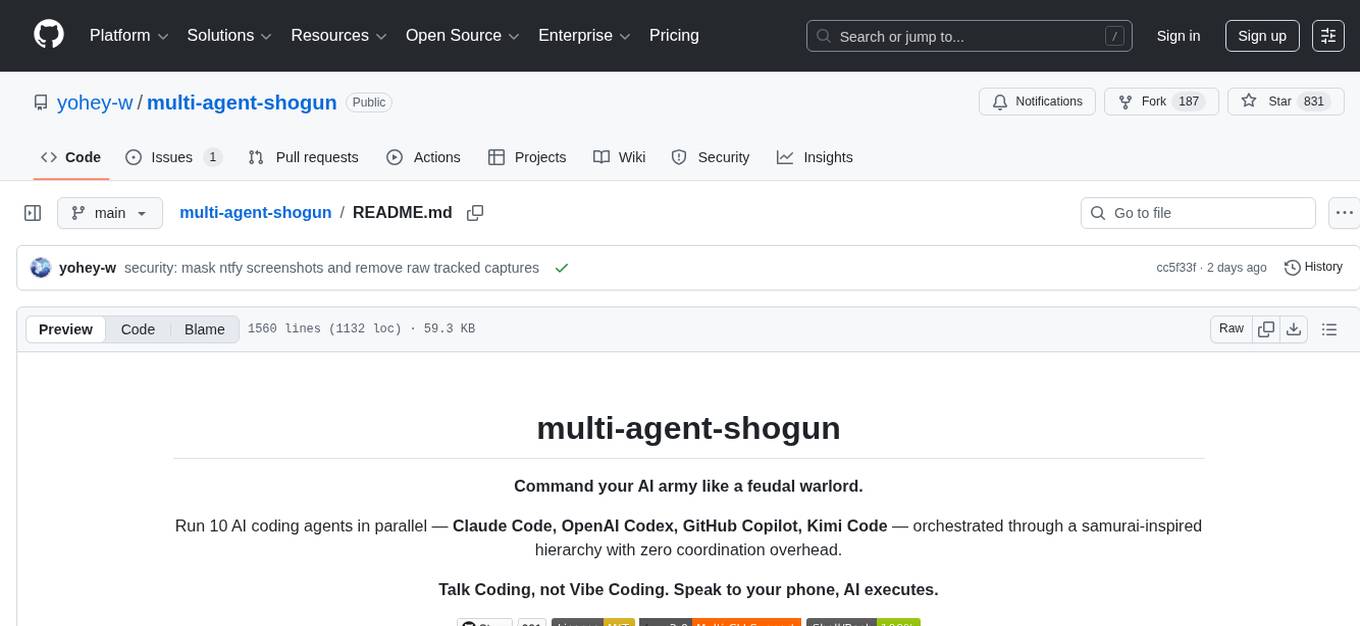
multi-agent-shogun is a system that runs multiple AI coding CLI instances simultaneously, orchestrating them like a feudal Japanese army. It supports Claude Code, OpenAI Codex, GitHub Copilot, and Kimi Code. The system allows you to command your AI army with zero coordination cost, enabling parallel execution, non-blocking workflow, cross-session memory, event-driven communication, and full transparency. It also features skills discovery, phone notifications, pane border task display, shout mode, and multi-CLI support.
README:
Command your AI army like a feudal warlord.
Run 10 AI coding agents in parallel — Claude Code, OpenAI Codex, GitHub Copilot, Kimi Code — orchestrated through a samurai-inspired hierarchy with zero coordination overhead.
Talk Coding, not Vibe Coding. Speak to your phone, AI executes.





One Karo (manager) coordinating 8 Ashigaru (workers) — real session, no mock data.
multi-agent-shogun is a system that runs multiple AI coding CLI instances simultaneously, orchestrating them like a feudal Japanese army. Supports Claude Code, OpenAI Codex, GitHub Copilot, and Kimi Code.
Why use it?
- One command spawns 8 AI workers executing in parallel
- Zero wait time — give your next order while tasks run in the background
- AI remembers your preferences across sessions (Memory MCP)
- Real-time progress on a dashboard
        You (上様 / The Lord)
             │
             ▼  Give orders
      ┌─────────────┐
      │   SHOGUN    │  ← Receives your command, delegates instantly
      └──────┬──────┘
             │  YAML + tmux
      ┌──────▼──────┐
      │    KARO     │  ← Distributes tasks to workers
      └──────┬──────┘
             │
    ┌─┬─┬─┬─┴─┬─┬─┬─┐
    │1│2│3│4│5│6│7│8│  ← 8 workers execute in parallel
    └─┴─┴─┴─┴─┴─┴─┴─┘
         ASHIGARU
Most multi-agent frameworks burn API tokens on coordination. Shogun doesn't.
Claude Code Task tool |
LangGraph | CrewAI | multi-agent-shogun | |
|---|---|---|---|---|
| Architecture | Subagents inside one process | Graph-based state machine | Role-based agents | Feudal hierarchy via tmux |
| Parallelism | Sequential (one at a time) | Parallel nodes (v0.2+) | Limited | 8 independent agents |
| Coordination cost | API calls per Task | API + infra (Postgres/Redis) | API + CrewAI platform | Zero (YAML + tmux) |
| Observability | Claude logs only | LangSmith integration | OpenTelemetry | Live tmux panes + dashboard |
| Skill discovery | None | None | None | Bottom-up auto-proposal |
| Setup | Built into Claude Code | Heavy (infra required) | pip install | Shell scripts |
Zero coordination overhead — Agents talk through YAML files on disk. The only API calls are for actual work, not orchestration. Run 8 agents and pay only for 8 agents' work.
Full transparency — Every agent runs in a visible tmux pane. Every instruction, report, and decision is a plain YAML file you can read, diff, and version-control. No black boxes.
Battle-tested hierarchy — The Shogun → Karo → Ashigaru chain of command prevents conflicts by design: clear ownership, dedicated files per agent, event-driven communication, no polling.
Most AI coding tools charge per token. Running 8 Opus-grade agents through the API costs $100+/hour. CLI subscriptions flip this:
| API (Per-Token) | CLI (Flat-Rate) | |
|---|---|---|
| 8 agents × Opus | ~$100+/hour | ~$200/month |
| Cost predictability | Unpredictable spikes | Fixed monthly bill |
| Usage anxiety | Every token counts | Unlimited |
| Experimentation budget | Constrained | Deploy freely |
"Use AI recklessly" — With flat-rate CLI subscriptions, deploy 8 agents without hesitation. The cost is the same whether they work 1 hour or 24 hours. No more choosing between "good enough" and "thorough" — just run more agents.
Shogun isn't locked to one vendor. The system supports 4 CLI tools, each with unique strengths:
| CLI | Key Strength | Default Model |
|---|---|---|
| Claude Code | Battle-tested tmux integration, Memory MCP, dedicated file tools (Read/Write/Edit/Glob/Grep) | Claude Sonnet 4.5 |
| OpenAI Codex | Sandbox execution, JSONL structured output, codex exec headless mode |
gpt-5.3-codex |
| GitHub Copilot | Built-in GitHub MCP, 4 specialized agents (Explore/Task/Plan/Code-review), /delegate to coding agent |
Claude Sonnet 4.5 |
| Kimi Code | Free tier available, strong multilingual support | Kimi k2 |
A unified instruction build system generates CLI-specific instruction files from shared templates:
instructions/
├── common/              # Shared rules (all CLIs)
├── cli_specific/        # CLI-specific tool descriptions
│   ├── claude_tools.md  # Claude Code tools & features
│   └── copilot_tools.md # GitHub Copilot CLI tools & features
└── roles/               # Role definitions (shogun, karo, ashigaru)
    ↓ build
CLAUDE.md / AGENTS.md / copilot-instructions.md  ← Generated per CLI
One source of truth, zero sync drift. Change a rule once, all CLIs get it.
This is the feature no other framework has.
As Ashigaru execute tasks, they automatically identify reusable patterns and propose them as skill candidates. The Karo aggregates these proposals in dashboard.md, and you — the Lord — decide what gets promoted to a permanent skill.
Ashigaru finishes a task
    ↓
Notices: "I've done this pattern 3 times across different projects"
    ↓
Reports in YAML:  skill_candidate:
                     found: true
                     name: "api-endpoint-scaffold"
                     reason: "Same REST scaffold pattern used in 3 projects"
    ↓
Appears in dashboard.md → You approve → Skill created in .claude/commands/
    ↓
Any agent can now invoke /api-endpoint-scaffold
Skills grow organically from real work — not from a predefined template library. Your skill set becomes a reflection of your workflow.
|
Step 1 |
📥 Download the repository Download ZIP and extract to Or use git: |
|
Step 2 |
🖱️ Run Right-click → "Run as Administrator" (if WSL2 is not installed). Sets up WSL2 + Ubuntu automatically. |
|
Step 3 |
🐧 Open Ubuntu and run (first time only) cd /mnt/c/tools/multi-agent-shogun
./first_setup.sh |
|
Step 4 |
✅ Deploy! ./shutsujin_departure.sh |
After first_setup.sh, run these commands once to authenticate:
# 1. Apply PATH changes
source ~/.bashrc

# 2. OAuth login + Bypass Permissions approval (one command)
claude --dangerously-skip-permissions
#    → Browser opens → Log in with Anthropic account → Return to CLI
#    → "Bypass Permissions" prompt appears → Select "Yes, I accept" (↓ to option 2, Enter)
#    → Type /exit to quit
This saves credentials to ~/.claude/ — you won't need to do it again.
Open an Ubuntu terminal (WSL) and run:
cd /mnt/c/tools/multi-agent-shogun
./shutsujin_departure.shControl your AI army from your phone — bed, café, or bathroom.
Requirements (all free):
| Name | In a nutshell | Role |
|---|---|---|
| Tailscale | A road to your home from anywhere | Connect to your home PC from anywhere |
| SSH | The feet that walk that road | Log into your home PC through Tailscale |
| Termux | A black screen on your phone | Required to use SSH — just install it |
Setup:
- Install Tailscale on both WSL and your phone
- In WSL (auth key method — browser not needed):
curl -fsSL https://tailscale.com/install.sh | sh
sudo tailscaled &
sudo tailscale up --authkey tskey-auth-XXXXXXXXXXXX
sudo service ssh start
- In Termux on your phone:
pkg update && pkg install openssh
ssh youruser@your-tailscale-ip
css    # Connect to Shogun
- Open a new Termux window (+ button) for workers:
ssh youruser@your-tailscale-ip
csm    # See all 9 panes
Disconnect: Just swipe the Termux window closed. tmux sessions survive — agents keep working.
Voice input: Use your phone's voice keyboard to speak commands. The Shogun understands natural language, so typos from speech-to-text don't matter.
Even simpler: With ntfy configured, you can receive notifications and send commands directly from the ntfy app — no SSH required.
🐧 Linux / macOS (click to expand)
# 1. Clone
git clone https://github.com/yohey-w/multi-agent-shogun.git ~/multi-agent-shogun
cd ~/multi-agent-shogun

# 2. Make scripts executable
chmod +x *.sh

# 3. Run first-time setup
./first_setup.shcd ~/multi-agent-shogun
./shutsujin_departure.sh❓ What is WSL2? Why is it needed? (click to expand)
WSL2 (Windows Subsystem for Linux) lets you run Linux inside Windows. This system uses tmux (a Linux tool) to manage multiple AI agents, so WSL2 is required on Windows.
No problem! Running install.bat will:
- Check if WSL2 is installed (auto-install if not)
- Check if Ubuntu is installed (auto-install if not)
- Guide you through next steps (running
first_setup.sh)
Quick install command (run PowerShell as Administrator):
wsl --installThen restart your computer and run install.bat again.
📋 Script Reference (click to expand)
| Script | Purpose | When to run |
|---|---|---|
install.bat |
Windows: WSL2 + Ubuntu setup | First time only |
first_setup.sh |
Install tmux, Node.js, Claude Code CLI + Memory MCP config | First time only |
shutsujin_departure.sh |
Create tmux sessions + launch Claude Code + load instructions + start ntfy listener | Daily |
- ✅ Checks if WSL2 is installed (guides you if not)
- ✅ Checks if Ubuntu is installed (guides you if not)
- ✅ Shows next steps (how to run
first_setup.sh)
- ✅ Creates tmux sessions (shogun + multiagent)
- ✅ Launches Claude Code on all agents
- ✅ Auto-loads instruction files for each agent
- ✅ Resets queue files for a fresh state
- ✅ Starts ntfy listener for phone notifications (if configured)
After running, all agents are ready to receive commands!
🔧 Manual Requirements (click to expand)
If you prefer to install dependencies manually:
| Requirement | Installation | Notes |
|---|---|---|
| WSL2 + Ubuntu |
wsl --install in PowerShell |
Windows only |
| Set Ubuntu as default | wsl --set-default Ubuntu |
Required for scripts to work |
| tmux | sudo apt install tmux |
Terminal multiplexer |
| Node.js v20+ | nvm install 20 |
Required for MCP servers |
| Claude Code CLI | curl -fsSL https://claude.ai/install.sh | bash |
Official Anthropic CLI (native version recommended; npm version deprecated) |
Whichever option you chose, 10 AI agents are automatically launched:
| Agent | Role | Count |
|---|---|---|
| 🏯 Shogun | Supreme commander — receives your orders | 1 |
| 📋 Karo | Manager — distributes tasks | 1 |
| ⚔️ Ashigaru | Workers — execute tasks in parallel | 8 |
Two tmux sessions are created:
-
shogun— connect here to give commands -
multiagent— workers running in the background
After running shutsujin_departure.sh, all agents automatically load their instructions and are ready.
Open a new terminal and connect:
tmux attach-session -t shogunThe Shogun is already initialized — just give a command:
Research the top 5 JavaScript frameworks and create a comparison table
The Shogun will:
- Write the task to a YAML file
- Notify the Karo (manager)
- Return control to you immediately — no waiting!
Meanwhile, the Karo distributes tasks to Ashigaru workers for parallel execution.
Open dashboard.md in your editor for a real-time status view:
## In Progress
| Worker | Task | Status |
|--------|------|--------|
| Ashigaru 1 | Research React | Running |
| Ashigaru 2 | Research Vue | Running |
| Ashigaru 3 | Research Angular | Completed |You: "Research the top 5 MCP servers and create a comparison table"
The Shogun writes the task to queue/shogun_to_karo.yaml and wakes the Karo. Control returns to you immediately.
The Karo breaks the task into subtasks:
| Worker | Assignment |
|---|---|
| Ashigaru 1 | Research Notion MCP |
| Ashigaru 2 | Research GitHub MCP |
| Ashigaru 3 | Research Playwright MCP |
| Ashigaru 4 | Research Memory MCP |
| Ashigaru 5 | Research Sequential Thinking MCP |
All 5 Ashigaru research simultaneously. You can watch them work in real time:
Results appear in dashboard.md as they complete.
One command spawns up to 8 parallel tasks:
You: "Research 5 MCP servers"
→ 5 Ashigaru start researching simultaneously
→ Results in minutes, not hours
The Shogun delegates instantly and returns control to you:
You: Command → Shogun: Delegates → You: Give next command immediately
                                       ↓
                       Workers: Execute in background
                                       ↓
                       Dashboard: Shows results
No waiting for long tasks to finish.
Your AI remembers your preferences:
Session 1: Tell it "I prefer simple approaches"
            → Saved to Memory MCP

Session 2: AI loads memory on startup
            → Stops suggesting complex solutions
Agents talk to each other by writing YAML files — like passing notes. No polling loops, no wasted API calls.
Karo wants to wake Ashigaru 3:

Step 1: Write the message          Step 2: Wake the agent up
┌──────────────────────┐           ┌──────────────────────────┐
│ inbox_write.sh       │           │ inbox_watcher.sh         │
│                      │           │                          │
│ Writes full message  │  file     │ Detects file change      │
│ to ashigaru3.yaml    │──change──▶│ (inotifywait, not poll)  │
│ with flock (no race) │           │                          │
└──────────────────────┘           │ Wakes agent via:         │
                                   │  1. Self-watch (skip)    │
                                   │  2. tmux send-keys       │
                                   │     (short nudge only)   │
                                   └──────────────────────────┘

Step 3: Agent reads its own inbox
┌──────────────────────────────────┐
│ Ashigaru 3 reads ashigaru3.yaml  │
│ → Finds unread messages          │
│ → Processes them                 │
│ → Marks as read                  │
└──────────────────────────────────┘
How the wake-up works:
| Priority | Method | What happens | When used |
|---|---|---|---|
| 1st | Self-Watch | Agent watches its own inbox file — wakes itself, no nudge needed | Agent has its own inotifywait running |
| 2nd | tmux send-keys | Sends short nudge via tmux send-keys (text and Enter sent separately for Codex CLI compatibility) |
Default fallback if self-watch misses |
3-Phase Escalation (v3.2) — If agent doesn't respond to nudge:
| Phase | Timing | Action |
|---|---|---|
| Phase 1 | 0-2 min | Standard nudge (inbox3 text + Enter) |
| Phase 2 | 2-4 min | Escape×2 + C-c to reset cursor, then nudge |
| Phase 3 | 4+ min | Send /clear to force session reset (max once per 5 min) |
Key design choices:
- Message content is never sent through tmux — only a short "you have mail" nudge. The agent reads its own file. This eliminates character corruption and transmission hangs.
-
Zero CPU while idle —
inotifywaitblocks on a kernel event (not a poll loop). CPU usage is 0% between messages. - Guaranteed delivery — If the file write succeeded, the message is there. No lost messages, no retries needed.
VSCode's Claude Code extension lets you paste screenshots to explain issues. This CLI system provides the same capability:
# Set your screenshot folder in config/settings.yaml
screenshot:
  path: "/mnt/c/Users/YourName/Pictures/Screenshots"
# Just tell the Shogun:
You: "Check the latest screenshot"
You: "Look at the last 2 screenshots"
→ AI instantly reads and analyzes your screen captures
Windows tip: Press Win + Shift + S to take screenshots. Set the save path in settings.yaml for seamless integration.
Use cases:
- Explain UI bugs visually
- Show error messages
- Compare before/after states
Efficient knowledge sharing through a four-layer context system:
| Layer | Location | Purpose |
|---|---|---|
| Layer 1: Memory MCP | memory/shogun_memory.jsonl |
Cross-project, cross-session long-term memory |
| Layer 2: Project |
config/projects.yaml, projects/<id>.yaml, context/{project}.md
|
Project-specific information and technical knowledge |
| Layer 3: YAML Queue |
queue/shogun_to_karo.yaml, queue/tasks/, queue/reports/
|
Task management — source of truth for instructions and reports |
| Layer 4: Session | CLAUDE.md, instructions/*.md | Working context (wiped by /clear) |
This design enables:
- Any Ashigaru can work on any project
- Context persists across agent switches
- Clear separation of concerns
- Knowledge survives across sessions
As agents work, their session context (Layer 4) grows, increasing API costs. /clear wipes session memory and resets costs. Layers 1–3 persist as files, so nothing is lost.
Recovery cost after /clear: ~6,800 tokens (42% improved from v1 — CLAUDE.md YAML conversion + English-only instructions reduced token cost by 70%)
- CLAUDE.md (auto-loaded) → recognizes itself as part of the Shogun System
-
tmux display-message -t "$TMUX_PANE" -p '#{@agent_id}'→ identifies its own number - Memory MCP read → restores the Lord's preferences (~700 tokens)
- Task YAML read → picks up the next assignment (~800 tokens)
The key insight: designing what not to load is what drives cost savings.
All projects use the same 7-section template:
| Section | Purpose |
|---|---|
| What | Project overview |
| Why | Goals and success criteria |
| Who | Stakeholders and responsibilities |
| Constraints | Deadlines, budgets, limitations |
| Current State | Progress, next actions, blockers |
| Decisions | Decisions made and their rationale |
| Notes | Free-form observations and ideas |
This unified format enables:
- Quick onboarding for any agent
- Consistent information management across all projects
- Easy handoff between Ashigaru workers
Two-way communication between your phone and the Shogun — no SSH, no Tailscale, no server needed.
| Direction | How it works |
|---|---|
| Phone → Shogun | Send a message from the ntfy app → ntfy_listener.sh receives it via streaming → Shogun processes automatically |
| Karo → Phone (direct) | When Karo updates dashboard.md, it sends push notifications directly via scripts/ntfy.sh — Shogun is bypassed (Shogun is for human interaction, not progress reporting) |
📱 You (from bed)          🏯 Shogun
    │                          │
    │  "Research React 19"     │
    ├─────────────────────────►│
    │    (ntfy message)        │  → Delegates to Karo → Ashigaru work
    │                          │
    │  "✅ cmd_042 complete"   │
    │◄─────────────────────────┤
    │    (push notification)   │
Setup:
- Add
ntfy_topic: "shogun-yourname"toconfig/settings.yaml - Install the ntfy app on your phone and subscribe to the same topic
-
shutsujin_departure.shautomatically starts the listener — no extra steps
Notification examples:
| Event | Notification |
|---|---|
| Command completed | ✅ cmd_042 complete — 5/5 subtasks done |
| Task failed | ❌ subtask_042c failed — API rate limit |
| Action required | 🚨 Action needed: approve skill candidate |
| Streak update | 🔥 3-day streak! 12/12 tasks today |
Free, no account required, no server to maintain. Uses ntfy.sh — an open-source push notification service.
⚠️ Security: Your topic name is your password. Anyone who knows it can read your notifications and send messages to your Shogun. Choose a hard-to-guess name and never share it publicly (e.g., in screenshots, blog posts, or GitHub commits).
Verify it works:
# Send a test notification to your phone
bash scripts/ntfy.sh "Test notification from Shogun 🏯"
If your phone receives the notification, you're all set. If not, check:
-
config/settings.yamlhasntfy_topicset (not empty, no extra quotes) - The ntfy app on your phone is subscribed to the exact same topic name
- Your phone has internet access and ntfy notifications are enabled
Sending commands from your phone:
- Open the ntfy app on your phone
- Tap your subscribed topic
- Type a message (e.g.,
Research React 19 best practices) and send -
ntfy_listener.shreceives it, writes toqueue/ntfy_inbox.yaml, and wakes the Shogun - The Shogun reads the message and processes it through the normal Karo → Ashigaru pipeline
Any text you send becomes a command. Write it like you'd talk to the Shogun — no special syntax needed.
Manual listener start (if not using shutsujin_departure.sh):
# Start the listener in the background
nohup bash scripts/ntfy_listener.sh &>/dev/null &

# Check if it's running
pgrep -f ntfy_listener.sh

# View listener logs (stderr output)
bash scripts/ntfy_listener.sh  # Run in foreground to see logs
The listener automatically reconnects if the connection drops. shutsujin_departure.sh starts it automatically on deployment — you only need manual start if you skipped the deployment script.
Troubleshooting:
| Problem | Fix |
|---|---|
| No notifications on phone | Check topic name matches exactly in settings.yaml and ntfy app |
| Listener not starting | Run bash scripts/ntfy_listener.sh in foreground to see errors |
| Phone → Shogun not working | Verify listener is running: pgrep -f ntfy_listener.sh
|
| Messages not reaching Shogun | Check queue/ntfy_inbox.yaml — if message is there, Shogun may be busy |
| "ntfy_topic not configured" error | Add ntfy_topic: "your-topic" to config/settings.yaml
|
| Duplicate notifications | Normal on reconnect — Shogun deduplicates by message ID |
| Changed topic name but no notifications | The listener must be restarted: pkill -f ntfy_listener.sh && nohup bash scripts/ntfy_listener.sh &>/dev/null &
|
Real-world notification screenshots:


Left: Bidirectional phone ↔ Shogun communication · Right: Real-time progress report from Ashigaru


Left: Command completion notification · Right: All 8 Ashigaru completing in parallel
Note: Topic names shown in screenshots are examples. Use your own unique topic name.
Behavioral psychology-driven motivation through your notification feed:
-
Streak tracking: Consecutive completion days counted in
saytask/streaks.yaml— maintaining streaks leverages loss aversion to sustain momentum - Eat the Frog 🐸: The hardest task of the day is marked as the "Frog." Completing it triggers a special celebration notification
-
Daily progress:
12/12 tasks today— visual completion feedback reinforces the Arbeitslust effect (joy of work-in-progress)
Each tmux pane shows the agent's current task directly on its border:
┌ ashigaru1 (Sonnet) VF requirements ─┬ ashigaru3 (Opus) API research ──────┐
│                                      │                                     │
│  Working on SayTask requirements     │  Researching REST API patterns      │
│                                      │                                     │
├ ashigaru2 (Sonnet) ─────────────────┼ ashigaru4 (Opus) DB schema design ──┤
│                                      │                                     │
│  (idle — waiting for assignment)     │  Designing database schema          │
│                                      │                                     │
└──────────────────────────────────────┴─────────────────────────────────────┘
-
Working:
ashigaru1 (Sonnet) VF requirements— agent name, model, and task summary -
Idle:
ashigaru1 (Sonnet)— model name only, no task - Updated automatically by the Karo when assigning or completing tasks
- Glance at all 9 panes to instantly know who's doing what
When an Ashigaru completes a task, it shouts a personalized battle cry in the tmux pane — a visual reminder that your army is working hard.
┌ ashigaru1 (Sonnet) ──────────┬ ashigaru2 (Sonnet) ──────────┐
│                               │                               │
│  ⚔️ 足軽1号、先陣切った!     │  🔥 足軽2号、二番槍の意地!   │
│  八刃一志!                   │  八刃一志!                   │
│  ❯                            │  ❯                            │
└───────────────────────────────┴───────────────────────────────┘
How it works:
The Karo writes an echo_message field in each task YAML. After completing all work (report + inbox notification), the Ashigaru runs echo as its final action. The message stays visible above the ❯ prompt.
# In the task YAML (written by Karo)
task:
  task_id: subtask_001
  description: "Create comparison table"
  echo_message: "🔥 足軽1号、先陣を切って参る!八刃一志!"
Shout mode is the default. To disable (saves API tokens on the echo call):
./shutsujin_departure.sh --silent    # No battle cries
./shutsujin_departure.sh             # Default: shout mode (battle cries enabled)
Silent mode sets DISPLAY_MODE=silent as a tmux environment variable. The Karo checks this when writing task YAMLs and omits the echo_message field.
Task management for people who hate task management. Just speak to your phone.
Talk Coding, not Vibe Coding. Speak your tasks, AI organizes them. No typing, no opening apps, no friction.
- Target audience: People who installed Todoist but stopped opening it after 3 days
- Your enemy isn't other apps — it's doing nothing. The competition is inaction, not another productivity tool
- Zero UI. Zero typing. Zero app-opening. Just talk
"Your enemy isn't other apps — it's doing nothing."
- Install the ntfy app (free, no account needed)
- Speak to your phone: "dentist tomorrow", "invoice due Friday"
- AI auto-organizes → morning notification: "here's your day"
 🗣️ "Buy milk, dentist tomorrow, invoice due Friday"
       │
       ▼
 ┌──────────────────┐
 │  ntfy → Shogun   │  AI auto-categorize, parse dates, set priorities
 └────────┬─────────┘
          │
          ▼
 ┌──────────────────┐
 │   tasks.yaml     │  Structured storage (local, never leaves your machine)
 └────────┬─────────┘
          │
          ▼
 📱 Morning notification:
    "Today: 🐸 Invoice due · 🦷 Dentist 3pm · 🛒 Buy milk"
| Before (v1) | After (v2) |
|---|---|
 |
 |
| Raw task dump | Clean, organized daily summary |
Note: Topic names shown in screenshots are examples. Use your own unique topic name.
- 🛏️ In bed: "Gotta submit the report tomorrow" — captured before you forget, no fumbling for a notebook
- 🚗 While driving: "Don't forget the estimate for client A" — hands-free, eyes on the road
- 💻 Mid-work: "Oh, need to buy milk" — dump it instantly and stay in flow
- 🌅 Wake up: Today's tasks already waiting in your notifications — no app to open, no inbox to check
- 🐸 Eat the Frog: AI picks your hardest task each morning — ignore it or conquer it first
Q: How is this different from other task apps? A: You never open an app. Just speak. Zero friction. Most task apps fail because people stop opening them. SayTask removes that step entirely.
Q: Can I use SayTask without the full Shogun system? A: SayTask is a feature of Shogun. Shogun also works as a standalone multi-agent development platform — you get both capabilities in one system.
Q: What's the Frog 🐸? A: Every morning, AI picks your hardest task — the one you'd rather avoid. Tackle it first (the "Eat the Frog" method) or ignore it. Your call.
Q: Is it free? A: Everything is free and open-source. ntfy is free too. No account, no server, no subscription.
Q: Where is my data stored? A: Local YAML files on your machine. Nothing is sent to the cloud. Your tasks never leave your device.
Q: What if I say something vague like "that thing for work"? A: AI does its best to categorize and schedule it. You can always refine later — but the point is capturing the thought before it disappears.
Shogun has two complementary task systems:
| Capability | SayTask (Voice Layer) | cmd Pipeline (AI Execution) |
|---|---|---|
| Voice input → task creation | ✅ | — |
| Morning notification digest | ✅ | — |
| Eat the Frog 🐸 selection | ✅ | — |
| Streak tracking | ✅ | ✅ |
| AI-executed tasks (multi-step) | — | ✅ |
| 8-agent parallel execution | — | ✅ |
SayTask handles personal productivity (capture → schedule → remind). The cmd pipeline handles complex work (research, code, multi-step tasks). Both share streak tracking — completing either type of task counts toward your daily streak.
| Agent | Default Model | Thinking | Rationale |
|---|---|---|---|
| Shogun | Opus | Enabled (high) | Strategic discussions, research, and policy design require deep reasoning. Use --shogun-no-thinking to disable for relay-only mode |
| Karo | Opus | Enabled | Task distribution requires careful judgment |
| Ashigaru 1–4 | Sonnet | Enabled | Cost-efficient for standard tasks |
| Ashigaru 5–8 | Opus | Enabled | Full capability for complex tasks |
The Shogun serves as the Lord's strategic advisor — not just a task relay. Strategic discussions, research analysis, and policy design are Bloom's Taxonomy Level 4–6 (analysis, evaluation, creation), requiring Thinking mode enabled. For relay-only use, disable with --shogun-no-thinking.
| Formation | Ashigaru 1–4 | Ashigaru 5–8 | Command |
|---|---|---|---|
| Normal (default) | Sonnet | Opus | ./shutsujin_departure.sh |
Battle (-k flag) |
Opus | Opus | ./shutsujin_departure.sh -k |
Half the squad runs on the cheaper Sonnet model by default. When it's crunch time, switch to Battle formation with -k (--kessen) for all-Opus maximum capability. The Karo can also promote individual Ashigaru mid-session with /model opus when a specific task demands it.
Tasks are classified using Bloom's Taxonomy to optimize model assignment:
| Level | Category | Description | Model |
|---|---|---|---|
| L1 | Remember | Recall facts, copy, list | Sonnet |
| L2 | Understand | Explain, summarize, paraphrase | Sonnet |
| L3 | Apply | Execute procedures, implement known patterns | Sonnet |
| L4 | Analyze | Compare, investigate, deconstruct | Opus |
| L5 | Evaluate | Judge, critique, recommend | Opus |
| L6 | Create | Design, build, synthesize new solutions | Opus |
The Karo assigns each subtask a Bloom level and routes it to the appropriate agent tier. This ensures cost-efficient execution: routine work goes to Sonnet, while complex reasoning goes to Opus.
Tasks can declare dependencies on other tasks using blockedBy:
# queue/tasks/ashigaru2.yaml
task:
  task_id: subtask_010b
  blockedBy: ["subtask_010a"]  # Waits for ashigaru1's task to complete
  description: "Integrate the API client built by subtask_010a"
When a blocking task completes, the Karo automatically unblocks dependent tasks and assigns them to available Ashigaru. This prevents idle waiting and enables efficient pipelining of dependent work.
"Don't execute tasks mindlessly. Always keep 'fastest × best output' in mind."
The Shogun System is built on five core principles:
| Principle | Description |
|---|---|
| Autonomous Formation | Design task formations based on complexity, not templates |
| Parallelization | Use subagents to prevent single-point bottlenecks |
| Research First | Search for evidence before making decisions |
| Continuous Learning | Don't rely solely on model knowledge cutoffs |
| Triangulation | Multi-perspective research with integrated authorization |
These principles are documented in detail: docs/philosophy.md
- Instant response: The Shogun delegates immediately, returning control to you
- Parallel execution: The Karo distributes to multiple Ashigaru simultaneously
- Single responsibility: Each role is clearly separated — no confusion
- Scalability: Adding more Ashigaru doesn't break the structure
- Fault isolation: One Ashigaru failing doesn't affect the others
- Unified reporting: Only the Shogun communicates with you, keeping information organized
Why use files instead of direct messaging between agents?
| Problem with direct messaging | How mailbox solves it |
|---|---|
| Agent crashes → message lost | YAML files survive restarts |
| Polling wastes API calls |
inotifywait is event-driven (zero CPU while idle) |
| Agents interrupt each other | Each agent has its own inbox file — no cross-talk |
| Hard to debug | Open any .yaml file to see exact message history |
| Concurrent writes corrupt data |
flock (exclusive lock) serializes writes automatically |
| Delivery failures (character corruption, hangs) | Message content stays in files — only a short "you have mail" nudge is sent through tmux |
Each pane has a @agent_id tmux user option (e.g., karo, ashigaru1). While pane_index can shift when panes are rearranged, @agent_id is set at startup by shutsujin_departure.sh and never changes.
Agent self-identification:
tmux display-message -t "$TMUX_PANE" -p '#{@agent_id}'The -t "$TMUX_PANE" is required. Omitting it returns the active pane's value (whichever pane you're focused on), causing misidentification.
Model names are stored as @model_name and current task summaries as @current_task — both displayed in the pane-border-format. Even if Claude Code overwrites the pane title, these user options persist.
- Single writer: Prevents conflicts by limiting updates to one agent
- Information aggregation: The Karo receives all Ashigaru reports, so it has the full picture
- Consistency: All updates pass through a single quality gate
- No interruptions: If the Shogun updated it, it could interrupt the Lord's input
No skills are included out of the box. Skills emerge organically during operation — you approve candidates from dashboard.md as they're discovered.
Invoke skills with /skill-name. Just tell the Shogun: "run /skill-name".
1. Skills are not committed to the repo
Skills in .claude/commands/ are excluded from version control by design:
- Every user's workflow is different
- Rather than imposing generic skills, each user grows their own skill set
2. How skills are discovered
Ashigaru notices a pattern during work
    ↓
Appears in dashboard.md under "Skill Candidates"
    ↓
You (the Lord) review the proposal
    ↓
If approved, instruct the Karo to create the skill
Skills are user-driven. Automatic creation would lead to unmanageable bloat — only keep what you find genuinely useful.
MCP (Model Context Protocol) servers extend Claude's capabilities. Here's how to set them up:
MCP servers give Claude access to external tools:
- Notion MCP → Read and write Notion pages
- GitHub MCP → Create PRs, manage issues
- Memory MCP → Persist memory across sessions
Add MCP servers with these commands:
# 1. Notion - Connect to your Notion workspace
claude mcp add notion -e NOTION_TOKEN=your_token_here -- npx -y @notionhq/notion-mcp-server

# 2. Playwright - Browser automation
claude mcp add playwright -- npx @playwright/mcp@latest
# Note: Run `npx playwright install chromium` first

# 3. GitHub - Repository operations
claude mcp add github -e GITHUB_PERSONAL_ACCESS_TOKEN=your_pat_here -- npx -y @modelcontextprotocol/server-github

# 4. Sequential Thinking - Step-by-step reasoning for complex problems
claude mcp add sequential-thinking -- npx -y @modelcontextprotocol/server-sequential-thinking

# 5. Memory - Cross-session long-term memory (recommended!)
# ✅ Auto-configured by first_setup.sh
# To reconfigure manually:
claude mcp add memory -e MEMORY_FILE_PATH="$PWD/memory/shogun_memory.jsonl" -- npx -y @modelcontextprotocol/server-memoryclaude mcp listAll servers should show "Connected" status.
This system manages all white-collar tasks, not just code. Projects can live anywhere on your filesystem.
You: "Research the top 5 AI coding assistants and compare them"

What happens:
1. Shogun delegates to Karo
2. Karo assigns:
   - Ashigaru 1: Research GitHub Copilot
   - Ashigaru 2: Research Cursor
   - Ashigaru 3: Research Claude Code
   - Ashigaru 4: Research Codeium
   - Ashigaru 5: Research Amazon CodeWhisperer
3. All 5 research simultaneously
4. Results compiled in dashboard.md
You: "Prepare a PoC for the project on this Notion page: [URL]"

What happens:
1. Karo fetches Notion content via MCP
2. Ashigaru 2: Lists items to verify
3. Ashigaru 3: Investigates technical feasibility
4. Ashigaru 4: Drafts a PoC plan
5. All results compiled in dashboard.md — meeting prep done
# config/settings.yaml
language: ja   # Samurai Japanese only
language: en # Samurai Japanese + English translation# config/settings.yaml
screenshot:
path: "/mnt/c/Users/YourName/Pictures/Screenshots"Tell the Shogun "check the latest screenshot" and it reads your screen captures for visual context. (Win+Shift+S on Windows.)
# config/settings.yaml
ntfy_topic: "shogun-yourname"
Subscribe to the same topic in the ntfy app on your phone. The listener starts automatically with shutsujin_departure.sh.
The public ntfy.sh instance requires no authentication — the setup above is all you need.
If you run a self-hosted ntfy server with access control enabled, configure authentication:
# 1. Copy the sample config
cp config/ntfy_auth.env.sample config/ntfy_auth.env

# 2. Edit with your credentials (choose one method)| Method | Config | When to use |
|---|---|---|
| Bearer Token (recommended) | NTFY_TOKEN=tk_your_token_here |
Self-hosted ntfy with token auth (ntfy token add <user>) |
| Basic Auth |
NTFY_USER=username + NTFY_PASS=password
|
Self-hosted ntfy with user/password |
| None (default) | Leave file empty or don't create it | Public ntfy.sh — no auth needed |
Priority: Token > Basic > None. If neither is set, no auth headers are sent (backward compatible).
config/ntfy_auth.env is excluded from git. See config/ntfy_auth.env.sample for details.
Script Architecture (click to expand)
┌─────────────────────────────────────────────────────────────────────┐
│                    First-Time Setup (run once)                       │
├─────────────────────────────────────────────────────────────────────┤
│                                                                     │
│  install.bat (Windows)                                              │
│      │                                                              │
│      ├── Check/guide WSL2 installation                              │
│      └── Check/guide Ubuntu installation                            │
│                                                                     │
│  first_setup.sh (run manually in Ubuntu/WSL)                        │
│      │                                                              │
│      ├── Check/install tmux                                         │
│      ├── Check/install Node.js v20+ (via nvm)                      │
│      ├── Check/install Claude Code CLI (native version)             │
│      │       ※ Proposes migration if npm version detected           │
│      └── Configure Memory MCP server                                │
│                                                                     │
├─────────────────────────────────────────────────────────────────────┤
│                    Daily Startup (run every day)                     │
├─────────────────────────────────────────────────────────────────────┤
│                                                                     │
│  shutsujin_departure.sh                                             │
│      │                                                              │
│      ├──▶ Create tmux sessions                                      │
│      │         • "shogun" session (1 pane)                          │
│      │         • "multiagent" session (9 panes, 3x3 grid)          │
│      │                                                              │
│      ├──▶ Reset queue files and dashboard                           │
│      │                                                              │
│      └──▶ Launch Claude Code on all agents                          │
│                                                                     │
└─────────────────────────────────────────────────────────────────────┘
shutsujin_departure.sh Options (click to expand)
# Default: Full startup (tmux sessions + Claude Code launch)
./shutsujin_departure.sh

# Session setup only (no Claude Code launch)
./shutsujin_departure.sh -s
./shutsujin_departure.sh --setup-only

# Clean task queues (preserves command history)
./shutsujin_departure.sh -c
./shutsujin_departure.sh --clean

# Battle formation: All Ashigaru on Opus (max capability, higher cost)
./shutsujin_departure.sh -k
./shutsujin_departure.sh --kessen

# Silent mode: Disable battle cries (saves API tokens on echo calls)
./shutsujin_departure.sh -S
./shutsujin_departure.sh --silent

# Full startup + open Windows Terminal tabs
./shutsujin_departure.sh -t
./shutsujin_departure.sh --terminal

# Shogun relay-only mode: Disable Shogun's thinking (cost savings)
./shutsujin_departure.sh --shogun-no-thinking

# Show help
./shutsujin_departure.sh -h
./shutsujin_departure.sh --help
Common Workflows (click to expand)
Normal daily use:
./shutsujin_departure.sh          # Launch everything
tmux attach-session -t shogun     # Connect and give commands
Debug mode (manual control):
./shutsujin_departure.sh -s       # Create sessions only

# Manually launch Claude Code on specific agents
tmux send-keys -t shogun:0 'claude --dangerously-skip-permissions' Enter
tmux send-keys -t multiagent:0.0 'claude --dangerously-skip-permissions' Enter
Restart after crash:
# Kill existing sessions
tmux kill-session -t shogun
tmux kill-session -t multiagent

# Fresh start
./shutsujin_departure.sh
Convenient Aliases (click to expand)
Running first_setup.sh automatically adds these aliases to ~/.bashrc:
alias csst='cd /mnt/c/tools/multi-agent-shogun && ./shutsujin_departure.sh'
alias css='tmux attach-session -t shogun'      # Connect to Shogun
alias csm='tmux attach-session -t multiagent'  # Connect to Karo + Ashigaru
To apply aliases: run source ~/.bashrc or restart your terminal (PowerShell: wsl --shutdown then reopen).
Click to expand file structure
multi-agent-shogun/
│
│  ┌──────────────── Setup Scripts ────────────────────┐
├── install.bat               # Windows: First-time setup
├── first_setup.sh            # Ubuntu/Mac: First-time setup
├── shutsujin_departure.sh    # Daily deployment (auto-loads instructions)
│  └──────────────────────────────────────────────────┘
│
├── instructions/             # Agent behavior definitions
│   ├── shogun.md             # Shogun instructions
│   ├── karo.md               # Karo instructions
│   ├── ashigaru.md           # Ashigaru instructions
│   └── cli_specific/         # CLI-specific tool descriptions
│       ├── claude_tools.md   # Claude Code tools & features
│       └── copilot_tools.md  # GitHub Copilot CLI tools & features
│
├── lib/
│   ├── cli_adapter.sh        # Multi-CLI adapter (Claude/Codex/Copilot/Kimi)
│   └── ntfy_auth.sh          # ntfy authentication helper
│
├── scripts/                  # Utility scripts
│   ├── inbox_write.sh        # Write messages to agent inbox
│   ├── inbox_watcher.sh      # Watch inbox changes via inotifywait
│   ├── ntfy.sh               # Send push notifications to phone
│   └── ntfy_listener.sh      # Stream incoming messages from phone
│
├── config/
│   ├── settings.yaml         # Language, ntfy, and other settings
│   ├── ntfy_auth.env.sample  # ntfy authentication template (self-hosted)
│   └── projects.yaml         # Project registry
│
├── projects/                 # Project details (excluded from git, contains confidential info)
│   └── <project_id>.yaml    # Full info per project (clients, tasks, Notion links, etc.)
│
├── queue/                    # Communication files
│   ├── shogun_to_karo.yaml   # Shogun → Karo commands
│   ├── ntfy_inbox.yaml       # Incoming messages from phone (ntfy)
│   ├── inbox/                # Per-agent inbox files
│   │   ├── shogun.yaml       # Messages to Shogun
│   │   ├── karo.yaml         # Messages to Karo
│   │   └── ashigaru{1-8}.yaml # Messages to each Ashigaru
│   ├── tasks/                # Per-worker task files
│   └── reports/              # Worker reports
│
├── saytask/                  # Behavioral psychology-driven motivation
│   └── streaks.yaml          # Streak tracking and daily progress
│
├── templates/                # Report and context templates
│   ├── integ_base.md         # Integration: base template
│   ├── integ_fact.md         # Integration: fact-finding
│   ├── integ_proposal.md     # Integration: proposal
│   ├── integ_code.md         # Integration: code review
│   ├── integ_analysis.md     # Integration: analysis
│   └── context_template.md   # Universal 7-section project context
│
├── memory/                   # Memory MCP persistent storage
├── dashboard.md              # Real-time status board
└── CLAUDE.md                 # System instructions (auto-loaded)
This system manages not just its own development, but all white-collar tasks. Project folders can be located outside this repository.
config/projects.yaml          # Project list (ID, name, path, status only)
projects/<project_id>.yaml    # Full details for each project
-
config/projects.yaml: A summary list of what projects exist -
projects/<id>.yaml: Complete details (client info, contracts, tasks, related files, Notion pages, etc.) -
Project files (source code, documents, etc.) live in the external folder specified by
path -
projects/is excluded from git (contains confidential client information)
# config/projects.yaml
projects:
  - id: client_x
    name: "Client X Consulting"
    path: "/mnt/c/Consulting/client_x"
    status: active

# projects/client_x.yaml
id: client_x
client:
  name: "Client X"
  company: "X Corporation"
contract:
  fee: "monthly"
current_tasks:
  - id: task_001
    name: "System Architecture Review"
    status: in_progress
This separation lets the Shogun System coordinate across multiple external projects while keeping project details out of version control.
Using npm version of Claude Code CLI?
The npm version (npm install -g @anthropic-ai/claude-code) is officially deprecated. Re-run first_setup.sh to detect and migrate to the native version.
# Re-run first_setup.sh
./first_setup.sh

# If npm version is detected:
# ⚠️ npm version of Claude Code CLI detected (officially deprecated)
# Install native version? [Y/n]:

# After selecting Y, uninstall npm version:
npm uninstall -g @anthropic-ai/claude-code
MCP tools not loading?
MCP tools are lazy-loaded. Search first, then use:
ToolSearch("select:mcp__memory__read_graph")
mcp__memory__read_graph()
Agents asking for permissions?
Agents should start with --dangerously-skip-permissions. This is handled automatically by shutsujin_departure.sh.
Workers stuck?
tmux attach-session -t multiagent
# Ctrl+B then 0-8 to switch panes
Agent crashed?
Do NOT use css/csm aliases to restart inside an existing tmux session. These aliases create tmux sessions, so running them inside an existing tmux pane causes session nesting — your input breaks and the pane becomes unusable.
Correct restart methods:
# Method 1: Run claude directly in the pane
claude --model opus --dangerously-skip-permissions

# Method 2: Karo force-restarts via respawn-pane (also fixes nesting)
tmux respawn-pane -t shogun:0.0 -k 'claude --model opus --dangerously-skip-permissions'
If you accidentally nested tmux:
- Press
Ctrl+Bthendto detach (exits the inner session) - Run
claudedirectly (don't usecss) - If detach doesn't work, use
tmux respawn-pane -kfrom another pane to force-reset
| Command | Description |
|---|---|
tmux attach -t shogun |
Connect to the Shogun |
tmux attach -t multiagent |
Connect to workers |
Ctrl+B then 0–8
|
Switch panes |
Ctrl+B then d
|
Detach (agents keep running) |
tmux kill-session -t shogun |
Stop the Shogun session |
tmux kill-session -t multiagent |
Stop the worker session |
first_setup.sh automatically configures set -g mouse on in ~/.tmux.conf, enabling intuitive mouse control:
| Action | Description |
|---|---|
| Mouse wheel | Scroll within a pane (view output history) |
| Click a pane | Switch focus between panes |
| Drag pane border | Resize panes |
Even if you're not comfortable with keyboard shortcuts, you can switch, scroll, and resize panes using just the mouse.
Shogun is no longer Claude-only. Mix and match 4 AI coding CLIs in a single army.
-
Multi-CLI as first-class architecture —
lib/cli_adapter.shdynamically selects CLI per agent. Change one line insettings.yamlto swap any worker between Claude Code, Codex, Copilot, or Kimi -
OpenAI Codex CLI integration — GPT-5.3-codex with
--dangerously-bypass-approvals-and-sandboxfor true autonomous execution.--no-alt-screenmakes agent activity visible in tmux -
CLI bypass flag discovery —
--full-autois NOT fully automatic (it's-a on-request). Documented the correct flags for all 4 CLIs - Hybrid architecture — Command layer (Shogun + Karo) stays on Claude Code for Memory MCP and mailbox integration. Worker layer (Ashigaru) is CLI-agnostic
- Community-contributed CLI adapters — Thanks to @yuto-ts (cli_adapter.sh), @circlemouth (Codex support), @koba6316 (task routing)
What was in v2.0
- ntfy bidirectional communication — Send commands from your phone, receive push notifications for task completion
- SayTask notifications — Streak tracking, Eat the Frog, behavioral psychology-driven motivation
- Pane border task display — See each agent's current task at a glance on the tmux pane border
-
Shout mode (default) — Ashigaru shout personalized battle cries after completing tasks. Disable with
--silent -
Agent self-watch + escalation (v3.2) — Each agent monitors its own inbox file with
inotifywait(zero-polling, instant wake-up). Fallback:tmux send-keysshort nudge (text/Enter sent separately for Codex CLI). 3-phase escalation: standard nudge (0-2min) → Escape×2+nudge (2-4min) →/clearforce reset (4min+). Linux FS symlink resolves WSL2 9P inotify issues. -
Agent self-identification (
@agent_id) — Stable identity via tmux user options, immune to pane reordering -
Battle mode (
-kflag) — All-Opus formation for maximum capability -
Task dependency system (
blockedBy) — Automatic unblocking of dependent tasks
Issues and pull requests are welcome.
- Bug reports: Open an issue with reproduction steps
- Feature ideas: Open a discussion first
- Skills: Skills are personal by design and not included in this repo
Based on Claude-Code-Communication by Akira-Papa.
One command. Eight agents. Zero coordination cost.
⭐ Star this repo if you find it useful — it helps others discover it.
For Tasks:
Click tags to check more tools for each tasksFor Jobs:
Alternative AI tools for multi-agent-shogun
Similar Open Source Tools
multi-agent-shogun
multi-agent-shogun is a system that runs multiple AI coding CLI instances simultaneously, orchestrating them like a feudal Japanese army. It supports Claude Code, OpenAI Codex, GitHub Copilot, and Kimi Code. The system allows you to command your AI army with zero coordination cost, enabling parallel execution, non-blocking workflow, cross-session memory, event-driven communication, and full transparency. It also features skills discovery, phone notifications, pane border task display, shout mode, and multi-CLI support.
nono
nono is a secure, kernel-enforced capability shell for running AI agents and any POSIX style process. It leverages OS security primitives to create an environment where unauthorized operations are structurally impossible. It provides protections against destructive commands and securely stores API keys, tokens, and secrets. The tool is agent-agnostic, works with any AI agent or process, and blocks dangerous commands by default. It follows a capability-based security model with defense-in-depth, ensuring secure execution of commands and protecting sensitive data.
Archon
Archon is an AI meta-agent designed to autonomously build, refine, and optimize other AI agents. It serves as a practical tool for developers and an educational framework showcasing the evolution of agentic systems. Through iterative development, Archon demonstrates the power of planning, feedback loops, and domain-specific knowledge in creating robust AI agents.
vibe-remote
Vibe Remote is a tool that allows developers to code using AI agents through Slack or Discord, eliminating the need for a laptop or IDE. It provides a seamless experience for coding tasks, enabling users to interact with AI agents in real-time, delegate tasks, and monitor progress. The tool supports multiple coding agents, offers a setup wizard for easy installation, and ensures security by running locally on the user's machine. Vibe Remote enhances productivity by reducing context-switching and enabling parallel task execution within isolated workspaces.
agentboard
Agentboard is a Web GUI for tmux optimized for agent TUI's like claude and codex. It provides a shared workspace across devices with features such as paste support, touch scrolling, virtual arrow keys, log tracking, and session pinning. Users can interact with tmux sessions from any device through a live terminal stream. The tool allows session discovery, status inference, and terminal I/O streaming for efficient agent management.
OpenSpec
OpenSpec is a tool for spec-driven development, aligning humans and AI coding assistants to agree on what to build before any code is written. It adds a lightweight specification workflow that ensures deterministic, reviewable outputs without the need for API keys. With OpenSpec, stakeholders can draft change proposals, review and align with AI assistants, implement tasks based on agreed specs, and archive completed changes for merging back into the source-of-truth specs. It works seamlessly with existing AI tools, offering shared visibility into proposed, active, or archived work.
DeepTutor
DeepTutor is an AI-powered personalized learning assistant that offers a suite of modules for massive document knowledge Q&A, interactive learning visualization, knowledge reinforcement with practice exercise generation, deep research, and idea generation. The tool supports multi-agent collaboration, dynamic topic queues, and structured outputs for various tasks. It provides a unified system entry for activity tracking, knowledge base management, and system status monitoring. DeepTutor is designed to streamline learning and research processes by leveraging AI technologies and interactive features.
VT.ai
VT.ai is a multimodal AI platform that offers dynamic conversation routing with SemanticRouter, multi-modal interactions (text/image/audio), an assistant framework with code interpretation, real-time response streaming, cross-provider model switching, and local model support with Ollama integration. It supports various AI providers such as OpenAI, Anthropic, Google Gemini, Groq, Cohere, and OpenRouter, providing a wide range of core capabilities for AI orchestration.
aiconfigurator
The `aiconfigurator` tool assists in finding a strong starting configuration for disaggregated serving in AI deployments. It helps optimize throughput at a given latency by evaluating thousands of configurations based on model, GPU count, and GPU type. The tool models LLM inference using collected data for a target machine and framework, running via CLI and web app. It generates configuration files for deployment with Dynamo, offering features like customized configuration, all-in-one automation, and tuning with advanced features. The tool estimates performance by breaking down LLM inference into operations, collecting operation execution times, and searching for strong configurations. Supported features include models like GPT and operations like attention, KV cache, GEMM, AllReduce, embedding, P2P, element-wise, MoE, MLA BMM, TRTLLM versions, and parallel modes like tensor-parallel and pipeline-parallel.
lihil
Lihil is a performant, productive, and professional web framework designed to make Python the mainstream programming language for web development. It is 100% test covered and strictly typed, offering fast performance, ergonomic API, and built-in solutions for common problems. Lihil is suitable for enterprise web development, delivering robust and scalable solutions with best practices in microservice architecture and related patterns. It features dependency injection, OpenAPI docs generation, error response generation, data validation, message system, testability, and strong support for AI features. Lihil is ASGI compatible and uses starlette as its ASGI toolkit, ensuring compatibility with starlette classes and middlewares. The framework follows semantic versioning and has a roadmap for future enhancements and features.
rho
Rho is an AI agent that runs on macOS, Linux, and Android, staying active, remembering past interactions, and checking in autonomously. It operates without cloud storage, allowing users to retain ownership of their data. Users can bring their own LLM provider and have full control over the agent's functionalities. Rho is built on the pi coding agent framework, offering features like persistent memory, scheduled tasks, and real email capabilities. The agent can be customized through checklists, scheduled triggers, and personalized voice and identity settings. Skills and extensions enhance the agent's capabilities, providing tools for notifications, clipboard management, text-to-speech, and more. Users can interact with Rho through commands and scripts, enabling tasks like checking status, triggering actions, and managing preferences.
mcp-debugger
mcp-debugger is a Model Context Protocol (MCP) server that provides debugging tools as structured API calls. It enables AI agents to perform step-through debugging of multiple programming languages using the Debug Adapter Protocol (DAP). The tool supports multi-language debugging with clean adapter patterns, including Python debugging via debugpy, JavaScript (Node.js) debugging via js-debug, and Rust debugging via CodeLLDB. It offers features like mock adapter for testing, STDIO and SSE transport modes, zero-runtime dependencies, Docker and npm packages for deployment, structured JSON responses for easy parsing, path validation to prevent crashes, and AI-aware line context for intelligent breakpoint placement with code context.
httpjail
httpjail is a cross-platform tool designed for monitoring and restricting HTTP/HTTPS requests from processes using network isolation and transparent proxy interception. It provides process-level network isolation, HTTP/HTTPS interception with TLS certificate injection, script-based and JavaScript evaluation for custom request logic, request logging, default deny behavior, and zero-configuration setup. The tool operates on Linux and macOS, creating an isolated network environment for target processes and intercepting all HTTP/HTTPS traffic through a transparent proxy enforcing user-defined rules.
mimiclaw
MimiClaw is a pocket AI assistant that runs on a $5 chip, specifically designed for the ESP32-S3 board. It operates without Linux or Node.js, using pure C language. Users can interact with MimiClaw through Telegram, enabling it to handle various tasks and learn from local memory. The tool is energy-efficient, running on USB power 24/7. With MimiClaw, users can have a personal AI assistant on a chip the size of a thumb, making it convenient and accessible for everyday use.
mcp-prompts
mcp-prompts is a Python library that provides a collection of prompts for generating creative writing ideas. It includes a variety of prompts such as story starters, character development, plot twists, and more. The library is designed to inspire writers and help them overcome writer's block by offering unique and engaging prompts to spark creativity. With mcp-prompts, users can access a wide range of writing prompts to kickstart their imagination and enhance their storytelling skills.
LangGraph-Expense-Tracker
LangGraph Expense tracker is a small project that explores the possibilities of LangGraph. It allows users to send pictures of invoices, which are then structured and categorized into expenses and stored in a database. The project includes functionalities for invoice extraction, database setup, and API configuration. It consists of various modules for categorizing expenses, creating database tables, and running the API. The database schema includes tables for categories, payment methods, and expenses, each with specific columns to track transaction details. The API documentation is available for reference, and the project utilizes LangChain for processing expense data.
For similar tasks
multi-agent-shogun
multi-agent-shogun is a system that runs multiple AI coding CLI instances simultaneously, orchestrating them like a feudal Japanese army. It supports Claude Code, OpenAI Codex, GitHub Copilot, and Kimi Code. The system allows you to command your AI army with zero coordination cost, enabling parallel execution, non-blocking workflow, cross-session memory, event-driven communication, and full transparency. It also features skills discovery, phone notifications, pane border task display, shout mode, and multi-CLI support.
For similar jobs

sweep
Sweep is an AI junior developer that turns bugs and feature requests into code changes. It automatically handles developer experience improvements like adding type hints and improving test coverage.

teams-ai
The Teams AI Library is a software development kit (SDK) that helps developers create bots that can interact with Teams and Microsoft 365 applications. It is built on top of the Bot Framework SDK and simplifies the process of developing bots that interact with Teams' artificial intelligence capabilities. The SDK is available for JavaScript/TypeScript, .NET, and Python.

ai-guide
This guide is dedicated to Large Language Models (LLMs) that you can run on your home computer. It assumes your PC is a lower-end, non-gaming setup.

classifai
Supercharge WordPress Content Workflows and Engagement with Artificial Intelligence. Tap into leading cloud-based services like OpenAI, Microsoft Azure AI, Google Gemini and IBM Watson to augment your WordPress-powered websites. Publish content faster while improving SEO performance and increasing audience engagement. ClassifAI integrates Artificial Intelligence and Machine Learning technologies to lighten your workload and eliminate tedious tasks, giving you more time to create original content that matters.

chatbot-ui
Chatbot UI is an open-source AI chat app that allows users to create and deploy their own AI chatbots. It is easy to use and can be customized to fit any need. Chatbot UI is perfect for businesses, developers, and anyone who wants to create a chatbot.

BricksLLM
BricksLLM is a cloud native AI gateway written in Go. Currently, it provides native support for OpenAI, Anthropic, Azure OpenAI and vLLM. BricksLLM aims to provide enterprise level infrastructure that can power any LLM production use cases. Here are some use cases for BricksLLM: * Set LLM usage limits for users on different pricing tiers * Track LLM usage on a per user and per organization basis * Block or redact requests containing PIIs * Improve LLM reliability with failovers, retries and caching * Distribute API keys with rate limits and cost limits for internal development/production use cases * Distribute API keys with rate limits and cost limits for students

uAgents
uAgents is a Python library developed by Fetch.ai that allows for the creation of autonomous AI agents. These agents can perform various tasks on a schedule or take action on various events. uAgents are easy to create and manage, and they are connected to a fast-growing network of other uAgents. They are also secure, with cryptographically secured messages and wallets.

griptape
Griptape is a modular Python framework for building AI-powered applications that securely connect to your enterprise data and APIs. It offers developers the ability to maintain control and flexibility at every step. Griptape's core components include Structures (Agents, Pipelines, and Workflows), Tasks, Tools, Memory (Conversation Memory, Task Memory, and Meta Memory), Drivers (Prompt and Embedding Drivers, Vector Store Drivers, Image Generation Drivers, Image Query Drivers, SQL Drivers, Web Scraper Drivers, and Conversation Memory Drivers), Engines (Query Engines, Extraction Engines, Summary Engines, Image Generation Engines, and Image Query Engines), and additional components (Rulesets, Loaders, Artifacts, Chunkers, and Tokenizers). Griptape enables developers to create AI-powered applications with ease and efficiency.