


cognita
RAG (Retrieval Augmented Generation) Framework for building modular, open source applications for production by TrueFoundry
Stars: 3236

Cognita is an open-source framework to organize your RAG codebase along with a frontend to play around with different RAG customizations. It provides a simple way to organize your codebase so that it becomes easy to test it locally while also being able to deploy it in a production ready environment. The key issues that arise while productionizing RAG system from a Jupyter Notebook are: 1. **Chunking and Embedding Job** : The chunking and embedding code usually needs to be abstracted out and deployed as a job. Sometimes the job will need to run on a schedule or be trigerred via an event to keep the data updated. 2. **Query Service** : The code that generates the answer from the query needs to be wrapped up in a api server like FastAPI and should be deployed as a service. This service should be able to handle multiple queries at the same time and also autoscale with higher traffic. 3. **LLM / Embedding Model Deployment** : Often times, if we are using open-source models, we load the model in the Jupyter notebook. This will need to be hosted as a separate service in production and model will need to be called as an API. 4. **Vector DB deployment** : Most testing happens on vector DBs in memory or on disk. However, in production, the DBs need to be deployed in a more scalable and reliable way. Cognita makes it really easy to customize and experiment everything about a RAG system and still be able to deploy it in a good way. It also ships with a UI that makes it easier to try out different RAG configurations and see the results in real time. You can use it locally or with/without using any Truefoundry components. However, using Truefoundry components makes it easier to test different models and deploy the system in a scalable way. Cognita allows you to host multiple RAG systems using one app. ### Advantages of using Cognita are: 1. A central reusable repository of parsers, loaders, embedders and retrievers. 2. Ability for non-technical users to play with UI - Upload documents and perform QnA using modules built by the development team. 3. Fully API driven - which allows integration with other systems. > If you use Cognita with Truefoundry AI Gateway, you can get logging, metrics and feedback mechanism for your user queries. ### Features: 1. Support for multiple document retrievers that use `Similarity Search`, `Query Decompostion`, `Document Reranking`, etc 2. Support for SOTA OpenSource embeddings and reranking from `mixedbread-ai` 3. Support for using LLMs using `Ollama` 4. Support for incremental indexing that ingests entire documents in batches (reduces compute burden), keeps track of already indexed documents and prevents re-indexing of those docs.
README:

Langchain/LlamaIndex provide easy to use abstractions that can be used for quick experimentation and prototyping on jupyter notebooks. But, when things move to production, there are constraints like the components should be modular, easily scalable and extendable. This is where Cognita comes in action. Cognita uses Langchain/Llamaindex under the hood and provides an organisation to your codebase, where each of the RAG component is modular, API driven and easily extendible. Cognita can be used easily in a local setup, at the same time, offers you a production ready environment along with no-code UI support. Cognita also supports incremental indexing by default.
You can try out Cognita at: https://cognita.truefoundry.com

- [September, 2024] Cognita now has AudioParser (https://github.com/fedirz/faster-whisper-server) and VideoParser (AudioParser + MultimodalParser).
- [August, 2024] Cognita has now moved to using pydantic v2.
- [July, 2024] Introducing
model gatewaya single file to manage all the models and their configurations. - [June, 2024] Cognita now supports it's own Metadatastore, powered by Prisma and Postgress. You can now use Cognita via UI completely without the need of
local.metadata.yamlfile. You can create collections, data sources, and index them via UI. This makes it easier to use Cognita without any code changes. - [June, 2024] Added one click local deployment of cognita. You can now run the entire cognita system using docker-compose. This makes it easier to test and develop locally.
- [May, 2024] Added support for Embedding and Reranking using Infninty Server. You can now use hosted services for variatey embeddings and reranking services available on huggingface. This reduces the burden on the main cognita system and makes it more scalable.
- [May, 2024] Cleaned up requirements for optional package installations for vector dbs, parsers, embedders, and rerankers.
- [May, 2024] Conditional docker builds with arguments for optional package installations
- [April, 2024] Support for multi-modal vision parser using GPT-4
- Cognita
- 🎉 What's new in Cognita
- Contents
- 🚀 Quickstart: Running Cognita Locally
- ⚒️ Project Architecture
- 💡 Writing your Query Controller (QnA):
- 🐳 Quickstart: Deployment with Truefoundry:
- 💖 Open Source Contribution
- 🔮 Future developments
- Star History
Cognita is an open-source framework to organize your RAG codebase along with a frontend to play around with different RAG customizations. It provides a simple way to organize your codebase so that it becomes easy to test it locally while also being able to deploy it in a production ready environment. The key issues that arise while productionizing RAG system from a Jupyter Notebook are:
- Chunking and Embedding Job: The chunking and embedding code usually needs to be abstracted out and deployed as a job. Sometimes the job will need to run on a schedule or be triggered via an event to keep the data updated.
- Query Service: The code that generates the answer from the query needs to be wrapped up in a api server like FastAPI and should be deployed as a service. This service should be able to handle multiple queries at the same time and also autoscale with higher traffic.
- LLM / Embedding Model Deployment: Often times, if we are using open-source models, we load the model in the Jupyter notebook. This will need to be hosted as a separate service in production and model will need to be called as an API.
- Vector DB deployment: Most testing happens on vector DBs in memory or on disk. However, in production, the DBs need to be deployed in a more scalable and reliable way.
Cognita makes it really easy to customize and experiment everything about a RAG system and still be able to deploy it in a good way. It also ships with a UI that makes it easier to try out different RAG configurations and see the results in real time. You can use it locally or with/without using any Truefoundry components. However, using Truefoundry components makes it easier to test different models and deploy the system in a scalable way. Cognita allows you to host multiple RAG systems using one app.
- A central reusable repository of parsers, loaders, embedders and retrievers.
- Ability for non-technical users to play with UI - Upload documents and perform QnA using modules built by the development team.
- Fully API driven - which allows integration with other systems.
If you use Cognita with Truefoundry AI Gateway, you can get logging, metrics and feedback mechanism for your user queries.
- Support for multiple document retrievers that use
Similarity Search,Query Decompostion,Document Reranking, etc - Support for SOTA OpenSource embeddings and reranking from
mixedbread-ai - Support for using LLMs using
ollama - Support for incremental indexing that ingests entire documents in batches (reduces compute burden), keeps track of already indexed documents and prevents re-indexing of those docs.
Cognita and all of its services can be run using docker-compose. This is the recommended way to run Cognita locally. Install Docker and docker-compose for your system from: Docker Compose
Before starting the services, we need to configure model providers that we would need for embedding and generating answers.
To start, copy models_config.sample.yaml to models_config.yaml
cp models_config.sample.yaml models_config.yamlBy default, the config has local providers enabled that need infinity and ollama server to run embedding and LLMs locally.
However, if you have a OpenAI API Key, you can uncomment the openai provider in models_config.yaml and update OPENAI_API_KEY in compose.env
Now, you can run the following command to start the services:
docker-compose --env-file compose.env up- The compose file uses
compose.envfile for environment variables. You can modify it as per your needs. - The compose file will start the following services:
-
cognita-db- Postgres instance used to store metadata for collections and data sources. -
qdrant-server- Used to start local vector db server. -
cognita-backend- Used to start the FastAPI backend server for Cognita. -
cognita-frontend- Used to start the frontend for Cognita.
-
- Once the services are up, you can access the qdrant server at
http://localhost:6333, the backend athttp://localhost:8000and frontend athttp://localhost:5001.
To start additional services such as ollama and infinity-server you can run the following command:
docker-compose --env-file compose.env --profile ollama --profile infinity up-
This will start additional servers for
ollamaandinfinity-serverwhich can be used for LLM, Embeddings and reranking respectively. You can access theinfinity-serverathttp://localhost:7997. -
If you want to build backend / frontend image locally, for e.g when you add new requirements/packages/take a new pull from Github you can add
--buildflag to the command.
docker-compose --env-file compose.env up --buildOR
docker-compose --env-file compose.env --profile ollama --profile infinity up --buildDocker compose is a great way to run the entire Cognita system locally. Any changes that you make in the backend folder will be automatically reflected in the running backend server. You can test out different APIs and endpoints by making changes in the backend code.

Overall the architecture of Cognita is composed of several entities
-
Data Sources - These are the places that contain your documents to be indexed. Usually these are S3 buckets, databases, TrueFoundry Artifacts or even local disk
-
Metadata Store - This store contains metadata about the collection themselves. A collection refers to a set of documents from one or more data sources combined. For each collection, the collection metadata stores
- Name of the collection
- Name of the associated Vector DB collection
- Linked Data Sources
- Parsing Configuration for each data source
- Embedding Model and Configuration to be used
-
LLM Gateway - This is a central proxy that allows proxying requests to various Embedding and LLM models across many providers with a unified API format. This can be OpenAIChat, OllamaChat, or even TruefoundryChat that uses TF LLM Gateway.
-
Vector DB - This stores the embeddings and metadata for parsed files for the collection. It can be queried to get similar chunks or exact matches based on filters. We are currently supporting
QdrantandSingleStoreas our choice of vector database. -
Indexing Job - This is an asynchronous Job responsible for orchestrating the indexing flow. Indexing can be started manually or run regularly on a cron schedule. It will
- Scan the Data Sources to get list of documents
- Check the Vector DB state to filter out unchanged documents
- Downloads and parses files to create smaller chunks with associated metadata
- Embeds those chunks using the AI Gateway and puts them into Vector DB
The source code for this is in the
backend/indexer/
-
API Server - This component processes the user query to generate answers with references synchronously. Each application has full control over the retrieval and answer process. Broadly speaking, when a user sends a request
- The corresponsing Query Controller bootstraps retrievers or multi-step agents according to configuration.
- User's question is processed and embedded using the AI Gateway.
- One or more retrievers interact with the Vector DB to fetch relevant chunks and metadata.
- A final answer is formed by using a LLM via the AI Gateway.
- Metadata for relevant documents fetched during the process can be optionally enriched. E.g. adding presigned URLs.
The code for this component is in
backend/server/
- A Cron on some schedule will trigger the Indexing Job
- The data source associated with the collection are scanned for all data points (files)
- The job compares the VectorDB state with data source state to figure out newly added files, updated files and deleted files. The new and updated files are downloaded
- The newly added files and updated files are parsed and chunked into smaller pieces each with their own metadata
- The chunks are embedded using embedding models like
text-ada-002fromopenaiormxbai-embed-large-v1frommixedbread-ai - The embedded chunks are put into VectorDB with auto generated and provided metadata
-
Users sends a request with their query
-
It is routed to one of the app's query controller
-
One or more retrievers are constructed on top of the Vector DB
-
Then a Question Answering chain / agent is constructed. It embeds the user query and fetches similar chunks.
-
A single shot Question Answering chain just generates an answer given similar chunks. An agent can do multi step reasoning and use many tools before arriving at an answer. In both cases, the API server uses LLM models (like GPT 3.5, GPT 4, etc)
-
Before returning the answer, the metadata for relevant chunks can be updated with things like presigned urls, surrounding slides, external data source links.
-
The answer and relevant document chunks are returned in response.
Note: In case of agents the intermediate steps can also be streamed. It is up to the specific app to decide.
Cognita goes by the tagline -
Everything is available and Everything is customizable.
Cognita makes it really easy to switch between parsers, loaders, models and retrievers.
-
You can write your own data loader by inherting the
BaseDataLoaderclass frombackend/modules/dataloaders/loader.py -
Finally, register the loader in
backend/modules/dataloaders/__init__.py -
Testing a dataloader on localdir, in root dir, copy the following code as
test.pyand execute it. We show how to test an existingLocalDirLoaderhere:from backend.modules.dataloaders import LocalDirLoader from backend.types import DataSource data_source = DataSource( type="local", uri="sample-data/creditcards", ) loader = LocalDirLoader() loaded_data_pts = loader.load_full_data( data_source=data_source, dest_dir="test/creditcards", ) for data_pt in loaded_data_pts: print(data_pt)
- The codebase currently uses
OpenAIEmbeddingsyou can registered asdefault. - You can register your custom embeddings in
backend/modules/embedder/__init__.py - You can also add your own embedder an example of which is given under
backend/modules/embedder/mixbread_embedder.py. It inherits langchain embedding class.
-
You can write your own parser by inherting the
BaseParserclass frombackend/modules/parsers/parser.py -
Finally, register the parser in
backend/modules/parsers/__init__.py -
Testing a Parser on a local file, in root dir, copy the following code as
test.pyand execute it. Here we show how we can test existingMarkdownParser:import asyncio from backend.modules.parsers import MarkdownParser parser = MarkdownParser() chunks = asyncio.run( parser.get_chunks( filepath="sample-data/creditcards/diners-club-black.md", ) ) print(chunks)
-
To add your own interface for a VectorDB you can inhertit
BaseVectorDBfrombackend/modules/vector_db/base.py -
Register the vectordb under
backend/modules/vector_db/__init__.py
Code responsible for implementing the Query interface of RAG application. The methods defined in these query controllers are added routes to your FastAPI server.
-
Add your Query controller class in
backend/modules/query_controllers/ -
Add
query_controllerdecorator to your class and pass the name of your custom controller as argument
from backend.server.decorator import query_controller

@query_controller("/my-controller")
class MyCustomController():
...- Add methods to this controller as per your needs and use our http decorators like
post, get, deleteto make your methods an API
from backend.server.decorator import post

@query_controller("/my-controller")
class MyCustomController():
    ...

    @post("/answer")
    def answer(query: str):
        # Write code to express your logic for answer
        # This API will be exposed as POST /my-controller/answer
...- Import your custom controller class at
backend/modules/query_controllers/__init__.py
...
from backend.modules.query_controllers.sample_controller.controller import MyCustomController
As an example, we have implemented sample controller in
backend/modules/query_controllers/example. Please refer for better understanding
To be able to Query on your own documents, follow the steps below:
-
Register at TrueFoundry, follow here
- Fill up the form and register as an organization (let's say <org_name>)
- On
Submit, you will be redirected to your dashboard endpoint ie https://<org_name>.truefoundry.cloud - Complete your email verification
- Login to the platform at your dashboard endpoint ie. https://<org_name>.truefoundry.cloud
Note: Keep your dashboard endpoint handy, we will refer it as "TFY_HOST" and it should have structure like "https://<org_name>.truefoundry.cloud" -
Setup a cluster, use TrueFoundry managed for quick setup
- Give a unique name to your Cluster and click on Launch Cluster
- It will take few minutes to provision a cluster for you
- On Configure Host Domain section, click
Registerfor the pre-filled IP - Next,
Adda Docker Registry to push your docker images to. - Next, Deploy a Model, you can choose to
Skipthis step
-
Add a Storage Integration
-
Create a ML Repo
-
Navigate to ML Repo tab
-
Click on
+ New ML Repobutton on top-right -
Give a unique name to your ML Repo (say 'docs-qa-llm')
-
Select Storage Integration
-
On
Submit, your ML Repo will be createdFor more details: link
-
-
Create a Workspace
- Navigate to Workspace tab
- Click on
+ New Workspacebutton on top-right - Select your Cluster
- Give a name to your Workspace (say 'docs-qa-llm')
- Enable ML Repo Access and
Add ML Repo Access - Select your ML Repo and role as Project Admin
- On
Submit, a new Workspace will be created. You can copy the Workspace FQN by clicking on FQN.
For more details: link
-
Deploy RAG Application
- Navigate to Deployments tab
- Click on
+ New Deploymentbuttton on top-right - Select
Application Catalogue - Select your workspace
- Select RAG Application
- Fill up the deployment template
- Give your deployment a Name
- Add ML Repo
- You can either add an existing Qdrant DB or create a new one
- By default,
mainbranch is used for deployment (You will find this option inShow Advance fields). You can change the branch name and git repository if required.Make sure to re-select the main branch, as the SHA commit, does not get updated automatically.
- Click on
Submityour application will be deployed.
The following steps will showcase how to use the cognita UI to query documents:
-
Create Data Source
- Click on
Data Sourcestab
- Click
+ New Datasource - Data source type can be either files from local directory, web url, github url or providing Truefoundry artifact FQN.
- E.g: If
Localdiris selected upload files from your machine and clickSubmit.
- E.g: If
- Created Data sources list will be available in the Data Sources tab.

- Click on
-
Create Collection
- Click on
Collectionstab - Click
+ New Collection
- Enter Collection Name
- Select Embedding Model
- Add earlier created data source and the necessary configuration
- Click
Processto create the collection and index the data.
- Click on
-
As soon as you create the collection, data ingestion begins, you can view it's status by selecting your collection in collections tab. You can also add additional data sources later on and index them in the collection.

-
Response generation

- Select the collection
- Select the LLM and it's configuration
- Select the document retriever
- Write the prompt or use the default prompt
- Ask the query
Your contributions are always welcome! Feel free to contribute ideas, feedback, or create issues and bug reports if you find any! Before contributing, please read the Contribution Guide.
Contributions are welcomed for the following upcoming developments:
- Support for other vector databases like
Chroma,Weaviate, etc - Support for
Scalar + Binary Quantizationembeddings. - Support for
RAG Evalutaionof different retrievers. - Support for
RAG Visualization. - Support for conversational chatbot with context
- Support for RAG optimized LLMs like
stable-lm-3b,dragon-yi-6b, etc - Support for
GraphDB
For Tasks:
Click tags to check more tools for each tasksFor Jobs:
Alternative AI tools for cognita
Similar Open Source Tools
cognita
Cognita is an open-source framework to organize your RAG codebase along with a frontend to play around with different RAG customizations. It provides a simple way to organize your codebase so that it becomes easy to test it locally while also being able to deploy it in a production ready environment. The key issues that arise while productionizing RAG system from a Jupyter Notebook are: 1. **Chunking and Embedding Job** : The chunking and embedding code usually needs to be abstracted out and deployed as a job. Sometimes the job will need to run on a schedule or be trigerred via an event to keep the data updated. 2. **Query Service** : The code that generates the answer from the query needs to be wrapped up in a api server like FastAPI and should be deployed as a service. This service should be able to handle multiple queries at the same time and also autoscale with higher traffic. 3. **LLM / Embedding Model Deployment** : Often times, if we are using open-source models, we load the model in the Jupyter notebook. This will need to be hosted as a separate service in production and model will need to be called as an API. 4. **Vector DB deployment** : Most testing happens on vector DBs in memory or on disk. However, in production, the DBs need to be deployed in a more scalable and reliable way. Cognita makes it really easy to customize and experiment everything about a RAG system and still be able to deploy it in a good way. It also ships with a UI that makes it easier to try out different RAG configurations and see the results in real time. You can use it locally or with/without using any Truefoundry components. However, using Truefoundry components makes it easier to test different models and deploy the system in a scalable way. Cognita allows you to host multiple RAG systems using one app. ### Advantages of using Cognita are: 1. A central reusable repository of parsers, loaders, embedders and retrievers. 2. Ability for non-technical users to play with UI - Upload documents and perform QnA using modules built by the development team. 3. Fully API driven - which allows integration with other systems. > If you use Cognita with Truefoundry AI Gateway, you can get logging, metrics and feedback mechanism for your user queries. ### Features: 1. Support for multiple document retrievers that use `Similarity Search`, `Query Decompostion`, `Document Reranking`, etc 2. Support for SOTA OpenSource embeddings and reranking from `mixedbread-ai` 3. Support for using LLMs using `Ollama` 4. Support for incremental indexing that ingests entire documents in batches (reduces compute burden), keeps track of already indexed documents and prevents re-indexing of those docs.
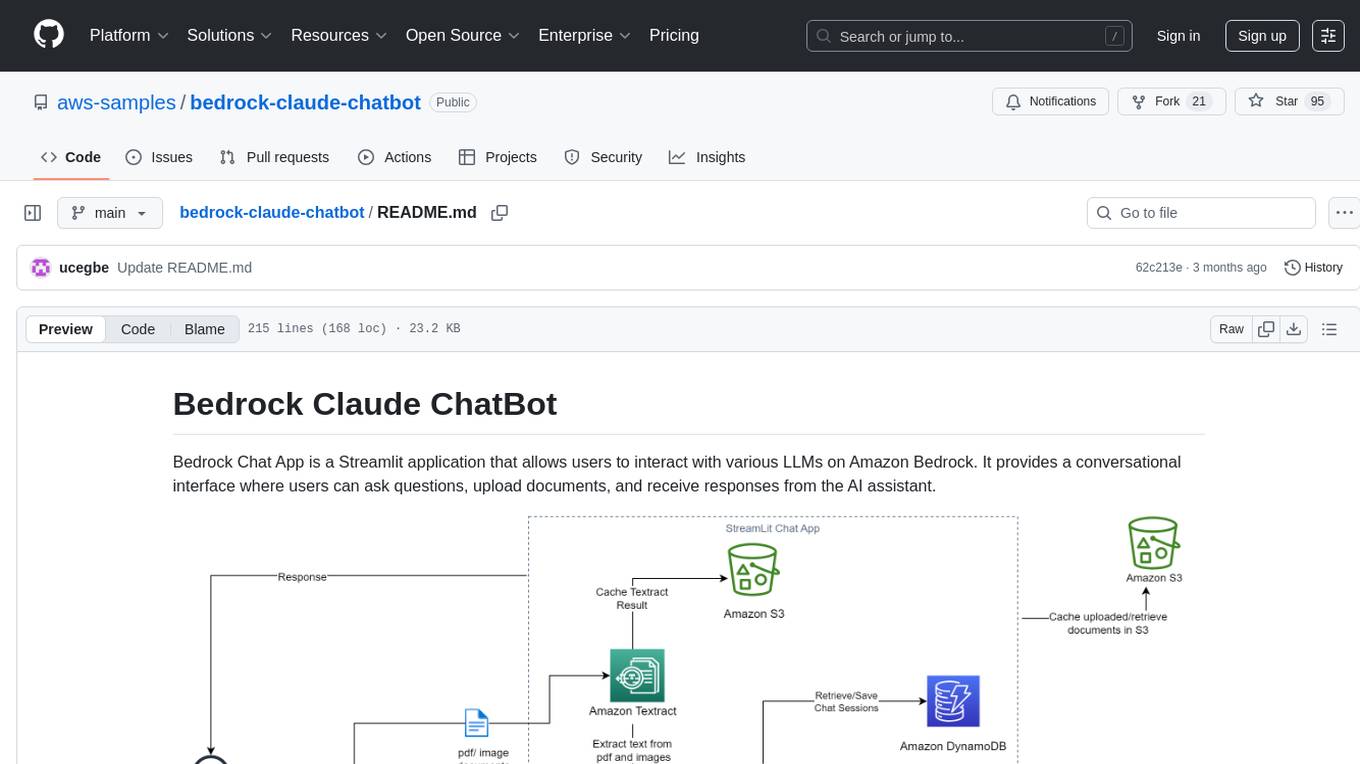
bedrock-claude-chatbot
Bedrock Claude ChatBot is a Streamlit application that provides a conversational interface for users to interact with various Large Language Models (LLMs) on Amazon Bedrock. Users can ask questions, upload documents, and receive responses from the AI assistant. The app features conversational UI, document upload, caching, chat history storage, session management, model selection, cost tracking, logging, and advanced data analytics tool integration. It can be customized using a config file and is extensible for implementing specialized tools using Docker containers and AWS Lambda. The app requires access to Amazon Bedrock Anthropic Claude Model, S3 bucket, Amazon DynamoDB, Amazon Textract, and optionally Amazon Elastic Container Registry and Amazon Athena for advanced analytics features.
geti-sdk
The Intel® Geti™ SDK is a python package that enables teams to rapidly develop AI models by easing the complexities of model development and fostering collaboration. It provides tools to interact with an Intel® Geti™ server via the REST API, allowing for project creation, downloading, uploading, deploying for local inference with OpenVINO, configuration management, training job monitoring, media upload, and prediction. The repository also includes tutorial-style Jupyter notebooks demonstrating SDK usage.
geti-sdk
The Intel® Geti™ SDK is a python package that enables teams to rapidly develop AI models by easing the complexities of model development and enhancing collaboration between teams. It provides tools to interact with an Intel® Geti™ server via the REST API, allowing for project creation, downloading, uploading, deploying for local inference with OpenVINO, setting project and model configuration, launching and monitoring training jobs, and media upload and prediction. The SDK also includes tutorial-style Jupyter notebooks demonstrating its usage.
warc-gpt
WARC-GPT is an experimental retrieval augmented generation pipeline for web archive collections. It allows users to interact with WARC files, extract text, generate text embeddings, visualize embeddings, and interact with a web UI and API. The tool is highly customizable, supporting various LLMs, providers, and embedding models. Users can configure the application using environment variables, ingest WARC files, start the server, and interact with the web UI and API to search for content and generate text completions. WARC-GPT is designed for exploration and experimentation in exploring web archives using AI.
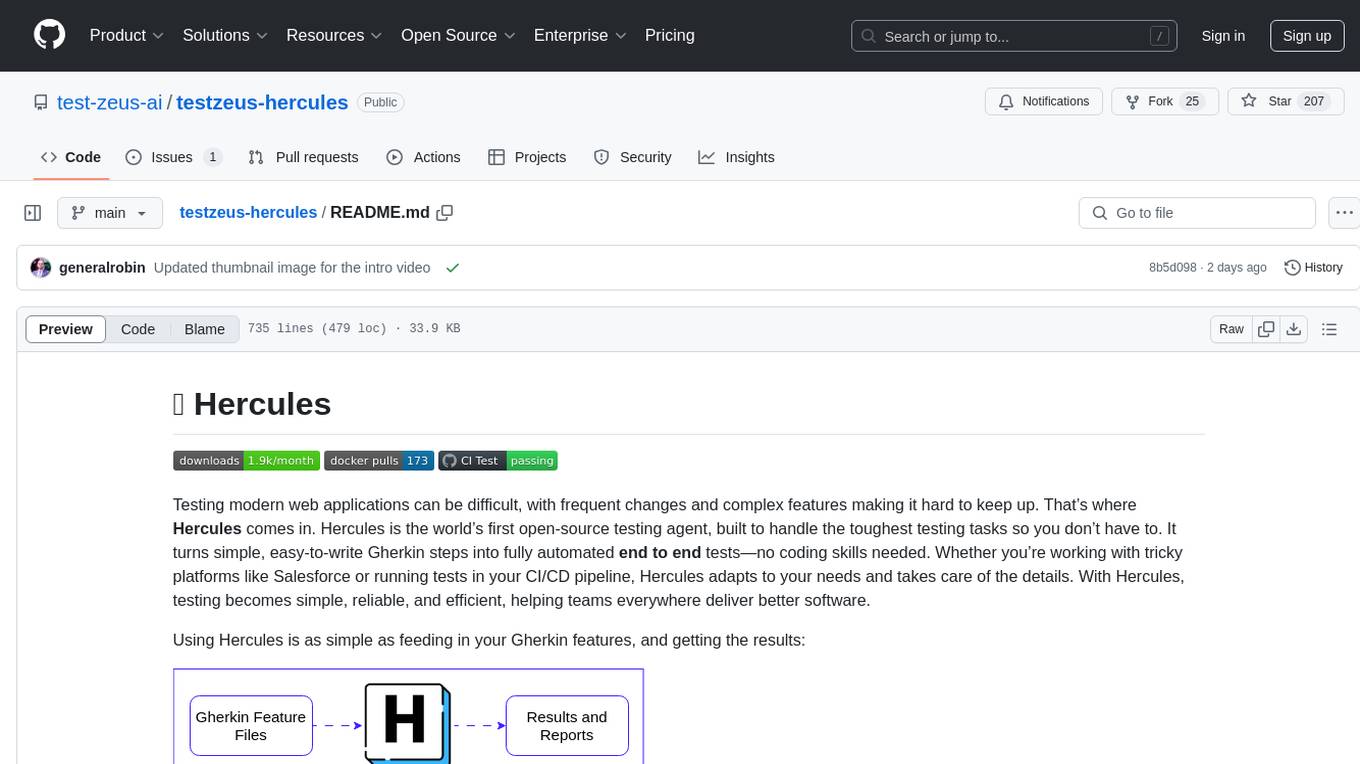
testzeus-hercules
Hercules is the world’s first open-source testing agent designed to handle the toughest testing tasks for modern web applications. It turns simple Gherkin steps into fully automated end-to-end tests, making testing simple, reliable, and efficient. Hercules adapts to various platforms like Salesforce and is suitable for CI/CD pipelines. It aims to democratize and disrupt test automation, making top-tier testing accessible to everyone. The tool is transparent, reliable, and community-driven, empowering teams to deliver better software. Hercules offers multiple ways to get started, including using PyPI package, Docker, or building and running from source code. It supports various AI models, provides detailed installation and usage instructions, and integrates with Nuclei for security testing and WCAG for accessibility testing. The tool is production-ready, open core, and open source, with plans for enhanced LLM support, advanced tooling, improved DOM distillation, community contributions, extensive documentation, and a bounty program.
mosec
Mosec is a high-performance and flexible model serving framework for building ML model-enabled backend and microservices. It bridges the gap between any machine learning models you just trained and the efficient online service API. * **Highly performant** : web layer and task coordination built with Rust 🦀, which offers blazing speed in addition to efficient CPU utilization powered by async I/O * **Ease of use** : user interface purely in Python 🐍, by which users can serve their models in an ML framework-agnostic manner using the same code as they do for offline testing * **Dynamic batching** : aggregate requests from different users for batched inference and distribute results back * **Pipelined stages** : spawn multiple processes for pipelined stages to handle CPU/GPU/IO mixed workloads * **Cloud friendly** : designed to run in the cloud, with the model warmup, graceful shutdown, and Prometheus monitoring metrics, easily managed by Kubernetes or any container orchestration systems * **Do one thing well** : focus on the online serving part, users can pay attention to the model optimization and business logic
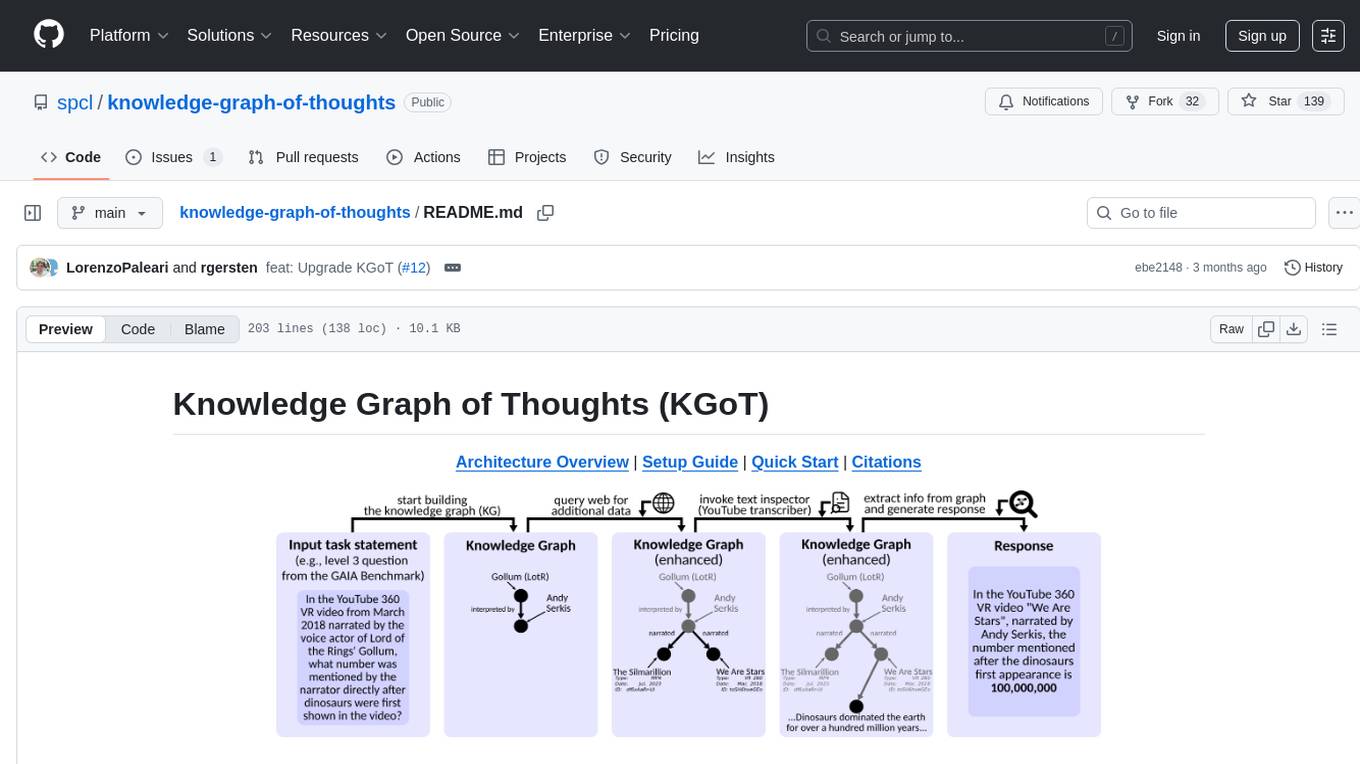
knowledge-graph-of-thoughts
Knowledge Graph of Thoughts (KGoT) is an innovative AI assistant architecture that integrates LLM reasoning with dynamically constructed knowledge graphs (KGs). KGoT extracts and structures task-relevant knowledge into a dynamic KG representation, iteratively enhanced through external tools such as math solvers, web crawlers, and Python scripts. Such structured representation of task-relevant knowledge enables low-cost models to solve complex tasks effectively. The KGoT system consists of three main components: the Controller, the Graph Store, and the Integrated Tools, each playing a critical role in the task-solving process.
CoolCline
CoolCline is a proactive programming assistant that combines the best features of Cline, Roo Code, and Bao Cline. It seamlessly collaborates with your command line interface and editor, providing the most powerful AI development experience. It optimizes queries, allows quick switching of LLM Providers, and offers auto-approve options for actions. Users can configure LLM Providers, select different chat modes, perform file and editor operations, integrate with the command line, automate browser tasks, and extend capabilities through the Model Context Protocol (MCP). Context mentions help provide explicit context, and installation is easy through the editor's extension panel or by dragging and dropping the `.vsix` file. Local setup and development instructions are available for contributors.
honcho
Honcho is a platform for creating personalized AI agents and LLM powered applications for end users. The repository is a monorepo containing the server/API for managing database interactions and storing application state, along with a Python SDK. It utilizes FastAPI for user context management and Poetry for dependency management. The API can be run using Docker or manually by setting environment variables. The client SDK can be installed using pip or Poetry. The project is open source and welcomes contributions, following a fork and PR workflow. Honcho is licensed under the AGPL-3.0 License.
aiCoder
aiCoder is an AI-powered tool designed to streamline the coding process by automating repetitive tasks, providing intelligent code suggestions, and facilitating the integration of new features into existing codebases. It offers a chat interface for natural language interactions, methods and stubs lists for code modification, and settings customization for project-specific prompts. Users can leverage aiCoder to enhance code quality, focus on higher-level design, and save time during development.
open-source-slack-ai
This repository provides a ready-to-run basic Slack AI solution that allows users to summarize threads and channels using OpenAI. Users can generate thread summaries, channel overviews, channel summaries since a specific time, and full channel summaries. The tool is powered by GPT-3.5-Turbo and an ensemble of NLP models. It requires Python 3.8 or higher, an OpenAI API key, Slack App with associated API tokens, Poetry package manager, and ngrok for local development. Users can customize channel and thread summaries, run tests with coverage using pytest, and contribute to the project for future enhancements.
wdoc
wdoc is a powerful Retrieval-Augmented Generation (RAG) system designed to summarize, search, and query documents across various file types. It aims to handle large volumes of diverse document types, making it ideal for researchers, students, and professionals dealing with extensive information sources. wdoc uses LangChain to process and analyze documents, supporting tens of thousands of documents simultaneously. The system includes features like high recall and specificity, support for various Language Model Models (LLMs), advanced RAG capabilities, advanced document summaries, and support for multiple tasks. It offers markdown-formatted answers and summaries, customizable embeddings, extensive documentation, scriptability, and runtime type checking. wdoc is suitable for power users seeking document querying capabilities and AI-powered document summaries.
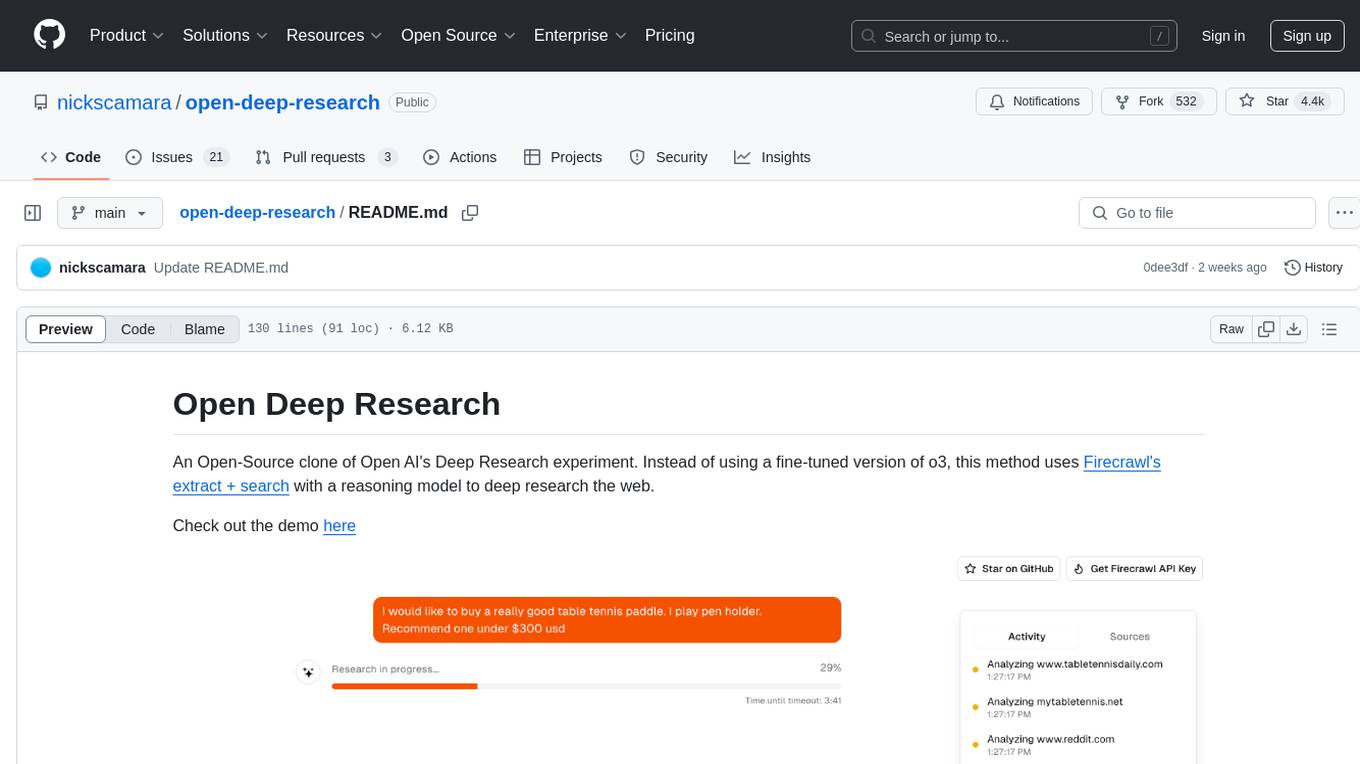
open-deep-research
Open Deep Research is an open-source project that serves as a clone of Open AI's Deep Research experiment. It utilizes Firecrawl's extract and search method along with a reasoning model to conduct in-depth research on the web. The project features Firecrawl Search + Extract, real-time data feeding to AI via search, structured data extraction from multiple websites, Next.js App Router for advanced routing, React Server Components and Server Actions for server-side rendering, AI SDK for generating text and structured objects, support for various model providers, styling with Tailwind CSS, data persistence with Vercel Postgres and Blob, and simple and secure authentication with NextAuth.js.
agentok
Agentok Studio is a visual tool built for AutoGen, a cutting-edge agent framework from Microsoft and various contributors. It offers intuitive visual tools to simplify the construction and management of complex agent-based workflows. Users can create workflows visually as graphs, chat with agents, and share flow templates. The tool is designed to streamline the development process for creators and developers working on next-generation Multi-Agent Applications.
MiniSearch
MiniSearch is a minimalist search engine with integrated browser-based AI. It is privacy-focused, easy to use, cross-platform, integrated, time-saving, efficient, optimized, and open-source. MiniSearch can be used for a variety of tasks, including searching the web, finding files on your computer, and getting answers to questions. It is a great tool for anyone who wants a fast, private, and easy-to-use search engine.
For similar tasks

LLMStack
LLMStack is a no-code platform for building generative AI agents, workflows, and chatbots. It allows users to connect their own data, internal tools, and GPT-powered models without any coding experience. LLMStack can be deployed to the cloud or on-premise and can be accessed via HTTP API or triggered from Slack or Discord.

ai-guide
This guide is dedicated to Large Language Models (LLMs) that you can run on your home computer. It assumes your PC is a lower-end, non-gaming setup.

onnxruntime-genai
ONNX Runtime Generative AI is a library that provides the generative AI loop for ONNX models, including inference with ONNX Runtime, logits processing, search and sampling, and KV cache management. Users can call a high level `generate()` method, or run each iteration of the model in a loop. It supports greedy/beam search and TopP, TopK sampling to generate token sequences, has built in logits processing like repetition penalties, and allows for easy custom scoring.

jupyter-ai
Jupyter AI connects generative AI with Jupyter notebooks. It provides a user-friendly and powerful way to explore generative AI models in notebooks and improve your productivity in JupyterLab and the Jupyter Notebook. Specifically, Jupyter AI offers: * An `%%ai` magic that turns the Jupyter notebook into a reproducible generative AI playground. This works anywhere the IPython kernel runs (JupyterLab, Jupyter Notebook, Google Colab, Kaggle, VSCode, etc.). * A native chat UI in JupyterLab that enables you to work with generative AI as a conversational assistant. * Support for a wide range of generative model providers, including AI21, Anthropic, AWS, Cohere, Gemini, Hugging Face, NVIDIA, and OpenAI. * Local model support through GPT4All, enabling use of generative AI models on consumer grade machines with ease and privacy.
khoj
Khoj is an open-source, personal AI assistant that extends your capabilities by creating always-available AI agents. You can share your notes and documents to extend your digital brain, and your AI agents have access to the internet, allowing you to incorporate real-time information. Khoj is accessible on Desktop, Emacs, Obsidian, Web, and Whatsapp, and you can share PDF, markdown, org-mode, notion files, and GitHub repositories. You'll get fast, accurate semantic search on top of your docs, and your agents can create deeply personal images and understand your speech. Khoj is self-hostable and always will be.
langchain_dart
LangChain.dart is a Dart port of the popular LangChain Python framework created by Harrison Chase. LangChain provides a set of ready-to-use components for working with language models and a standard interface for chaining them together to formulate more advanced use cases (e.g. chatbots, Q&A with RAG, agents, summarization, extraction, etc.). The components can be grouped into a few core modules: * **Model I/O:** LangChain offers a unified API for interacting with various LLM providers (e.g. OpenAI, Google, Mistral, Ollama, etc.), allowing developers to switch between them with ease. Additionally, it provides tools for managing model inputs (prompt templates and example selectors) and parsing the resulting model outputs (output parsers). * **Retrieval:** assists in loading user data (via document loaders), transforming it (with text splitters), extracting its meaning (using embedding models), storing (in vector stores) and retrieving it (through retrievers) so that it can be used to ground the model's responses (i.e. Retrieval-Augmented Generation or RAG). * **Agents:** "bots" that leverage LLMs to make informed decisions about which available tools (such as web search, calculators, database lookup, etc.) to use to accomplish the designated task. The different components can be composed together using the LangChain Expression Language (LCEL).

danswer
Danswer is an open-source Gen-AI Chat and Unified Search tool that connects to your company's docs, apps, and people. It provides a Chat interface and plugs into any LLM of your choice. Danswer can be deployed anywhere and for any scale - on a laptop, on-premise, or to cloud. Since you own the deployment, your user data and chats are fully in your own control. Danswer is MIT licensed and designed to be modular and easily extensible. The system also comes fully ready for production usage with user authentication, role management (admin/basic users), chat persistence, and a UI for configuring Personas (AI Assistants) and their Prompts. Danswer also serves as a Unified Search across all common workplace tools such as Slack, Google Drive, Confluence, etc. By combining LLMs and team specific knowledge, Danswer becomes a subject matter expert for the team. Imagine ChatGPT if it had access to your team's unique knowledge! It enables questions such as "A customer wants feature X, is this already supported?" or "Where's the pull request for feature Y?"

infinity
Infinity is an AI-native database designed for LLM applications, providing incredibly fast full-text and vector search capabilities. It supports a wide range of data types, including vectors, full-text, and structured data, and offers a fused search feature that combines multiple embeddings and full text. Infinity is easy to use, with an intuitive Python API and a single-binary architecture that simplifies deployment. It achieves high performance, with 0.1 milliseconds query latency on million-scale vector datasets and up to 15K QPS.
For similar jobs
lollms-webui
LoLLMs WebUI (Lord of Large Language Multimodal Systems: One tool to rule them all) is a user-friendly interface to access and utilize various LLM (Large Language Models) and other AI models for a wide range of tasks. With over 500 AI expert conditionings across diverse domains and more than 2500 fine tuned models over multiple domains, LoLLMs WebUI provides an immediate resource for any problem, from car repair to coding assistance, legal matters, medical diagnosis, entertainment, and more. The easy-to-use UI with light and dark mode options, integration with GitHub repository, support for different personalities, and features like thumb up/down rating, copy, edit, and remove messages, local database storage, search, export, and delete multiple discussions, make LoLLMs WebUI a powerful and versatile tool.

Azure-Analytics-and-AI-Engagement
The Azure-Analytics-and-AI-Engagement repository provides packaged Industry Scenario DREAM Demos with ARM templates (Containing a demo web application, Power BI reports, Synapse resources, AML Notebooks etc.) that can be deployed in a customer’s subscription using the CAPE tool within a matter of few hours. Partners can also deploy DREAM Demos in their own subscriptions using DPoC.
minio
MinIO is a High Performance Object Storage released under GNU Affero General Public License v3.0. It is API compatible with Amazon S3 cloud storage service. Use MinIO to build high performance infrastructure for machine learning, analytics and application data workloads.
mage-ai
Mage is an open-source data pipeline tool for transforming and integrating data. It offers an easy developer experience, engineering best practices built-in, and data as a first-class citizen. Mage makes it easy to build, preview, and launch data pipelines, and provides observability and scaling capabilities. It supports data integrations, streaming pipelines, and dbt integration.
AiTreasureBox
AiTreasureBox is a versatile AI tool that provides a collection of pre-trained models and algorithms for various machine learning tasks. It simplifies the process of implementing AI solutions by offering ready-to-use components that can be easily integrated into projects. With AiTreasureBox, users can quickly prototype and deploy AI applications without the need for extensive knowledge in machine learning or deep learning. The tool covers a wide range of tasks such as image classification, text generation, sentiment analysis, object detection, and more. It is designed to be user-friendly and accessible to both beginners and experienced developers, making AI development more efficient and accessible to a wider audience.

tidb
TiDB is an open-source distributed SQL database that supports Hybrid Transactional and Analytical Processing (HTAP) workloads. It is MySQL compatible and features horizontal scalability, strong consistency, and high availability.
airbyte
Airbyte is an open-source data integration platform that makes it easy to move data from any source to any destination. With Airbyte, you can build and manage data pipelines without writing any code. Airbyte provides a library of pre-built connectors that make it easy to connect to popular data sources and destinations. You can also create your own connectors using Airbyte's no-code Connector Builder or low-code CDK. Airbyte is used by data engineers and analysts at companies of all sizes to build and manage their data pipelines.
labelbox-python
Labelbox is a data-centric AI platform for enterprises to develop, optimize, and use AI to solve problems and power new products and services. Enterprises use Labelbox to curate data, generate high-quality human feedback data for computer vision and LLMs, evaluate model performance, and automate tasks by combining AI and human-centric workflows. The academic & research community uses Labelbox for cutting-edge AI research.