


bedrock-claude-chatbot
Personal Chatbot powered by Amazon Bedrock LLMs with a data analytics feature that provides isolated servereless compute on Athena Spark for code execution.
Stars: 95
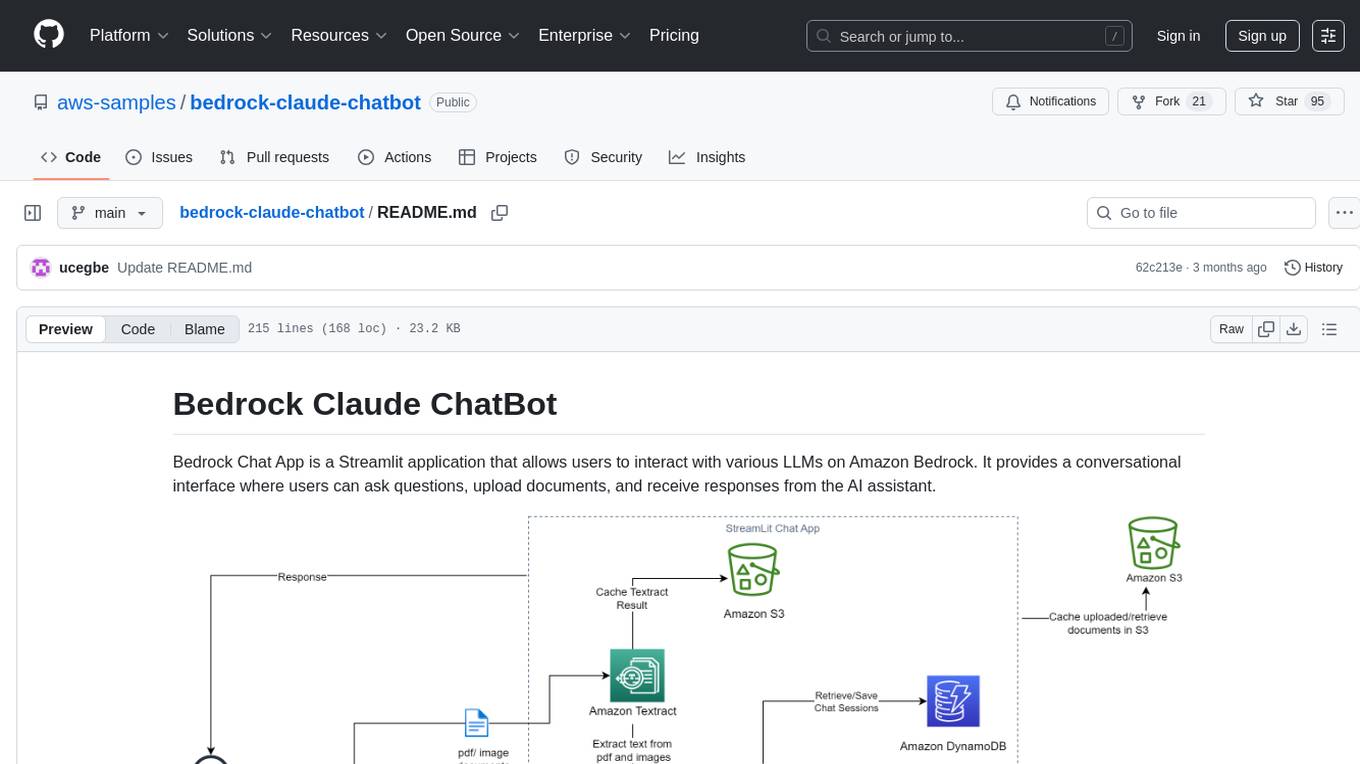
Bedrock Claude ChatBot is a Streamlit application that provides a conversational interface for users to interact with various Large Language Models (LLMs) on Amazon Bedrock. Users can ask questions, upload documents, and receive responses from the AI assistant. The app features conversational UI, document upload, caching, chat history storage, session management, model selection, cost tracking, logging, and advanced data analytics tool integration. It can be customized using a config file and is extensible for implementing specialized tools using Docker containers and AWS Lambda. The app requires access to Amazon Bedrock Anthropic Claude Model, S3 bucket, Amazon DynamoDB, Amazon Textract, and optionally Amazon Elastic Container Registry and Amazon Athena for advanced analytics features.
README:
Bedrock Chat App is a Streamlit application that allows users to interact with various LLMs on Amazon Bedrock. It provides a conversational interface where users can ask questions, upload documents, and receive responses from the AI assistant.

READ THE FOLLOWING PREREQUISITES CAREFULLY.
- Conversational UI: The app provides a chat-like interface for seamless interaction with the AI assistant.
- Document Upload: Users can upload various types of documents (PDF, CSV, TXT, PNG, JPG, XLSX, JSON, DOCX, Python scripts etc) to provide context for the AI assistant.
- Caching: Uploaded documents and extracted text are cached in an S3 bucket for improved performance. This serves as the object storage unit for the application as documents are retrieved and loaded into the model to keep conversation context.
- Chat History: The app stores stores and retrieves chat history (including document metadata) to/from a DynamoDB table, allowing users to continue conversations across sessions.
- Session Store: The application utilizes DynamoDB to store and manage user and session information, enabling isolated conversations and state tracking for each user interaction.
-
Model Selection: Users can select from a broad list of LLMs on Amazon Bedrock including latest models from Anthropic Claude, Amazon Nova, Meta Llama, Deepseek etc for their queries and can include additional models on Bedrock by modifying teh
model-id.jsonfile. It incorporates the Bedrock Converse API providing a standardized model interface. -
Cost Tracking: The application calculates and displays the cost associated with each chat session based on the input and output token counts and the pricing model defined in the
pricing.jsonfile. - Logging: The items logged in the DynamoDB table include the user ID, session ID, messages, timestamps,uploaded documents s3 path, input and output token counts. This helps to isolate user engagement statistics and track the various items being logged, as well as attribute the cost per user.
-
Tool Usage:
Advanced Data Analytics toolfor processing and analyzing structured data (CSV, XLX and XLSX format) in an isolated and serverless enviroment. - Extensible Tool Integration: This app can be modified to leverage the extensive Domain Specific Language (DSL) knowledge inherent in Large Language Models (LLMs) to implement a wide range of specialized tools. This capability is enhanced by the versatile execution environments provided by Docker containers and AWS Lambda, allowing for dynamic and adaptable implementation of various DSL-based functionalities. This approach enables the system to handle diverse domain-specific tasks efficiently, without the need for hardcoded, specialized modules for each domain.
There are two files of interest.
- A Jupyter Notebook that walks you through the ChatBot Implementation cell by cell (Advanced Data Analytics only available in the streamlit chatbot).
- A Streamlit app that can be deployed to create a UI Chatbot.
- Amazon Bedrock Anthropic Claude Model Access
- S3 bucket to store uploaded documents and Textract output.
- Optional:
- Create an Amazon DynamoDB table to store chat history (Run the notebook BedrockChatUI to create a DynamoDB Table). This is optional as there is a local disk storage option, however, I would recommend using Amazon DynamoDB.
- Amazon Textract. This is optional as there is an option to use python libraries
pypdf2andpytessesractfor PDF and image processing. However, I would recommend using Amazon Textract for higher quality PDF and image processing. You will experience latency when usingpytesseract. -
Amazon Elastic Container Registry to store custom docker images if using the
Advanced Data Analyticsfeature with the AWS Lambda setup.
To use the Advanced Analytics Feature, this additional step is required (ChatBot can still be used without enabling Advanced Analytics Feature):
This feature can be powered by a python runtime on AWS Lambda and/or a pyspark runtime on Amazon Athena. Expand the appropiate section below to view the set-up instructions.
AWS Lambda Python Runtime Setup
-
Amazon Lambda function with custom python image to execute python code for analytics.
-
Create an private ECR repository by following the link in step 3.
-
On your local machine or any related AWS services including AWS CloudShell, Amazon Elastic Compute Cloud, Amazon Sageamker Studio etc. run the following CLI commands:
- install git and clone this git repo
git clone [github_link] - navigate into the Docker directory
cd Docker - if using local machine, authenticate with your AWS credentials
- install AWS Command Line Interface (AWS CLI) version 2 if not already installed.
- Follow the steps in the Deploying the image section under Using an AWS base image for Python in this documentation guide. Replace the placeholders with the appropiate values. You can skip step
2if you already created an ECR repository. - In step 6, in addition to
AWSLambdaBasicExecutionRolepolicy, ONLY grant least priveledged read and write Amazon S3 policies to the execution role. Scope down the policy to only include the necessary S3 bucket and S3 directory prefix where uploaded files will be stored and read from as configured in theconfig.jsonfile below. - In step 7, I recommend creating the Lambda function in a Amazon Virtual Private Cloud (VPC) without internet access and attach Amazon S3 and Amazon CloudWatch gateway and interface endpoints accordingly. The following step 7 command can be modified to include VPC paramters:
aws lambda create-function \
    --function-name YourFunctionName \
    --package-type Image \
    --code ImageUri=your-account-id.dkr.ecr.your-region.amazonaws.com/your-repo:tag \
    --role arn:aws:iam::your-account-id:role/YourLambdaExecutionRole \
    --vpc-config SubnetIds=subnet-xxxxxxxx,subnet-yyyyyyyy,SecurityGroupIds=sg-zzzzzzzz \
    --memory-size 512 \
    --timeout 300 \
    --region your-region
Modify the placeholders as appropiate. I recommend to keep
timeoutandmemory-sizeparams conservative as that will affect cost. A good staring point for memory is512MB.- Ignore step 8.
- install git and clone this git repo
-
Amazon Athena Spark Runtime Setup
- Follow the instructions Get started with Apache Spark on Amazon Athena to create an Amazon Athena workgroup with Apache Spark. You
DO NOTneed to selectTurn on example notebook.- Provide S3 permissions to the workgroup execution role for the S3 buckets configured with this application.
- Note that the Amazon Athena Spark environment comes preinstalled with a select few python libraries.
⚠ IMPORTANT SECURITY NOTE:
Enabling the Advanced Analytics Feature allows the LLM to generate and execute Python code to analyze your dataset that will automatically be executed in a Lambda function environment. To mitigate potential risks:
-
VPC Configuration:
- It is recommended to place the Lambda function in an internet-free VPC.
- Use Amazon S3 and CloudWatch gateway/interface endpoints for necessary access.
-
IAM Permissions:
- Scope down the AWS Lambda and/or Amazon Athena workgroup execution role to only Amazon S3 and the required S3 resources. This is in addition to
AWSLambdaBasicExecutionRolepolicy if using AWS Lambda.
- Scope down the AWS Lambda and/or Amazon Athena workgroup execution role to only Amazon S3 and the required S3 resources. This is in addition to
-
Library Restrictions:
- Only libraries specified in
Docker/requirements.txtwill be available at runtime. - Modify this list carefully based on your needs.
- Only libraries specified in
-
Resource Allocation:
- Adjust AWS Lambda function
timeoutandmemory-sizebased on data size and analysis complexity.
- Adjust AWS Lambda function
-
Production Considerations:
- This application is designed for POC use.
- Implement additional security measures before deploying to production.
The goal is to limit the potential impact of generated code execution.
The application's behavior can be customized by modifying the config.json file. Here are the available options:
-
DynamodbTable: The name of the DynamoDB table to use for storing chat history. Leave this field empty if you decide to use local storage for chat history. -
UserId: The DynamoDB user ID for the application. Leave this field empty if you decide to use local storage for chat history. -
Bucket_Name: The name of the S3 bucket used for caching documents and extracted text. This is required. -
max-output-token: The maximum number of output tokens allowed for the AI assistant's response. -
chat-history-loaded-length: The number of recent chat messages to load from the DynamoDB table or Local storage. -
bedrock-region: The AWS region where Amazon Bedrock is enabled. -
load-doc-in-chat-history: A boolean flag indicating whether to load documents in the chat history. Iftrueall documents would be loaded in chat history as context (provides more context of previous chat history to the AI at the cost of additional price and latency). Iffalseonly the user query and response would be loaded in the chat history, the AI would have no recollection of any document context from those chat conversations. When setting boolean in JSON use all lower caps. -
AmazonTextract: A boolean indicating whether to use Amazon Textract or python libraries for PDF and image processing. Set tofalseif you do not have access to Amazon Textract. When setting boolean in JSON use all lower caps. -
csv-delimiter: The delimiter to use when parsing structured content to string. Supported formats are "|", "\t", and ",". -
document-upload-cache-s3-path: S3 bucket path to cache uploaded files. Do not include the bucket name, just the prefix without a trailing slash. For example "path/to/files". -
AmazonTextract-result-cache: S3 bucket path to cache Amazon Textract result. Do not include the bucket name, just the prefix without a trailing slash. For example "path/to/files". -
lambda-function: Name of the Lambda function deploy in the steps above. This is required if using theAdvanced Analytics Toolwith AWS Lambda. -
input_s3_path: S3 directory prefix, without the foward and trailing slash, to render the S3 objects in the Chat UI. -
input_bucket: S3 bucket name where the files to be rendered on the screen are stored. -
input_file_ext: comma-seperated file extension names (without ".") for files in the S3 buckets to be rendered on the screen. By defaultxlsxandcsvare included. -
athena-work-group-name: Spark Amazon Athena workkgroup name created above. This is required if using theAdvanced Analytics Toolwith Amazon Athena.
⚠ IMPORTANT ADVISORY FOR ADVANCED ANALYTICS FEATURE
When using the Advanced Analytics Feature, take the following precautions:
-
Sandbox Environment:
- Set
Bucket_Nameanddocument-upload-cache-s3-pathto point to a separate, isolated "sandbox" S3 location. - Grant read and write access as documented to this bucket/prefix resource to the lambda execution role.
- Do NOT use your main storage path for these parameters. This isolation is crucial, to avoid potential file overwrite, as the app will execute LLM-generated code.
- Set
-
Input Data Safety:
-
input_s3_pathandinput_bucketare used for read-only operations and can safely point to your main data storage. The LLM is not aware of this parameters unless explicitly provided by user during chat. - Only grant read access to this bucket/prefix resource in the execution role attached to the Lambda function.
-
IMPORTANT: Ensure
input_bucketis different fromBucket_Name.
-
By following these guidelines, you mitigate the potential risk of unintended data modification or loss in your primary storage areas.


If You have a Sagemaker AI Studio Domain already set up, ignore the first item, however, item 2 is required.
- Set Up SageMaker Studio
- SageMaker execution role should have access to interact with Bedrock, S3 and optionally Textract and DynamoDB, AWS Lambda and Amazon Athenaif these services are used.
- Create a JupyterLab space
-

- Open a terminal by clicking File -> New -> Terminal
- Navigate into the cloned repository directory using the
cd bedrock-claude-chatbotcommand and run the following commands to install the application python libraries:- sudo apt update
- sudo apt upgrade -y
- chmod +x install_package.sh
- ./install_package.sh
-
NOTE: If you run into this error
ERROR: Could not install packages due to an OSError: [Errno 2] No such file or directory: /opt/conda/lib/python3.10/site-packages/fsspec-2023.6.0.dist-info/METADATA, I solved it by deleting thefsspecpackage by running the following command (this is due to have two versions offsspecinstall 2023* and 2024*):rm /opt/conda/lib/python3.10/site-packages/fsspec-2023.6.0.dist-info -rdf- pip install -U fsspec # fsspec 2024.9.0 should already be installed.
- If you decide to use Python Libs for PDF and image processing, this requires tesserect-ocr. Run the following command:
- sudo apt update -y
- sudo apt-get install tesseract-ocr-all -y
- Run command
python3 -m streamlit run bedrock-chat.py --server.enableXsrfProtection falseto start the Streamlit server. Do not use the links generated by the command as they won't work in studio. - Copy the URL of the SageMaker JupyterLab. It should look something like this https://qukigdtczjsdk.studio.us-east-1.sagemaker.aws/jupyterlab/default/lab/tree/healthlake/app_fhir.py. Replace everything after .../default/ with proxy/8501/, something like https://qukigdtczjsdk.studio.us-east-1.sagemaker.aws/jupyterlab/default/proxy/8501/. Make sure the port number (8501 in this case) matches with the port number printed out when you run the
python3 -m streamlit run bedrock-chat.py --server.enableXsrfProtection falsecommand; port number is the last 4 digits after the colon in the generated URL.
- Create a new ec2 instance
- Expose TCP port range 8500-8510 on Inbound connections of the attached Security group to the ec2 instance. TCP port 8501 is needed for Streamlit to work. See image below
-

- EC2 instance profile role has the required permissions to access the services used by this application mentioned above.
- Connect to your ec2 instance
- Run the appropiate commands to update the ec2 instance (
sudo apt updateandsudo apt upgrade-for Ubuntu) - Clone this git repo
git clone [github_link]andcd bedrock-claude-chatbot - Install python3 and pip if not already installed,
sudo apt install python3andsudo apt install python3-pip. - If you decide to use Python Libs for PDF and image processing, this requires tesserect-ocr. Run the following command:
- If using Centos-OS or Amazon-Linux:
- sudo rpm -Uvh https://dl.fedoraproject.org/pub/epel/epel-release-latest-7.noarch.rpm
- sudo yum -y update
- sudo yum install -y tesseract
- For Ubuntu or Debian:
- sudo apt-get install tesseract-ocr-all -y
- If using Centos-OS or Amazon-Linux:
- Install the dependencies by running the following commands (use
yumfor Centos-OS or Amazon-Linux):- sudo apt update
- sudo apt upgrade -y
- chmod +x install_package.sh
- ./install_package.sh
- Run command
tmux new -s mysessionto create a new session. Then in the new session createdcd bedrock-claude-chatbotinto the ChatBot dir and runpython3 -m streamlit run bedrock-chat.pyto start the streamlit app. This allows you to run the Streamlit application in the background and keep it running even if you disconnect from the terminal session. - Copy the External URL link generated and paste in a new browser tab.
-
⚠ NOTE: The generated link is not secure! For additional guidance.
To stop the
tmuxsession, in your ec2 terminal PressCtrl+b, thendto detach. to kill the session, runtmux kill-session -t mysession
-
Pricing: Pricing is only calculated for the Bedrock models not including cost of any other AWS service used. In addition, the pricing information of the models are stored in a static
pricing.jsonfile. Do manually update the file to refelct current Bedrock pricing details. Use this cost implementation in this app as a rough estimate of actual cost of interacting with the Bedrock models as actual cost reported in your account may differ. -
Storage Encryption: This application does not implement storing and reading files to and from S3 and/or DynamoDB using KMS keys for data at rest encryption.
-
Production-Ready: For an enterprise and production-ready chatbot application architecture pattern, check out Generative AI Application Builder on AWS and Bedrock-Claude-Chat for best practices and recommendations.
-
Tools Suite: This application only includes a single tool. However, with the many niche applications of LLM's, a library of tools will make this application robust.

Guidelines
- When a document is uploaded (and for everytime it stays uploaded), its content is attached to the user's query, and the chatbot's responses are grounded in the document ( a sperate prompt template is used). That chat conversation is tagged with the document name as metadata to be used in the chat history.
- If the document is detached, the chat history will only contain the user's queries and the chatbot's responses, unless the
load-doc-in-chat-historyconfiguration parameter is enabled, in which case the document content will be retained in the chat history. - You can refer to documents by their names of format (PDF, WORD, IMAGE etc) when having a conversation with the AI.
- The
chat-history-loaded-lengthsetting determines how many previous conversations the LLM will be aware of, including any attached documents (if theload-doc-in-chat-historyoption is enabled). A higher value for this setting means that the LLM will have access to more historical context, but it may also increase the cost and potentially introduce latency, as more tokens will be inputted into the LLM. For optimal performance and cost-effectiveness, it's recommended to set the 'chat-history-loaded-length' to a value between 5 and 10. This range strikes a balance between providing the LLM with sufficient historical context while minimizing the input payload size and associated costs. ⚠️ When using the Streamlit app, any uploaded document will be persisted for the current chat conversation. This means that subsequent questions, as well as chat histories (if the 'load-doc-in-chat-history' option is enabled), will have the document(s) as context, and the responses will be grounded in that document(s). However, this can increase the cost and latency, as the input payload will be larger due to the loaded document(s) in every chat turn. Therefore if you have theload-doc-in-chat-historyoption enabled, after your first question response with the uploaded document(s), it is recommended to remove the document(s) by clicking the X sign next to the uploaded file(s). The document(s) will be saved in the chat history, and you can ask follow-up questions about it, as the LLM will have knowledge of the document(s) from the chat history. On the other hand, if theload-doc-in-chat-historyoption is disabled, and you want to keep asking follow-up questions about the document(s), leave the document(s) uploaded until you are done. This way, only the current chat turn will have the document(s) loaded, and not the entire chat history. The choice between enablingload-doc-in-chat-historyor not is dependent on cost and latency. I would recommend enabling for a smoother experience following the aforementioned guidelines.
For Tasks:
Click tags to check more tools for each tasksFor Jobs:
Alternative AI tools for bedrock-claude-chatbot
Similar Open Source Tools
bedrock-claude-chatbot
Bedrock Claude ChatBot is a Streamlit application that provides a conversational interface for users to interact with various Large Language Models (LLMs) on Amazon Bedrock. Users can ask questions, upload documents, and receive responses from the AI assistant. The app features conversational UI, document upload, caching, chat history storage, session management, model selection, cost tracking, logging, and advanced data analytics tool integration. It can be customized using a config file and is extensible for implementing specialized tools using Docker containers and AWS Lambda. The app requires access to Amazon Bedrock Anthropic Claude Model, S3 bucket, Amazon DynamoDB, Amazon Textract, and optionally Amazon Elastic Container Registry and Amazon Athena for advanced analytics features.

cognita
Cognita is an open-source framework to organize your RAG codebase along with a frontend to play around with different RAG customizations. It provides a simple way to organize your codebase so that it becomes easy to test it locally while also being able to deploy it in a production ready environment. The key issues that arise while productionizing RAG system from a Jupyter Notebook are: 1. **Chunking and Embedding Job** : The chunking and embedding code usually needs to be abstracted out and deployed as a job. Sometimes the job will need to run on a schedule or be trigerred via an event to keep the data updated. 2. **Query Service** : The code that generates the answer from the query needs to be wrapped up in a api server like FastAPI and should be deployed as a service. This service should be able to handle multiple queries at the same time and also autoscale with higher traffic. 3. **LLM / Embedding Model Deployment** : Often times, if we are using open-source models, we load the model in the Jupyter notebook. This will need to be hosted as a separate service in production and model will need to be called as an API. 4. **Vector DB deployment** : Most testing happens on vector DBs in memory or on disk. However, in production, the DBs need to be deployed in a more scalable and reliable way. Cognita makes it really easy to customize and experiment everything about a RAG system and still be able to deploy it in a good way. It also ships with a UI that makes it easier to try out different RAG configurations and see the results in real time. You can use it locally or with/without using any Truefoundry components. However, using Truefoundry components makes it easier to test different models and deploy the system in a scalable way. Cognita allows you to host multiple RAG systems using one app. ### Advantages of using Cognita are: 1. A central reusable repository of parsers, loaders, embedders and retrievers. 2. Ability for non-technical users to play with UI - Upload documents and perform QnA using modules built by the development team. 3. Fully API driven - which allows integration with other systems. > If you use Cognita with Truefoundry AI Gateway, you can get logging, metrics and feedback mechanism for your user queries. ### Features: 1. Support for multiple document retrievers that use `Similarity Search`, `Query Decompostion`, `Document Reranking`, etc 2. Support for SOTA OpenSource embeddings and reranking from `mixedbread-ai` 3. Support for using LLMs using `Ollama` 4. Support for incremental indexing that ingests entire documents in batches (reduces compute burden), keeps track of already indexed documents and prevents re-indexing of those docs.
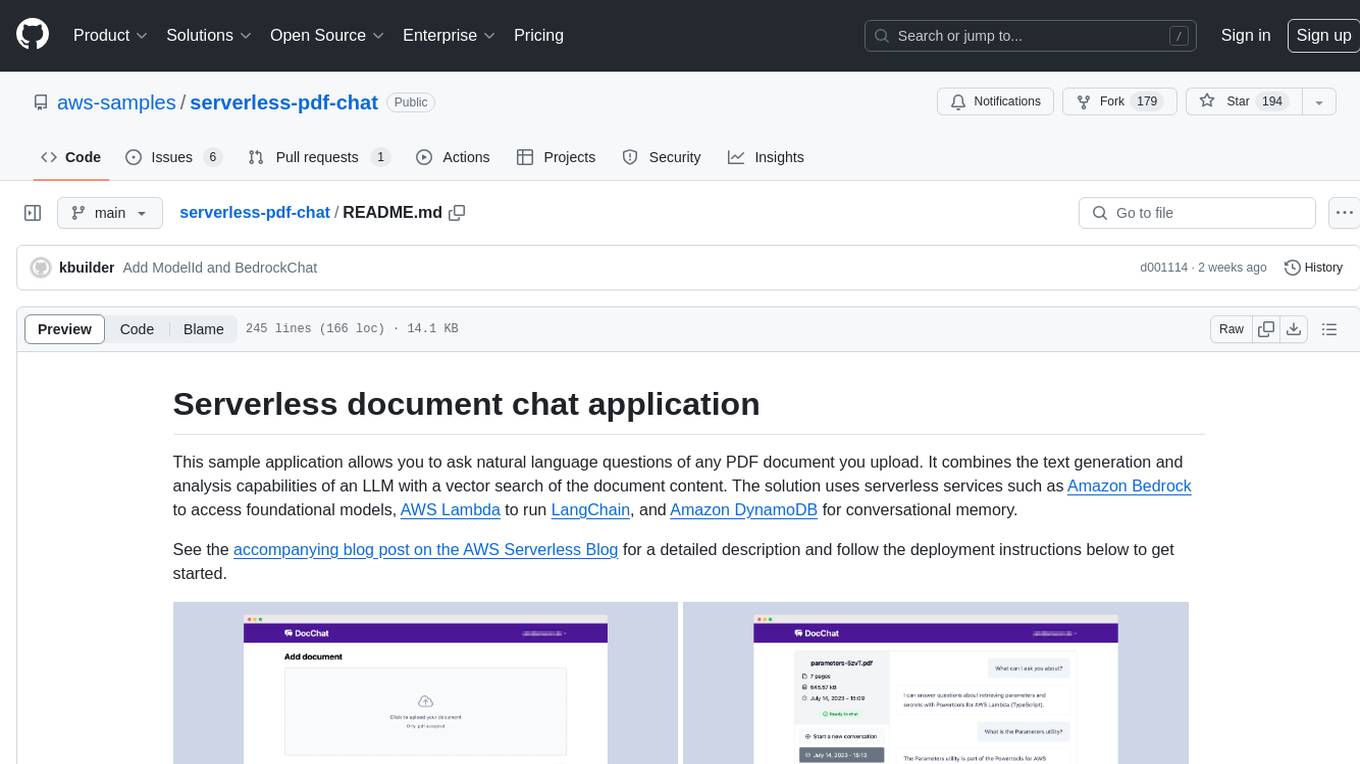
serverless-pdf-chat
The serverless-pdf-chat repository contains a sample application that allows users to ask natural language questions of any PDF document they upload. It leverages serverless services like Amazon Bedrock, AWS Lambda, and Amazon DynamoDB to provide text generation and analysis capabilities. The application architecture involves uploading a PDF document to an S3 bucket, extracting metadata, converting text to vectors, and using a LangChain to search for information related to user prompts. The application is not intended for production use and serves as a demonstration and educational tool.
geti-sdk
The Intel® Geti™ SDK is a python package that enables teams to rapidly develop AI models by easing the complexities of model development and fostering collaboration. It provides tools to interact with an Intel® Geti™ server via the REST API, allowing for project creation, downloading, uploading, deploying for local inference with OpenVINO, configuration management, training job monitoring, media upload, and prediction. The repository also includes tutorial-style Jupyter notebooks demonstrating SDK usage.
geti-sdk
The Intel® Geti™ SDK is a python package that enables teams to rapidly develop AI models by easing the complexities of model development and enhancing collaboration between teams. It provides tools to interact with an Intel® Geti™ server via the REST API, allowing for project creation, downloading, uploading, deploying for local inference with OpenVINO, setting project and model configuration, launching and monitoring training jobs, and media upload and prediction. The SDK also includes tutorial-style Jupyter notebooks demonstrating its usage.
LARS
LARS is an application that enables users to run Large Language Models (LLMs) locally on their devices, upload their own documents, and engage in conversations where the LLM grounds its responses with the uploaded content. The application focuses on Retrieval Augmented Generation (RAG) to increase accuracy and reduce AI-generated inaccuracies. LARS provides advanced citations, supports various file formats, allows follow-up questions, provides full chat history, and offers customization options for LLM settings. Users can force enable or disable RAG, change system prompts, and tweak advanced LLM settings. The application also supports GPU-accelerated inferencing, multiple embedding models, and text extraction methods. LARS is open-source and aims to be the ultimate RAG-centric LLM application.
warc-gpt
WARC-GPT is an experimental retrieval augmented generation pipeline for web archive collections. It allows users to interact with WARC files, extract text, generate text embeddings, visualize embeddings, and interact with a web UI and API. The tool is highly customizable, supporting various LLMs, providers, and embedding models. Users can configure the application using environment variables, ingest WARC files, start the server, and interact with the web UI and API to search for content and generate text completions. WARC-GPT is designed for exploration and experimentation in exploring web archives using AI.
crawlee-python
Crawlee-python is a web scraping and browser automation library that covers crawling and scraping end-to-end, helping users build reliable scrapers fast. It allows users to crawl the web for links, scrape data, and store it in machine-readable formats without worrying about technical details. With rich configuration options, users can customize almost any aspect of Crawlee to suit their project's needs.
aiyabot
AIYA is a Discord bot interface for Stable Diffusion, offering features like live preview, negative prompts, model swapping, image generation, image captioning, image resizing, and more. It supports various options and bonus features to enhance user experience. Users can set per-channel defaults, view stats, manage queues, upscale images, and perform various commands on images. AIYA requires setup with AUTOMATIC1111's Stable Diffusion AI Web UI or SD.Next, and can be deployed using Docker with additional configuration options. Credits go to AUTOMATIC1111, vladmandic, harubaru, and various contributors for their contributions to AIYA's development.
mosec
Mosec is a high-performance and flexible model serving framework for building ML model-enabled backend and microservices. It bridges the gap between any machine learning models you just trained and the efficient online service API. * **Highly performant** : web layer and task coordination built with Rust 🦀, which offers blazing speed in addition to efficient CPU utilization powered by async I/O * **Ease of use** : user interface purely in Python 🐍, by which users can serve their models in an ML framework-agnostic manner using the same code as they do for offline testing * **Dynamic batching** : aggregate requests from different users for batched inference and distribute results back * **Pipelined stages** : spawn multiple processes for pipelined stages to handle CPU/GPU/IO mixed workloads * **Cloud friendly** : designed to run in the cloud, with the model warmup, graceful shutdown, and Prometheus monitoring metrics, easily managed by Kubernetes or any container orchestration systems * **Do one thing well** : focus on the online serving part, users can pay attention to the model optimization and business logic
generative-ai-application-builder-on-aws
The Generative AI Application Builder on AWS (GAAB) is a solution that provides a web-based management dashboard for deploying customizable Generative AI (Gen AI) use cases. Users can experiment with and compare different combinations of Large Language Model (LLM) use cases, configure and optimize their use cases, and integrate them into their applications for production. The solution is targeted at novice to experienced users who want to experiment and productionize different Gen AI use cases. It uses LangChain open-source software to configure connections to Large Language Models (LLMs) for various use cases, with the ability to deploy chat use cases that allow querying over users' enterprise data in a chatbot-style User Interface (UI) and support custom end-user implementations through an API.
Open_Data_QnA
Open Data QnA is a Python library that allows users to interact with their PostgreSQL or BigQuery databases in a conversational manner, without needing to write SQL queries. The library leverages Large Language Models (LLMs) to bridge the gap between human language and database queries, enabling users to ask questions in natural language and receive informative responses. It offers features such as conversational querying with multiturn support, table grouping, multi schema/dataset support, SQL generation, query refinement, natural language responses, visualizations, and extensibility. The library is built on a modular design and supports various components like Database Connectors, Vector Stores, and Agents for SQL generation, validation, debugging, descriptions, embeddings, responses, and visualizations.
unitycatalog
Unity Catalog is an open and interoperable catalog for data and AI, supporting multi-format tables, unstructured data, and AI assets. It offers plugin support for extensibility and interoperates with Delta Sharing protocol. The catalog is fully open with OpenAPI spec and OSS implementation, providing unified governance for data and AI with asset-level access control enforced through REST APIs.
azure-search-openai-javascript
This sample demonstrates a few approaches for creating ChatGPT-like experiences over your own data using the Retrieval Augmented Generation pattern. It uses Azure OpenAI Service to access the ChatGPT model (gpt-35-turbo), and Azure AI Search for data indexing and retrieval.
knowledge-graph-of-thoughts
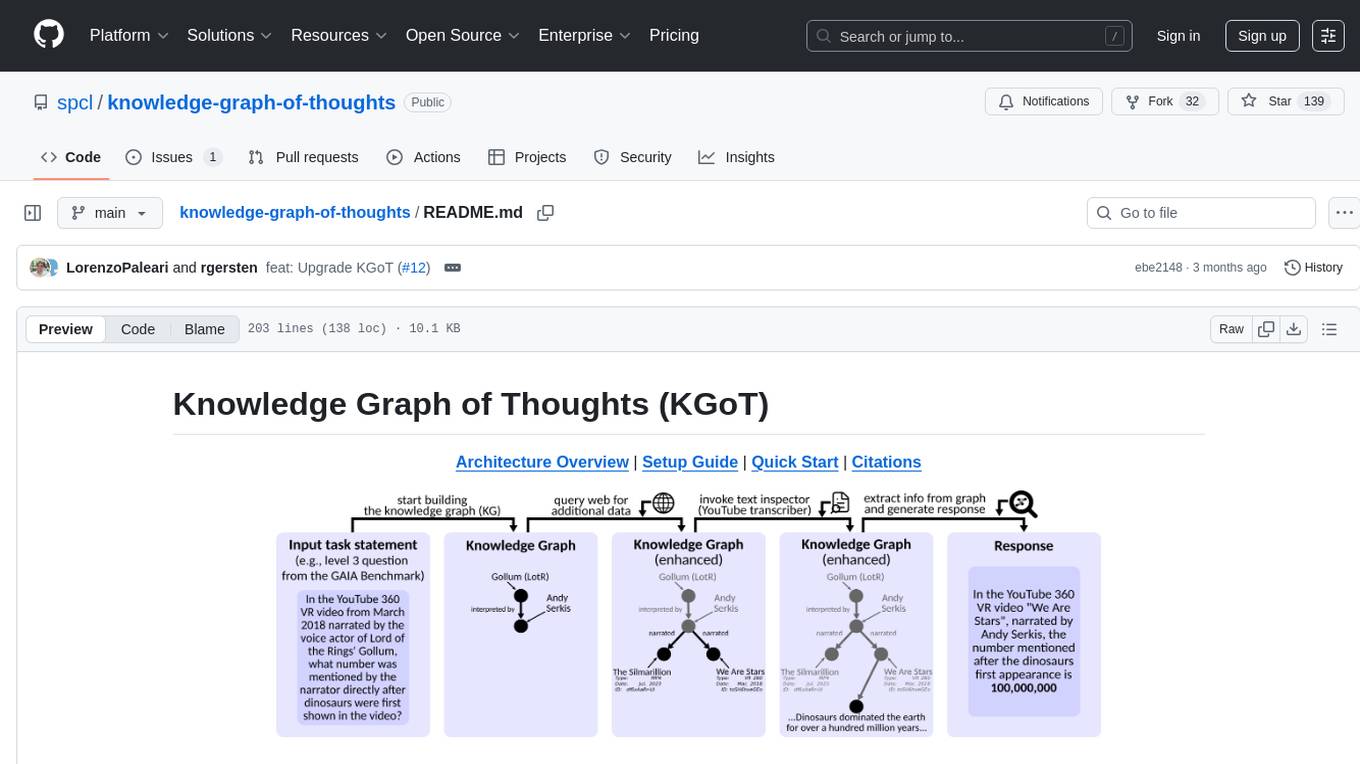
Knowledge Graph of Thoughts (KGoT) is an innovative AI assistant architecture that integrates LLM reasoning with dynamically constructed knowledge graphs (KGs). KGoT extracts and structures task-relevant knowledge into a dynamic KG representation, iteratively enhanced through external tools such as math solvers, web crawlers, and Python scripts. Such structured representation of task-relevant knowledge enables low-cost models to solve complex tasks effectively. The KGoT system consists of three main components: the Controller, the Graph Store, and the Integrated Tools, each playing a critical role in the task-solving process.
PolyMind
PolyMind is a multimodal, function calling powered LLM webui designed for various tasks such as internet searching, image generation, port scanning, Wolfram Alpha integration, Python interpretation, and semantic search. It offers a plugin system for adding extra functions and supports different models and endpoints. The tool allows users to interact via function calling and provides features like image input, image generation, and text file search. The application's configuration is stored in a `config.json` file with options for backend selection, compatibility mode, IP address settings, API key, and enabled features.
For similar tasks

Azure-Analytics-and-AI-Engagement
The Azure-Analytics-and-AI-Engagement repository provides packaged Industry Scenario DREAM Demos with ARM templates (Containing a demo web application, Power BI reports, Synapse resources, AML Notebooks etc.) that can be deployed in a customer’s subscription using the CAPE tool within a matter of few hours. Partners can also deploy DREAM Demos in their own subscriptions using DPoC.
sorrentum
Sorrentum is an open-source project that aims to combine open-source development, startups, and brilliant students to build machine learning, AI, and Web3 / DeFi protocols geared towards finance and economics. The project provides opportunities for internships, research assistantships, and development grants, as well as the chance to work on cutting-edge problems, learn about startups, write academic papers, and get internships and full-time positions at companies working on Sorrentum applications.

tidb
TiDB is an open-source distributed SQL database that supports Hybrid Transactional and Analytical Processing (HTAP) workloads. It is MySQL compatible and features horizontal scalability, strong consistency, and high availability.

zep-python
Zep is an open-source platform for building and deploying large language model (LLM) applications. It provides a suite of tools and services that make it easy to integrate LLMs into your applications, including chat history memory, embedding, vector search, and data enrichment. Zep is designed to be scalable, reliable, and easy to use, making it a great choice for developers who want to build LLM-powered applications quickly and easily.
telemetry-airflow
This repository codifies the Airflow cluster that is deployed at workflow.telemetry.mozilla.org (behind SSO) and commonly referred to as "WTMO" or simply "Airflow". Some links relevant to users and developers of WTMO: * The `dags` directory in this repository contains some custom DAG definitions * Many of the DAGs registered with WTMO don't live in this repository, but are instead generated from ETL task definitions in bigquery-etl * The Data SRE team maintains a WTMO Developer Guide (behind SSO)
mojo
Mojo is a new programming language that bridges the gap between research and production by combining Python syntax and ecosystem with systems programming and metaprogramming features. Mojo is still young, but it is designed to become a superset of Python over time.

pandas-ai
PandasAI is a Python library that makes it easy to ask questions to your data in natural language. It helps you to explore, clean, and analyze your data using generative AI.

databend
Databend is an open-source cloud data warehouse that serves as a cost-effective alternative to Snowflake. With its focus on fast query execution and data ingestion, it's designed for complex analysis of the world's largest datasets.
For similar jobs

sweep
Sweep is an AI junior developer that turns bugs and feature requests into code changes. It automatically handles developer experience improvements like adding type hints and improving test coverage.

teams-ai
The Teams AI Library is a software development kit (SDK) that helps developers create bots that can interact with Teams and Microsoft 365 applications. It is built on top of the Bot Framework SDK and simplifies the process of developing bots that interact with Teams' artificial intelligence capabilities. The SDK is available for JavaScript/TypeScript, .NET, and Python.

ai-guide
This guide is dedicated to Large Language Models (LLMs) that you can run on your home computer. It assumes your PC is a lower-end, non-gaming setup.

classifai
Supercharge WordPress Content Workflows and Engagement with Artificial Intelligence. Tap into leading cloud-based services like OpenAI, Microsoft Azure AI, Google Gemini and IBM Watson to augment your WordPress-powered websites. Publish content faster while improving SEO performance and increasing audience engagement. ClassifAI integrates Artificial Intelligence and Machine Learning technologies to lighten your workload and eliminate tedious tasks, giving you more time to create original content that matters.

chatbot-ui
Chatbot UI is an open-source AI chat app that allows users to create and deploy their own AI chatbots. It is easy to use and can be customized to fit any need. Chatbot UI is perfect for businesses, developers, and anyone who wants to create a chatbot.

BricksLLM
BricksLLM is a cloud native AI gateway written in Go. Currently, it provides native support for OpenAI, Anthropic, Azure OpenAI and vLLM. BricksLLM aims to provide enterprise level infrastructure that can power any LLM production use cases. Here are some use cases for BricksLLM: * Set LLM usage limits for users on different pricing tiers * Track LLM usage on a per user and per organization basis * Block or redact requests containing PIIs * Improve LLM reliability with failovers, retries and caching * Distribute API keys with rate limits and cost limits for internal development/production use cases * Distribute API keys with rate limits and cost limits for students

uAgents
uAgents is a Python library developed by Fetch.ai that allows for the creation of autonomous AI agents. These agents can perform various tasks on a schedule or take action on various events. uAgents are easy to create and manage, and they are connected to a fast-growing network of other uAgents. They are also secure, with cryptographically secured messages and wallets.

griptape
Griptape is a modular Python framework for building AI-powered applications that securely connect to your enterprise data and APIs. It offers developers the ability to maintain control and flexibility at every step. Griptape's core components include Structures (Agents, Pipelines, and Workflows), Tasks, Tools, Memory (Conversation Memory, Task Memory, and Meta Memory), Drivers (Prompt and Embedding Drivers, Vector Store Drivers, Image Generation Drivers, Image Query Drivers, SQL Drivers, Web Scraper Drivers, and Conversation Memory Drivers), Engines (Query Engines, Extraction Engines, Summary Engines, Image Generation Engines, and Image Query Engines), and additional components (Rulesets, Loaders, Artifacts, Chunkers, and Tokenizers). Griptape enables developers to create AI-powered applications with ease and efficiency.