


goclaw
Multi-agent AI gateway with teams, delegation & orchestration. Single Go binary, 11+ LLM providers, 5 channels.
Stars: 228
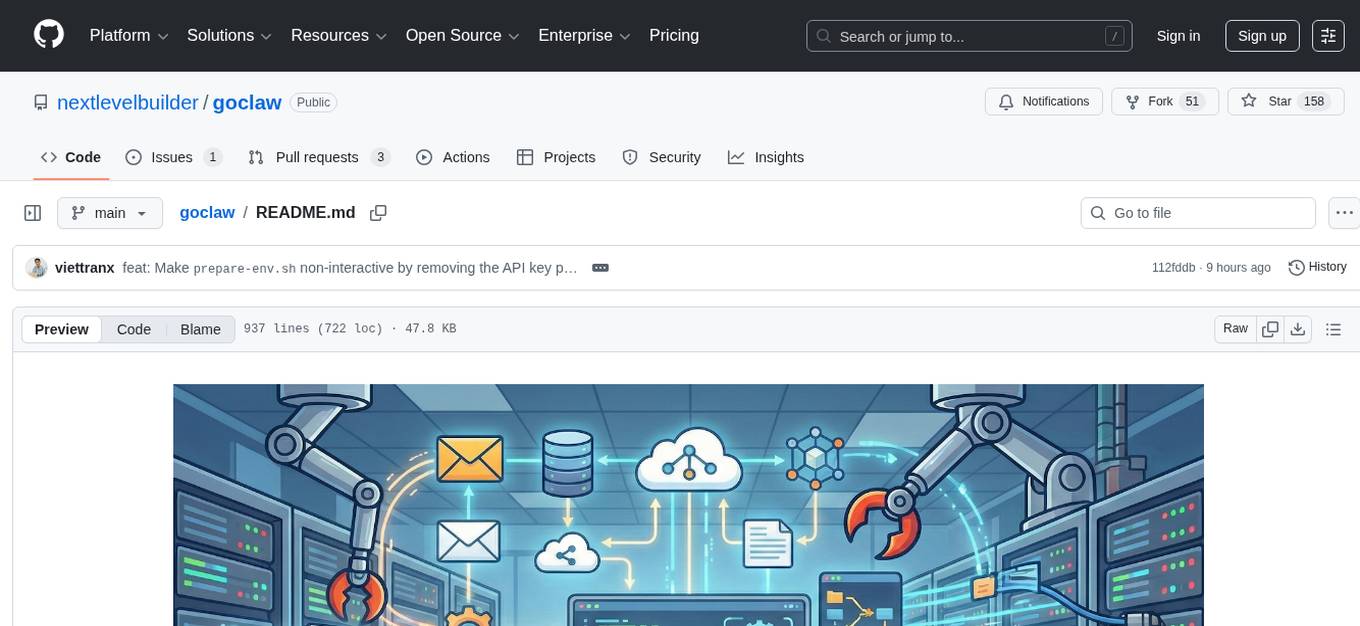
GoClaw is a multi-agent AI gateway that connects LLMs to your tools, channels, and data. It orchestrates agent teams, inter-agent delegation, and quality-gated workflows across 11+ LLM providers with full multi-tenant isolation. It is a Go port of OpenClaw with enhanced security, multi-tenant PostgreSQL, and production-grade observability. GoClaw's unique strengths include multi-tenant PostgreSQL, agent teams, conversation handoff, evaluate-loop quality gates, runtime custom tools via API, and MCP protocol support.
README:









GoClaw is a multi-agent AI gateway that connects LLMs to your tools, channels, and data — deployed as a single Go binary with zero runtime dependencies. It orchestrates agent teams, inter-agent delegation, and quality-gated workflows across 11+ LLM providers with full multi-tenant isolation.
A Go port of OpenClaw with enhanced security, multi-tenant PostgreSQL, and production-grade observability.
- Agent Teams & Orchestration — Teams with shared task boards, inter-agent delegation (sync/async), conversation handoff, evaluate-loop quality gates, and hybrid agent discovery
- Multi-Tenant PostgreSQL — Per-user workspaces, per-user context files, encrypted API keys (AES-256-GCM), isolated sessions — the only Claw project with DB-native multi-tenancy
- Single Binary — ~25 MB static Go binary, no Node.js runtime, <1s startup, runs on a $5 VPS
- Production Security — 5-layer defense: rate limiting, prompt injection detection, SSRF protection, shell deny patterns, AES-256-GCM encryption
- 11+ LLM Providers — Anthropic (native HTTP+SSE with prompt caching), OpenAI, OpenRouter, Groq, DeepSeek, Gemini, Mistral, xAI, MiniMax, Cohere, Perplexity
-
5 Messaging Channels — Telegram, Discord, Zalo, Feishu/Lark, WhatsApp with
/stopand/stopallcommands
Resource Footprint:
| OpenClaw | ZeroClaw | PicoClaw | GoClaw | |
|---|---|---|---|---|
| Language | TypeScript | Rust | Go | Go |
| Binary size | 28 MB + Node.js | 3.4 MB | ~8 MB | ~25 MB (base) / ~36 MB (+ OTel) |
| Docker image | — | — | — | ~50 MB (Alpine) |
| RAM (idle) | > 1 GB | < 5 MB | < 10 MB | ~35 MB |
| Startup | > 5 s | < 10 ms | < 1 s | < 1 s |
| Target hardware | $599+ Mac Mini | $10 edge | $10 edge | $5 VPS+ |
Feature Matrix:
| Feature | OpenClaw | ZeroClaw | PicoClaw | GoClaw |
|---|---|---|---|---|
| Multi-tenant (PostgreSQL) | — | — | — | ✅ |
| Custom tools (runtime API) | Config-based only | — | — | ✅ |
| MCP integration | — (uses ACP) | — | — | ✅ (stdio/SSE/streamable-http) |
| Agent teams | — | — | — | ✅ Task board + mailbox |
| Agent handoff | — | — | — | ✅ Conversation transfer |
| Evaluate loop | — | — | — | ✅ Generator-evaluator cycle |
| Quality gates | — | — | — | ✅ Hook-based validation |
| Security hardening | ✅ (SSRF, path traversal, injection) | ✅ (sandbox, rate limit, injection, pairing) | Basic (workspace restrict, exec deny) | ✅ 5-layer defense |
| OTel observability | ✅ (opt-in extension) | ✅ (Prometheus + OTLP) | — | ✅ OTLP (opt-in build tag) |
| Prompt caching | — | — | — | ✅ Anthropic + OpenAI-compat |
| Skill system | ✅ Embeddings/semantic | ✅ SKILL.md + TOML | ✅ Basic | ✅ BM25 + pgvector hybrid |
| Lane-based scheduler | ✅ | Bounded concurrency | — | ✅ (main/subagent/delegate/cron + concurrent group runs) |
| Messaging channels | 37+ | 15+ | 10+ | 5+ |
| Companion apps | macOS, iOS, Android | Python SDK | — | Web dashboard |
| Live Canvas / Voice | ✅ (A2UI + TTS/STT) | — | Voice transcription | TTS (4 providers) |
| LLM providers | 10+ | 8 native + 29 compat | 13+ | 11+ |
| Per-user workspaces | ✅ (file-based) | — | — | ✅ (managed mode only) |
| Encrypted secrets | — (env vars only) | ✅ ChaCha20-Poly1305 | — (plaintext JSON) | ✅ AES-256-GCM in DB |
GoClaw unique strengths: Only project with multi-tenant PostgreSQL, agent teams, conversation handoff, evaluate-loop quality gates, runtime custom tools via API, and MCP protocol support.
graph TB
    subgraph Clients
        WEB["Web Dashboard<br/>(React SPA)"]
        TG["Telegram"]
        DC["Discord"]
        FS["Feishu/Lark"]
        ZL["Zalo"]
        API["HTTP API"]
    end

    subgraph Gateway["GoClaw Gateway"]
        direction TB
        WS["WebSocket RPC"] & REST["HTTP Server"] & CM["Channel Manager"]
        WS & REST & CM --> BUS["Message Bus"]
        BUS --> SCHED["Lane-based Scheduler<br/>main · subagent · delegate · cron"]
        SCHED --> ROUTER["Agent Router"]
        ROUTER --> LOOP["Agent Loop<br/>think → act → observe"]
        LOOP --> TOOLS["Tool Registry<br/>fs · exec · web · memory · delegate · team · mcp · custom"]
        LOOP --> LLM["LLM Providers<br/>Anthropic (native + prompt caching) · OpenAI-compat (10+)"]
    end

    subgraph Storage
        FILE["File-based<br/>(standalone)"]
        PG["PostgreSQL 18 + pgvector<br/>(managed · multi-tenant)"]
    end

    WEB --> WS
    TG & DC & FS & ZL --> CM
    API --> REST
LOOP --> FILE & PGGoClaw supports four orchestration patterns for agent collaboration, all managed through explicit permission links.
Agent delegation enables named agents to delegate tasks to other agents — each running with its own identity, tools, LLM provider, and context files. Unlike subagents (anonymous clones of the parent), delegation targets are fully independent agents.
flowchart TD
    USER((User)) -->|"Research competitor pricing"| SUPPORT

    subgraph TEAM["Agent Team"]
        SUPPORT["Support Bot<br/>(Claude Haiku)"]
        RESEARCH["Research Bot<br/>(GPT-4)"]
        WRITER["Content Writer<br/>(Claude Sonnet)"]
        BILLING["Billing Bot<br/>(Gemini)"]
    end

    SUPPORT -->|"sync: wait for answer"| RESEARCH
    RESEARCH -->|"result"| SUPPORT
    SUPPORT -->|"async: don't wait"| WRITER
    WRITER -.->|"announce when done"| SUPPORT
    SUPPORT -.-x|"no link"| BILLING

    SUPPORT -->|"final answer"| USER

    style USER fill:#e1f5fe
    style SUPPORT fill:#fff3e0
    style RESEARCH fill:#e8f5e9
    style WRITER fill:#f3e5f5
style BILLING fill:#ffebee| Mode | How it works | Best for |
|---|---|---|
| Sync | Agent A asks Agent B and waits for the answer | Quick lookups, fact checks |
| Async | Agent A asks Agent B and moves on. B announces the result later | Long tasks, reports, deep analysis |
Permission Links — Agents communicate through explicit agent links with access control:
# One-way: support-bot can delegate TO research-bot
agents.links.create {
  "sourceAgent": "support-bot",
  "targetAgent": "research-bot",
  "direction": "outbound",
  "maxConcurrent": 3
}

# Bidirectional: both agents can delegate to each other
agents.links.create {
  "sourceAgent": "support-bot",
  "targetAgent": "content-writer",
  "direction": "bidirectional"
}| Direction | Meaning |
|---|---|
outbound |
Source can delegate TO target |
inbound |
Target can delegate TO source |
bidirectional |
Both agents can delegate to each other |
Concurrency Control — Two layers prevent any agent from being overwhelmed:
| Layer | Config | Example |
|---|---|---|
| Per-link | agent_links.max_concurrent |
support → research: max 3 |
| Per-agent | agents.other_config.max_delegation_load |
research-bot: max 5 total |
Per-User Restrictions — The settings JSONB on agent links supports per-user deny/allow lists.
Agent Discovery — Each agent has a frontmatter field for discovery. With ≤15 targets, auto-generated AGENTS.md is injected into context. With >15 targets, agents use delegate_search for hybrid FTS + semantic search.
Delegation vs Subagents
| Aspect | Subagents | Agent Delegation |
|---|---|---|
| Target | Anonymous clone of parent | Named agent with own identity |
| Provider/Model | Inherited from parent | Target's own configuration |
| Tools | Parent's tools minus deny list | Target's own tool registry + policy |
| Context files | Simplified system prompt | Target's own SOUL.md, IDENTITY.md, etc. |
| Session | Shared with parent | Isolated (fresh per delegation) |
| Permission | Depth-based limits only | Explicit agent_links with direction |
| User control | None | Per-user deny/allow via settings JSONB |
| Concurrency | Global + per-parent limits | Per-link + per-target-agent limits |
Teams enable coordinated multi-agent workflows with a shared task board and peer-to-peer messaging.
flowchart TD
    USER((User)) -->|message| LEAD

    subgraph TEAM["Agent Team"]
        LEAD["Lead Agent<br/>(orchestrator)"]
        A1["Specialist A"]
        A2["Specialist B"]
        A3["Specialist C"]
    end

    subgraph BOARD["Shared Task Board"]
        T1["Task 1: pending"]
        T2["Task 2: in_progress<br/>owner: A1"]
        T3["Task 3: blocked_by T2"]
    end

    subgraph MAIL["Team Mailbox"]
        M1["A1 → LEAD: status update"]
        M2["LEAD → ALL: broadcast"]
    end

    LEAD -->|"create tasks"| BOARD
    A1 -->|"claim"| T2
    T2 -.->|"auto-unblocks"| T3
    A1 -->|"send message"| MAIL
    LEAD -->|"broadcast"| MAIL
    LEAD -->|final answer| USER

    style USER fill:#e1f5fe
    style LEAD fill:#fff3e0
    style A1 fill:#e8f5e9
    style A2 fill:#e8f5e9
style A3 fill:#e8f5e9- Team roles — Lead agent orchestrates work, member agents execute tasks
-
Shared task board — Create, claim, complete, search tasks with
blocked_bydependencies. Atomic claiming prevents double-assignment - Team mailbox — Direct peer-to-peer messaging (send, broadcast, read unread)
-
Tools:
team_tasksfor task management,team_messagefor mailbox
Handoff transfers conversation control from one agent to another. Unlike delegation (where A stays in control), handoff means B completely takes over the user conversation.
flowchart LR
    subgraph Delegation["Delegation (A stays in control)"]
        direction TB
        DA["Agent A"] -->|"delegate task"| DB["Agent B"]
        DB -->|"return result"| DA
        DA -->|"reply to user"| DU((User))
    end

    subgraph Handoff["Handoff (B takes over)"]
        direction TB
        HA["Agent A"] -->|"handoff"| HB["Agent B"]
        HB -->|"now handles user"| HU((User))
end- Routing override — Sets a routing rule so all future messages go to the target agent
- Context transfer — Conversation context is passed to the new agent
-
Revert —
handoff(action="clear")returns routing to the original agent
The evaluate loop orchestrates a generator-evaluator feedback cycle between two agents for quality-gated output.
flowchart LR
    TASK["Task + Criteria"] --> GEN["Generator<br/>Agent"]
    GEN -->|"output"| EVAL{"Evaluator<br/>Agent"}
    EVAL -->|"APPROVED"| RESULT["Final Output"]
    EVAL -->|"REJECTED + feedback"| GEN
EVAL -.->|"max rounds hit"| WARN["Last output + warning"]- Configurable rounds — Default 3, max 5 revision cycles
- Custom pass criteria — Define what "approved" means for the evaluator
-
Tool:
evaluate_loop(generator="writer-bot", evaluator="qa-bot", task="...", pass_criteria="...")
Quality gates validate agent output before it reaches users. Configured in agent other_config:
{
  "quality_gates": [
    {
      "event": "delegation.completed",
      "type": "agent",
      "agent": "qa-reviewer",
      "block_on_failure": true,
      "max_retries": 2
    }
  ]
}-
Hook types:
command(shell exit code: 0 = pass) oragent(delegate to reviewer agent) - Blocking — Failed gates can block output and trigger automatic retry with feedback
- Recursion-safe — Quality gate evaluators skip their own gates to prevent infinite loops
- 11+ providers — OpenRouter, Anthropic, OpenAI, Groq, DeepSeek, Gemini, Mistral, xAI, MiniMax, Cohere, Perplexity, and any OpenAI-compatible endpoint
-
Anthropic native — Direct HTTP+SSE integration with prompt caching (
cache_control) for ~90% cost reduction on repeated prefixes - OpenAI-compatible — Automatic prompt caching for OpenAI, MiniMax, OpenRouter (cache metrics tracked in traces)
- Agent loop — Think-act-observe cycle with tool use, session history, and auto-summarization
- Subagents — Spawn child agents with different models for parallel task execution
- Agent delegation — Sync/async inter-agent task delegation with permission links, concurrency limits, and per-user restrictions
- Agent teams — Shared task boards with dependencies, team mailbox, and coordinated multi-agent workflows
- Agent handoff — Transfer conversation control between agents with routing overrides
- Evaluate loop — Generator-evaluator feedback cycles for quality-gated output
- Quality gates — Hook-based output validation with command or agent evaluators
- Delegation history — Queryable audit trail of all inter-agent delegations
- Concurrent execution — Lane-based scheduler (main/subagent/delegate/cron), adaptive throttle for group chats
- 30+ built-in tools — File system, shell exec, web search/fetch, memory, browser automation, TTS, and more
- Custom tools — Define shell-based tools at runtime via HTTP API with JSON Schema parameters and encrypted env vars
- MCP integration — Connect external MCP servers via stdio, SSE, or streamable-http with per-agent/per-user grants
- Telegram — Full integration with streaming, rich formatting (HTML, tables, code blocks), reactions, media
-
Discord, Zalo, Feishu/Lark, WhatsApp — Channel adapters with
/stopand/stopallcommands
- Skills — SKILL.md-based knowledge base with BM25 search + embedding hybrid search (managed mode)
- Long-term memory — SQLite FTS5 + vector embeddings (standalone) or pgvector hybrid search (managed)
-
Cron scheduling —
at,every, and cron expression syntax for scheduled agent tasks - Browser automation — Headless Chrome via Rod for web interaction
- Text-to-Speech — OpenAI, ElevenLabs, Edge, MiniMax providers
- Docker sandbox — Isolated code execution in containers
- Tracing — LLM call tracing with cache metrics, span metadata, and optional OpenTelemetry OTLP export
- Tailscale — Optional VPN mesh listener for secure remote access (build-tag gated)
- Rate limiting — Token bucket per user/IP, configurable RPM
- Prompt injection detection — 6-pattern regex scanner (detection-only, never blocks)
- Credential scrubbing — Auto-redact API keys, tokens, passwords from tool outputs
-
Shell deny patterns — Blocks
curl|sh, reverse shells,eval $(),base64|sh - SSRF protection — DNS pinning, blocked private IPs, blocked hosts
- AES-256-GCM — Encrypted API keys in database (managed mode)
- Browser pairing — Token-free browser auth with admin-approved pairing codes
- Agent management, traces & spans viewer, skills, teams, MCP servers, and pairing approval
git clone https://github.com/nextlevelbuilder/goclaw.git
cd goclaw# Build
make build
# Interactive setup wizard
./goclaw onboard
# Start the gateway
source .env.local && ./goclaw1. Prepare environment:
# Generate .env with auto-generated secrets (GOCLAW_ENCRYPTION_KEY, GOCLAW_GATEWAY_TOKEN)
chmod +x prepare-env.sh
./prepare-env.sh
The script creates .env from .env.example, auto-generates GOCLAW_ENCRYPTION_KEY and GOCLAW_GATEWAY_TOKEN, and checks for a provider API key. Add at least one GOCLAW_*_API_KEY to .env before starting.
2. Start services:
# Recommended: Managed mode + Web Dashboard (http://localhost:3000)
docker compose -f docker-compose.yml -f docker-compose.managed.yml -f docker-compose.selfservice.yml up -d --build

# Standalone mode (file-based, no database)
docker compose -f docker-compose.yml -f docker-compose.standalone.yml up -d --build

# Managed mode without dashboard
docker compose -f docker-compose.yml -f docker-compose.managed.yml up -d --build

# + OpenTelemetry tracing (Jaeger at http://localhost:16686)
docker compose -f docker-compose.yml -f docker-compose.managed.yml -f docker-compose.otel.yml up -d --build

# + Tailscale (secure remote access)
docker compose -f docker-compose.yml -f docker-compose.managed.yml -f docker-compose.tailscale.yml up -d --build
When GOCLAW_*_API_KEY environment variables are set, the gateway auto-onboards without interactive prompts — it detects the provider, generates a gateway token, and (in managed mode) connects to Postgres, runs migrations, and seeds default data.
Auto-onboard detects the first available API key in priority order: OpenRouter → Anthropic → OpenAI → Groq → DeepSeek → Gemini → Mistral → xAI → MiniMax → Cohere → Perplexity. Override with GOCLAW_PROVIDER and GOCLAW_MODEL. Memory is auto-enabled with embedding support if an OpenAI, OpenRouter, or Gemini key is detected.
Minimum .env for managed mode:
GOCLAW_OPENROUTER_API_KEY=sk-or-your-key    # Required: at least one provider key
GOCLAW_GATEWAY_TOKEN=...                     # Auto-generated by prepare-env.sh
GOCLAW_ENCRYPTION_KEY=...                    # Auto-generated by prepare-env.sh
# GOCLAW_PROVIDER=openrouter                 # Optional: override default provider
# GOCLAW_MODEL=anthropic/claude-sonnet-4     # Optional: override default model
# POSTGRES_PASSWORD=your-secure-password # Optional: defaults to "goclaw"Recommendation: Use managed mode for the best experience. Most of GoClaw's advanced features — agent teams, delegation, handoff, evaluate loops, quality gates, tracing, skills with embedding search, MCP integration, and the web dashboard — require managed mode. Standalone mode is suitable for quick evaluation or single-user setups only.
| Capability | Standalone | Managed |
|---|---|---|
| Basic agent loop + tools | ✅ | ✅ |
| Messaging channels | ✅ | ✅ |
| Memory (FTS) | ✅ | ✅ |
| Per-user isolation | — | ✅ |
| Agent teams & delegation | — | ✅ |
| Handoff & evaluate loops | — | ✅ |
| Quality gates | — | ✅ |
| Tracing with cache metrics | — | ✅ |
| Skills (BM25 + pgvector) | Basic | ✅ Hybrid search |
| MCP server integration | — | ✅ |
| Custom tools (runtime API) | — | ✅ |
| Web dashboard | — | ✅ |
| API key encryption | — | ✅ AES-256-GCM |
File-based storage, no external database required. All users share the same workspace, sessions, and context files — no per-user isolation. Best suited for quick evaluation or single-user setups.
config.json          -> Non-secret settings
.env.local           -> Secrets (API keys, tokens)
~/.goclaw/
  |-- workspace/     -> Shared agent workspace (SOUL.md, AGENTS.md, etc.)
  |-- data/          -> Cron jobs, pairing data
  |-- sessions/      -> Chat session history (shared across users)
  +-- skills/        -> User-managed skills
All data in PostgreSQL with pgvector support. Designed for multi-user and multi-tenant deployments with per-user isolation — each user gets their own context files, session history, and workspace. Unlocks all advanced features.
# Set up database
export GOCLAW_MODE=managed
export GOCLAW_POSTGRES_DSN="postgres://user:pass@localhost:5432/goclaw?sslmode=disable"
export GOCLAW_ENCRYPTION_KEY=$(openssl rand -hex 32)

# Run database upgrade (schema migrations + data hooks)
./goclaw upgrade

# Start gateway
./goclaw
Managed mode adds:
- Per-user context files and workspaces (
user_context_filestable) - Agent types:
open(per-user workspace) vspredefined(shared context) - Agent teams, delegation, handoff, evaluate loops, quality gates
- LLM call tracing with spans and prompt cache metrics
- MCP server integration with per-agent and per-user access grants
- Custom tools with JSON Schema and encrypted env vars
- Embedding-based skill search (hybrid BM25 + pgvector)
- Web dashboard for agents, traces, skills, teams, and MCP servers
- API key encryption (AES-256-GCM)
- Go 1.25+
- PostgreSQL 18 with pgvector (managed mode only)
- Docker (optional, for sandbox and containerized deployment)
# Production build (~25MB binary, static, stripped symbols)
CGO_ENABLED=0 go build -ldflags="-s -w" -o goclaw .

# With OpenTelemetry support (~36MB binary)
CGO_ENABLED=0 go build -ldflags="-s -w" -tags otel -o goclaw .

# With Tailscale support (~54MB binary)
CGO_ENABLED=0 go build -ldflags="-s -w" -tags tsnet -o goclaw .

# With both OTel + Tailscale
CGO_ENABLED=0 go build -ldflags="-s -w" -tags "otel,tsnet" -o goclaw .
Binary size comparison across the Claw ecosystem:
| Build | Binary Size | Docker Image | Notes |
|---|---|---|---|
| GoClaw (base) | ~25 MB | ~50 MB | CGO_ENABLED=0 go build -ldflags="-s -w" |
| GoClaw (+ OTel) | ~36 MB | ~60 MB | Add -tags otel for OTLP export |
| GoClaw (+ Tailscale) | ~54 MB | ~75 MB | Add -tags tsnet for Tailscale listener |
| GoClaw (+ both) | ~65 MB | ~85 MB | -tags "otel,tsnet" |
| PicoClaw | ~8 MB | — | Single Go binary |
| ZeroClaw | 3.4 MB | — | Minimal Rust binary |
| OpenClaw | 28 MB | — | + ~390 MB Node.js runtime required |
Optional features are gated behind build tags to avoid binary bloat. OTel adds ~11 MB (gRPC + protobuf). Tailscale adds ~20 MB (tsnet + WireGuard). The base build includes in-app tracing backed by PostgreSQL and localhost-only access.
# Standard image (~50MB Alpine)
docker build -t goclaw .

# With OpenTelemetry (~60MB)
docker build --build-arg ENABLE_OTEL=true -t goclaw:otel .

# With Tailscale (~75MB)
docker build --build-arg ENABLE_TSNET=true -t goclaw:tsnet .

# With both OTel + Tailscale (~85MB)
docker build --build-arg ENABLE_OTEL=true --build-arg ENABLE_TSNET=true -t goclaw:full ../goclaw onboardThe wizard configures: provider, model, gateway port, channels, memory, browser, TTS, tracing, and database mode. It generates config.json (no secrets) and .env.local (secrets only).
When GOCLAW_*_API_KEY environment variables are set, the gateway automatically configures itself without interactive prompts. In managed mode, it retries Postgres connection (up to 5 attempts), runs migrations, and seeds default data.
Provider API Keys (set at least one)
| Variable | Provider |
|---|---|
GOCLAW_OPENROUTER_API_KEY |
OpenRouter (recommended) |
GOCLAW_ANTHROPIC_API_KEY |
Anthropic Claude |
GOCLAW_OPENAI_API_KEY |
OpenAI |
GOCLAW_GROQ_API_KEY |
Groq |
GOCLAW_DEEPSEEK_API_KEY |
DeepSeek |
GOCLAW_GEMINI_API_KEY |
Google Gemini |
GOCLAW_MISTRAL_API_KEY |
Mistral AI |
GOCLAW_XAI_API_KEY |
xAI Grok |
GOCLAW_MINIMAX_API_KEY |
MiniMax |
GOCLAW_COHERE_API_KEY |
Cohere |
GOCLAW_PERPLEXITY_API_KEY |
Perplexity |
Gateway & Application
| Variable | Description | Default |
|---|---|---|
GOCLAW_CONFIG |
Config file path | config.json |
GOCLAW_GATEWAY_TOKEN |
API authentication token | (generated) |
GOCLAW_HOST |
Server bind address | 0.0.0.0 |
GOCLAW_PORT |
Server port | 18790 |
GOCLAW_PROVIDER |
Default LLM provider | anthropic |
GOCLAW_MODEL |
Default model | claude-sonnet-4-5-20250929 |
GOCLAW_WORKSPACE |
Agent workspace directory | ~/.goclaw/workspace |
GOCLAW_DATA_DIR |
Data storage directory | ~/.goclaw/data |
GOCLAW_SESSIONS_STORAGE |
Sessions storage path | ~/.goclaw/sessions |
GOCLAW_SKILLS_DIR |
Skills directory | ~/.goclaw/skills |
GOCLAW_OWNER_IDS |
Admin user IDs (comma-separated) — owners can manage all agents regardless of ownership and are used as default owner for auto-seeded resources |
Database (Managed Mode)
| Variable | Description |
|---|---|
GOCLAW_MODE |
standalone or managed
|
GOCLAW_POSTGRES_DSN |
PostgreSQL connection string |
GOCLAW_ENCRYPTION_KEY |
AES-256-GCM key for API key encryption |
GOCLAW_MIGRATIONS_DIR |
Path to migration files |
Messaging Channels
| Variable | Description |
|---|---|
GOCLAW_TELEGRAM_TOKEN |
Telegram bot token |
GOCLAW_ZALO_TOKEN |
Zalo access token |
GOCLAW_FEISHU_APP_ID |
Feishu/Lark app ID |
GOCLAW_FEISHU_APP_SECRET |
Feishu/Lark app secret |
GOCLAW_FEISHU_ENCRYPT_KEY |
Feishu message encryption key |
GOCLAW_FEISHU_VERIFICATION_TOKEN |
Feishu verification token |
Scheduler Lanes
| Variable | Description | Default |
|---|---|---|
GOCLAW_LANE_MAIN |
Main lane concurrency | 30 |
GOCLAW_LANE_SUBAGENT |
Subagent lane concurrency | 50 |
GOCLAW_LANE_DELEGATE |
Delegation lane concurrency | 100 |
GOCLAW_LANE_CRON |
Cron lane concurrency | 30 |
Tailscale (requires build tag tsnet)
| Variable | Description | Default |
|---|---|---|
GOCLAW_TSNET_HOSTNAME |
Tailscale device name (e.g. goclaw-gateway) |
(disabled) |
GOCLAW_TSNET_AUTH_KEY |
Tailscale auth key | |
GOCLAW_TSNET_DIR |
Persistent state directory | OS default |
Telemetry (requires build tag otel)
| Variable | Description | Default |
|---|---|---|
GOCLAW_TELEMETRY_ENABLED |
Enable OTel export | false |
GOCLAW_TELEMETRY_ENDPOINT |
OTLP endpoint | |
GOCLAW_TELEMETRY_PROTOCOL |
grpc or http
|
grpc |
GOCLAW_TELEMETRY_INSECURE |
Skip TLS verification | false |
GOCLAW_TELEMETRY_SERVICE_NAME |
Service name in traces | goclaw-gateway |
GOCLAW_TRACE_VERBOSE |
Log full LLM input in spans | 0 |
TTS (Text-to-Speech)
| Variable | Description |
|---|---|
GOCLAW_TTS_OPENAI_API_KEY |
OpenAI TTS API key |
GOCLAW_TTS_ELEVENLABS_API_KEY |
ElevenLabs API key |
GOCLAW_TTS_MINIMAX_API_KEY |
MiniMax TTS API key |
GOCLAW_TTS_MINIMAX_GROUP_ID |
MiniMax group ID |
goclaw                    Start gateway (default command)
goclaw onboard            Interactive setup wizard
goclaw version            Print version and protocol info
goclaw doctor             System health check (includes schema status)
                          In managed mode: reads providers and channels from DB
                          In standalone mode: reads from config.json + env vars

goclaw upgrade            Upgrade database schema and run data hooks
goclaw upgrade --status   Show current vs required schema version
goclaw upgrade --dry-run  Preview pending changes without applying

goclaw agent list         List configured agents
goclaw agent chat         Chat with an agent
goclaw agent add          Add a new agent
goclaw agent delete       Delete an agent

goclaw migrate up         Apply all pending migrations
goclaw migrate down       Roll back migrations
goclaw migrate version    Show current migration version
goclaw migrate force N    Force set migration version
goclaw migrate goto N     Migrate to specific version
goclaw migrate drop       Drop all tables (dangerous)

goclaw config show        Show current configuration
goclaw config path        Show config file path
goclaw config validate    Validate configuration

goclaw sessions list      List active sessions
goclaw sessions delete    Delete a session
goclaw sessions reset     Reset session history

goclaw cron list          List scheduled jobs
goclaw cron delete        Delete a job
goclaw cron toggle        Enable/disable a job

goclaw skills list        List available skills
goclaw skills show        Show skill details

goclaw models             List AI models and providers
goclaw channels           List messaging channels

goclaw pairing approve    Approve a pairing code
goclaw pairing list       List paired devices
goclaw pairing revoke     Revoke a pairing
Flags:
--config, -c    Path to config file (default: config.json)
--verbose, -v   Enable debug logging
See API Reference for HTTP endpoints, Custom Tools, and MCP Integration.
See WebSocket Protocol for the real-time RPC protocol (v3).
Eight composable files for different deployment scenarios:
| File | Purpose |
|---|---|
docker-compose.yml |
Base service definition |
docker-compose.standalone.yml |
File-based storage with persistent volumes |
docker-compose.managed.yml |
PostgreSQL (pgvector/pgvector:pg18) + managed mode |
docker-compose.upgrade.yml |
One-shot database upgrade service |
docker-compose.selfservice.yml |
Web dashboard UI (nginx + React SPA) |
docker-compose.sandbox.yml |
Docker-based code execution sandbox |
docker-compose.otel.yml |
OpenTelemetry + Jaeger tracing |
docker-compose.tailscale.yml |
Tailscale VPN mesh listener |
# Prepare .env (auto-generates secrets, prompts for API key)
chmod +x prepare-env.sh && ./prepare-env.sh

# Standalone
docker compose -f docker-compose.yml -f docker-compose.standalone.yml up -d --build

# Managed (PostgreSQL)
docker compose -f docker-compose.yml -f docker-compose.managed.yml up -d --build

# Managed + Web Dashboard (http://localhost:3000)
docker compose -f docker-compose.yml \
  -f docker-compose.managed.yml \
  -f docker-compose.selfservice.yml up -d --build

# Managed + Web Dashboard + OpenTelemetry (Jaeger UI at http://localhost:16686)
docker compose -f docker-compose.yml \
  -f docker-compose.managed.yml \
  -f docker-compose.selfservice.yml \
  -f docker-compose.otel.yml up -d --build

# Managed + Tailscale (secure remote access via VPN mesh)
docker compose -f docker-compose.yml \
  -f docker-compose.managed.yml \
  -f docker-compose.tailscale.yml up -d --build

# Check health
curl http://localhost:18790/healthWhen upgrading to a new version, the entrypoint automatically runs goclaw upgrade before starting. For explicit control, use the upgrade overlay:
# Preview pending changes (dry-run)
docker compose -f docker-compose.yml -f docker-compose.managed.yml \
  -f docker-compose.upgrade.yml run --rm upgrade --dry-run

# Apply upgrade (schema migrations + data hooks), then remove container
docker compose -f docker-compose.yml -f docker-compose.managed.yml \
  -f docker-compose.upgrade.yml run --rm upgrade

# Check current schema status
docker compose -f docker-compose.yml -f docker-compose.managed.yml \
  -f docker-compose.upgrade.yml run --rm upgrade --status

# Then restart the gateway with the new image
docker compose -f docker-compose.yml -f docker-compose.managed.yml up -d --buildUse the prepare-env.sh script to generate .env with auto-generated secrets:
./prepare-env.shThis creates .env with GOCLAW_ENCRYPTION_KEY and GOCLAW_GATEWAY_TOKEN pre-filled. You only need to add your provider API key. See .env.example for all available variables.
| Tool | Group | Description |
|---|---|---|
read_file |
fs | Read file contents (with virtual FS routing in managed mode) |
write_file |
fs | Write/create files |
edit_file |
fs | Apply targeted edits to existing files |
list_files |
fs | List directory contents |
search |
fs | Search file contents by pattern |
glob |
fs | Find files by glob pattern |
exec |
runtime | Execute shell commands (with approval workflow) |
process |
runtime | Manage running processes |
web_search |
web | Search the web (Brave, DuckDuckGo) |
web_fetch |
web | Fetch and parse web content |
memory_search |
memory | Search long-term memory (FTS + vector) |
memory_get |
memory | Retrieve memory entries |
skill_search |
— | Search skills (BM25 + embedding hybrid in managed mode) |
image |
— | Image generation/manipulation |
message |
messaging | Send messages to channels |
tts |
— | Text-to-Speech synthesis |
spawn |
— | Spawn a subagent |
subagents |
sessions | Control running subagents |
delegate |
orchestration | Delegate tasks to other agents (sync/async, cancel, list) |
delegate_search |
orchestration | Search delegation targets (hybrid FTS + semantic) |
handoff |
orchestration | Transfer conversation control to another agent |
evaluate_loop |
orchestration | Generate-evaluate-revise quality feedback loop |
team_tasks |
teams | Shared task board (list, create, claim, complete, search) |
team_message |
teams | Team mailbox (send, broadcast, read) |
sessions_list |
sessions | List active sessions |
sessions_history |
sessions | View session history |
sessions_send |
sessions | Send message to a session |
sessions_spawn |
sessions | Spawn a new session |
session_status |
sessions | Check session status |
cron |
automation | Schedule and manage cron jobs |
gateway |
automation | Gateway administration |
browser |
ui | Browser automation (navigate, click, type, screenshot) |
canvas |
ui | Visual canvas for diagrams |
Browser clients can authenticate without pre-shared tokens using a pairing code flow:
- User opens the web dashboard and enters their User ID
- Clicks "Request Access (Pairing)" — gateway generates an 8-character code
- Code is displayed in the browser UI
- An admin approves the code via CLI (
goclaw pairing approve XXXX) or the web UI - Browser automatically detects approval and gains operator-level access
- On subsequent visits, the browser reconnects automatically using the stored pairing (no re-approval needed)
Revoking access:
# List paired devices
goclaw pairing list

# Revoke a specific pairing
goclaw pairing revoke <sender_id>
After revocation, the browser falls back to the pairing flow on next visit.
GoClaw supports an optional Tailscale listener for secure remote access via VPN mesh. The Tailscale listener runs alongside the main gateway, serving the same routes on both listeners.
Build-tag gated: The tsnet dependency (~20 MB) is only compiled when building with -tags tsnet. The default binary is unaffected.
# Build with Tailscale support
go build -tags tsnet -o goclaw .

# Configure via environment variables
export GOCLAW_TSNET_HOSTNAME=goclaw-gateway
export GOCLAW_TSNET_AUTH_KEY=tskey-auth-xxxxx

# Start — both localhost:18790 and Tailscale listener are active
./goclaw
When Tailscale is enabled and the gateway is still bound to 0.0.0.0, a log suggestion recommends switching to 127.0.0.1 for localhost-only + Tailscale access:
GOCLAW_HOST=127.0.0.1 ./goclaw
This keeps the gateway inaccessible from the LAN while remaining reachable via Tailscale from any device on your tailnet.
Docker:
docker compose -f docker-compose.yml \
  -f docker-compose.managed.yml \
  -f docker-compose.tailscale.yml up -d
Requires GOCLAW_TSNET_AUTH_KEY in your .env file. Tailscale state is persisted in a tsnet-state Docker volume.
- Transport: WebSocket CORS validation, 512KB message limit, 1MB HTTP body limit, timing-safe token auth
- Rate limiting: Token bucket per user/IP, configurable RPM
- Prompt injection: Input guard with 6 pattern detection (detection-only, never blocks)
-
Shell security: Deny patterns for
curl|sh,wget|sh, reverse shells,eval,base64|sh - Network: SSRF protection with blocked hosts + private IP + DNS pinning
- File system: Path traversal prevention, workspace restriction
- Encryption: AES-256-GCM for API keys in database (managed mode)
- Browser pairing: Token-free browser auth with admin approval (pairing codes, auto-reconnect)
- Tailscale: Optional VPN mesh listener for secure remote access (build-tag gated)
# Unit tests
go test ./...

# Integration tests (requires running gateway)
go test -v -run 'TestHealthHTTP|TestConnectHandshake' ./tests/integration/

# Full integration (requires API key)
GOCLAW_OPENROUTER_API_KEY=sk-or-xxx go test -v ./tests/integration/ -timeout 120s-
Agent management & configuration — Create, update, delete agents via API and web dashboard. Agent types (
open/predefined), agent routing, and lazy resolution all tested. - Telegram channel — Full integration tested: message handling, streaming responses, rich formatting (HTML, tables, code blocks), reactions, media, chunked long messages.
- Seed data & bootstrapping — Auto-onboard, DB seeding, migration pipeline tested end-to-end in managed mode.
-
User-scope & content files — Per-user context files (
user_context_files), agent-level context files (agent_context_files), virtual FS interceptors, per-user seeding (SeedUserFiles), and user-agent profile tracking all implemented and tested. -
Core built-in tools — File system tools (
read_file,write_file,edit_file,list_files,search,glob), shell execution (exec), web tools (web_search,web_fetch), and session management tools tested in real agent loops. - Memory system — Long-term memory with search (FTS5 in standalone, pgvector hybrid in managed mode) implemented and tested with real conversations.
- Agent loop — Think-act-observe cycle, tool use, session history, auto-summarization, and subagent spawning tested in production.
- WebSocket RPC protocol (v3) — Connect handshake, chat streaming, event push all tested with web dashboard and integration tests.
- Store layer (PostgreSQL) — All PG stores (sessions, agents, providers, skills, cron, pairing, tracing, memory, teams) implemented and running in managed mode.
- Browser automation — Rod/CDP integration for headless Chrome, tested in production agent workflows.
- Lane-based scheduler — Main/subagent/delegate/cron lane isolation with concurrent execution tested. Group chats support up to 3 concurrent agent runs per session with adaptive throttle and deferred session writes for history isolation.
- Security hardening — Rate limiting, prompt injection detection, CORS, shell deny patterns, SSRF protection, credential scrubbing all implemented and verified.
- Web dashboard (core) — Channel management, agent management, pairing approval, traces & spans viewer all implemented and working well.
-
Prompt caching — Anthropic (explicit
cache_control), OpenAI/MiniMax/OpenRouter (automatic). Cache metrics tracked in trace spans and displayed in web dashboard.
- Agent delegation — Inter-agent task delegation with permission links, sync/async modes, per-user restrictions, concurrency limits, and hybrid agent search. Core implementation complete, needs E2E testing with real multi-agent workflows.
- Agent teams — Team creation with lead/member roles, shared task board (create, claim, complete, search, blocked_by dependencies), team mailbox (send, broadcast, read). Core implementation complete, needs E2E testing.
- Agent handoff — Conversation transfer between agents with routing overrides. Implementation complete, needs E2E testing.
- Evaluate loop — Generator-evaluator feedback cycles with configurable max rounds and pass criteria. Implementation complete, needs E2E testing.
- Quality gates — Hook-based output validation with command and agent evaluator types. Implementation complete, needs E2E testing.
- Delegation history — Queryable audit trail of inter-agent delegations. Implementation complete, needs validation at scale.
- Other messaging channels — Discord, Zalo, Feishu/Lark, WhatsApp channel adapters are implemented but have not been tested end-to-end in production. Only Telegram has been validated with real users.
- Skill system — BM25 search, ZIP upload, SKILL.md parsing, and embedding hybrid search are implemented. Basic functionality verified but no full E2E flow testing with real agent usage.
- Custom tools (runtime API) — Shell-based custom tools with JSON Schema params, encrypted env vars, and HTTP CRUD are implemented. Not yet tested in a production workflow.
- MCP integration — stdio, SSE, and streamable-http transports with per-agent/per-user grants implemented. Not tested with real MCP servers in production.
-
Cron scheduling —
at,every, and cron expression scheduling implemented. Basic functionality works but no long-running production validation. - Text-to-Speech — OpenAI, ElevenLabs, Edge, MiniMax providers implemented. Not tested end-to-end.
- Docker sandbox — Isolated code execution container support implemented. Not tested in production.
- OpenTelemetry export — OTLP gRPC/HTTP exporter implemented (build-tag gated). In-app tracing works; external OTel export not validated in production.
- Tailscale integration — tsnet listener implemented (build-tag gated). Not tested in a real deployment.
- Browser pairing — Pairing code flow implemented with CLI and web UI approval. Basic flow tested but not validated at scale.
-
HTTP API (
/v1/chat/completions,/v1/agents, etc.) — Endpoints implemented. Used by web dashboard but not tested for third-party consumer use cases. - Web dashboard (other pages) — Skills, MCP, custom tools, cron, sessions, teams, and config pages have basic rendering but UX not yet optimized for easy management and monitoring.
GoClaw is built upon the original OpenClaw project. We are grateful for the architecture and vision that inspired this Go port.
MIT
For Tasks:
Click tags to check more tools for each tasksFor Jobs:
Alternative AI tools for goclaw
Similar Open Source Tools
goclaw
GoClaw is a multi-agent AI gateway that connects LLMs to your tools, channels, and data. It orchestrates agent teams, inter-agent delegation, and quality-gated workflows across 11+ LLM providers with full multi-tenant isolation. It is a Go port of OpenClaw with enhanced security, multi-tenant PostgreSQL, and production-grade observability. GoClaw's unique strengths include multi-tenant PostgreSQL, agent teams, conversation handoff, evaluate-loop quality gates, runtime custom tools via API, and MCP protocol support.
neurolink
NeuroLink is an Enterprise AI SDK for Production Applications that serves as a universal AI integration platform unifying 13 major AI providers and 100+ models under one consistent API. It offers production-ready tooling, including a TypeScript SDK and a professional CLI, for teams to quickly build, operate, and iterate on AI features. NeuroLink enables switching providers with a single parameter change, provides 64+ built-in tools and MCP servers, supports enterprise features like Redis memory and multi-provider failover, and optimizes costs automatically with intelligent routing. It is designed for the future of AI with edge-first execution and continuous streaming architectures.
skylos
Skylos is a privacy-first SAST tool for Python, TypeScript, and Go that bridges the gap between traditional static analysis and AI agents. It detects dead code, security vulnerabilities (SQLi, SSRF, Secrets), and code quality issues with high precision. Skylos uses a hybrid engine (AST + optional Local/Cloud LLM) to eliminate false positives, verify via runtime, find logic bugs, and provide context-aware audits. It offers automated fixes, end-to-end remediation, and 100% local privacy. The tool supports taint analysis, secrets detection, vulnerability checks, dead code detection and cleanup, agentic AI and hybrid analysis, codebase optimization, operational governance, and runtime verification.
gpt-load
GPT-Load is a high-performance, enterprise-grade AI API transparent proxy service designed for enterprises and developers needing to integrate multiple AI services. Built with Go, it features intelligent key management, load balancing, and comprehensive monitoring capabilities for high-concurrency production environments. The tool serves as a transparent proxy service, preserving native API formats of various AI service providers like OpenAI, Google Gemini, and Anthropic Claude. It supports dynamic configuration, distributed leader-follower deployment, and a Vue 3-based web management interface. GPT-Load is production-ready with features like dual authentication, graceful shutdown, and error recovery.
zeptoclaw
ZeptoClaw is an ultra-lightweight personal AI assistant that offers a compact Rust binary with 29 tools, 8 channels, 9 providers, and container isolation. It focuses on integrations, security, and size discipline without compromising on performance. With features like container isolation, prompt injection detection, secret leak scanner, policy engine, input validator, and more, ZeptoClaw ensures secure AI agent execution. It supports migration from OpenClaw, deployment on various platforms, and configuration of LLM providers. ZeptoClaw is designed for efficient AI assistance with minimal resource consumption and maximum security.
Unreal_mcp
Unreal Engine MCP Server is a comprehensive Model Context Protocol (MCP) server that allows AI assistants to control Unreal Engine through a native C++ Automation Bridge plugin. It is built with TypeScript, C++, and Rust (WebAssembly). The server provides various features for asset management, actor control, editor control, level management, animation & physics, visual effects, sequencer, graph editing, audio, system operations, and more. It offers dynamic type discovery, graceful degradation, on-demand connection, command safety, asset caching, metrics rate limiting, and centralized configuration. Users can install the server using NPX or by cloning and building it. Additionally, the server supports WebAssembly acceleration for computationally intensive operations and provides an optional GraphQL API for complex queries. The repository includes documentation, community resources, and guidelines for contributing.
nextclaw
NextClaw is a feature-rich, OpenClaw-compatible personal AI assistant designed for quick trials, secondary machines, or anyone who wants multi-channel + multi-provider capabilities with low maintenance overhead. It offers a UI-first workflow, lightweight codebase, and easy configuration through a built-in UI. The tool supports various providers like OpenRouter, OpenAI, MiniMax, Moonshot, and more, along with channels such as Telegram, Discord, WhatsApp, and others. Users can perform tasks like web search, command execution, memory management, and scheduling with Cron + Heartbeat. NextClaw aims to provide a user-friendly experience with minimal setup and maintenance requirements.
google_workspace_mcp
The Google Workspace MCP Server is a production-ready server that integrates major Google Workspace services with AI assistants. It supports single-user and multi-user authentication via OAuth 2.1, making it a powerful backend for custom applications. Built with FastMCP for optimal performance, it features advanced authentication handling, service caching, and streamlined development patterns. The server provides full natural language control over Google Calendar, Drive, Gmail, Docs, Sheets, Slides, Forms, Tasks, and Chat through all MCP clients, AI assistants, and developer tools. It supports free Google accounts and Google Workspace plans with expanded app options like Chat & Spaces. The server also offers private cloud instance options.
llm-checker
LLM Checker is an AI-powered CLI tool that analyzes your hardware to recommend optimal LLM models. It features deterministic scoring across 35+ curated models with hardware-calibrated memory estimation. The tool helps users understand memory bandwidth, VRAM limits, and performance characteristics to choose the right LLM for their hardware. It provides actionable recommendations in seconds by scoring compatible models across four dimensions: Quality, Speed, Fit, and Context. LLM Checker is designed to work on any Node.js 16+ system, with optional SQLite search features for advanced functionality.
sf-skills
sf-skills is a collection of reusable skills for Agentic Salesforce Development, enabling AI-powered code generation, validation, testing, debugging, and deployment. It includes skills for development, quality, foundation, integration, AI & automation, DevOps & tooling. The installation process is newbie-friendly and includes an installer script for various CLIs. The skills are compatible with platforms like Claude Code, OpenCode, Codex, Gemini, Amp, Droid, Cursor, and Agentforce Vibes. The repository is community-driven and aims to strengthen the Salesforce ecosystem.
roam-code
Roam is a tool that builds a semantic graph of your codebase and allows AI agents to query it with one shell command. It pre-indexes your codebase into a semantic graph stored in a local SQLite DB, providing architecture-level graph queries offline, cross-language, and compact. Roam understands functions, modules, tests coverage, and overall architecture structure. It is best suited for agent-assisted coding, large codebases, architecture governance, safe refactoring, and multi-repo projects. Roam is not suitable for real-time type checking, dynamic/runtime analysis, small scripts, or pure text search. It offers speed, dependency-awareness, LLM-optimized output, fully local operation, and CI readiness.

dexto
Dexto is a lightweight runtime for creating and running AI agents that turn natural language into real-world actions. It serves as the missing intelligence layer for building AI applications, standalone chatbots, or as the reasoning engine inside larger products. Dexto features a powerful CLI and Web UI for running AI agents, supports multiple interfaces, allows hot-swapping of LLMs from various providers, connects to remote tool servers via the Model Context Protocol, is config-driven with version-controlled YAML, offers production-ready core features, extensibility for custom services, and enables multi-agent collaboration via MCP and A2A.
Athena-Public
Project Athena is a Linux OS designed for AI Agents, providing memory, persistence, scheduling, and governance for AI models. It offers a comprehensive memory layer that survives across sessions, models, and IDEs, allowing users to own their data and port it anywhere. The system is built bottom-up through 1,079+ sessions, focusing on depth and compounding knowledge. Athena features a trilateral feedback loop for cross-model validation, a Model Context Protocol server with 9 tools, and a robust security model with data residency options. The repository structure includes an SDK package, examples for quickstart, scripts, protocols, workflows, and deep documentation. Key concepts cover architecture, knowledge graph, semantic memory, and adaptive latency. Workflows include booting, reasoning modes, planning, research, and iteration. The project has seen significant content expansion, viral validation, and metrics improvements.
jcode
A blazing-fast, fully autonomous AI coding agent with a gorgeous TUI, multi-model support, swarm coordination, persistent memory, and 30+ built-in tools - all running natively in your terminal. Engineered to be absurdly efficient, jcode runs as a single compiled binary that sips resources, offering features like sub-millisecond rendering, multiple providers, no API keys needed, persistent memory, swarm mode, 30+ built-in tools, MCP support, self-updating, and more. It is lightweight, efficient, and built with Rust, providing a unique coding experience with high performance and resource efficiency.
ruby_llm-agents
RubyLLM::Agents is a production-ready Rails engine for building, managing, and monitoring LLM-powered AI agents. It seamlessly integrates with Rails apps, providing features like automatic execution tracking, cost analytics, budget controls, and a real-time dashboard. Users can build intelligent AI agents in Ruby using a clean DSL and support various LLM providers like OpenAI GPT-4, Anthropic Claude, and Google Gemini. The engine offers features such as agent DSL configuration, execution tracking, cost analytics, reliability with retries and fallbacks, budget controls, multi-tenancy support, async execution with Ruby fibers, real-time dashboard, streaming, conversation history, image operations, alerts, and more.
ai-coders-context
The @ai-coders/context repository provides the Ultimate MCP for AI Agent Orchestration, Context Engineering, and Spec-Driven Development. It simplifies context engineering for AI by offering a universal process called PREVC, which consists of Planning, Review, Execution, Validation, and Confirmation steps. The tool aims to address the problem of context fragmentation by introducing a single `.context/` directory that works universally across different tools. It enables users to create structured documentation, generate agent playbooks, manage workflows, provide on-demand expertise, and sync across various AI tools. The tool follows a structured, spec-driven development approach to improve AI output quality and ensure reproducible results across projects.
For similar tasks
clippinator
Clippinator is a code assistant tool that helps users develop code autonomously by planning, writing, debugging, and testing projects. It consists of agents based on GPT-4 that work together to assist the user in coding tasks. The main agent, Taskmaster, delegates tasks to specialized subagents like Architect, Writer, Frontender, Editor, QA, and Devops. The tool provides project architecture, tools for file and terminal operations, browser automation with Selenium, linting capabilities, CI integration, and memory management. Users can interact with the tool to provide feedback and guide the coding process, making it a powerful tool when combined with human intervention.
dwata
dwata is an open source desktop app designed to manage all your private data on your laptop, providing offline access, fast search capabilities, and organization features for emails, files, contacts, events, and tasks. It aims to reduce cognitive overhead in daily digital life by offering a centralized platform for personal data management. The tool prioritizes user privacy, with no data being sent outside the user's computer without explicit permission. dwata is still in early development stages and offers integration with AI providers for advanced functionalities.
swarmgo
SwarmGo is a Go package designed to create AI agents capable of interacting, coordinating, and executing tasks. It focuses on lightweight agent coordination and execution, offering powerful primitives like Agents and handoffs. SwarmGo enables building scalable solutions with rich dynamics between tools and networks of agents, all while keeping the learning curve low. It supports features like memory management, streaming support, concurrent agent execution, LLM interface, and structured workflows for organizing and coordinating multiple agents.
agno
Agno is a lightweight library for building multi-modal Agents. It is designed with core principles of simplicity, uncompromising performance, and agnosticism, allowing users to create blazing fast agents with minimal memory footprint. Agno supports any model, any provider, and any modality, making it a versatile container for AGI. Users can build agents with lightning-fast agent creation, model agnostic capabilities, native support for text, image, audio, and video inputs and outputs, memory management, knowledge stores, structured outputs, and real-time monitoring. The library enables users to create autonomous programs that use language models to solve problems, improve responses, and achieve tasks with varying levels of agency and autonomy.
solace-agent-mesh
Solace Agent Mesh is an open-source framework designed for building event-driven multi-agent AI systems. It enables the creation of teams of AI agents with distinct skills and tools, facilitating communication and task delegation among agents. The framework is built on top of Solace AI Connector and Google's Agent Development Kit, providing a standardized communication layer for asynchronous, event-driven AI agent architecture. Solace Agent Mesh supports agent orchestration, flexible interfaces, extensibility, agent-to-agent communication, and dynamic embeds, making it suitable for developing complex AI applications with scalability and reliability.
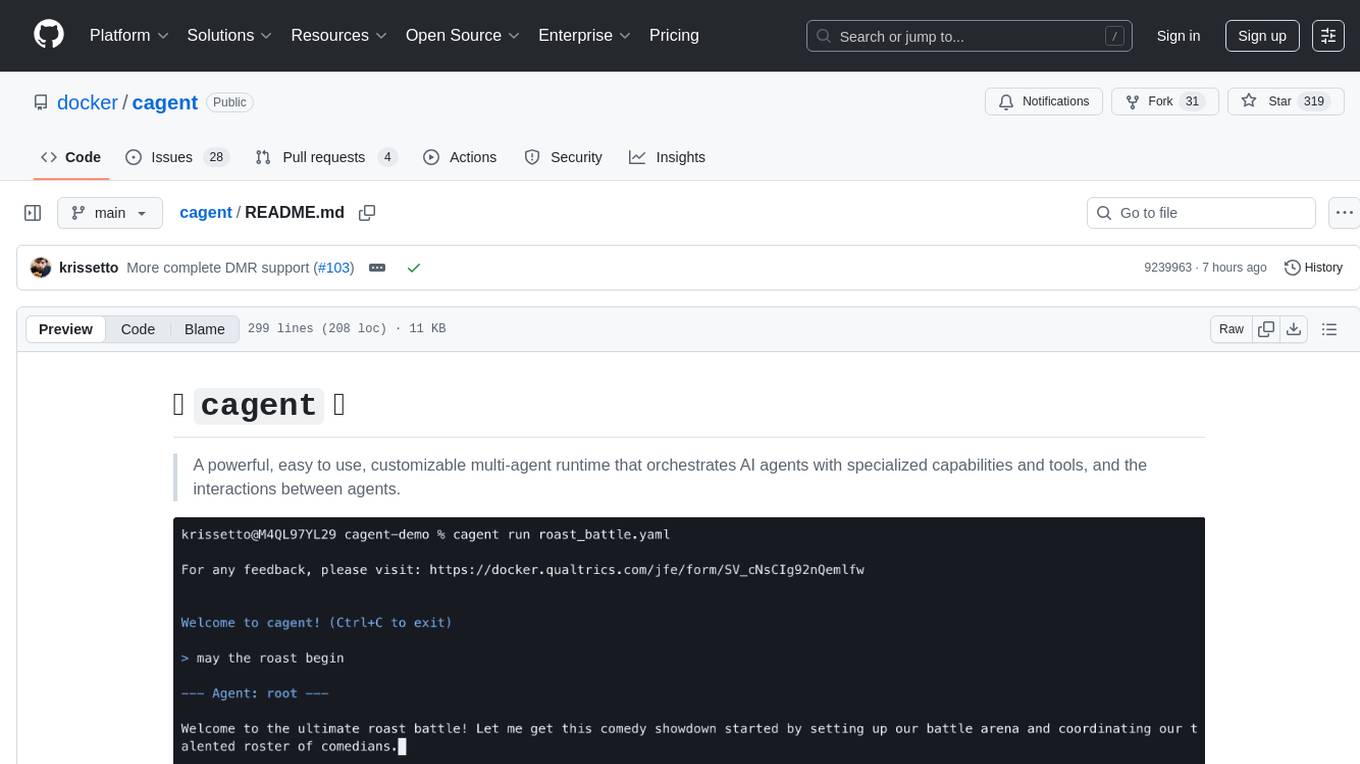
cagent
cagent is a powerful and easy-to-use multi-agent runtime that orchestrates AI agents with specialized capabilities and tools, allowing users to quickly build, share, and run a team of virtual experts to solve complex problems. It supports creating agents with YAML configuration, improving agents with MCP servers, and delegating tasks to specialists. Key features include multi-agent architecture, rich tool ecosystem, smart delegation, YAML configuration, advanced reasoning tools, and support for multiple AI providers like OpenAI, Anthropic, Gemini, and Docker Model Runner.
claude-code-settings
A repository collecting best practices for Claude Code settings and customization. It provides configuration files for customizing Claude Code's behavior and building an efficient development environment. The repository includes custom agents and skills for specific domains, interactive development workflow features, efficient development rules, and team workflow with Codex MCP. Users can leverage the provided configuration files and tools to enhance their development process and improve code quality.
agentpool
AgentPool is a unified agent orchestration hub that allows users to configure and manage heterogeneous AI agents via YAML and expose them through standardized protocols. It acts as a protocol bridge, enabling users to define all agents in one YAML file and expose them through ACP or AG-UI protocols. Users can coordinate, delegate, and communicate with different agents through a unified interface. The tool supports multi-agent coordination, rich YAML configuration, server protocols like ACP and OpenCode, and additional capabilities such as structured output, storage & analytics, file abstraction, triggers, and streaming TTS. It offers CLI and programmatic usage patterns for running agents and interacting with the tool.
For similar jobs

sweep
Sweep is an AI junior developer that turns bugs and feature requests into code changes. It automatically handles developer experience improvements like adding type hints and improving test coverage.

teams-ai
The Teams AI Library is a software development kit (SDK) that helps developers create bots that can interact with Teams and Microsoft 365 applications. It is built on top of the Bot Framework SDK and simplifies the process of developing bots that interact with Teams' artificial intelligence capabilities. The SDK is available for JavaScript/TypeScript, .NET, and Python.

ai-guide
This guide is dedicated to Large Language Models (LLMs) that you can run on your home computer. It assumes your PC is a lower-end, non-gaming setup.

classifai
Supercharge WordPress Content Workflows and Engagement with Artificial Intelligence. Tap into leading cloud-based services like OpenAI, Microsoft Azure AI, Google Gemini and IBM Watson to augment your WordPress-powered websites. Publish content faster while improving SEO performance and increasing audience engagement. ClassifAI integrates Artificial Intelligence and Machine Learning technologies to lighten your workload and eliminate tedious tasks, giving you more time to create original content that matters.

chatbot-ui
Chatbot UI is an open-source AI chat app that allows users to create and deploy their own AI chatbots. It is easy to use and can be customized to fit any need. Chatbot UI is perfect for businesses, developers, and anyone who wants to create a chatbot.

BricksLLM
BricksLLM is a cloud native AI gateway written in Go. Currently, it provides native support for OpenAI, Anthropic, Azure OpenAI and vLLM. BricksLLM aims to provide enterprise level infrastructure that can power any LLM production use cases. Here are some use cases for BricksLLM: * Set LLM usage limits for users on different pricing tiers * Track LLM usage on a per user and per organization basis * Block or redact requests containing PIIs * Improve LLM reliability with failovers, retries and caching * Distribute API keys with rate limits and cost limits for internal development/production use cases * Distribute API keys with rate limits and cost limits for students

uAgents
uAgents is a Python library developed by Fetch.ai that allows for the creation of autonomous AI agents. These agents can perform various tasks on a schedule or take action on various events. uAgents are easy to create and manage, and they are connected to a fast-growing network of other uAgents. They are also secure, with cryptographically secured messages and wallets.

griptape
Griptape is a modular Python framework for building AI-powered applications that securely connect to your enterprise data and APIs. It offers developers the ability to maintain control and flexibility at every step. Griptape's core components include Structures (Agents, Pipelines, and Workflows), Tasks, Tools, Memory (Conversation Memory, Task Memory, and Meta Memory), Drivers (Prompt and Embedding Drivers, Vector Store Drivers, Image Generation Drivers, Image Query Drivers, SQL Drivers, Web Scraper Drivers, and Conversation Memory Drivers), Engines (Query Engines, Extraction Engines, Summary Engines, Image Generation Engines, and Image Query Engines), and additional components (Rulesets, Loaders, Artifacts, Chunkers, and Tokenizers). Griptape enables developers to create AI-powered applications with ease and efficiency.