


jcode
A resource-efficient, open source AI coding agent with a native TUI, built in Rust.
Stars: 61
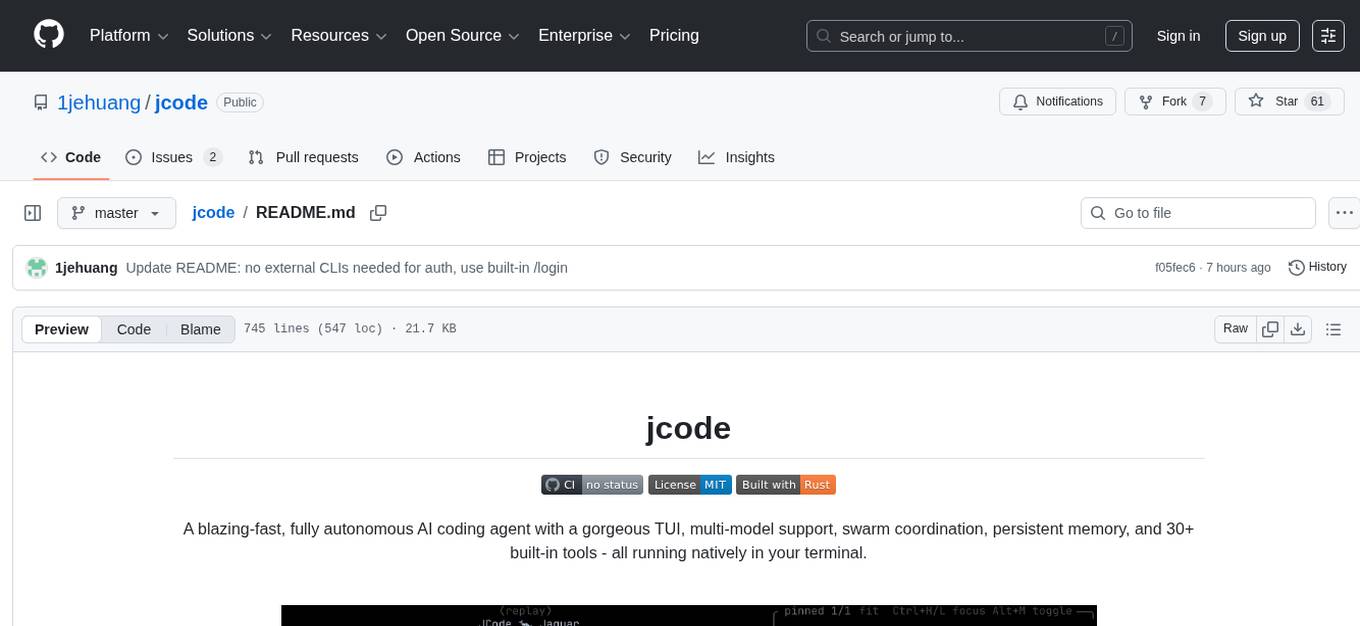
A blazing-fast, fully autonomous AI coding agent with a gorgeous TUI, multi-model support, swarm coordination, persistent memory, and 30+ built-in tools - all running natively in your terminal. Engineered to be absurdly efficient, jcode runs as a single compiled binary that sips resources, offering features like sub-millisecond rendering, multiple providers, no API keys needed, persistent memory, swarm mode, 30+ built-in tools, MCP support, self-updating, and more. It is lightweight, efficient, and built with Rust, providing a unique coding experience with high performance and resource efficiency.
README:


A blazing-fast, fully autonomous AI coding agent with a gorgeous TUI, multi-model support, swarm coordination, persistent memory, and 30+ built-in tools - all running natively in your terminal.

Features · Install · Usage · Architecture · Tools
| Feature | Description |
|---|---|
| Blazing Fast TUI | Sub-millisecond rendering at 1,400+ FPS. No flicker. No lag. Ever. |
| Multi-Provider | Claude, OpenAI, GitHub Copilot, OpenRouter - 200+ models, switch on the fly |
| No API Keys Needed | Works with your Claude Max, ChatGPT Pro, or GitHub Copilot subscription via OAuth |
| Persistent Memory | Learns about you and your codebase across sessions |
| Swarm Mode | Multiple agents coordinate in the same repo with conflict detection |
| 30+ Built-in Tools | File ops, search, web, shell, memory, sub-agents, parallel execution |
| MCP Support | Extend with any Model Context Protocol server |
| Server / Client | Daemon mode with multi-client attach, session persistence |
| Sub-Agents | Delegate tasks to specialized child agents |
| Self-Updating | Built-in self-dev mode with hot-reload and canary deploys |
| Featherweight | ~28 MB idle client, single native binary - no runtime, no VM, no Electron |
| OpenClaw | Always-on ambient agent — gardens memory, does proactive work, responds via Telegram |
A single native binary. No Node.js. No Electron. No Python. Just Rust.
jcode is engineered to be absurdly efficient. While other coding agents spin up Electron windows, Node.js runtimes, and multi-hundred-MB processes, jcode runs as a single compiled binary that sips resources.
| Metric | jcode | Typical AI IDE / Agent |
|---|---|---|
| Idle client memory | ~28 MB | 300–800 MB |
| Server memory | ~40 MB (base) | N/A (monolithic) |
| Active session | ~50–65 MB | 500 MB+ |
| Frame render time | 0.67 ms (1,400+ FPS) | 16 ms (60 FPS, if lucky) |
| Startup time | Instant | 3–10 seconds |
| CPU at idle | ~0.3% | 2–5% |
| Runtime dependencies | None | Node.js, Python, Electron, … |
| Binary | Single 66 MB executable | Hundreds of MB + package managers |
Real-world proof: Right now on the dev machine there are 10+ jcode sessions running simultaneously - clients, servers, sub-agents - all totaling less memory than a single Electron app window.
The secret is Rust. No garbage collector pausing your UI. No JS event loop
bottleneck. No interpreted overhead. Just zero-cost abstractions compiled
to native code with jemalloc for memory-efficient long-running sessions.
curl -fsSL https://raw.githubusercontent.com/1jehuang/jcode/master/scripts/install.sh | bashbrew tap 1jehuang/jcode
brew install jcodegit clone https://github.com/1jehuang/jcode.git
cd jcode
cargo build --releaseThen symlink to your PATH:
scripts/install_release.shYou need at least one of:
| Provider | Setup |
|---|---|
| Claude (recommended) | Run /login claude inside jcode (opens browser for OAuth) |
| GitHub Copilot | Run /login copilot inside jcode (GitHub device flow) |
| OpenAI | Run /login openai inside jcode (opens browser for OAuth) |
| OpenRouter | Set OPENROUTER_API_KEY=sk-or-v1-...
|
| Direct API Key | Set ANTHROPIC_API_KEY=sk-ant-...
|
| Platform | Status |
|---|---|
| Linux x86_64 / aarch64 | Fully supported |
| macOS Apple Silicon & Intel | Supported |
| Windows (WSL2) | Experimental |
# Launch the TUI (default - connects to server or starts one)
jcode

# Run a single command non-interactively
jcode run "Create a hello world program in Python"

# Start as background server
jcode serve

# Connect additional clients to the running server
jcode connect

# Specify provider
jcode --provider claude
jcode --provider copilot
jcode --provider openai
jcode --provider openrouter

# Change working directory
jcode -C /path/to/project

# Resume a previous session by memorable name
jcode --resume fox30+ tools available out of the box - and extensible via MCP.
| Category | Tools | Description |
|---|---|---|
| File Ops |
read write edit multiedit patch apply_patch
|
Read, write, and surgically edit files |
| Search |
glob grep ls codesearch
|
Find files, search contents, navigate code |
| Execution |
bash task batch bg
|
Shell commands, sub-agents, parallel & background execution |
| Web |
webfetch websearch
|
Fetch URLs, search the web via DuckDuckGo |
| Memory |
memory remember session_search conversation_search
|
Persistent cross-session memory and RAG retrieval |
| Coordination |
communicate todo_read todo_write
|
Inter-agent messaging, task tracking |
| Meta |
mcp skill selfdev
|
MCP servers, skill loading, self-development |
High-Level Overview
graph TB
    CLI["CLI (main.rs)<br><i>jcode [serve|connect|run|...]</i>"]

    CLI --> TUI["TUI<br>app.rs / ui.rs"]
    CLI --> Server["Server<br>Unix Socket"]
    CLI --> Standalone["Standalone<br>Agent Loop"]

    Server --> Agent["Agent<br>agent.rs"]
    TUI <-->|events| Server

    Agent --> Provider["Provider<br>Claude / Copilot / OpenAI / OpenRouter"]
    Agent --> Registry["Tool Registry<br>30+ tools"]
    Agent --> Session["Session<br>Persistence"]

    style CLI fill:#f97316,color:#fff
    style Agent fill:#8b5cf6,color:#fff
    style Provider fill:#3b82f6,color:#fff
    style Registry fill:#10b981,color:#fff
    style TUI fill:#ec4899,color:#fff
    style Server fill:#6366f1,color:#fff
Data Flow:
- User input enters via TUI or CLI
- Server routes requests to the appropriate Agent session
- Agent sends messages to Provider, receives streaming response
- Tool calls are executed via the Registry
- Session state is persisted to
~/.jcode/sessions/
Provider System
graph TB
    MP["MultiProvider<br><i>Detects credentials, allows runtime switching</i>"]

    MP --> Claude["ClaudeProvider<br>provider/claude.rs"]
    MP --> Copilot["CopilotProvider<br>provider/copilot.rs"]
    MP --> OpenAI["OpenAIProvider<br>provider/openai.rs"]
    MP --> OR["OpenRouterProvider<br>provider/openrouter.rs"]

    Claude --> ClaudeCreds["~/.claude/.credentials.json<br><i>OAuth (Claude Max)</i>"]
    Claude --> APIKey["ANTHROPIC_API_KEY<br><i>Direct API</i>"]
    Copilot --> GHCreds["~/.config/github-copilot/<br><i>OAuth (Copilot Pro/Free)</i>"]
    OpenAI --> CodexCreds["~/.codex/auth.json<br><i>OAuth (ChatGPT Pro)</i>"]
    OR --> ORKey["OPENROUTER_API_KEY<br><i>200+ models</i>"]

    style MP fill:#8b5cf6,color:#fff
    style Claude fill:#d97706,color:#fff
    style Copilot fill:#6366f1,color:#fff
    style OpenAI fill:#10b981,color:#fff
    style OR fill:#3b82f6,color:#fff
Key Design:
-
MultiProviderdetects available credentials at startup - Seamless runtime switching between providers with
/modelcommand - Claude direct API with OAuth - no API key needed with a subscription
- GitHub Copilot OAuth - access Claude, GPT, Gemini, and more through your Copilot subscription
- OpenRouter gives access to 200+ models from all major providers
Tool System
graph TB
Registry["Tool Registry<br><i>Arc<RwLock<HashMap<String, Arc<dyn Tool>>>></i>"]
Registry --> FileTools["File Tools<br>read · write · edit<br>multiedit · patch"]
Registry --> SearchTools["Search & Nav<br>glob · grep · ls<br>codesearch"]
Registry --> ExecTools["Execution<br>bash · task · batch · bg"]
Registry --> WebTools["Web<br>webfetch · websearch"]
Registry --> MemTools["Memory & RAG<br>remember · session_search<br>conversation_search"]
Registry --> MetaTools["Meta & Control<br>todo · skill · communicate<br>mcp · selfdev"]
Registry --> MCPTools["MCP Tools<br><i>Dynamically registered<br>from external servers</i>"]
style Registry fill:#10b981,color:#fff
style FileTools fill:#3b82f6,color:#fff
style SearchTools fill:#6366f1,color:#fff
style ExecTools fill:#f97316,color:#fff
style WebTools fill:#ec4899,color:#fff
style MemTools fill:#8b5cf6,color:#fff
style MetaTools fill:#d97706,color:#fff
style MCPTools fill:#64748b,color:#fffTool Trait:
#[async_trait]
trait Tool: Send + Sync {
    fn name(&self) -> &str;
    fn description(&self) -> &str;
    fn parameters_schema(&self) -> Value;
    async fn execute(&self, input: Value, ctx: ToolContext) -> Result<ToolOutput>;
}
Server & Swarm Coordination
graph TB
    Server["Server<br>/run/user/{uid}/jcode.sock"]

    Server --> C1["Client 1<br>TUI"]
    Server --> C2["Client 2<br>TUI"]
    Server --> C3["Client 3<br>External"]
    Server --> Debug["Debug Socket<br>Headless testing"]

    subgraph Swarm["Swarm - Same Working Directory"]
        Fox["fox<br>(agent)"]
        Oak["oak<br>(agent)"]
        River["river<br>(agent)"]

        Fox <--> Coord["Conflict Detection<br>File Touch Events<br>Shared Context"]
        Oak <--> Coord
        River <--> Coord
    end

    Server --> Swarm

    style Server fill:#6366f1,color:#fff
    style Debug fill:#64748b,color:#fff
    style Coord fill:#ef4444,color:#fff
    style Fox fill:#f97316,color:#fff
    style Oak fill:#10b981,color:#fff
    style River fill:#3b82f6,color:#fff
Protocol (newline-delimited JSON over Unix socket):
- Requests: Message, Cancel, Subscribe, ResumeSession, CycleModel, SetModel, CommShare, CommMessage, ...
- Events: TextDelta, ToolStart, ToolResult, TurnComplete, TokenUsage, Notification, SwarmStatus, ...
TUI Rendering
graph LR
Frame["render_frame()"]
Frame --> Layout["Layout Calculation<br>header · messages · input · status"]
Layout --> MD["Markdown Parsing<br>parse_markdown() → Vec<Block>"]
MD --> Syntax["Syntax Highlighting<br>50+ languages"]
Syntax --> Wrap["Text Wrapping<br>terminal width"]
Wrap --> Render["Render to Terminal<br>crossterm backend"]
style Frame fill:#ec4899,color:#fff
style Syntax fill:#8b5cf6,color:#fff
style Render fill:#10b981,color:#fffRendering Performance:
| Mode | Avg Frame Time | FPS | Memory |
|---|---|---|---|
| Idle (200 turns) | 0.68 ms | 1,475 | 18 MB |
| Streaming | 0.67 ms | 1,498 | 18 MB |
Measured with 200 conversation turns, full markdown + syntax highlighting, 120×40 terminal.
Key UI Components:
- InfoWidget - floating panel showing model, context usage, todos, session count
- Session Picker - interactive split-pane browser with conversation previews
- Mermaid Diagrams - rendered natively as inline images (Sixel/Kitty/iTerm2 protocols)
- Visual Debug - frame-by-frame capture for debugging rendering
Session & Memory
graph TB
    Agent["Agent"] --> Session["Session<br><i>session_abc123_fox</i>"]
    Agent --> Memory["Memory System"]
    Agent --> Compaction["Compaction Manager"]

    Session --> Storage["~/.jcode/sessions/<br>session_*.json"]

    Memory --> Global["Global Memories<br>~/.jcode/memory/global.json"]
    Memory --> Project["Project Memories<br>~/.jcode/memory/projects/{hash}.json"]

    Compaction --> Summary["Background Summarization<br><i>When context hits 80% of limit</i>"]
    Compaction --> RAG["Full History Kept<br><i>for RAG search</i>"]

    style Agent fill:#8b5cf6,color:#fff
    style Session fill:#3b82f6,color:#fff
    style Memory fill:#10b981,color:#fff
    style Compaction fill:#f97316,color:#fff
Compaction: When context approaches the token limit, older turns are summarized in the background while recent turns are kept verbatim. Full history is always available for RAG search.
Memory Categories: Fact · Preference · Entity · Correction - with semantic search, graph traversal, and automatic extraction at session end.
MCP Integration
graph LR
    Manager["MCP Manager"] --> Client1["MCP Client<br>JSON-RPC 2.0 / stdio"]
    Manager --> Client2["MCP Client"]
    Manager --> Client3["MCP Client"]

    Client1 --> S1["playwright"]
    Client2 --> S2["filesystem"]
    Client3 --> S3["custom server"]

    style Manager fill:#8b5cf6,color:#fff
    style S1 fill:#3b82f6,color:#fff
    style S2 fill:#10b981,color:#fff
    style S3 fill:#64748b,color:#fff
Configure in .claude/mcp.json (project) or ~/.claude/mcp.json (global):
{
  "servers": {
    "playwright": {
      "command": "npx",
      "args": ["@anthropic/mcp-playwright"]
    }
  }
}
Tools are auto-registered as mcp__servername__toolname and available immediately.
Self-Dev Mode
graph TB
    Stable["Stable Binary<br>(promoted)"]

    Stable --> A["Session A<br>stable"]
    Stable --> B["Session B<br>stable"]
    Stable --> C["Session C<br>canary"]

    C --> Reload["selfdev reload<br><i>Hot-restart with new binary</i>"]
    Reload -->|"restart"| Continue["Session resumes<br>with continuation context"]

    style Stable fill:#10b981,color:#fff
    style C fill:#f97316,color:#fff
    style Continue fill:#10b981,color:#fff
jcode can develop itself - edit code, build, hot-reload, and test in-place. After reload, the session resumes with continuation context so work can continue immediately.
Module Map
graph TB
    main["main.rs"] --> tui["tui/"]
    main --> server["server.rs"]
    main --> agent["agent.rs"]

    server --> protocol["protocol.rs"]
    server --> bus["bus.rs"]

    tui --> protocol
    tui --> bus

    agent --> session["session.rs"]
    agent --> compaction["compaction.rs"]
    agent --> provider["provider/"]
    agent --> tools["tool/"]
    agent --> mcp["mcp/"]

    provider --> auth["auth/"]
    tools --> memory["memory.rs"]
    mcp --> skill["skill.rs"]
    auth --> config["config.rs"]
    config --> storage["storage.rs"]
    storage --> id["id.rs"]

    style main fill:#f97316,color:#fff
    style agent fill:#8b5cf6,color:#fff
    style tui fill:#ec4899,color:#fff
    style server fill:#6366f1,color:#fff
    style provider fill:#3b82f6,color:#fff
    style tools fill:#10b981,color:#fff
~92,000 lines of Rust across 106 source files.
Ambient mode is Jcode's always-on autonomous agent. When you're not actively coding, it runs in the background — gardening your memory graph, doing proactive work, and staying reachable via Telegram. (IOS app planned)
Think of it like a brain consolidating memories during sleep: it merges duplicates, resolves contradictions, verifies stale facts against your codebase, and extracts missed context from crashed sessions.
Key capabilities:
- Memory gardening — consolidates duplicates, prunes dead memories, discovers new relationships, backfills embeddings
- Proactive work — analyzes recent sessions and git history to identify useful tasks you'd appreciate being surprised by
- Telegram integration — sends status updates and accepts directives mid-cycle via bot replies
- Self-scheduling — the agent decides when to wake next, constrained by adaptive resource limits that never starve interactive sessions
- Safety-first — code changes go on worktree branches with permission requests; conservative by default
Ambient Cycle Architecture
graph TB
    subgraph "Scheduling Layer"
        EV[Event Triggers<br/>session close, crash, git push]
        TM[Timer<br/>agent-scheduled wake]
        RC[Resource Calculator<br/>adaptive interval]
        SQ[(Scheduled Queue<br/>persistent)]
    end

    subgraph "Ambient Agent"
        QC[Check Queue]
        SC[Scout<br/>memories + sessions + git]
        GD[Garden<br/>consolidate + prune + verify]
        WK[Work<br/>proactive tasks]
        SA[schedule_ambient tool<br/>set next wake + context]
    end

    subgraph "Resource Awareness"
        UH[Usage History<br/>rolling window]
        RL[Rate Limits<br/>per provider]
        AU[Ambient Usage<br/>current window]
        AC[Active Sessions<br/>user activity]
    end

    EV -->|wake early| RC
    TM -->|scheduled wake| RC
    RC -->|"gate: safe to run?"| QC
    SQ -->|pending items| QC
    QC --> SC
    SC --> GD
    SC --> WK
    SA -->|next wake + context| SQ
    SA -->|proposed interval| RC

    UH --> RC
    RL --> RC
    AU --> RC
    AC --> RC

    style EV fill:#fff3e0
    style TM fill:#fff3e0
    style RC fill:#ffcdd2
    style SQ fill:#e3f2fd
    style QC fill:#e8f5e9
    style SC fill:#e8f5e9
    style GD fill:#e8f5e9
    style WK fill:#e8f5e9
Two-Layer Memory Consolidation
Memory consolidation happens at two levels — fast inline checks during sessions, and deep graph-wide passes during ambient cycles:
graph LR
    subgraph "Layer 1: Sidecar (every turn, fast)"
        S1[Memory retrieved<br/>for relevance check]
        S2{New memory<br/>similar to existing?}
        S3[Reinforce existing<br/>+ breadcrumb]
        S4[Create new memory]
        S5[Supersede if<br/>contradicts]
    end

    subgraph "Layer 2: Ambient Garden (background, deep)"
        A1[Full graph scan]
        A2[Cross-session<br/>dedup]
        A3[Fact verification<br/>against codebase]
        A4[Retroactive<br/>session extraction]
        A5[Prune dead<br/>memories]
        A6[Relationship<br/>discovery]
    end

    S1 --> S2
    S2 -->|yes| S3
    S2 -->|no| S4
    S2 -->|contradicts| S5

    A1 --> A2
    A1 --> A3
    A1 --> A4
    A1 --> A5
    A1 --> A6

    style S1 fill:#e8f5e9
    style S2 fill:#e8f5e9
    style S3 fill:#e8f5e9
    style S4 fill:#e8f5e9
    style S5 fill:#e8f5e9
    style A1 fill:#e3f2fd
    style A2 fill:#e3f2fd
    style A3 fill:#e3f2fd
    style A4 fill:#e3f2fd
    style A5 fill:#e3f2fd
    style A6 fill:#e3f2fd
Provider Selection & Scheduling
OpenClaw prefers subscription-based providers (OAuth) so ambient cycles never burn API credits silently:
graph TD
    START[Ambient Mode Start] --> CHECK1{OpenAI OAuth<br/>available?}
    CHECK1 -->|yes| OAI[Use OpenAI<br/>strongest available]
    CHECK1 -->|no| CHECK1B{Copilot OAuth<br/>available?}
    CHECK1B -->|yes| COP[Use Copilot<br/>strongest available]
    CHECK1B -->|no| CHECK2{Anthropic OAuth<br/>available?}
    CHECK2 -->|yes| ANT[Use Anthropic<br/>strongest available]
    CHECK2 -->|no| CHECK3{API key or OpenRouter +<br/>config opt-in?}
    CHECK3 -->|yes| API[Use API/OpenRouter<br/>with budget cap]
    CHECK3 -->|no| DISABLED[Ambient mode disabled<br/>no provider available]

    style OAI fill:#e8f5e9
    style COP fill:#e8eaf6
    style ANT fill:#fff3e0
    style API fill:#ffcdd2
    style DISABLED fill:#f5f5f5
The system adapts scheduling based on rate limit headers, user activity, and budget:
| Condition | Behavior |
|---|---|
| User is active | Pause or throttle heavily |
| User idle for hours | Run more frequently |
| Hit a rate limit | Exponential backoff |
| Approaching end of window with budget left | Squeeze in extra cycles |
| Variable | Description |
|---|---|
ANTHROPIC_API_KEY |
Direct API key (overrides OAuth) |
OPENROUTER_API_KEY |
OpenRouter API key |
JCODE_ANTHROPIC_MODEL |
Override default Claude model |
JCODE_OPENROUTER_MODEL |
Override default OpenRouter model |
JCODE_ANTHROPIC_DEBUG |
Log API request payloads |
jcode runs natively on macOS (Apple Silicon & Intel). Key differences:
-
Sockets use
$TMPDIRinstead of$XDG_RUNTIME_DIR(override with$JCODE_RUNTIME_DIR) -
Clipboard uses
osascript/NSPasteboardfor image paste - Terminal spawning auto-detects Kitty, WezTerm, Alacritty, iTerm2, Terminal.app
- Mermaid diagrams rendered via pure-Rust SVG with Core Text font discovery
cargo test                          # All tests
cargo test --test e2e               # End-to-end only
cargo run --bin jcode-harness       # Tool harness (--include-network for web)
scripts/agent_trace.sh              # Full agent smoke test
Built with Rust · MIT License
For Tasks:
Click tags to check more tools for each tasksFor Jobs:
Alternative AI tools for jcode
Similar Open Source Tools
jcode
A blazing-fast, fully autonomous AI coding agent with a gorgeous TUI, multi-model support, swarm coordination, persistent memory, and 30+ built-in tools - all running natively in your terminal. Engineered to be absurdly efficient, jcode runs as a single compiled binary that sips resources, offering features like sub-millisecond rendering, multiple providers, no API keys needed, persistent memory, swarm mode, 30+ built-in tools, MCP support, self-updating, and more. It is lightweight, efficient, and built with Rust, providing a unique coding experience with high performance and resource efficiency.
memorix
Memorix is a cross-agent memory bridge tool designed to prevent AI assistants from forgetting important information during chats or when switching between different agents. It allows users to store and retrieve architecture decisions, bug fixes, technical explanations, code changes, insights, design choices, and more across various agents seamlessly. With Memorix, users can avoid re-explaining concepts, prevent context loss when switching agents, collaborate effectively, sync workspaces, generate project skills, and utilize a knowledge graph for intelligent retrieval. The tool offers 24 MCP tools for smart memory management, cross-agent workspace sync, a knowledge graph compatible with MCP Official Memory Server, various observation types, a visual dashboard, auto-memory hooks, and optional vector search for semantic similarity. Memorix ensures project isolation, local data storage, and zero cross-contamination, making it a valuable tool for enhancing productivity and knowledge retention in AI-driven workflows.
oh-my-pi
oh-my-pi is an AI coding agent for the terminal, providing tools for interactive coding, AI-powered git commits, Python code execution, LSP integration, time-traveling streamed rules, interactive code review, task management, interactive questioning, custom TypeScript slash commands, universal config discovery, MCP & plugin system, web search & fetch, SSH tool, Cursor provider integration, multi-credential support, image generation, TUI overhaul, edit fuzzy matching, and more. It offers a modern terminal interface with smart session management, supports multiple AI providers, and includes various tools for coding, task management, code review, and interactive questioning.

dexto
Dexto is a lightweight runtime for creating and running AI agents that turn natural language into real-world actions. It serves as the missing intelligence layer for building AI applications, standalone chatbots, or as the reasoning engine inside larger products. Dexto features a powerful CLI and Web UI for running AI agents, supports multiple interfaces, allows hot-swapping of LLMs from various providers, connects to remote tool servers via the Model Context Protocol, is config-driven with version-controlled YAML, offers production-ready core features, extensibility for custom services, and enables multi-agent collaboration via MCP and A2A.
zeroclaw
ZeroClaw is a fast, small, and fully autonomous AI assistant infrastructure built with Rust. It features a lean runtime, cost-efficient deployment, fast cold starts, and a portable architecture. It is secure by design, fully swappable, and supports OpenAI-compatible provider support. The tool is designed for low-cost boards and small cloud instances, with a memory footprint of less than 5MB. It is suitable for tasks like deploying AI assistants, swapping providers/channels/tools, and pluggable everything.

tokscale
Tokscale is a high-performance CLI tool and visualization dashboard for tracking token usage and costs across multiple AI coding agents. It helps monitor and analyze token consumption from various AI coding tools, providing real-time pricing calculations using LiteLLM's pricing data. Inspired by the Kardashev scale, Tokscale measures token consumption as users scale the ranks of AI-augmented development. It offers interactive TUI mode, multi-platform support, real-time pricing, detailed breakdowns, web visualization, flexible filtering, and social platform features.
mengram
Mengram is an AI memory tool that goes beyond storing facts by also capturing episodic events and procedural workflows that evolve from failures. It offers multi-user isolation, a knowledge graph, and integrates with various tools like LangChain and CrewAI. Users can add conversations to automatically extract facts, events, and workflows. Mengram provides a cognitive profile based on all memories and allows importing existing data from tools like ChatGPT and Obsidian. It offers REST API for adding and searching memories, along with smart triggers and memory agents for personalized experiences. The tool is free for commercial use under the Apache 2.0 license.
goclaw
GoClaw is a multi-agent AI gateway that connects LLMs to your tools, channels, and data. It orchestrates agent teams, inter-agent delegation, and quality-gated workflows across 11+ LLM providers with full multi-tenant isolation. It is a Go port of OpenClaw with enhanced security, multi-tenant PostgreSQL, and production-grade observability. GoClaw's unique strengths include multi-tenant PostgreSQL, agent teams, conversation handoff, evaluate-loop quality gates, runtime custom tools via API, and MCP protocol support.
nextclaw
NextClaw is a feature-rich, OpenClaw-compatible personal AI assistant designed for quick trials, secondary machines, or anyone who wants multi-channel + multi-provider capabilities with low maintenance overhead. It offers a UI-first workflow, lightweight codebase, and easy configuration through a built-in UI. The tool supports various providers like OpenRouter, OpenAI, MiniMax, Moonshot, and more, along with channels such as Telegram, Discord, WhatsApp, and others. Users can perform tasks like web search, command execution, memory management, and scheduling with Cron + Heartbeat. NextClaw aims to provide a user-friendly experience with minimal setup and maintenance requirements.

llamafarm
LlamaFarm is a comprehensive AI framework that empowers users to build powerful AI applications locally, with full control over costs and deployment options. It provides modular components for RAG systems, vector databases, model management, prompt engineering, and fine-tuning. Users can create differentiated AI products without needing extensive ML expertise, using simple CLI commands and YAML configs. The framework supports local-first development, production-ready components, strategy-based configuration, and deployment anywhere from laptops to the cloud.
headroom
Headroom is a tool designed to optimize the context layer for Large Language Models (LLMs) applications by compressing redundant boilerplate outputs. It intercepts context from tool outputs, logs, search results, and intermediate agent steps, stabilizes dynamic content like timestamps and UUIDs, removes low-signal content, and preserves original data for retrieval only when needed by the LLM. It ensures provider caching works efficiently by aligning prompts for cache hits. The tool works as a transparent proxy with zero code changes, offering significant savings in token count and enabling reversible compression for various types of content like code, logs, JSON, and images. Headroom integrates seamlessly with frameworks like LangChain, Agno, and MCP, supporting features like memory, retrievers, agents, and more.
mcp-context-forge
MCP Context Forge is a powerful tool for generating context-aware data for machine learning models. It provides functionalities to create diverse datasets with contextual information, enhancing the performance of AI algorithms. The tool supports various data formats and allows users to customize the context generation process easily. With MCP Context Forge, users can efficiently prepare training data for tasks requiring contextual understanding, such as sentiment analysis, recommendation systems, and natural language processing.
zeptoclaw
ZeptoClaw is an ultra-lightweight personal AI assistant that offers a compact Rust binary with 29 tools, 8 channels, 9 providers, and container isolation. It focuses on integrations, security, and size discipline without compromising on performance. With features like container isolation, prompt injection detection, secret leak scanner, policy engine, input validator, and more, ZeptoClaw ensures secure AI agent execution. It supports migration from OpenClaw, deployment on various platforms, and configuration of LLM providers. ZeptoClaw is designed for efficient AI assistance with minimal resource consumption and maximum security.
google_workspace_mcp
The Google Workspace MCP Server is a production-ready server that integrates major Google Workspace services with AI assistants. It supports single-user and multi-user authentication via OAuth 2.1, making it a powerful backend for custom applications. Built with FastMCP for optimal performance, it features advanced authentication handling, service caching, and streamlined development patterns. The server provides full natural language control over Google Calendar, Drive, Gmail, Docs, Sheets, Slides, Forms, Tasks, and Chat through all MCP clients, AI assistants, and developer tools. It supports free Google accounts and Google Workspace plans with expanded app options like Chat & Spaces. The server also offers private cloud instance options.
skylos
Skylos is a privacy-first SAST tool for Python, TypeScript, and Go that bridges the gap between traditional static analysis and AI agents. It detects dead code, security vulnerabilities (SQLi, SSRF, Secrets), and code quality issues with high precision. Skylos uses a hybrid engine (AST + optional Local/Cloud LLM) to eliminate false positives, verify via runtime, find logic bugs, and provide context-aware audits. It offers automated fixes, end-to-end remediation, and 100% local privacy. The tool supports taint analysis, secrets detection, vulnerability checks, dead code detection and cleanup, agentic AI and hybrid analysis, codebase optimization, operational governance, and runtime verification.
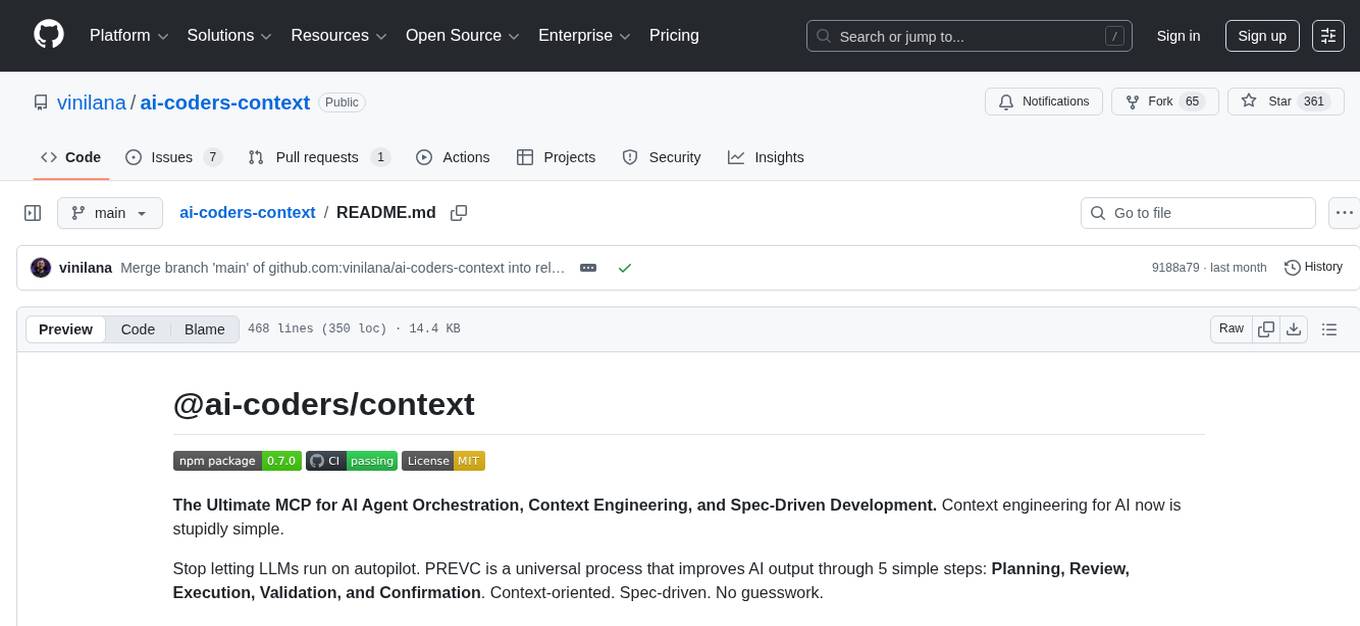
ai-coders-context
The @ai-coders/context repository provides the Ultimate MCP for AI Agent Orchestration, Context Engineering, and Spec-Driven Development. It simplifies context engineering for AI by offering a universal process called PREVC, which consists of Planning, Review, Execution, Validation, and Confirmation steps. The tool aims to address the problem of context fragmentation by introducing a single `.context/` directory that works universally across different tools. It enables users to create structured documentation, generate agent playbooks, manage workflows, provide on-demand expertise, and sync across various AI tools. The tool follows a structured, spec-driven development approach to improve AI output quality and ensure reproducible results across projects.
For similar tasks
jcode
A blazing-fast, fully autonomous AI coding agent with a gorgeous TUI, multi-model support, swarm coordination, persistent memory, and 30+ built-in tools - all running natively in your terminal. Engineered to be absurdly efficient, jcode runs as a single compiled binary that sips resources, offering features like sub-millisecond rendering, multiple providers, no API keys needed, persistent memory, swarm mode, 30+ built-in tools, MCP support, self-updating, and more. It is lightweight, efficient, and built with Rust, providing a unique coding experience with high performance and resource efficiency.
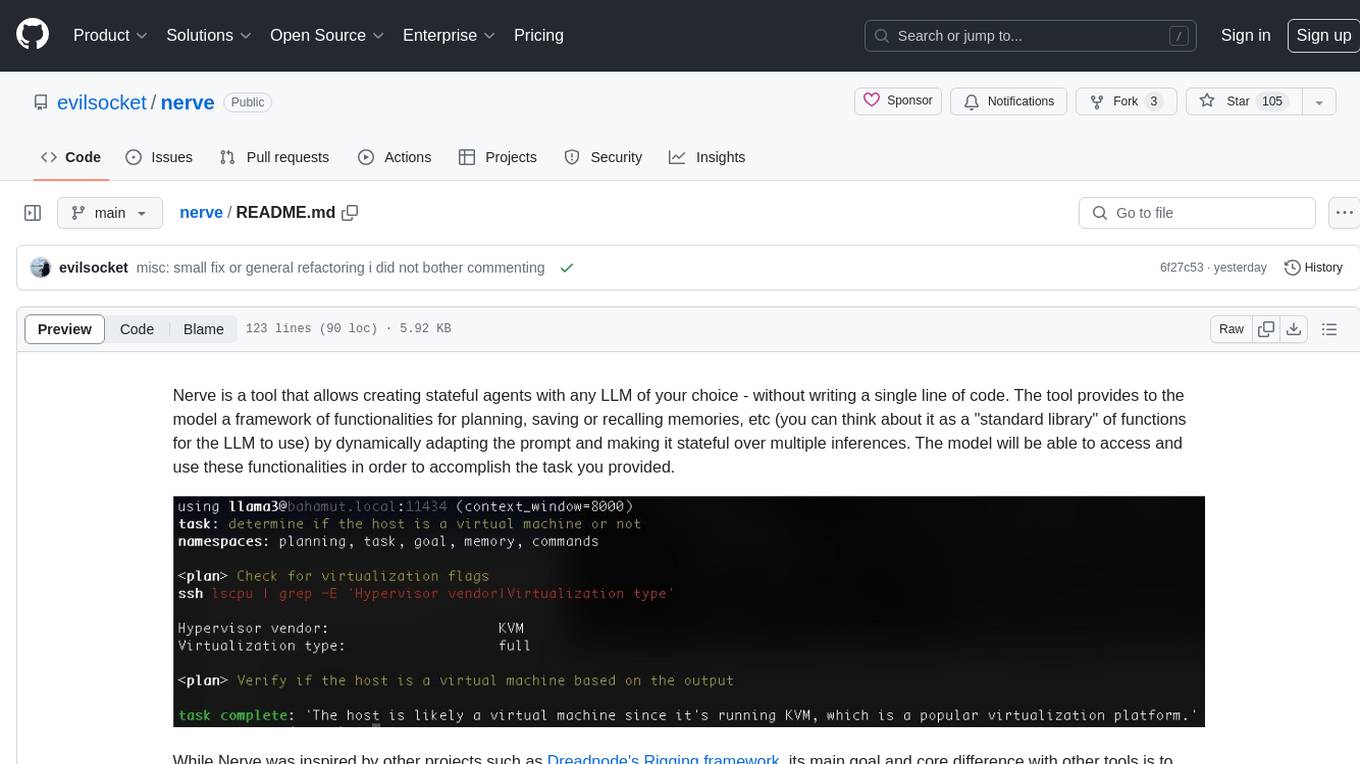
nerve
Nerve is a tool that allows creating stateful agents with any LLM of your choice without writing code. It provides a framework of functionalities for planning, saving, or recalling memories by dynamically adapting the prompt. Nerve is experimental and subject to changes. It is valuable for learning and experimenting but not recommended for production environments. The tool aims to instrument smart agents without code, inspired by projects like Dreadnode's Rigging framework.
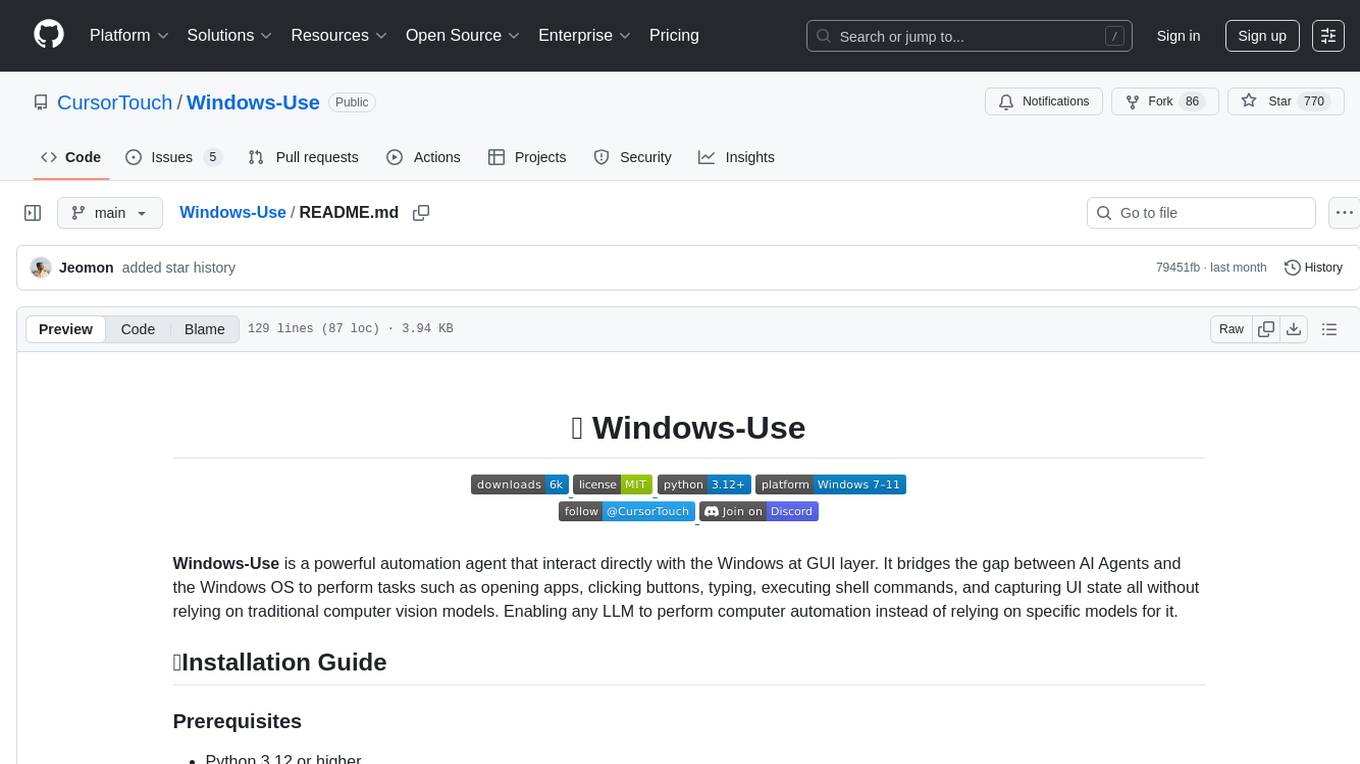
Windows-Use
Windows-Use is a powerful automation agent that interacts directly with the Windows OS at the GUI layer. It bridges the gap between AI agents and Windows to perform tasks such as opening apps, clicking buttons, typing, executing shell commands, and capturing UI state without relying on traditional computer vision models. It enables any large language model (LLM) to perform computer automation instead of relying on specific models for it.
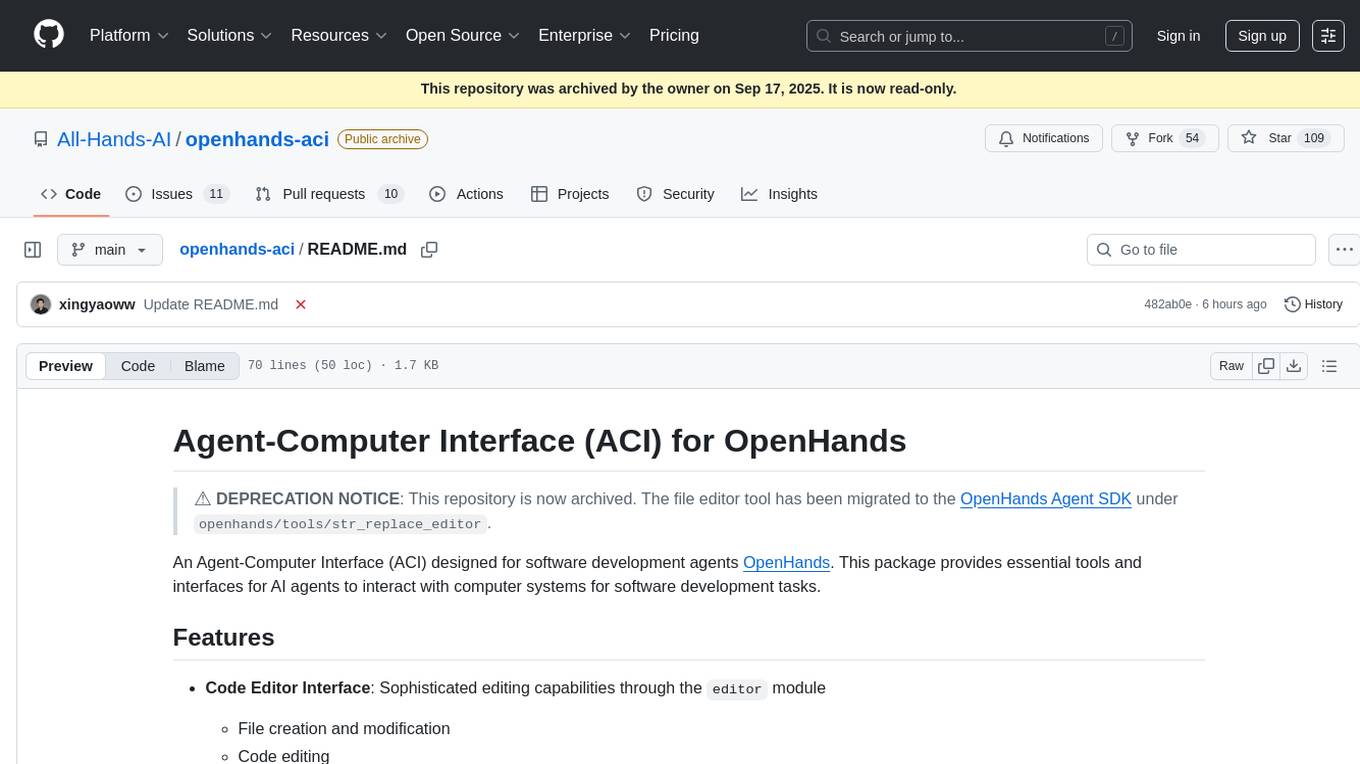
openhands-aci
Agent-Computer Interface (ACI) for OpenHands is a deprecated repository that provided essential tools and interfaces for AI agents to interact with computer systems for software development tasks. It included a code editor interface, code linting capabilities, and utility functions for common operations. The package aimed to enhance software development agents' capabilities in editing code, managing configurations, analyzing code, and executing shell commands.
sandbox
AIO Sandbox is an all-in-one agent sandbox environment that combines Browser, Shell, File, MCP operations, and VSCode Server in a single Docker container. It provides a unified, secure execution environment for AI agents and developers, with features like unified file system, multiple interfaces, secure execution, zero configuration, and agent-ready MCP-compatible APIs. The tool allows users to run shell commands, perform file operations, automate browser tasks, and integrate with various development tools and services.
code-graph-rag
Graph-Code is an accurate Retrieval-Augmented Generation (RAG) system that analyzes multi-language codebases using Tree-sitter. It builds comprehensive knowledge graphs, enabling natural language querying of codebase structure and relationships, along with editing capabilities. The system supports various languages, uses Tree-sitter for parsing, Memgraph for storage, and AI models for natural language to Cypher translation. It offers features like code snippet retrieval, advanced file editing, shell command execution, interactive code optimization, reference-guided optimization, dependency analysis, and more. The architecture consists of a multi-language parser and an interactive CLI for querying the knowledge graph.
Code
A3S Code is an embeddable AI coding agent framework in Rust that allows users to build agents capable of reading, writing, and executing code with tool access, planning, and safety controls. It is production-ready with features like permission system, HITL confirmation, skill-based tool restrictions, and error recovery. The framework is extensible with 19 trait-based extension points and supports lane-based priority queue for scalable multi-machine task distribution.
For similar jobs

sweep
Sweep is an AI junior developer that turns bugs and feature requests into code changes. It automatically handles developer experience improvements like adding type hints and improving test coverage.

teams-ai
The Teams AI Library is a software development kit (SDK) that helps developers create bots that can interact with Teams and Microsoft 365 applications. It is built on top of the Bot Framework SDK and simplifies the process of developing bots that interact with Teams' artificial intelligence capabilities. The SDK is available for JavaScript/TypeScript, .NET, and Python.

ai-guide
This guide is dedicated to Large Language Models (LLMs) that you can run on your home computer. It assumes your PC is a lower-end, non-gaming setup.

classifai
Supercharge WordPress Content Workflows and Engagement with Artificial Intelligence. Tap into leading cloud-based services like OpenAI, Microsoft Azure AI, Google Gemini and IBM Watson to augment your WordPress-powered websites. Publish content faster while improving SEO performance and increasing audience engagement. ClassifAI integrates Artificial Intelligence and Machine Learning technologies to lighten your workload and eliminate tedious tasks, giving you more time to create original content that matters.

chatbot-ui
Chatbot UI is an open-source AI chat app that allows users to create and deploy their own AI chatbots. It is easy to use and can be customized to fit any need. Chatbot UI is perfect for businesses, developers, and anyone who wants to create a chatbot.

BricksLLM
BricksLLM is a cloud native AI gateway written in Go. Currently, it provides native support for OpenAI, Anthropic, Azure OpenAI and vLLM. BricksLLM aims to provide enterprise level infrastructure that can power any LLM production use cases. Here are some use cases for BricksLLM: * Set LLM usage limits for users on different pricing tiers * Track LLM usage on a per user and per organization basis * Block or redact requests containing PIIs * Improve LLM reliability with failovers, retries and caching * Distribute API keys with rate limits and cost limits for internal development/production use cases * Distribute API keys with rate limits and cost limits for students

uAgents
uAgents is a Python library developed by Fetch.ai that allows for the creation of autonomous AI agents. These agents can perform various tasks on a schedule or take action on various events. uAgents are easy to create and manage, and they are connected to a fast-growing network of other uAgents. They are also secure, with cryptographically secured messages and wallets.

griptape
Griptape is a modular Python framework for building AI-powered applications that securely connect to your enterprise data and APIs. It offers developers the ability to maintain control and flexibility at every step. Griptape's core components include Structures (Agents, Pipelines, and Workflows), Tasks, Tools, Memory (Conversation Memory, Task Memory, and Meta Memory), Drivers (Prompt and Embedding Drivers, Vector Store Drivers, Image Generation Drivers, Image Query Drivers, SQL Drivers, Web Scraper Drivers, and Conversation Memory Drivers), Engines (Query Engines, Extraction Engines, Summary Engines, Image Generation Engines, and Image Query Engines), and additional components (Rulesets, Loaders, Artifacts, Chunkers, and Tokenizers). Griptape enables developers to create AI-powered applications with ease and efficiency.