


nextclaw
Feature-rich, OpenClaw-compatible · UI-first, lightweight personal AI assistant.
Stars: 60
NextClaw is a feature-rich, OpenClaw-compatible personal AI assistant designed for quick trials, secondary machines, or anyone who wants multi-channel + multi-provider capabilities with low maintenance overhead. It offers a UI-first workflow, lightweight codebase, and easy configuration through a built-in UI. The tool supports various providers like OpenRouter, OpenAI, MiniMax, Moonshot, and more, along with channels such as Telegram, Discord, WhatsApp, and others. Users can perform tasks like web search, command execution, memory management, and scheduling with Cron + Heartbeat. NextClaw aims to provide a user-friendly experience with minimal setup and maintenance requirements.
README:
Feature-rich, OpenClaw-compatible · UI-first, lightweight personal AI assistant.


Why NextClaw? · Quick Start · Features · Screenshots · Commands · Channels · Docs
Inspired by OpenClaw & nanobot, NextClaw is a feature-rich, OpenClaw-compatible personal AI gateway: same channel plugins and plugin SDK as OpenClaw, with a lighter codebase and UI-first workflow. Install once, run nextclaw start, then configure providers and channels in the browser. No onboarding wizard, no daemon setup — just one command and you're in.
Best for: quick trials, secondary machines, or anyone who wants multi-channel + multi-provider with low maintenance overhead.
| Advantage | Description |
|---|---|
| Feature-rich | Multi-provider, multi-channel, cron/heartbeat, web search, exec, memory, subagents — same capabilities as OpenClaw where it matters. |
| OpenClaw compatible | Uses OpenClaw plugin SDK and channel plugin format; built-in channel plugins (Telegram, Discord, WhatsApp, etc.) are OpenClaw-style and configurable the same way. |
| Easier to use | No complex CLI workflows — one command (nextclaw start), then configure everything in the built-in UI. |
| Maintainable by design | Keep runtime capabilities focused on built-ins, reducing hidden coupling and long-term maintenance cost. |
| Lightweight | Evolved from nanobot; minimal codebase, fast to run and maintain. |
| Measured lightweight | Daily CI auto-benchmarks LOC against OpenClaw, and updates README badges from tracked metrics. |
| Feature | Description |
|---|---|
| OpenClaw compatible | Same plugin SDK and channel plugin format; use OpenClaw-style plugins and config. |
| One-command start |
nextclaw start — background gateway + config UI, no extra steps |
| Built-in config UI | Models, providers, and channels in one place; config in ~/.nextclaw/config.json
|
| Multi-provider | OpenRouter, OpenAI, MiniMax, Moonshot, Gemini, DeepSeek, DashScope, Zhipu, Groq, vLLM, and more (OpenAI-compatible) |
| Multi-channel | Telegram, Discord, WhatsApp, Feishu, DingTalk, WeCom, Slack, Email, QQ, Mochat — enable and configure from the UI |
| Automation | Cron + Heartbeat for scheduled tasks |
| Local tools | Web search, command execution, memory, subagents |
npm i -g nextclaw
nextclaw start
Open http://127.0.0.1:18791 → set your provider (e.g. OpenRouter) and model in the UI. You're done.
NextClaw now binds UI on 0.0.0.0 by default for start/restart/serve/ui/gateway UI mode; startup logs print detected public URLs.
nextclaw stop # stop the serviceConfig UI — providers, models, and defaults in one screen:

AI Providers — configure OpenRouter, OpenAI, MiniMax, DashScope, and more; view configured vs all providers:

Message Channels — enable and configure Discord, Feishu, QQ, and more:

Cron Jobs — view and manage scheduled tasks, run now, enable/disable, track last run:

OpenRouter (recommended)
{
  "providers": { "openrouter": { "apiKey": "sk-or-v1-xxx" } },
  "agents": { "defaults": { "model": "minimax/MiniMax-M2.5" } }
}
MiniMax (Mainland China)
{
  "providers": {
    "minimax": { "apiKey": "sk-api-xxx", "apiBase": "https://api.minimaxi.com/v1" }
  },
  "agents": { "defaults": { "model": "minimax/MiniMax-M2.5" } }
}
Local vLLM
{
  "providers": {
    "vllm": { "apiKey": "dummy", "apiBase": "http://localhost:8000/v1" }
  },
  "agents": { "defaults": { "model": "meta-llama/Llama-3.1-8B-Instruct" } }
}| Command | Description |
|---|---|
nextclaw start |
Start background service (gateway + UI, public by default) |
nextclaw restart |
Restart background service without manual stop/start |
nextclaw stop |
Stop background service |
nextclaw ui |
Start UI backend + gateway (foreground) |
nextclaw gateway |
Start gateway only (for channels) |
nextclaw agent -m "hello" |
Chat in CLI |
nextclaw status |
Show runtime process/health/config status (--json, --verbose, --fix) |
nextclaw update |
Self-update the CLI |
nextclaw channels status |
Show enabled channels |
nextclaw doctor |
Run runtime diagnostics (health, state coherence, port checks) |
nextclaw channels login |
QR login for supported channels |
nextclaw config get <path> |
Get config value by path (--json for structured output) |
nextclaw config set <path> <value> |
Set config value by path (--json to parse value as JSON) |
nextclaw config unset <path> |
Remove config value by path |
| Channel | Setup |
|---|---|
| Telegram | Easy (bot token) |
| Discord | Easy (bot token + intents) |
| Medium (QR login) | |
| Feishu | Medium (app credentials) |
| Mochat | Medium (claw token + websocket) |
| DingTalk | Medium (app credentials) |
| WeCom | Medium (corp app + callback endpoint) |
| Slack | Medium (bot + app tokens) |
| Medium (IMAP/SMTP) | |
| Easy (app credentials) |
- Roadmap
- Configuration, providers, channels, cron
- Multi-agent architecture: single Gateway, bindings, session isolation
- RFC: Action Schema v1
- Code volume monitoring workflow
- Marketplace Worker deploy workflow
- Marketplace read-only Worker API
License MIT
For Tasks:
Click tags to check more tools for each tasksFor Jobs:
Alternative AI tools for nextclaw
Similar Open Source Tools
nextclaw
NextClaw is a feature-rich, OpenClaw-compatible personal AI assistant designed for quick trials, secondary machines, or anyone who wants multi-channel + multi-provider capabilities with low maintenance overhead. It offers a UI-first workflow, lightweight codebase, and easy configuration through a built-in UI. The tool supports various providers like OpenRouter, OpenAI, MiniMax, Moonshot, and more, along with channels such as Telegram, Discord, WhatsApp, and others. Users can perform tasks like web search, command execution, memory management, and scheduling with Cron + Heartbeat. NextClaw aims to provide a user-friendly experience with minimal setup and maintenance requirements.
ruby_llm-agents
RubyLLM::Agents is a production-ready Rails engine for building, managing, and monitoring LLM-powered AI agents. It seamlessly integrates with Rails apps, providing features like automatic execution tracking, cost analytics, budget controls, and a real-time dashboard. Users can build intelligent AI agents in Ruby using a clean DSL and support various LLM providers like OpenAI GPT-4, Anthropic Claude, and Google Gemini. The engine offers features such as agent DSL configuration, execution tracking, cost analytics, reliability with retries and fallbacks, budget controls, multi-tenancy support, async execution with Ruby fibers, real-time dashboard, streaming, conversation history, image operations, alerts, and more.
mengram
Mengram is an AI memory tool that goes beyond storing facts by also capturing episodic events and procedural workflows that evolve from failures. It offers multi-user isolation, a knowledge graph, and integrates with various tools like LangChain and CrewAI. Users can add conversations to automatically extract facts, events, and workflows. Mengram provides a cognitive profile based on all memories and allows importing existing data from tools like ChatGPT and Obsidian. It offers REST API for adding and searching memories, along with smart triggers and memory agents for personalized experiences. The tool is free for commercial use under the Apache 2.0 license.
neurolink
NeuroLink is an Enterprise AI SDK for Production Applications that serves as a universal AI integration platform unifying 13 major AI providers and 100+ models under one consistent API. It offers production-ready tooling, including a TypeScript SDK and a professional CLI, for teams to quickly build, operate, and iterate on AI features. NeuroLink enables switching providers with a single parameter change, provides 64+ built-in tools and MCP servers, supports enterprise features like Redis memory and multi-provider failover, and optimizes costs automatically with intelligent routing. It is designed for the future of AI with edge-first execution and continuous streaming architectures.
shodh-memory
Shodh-Memory is a cognitive memory system designed for AI agents to persist memory across sessions, learn from experience, and run entirely offline. It features Hebbian learning, activation decay, and semantic consolidation, packed into a single ~17MB binary. Users can deploy it on cloud, edge devices, or air-gapped systems to enhance the memory capabilities of AI agents.
ai-dev-kit
The AI Dev Kit is a comprehensive toolkit designed to enhance AI-driven development on Databricks. It provides trusted sources for AI coding assistants like Claude Code and Cursor to build faster and smarter on Databricks. The kit includes features such as Spark Declarative Pipelines, Databricks Jobs, AI/BI Dashboards, Unity Catalog, Genie Spaces, Knowledge Assistants, MLflow Experiments, Model Serving, Databricks Apps, and more. Users can choose from different adventures like installing the kit, using the visual builder app, teaching AI assistants Databricks patterns, executing Databricks actions, or building custom integrations with the core library. The kit also includes components like databricks-tools-core, databricks-mcp-server, databricks-skills, databricks-builder-app, and ai-dev-project.
Unreal_mcp
Unreal Engine MCP Server is a comprehensive Model Context Protocol (MCP) server that allows AI assistants to control Unreal Engine through a native C++ Automation Bridge plugin. It is built with TypeScript, C++, and Rust (WebAssembly). The server provides various features for asset management, actor control, editor control, level management, animation & physics, visual effects, sequencer, graph editing, audio, system operations, and more. It offers dynamic type discovery, graceful degradation, on-demand connection, command safety, asset caching, metrics rate limiting, and centralized configuration. Users can install the server using NPX or by cloning and building it. Additionally, the server supports WebAssembly acceleration for computationally intensive operations and provides an optional GraphQL API for complex queries. The repository includes documentation, community resources, and guidelines for contributing.
zeptoclaw
ZeptoClaw is an ultra-lightweight personal AI assistant that offers a compact Rust binary with 29 tools, 8 channels, 9 providers, and container isolation. It focuses on integrations, security, and size discipline without compromising on performance. With features like container isolation, prompt injection detection, secret leak scanner, policy engine, input validator, and more, ZeptoClaw ensures secure AI agent execution. It supports migration from OpenClaw, deployment on various platforms, and configuration of LLM providers. ZeptoClaw is designed for efficient AI assistance with minimal resource consumption and maximum security.
flyto-core
Flyto-core is a powerful Python library for geospatial analysis and visualization. It provides a wide range of tools for working with geographic data, including support for various file formats, spatial operations, and interactive mapping. With Flyto-core, users can easily load, manipulate, and visualize spatial data to gain insights and make informed decisions. Whether you are a GIS professional, a data scientist, or a developer, Flyto-core offers a versatile and user-friendly solution for geospatial tasks.
celeste-python
Celeste AI is a type-safe, modality/provider-agnostic tool that offers unified interface for various providers like OpenAI, Anthropic, Gemini, Mistral, and more. It supports multiple modalities including text, image, audio, video, and embeddings, with full Pydantic validation and IDE autocomplete. Users can switch providers instantly, ensuring zero lock-in and a lightweight architecture. The tool provides primitives, not frameworks, for clean I/O operations.
headroom
Headroom is a tool designed to optimize the context layer for Large Language Models (LLMs) applications by compressing redundant boilerplate outputs. It intercepts context from tool outputs, logs, search results, and intermediate agent steps, stabilizes dynamic content like timestamps and UUIDs, removes low-signal content, and preserves original data for retrieval only when needed by the LLM. It ensures provider caching works efficiently by aligning prompts for cache hits. The tool works as a transparent proxy with zero code changes, offering significant savings in token count and enabling reversible compression for various types of content like code, logs, JSON, and images. Headroom integrates seamlessly with frameworks like LangChain, Agno, and MCP, supporting features like memory, retrievers, agents, and more.
ai-coders-context
The @ai-coders/context repository provides the Ultimate MCP for AI Agent Orchestration, Context Engineering, and Spec-Driven Development. It simplifies context engineering for AI by offering a universal process called PREVC, which consists of Planning, Review, Execution, Validation, and Confirmation steps. The tool aims to address the problem of context fragmentation by introducing a single `.context/` directory that works universally across different tools. It enables users to create structured documentation, generate agent playbooks, manage workflows, provide on-demand expertise, and sync across various AI tools. The tool follows a structured, spec-driven development approach to improve AI output quality and ensure reproducible results across projects.
zeroclaw
ZeroClaw is a fast, small, and fully autonomous AI assistant infrastructure built with Rust. It features a lean runtime, cost-efficient deployment, fast cold starts, and a portable architecture. It is secure by design, fully swappable, and supports OpenAI-compatible provider support. The tool is designed for low-cost boards and small cloud instances, with a memory footprint of less than 5MB. It is suitable for tasks like deploying AI assistants, swapping providers/channels/tools, and pluggable everything.
Code
A3S Code is an embeddable AI coding agent framework in Rust that allows users to build agents capable of reading, writing, and executing code with tool access, planning, and safety controls. It is production-ready with features like permission system, HITL confirmation, skill-based tool restrictions, and error recovery. The framework is extensible with 19 trait-based extension points and supports lane-based priority queue for scalable multi-machine task distribution.
agentscope
AgentScope is a multi-agent platform designed to empower developers to build multi-agent applications with large-scale models. It features three high-level capabilities: Easy-to-Use, High Robustness, and Actor-Based Distribution. AgentScope provides a list of `ModelWrapper` to support both local model services and third-party model APIs, including OpenAI API, DashScope API, Gemini API, and ollama. It also enables developers to rapidly deploy local model services using libraries such as ollama (CPU inference), Flask + Transformers, Flask + ModelScope, FastChat, and vllm. AgentScope supports various services, including Web Search, Data Query, Retrieval, Code Execution, File Operation, and Text Processing. Example applications include Conversation, Game, and Distribution. AgentScope is released under Apache License 2.0 and welcomes contributions.
memorix
Memorix is a cross-agent memory bridge tool designed to prevent AI assistants from forgetting important information during chats or when switching between different agents. It allows users to store and retrieve architecture decisions, bug fixes, technical explanations, code changes, insights, design choices, and more across various agents seamlessly. With Memorix, users can avoid re-explaining concepts, prevent context loss when switching agents, collaborate effectively, sync workspaces, generate project skills, and utilize a knowledge graph for intelligent retrieval. The tool offers 24 MCP tools for smart memory management, cross-agent workspace sync, a knowledge graph compatible with MCP Official Memory Server, various observation types, a visual dashboard, auto-memory hooks, and optional vector search for semantic similarity. Memorix ensures project isolation, local data storage, and zero cross-contamination, making it a valuable tool for enhancing productivity and knowledge retention in AI-driven workflows.
For similar tasks
utcp-specification
The Universal Tool Calling Protocol (UTCP) Specification repository contains the official documentation for a modern and scalable standard that enables AI systems and clients to discover and interact with tools across different communication protocols. It defines tool discovery mechanisms, call formats, provider configuration, authentication methods, and response handling.
shai
shai is a coding agent written in Rust that serves as a pair programming buddy in the terminal. It can be used to run code, provide suggestions, and act as a shell assistant. Users can configure providers, run headless, create custom agents, and interact with OVHCloud endpoints for AI capabilities.
zeptoclaw
ZeptoClaw is an ultra-lightweight personal AI assistant that offers a compact Rust binary with 29 tools, 8 channels, 9 providers, and container isolation. It focuses on integrations, security, and size discipline without compromising on performance. With features like container isolation, prompt injection detection, secret leak scanner, policy engine, input validator, and more, ZeptoClaw ensures secure AI agent execution. It supports migration from OpenClaw, deployment on various platforms, and configuration of LLM providers. ZeptoClaw is designed for efficient AI assistance with minimal resource consumption and maximum security.
nextclaw
NextClaw is a feature-rich, OpenClaw-compatible personal AI assistant designed for quick trials, secondary machines, or anyone who wants multi-channel + multi-provider capabilities with low maintenance overhead. It offers a UI-first workflow, lightweight codebase, and easy configuration through a built-in UI. The tool supports various providers like OpenRouter, OpenAI, MiniMax, Moonshot, and more, along with channels such as Telegram, Discord, WhatsApp, and others. Users can perform tasks like web search, command execution, memory management, and scheduling with Cron + Heartbeat. NextClaw aims to provide a user-friendly experience with minimal setup and maintenance requirements.
aichat
Aichat is an AI-powered CLI chat and copilot tool that seamlessly integrates with over 10 leading AI platforms, providing a powerful combination of chat-based interaction, context-aware conversations, and AI-assisted shell capabilities, all within a customizable and user-friendly environment.
wingman-ai
Wingman AI allows you to use your voice to talk to various AI providers and LLMs, process your conversations, and ultimately trigger actions such as pressing buttons or reading answers. Our _Wingmen_ are like characters and your interface to this world, and you can easily control their behavior and characteristics, even if you're not a developer. AI is complex and it scares people. It's also **not just ChatGPT**. We want to make it as easy as possible for you to get started. That's what _Wingman AI_ is all about. It's a **framework** that allows you to build your own Wingmen and use them in your games and programs. The idea is simple, but the possibilities are endless. For example, you could: * **Role play** with an AI while playing for more immersion. Have air traffic control (ATC) in _Star Citizen_ or _Flight Simulator_. Talk to Shadowheart in Baldur's Gate 3 and have her respond in her own (cloned) voice. * Get live data such as trade information, build guides, or wiki content and have it read to you in-game by a _character_ and voice you control. * Execute keystrokes in games/applications and create complex macros. Trigger them in natural conversations with **no need for exact phrases.** The AI understands the context of your dialog and is quite _smart_ in recognizing your intent. Say _"It's raining! I can't see a thing!"_ and have it trigger a command you simply named _WipeVisors_. * Automate tasks on your computer * improve accessibility * ... and much more
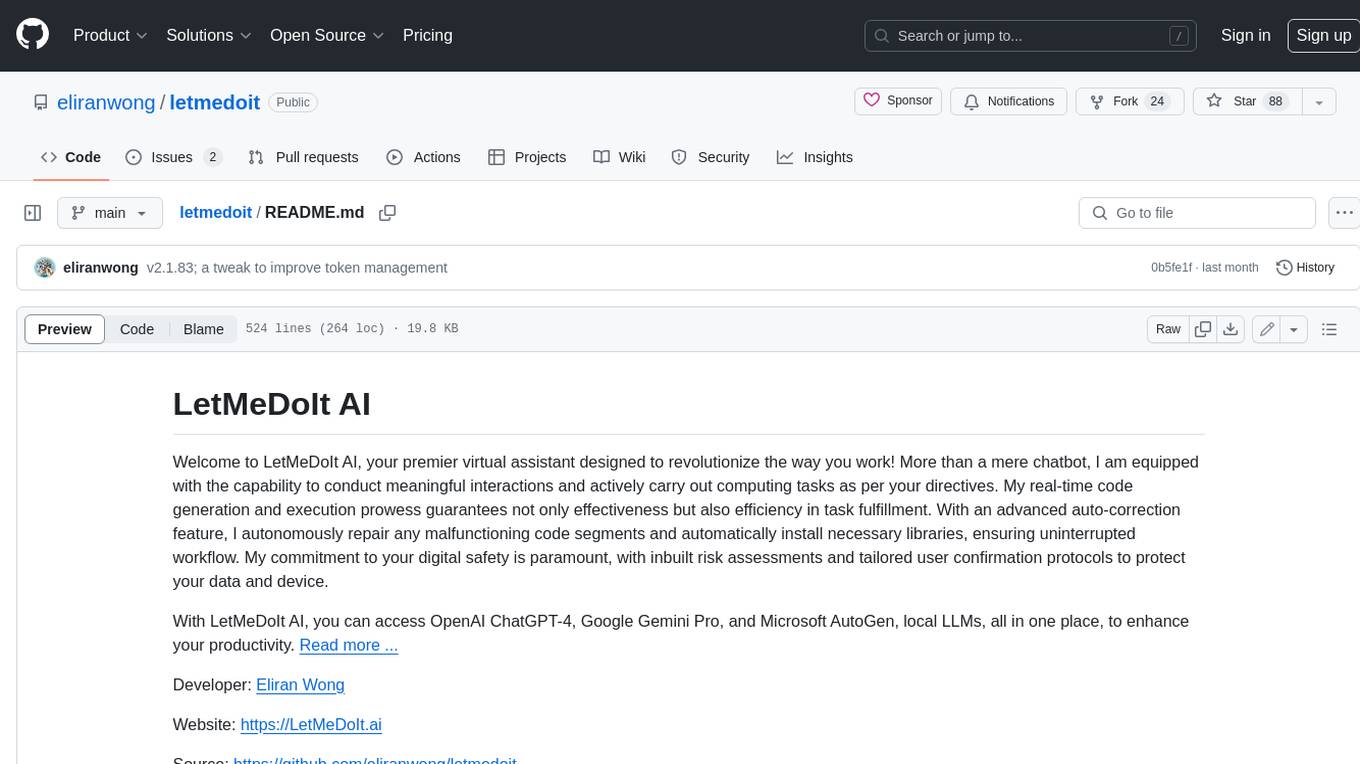
letmedoit
LetMeDoIt AI is a virtual assistant designed to revolutionize the way you work. It goes beyond being a mere chatbot by offering a unique and powerful capability - the ability to execute commands and perform computing tasks on your behalf. With LetMeDoIt AI, you can access OpenAI ChatGPT-4, Google Gemini Pro, and Microsoft AutoGen, local LLMs, all in one place, to enhance your productivity.
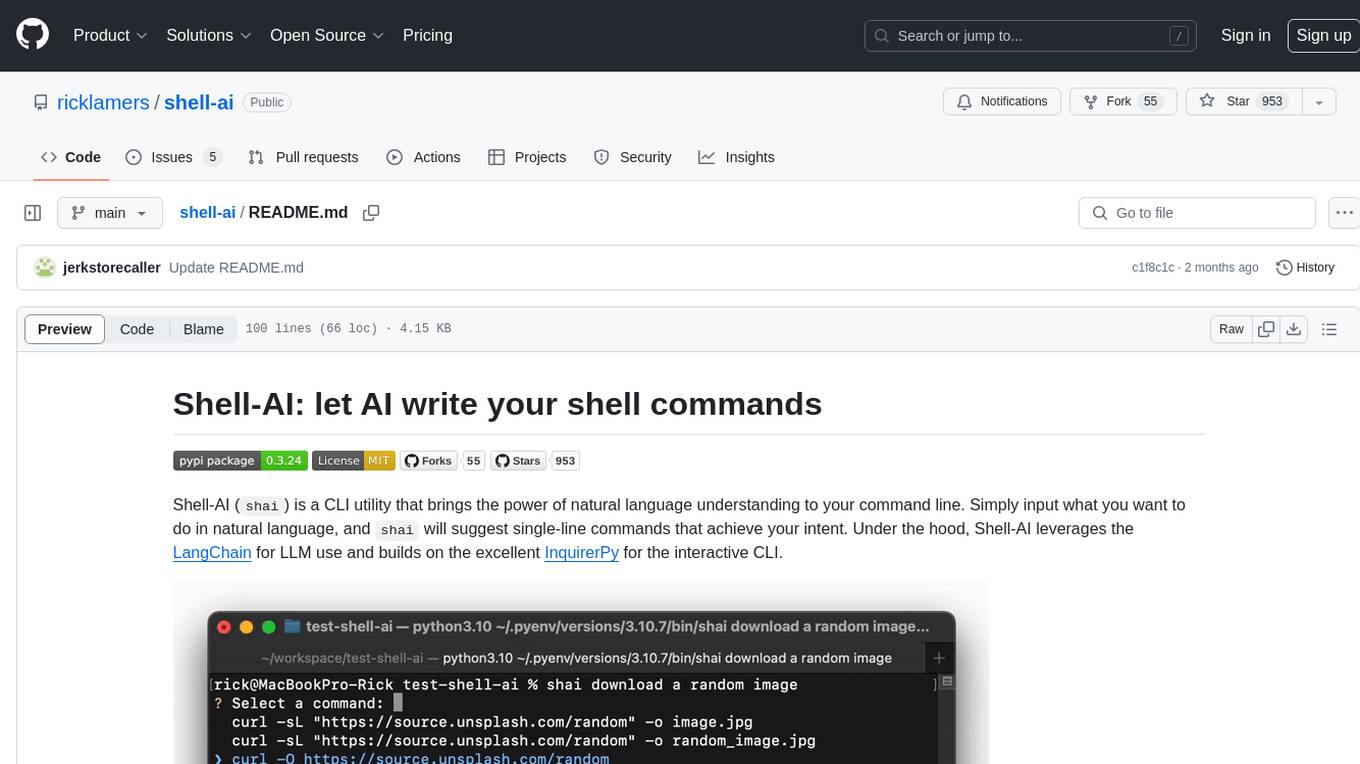
shell-ai
Shell-AI (`shai`) is a CLI utility that enables users to input commands in natural language and receive single-line command suggestions. It leverages natural language understanding and interactive CLI tools to enhance command line interactions. Users can describe tasks in plain English and receive corresponding command suggestions, making it easier to execute commands efficiently. Shell-AI supports cross-platform usage and is compatible with Azure OpenAI deployments, offering a user-friendly and efficient way to interact with the command line.
For similar jobs

promptflow
**Prompt flow** is a suite of development tools designed to streamline the end-to-end development cycle of LLM-based AI applications, from ideation, prototyping, testing, evaluation to production deployment and monitoring. It makes prompt engineering much easier and enables you to build LLM apps with production quality.

deepeval
DeepEval is a simple-to-use, open-source LLM evaluation framework specialized for unit testing LLM outputs. It incorporates various metrics such as G-Eval, hallucination, answer relevancy, RAGAS, etc., and runs locally on your machine for evaluation. It provides a wide range of ready-to-use evaluation metrics, allows for creating custom metrics, integrates with any CI/CD environment, and enables benchmarking LLMs on popular benchmarks. DeepEval is designed for evaluating RAG and fine-tuning applications, helping users optimize hyperparameters, prevent prompt drifting, and transition from OpenAI to hosting their own Llama2 with confidence.

MegaDetector
MegaDetector is an AI model that identifies animals, people, and vehicles in camera trap images (which also makes it useful for eliminating blank images). This model is trained on several million images from a variety of ecosystems. MegaDetector is just one of many tools that aims to make conservation biologists more efficient with AI. If you want to learn about other ways to use AI to accelerate camera trap workflows, check out our of the field, affectionately titled "Everything I know about machine learning and camera traps".

leapfrogai
LeapfrogAI is a self-hosted AI platform designed to be deployed in air-gapped resource-constrained environments. It brings sophisticated AI solutions to these environments by hosting all the necessary components of an AI stack, including vector databases, model backends, API, and UI. LeapfrogAI's API closely matches that of OpenAI, allowing tools built for OpenAI/ChatGPT to function seamlessly with a LeapfrogAI backend. It provides several backends for various use cases, including llama-cpp-python, whisper, text-embeddings, and vllm. LeapfrogAI leverages Chainguard's apko to harden base python images, ensuring the latest supported Python versions are used by the other components of the stack. The LeapfrogAI SDK provides a standard set of protobuffs and python utilities for implementing backends and gRPC. LeapfrogAI offers UI options for common use-cases like chat, summarization, and transcription. It can be deployed and run locally via UDS and Kubernetes, built out using Zarf packages. LeapfrogAI is supported by a community of users and contributors, including Defense Unicorns, Beast Code, Chainguard, Exovera, Hypergiant, Pulze, SOSi, United States Navy, United States Air Force, and United States Space Force.

llava-docker
This Docker image for LLaVA (Large Language and Vision Assistant) provides a convenient way to run LLaVA locally or on RunPod. LLaVA is a powerful AI tool that combines natural language processing and computer vision capabilities. With this Docker image, you can easily access LLaVA's functionalities for various tasks, including image captioning, visual question answering, text summarization, and more. The image comes pre-installed with LLaVA v1.2.0, Torch 2.1.2, xformers 0.0.23.post1, and other necessary dependencies. You can customize the model used by setting the MODEL environment variable. The image also includes a Jupyter Lab environment for interactive development and exploration. Overall, this Docker image offers a comprehensive and user-friendly platform for leveraging LLaVA's capabilities.

carrot
The 'carrot' repository on GitHub provides a list of free and user-friendly ChatGPT mirror sites for easy access. The repository includes sponsored sites offering various GPT models and services. Users can find and share sites, report errors, and access stable and recommended sites for ChatGPT usage. The repository also includes a detailed list of ChatGPT sites, their features, and accessibility options, making it a valuable resource for ChatGPT users seeking free and unlimited GPT services.

TrustLLM
TrustLLM is a comprehensive study of trustworthiness in LLMs, including principles for different dimensions of trustworthiness, established benchmark, evaluation, and analysis of trustworthiness for mainstream LLMs, and discussion of open challenges and future directions. Specifically, we first propose a set of principles for trustworthy LLMs that span eight different dimensions. Based on these principles, we further establish a benchmark across six dimensions including truthfulness, safety, fairness, robustness, privacy, and machine ethics. We then present a study evaluating 16 mainstream LLMs in TrustLLM, consisting of over 30 datasets. The document explains how to use the trustllm python package to help you assess the performance of your LLM in trustworthiness more quickly. For more details about TrustLLM, please refer to project website.

AI-YinMei
AI-YinMei is an AI virtual anchor Vtuber development tool (N card version). It supports fastgpt knowledge base chat dialogue, a complete set of solutions for LLM large language models: [fastgpt] + [one-api] + [Xinference], supports docking bilibili live broadcast barrage reply and entering live broadcast welcome speech, supports Microsoft edge-tts speech synthesis, supports Bert-VITS2 speech synthesis, supports GPT-SoVITS speech synthesis, supports expression control Vtuber Studio, supports painting stable-diffusion-webui output OBS live broadcast room, supports painting picture pornography public-NSFW-y-distinguish, supports search and image search service duckduckgo (requires magic Internet access), supports image search service Baidu image search (no magic Internet access), supports AI reply chat box [html plug-in], supports AI singing Auto-Convert-Music, supports playlist [html plug-in], supports dancing function, supports expression video playback, supports head touching action, supports gift smashing action, supports singing automatic start dancing function, chat and singing automatic cycle swing action, supports multi scene switching, background music switching, day and night automatic switching scene, supports open singing and painting, let AI automatically judge the content.