


neurolink
Universal AI Development Platform with MCP server integration, multi-provider support, and professional CLI. Build, test, and deploy AI applications with multiple ai providers.
Stars: 105
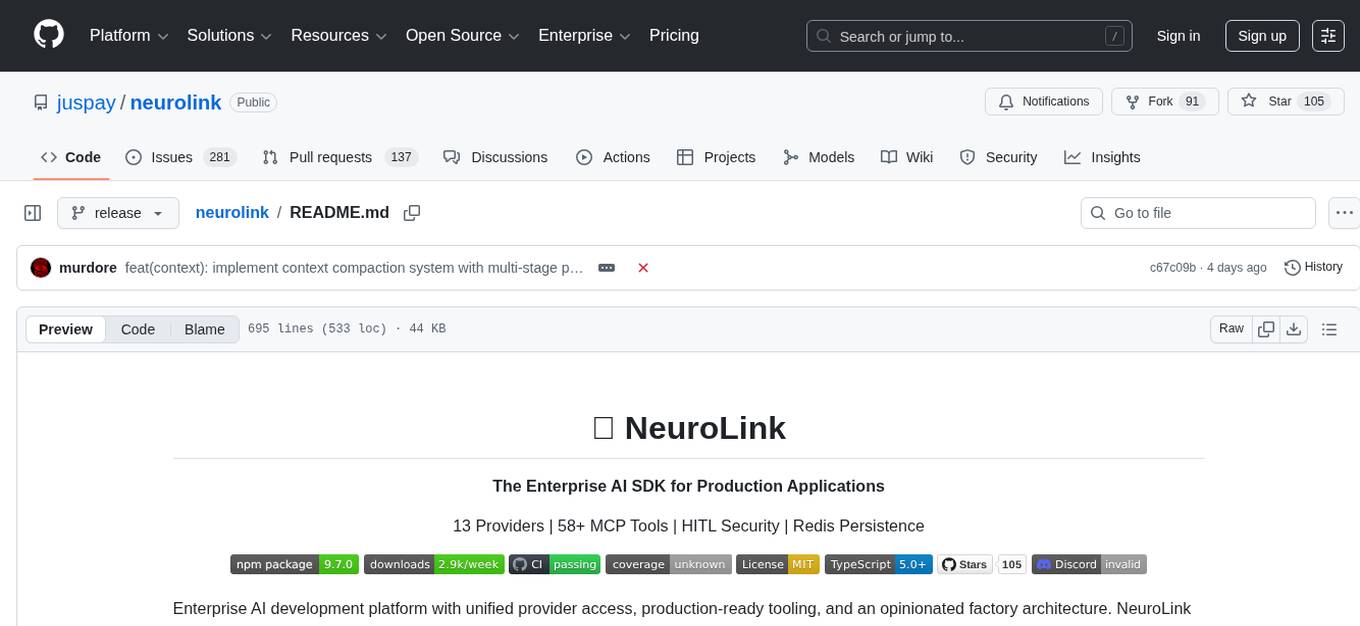
NeuroLink is an Enterprise AI SDK for Production Applications that serves as a universal AI integration platform unifying 13 major AI providers and 100+ models under one consistent API. It offers production-ready tooling, including a TypeScript SDK and a professional CLI, for teams to quickly build, operate, and iterate on AI features. NeuroLink enables switching providers with a single parameter change, provides 64+ built-in tools and MCP servers, supports enterprise features like Redis memory and multi-provider failover, and optimizes costs automatically with intelligent routing. It is designed for the future of AI with edge-first execution and continuous streaming architectures.
README:
The Enterprise AI SDK for Production Applications
13 Providers | 58+ MCP Tools | HITL Security | Redis Persistence







Enterprise AI development platform with unified provider access, production-ready tooling, and an opinionated factory architecture. NeuroLink ships as both a TypeScript SDK and a professional CLI so teams can build, operate, and iterate on AI features quickly.
NeuroLink is the universal AI integration platform that unifies 13 major AI providers and 100+ models under one consistent API.
Extracted from production systems at Juspay and battle-tested at enterprise scale, NeuroLink provides a production-ready solution for integrating AI into any application. Whether you're building with OpenAI, Anthropic, Google, AWS Bedrock, Azure, or any of our 13 supported providers, NeuroLink gives you a single, consistent interface that works everywhere.
Why NeuroLink? Switch providers with a single parameter change, leverage 64+ built-in tools and MCP servers, deploy with confidence using enterprise features like Redis memory and multi-provider failover, and optimize costs automatically with intelligent routing. Use it via our professional CLI or TypeScript SDK—whichever fits your workflow.
Where we're headed: We're building for the future of AI—edge-first execution and continuous streaming architectures that make AI practically free and universally available. Read our vision →
| Feature | Version | Description | Guide |
|---|---|---|---|
| Context Window Management | v9.2.0 | 4-stage compaction pipeline with auto-detection, budget gate at 80% usage, per-provider token estimation | Context Compaction Guide |
| File Processor System | v9.1.0 | 17+ file type processors with ProcessorRegistry, security sanitization, SVG text injection | File Processors Guide |
| RAG with generate()/stream() | v9.2.0 | Pass rag: { files } to generate/stream for automatic document chunking, embedding, and AI-powered search. 10 chunking strategies, hybrid search, reranking. |
RAG Guide |
| External TracerProvider Support | v8.43.0 | Integrate NeuroLink with existing OpenTelemetry instrumentation. Prevents duplicate registration conflicts. | Observability Guide |
| Server Adapters | v8.43.0 | Multi-framework HTTP server with Hono, Express, Fastify, Koa support. Full CLI for server management with foreground/background modes. | Server Adapters Guide |
| Title Generation Events | v8.38.0 | Emit conversation:titleGenerated event when conversation title is generated. Supports custom title prompts via NEUROLINK_TITLE_PROMPT. |
Conversation Memory Guide |
| Video Generation with Veo | v8.32.0 | Video generation using Veo 3.1 (veo-3.1). Realistic video generation with many parameter options |
Video Generation Guide |
| Image Generation with Gemini | v8.31.0 | Native image generation using Gemini 2.0 Flash Experimental (imagen-3.0-generate-002). High-quality image synthesis directly from Google AI. |
Image Generation Guide |
| HTTP/Streamable HTTP Transport | v8.29.0 | Connect to remote MCP servers via HTTP with authentication headers, automatic retry with exponential backoff, and configurable rate limiting. | HTTP Transport Guide |
- External TracerProvider Support – Integrate NeuroLink with applications that already have OpenTelemetry instrumentation. Supports auto-detection and manual configuration. → Observability Guide
-
Server Adapters – Deploy NeuroLink as an HTTP API server with your framework of choice (Hono, Express, Fastify, Koa). Full CLI support with
serveandservercommands for foreground/background modes, route management, and OpenAPI generation. → Server Adapters Guide -
Title Generation Events – Emit real-time events when conversation titles are auto-generated. Listen to
conversation:titleGeneratedfor session tracking. → Conversation Memory Guide -
Custom Title Prompts – Customize conversation title generation with
NEUROLINK_TITLE_PROMPTenvironment variable. Use${userMessage}placeholder for dynamic prompts. → Conversation Memory Guide - Video Generation – Transform images into 8-second videos with synchronized audio using Google Veo 3.1 via Vertex AI. Supports 720p/1080p resolutions, portrait/landscape aspect ratios. → Video Generation Guide
- Image Generation – Generate images from text prompts using Gemini models via Vertex AI or Google AI Studio. Supports streaming mode with automatic file saving. → Image Generation Guide
-
RAG with generate()/stream() – Just pass
rag: { files: ["./docs/guide.md"] }togenerate()orstream(). NeuroLink auto-chunks, embeds, and creates a search tool the AI can invoke. 10 chunking strategies, hybrid search, 5 reranker types. → RAG Guide - HTTP/Streamable HTTP Transport for MCP – Connect to remote MCP servers via HTTP with authentication headers, retry logic, and rate limiting. → HTTP Transport Guide
- 🧠 Gemini 3 Preview Support - Full support for gemini-3-flash-preview and gemini-3-pro-preview with extended thinking capabilities
-
Structured Output with Zod Schemas – Type-safe JSON generation with automatic validation using
schema+output.format: "json"ingenerate(). → Structured Output Guide - CSV File Support – Attach CSV files to prompts for AI-powered data analysis with auto-detection. → CSV Guide
- PDF File Support – Process PDF documents with native visual analysis for Vertex AI, Anthropic, Bedrock, AI Studio. → PDF Guide
- 50+ File Types – Process Excel, Word, RTF, JSON, YAML, XML, HTML, SVG, Markdown, and 50+ code languages with intelligent content extraction. → File Processors Guide
- LiteLLM Integration – Access 100+ AI models from all major providers through unified interface. → Setup Guide
- SageMaker Integration – Deploy and use custom trained models on AWS infrastructure. → Setup Guide
- OpenRouter Integration – Access 300+ models from OpenAI, Anthropic, Google, Meta, and more through a single unified API. → Setup Guide
- Human-in-the-loop workflows – Pause generation for user approval/input before tool execution. → HITL Guide
- Guardrails middleware – Block PII, profanity, and unsafe content with built-in filtering. → Guardrails Guide
- Context summarization – Automatic conversation compression for long-running sessions. → Summarization Guide
- Redis conversation export – Export full session history as JSON for analytics and debugging. → History Guide
// Image Generation with Gemini (v8.31.0)
const image = await neurolink.generateImage({
  prompt: "A futuristic cityscape",
  provider: "google-ai",
  model: "imagen-3.0-generate-002",
});

// HTTP Transport for Remote MCP (v8.29.0)
await neurolink.addExternalMCPServer("remote-tools", {
  transport: "http",
  url: "https://mcp.example.com/v1",
  headers: { Authorization: "Bearer token" },
  retries: 3,
  timeout: 15000,
});
Previous Updates (Q4 2025)
- Image Generation – Generate images from text prompts using Gemini models via Vertex AI or Google AI Studio. → Guide
-
Gemini 3 Preview Support - Full support for
gemini-3-flash-previewandgemini-3-pro-previewwith extended thinking - Structured Output with Zod Schemas – Type-safe JSON generation with automatic validation. → Guide
- CSV & PDF File Support – Attach CSV/PDF files to prompts with auto-detection. → CSV | PDF
- LiteLLM & SageMaker – Access 100+ models via LiteLLM, deploy custom models on SageMaker. → LiteLLM | SageMaker
- OpenRouter Integration – Access 300+ models through a single unified API. → Guide
- HITL & Guardrails – Human-in-the-loop approval workflows and content filtering middleware. → HITL | Guardrails
- Redis & Context Management – Session export, conversation history, and automatic summarization. → History
NeuroLink includes a production-ready HITL system for regulated industries and high-stakes AI operations:
| Capability | Description | Use Case |
|---|---|---|
| Tool Approval Workflows | Require human approval before AI executes sensitive tools | Financial transactions, data modifications |
| Output Validation | Route AI outputs through human review pipelines | Medical diagnosis, legal documents |
| Confidence Thresholds | Automatically trigger human review below confidence level | Critical business decisions |
| Complete Audit Trail | Full audit logging for compliance (HIPAA, SOC2, GDPR) | Regulated industries |
import { NeuroLink } from "@juspay/neurolink";

const neurolink = new NeuroLink({
  hitl: {
    enabled: true,
    requireApproval: ["writeFile", "executeCode", "sendEmail"],
    confidenceThreshold: 0.85,
    reviewCallback: async (action, context) => {
      // Custom review logic - integrate with your approval system
      return await yourApprovalSystem.requestReview(action);
    },
  },
});

// AI pauses for human approval before executing sensitive tools
const result = await neurolink.generate({
  input: { text: "Send quarterly report to stakeholders" },
});
Enterprise HITL Guide | Quick Start
# 1. Run the interactive setup wizard (select providers, validate keys)
pnpm dlx @juspay/neurolink setup

# 2. Start generating with automatic provider selection
npx @juspay/neurolink generate "Write a launch plan for multimodal chat"
Need a persistent workspace? Launch loop mode with npx @juspay/neurolink loop - Learn more →
NeuroLink is a comprehensive AI development platform. Every feature below is production-ready and fully documented.
13 providers unified under one API - Switch providers with a single parameter change.
| Provider | Models | Free Tier | Tool Support | Status | Documentation |
|---|---|---|---|---|---|
| OpenAI | GPT-4o, GPT-4o-mini, o1 | ❌ | ✅ Full | ✅ Production | Setup Guide |
| Anthropic | Claude 4.5 Opus/Sonnet/Haiku, Claude 4 Opus/Sonnet | ❌ | ✅ Full | ✅ Production | Setup Guide |
| Google AI Studio | Gemini 3 Flash/Pro, Gemini 2.5 Flash/Pro | ✅ Free Tier | ✅ Full | ✅ Production | Setup Guide |
| AWS Bedrock | Claude, Titan, Llama, Nova | ❌ | ✅ Full | ✅ Production | Setup Guide |
| Google Vertex | Gemini 3/2.5 (gemini-3-*-preview) | ❌ | ✅ Full | ✅ Production | Setup Guide |
| Azure OpenAI | GPT-4, GPT-4o, o1 | ❌ | ✅ Full | ✅ Production | Setup Guide |
| LiteLLM | 100+ models unified | Varies | ✅ Full | ✅ Production | Setup Guide |
| AWS SageMaker | Custom deployed models | ❌ | ✅ Full | ✅ Production | Setup Guide |
| Mistral AI | Mistral Large, Small | ✅ Free Tier | ✅ Full | ✅ Production | Setup Guide |
| Hugging Face | 100,000+ models | ✅ Free | ✅ Production | Setup Guide | |
| Ollama | Local models (Llama, Mistral) | ✅ Free (Local) | ✅ Production | Setup Guide | |
| OpenAI Compatible | Any OpenAI-compatible endpoint | Varies | ✅ Full | ✅ Production | Setup Guide |
| OpenRouter | 200+ Models via OpenRouter | Varies | ✅ Full | ✅ Production | Setup Guide |
📖 Provider Comparison Guide - Detailed feature matrix and selection criteria 🔬 Provider Feature Compatibility - Test-based compatibility reference for all 19 features across 13 providers
6 Core Tools (work across all providers, zero configuration):
| Tool | Purpose | Auto-Available | Documentation |
|---|---|---|---|
getCurrentTime |
Real-time clock access | ✅ | Tool Reference |
readFile |
File system reading | ✅ | Tool Reference |
writeFile |
File system writing | ✅ | Tool Reference |
listDirectory |
Directory listing | ✅ | Tool Reference |
calculateMath |
Mathematical operations | ✅ | Tool Reference |
websearchGrounding |
Google Vertex web search | Tool Reference |
58+ External MCP Servers supported (GitHub, PostgreSQL, Google Drive, Slack, and more):
// stdio transport - local MCP servers via command execution
await neurolink.addExternalMCPServer("github", {
  command: "npx",
  args: ["-y", "@modelcontextprotocol/server-github"],
  transport: "stdio",
  env: { GITHUB_TOKEN: process.env.GITHUB_TOKEN },
});

// HTTP transport - remote MCP servers via URL
await neurolink.addExternalMCPServer("github-copilot", {
  transport: "http",
  url: "https://api.githubcopilot.com/mcp",
  headers: { Authorization: "Bearer YOUR_COPILOT_TOKEN" },
  timeout: 15000,
  retries: 5,
});

// Tools automatically available to AI
const result = await neurolink.generate({
  input: { text: 'Create a GitHub issue titled "Bug in auth flow"' },
});
MCP Transport Options:
| Transport | Use Case | Key Features |
|---|---|---|
stdio |
Local servers | Command execution, environment variables |
http |
Remote servers | URL-based, auth headers, retries, rate limiting |
sse |
Event streams | Server-Sent Events, real-time updates |
websocket |
Bi-directional | Full-duplex communication |
📖 MCP Integration Guide - Setup external servers 📖 HTTP Transport Guide - Remote MCP server configuration
SDK-First Design with TypeScript, IntelliSense, and type safety:
| Feature | Description | Documentation |
|---|---|---|
| Auto Provider Selection | Intelligent provider fallback | SDK Guide |
| Streaming Responses | Real-time token streaming | Streaming Guide |
| Conversation Memory | Automatic context management | Memory Guide |
| Full Type Safety | Complete TypeScript types | Type Reference |
| Error Handling | Graceful provider fallback | Error Guide |
| Analytics & Evaluation | Usage tracking, quality scores | Analytics Guide |
| Middleware System | Request/response hooks | Middleware Guide |
| Framework Integration | Next.js, SvelteKit, Express | Framework Guides |
| Extended Thinking | Native thinking/reasoning mode for Gemini 3 and Claude models | Thinking Guide |
| RAG Document Processing |
rag: { files } on generate/stream with 10 chunking strategies and hybrid search |
RAG Guide |
17+ file categories supported (50+ total file types including code languages) with intelligent content extraction and provider-agnostic processing:
| Category | Supported Types | Processing |
|---|---|---|
| Documents | Excel (.xlsx, .xls), Word (.docx), RTF, OpenDocument |
Sheet extraction, text extraction |
| Data | JSON, YAML, XML | Validation, syntax highlighting |
| Markup | HTML, SVG, Markdown, Text | OWASP-compliant sanitization |
| Code | 50+ languages (TypeScript, Python, Java, Go, etc.) | Language detection, syntax metadata |
| Config |
.env, .ini, .toml, .cfg
|
Secure parsing |
| Media | Images (PNG, JPEG, WebP, GIF), PDFs, CSV | Provider-specific formatting |
// Process any supported file type
const result = await neurolink.generate({
  input: {
    text: "Analyze this data and code",
    files: [
      "./data.xlsx", // Excel spreadsheet
      "./config.yaml", // YAML configuration
      "./diagram.svg", // SVG (injected as sanitized text)
      "./main.py", // Python source code
    ],
  },
});

// CLI: Use --file for any supported type
// neurolink generate "Analyze this" --file ./report.xlsx --file ./config.json
Key Features:
- ProcessorRegistry - Priority-based processor selection with fallback
- OWASP Security - HTML/SVG sanitization prevents XSS attacks
- Auto-detection - FileDetector identifies file types by extension and content
- Provider-agnostic - All processors work across all 13 AI providers
📖 File Processors Guide - Complete reference for all file types
Production-ready capabilities for regulated industries:
| Feature | Description | Use Case | Documentation |
|---|---|---|---|
| Enterprise Proxy | Corporate proxy support | Behind firewalls | Proxy Setup |
| Redis Memory | Distributed conversation state | Multi-instance deployment | Redis Guide |
| Cost Optimization | Automatic cheapest model selection | Budget control | Cost Guide |
| Multi-Provider Failover | Automatic provider switching | High availability | Failover Guide |
| Telemetry & Monitoring | OpenTelemetry integration | Observability | Telemetry Guide |
| Security Hardening | Credential management, auditing | Compliance | Security Guide |
| Custom Model Hosting | SageMaker integration | Private models | SageMaker Guide |
| Load Balancing | LiteLLM proxy integration | Scale & routing | Load Balancing |
Security & Compliance:
- ✅ SOC2 Type II compliant deployments
- ✅ ISO 27001 certified infrastructure compatible
- ✅ GDPR-compliant data handling (EU providers available)
- ✅ HIPAA compatible (with proper configuration)
- ✅ Hardened OS verified (SELinux, AppArmor)
- ✅ Zero credential logging
- ✅ Encrypted configuration storage
- ✅ Automatic context window management with 4-stage compaction pipeline and 80% budget gate
📖 Enterprise Deployment Guide - Complete production checklist
Production-ready distributed conversation state for multi-instance deployments:
| Feature | Description | Benefit |
|---|---|---|
| Distributed Memory | Share conversation context across instances | Horizontal scaling |
| Session Export | Export full history as JSON | Analytics, debugging, audit |
| Auto-Detection | Automatic Redis discovery from environment | Zero-config in containers |
| Graceful Failover | Falls back to in-memory if Redis unavailable | High availability |
| TTL Management | Configurable session expiration | Memory management |
import { NeuroLink } from "@juspay/neurolink";

// Auto-detect Redis from REDIS_URL environment variable
const neurolink = new NeuroLink({
  conversationMemory: {
    enabled: true,
    store: "redis", // Automatically uses REDIS_URL
    ttl: 86400, // 24-hour session expiration
  },
});

// Or explicit configuration
const neurolinkExplicit = new NeuroLink({
  conversationMemory: {
    enabled: true,
    store: "redis",
    redis: {
      host: "redis.example.com",
      port: 6379,
      password: process.env.REDIS_PASSWORD,
      tls: true, // Enable for production
    },
  },
});

// Export conversation for analytics
const history = await neurolink.exportConversation({ format: "json" });
await saveToDataWarehouse(history);
# Start Redis
docker run -d --name neurolink-redis -p 6379:6379 redis:7-alpine

# Configure NeuroLink
export REDIS_URL=redis://localhost:6379

# Start your application
node your-app.js
Redis Setup Guide | Production Configuration | Migration Patterns
15+ commands for every workflow:
| Command | Purpose | Example | Documentation |
|---|---|---|---|
setup |
Interactive provider configuration | neurolink setup |
Setup Guide |
generate |
Text generation | neurolink gen "Hello" |
Generate |
stream |
Streaming generation | neurolink stream "Story" |
Stream |
status |
Provider health check | neurolink status |
Status |
loop |
Interactive session | neurolink loop |
Loop |
mcp |
MCP server management | neurolink mcp discover |
MCP CLI |
models |
Model listing | neurolink models |
Models |
eval |
Model evaluation | neurolink eval |
Eval |
serve |
Start HTTP server in foreground mode | neurolink serve |
Serve |
server start |
Start HTTP server in background mode | neurolink server start |
Server |
server stop |
Stop running background server | neurolink server stop |
Server |
server status |
Show server status information | neurolink server status |
Server |
server routes |
List all registered API routes | neurolink server routes |
Server |
server config |
View or modify server configuration | neurolink server config |
Server |
server openapi |
Generate OpenAPI specification | neurolink server openapi |
Server |
rag chunk |
Chunk documents for RAG | neurolink rag chunk f.md |
RAG CLI |
RAG flags are available on generate and stream: --rag-files, --rag-strategy, --rag-chunk-size, --rag-chunk-overlap, --rag-top-k
📖 Complete CLI Reference - All commands and options
Run AI-powered workflows directly in GitHub Actions with 13 provider support and automatic PR/issue commenting.
- uses: juspay/neurolink@v1
  with:
    anthropic_api_key: ${{ secrets.ANTHROPIC_API_KEY }}
    prompt: "Review this PR for security issues and code quality"
    post_comment: true
| Feature | Description |
|---|---|
| Multi-Provider | 13 providers with unified interface |
| PR/Issue Comments | Auto-post AI responses with intelligent updates |
| Multimodal Support | Attach images, PDFs, CSVs, Excel, Word, JSON, YAML, XML, HTML, SVG, code files to prompts |
| Cost Tracking | Built-in analytics and quality evaluation |
| Extended Thinking | Deep reasoning with thinking tokens |
📖 GitHub Action Guide - Complete setup and examples
NeuroLink features intelligent model selection and cost optimization:
- 💰 Automatic Cost Optimization: Selects cheapest models for simple tasks
- 🔄 LiteLLM Model Routing: Access 100+ models with automatic load balancing
- 🔍 Capability-Based Selection: Find models with specific features (vision, function calling)
- ⚡ Intelligent Fallback: Seamless switching when providers fail
# Cost optimization - automatically use cheapest model
npx @juspay/neurolink generate "Hello" --optimize-cost

# LiteLLM specific model selection
npx @juspay/neurolink generate "Complex analysis" --provider litellm --model "anthropic/claude-3-5-sonnet"

# Auto-select best available provider
npx @juspay/neurolink generate "Write code" # Automatically chooses optimal provider
NeuroLink's CLI goes beyond simple commands - it's a full AI development environment:
| Feature | Traditional CLI | NeuroLink Interactive |
|---|---|---|
| Session State | None | Full persistence |
| Memory | Per-command | Conversation-aware |
| Configuration | Flags per command |
/set persists across session |
| Tool Testing | Manual per tool | Live discovery & testing |
| Streaming | Optional | Real-time default |
$ npx @juspay/neurolink loop --enable-conversation-memory

neurolink > /set provider vertex
✓ provider set to vertex (Gemini 3 support enabled)

neurolink > /set model gemini-3-flash-preview
✓ model set to gemini-3-flash-preview

neurolink > Analyze my project architecture and suggest improvements

✓ Analyzing your project structure...
[AI provides detailed analysis, remembering context]

neurolink > Now implement the first suggestion
[AI remembers previous context and implements suggestion]

neurolink > /mcp discover
✓ Discovered 58 MCP tools:
   GitHub: create_issue, list_repos, create_pr...
   PostgreSQL: query, insert, update...
   [full list]

neurolink > Use the GitHub tool to create an issue for this improvement
✓ Creating issue... (requires HITL approval if configured)

neurolink > /export json > session-2026-01-01.json
✓ Exported 15 messages to session-2026-01-01.json

neurolink > exit
Session saved. Resume with: neurolink loop --session session-2026-01-01.json
| Command | Purpose |
|---|---|
/set <key> <value> |
Persist configuration (provider, model, temperature) |
/mcp discover |
List all available MCP tools |
/export json |
Export conversation to JSON |
/history |
View conversation history |
/clear |
Clear context while keeping settings |
Interactive CLI Guide | CLI Reference
Skip the wizard and configure manually? See docs/getting-started/provider-setup.md.
neurolink CLI mirrors the SDK so teams can script experiments and codify them later.
# Discover available providers and models
npx @juspay/neurolink status
npx @juspay/neurolink models list --provider google-ai

# Route to a specific provider/model
npx @juspay/neurolink generate "Summarize customer feedback" \
  --provider azure --model gpt-4o-mini

# Turn on analytics + evaluation for observability
npx @juspay/neurolink generate "Draft release notes" \
  --enable-analytics --enable-evaluation --format json

# RAG: Ask questions about your docs (auto-chunks, embeds, searches)
npx @juspay/neurolink generate "What are the key features?" \
  --rag-files ./docs/guide.md ./docs/api.md --rag-strategy markdown
import { NeuroLink } from "@juspay/neurolink";

const neurolink = new NeuroLink({
  conversationMemory: {
    enabled: true,
    store: "redis",
  },
  enableOrchestration: true,
});

const result = await neurolink.generate({
  input: {
    text: "Create a comprehensive analysis",
    files: [
      "./sales_data.csv", // Auto-detected as CSV
      "examples/data/invoice.pdf", // Auto-detected as PDF
      "./diagrams/architecture.png", // Auto-detected as image
      "./report.xlsx", // Auto-detected as Excel
      "./config.json", // Auto-detected as JSON
      "./diagram.svg", // Auto-detected as SVG (injected as text)
      "./app.ts", // Auto-detected as TypeScript code
    ],
  },
  provider: "vertex", // PDF-capable provider (see docs/features/pdf-support.md)
  enableEvaluation: true,
  region: "us-east-1",
});

console.log(result.content);
console.log(result.evaluation?.overallScore);

// RAG: Ask questions about your documents
const answer = await neurolink.generate({
  prompt: "What are the main architectural decisions?",
  rag: {
    files: ["./docs/architecture.md", "./docs/decisions.md"],
    strategy: "markdown",
    topK: 5,
  },
});
console.log(answer.content); // AI searches your docs and answers
import { NeuroLink } from "@juspay/neurolink";

const neurolink = new NeuroLink();

// Use Gemini 3 with extended thinking for complex reasoning
const result = await neurolink.generate({
  input: {
    text: "Solve this step by step: What is the optimal strategy for...",
  },
  provider: "vertex",
  model: "gemini-3-flash-preview",
  thinkingLevel: "medium", // Options: "minimal", "low", "medium", "high"
});

console.log(result.content);
Full command and API breakdown lives in docs/cli/commands.md and docs/sdk/api-reference.md.
| Capability | Highlights |
|---|---|
| Provider unification | 13+ providers with automatic fallback, cost-aware routing, provider orchestration (Q3). |
| Multimodal pipeline | Stream images + CSV data + PDF documents across providers with local/remote assets. Auto-detection for mixed file types. |
| Quality & governance | Auto-evaluation engine (Q3), guardrails middleware (Q4), HITL workflows (Q4), audit logging. |
| Memory & context | Conversation memory, Mem0 integration, Redis history export (Q4), context summarization (Q4). |
| CLI tooling | Loop sessions (Q3), setup wizard, config validation, Redis auto-detect, JSON output. |
| Enterprise ops | Proxy support, regional routing (Q3), telemetry hooks, configuration management. |
| Tool ecosystem | MCP auto discovery, HTTP/stdio/SSE/WebSocket transports, LiteLLM hub access, SageMaker custom deployment, web search. |
| Area | When to Use | Link |
|---|---|---|
| Getting started | Install, configure, run first prompt | docs/getting-started/index.md |
| Feature guides | Understand new functionality front-to-back | docs/features/index.md |
| CLI reference | Command syntax, flags, loop sessions | docs/cli/index.md |
| SDK reference | Classes, methods, options | docs/sdk/index.md |
| RAG | Document chunking, hybrid search, reranking, rag:{} API |
docs/features/rag.md |
| Integrations | LiteLLM, SageMaker, MCP, Mem0 | docs/litellm-integration.md |
| Advanced | Middleware, architecture, streaming patterns | docs/advanced/index.md |
| Cookbook | Practical recipes for common patterns | docs/cookbook/index.md |
| Guides | Migration, Redis, troubleshooting, provider selection | docs/guides/index.md |
| Operations | Configuration, troubleshooting, provider matrix | docs/reference/index.md |
Enterprise Features:
- Enterprise HITL Guide - Production-ready approval workflows
- Interactive CLI Guide - AI development environment
- MCP Tools Showcase - 58+ external tools & 6 built-in tools
Provider Intelligence:
- Provider Capabilities Audit - Technical capabilities matrix
- Provider Selection Guide - Interactive decision wizard
- Provider Comparison - Feature & cost comparison
Middleware System:
- Middleware Architecture - Complete lifecycle & patterns
- Built-in Middleware - Analytics, Guardrails, Evaluation
- Custom Middleware Guide - Build your own
Redis & Persistence:
- Redis Quick Start - 5-minute setup
- Redis Configuration - Production-ready setup
- Redis Migration - Migration patterns
Migration Guides:
- From LangChain - Complete migration guide
- From Vercel AI SDK - Next.js focused
Developer Experience:
- Cookbook - 10 practical recipes
- Troubleshooting Guide - Common issues & solutions
-
LiteLLM 100+ model hub – Unified access to third-party models via LiteLLM routing. →
docs/litellm-integration.md -
Amazon SageMaker – Deploy and call custom endpoints directly from NeuroLink CLI/SDK. →
docs/sagemaker-integration.md -
Mem0 conversational memory – Persistent semantic memory with vector store support. →
docs/mem0-integration.md -
Enterprise proxy & security – Configure outbound policies and compliance posture. →
docs/enterprise-proxy-setup.md -
Configuration automation – Manage environments, regions, and credentials safely. →
docs/configuration-management.md -
MCP tool ecosystem – Auto-discover Model Context Protocol tools and extend workflows. →
docs/advanced/mcp-integration.md -
Remote MCP via HTTP – Connect to HTTP-based MCP servers with authentication, retries, and rate limiting. →
docs/mcp-http-transport.md
- Bug reports and feature requests → GitHub Issues
- Development workflow, testing, and pull request guidelines →
docs/development/contributing.md - Documentation improvements → open a PR referencing the documentation matrix.
NeuroLink is built with ❤️ by Juspay. Contributions, questions, and production feedback are always welcome.
For Tasks:
Click tags to check more tools for each tasksFor Jobs:
Alternative AI tools for neurolink
Similar Open Source Tools
neurolink
NeuroLink is an Enterprise AI SDK for Production Applications that serves as a universal AI integration platform unifying 13 major AI providers and 100+ models under one consistent API. It offers production-ready tooling, including a TypeScript SDK and a professional CLI, for teams to quickly build, operate, and iterate on AI features. NeuroLink enables switching providers with a single parameter change, provides 64+ built-in tools and MCP servers, supports enterprise features like Redis memory and multi-provider failover, and optimizes costs automatically with intelligent routing. It is designed for the future of AI with edge-first execution and continuous streaming architectures.
Unreal_mcp
Unreal Engine MCP Server is a comprehensive Model Context Protocol (MCP) server that allows AI assistants to control Unreal Engine through a native C++ Automation Bridge plugin. It is built with TypeScript, C++, and Rust (WebAssembly). The server provides various features for asset management, actor control, editor control, level management, animation & physics, visual effects, sequencer, graph editing, audio, system operations, and more. It offers dynamic type discovery, graceful degradation, on-demand connection, command safety, asset caching, metrics rate limiting, and centralized configuration. Users can install the server using NPX or by cloning and building it. Additionally, the server supports WebAssembly acceleration for computationally intensive operations and provides an optional GraphQL API for complex queries. The repository includes documentation, community resources, and guidelines for contributing.
Athena-Public
Project Athena is a Linux OS designed for AI Agents, providing memory, persistence, scheduling, and governance for AI models. It offers a comprehensive memory layer that survives across sessions, models, and IDEs, allowing users to own their data and port it anywhere. The system is built bottom-up through 1,079+ sessions, focusing on depth and compounding knowledge. Athena features a trilateral feedback loop for cross-model validation, a Model Context Protocol server with 9 tools, and a robust security model with data residency options. The repository structure includes an SDK package, examples for quickstart, scripts, protocols, workflows, and deep documentation. Key concepts cover architecture, knowledge graph, semantic memory, and adaptive latency. Workflows include booting, reasoning modes, planning, research, and iteration. The project has seen significant content expansion, viral validation, and metrics improvements.
axonhub
AxonHub is an all-in-one AI development platform that serves as an AI gateway allowing users to switch between model providers without changing any code. It provides features like vendor lock-in prevention, integration simplification, observability enhancement, and cost control. Users can access any model using any SDK with zero code changes. The platform offers full request tracing, enterprise RBAC, smart load balancing, and real-time cost tracking. AxonHub supports multiple databases, provides a unified API gateway, and offers flexible model management and API key creation for authentication. It also integrates with various AI coding tools and SDKs for seamless usage.
sf-skills
sf-skills is a collection of reusable skills for Agentic Salesforce Development, enabling AI-powered code generation, validation, testing, debugging, and deployment. It includes skills for development, quality, foundation, integration, AI & automation, DevOps & tooling. The installation process is newbie-friendly and includes an installer script for various CLIs. The skills are compatible with platforms like Claude Code, OpenCode, Codex, Gemini, Amp, Droid, Cursor, and Agentforce Vibes. The repository is community-driven and aims to strengthen the Salesforce ecosystem.
rag-web-ui
RAG Web UI is an intelligent dialogue system based on RAG (Retrieval-Augmented Generation) technology. It helps enterprises and individuals build intelligent Q&A systems based on their own knowledge bases. By combining document retrieval and large language models, it delivers accurate and reliable knowledge-based question-answering services. The system is designed with features like intelligent document management, advanced dialogue engine, and a robust architecture. It supports multiple document formats, async document processing, multi-turn contextual dialogue, and reference citations in conversations. The architecture includes a backend stack with Python FastAPI, MySQL + ChromaDB, MinIO, Langchain, JWT + OAuth2 for authentication, and a frontend stack with Next.js, TypeScript, Tailwind CSS, Shadcn/UI, and Vercel AI SDK for AI integration. Performance optimization includes incremental document processing, streaming responses, vector database performance tuning, and distributed task processing. The project is licensed under the Apache-2.0 License and is intended for learning and sharing RAG knowledge only, not for commercial purposes.
ai-dev-kit
The AI Dev Kit is a comprehensive toolkit designed to enhance AI-driven development on Databricks. It provides trusted sources for AI coding assistants like Claude Code and Cursor to build faster and smarter on Databricks. The kit includes features such as Spark Declarative Pipelines, Databricks Jobs, AI/BI Dashboards, Unity Catalog, Genie Spaces, Knowledge Assistants, MLflow Experiments, Model Serving, Databricks Apps, and more. Users can choose from different adventures like installing the kit, using the visual builder app, teaching AI assistants Databricks patterns, executing Databricks actions, or building custom integrations with the core library. The kit also includes components like databricks-tools-core, databricks-mcp-server, databricks-skills, databricks-builder-app, and ai-dev-project.
new-api
New API is a next-generation large model gateway and AI asset management system that provides a wide range of features, including a new UI interface, multi-language support, online recharge function, key query for usage quota, compatibility with the original One API database, model charging by usage count, channel weighted randomization, data dashboard, token grouping and model restrictions, support for various authorization login methods, support for Rerank models, OpenAI Realtime API, Claude Messages format, reasoning effort setting, content reasoning, user-specific model rate limiting, request format conversion, cache billing support, and various model support such as gpts, Midjourney-Proxy, Suno API, custom channels, Rerank models, Claude Messages format, Dify, and more.
ReGraph
ReGraph is a decentralized AI compute marketplace that connects hardware providers with developers who need inference and training resources. It democratizes access to AI computing power by creating a global network of distributed compute nodes. It is cost-effective, decentralized, easy to integrate, supports multiple models, and offers pay-as-you-go pricing.

llamafarm
LlamaFarm is a comprehensive AI framework that empowers users to build powerful AI applications locally, with full control over costs and deployment options. It provides modular components for RAG systems, vector databases, model management, prompt engineering, and fine-tuning. Users can create differentiated AI products without needing extensive ML expertise, using simple CLI commands and YAML configs. The framework supports local-first development, production-ready components, strategy-based configuration, and deployment anywhere from laptops to the cloud.
spiceai
Spice is a portable runtime written in Rust that offers developers a unified SQL interface to materialize, accelerate, and query data from any database, data warehouse, or data lake. It connects, fuses, and delivers data to applications, machine-learning models, and AI-backends, functioning as an application-specific, tier-optimized Database CDN. Built with industry-leading technologies such as Apache DataFusion, Apache Arrow, Apache Arrow Flight, SQLite, and DuckDB. Spice makes it fast and easy to query data from one or more sources using SQL, co-locating a managed dataset with applications or machine learning models, and accelerating it with Arrow in-memory, SQLite/DuckDB, or attached PostgreSQL for fast, high-concurrency, low-latency queries.
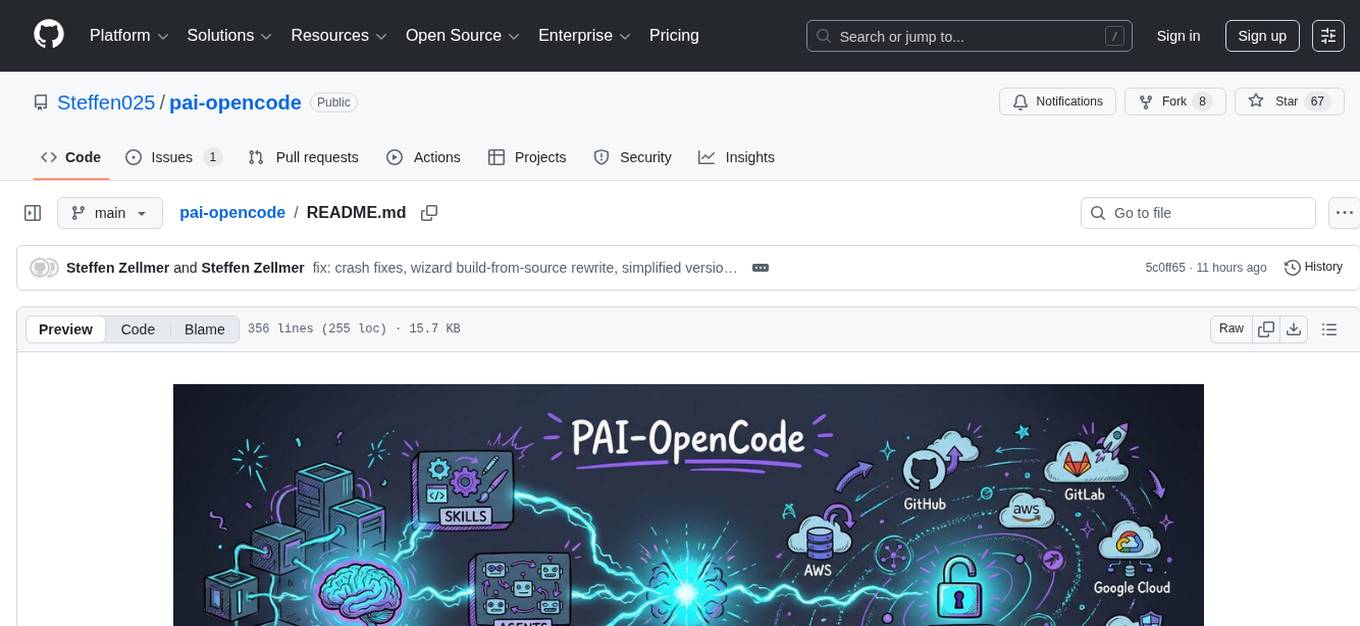
pai-opencode
PAI-OpenCode is a complete port of Daniel Miessler's Personal AI Infrastructure (PAI) to OpenCode, an open-source, provider-agnostic AI coding assistant. It brings modular capabilities, dynamic multi-agent orchestration, session history, and lifecycle automation to personalize AI assistants for users. With support for 75+ AI providers, PAI-OpenCode offers dynamic per-task model routing, full PAI infrastructure, real-time session sharing, and multiple client options. The tool optimizes cost and quality with a 3-tier model strategy and a 3-tier research system, allowing users to switch presets for different routing strategies. PAI-OpenCode's architecture preserves PAI's design while adapting to OpenCode, documented through Architecture Decision Records (ADRs).
eko
Eko is a lightweight and flexible command-line tool for managing environment variables in your projects. It allows you to easily set, get, and delete environment variables for different environments, making it simple to manage configurations across development, staging, and production environments. With Eko, you can streamline your workflow and ensure consistency in your application settings without the need for complex setup or configuration files.
sktime
sktime is a Python library for time series analysis that provides a unified interface for various time series learning tasks such as classification, regression, clustering, annotation, and forecasting. It offers time series algorithms and tools compatible with scikit-learn for building, tuning, and validating time series models. sktime aims to enhance the interoperability and usability of the time series analysis ecosystem by empowering users to apply algorithms across different tasks and providing interfaces to related libraries like scikit-learn, statsmodels, tsfresh, PyOD, and fbprophet.
ruby_llm-agents
RubyLLM::Agents is a production-ready Rails engine for building, managing, and monitoring LLM-powered AI agents. It seamlessly integrates with Rails apps, providing features like automatic execution tracking, cost analytics, budget controls, and a real-time dashboard. Users can build intelligent AI agents in Ruby using a clean DSL and support various LLM providers like OpenAI GPT-4, Anthropic Claude, and Google Gemini. The engine offers features such as agent DSL configuration, execution tracking, cost analytics, reliability with retries and fallbacks, budget controls, multi-tenancy support, async execution with Ruby fibers, real-time dashboard, streaming, conversation history, image operations, alerts, and more.

motia
Motia is an AI agent framework designed for software engineers to create, test, and deploy production-ready AI agents quickly. It provides a code-first approach, allowing developers to write agent logic in familiar languages and visualize execution in real-time. With Motia, developers can focus on business logic rather than infrastructure, offering zero infrastructure headaches, multi-language support, composable steps, built-in observability, instant APIs, and full control over AI logic. Ideal for building sophisticated agents and intelligent automations, Motia's event-driven architecture and modular steps enable the creation of GenAI-powered workflows, decision-making systems, and data processing pipelines.
For similar tasks
react-native-executorch
React Native ExecuTorch is a framework that allows developers to run AI models on mobile devices using React Native. It bridges the gap between React Native and native platform capabilities, providing high-performance AI model execution without requiring deep knowledge of native code or machine learning internals. The tool supports ready-made models in `.pte` format and offers a Python API for custom models. It is designed to simplify the integration of AI features into React Native apps.
neurolink
NeuroLink is an Enterprise AI SDK for Production Applications that serves as a universal AI integration platform unifying 13 major AI providers and 100+ models under one consistent API. It offers production-ready tooling, including a TypeScript SDK and a professional CLI, for teams to quickly build, operate, and iterate on AI features. NeuroLink enables switching providers with a single parameter change, provides 64+ built-in tools and MCP servers, supports enterprise features like Redis memory and multi-provider failover, and optimizes costs automatically with intelligent routing. It is designed for the future of AI with edge-first execution and continuous streaming architectures.
For similar jobs

sweep
Sweep is an AI junior developer that turns bugs and feature requests into code changes. It automatically handles developer experience improvements like adding type hints and improving test coverage.

teams-ai
The Teams AI Library is a software development kit (SDK) that helps developers create bots that can interact with Teams and Microsoft 365 applications. It is built on top of the Bot Framework SDK and simplifies the process of developing bots that interact with Teams' artificial intelligence capabilities. The SDK is available for JavaScript/TypeScript, .NET, and Python.

ai-guide
This guide is dedicated to Large Language Models (LLMs) that you can run on your home computer. It assumes your PC is a lower-end, non-gaming setup.

classifai
Supercharge WordPress Content Workflows and Engagement with Artificial Intelligence. Tap into leading cloud-based services like OpenAI, Microsoft Azure AI, Google Gemini and IBM Watson to augment your WordPress-powered websites. Publish content faster while improving SEO performance and increasing audience engagement. ClassifAI integrates Artificial Intelligence and Machine Learning technologies to lighten your workload and eliminate tedious tasks, giving you more time to create original content that matters.

chatbot-ui
Chatbot UI is an open-source AI chat app that allows users to create and deploy their own AI chatbots. It is easy to use and can be customized to fit any need. Chatbot UI is perfect for businesses, developers, and anyone who wants to create a chatbot.

BricksLLM
BricksLLM is a cloud native AI gateway written in Go. Currently, it provides native support for OpenAI, Anthropic, Azure OpenAI and vLLM. BricksLLM aims to provide enterprise level infrastructure that can power any LLM production use cases. Here are some use cases for BricksLLM: * Set LLM usage limits for users on different pricing tiers * Track LLM usage on a per user and per organization basis * Block or redact requests containing PIIs * Improve LLM reliability with failovers, retries and caching * Distribute API keys with rate limits and cost limits for internal development/production use cases * Distribute API keys with rate limits and cost limits for students

uAgents
uAgents is a Python library developed by Fetch.ai that allows for the creation of autonomous AI agents. These agents can perform various tasks on a schedule or take action on various events. uAgents are easy to create and manage, and they are connected to a fast-growing network of other uAgents. They are also secure, with cryptographically secured messages and wallets.

griptape
Griptape is a modular Python framework for building AI-powered applications that securely connect to your enterprise data and APIs. It offers developers the ability to maintain control and flexibility at every step. Griptape's core components include Structures (Agents, Pipelines, and Workflows), Tasks, Tools, Memory (Conversation Memory, Task Memory, and Meta Memory), Drivers (Prompt and Embedding Drivers, Vector Store Drivers, Image Generation Drivers, Image Query Drivers, SQL Drivers, Web Scraper Drivers, and Conversation Memory Drivers), Engines (Query Engines, Extraction Engines, Summary Engines, Image Generation Engines, and Image Query Engines), and additional components (Rulesets, Loaders, Artifacts, Chunkers, and Tokenizers). Griptape enables developers to create AI-powered applications with ease and efficiency.