


mengram
Human-like memory for AI agents — semantic, episodic & procedural. Experience-driven procedures that learn from failures. Free API, Python & JS SDKs, LangChain & CrewAI integrations.
Stars: 55
Mengram is an AI memory tool that goes beyond storing facts by also capturing episodic events and procedural workflows that evolve from failures. It offers multi-user isolation, a knowledge graph, and integrates with various tools like LangChain and CrewAI. Users can add conversations to automatically extract facts, events, and workflows. Mengram provides a cognitive profile based on all memories and allows importing existing data from tools like ChatGPT and Obsidian. It offers REST API for adding and searching memories, along with smart triggers and memory agents for personalized experiences. The tool is free for commercial use under the Apache 2.0 license.
README:




pip install mengram-ai # or: npm install mengram-aifrom cloud.client import CloudMemory
m = CloudMemory(api_key="om-...") # Free key → mengram.io
m.add([{"role": "user", "content": "I use Python and deploy to Railway"}])
m.search("tech stack") # → facts
m.episodes(query="deployment") # → events
m.procedures(query="deploy") # → workflows that evolve from failuresEvery AI memory tool stores facts. Mengram stores 3 types of memory — and procedures evolve when they fail.
| Mengram | Mem0 | Zep | Letta | |
|---|---|---|---|---|
| Semantic memory (facts, preferences) | Yes | Yes | Yes | Yes |
| Episodic memory (events, decisions) | Yes | No | No | Partial |
| Procedural memory (workflows) | Yes | No | No | No |
| Procedures evolve from failures | Yes | No | No | No |
| Cognitive Profile | Yes | No | No | No |
| Multi-user isolation | Yes | Yes | Yes | No |
| Knowledge graph | Yes | Yes | Yes | Yes |
| LangChain + CrewAI + MCP | Yes | Partial | Partial | Partial |
| Import ChatGPT / Obsidian | Yes | No | No | No |
| Pricing | Free tier | $19-249/mo | Enterprise | Self-host |
1. Get a free API key at mengram.io (email or GitHub)
2. Install
pip install mengram-ai3. Use
from cloud.client import CloudMemory

m = CloudMemory(api_key="om-...")

# Add a conversation — auto-extracts facts, events, and workflows
m.add([
    {"role": "user", "content": "Deployed to Railway today. Build passed but forgot migrations — DB crashed. Fixed by adding a pre-deploy check."},
])

# Search across all 3 memory types at once
results = m.search_all("deployment issues")
# → {semantic: [...], episodic: [...], procedural: [...]}
JavaScript / TypeScript
npm install mengram-aiconst { MengramClient } = require('mengram-ai');
const m = new MengramClient('om-...');
await m.add([{ role: 'user', content: 'Fixed OOM by adding Redis cache layer' }]);
const results = await m.searchAll('database issues');
// → { semantic: [...], episodic: [...], procedural: [...] }REST API (curl)
# Add memory
curl -X POST https://mengram.io/v1/add \
  -H "Authorization: Bearer om-..." \
  -H "Content-Type: application/json" \
  -d '{"messages": [{"role": "user", "content": "I prefer dark mode and vim keybindings"}]}'

# Search all 3 types
curl -X POST https://mengram.io/v1/search/all \
  -H "Authorization: Bearer om-..." \
-d '{"query": "user preferences"}'m.search("tech stack")
# → ["Uses Python 3.12", "Deploys to Railway", "PostgreSQL with pgvector"]m.episodes(query="deployment")
# → [{summary: "DB crashed due to missing migrations", outcome: "resolved", date: "2025-05-12"}]Week 1: "Deploy" → build → push → deploy
↓ FAILURE: forgot migrations
Week 2: "Deploy" v2 → build → run migrations → push → deploy
↓ FAILURE: OOM
Week 3: "Deploy" v3 → build → run migrations → check memory → push → deploy ✅
This happens automatically when you report failures:
m.procedure_feedback(proc_id, success=False,
                     context="OOM error on step 3", failed_at_step=3)
# → Procedure evolves to v3 with new step added
Or fully automatic — just add conversations and Mengram detects failures and evolves procedures:
m.add([{"role": "user", "content": "Deploy failed again — OOM on the build step"}])
# → Episode created → linked to "Deploy" procedure → failure detected → v3 createdOne API call generates a system prompt from all memories:
profile = m.get_profile()
# → "You are talking to Ali, a developer in Almaty. Uses Python, PostgreSQL,
#    and Railway. Recently debugged pgvector deployment. Prefers direct
#    communication and practical next steps."
Insert into any LLM's system prompt for instant personalization.
Kill the cold-start problem:
mengram import chatgpt ~/Downloads/chatgpt-export.zip --cloud   # ChatGPT history
mengram import obsidian ~/Documents/MyVault --cloud              # Obsidian vault
mengram import files notes/*.md --cloud # Any text/markdown|
MCP Server — Claude Desktop, Cursor, Windsurf {
"mcpServers": {
"mengram": {
"command": "mengram",
"args": ["server", "--cloud"],
"env": { "MENGRAM_API_KEY": "om-..." }
}
}
}21 tools for memory management. |
LangChain from integrations.langchain import (
MengramChatMessageHistory,
MengramRetriever,
)
history = MengramChatMessageHistory(
api_key="om-...", user_id="user-1"
)
retriever = MengramRetriever(api_key="om-...") |
|
CrewAI from integrations.crewai import create_mengram_tools
tools = create_mengram_tools(api_key="om-...")
# → 5 tools: search, remember, profile,
# save_workflow, workflow_feedback
agent = Agent(role="Support", tools=tools) |
OpenClaw openclaw plugins install openclaw-mengramAuto-recall before every turn, auto-capture after. 12 tools, slash commands, Graph RAG. |
One API key, many users — each sees only their own data:
m.add([...], user_id="alice")
m.add([...], user_id="bob")

m.search_all("preferences", user_id="alice")  # Only Alice's memories
m.get_profile(user_id="alice") # Alice's cognitive profileClone, set API key, run in 5 minutes:
| Template | Stack | What it shows |
|---|---|---|
| DevOps Agent | Python SDK | Procedures that evolve from deployment failures |
| Customer Support | CrewAI | Agent with 5 memory tools, remembers returning customers |
| Personal Assistant | LangChain | Cognitive profile + auto-saving chat history |
cd examples/devops-agent && pip install -r requirements.txt
export MENGRAM_API_KEY=om-...
python main.py| Endpoint | Description |
|---|---|
POST /v1/add |
Add memories (auto-extracts all 3 types) |
POST /v1/search |
Semantic search |
POST /v1/search/all |
Unified search (semantic + episodic + procedural) |
GET /v1/episodes/search |
Search events and decisions |
GET /v1/procedures/search |
Search workflows |
PATCH /v1/procedures/{id}/feedback |
Report outcome — triggers evolution |
GET /v1/procedures/{id}/history |
Version history + evolution log |
GET /v1/profile |
Cognitive Profile |
GET /v1/triggers |
Smart Triggers (reminders, contradictions, patterns) |
POST /v1/agents/run |
Memory agents (Curator, Connector, Digest) |
GET /v1/me |
Account info |
Full interactive docs: mengram.io/docs
- GitHub Issues — bug reports, feature requests
- API Docs — interactive Swagger UI
- Examples — ready-to-run agent templates
Apache 2.0 — free for commercial use.
Get your free API key · Built by Ali Baizhanov · mengram.io
For Tasks:
Click tags to check more tools for each tasksFor Jobs:
Alternative AI tools for mengram
Similar Open Source Tools
mengram
Mengram is an AI memory tool that goes beyond storing facts by also capturing episodic events and procedural workflows that evolve from failures. It offers multi-user isolation, a knowledge graph, and integrates with various tools like LangChain and CrewAI. Users can add conversations to automatically extract facts, events, and workflows. Mengram provides a cognitive profile based on all memories and allows importing existing data from tools like ChatGPT and Obsidian. It offers REST API for adding and searching memories, along with smart triggers and memory agents for personalized experiences. The tool is free for commercial use under the Apache 2.0 license.
memorix
Memorix is a cross-agent memory bridge tool designed to prevent AI assistants from forgetting important information during chats or when switching between different agents. It allows users to store and retrieve architecture decisions, bug fixes, technical explanations, code changes, insights, design choices, and more across various agents seamlessly. With Memorix, users can avoid re-explaining concepts, prevent context loss when switching agents, collaborate effectively, sync workspaces, generate project skills, and utilize a knowledge graph for intelligent retrieval. The tool offers 24 MCP tools for smart memory management, cross-agent workspace sync, a knowledge graph compatible with MCP Official Memory Server, various observation types, a visual dashboard, auto-memory hooks, and optional vector search for semantic similarity. Memorix ensures project isolation, local data storage, and zero cross-contamination, making it a valuable tool for enhancing productivity and knowledge retention in AI-driven workflows.
shodh-memory
Shodh-Memory is a cognitive memory system designed for AI agents to persist memory across sessions, learn from experience, and run entirely offline. It features Hebbian learning, activation decay, and semantic consolidation, packed into a single ~17MB binary. Users can deploy it on cloud, edge devices, or air-gapped systems to enhance the memory capabilities of AI agents.
zeroclaw
ZeroClaw is a fast, small, and fully autonomous AI assistant infrastructure built with Rust. It features a lean runtime, cost-efficient deployment, fast cold starts, and a portable architecture. It is secure by design, fully swappable, and supports OpenAI-compatible provider support. The tool is designed for low-cost boards and small cloud instances, with a memory footprint of less than 5MB. It is suitable for tasks like deploying AI assistants, swapping providers/channels/tools, and pluggable everything.
headroom
Headroom is a tool designed to optimize the context layer for Large Language Models (LLMs) applications by compressing redundant boilerplate outputs. It intercepts context from tool outputs, logs, search results, and intermediate agent steps, stabilizes dynamic content like timestamps and UUIDs, removes low-signal content, and preserves original data for retrieval only when needed by the LLM. It ensures provider caching works efficiently by aligning prompts for cache hits. The tool works as a transparent proxy with zero code changes, offering significant savings in token count and enabling reversible compression for various types of content like code, logs, JSON, and images. Headroom integrates seamlessly with frameworks like LangChain, Agno, and MCP, supporting features like memory, retrievers, agents, and more.
Code
A3S Code is an embeddable AI coding agent framework in Rust that allows users to build agents capable of reading, writing, and executing code with tool access, planning, and safety controls. It is production-ready with features like permission system, HITL confirmation, skill-based tool restrictions, and error recovery. The framework is extensible with 19 trait-based extension points and supports lane-based priority queue for scalable multi-machine task distribution.
nextclaw
NextClaw is a feature-rich, OpenClaw-compatible personal AI assistant designed for quick trials, secondary machines, or anyone who wants multi-channel + multi-provider capabilities with low maintenance overhead. It offers a UI-first workflow, lightweight codebase, and easy configuration through a built-in UI. The tool supports various providers like OpenRouter, OpenAI, MiniMax, Moonshot, and more, along with channels such as Telegram, Discord, WhatsApp, and others. Users can perform tasks like web search, command execution, memory management, and scheduling with Cron + Heartbeat. NextClaw aims to provide a user-friendly experience with minimal setup and maintenance requirements.
PraisonAI
Praison AI is a low-code, centralised framework that simplifies the creation and orchestration of multi-agent systems for various LLM applications. It emphasizes ease of use, customization, and human-agent interaction. The tool leverages AutoGen and CrewAI frameworks to facilitate the development of AI-generated scripts and movie concepts. Users can easily create, run, test, and deploy agents for scriptwriting and movie concept development. Praison AI also provides options for full automatic mode and integration with OpenAI models for enhanced AI capabilities.
ai-coders-context
The @ai-coders/context repository provides the Ultimate MCP for AI Agent Orchestration, Context Engineering, and Spec-Driven Development. It simplifies context engineering for AI by offering a universal process called PREVC, which consists of Planning, Review, Execution, Validation, and Confirmation steps. The tool aims to address the problem of context fragmentation by introducing a single `.context/` directory that works universally across different tools. It enables users to create structured documentation, generate agent playbooks, manage workflows, provide on-demand expertise, and sync across various AI tools. The tool follows a structured, spec-driven development approach to improve AI output quality and ensure reproducible results across projects.
celeste-python
Celeste AI is a type-safe, modality/provider-agnostic tool that offers unified interface for various providers like OpenAI, Anthropic, Gemini, Mistral, and more. It supports multiple modalities including text, image, audio, video, and embeddings, with full Pydantic validation and IDE autocomplete. Users can switch providers instantly, ensuring zero lock-in and a lightweight architecture. The tool provides primitives, not frameworks, for clean I/O operations.
skylos
Skylos is a privacy-first SAST tool for Python, TypeScript, and Go that bridges the gap between traditional static analysis and AI agents. It detects dead code, security vulnerabilities (SQLi, SSRF, Secrets), and code quality issues with high precision. Skylos uses a hybrid engine (AST + optional Local/Cloud LLM) to eliminate false positives, verify via runtime, find logic bugs, and provide context-aware audits. It offers automated fixes, end-to-end remediation, and 100% local privacy. The tool supports taint analysis, secrets detection, vulnerability checks, dead code detection and cleanup, agentic AI and hybrid analysis, codebase optimization, operational governance, and runtime verification.

llamafarm
LlamaFarm is a comprehensive AI framework that empowers users to build powerful AI applications locally, with full control over costs and deployment options. It provides modular components for RAG systems, vector databases, model management, prompt engineering, and fine-tuning. Users can create differentiated AI products without needing extensive ML expertise, using simple CLI commands and YAML configs. The framework supports local-first development, production-ready components, strategy-based configuration, and deployment anywhere from laptops to the cloud.
Conduit
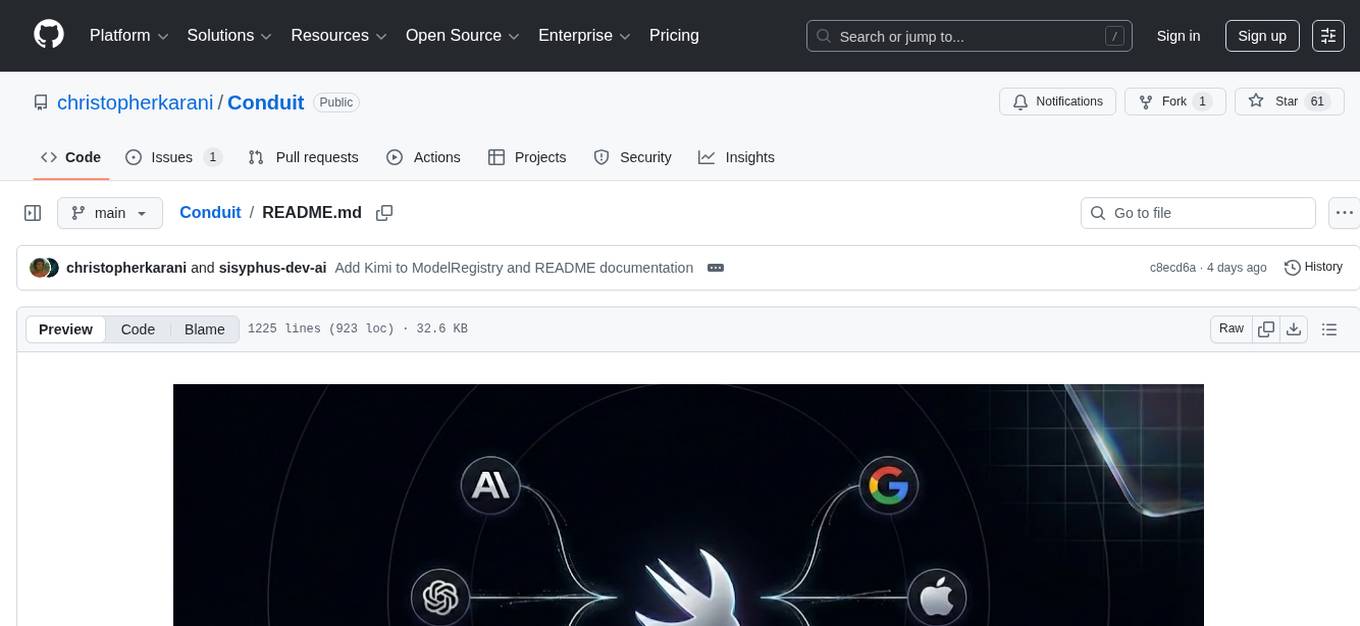
Conduit is a unified Swift 6.2 SDK for local and cloud LLM inference, providing a single Swift-native API that can target Anthropic, OpenRouter, Ollama, MLX, HuggingFace, and Apple’s Foundation Models without rewriting your prompt pipeline. It allows switching between local, cloud, and system providers with minimal code changes, supports downloading models from HuggingFace Hub for local MLX inference, generates Swift types directly from LLM responses, offers privacy-first options for on-device running, and is built with Swift 6.2 concurrency features like actors, Sendable types, and AsyncSequence.
models
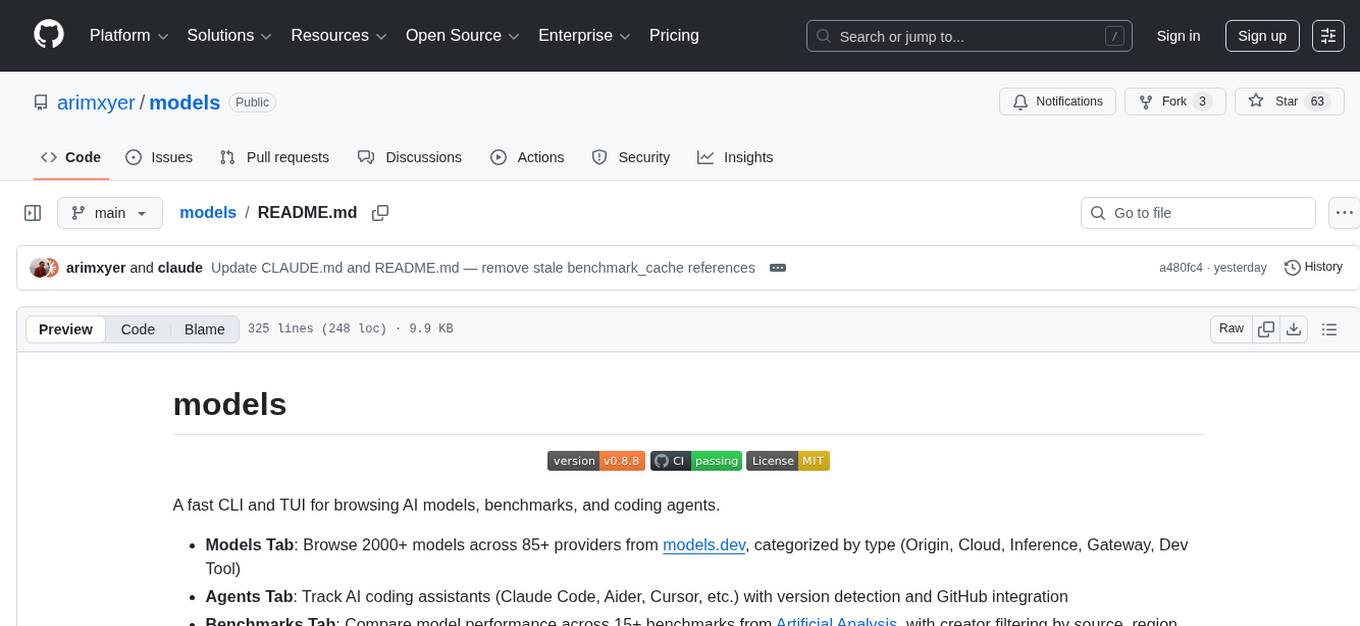
A fast CLI and TUI for browsing AI models, benchmarks, and coding agents. Browse 2000+ models across 85+ providers from models.dev. Track AI coding assistants with version detection and GitHub integration. Compare model performance across 15+ benchmarks from Artificial Analysis. Features CLI commands, interactive TUI, cross-provider search, copy to clipboard, JSON output. Includes curated catalog of AI coding assistants, auto-updating benchmark data, per-model open weights detection, and detail panel for benchmarks. Supports customization of tracked agents and quick sorting of benchmarks. Utilizes data from models.dev, Artificial Analysis, curated catalog in data/agents.json, and GitHub API.
ruby_llm-agents
RubyLLM::Agents is a production-ready Rails engine for building, managing, and monitoring LLM-powered AI agents. It seamlessly integrates with Rails apps, providing features like automatic execution tracking, cost analytics, budget controls, and a real-time dashboard. Users can build intelligent AI agents in Ruby using a clean DSL and support various LLM providers like OpenAI GPT-4, Anthropic Claude, and Google Gemini. The engine offers features such as agent DSL configuration, execution tracking, cost analytics, reliability with retries and fallbacks, budget controls, multi-tenancy support, async execution with Ruby fibers, real-time dashboard, streaming, conversation history, image operations, alerts, and more.
AnyCrawl
AnyCrawl is a high-performance crawling and scraping toolkit designed for SERP crawling, web scraping, site crawling, and batch tasks. It offers multi-threading and multi-process capabilities for high performance. The tool also provides AI extraction for structured data extraction from pages, making it LLM-friendly and easy to integrate and use.
For similar tasks
mengram
Mengram is an AI memory tool that goes beyond storing facts by also capturing episodic events and procedural workflows that evolve from failures. It offers multi-user isolation, a knowledge graph, and integrates with various tools like LangChain and CrewAI. Users can add conversations to automatically extract facts, events, and workflows. Mengram provides a cognitive profile based on all memories and allows importing existing data from tools like ChatGPT and Obsidian. It offers REST API for adding and searching memories, along with smart triggers and memory agents for personalized experiences. The tool is free for commercial use under the Apache 2.0 license.
For similar jobs

sweep
Sweep is an AI junior developer that turns bugs and feature requests into code changes. It automatically handles developer experience improvements like adding type hints and improving test coverage.

teams-ai
The Teams AI Library is a software development kit (SDK) that helps developers create bots that can interact with Teams and Microsoft 365 applications. It is built on top of the Bot Framework SDK and simplifies the process of developing bots that interact with Teams' artificial intelligence capabilities. The SDK is available for JavaScript/TypeScript, .NET, and Python.

ai-guide
This guide is dedicated to Large Language Models (LLMs) that you can run on your home computer. It assumes your PC is a lower-end, non-gaming setup.

classifai
Supercharge WordPress Content Workflows and Engagement with Artificial Intelligence. Tap into leading cloud-based services like OpenAI, Microsoft Azure AI, Google Gemini and IBM Watson to augment your WordPress-powered websites. Publish content faster while improving SEO performance and increasing audience engagement. ClassifAI integrates Artificial Intelligence and Machine Learning technologies to lighten your workload and eliminate tedious tasks, giving you more time to create original content that matters.

chatbot-ui
Chatbot UI is an open-source AI chat app that allows users to create and deploy their own AI chatbots. It is easy to use and can be customized to fit any need. Chatbot UI is perfect for businesses, developers, and anyone who wants to create a chatbot.

BricksLLM
BricksLLM is a cloud native AI gateway written in Go. Currently, it provides native support for OpenAI, Anthropic, Azure OpenAI and vLLM. BricksLLM aims to provide enterprise level infrastructure that can power any LLM production use cases. Here are some use cases for BricksLLM: * Set LLM usage limits for users on different pricing tiers * Track LLM usage on a per user and per organization basis * Block or redact requests containing PIIs * Improve LLM reliability with failovers, retries and caching * Distribute API keys with rate limits and cost limits for internal development/production use cases * Distribute API keys with rate limits and cost limits for students

uAgents
uAgents is a Python library developed by Fetch.ai that allows for the creation of autonomous AI agents. These agents can perform various tasks on a schedule or take action on various events. uAgents are easy to create and manage, and they are connected to a fast-growing network of other uAgents. They are also secure, with cryptographically secured messages and wallets.

griptape
Griptape is a modular Python framework for building AI-powered applications that securely connect to your enterprise data and APIs. It offers developers the ability to maintain control and flexibility at every step. Griptape's core components include Structures (Agents, Pipelines, and Workflows), Tasks, Tools, Memory (Conversation Memory, Task Memory, and Meta Memory), Drivers (Prompt and Embedding Drivers, Vector Store Drivers, Image Generation Drivers, Image Query Drivers, SQL Drivers, Web Scraper Drivers, and Conversation Memory Drivers), Engines (Query Engines, Extraction Engines, Summary Engines, Image Generation Engines, and Image Query Engines), and additional components (Rulesets, Loaders, Artifacts, Chunkers, and Tokenizers). Griptape enables developers to create AI-powered applications with ease and efficiency.