


Conduit
🦑 Unified Swift SDK for LLM inference across local and cloud providers
Stars: 61
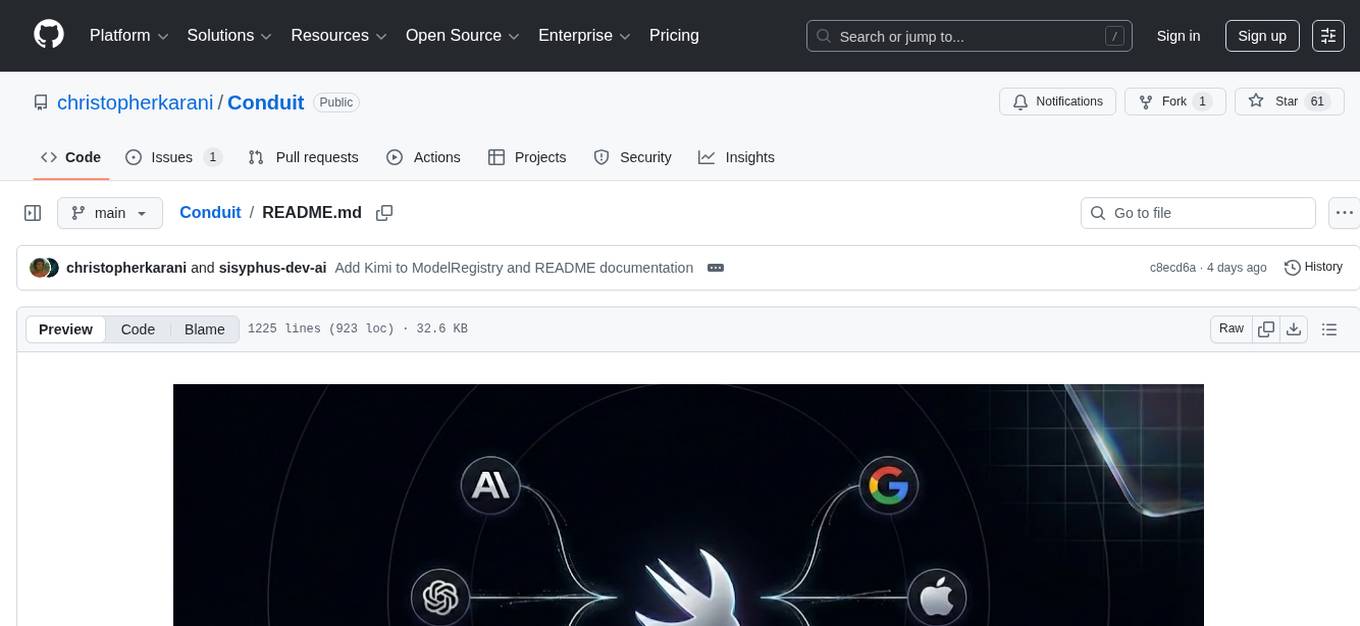
Conduit is a unified Swift 6.2 SDK for local and cloud LLM inference, providing a single Swift-native API that can target Anthropic, OpenRouter, Ollama, MLX, HuggingFace, and Apple’s Foundation Models without rewriting your prompt pipeline. It allows switching between local, cloud, and system providers with minimal code changes, supports downloading models from HuggingFace Hub for local MLX inference, generates Swift types directly from LLM responses, offers privacy-first options for on-device running, and is built with Swift 6.2 concurrency features like actors, Sendable types, and AsyncSequence.
README:
Unified Swift 6.2 SDK for local and cloud LLM inference


Conduit gives you a single Swift-native API that can target Anthropic, OpenRouter, Ollama, MLX, HuggingFace, and Apple’s Foundation Models without rewriting your prompt pipeline. Everything conforms to TextGenerator, so switching between highly capable Claude 4.5, GPT-5.2 on OpenRouter, Ollama-hosted Llama3, and local MLX is literally swapping one initializer.
- One API, Many Providers — Switch between local (MLX), cloud (Anthropic, OpenAI, HuggingFace, OpenRouter), and system (Foundation Models) with minimal code changes
- Download Models from HuggingFace — Download any model from HuggingFace Hub for local MLX inference with progress tracking
-
Type-Safe Structured Output — Generate Swift types directly from LLM responses with the
@Generablemacro - Privacy-First Options — Run models entirely on-device with MLX, Ollama, or Foundation Models
- Swift 6.2 Concurrency — Built from the ground up with actors, Sendable types, and AsyncSequence
- Features
- Installation
- Quick Start
-
Providers
- MLXProvider
- HuggingFaceProvider
- Foundation Models
- Anthropic Claude
- OpenAI Provider (OpenAI, OpenRouter, Ollama, Azure)
- Model Management
- Streaming
- Structured Output
- Tool Calling
- ChatSession
- Documentation
- Contributing
- Community
- License
| Capability | MLX | HuggingFace | Anthropic | Kimi | OpenAI | Foundation Models |
|---|---|---|---|---|---|---|
| Text Generation | ✓ | ✓ | ✓ | ✓ | ✓ | ✓ |
| Streaming | ✓ | ✓ | ✓ | ✓ | ✓ | ✓ |
| Structured Output | ✓ | ✓ | ✓ | ✓ | ✓ | ✓ |
| Tool Calling | — | — | ✓ | — | ✓ | — |
| Vision | — | — | ✓ | — | ✓ | — |
| Extended Thinking | — | — | ✓ | — | — | — |
| Embeddings | — | ✓ | — | — | ✓ | — |
| Transcription | — | ✓ | — | — | ✓ | — |
| Image Generation | — | ✓ | — | — | ✓ | — |
| Token Counting | ✓ | — | — | — | ✓* | — |
| Offline | ✓ | — | — | — | —** | ✓ |
| Privacy | ✓ | — | — | — | —** | ✓ |
*Estimated token counting **Offline/privacy available when using Ollama local endpoint
Add Conduit to your Package.swift:
dependencies: [
    .package(url: "https://github.com/christopherkarani/Conduit", from: "0.3.0")
]
Then add "Conduit" to your target's dependencies.
To use on-device MLX inference, enable the MLX trait:
dependencies: [
    .package(url: "https://github.com/christopherkarani/Conduit", from: "0.3.0", traits: ["MLX"])
]Note: MLX requires Apple Silicon with Metal GPU. Without the trait, only cloud providers are available.
| Platform | Status | Available Providers |
|---|---|---|
| macOS 14+ | Full | MLX, Anthropic, Kimi, OpenAI, HuggingFace, Foundation Models |
| iOS 17+ | Full | MLX, Anthropic, Kimi, OpenAI, HuggingFace, Foundation Models |
| visionOS 1+ | Full | MLX, Anthropic, Kimi, OpenAI, HuggingFace, Foundation Models |
| Linux | Partial | Anthropic, Kimi, OpenAI, HuggingFace |
Conduit supports Linux for server-side Swift deployments. Build normally with Swift 6.2+:
swift build
swift test
By default, MLX dependencies are excluded (no trait enabled). This makes Conduit Linux-compatible out of the box.
- MLX Provider: Requires Apple Silicon with Metal GPU (not available on Linux)
- Foundation Models: Requires iOS 26+/macOS 26+ (not available on Linux)
-
Image Generation:
GeneratedImage.imagereturnsnil(usedataorsave(to:)) - Keychain: Token storage falls back to environment variables
For local LLM inference on Linux, use Ollama via the OpenAI provider:
# Install Ollama on Linux
curl -fsSL https://ollama.com/install.sh | sh

# Pull a model
ollama pull llama3.2
import Conduit
// Use Ollama for local inference on Linux
let provider = OpenAIProvider(endpoint: .ollama, apiKey: nil)
let response = try await provider.generate(
"Hello from Linux!",
model: .ollama("llama3.2"),
config: .default
)import Conduit
enum ExampleError: Error {
case missingAPIKey(String)
}Local inference on Apple Silicon. Zero network traffic, complete privacy.
Best for: Privacy-sensitive apps, offline functionality, consistent latency
// Default configuration
let provider = MLXProvider()

// Optimized for M1 devices
let provider = MLXProvider(configuration: .m1Optimized)

// Full control
let config = MLXConfiguration.default
    .memoryLimit(.gigabytes(8))
    .withQuantizedKVCache(bits: 4)
let provider = MLXProvider(configuration: config)
Configuration Presets:
| Preset | Memory | Use Case |
|---|---|---|
.default |
Auto | Balanced performance |
.m1Optimized |
6 GB | M1 MacBooks, base iPads |
.mProOptimized |
12 GB | M1/M2 Pro, Max chips |
.memoryEfficient |
4 GB | Constrained devices |
.highPerformance |
16+ GB | M2/M3 Max, Ultra |
Warmup for Fast First Response:
let provider = MLXProvider()

// Warm up Metal shaders before first generation
try await provider.warmUp(model: .llama3_2_1B, maxTokens: 5)

// Now first response is fast
let response = try await provider.generate("Hello", model: .llama3_2_1B)Cloud inference via HuggingFace Inference API. Access hundreds of models.
Best for: Large models, embeddings, transcription, image generation, model variety
Setup:
export HF_TOKEN=hf_your_token_here// Auto-detects HF_TOKEN from environment
let provider = HuggingFaceProvider()
// Or provide token explicitly
let provider = HuggingFaceProvider(token: "hf_...")
// Custom configuration
let config = HFConfiguration.default.timeout(120)
let provider = HuggingFaceProvider(configuration: config)Embeddings:
let provider = HuggingFaceProvider()

let embedding = try await provider.embed(
    "Conduit makes LLM inference easy",
    model: .huggingFace("sentence-transformers/all-MiniLM-L6-v2")
)

print("Dimensions: \(embedding.dimensions)")
print("Vector: \(embedding.vector)")

// Similarity comparison
let other = try await provider.embed("AI frameworks for Swift", model: /* ... */)
let similarity = embedding.cosineSimilarity(with: other)
Transcription:
let provider = HuggingFaceProvider()

let result = try await provider.transcribe(
    audioURL: audioFileURL,
    model: .huggingFace("openai/whisper-large-v3"),
    config: .detailed
)

print(result.text)
for segment in result.segments {
    print("\(segment.startTime)s: \(segment.text)")
}
Image Generation:
let provider = HuggingFaceProvider()

// Simple text-to-image with defaults
let result = try await provider.textToImage(
    "A cat wearing a top hat, digital art",
    model: .huggingFace("stabilityai/stable-diffusion-3")
)

// Use directly in SwiftUI
result.image  // SwiftUI Image (cross-platform)

// With configuration presets
let result = try await provider.textToImage(
    "Mountain landscape at sunset, photorealistic",
    model: .huggingFace("stabilityai/stable-diffusion-xl-base-1.0"),
    config: .highQuality.width(1024).height(768)
)

// Available presets: .default, .highQuality, .fast, .square512, .square1024, .landscape, .portrait

// Save to file
try result.save(to: URL.documentsDirectory.appending(path: "landscape.png"))

// Save to Photos library (iOS only, requires NSPhotoLibraryAddUsageDescription)
try await result.saveToPhotos()

// Access raw data if needed
let data = result.dataSystem-integrated on-device AI. Zero setup, managed by the OS.
Best for: iOS 26+ apps, system integration, no model downloads
if #available(iOS 26.0, *) {
    let provider = FoundationModelsProvider()
    let response = try await provider.generate(
        "What can you help me with?",
        model: .foundationModels,
        config: .default
    )
    print(response)
}Conduit includes first-class support for Anthropic's Claude models via the Anthropic API.
Best for: Advanced reasoning, vision tasks, extended thinking, production applications
Setup:
export ANTHROPIC_API_KEY=sk-ant-api-03-...import Conduit
// Simple generation
let provider = AnthropicProvider(apiKey: "sk-ant-...")
let response = try await provider.generate(
"Explain quantum computing",
model: .claudeSonnet45,
config: .default.maxTokens(500)
)
// Streaming
for try await chunk in provider.stream(
"Write a poem about Swift",
model: .claude3Haiku,
config: .default
) {
print(chunk, terminator: "")
}Available Models:
| Model | ID | Best For |
|---|---|---|
| Claude Opus 4.5 | .claudeOpus45 |
Most capable, complex reasoning |
| Claude Sonnet 4.5 | .claudeSonnet45 |
Balanced performance and speed |
| Claude 3.5 Sonnet | .claude35Sonnet |
Fast, high-quality responses |
| Claude 3 Haiku | .claude3Haiku |
Fastest, most cost-effective |
Features:
- Text generation (streaming and non-streaming)
- Multi-turn conversations with context
- Vision support (multimodal image+text)
- Extended thinking mode for complex reasoning
- Comprehensive error handling
- Environment variable support (ANTHROPIC_API_KEY)
Vision Example:
let messages = Messages {
    Message.user([
        .text("What's in this image?"),
        .image(base64Data: imageData, mimeType: "image/jpeg")
    ])
}

let result = try await provider.generate(
    messages: messages,
    model: .claudeSonnet45,
    config: .default
)
Extended Thinking:
var config = AnthropicConfiguration.standard(apiKey: "sk-ant-...")
config.thinkingConfig = .standard

let provider = AnthropicProvider(configuration: config)
let result = try await provider.generate(
    "Solve this complex problem...",
    model: .claudeOpus45,
    config: .default
)
Get your API key at: https://console.anthropic.com/
Conduit includes dedicated support for Moonshot's Kimi models via the Kimi API.
Best for: Long context tasks (256K tokens), coding, reasoning, document analysis
Setup:
export MOONSHOT_API_KEY=sk-moonshot-...import Conduit
// Simple generation
let provider = KimiProvider(apiKey: "sk-moonshot-...")
let response = try await provider.generate(
"Explain async/await in Swift",
model: .kimiK2_5,
config: .default
)
// Streaming
for try await chunk in provider.stream(
"Write a Swift function to parse JSON",
model: .kimiK2_5,
config: .default
) {
print(chunk, terminator: "")
}Available Models:
| Model | ID | Context | Best For |
|---|---|---|---|
| Kimi K2.5 | .kimiK2_5 |
256K | Complex reasoning, coding |
| Kimi K2 | .kimiK2 |
256K | General purpose |
| Kimi K1.5 | .kimiK1_5 |
256K | Long context, documents |
Features:
- 256K Context Window: All Kimi models support 256K tokens
- Text generation (streaming and non-streaming)
- Multi-turn conversations
- Environment variable support (
MOONSHOT_API_KEY) - OpenAI-compatible API (via
KimiProvider)
Configuration:
let config = KimiConfiguration.standard(apiKey: "sk-moonshot-...")
    .timeout(180)        // Longer timeout for large contexts
    .maxRetries(5)       // More retries for reliability

let provider = KimiProvider(configuration: config)
Get your API key at: https://platform.moonshot.cn/
Conduit includes a powerful OpenAI-compatible provider that works with multiple backends through a unified interface.
Supported Backends:
- OpenAI — Official GPT-4, DALL-E, Whisper APIs
- OpenRouter — Aggregator with access to OpenAI, Anthropic, Google, and 100+ models
- Ollama — Local inference server for offline/privacy use
- Azure OpenAI — Microsoft's enterprise OpenAI service
- Custom — Any OpenAI-compatible endpoint
import Conduit

// Simple usage
let provider = OpenAIProvider(apiKey: "sk-...")
let response = try await provider.generate("Hello", model: .gpt4o)

// Streaming
for try await chunk in provider.stream("Tell me a story", model: .gpt4oMini) {
    print(chunk, terminator: "")
}
Available Models:
| Model | ID | Best For |
|---|---|---|
| GPT-4o | .gpt4o |
Latest multimodal flagship |
| GPT-4o Mini | .gpt4oMini |
Fast, cost-effective |
| GPT-4 Turbo | .gpt4Turbo |
Vision + function calling |
| o1 | .o1 |
Complex reasoning |
| o1 Mini | .o1Mini |
Fast reasoning |
| o3 Mini | .o3Mini |
Latest mini reasoning |
Setup:
export OPENAI_API_KEY=sk-...Access 100+ models from OpenAI, Anthropic, Google, Mistral, and more through a single API.
// Simple usage
let provider = OpenAIProvider(endpoint: .openRouter, apiKey: "sk-or-...")
let response = try await provider.generate(
    "Explain quantum computing",
    model: .openRouter("anthropic/claude-3-opus")
)

// With routing configuration
let config = OpenAIConfiguration(
    endpoint: .openRouter,
    authentication: .bearer("sk-or-..."),
    openRouterConfig: OpenRouterRoutingConfig(
        providers: [.anthropic, .openai],  // Prefer these providers
        fallbacks: true,                    // Auto-fallback on failure
        routeByLatency: true               // Route to fastest provider
    )
)
let provider = OpenAIProvider(configuration: config)
Popular OpenRouter Models:
// OpenAI via OpenRouter
.openRouter("openai/gpt-4-turbo")

// Anthropic via OpenRouter
.openRouter("anthropic/claude-3-opus")
.claudeOpus    // Convenience alias
.claudeSonnet
.claudeHaiku

// Google via OpenRouter
.openRouter("google/gemini-pro-1.5")
.geminiPro15   // Convenience alias

// Meta via OpenRouter
.openRouter("meta-llama/llama-3.1-70b-instruct")
.llama31B70B   // Convenience alias

// Mistral via OpenRouter
.openRouter("mistralai/mixtral-8x7b-instruct")
Setup:
export OPENROUTER_API_KEY=sk-or-...Get your API key at: https://openrouter.ai/keys
Run LLMs locally on your machine with complete privacy—no API key required.
# Install Ollama
curl -fsSL https://ollama.com/install.sh | sh

# Pull a model
ollama pull llama3.2
// Default localhost:11434
let provider = OpenAIProvider(endpoint: .ollama())
let response = try await provider.generate(
"Hello from local inference!",
model: .ollama("llama3.2")
)
// Custom host/port
let provider = OpenAIProvider(endpoint: .ollama(host: "192.168.1.100", port: 11434))
// With Ollama-specific configuration
let config = OpenAIConfiguration(
endpoint: .ollama(),
authentication: .none,
ollamaConfig: OllamaConfiguration(
keepAlive: "30m", // Keep model in memory
pullOnMissing: true, // Auto-download models
numGPU: 35 // GPU layers to use
)
)
let provider = OpenAIProvider(configuration: config)Popular Ollama Models:
.ollamaLlama32       // Llama 3.2 (default size)
.ollamaLlama32B3B    // Llama 3.2 3B
.ollamaLlama32B1B    // Llama 3.2 1B
.ollamaMistral       // Mistral 7B
.ollamaCodeLlama     // CodeLlama 7B
.ollamaPhi3          // Phi-3
.ollamaGemma2        // Gemma 2
.ollamaQwen25        // Qwen 2.5
.ollamaDeepseekCoder // DeepSeek Coder

// Any Ollama model by name
.ollama("llama3.2:3b")
.ollama("codellama:7b-instruct")
Ollama Configuration Presets:
OllamaConfiguration.default       // Standard settings
OllamaConfiguration.lowMemory     // For constrained systems
OllamaConfiguration.interactive   // Longer keep-alive for chat
OllamaConfiguration.batch         // Unload immediately after use
OllamaConfiguration.alwaysOn // Keep model loaded indefinitelyMicrosoft's enterprise Azure-hosted OpenAI service with compliance and security features.
let provider = OpenAIProvider(
    endpoint: .azure(
        resource: "my-resource",
        deployment: "gpt-4",
        apiVersion: "2024-02-15-preview"
    ),
    apiKey: "azure-api-key"
)

let response = try await provider.generate(
    "Hello from Azure",
    model: .azure(deployment: "gpt-4")
)Use any OpenAI-compatible API endpoint (self-hosted, proxy servers, etc.):
let provider = OpenAIProvider(
    endpoint: .custom(URL(string: "https://my-proxy.com/v1")!),
    apiKey: "custom-key"
)Image Generation (DALL-E):
let provider = OpenAIProvider(apiKey: "sk-...")

let image = try await provider.textToImage(
    "A cat astronaut on the moon",
    model: .dallE3,
    config: .highQuality.size(.square1024)
)

// Use in SwiftUI
image.image

// Save to file
try image.save(to: URL.documentsDirectory.appending(path: "cat.png"))
Embeddings:
let provider = OpenAIProvider(apiKey: "sk-...")

let embedding = try await provider.embed(
    "Conduit makes LLM inference easy",
    model: .textEmbedding3Small
)

print("Dimensions: \(embedding.dimensions)")
Capability Detection:
let provider = OpenAIProvider(endpoint: .openRouter, apiKey: "...")
let caps = await provider.capabilities

if caps.contains(.imageGeneration) {
    // DALL-E available
}

if caps.supports(.functionCalling) {
    // Tool calling available
}Access 200+ models from OpenAI, Anthropic, Google, Meta, and more through a single unified API.
Best for: Model flexibility, provider redundancy, cost optimization, trying different models
Setup:
export OPENROUTER_API_KEY=sk-or-...import Conduit
// Simple - minimal configuration
let provider = OpenAIProvider(openRouterKey: "sk-or-...")
let response = try await provider.generate(
"Hello",
model: .openRouter("anthropic/claude-3-opus"),
config: .default
)
// Optimized for Claude models
let provider = OpenAIProvider.forClaude(apiKey: "sk-or-...")
let response = try await provider.generate(
"Hello",
model: .claudeOpus, // Predefined model constant
config: .default
)
// Fastest available provider
let provider = OpenAIProvider.fastest(apiKey: "sk-or-...")Advanced Routing:
// Configure provider preferences and fallbacks
let config = OpenAIConfiguration.openRouter(apiKey: "sk-or-...")
    .preferring(.anthropic, .openai)
    .routeByLatency()

let provider = OpenAIProvider(configuration: config)

// Full control with OpenRouterRoutingConfig
let routing = OpenRouterRoutingConfig(
    providers: [.anthropic, .openai],
    fallbacks: true,
    routeByLatency: true,
    dataCollection: .deny  // Privacy control
)
let config = OpenAIConfiguration.openRouter(apiKey: "sk-or-...")
    .routing(routing)
Streaming:
for try await chunk in provider.stream(
    "Write a story",
    model: .openRouter("meta-llama/llama-3.1-70b-instruct"),
    config: .default
) {
    print(chunk.text, terminator: "")
}
Model Format:
OpenRouter uses provider/model format:
openai/gpt-4-turboanthropic/claude-3-opusgoogle/gemini-pro-1.5meta-llama/llama-3.1-70b-instruct
Predefined Model Constants:
| Constant | Model |
|---|---|
.claudeOpus |
anthropic/claude-3-opus |
.claudeSonnet |
anthropic/claude-3-sonnet |
.geminiPro15 |
google/gemini-pro-1.5 |
.llama31B70B |
meta-llama/llama-3.1-70b-instruct |
.mixtral8x7B |
mistralai/mixtral-8x7b-instruct |
Features:
- 200+ models from 20+ providers
- Automatic fallbacks on provider failure
- Latency-based routing
- Provider preference ordering
- Data collection controls (privacy)
- Streaming support
- Tool/function calling
Get your API key at: https://openrouter.ai/
Conduit requires explicit model selection—no magic auto-detection:
// MLX models (local)
.mlx("mlx-community/Llama-3.2-1B-Instruct-4bit")
.llama3_2_1B  // Convenience alias
.phi4
.qwen2_5_3B

// HuggingFace models (cloud)
.huggingFace("meta-llama/Llama-3.1-70B-Instruct")
.huggingFace("sentence-transformers/all-MiniLM-L6-v2")

// Anthropic models (cloud)
.claudeOpus45
.claudeSonnet45
.claude35Sonnet
.claude3Haiku

// OpenAI models (cloud)
.gpt4o
.gpt4oMini
.gpt4Turbo
.o1
.o3Mini

// OpenRouter models (cloud aggregator)
.openRouter("anthropic/claude-3-opus")
.openRouter("google/gemini-pro-1.5")
.openRouter("meta-llama/llama-3.1-70b-instruct")

// Ollama models (local)
.ollama("llama3.2")
.ollamaLlama32
.ollamaMistral
.ollamaCodeLlama

// Azure OpenAI (enterprise cloud)
.azure(deployment: "my-gpt4-deployment")

// Foundation Models (iOS 26+)
.foundationModelsControl generation behavior with presets or custom settings:
// Presets
.default      // temperature: 0.7, topP: 0.9
.creative     // temperature: 1.0, topP: 0.95
.precise      // temperature: 0.3, topP: 0.8
.code         // temperature: 0.2, topP: 0.9

// Custom
let config = GenerateConfig(
    temperature: 0.8,
    maxTokens: 500,
    topP: 0.9,
    stopSequences: ["END"]
)

// Fluent API
let config = GenerateConfig.default
    .temperature(0.8)
.maxTokens(500)Build conversations with the Messages result builder:
let messages = Messages {
    Message.system("You are a Swift expert.")
    Message.user("What are actors?")
}

let result = try await provider.generate(
    messages: messages,
    model: .llama3_2_1B,
    config: .default
)

print(result.text)
print("Tokens: \(result.usage.totalTokens)")Real-time token streaming with AsyncSequence:
// Simple text streaming
for try await text in provider.stream("Tell me a joke", model: .llama3_2_1B) {
    print(text, terminator: "")
}

// With metadata
let stream = provider.streamWithMetadata(
    messages: messages,
    model: .llama3_2_1B,
    config: .default
)

for try await chunk in stream {
    print(chunk.text, terminator: "")

    if let tokensPerSecond = chunk.tokensPerSecond {
        // Track performance
    }

    if let reason = chunk.finishReason {
        print("\nFinished: \(reason)")
    }
    return key
}

let prompt = "Plan a three-day SwiftUI sprint for a side project with daily goals."

func run<P: TextGenerator>(provider: P, model: P.ModelID) async throws -> String {
    try await provider.generate(prompt, model: model, config: .creative)
}

func gatherPlans() async throws {
    let anthropic = AnthropicProvider(apiKey: try requireAPIKey("ANTHROPIC_API_KEY"))
    let openRouter = OpenAIProvider.forOpenRouter(
        apiKey: try requireAPIKey("OPENROUTER_API_KEY"),
        preferring: [.anthropic, .openai]
    )
    let ollama = OpenAIProvider(endpoint: .ollama, apiKey: nil)
    let mlx = MLXProvider()

    let plans: [(label: String, job: () async throws -> String)] = [
        ("Claude Opus 4.5", { try await run(provider: anthropic, model: .claudeOpus45) }),
        ("OpenRouter GPT-5.2", { try await run(provider: openRouter, model: .openRouter("openai/gpt-5.2-opus")) }),
        ("Ollama Llama3.2", { try await run(provider: ollama, model: .ollamaLlama32) }),
        ("MLX Llama3.2 1B", { try await run(provider: mlx, model: .llama3_2_1b) })
    ]

    for plan in plans {
        let text = try await plan.job()
        print("\(plan.label): \(text)\n")
    }
}
Every provider call uses the same run helper, so you can part-hybrid your stack (a private MLX answer plus a Claude-derived reasoning path) without copying prompts.
Want a single line of code that just works? Conduit keeps it simple:
import Conduit

let provider = MLXProvider()
let quickWins = try await provider.generate(
    "Explain how `async let` differs from `Task` in Swift.",
    model: .llama3_2_1b
)
print(quickWins)
Enable the MLX trait in Package.swift when targeting Apple Silicon, or switch to AnthropicProvider, OpenAIProvider, or HuggingFaceProvider for cloud-ready inference.
Conduit provides a comprehensive model management system for downloading models from HuggingFace Hub and managing local storage.
Download any model from HuggingFace Hub for local MLX inference:
let manager = ModelManager.shared

// Download a pre-configured model
let url = try await manager.download(.llama3_2_1B) { progress in
    print("Downloading: \(progress.percentComplete)%")
    if let speed = progress.formattedSpeed {
        print("Speed: \(speed)")
    }
    if let eta = progress.formattedETA {
        print("ETA: \(eta)")
    }
}

// Download any HuggingFace model by repository ID
let customModel = ModelIdentifier.mlx("mlx-community/Mistral-7B-Instruct-v0.3-4bit")
let url = try await manager.download(customModel)
Finding Models:
Browse the mlx-community on HuggingFace for 4-bit quantized models optimized for Apple Silicon. Any model with MLX-compatible weights can be downloaded.
Validate model compatibility before downloading to avoid wasted bandwidth:
do {
    // Validates MLX compatibility, estimates size, then downloads
    let url = try await manager.downloadValidated(.llama3_2_1B) { progress in
        print("Progress: \(progress.percentComplete)%")
    }
} catch AIError.incompatibleModel(let model, let reasons) {
    print("Cannot download \(model.rawValue):")
    for reason in reasons {
        print("  - \(reason)")
    }
}Check download size before committing:
if let size = await manager.estimateDownloadSize(.llama3_2_1B) {
    print("Download size: \(size.formatted)")  // e.g., "2.1 GB"

    // Check available storage
    let available = try FileManager.default.availableCapacity(forUsage: .opportunistic)
    if available < size.bytes {
        print("Warning: Insufficient storage space")
    }
}The DownloadTask is @Observable for seamless SwiftUI integration:
struct ModelDownloadView: View {
    @State private var downloadTask: DownloadTask?

    var body: some View {
        if let task = downloadTask {
            VStack {
                ProgressView(value: task.progress.fractionCompleted)
                Text("\(task.progress.percentComplete)%")

                if let speed = task.progress.formattedSpeed {
                    Text(speed)
                }

                Button("Cancel") { task.cancel() }
            }
        } else {
            Button("Download") {
                Task {
                    downloadTask = await ModelManager.shared.downloadTask(for: .llama3_2_1B)
                }
            }
        }
    }
}let manager = ModelManager.shared
// Check if model is cached
if await manager.isCached(.llama3_2_1B) {
print("Model ready")
}
// Get local path for cached model
if let path = await manager.localPath(for: .llama3_2_1B) {
print("Model at: \(path)")
}
// List all cached models
let cached = try await manager.cachedModels()
for model in cached {
print("\(model.identifier.displayName): \(model.size.formatted)")
}
// Cache size
let size = await manager.cacheSize()
print("Cache size: \(size.formatted)")
// Evict least-recently-used models to fit storage limit
try await manager.evictToFit(maxSize: .gigabytes(30))
// Remove specific model
try await manager.delete(.llama3_2_1B)
// Clear entire cache
try await manager.clearCache()Discover available models with metadata:
// Get all known models
let allModels = ModelRegistry.allModels

// Filter by provider
let mlxModels = ModelRegistry.models(for: .mlx)
let cloudModels = ModelRegistry.models(for: .huggingFace)

// Filter by capability
let embeddingModels = ModelRegistry.models(with: .embeddings)
let reasoningModels = ModelRegistry.models(with: .reasoning)

// Get recommended models
let recommended = ModelRegistry.recommendedModels()

// Look up model info
if let info = ModelRegistry.info(for: .llama3_2_1B) {
    print("Name: \(info.name)")
    print("Size: \(info.size.displayName)")
    print("Context: \(info.contextWindow) tokens")
    print("Disk: \(info.diskSize?.formatted ?? "N/A")")
}
Storage Location:
- MLX models:
~/Library/Caches/Conduit/Models/mlx/ - HuggingFace models:
~/Library/Caches/Conduit/Models/huggingface/
Manage context windows with precise token counts:
dependencies: [
    .package(url: "https://github.com/christopherkarani/Conduit", from: "2.0.0", traits: ["MLX"])
]
For cloud providers, opt into the corresponding traits:
dependencies: [
    .package(
        url: "https://github.com/christopherkarani/Conduit",
        from: "2.0.0",
        traits: ["Anthropic", "OpenAI", "OpenRouter"]
    )
]
Then add "Conduit" to your target dependencies.
Documentation-driven examples are covered by Tests/ConduitTests/DocumentationExamplesTests.swift. Run
the tests that keep the README code working:
swift test --filter DocumentationExamplesTests| Platform | Available Providers |
|---|---|
| macOS 14+ | MLX, Anthropic, OpenRouter/OpenAI, HuggingFace, Foundation Models |
| iOS 17+ / visionOS 1+ | MLX, Anthropic, OpenRouter/OpenAI, HuggingFace, Foundation Models |
| Linux | Anthropic, OpenRouter/OpenAI, HuggingFace, Ollama |
MLX runs on Apple Silicon only; Linux builds exclude MLX by default. Most cloud providers require network connectivity whereas MLX and Ollama (local server mode) work offline.
-
Protocol-first: everything conforms to
TextGenerator,TranscriptionGenerator, orEmbeddingGeneratorso your app code stays provider-agnostic. -
Explicit model selection: choose
AnthropicModelID,OpenAIModelID, orModelIdentifiersymbols so there is no guesswork about which model is in use. -
Streaming + structured output: shared helpers for chunk streaming, structured response macros (
@Generable), and tool execution keep advanced scenarios consistent across providers.
Comprehensive guides are available in the docs folder:
| Guide | Description |
|---|---|
| Getting Started | Installation, setup, and first generation |
| Providers | Detailed guides for each provider |
| Structured Output | Type-safe responses with @Generable
|
| Tool Calling | Define and execute LLM-invokable tools |
| Streaming | Real-time token streaming patterns |
| ChatSession | Stateful conversation management |
| Model Management | Download, cache, and manage models |
| Error Handling | Handle errors gracefully |
| Architecture | Design principles and internals |
We welcome contributions! Here's how to get started:
- Fork the repository
-
Create a feature branch:
git checkout -b feature/amazing-feature -
Commit your changes:
git commit -m 'Add amazing feature' -
Push to the branch:
git push origin feature/amazing-feature - Open a Pull Request
Please ensure your code:
- Follows existing code style and conventions
- Includes tests for new functionality
- Updates documentation as needed
- Maintains backward compatibility
- GitHub Discussions — Ask questions, share ideas
- GitHub Issues — Report bugs, request features
MIT License — see LICENSE for details.
For Tasks:
Click tags to check more tools for each tasksFor Jobs:
Alternative AI tools for Conduit
Similar Open Source Tools
Conduit
Conduit is a unified Swift 6.2 SDK for local and cloud LLM inference, providing a single Swift-native API that can target Anthropic, OpenRouter, Ollama, MLX, HuggingFace, and Apple’s Foundation Models without rewriting your prompt pipeline. It allows switching between local, cloud, and system providers with minimal code changes, supports downloading models from HuggingFace Hub for local MLX inference, generates Swift types directly from LLM responses, offers privacy-first options for on-device running, and is built with Swift 6.2 concurrency features like actors, Sendable types, and AsyncSequence.

LocalAGI
LocalAGI is a powerful, self-hostable AI Agent platform that allows you to design AI automations without writing code. It provides a complete drop-in replacement for OpenAI's Responses APIs with advanced agentic capabilities. With LocalAGI, you can create customizable AI assistants, automations, chat bots, and agents that run 100% locally, without the need for cloud services or API keys. The platform offers features like no-code agents, web-based interface, advanced agent teaming, connectors for various platforms, comprehensive REST API, short & long-term memory capabilities, planning & reasoning, periodic tasks scheduling, memory management, multimodal support, extensible custom actions, fully customizable models, observability, and more.

dexto
Dexto is a lightweight runtime for creating and running AI agents that turn natural language into real-world actions. It serves as the missing intelligence layer for building AI applications, standalone chatbots, or as the reasoning engine inside larger products. Dexto features a powerful CLI and Web UI for running AI agents, supports multiple interfaces, allows hot-swapping of LLMs from various providers, connects to remote tool servers via the Model Context Protocol, is config-driven with version-controlled YAML, offers production-ready core features, extensibility for custom services, and enables multi-agent collaboration via MCP and A2A.

tokscale
Tokscale is a high-performance CLI tool and visualization dashboard for tracking token usage and costs across multiple AI coding agents. It helps monitor and analyze token consumption from various AI coding tools, providing real-time pricing calculations using LiteLLM's pricing data. Inspired by the Kardashev scale, Tokscale measures token consumption as users scale the ranks of AI-augmented development. It offers interactive TUI mode, multi-platform support, real-time pricing, detailed breakdowns, web visualization, flexible filtering, and social platform features.
adk-rust
ADK-Rust is a comprehensive and production-ready Rust framework for building AI agents. It features type-safe agent abstractions with async execution and event streaming, multiple agent types including LLM agents, workflow agents, and custom agents, realtime voice agents with bidirectional audio streaming, a tool ecosystem with function tools, Google Search, and MCP integration, production features like session management, artifact storage, memory systems, and REST/A2A APIs, and a developer-friendly experience with interactive CLI, working examples, and comprehensive documentation. The framework follows a clean layered architecture and is production-ready and actively maintained.
augustus
Augustus is a Go-based LLM vulnerability scanner designed for security professionals to test large language models against a wide range of adversarial attacks. It integrates with 28 LLM providers, covers 210+ adversarial attacks including prompt injection, jailbreaks, encoding exploits, and data extraction, and produces actionable vulnerability reports. The tool is built for production security testing with features like concurrent scanning, rate limiting, retry logic, and timeout handling out of the box.
SwiftAgent
A type-safe, declarative framework for building AI agents in Swift, SwiftAgent is built on Apple FoundationModels. It allows users to compose agents by combining Steps in a declarative syntax similar to SwiftUI. The framework ensures compile-time checked input/output types, native Apple AI integration, structured output generation, and built-in security features like permission, sandbox, and guardrail systems. SwiftAgent is extensible with MCP integration, distributed agents, and a skills system. Users can install SwiftAgent with Swift 6.2+ on iOS 26+, macOS 26+, or Xcode 26+ using Swift Package Manager.
agentops
AgentOps is a toolkit for evaluating and developing robust and reliable AI agents. It provides benchmarks, observability, and replay analytics to help developers build better agents. AgentOps is open beta and can be signed up for here. Key features of AgentOps include: - Session replays in 3 lines of code: Initialize the AgentOps client and automatically get analytics on every LLM call. - Time travel debugging: (coming soon!) - Agent Arena: (coming soon!) - Callback handlers: AgentOps works seamlessly with applications built using Langchain and LlamaIndex.
rust-genai
genai is a multi-AI providers library for Rust that aims to provide a common and ergonomic single API to various generative AI providers such as OpenAI, Anthropic, Cohere, Ollama, and Gemini. It focuses on standardizing chat completion APIs across major AI services, prioritizing ergonomics and commonality. The library initially focuses on text chat APIs and plans to expand to support images, function calling, and more in the future versions. Version 0.1.x will have breaking changes in patches, while version 0.2.x will follow semver more strictly. genai does not provide a full representation of a given AI provider but aims to simplify the differences at a lower layer for ease of use.
oh-my-pi
oh-my-pi is an AI coding agent for the terminal, providing tools for interactive coding, AI-powered git commits, Python code execution, LSP integration, time-traveling streamed rules, interactive code review, task management, interactive questioning, custom TypeScript slash commands, universal config discovery, MCP & plugin system, web search & fetch, SSH tool, Cursor provider integration, multi-credential support, image generation, TUI overhaul, edit fuzzy matching, and more. It offers a modern terminal interface with smart session management, supports multiple AI providers, and includes various tools for coding, task management, code review, and interactive questioning.
flyte-sdk
Flyte 2 SDK is a pure Python tool for type-safe, distributed orchestration of agents, ML pipelines, and more. It allows users to write data pipelines, ML training jobs, and distributed compute in Python without any DSL constraints. With features like async-first parallelism and fine-grained observability, Flyte 2 offers a seamless workflow experience. Users can leverage core concepts like TaskEnvironments for container configuration, pure Python workflows for flexibility, and async parallelism for distributed execution. Advanced features include sub-task observability with tracing and remote task execution. The tool also provides native Jupyter integration for running and monitoring workflows directly from notebooks. Configuration and deployment are made easy with configuration files and commands for deploying and running workflows. Flyte 2 is licensed under the Apache 2.0 License.
ai-coders-context
The @ai-coders/context repository provides the Ultimate MCP for AI Agent Orchestration, Context Engineering, and Spec-Driven Development. It simplifies context engineering for AI by offering a universal process called PREVC, which consists of Planning, Review, Execution, Validation, and Confirmation steps. The tool aims to address the problem of context fragmentation by introducing a single `.context/` directory that works universally across different tools. It enables users to create structured documentation, generate agent playbooks, manage workflows, provide on-demand expertise, and sync across various AI tools. The tool follows a structured, spec-driven development approach to improve AI output quality and ensure reproducible results across projects.
openai-scala-client
This is a no-nonsense async Scala client for OpenAI API supporting all the available endpoints and params including streaming, chat completion, vision, and voice routines. It provides a single service called OpenAIService that supports various calls such as Models, Completions, Chat Completions, Edits, Images, Embeddings, Batches, Audio, Files, Fine-tunes, Moderations, Assistants, Threads, Thread Messages, Runs, Run Steps, Vector Stores, Vector Store Files, and Vector Store File Batches. The library aims to be self-contained with minimal dependencies and supports API-compatible providers like Azure OpenAI, Azure AI, Anthropic, Google Vertex AI, Groq, Grok, Fireworks AI, OctoAI, TogetherAI, Cerebras, Mistral, Deepseek, Ollama, FastChat, and more.
probe
Probe is an AI-friendly, fully local, semantic code search tool designed to power the next generation of AI coding assistants. It combines the speed of ripgrep with the code-aware parsing of tree-sitter to deliver precise results with complete code blocks, making it perfect for large codebases and AI-driven development workflows. Probe supports various features like AI-friendly code extraction, fully local operation without external APIs, fast scanning of large codebases, accurate code structure parsing, re-rankers and NLP methods for better search results, multi-language support, interactive AI chat mode, and flexibility to run as a CLI tool, MCP server, or interactive AI chat.
node-sdk
The ChatBotKit Node SDK is a JavaScript-based platform for building conversational AI bots and agents. It offers easy setup, serverless compatibility, modern framework support, customizability, and multi-platform deployment. With capabilities like multi-modal and multi-language support, conversation management, chat history review, custom datasets, and various integrations, this SDK enables users to create advanced chatbots for websites, mobile apps, and messaging platforms.
openlrc
Open-Lyrics is a Python library that transcribes voice files using faster-whisper and translates/polishes the resulting text into `.lrc` files in the desired language using LLM, e.g. OpenAI-GPT, Anthropic-Claude. It offers well preprocessed audio to reduce hallucination and context-aware translation to improve translation quality. Users can install the library from PyPI or GitHub and follow the installation steps to set up the environment. The tool supports GUI usage and provides Python code examples for transcription and translation tasks. It also includes features like utilizing context and glossary for translation enhancement, pricing information for different models, and a list of todo tasks for future improvements.
For similar tasks
comfy-cli
Comfy-cli is a command line tool designed to facilitate the installation and management of ComfyUI, an open-source machine learning framework. Users can easily set up ComfyUI, install packages, and manage custom nodes directly from the terminal. The tool offers features such as easy installation, seamless package management, custom node management, checkpoint downloads, cross-platform compatibility, and comprehensive documentation. Comfy-cli simplifies the process of working with ComfyUI, making it convenient for users to handle various tasks related to the framework.
sdkit
sdkit (stable diffusion kit) is an easy-to-use library for utilizing Stable Diffusion in AI Art projects. It includes features like ControlNets, LoRAs, Textual Inversion Embeddings, GFPGAN, CodeFormer for face restoration, RealESRGAN for upscaling, k-samplers, support for custom VAEs, NSFW filter, model-downloader, parallel GPU support, and more. It offers a model database, auto-scanning for malicious models, and various optimizations. The API consists of modules for loading models, generating images, filters, model merging, and utilities, all managed through the sdkit.Context object.
Jlama
Jlama is a modern Java inference engine designed for large language models. It supports various model types such as Gemma, Llama, Mistral, GPT-2, BERT, and more. The tool implements features like Flash Attention, Mixture of Experts, and supports different model quantization formats. Built with Java 21 and utilizing the new Vector API for faster inference, Jlama allows users to add LLM inference directly to their Java applications. The tool includes a CLI for running models, a simple UI for chatting with LLMs, and examples for different model types.
olah
Olah is a self-hosted lightweight Huggingface mirror service that implements mirroring feature for Huggingface resources at file block level, enhancing download speeds and saving bandwidth. It offers cache control policies and allows administrators to configure accessible repositories. Users can install Olah with pip or from source, set up the mirror site, and download models and datasets using huggingface-cli. Olah provides additional configurations through a configuration file for basic setup and accessibility restrictions. Future work includes implementing an administrator and user system, OOS backend support, and mirror update schedule task. Olah is released under the MIT License.
gemma
Gemma is a family of open-weights Large Language Model (LLM) by Google DeepMind, based on Gemini research and technology. This repository contains an inference implementation and examples, based on the Flax and JAX frameworks. Gemma can run on CPU, GPU, and TPU, with model checkpoints available for download. It provides tutorials, reference implementations, and Colab notebooks for tasks like sampling and fine-tuning. Users can contribute to Gemma through bug reports and pull requests. The code is licensed under the Apache License, Version 2.0.
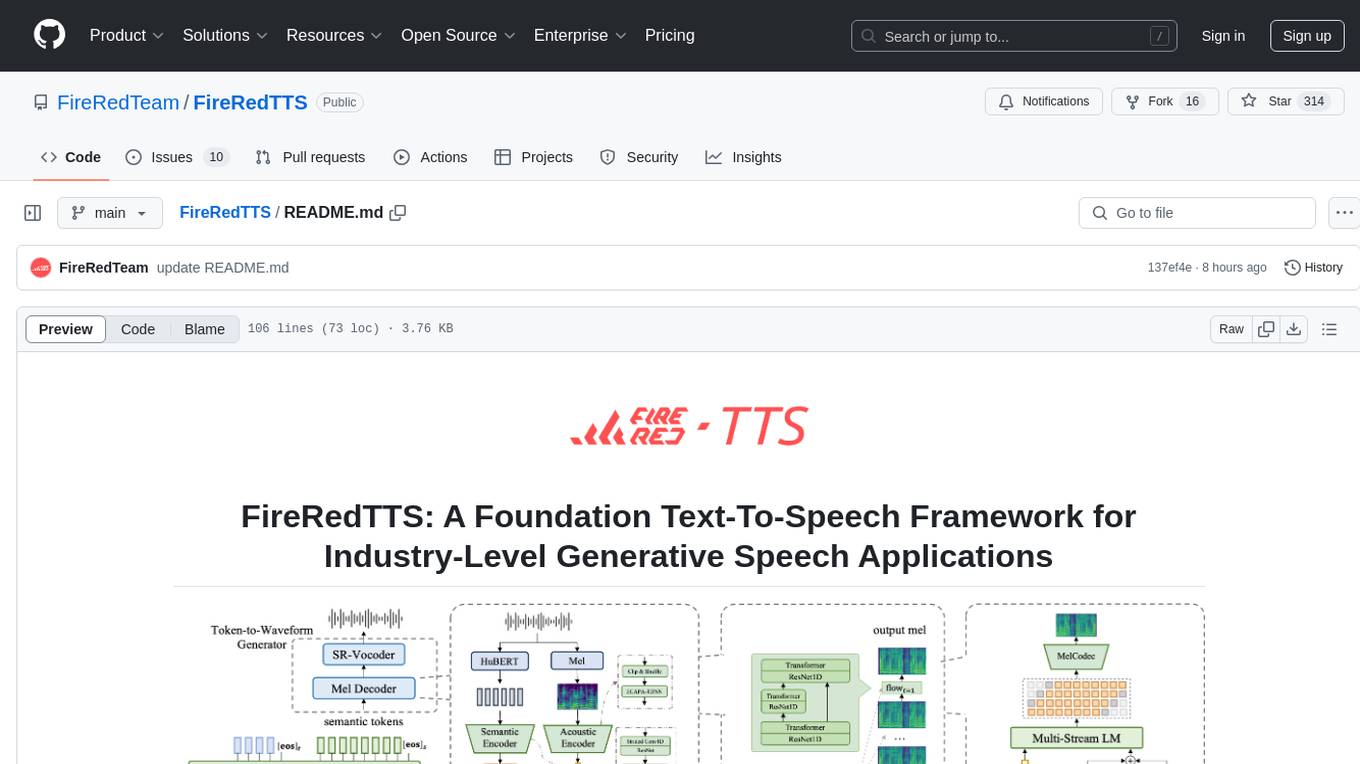
FireRedTTS
FireRedTTS is a foundation text-to-speech framework designed for industry-level generative speech applications. It offers a rich-punctuation model with expanded punctuation coverage and enhanced audio production consistency. The tool provides pre-trained checkpoints, inference code, and an interactive demo space. Users can clone the repository, create a conda environment, download required model files, and utilize the tool for synthesizing speech in various languages. FireRedTTS aims to enhance stability and provide controllable human-like speech generation capabilities.
ai-dev-gallery
The AI Dev Gallery is an app designed to help Windows developers integrate AI capabilities within their own apps and projects. It contains over 25 interactive samples powered by local AI models, allows users to explore, download, and run models from Hugging Face and GitHub, and provides the ability to view the C# source code and export a standalone Visual Studio project for each sample. The app is open-source and welcomes contributions and suggestions from the community.
Ling
Ling is a MoE LLM provided and open-sourced by InclusionAI. It includes two different sizes, Ling-Lite with 16.8 billion parameters and Ling-Plus with 290 billion parameters. These models show impressive performance and scalability for various tasks, from natural language processing to complex problem-solving. The open-source nature of Ling encourages collaboration and innovation within the AI community, leading to rapid advancements and improvements. Users can download the models from Hugging Face and ModelScope for different use cases. Ling also supports offline batched inference and online API services for deployment. Additionally, users can fine-tune Ling models using Llama-Factory for tasks like SFT and DPO.
For similar jobs

sweep
Sweep is an AI junior developer that turns bugs and feature requests into code changes. It automatically handles developer experience improvements like adding type hints and improving test coverage.

teams-ai
The Teams AI Library is a software development kit (SDK) that helps developers create bots that can interact with Teams and Microsoft 365 applications. It is built on top of the Bot Framework SDK and simplifies the process of developing bots that interact with Teams' artificial intelligence capabilities. The SDK is available for JavaScript/TypeScript, .NET, and Python.

ai-guide
This guide is dedicated to Large Language Models (LLMs) that you can run on your home computer. It assumes your PC is a lower-end, non-gaming setup.

classifai
Supercharge WordPress Content Workflows and Engagement with Artificial Intelligence. Tap into leading cloud-based services like OpenAI, Microsoft Azure AI, Google Gemini and IBM Watson to augment your WordPress-powered websites. Publish content faster while improving SEO performance and increasing audience engagement. ClassifAI integrates Artificial Intelligence and Machine Learning technologies to lighten your workload and eliminate tedious tasks, giving you more time to create original content that matters.

chatbot-ui
Chatbot UI is an open-source AI chat app that allows users to create and deploy their own AI chatbots. It is easy to use and can be customized to fit any need. Chatbot UI is perfect for businesses, developers, and anyone who wants to create a chatbot.

BricksLLM
BricksLLM is a cloud native AI gateway written in Go. Currently, it provides native support for OpenAI, Anthropic, Azure OpenAI and vLLM. BricksLLM aims to provide enterprise level infrastructure that can power any LLM production use cases. Here are some use cases for BricksLLM: * Set LLM usage limits for users on different pricing tiers * Track LLM usage on a per user and per organization basis * Block or redact requests containing PIIs * Improve LLM reliability with failovers, retries and caching * Distribute API keys with rate limits and cost limits for internal development/production use cases * Distribute API keys with rate limits and cost limits for students

uAgents
uAgents is a Python library developed by Fetch.ai that allows for the creation of autonomous AI agents. These agents can perform various tasks on a schedule or take action on various events. uAgents are easy to create and manage, and they are connected to a fast-growing network of other uAgents. They are also secure, with cryptographically secured messages and wallets.

griptape
Griptape is a modular Python framework for building AI-powered applications that securely connect to your enterprise data and APIs. It offers developers the ability to maintain control and flexibility at every step. Griptape's core components include Structures (Agents, Pipelines, and Workflows), Tasks, Tools, Memory (Conversation Memory, Task Memory, and Meta Memory), Drivers (Prompt and Embedding Drivers, Vector Store Drivers, Image Generation Drivers, Image Query Drivers, SQL Drivers, Web Scraper Drivers, and Conversation Memory Drivers), Engines (Query Engines, Extraction Engines, Summary Engines, Image Generation Engines, and Image Query Engines), and additional components (Rulesets, Loaders, Artifacts, Chunkers, and Tokenizers). Griptape enables developers to create AI-powered applications with ease and efficiency.