


leettools
AI Search tools.
Stars: 283
LeetTools is an AI search assistant that can perform highly customizable search workflows and generate customized format results based on both web and local knowledge bases. It provides an automated document pipeline for data ingestion, indexing, and storage, allowing users to focus on implementing workflows without worrying about infrastructure. LeetTools can run with minimal resource requirements on the command line with configurable LLM settings and supports different databases for various functions. Users can configure different functions in the same workflow to use different LLM providers and models.
README:



- AI Search Assistant with Local Knowledge Bases
- Quick Start
- Use Different LLM and Search Providers
- Usage Examples
- Main Components
- Community
LeetTools is an AI search assistant that can perform highly customizable search workflows and generate customized format results based on both web and local knowledge bases. With an automated document pipeline that handles data ingestion, indexing, and storage, we can focus on implementing the workflow without worrying about the underlying infrastructure.
LeetTools can run with minimal resource requirements on the command line with a DuckDB-backend and configurable LLM settings. It can also use other dedicated databases for different functions, e.g., we can use MongoDB for document storage, Milvus for vector search, and Neo4j for graph search. We can configure different functions in the same workflow to use different LLM providers and models.
Here is an illustration of the LeetTools digest flow where it can search the web (or local KB) and generate a digest article from the search results:

And here is an example output article generated by the digest flow for the query How does Ollama work?.
Currently LeetTools provides the following workflows:
- answer : Answer the query directly with source references (similar to Perplexity). 📖
- digest : Generate a multi-section digest article from search results (similar to Google Deep Research). 📖
- search : Search for top segements that match the query. 📖
- news : Generate a list of news items for the specified topic. 📖
- extract : Extract and store structured data for given schema. 📖
- opinions: Generate sentiment analysis and facts from the search results. 📖
Before you start
-
.env file: We can use any OpenAI-compatible LLM endpoint, such as local Ollama service or public provider such as Gemini or DeepSeek. we can switch the service easily by defining environment variables or switching .env files.
-
LeetHome: By default the data is saved under ${HOME}/leettools, you can set a different LeetHome environment variable to change the location:
% export LEET_HOME=<your_leet_home>
% mkdir -p ${LEET_HOME}
🚀 New: Run LeetTools Web UI with Docker 🚀
LeetTools now provides a Docker container that includes the web UI. You can start the container by running the following command:
docker/start.shThis will start the LeetTools service and the web UI. You can access the web UI at http://localhost:3000. The web UI app is currently under development and not open sourced yet. We plan to open source it in the near future.
Run with pip
If you are using an OpenAI compatible LLM endpoint, you can install and run LeetTools with pip as follows (using Conda/Venv is recommended):
% conda create -y -n leettools python=3.11
% conda activate leettools
% pip install leettools
% export EDS_LLM_API_KEY=<your_api_key>
% leet flow -t answer -q "How does GraphRAG work?" -k graphrag -l info
The above flow -t answer command will run the answer flow with the query "How does
GraphRAG work?" and save the scraped web pages to the knowledge base graphrag. The
-l info option will show the essential log messages.
The default API endpoint is set to the OpenAI API endpoint, which you can modify by
changing the EDS_DEFAULT_LLM_BASE_URL environment variable:
% export EDS_DEFAULT_LLM_BASE_URL=https://api.openai.com/v1Run with source code
% git clone https://github.com/leettools-dev/leettools.git
% cd leettools

% conda create -y -n leettools python=3.11
% conda activate leettools
% pip install -r requirements.txt
% pip install -e .
# add the script path to the path
% export PATH=`pwd`/scripts:${PATH}
% export EDS_LLM_API_KEY=<your_api_key>

% leet flow -t answer -q "How does GraphRAG work?" -k graphrag -l infoWe can run LeetTools with different env files to use different LLM providers and other related settings.
# you may need to pull the models first
% ollama pull llama3.2
% ollama pull nomic-embed-text
% ollama serve

% cat > .env.ollama <<EOF
EDS_DEFAULT_LLM_BASE_URL=http://localhost:11434/v1
EDS_LLM_API_KEY=dummy-llm-api-key
EDS_DEFAULT_INFERENCE_MODEL=llama3.2
EDS_DEFAULT_EMBEDDING_MODEL=nomic-embed-text
EDS_EMBEDDING_MODEL_DIMENSION=768
EOF

# Then run the command with the -e option to specify the .env file to use
% leet flow -e .env.ollama -t answer -q "How does GraphRAG work?" -k graphrag.ollama -l infoFor another example, since DeepSeek does not provide an embedding endpoint yet, we can
use the "EDS_DEFAULT_DENSE_EMBEDDER" setting to specify a local embedder with a default
all-MiniLM-L6-v2 model:
### to you can put the settings in the .env.deepseek file
% cat > .env.deepseek <<EOF
LEET_HOME=</Users/myhome/leettools>
EDS_DEFAULT_LLM_BASE_URL=https://api.deepseek.com/v1
EDS_LLM_API_KEY=<your-api-key>
EDS_DEFAULT_INFERENCE_MODEL=deepseek-chat
EDS_DEFAULT_DENSE_EMBEDDER=dense_embedder_local_mem
EOF

# Then run the command with the -e option to specify the .env file to use
% leet flow -e .env.deepseek -t answer -q "How does GraphRAG work?" -k graphrag -l info
If you want to use another API provider (OpenAI compatible) for embedding, say a local Ollama embedder, you can set the embedding endpoint URL and API key separately as follows:
% cat > .env.deepseek <<EOF
EDS_DEFAULT_LLM_BASE_URL=https://api.deepseek.com/v1
EDS_LLM_API_KEY=<your-api-key>
EDS_DEFAULT_INFERENCE_MODEL=deepseek-chat

# this specifies to use an OpenAI compatible embedding endpoint
EDS_DEFAULT_DENSE_EMBEDDER=dense_embedder_openai

# the following specifies the embedding endpoint URL and model to use
EDS_DEFAULT_EMBEDDING_BASE_URL=http://localhost:11434/v1
EDS_DEFAULT_EMBEDDING_MODEL=nomic-embed-text
EDS_EMBEDDING_MODEL_DIMENSION=768
EOFThe search engine is google by default, which can be set by the following environment
variable:
export EDS_WEB_RETRIEVER=google
export EDS_SEARCH_API_URL=https://www.googleapis.com/customsearch/v1
export EDS_GOOGLE_CX_KEY=<your-google-cx-key>
export EDS_GOOGLE_API_KEY=<your-google-api-key>
We can also use the FireCrawl search as the default web retriever instead of the default Google search by setting the following environment variables:
export EDS_WEB_RETRIEVER=firecrawl
export EDS_FIRECRAWL_API_URL=https://api.firecrawl.dev
export EDS_FIRECRAWL_API_KEY=your_firecrawl_api_key
Here is a detailed example of using FireCrawl with Ollama to run a deep research.
By default we provide a shared proxy search service that can be used for testing purposes. Users should use their own search services for production use.
We can build a local knowledge base with PDFs from the web. Suppose we have set up the local Ollama service as described above, now we can use the following commands to build a local knowledge base with PDFs from the web:
# create a KB with a URL
# the book downloaded here is "Foundations of Large Language Models"
# it has 231 pages and take some time to process
% leet kb add-url -e .env.ollama -k llmbook -r "https://arxiv.org/pdf/2501.09223"

# now you can query the KB with any topic you want to explore
% leet kb flow -e .env.ollama -t answer -k llmbook -l info \
    -q "How does LLM Finetuning process work?"
We have a more detailed example to show how to use the local Ollama service with the DeepSeek-r1:1.5B model to build a local knowledge base.
We can generate analytical research reports like OpenAI/Google's Deep Research by using
the digest flow. Here is an example:
% leet flow -e .env.fireworks -t digest -k aijob.fireworks \
    -p search_max_results=30 -p days_limit=360 \
    -q "How will agentic AI and generative AI affect our non-tech jobs?"  \
    -l info -o outputs/aijob.fireworks.md
An example of the output is available here, and the tutorial to use the DeepSeek API from fireworks.ai for the above command is available here.
We can create a knowledge base with a web search with a date limit, and then generate a list of news items from the KB. Here is an example:
leet flow -t news -q "LLM GenAI Startups" -k genai -l info\
    -p days_limit=3  -p search_iteration=3 -p search_max_results=100 \
    -o llm_genai_news.md
The query retrieves the latest web pages from the past 3 days up to 100 search result page
and generates a list of news items from the search results. The output is saved to
the llm_genai_news.md file. An example of the output is available here.
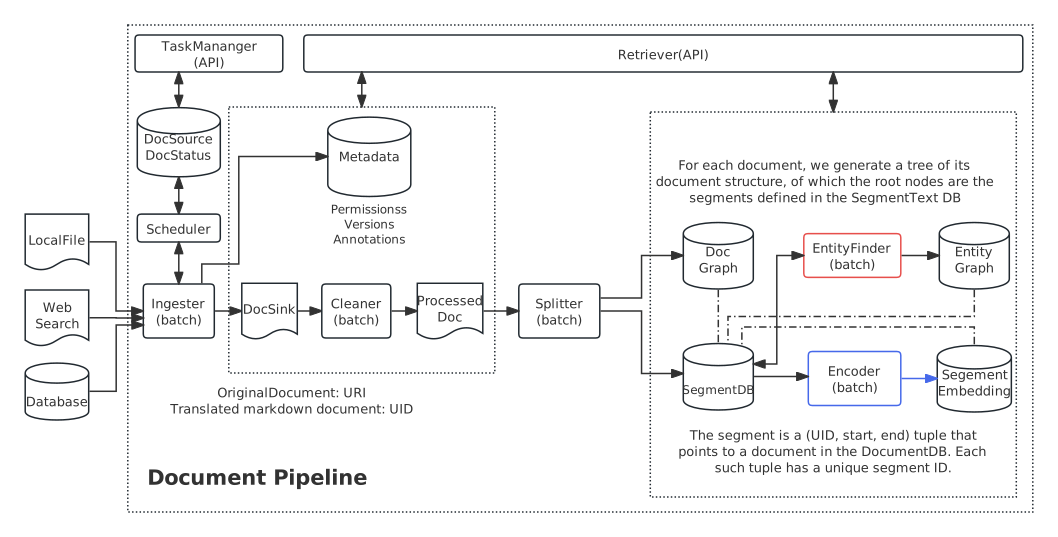
The main components of the backend include:
- 🚀 Automated document pipeline to ingest, convert, chunk, embed, and index documents.
- 🗂️ Knowledge base to manage and serve the indexed documents.
- 🔍 Search and retrieval library to fetch documents from the web or local KB.
- 🤖 Workflow engine to implement search-based AI workflows.
- ⚙ Configuration system to support dynamic configurations used for every component.
- 📝 Query history system to manage the history and the context of the queries.
- 💻 Scheduler for automatic execution of the pipeline tasks.
- 🧩 Accounting system to track the usage of the LLM APIs.
The architecture of the document pipeline is shown below:
See the Documentation for more details.
Acknowledgements
Right now we are using the following open source libraries and tools (not limited to):
We plan to add more plugins for different components to support different workloads.
Get help and support
Please feel free to connect with us using the discussion section.
Contributing
Please read Contributing to LeetTools for details.
License
LeetTools is licensed under the Apache License, Version 2.0. See LICENSE for the full license text.
For Tasks:
Click tags to check more tools for each tasksFor Jobs:
Alternative AI tools for leettools
Similar Open Source Tools
leettools
LeetTools is an AI search assistant that can perform highly customizable search workflows and generate customized format results based on both web and local knowledge bases. It provides an automated document pipeline for data ingestion, indexing, and storage, allowing users to focus on implementing workflows without worrying about infrastructure. LeetTools can run with minimal resource requirements on the command line with configurable LLM settings and supports different databases for various functions. Users can configure different functions in the same workflow to use different LLM providers and models.

cognita
Cognita is an open-source framework to organize your RAG codebase along with a frontend to play around with different RAG customizations. It provides a simple way to organize your codebase so that it becomes easy to test it locally while also being able to deploy it in a production ready environment. The key issues that arise while productionizing RAG system from a Jupyter Notebook are: 1. **Chunking and Embedding Job** : The chunking and embedding code usually needs to be abstracted out and deployed as a job. Sometimes the job will need to run on a schedule or be trigerred via an event to keep the data updated. 2. **Query Service** : The code that generates the answer from the query needs to be wrapped up in a api server like FastAPI and should be deployed as a service. This service should be able to handle multiple queries at the same time and also autoscale with higher traffic. 3. **LLM / Embedding Model Deployment** : Often times, if we are using open-source models, we load the model in the Jupyter notebook. This will need to be hosted as a separate service in production and model will need to be called as an API. 4. **Vector DB deployment** : Most testing happens on vector DBs in memory or on disk. However, in production, the DBs need to be deployed in a more scalable and reliable way. Cognita makes it really easy to customize and experiment everything about a RAG system and still be able to deploy it in a good way. It also ships with a UI that makes it easier to try out different RAG configurations and see the results in real time. You can use it locally or with/without using any Truefoundry components. However, using Truefoundry components makes it easier to test different models and deploy the system in a scalable way. Cognita allows you to host multiple RAG systems using one app. ### Advantages of using Cognita are: 1. A central reusable repository of parsers, loaders, embedders and retrievers. 2. Ability for non-technical users to play with UI - Upload documents and perform QnA using modules built by the development team. 3. Fully API driven - which allows integration with other systems. > If you use Cognita with Truefoundry AI Gateway, you can get logging, metrics and feedback mechanism for your user queries. ### Features: 1. Support for multiple document retrievers that use `Similarity Search`, `Query Decompostion`, `Document Reranking`, etc 2. Support for SOTA OpenSource embeddings and reranking from `mixedbread-ai` 3. Support for using LLMs using `Ollama` 4. Support for incremental indexing that ingests entire documents in batches (reduces compute burden), keeps track of already indexed documents and prevents re-indexing of those docs.
azure-search-openai-javascript
This sample demonstrates a few approaches for creating ChatGPT-like experiences over your own data using the Retrieval Augmented Generation pattern. It uses Azure OpenAI Service to access the ChatGPT model (gpt-35-turbo), and Azure AI Search for data indexing and retrieval.
warc-gpt
WARC-GPT is an experimental retrieval augmented generation pipeline for web archive collections. It allows users to interact with WARC files, extract text, generate text embeddings, visualize embeddings, and interact with a web UI and API. The tool is highly customizable, supporting various LLMs, providers, and embedding models. Users can configure the application using environment variables, ingest WARC files, start the server, and interact with the web UI and API to search for content and generate text completions. WARC-GPT is designed for exploration and experimentation in exploring web archives using AI.
serverless-pdf-chat
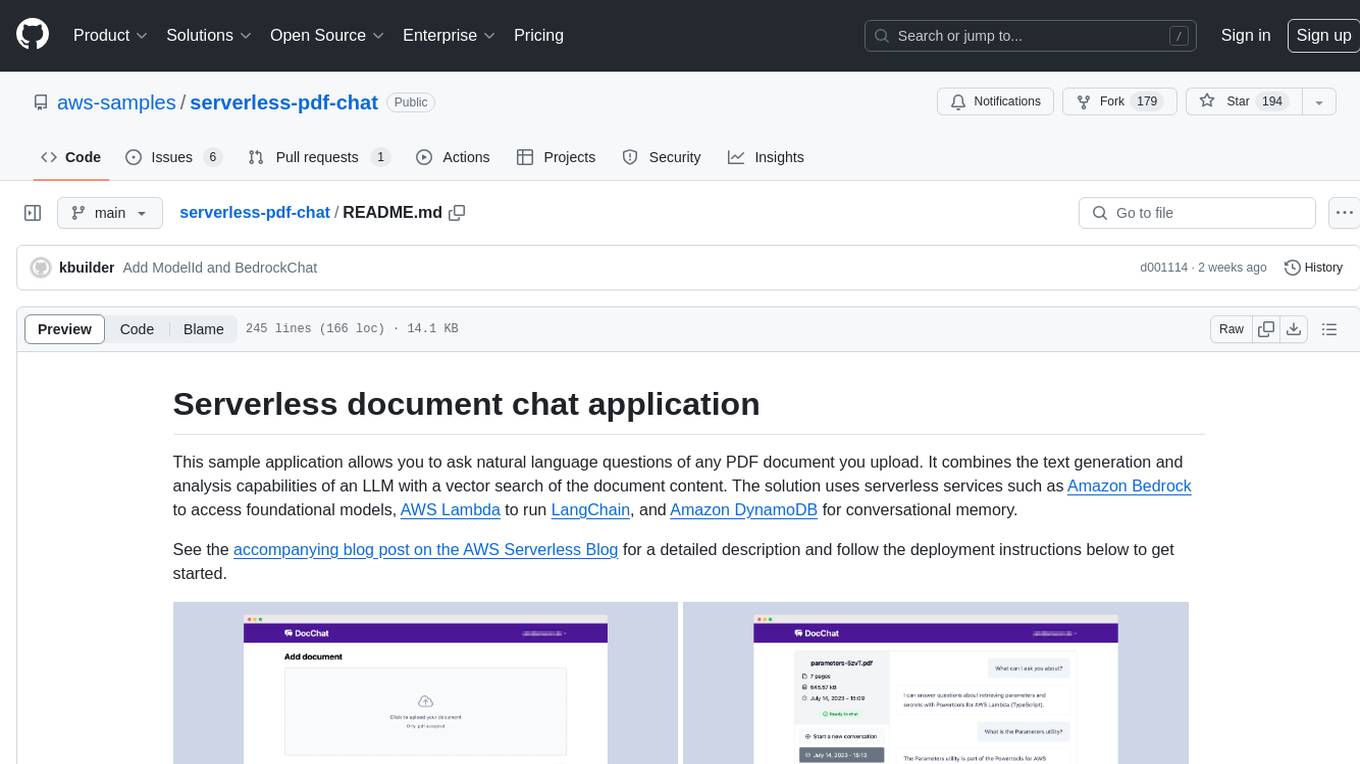
The serverless-pdf-chat repository contains a sample application that allows users to ask natural language questions of any PDF document they upload. It leverages serverless services like Amazon Bedrock, AWS Lambda, and Amazon DynamoDB to provide text generation and analysis capabilities. The application architecture involves uploading a PDF document to an S3 bucket, extracting metadata, converting text to vectors, and using a LangChain to search for information related to user prompts. The application is not intended for production use and serves as a demonstration and educational tool.
aisheets
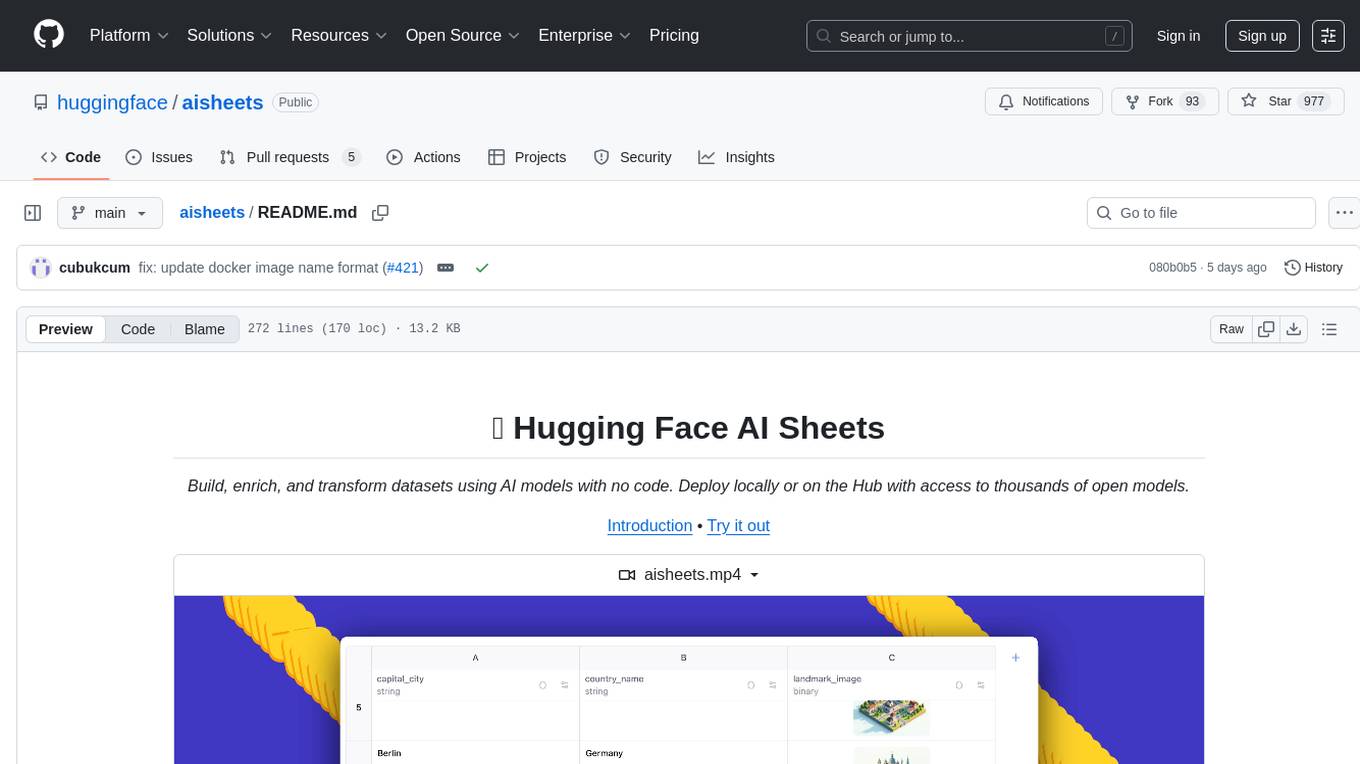
Hugging Face AI Sheets is an open-source tool for building, enriching, and transforming datasets using AI models with no code. It can be deployed locally or on the Hub, providing access to thousands of open models. Users can easily generate datasets, run data generation scripts, and customize inference endpoints for text generation. The tool supports custom LLMs and offers advanced configuration options for authentication, inference, and miscellaneous settings. With AI Sheets, users can leverage the power of AI models without writing any code, making dataset management and transformation efficient and accessible.
bedrock-claude-chatbot
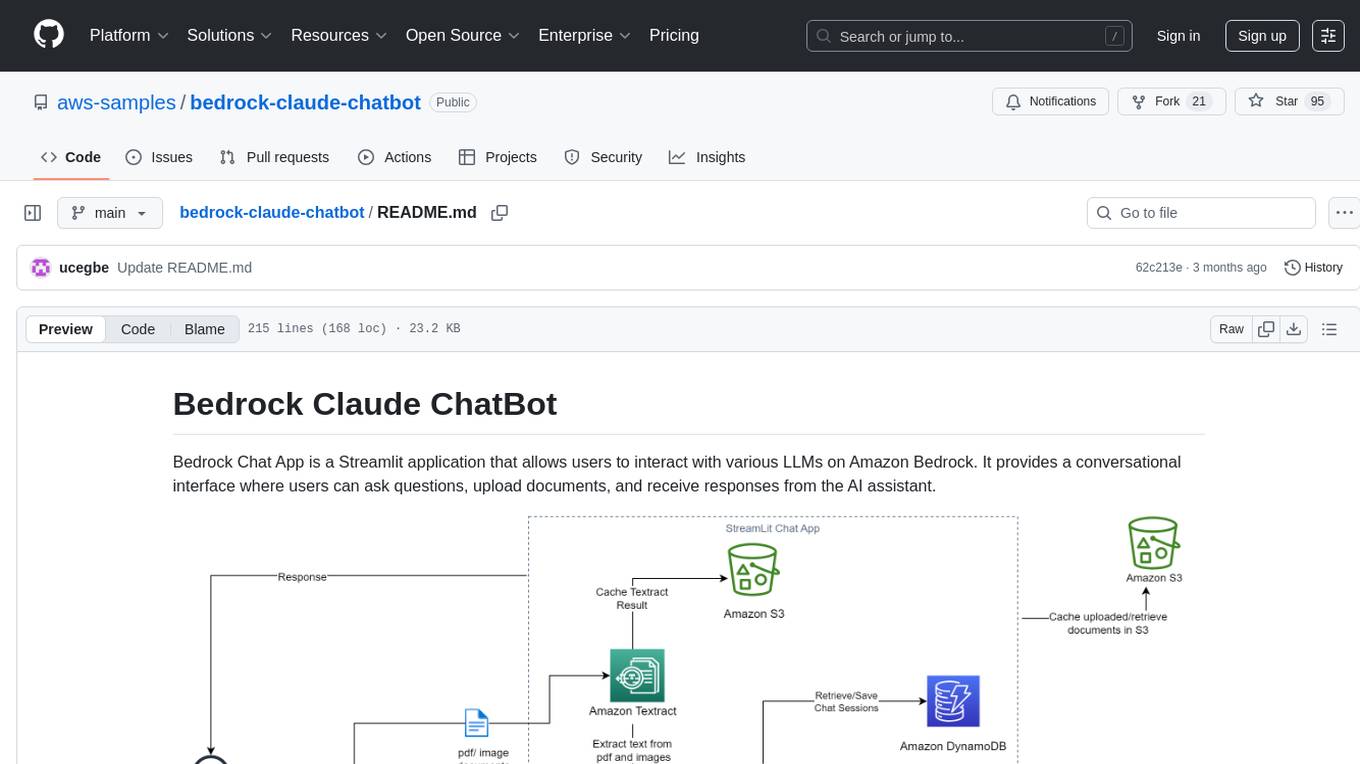
Bedrock Claude ChatBot is a Streamlit application that provides a conversational interface for users to interact with various Large Language Models (LLMs) on Amazon Bedrock. Users can ask questions, upload documents, and receive responses from the AI assistant. The app features conversational UI, document upload, caching, chat history storage, session management, model selection, cost tracking, logging, and advanced data analytics tool integration. It can be customized using a config file and is extensible for implementing specialized tools using Docker containers and AWS Lambda. The app requires access to Amazon Bedrock Anthropic Claude Model, S3 bucket, Amazon DynamoDB, Amazon Textract, and optionally Amazon Elastic Container Registry and Amazon Athena for advanced analytics features.
geti-sdk
The Intel® Geti™ SDK is a python package that enables teams to rapidly develop AI models by easing the complexities of model development and fostering collaboration. It provides tools to interact with an Intel® Geti™ server via the REST API, allowing for project creation, downloading, uploading, deploying for local inference with OpenVINO, configuration management, training job monitoring, media upload, and prediction. The repository also includes tutorial-style Jupyter notebooks demonstrating SDK usage.
geti-sdk
The Intel® Geti™ SDK is a python package that enables teams to rapidly develop AI models by easing the complexities of model development and enhancing collaboration between teams. It provides tools to interact with an Intel® Geti™ server via the REST API, allowing for project creation, downloading, uploading, deploying for local inference with OpenVINO, setting project and model configuration, launching and monitoring training jobs, and media upload and prediction. The SDK also includes tutorial-style Jupyter notebooks demonstrating its usage.
conversational-agent-langchain
This repository contains a Rest-Backend for a Conversational Agent that allows embedding documents, semantic search, QA based on documents, and document processing with Large Language Models. It uses Aleph Alpha and OpenAI Large Language Models to generate responses to user queries, includes a vector database, and provides a REST API built with FastAPI. The project also features semantic search, secret management for API keys, installation instructions, and development guidelines for both backend and frontend components.
azure-search-openai-demo
This sample demonstrates a few approaches for creating ChatGPT-like experiences over your own data using the Retrieval Augmented Generation pattern. It uses Azure OpenAI Service to access a GPT model (gpt-35-turbo), and Azure AI Search for data indexing and retrieval. The repo includes sample data so it's ready to try end to end. In this sample application we use a fictitious company called Contoso Electronics, and the experience allows its employees to ask questions about the benefits, internal policies, as well as job descriptions and roles.
graphrag-local-ollama
GraphRAG Local Ollama is a repository that offers an adaptation of Microsoft's GraphRAG, customized to support local models downloaded using Ollama. It enables users to leverage local models with Ollama for large language models (LLMs) and embeddings, eliminating the need for costly OpenAPI models. The repository provides a simple setup process and allows users to perform question answering over private text corpora by building a graph-based text index and generating community summaries for closely-related entities. GraphRAG Local Ollama aims to improve the comprehensiveness and diversity of generated answers for global sensemaking questions over datasets.
local-genAI-search
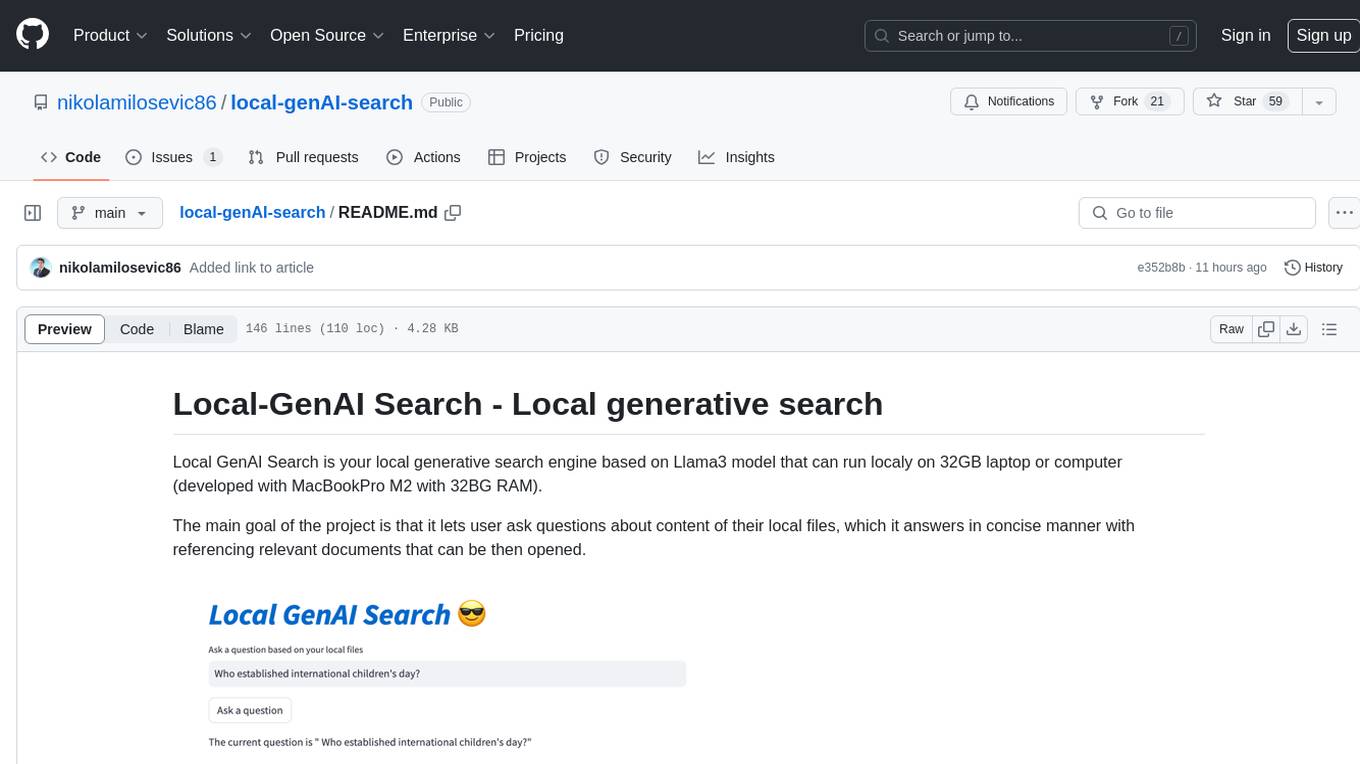
Local-GenAI Search is a local generative search engine powered by the Llama3 model, allowing users to ask questions about their local files and receive concise answers with relevant document references. It utilizes MS MARCO embeddings for semantic search and can run locally on a 32GB laptop or computer. The tool can be used to index local documents, search for information, and provide generative search services through a user interface.
llm-subtrans
LLM-Subtrans is an open source subtitle translator that utilizes LLMs as a translation service. It supports translating subtitles between any language pairs supported by the language model. The application offers multiple subtitle formats support through a pluggable system, including .srt, .ssa/.ass, and .vtt files. Users can choose to use the packaged release for easy usage or install from source for more control over the setup. The tool requires an active internet connection as subtitles are sent to translation service providers' servers for translation.
HackBot
HackBot is an AI-powered cybersecurity chatbot designed to provide accurate answers to cybersecurity-related queries, conduct code analysis, and scan analysis. It utilizes the Meta-LLama2 AI model through the 'LlamaCpp' library to respond coherently. The chatbot offers features like local AI/Runpod deployment support, cybersecurity chat assistance, interactive interface, clear output presentation, static code analysis, and vulnerability analysis. Users can interact with HackBot through a command-line interface and utilize it for various cybersecurity tasks.
pgai
pgai simplifies the process of building search and Retrieval Augmented Generation (RAG) AI applications with PostgreSQL. It brings embedding and generation AI models closer to the database, allowing users to create embeddings, retrieve LLM chat completions, reason over data for classification, summarization, and data enrichment directly from within PostgreSQL in a SQL query. The tool requires an OpenAI API key and a PostgreSQL client to enable AI functionality in the database. Users can install pgai from source, run it in a pre-built Docker container, or enable it in a Timescale Cloud service. The tool provides functions to handle API keys using psql or Python, and offers various AI functionalities like tokenizing, detokenizing, embedding, chat completion, and content moderation.
For similar tasks
ChatData
ChatData is a robust chat-with-documents application designed to extract information and provide answers by querying the MyScale free knowledge base or uploaded documents. It leverages the Retrieval Augmented Generation (RAG) framework, millions of Wikipedia pages, and arXiv papers. Features include self-querying retriever, VectorSQL, session management, and building a personalized knowledge base. Users can effortlessly navigate vast data, explore academic papers, and research documents. ChatData empowers researchers, students, and knowledge enthusiasts to unlock the true potential of information retrieval.
AIBotPublic
AIBotPublic is an open-source version of AIBotPro, a comprehensive AI tool that provides various features such as knowledge base construction, AI drawing, API hosting, and more. It supports custom plugins and parallel processing of multiple files. The tool is built using bootstrap4 for the frontend, .NET6.0 for the backend, and utilizes technologies like SqlServer, Redis, and Milvus for database and vector database functionalities. It integrates third-party dependencies like Baidu AI OCR, Milvus C# SDK, Google Search, and more to enhance its capabilities.
chatwiki
ChatWiki is an open-source knowledge base AI question-answering system. It is built on large language models (LLM) and retrieval-augmented generation (RAG) technologies, providing out-of-the-box data processing, model invocation capabilities, and helping enterprises quickly build their own knowledge base AI question-answering systems. It offers exclusive AI question-answering system, easy integration of models, data preprocessing, simple user interface design, and adaptability to different business scenarios.
nextjs-openai-doc-search
This starter project is designed to process `.mdx` files in the `pages` directory to use as custom context within OpenAI Text Completion prompts. It involves building a custom ChatGPT style doc search powered by Next.js, OpenAI, and Supabase. The project includes steps for pre-processing knowledge base, storing embeddings in Postgres, performing vector similarity search, and injecting content into OpenAI GPT-3 text completion prompt.
autoflow
AutoFlow is an open source graph rag based knowledge base tool built on top of TiDB Vector and LlamaIndex and DSPy. It features a Perplexity-style Conversational Search page and an Embeddable JavaScript Snippet for easy integration into websites. The tool allows for comprehensive coverage and streamlined search processes through sitemap URL scraping.
chipper
Chipper provides a web interface, CLI, and architecture for pipelines, document chunking, web scraping, and query workflows. It is built with Haystack, Ollama, Hugging Face, Docker, Tailwind, and ElasticSearch, running locally or as a Dockerized service. Originally created to assist in creative writing, it now offers features like local Ollama and Hugging Face API, ElasticSearch embeddings, document splitting, web scraping, audio transcription, user-friendly CLI, and Docker deployment. The project aims to be educational, beginner-friendly, and a playground for AI exploration and innovation.
RapidRAG
RapidRAG is a project focused on Knowledge QA with LLM, combining Questions & Answers based on local knowledge base with a large language model. The project aims to provide a flexible and deployment-friendly solution for building a knowledge question answering system. It is modularized, allowing easy replacement of parts and simple code understanding. The tool supports various document formats and can utilize CPU for most parts, with the large language model interface requiring separate deployment.
vault-ai
OP Vault is a tool that leverages the OP Stack (OpenAI + Pinecone Vector Database) to allow users to upload custom knowledgebase files and ask questions about their contents. It provides a user-friendly Golang server and React frontend for querying human-readable content like books and documents, making it valuable for knowledge extraction and question-answering. Users can upload entire libraries, receive specific answers with file and section references, and explore the power of the OP Stack in a practical interface.
For similar jobs

sweep
Sweep is an AI junior developer that turns bugs and feature requests into code changes. It automatically handles developer experience improvements like adding type hints and improving test coverage.

teams-ai
The Teams AI Library is a software development kit (SDK) that helps developers create bots that can interact with Teams and Microsoft 365 applications. It is built on top of the Bot Framework SDK and simplifies the process of developing bots that interact with Teams' artificial intelligence capabilities. The SDK is available for JavaScript/TypeScript, .NET, and Python.

ai-guide
This guide is dedicated to Large Language Models (LLMs) that you can run on your home computer. It assumes your PC is a lower-end, non-gaming setup.

classifai
Supercharge WordPress Content Workflows and Engagement with Artificial Intelligence. Tap into leading cloud-based services like OpenAI, Microsoft Azure AI, Google Gemini and IBM Watson to augment your WordPress-powered websites. Publish content faster while improving SEO performance and increasing audience engagement. ClassifAI integrates Artificial Intelligence and Machine Learning technologies to lighten your workload and eliminate tedious tasks, giving you more time to create original content that matters.

chatbot-ui
Chatbot UI is an open-source AI chat app that allows users to create and deploy their own AI chatbots. It is easy to use and can be customized to fit any need. Chatbot UI is perfect for businesses, developers, and anyone who wants to create a chatbot.

BricksLLM
BricksLLM is a cloud native AI gateway written in Go. Currently, it provides native support for OpenAI, Anthropic, Azure OpenAI and vLLM. BricksLLM aims to provide enterprise level infrastructure that can power any LLM production use cases. Here are some use cases for BricksLLM: * Set LLM usage limits for users on different pricing tiers * Track LLM usage on a per user and per organization basis * Block or redact requests containing PIIs * Improve LLM reliability with failovers, retries and caching * Distribute API keys with rate limits and cost limits for internal development/production use cases * Distribute API keys with rate limits and cost limits for students

uAgents
uAgents is a Python library developed by Fetch.ai that allows for the creation of autonomous AI agents. These agents can perform various tasks on a schedule or take action on various events. uAgents are easy to create and manage, and they are connected to a fast-growing network of other uAgents. They are also secure, with cryptographically secured messages and wallets.

griptape
Griptape is a modular Python framework for building AI-powered applications that securely connect to your enterprise data and APIs. It offers developers the ability to maintain control and flexibility at every step. Griptape's core components include Structures (Agents, Pipelines, and Workflows), Tasks, Tools, Memory (Conversation Memory, Task Memory, and Meta Memory), Drivers (Prompt and Embedding Drivers, Vector Store Drivers, Image Generation Drivers, Image Query Drivers, SQL Drivers, Web Scraper Drivers, and Conversation Memory Drivers), Engines (Query Engines, Extraction Engines, Summary Engines, Image Generation Engines, and Image Query Engines), and additional components (Rulesets, Loaders, Artifacts, Chunkers, and Tokenizers). Griptape enables developers to create AI-powered applications with ease and efficiency.