


openclaw-nerve
Real-time web cockpit for OpenClaw: voice conversations, workspace/file control, sub-agent sessions, inline charts, and usage visibility.
Stars: 110
Nerve is a self-hosted web UI for OpenClaw AI agents, offering voice conversations, live workspace editing, inline charts, cron scheduling, and full token-level visibility. It provides a dashboard for interacting with OpenClaw agents beyond messaging channels, allowing users to have a comprehensive view of their agents' activities and data. Nerve stands out with features like multilingual voice interaction, workspace visibility, responsive design, live charts integration, cron scheduling, and various other tools for managing and monitoring AI agents.
README:



curl -fsSL https://raw.githubusercontent.com/daggerhashimoto/openclaw-nerve/master/install.sh | bashYou can already chat with your OpenClaw agent through webchat, Telegram, WhatsApp, Discord. Nerve is what you open when chatting isn't enough.
Nerve is a self-hosted web UI for OpenClaw AI agents. Voice conversations, live workspace editing, inline charts, cron scheduling, and full token-level visibility. One install script. Running in 30 seconds.
Messaging channels are great for chatting. But you can't watch charts render in real-time, edit your agent's workspace mid-conversation, browse its files, or monitor token spend from a Telegram window. Nerve is the dashboard that gives you the full picture.

Talk to your agent in 12 languages. Explicit language selection (no flaky auto-detect), wake-word activation, per-language stop/cancel phrases, and on-device Whisper transcription with model selection (tiny, base, small) plus GPU detection. No API key needed. Multi-provider TTS with Edge, OpenAI, and Replicate.
Your sub-agent sessions, workspace files, memory, config, tools. All visible, all editable, all live. No file hunting, no guessing what it remembers.
Nerve adapts cleanly across desktop, tablet, and mobile, with touch-friendly controls on smaller screens and no core workflow loss.
Your agent can drop interactive TradingView charts, candlestick plots, and data visualizations directly into the conversation. Say "show me gold this year" and get a real chart, not a code block.
Create recurring jobs and one-shot reminders. Every scheduled run shows up as its own session in the sidebar. You can watch it execute live, read the full transcript, and see exactly what it did.
| Streaming chat | Markdown, syntax highlighting, diff views, image paste, file previews. All rendering as it streams |
| File browser | Browse your workspace and open files in tabs |
| Built-in editor | CodeMirror editor with syntax highlighting, conflict-safe saves, and automatic lock protection during concurrent agent edits |
| Multi-session | Session tree with sub-agents, per-session model overrides, unread indicators |
| Responsive UI | Fully responsive layout across desktop, tablet, and mobile with touch-friendly controls |
| Sub-agents | Spawn background workers with custom models and reasoning levels |
| Monitoring | Token usage, context window meter, cost tracking, activity logs |
| Command palette | Cmd+K to search, switch sessions, change models. Keyboard-first |
| Search | Full-text search across all messages in the current session |
| Images | Paste from clipboard, drag & drop files, full-screen lightbox with download |
| Skills browser | Browse installed skills, check status and requirements from the workspace panel |
| Local STT | On-device Whisper — tiny, base, or small models with multilingual support, explicit language selection, GPU detection, and auto-download. No API key needed |
| Code actions | Copy or save-to-file buttons on every code block |
| API key management | Add provider keys from settings — writes to .env and hot-reloads, no restart needed |
| 14 themes | Dark, light, and everything in between. Resizable panels, custom fonts |
curl -fsSL https://raw.githubusercontent.com/daggerhashimoto/openclaw-nerve/master/install.sh | bashThe installer handles dependencies, cloning, building, and launching. It runs a setup wizard that auto-detects your gateway token and walks you through configuration.
git clone https://github.com/daggerhashimoto/openclaw-nerve.git
cd openclaw-nerve
npm install
npm run setup    # interactive wizard — configures .env
npm run prod # builds and starts the servernpm run update -- --yesFetches the latest release, rebuilds, restarts, and verifies health. Auto-rolls back on failure. See docs/UPDATING.md for flags and details.
npm run dev            # frontend — Vite HMR on :3080
npm run dev:server     # backend — watch mode on :3081
Requires: Node.js 22+ and an OpenClaw gateway.
Browser ─── Nerve (:3080) ─── OpenClaw Gateway (:18789)
  │            │
  ├─ WS ──────┤  proxied to gateway
  ├─ SSE ─────┤  file watchers, real-time sync
  └─ REST ────┘  files, memories, TTS, models
Nerve proxies WebSocket traffic to your gateway and adds its own REST layer.
Frontend: React 19 · Tailwind CSS 4 · shadcn/ui · Vite 7 Backend: Hono 4 on Node.js
Nerve binds to 127.0.0.1 (localhost) by default — only you can access it. When you expose it to the network (HOST=0.0.0.0), built-in password authentication protects all endpoints. The setup wizard auto-prompts for a password when network access is configured.
-
Session cookies —
HttpOnly,SameSite=Strict, HMAC-SHA256 signed - Password storage — scrypt with 32-byte salt
- WebSocket auth — cookie verified on upgrade
- Gateway token fallback — works as a password with zero config
See Security for the full threat model.
| Architecture | How the codebase is organized |
| Configuration | Every .env variable explained |
| Agent Markers | TTS markers, inline charts, and how agents render rich UI |
| Security | What's locked down and how |
| API | REST and WebSocket endpoints |
| Contributing | Dev setup, code style, PRs |
| Troubleshooting | Common issues and fixes |
| Changelog | Release notes and shipped changes |
Join the Nerve Discord — get help, share your setup, report bugs, and follow development.
For Tasks:
Click tags to check more tools for each tasksFor Jobs:
Alternative AI tools for openclaw-nerve
Similar Open Source Tools
openclaw-nerve
Nerve is a self-hosted web UI for OpenClaw AI agents, offering voice conversations, live workspace editing, inline charts, cron scheduling, and full token-level visibility. It provides a dashboard for interacting with OpenClaw agents beyond messaging channels, allowing users to have a comprehensive view of their agents' activities and data. Nerve stands out with features like multilingual voice interaction, workspace visibility, responsive design, live charts integration, cron scheduling, and various other tools for managing and monitoring AI agents.
screenpipe
Screenpipe is an open source application that turns your computer into a personal AI, capturing screen and audio to create a searchable memory of your activities. It allows you to remember everything, search with AI, and keep your data 100% local. The tool is designed for knowledge workers, developers, researchers, people with ADHD, remote workers, and anyone looking for a private, local-first alternative to cloud-based AI memory tools.
flow-like
Flow-Like is an enterprise-grade workflow operating system built upon Rust for uncompromising performance, efficiency, and code safety. It offers a modular frontend for apps, a rich set of events, a node catalog, a powerful no-code workflow IDE, and tools to manage teams, templates, and projects within organizations. With typed workflows, users can create complex, large-scale workflows with clear data origins, transformations, and contracts. Flow-Like is designed to automate any process through seamless integration of LLM, ML-based, and deterministic decision-making instances.
pipecat
Pipecat is an open-source framework designed for building generative AI voice bots and multimodal assistants. It provides code building blocks for interacting with AI services, creating low-latency data pipelines, and transporting audio, video, and events over the Internet. Pipecat supports various AI services like speech-to-text, text-to-speech, image generation, and vision models. Users can implement new services and contribute to the framework. Pipecat aims to simplify the development of applications like personal coaches, meeting assistants, customer support bots, and more by providing a complete framework for integrating AI services.
LobsterAI
LobsterAI is an all-in-one personal assistant Agent developed by NetEase Youdao. It works around the clock to handle everyday tasks like data analysis, making presentations, generating videos, writing documents, searching the web, sending emails, and scheduling tasks. At its core is Cowork mode, which executes tools, manipulates files, and runs commands in a local or sandboxed environment. Users can also chat with the agent via various platforms and control it remotely from their phones. The tool features built-in skills, scheduled tasks, persistent memory, and cross-platform support.
seline
Seline is a local-first AI desktop application that integrates conversational AI, visual generation tools, vector search, and multi-channel connectivity. It allows users to connect WhatsApp, Telegram, or Slack to create always-on bots with full context and background task delivery. The application supports multi-channel connectivity, deep research mode, local web browsing with Puppeteer, local knowledge and privacy features, visual and creative tools, automation and agents, developer experience enhancements, and more. Seline is actively developed with a focus on improving user experience and functionality.
agentsys
AgentSys is a modular runtime and orchestration system for AI agents, with 14 plugins, 43 agents, and 30 skills that compose into structured pipelines for software development. Each agent has a single responsibility, a specific model assignment, and defined inputs/outputs. The system runs on Claude Code, OpenCode, and Codex CLI, and plugins are fetched automatically from their repos. AgentSys orchestrates agents to handle tasks like task selection, branch management, code review, artifact cleanup, CI, PR comments, and deployment.
proxypal
ProxyPal is a desktop app that allows users to utilize multiple AI subscriptions (such as Claude, ChatGPT, Gemini, GitHub Copilot) with any coding tool. It acts as a bridge between various AI providers and coding tools, offering features like connecting to different AI services, GitHub Copilot integration, Antigravity support, usage analytics, request monitoring, and auto-configuration. The app supports multiple platforms and clients, providing a seamless experience for developers to leverage AI capabilities in their coding workflow. ProxyPal simplifies the process of using AI models in coding environments, enhancing productivity and efficiency.
kubewall
kubewall is an open-source, single-binary Kubernetes dashboard with multi-cluster management and AI integration. It provides a simple and rich real-time interface to manage and investigate your clusters. With features like multi-cluster management, AI-powered troubleshooting, real-time monitoring, single-binary deployment, in-depth resource views, browser-based access, search and filter capabilities, privacy by default, port forwarding, live refresh, aggregated pod logs, and clean resource management, kubewall offers a comprehensive solution for Kubernetes cluster management.
yournextstore
Your Next Store is an open-source Next.js e-commerce platform designed for AI development. It offers a Stripe-native integration, ultra-fast page loads, and typed APIs. The codebase follows consistent patterns, provides blazing fast performance with Next.js 16 and edge caching, and allows direct API integration without the need for plugins. With a focus on AI coding tools, Your Next Store offers familiar patterns, typed APIs for Commerce Kit SDK methods, and a well-defined domain for commerce data models, making it easier for AI models to generate accurate suggestions and write correct code.
Trellis
Trellis is an all-in-one AI framework and toolkit designed for Claude Code, Cursor, and iFlow. It offers features such as auto-injection of required specs and workflows, auto-updated spec library, parallel sessions for running multiple agents simultaneously, team sync for sharing specs, and session persistence. Trellis helps users educate their AI, work on multiple features in parallel, define custom workflows, and provides a structured project environment with workflow guides, spec library, personal journal, task management, and utilities. The tool aims to enhance code review, introduce skill packs, integrate with broader tools, improve session continuity, and visualize progress for each agent.
Alice
Alice is an open-source AI companion designed to live on your desktop, providing voice interaction, intelligent context awareness, and powerful tooling. More than a chatbot, Alice is emotionally engaging and deeply useful, assisting with daily tasks and creative work. Key features include voice interaction with natural-sounding responses, memory and context management, vision and visual output capabilities, computer use tools, function calling for web search and task scheduling, wake word support, dedicated Chrome extension, and flexible settings interface. Technologies used include Vue.js, Electron, OpenAI, Go, hnswlib-node, and more. Alice is customizable and offers a dedicated Chrome extension, wake word support, and various tools for computer use and productivity tasks.
stik_app
Stik is an instant thought capture tool for macOS that allows users to quickly jot down notes without any onboarding or account setup. With global shortcuts, users can summon a floating post-it from anywhere, type their thoughts, and close it to save as a plain markdown file. Stik offers features like organizing notes into folders, pinning important notes, rich editor with markdown support, on-device AI for semantic search, smart folder suggestions, and note embeddings, sharing notes in various formats, importing notes from Apple Notes, customizable themes, and more. Users can build Stik from source and contribute to the project. Stik prioritizes user privacy by storing notes locally, running AI on-device, and offering sync options with iCloud Drive, Dropbox, Syncthing, or other syncing services.
ChatGPT-Shortcut
ChatGPT Shortcut is an AI tool designed to maximize efficiency and productivity by providing a concise list of AI instructions. Users can easily find prompts suitable for various scenarios, boosting productivity and work efficiency. The tool offers one-click prompts, optimization for non-English languages, prompt saving and sharing, and a community voting system. It includes a browser extension compatible with Chrome, Edge, Firefox, and other Chromium-based browsers, as well as a Tampermonkey script for custom domain use. The tool is open-source, allowing users to modify the website's nomenclature, usage directives, and prompts for different languages.
agentsys
AgentSys is a modular runtime and orchestration system for AI agents, with 13 plugins, 42 agents, and 28 skills that compose into structured pipelines for software development. It handles task selection, branch management, code review, artifact cleanup, CI, PR comments, and deployment. The system runs on Claude Code, OpenCode, and Codex CLI, providing a functional software suite and runtime for AI agent orchestration.
SAM
SAM is a native macOS AI assistant built with Swift and SwiftUI, designed for non-developers who want powerful tools in their everyday life. It provides real assistance, smart memory, voice control, image generation, and custom AI model training. SAM keeps your data on your Mac, supports multiple AI providers, and offers features for documents, creativity, writing, organization, learning, and more. It is privacy-focused, user-friendly, and accessible from various devices. SAM stands out with its privacy-first approach, intelligent memory, task execution capabilities, powerful tools, image generation features, custom AI model training, and flexible AI provider support.
For similar tasks
openclaw-nerve
Nerve is a self-hosted web UI for OpenClaw AI agents, offering voice conversations, live workspace editing, inline charts, cron scheduling, and full token-level visibility. It provides a dashboard for interacting with OpenClaw agents beyond messaging channels, allowing users to have a comprehensive view of their agents' activities and data. Nerve stands out with features like multilingual voice interaction, workspace visibility, responsive design, live charts integration, cron scheduling, and various other tools for managing and monitoring AI agents.
SuperAGI
SuperAGI is an open-source framework designed to build, manage, and run autonomous AI agents. It enables developers to create production-ready and scalable agents, extend agent capabilities with toolkits, and interact with agents through a graphical user interface. The framework allows users to connect to multiple Vector DBs, optimize token usage, store agent memory, utilize custom fine-tuned models, and automate tasks with predefined steps. SuperAGI also provides a marketplace for toolkits that enable agents to interact with external systems and third-party plugins.
letta
Letta is an open source framework for building stateful LLM applications. It allows users to build stateful agents with advanced reasoning capabilities and transparent long-term memory. The framework is white box and model-agnostic, enabling users to connect to various LLM API backends. Letta provides a graphical interface, the Letta ADE, for creating, deploying, interacting, and observing with agents. Users can access Letta via REST API, Python, Typescript SDKs, and the ADE. Letta supports persistence by storing agent data in a database, with PostgreSQL recommended for data migrations. Users can install Letta using Docker or pip, with Docker defaulting to PostgreSQL and pip defaulting to SQLite. Letta also offers a CLI tool for interacting with agents. The project is open source and welcomes contributions from the community.
AutoAgent
AutoAgent is a fully-automated and zero-code framework that enables users to create and deploy LLM agents through natural language alone. It is a top performer on the GAIA Benchmark, equipped with a native self-managing vector database, and allows for easy creation of tools, agents, and workflows without any coding. AutoAgent seamlessly integrates with a wide range of LLMs and supports both function-calling and ReAct interaction modes. It is designed to be dynamic, extensible, customized, and lightweight, serving as a personal AI assistant.
AgentUp
AgentUp is an active development tool that provides a developer-first agent framework for creating AI agents with enterprise-grade infrastructure. It allows developers to define agents with configuration, ensuring consistent behavior across environments. The tool offers secure design, configuration-driven architecture, extensible ecosystem for customizations, agent-to-agent discovery, asynchronous task architecture, deterministic routing, and MCP support. It supports multiple agent types like reactive agents and iterative agents, making it suitable for chatbots, interactive applications, research tasks, and more. AgentUp is built by experienced engineers from top tech companies and is designed to make AI agents production-ready, secure, and reliable.
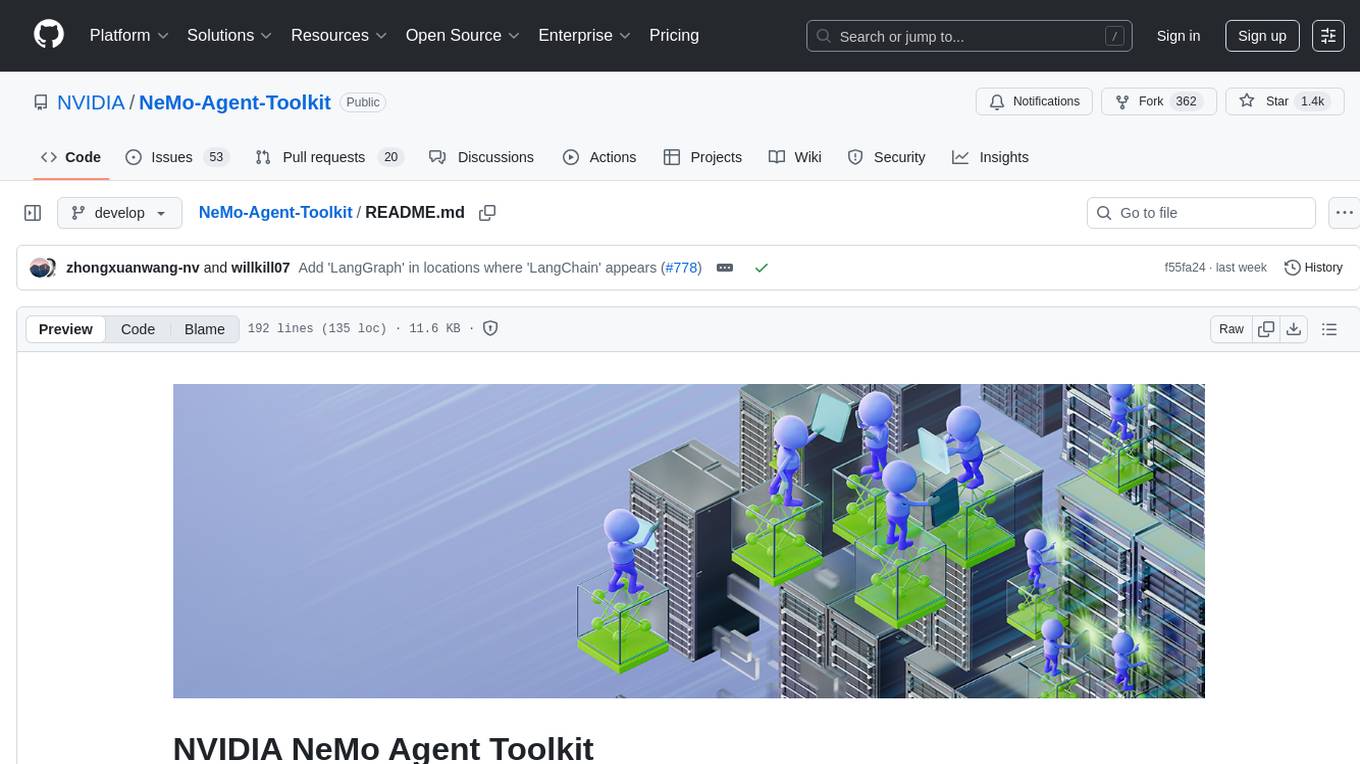
NeMo-Agent-Toolkit
NVIDIA NeMo Agent toolkit is a flexible, lightweight, and unifying library that allows you to easily connect existing enterprise agents to data sources and tools across any framework. It is framework agnostic, promotes reusability, enables rapid development, provides profiling capabilities, offers observability features, includes an evaluation system, features a user interface for interaction, and supports the Model Context Protocol (MCP). With NeMo Agent toolkit, users can move quickly, experiment freely, and ensure reliability across all agent-driven projects.
agent-service-toolkit
The AI Agent Service Toolkit is a comprehensive toolkit designed for running an AI agent service using LangGraph, FastAPI, and Streamlit. It includes a LangGraph agent, a FastAPI service, a client for interacting with the service, and a Streamlit app for providing a chat interface. The project offers a template for building and running agents with the LangGraph framework, showcasing a complete setup from agent definition to user interface. Key features include LangGraph Agent with latest features, FastAPI Service, Advanced Streaming support, Streamlit Interface, Multiple Agent Support, Asynchronous Design, Content Moderation, RAG Agent implementation, Feedback Mechanism, Docker Support, and Testing. The repository structure includes directories for defining agents, protocol schema, core modules, service, client, Streamlit app, and tests.
agent-shell
Agent-Shell is a native Emacs shell designed to interact with LLM agents powered by ACP (Agent Client Protocol). With Agent-Shell, users can chat with various ACP-driven agents like Gemini CLI, Claude Code, Auggie, Mistral Vibe, and more. The tool provides a seamless interface for communication and interaction with these agents within the Emacs environment.
For similar jobs

promptflow
**Prompt flow** is a suite of development tools designed to streamline the end-to-end development cycle of LLM-based AI applications, from ideation, prototyping, testing, evaluation to production deployment and monitoring. It makes prompt engineering much easier and enables you to build LLM apps with production quality.

deepeval
DeepEval is a simple-to-use, open-source LLM evaluation framework specialized for unit testing LLM outputs. It incorporates various metrics such as G-Eval, hallucination, answer relevancy, RAGAS, etc., and runs locally on your machine for evaluation. It provides a wide range of ready-to-use evaluation metrics, allows for creating custom metrics, integrates with any CI/CD environment, and enables benchmarking LLMs on popular benchmarks. DeepEval is designed for evaluating RAG and fine-tuning applications, helping users optimize hyperparameters, prevent prompt drifting, and transition from OpenAI to hosting their own Llama2 with confidence.

MegaDetector
MegaDetector is an AI model that identifies animals, people, and vehicles in camera trap images (which also makes it useful for eliminating blank images). This model is trained on several million images from a variety of ecosystems. MegaDetector is just one of many tools that aims to make conservation biologists more efficient with AI. If you want to learn about other ways to use AI to accelerate camera trap workflows, check out our of the field, affectionately titled "Everything I know about machine learning and camera traps".

leapfrogai
LeapfrogAI is a self-hosted AI platform designed to be deployed in air-gapped resource-constrained environments. It brings sophisticated AI solutions to these environments by hosting all the necessary components of an AI stack, including vector databases, model backends, API, and UI. LeapfrogAI's API closely matches that of OpenAI, allowing tools built for OpenAI/ChatGPT to function seamlessly with a LeapfrogAI backend. It provides several backends for various use cases, including llama-cpp-python, whisper, text-embeddings, and vllm. LeapfrogAI leverages Chainguard's apko to harden base python images, ensuring the latest supported Python versions are used by the other components of the stack. The LeapfrogAI SDK provides a standard set of protobuffs and python utilities for implementing backends and gRPC. LeapfrogAI offers UI options for common use-cases like chat, summarization, and transcription. It can be deployed and run locally via UDS and Kubernetes, built out using Zarf packages. LeapfrogAI is supported by a community of users and contributors, including Defense Unicorns, Beast Code, Chainguard, Exovera, Hypergiant, Pulze, SOSi, United States Navy, United States Air Force, and United States Space Force.

llava-docker
This Docker image for LLaVA (Large Language and Vision Assistant) provides a convenient way to run LLaVA locally or on RunPod. LLaVA is a powerful AI tool that combines natural language processing and computer vision capabilities. With this Docker image, you can easily access LLaVA's functionalities for various tasks, including image captioning, visual question answering, text summarization, and more. The image comes pre-installed with LLaVA v1.2.0, Torch 2.1.2, xformers 0.0.23.post1, and other necessary dependencies. You can customize the model used by setting the MODEL environment variable. The image also includes a Jupyter Lab environment for interactive development and exploration. Overall, this Docker image offers a comprehensive and user-friendly platform for leveraging LLaVA's capabilities.

carrot
The 'carrot' repository on GitHub provides a list of free and user-friendly ChatGPT mirror sites for easy access. The repository includes sponsored sites offering various GPT models and services. Users can find and share sites, report errors, and access stable and recommended sites for ChatGPT usage. The repository also includes a detailed list of ChatGPT sites, their features, and accessibility options, making it a valuable resource for ChatGPT users seeking free and unlimited GPT services.

TrustLLM
TrustLLM is a comprehensive study of trustworthiness in LLMs, including principles for different dimensions of trustworthiness, established benchmark, evaluation, and analysis of trustworthiness for mainstream LLMs, and discussion of open challenges and future directions. Specifically, we first propose a set of principles for trustworthy LLMs that span eight different dimensions. Based on these principles, we further establish a benchmark across six dimensions including truthfulness, safety, fairness, robustness, privacy, and machine ethics. We then present a study evaluating 16 mainstream LLMs in TrustLLM, consisting of over 30 datasets. The document explains how to use the trustllm python package to help you assess the performance of your LLM in trustworthiness more quickly. For more details about TrustLLM, please refer to project website.

AI-YinMei
AI-YinMei is an AI virtual anchor Vtuber development tool (N card version). It supports fastgpt knowledge base chat dialogue, a complete set of solutions for LLM large language models: [fastgpt] + [one-api] + [Xinference], supports docking bilibili live broadcast barrage reply and entering live broadcast welcome speech, supports Microsoft edge-tts speech synthesis, supports Bert-VITS2 speech synthesis, supports GPT-SoVITS speech synthesis, supports expression control Vtuber Studio, supports painting stable-diffusion-webui output OBS live broadcast room, supports painting picture pornography public-NSFW-y-distinguish, supports search and image search service duckduckgo (requires magic Internet access), supports image search service Baidu image search (no magic Internet access), supports AI reply chat box [html plug-in], supports AI singing Auto-Convert-Music, supports playlist [html plug-in], supports dancing function, supports expression video playback, supports head touching action, supports gift smashing action, supports singing automatic start dancing function, chat and singing automatic cycle swing action, supports multi scene switching, background music switching, day and night automatic switching scene, supports open singing and painting, let AI automatically judge the content.